Introduction to the Internet of
Things (IoT)
John Soldatos, PhD
(jsol@ait.gr; john.Soldatos@gmail.com)
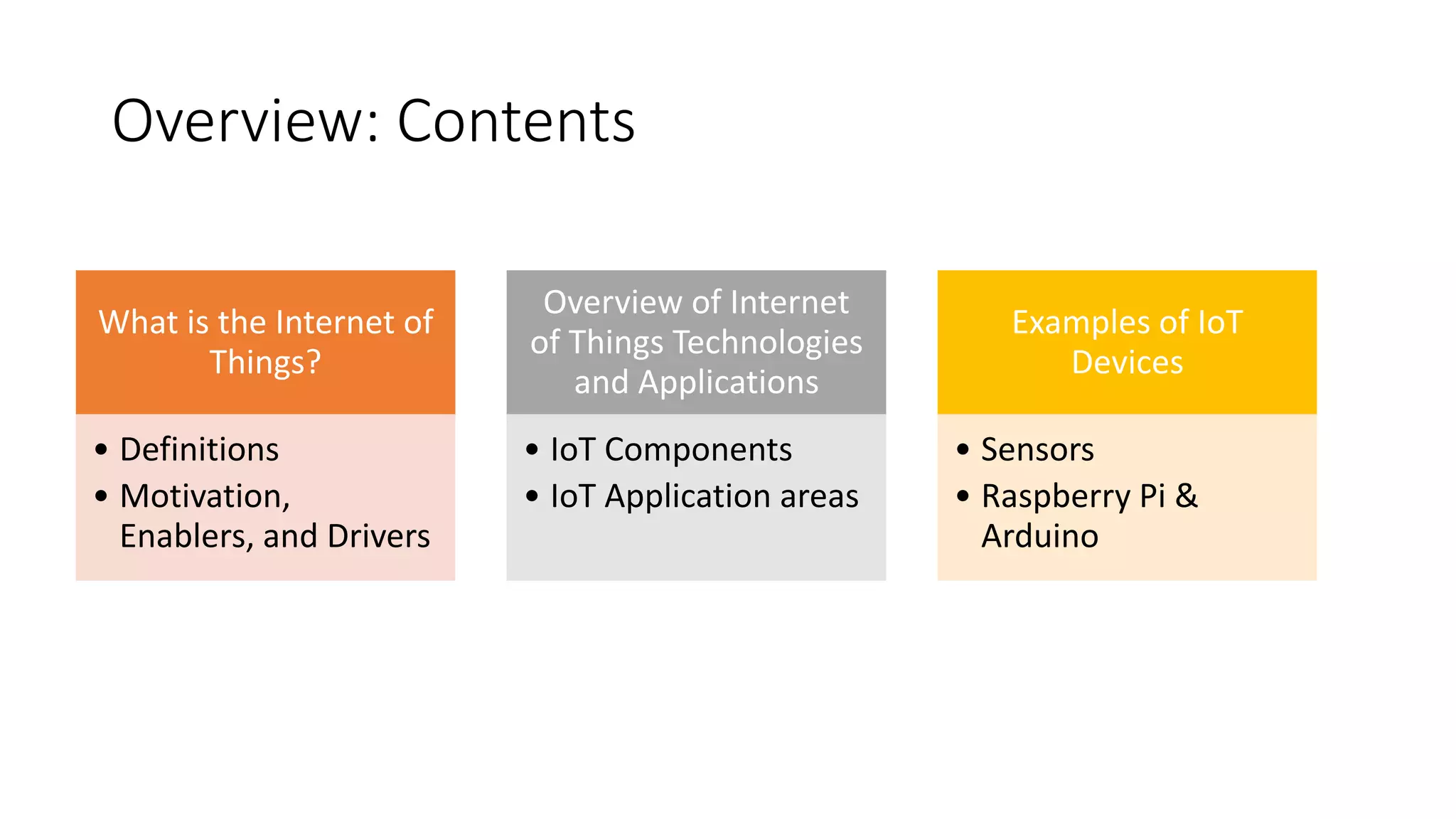
Overview: Contents
What is the Internet of
Things?
• Definitions
• Motivation,
Enablers, and Drivers
Overview of Internet
of Things Technologies
and Applications
• IoT Components
• IoT Application areas
Examples of IoT
Devices
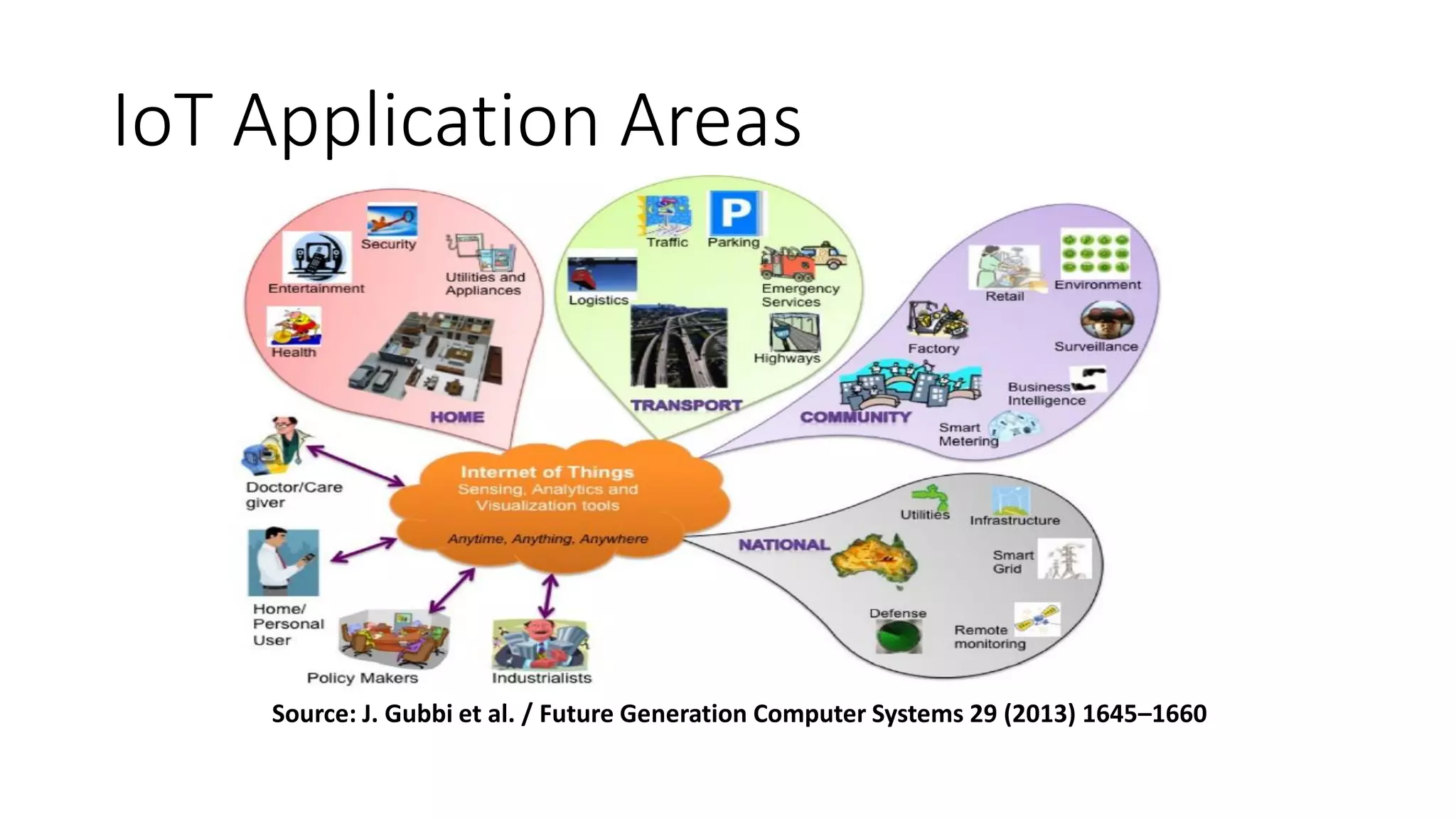
• Sensors
• Raspberry Pi &
Arduino
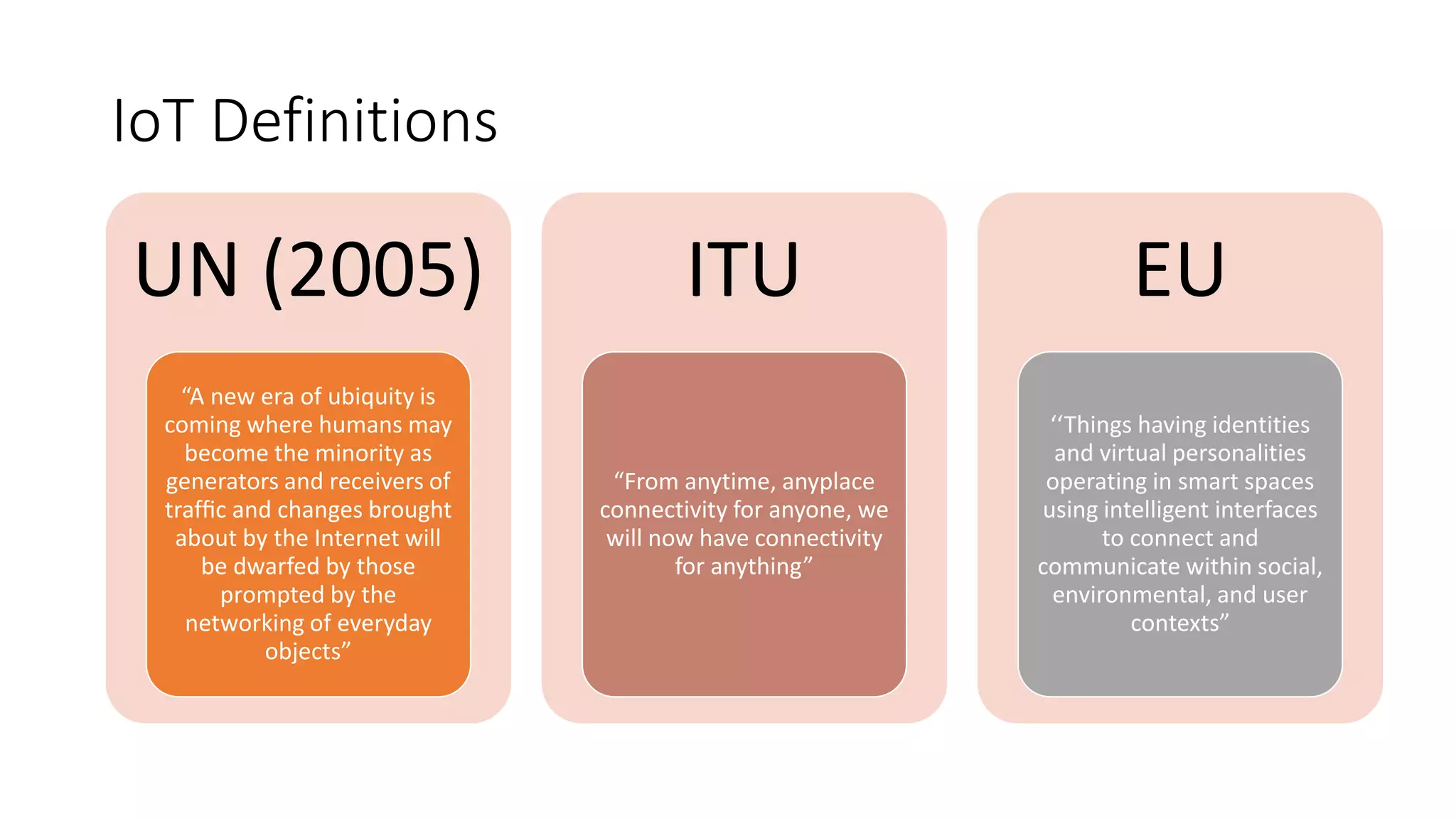
IoT Definitions
UN (2005)
“A new era of ubiquity is
coming where humans may
become the minority as
generators and receivers of
traffic and changes brought
about by the Internet will
be dwarfed by those
prompted by the
networking of everyday
objects”
ITU
“From anytime, anyplace
connectivity for anyone, we
will now have connectivity
for anything”
EU
‘‘Things having identities
and virtual personalities
operating in smart spaces
using intelligent interfaces
to connect and
communicate within social,
environmental, and user
contexts”
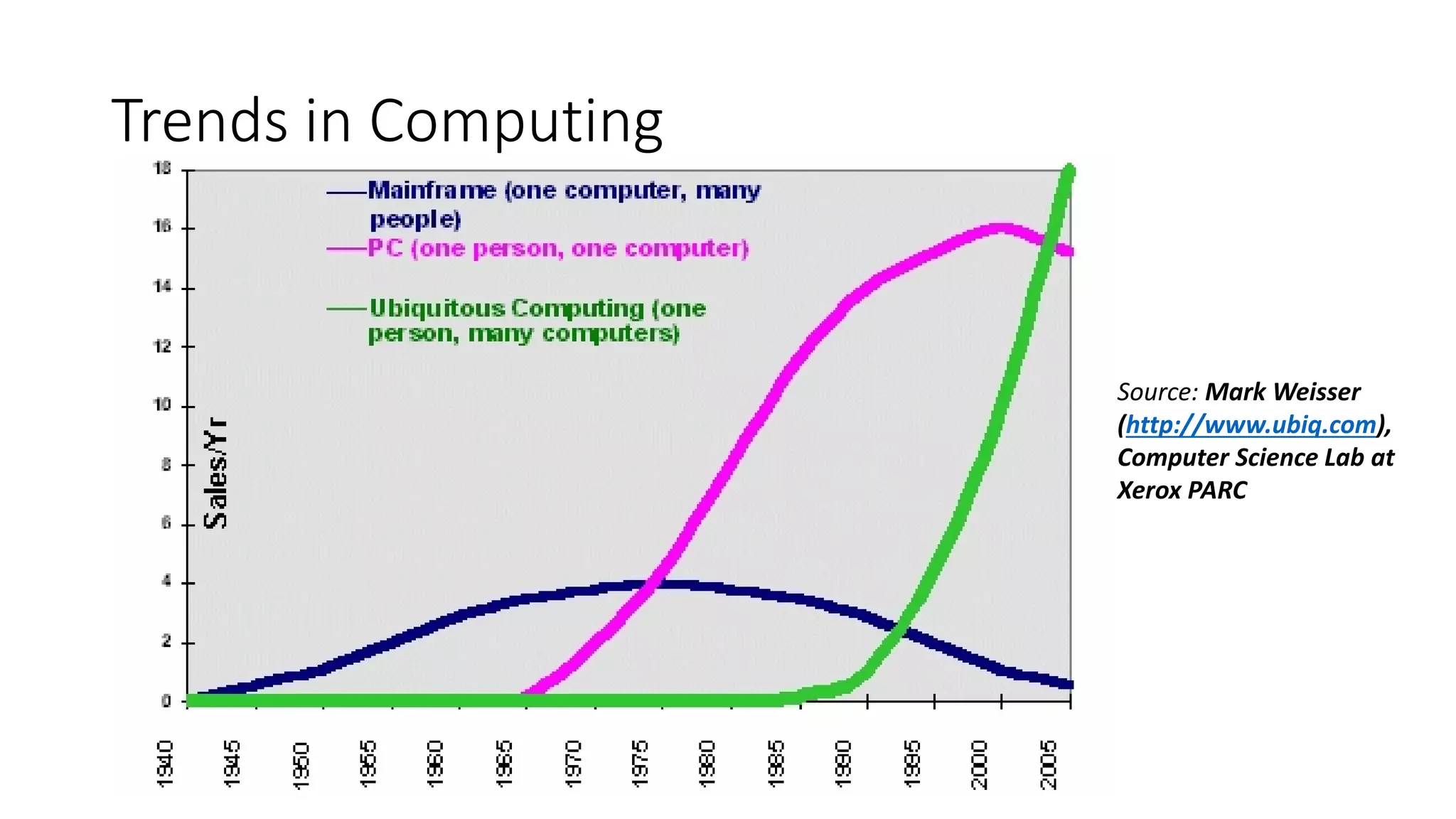
Trends in Computing
Source: Mark Weisser
(http://www.ubiq.com),
Computer Science Lab at
Xerox PARC
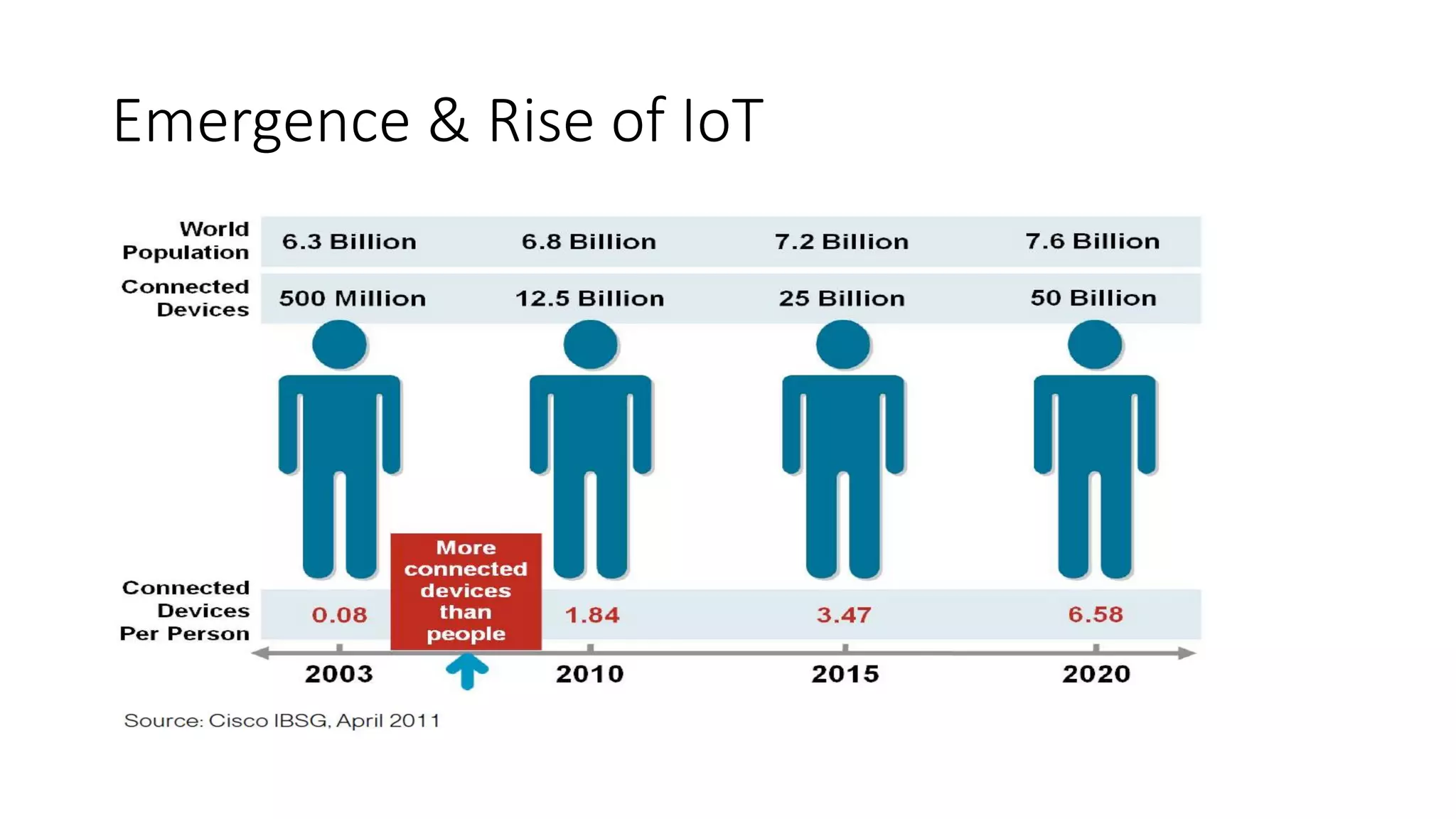
Emergence & Rise of IoT
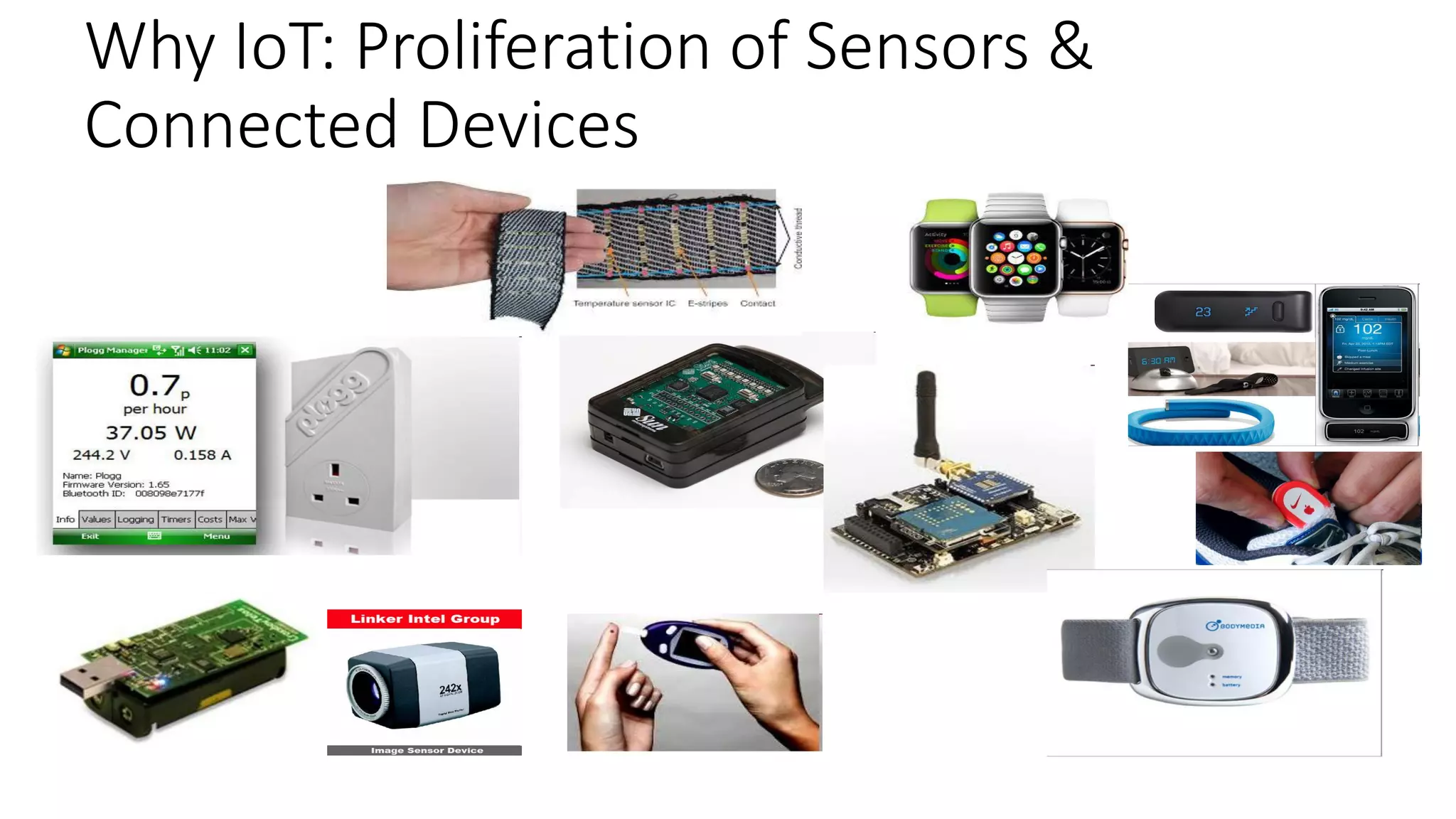
Why IoT: Proliferation of Sensors &
Connected Devices
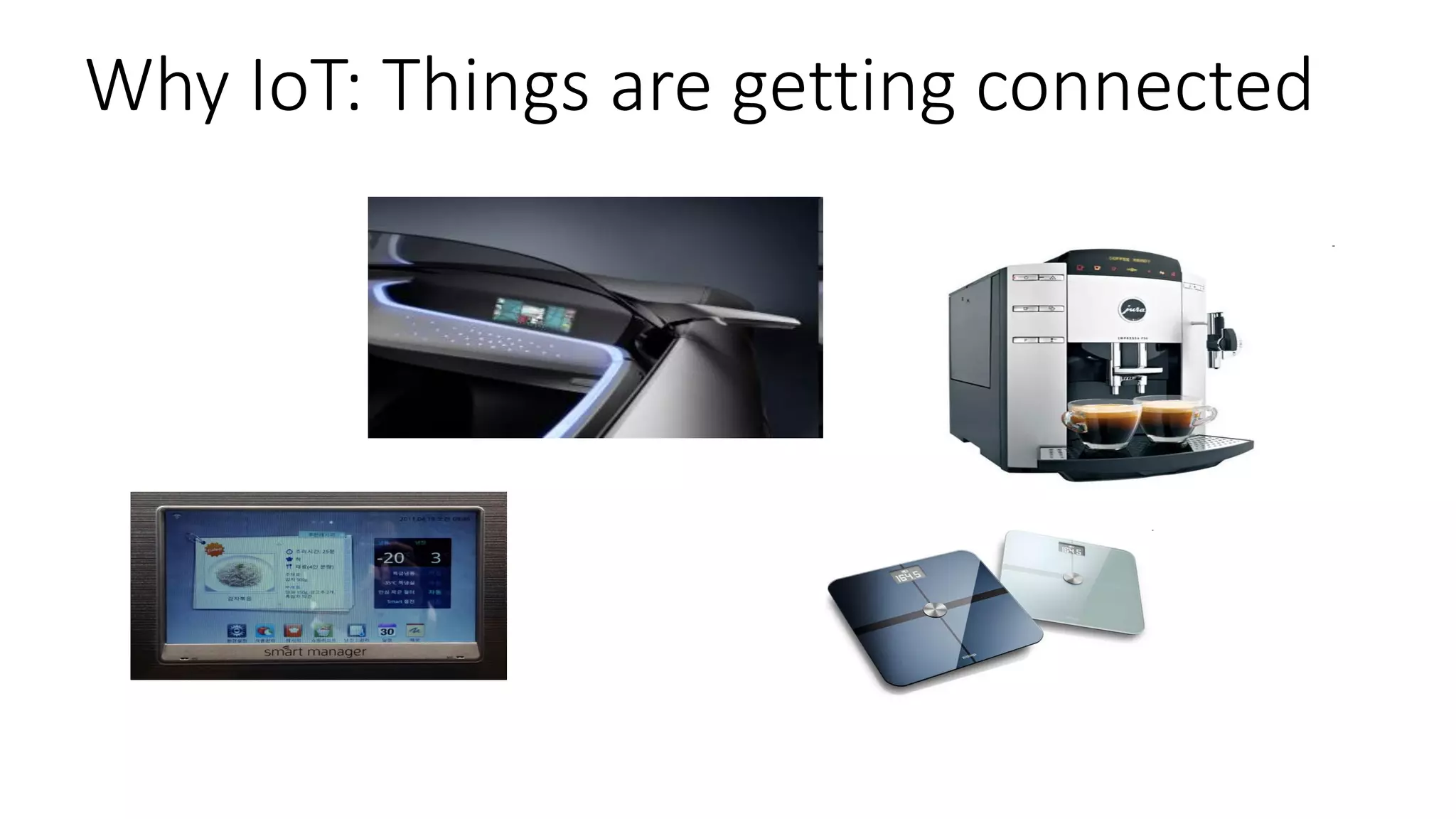
Why IoT: Things are getting connected
7
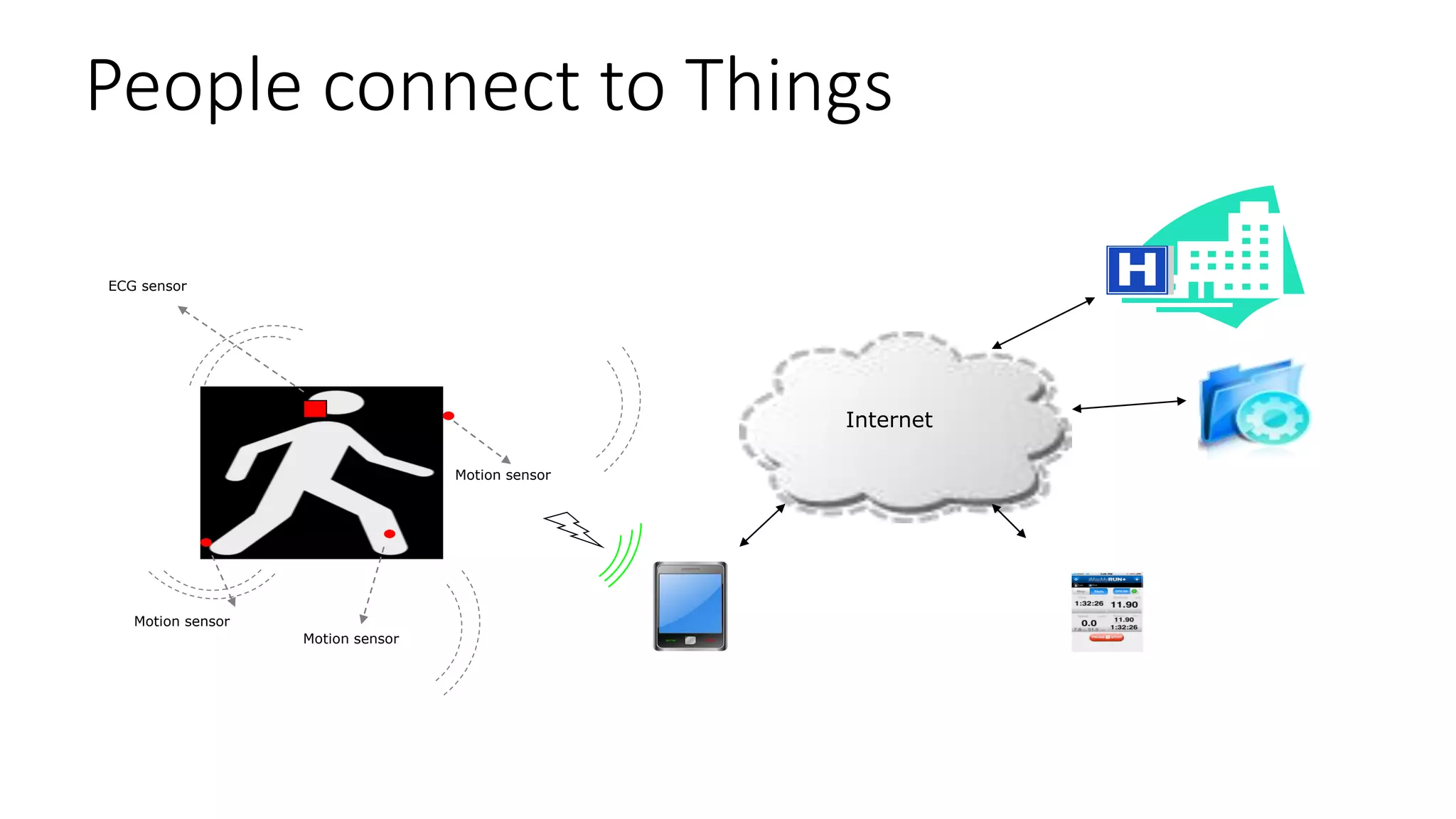
People connect to Things
Motion sensor
Motion sensor
Motion sensor
ECG sensor
Internet
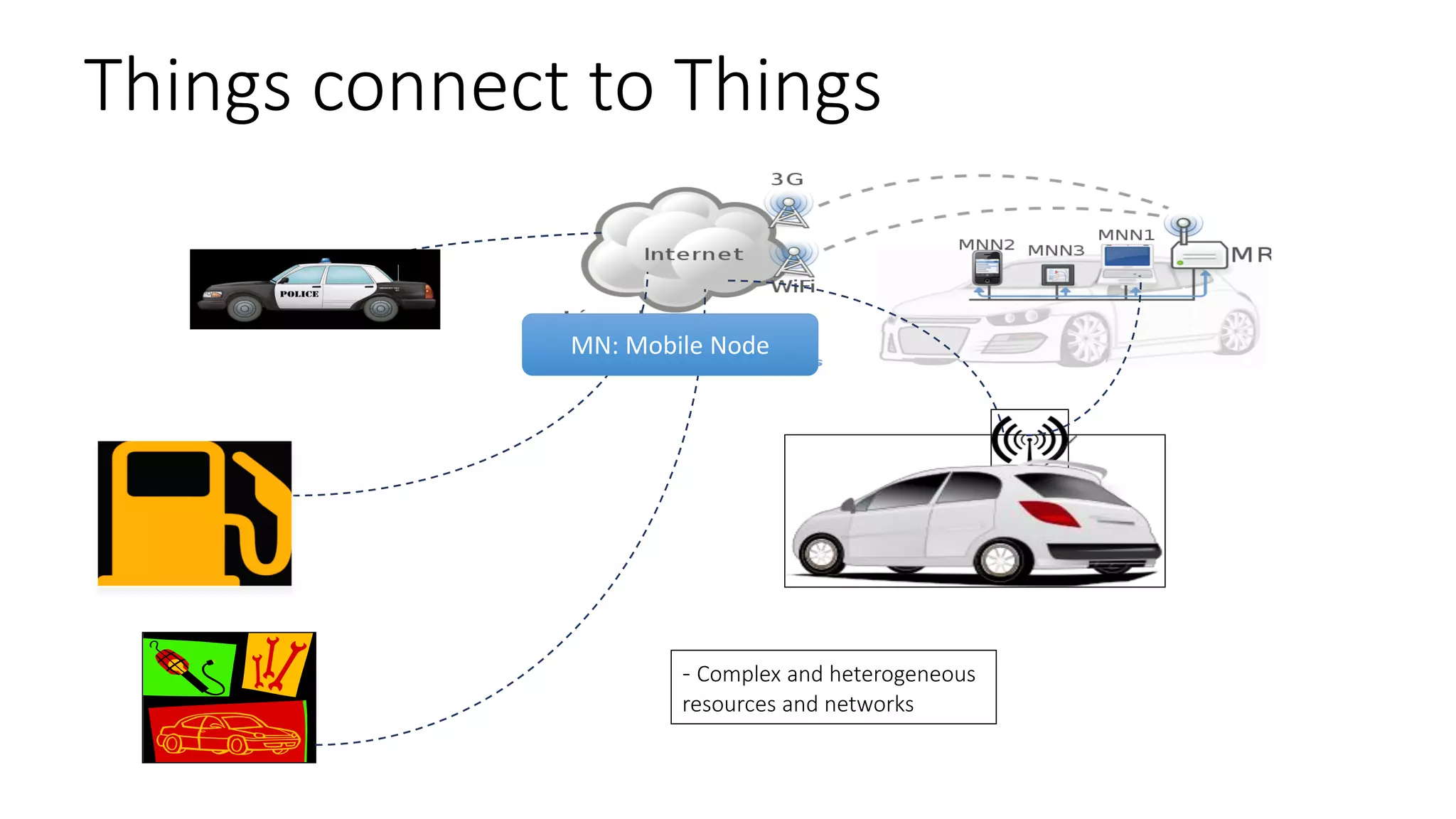
Things connect to Things
9
- Complex and heterogeneous
resources and networks
MN: Mobile Node
Some IoT (Intro) Videos
• https://www.youtube.com/watch?v=KIMYZE2Ma6IEuropean Commission: Internet-of-
Things
• http://www.youtube.com/watch?v=Q3ur8wzzhBUIntel IoT: What Does The Internet of
Things Mean?
• http://www.youtube.com/watch?v=B_hjAfPJeRACisco: How the Internet of Things Will
Change Everything—Including Ourselves
• http://www.youtube.com/watch?v=df9xAZZ-8zgIBM: Internet of Things
• https://www.youtube.com/watch?v=uMYQ6AnBK-cMicrosoft: The Internet of Your Things
• http://www.youtube.com/watch?v=QaTIt1C5R-MTEDxCIT: The Internet of Things
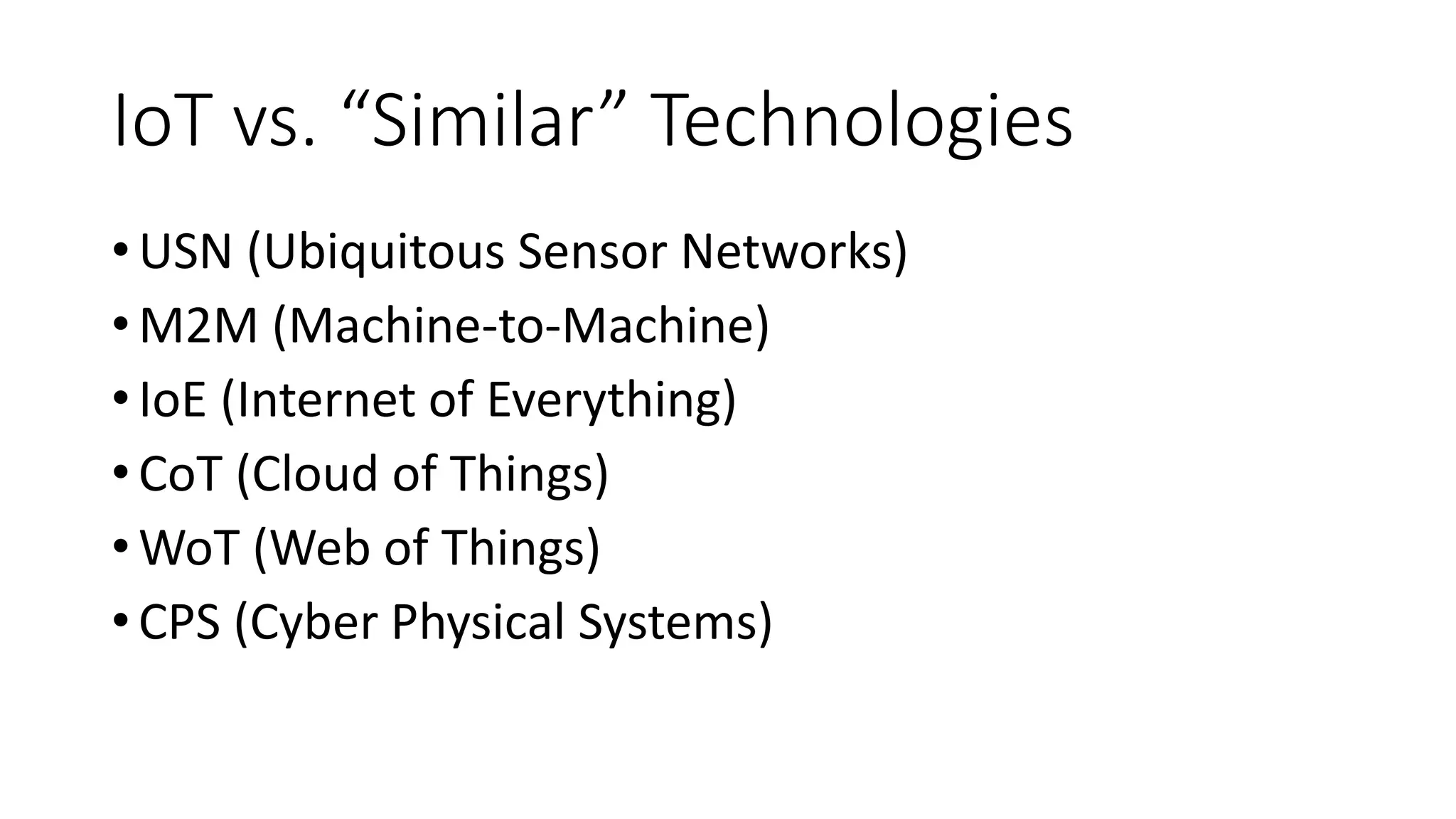
IoT vs. “Similar” Technologies
•USN (Ubiquitous Sensor Networks)
•M2M (Machine-to-Machine)
•IoE (Internet of Everything)
•CoT (Cloud of Things)
•WoT (Web of Things)
•CPS (Cyber Physical Systems)
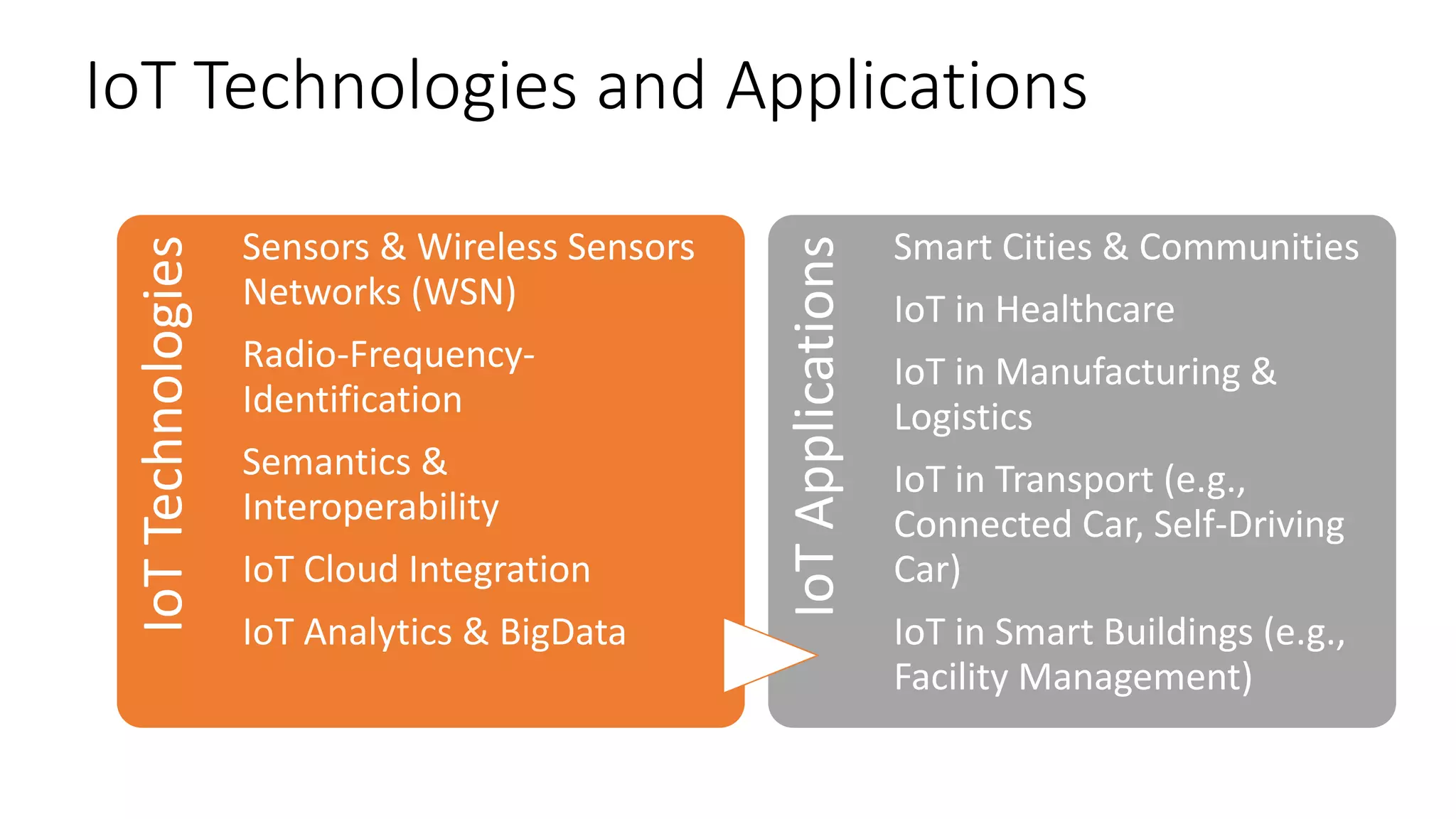
IoT Technologies and Applications
IoTTechnologies
Sensors & Wireless Sensors
Networks (WSN)
Radio-Frequency-
Identification
Semantics &
Interoperability
IoT Cloud Integration
IoT Analytics & BigData
IoTApplications
Smart Cities & Communities
IoT in Healthcare
IoT in Manufacturing &
Logistics
IoT in Transport (e.g.,
Connected Car, Self-Driving
Car)
IoT in Smart Buildings (e.g.,
Facility Management)
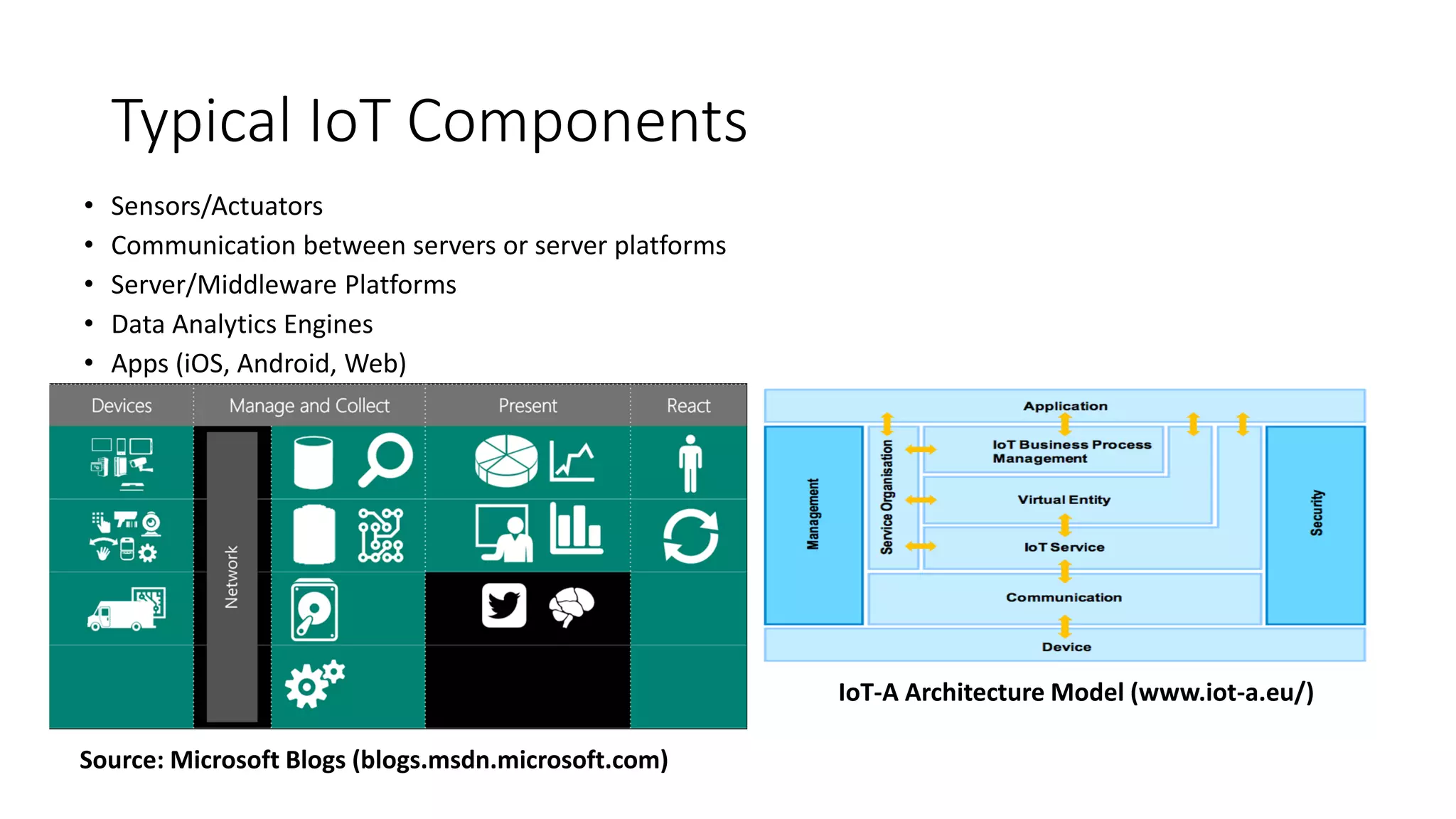
Typical IoT Components
• Sensors/Actuators
• Communication between servers or server platforms
• Server/Middleware Platforms
• Data Analytics Engines
• Apps (iOS, Android, Web)
IoT-A Architecture Model (www.iot-a.eu/)
Source: Microsoft Blogs (blogs.msdn.microsoft.com)
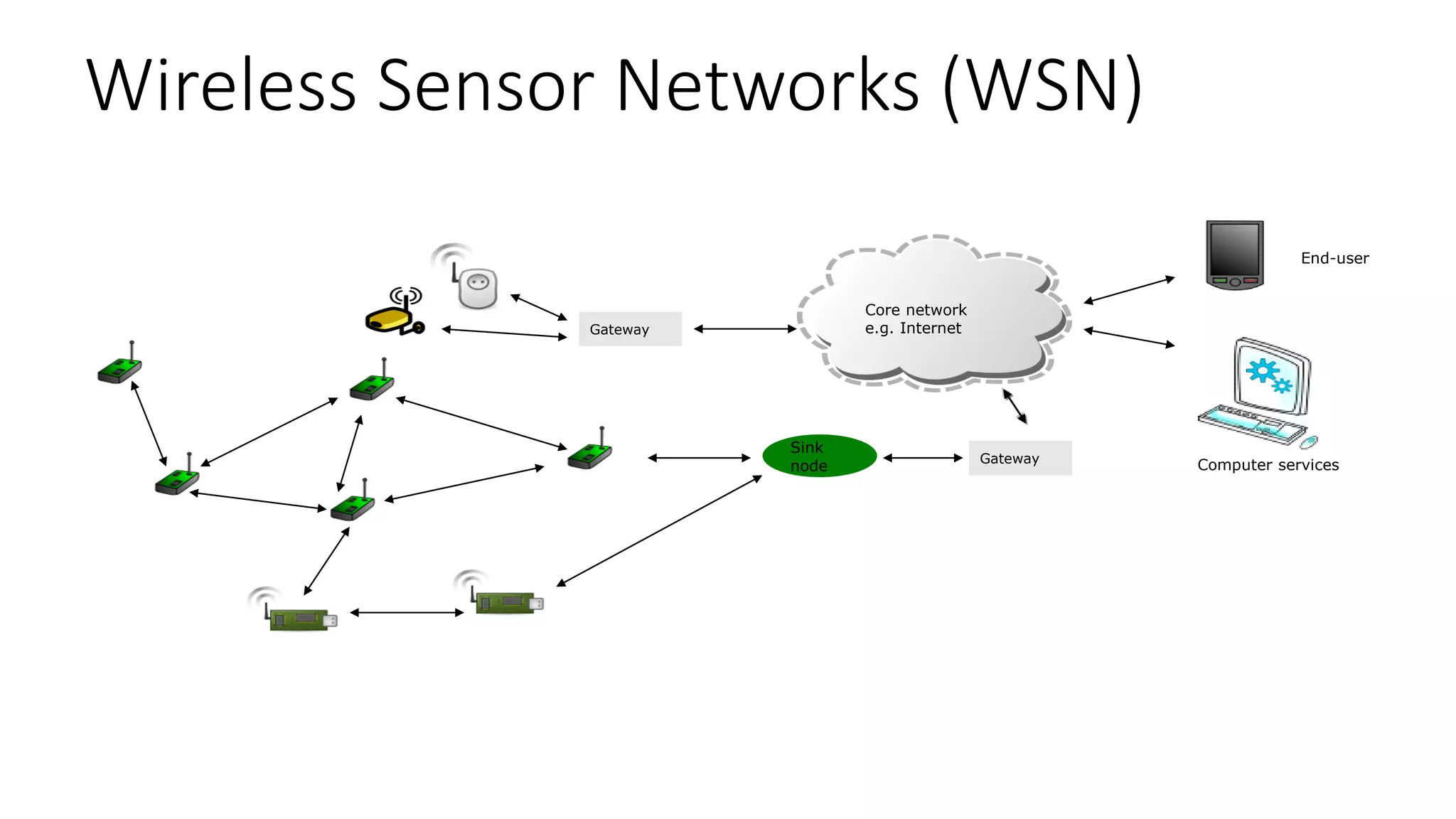
Wireless Sensor Networks (WSN)
14
Sink
node
Gateway
Core network
e.g. InternetGateway
End-user
Computer services
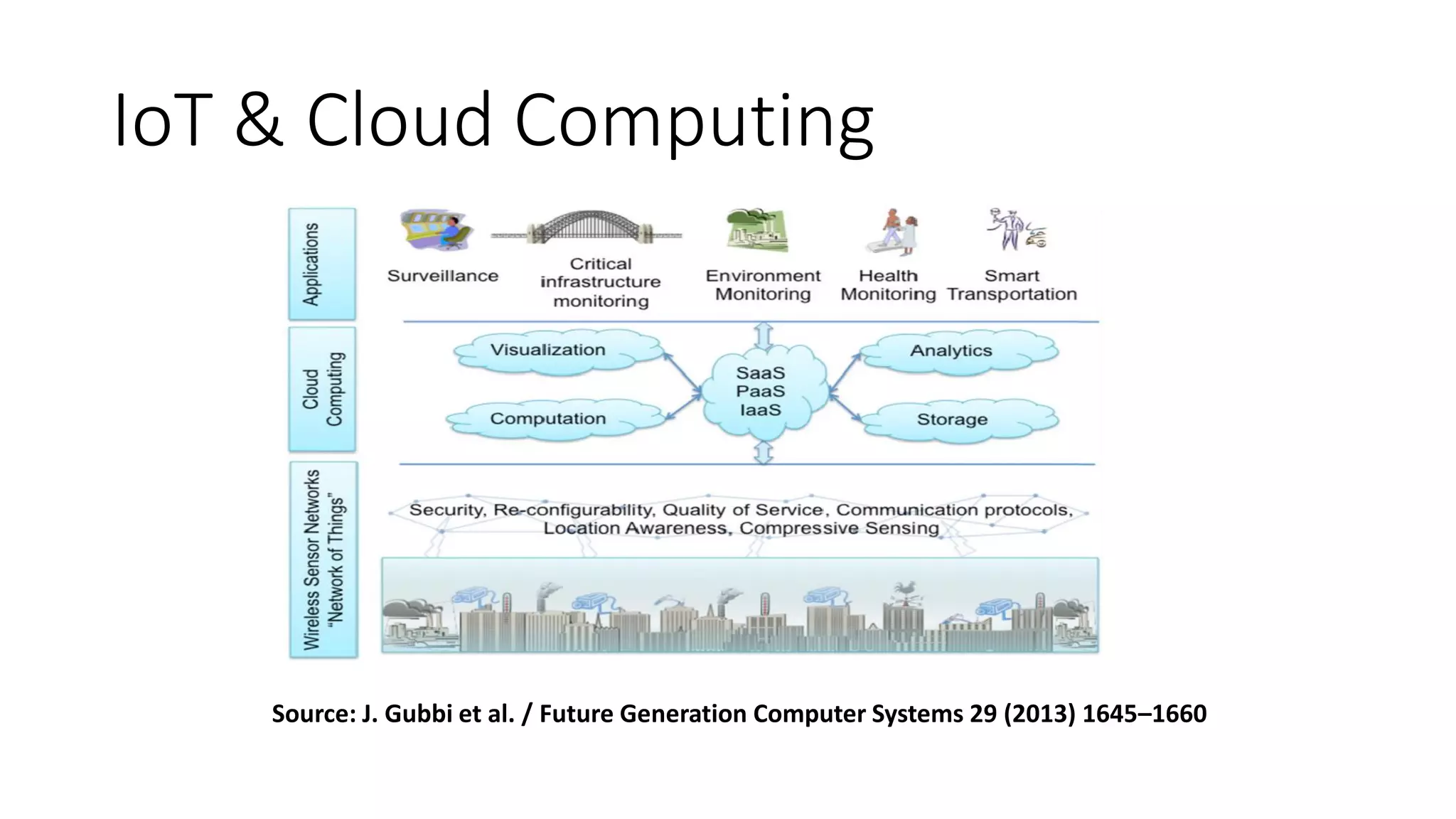
IoT & Cloud Computing
Source: J. Gubbi et al. / Future Generation Computer Systems 29 (2013) 1645–1660
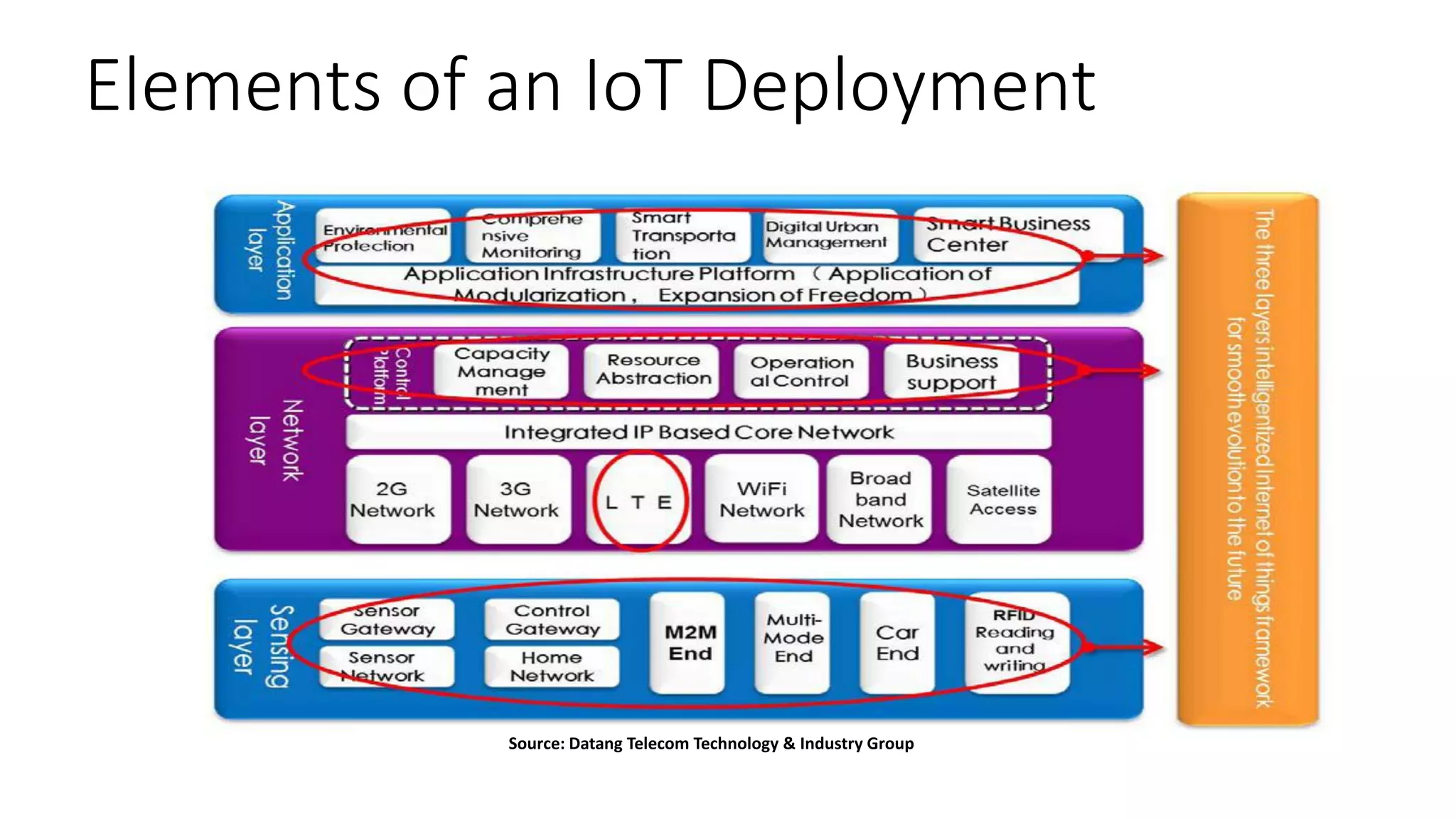
Elements of an IoT Deployment
16
Source: Datang Telecom Technology & Industry Group
IoT Application Areas
Source: J. Gubbi et al. / Future Generation Computer Systems 29 (2013) 1645–1660
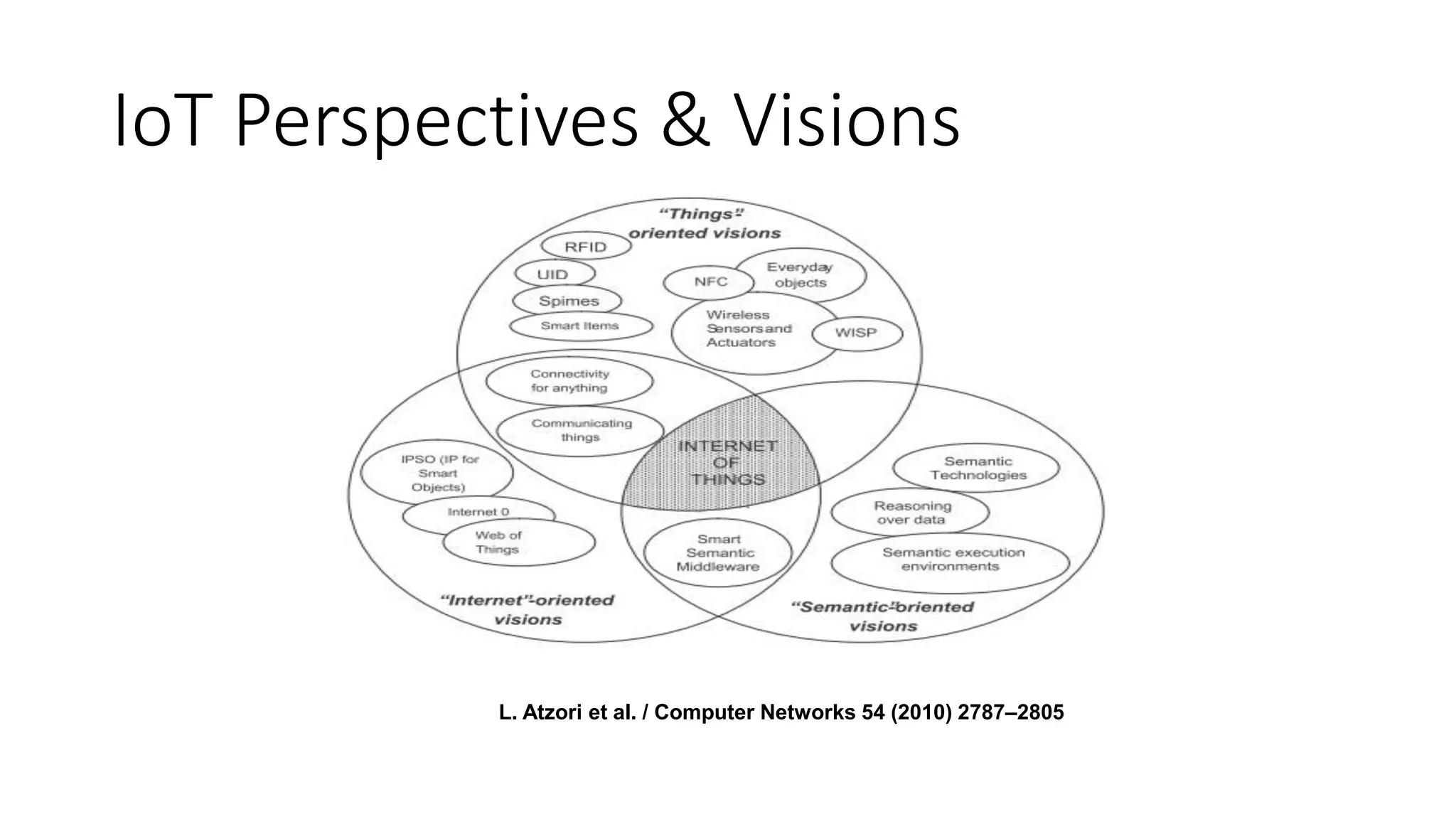
IoT Perspectives & Visions
L. Atzori et al. / Computer Networks 54 (2010) 2787–2805
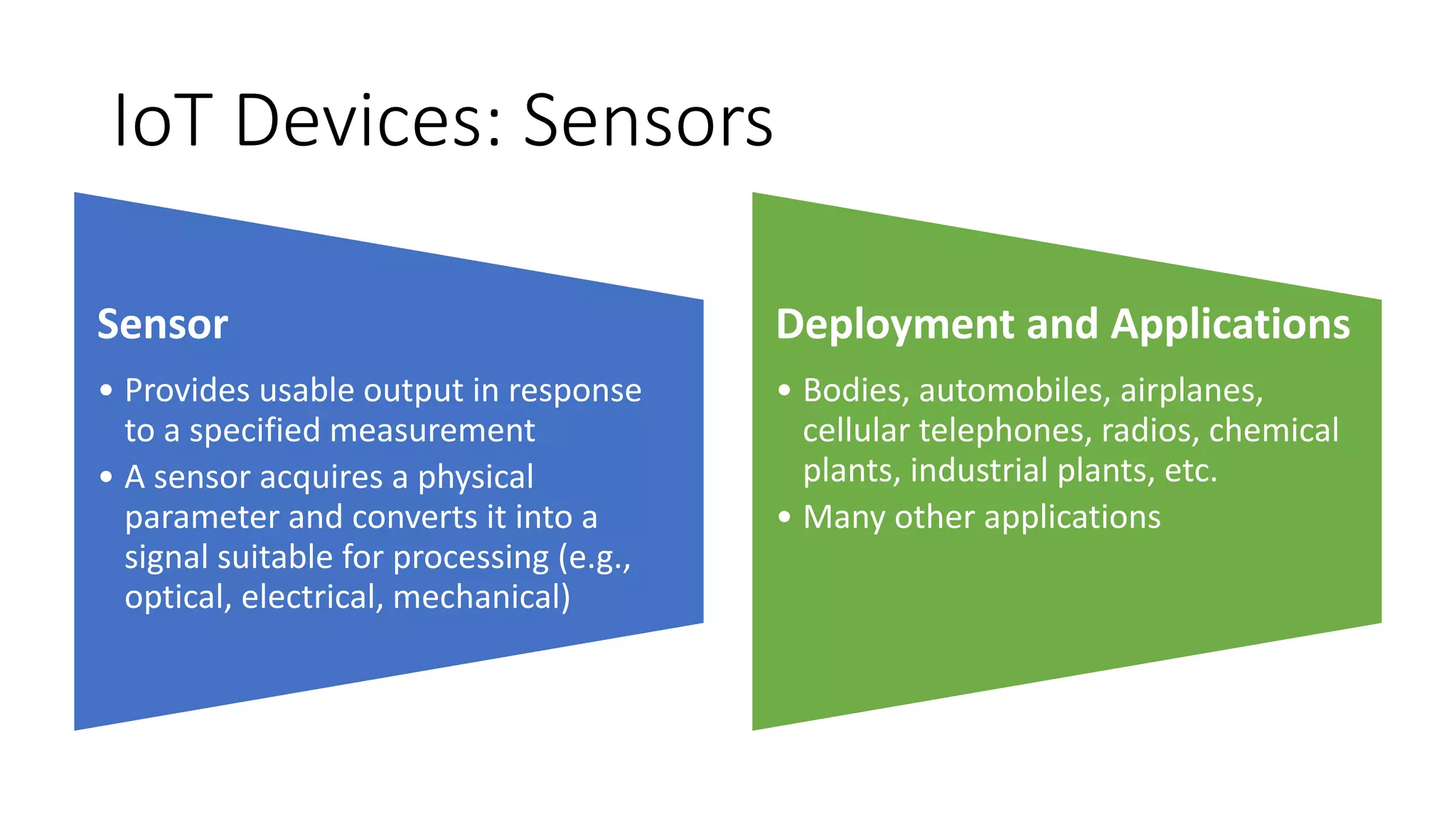
IoT Devices: Sensors
Sensor
• Provides usable output in response
to a specified measurement
• A sensor acquires a physical
parameter and converts it into a
signal suitable for processing (e.g.,
optical, electrical, mechanical)
Deployment and Applications
• Bodies, automobiles, airplanes,
cellular telephones, radios, chemical
plants, industrial plants, etc.
• Many other applications
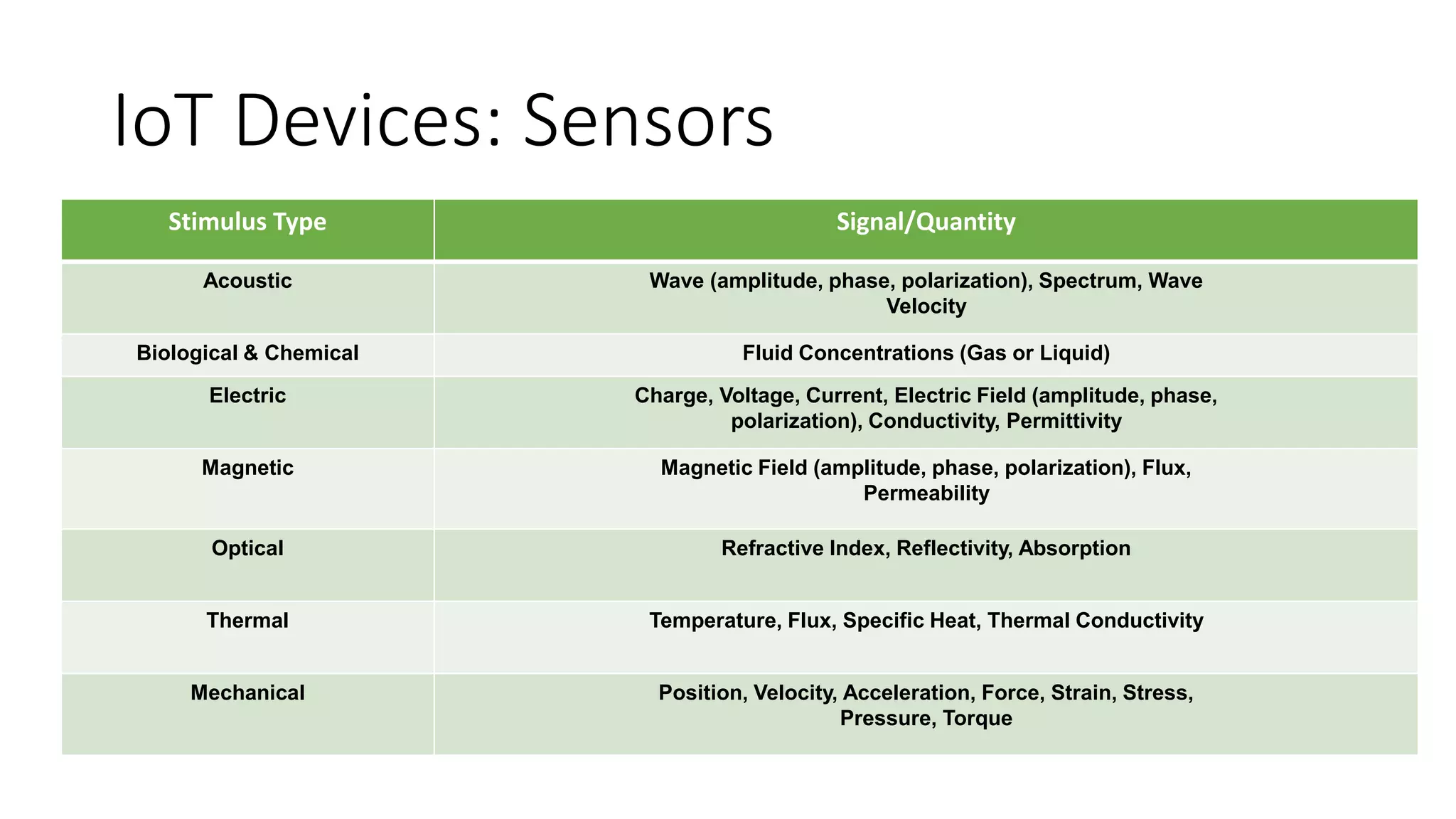
IoT Devices: Sensors
Stimulus Type Signal/Quantity
Acoustic Wave (amplitude, phase, polarization), Spectrum, Wave
Velocity
Biological & Chemical Fluid Concentrations (Gas or Liquid)
Electric Charge, Voltage, Current, Electric Field (amplitude, phase,
polarization), Conductivity, Permittivity
Magnetic Magnetic Field (amplitude, phase, polarization), Flux,
Permeability
Optical Refractive Index, Reflectivity, Absorption
Thermal Temperature, Flux, Specific Heat, Thermal Conductivity
Mechanical Position, Velocity, Acceleration, Force, Strain, Stress,
Pressure, Torque
IoT Devices: Sensors & Actuators
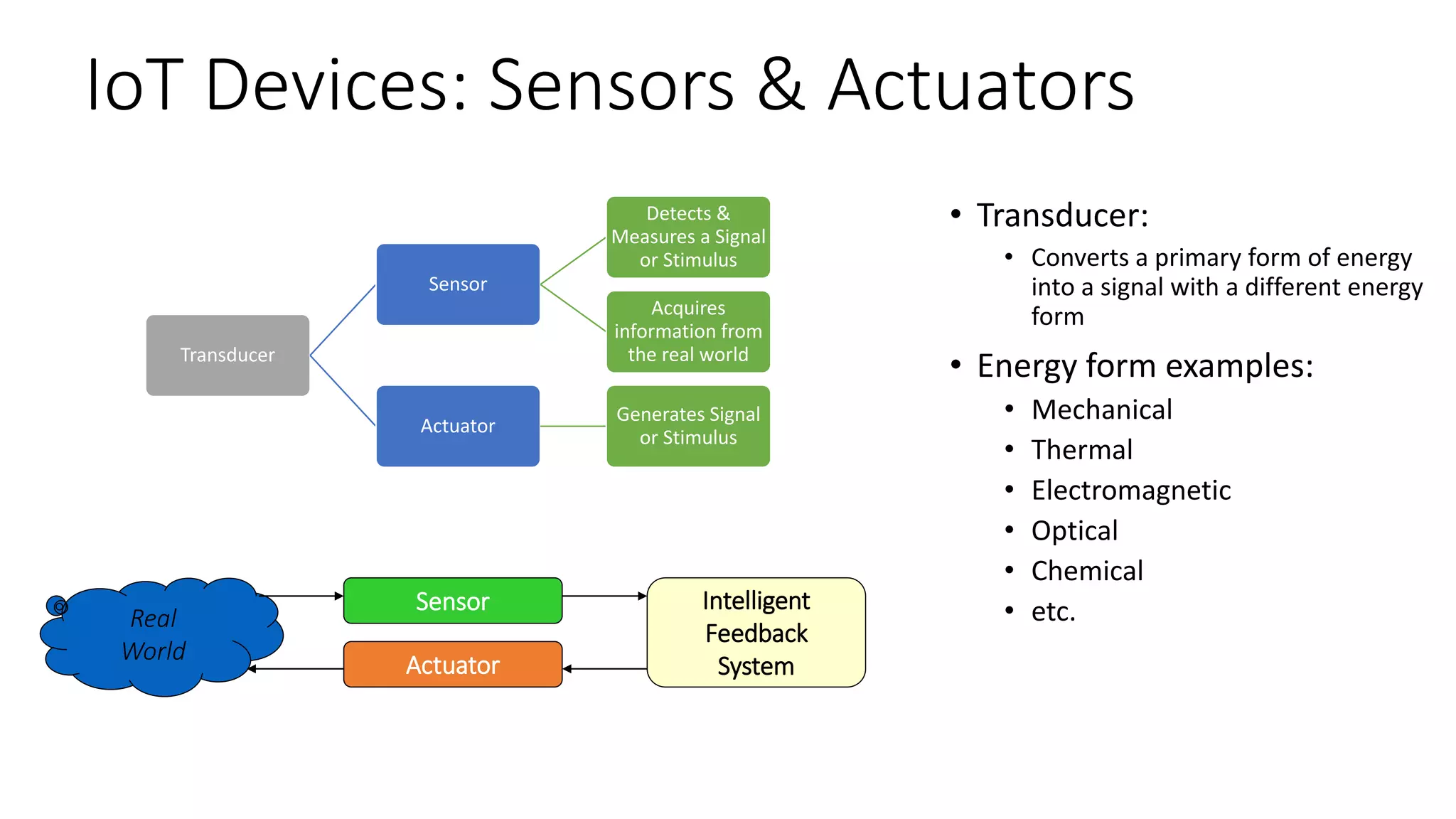
Transducer
Sensor
Detects &
Measures a Signal
or Stimulus
Acquires
information from
the real world
Actuator
Generates Signal
or Stimulus
Real
World
Sensor
Actuator
Intelligent
Feedback
System
• Transducer:
• Converts a primary form of energy
into a signal with a different energy
form
• Energy form examples:
• Mechanical
• Thermal
• Electromagnetic
• Optical
• Chemical
• etc.
Sensor Examples (1)
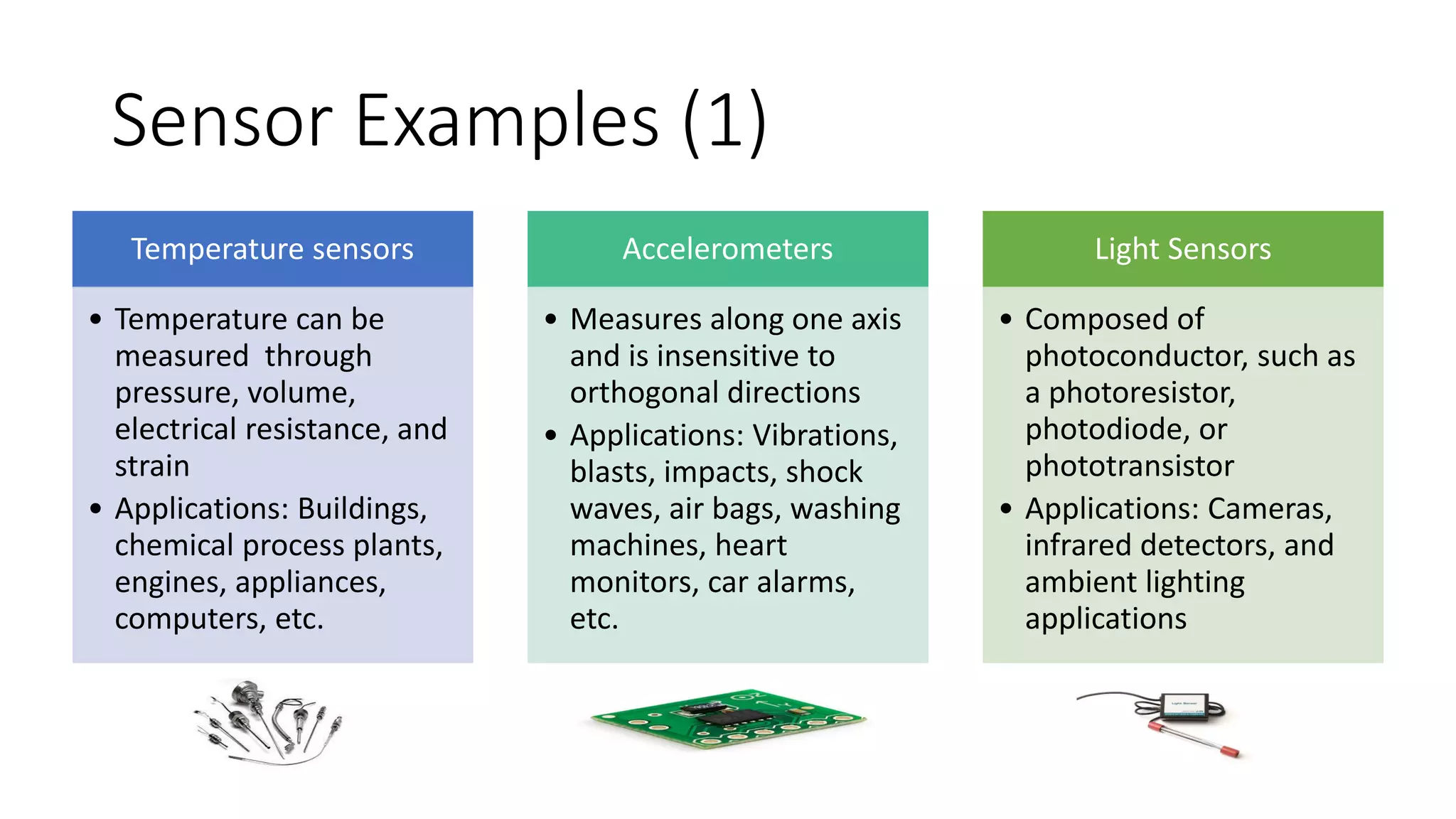
Temperature sensors
• Temperature can be
measured through
pressure, volume,
electrical resistance, and
strain
• Applications: Buildings,
chemical process plants,
engines, appliances,
computers, etc.
Accelerometers
• Measures along one axis
and is insensitive to
orthogonal directions
• Applications: Vibrations,
blasts, impacts, shock
waves, air bags, washing
machines, heart
monitors, car alarms,
etc.
Light Sensors
• Composed of
photoconductor, such as
a photoresistor,
photodiode, or
phototransistor
• Applications: Cameras,
infrared detectors, and
ambient lighting
applications
Sensor Examples (2)
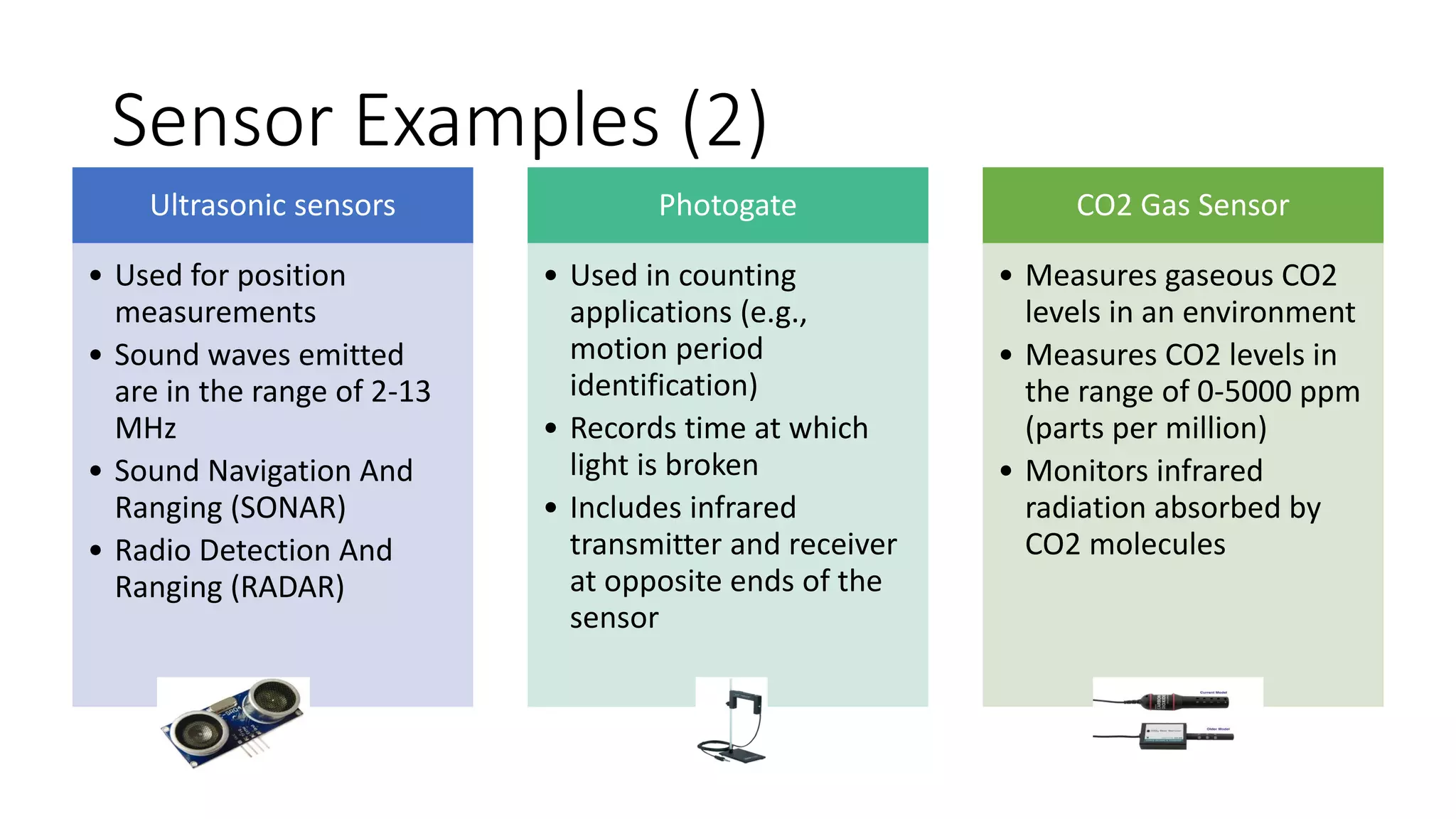
Ultrasonic sensors
• Used for position
measurements
• Sound waves emitted
are in the range of 2-13
MHz
• Sound Navigation And
Ranging (SONAR)
• Radio Detection And
Ranging (RADAR)
Photogate
• Used in counting
applications (e.g.,
motion period
identification)
• Records time at which
light is broken
• Includes infrared
transmitter and receiver
at opposite ends of the
sensor
CO2 Gas Sensor
• Measures gaseous CO2
levels in an environment
• Measures CO2 levels in
the range of 0-5000 ppm
(parts per million)
• Monitors infrared
radiation absorbed by
CO2 molecules
Sensor Selection Criteria
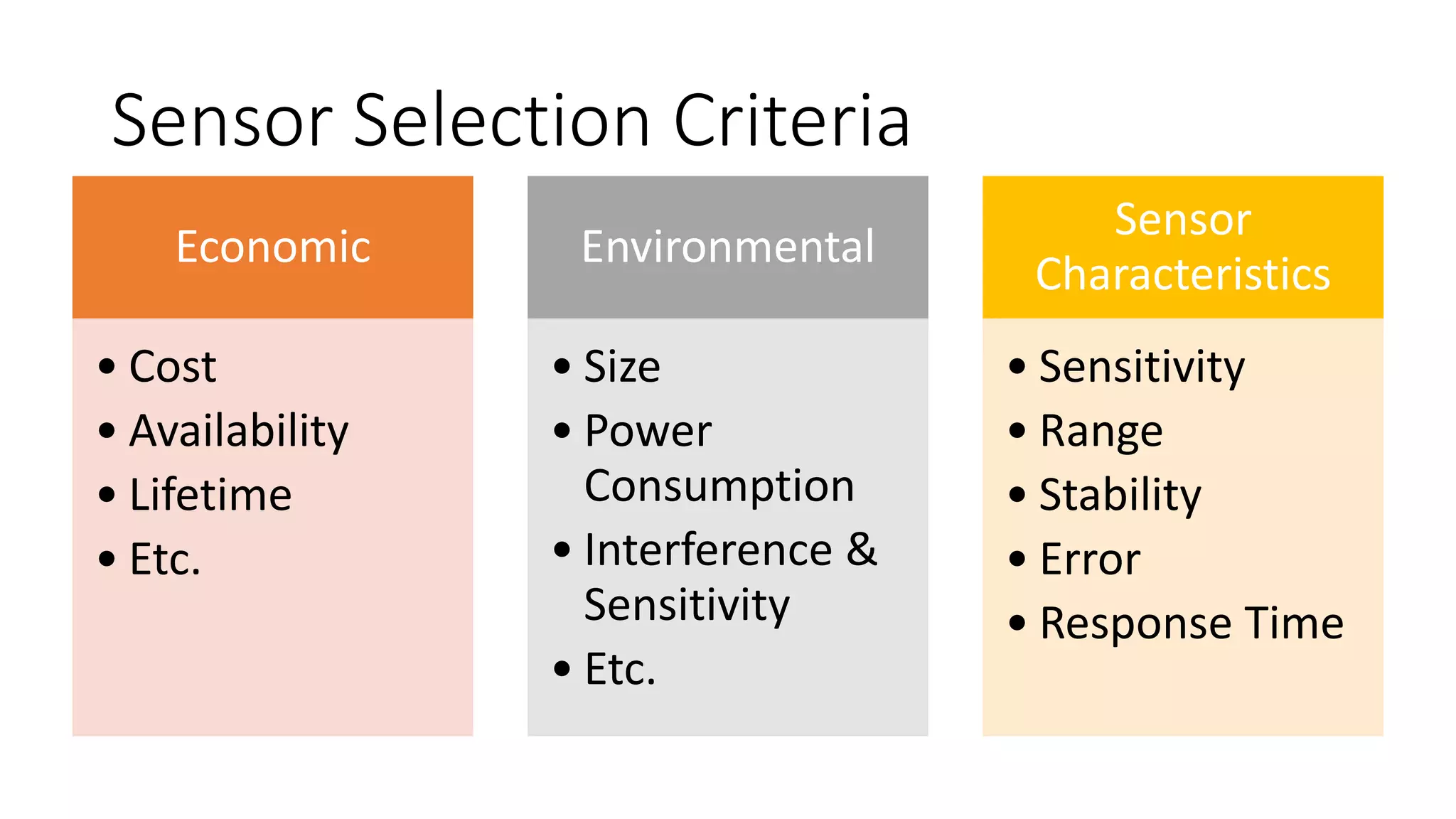
Economic
• Cost
• Availability
• Lifetime
• Etc.
Environmental
• Size
• Power
Consumption
• Interference &
Sensitivity
• Etc.
Sensor
Characteristics
• Sensitivity
• Range
• Stability
• Error
• Response Time
IoT Devices: Arduino
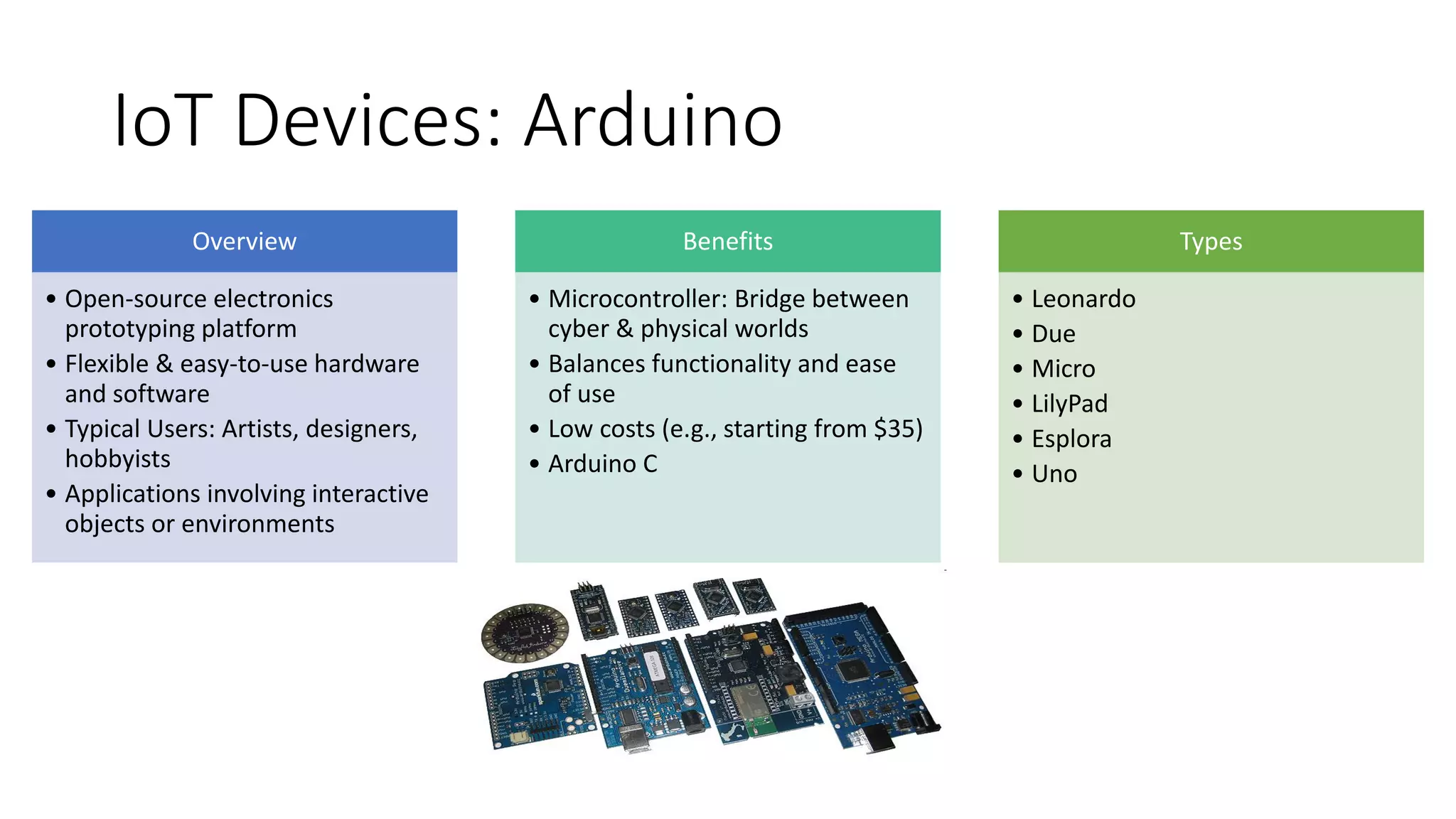
Overview
• Open-source electronics
prototyping platform
• Flexible & easy-to-use hardware
and software
• Typical Users: Artists, designers,
hobbyists
• Applications involving interactive
objects or environments
Benefits
• Microcontroller: Bridge between
cyber & physical worlds
• Balances functionality and ease
of use
• Low costs (e.g., starting from $35)
• Arduino C
Types
• Leonardo
• Due
• Micro
• LilyPad
• Esplora
• Uno
Arduino Programming (1)
•C++ based: A handful of new commands
•Programs are called “sketches”.
•Sketches need two functions:
• void setup( ): Runs first and once
• void loop( ): Runs over and over, until power is lost or a new sketch is loaded
• PIN = Global Variables
Arduino Programming (2)
• digitalWrite(pin, value): Sends a voltage level to the designated pin
• pinMode(pin, mode): Designates the specified pin for input or output
• digitalRead(pin): Reads the current voltage level from the designated pin
• Analog versions of above: analogRead's range is 0 to 1023
• Serial commands: print, println, write
• www.arduino.cc: Online support forum
Sensors & Shields
Sensors
• Can be both binary or a range
• Measure a range of values, vary their
resistance to reflect their detection
• Arduinos sense voltages, not
resistances
• Sensors that only vary their
resistances: Voltage divider to
provide the Arduino a voltage is
required
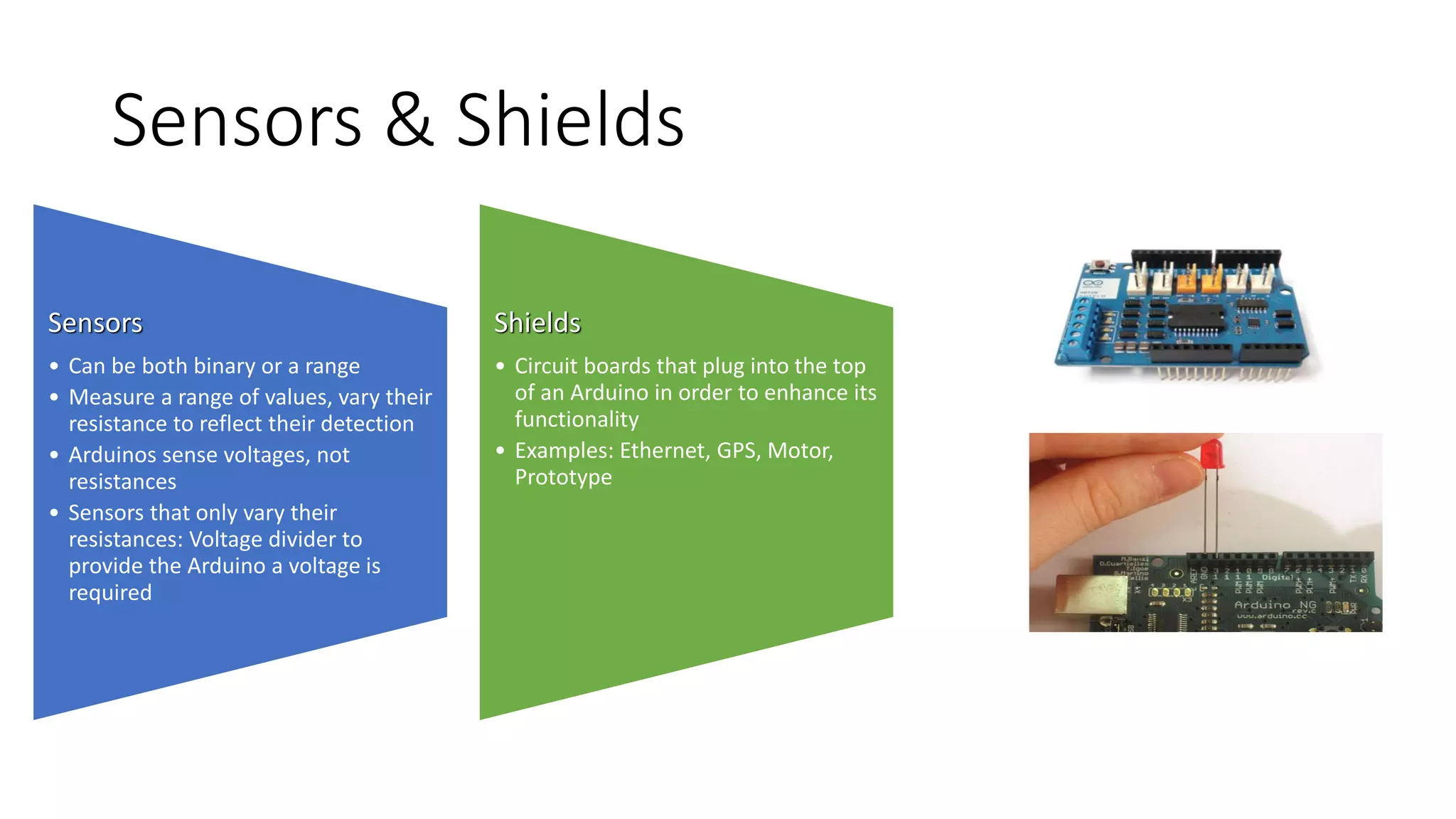
Shields
• Circuit boards that plug into the top
of an Arduino in order to enhance its
functionality
• Examples: Ethernet, GPS, Motor,
Prototype
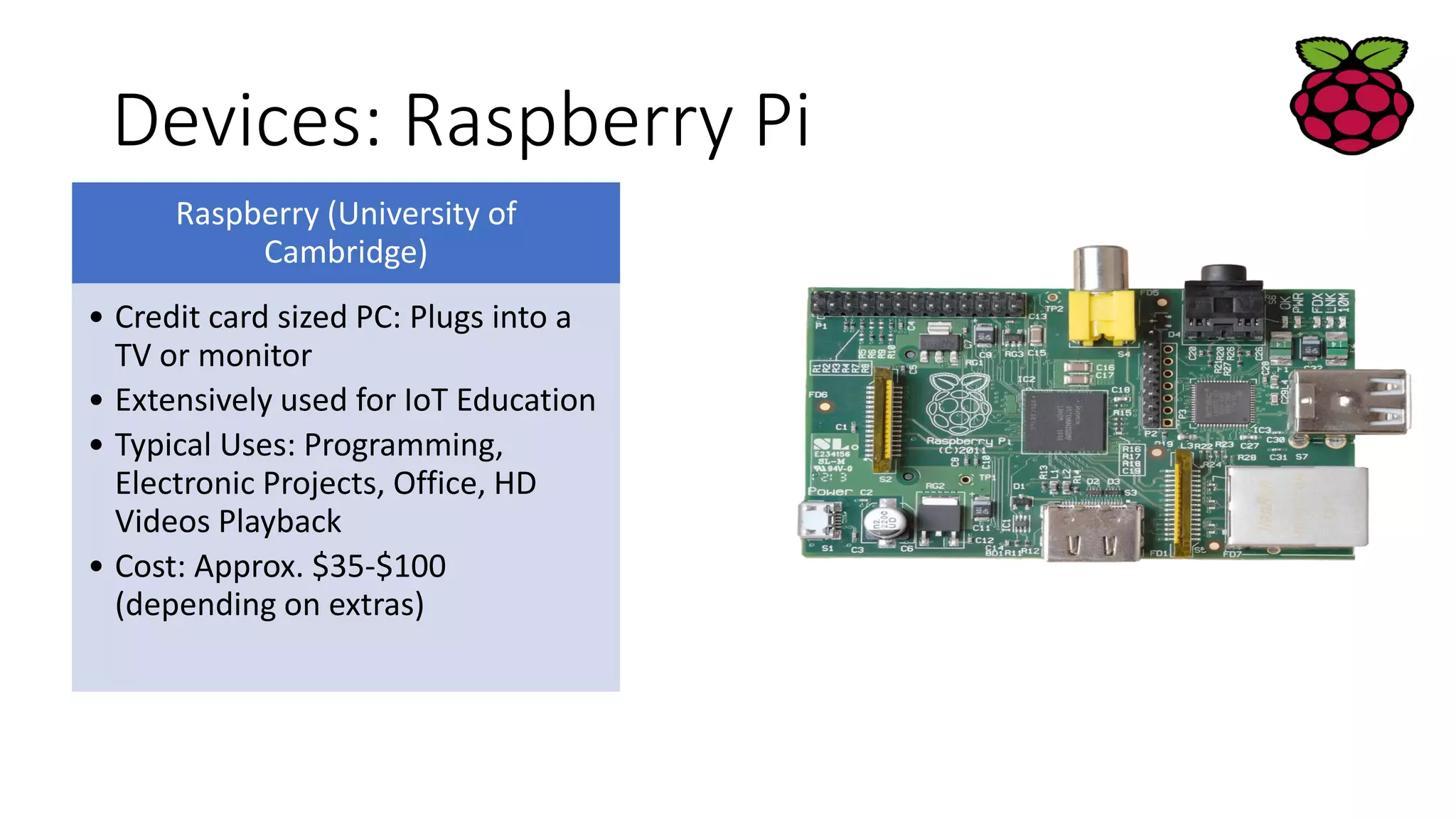
Devices: Raspberry Pi
Raspberry (University of
Cambridge)
• Credit card sized PC: Plugs into a
TV or monitor
• Extensively used for IoT Education
• Typical Uses: Programming,
Electronic Projects, Office, HD
Videos Playback
• Cost: Approx. $35-$100
(depending on extras)
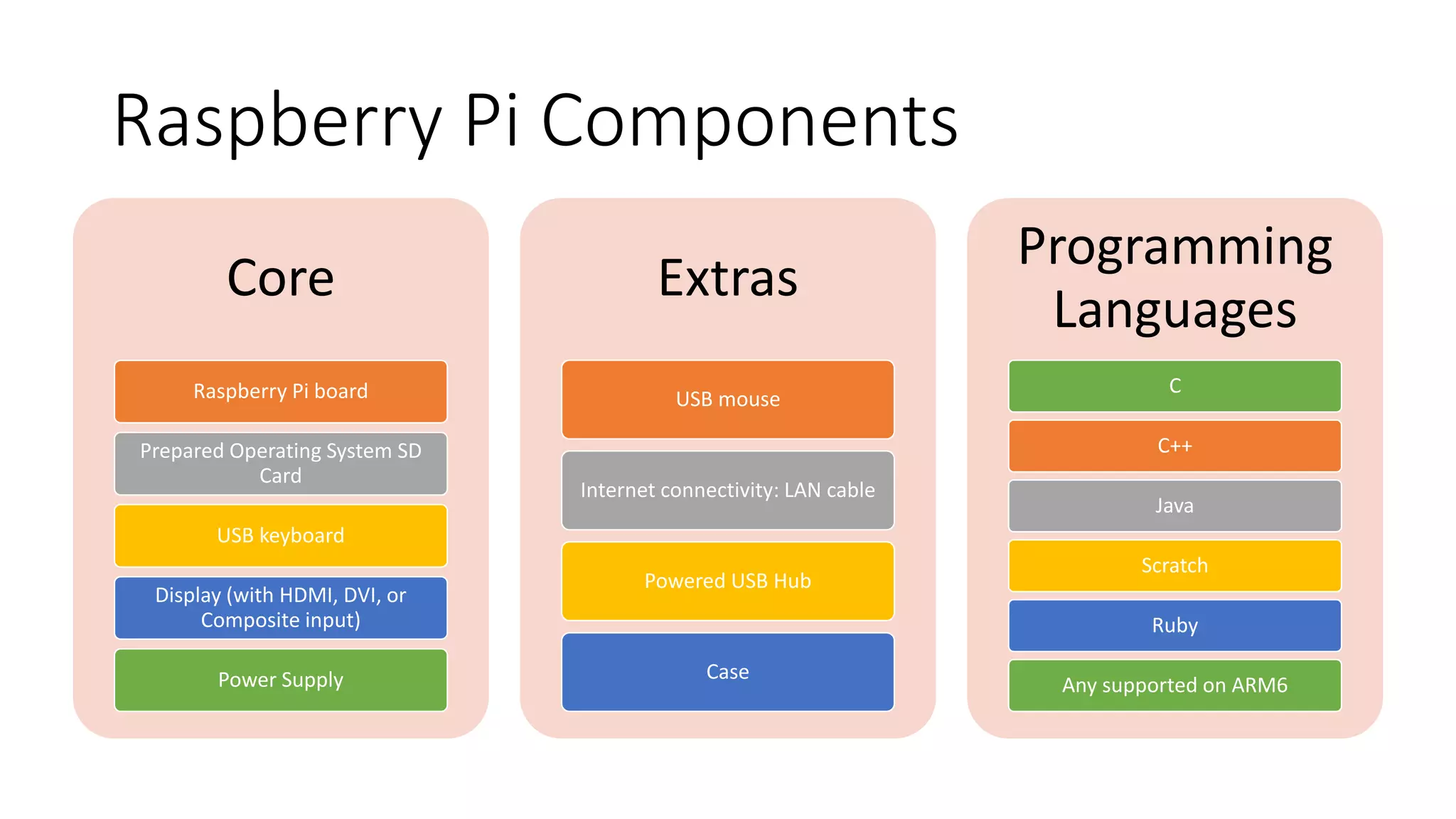
Raspberry Pi Components
Core
Raspberry Pi board
Prepared Operating System SD
Card
USB keyboard
Display (with HDMI, DVI, or
Composite input)
Power Supply
Extras
USB mouse
Internet connectivity: LAN cable
Powered USB Hub
Case
Programming
Languages
C
C++
Java
Scratch
Ruby
Any supported on ARM6
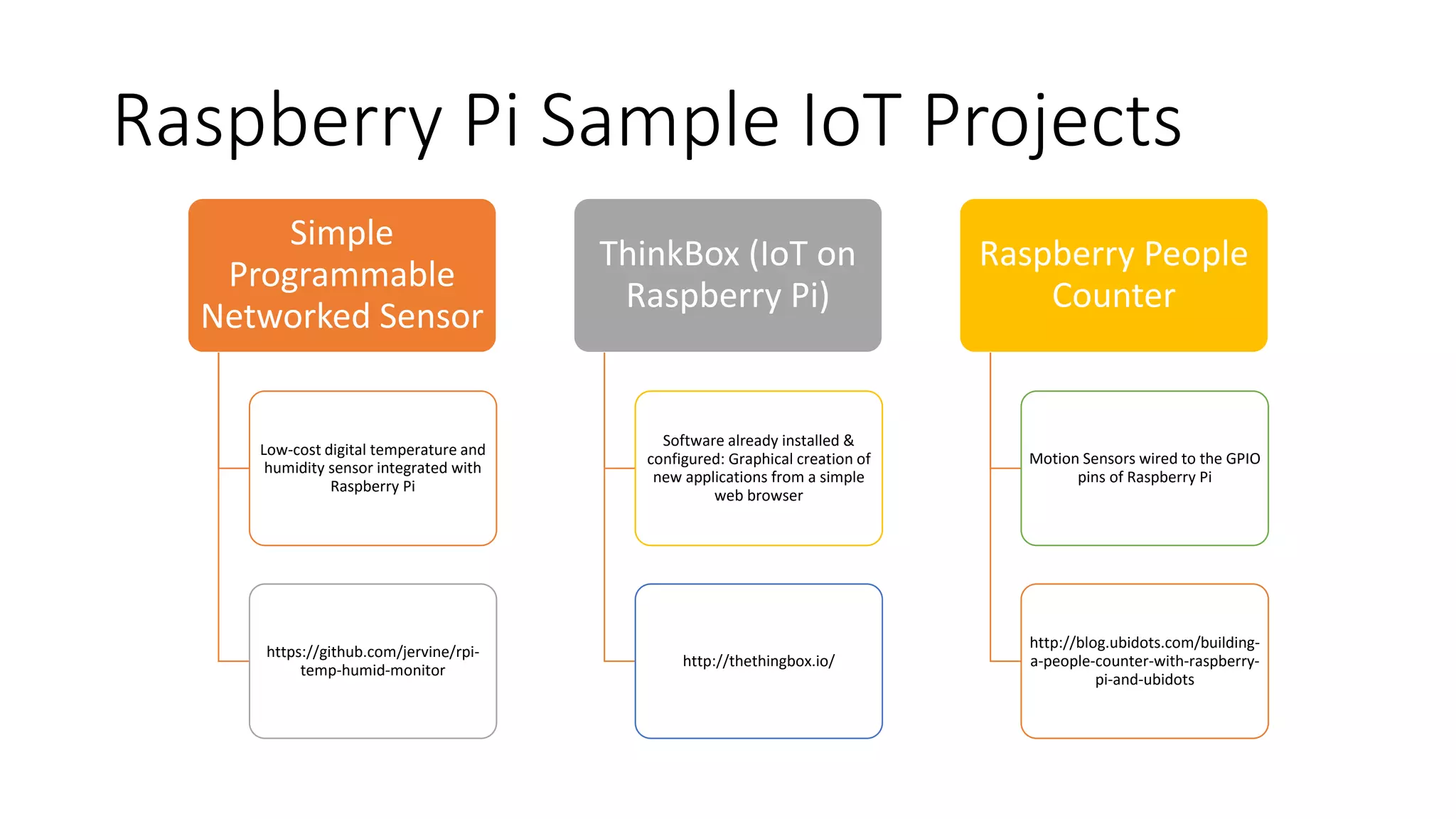
Raspberry Pi Sample IoT Projects
Simple
Programmable
Networked Sensor
Low-cost digital temperature and
humidity sensor integrated with
Raspberry Pi
https://github.com/jervine/rpi-
temp-humid-monitor
ThinkBox (IoT on
Raspberry Pi)
Software already installed &
configured: Graphical creation of
new applications from a simple
web browser
http://thethingbox.io/
Raspberry People
Counter
Motion Sensors wired to the GPIO
pins of Raspberry Pi
http://blog.ubidots.com/building-
a-people-counter-with-raspberry-
pi-and-ubidots

01 internet-of-things-introduction-to-internet-of-things

  • 1.
    Introduction to theInternet of Things (IoT) John Soldatos, PhD (jsol@ait.gr; john.Soldatos@gmail.com)
  • 2.
    Overview: Contents What isthe Internet of Things? • Definitions • Motivation, Enablers, and Drivers Overview of Internet of Things Technologies and Applications • IoT Components • IoT Application areas Examples of IoT Devices • Sensors • Raspberry Pi & Arduino
  • 3.
    IoT Definitions UN (2005) “Anew era of ubiquity is coming where humans may become the minority as generators and receivers of traffic and changes brought about by the Internet will be dwarfed by those prompted by the networking of everyday objects” ITU “From anytime, anyplace connectivity for anyone, we will now have connectivity for anything” EU ‘‘Things having identities and virtual personalities operating in smart spaces using intelligent interfaces to connect and communicate within social, environmental, and user contexts”
  • 4.
    Trends in Computing Source:Mark Weisser (http://www.ubiq.com), Computer Science Lab at Xerox PARC
  • 5.
  • 6.
    Why IoT: Proliferationof Sensors & Connected Devices
  • 7.
    Why IoT: Thingsare getting connected 7
  • 8.
    People connect toThings Motion sensor Motion sensor Motion sensor ECG sensor Internet
  • 9.
    Things connect toThings 9 - Complex and heterogeneous resources and networks MN: Mobile Node
  • 10.
    Some IoT (Intro)Videos • https://www.youtube.com/watch?v=KIMYZE2Ma6IEuropean Commission: Internet-of- Things • http://www.youtube.com/watch?v=Q3ur8wzzhBUIntel IoT: What Does The Internet of Things Mean? • http://www.youtube.com/watch?v=B_hjAfPJeRACisco: How the Internet of Things Will Change Everything—Including Ourselves • http://www.youtube.com/watch?v=df9xAZZ-8zgIBM: Internet of Things • https://www.youtube.com/watch?v=uMYQ6AnBK-cMicrosoft: The Internet of Your Things • http://www.youtube.com/watch?v=QaTIt1C5R-MTEDxCIT: The Internet of Things
  • 11.
    IoT vs. “Similar”Technologies •USN (Ubiquitous Sensor Networks) •M2M (Machine-to-Machine) •IoE (Internet of Everything) •CoT (Cloud of Things) •WoT (Web of Things) •CPS (Cyber Physical Systems)
  • 12.
    IoT Technologies andApplications IoTTechnologies Sensors & Wireless Sensors Networks (WSN) Radio-Frequency- Identification Semantics & Interoperability IoT Cloud Integration IoT Analytics & BigData IoTApplications Smart Cities & Communities IoT in Healthcare IoT in Manufacturing & Logistics IoT in Transport (e.g., Connected Car, Self-Driving Car) IoT in Smart Buildings (e.g., Facility Management)
  • 13.
    Typical IoT Components •Sensors/Actuators • Communication between servers or server platforms • Server/Middleware Platforms • Data Analytics Engines • Apps (iOS, Android, Web) IoT-A Architecture Model (www.iot-a.eu/) Source: Microsoft Blogs (blogs.msdn.microsoft.com)
  • 14.
    Wireless Sensor Networks(WSN) 14 Sink node Gateway Core network e.g. InternetGateway End-user Computer services
  • 15.
    IoT & CloudComputing Source: J. Gubbi et al. / Future Generation Computer Systems 29 (2013) 1645–1660
  • 16.
    Elements of anIoT Deployment 16 Source: Datang Telecom Technology & Industry Group
  • 17.
    IoT Application Areas Source:J. Gubbi et al. / Future Generation Computer Systems 29 (2013) 1645–1660
  • 18.
    IoT Perspectives &Visions L. Atzori et al. / Computer Networks 54 (2010) 2787–2805
  • 19.
    IoT Devices: Sensors Sensor •Provides usable output in response to a specified measurement • A sensor acquires a physical parameter and converts it into a signal suitable for processing (e.g., optical, electrical, mechanical) Deployment and Applications • Bodies, automobiles, airplanes, cellular telephones, radios, chemical plants, industrial plants, etc. • Many other applications
  • 20.
    IoT Devices: Sensors StimulusType Signal/Quantity Acoustic Wave (amplitude, phase, polarization), Spectrum, Wave Velocity Biological & Chemical Fluid Concentrations (Gas or Liquid) Electric Charge, Voltage, Current, Electric Field (amplitude, phase, polarization), Conductivity, Permittivity Magnetic Magnetic Field (amplitude, phase, polarization), Flux, Permeability Optical Refractive Index, Reflectivity, Absorption Thermal Temperature, Flux, Specific Heat, Thermal Conductivity Mechanical Position, Velocity, Acceleration, Force, Strain, Stress, Pressure, Torque
  • 21.
    IoT Devices: Sensors& Actuators Transducer Sensor Detects & Measures a Signal or Stimulus Acquires information from the real world Actuator Generates Signal or Stimulus Real World Sensor Actuator Intelligent Feedback System • Transducer: • Converts a primary form of energy into a signal with a different energy form • Energy form examples: • Mechanical • Thermal • Electromagnetic • Optical • Chemical • etc.
  • 22.
    Sensor Examples (1) Temperaturesensors • Temperature can be measured through pressure, volume, electrical resistance, and strain • Applications: Buildings, chemical process plants, engines, appliances, computers, etc. Accelerometers • Measures along one axis and is insensitive to orthogonal directions • Applications: Vibrations, blasts, impacts, shock waves, air bags, washing machines, heart monitors, car alarms, etc. Light Sensors • Composed of photoconductor, such as a photoresistor, photodiode, or phototransistor • Applications: Cameras, infrared detectors, and ambient lighting applications
  • 23.
    Sensor Examples (2) Ultrasonicsensors • Used for position measurements • Sound waves emitted are in the range of 2-13 MHz • Sound Navigation And Ranging (SONAR) • Radio Detection And Ranging (RADAR) Photogate • Used in counting applications (e.g., motion period identification) • Records time at which light is broken • Includes infrared transmitter and receiver at opposite ends of the sensor CO2 Gas Sensor • Measures gaseous CO2 levels in an environment • Measures CO2 levels in the range of 0-5000 ppm (parts per million) • Monitors infrared radiation absorbed by CO2 molecules
  • 24.
    Sensor Selection Criteria Economic •Cost • Availability • Lifetime • Etc. Environmental • Size • Power Consumption • Interference & Sensitivity • Etc. Sensor Characteristics • Sensitivity • Range • Stability • Error • Response Time
  • 25.
    IoT Devices: Arduino Overview •Open-source electronics prototyping platform • Flexible & easy-to-use hardware and software • Typical Users: Artists, designers, hobbyists • Applications involving interactive objects or environments Benefits • Microcontroller: Bridge between cyber & physical worlds • Balances functionality and ease of use • Low costs (e.g., starting from $35) • Arduino C Types • Leonardo • Due • Micro • LilyPad • Esplora • Uno
  • 26.
    Arduino Programming (1) •C++based: A handful of new commands •Programs are called “sketches”. •Sketches need two functions: • void setup( ): Runs first and once • void loop( ): Runs over and over, until power is lost or a new sketch is loaded • PIN = Global Variables
  • 27.
    Arduino Programming (2) •digitalWrite(pin, value): Sends a voltage level to the designated pin • pinMode(pin, mode): Designates the specified pin for input or output • digitalRead(pin): Reads the current voltage level from the designated pin • Analog versions of above: analogRead's range is 0 to 1023 • Serial commands: print, println, write • www.arduino.cc: Online support forum
  • 28.
    Sensors & Shields Sensors •Can be both binary or a range • Measure a range of values, vary their resistance to reflect their detection • Arduinos sense voltages, not resistances • Sensors that only vary their resistances: Voltage divider to provide the Arduino a voltage is required Shields • Circuit boards that plug into the top of an Arduino in order to enhance its functionality • Examples: Ethernet, GPS, Motor, Prototype
  • 29.
    Devices: Raspberry Pi Raspberry(University of Cambridge) • Credit card sized PC: Plugs into a TV or monitor • Extensively used for IoT Education • Typical Uses: Programming, Electronic Projects, Office, HD Videos Playback • Cost: Approx. $35-$100 (depending on extras)
  • 30.
    Raspberry Pi Components Core RaspberryPi board Prepared Operating System SD Card USB keyboard Display (with HDMI, DVI, or Composite input) Power Supply Extras USB mouse Internet connectivity: LAN cable Powered USB Hub Case Programming Languages C C++ Java Scratch Ruby Any supported on ARM6
  • 31.
    Raspberry Pi SampleIoT Projects Simple Programmable Networked Sensor Low-cost digital temperature and humidity sensor integrated with Raspberry Pi https://github.com/jervine/rpi- temp-humid-monitor ThinkBox (IoT on Raspberry Pi) Software already installed & configured: Graphical creation of new applications from a simple web browser http://thethingbox.io/ Raspberry People Counter Motion Sensors wired to the GPIO pins of Raspberry Pi http://blog.ubidots.com/building- a-people-counter-with-raspberry- pi-and-ubidots