HTML How to make a simple web page 02/02/11
The Basics What is HTML 02/02/11
HTML files are usually typed in Notepad Files are saved using the extension name:  .html or .htm 02/02/11
HTML format for a web page should always follow the structure: 02/02/11
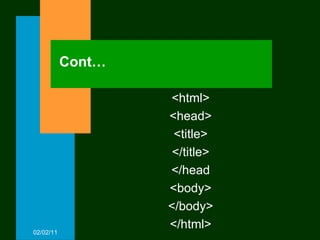
Cont… <html> <head> <title> </title> </head <body> </body> </html> 02/02/11
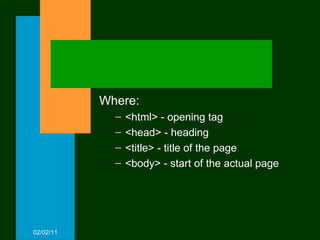
Where: <html> - opening tag <head> - heading <title> - title of the page  <body> - start of the actual page 02/02/11
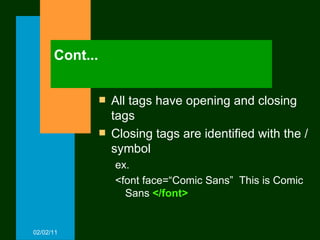
Cont... All tags have opening and closing tags Closing tags are identified with the / symbol ex. <font face=“Comic Sans”  This is Comic Sans  </font> 02/02/11
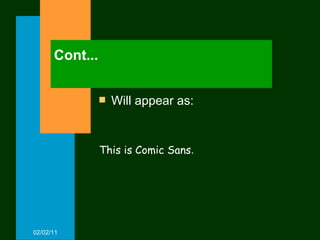
Cont... Will appear as: 02/02/11 This is Comic Sans .
Other basic tags Font Marquee OL UL Img src A href Table 02/02/11
Some tags have their own attributes - attributes i.e. properties Example: <font face=arial color=blue size=+3> 02/02/11
Where face, size and color are the attributes of the Font tag 02/02/11
Experiment! Try creating a simple web page Do this by opening Notepad 02/02/11
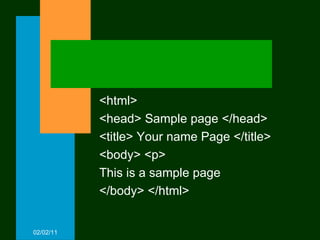
<html> <head> Sample page </head> <title> Your name Page </title> <body> <p> This is a sample page </body> </html> 02/02/11
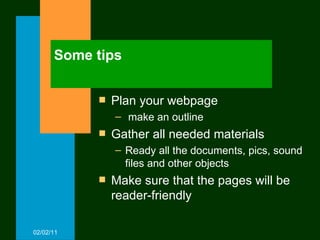
Some tips Plan your webpage make an outline Gather all needed materials Ready all the documents, pics, sound files and other objects  Make sure that the pages will be reader-friendly 02/02/11
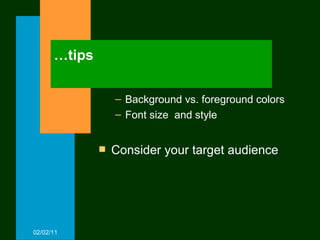
… tips Background vs. foreground colors Font size  and style Consider your target audience 02/02/11
Cont... So now it is actually just a matter of putting your html tags together with the text contents of your planned web page…! 02/02/11
HTML Sample Try this… 02/02/11
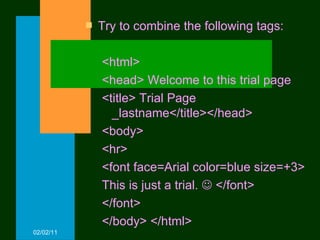
Try to combine the following tags: <html> <head> Welcome to this trial page <title> Trial Page _lastname</title></head> <body> <hr> <font face=Arial color=blue size=+3> This is just a trial.    </font> </font> </body> </html> 02/02/11
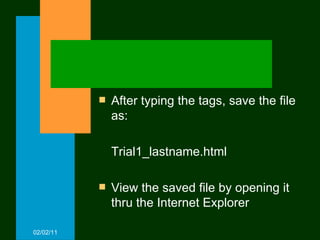
After typing the tags, save the file as: Trial1_lastname.html View the saved file by opening it thru the Internet Explorer 02/02/11

Html2 Intro

  • 1.
    HTML How tomake a simple web page 02/02/11
  • 2.
    The Basics Whatis HTML 02/02/11
  • 3.
    HTML files areusually typed in Notepad Files are saved using the extension name: .html or .htm 02/02/11
  • 4.
    HTML format fora web page should always follow the structure: 02/02/11
  • 5.
    Cont… <html> <head><title> </title> </head <body> </body> </html> 02/02/11
  • 6.
    Where: <html> -opening tag <head> - heading <title> - title of the page <body> - start of the actual page 02/02/11
  • 7.
    Cont... All tagshave opening and closing tags Closing tags are identified with the / symbol ex. <font face=“Comic Sans” This is Comic Sans </font> 02/02/11
  • 8.
    Cont... Will appearas: 02/02/11 This is Comic Sans .
  • 9.
    Other basic tagsFont Marquee OL UL Img src A href Table 02/02/11
  • 10.
    Some tags havetheir own attributes - attributes i.e. properties Example: <font face=arial color=blue size=+3> 02/02/11
  • 11.
    Where face, sizeand color are the attributes of the Font tag 02/02/11
  • 12.
    Experiment! Try creatinga simple web page Do this by opening Notepad 02/02/11
  • 13.
    <html> <head> Samplepage </head> <title> Your name Page </title> <body> <p> This is a sample page </body> </html> 02/02/11
  • 14.
    Some tips Planyour webpage make an outline Gather all needed materials Ready all the documents, pics, sound files and other objects Make sure that the pages will be reader-friendly 02/02/11
  • 15.
    … tips Backgroundvs. foreground colors Font size and style Consider your target audience 02/02/11
  • 16.
    Cont... So nowit is actually just a matter of putting your html tags together with the text contents of your planned web page…! 02/02/11
  • 17.
    HTML Sample Trythis… 02/02/11
  • 18.
    Try to combinethe following tags: <html> <head> Welcome to this trial page <title> Trial Page _lastname</title></head> <body> <hr> <font face=Arial color=blue size=+3> This is just a trial.  </font> </font> </body> </html> 02/02/11
  • 19.
    After typing thetags, save the file as: Trial1_lastname.html View the saved file by opening it thru the Internet Explorer 02/02/11