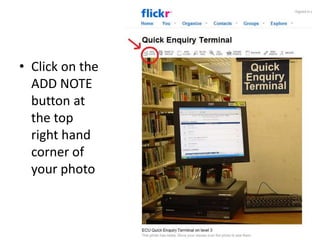
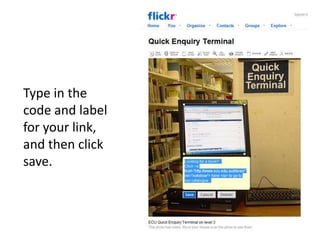
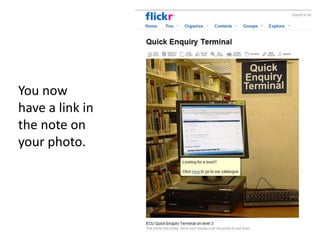
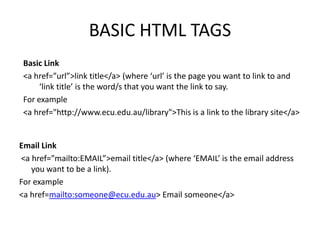
To add a link to a Flickr photo, log into your account and select the photo. Click the add note button, position the square where you want the hot spot, and enter the link code and label. This will create a clickable link in the note on the photo. Basic HTML tags can also be used, such as <a href="url">link title</a> for a regular link and <a href="mailto:email">email title</a> for an email link.




![Google Search Using Advance Search Operators [1]](https://cdn.slidesharecdn.com/ss_thumbnails/googlesearchusingadvancesearchoperators1-12674858172359-phpapp01-thumbnail.jpg?width=640&height=640&fit=bounds)


