Web Design & SEOWelcome to The Web Design & SEO Workshop!
Web Design & SEO ~ TopicsHTMLCSSResources
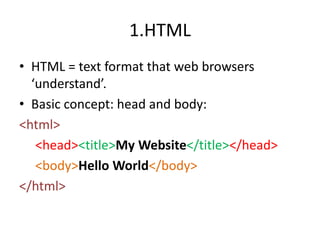
1.HTMLHTML = text format that web browsers ‘understand’.Basic concept: head and body:<html><head><title>My Website</title></head><body>Hello World</body></html>
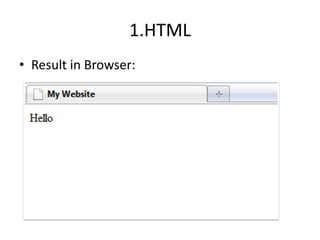
1.HTMLResult in Browser:
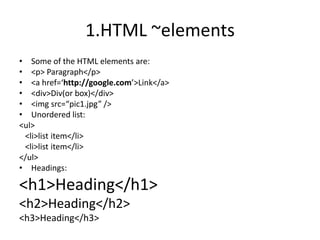
1.HTML ~elementsSome of the HTML elements are:<p> Paragraph</p><a href=‘http://google.com’>Link</a><div>Div(or box)</div><imgsrc=“pic1.jpg” />Unordered list:<ul>   <li>list item</li>  <li>list item</li></ul>Headings:<h1>Heading</h1><h2>Heading</h2><h3>Heading</h3>
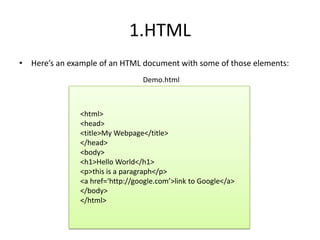
1.HTMLHere’s an example of an HTML document with some of those elements:Demo.html<html><head><title>My Webpage</title></head><body><h1>Hello World</h1><p>this is a paragraph</p><a href=‘http://google.com’>link to Google</a></body></html>
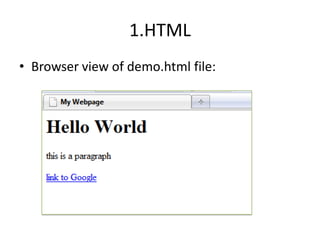
1.HTMLBrowser view of demo.html file:
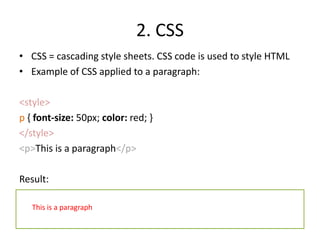
2. CSSCSS = cascading style sheets. CSS code is used to style HTMLExample of CSS applied to a paragraph:<style>p { font-size: 50px; color: red; }</style><p>This is a paragraph</p>Result:This is a paragraph
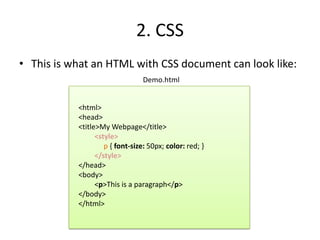
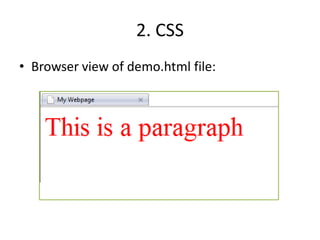
2. CSSThis is what an HTML with CSS document can look like:Demo.html<html><head><title>My Webpage</title><style>     p { font-size: 50px; color: red; }</style></head><body><p>This is a paragraph</p></body></html>
2. CSSBrowser view of demo.html file:
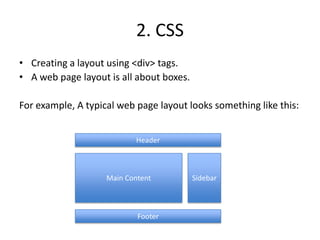
2. CSSCreating a layout using <div> tags.A web page layout is all about boxes.For example, A typical web page layout looks something like this:HeaderMain ContentSidebarFooter
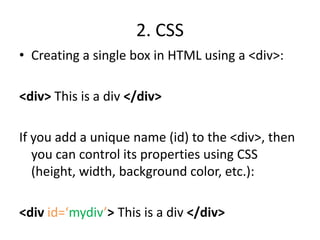
2. CSSCreating a single box in HTML using a <div>:<div> This is a div </div>If you add a unique name (id) to the <div>, then you can control its properties using CSS (height, width, background color, etc.):<div id=‘mydiv’>This is a div </div>
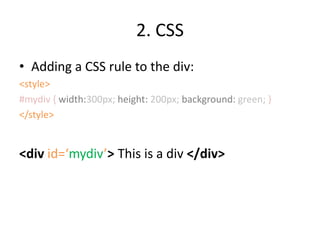
2. CSSAdding a CSS rule to the div:<style>#mydiv { width:300px; height: 200px; background: green; }</style><div id=‘mydiv’> This is a div </div>
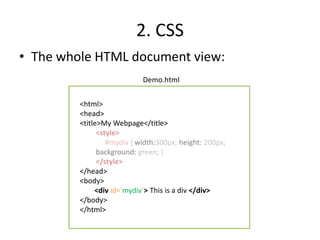
2. CSSThe whole HTML document view:Demo.html<html><head><title>My Webpage</title><style>#mydiv { width:300px; height: 200px; background: green;}</style></head><body>        <div id=‘mydiv’> This is a div </div></body></html>
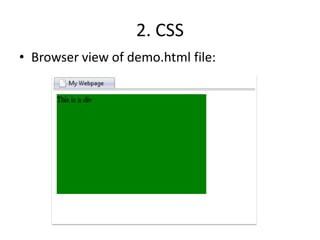
2. CSSBrowser view of demo.html file:
3. ResourcesA very useful try-it-yourself website:http://www.w3schools.com/css/css_examples.aspTry one of these today:http://www.w3schools.com/css/tryit.asp?filename=trycss_default

Webdesign

  • 1.
    Web Design &SEOWelcome to The Web Design & SEO Workshop!
  • 2.
    Web Design &SEO ~ TopicsHTMLCSSResources
  • 3.
    1.HTMLHTML = textformat that web browsers ‘understand’.Basic concept: head and body:<html><head><title>My Website</title></head><body>Hello World</body></html>
  • 4.
  • 5.
    1.HTML ~elementsSome ofthe HTML elements are:<p> Paragraph</p><a href=‘http://google.com’>Link</a><div>Div(or box)</div><imgsrc=“pic1.jpg” />Unordered list:<ul> <li>list item</li> <li>list item</li></ul>Headings:<h1>Heading</h1><h2>Heading</h2><h3>Heading</h3>
  • 6.
    1.HTMLHere’s an exampleof an HTML document with some of those elements:Demo.html<html><head><title>My Webpage</title></head><body><h1>Hello World</h1><p>this is a paragraph</p><a href=‘http://google.com’>link to Google</a></body></html>
  • 7.
    1.HTMLBrowser view ofdemo.html file:
  • 8.
    2. CSSCSS =cascading style sheets. CSS code is used to style HTMLExample of CSS applied to a paragraph:<style>p { font-size: 50px; color: red; }</style><p>This is a paragraph</p>Result:This is a paragraph
  • 9.
    2. CSSThis iswhat an HTML with CSS document can look like:Demo.html<html><head><title>My Webpage</title><style> p { font-size: 50px; color: red; }</style></head><body><p>This is a paragraph</p></body></html>
  • 10.
    2. CSSBrowser viewof demo.html file:
  • 11.
    2. CSSCreating alayout using <div> tags.A web page layout is all about boxes.For example, A typical web page layout looks something like this:HeaderMain ContentSidebarFooter
  • 12.
    2. CSSCreating asingle box in HTML using a <div>:<div> This is a div </div>If you add a unique name (id) to the <div>, then you can control its properties using CSS (height, width, background color, etc.):<div id=‘mydiv’>This is a div </div>
  • 13.
    2. CSSAdding aCSS rule to the div:<style>#mydiv { width:300px; height: 200px; background: green; }</style><div id=‘mydiv’> This is a div </div>
  • 14.
    2. CSSThe wholeHTML document view:Demo.html<html><head><title>My Webpage</title><style>#mydiv { width:300px; height: 200px; background: green;}</style></head><body> <div id=‘mydiv’> This is a div </div></body></html>
  • 15.
    2. CSSBrowser viewof demo.html file:
  • 16.
    3. ResourcesA veryuseful try-it-yourself website:http://www.w3schools.com/css/css_examples.aspTry one of these today:http://www.w3schools.com/css/tryit.asp?filename=trycss_default