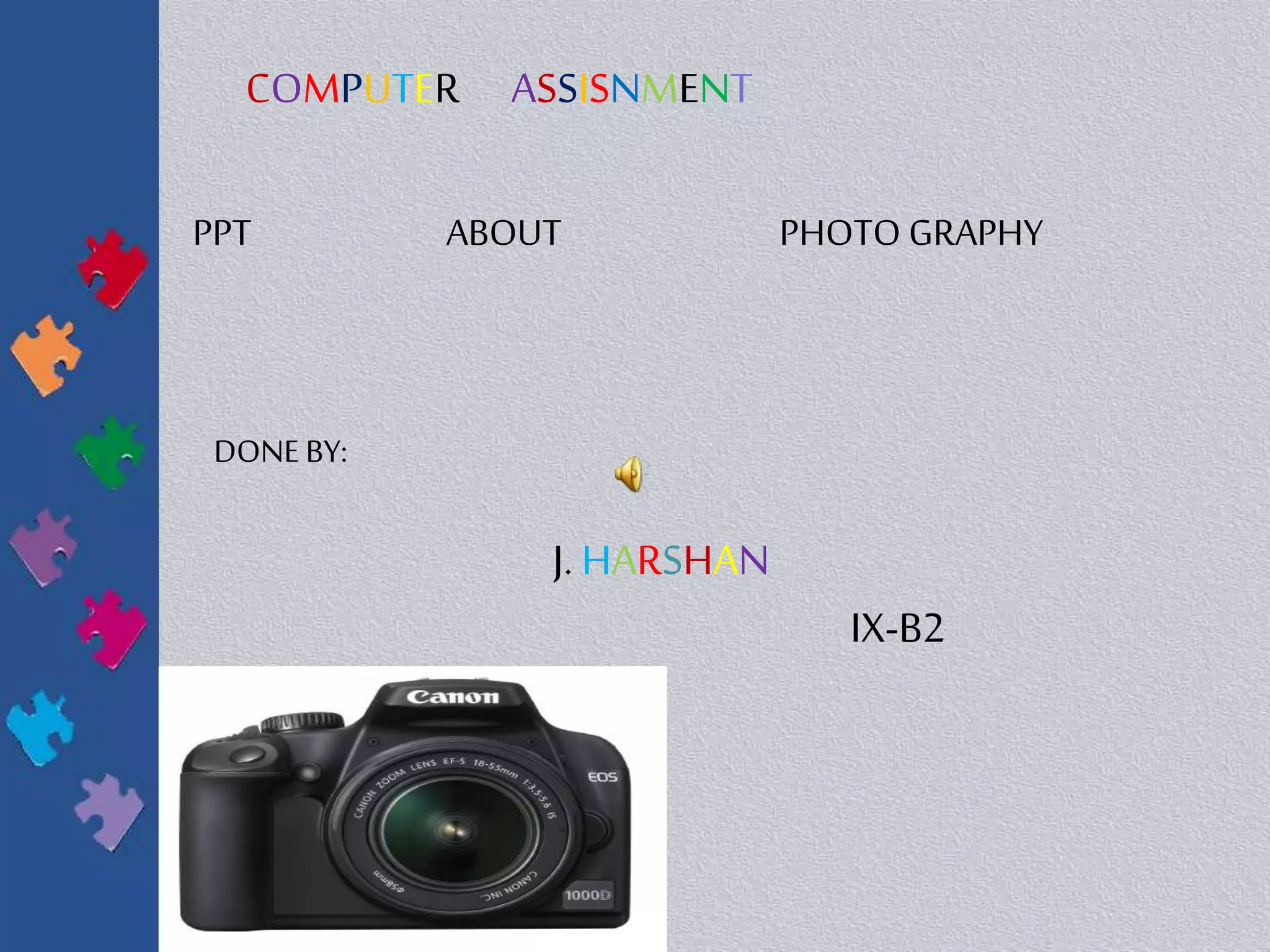
COMPUTER ASSISNMENT
PPT ABOUT PHOTO GRAPHY
DONE BY:
J. HARSHAN
IX-B2
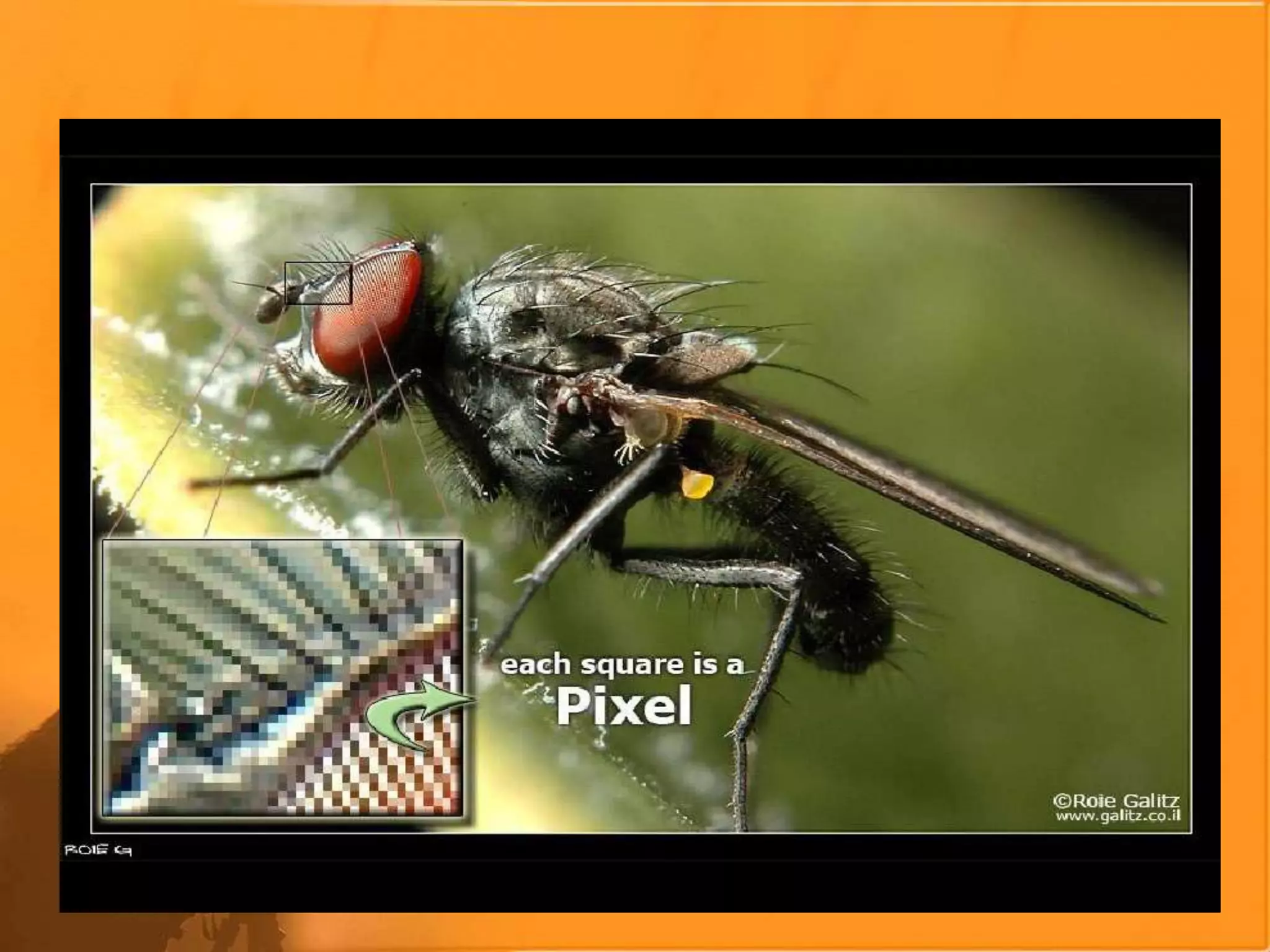
Digital photography uses an array of electronic photodetectors to capture the image focused
by the lens, as opposed to an exposure on photographic film. The captured image is
thendigitized and stored as a computer file ready for digital processing, viewing, digital
publishing or printing.
Until the adventof such technology, photographs were made byexposing light
sensitivephotographic film, and used chemical photographic processing to develop and stabilize
the image. By contrast, digital photographs canbe displayed, printed, stored, manipulated,
transmitted, and archived using digital and computer techniques, without chemical processing.
Digital photography is oneof several forms of digital imaging. Digital images are also createdby
non-photographic equipment such as computer tomography scanners and radio telescopes.
Digital images can also bemade by scanning otherphotographic images
Digital photography
Choosing theBest Camera
•Nota once in a lifetimepurchaseanymore.
•Selectone which can do the job you want
Today and asperyour futurerequirement
•Somekindsof camerasdo.
somekinds of thingsbetter ormoreeasily
e.g., Sportsphotography vs. Close-upportraits.
•Priceisn’tthe bestindicator.
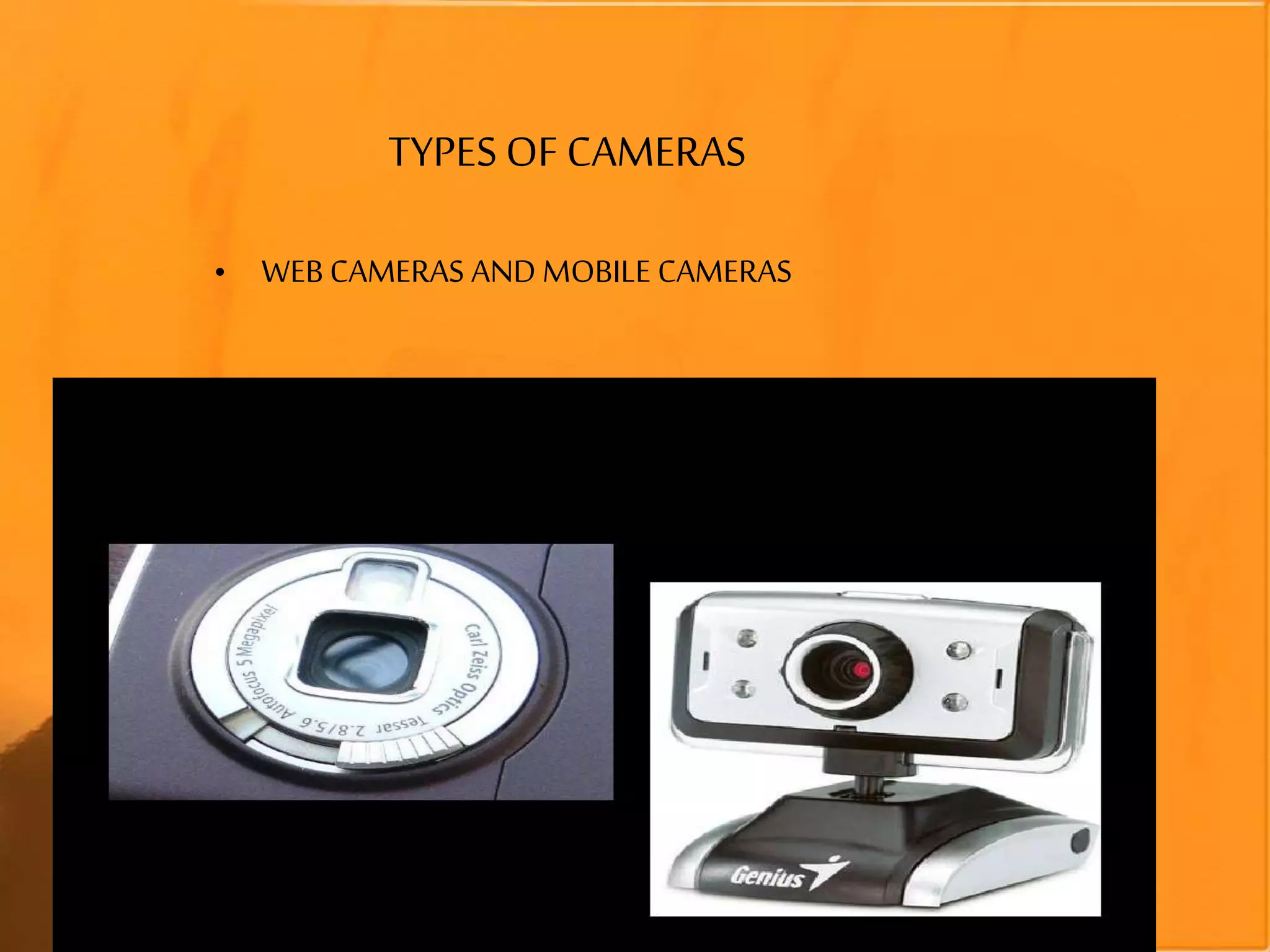
TYPES OF CAMERAS
• WEB CAMERAS AND MOBILE CAMERAS
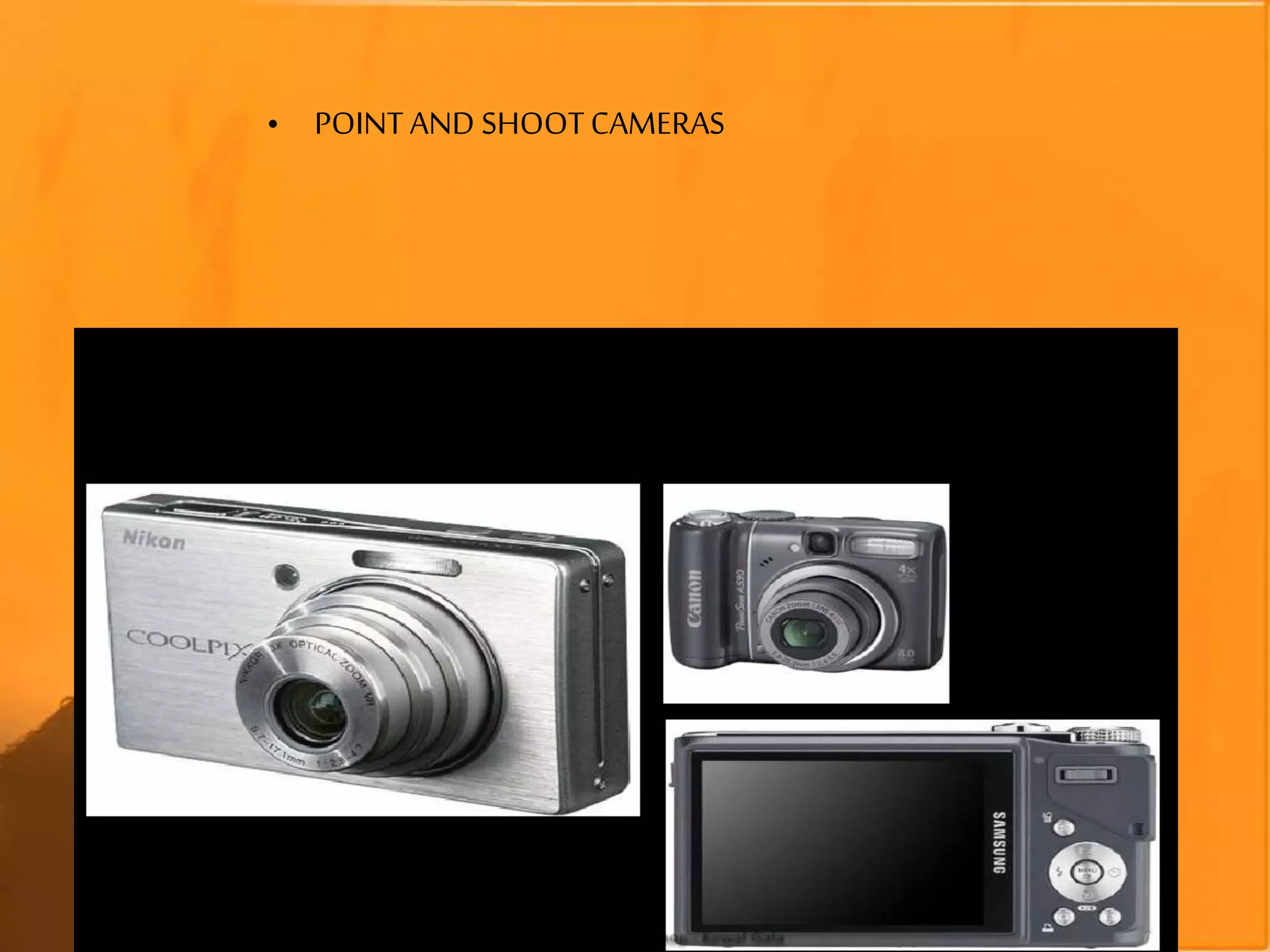
• POINT AND SHOOTCAMERAS
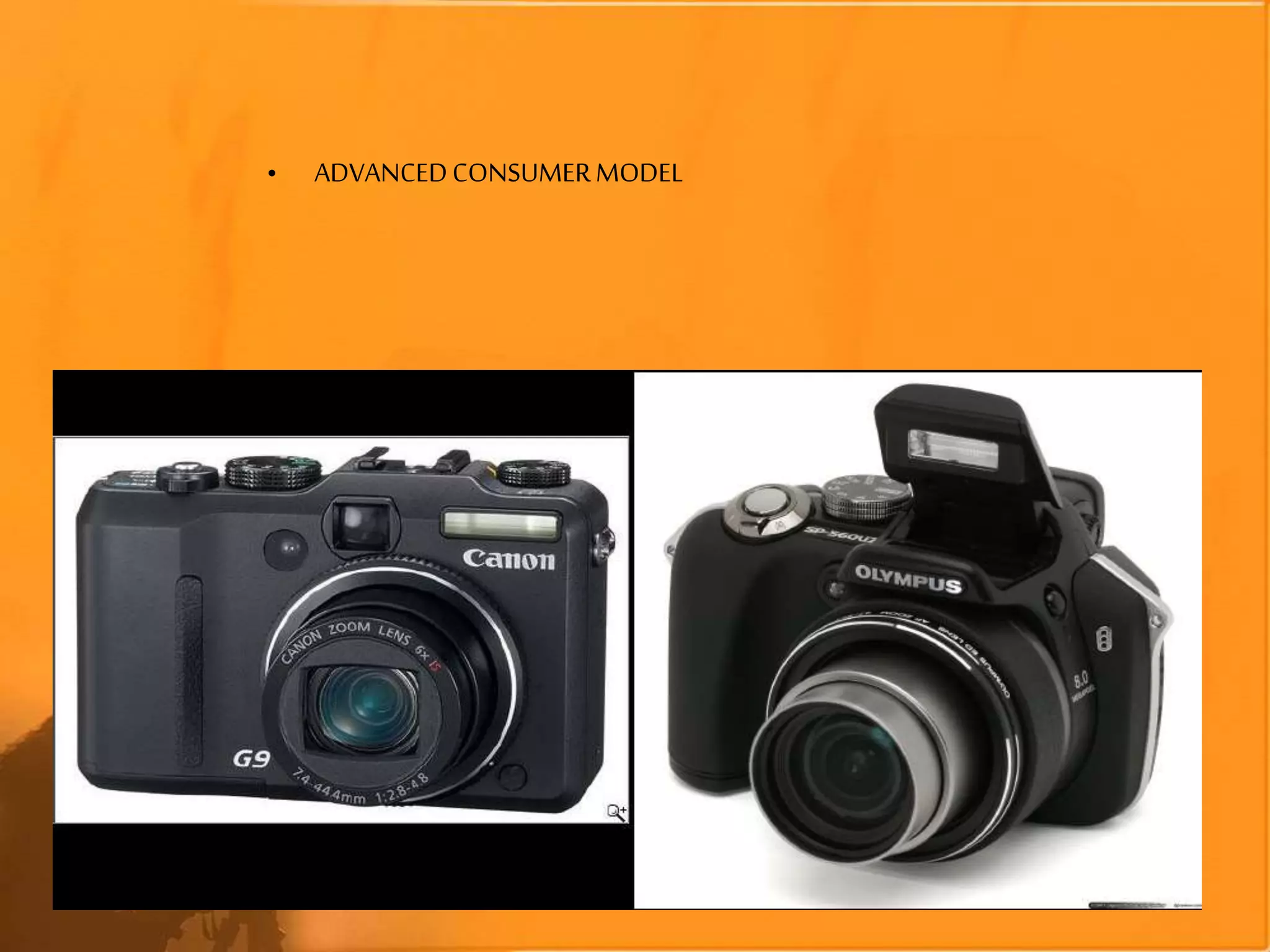
• ADVANCEDCONSUMERMODEL
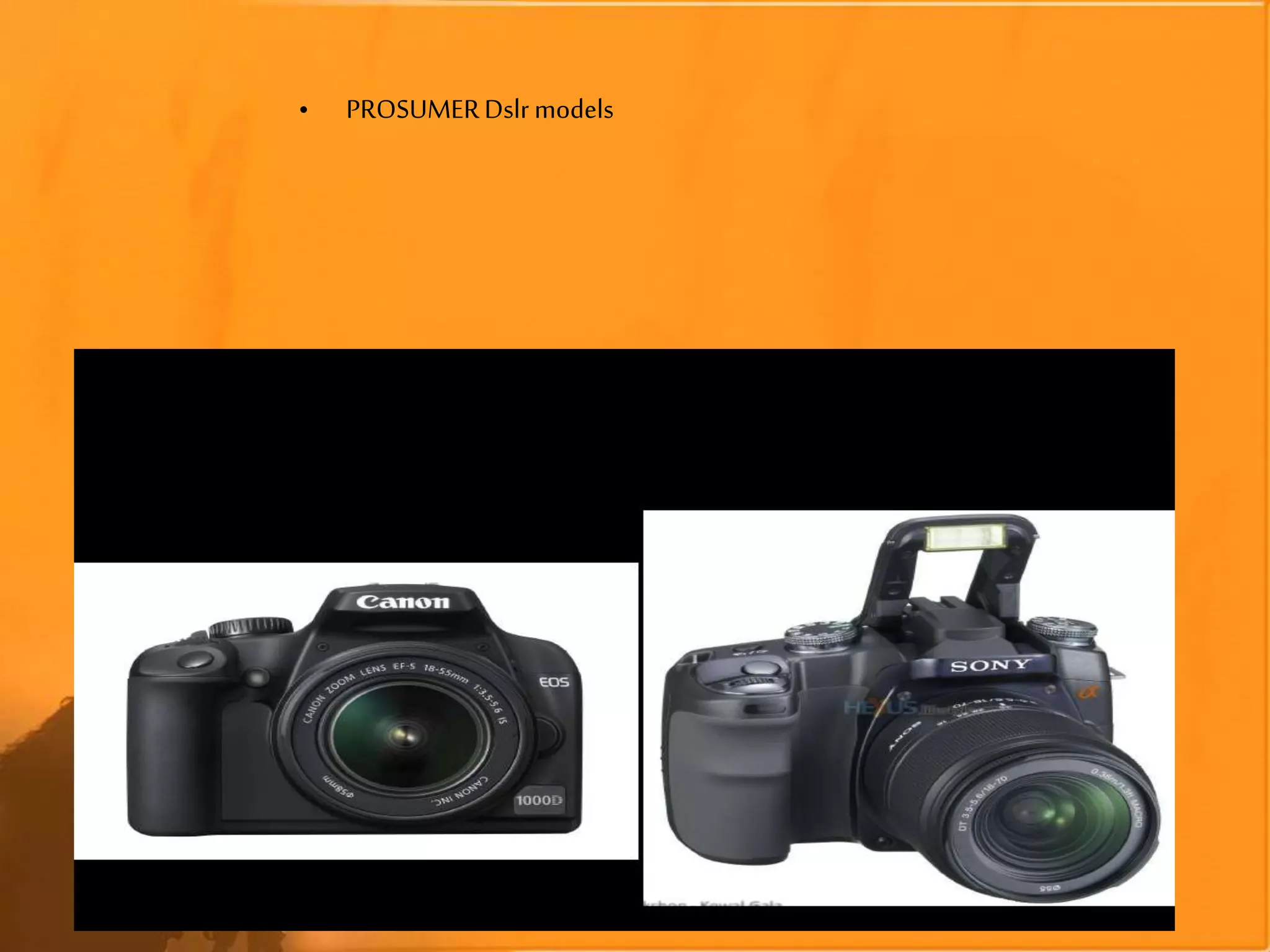
• PROSUMERDslrmodels
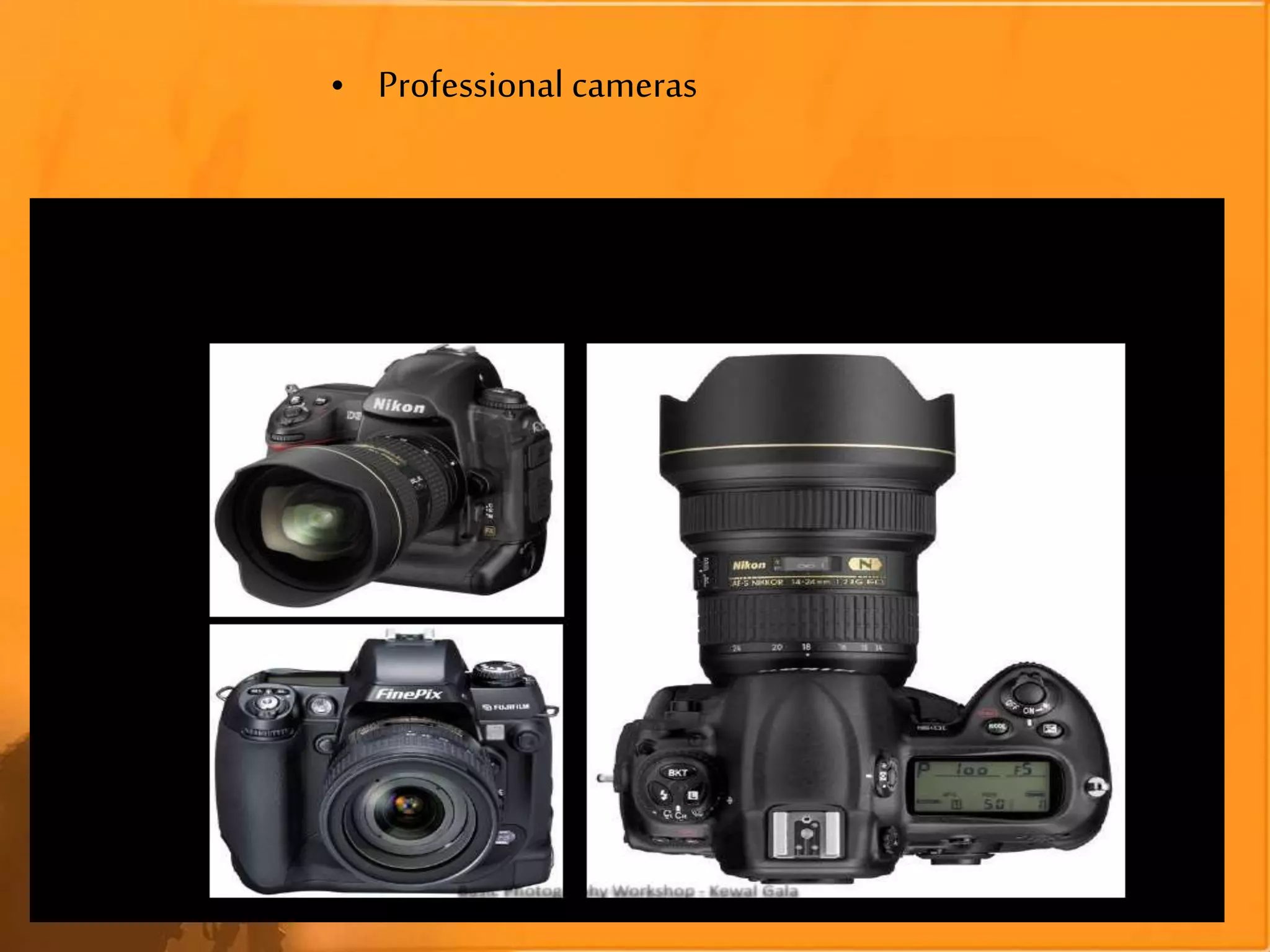
• Professional cameras
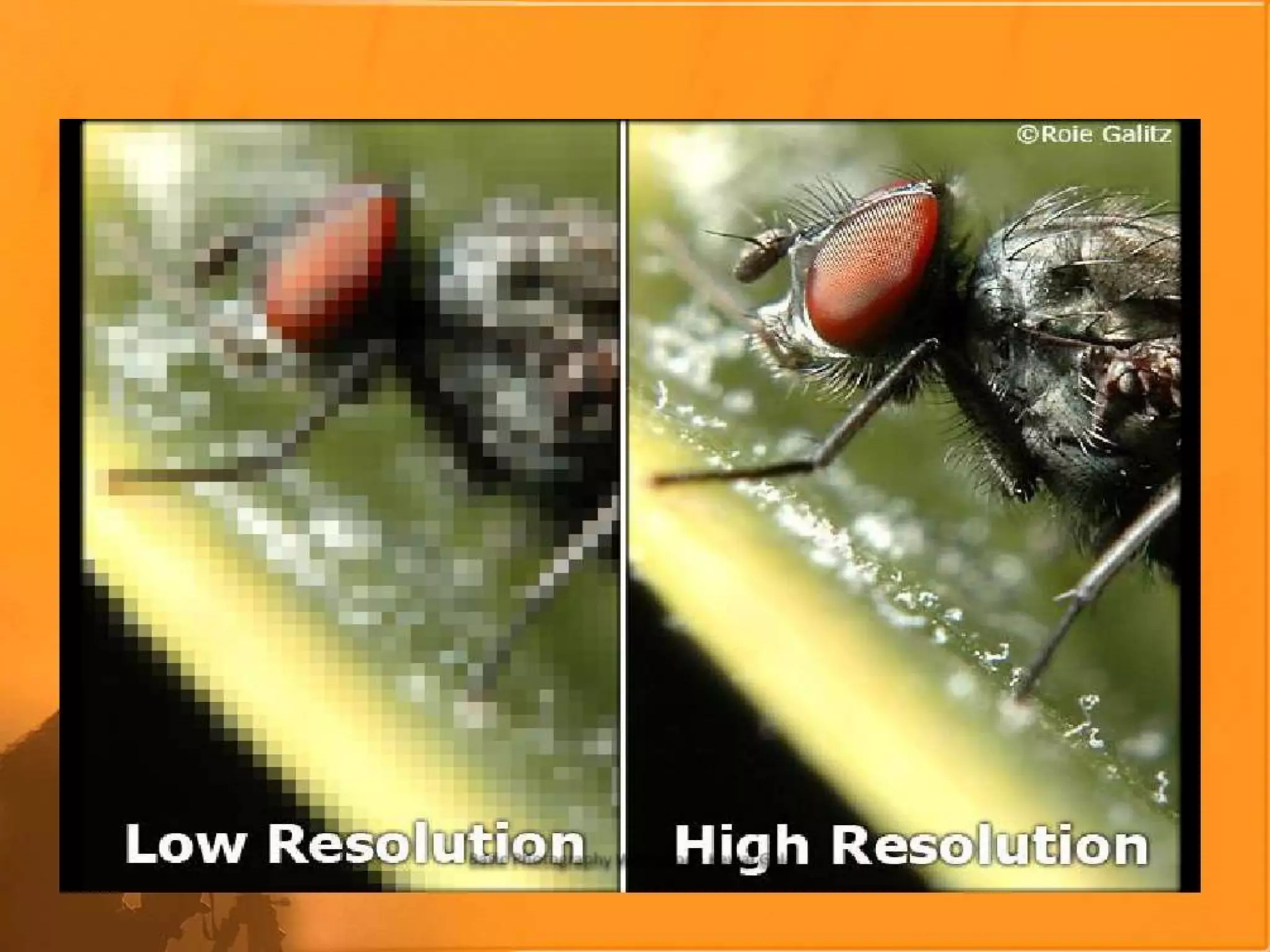
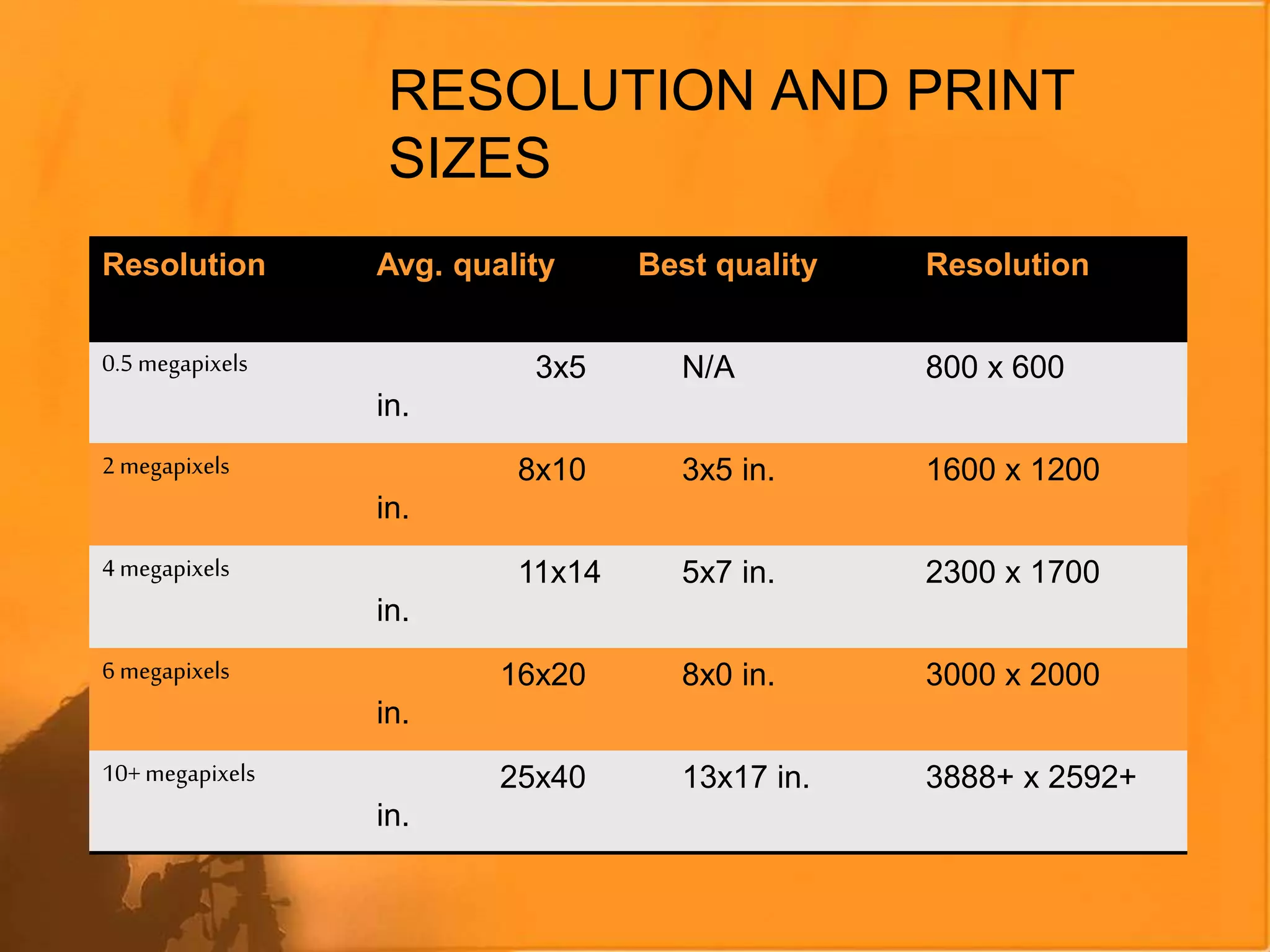
RESOLUTION AND PRINT
SIZES
Resolution Avg. quality Best quality Resolution
0.5 megapixels 3x5
in.
N/A 800 x 600
2 megapixels 8x10
in.
3x5 in. 1600 x 1200
4 megapixels 11x14
in.
5x7 in. 2300 x 1700
6 megapixels 16x20
in.
8x0 in. 3000 x 2000
10+megapixels 25x40
in.
13x17 in. 3888+ x 2592+
PHOTOGRAPHY TECHNICALITY
Anti-Blur
Anti-Shake
Image Stabilization
Vibration Reduction
•A technology that stabilizes the lens to
effectively reduce blur due to camera shake
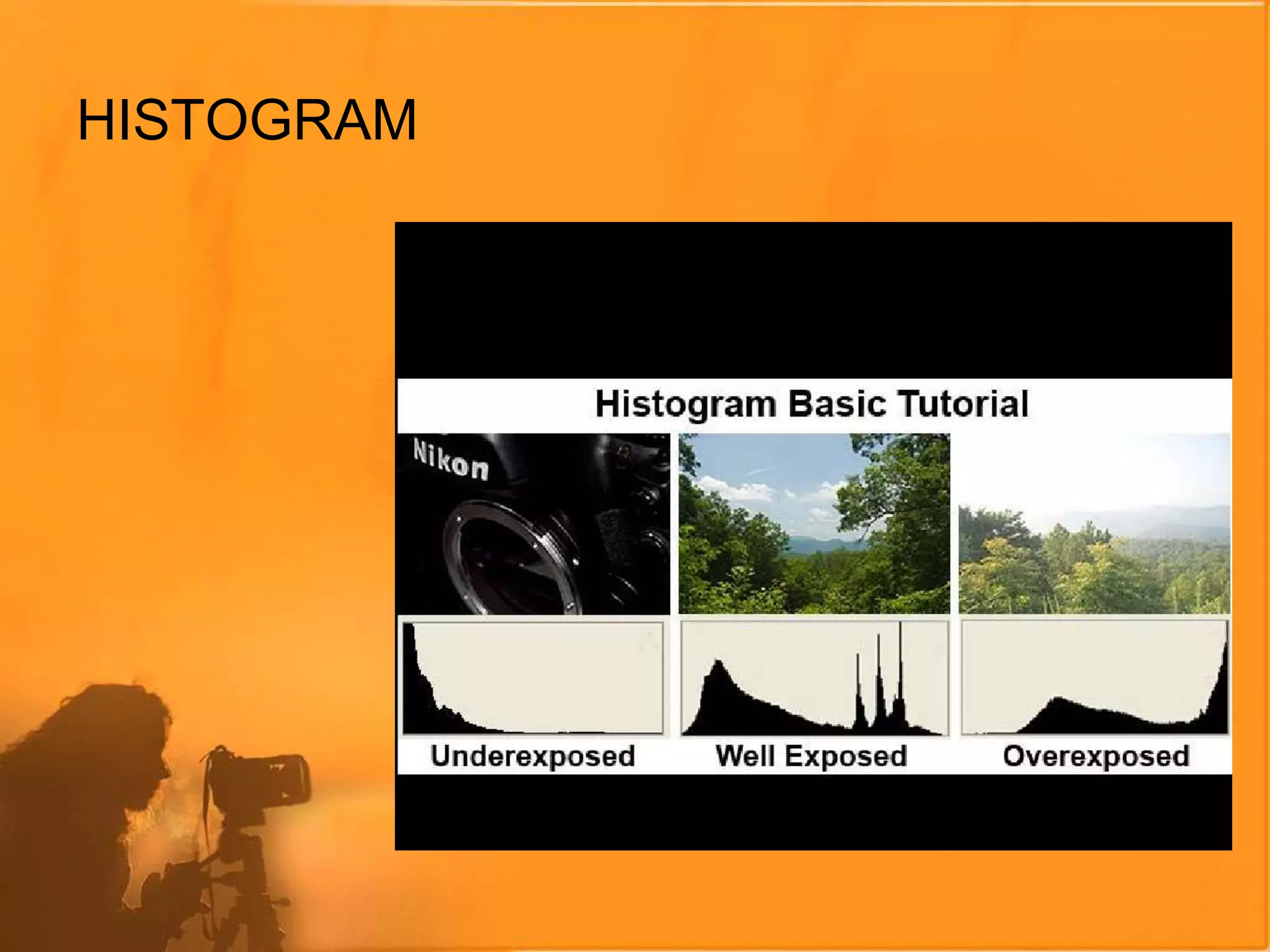
HISTOGRAM
METERING
How thecamera measuresthe amount of light
availableto exposea picture
•Centre-Weighted:Readingsaretakenat
variouspart of the picture, witha special
emphasisfor the centre.
•Spot: Readingsare takenat a specificpoint.
•Each cameramanufacturerhas itsown
variations(EvaluativeMetering)
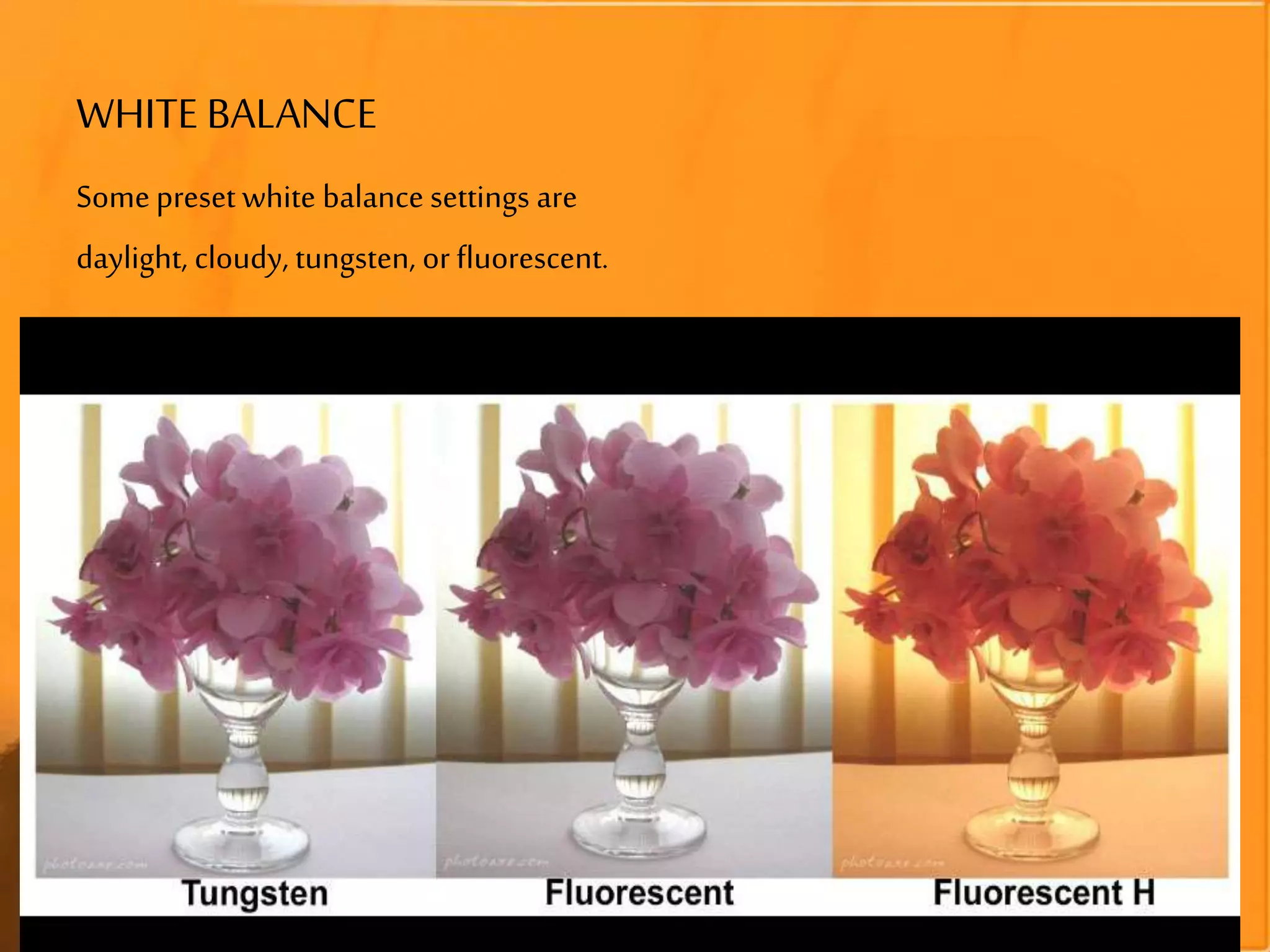
WHITE BALANCE
Theabilitytoadjustcoloursbasedonwhiteas
a reference colourtogiveas truea whiteas
possible
•Allothercoloursare correctedaccordingly
•AutoWB(AWB): thecamera determinesand
selectsthecorrectcolourtemperaturefor
white.
WHITE BALANCE
Somepreset white balance settings are
daylight, cloudy, tungsten, or fluorescent.
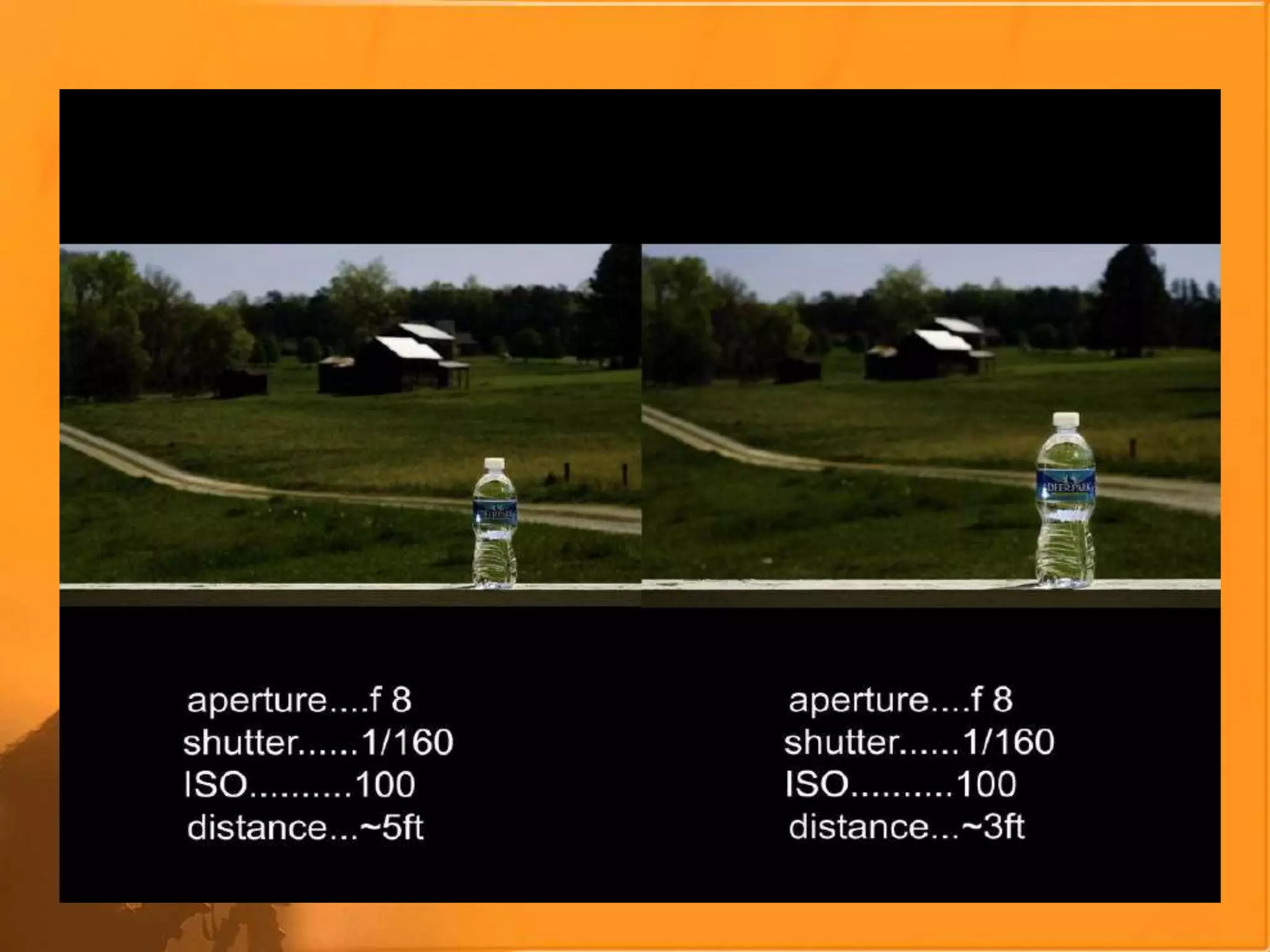
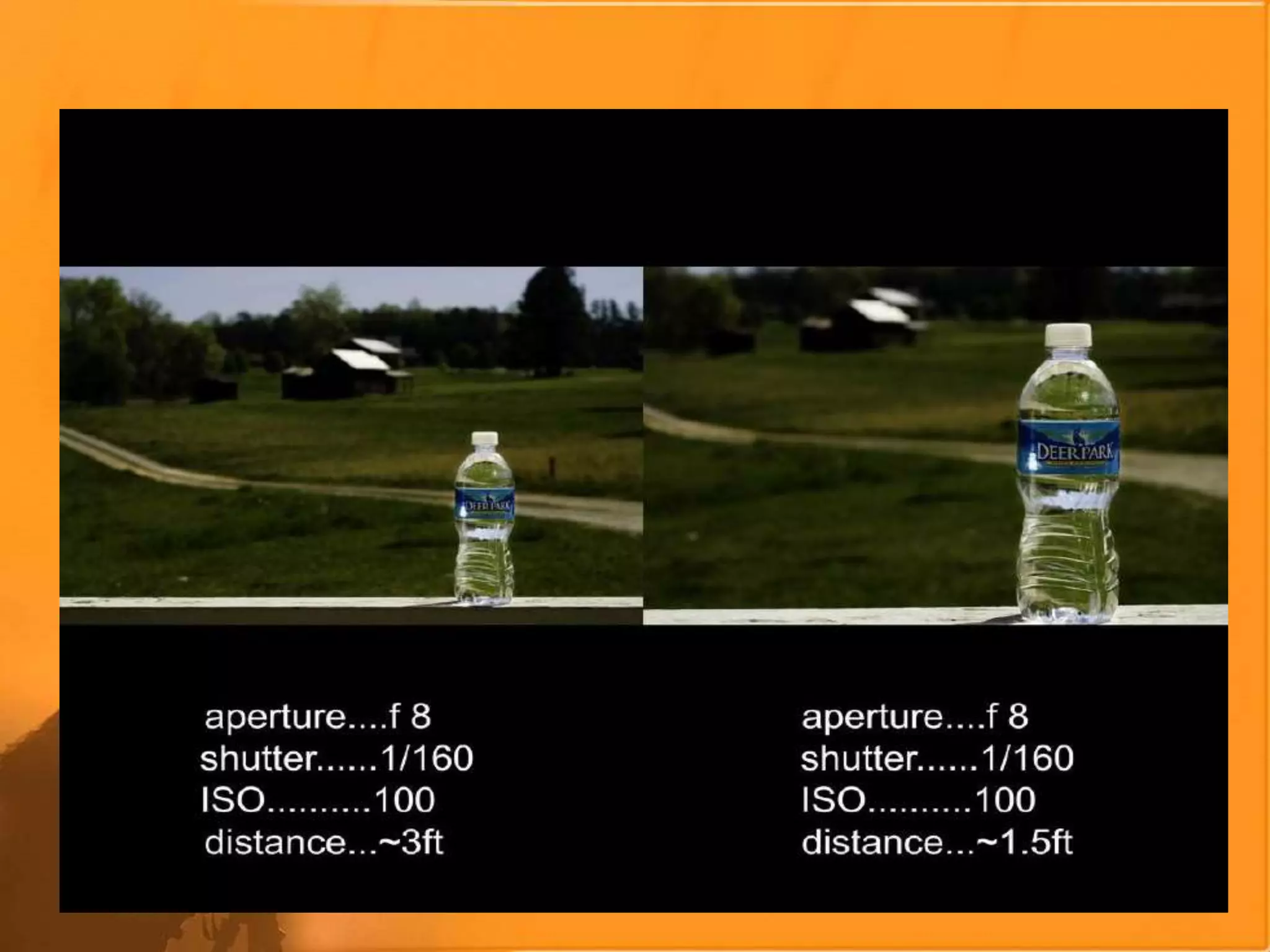
Aperture, Depthof
Field,Shutter
Speed, ISO, Noise
APERTURE
a hole or an opening
through which
light travels
It causes variations in
the Depth of Field
within the image
f16
f2.8
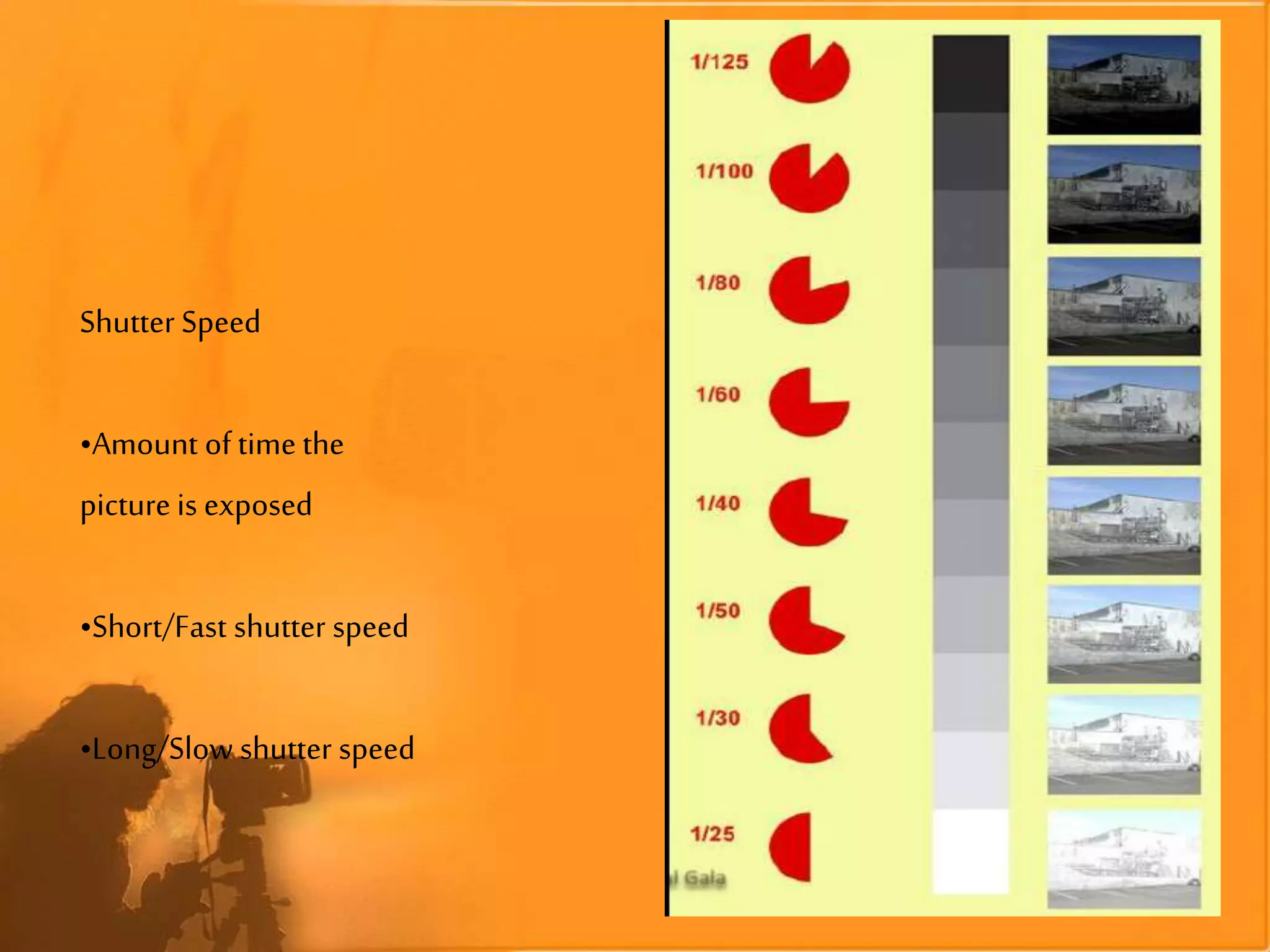
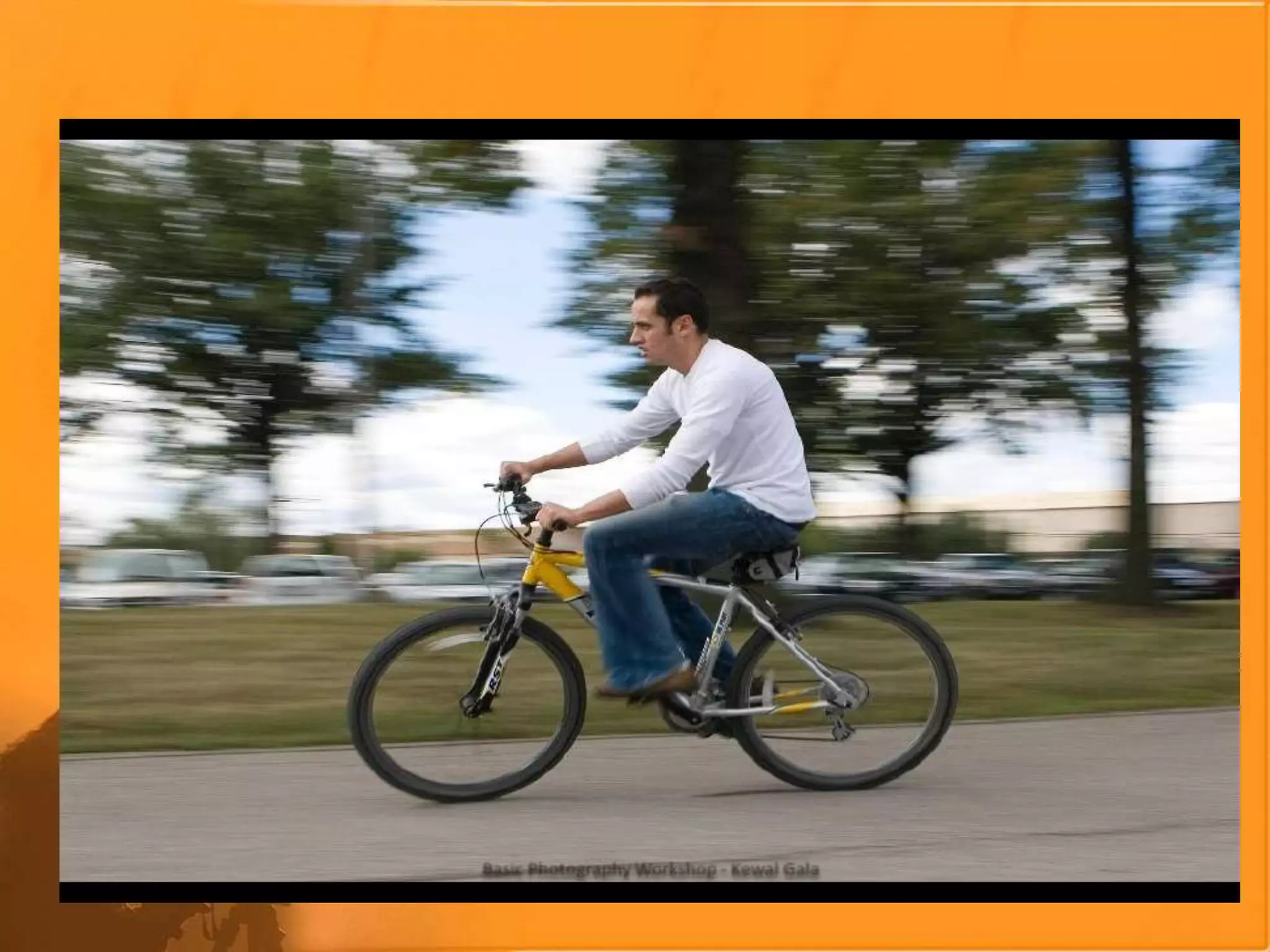
Shutter Speed
•Amount of time the
picture is exposed
•Short/Fast shutter speed
•Long/Slow shutter speed
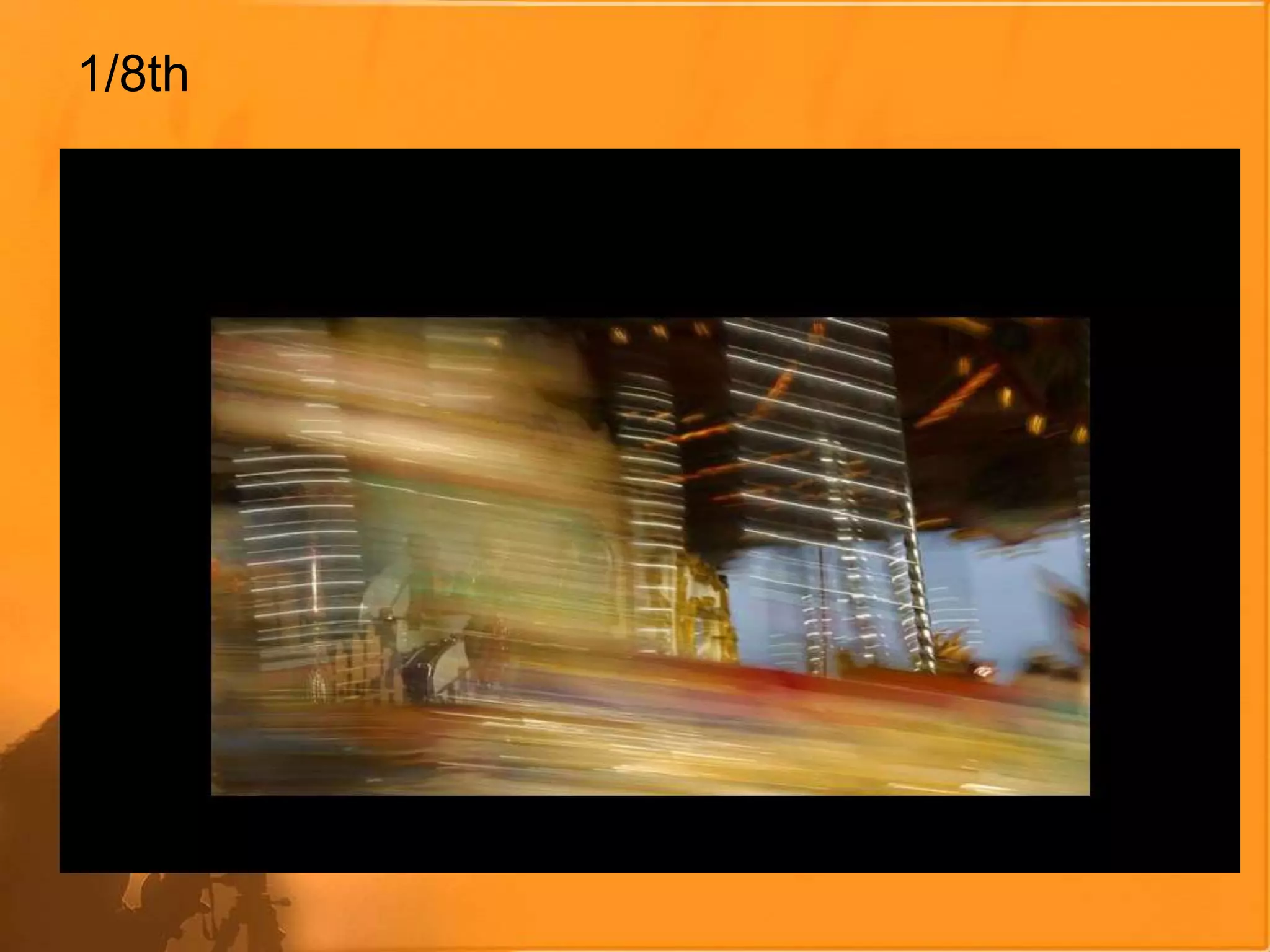
1/8th
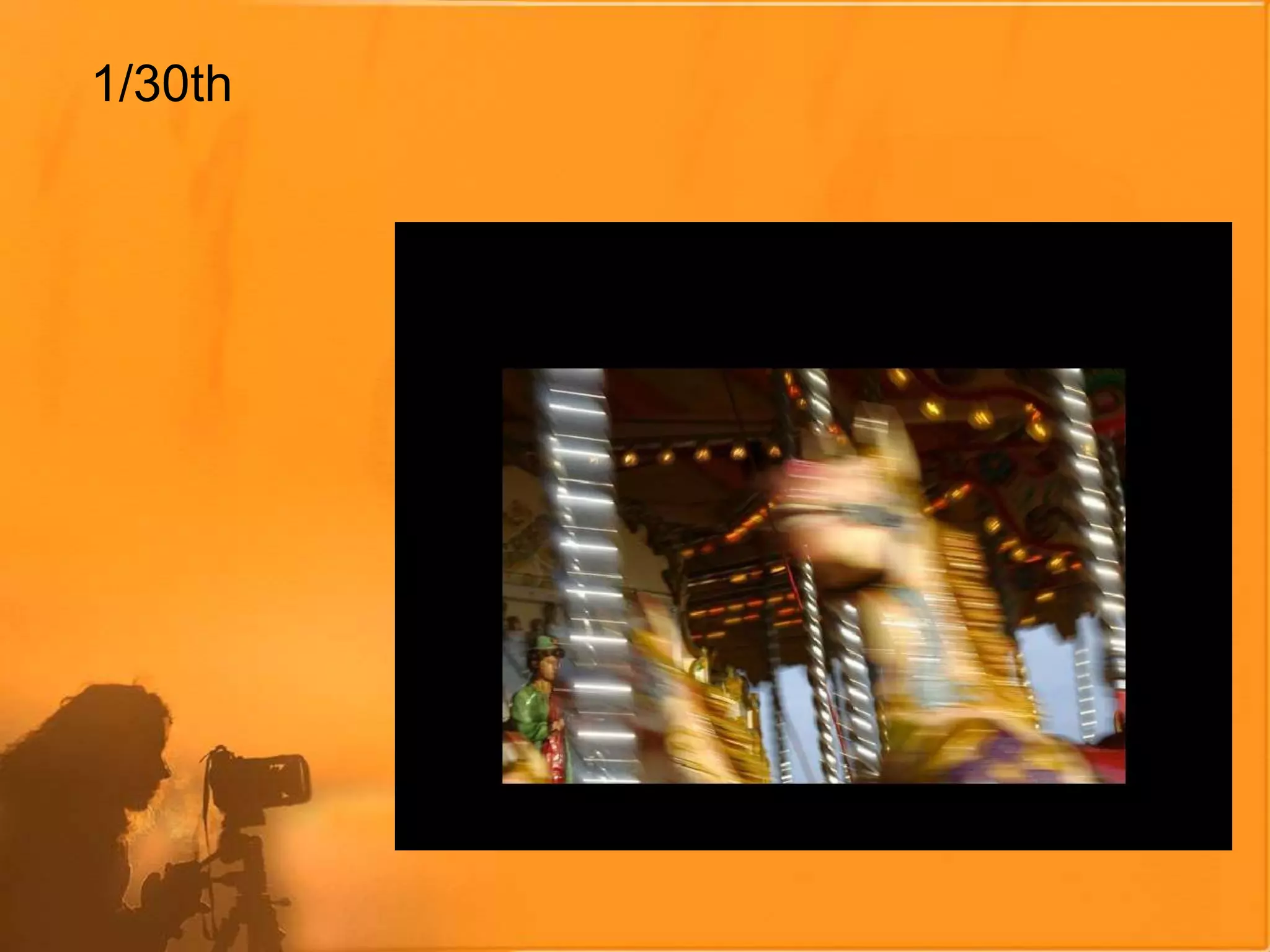
1/30th
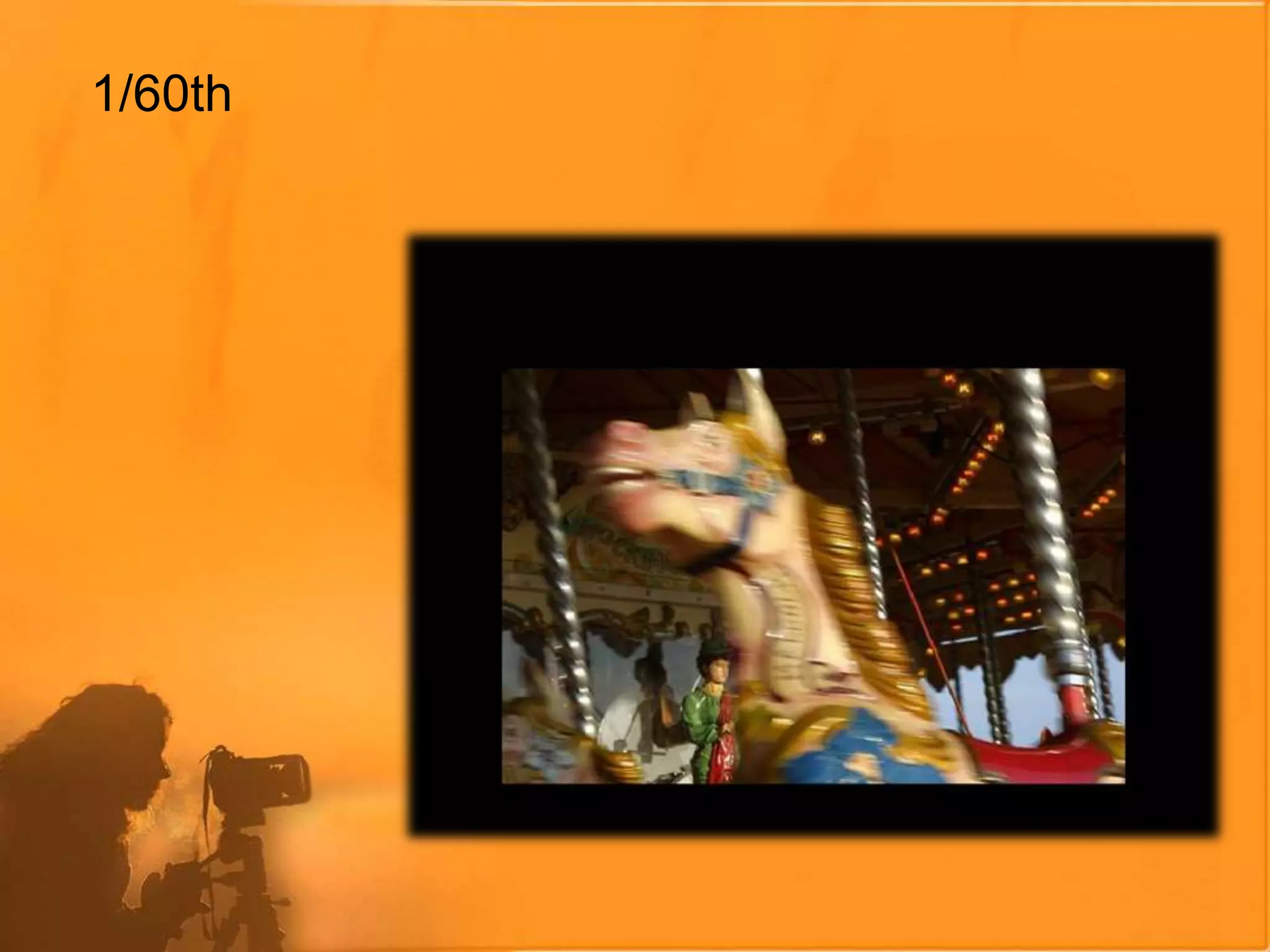
1/60th
1/500th
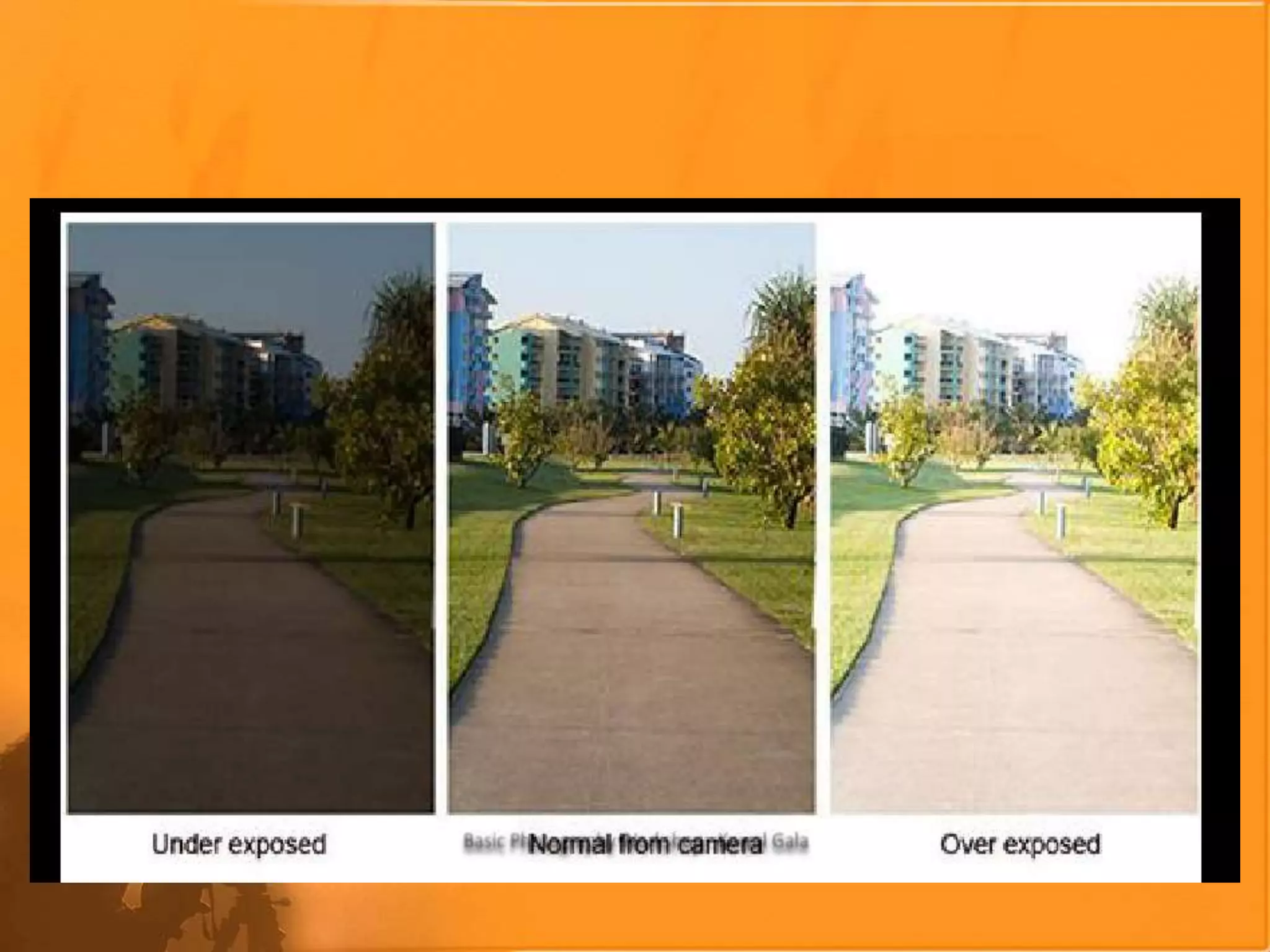
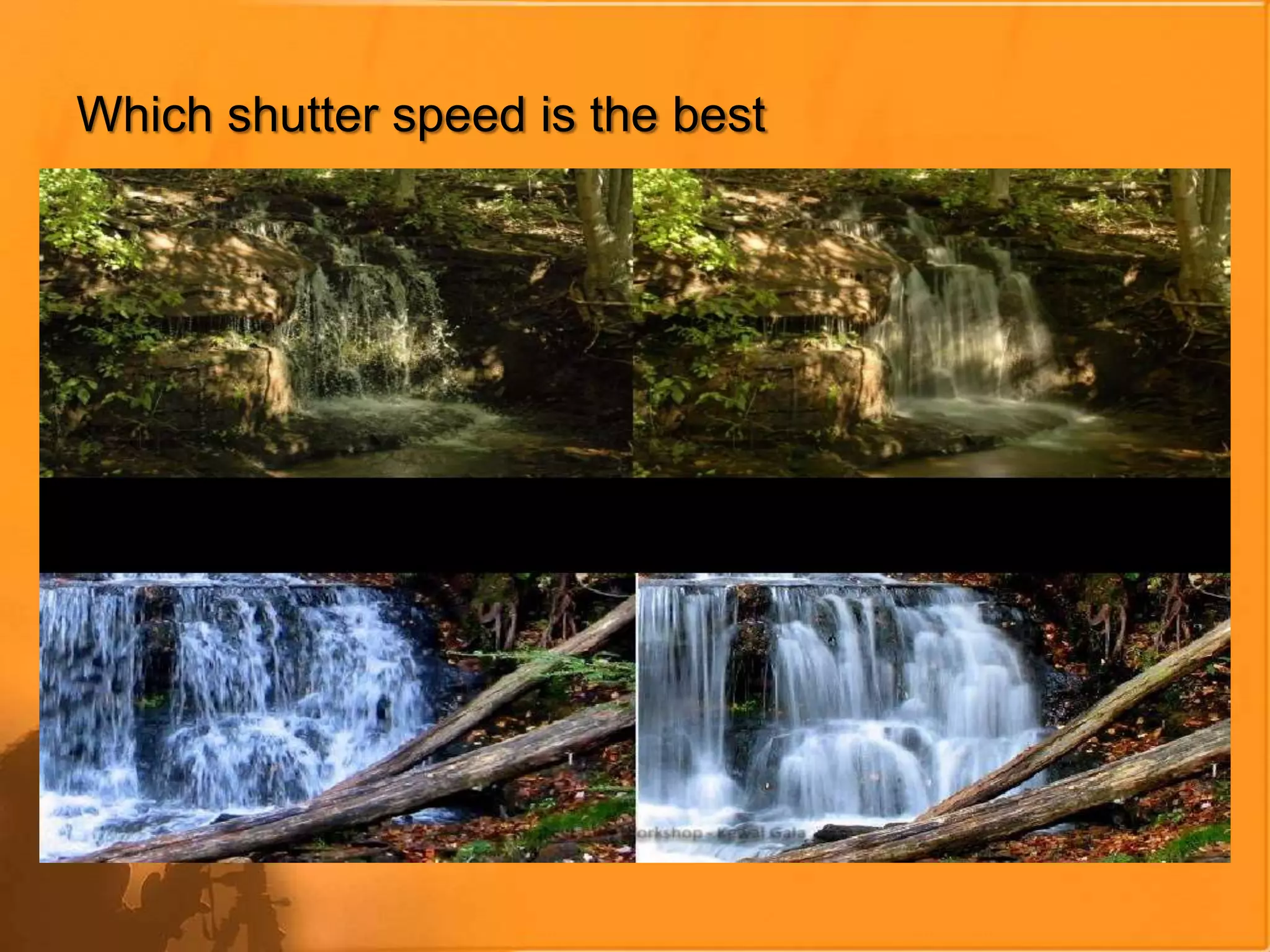
RESULTS OF VARYING SHUTTER SPEED
Which shutter speed is the best
ISO 100
ISO 1600
Shutter Priority
Shutter Priority:
Allows you to decidethe shutter speed(e.g.fast at 1/500 sec.for stop action
photography, or slow at 2 sec.for night photography), and the camera decides the
best aperture.
Aperture Priority
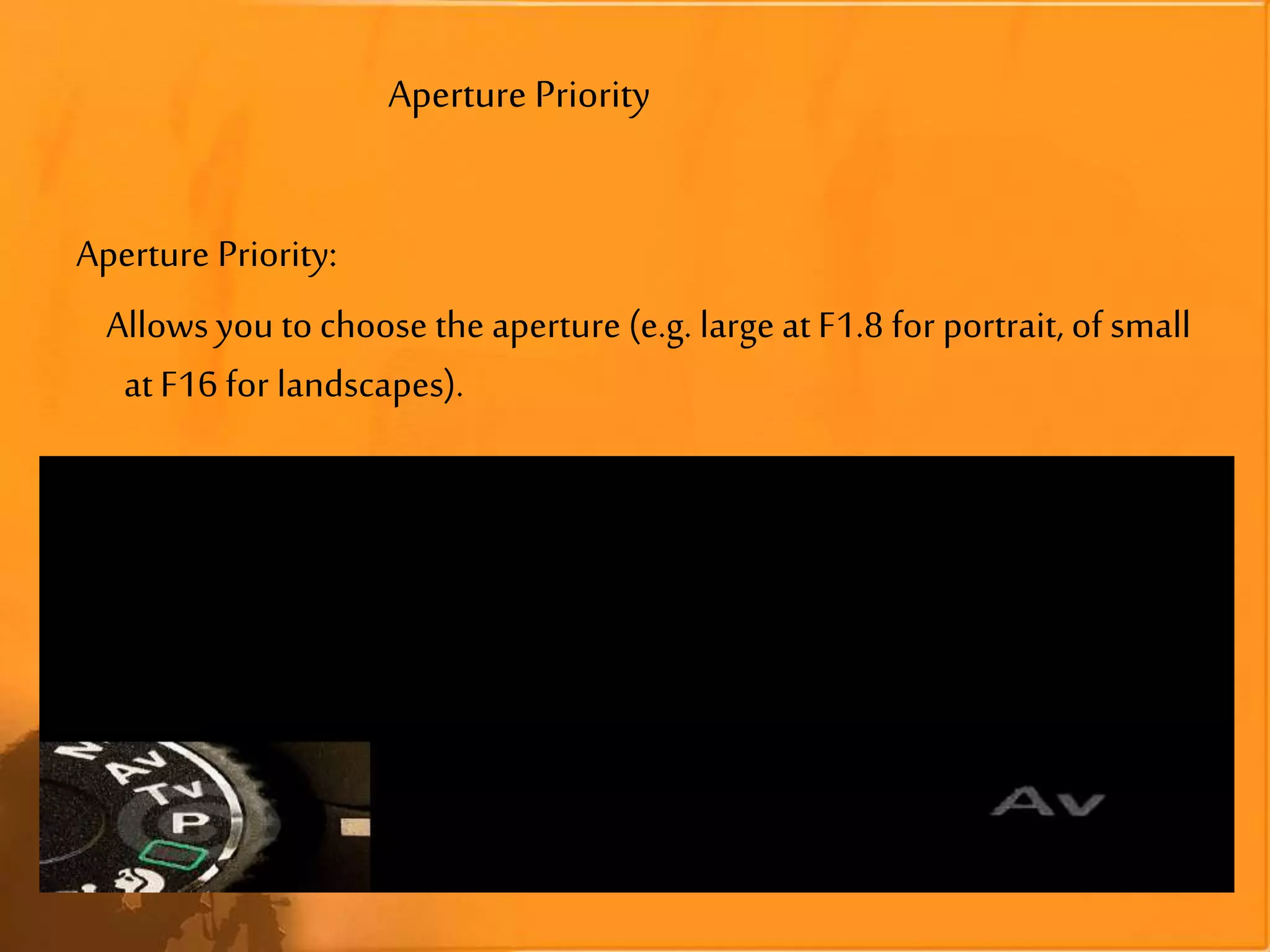
Aperture Priority:
Allows you to choose the aperture (e.g. large at F1.8 for portrait, of small
at F16 for landscapes).
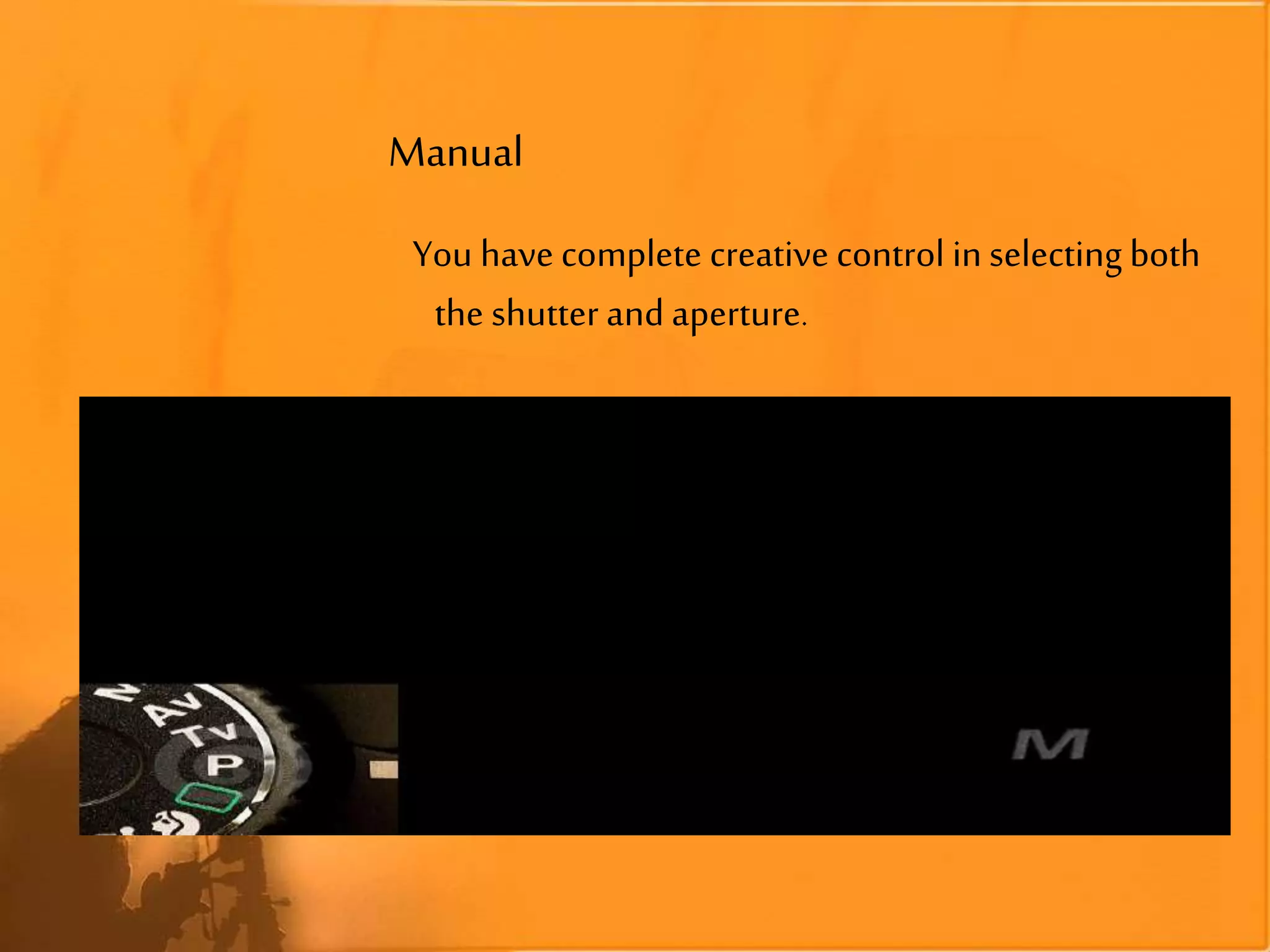
Manual
You have complete creative control in selecting both
the shutter and aperture.
Auto
Alldigital cameras usuallyhave an Auto mode: the
camera decides for you the best shutter
speed/aperture settings.
Landscape photography
Primary function isto allow a large depth of field.
Landscape mode tells the camera to default to a
large Depth of Field (Small Aperture)–f16.
Portrait Photography
This mode is notwell suited for full-length
portraits orgroups of people
Portrait mode tells the camera to default to a:
•Small Depth of Field (Large Aperture)– f1.8
Sports/Action Photography
tells the camera to default its settings toward
capturing images faster
This is done by:
•Increasing Shutter Speed
•Increasing ISO
NightPhotography
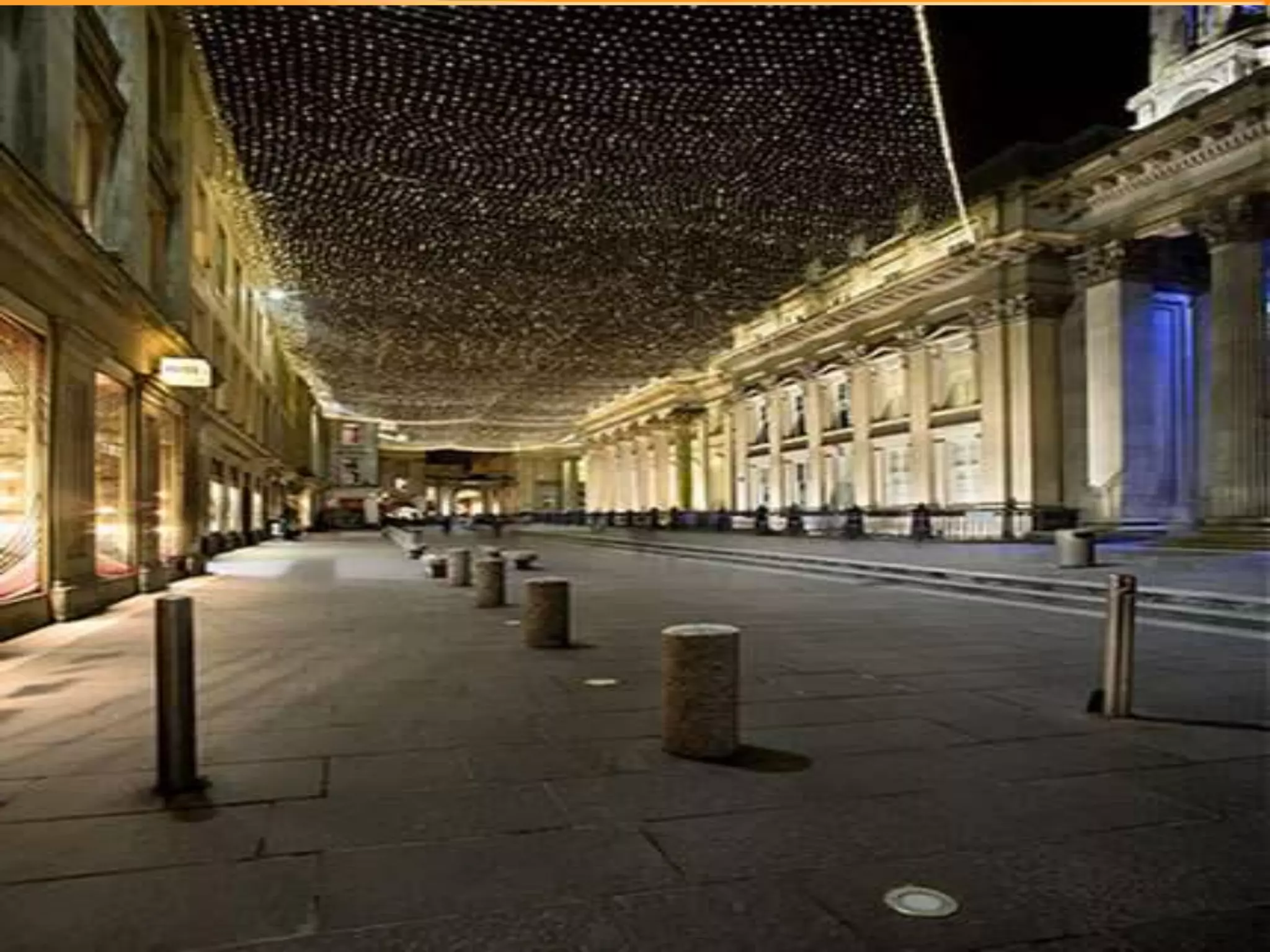
This preset slows down the shutter speedto
allow a lot of light into the camera.
•Both the foreground and backgroundof the image are properly
exposed.
•very useful in taking low-light
images where you donot want
the background to beblack
EXIF (exchangeable image file)
• EXIF (exchangeable image file) data is a record of what camera
settings were used to take a photograph.
EXIF data stores information like camera model, exposure, aperture,
ISO, what camera mode was used .....
To interpret this EXIF data, you will need an EXIF viewer. There are
many ways to go about this. Your image processing program should
provide that functionality within the program.
For beginners, reading an images EXIF data can be a very useful
learning tool....
Nightphotography
Takeanumberof shotsatdifferentshutterspeed/aperturecombinations.
EnsureyourLCDbrightness isset toNormal,notBright, foratruer
representationofyourrecordedimage.
A goodaperturetostartwithis F4.0 or F5.6 (forgreatestdepthoffield),
andadjustshutterspeedupor downuntil you'resatisfiedwiththeshot.
Alwaysbringandusea tripod.It's quitecommon tohaveexposuresofan
entiresecondor moreduringnight-time photography.
Bring alonga flashlight.A pocketflashlightis essential whenyou'redoing
photographyatnight.
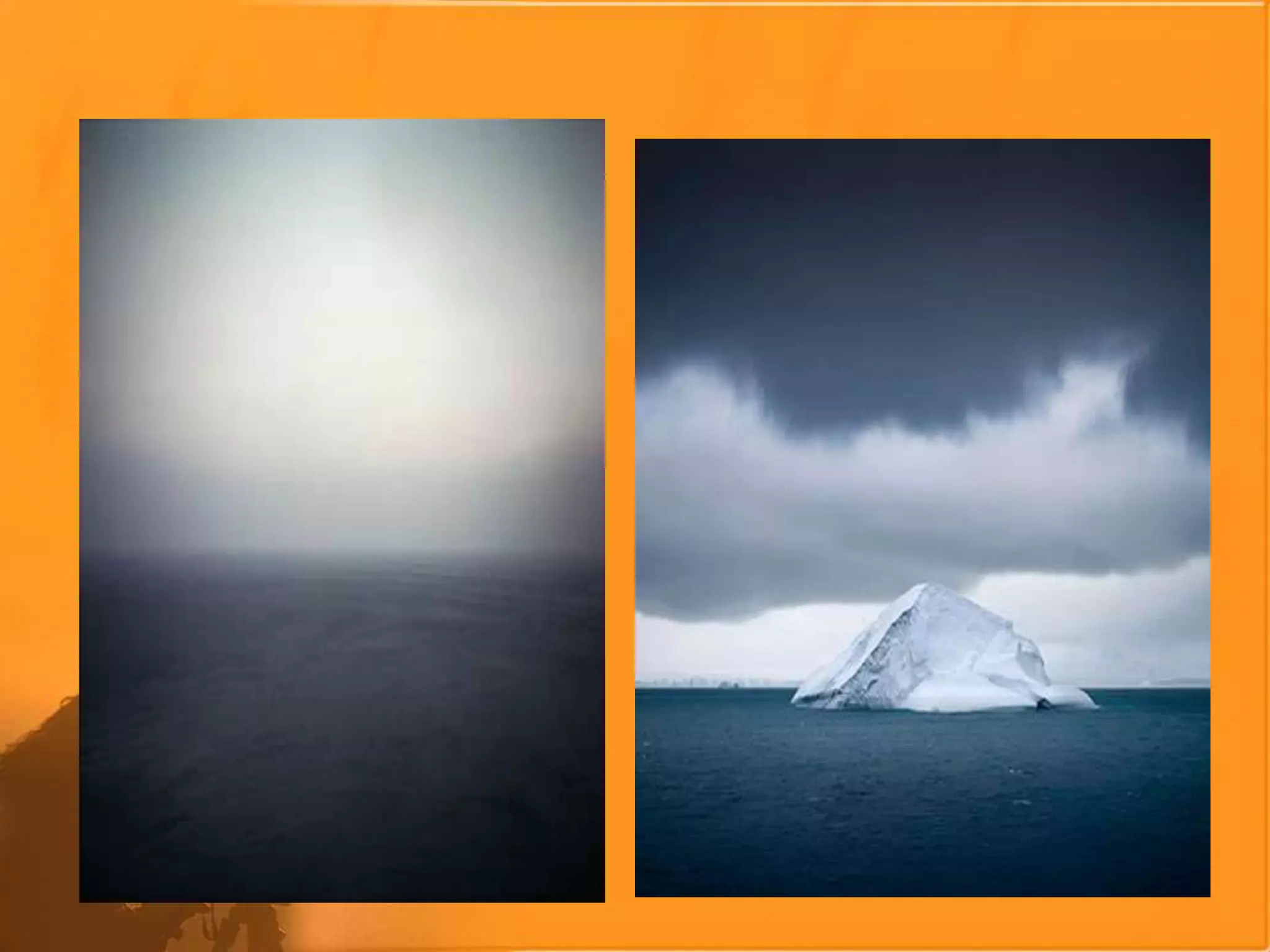
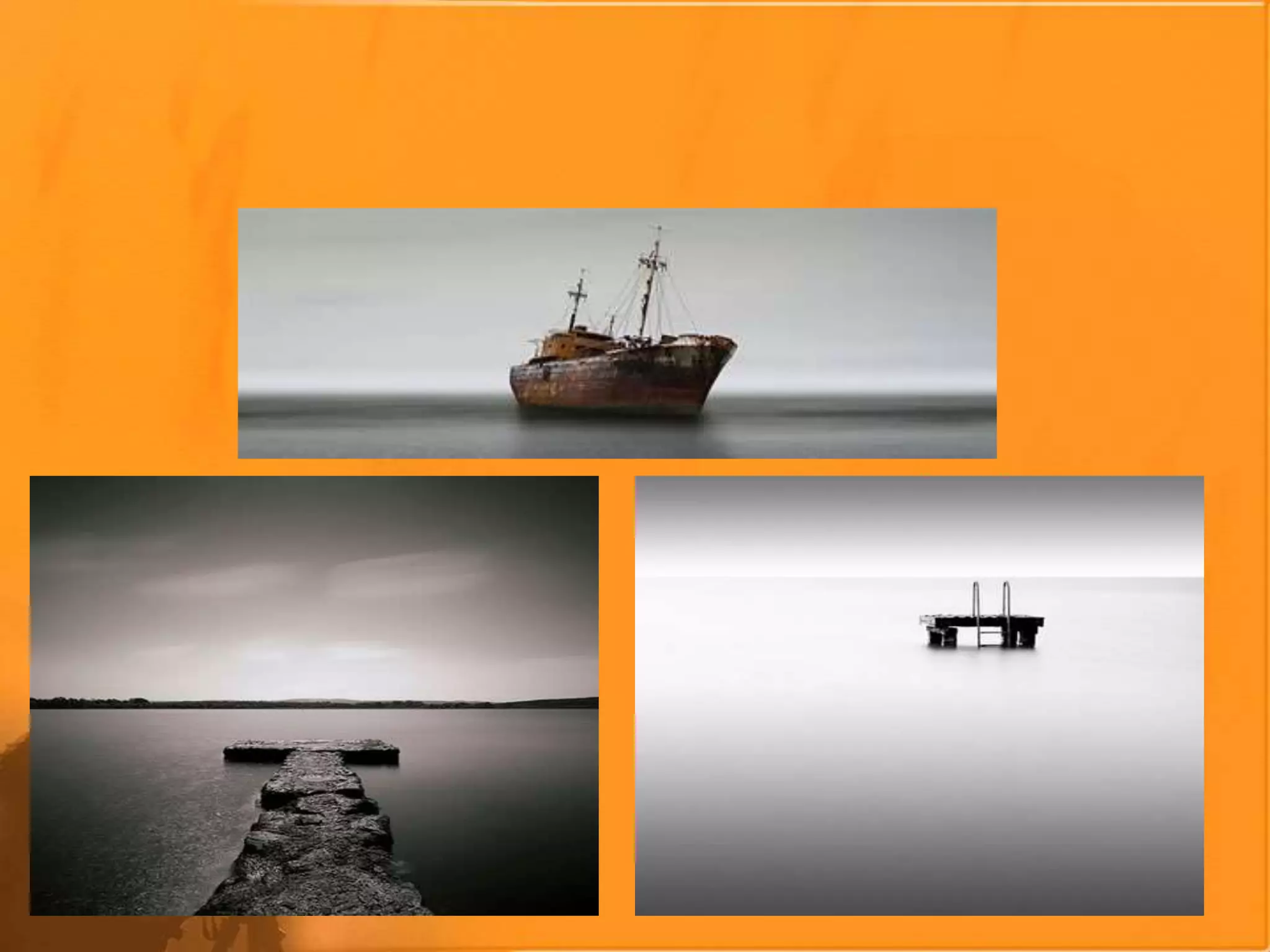
Minimalisticphotography
Minimalisticphotosiscreating‘empty’spacesin thephotograph....
The eye ofthe personlookingatthe imagecan’thelp butbedrawntothe
element oftheimage you’vetaken....the subject!
“makeyoursubjectthe strongestpointof yourphotoeven thoughit might
takeuponlyasmall partoftheoverall image”....
WhenI’m attemptingtotakeashowwith aminimalist feelto itI keep
thosewordsin mind.
picksubjectswisely
experimentwith color
usedepthoffield
cropoutdistractions
Zoom In orout...
19th century studio camera
standing on tripod and
using plates
Box camera, one of
the first mass-
produced pocket
cameras using film,
c. 1900
Compact Kodak
folding camera
from 1922
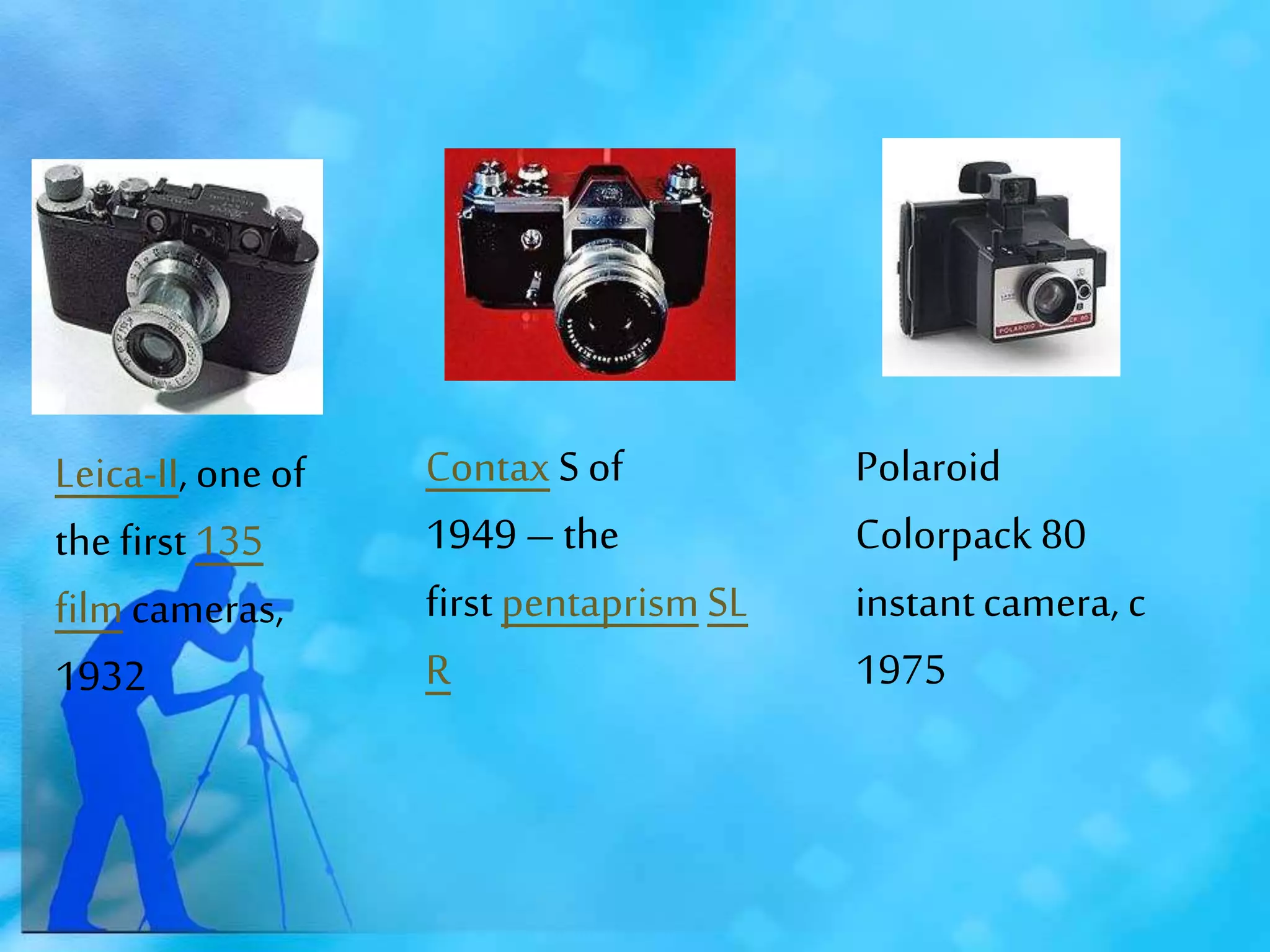
Evolution of the camera
Leica-II, one of
the first 135
filmcameras,
1932
ContaxS of
1949 – the
first pentaprismSL
R
Polaroid
Colorpack 80
instantcamera, c
1975
Digital
camera,Canon
Ixus class, c.2000.
Nikon D1, the
first digital SLR used in
journalism and sports
photography, c.2000
Smartphonewith built-
in cameraspreads
private images globally,
c.2010
THANK YOU
THANK YOU FOR
U R
COOPERATION

ppt about photography

  • 1.
    COMPUTER ASSISNMENT PPT ABOUTPHOTO GRAPHY DONE BY: J. HARSHAN IX-B2
  • 2.
    Digital photography usesan array of electronic photodetectors to capture the image focused by the lens, as opposed to an exposure on photographic film. The captured image is thendigitized and stored as a computer file ready for digital processing, viewing, digital publishing or printing. Until the adventof such technology, photographs were made byexposing light sensitivephotographic film, and used chemical photographic processing to develop and stabilize the image. By contrast, digital photographs canbe displayed, printed, stored, manipulated, transmitted, and archived using digital and computer techniques, without chemical processing. Digital photography is oneof several forms of digital imaging. Digital images are also createdby non-photographic equipment such as computer tomography scanners and radio telescopes. Digital images can also bemade by scanning otherphotographic images Digital photography
  • 3.
    Choosing theBest Camera •Notaonce in a lifetimepurchaseanymore. •Selectone which can do the job you want Today and asperyour futurerequirement •Somekindsof camerasdo. somekinds of thingsbetter ormoreeasily e.g., Sportsphotography vs. Close-upportraits. •Priceisn’tthe bestindicator.
  • 4.
    TYPES OF CAMERAS •WEB CAMERAS AND MOBILE CAMERAS
  • 5.
    • POINT ANDSHOOTCAMERAS
  • 6.
  • 7.
  • 8.
  • 11.
    RESOLUTION AND PRINT SIZES ResolutionAvg. quality Best quality Resolution 0.5 megapixels 3x5 in. N/A 800 x 600 2 megapixels 8x10 in. 3x5 in. 1600 x 1200 4 megapixels 11x14 in. 5x7 in. 2300 x 1700 6 megapixels 16x20 in. 8x0 in. 3000 x 2000 10+megapixels 25x40 in. 13x17 in. 3888+ x 2592+
  • 12.
    PHOTOGRAPHY TECHNICALITY Anti-Blur Anti-Shake Image Stabilization VibrationReduction •A technology that stabilizes the lens to effectively reduce blur due to camera shake
  • 13.
  • 14.
    METERING How thecamera measurestheamount of light availableto exposea picture •Centre-Weighted:Readingsaretakenat variouspart of the picture, witha special emphasisfor the centre. •Spot: Readingsare takenat a specificpoint. •Each cameramanufacturerhas itsown variations(EvaluativeMetering)
  • 15.
    WHITE BALANCE Theabilitytoadjustcoloursbasedonwhiteas a referencecolourtogiveas truea whiteas possible •Allothercoloursare correctedaccordingly •AutoWB(AWB): thecamera determinesand selectsthecorrectcolourtemperaturefor white.
  • 16.
    WHITE BALANCE Somepreset whitebalance settings are daylight, cloudy, tungsten, or fluorescent.
  • 18.
    Aperture, Depthof Field,Shutter Speed, ISO,Noise APERTURE a hole or an opening through which light travels It causes variations in the Depth of Field within the image
  • 19.
  • 24.
    Shutter Speed •Amount oftime the picture is exposed •Short/Fast shutter speed •Long/Slow shutter speed
  • 25.
  • 26.
  • 27.
  • 28.
  • 29.
    RESULTS OF VARYINGSHUTTER SPEED
  • 33.
  • 35.
  • 36.
  • 37.
    Shutter Priority Shutter Priority: Allowsyou to decidethe shutter speed(e.g.fast at 1/500 sec.for stop action photography, or slow at 2 sec.for night photography), and the camera decides the best aperture.
  • 38.
    Aperture Priority Aperture Priority: Allowsyou to choose the aperture (e.g. large at F1.8 for portrait, of small at F16 for landscapes).
  • 39.
    Manual You have completecreative control in selecting both the shutter and aperture.
  • 40.
    Auto Alldigital cameras usuallyhavean Auto mode: the camera decides for you the best shutter speed/aperture settings.
  • 41.
    Landscape photography Primary functionisto allow a large depth of field. Landscape mode tells the camera to default to a large Depth of Field (Small Aperture)–f16.
  • 42.
    Portrait Photography This modeis notwell suited for full-length portraits orgroups of people Portrait mode tells the camera to default to a: •Small Depth of Field (Large Aperture)– f1.8
  • 43.
    Sports/Action Photography tells thecamera to default its settings toward capturing images faster This is done by: •Increasing Shutter Speed •Increasing ISO
  • 44.
    NightPhotography This preset slowsdown the shutter speedto allow a lot of light into the camera. •Both the foreground and backgroundof the image are properly exposed. •very useful in taking low-light images where you donot want the background to beblack
  • 49.
    EXIF (exchangeable imagefile) • EXIF (exchangeable image file) data is a record of what camera settings were used to take a photograph. EXIF data stores information like camera model, exposure, aperture, ISO, what camera mode was used ..... To interpret this EXIF data, you will need an EXIF viewer. There are many ways to go about this. Your image processing program should provide that functionality within the program. For beginners, reading an images EXIF data can be a very useful learning tool....
  • 50.
    Nightphotography Takeanumberof shotsatdifferentshutterspeed/aperturecombinations. EnsureyourLCDbrightness issettoNormal,notBright, foratruer representationofyourrecordedimage. A goodaperturetostartwithis F4.0 or F5.6 (forgreatestdepthoffield), andadjustshutterspeedupor downuntil you'resatisfiedwiththeshot. Alwaysbringandusea tripod.It's quitecommon tohaveexposuresofan entiresecondor moreduringnight-time photography. Bring alonga flashlight.A pocketflashlightis essential whenyou'redoing photographyatnight.
  • 51.
    Minimalisticphotography Minimalisticphotosiscreating‘empty’spacesin thephotograph.... The eyeofthe personlookingatthe imagecan’thelp butbedrawntothe element oftheimage you’vetaken....the subject! “makeyoursubjectthe strongestpointof yourphotoeven thoughit might takeuponlyasmall partoftheoverall image”.... WhenI’m attemptingtotakeashowwith aminimalist feelto itI keep thosewordsin mind. picksubjectswisely experimentwith color usedepthoffield cropoutdistractions Zoom In orout...
  • 54.
    19th century studiocamera standing on tripod and using plates Box camera, one of the first mass- produced pocket cameras using film, c. 1900 Compact Kodak folding camera from 1922 Evolution of the camera
  • 55.
    Leica-II, one of thefirst 135 filmcameras, 1932 ContaxS of 1949 – the first pentaprismSL R Polaroid Colorpack 80 instantcamera, c 1975
  • 56.
    Digital camera,Canon Ixus class, c.2000. NikonD1, the first digital SLR used in journalism and sports photography, c.2000 Smartphonewith built- in cameraspreads private images globally, c.2010
  • 57.
    THANK YOU THANK YOUFOR U R COOPERATION