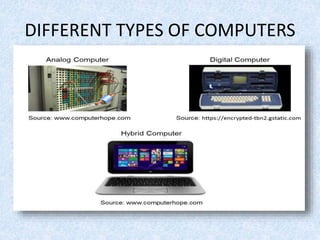
DIFFERENT TYPES OF COMPUTERS
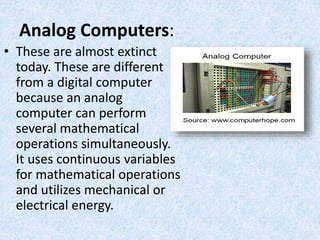
Analog Computers:
• These are almost extinct
today. These are different
from a digital computer
because an analog
computer can perform
several mathematical
operations simultaneously.
It uses continuous variables
for mathematical operations
and utilizes mechanical or
electrical energy.
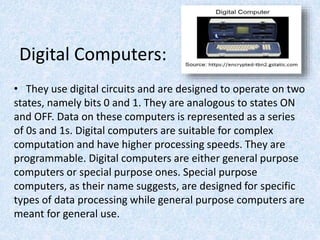
Digital Computers:
• They use digital circuits and are designed to operate on two
states, namely bits 0 and 1. They are analogous to states ON
and OFF. Data on these computers is represented as a series
of 0s and 1s. Digital computers are suitable for complex
computation and have higher processing speeds. They are
programmable. Digital computers are either general purpose
computers or special purpose ones. Special purpose
computers, as their name suggests, are designed for specific
types of data processing while general purpose computers are
meant for general use.
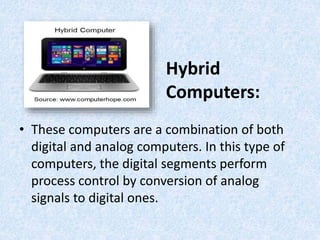
Hybrid
Computers:
• These computers are a combination of both
digital and analog computers. In this type of
computers, the digital segments perform
process control by conversion of analog
signals to digital ones.
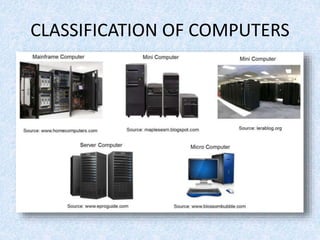
CLASSIFICATION OF COMPUTERS
Mainframe Computers:
• Large organizations use mainframes for highly
critical applications such as bulk data
processing and ERP. Most of the mainframe
computers have the capacities to host
multiple operating systems and operate as a
number of virtual machines and can substitute
for several small servers.
Minicomputers:
• In terms of size and processing capacity,
minicomputers lie in between mainframes and
microcomputers. Minicomputers are also
called mid-range systems or workstations. The
term began to be popularly used in the 1960s
to refer to relatively smaller third generation
computers.
Servers:
• They are computers designed to provide
services to client machines in a computer
network. They have larger storage capacities
and powerful processors. Running on them
are programs that serve client requests and
allocate resources like memory and time to
client machines. Usually they are very large in
size, as they have large processors and many
hard drives. They are designed to be fail-safe
and resistant to crash.
Supercomputers:
• The highly calculation-intensive tasks can be
effectively performed by means of
supercomputers. Quantum physics,
mechanics, weather forecasting, molecular
theory are best studied by means of
supercomputers. Their ability of parallel
processing and their well-designed memory
hierarchy give the supercomputers, large
transaction processing powers.
Microcomputers:
• A computer with a microprocessor and its central
processing unit it is known as a microcomputer.
They do not occupy space as much as
mainframes do. When supplemented with a
keyboard and a mouse, microcomputers can be
called personal computers. A monitor, a keyboard
and other similar input output devices, computer
memory in the form of RAM and a power supply
unit come packaged in a microcomputer. These
computers can fit on desks or tables and prove to
be the best choice for single-user tasks.
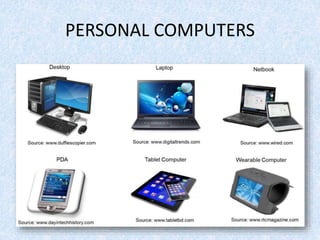
PERSONAL COMPUTERS
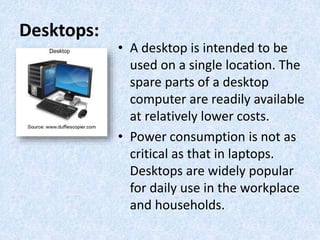
Desktops:
• A desktop is intended to be
used on a single location. The
spare parts of a desktop
computer are readily available
at relatively lower costs.
• Power consumption is not as
critical as that in laptops.
Desktops are widely popular
for daily use in the workplace
and households.
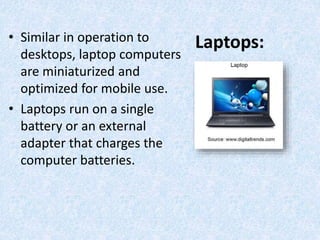
Laptops:• Similar in operation to
desktops, laptop computers
are miniaturized and
optimized for mobile use.
• Laptops run on a single
battery or an external
adapter that charges the
computer batteries.
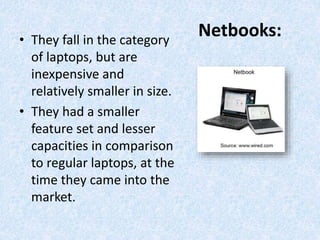
Netbooks:• They fall in the category
of laptops, but are
inexpensive and
relatively smaller in size.
• They had a smaller
feature set and lesser
capacities in comparison
to regular laptops, at the
time they came into the
market.
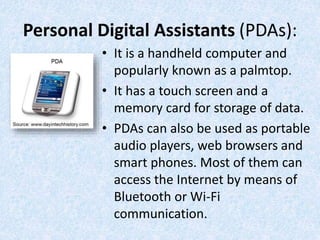
Personal Digital Assistants (PDAs):
• It is a handheld computer and
popularly known as a palmtop.
• It has a touch screen and a
memory card for storage of data.
• PDAs can also be used as portable
audio players, web browsers and
smart phones. Most of them can
access the Internet by means of
Bluetooth or Wi-Fi
communication.
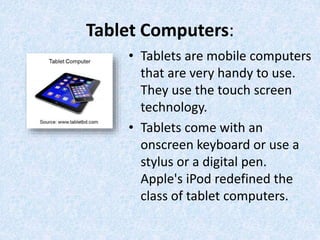
Tablet Computers:
• Tablets are mobile computers
that are very handy to use.
They use the touch screen
technology.
• Tablets come with an
onscreen keyboard or use a
stylus or a digital pen.
Apple's iPod redefined the
class of tablet computers.
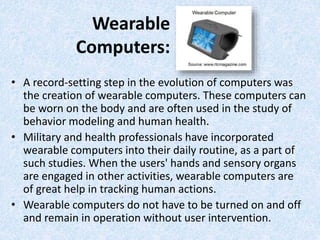
Wearable
Computers:
• A record-setting step in the evolution of computers was
the creation of wearable computers. These computers can
be worn on the body and are often used in the study of
behavior modeling and human health.
• Military and health professionals have incorporated
wearable computers into their daily routine, as a part of
such studies. When the users' hands and sensory organs
are engaged in other activities, wearable computers are
of great help in tracking human actions.
• Wearable computers do not have to be turned on and off
and remain in operation without user intervention.
Direction: Identify the type of computer being described in the
following sentences and write your answer on a separate sheet
of paper.
1. These are mobile computers that are very handy to
use.
2. They are computers designed to provide services to
client machines in a computer network.
3. They are also called mid-range systems or
workstations.
4. A computer with a microprocessor and its central
processing unit.
5. They fall in the category of laptops, but are
inexpensive and relatively smaller in size.
6. A type of computer which is intended be used on a
single location.
7. They use digital circuits and are designed to operate
on two states, namely bits 0 and 1.
8. Computers that have the capacities to host multiple
operating systems and operate as a number of virtual
machines and can substitute for several small servers.
9. It is a handheld computer and popularly known as a
palmtop.
10. These computers can be worn on the body and are
often used in the study of behavior modeling and
human health.
FRYA LORA H. JAVIER
ICT-COMPUTER HARDWARE SERVICING
TLE DEPARTMENT
NUEVA ECIJA HIGH SCHOOL

Kinds of computer g9

  • 2.
  • 3.
    Analog Computers: • Theseare almost extinct today. These are different from a digital computer because an analog computer can perform several mathematical operations simultaneously. It uses continuous variables for mathematical operations and utilizes mechanical or electrical energy.
  • 4.
    Digital Computers: • Theyuse digital circuits and are designed to operate on two states, namely bits 0 and 1. They are analogous to states ON and OFF. Data on these computers is represented as a series of 0s and 1s. Digital computers are suitable for complex computation and have higher processing speeds. They are programmable. Digital computers are either general purpose computers or special purpose ones. Special purpose computers, as their name suggests, are designed for specific types of data processing while general purpose computers are meant for general use.
  • 5.
    Hybrid Computers: • These computersare a combination of both digital and analog computers. In this type of computers, the digital segments perform process control by conversion of analog signals to digital ones.
  • 6.
  • 7.
    Mainframe Computers: • Largeorganizations use mainframes for highly critical applications such as bulk data processing and ERP. Most of the mainframe computers have the capacities to host multiple operating systems and operate as a number of virtual machines and can substitute for several small servers.
  • 8.
    Minicomputers: • In termsof size and processing capacity, minicomputers lie in between mainframes and microcomputers. Minicomputers are also called mid-range systems or workstations. The term began to be popularly used in the 1960s to refer to relatively smaller third generation computers.
  • 9.
    Servers: • They arecomputers designed to provide services to client machines in a computer network. They have larger storage capacities and powerful processors. Running on them are programs that serve client requests and allocate resources like memory and time to client machines. Usually they are very large in size, as they have large processors and many hard drives. They are designed to be fail-safe and resistant to crash.
  • 10.
    Supercomputers: • The highlycalculation-intensive tasks can be effectively performed by means of supercomputers. Quantum physics, mechanics, weather forecasting, molecular theory are best studied by means of supercomputers. Their ability of parallel processing and their well-designed memory hierarchy give the supercomputers, large transaction processing powers.
  • 11.
    Microcomputers: • A computerwith a microprocessor and its central processing unit it is known as a microcomputer. They do not occupy space as much as mainframes do. When supplemented with a keyboard and a mouse, microcomputers can be called personal computers. A monitor, a keyboard and other similar input output devices, computer memory in the form of RAM and a power supply unit come packaged in a microcomputer. These computers can fit on desks or tables and prove to be the best choice for single-user tasks.
  • 12.
  • 13.
    Desktops: • A desktopis intended to be used on a single location. The spare parts of a desktop computer are readily available at relatively lower costs. • Power consumption is not as critical as that in laptops. Desktops are widely popular for daily use in the workplace and households.
  • 14.
    Laptops:• Similar inoperation to desktops, laptop computers are miniaturized and optimized for mobile use. • Laptops run on a single battery or an external adapter that charges the computer batteries.
  • 15.
    Netbooks:• They fallin the category of laptops, but are inexpensive and relatively smaller in size. • They had a smaller feature set and lesser capacities in comparison to regular laptops, at the time they came into the market.
  • 16.
    Personal Digital Assistants(PDAs): • It is a handheld computer and popularly known as a palmtop. • It has a touch screen and a memory card for storage of data. • PDAs can also be used as portable audio players, web browsers and smart phones. Most of them can access the Internet by means of Bluetooth or Wi-Fi communication.
  • 17.
    Tablet Computers: • Tabletsare mobile computers that are very handy to use. They use the touch screen technology. • Tablets come with an onscreen keyboard or use a stylus or a digital pen. Apple's iPod redefined the class of tablet computers.
  • 18.
    Wearable Computers: • A record-settingstep in the evolution of computers was the creation of wearable computers. These computers can be worn on the body and are often used in the study of behavior modeling and human health. • Military and health professionals have incorporated wearable computers into their daily routine, as a part of such studies. When the users' hands and sensory organs are engaged in other activities, wearable computers are of great help in tracking human actions. • Wearable computers do not have to be turned on and off and remain in operation without user intervention.
  • 19.
    Direction: Identify thetype of computer being described in the following sentences and write your answer on a separate sheet of paper. 1. These are mobile computers that are very handy to use. 2. They are computers designed to provide services to client machines in a computer network. 3. They are also called mid-range systems or workstations. 4. A computer with a microprocessor and its central processing unit. 5. They fall in the category of laptops, but are inexpensive and relatively smaller in size.
  • 20.
    6. A typeof computer which is intended be used on a single location. 7. They use digital circuits and are designed to operate on two states, namely bits 0 and 1. 8. Computers that have the capacities to host multiple operating systems and operate as a number of virtual machines and can substitute for several small servers. 9. It is a handheld computer and popularly known as a palmtop. 10. These computers can be worn on the body and are often used in the study of behavior modeling and human health.
  • 21.
    FRYA LORA H.JAVIER ICT-COMPUTER HARDWARE SERVICING TLE DEPARTMENT NUEVA ECIJA HIGH SCHOOL

Editor's Notes

  • #21 LAPTOP SERVERS MINICOMPUTERS MICROCOMPUTERS NETBOOKS DESKTOP DIGITAL COMPUTERS MAINFRAME COMPUTERS PDA WEARABLE COMPUTERS