
Hypertext Markup Language The Building Blocks of Webpages
Tags Tags are contained in < > and contains words that resemble what they do. <p> = create a paragraph <b> = bold For every tag you open you need to close it.  <p> open paragraph <b> start bold </p> close paragraph </b> end bold
Building the Page <html>  <head>  <body>  This is the first tag you use to tell the Internet Browser what code you are using.  The tag is use to add all the ‘thinking’ code, code that doesn’t necessarily change the way the page looks The tag is used to change the way the page looks
A Basic Page <html> <head> </head> <body> <p> This is my first page </p> </body> </html> Try out this code in NotePad! Save the page as “ My First Page.html”
Advanced Tags Some tags can have properties inside them. <font  color=“red” align=“center” >Font</font> <img  src=“picture.jpg” > <a  href=“http://www.yahoo.co.uk” >Yahoo</a> <body  bgcolor=“orange” > NOTE The <img> tag  does not  need to be closed
Important to Remember You need to save the pages  Name .html  otherwise the browser will not know it is a webpage All the code has  American  spelling. c o l o u r  is spelt  color

HTML Introduction

  • 1.
    Hypertext Markup LanguageThe Building Blocks of Webpages
  • 2.
    Tags Tags arecontained in < > and contains words that resemble what they do. <p> = create a paragraph <b> = bold For every tag you open you need to close it. <p> open paragraph <b> start bold </p> close paragraph </b> end bold
  • 3.
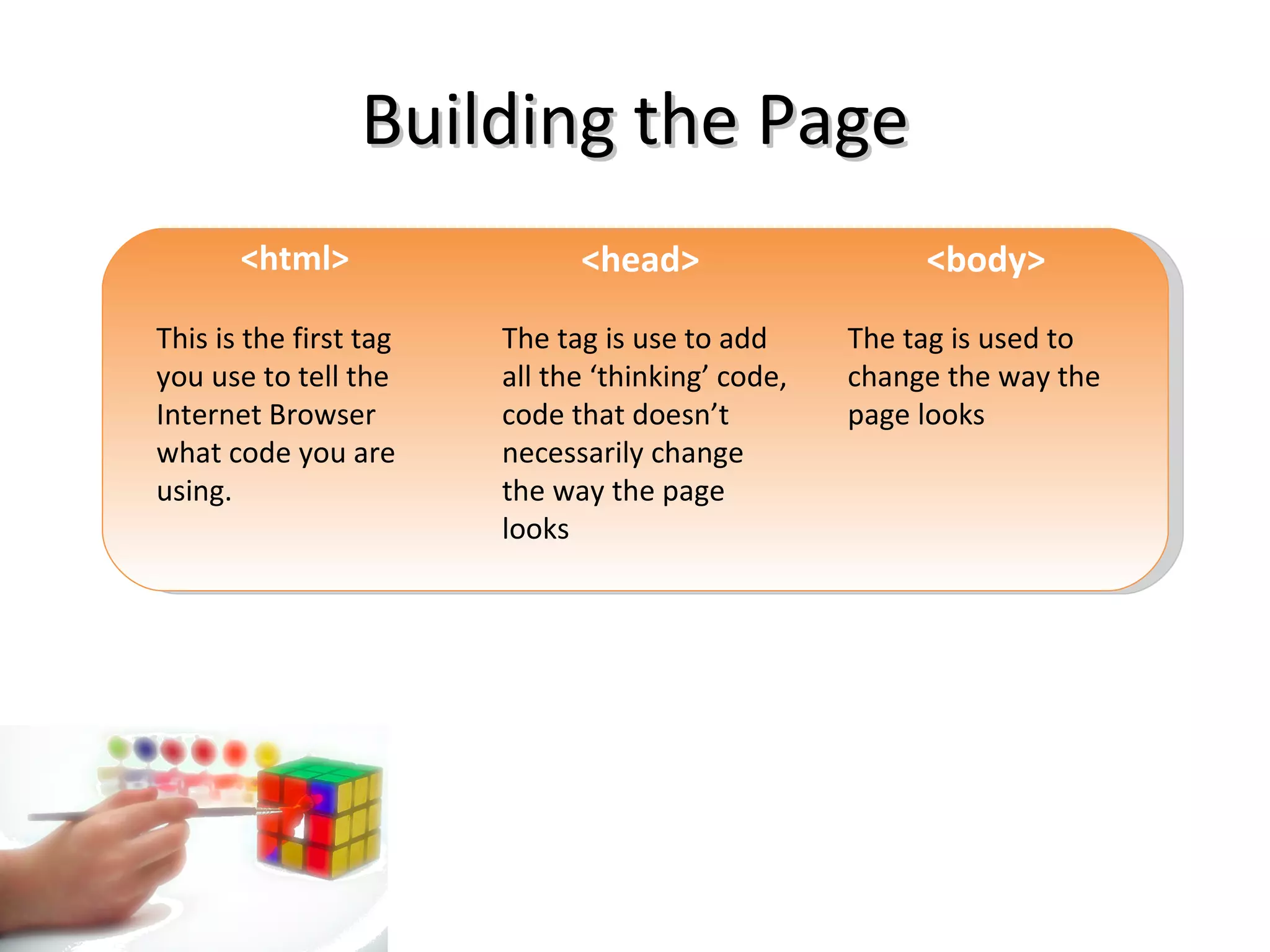
    Building the Page<html> <head> <body> This is the first tag you use to tell the Internet Browser what code you are using. The tag is use to add all the ‘thinking’ code, code that doesn’t necessarily change the way the page looks The tag is used to change the way the page looks
  • 4.
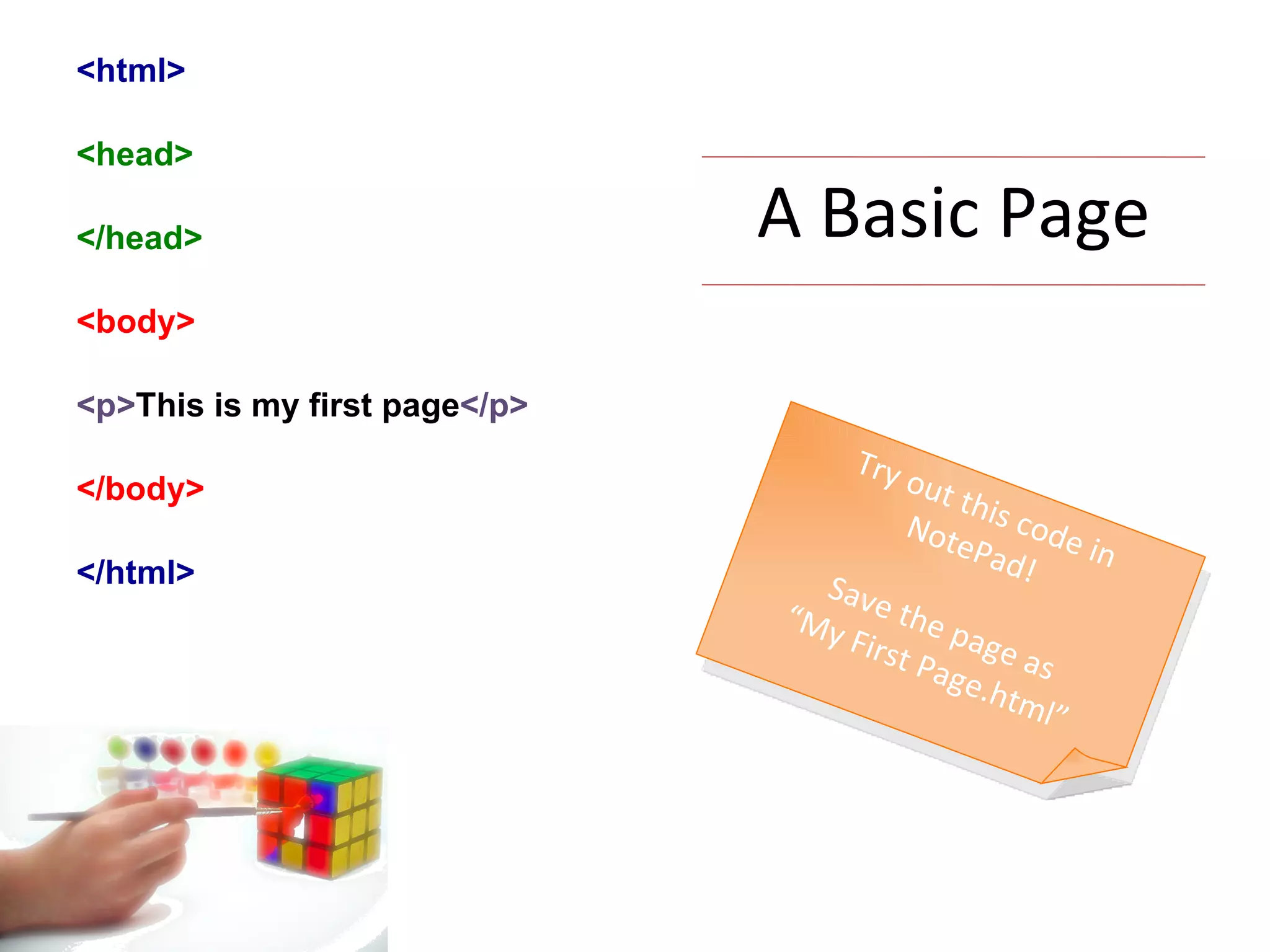
    A Basic Page<html> <head> </head> <body> <p> This is my first page </p> </body> </html> Try out this code in NotePad! Save the page as “ My First Page.html”
  • 5.
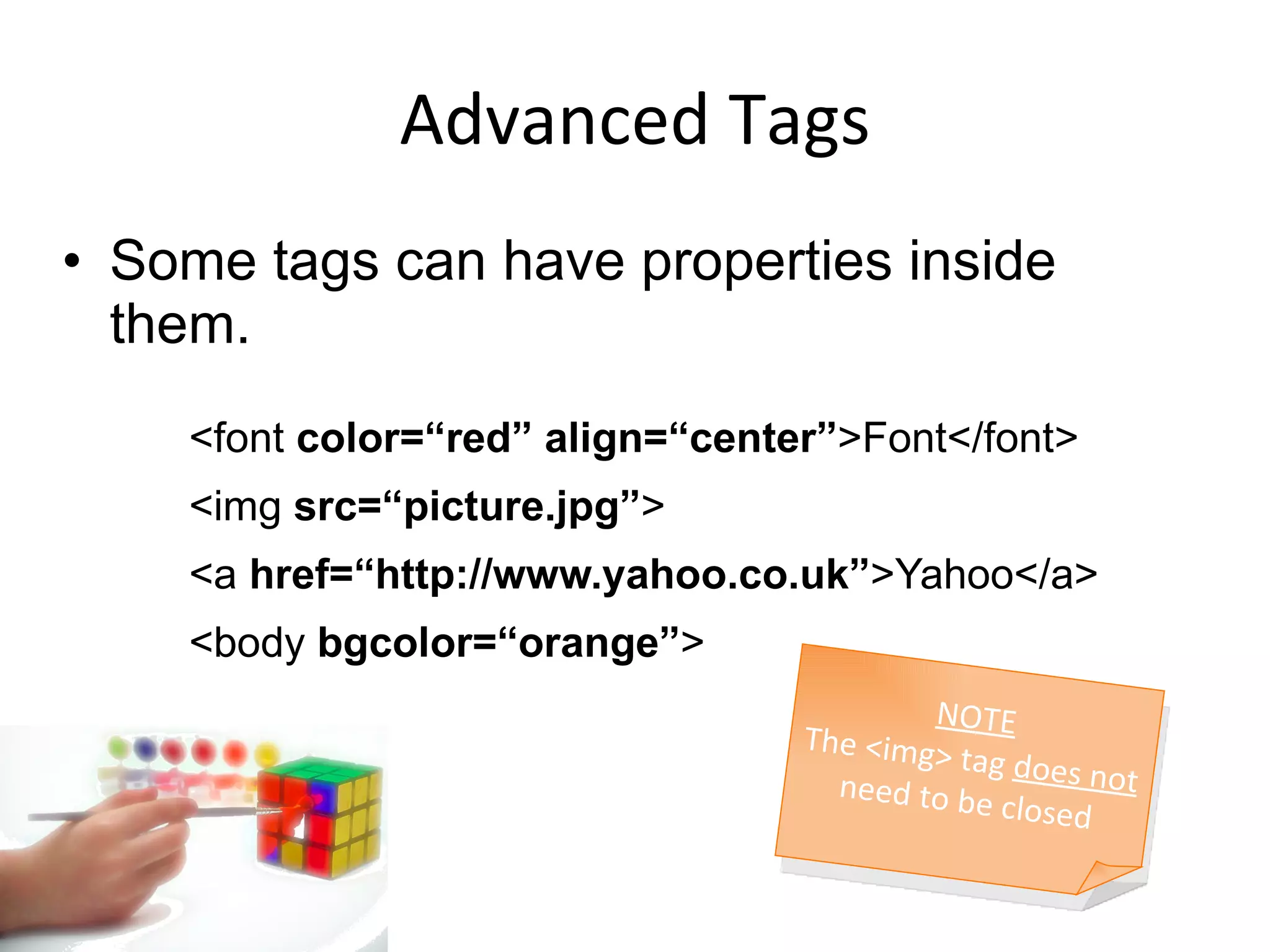
    Advanced Tags Sometags can have properties inside them. <font color=“red” align=“center” >Font</font> <img src=“picture.jpg” > <a href=“http://www.yahoo.co.uk” >Yahoo</a> <body bgcolor=“orange” > NOTE The <img> tag does not need to be closed
  • 6.
    Important to RememberYou need to save the pages Name .html otherwise the browser will not know it is a webpage All the code has American spelling. c o l o u r is spelt color