Introduction to
    OO Perl
  With Moose

        Dave Cross
   Magnum Solutions Ltd
    dave@mag-sol.com
What We Will Cover
           Introduction to Object Oriented
            programming
           Overview of Moose
           Object Attributes
           Subclasses
           Further information

London Perl Workshop
 24th November 2012        2
Object Oriented
 Programming
What is OOP?
           “Traditional” programming is procedural
           Subroutines work on variables
           my $twelve = regenerate($eleven);
           Variables are dumb
           Just stores for data


London Perl Workshop
 24th November 2012        4
What is OOP?
           Object Oriented programming inverts this
           Variables are objects
           Objects can carry out certain processes
                Called methods
           my $twelve = $eleven->regenerate();
           Objects are intelligent
           Objects know what methods they can carry
            out

London Perl Workshop
 24th November 2012           5
Some Concepts
           A Class is a type of intelligent variable
                e.g. Time Lord
           An Object is an instance of a class
                e.g. The Doctor
           A Method is an action that an object does
                e.g. Regenerate
           An Attribute is a piece of data in an object
                e.g. Name

London Perl Workshop
 24th November 2012            6
Some Concepts
           A class contains a number of methods
           An object is of a particular class
           The class defines the behaviour of an object
           An object has many attributes
           A class can also have attributes


London Perl Workshop
 24th November 2012        7
Methods
          Methods can be either class methods or
           object methods
          Class methods are called on a class
                my $doctor = TimeLord->new;
          Object methods are called on an object
                $doctor->regenerate;


London Perl Workshop
 24th November 2012        8
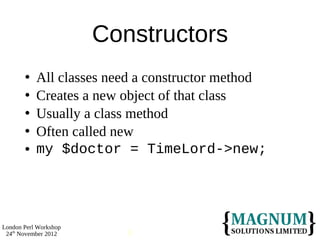
Constructors
          All classes need a constructor method
          Creates a new object of that class
          Usually a class method
          Often called new
          my $doctor = TimeLord->new;


London Perl Workshop
 24th November 2012       9
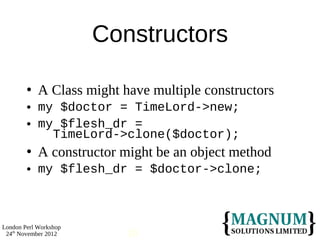
Constructors

           A Class might have multiple constructors
           my $doctor = TimeLord->new;
           my $flesh_dr =
              TimeLord->clone($doctor);
           A constructor might be an object method
           my $flesh_dr = $doctor->clone;


London Perl Workshop
 24th November 2012        10
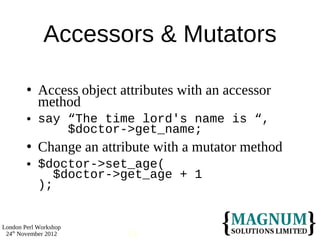
Accessors & Mutators

           Access object attributes with an accessor
            method
           say “The time lord's name is “,
                $doctor->get_name;
           Change an attribute with a mutator method
           $doctor->set_age(
               $doctor->get_age + 1
            );


London Perl Workshop
 24th November 2012        11
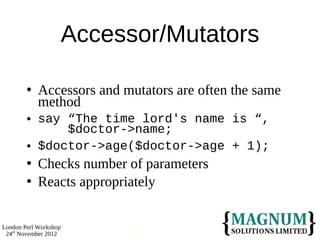
Accessor/Mutators

           Accessors and mutators are often the same
            method
           say “The time lord's name is “,
                $doctor->name;
           $doctor->age($doctor->age + 1);
           Checks number of parameters
           Reacts appropriately


London Perl Workshop
 24th November 2012        12
Accessor/Mutators
           Which to choose?
           Perl Best Practices says get_foo/set_foo
           I like one method called foo
           No firm rules
           Pick one
           Stick with it


London Perl Workshop
 24th November 2012        13
Subclasses
           A subclass is a specialisation of a class
           “Alien” is a class
           “Dalek” is one possible subclass
           Avoid reimplementing shared methods


London Perl Workshop
 24th November 2012         14
Object Oriented
     Perl
OO Perl
           Three rules of OO Perl
           A class is a package
           An object is reference
           A method is a subroutine


London Perl Workshop
 24th November 2012       16
A Class is a Package
           Same as any other package
           Contains subroutines
                Methods
           Contains variables
                Class attributes


London Perl Workshop
 24th November 2012             17
An Object is a Reference
           Usually a reference to a hash
           Hash keys are attribute names
           Hash values are attribute values
           Actually a “blessed” hash
                So it knows what class it is


London Perl Workshop
 24th November 2012             18
A Method is a Subroutine
           Just like any other subroutine
           Some rules on parameters
           First parameter is class name or object
            reference
           Some differences in calling
           Arrow notation
                 $doctor->name()


London Perl Workshop
 24th November 2012        19
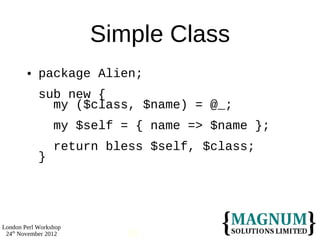
Simple Class
           package Alien;
            sub new {
              my ($class, $name) = @_;
                 my $self = { name => $name };
                 return bless $self, $class;
            }


London Perl Workshop
 24th November 2012       20
Simple Class
           sub name {
              my ($self, $name) = @_;
                 if (defined $name) {
                   $self->{name} = $name;
                 }
                 return $self->{name};
            }
            1;


London Perl Workshop
 24th November 2012       21
Using Our Class
           use Alien;
            my $alien = Alien->new('Mork');
            say $alien->name; # prints Mork
            $alien->name('Mork from Ork');
            say $alien->name;
            # prints Mork from Ork


London Perl Workshop
 24th November 2012        22
Moose
Moose
           Moose is a Modern Object System for Perl 5
           Based on Perl 6 object system
           More powerful
           More flexible
           Easier


London Perl Workshop
 24th November 2012       24
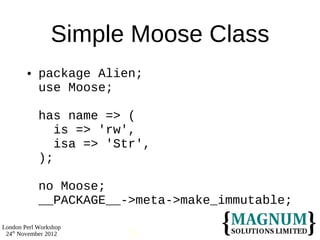
Simple Moose Class
           package Alien;
            use Moose;

            has name => (
               is => 'rw',
               isa => 'Str',
            );

            no Moose;
            __PACKAGE__->meta->make_immutable;

London Perl Workshop
 24th November 2012     25
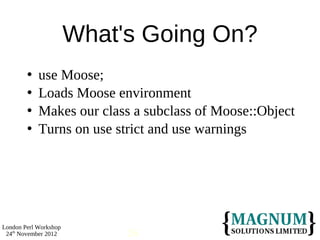
What's Going On?
           use Moose;
           Loads Moose environment
           Makes our class a subclass of Moose::Object
           Turns on use strict and use warnings


London Perl Workshop
 24th November 2012         26
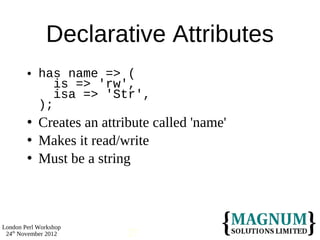
Declarative Attributes
           has name => (
               is => 'rw',
               isa => 'Str',
            );
           Creates an attribute called 'name'
           Makes it read/write
           Must be a string


London Perl Workshop
 24th November 2012         27
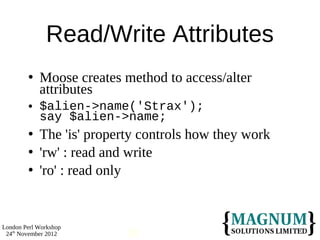
Read/Write Attributes
           Moose creates method to access/alter
            attributes
           $alien->name('Strax');
            say $alien->name;
           The 'is' property controls how they work
           'rw' : read and write
           'ro' : read only


London Perl Workshop
 24th November 2012        28
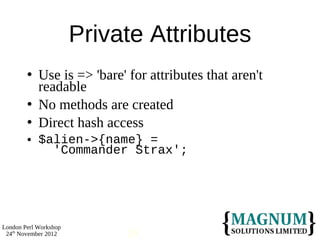
Private Attributes
           Use is => 'bare' for attributes that aren't
            readable
           No methods are created
           Direct hash access
           $alien->{name} =
              'Commander Strax';


London Perl Workshop
 24th November 2012          29
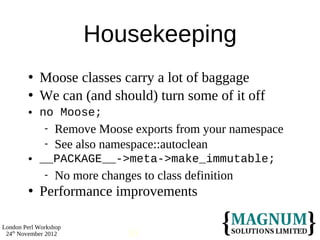
Housekeeping
           Moose classes carry a lot of baggage
           We can (and should) turn some of it off
           no Moose;
                 Remove Moose exports from your namespace
                 See also namespace::autoclean
           __PACKAGE__->meta->make_immutable;
                 No more changes to class definition
           Performance improvements

London Perl Workshop
 24th November 2012             30
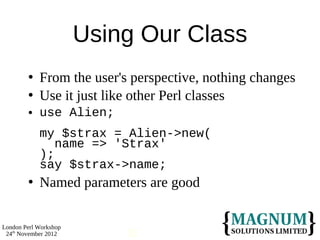
Using Our Class
           From the user's perspective, nothing changes
           Use it just like other Perl classes
           use Alien;
            my $strax = Alien->new(
               name => 'Strax'
            );
            say $strax->name;
           Named parameters are good

London Perl Workshop
 24th November 2012        31
Subclasses
Subclassing
           A subclass is a specialisation of a superclass
           More specific behaviour
           New attributes
           New methods
           Overriding superclass methods


London Perl Workshop
 24th November 2012
Subclassing
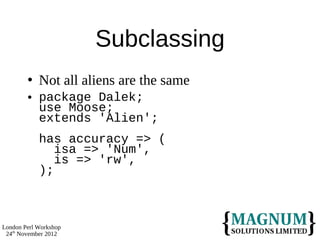
           Not all aliens are the same
           package Dalek;
            use Moose;
            extends 'Alien';
            has accuracy => (
               isa => 'Num',
               is => 'rw',
            );


London Perl Workshop
 24th November 2012
Subclassing
           sub exterminate {
              my $self = shift;
                say “EX-TERM-IN-ATE”;
                if (rand < $self->accuracy) {
                  say “$_[0] has been exterminated”;
                  return 1;
                } else {
                  return;
                }
            }


London Perl Workshop
 24th November 2012
Using Subclasses
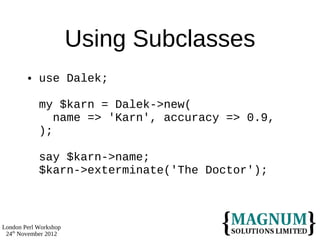
           use Dalek;

            my $karn = Dalek->new(
               name => 'Karn', accuracy => 0.9,
            );

            say $karn->name;
            $karn->exterminate('The Doctor');


London Perl Workshop
 24th November 2012
Overriding Methods
           Daleks have a different way of using names
           A Dalek's name is always “Dalek
            Something”
           Need to override the name method from
            Alien
           But we still want to get the name itself from
            Alien's method


London Perl Workshop
 24th November 2012
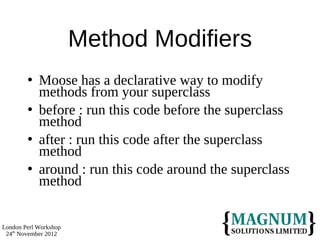
Method Modifiers
           Moose has a declarative way to modify
            methods from your superclass
           before : run this code before the superclass
            method
           after : run this code after the superclass
            method
           around : run this code around the superclass
            method


London Perl Workshop
 24th November 2012
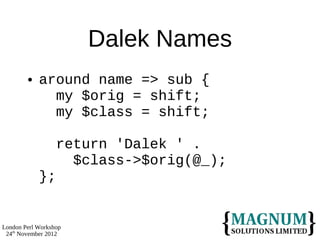
Dalek Names
           around name => sub {
              my $orig = shift;
              my $class = shift;

                  return 'Dalek ' .
                    $class->$orig(@_);
            };


London Perl Workshop
 24th November 2012
Attributes
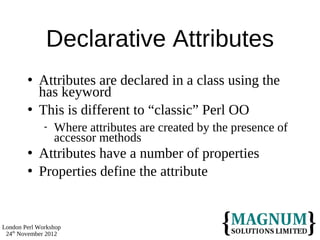
Declarative Attributes
           Attributes are declared in a class using the
            has keyword
           This is different to “classic” Perl OO
                 Where attributes are created by the presence of
                  accessor methods
           Attributes have a number of properties
           Properties define the attribute


London Perl Workshop
 24th November 2012
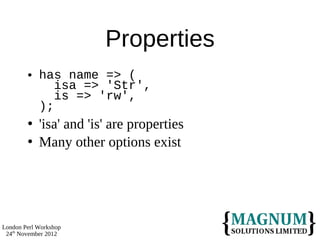
Properties
           has name => (
               isa => 'Str',
               is => 'rw',
            );
           'isa' and 'is' are properties
           Many other options exist


London Perl Workshop
 24th November 2012
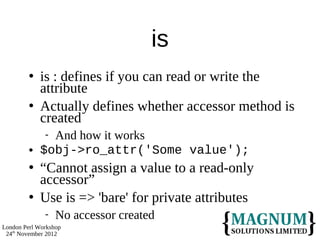
is
            is : defines if you can read or write the
             attribute
            Actually defines whether accessor method is
             created
              And how it works
            $obj->ro_attr('Some value');
            “Cannot assign a value to a read-only
             accessor”
            Use is => 'bare' for private attributes
                 No accessor created
London Perl Workshop
 24th November 2012
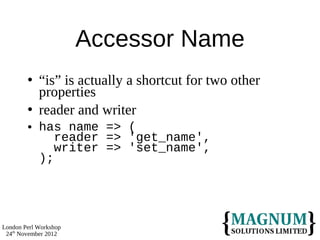
Accessor Name
           “is” is actually a shortcut for two other
            properties
           reader and writer
           has name => (
               reader => 'get_name',
               writer => 'set_name',
            );


London Perl Workshop
 24th November 2012
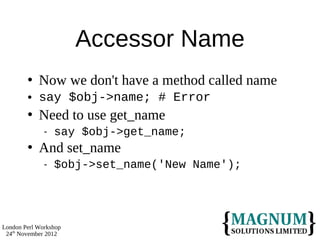
Accessor Name
           Now we don't have a method called name
           say $obj->name; # Error
           Need to use get_name
                 say $obj->get_name;
           And set_name
                 $obj->set_name('New Name');


London Perl Workshop
 24th November 2012
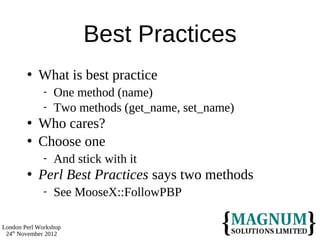
Best Practices
           What is best practice
                 One method (name)
                 Two methods (get_name, set_name)
           Who cares?
           Choose one
                 And stick with it
           Perl Best Practices says two methods
                 See MooseX::FollowPBP

London Perl Workshop
 24th November 2012
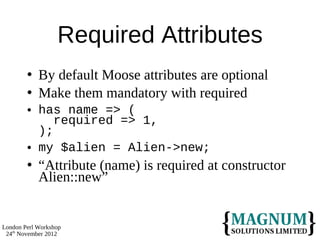
Required Attributes
           By default Moose attributes are optional
           Make them mandatory with required
           has name => (
               required => 1,
            );
           my $alien = Alien->new;
           “Attribute (name) is required at constructor
            Alien::new”


London Perl Workshop
 24th November 2012
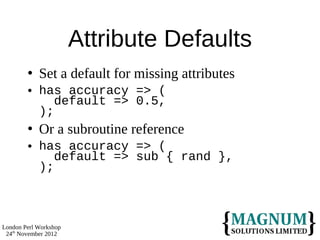
Attribute Defaults
           Set a default for missing attributes
           has accuracy => (
               default => 0.5,
            );
           Or a subroutine reference
           has accuracy => (
               default => sub { rand },
            );


London Perl Workshop
 24th November 2012
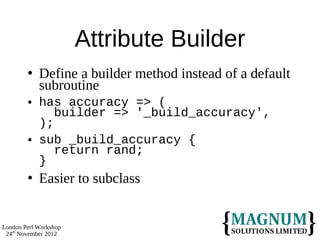
Attribute Builder
           Define a builder method instead of a default
            subroutine
           has accuracy => (
               builder => '_build_accuracy',
            );
           sub _build_accuracy {
               return rand;
            }
           Easier to subclass


London Perl Workshop
 24th November 2012
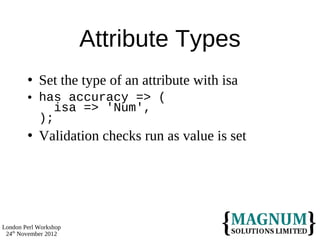
Attribute Types
           Set the type of an attribute with isa
           has accuracy => (
               isa => 'Num',
            );
           Validation checks run as value is set


London Perl Workshop
 24th November 2012
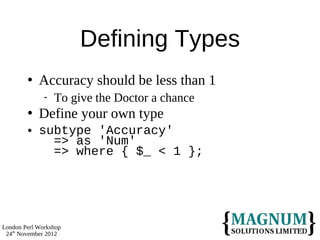
Defining Types
           Accuracy should be less than 1
                 To give the Doctor a chance
           Define your own type
           subtype 'Accuracy'
              => as 'Num'
              => where { $_ < 1 };


London Perl Workshop
 24th November 2012
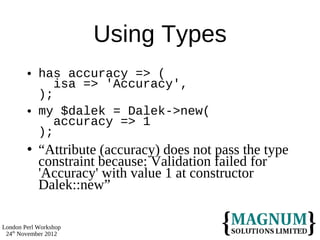
Using Types
           has accuracy => (
               isa => 'Accuracy',
            );
           my $dalek = Dalek->new(
               accuracy => 1
            );
           “Attribute (accuracy) does not pass the type
            constraint because: Validation failed for
            'Accuracy' with value 1 at constructor
            Dalek::new”

London Perl Workshop
 24th November 2012
Aggregate Attributes
            You can define aggregate attributes
            isa => 'ArrayRef'
               Reference to array (elements are any type)
            isa => 'ArrayRef[Int]'
               Reference to array (elements are integers)


London Perl Workshop
 24th November 2012
Array Example
           Daleks like to keep track of their victims
           has victims (
               is => 'rw',
               isa => 'ArrayRef[Str]',
               default => sub { [] },
            );
           And in the exterminate method
           push $self->victims, $_[0];


London Perl Workshop
 24th November 2012
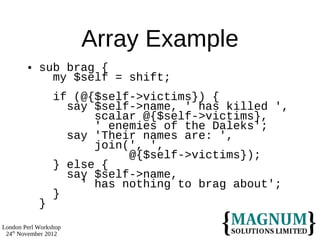
Array Example
           sub brag {
              my $self = shift;
                 if (@{$self->victims}) {
                   say $self->name, ' has killed ',
                       scalar @{$self->victims},
                       ' enemies of the Daleks';
                   say 'Their names are: ',
                       join(', ',
                            @{$self->victims});
                 } else {
                   say $self->name,
                     ' has nothing to brag about';
                 }
            }
London Perl Workshop
 24th November 2012
Hash Attributes
           Moose also supports hash ref attributes
           has some_attribute => (
               isa => 'HashRef[Str]',
               is => 'rw',
            );


London Perl Workshop
 24th November 2012
More Types
           Attributes can also be objects
           has useragent => (
               is => 'rw',
               isa => 'LWP::UserAgent',
            );
           Or a union of types
           has output => (
               is 'rw',
               isa => 'Object | Filehandle',
            );

London Perl Workshop
 24th November 2012
Lazy Attributes
           Some attributes are rarely used
           And can be complex to construct
           It's a waste of resources to build them before
            they are needed
           Mark them as lazy
           And define a build method


London Perl Workshop
 24th November 2012         58
Lazy Attributes
           has useragent => (
               is => 'LWP::UserAgent',
               lazy => 1,
               builder => '_build_ua',
            );
           sub _build_ua {
               return LWP::UserAgent->new(...);
            }
           $self->useragent->get(...);
            # creates object


London Perl Workshop
 24th November 2012        59
Triggers
           A trigger is a subroutine that is called when
            an attribute's value changes
           Subroutine is passed the old and new values
           has name => (
               trigger => &name_change,
            );
           sub name_change {
               my ($self, $new, $old) = @_;
               warn
                 “Name changed from $old to $new”;
            }

London Perl Workshop
 24th November 2012        60
Constructors
Constructors
           A constructor is a special type of method
           It is usually a class method
           It returns a new object
           Moose classes prefer named parameters
           my $karn = Dalek->new(
               name => 'Karn', accuracy => 0.99,
            );


London Perl Workshop
 24th November 2012        62
Default Constructor
           The default Moose constructor builds an
            object from its parameters
           Checks for mandatory attributes
           Checks type constraints
           Returns an object


London Perl Workshop
 24th November 2012       63
Different Behaviour
         Some constructors need to do other
          processing
         Not just build an object
         Sometimes it's convenient not to use named
          parameters
         Use BUILD and BUILDARGS to override
          Moose's default behaviour


London Perl Workshop
 24th November 2012      64
BUILDARGS
           More flexible parameters
           Take a parameter list convert it to named
            parameters
           Commonly Daleks only need a name
           my $karn = Dalek->new(
               name => 'Karn'
            );
           Why not simplify?
           my $karn = Dalek->new('Karn');

London Perl Workshop
 24th November 2012        65
Dalek Construction
            We can use BUILDARGS to build a list of
             named parameters
            around BUILDARGS => sub {
               my $orig = shift;
               my $class = shift;
                 if (@_ == 1 and !ref $_[0]) {
                   return
                     $class->$orig({name => $_[0]});
                 } else {
                   return $class->$orig(@_);
                 }
             }


London Perl Workshop
 24th November 2012        66
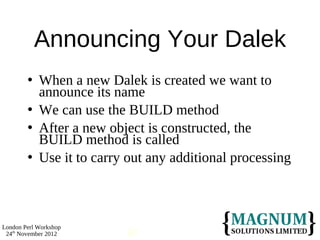
Announcing Your Dalek
           When a new Dalek is created we want to
            announce its name
           We can use the BUILD method
           After a new object is constructed, the
            BUILD method is called
           Use it to carry out any additional processing


London Perl Workshop
 24th November 2012        67
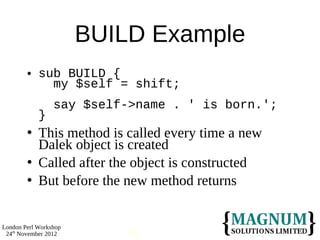
BUILD Example
           sub BUILD {
              my $self = shift;
                 say $self->name . ' is born.';
            }
           This method is called every time a new
            Dalek object is created
           Called after the object is constructed
           But before the new method returns


London Perl Workshop
 24th November 2012        68
Further
Information
More Moose
           Moose does a lot more
           We have only scratched the surface
           Good documentation
                 CPAN
           Add-on modules
                 MooseX::*


London Perl Workshop
 24th November 2012           70
More Moose
           Type hierarchy
           Type coercion
           Method modifiers
           Method delegation
           Overriding attributes
           Roles and traits
           Meta programming

London Perl Workshop
 24th November 2012        71
Perl School
           Object Oriented Programming with Perl
            and Moose
           8th December
           Google Campus, London
           Full day course
           £30
           http://perlschool.co.uk/


London Perl Workshop
 24th November 2012      72
That's All Folks
• Any Questions?

Introduction to OO Perl with Moose

  • 1.
    Introduction to OO Perl With Moose Dave Cross Magnum Solutions Ltd dave@mag-sol.com
  • 2.
    What We WillCover  Introduction to Object Oriented programming  Overview of Moose  Object Attributes  Subclasses  Further information London Perl Workshop 24th November 2012 2
  • 3.
  • 4.
    What is OOP?  “Traditional” programming is procedural  Subroutines work on variables  my $twelve = regenerate($eleven);  Variables are dumb  Just stores for data London Perl Workshop 24th November 2012 4
  • 5.
    What is OOP?  Object Oriented programming inverts this  Variables are objects  Objects can carry out certain processes  Called methods  my $twelve = $eleven->regenerate();  Objects are intelligent  Objects know what methods they can carry out London Perl Workshop 24th November 2012 5
  • 6.
    Some Concepts  A Class is a type of intelligent variable  e.g. Time Lord  An Object is an instance of a class  e.g. The Doctor  A Method is an action that an object does  e.g. Regenerate  An Attribute is a piece of data in an object  e.g. Name London Perl Workshop 24th November 2012 6
  • 7.
    Some Concepts  A class contains a number of methods  An object is of a particular class  The class defines the behaviour of an object  An object has many attributes  A class can also have attributes London Perl Workshop 24th November 2012 7
  • 8.
    Methods  Methods can be either class methods or object methods  Class methods are called on a class  my $doctor = TimeLord->new;  Object methods are called on an object  $doctor->regenerate; London Perl Workshop 24th November 2012 8
  • 9.
    Constructors  All classes need a constructor method  Creates a new object of that class  Usually a class method  Often called new  my $doctor = TimeLord->new; London Perl Workshop 24th November 2012 9
  • 10.
    Constructors  A Class might have multiple constructors  my $doctor = TimeLord->new;  my $flesh_dr = TimeLord->clone($doctor);  A constructor might be an object method  my $flesh_dr = $doctor->clone; London Perl Workshop 24th November 2012 10
  • 11.
    Accessors & Mutators  Access object attributes with an accessor method  say “The time lord's name is “, $doctor->get_name;  Change an attribute with a mutator method  $doctor->set_age( $doctor->get_age + 1 ); London Perl Workshop 24th November 2012 11
  • 12.
    Accessor/Mutators  Accessors and mutators are often the same method  say “The time lord's name is “, $doctor->name;  $doctor->age($doctor->age + 1);  Checks number of parameters  Reacts appropriately London Perl Workshop 24th November 2012 12
  • 13.
    Accessor/Mutators  Which to choose?  Perl Best Practices says get_foo/set_foo  I like one method called foo  No firm rules  Pick one  Stick with it London Perl Workshop 24th November 2012 13
  • 14.
    Subclasses  A subclass is a specialisation of a class  “Alien” is a class  “Dalek” is one possible subclass  Avoid reimplementing shared methods London Perl Workshop 24th November 2012 14
  • 15.
  • 16.
    OO Perl  Three rules of OO Perl  A class is a package  An object is reference  A method is a subroutine London Perl Workshop 24th November 2012 16
  • 17.
    A Class isa Package  Same as any other package  Contains subroutines  Methods  Contains variables  Class attributes London Perl Workshop 24th November 2012 17
  • 18.
    An Object isa Reference  Usually a reference to a hash  Hash keys are attribute names  Hash values are attribute values  Actually a “blessed” hash  So it knows what class it is London Perl Workshop 24th November 2012 18
  • 19.
    A Method isa Subroutine  Just like any other subroutine  Some rules on parameters  First parameter is class name or object reference  Some differences in calling  Arrow notation  $doctor->name() London Perl Workshop 24th November 2012 19
  • 20.
    Simple Class  package Alien; sub new { my ($class, $name) = @_; my $self = { name => $name }; return bless $self, $class; } London Perl Workshop 24th November 2012 20
  • 21.
    Simple Class  sub name { my ($self, $name) = @_; if (defined $name) { $self->{name} = $name; } return $self->{name}; } 1; London Perl Workshop 24th November 2012 21
  • 22.
    Using Our Class  use Alien; my $alien = Alien->new('Mork'); say $alien->name; # prints Mork $alien->name('Mork from Ork'); say $alien->name; # prints Mork from Ork London Perl Workshop 24th November 2012 22
  • 23.
  • 24.
    Moose  Moose is a Modern Object System for Perl 5  Based on Perl 6 object system  More powerful  More flexible  Easier London Perl Workshop 24th November 2012 24
  • 25.
    Simple Moose Class  package Alien; use Moose; has name => ( is => 'rw', isa => 'Str', ); no Moose; __PACKAGE__->meta->make_immutable; London Perl Workshop 24th November 2012 25
  • 26.
    What's Going On?  use Moose;  Loads Moose environment  Makes our class a subclass of Moose::Object  Turns on use strict and use warnings London Perl Workshop 24th November 2012 26
  • 27.
    Declarative Attributes  has name => ( is => 'rw', isa => 'Str', );  Creates an attribute called 'name'  Makes it read/write  Must be a string London Perl Workshop 24th November 2012 27
  • 28.
    Read/Write Attributes  Moose creates method to access/alter attributes  $alien->name('Strax'); say $alien->name;  The 'is' property controls how they work  'rw' : read and write  'ro' : read only London Perl Workshop 24th November 2012 28
  • 29.
    Private Attributes  Use is => 'bare' for attributes that aren't readable  No methods are created  Direct hash access  $alien->{name} = 'Commander Strax'; London Perl Workshop 24th November 2012 29
  • 30.
    Housekeeping  Moose classes carry a lot of baggage  We can (and should) turn some of it off  no Moose;  Remove Moose exports from your namespace  See also namespace::autoclean  __PACKAGE__->meta->make_immutable;  No more changes to class definition  Performance improvements London Perl Workshop 24th November 2012 30
  • 31.
    Using Our Class  From the user's perspective, nothing changes  Use it just like other Perl classes  use Alien; my $strax = Alien->new( name => 'Strax' ); say $strax->name;  Named parameters are good London Perl Workshop 24th November 2012 31
  • 32.
  • 33.
    Subclassing  A subclass is a specialisation of a superclass  More specific behaviour  New attributes  New methods  Overriding superclass methods London Perl Workshop 24th November 2012
  • 34.
    Subclassing  Not all aliens are the same  package Dalek; use Moose; extends 'Alien'; has accuracy => ( isa => 'Num', is => 'rw', ); London Perl Workshop 24th November 2012
  • 35.
    Subclassing  sub exterminate { my $self = shift; say “EX-TERM-IN-ATE”; if (rand < $self->accuracy) { say “$_[0] has been exterminated”; return 1; } else { return; } } London Perl Workshop 24th November 2012
  • 36.
    Using Subclasses  use Dalek; my $karn = Dalek->new( name => 'Karn', accuracy => 0.9, ); say $karn->name; $karn->exterminate('The Doctor'); London Perl Workshop 24th November 2012
  • 37.
    Overriding Methods  Daleks have a different way of using names  A Dalek's name is always “Dalek Something”  Need to override the name method from Alien  But we still want to get the name itself from Alien's method London Perl Workshop 24th November 2012
  • 38.
    Method Modifiers  Moose has a declarative way to modify methods from your superclass  before : run this code before the superclass method  after : run this code after the superclass method  around : run this code around the superclass method London Perl Workshop 24th November 2012
  • 39.
    Dalek Names  around name => sub { my $orig = shift; my $class = shift; return 'Dalek ' . $class->$orig(@_); }; London Perl Workshop 24th November 2012
  • 40.
  • 41.
    Declarative Attributes  Attributes are declared in a class using the has keyword  This is different to “classic” Perl OO  Where attributes are created by the presence of accessor methods  Attributes have a number of properties  Properties define the attribute London Perl Workshop 24th November 2012
  • 42.
    Properties  has name => ( isa => 'Str', is => 'rw', );  'isa' and 'is' are properties  Many other options exist London Perl Workshop 24th November 2012
  • 43.
    is  is : defines if you can read or write the attribute  Actually defines whether accessor method is created And how it works  $obj->ro_attr('Some value');  “Cannot assign a value to a read-only accessor”  Use is => 'bare' for private attributes  No accessor created London Perl Workshop 24th November 2012
  • 44.
    Accessor Name  “is” is actually a shortcut for two other properties  reader and writer  has name => ( reader => 'get_name', writer => 'set_name', ); London Perl Workshop 24th November 2012
  • 45.
    Accessor Name  Now we don't have a method called name  say $obj->name; # Error  Need to use get_name  say $obj->get_name;  And set_name  $obj->set_name('New Name'); London Perl Workshop 24th November 2012
  • 46.
    Best Practices  What is best practice  One method (name)  Two methods (get_name, set_name)  Who cares?  Choose one  And stick with it  Perl Best Practices says two methods  See MooseX::FollowPBP London Perl Workshop 24th November 2012
  • 47.
    Required Attributes  By default Moose attributes are optional  Make them mandatory with required  has name => ( required => 1, );  my $alien = Alien->new;  “Attribute (name) is required at constructor Alien::new” London Perl Workshop 24th November 2012
  • 48.
    Attribute Defaults  Set a default for missing attributes  has accuracy => ( default => 0.5, );  Or a subroutine reference  has accuracy => ( default => sub { rand }, ); London Perl Workshop 24th November 2012
  • 49.
    Attribute Builder  Define a builder method instead of a default subroutine  has accuracy => ( builder => '_build_accuracy', );  sub _build_accuracy { return rand; }  Easier to subclass London Perl Workshop 24th November 2012
  • 50.
    Attribute Types  Set the type of an attribute with isa  has accuracy => ( isa => 'Num', );  Validation checks run as value is set London Perl Workshop 24th November 2012
  • 51.
    Defining Types  Accuracy should be less than 1  To give the Doctor a chance  Define your own type  subtype 'Accuracy' => as 'Num' => where { $_ < 1 }; London Perl Workshop 24th November 2012
  • 52.
    Using Types  has accuracy => ( isa => 'Accuracy', );  my $dalek = Dalek->new( accuracy => 1 );  “Attribute (accuracy) does not pass the type constraint because: Validation failed for 'Accuracy' with value 1 at constructor Dalek::new” London Perl Workshop 24th November 2012
  • 53.
    Aggregate Attributes  You can define aggregate attributes  isa => 'ArrayRef'  Reference to array (elements are any type)  isa => 'ArrayRef[Int]'  Reference to array (elements are integers) London Perl Workshop 24th November 2012
  • 54.
    Array Example  Daleks like to keep track of their victims  has victims ( is => 'rw', isa => 'ArrayRef[Str]', default => sub { [] }, );  And in the exterminate method  push $self->victims, $_[0]; London Perl Workshop 24th November 2012
  • 55.
    Array Example  sub brag { my $self = shift; if (@{$self->victims}) { say $self->name, ' has killed ', scalar @{$self->victims}, ' enemies of the Daleks'; say 'Their names are: ', join(', ', @{$self->victims}); } else { say $self->name, ' has nothing to brag about'; } } London Perl Workshop 24th November 2012
  • 56.
    Hash Attributes  Moose also supports hash ref attributes  has some_attribute => ( isa => 'HashRef[Str]', is => 'rw', ); London Perl Workshop 24th November 2012
  • 57.
    More Types  Attributes can also be objects  has useragent => ( is => 'rw', isa => 'LWP::UserAgent', );  Or a union of types  has output => ( is 'rw', isa => 'Object | Filehandle', ); London Perl Workshop 24th November 2012
  • 58.
    Lazy Attributes  Some attributes are rarely used  And can be complex to construct  It's a waste of resources to build them before they are needed  Mark them as lazy  And define a build method London Perl Workshop 24th November 2012 58
  • 59.
    Lazy Attributes  has useragent => ( is => 'LWP::UserAgent', lazy => 1, builder => '_build_ua', );  sub _build_ua { return LWP::UserAgent->new(...); }  $self->useragent->get(...); # creates object London Perl Workshop 24th November 2012 59
  • 60.
    Triggers  A trigger is a subroutine that is called when an attribute's value changes  Subroutine is passed the old and new values  has name => ( trigger => &name_change, );  sub name_change { my ($self, $new, $old) = @_; warn “Name changed from $old to $new”; } London Perl Workshop 24th November 2012 60
  • 61.
  • 62.
    Constructors  A constructor is a special type of method  It is usually a class method  It returns a new object  Moose classes prefer named parameters  my $karn = Dalek->new( name => 'Karn', accuracy => 0.99, ); London Perl Workshop 24th November 2012 62
  • 63.
    Default Constructor  The default Moose constructor builds an object from its parameters  Checks for mandatory attributes  Checks type constraints  Returns an object London Perl Workshop 24th November 2012 63
  • 64.
    Different Behaviour  Some constructors need to do other processing  Not just build an object  Sometimes it's convenient not to use named parameters  Use BUILD and BUILDARGS to override Moose's default behaviour London Perl Workshop 24th November 2012 64
  • 65.
    BUILDARGS  More flexible parameters  Take a parameter list convert it to named parameters  Commonly Daleks only need a name  my $karn = Dalek->new( name => 'Karn' );  Why not simplify?  my $karn = Dalek->new('Karn'); London Perl Workshop 24th November 2012 65
  • 66.
    Dalek Construction  We can use BUILDARGS to build a list of named parameters  around BUILDARGS => sub { my $orig = shift; my $class = shift; if (@_ == 1 and !ref $_[0]) { return $class->$orig({name => $_[0]}); } else { return $class->$orig(@_); } } London Perl Workshop 24th November 2012 66
  • 67.
    Announcing Your Dalek  When a new Dalek is created we want to announce its name  We can use the BUILD method  After a new object is constructed, the BUILD method is called  Use it to carry out any additional processing London Perl Workshop 24th November 2012 67
  • 68.
    BUILD Example  sub BUILD { my $self = shift; say $self->name . ' is born.'; }  This method is called every time a new Dalek object is created  Called after the object is constructed  But before the new method returns London Perl Workshop 24th November 2012 68
  • 69.
  • 70.
    More Moose  Moose does a lot more  We have only scratched the surface  Good documentation  CPAN  Add-on modules  MooseX::* London Perl Workshop 24th November 2012 70
  • 71.
    More Moose  Type hierarchy  Type coercion  Method modifiers  Method delegation  Overriding attributes  Roles and traits  Meta programming London Perl Workshop 24th November 2012 71
  • 72.
    Perl School  Object Oriented Programming with Perl and Moose  8th December  Google Campus, London  Full day course  £30  http://perlschool.co.uk/ London Perl Workshop 24th November 2012 72
  • 73.
    That's All Folks •Any Questions?