The Professional
Programmer
Some tips
What We Will Cover
● Know your tools
● Adjacent technologies
● Software Engineering and Architecture
● The Business
● Personal Development
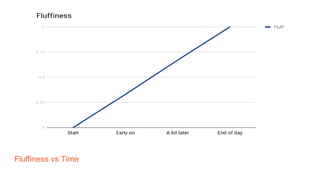
Fluffiness vs Time
In Three Hours
● Lots to cover
● Moving pretty quickly
● High-level view
● Pointers to information
● Homework
Administrivia
● Let's keep this informal
● Dialogue > Monologue
● Share experiences
● Ask questions
Who Are You?
Who Are You?
● Hi, I'm Dave
● I'm very old
● I've been doing this for thirty years
● Freelance since 1995
Very Very Old
● When I was a school we did no computing
● First year of a physics degree
● No computing there either
● Dropped out
Very Very Old
● Sinclair Spectrum
● "I can do this"
● South Bank Polytechnic
● Computer Studies (1984-88)
● "Data Processing"
Course Syllabus
● VAX / VMS
● COBOL
● Assembler
● Prolog
● CODASYL Databases
● 5th Generation Computing
Useful Stuff
● C
● Unix
● SQL
● SGML
First Job
● C
● SQL
● Windows
● CASE Tool
● SSADM
Second Job
● C++
○ OO Programmng
● Network communication
Third Job (Disney)
● C
● Unix
● SQL
○ Sybase
● Ka-Ching!
Freelancing
● C / Unix / Sybase
● Perl
● City -> Dotcoms
● "New Media"
● BBC / Guardian
Lessons Learned
● 75% of my degree course was useless
● Out of date
● Industry in constant change
○ There are still jobs if you get left behind
● Self-taught
● Keep up to date
SGML?
● Standardised Generalised Markup Language
● Basis for XML
● Basis for HTML
● Funny how stuff comes around
Know Your Tools
Know Your Tools
● Three tools you use every day
● Editor
● Operating system
● Source code control
Editor
● A programmer's most important tool
● Get to know it well
● Pick one you like
● Not just vi vs emacs
● Lots of alternatives
● I like Atom
Programmer's Editor
● Use a real programmer's editor
● Get to know the features
● Take time to become an expert
● You will save time in the end
Editor Features
● Syntax highlighting
● Auto-complete
● Indentation
● Folding
IDE Features
● Deeper knowledge of languages
● Compile / run
● Debugging
● Source code control
● Multi-file projects
More Features
● Everything is configurable
● Everything is extensible
● Everything is programmable
Operating System
● Your operating system is where you live
● Get to know its features
● Design your working environment
● Automate things
Operating Systems
● What do you use your operating system for?
● Web browsing
● Reading email
● Social media
● Development?
○ Virtual machines
○ Containers
Configure Your OS
● Make it as comfortable as possible
● Window decoration
● Window behaviour
● Virtual desktops
Automate Common Tasks
● Automate anything the third time you need to do it
● Learn your OS's scripting mechanism
● Linux / Unix shell scripting
○ Aliases
○ Functions
● Powershell
SSH Connections
● You will need to connect to other systems
● Secure shell (ssh)
○ ssh-agent / ssh-add
○ ~/.ssh/config
○ Keepalive
○ Username
○ Agent forwarding
● Putty does all of this too
Source Code Control
● Why aren't you using git?
● Why aren't you using Github?
○ Microsoft
● Understand how your source code control works
Switch to Git
● Git has been the de-facto industry standard for ten years
● More powerful
● More flexible
● Harder to use
● Different paradigm
● "Optimistic concurrency"
● Good merge tools
Git Advantages
● Distributed model
○ Off-line access
● Branches are easy and quick
● Rebasing
○ Interactive rebasing
● "Fetch" vs "Pull"
● Safety net
Git in the Cloud
● Don't run your own Git infrastructure
● Other people are better than you at doing that
● Social coding
● Github
● Bitbucket
Adjacent
Technologies
Adjacent Technologies
● What other technologies do you use every day?
● Data storage
○ Databases
○ Data formats
○ XML
○ Caching
● Networking
○ HTTP
Adjacent Technologies
● Testing
○ Types of tests
○ Test automation
● Deployment
○ Jenkins
○ Docker
○ AWS
Data Storage
● How do you store your persistent data?
● Database
○ RDBMS
○ NoSQL
● Data files
○ JSON
○ YAML
○ XML
RDBMS
● Which database vendor do you use?
● Why did you choose MySQL?
● Would PostgreSQL be better?
● How does it scale?
● Replication vs Sharding
● How well do you know SQL?
RDBMS Features
● Which RDBMS features do you use?
● How vendor specific are they?
● Vendor-specific SQL extensions
● Referential integrity
● Stored procedures?
● Triggers?
RDBMS Usage
● How are your databases split?
● One database?
● One database per application?
● One database per service?
● Who owns the database?
● Who can change the schema?
Database Schemas
● How do you change database schemas?
● Can you easily tell which schema version is on a database?
● Do you use a database migration tool?
● What problems does that lead to?
NoSQL
● Which NoSQL database do you use?
● MongoDB, Redis, CouchDB, Memcached
● Do you understand the different types?
● Would you be better off with an RDBMS?
Data Files
● What formats are your data files?
● How are they processed?
● Are you using the best available tools to process them?
JSON
● Javascript Object Notation
● Popular data interchange format
● AJAX
● Decode to native data structures
● Encode from native data structures
JQ
● General purpose JSON utility
● Reformat JSON
● Extract data from JSON
● Powerful query language
XML
● Still popular
● For some reason
● Need to deal with it
● Find the right tools
XPath
● XML query language
● Extract data from XML documents
● Standard syntax
Networking
● What networking protocols do you use?
● How well do you know them?
● Seven layer model
HTTP
● Can you explain the HTTP request / response cycle?
● To what level of detail?
● What difference does HTTPS / SSL make?
HTTP Requests
● Can you name all of the HTTP request types?
● GET, POST, HEAD
● PUT, DELETE, PATCH
● OPTIONS, TRACE, CONNECT
● What are the differences?
● What are they used for?
● REST
Testing
● Do you write unit tests?
● Does your system have automated integration tests?
● How are your tests run?
● Automatically?
Unit Tests
● Never program without a safety net
● Does your code do what it is supposed to do?
● Will your code continue to do what it is supposed to do?
● Write unit tests
● Run those tests all the time
What is Unit Testing?
● Code that exercises an individual element (unit) of your code
● Provide known inputs
● Look for expected outputs
● “Bottom-up” testing
Test Driven Development
● Have you tried Test Driven Development?
● What did you like?
● What didn't you like?
● Will you try it again?
TDD Advantages
● Tests are a specification of your program
● If the tests pass, the program is finished
● Know when to finish
Behaviour Driven Development
● Let end users define tests in their language
● Simple domain-specific language
● Framework converts user tests to running code
● Cucumber
Test Automation
● What test automation frameworks do you know?
● What test automation frameworks do you use?
● Selenium
Test Coverage
● How good are your tests?
● How much of your code is used in your tests?
● Measure to improve
Deployment
● How is your system deployed?
● Where are the servers located?
● Do you care?
Deployment Environments
● What environments do you have?
● Development
● Integration
● Staging
● Production
Deployment Environments
● How is code moved from environment to environment?
● How similar are those environments?
● How are they kept in step?
Database Environments
● How are databases handled in development and testing environments?
● Full database?
● Smaller data sets?
● Anonymised data?
Deployment Options
● Real hardware
● Cloud servers
● Virtual machines
● Containers
Real Hardware
● Company owns or rents computers in a data centre
● Ops staff spend a lot of time in the data centre
● Commissioning new servers
● Decommissioning old servers
● No scalability
Cloud Servers
● Servers commissioned from a huge farm
● Commissioned / decommissioned from a dashboard
● Or with an API
● Never see the actual hardware
● Easily scalable
Virtual Machines
● Run one machine inside another
● Many virtual machines on one real server
● Easy to commission / decommission servers
● Easy scaling
○ Within limits of the hardware
Containers
● Docker
● Cut-down virtual machines
● Share a lot of the underlying OS
● Very quick to commission / decommission
● Layered architecture
● Store configuration in source code control
Cattle Not Pets
● Treat servers as cattle, not pets
● Make it easy to create new ones
● Do that a lot
Environment Configuration
● Keep your environments in step
● What software is installed?
● What versions of software is installed?
● Avoid "works on my machine"
● Puppet, Ansible, Chef
Jenkins
● Continuous integration
● Run tests on every commit
● Continuous deployment
● Make release available on every commit
● Quality gates
● Other, similar, products are available
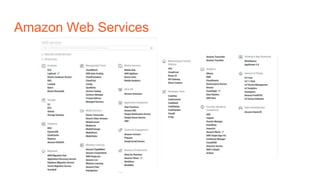
Amazon Web Services
● Most popular cloud services providers
● Many services available
● Generic cloud servers (EC2)
● File storage (S3)
● Relational databases (RDS / Aurora)
● Caching (ElastiCache)
● Many, many more
Amazon Web Services
Other Cloud Providers
● Google Cloud Platform
● Microsoft Azure
● Oracle Cloud
● Rack Space
● Open Stack (self hosted)
● Etc...
Software
Engineering &
Architecture
Software Engineering & Architecture
● Software development lifecycle
● Programming paradigms
● Design patterns
Software Development Lifecycle
● Agile vs Waterfall
● Agile Manifesto
● Scrum vs Kanban vs Extreme Programming
● Know your tools
○ Jira
○ Code reviews
Agile Manifesto
We are uncovering better ways of developing software by doing it and helping
others do it. Through this work we have come to value:
● Individuals and interactions over processes and tools
● Working software over comprehensive documentation
● Customer collaboration over contract negotiation
● Responding to change over following a plan
That is, while there is value in the items on the right, we value the items on the left
more.
Individuals and Interactions
● People are more important than processes
● Development teams know how to organise their work
● Business says what they need
● Development team works out how to achieve that
● Giving people more control and responsibility
Working Software
● Documentation is often out of date before it is finished
● Mismatch between business language and technical language
● Business often don't know what they want until they see the options
● Build prototypes and discuss alternatives
Customer Collaboration
● Don't just involve users when the project is specified
● Have user representatives as a part of the development team
● Instant response to developer questions
● More involvement leads to more business ownership of project
Responding to Change
● Requirements will change during the project lifetime
● Be flexible
● Plan for change
Programming Paradigms
● What paradigms does your system use?
● Procedural
● Object Oriented
● Functional
● Who made those choices?
● Why?
Procedural Programming
● Dumb variables
● Procedures, functions
● Hard to maintain
● Hard to scale
Object Oriented Programming
● Classes define both data (attributes) and behaviour (methods)
● Intelligent variables
● Encapsulation
● Subclassing
● Easy to maintain
● Easy to scale
Functional Programming
● Pure functions
○ Take inputs, return values
○ No global variables
● Immutable variables
● Prefer recursion to loops
● Easier to maintain
● Good for asynchronous programming
Design Patterns
● "Gang of Four" book
● "Monolithic" architecture
● Service Oriented Architecture
● Microservices
The Power of Names
● Design patterns weren't new or exciting
● Naming them was
● Catalogue of known techniques
● Easier to discuss
● Easier to share
The Business
The Business
● What does your company do?
● What does success look like?
● How do they measure success?
● How do you contribute to that success?
What Does Your Company Do?
● What service does your company provide?
● Why do customers choose your company?
● What is the USP?
Making Money
● What is your company's business plan?
● Where does the money come from?
● Are there multiple sources of income?
● How secure is that income?
● How much profit does the company make?
● How does that compare to your salary?
Competitive Marketplace
● Who are your biggest competitors?
● How are you ranked?
● Why do customers choose your company?
● Why do customers choose your competitors?
● What is your company doing to change the balance?
Mergers & Acquisitions
● Has your company bought any other companies?
● Might your company buy any other companies?
● What companies might it buy?
● Who owns your company?
● Might they sell it?
Stocks & Shares
● Is the company private or public?
● Can you buy shares?
● Is there an employee share scheme?
● What are the shares worth?
● Can you get share options?
Personal
Development
Personal Development
● Where do you want to be in five (or two, or ten) years?
● How you you get there?
● Do you have a plan?
Career Structure
● What is the hierarchy like?
● Where are you currently?
● Where do you want to be?
● How do you get there?
● Annual reviews
Management vs Technical
● Do you want to manage people?
● Team leader
● Development manager
● Help others build a career
● Less time coding
● More politics
Management vs Technical
● Do you want to manage systems?
● Technical lead
● Technical architect
● Steer the technical direction of the project
● Less time coding
● More meetings
Job Titles
● Job titles in our industry mean very little
● Each company is different
● How senior is a senior developer?
● Flat structures
● Often used as an incentive
● Job spec (and package) is more important
Setting Targets
● What do you need to do to get to the next level?
● Specific targets
● "Take responsibility for this subsystem"
● "Lead a project that is estimated to take four weeks"
● Identify training requirements
● Don't forget "soft" training
Internal Marketing
● Does the CTO know who you are?
● Does the CEO know who you are?
● Reply to email chains
● Give presentations at company meetings
● Speak to people in the kitchen
● Socialise
External Marketing
● How well-know are you outside of your company?
● Write a blog
● Answer questions on forums
● Speak about your work
Blogging
● Blog about your work
○ Check first
○ Company tech blog
● Blog about your personal projects
● Use your blog posts to answer questions on forums
● Comment on well-known blogs
● Add your blog to aggregators
Blogging Practicalities
● Wordpress
○ Hosted (wordpress.com)
○ Self-hosted (wordpress.org)
● Medium
○ Publications
● Github Pages
● Custom domain
Public Speaking
● Give talks about your projects
● Public speaking isn't as hard as you might think
● Start with a lightning talk
Some Public Speaking Secrets
● Some people aren't good at public speaking
● Or, at least, they don't make an effort to improve
● Not hard to be good at it
● Very easy to be better than average
● Watch videos to improve
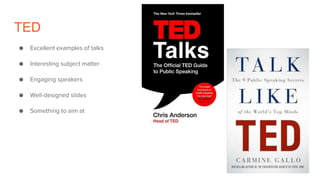
TED
● Excellent examples of talks
● Interesting subject matter
● Engaging speakers
● Well-designed slides
● Something to aim at
Public Speaking Practicalities
● Find somewhere to speak
● Meet-up groups
● Local user groups
● Conferences
Conclusions
Conclusions
● Good developers are in short supply
● And that isn't going to change in our lifetimes
● Plenty of opportunity to make a difference
● Plenty of opportunity to do well
● Know your industry
● Know your tools
● Keep up to date
The Professional
Programmer
Dave Cross
@davorg
dave@perlhacks.com

The Professional Programmer

  • 1.
  • 2.
    What We WillCover ● Know your tools ● Adjacent technologies ● Software Engineering and Architecture ● The Business ● Personal Development
  • 3.
  • 4.
    In Three Hours ●Lots to cover ● Moving pretty quickly ● High-level view ● Pointers to information ● Homework
  • 5.
    Administrivia ● Let's keepthis informal ● Dialogue > Monologue ● Share experiences ● Ask questions
  • 6.
  • 7.
    Who Are You? ●Hi, I'm Dave ● I'm very old ● I've been doing this for thirty years ● Freelance since 1995
  • 8.
    Very Very Old ●When I was a school we did no computing ● First year of a physics degree ● No computing there either ● Dropped out
  • 9.
    Very Very Old ●Sinclair Spectrum ● "I can do this" ● South Bank Polytechnic ● Computer Studies (1984-88) ● "Data Processing"
  • 10.
    Course Syllabus ● VAX/ VMS ● COBOL ● Assembler ● Prolog ● CODASYL Databases ● 5th Generation Computing
  • 11.
    Useful Stuff ● C ●Unix ● SQL ● SGML
  • 12.
    First Job ● C ●SQL ● Windows ● CASE Tool ● SSADM
  • 13.
    Second Job ● C++ ○OO Programmng ● Network communication
  • 14.
    Third Job (Disney) ●C ● Unix ● SQL ○ Sybase ● Ka-Ching!
  • 15.
    Freelancing ● C /Unix / Sybase ● Perl ● City -> Dotcoms ● "New Media" ● BBC / Guardian
  • 16.
    Lessons Learned ● 75%of my degree course was useless ● Out of date ● Industry in constant change ○ There are still jobs if you get left behind ● Self-taught ● Keep up to date
  • 17.
    SGML? ● Standardised GeneralisedMarkup Language ● Basis for XML ● Basis for HTML ● Funny how stuff comes around
  • 18.
  • 19.
    Know Your Tools ●Three tools you use every day ● Editor ● Operating system ● Source code control
  • 20.
    Editor ● A programmer'smost important tool ● Get to know it well ● Pick one you like ● Not just vi vs emacs ● Lots of alternatives ● I like Atom
  • 21.
    Programmer's Editor ● Usea real programmer's editor ● Get to know the features ● Take time to become an expert ● You will save time in the end
  • 22.
    Editor Features ● Syntaxhighlighting ● Auto-complete ● Indentation ● Folding
  • 23.
    IDE Features ● Deeperknowledge of languages ● Compile / run ● Debugging ● Source code control ● Multi-file projects
  • 24.
    More Features ● Everythingis configurable ● Everything is extensible ● Everything is programmable
  • 25.
    Operating System ● Youroperating system is where you live ● Get to know its features ● Design your working environment ● Automate things
  • 26.
    Operating Systems ● Whatdo you use your operating system for? ● Web browsing ● Reading email ● Social media ● Development? ○ Virtual machines ○ Containers
  • 27.
    Configure Your OS ●Make it as comfortable as possible ● Window decoration ● Window behaviour ● Virtual desktops
  • 28.
    Automate Common Tasks ●Automate anything the third time you need to do it ● Learn your OS's scripting mechanism ● Linux / Unix shell scripting ○ Aliases ○ Functions ● Powershell
  • 29.
    SSH Connections ● Youwill need to connect to other systems ● Secure shell (ssh) ○ ssh-agent / ssh-add ○ ~/.ssh/config ○ Keepalive ○ Username ○ Agent forwarding ● Putty does all of this too
  • 30.
    Source Code Control ●Why aren't you using git? ● Why aren't you using Github? ○ Microsoft ● Understand how your source code control works
  • 31.
    Switch to Git ●Git has been the de-facto industry standard for ten years ● More powerful ● More flexible ● Harder to use ● Different paradigm ● "Optimistic concurrency" ● Good merge tools
  • 32.
    Git Advantages ● Distributedmodel ○ Off-line access ● Branches are easy and quick ● Rebasing ○ Interactive rebasing ● "Fetch" vs "Pull" ● Safety net

  • 33.
    Git in theCloud ● Don't run your own Git infrastructure ● Other people are better than you at doing that ● Social coding ● Github ● Bitbucket
  • 34.
  • 35.
    Adjacent Technologies ● Whatother technologies do you use every day? ● Data storage ○ Databases ○ Data formats ○ XML ○ Caching ● Networking ○ HTTP
  • 36.
    Adjacent Technologies ● Testing ○Types of tests ○ Test automation ● Deployment ○ Jenkins ○ Docker ○ AWS
  • 37.
    Data Storage ● Howdo you store your persistent data? ● Database ○ RDBMS ○ NoSQL ● Data files ○ JSON ○ YAML ○ XML
  • 38.
    RDBMS ● Which databasevendor do you use? ● Why did you choose MySQL? ● Would PostgreSQL be better? ● How does it scale? ● Replication vs Sharding ● How well do you know SQL?
  • 39.
    RDBMS Features ● WhichRDBMS features do you use? ● How vendor specific are they? ● Vendor-specific SQL extensions ● Referential integrity ● Stored procedures? ● Triggers?
  • 40.
    RDBMS Usage ● Howare your databases split? ● One database? ● One database per application? ● One database per service? ● Who owns the database? ● Who can change the schema?
  • 41.
    Database Schemas ● Howdo you change database schemas? ● Can you easily tell which schema version is on a database? ● Do you use a database migration tool? ● What problems does that lead to?
  • 42.
    NoSQL ● Which NoSQLdatabase do you use? ● MongoDB, Redis, CouchDB, Memcached ● Do you understand the different types? ● Would you be better off with an RDBMS?
  • 43.
    Data Files ● Whatformats are your data files? ● How are they processed? ● Are you using the best available tools to process them?
  • 44.
    JSON ● Javascript ObjectNotation ● Popular data interchange format ● AJAX ● Decode to native data structures ● Encode from native data structures
  • 45.
    JQ ● General purposeJSON utility ● Reformat JSON ● Extract data from JSON ● Powerful query language
  • 46.
    XML ● Still popular ●For some reason ● Need to deal with it ● Find the right tools
  • 47.
    XPath ● XML querylanguage ● Extract data from XML documents ● Standard syntax
  • 48.
    Networking ● What networkingprotocols do you use? ● How well do you know them? ● Seven layer model
  • 49.
    HTTP ● Can youexplain the HTTP request / response cycle? ● To what level of detail? ● What difference does HTTPS / SSL make?
  • 50.
    HTTP Requests ● Canyou name all of the HTTP request types? ● GET, POST, HEAD ● PUT, DELETE, PATCH ● OPTIONS, TRACE, CONNECT ● What are the differences? ● What are they used for? ● REST
  • 51.
    Testing ● Do youwrite unit tests? ● Does your system have automated integration tests? ● How are your tests run? ● Automatically?
  • 52.
    Unit Tests ● Neverprogram without a safety net ● Does your code do what it is supposed to do? ● Will your code continue to do what it is supposed to do? ● Write unit tests ● Run those tests all the time
  • 53.
    What is UnitTesting? ● Code that exercises an individual element (unit) of your code ● Provide known inputs ● Look for expected outputs ● “Bottom-up” testing
  • 54.
    Test Driven Development ●Have you tried Test Driven Development? ● What did you like? ● What didn't you like? ● Will you try it again?
  • 55.
    TDD Advantages ● Testsare a specification of your program ● If the tests pass, the program is finished ● Know when to finish
  • 56.
    Behaviour Driven Development ●Let end users define tests in their language ● Simple domain-specific language ● Framework converts user tests to running code ● Cucumber
  • 57.
    Test Automation ● Whattest automation frameworks do you know? ● What test automation frameworks do you use? ● Selenium
  • 58.
    Test Coverage ● Howgood are your tests? ● How much of your code is used in your tests? ● Measure to improve
  • 59.
    Deployment ● How isyour system deployed? ● Where are the servers located? ● Do you care?
  • 60.
    Deployment Environments ● Whatenvironments do you have? ● Development ● Integration ● Staging ● Production
  • 61.
    Deployment Environments ● Howis code moved from environment to environment? ● How similar are those environments? ● How are they kept in step?
  • 62.
    Database Environments ● Howare databases handled in development and testing environments? ● Full database? ● Smaller data sets? ● Anonymised data?
  • 63.
    Deployment Options ● Realhardware ● Cloud servers ● Virtual machines ● Containers
  • 64.
    Real Hardware ● Companyowns or rents computers in a data centre ● Ops staff spend a lot of time in the data centre ● Commissioning new servers ● Decommissioning old servers ● No scalability
  • 65.
    Cloud Servers ● Serverscommissioned from a huge farm ● Commissioned / decommissioned from a dashboard ● Or with an API ● Never see the actual hardware ● Easily scalable
  • 66.
    Virtual Machines ● Runone machine inside another ● Many virtual machines on one real server ● Easy to commission / decommission servers ● Easy scaling ○ Within limits of the hardware

  • 67.
    Containers ● Docker ● Cut-downvirtual machines ● Share a lot of the underlying OS ● Very quick to commission / decommission ● Layered architecture ● Store configuration in source code control
  • 68.
    Cattle Not Pets ●Treat servers as cattle, not pets ● Make it easy to create new ones ● Do that a lot
  • 69.
    Environment Configuration ● Keepyour environments in step ● What software is installed? ● What versions of software is installed? ● Avoid "works on my machine" ● Puppet, Ansible, Chef
  • 70.
    Jenkins ● Continuous integration ●Run tests on every commit ● Continuous deployment ● Make release available on every commit ● Quality gates ● Other, similar, products are available
  • 71.
    Amazon Web Services ●Most popular cloud services providers ● Many services available ● Generic cloud servers (EC2) ● File storage (S3) ● Relational databases (RDS / Aurora) ● Caching (ElastiCache) ● Many, many more
  • 72.
  • 73.
    Other Cloud Providers ●Google Cloud Platform ● Microsoft Azure ● Oracle Cloud ● Rack Space ● Open Stack (self hosted) ● Etc...
  • 74.
  • 75.
    Software Engineering &Architecture ● Software development lifecycle ● Programming paradigms ● Design patterns
  • 76.
    Software Development Lifecycle ●Agile vs Waterfall ● Agile Manifesto ● Scrum vs Kanban vs Extreme Programming ● Know your tools ○ Jira ○ Code reviews
  • 77.
    Agile Manifesto We areuncovering better ways of developing software by doing it and helping others do it. Through this work we have come to value: ● Individuals and interactions over processes and tools ● Working software over comprehensive documentation ● Customer collaboration over contract negotiation ● Responding to change over following a plan That is, while there is value in the items on the right, we value the items on the left more.
  • 78.
    Individuals and Interactions ●People are more important than processes ● Development teams know how to organise their work ● Business says what they need ● Development team works out how to achieve that ● Giving people more control and responsibility
  • 79.
    Working Software ● Documentationis often out of date before it is finished ● Mismatch between business language and technical language ● Business often don't know what they want until they see the options ● Build prototypes and discuss alternatives
  • 80.
    Customer Collaboration ● Don'tjust involve users when the project is specified ● Have user representatives as a part of the development team ● Instant response to developer questions ● More involvement leads to more business ownership of project
  • 81.
    Responding to Change ●Requirements will change during the project lifetime ● Be flexible ● Plan for change
  • 82.
    Programming Paradigms ● Whatparadigms does your system use? ● Procedural ● Object Oriented ● Functional ● Who made those choices? ● Why?
  • 83.
    Procedural Programming ● Dumbvariables ● Procedures, functions ● Hard to maintain ● Hard to scale
  • 84.
    Object Oriented Programming ●Classes define both data (attributes) and behaviour (methods) ● Intelligent variables ● Encapsulation ● Subclassing ● Easy to maintain ● Easy to scale
  • 85.
    Functional Programming ● Purefunctions ○ Take inputs, return values ○ No global variables ● Immutable variables ● Prefer recursion to loops ● Easier to maintain ● Good for asynchronous programming
  • 86.
    Design Patterns ● "Gangof Four" book ● "Monolithic" architecture ● Service Oriented Architecture ● Microservices
  • 87.
    The Power ofNames ● Design patterns weren't new or exciting ● Naming them was ● Catalogue of known techniques ● Easier to discuss ● Easier to share
  • 88.
  • 89.
    The Business ● Whatdoes your company do? ● What does success look like? ● How do they measure success? ● How do you contribute to that success?
  • 90.
    What Does YourCompany Do? ● What service does your company provide? ● Why do customers choose your company? ● What is the USP?
  • 91.
    Making Money ● Whatis your company's business plan? ● Where does the money come from? ● Are there multiple sources of income? ● How secure is that income? ● How much profit does the company make? ● How does that compare to your salary?
  • 92.
    Competitive Marketplace ● Whoare your biggest competitors? ● How are you ranked? ● Why do customers choose your company? ● Why do customers choose your competitors? ● What is your company doing to change the balance?
  • 93.
    Mergers & Acquisitions ●Has your company bought any other companies? ● Might your company buy any other companies? ● What companies might it buy? ● Who owns your company? ● Might they sell it?
  • 94.
    Stocks & Shares ●Is the company private or public? ● Can you buy shares? ● Is there an employee share scheme? ● What are the shares worth? ● Can you get share options?
  • 95.
  • 96.
    Personal Development ● Wheredo you want to be in five (or two, or ten) years? ● How you you get there? ● Do you have a plan?
  • 97.
    Career Structure ● Whatis the hierarchy like? ● Where are you currently? ● Where do you want to be? ● How do you get there? ● Annual reviews
  • 98.
    Management vs Technical ●Do you want to manage people? ● Team leader ● Development manager ● Help others build a career ● Less time coding ● More politics
  • 99.
    Management vs Technical ●Do you want to manage systems? ● Technical lead ● Technical architect ● Steer the technical direction of the project ● Less time coding ● More meetings
  • 100.
    Job Titles ● Jobtitles in our industry mean very little ● Each company is different ● How senior is a senior developer? ● Flat structures ● Often used as an incentive ● Job spec (and package) is more important
  • 101.
    Setting Targets ● Whatdo you need to do to get to the next level? ● Specific targets ● "Take responsibility for this subsystem" ● "Lead a project that is estimated to take four weeks" ● Identify training requirements ● Don't forget "soft" training
  • 102.
    Internal Marketing ● Doesthe CTO know who you are? ● Does the CEO know who you are? ● Reply to email chains ● Give presentations at company meetings ● Speak to people in the kitchen ● Socialise
  • 103.
    External Marketing ● Howwell-know are you outside of your company? ● Write a blog ● Answer questions on forums ● Speak about your work
  • 104.
    Blogging ● Blog aboutyour work ○ Check first ○ Company tech blog ● Blog about your personal projects ● Use your blog posts to answer questions on forums ● Comment on well-known blogs ● Add your blog to aggregators
  • 105.
    Blogging Practicalities ● Wordpress ○Hosted (wordpress.com) ○ Self-hosted (wordpress.org) ● Medium ○ Publications ● Github Pages ● Custom domain
  • 106.
    Public Speaking ● Givetalks about your projects ● Public speaking isn't as hard as you might think ● Start with a lightning talk
  • 107.
    Some Public SpeakingSecrets ● Some people aren't good at public speaking ● Or, at least, they don't make an effort to improve ● Not hard to be good at it ● Very easy to be better than average ● Watch videos to improve
  • 108.
    TED ● Excellent examplesof talks ● Interesting subject matter ● Engaging speakers ● Well-designed slides ● Something to aim at
  • 109.
    Public Speaking Practicalities ●Find somewhere to speak ● Meet-up groups ● Local user groups ● Conferences
  • 110.
  • 111.
    Conclusions ● Good developersare in short supply ● And that isn't going to change in our lifetimes ● Plenty of opportunity to make a difference ● Plenty of opportunity to do well ● Know your industry ● Know your tools ● Keep up to date
  • 112.