Accelerating Data
Ingestion with
Databricks Autoloader
Simon Whiteley
Director of Engineering, Advancing Analytics
Agenda
▪ Why Incremental is Hard
▪ Autoloader Components
▪ Implementation
▪ Evolution
▪ Lessons
Why Incremental is Hard
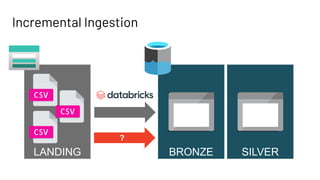
Incremental Ingestion
BRONZE SILVER
LANDING
?
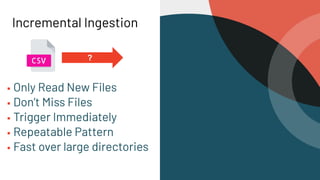
Incremental Ingestion
▪ Only Read New Files
▪ Don’t Miss Files
▪ Trigger Immediately
▪ Repeatable Pattern
▪ Fast over large directories
?
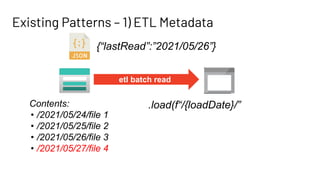
Existing Patterns – 1) ETL Metadata
etl batch read
{“lastRead”:”2021/05/26”}
Contents:
• /2021/05/24/file 1
• /2021/05/25/file 2
• /2021/05/26/file 3
• /2021/05/27/file 4
.load(f“/{loadDate}/”
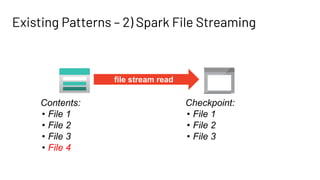
Existing Patterns – 2) Spark File Streaming
file stream read
Contents:
• File 1
• File 2
• File 3
• File 4
Checkpoint:
• File 1
• File 2
• File 3
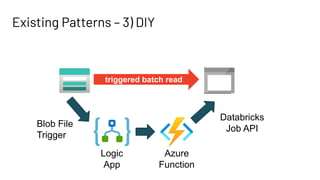
Existing Patterns – 3) DIY
triggered batch read
Blob File
Trigger
Logic
App
Azure
Function
Databricks
Job API
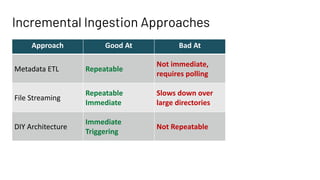
Incremental Ingestion Approaches
Approach Good At Bad At
Metadata ETL Repeatable
Not immediate,
requires polling
File Streaming
Repeatable
Immediate
Slows down over
large directories
DIY Architecture
Immediate
Triggering
Not Repeatable
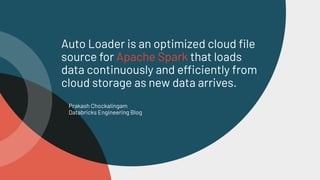
Databricks Autoloader
Prakash Chockalingam
Databricks Engineering Blog
Auto Loader is an optimized cloud file
source for Apache Spark that loads
data continuously and efficiently from
cloud storage as new data arrives.
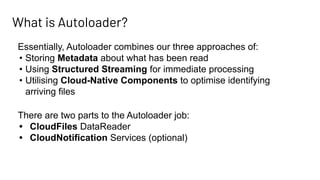
What is Autoloader?
Essentially, Autoloader combines our three approaches of:
• Storing Metadata about what has been read
• Using Structured Streaming for immediate processing
• Utilising Cloud-Native Components to optimise identifying
arriving files
There are two parts to the Autoloader job:
• CloudFiles DataReader
• CloudNotification Services (optional)
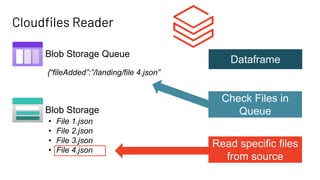
Cloudfiles Reader
Blob Storage
Blob Storage Queue
{“fileAdded”:”/landing/file 4.json”
• File 1.json
• File 2.json
• File 3.json
• File 4.json
Dataframe
Check Files in
Queue
Read specific files
from source
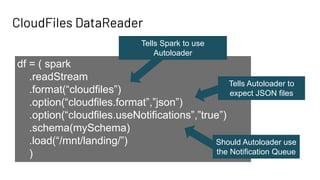
CloudFiles DataReader
df = ( spark
.readStream
.format(“cloudfiles”)
.option(“cloudfiles.format”,”json”)
.option(“cloudfiles.useNotifications”,”true”)
.schema(mySchema)
.load(“/mnt/landing/”)
)
Tells Spark to use
Autoloader
Tells Autoloader to
expect JSON files
Should Autoloader use
the Notification Queue
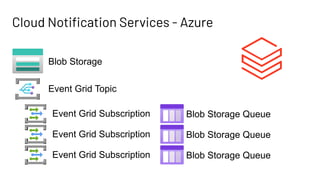
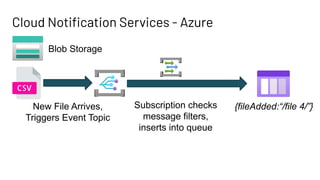
Cloud Notification Services - Azure
Blob Storage
Event Grid Topic
Event Grid Subscription Blob Storage Queue
Cloud Notification Services - Azure
Blob Storage
New File Arrives,
Triggers Event Topic
Subscription checks
message filters,
inserts into queue
{fileAdded:“/file 4/”}
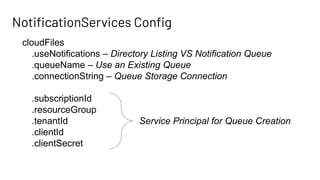
NotificationServices Config
cloudFiles
.useNotifications – Directory Listing VS Notification Queue
.queueName – Use an Existing Queue
.connectionString – Queue Storage Connection
.subscriptionId
.resourceGroup
.tenantId
.clientId
.clientSecret
Service Principal for Queue Creation
Implementing Autoloader
▪ Setup Steps
▪ Reading New Files
▪ A Basic ETL Setup
Delta Implementation
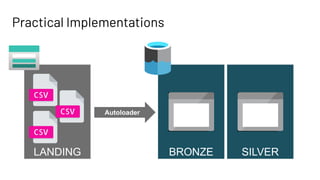
Practical Implementations
BRONZE SILVER
LANDING
Autoloader
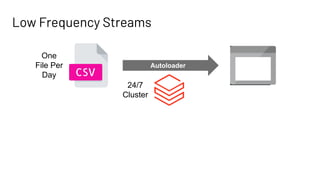
Low Frequency Streams
Autoloader
One
File Per
Day
24/7
Cluster
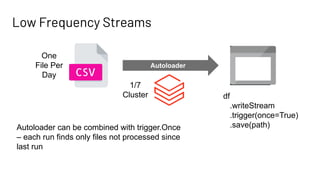
Low Frequency Streams
Autoloader
One
File Per
Day
1/7
Cluster df
.writeStream
.trigger(once=True)
.save(path)
Autoloader can be combined with trigger.Once
– each run finds only files not processed since
last run
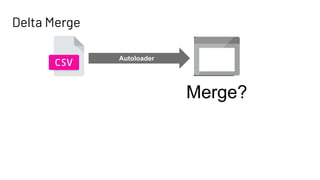
Delta Merge
Autoloader
Merge?
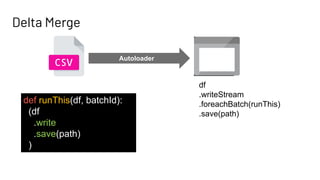
Delta Merge
Autoloader
df
.writeStream
.foreachBatch(runThis)
.save(path)
def runThis(df, batchId):
(df
.write
.save(path)
)
Delta Implementation
▪ Batch ETL Pattern
▪ Merge Statements
▪ Logging State
Evolving Schemas
New Features since Databricks Runtime 8.2
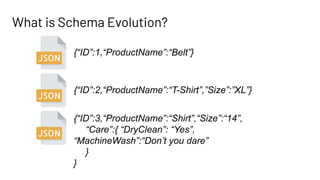
What is Schema Evolution?
{“ID”:1,“ProductName”:“Belt”}
{“ID”:2,“ProductName”:“T-Shirt”,”Size”:”XL”}
{“ID”:3,“ProductName”:“Shirt”,“Size”:“14”,
“Care”:{ “DryClean”: “Yes”,
“MachineWash”:“Don’t you dare”
}
}
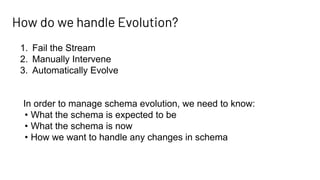
How do we handle Evolution?
1. Fail the Stream
2. Manually Intervene
3. Automatically Evolve
In order to manage schema evolution, we need to know:
• What the schema is expected to be
• What the schema is now
• How we want to handle any changes in schema
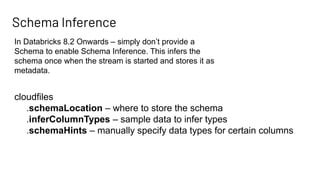
Schema Inference
In Databricks 8.2 Onwards – simply don’t provide a
Schema to enable Schema Inference. This infers the
schema once when the stream is started and stores it as
metadata.
cloudfiles
.schemaLocation – where to store the schema
.inferColumnTypes – sample data to infer types
.schemaHints – manually specify data types for certain columns
Schema Metastore
_schemas
{“ID”:1,
“ProductName”:“Belt”}
{
"type": "struct",
"fields": [
{
"name": "ID",
"type": “string",
"nullable": true,
"metadata": {}
},
{
"name": "ProductName",
"type": “string",
"nullable": true,
"metadata": {}
}
]
}
0
On First Read
Schema Metastore – DataType Inference
_schemas
{“ID”:1,
“ProductName”:“Belt”}
{
"type": "struct",
"fields": [
{
"name": "ID",
"type": “int",
"nullable": true,
"metadata": {}
},
{
"name": "ProductName",
"type": “string",
"nullable": true,
"metadata": {}
}
]
}
0
On First Read
.option(“cloudFiles.inferColumnTypes”,”True”)
Schema Metastore – Schema Hints
_schemas
{“ID”:1,
“ProductName”:“Belt”}
{
"type": "struct",
"fields": [
{
"name": "ID",
"type": “long",
"nullable": true,
"metadata": {}
},
{
"name": "ProductName",
"type": “string",
"nullable": true,
"metadata": {}
}
]
}
0
On First Read
.option(“cloudFiles.schemaHints”,”ID long”)
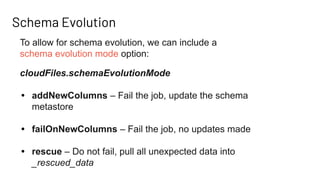
Schema Evolution
cloudFiles.schemaEvolutionMode
• addNewColumns – Fail the job, update the schema
metastore
• failOnNewColumns – Fail the job, no updates made
• rescue – Do not fail, pull all unexpected data into
_rescued_data
To allow for schema evolution, we can include a
schema evolution mode option:
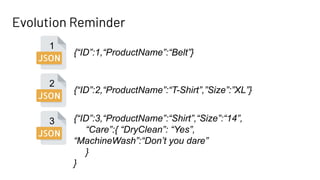
Evolution Reminder
{“ID”:1,“ProductName”:“Belt”}
{“ID”:2,“ProductName”:“T-Shirt”,”Size”:”XL”}
{“ID”:3,“ProductName”:“Shirt”,“Size”:“14”,
“Care”:{ “DryClean”: “Yes”,
“MachineWash”:“Don’t you dare”
}
}
1
2
3
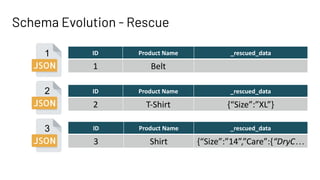
Schema Evolution - Rescue
1
2
3
ID Product Name _rescued_data
1 Belt
ID Product Name _rescued_data
2 T-Shirt {“Size”:”XL”}
ID Product Name _rescued_data
3 Shirt {“Size”:”14”,”Care”:{“DryC…
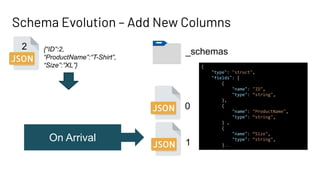
Schema Evolution – Add New Columns
_schemas
{“ID”:2,
“ProductName”:“T-Shirt”,
“Size”:”XL”}
0
On Arrival
2
1
{
"type": "struct",
"fields": [
{
"name": "ID",
"type": “string",
},
{
"name": "ProductName",
"type": “string",
} ,
{
"name": “Size",
"type": “string",
}…
Schema Evolution
▪ Inference & The Schema
Metastore
▪ Schema Hints
▪ Schema Evolution
Lessons from an Autoloader Life
Autoloader Lessons
▪ EventGrid Quotas &
Settings
▪ Streaming Best
Practices
▪ Batching Best Practices
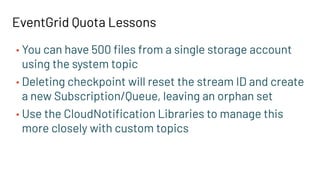
EventGrid Quota Lessons
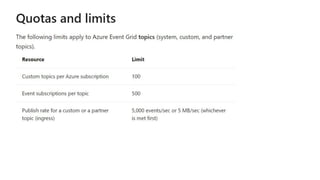
• You can have 500 files from a single storage account
using the system topic
• Deleting checkpoint will reset the stream ID and create
a new Subscription/Queue, leaving an orphan set
• Use the CloudNotification Libraries to manage this
more closely with custom topics
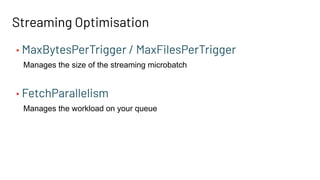
Streaming Optimisation
• MaxBytesPerTrigger / MaxFilesPerTrigger
Manages the size of the streaming microbatch
• FetchParallelism
Manages the workload on your queue
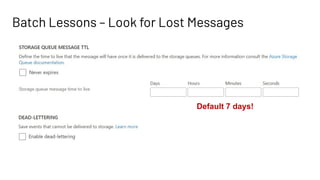
Batch Lessons – Look for Lost Messages
Default 7 days!
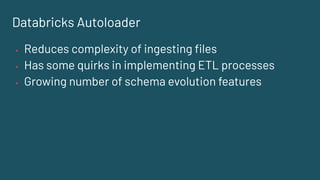
Databricks Autoloader
▪ Reduces complexity of ingesting files
▪ Has some quirks in implementing ETL processes
▪ Growing number of schema evolution features
Simon Whiteley
Director of
Engineering
hello@advancinganalytics.co.uk
@MrSiWhiteley
www.youtube.com/c/AdvancingAnalytics
Feedback
Your feedback is important to us.
Don’t forget to rate and review the sessions.

Accelerating Data Ingestion with Databricks Autoloader