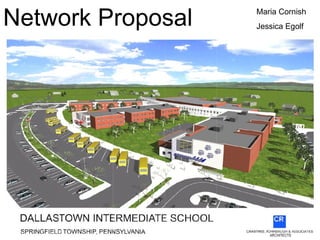
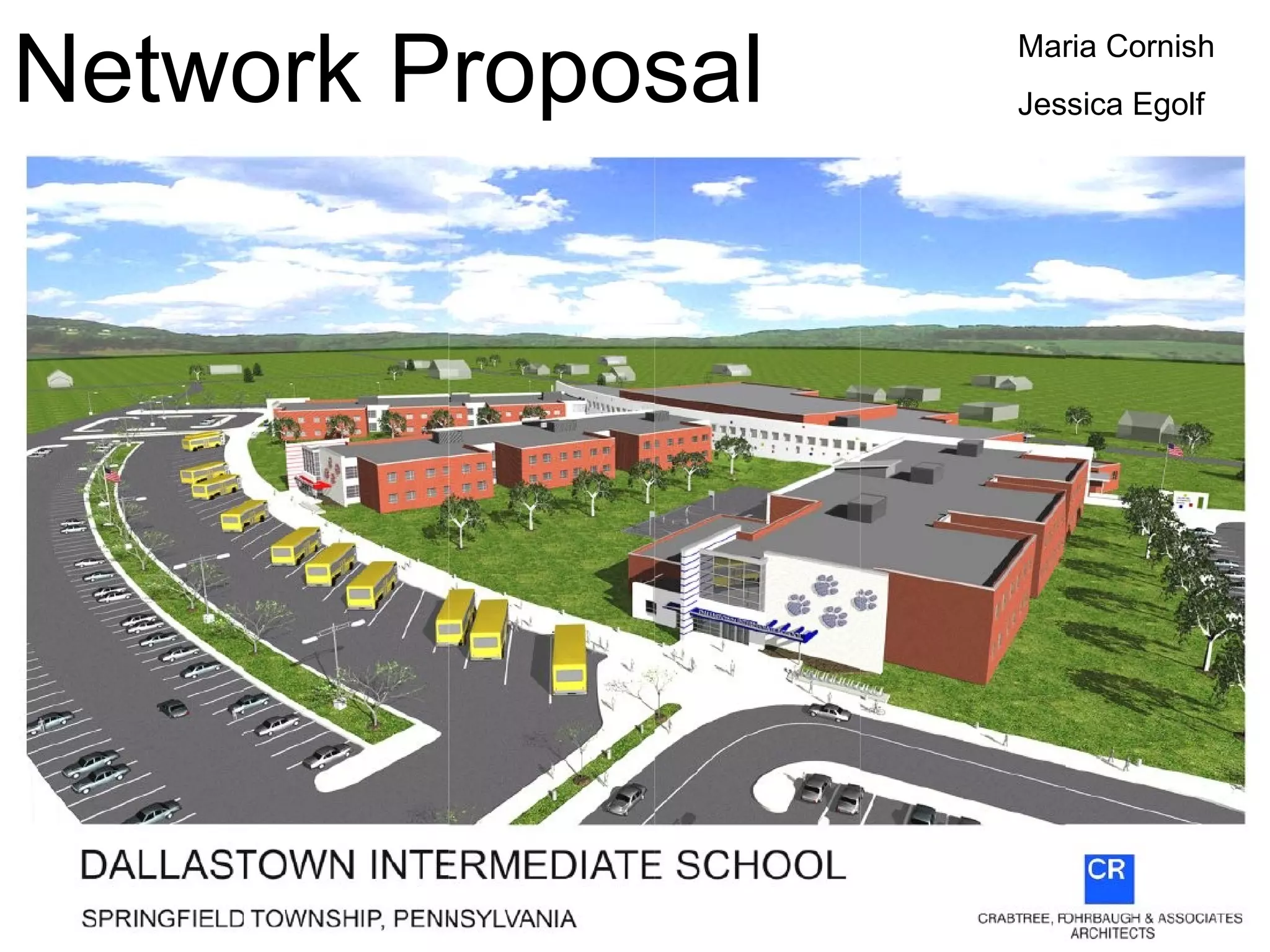
Network Proposal Maria Cornish Jessica Egolf
 
 
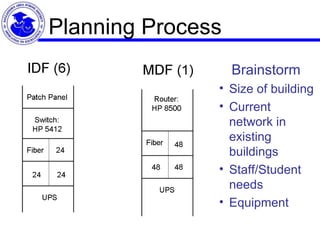
Planning Process Brainstorm Size of building Current network in existing buildings Staff/Student needs Equipment
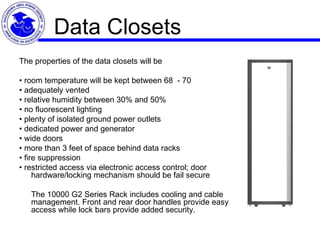
Data Closets The properties of the data closets will be •  room temperature will be kept between 68  - 70  •  adequately vented •  relative humidity between 30% and 50% •  no fluorescent lighting •  plenty of isolated ground power outlets •  dedicated power and generator •  wide doors •  more than 3 feet of space behind data racks •  fire suppression •  restricted access via electronic access control; door hardware/locking mechanism should be fail secure   The 10000 G2 Series Rack includes cooling and cable management. Front and rear door handles provide easy access while lock bars provide added security.
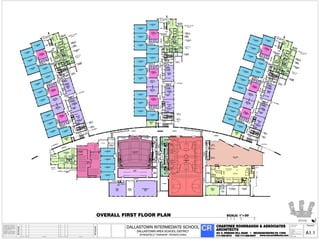
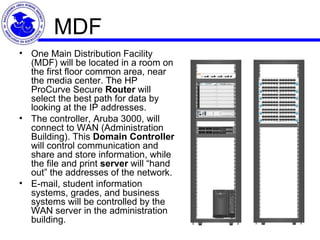
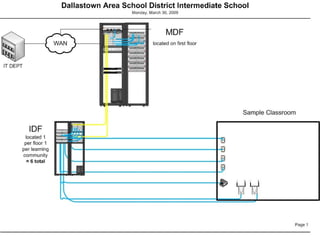
MDF One Main Distribution Facility (MDF) will be located in a room on the first floor common area, near the media center. The HP ProCurve Secure  Router  will select the best path for data by looking at the IP addresses.  The controller, Aruba 3000, will connect to WAN (Administration Building). This  Domain Controller  will control communication and share and store information, while the file and print  server  will “hand out” the addresses of the network.  E-mail, student information systems, grades, and business systems will be controlled by the WAN server in the administration building.
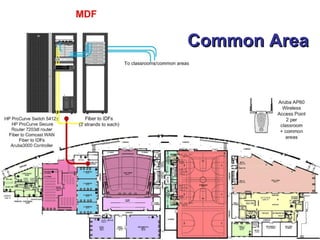
Common Area
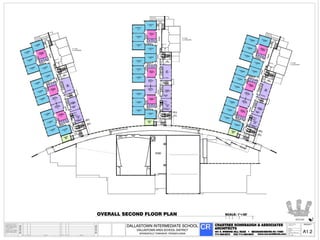
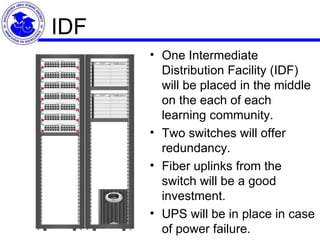
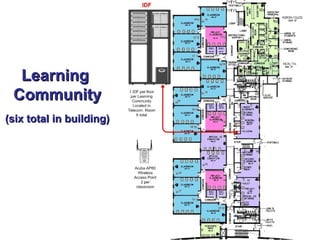
IDF One Intermediate Distribution Facility (IDF) will be placed in the middle on the each of each learning community.  Two switches will offer redundancy.  Fiber uplinks from the switch will be a good investment.  UPS will be in place in case of power failure.
Learning  Community (six total in building)
 
Bandwidth Dallastown’s Intermediate Building will need 100MB bandwidth. In order for all Internet traffic to be managed in one place, Internet access, provided by Comcast, will come from the Administration building. The switches will support 10GB backbone (IDF to MDF).
Cabling On each floor (2 floors) of each learning community (3 wings), we have planned for fiber-optic backbone between wiring closets (IDF to MDF), with two strands running from each switch. Fiber optic cable has the ability to transmit signals over much longer distances and can carry information at greater speeds than coaxial and twisted pair. Other advantages of fiber include expansive bandwidth, low attenuation, electromagnetically isolated, great distance between repeaters, and enhanced security (difficult to eavesdrop).   Cat6 cables will connect the patch panels to the classrooms. Cat6, rated to 1000 Mbs (Gigabit Ethernet) are currently industry standard. Four cables will run from each switch to the outlets in the classrooms. A cable tray will be installed every five feet in order to support the cables that are run horizontally. Five drops will be installed in each classroom. An outlet will be placed near the teacher’s station and the others will be installed in a bank along one wall of each of the classrooms.
Cabling Rules When running cable, it is best to follow a few simple rules:  ·    Always use more cable than you need. Leave plenty of slack.  ·    Test every part of a network as you install it. Even if it is brand new, it may have problems that will be difficult to isolate later.  ·    Stay at least 3 feet away from fluorescent light boxes and other sources of electrical interference.  ·    Label both ends of each cable.  ·    Use cable ties (not tape) to keep cables in the same location together.  ·    Keep records.
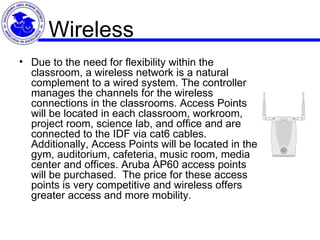
Wireless Due to the need for flexibility within the classroom, a wireless network is a natural complement to a wired system. The controller manages the channels for the wireless connections in the classrooms. Access Points will be located in each classroom, workroom, project room, science lab, and office and are connected to the IDF via cat6 cables. Additionally, Access Points will be located in the gym, auditorium, cafeteria, music room, media center and offices. Aruba AP60 access points will be purchased.  The price for these access points is very competitive and wireless offers greater access and more mobility.
Testing Documentation Network drops will be numbered incrementally. IP addresses will be used to name the switch electronics.  Connectivity tests will be done to verify IP addresses and Internet connection.  Visio diagrams and wiring maps will be kept to document network.  Passwords, firewalls and Internet content filters are some of the security measures that are located in the Administration Building.  Security considerations will be balanced with user convenience.
Rationale Dallastown Area School District is committed to offering curriculum that integrates technology literacy smoothly and seamlessly. Technology literacy can be defined as the ability to responsibly use real world technology tools to communicate, solve problems, and access, manage, integrate, evaluate, and create information to improve learning in all subject areas. Technology literacy also includes the acquisition of lifelong knowledge and skills in the 21st century.
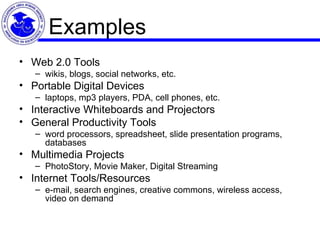
Examples Web 2.0 Tools  wikis, blogs, social networks, etc. Portable Digital Devices  laptops, mp3 players, PDA, cell phones, etc. Interactive Whiteboards and Projectors  General Productivity Tools  word processors, spreadsheet, slide presentation programs, databases Multimedia Projects PhotoStory, Movie Maker, Digital Streaming  Internet Tools/Resources  e-mail, search engines, creative commons, wireless access, video on demand
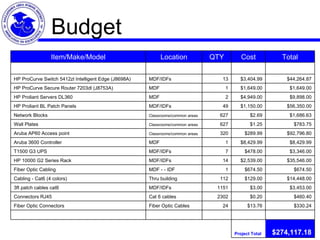
Budget $274,117.18 Project Total           $330.24 $13.76 24 Fiber Optic Cables Fiber Optic Connectors $460.40 $0.20 2302 Cat 6 cables Connectors RJ45 $3,453.00 $3.00 1151 MDF/IDFs 3ft patch cables cat6 $14,448.00 $129.00 112 Thru building Cabling - Cat6 (4 colors) $674.50 $674.50 1 MDF - - IDF Fiber Optic Cabling $35,546.00 $2,539.00 14 MDF/IDFs HP 10000 G2 Series Rack  $3,346.00 $478.00 7 MDF/IDFs T1500 G3 UPS  $8,429.99 $8,429.99 1 MDF Aruba 3600 Controller $92,796.80 $289.99 320 Classrooms/common areas Aruba AP60 Access point  $783.75 $1.25 627 Classrooms/common areas Wall Plates $1,686.63 $2.69 627 Classrooms/common areas Network Blocks $56,350.00 $1,150.00 49 MDF/IDFs HP Proliant BL Patch Panels  $9,898.00 $4,949.00 2 MDF HP Proliant Servers DL360 $1,649.00 $1,649.00 1 MDF HP ProCurve Secure Router 7203dl (J8753A) $44,264.87 $3,404.99 13 MDF/IDFs HP ProCurve Switch 5412zl Intelligent Edge (J8698A)           Total Cost QTY Location Item/Make/Model
Conclusion The  educated person of the 21st century  will be a life-long learner who knows how to access information and turn it into meaningful knowledge. Technology will be the universal tool for lifelong learning. F. Withrow, Council of Chief State School Officers   This technology plan will make a difference in teaching and learning because technology integration will be flexible, easy to use and seamless.

Network Design

  • 1.
    Network Proposal MariaCornish Jessica Egolf
  • 2.
  • 3.
  • 4.
    Planning Process BrainstormSize of building Current network in existing buildings Staff/Student needs Equipment
  • 5.
    Data Closets Theproperties of the data closets will be • room temperature will be kept between 68  - 70  • adequately vented • relative humidity between 30% and 50% • no fluorescent lighting • plenty of isolated ground power outlets • dedicated power and generator • wide doors • more than 3 feet of space behind data racks • fire suppression • restricted access via electronic access control; door hardware/locking mechanism should be fail secure   The 10000 G2 Series Rack includes cooling and cable management. Front and rear door handles provide easy access while lock bars provide added security.
  • 6.
    MDF One MainDistribution Facility (MDF) will be located in a room on the first floor common area, near the media center. The HP ProCurve Secure Router will select the best path for data by looking at the IP addresses. The controller, Aruba 3000, will connect to WAN (Administration Building). This Domain Controller will control communication and share and store information, while the file and print server will “hand out” the addresses of the network. E-mail, student information systems, grades, and business systems will be controlled by the WAN server in the administration building.
  • 7.
  • 8.
    IDF One IntermediateDistribution Facility (IDF) will be placed in the middle on the each of each learning community. Two switches will offer redundancy. Fiber uplinks from the switch will be a good investment. UPS will be in place in case of power failure.
  • 9.
    Learning Community(six total in building)
  • 10.
  • 11.
    Bandwidth Dallastown’s IntermediateBuilding will need 100MB bandwidth. In order for all Internet traffic to be managed in one place, Internet access, provided by Comcast, will come from the Administration building. The switches will support 10GB backbone (IDF to MDF).
  • 12.
    Cabling On eachfloor (2 floors) of each learning community (3 wings), we have planned for fiber-optic backbone between wiring closets (IDF to MDF), with two strands running from each switch. Fiber optic cable has the ability to transmit signals over much longer distances and can carry information at greater speeds than coaxial and twisted pair. Other advantages of fiber include expansive bandwidth, low attenuation, electromagnetically isolated, great distance between repeaters, and enhanced security (difficult to eavesdrop).   Cat6 cables will connect the patch panels to the classrooms. Cat6, rated to 1000 Mbs (Gigabit Ethernet) are currently industry standard. Four cables will run from each switch to the outlets in the classrooms. A cable tray will be installed every five feet in order to support the cables that are run horizontally. Five drops will be installed in each classroom. An outlet will be placed near the teacher’s station and the others will be installed in a bank along one wall of each of the classrooms.
  • 13.
    Cabling Rules Whenrunning cable, it is best to follow a few simple rules: ·    Always use more cable than you need. Leave plenty of slack. ·    Test every part of a network as you install it. Even if it is brand new, it may have problems that will be difficult to isolate later. ·    Stay at least 3 feet away from fluorescent light boxes and other sources of electrical interference. ·    Label both ends of each cable. ·    Use cable ties (not tape) to keep cables in the same location together. ·    Keep records.
  • 14.
    Wireless Due tothe need for flexibility within the classroom, a wireless network is a natural complement to a wired system. The controller manages the channels for the wireless connections in the classrooms. Access Points will be located in each classroom, workroom, project room, science lab, and office and are connected to the IDF via cat6 cables. Additionally, Access Points will be located in the gym, auditorium, cafeteria, music room, media center and offices. Aruba AP60 access points will be purchased.  The price for these access points is very competitive and wireless offers greater access and more mobility.
  • 15.
    Testing Documentation Networkdrops will be numbered incrementally. IP addresses will be used to name the switch electronics. Connectivity tests will be done to verify IP addresses and Internet connection. Visio diagrams and wiring maps will be kept to document network. Passwords, firewalls and Internet content filters are some of the security measures that are located in the Administration Building. Security considerations will be balanced with user convenience.
  • 16.
    Rationale Dallastown AreaSchool District is committed to offering curriculum that integrates technology literacy smoothly and seamlessly. Technology literacy can be defined as the ability to responsibly use real world technology tools to communicate, solve problems, and access, manage, integrate, evaluate, and create information to improve learning in all subject areas. Technology literacy also includes the acquisition of lifelong knowledge and skills in the 21st century.
  • 17.
    Examples Web 2.0Tools wikis, blogs, social networks, etc. Portable Digital Devices laptops, mp3 players, PDA, cell phones, etc. Interactive Whiteboards and Projectors General Productivity Tools word processors, spreadsheet, slide presentation programs, databases Multimedia Projects PhotoStory, Movie Maker, Digital Streaming Internet Tools/Resources e-mail, search engines, creative commons, wireless access, video on demand
  • 18.
    Budget $274,117.18 ProjectTotal           $330.24 $13.76 24 Fiber Optic Cables Fiber Optic Connectors $460.40 $0.20 2302 Cat 6 cables Connectors RJ45 $3,453.00 $3.00 1151 MDF/IDFs 3ft patch cables cat6 $14,448.00 $129.00 112 Thru building Cabling - Cat6 (4 colors) $674.50 $674.50 1 MDF - - IDF Fiber Optic Cabling $35,546.00 $2,539.00 14 MDF/IDFs HP 10000 G2 Series Rack $3,346.00 $478.00 7 MDF/IDFs T1500 G3 UPS $8,429.99 $8,429.99 1 MDF Aruba 3600 Controller $92,796.80 $289.99 320 Classrooms/common areas Aruba AP60 Access point $783.75 $1.25 627 Classrooms/common areas Wall Plates $1,686.63 $2.69 627 Classrooms/common areas Network Blocks $56,350.00 $1,150.00 49 MDF/IDFs HP Proliant BL Patch Panels $9,898.00 $4,949.00 2 MDF HP Proliant Servers DL360 $1,649.00 $1,649.00 1 MDF HP ProCurve Secure Router 7203dl (J8753A) $44,264.87 $3,404.99 13 MDF/IDFs HP ProCurve Switch 5412zl Intelligent Edge (J8698A)           Total Cost QTY Location Item/Make/Model
  • 19.
    Conclusion The educated person of the 21st century will be a life-long learner who knows how to access information and turn it into meaningful knowledge. Technology will be the universal tool for lifelong learning. F. Withrow, Council of Chief State School Officers   This technology plan will make a difference in teaching and learning because technology integration will be flexible, easy to use and seamless.