What are Number Systems?
• Number systems are the technique to represent numbers in the computer system
architecture, every value that you are saving into or getting from computer memory
has a defined number system. Computer architecture supports following number
systems.
• Binary Number System (2 digits)
• Octal Number System (8 digits)
• Decimal Number System (10 digits )
• Hexa-decimal Number System (16 digits)
NUMBER SYSTEMS
Conversion Among Bases:
Hexadecimal
Decimal Octal
Binary
• The possibilities
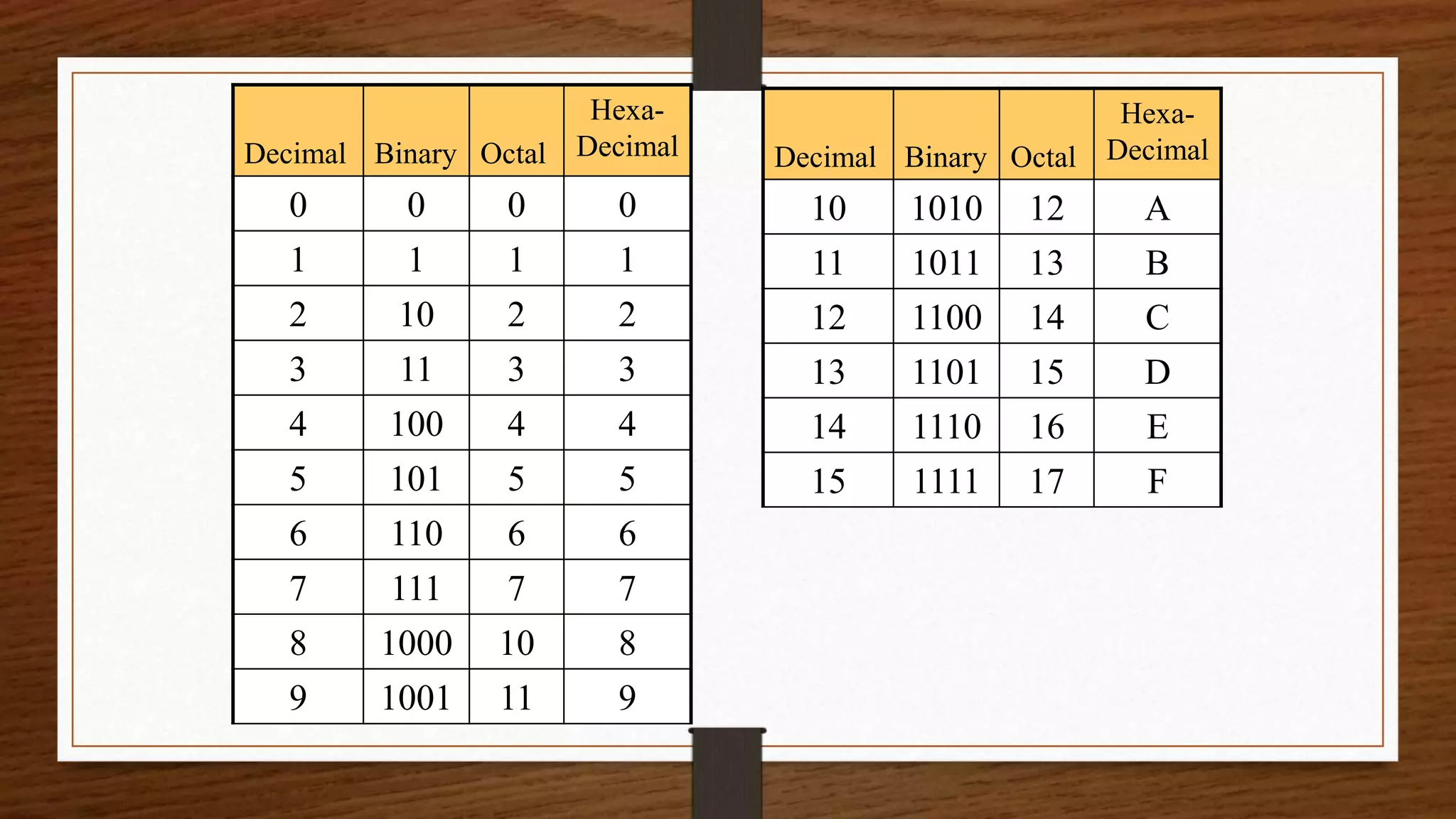
Decimal Binary Octal
Hexa-
Decimal
0 0 0 0
1 1 1 1
2 10 2 2
3 11 3 3
4 100 4 4
5 101 5 5
6 110 6 6
7 111 7 7
8 1000 10 8
9 1001 11 9
Decimal Binary Octal
Hexa-
Decimal
10 1010 12 A
11 1011 13 B
12 1100 14 C
13 1101 15 D
14 1110 16 E
15 1111 17 F
Binary Number System
• Digital computers represents all kinds of data and information in the binary system.
• Binary Number System consists of two digits 0 and 1. Its base is 2. Each digit or bit
in binary number system can be 0 or 1.
• Binary to Decimal Conversion Techniques:
• Multiply each bit by 2n, where n is the “weight” of the bit.
• The weight is the position of the bit, starting from 0 on the right.
• Add the results.
• Example 1010112 = 4310
Binary Number System
• Binary to Octal Conversion Techniques:
• Group binary digits in a 3 bits, starting on right side.
• Convert to octal digits.
• Example 10110101112 = 13278
• Binary to Hexa-decimal Conversion Techniques:
• Group binary digits in a 4 bits, starting on right side.
• Convert to hexa-decimal digits.
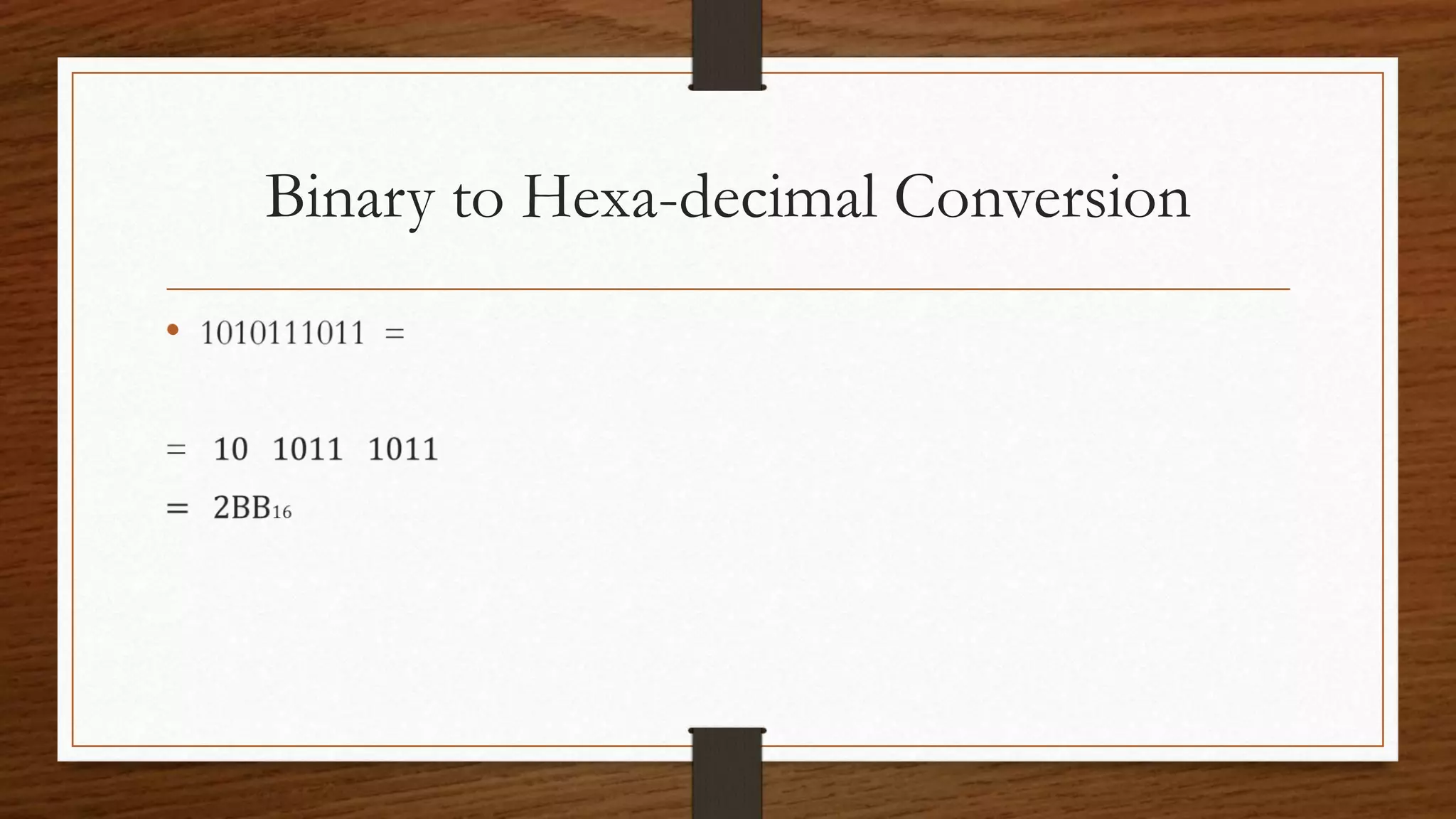
• Example 10101110112 = 2BB16
Binary to Decimal Conversion
•
Binary to Octal Conversion
•
Binary to Hexa-decimal Conversion
•
Octal Number System
• Octal number system is the base 8 number system and uses the digits from 0 to 7.
This number system provides shortcut method to represent long binary numbers
• The number after 7 is 10. the number after 17 is 20 and so forth.
• Octal to Decimal Conversion Techniques:
• Multiply each bit by 8n, where n is the “weight” of the bit.
• The weight is the position of the bit, starting from 0 on the right.
• Add the results.
• Example 7248 = 46810
Octal Number System
• Octal to Binary Conversion Techniques:
• Convert octal digit in a 3 bits, starting on the right side.
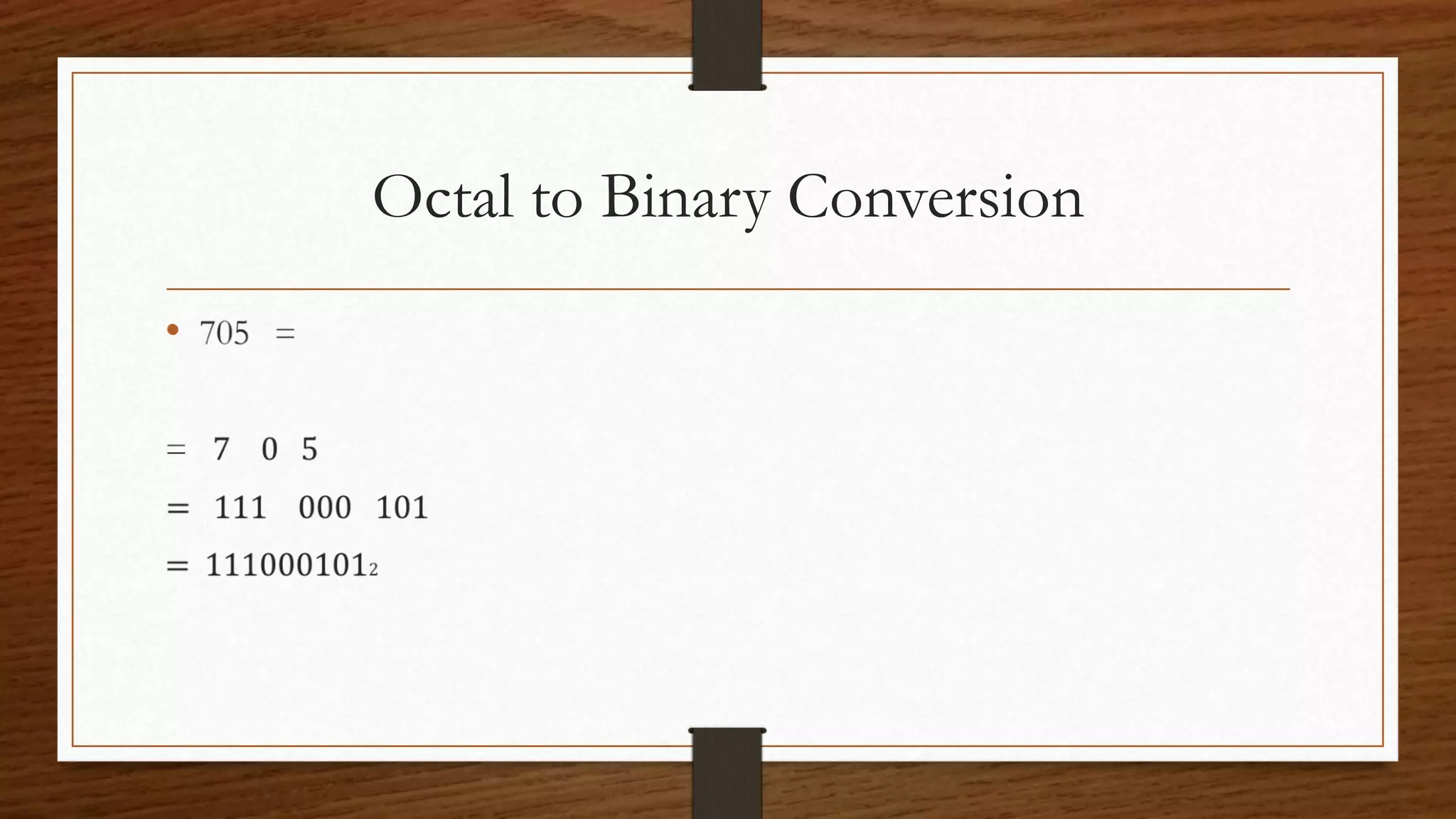
• Example 7058 = 1110001012
• Octal to Hexa-decimal Conversion Techniques:
• Use binary as an intermediary
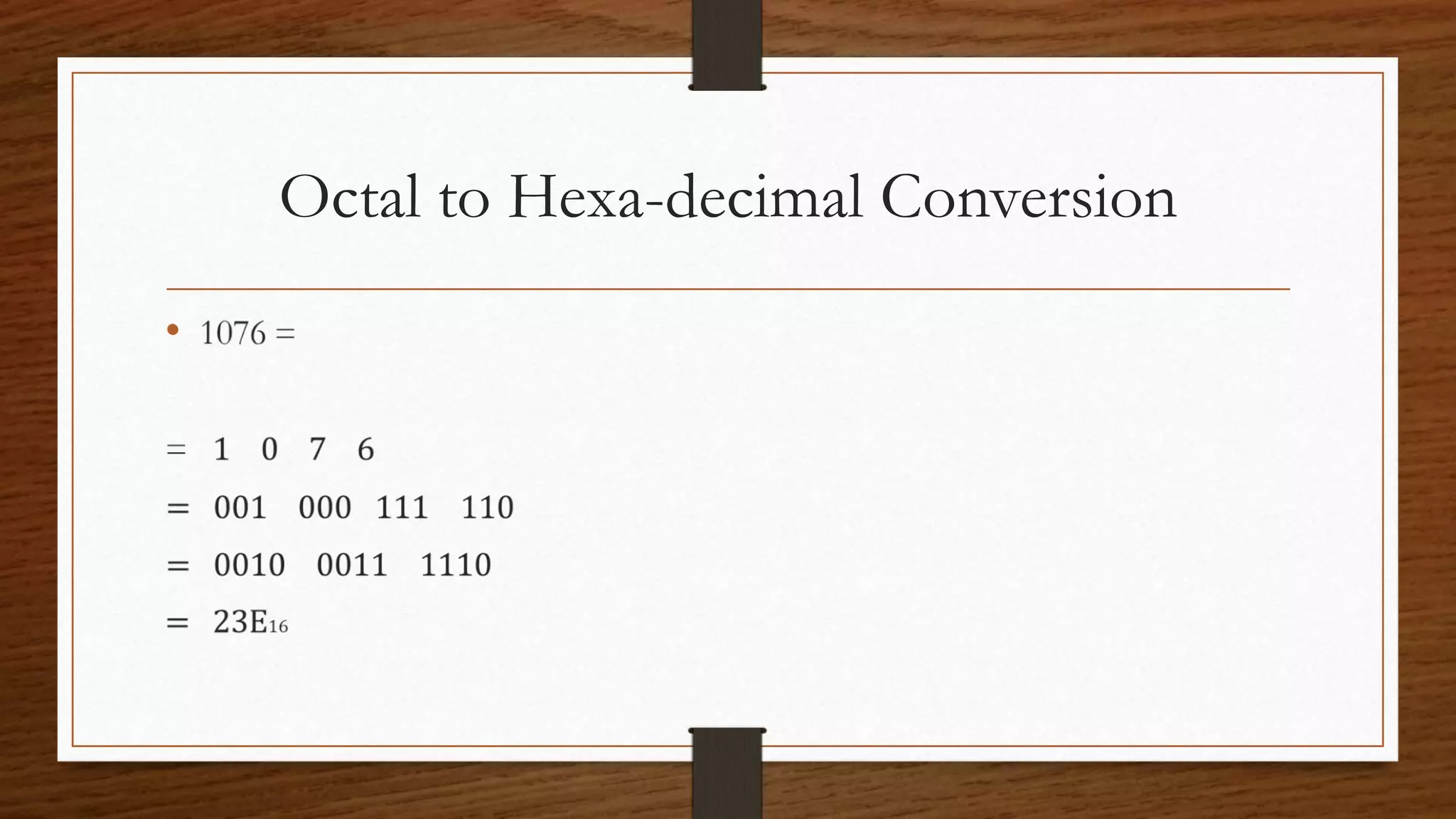
• Example 10768 = 23E16
Octal to Decimal Conversion
•
Octal to Binary Conversion
•
Octal to Hexa-decimal Conversion
•
Decimal Number System
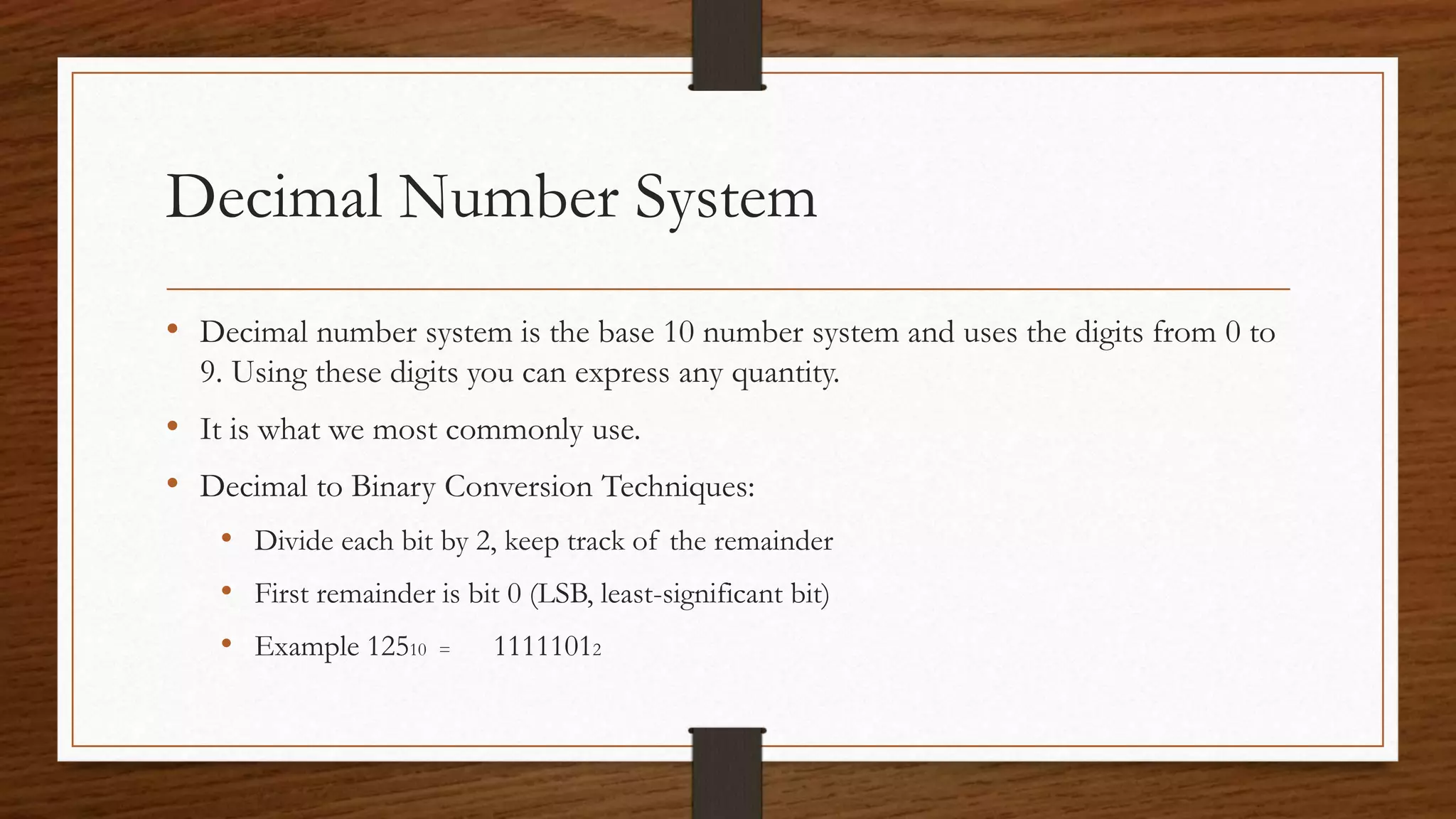
• Decimal number system is the base 10 number system and uses the digits from 0 to
9. Using these digits you can express any quantity.
• It is what we most commonly use.
• Decimal to Binary Conversion Techniques:
• Divide each bit by 2, keep track of the remainder
• First remainder is bit 0 (LSB, least-significant bit)
• Example 12510 = 11111012
Decimal Number System
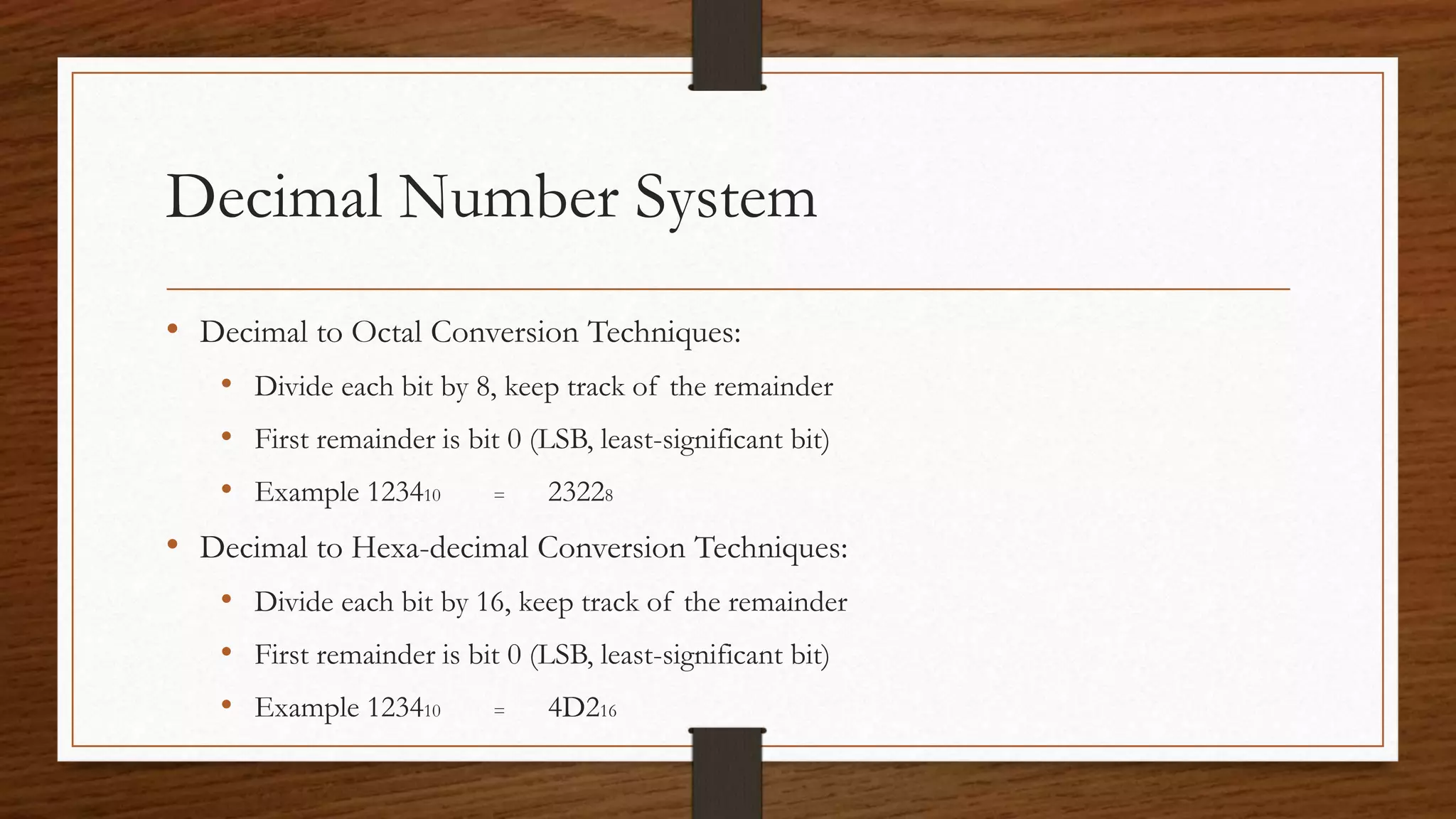
• Decimal to Octal Conversion Techniques:
• Divide each bit by 8, keep track of the remainder
• First remainder is bit 0 (LSB, least-significant bit)
• Example 123410 = 23228
• Decimal to Hexa-decimal Conversion Techniques:
• Divide each bit by 16, keep track of the remainder
• First remainder is bit 0 (LSB, least-significant bit)
• Example 123410 = 4D216
Decimal to Binary Conversion
• 125 = 2 125 --- 1
2 62 --- 0
2 31 --- 1
2 15 --- 1
2 7 --- 1
2 3 --- 1
1
= 11111012
Decimal to Octal Conversion
• 1234 =
8 1234 --- 2
8 154 --- 2
8 19 --- 3
8 2
= 23228
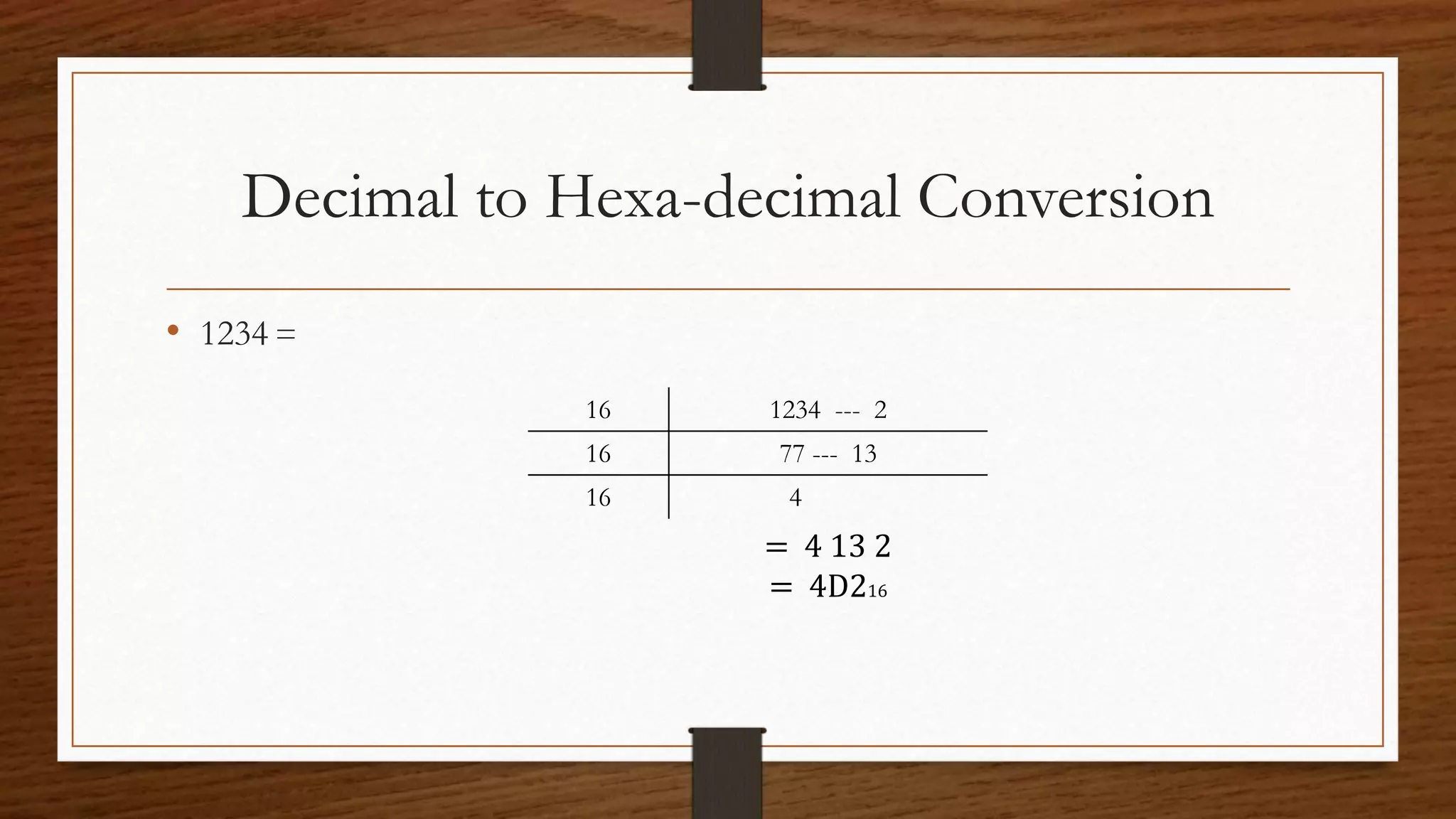
Decimal to Hexa-decimal Conversion
• 1234 =
16 1234 --- 2
16 77 --- 13
16 4
= 4 13 2
= 4D216
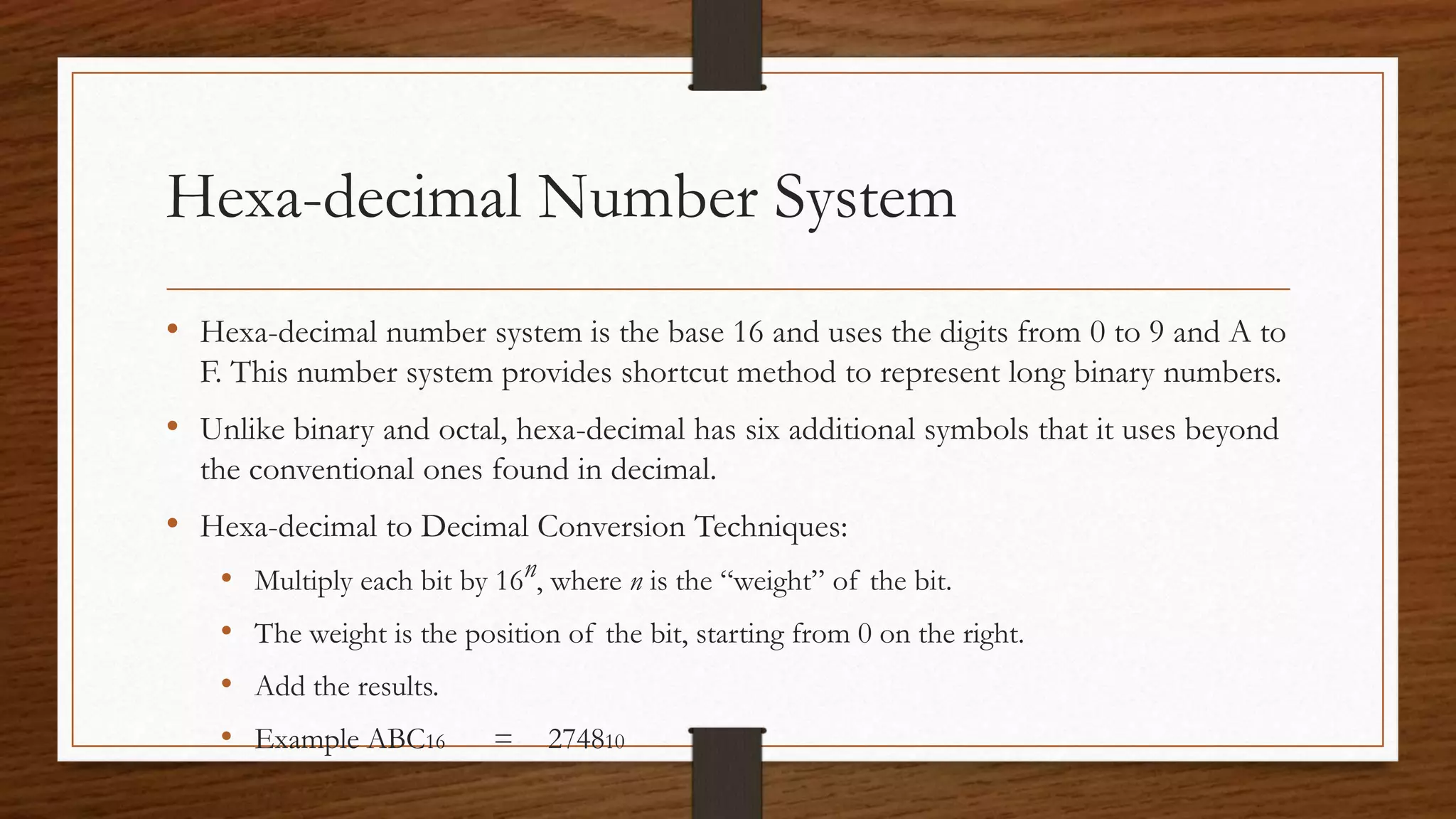
Hexa-decimal Number System
• Hexa-decimal number system is the base 16 and uses the digits from 0 to 9 and A to
F. This number system provides shortcut method to represent long binary numbers.
• Unlike binary and octal, hexa-decimal has six additional symbols that it uses beyond
the conventional ones found in decimal.
• Hexa-decimal to Decimal Conversion Techniques:
• Multiply each bit by 16n, where n is the “weight” of the bit.
• The weight is the position of the bit, starting from 0 on the right.
• Add the results.
• Example ABC16 = 274810
Hexa-decimal Number System
• Hexa-decimal to Binary Conversion Techniques:
• Convert hexa-decimal digit in a 4 bits, starting on the right side.
• Example 10AF16 = 00010000101011112
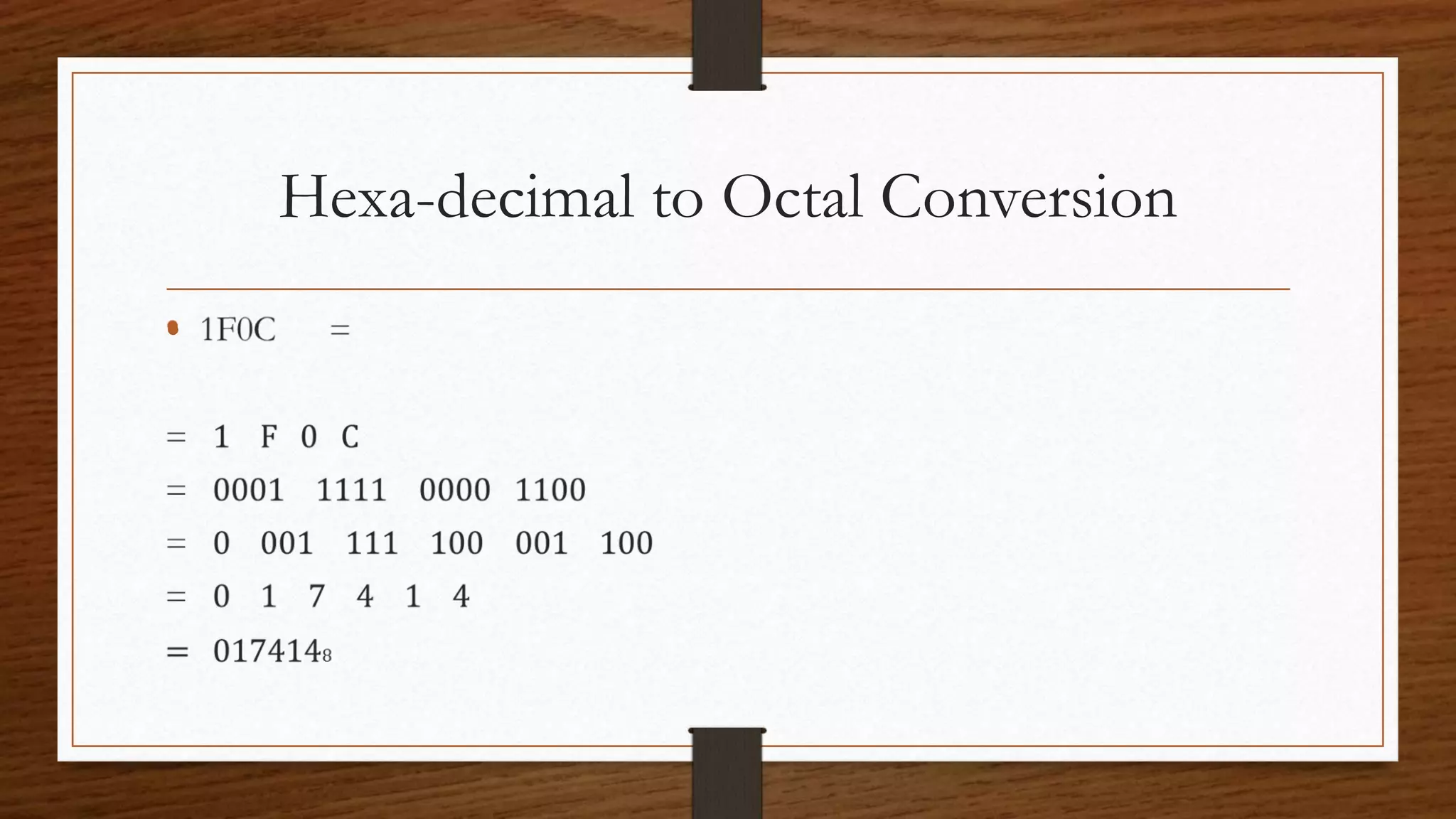
• Hexa-decimal to Octal Conversion Techniques:
• Use binary as an intermediary
• Example 1F0C16 = 00011111000011008
Hexa-decimal to Decimal Conversion
•
Hexa-decimal to Binary Conversion
•
Hexa-decimal to Octal Conversion
•
End

Number System

  • 1.
    What are NumberSystems? • Number systems are the technique to represent numbers in the computer system architecture, every value that you are saving into or getting from computer memory has a defined number system. Computer architecture supports following number systems. • Binary Number System (2 digits) • Octal Number System (8 digits) • Decimal Number System (10 digits ) • Hexa-decimal Number System (16 digits)
  • 2.
  • 3.
    Conversion Among Bases: Hexadecimal DecimalOctal Binary • The possibilities
  • 4.
    Decimal Binary Octal Hexa- Decimal 00 0 0 1 1 1 1 2 10 2 2 3 11 3 3 4 100 4 4 5 101 5 5 6 110 6 6 7 111 7 7 8 1000 10 8 9 1001 11 9 Decimal Binary Octal Hexa- Decimal 10 1010 12 A 11 1011 13 B 12 1100 14 C 13 1101 15 D 14 1110 16 E 15 1111 17 F
  • 5.
    Binary Number System •Digital computers represents all kinds of data and information in the binary system. • Binary Number System consists of two digits 0 and 1. Its base is 2. Each digit or bit in binary number system can be 0 or 1. • Binary to Decimal Conversion Techniques: • Multiply each bit by 2n, where n is the “weight” of the bit. • The weight is the position of the bit, starting from 0 on the right. • Add the results. • Example 1010112 = 4310
  • 6.
    Binary Number System •Binary to Octal Conversion Techniques: • Group binary digits in a 3 bits, starting on right side. • Convert to octal digits. • Example 10110101112 = 13278 • Binary to Hexa-decimal Conversion Techniques: • Group binary digits in a 4 bits, starting on right side. • Convert to hexa-decimal digits. • Example 10101110112 = 2BB16
  • 7.
    Binary to DecimalConversion •
  • 8.
    Binary to OctalConversion •
  • 9.
    Binary to Hexa-decimalConversion •
  • 10.
    Octal Number System •Octal number system is the base 8 number system and uses the digits from 0 to 7. This number system provides shortcut method to represent long binary numbers • The number after 7 is 10. the number after 17 is 20 and so forth. • Octal to Decimal Conversion Techniques: • Multiply each bit by 8n, where n is the “weight” of the bit. • The weight is the position of the bit, starting from 0 on the right. • Add the results. • Example 7248 = 46810
  • 11.
    Octal Number System •Octal to Binary Conversion Techniques: • Convert octal digit in a 3 bits, starting on the right side. • Example 7058 = 1110001012 • Octal to Hexa-decimal Conversion Techniques: • Use binary as an intermediary • Example 10768 = 23E16
  • 12.
    Octal to DecimalConversion •
  • 13.
    Octal to BinaryConversion •
  • 14.
    Octal to Hexa-decimalConversion •
  • 15.
    Decimal Number System •Decimal number system is the base 10 number system and uses the digits from 0 to 9. Using these digits you can express any quantity. • It is what we most commonly use. • Decimal to Binary Conversion Techniques: • Divide each bit by 2, keep track of the remainder • First remainder is bit 0 (LSB, least-significant bit) • Example 12510 = 11111012
  • 16.
    Decimal Number System •Decimal to Octal Conversion Techniques: • Divide each bit by 8, keep track of the remainder • First remainder is bit 0 (LSB, least-significant bit) • Example 123410 = 23228 • Decimal to Hexa-decimal Conversion Techniques: • Divide each bit by 16, keep track of the remainder • First remainder is bit 0 (LSB, least-significant bit) • Example 123410 = 4D216
  • 17.
    Decimal to BinaryConversion • 125 = 2 125 --- 1 2 62 --- 0 2 31 --- 1 2 15 --- 1 2 7 --- 1 2 3 --- 1 1 = 11111012
  • 18.
    Decimal to OctalConversion • 1234 = 8 1234 --- 2 8 154 --- 2 8 19 --- 3 8 2 = 23228
  • 19.
    Decimal to Hexa-decimalConversion • 1234 = 16 1234 --- 2 16 77 --- 13 16 4 = 4 13 2 = 4D216
  • 20.
    Hexa-decimal Number System •Hexa-decimal number system is the base 16 and uses the digits from 0 to 9 and A to F. This number system provides shortcut method to represent long binary numbers. • Unlike binary and octal, hexa-decimal has six additional symbols that it uses beyond the conventional ones found in decimal. • Hexa-decimal to Decimal Conversion Techniques: • Multiply each bit by 16n, where n is the “weight” of the bit. • The weight is the position of the bit, starting from 0 on the right. • Add the results. • Example ABC16 = 274810
  • 21.
    Hexa-decimal Number System •Hexa-decimal to Binary Conversion Techniques: • Convert hexa-decimal digit in a 4 bits, starting on the right side. • Example 10AF16 = 00010000101011112 • Hexa-decimal to Octal Conversion Techniques: • Use binary as an intermediary • Example 1F0C16 = 00011111000011008
  • 22.
  • 23.
    Hexa-decimal to BinaryConversion •
  • 24.
    Hexa-decimal to OctalConversion •
  • 25.