Question 6
Before we start editing, we have to understand many ways to
use technology through the Blog. This is vital because
planning on the blog shows an understanding of which
technology we should use. Although the blog has our ideas
being gathered through the use of technology such as the
pitch, Sound, location and many more.
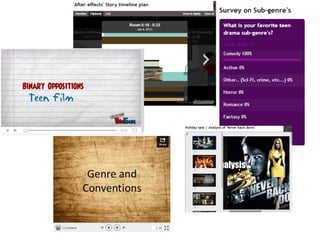
Here are some examples of technology being used in the
blog.
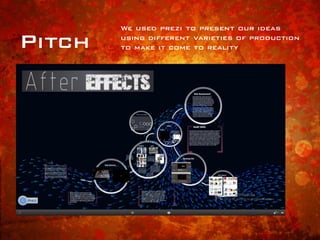
Pitch
We used prezi to present our ideas
using different varieties of production
to make it come to reality
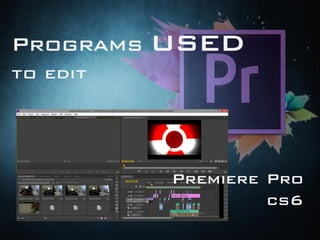
Programs used
to edit
Premiere Pro
cs6
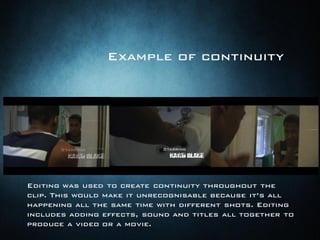
Editing was used to create continuity throughout the
clip. This would make it unrecognisable because it’s all
happening all the same time with different shots. Editing
includes adding effects, sound and titles all together to
produce a video or a movie.
Example of continuity
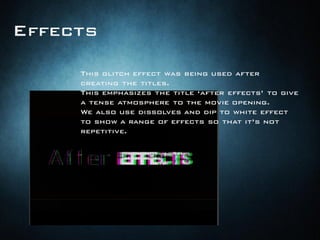
Effects
This glitch effect was being used after
creating the titles.
This emphasizes the title ‘after effects’ to give
a tense atmosphere to the movie opening.
We also use dissolves and dip to white effect
to show a range of effects so that it’s not
repetitive.
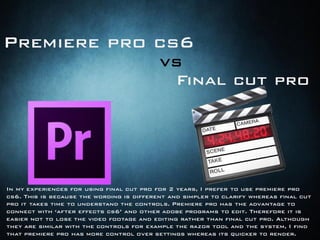
Premiere pro cs6
Final cut pro
vs
In my experiences for using final cut pro for 2 years, I prefer to use premiere pro
cs6. This is because the wording is different and simpler to clarify whereas final cut
pro it takes time to understand the controls. Premiere pro has the advantage to
connect with ‘after effects cs6’ and other adobe programs to edit. Therefore it is
easier not to lose the video footage and editing rather than final cut pro. Although
they are similar with the controls for example the razor tool and the system, I find
that premiere pro has more control over settings whereas its quicker to render.
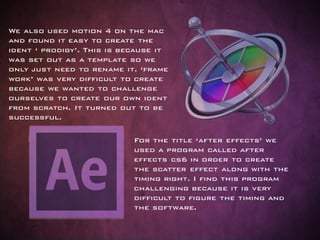
For the title ‘after effects’ we
used a program called after
effects cs6 in order to create
the scatter effect along with the
timing right. I find this program
challenging because it is very
difficult to figure the timing and
the software.
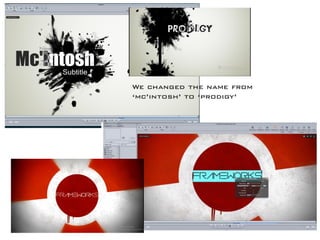
We also used motion 4 on the mac
and found it easy to create the
ident ‘ prodigy’. This is because it
was set out as a template so we
only just need to rename it. ‘frame
work’ was very difficult to create
because we wanted to challenge
ourselves to create our own ident
from scratch. It turned out to be
successful.
We changed the name from
‘mc’intosh’ to ‘prodigy’
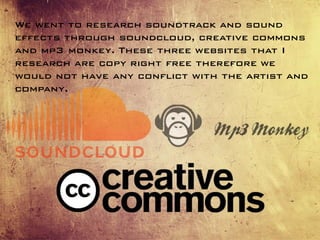
We went to research soundtrack and sound
effects through soundcloud, creative commons
and mp3 monkey. These three websites that I
research are copy right free therefore we
would not have any conflict with the artist and
company.
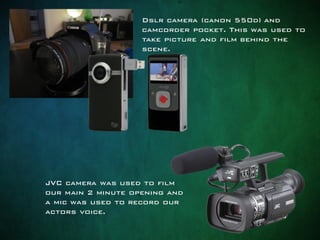
Dslr camera (canon 550d) and
camcorder pocket. This was used to
take picture and film behind the
scene.
JVC camera was used to film
our main 2 minute opening and
a mic was used to record our
actors voice.
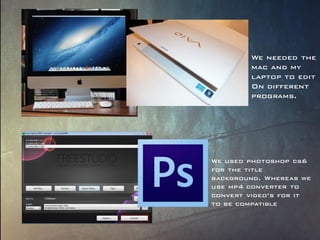
We used photoshop cs6
for the title
background. Whereas we
use mp4 converter to
convert video’s for it
to be compatible
We needed the
mac and my
laptop to edit
On different
programs.
The importance of technology displays an understanding of how
we use different technologies to show effect. It was challenging
to adapt to a new program in a short amount of time for example
‘after effects cs6’ . I find ‘after effects cs6’ very complicated to
use because this is more animation based therefore everything
was difficult to learn the controls. I overcome this issue through
using YouTube tutorials and understanding the basic’s for me to
get used to it. Technology was effective to combine all elements
of sound, camerawork, editing, titles, and other uses to create a
final product. In the future I would want to carry on using after
effects cs6, Premiere pro cs6, motion 4, soundcloud and monkey
mp4. This is because the final outcome of the video turned out to
be successful and I find that it would be easier to experience how
to fully use it for future references. Next time I would prefer to
use my own camera because the quality of the JVC didn’t come out
to what my expectation was for example it came out pixelated.
Whereas we could always improve on the lighting to make it
clearer for our viewer. However I gradually grew more confident
in exploring more technologies and adapting to them quickly
because I did GCSE media and we only used Final cut pro and a
camcorder.

Technologies

  • 1.
  • 4.
    Before we startediting, we have to understand many ways to use technology through the Blog. This is vital because planning on the blog shows an understanding of which technology we should use. Although the blog has our ideas being gathered through the use of technology such as the pitch, Sound, location and many more. Here are some examples of technology being used in the blog.
  • 5.
    Pitch We used prezito present our ideas using different varieties of production to make it come to reality
  • 8.
  • 9.
    Editing was usedto create continuity throughout the clip. This would make it unrecognisable because it’s all happening all the same time with different shots. Editing includes adding effects, sound and titles all together to produce a video or a movie. Example of continuity
  • 10.
    Effects This glitch effectwas being used after creating the titles. This emphasizes the title ‘after effects’ to give a tense atmosphere to the movie opening. We also use dissolves and dip to white effect to show a range of effects so that it’s not repetitive.
  • 11.
    Premiere pro cs6 Finalcut pro vs In my experiences for using final cut pro for 2 years, I prefer to use premiere pro cs6. This is because the wording is different and simpler to clarify whereas final cut pro it takes time to understand the controls. Premiere pro has the advantage to connect with ‘after effects cs6’ and other adobe programs to edit. Therefore it is easier not to lose the video footage and editing rather than final cut pro. Although they are similar with the controls for example the razor tool and the system, I find that premiere pro has more control over settings whereas its quicker to render.
  • 13.
    For the title‘after effects’ we used a program called after effects cs6 in order to create the scatter effect along with the timing right. I find this program challenging because it is very difficult to figure the timing and the software. We also used motion 4 on the mac and found it easy to create the ident ‘ prodigy’. This is because it was set out as a template so we only just need to rename it. ‘frame work’ was very difficult to create because we wanted to challenge ourselves to create our own ident from scratch. It turned out to be successful.
  • 14.
    We changed thename from ‘mc’intosh’ to ‘prodigy’
  • 16.
    We went toresearch soundtrack and sound effects through soundcloud, creative commons and mp3 monkey. These three websites that I research are copy right free therefore we would not have any conflict with the artist and company.
  • 18.
    Dslr camera (canon550d) and camcorder pocket. This was used to take picture and film behind the scene. JVC camera was used to film our main 2 minute opening and a mic was used to record our actors voice.
  • 20.
    We used photoshopcs6 for the title background. Whereas we use mp4 converter to convert video’s for it to be compatible We needed the mac and my laptop to edit On different programs.
  • 22.
    The importance oftechnology displays an understanding of how we use different technologies to show effect. It was challenging to adapt to a new program in a short amount of time for example ‘after effects cs6’ . I find ‘after effects cs6’ very complicated to use because this is more animation based therefore everything was difficult to learn the controls. I overcome this issue through using YouTube tutorials and understanding the basic’s for me to get used to it. Technology was effective to combine all elements of sound, camerawork, editing, titles, and other uses to create a final product. In the future I would want to carry on using after effects cs6, Premiere pro cs6, motion 4, soundcloud and monkey mp4. This is because the final outcome of the video turned out to be successful and I find that it would be easier to experience how to fully use it for future references. Next time I would prefer to use my own camera because the quality of the JVC didn’t come out to what my expectation was for example it came out pixelated. Whereas we could always improve on the lighting to make it clearer for our viewer. However I gradually grew more confident in exploring more technologies and adapting to them quickly because I did GCSE media and we only used Final cut pro and a camcorder.