
Business Process
Modelling
Your Company Name
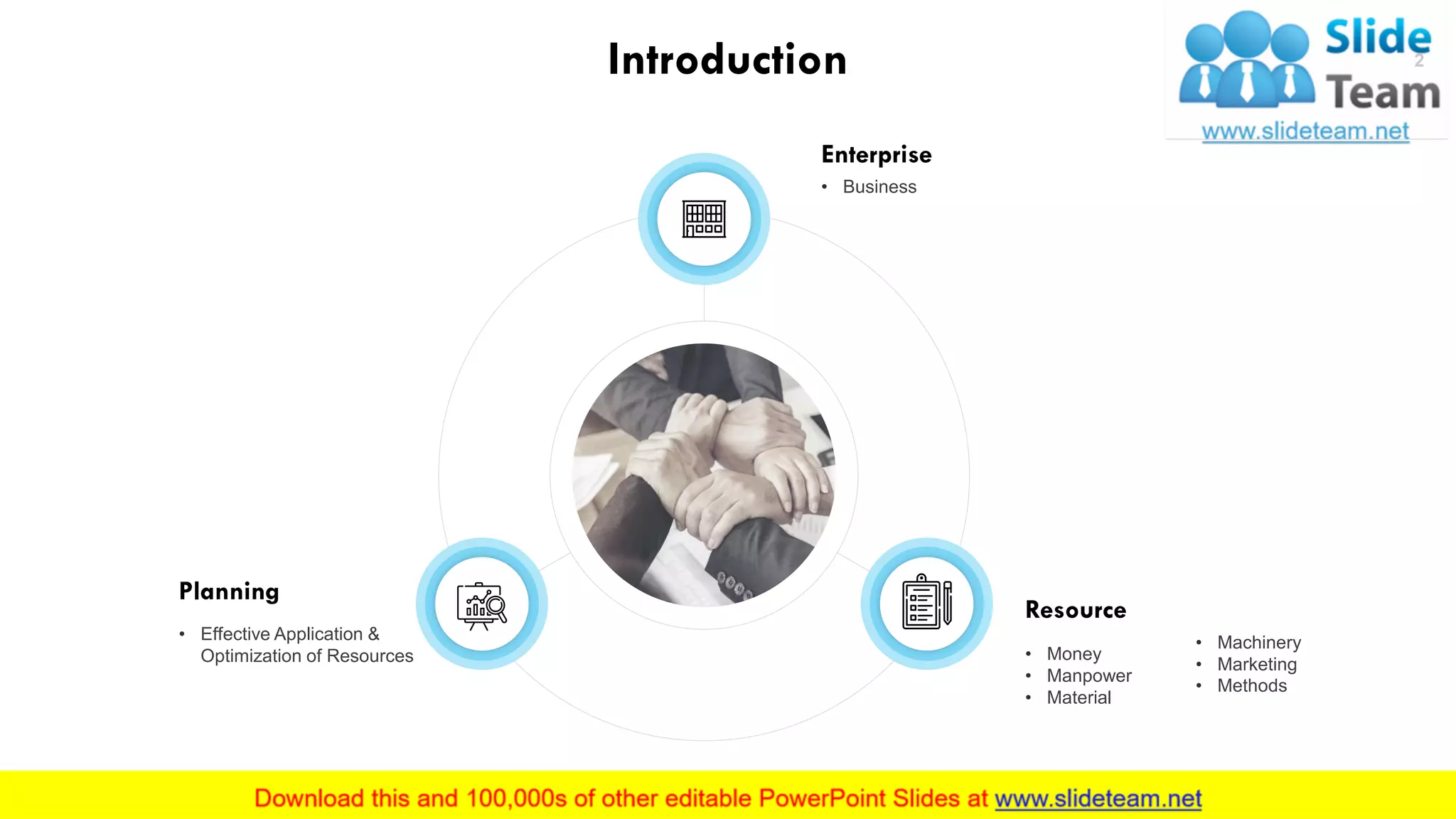
Introduction
Enterprise
• Business
Planning
• Effective Application &
Optimization of Resources
Resource
• Money
• Manpower
• Material
• Machinery
• Marketing
• Methods
This slide is 100% editable. Adapt it to your needs and capture your audience's attention.
2
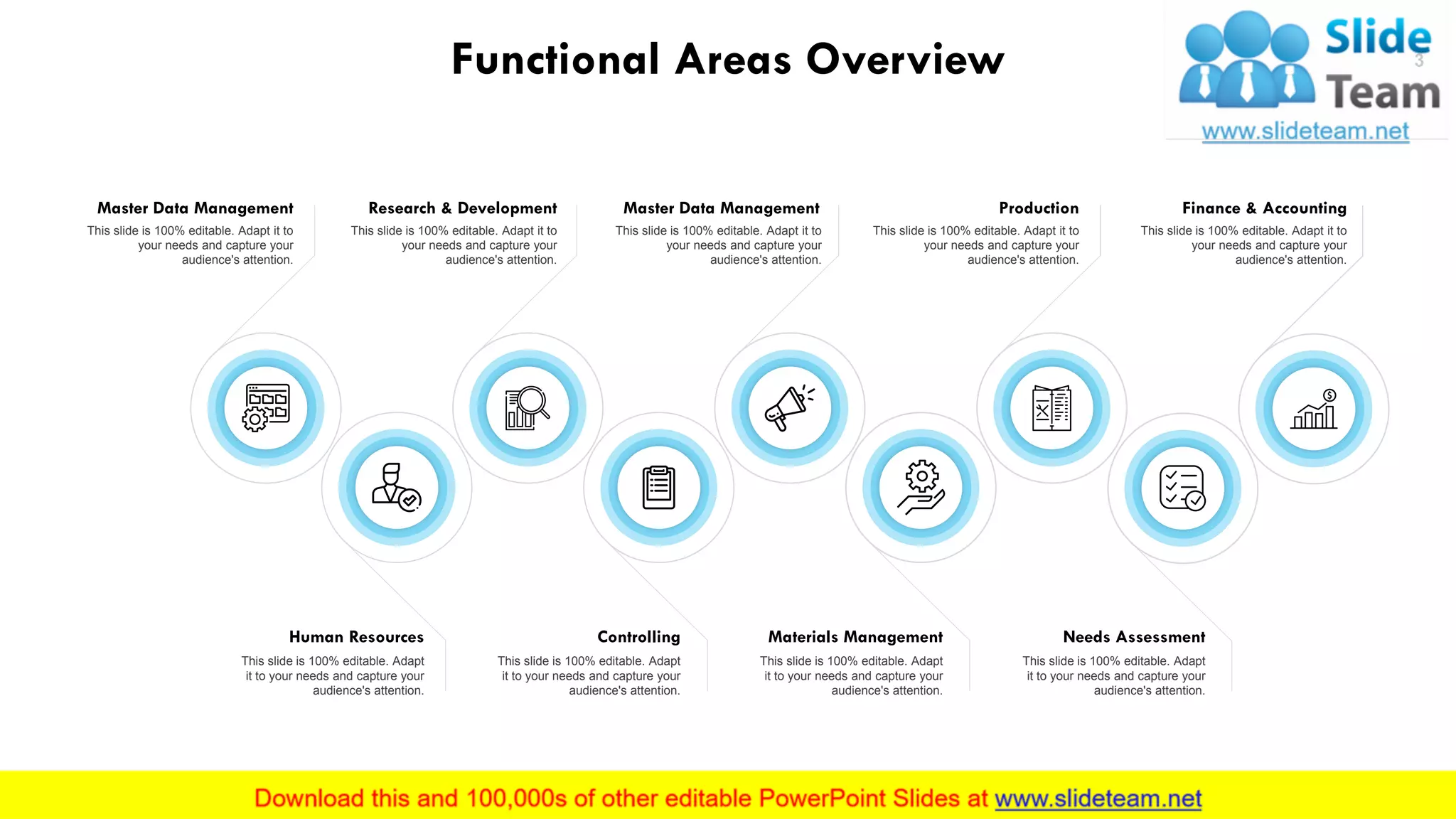
Functional Areas Overview
Master Data Management
This slide is 100% editable. Adapt it to
your needs and capture your
audience's attention.
Human Resources
This slide is 100% editable. Adapt
it to your needs and capture your
audience's attention.
Research & Development
This slide is 100% editable. Adapt it to
your needs and capture your
audience's attention.
Controlling
This slide is 100% editable. Adapt
it to your needs and capture your
audience's attention.
Materials Management
This slide is 100% editable. Adapt
it to your needs and capture your
audience's attention.
Master Data Management Production
This slide is 100% editable. Adapt it to
your needs and capture your
audience's attention.
Needs Assessment
This slide is 100% editable. Adapt
it to your needs and capture your
audience's attention.
Finance & Accounting
This slide is 100% editable. Adapt it to
your needs and capture your
audience's attention.
This slide is 100% editable. Adapt it to
your needs and capture your
audience's attention.
3
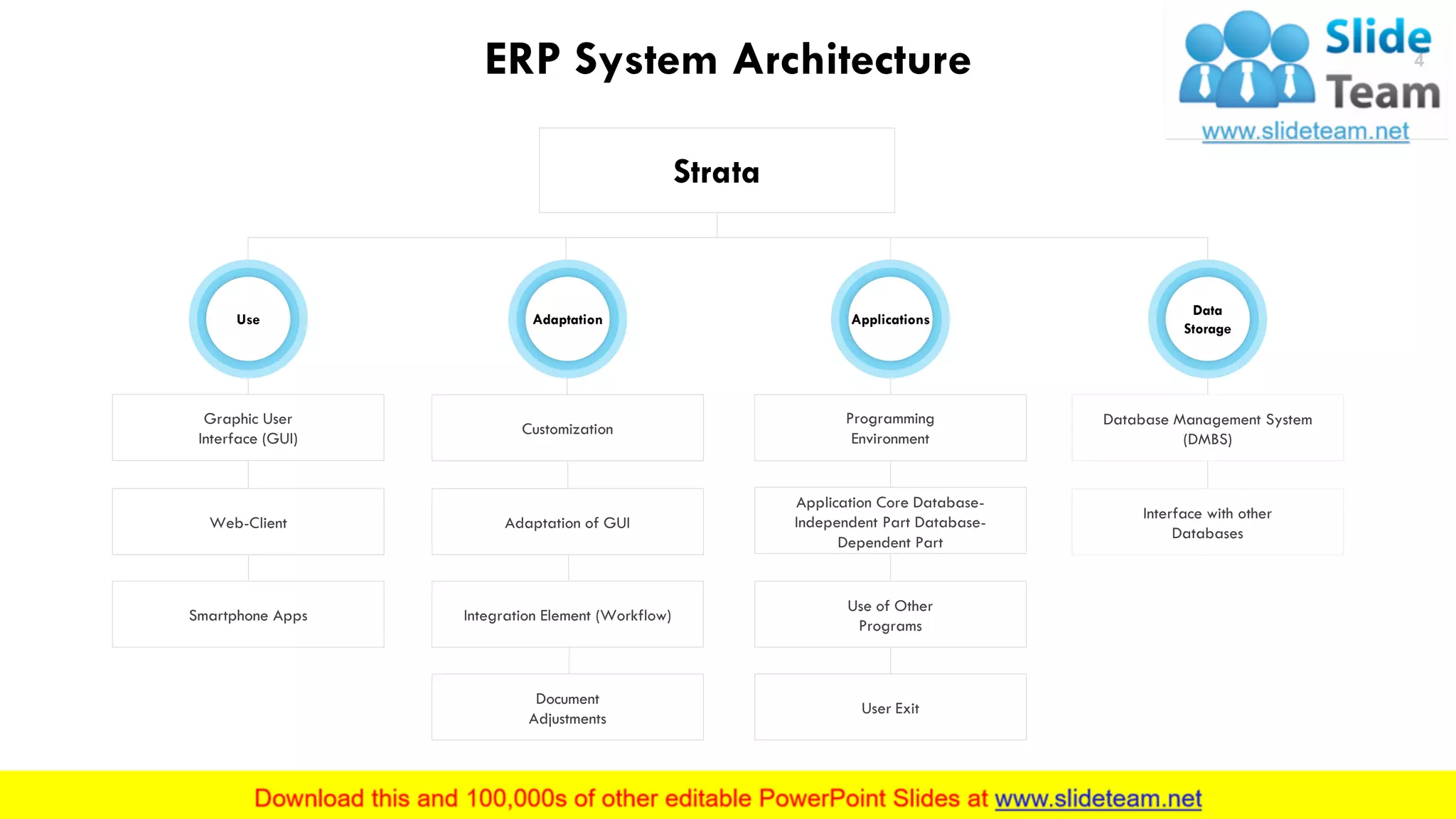
ERP System Architecture
This slide is 100% editable. Adapt it to your needs and capture your audience's attention.
Strata
Use
Graphic User
Interface (GUI)
Web-Client
Smartphone Apps
Customization
Adaptation of GUI
Integration Element (Workflow)
Document
Adjustments
Database Management System
(DMBS)
Interface with other
Databases
Programming
Environment
Application Core Database-
Independent Part Database-
Dependent Part
Use of Other
Programs
User Exit
Adaptation
Data
Storage
Applications
4
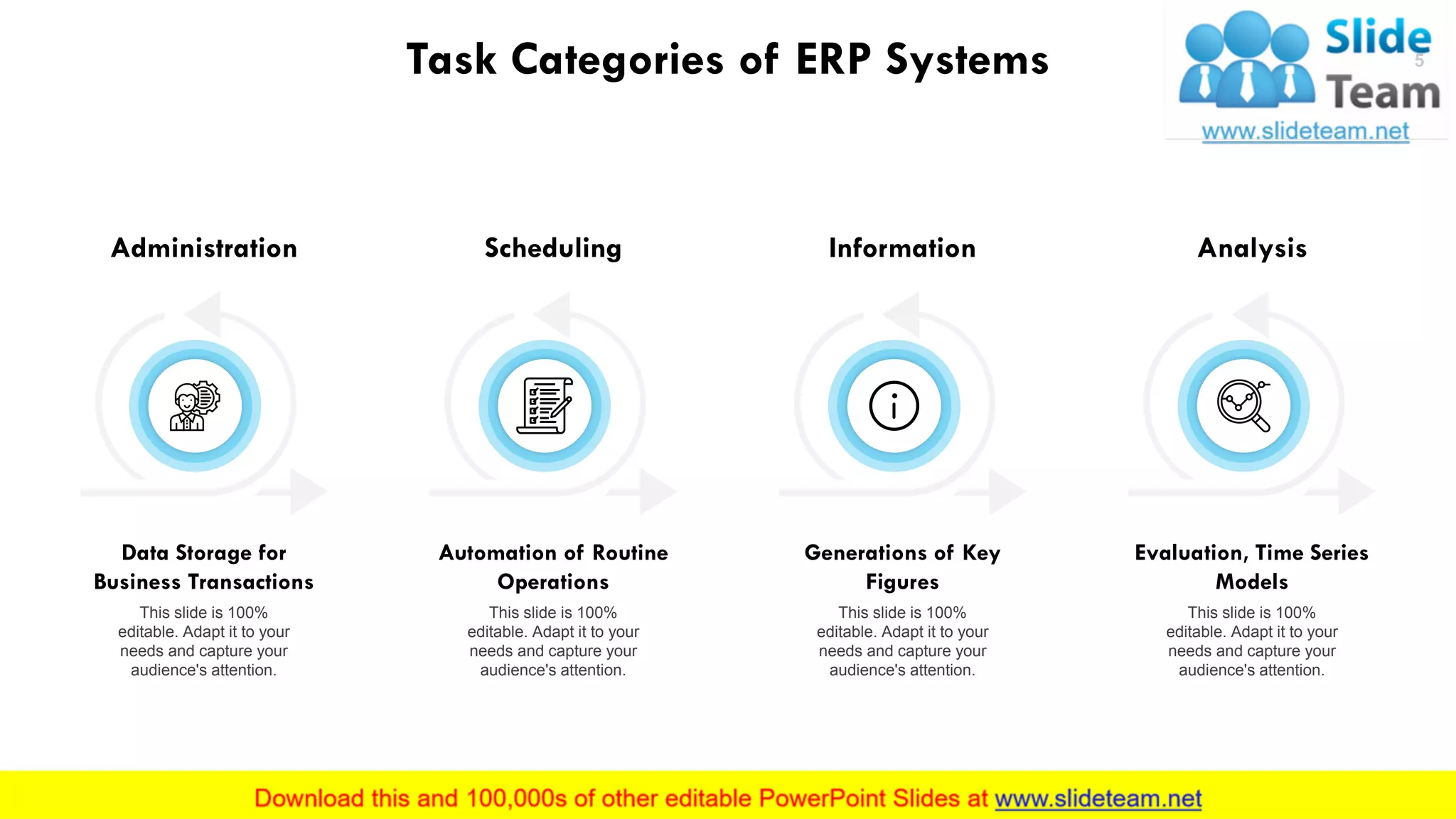
Task Categories of ERP Systems
Administration
Data Storage for
Business Transactions
This slide is 100%
editable. Adapt it to your
needs and capture your
audience's attention.
Scheduling
Automation of Routine
Operations
This slide is 100%
editable. Adapt it to your
needs and capture your
audience's attention.
Information
Generations of Key
Figures
This slide is 100%
editable. Adapt it to your
needs and capture your
audience's attention.
Analysis
Evaluation, Time Series
Models
This slide is 100%
editable. Adapt it to your
needs and capture your
audience's attention.
5
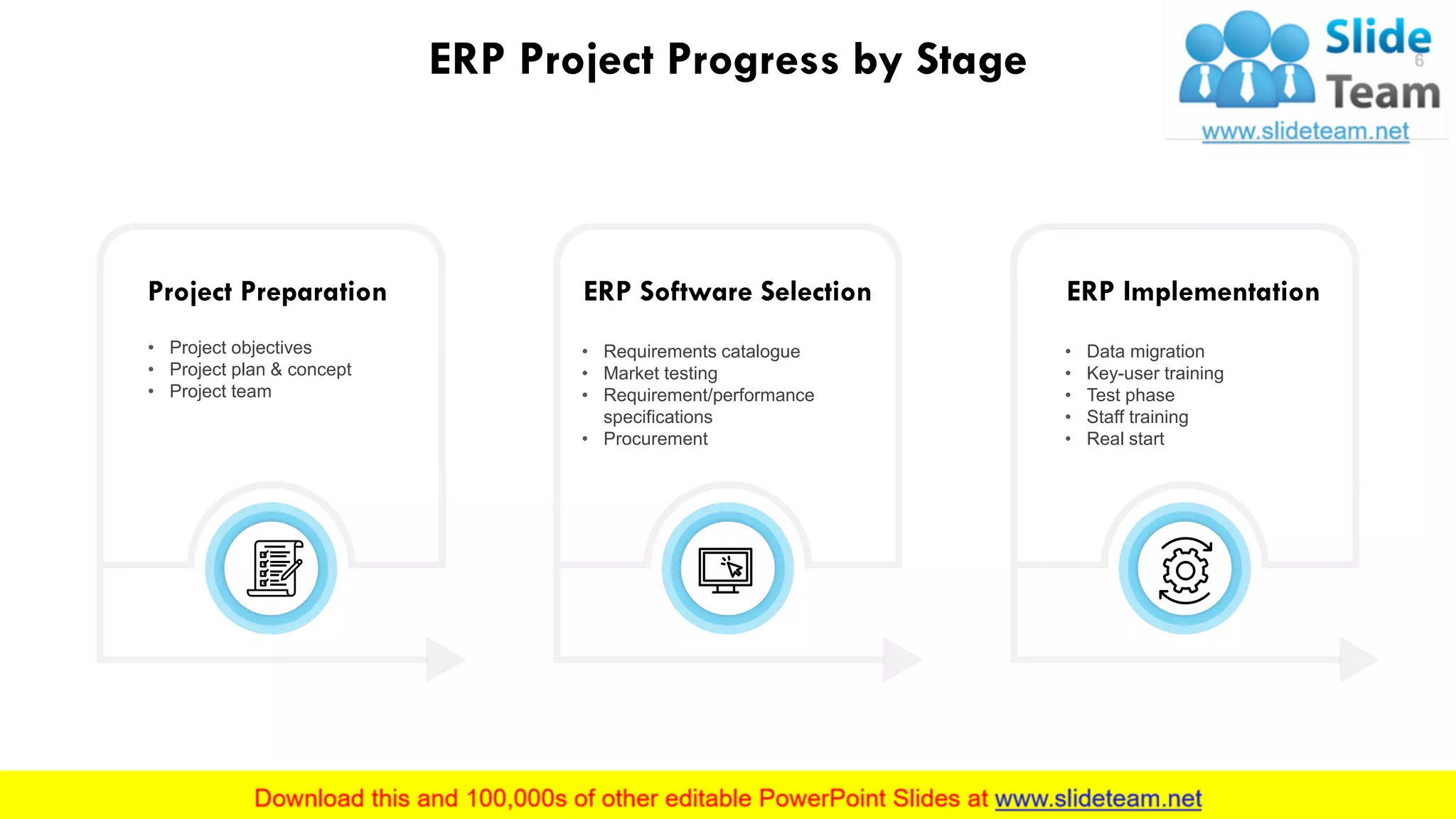
ERP Project Progress by Stage
Project Preparation
• Project objectives
• Project plan & concept
• Project team
ERP Software Selection
• Requirements catalogue
• Market testing
• Requirement/performance
specifications
• Procurement
ERP Implementation
• Data migration
• Key-user training
• Test phase
• Staff training
• Real start
This slide is 100% editable. Adapt it to your needs and capture your audience's attention.
6
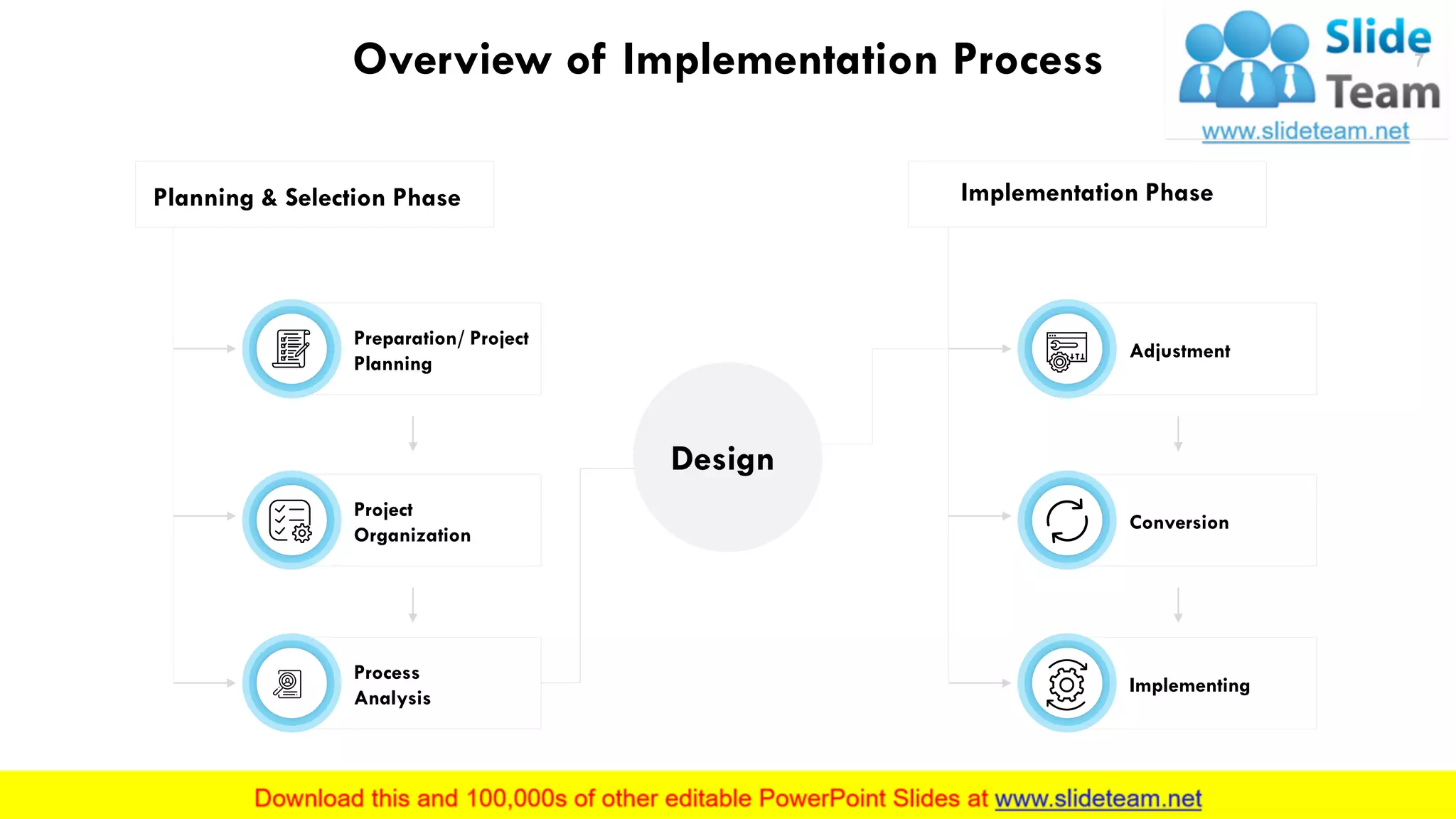
Overview of Implementation Process
Design
Planning & Selection Phase Implementation Phase
Preparation/ Project
Planning
Project
Organization
Process
Analysis
Adjustment
Conversion
Implementing
This slide is 100% editable. Adapt it to your needs and capture your audience's attention.
7
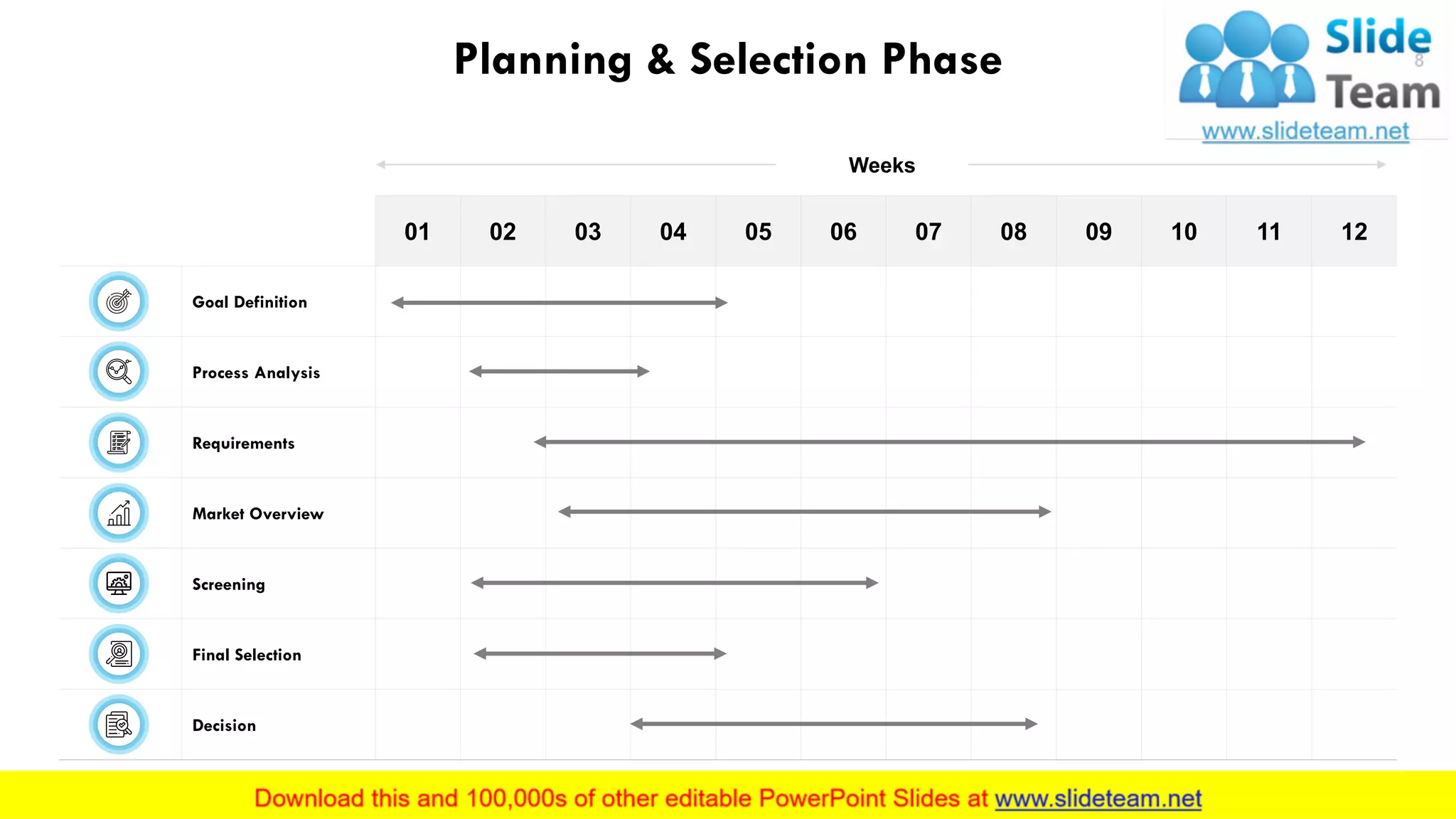
Planning & Selection Phase
01 02 03 04 05 06 07 08 09 10 11 12
Goal Definition
Process Analysis
Requirements
Market Overview
Screening
Final Selection
Decision
This slide is 100% editable. Adapt it to your needs and capture your audience's attention.
8
Weeks
This slide is 100% editable. Adapt it to your needs and capture your audience's attention.
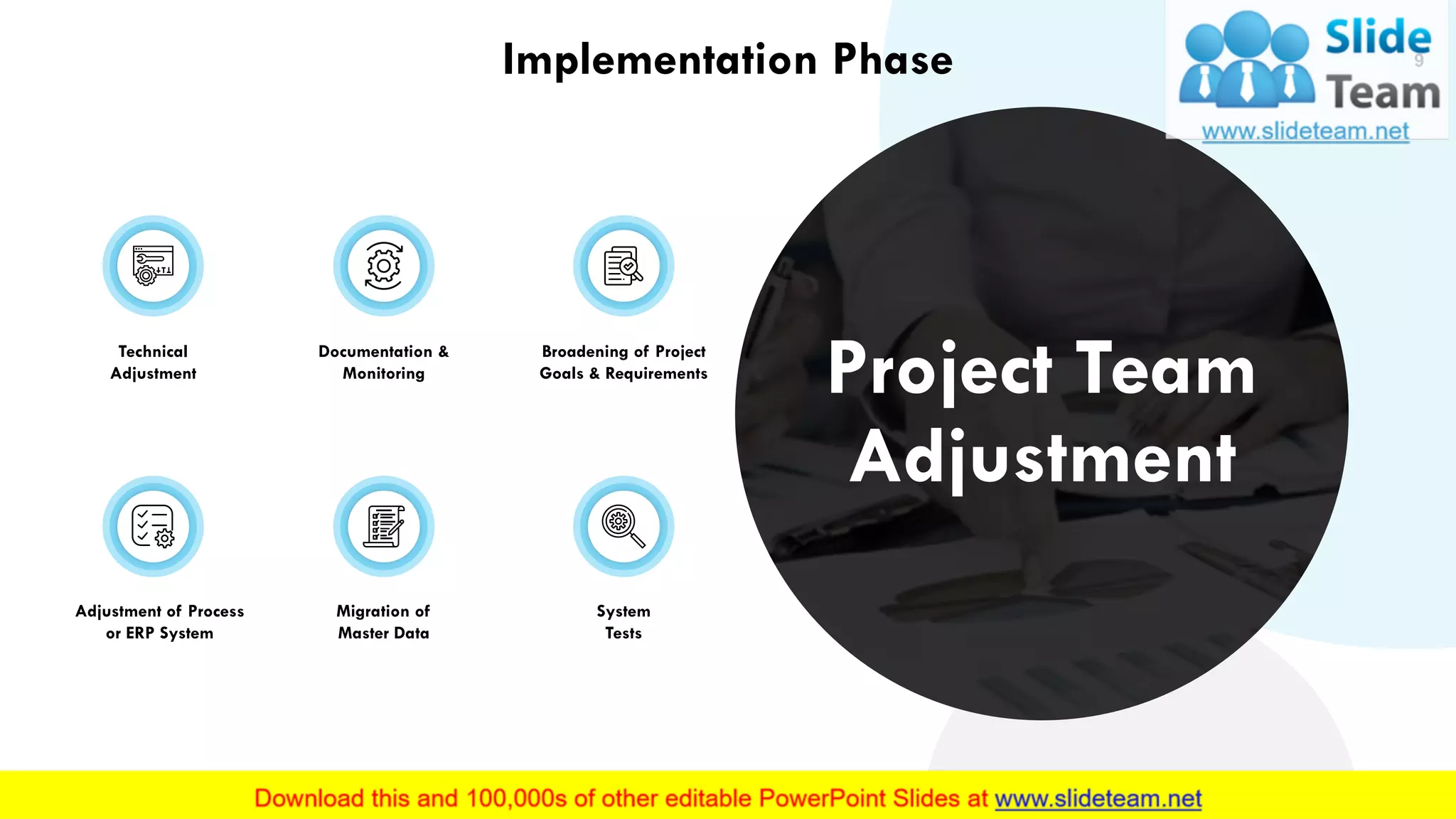
Technical
Adjustment
Adjustment of Process
or ERP System
Documentation &
Monitoring
Migration of
Master Data
Broadening of Project
Goals & Requirements
System
Tests
9
Project Team
Adjustment
Implementation Phase
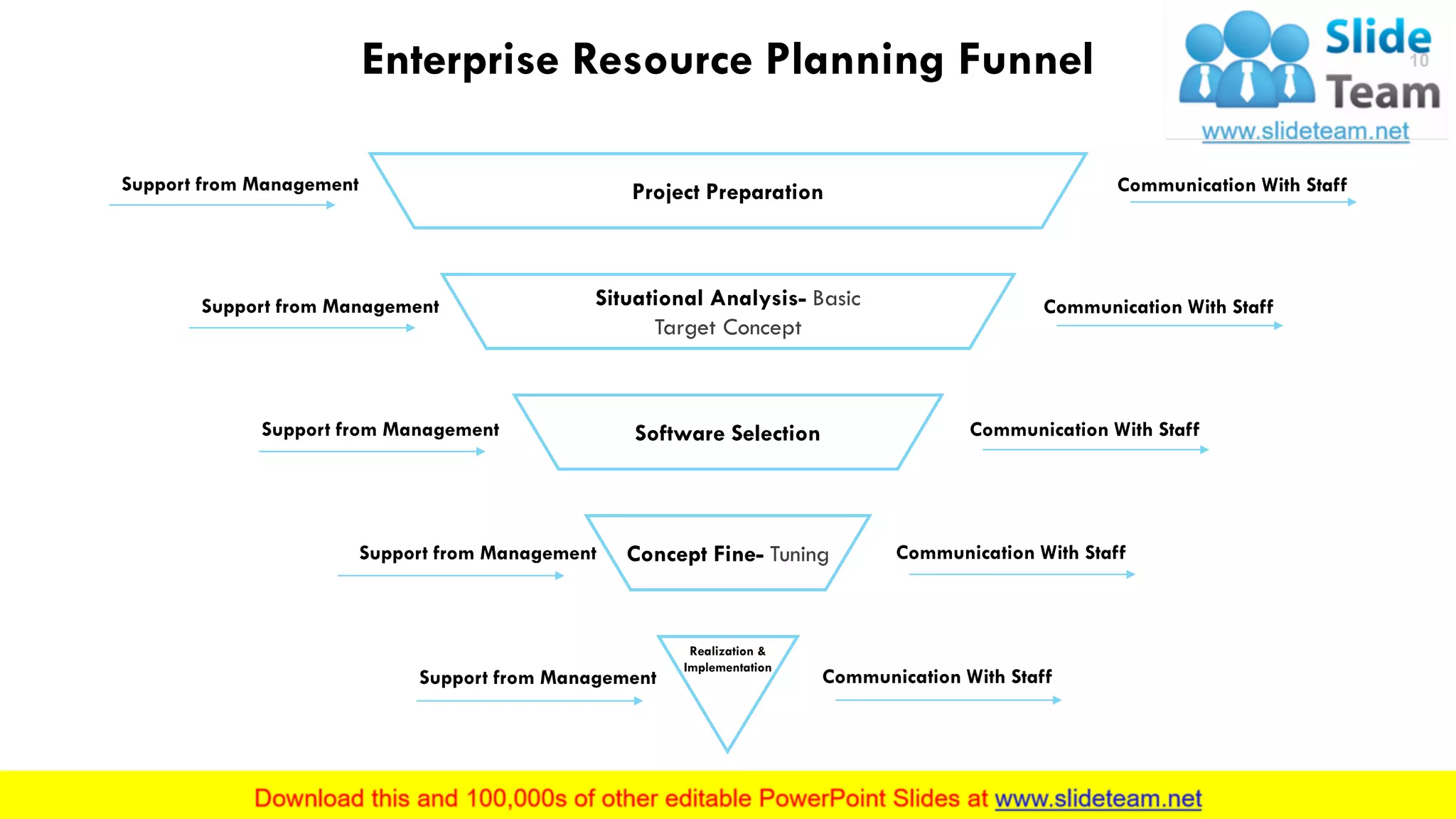
Enterprise Resource Planning Funnel
Project Preparation
Situational Analysis- Basic
Target Concept
Software Selection
Concept Fine- Tuning
Realization &
Implementation
Communication With Staff
Support from Management
This slide is 100% editable. Adapt it to your needs and capture your audience's attention.
10
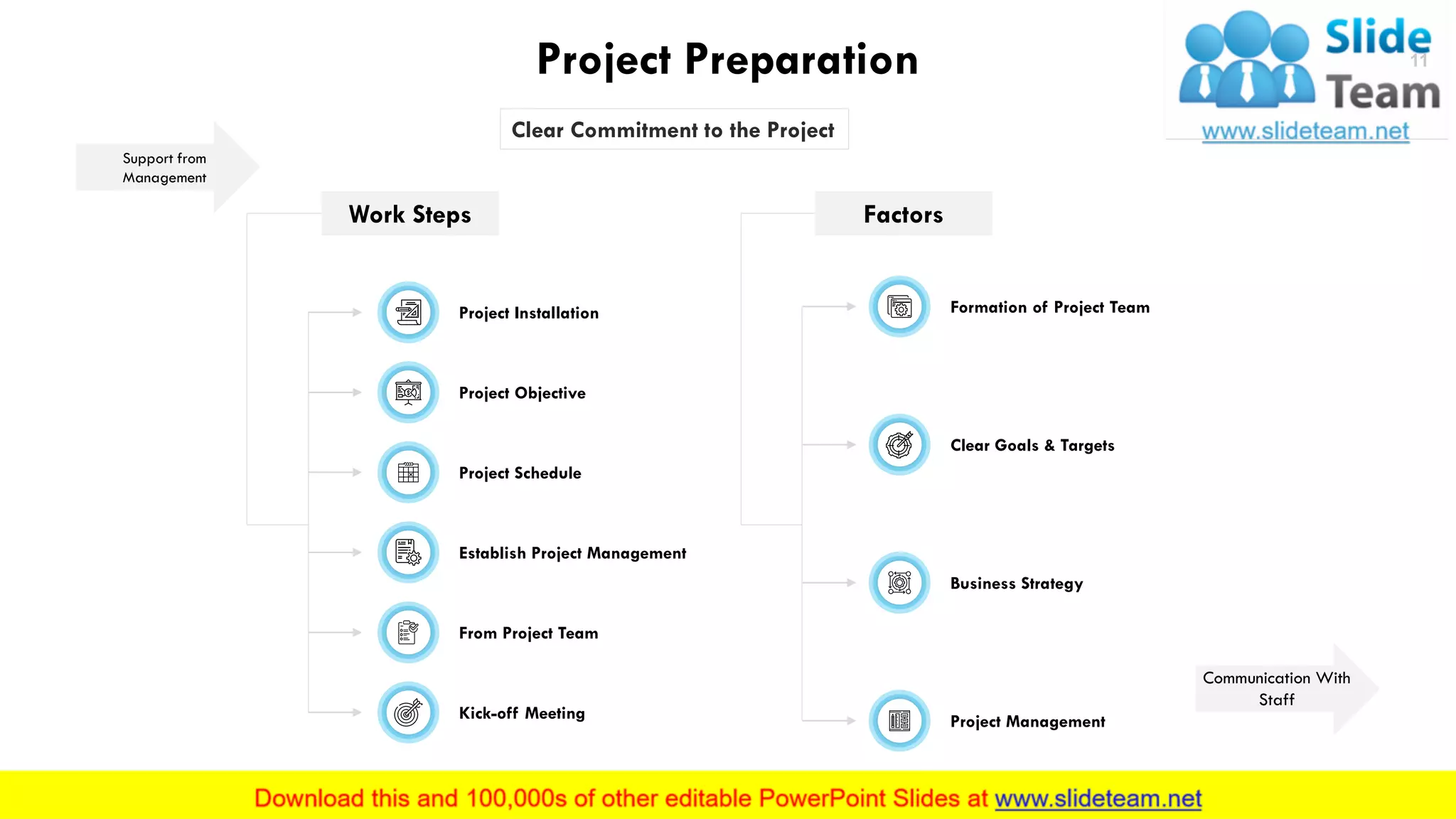
Project Preparation
Support from
Management
Clear Commitment to the Project
Work Steps Factors
Project Installation
Project Objective
Project Schedule
Establish Project Management
From Project Team
Kick-off Meeting
Formation of Project Team
Clear Goals & Targets
Business Strategy
Project Management
This slide is 100% editable. Adapt it to your needs and capture your audience's attention.
11
Communication With
Staff
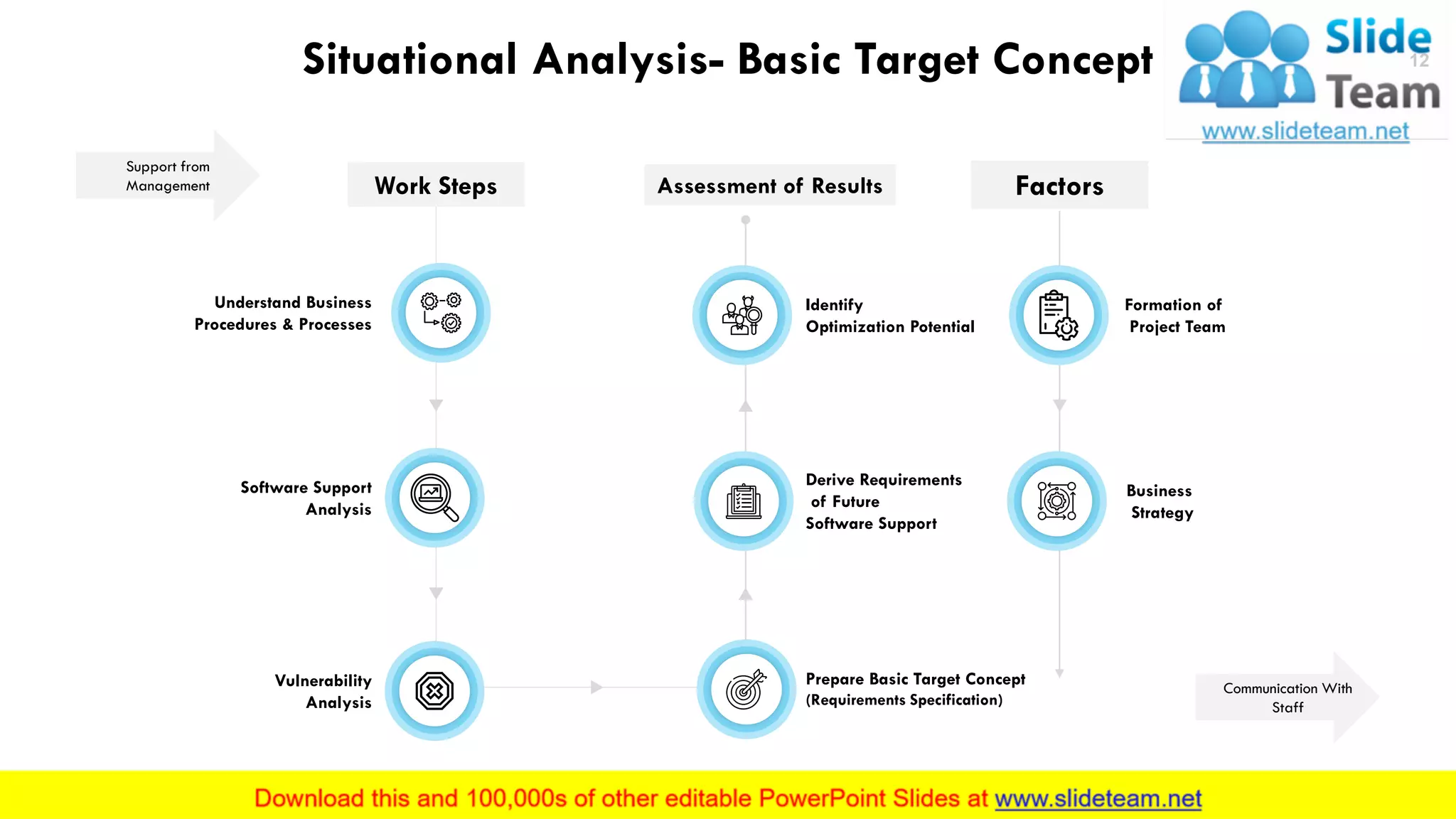
Situational Analysis- Basic Target Concept
Support from
Management
Communication With
Staff
Work Steps
Understand Business
Procedures & Processes
Software Support
Analysis
Vulnerability
Analysis
Assessment of Results
Identify
Optimization Potential
Derive Requirements
of Future
Software Support
Prepare Basic Target Concept
(Requirements Specification)
Factors
Formation of
Project Team
Business
Strategy
This slide is 100% editable. Adapt it to your needs and capture your audience's attention.
12
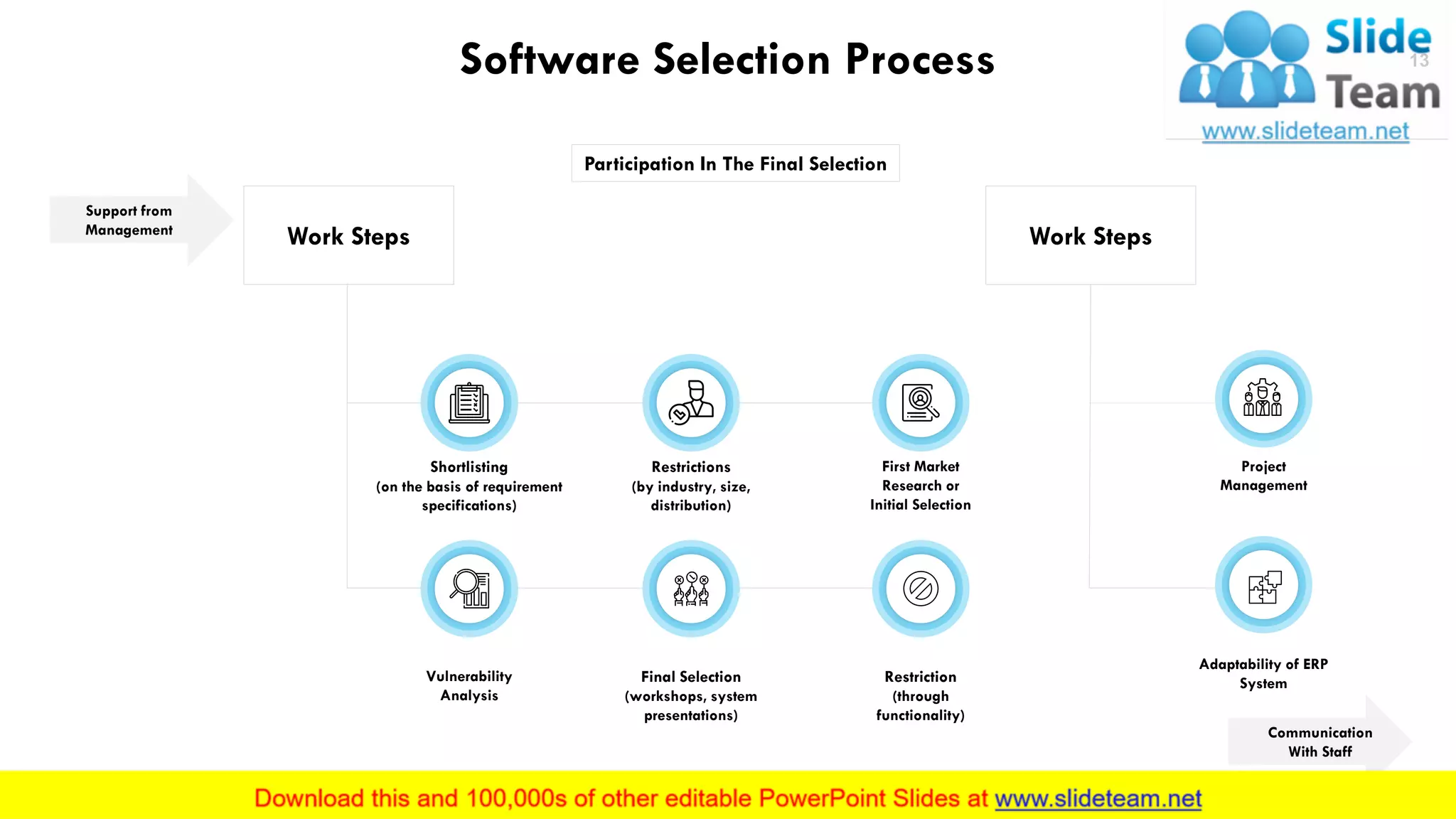
Software Selection Process
Participation In The Final Selection
Support from
Management
Work Steps
First Market
Research or
Initial Selection
Restrictions
(by industry, size,
distribution)
Shortlisting
(on the basis of requirement
specifications)
Restriction
(through
functionality)
Final Selection
(workshops, system
presentations)
Vulnerability
Analysis
This slide is 100% editable. Adapt it to your needs and capture your audience's attention.
13
Communication
With Staff
Work Steps
Adaptability of ERP
System
Project
Management
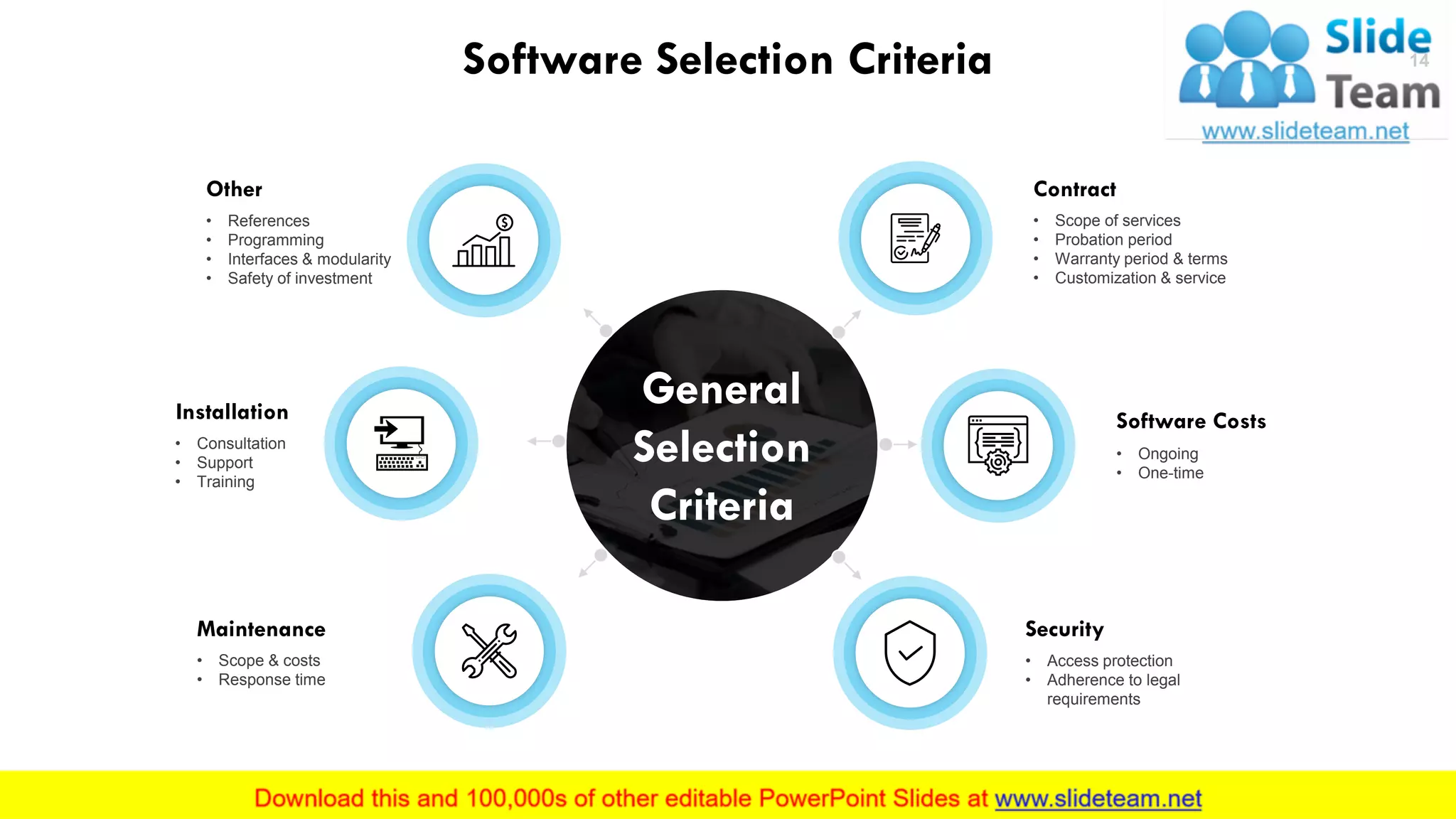
14Software Selection Criteria
Contract
• Scope of services
• Probation period
• Warranty period & terms
• Customization & service
Software Costs
• Ongoing
• One-time
Security
• Access protection
• Adherence to legal
requirements
Other
• References
• Programming
• Interfaces & modularity
• Safety of investment
Installation
• Consultation
• Support
• Training
Maintenance
• Scope & costs
• Response time
This slide is 100% editable. Adapt it to your needs and capture your audience's attention.
General
Selection
Criteria
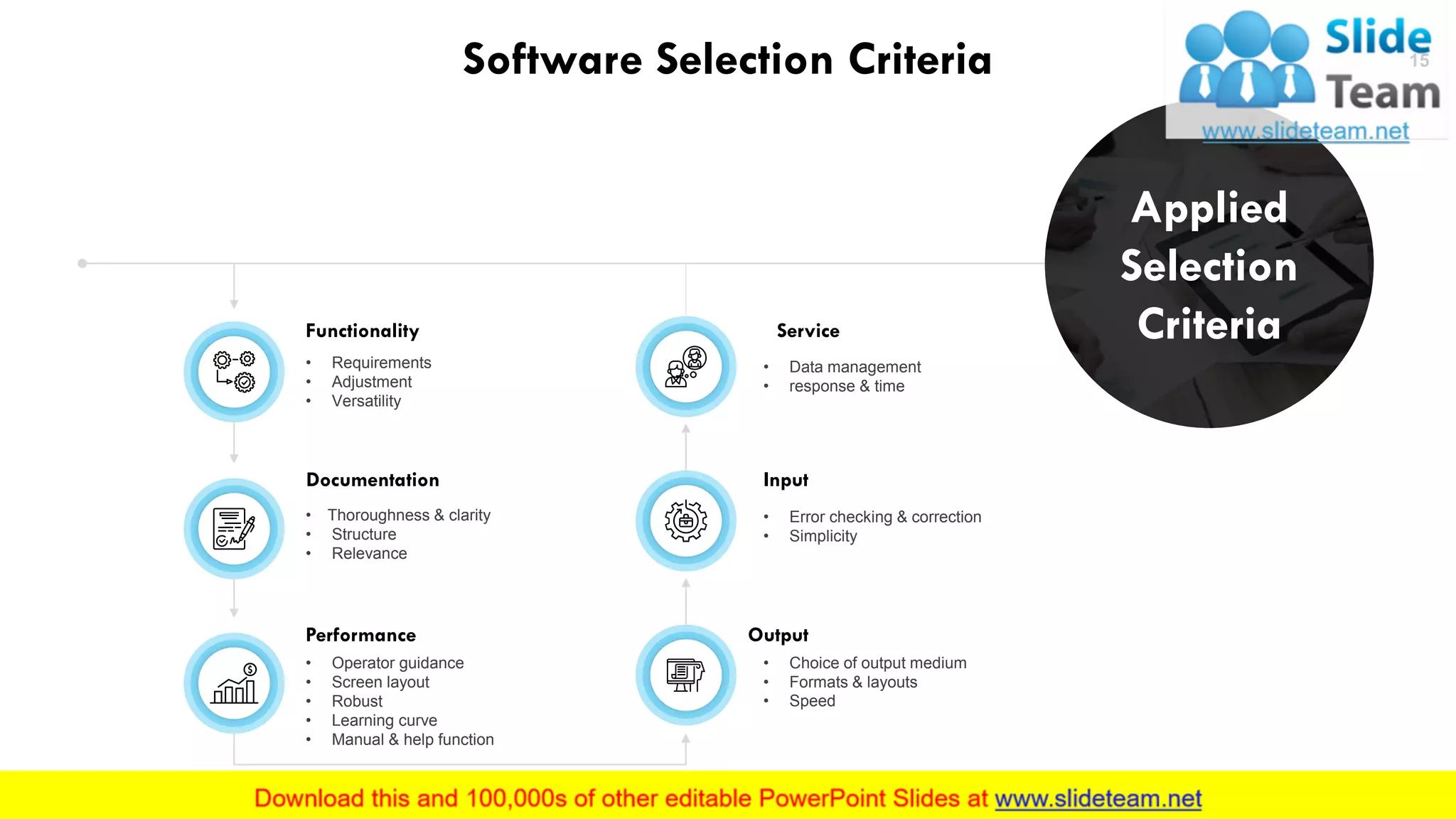
15Software Selection Criteria
Functionality
• Requirements
• Adjustment
• Versatility
Documentation
• Thoroughness & clarity
• Structure
• Relevance
Input
• Error checking & correction
• Simplicity
Performance
• Operator guidance
• Screen layout
• Robust
• Learning curve
• Manual & help function
Output
• Choice of output medium
• Formats & layouts
• Speed
Service
• Data management
• response & time
This slide is 100% editable. Adapt it to your needs and capture your audience's attention.
Applied
Selection
Criteria
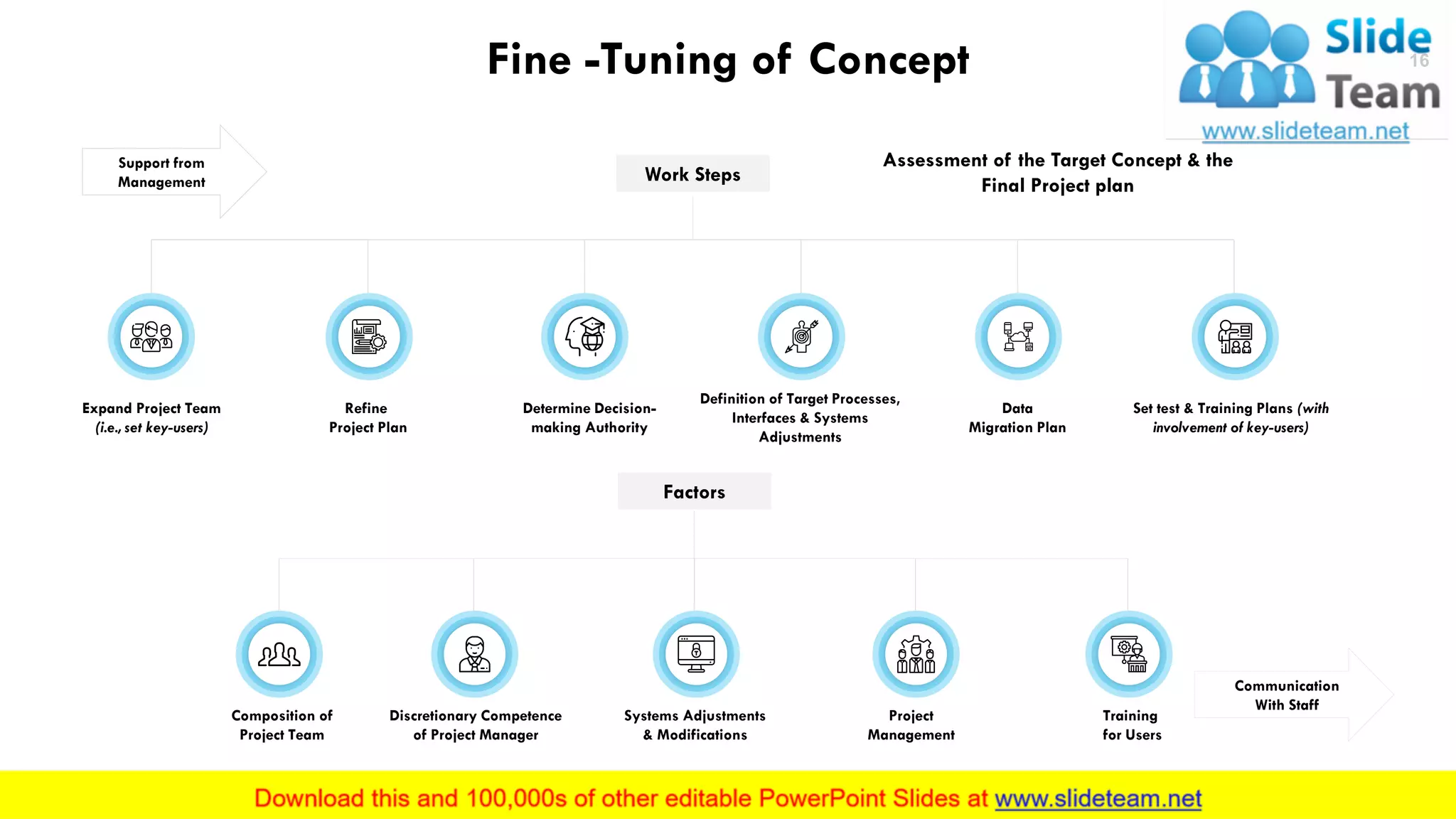
Fine -Tuning of Concept
Assessment of the Target Concept & the
Final Project plan
Support from
Management
Communication
With Staff
Work Steps
Expand Project Team
(i.e., set key-users)
Refine
Project Plan
Determine Decision-
making Authority
Definition of Target Processes,
Interfaces & Systems
Adjustments
Data
Migration Plan
Set test & Training Plans (with
involvement of key-users)
Factors
Composition of
Project Team
Discretionary Competence
of Project Manager
Systems Adjustments
& Modifications
Project
Management
Training
for Users
This slide is 100% editable. Adapt it to your needs and capture your audience's attention.
16
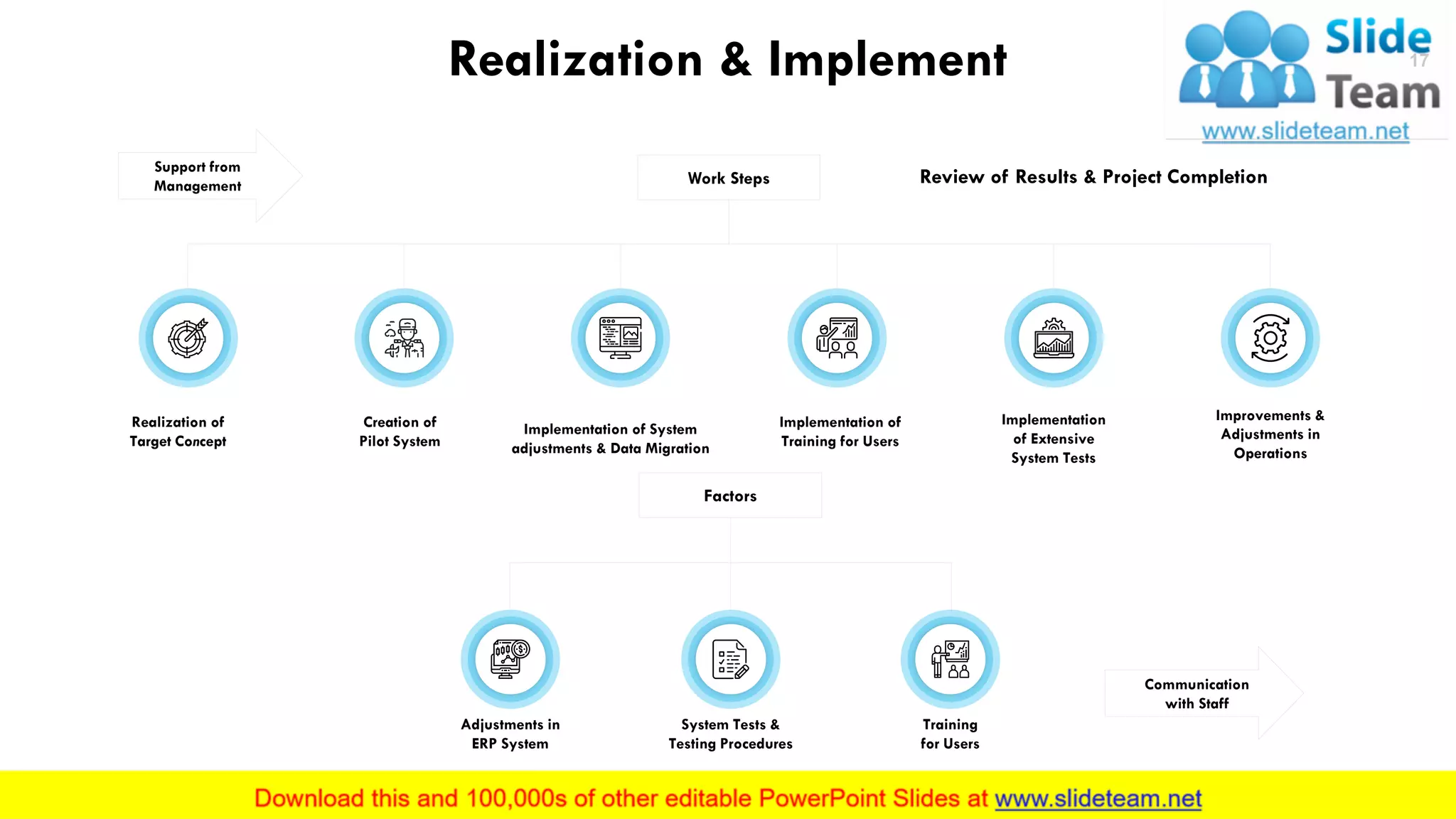
Realization & Implement
Review of Results & Project Completion
Support from
Management Work Steps
Realization of
Target Concept
Creation of
Pilot System
Implementation of System
adjustments & Data Migration
Implementation of
Training for Users
Implementation
of Extensive
System Tests
Improvements &
Adjustments in
Operations
Communication
with Staff
Factors
Adjustments in
ERP System
System Tests &
Testing Procedures
Training
for Users
This slide is 100% editable. Adapt it to your needs and capture your audience's attention.
17
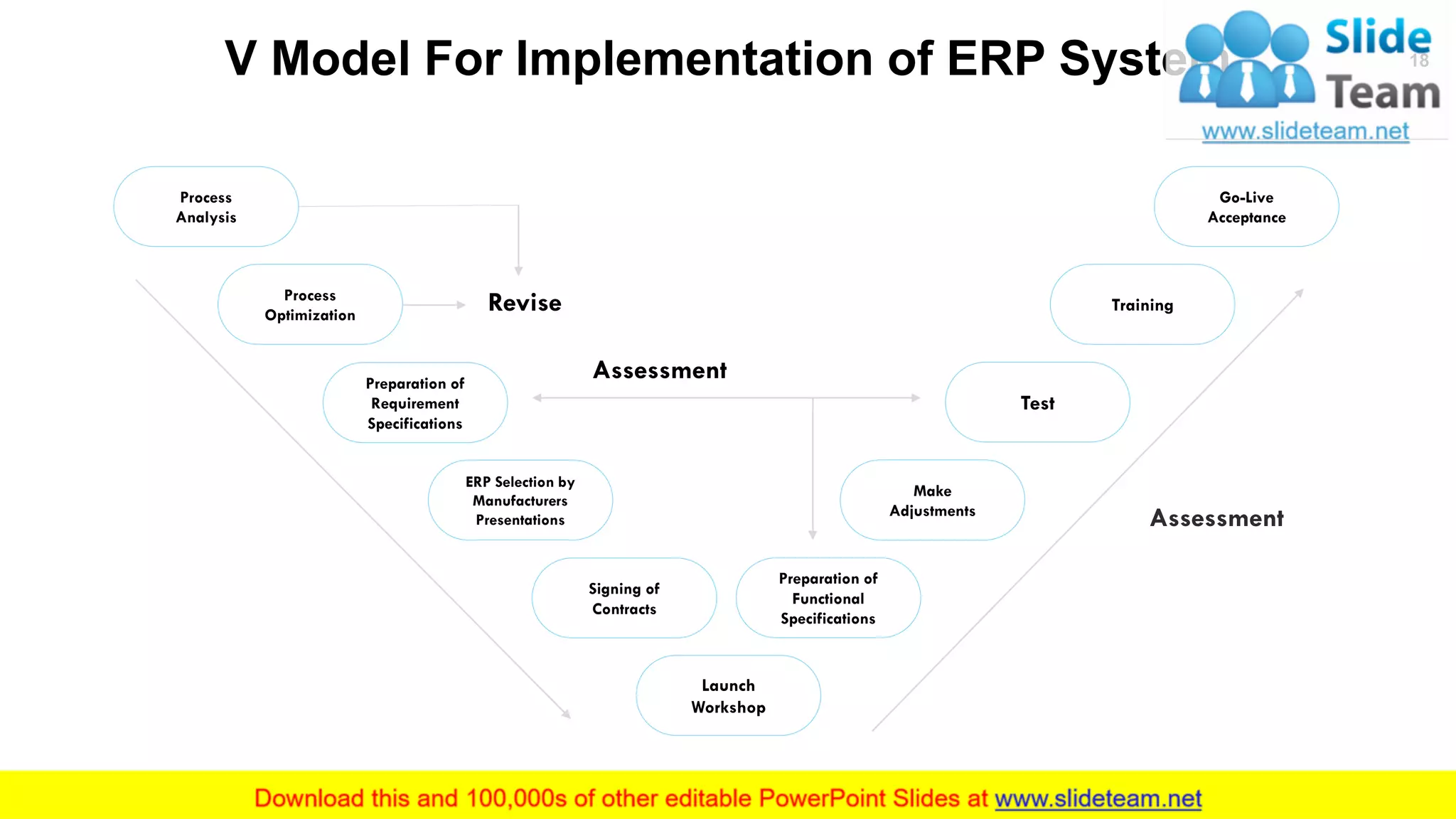
V Model For Implementation of ERP System
Process
Analysis
Process
Optimization
Signing of
Contracts
Launch
Workshop
Training
Make
Adjustments
Test
Go-Live
Acceptance
Assessment
Revise
Assessment
This slide is 100% editable. Adapt it to your needs and capture your audience's attention.
ERP Selection by
Manufacturers
Presentations
Preparation of
Requirement
Specifications
Preparation of
Functional
Specifications
18
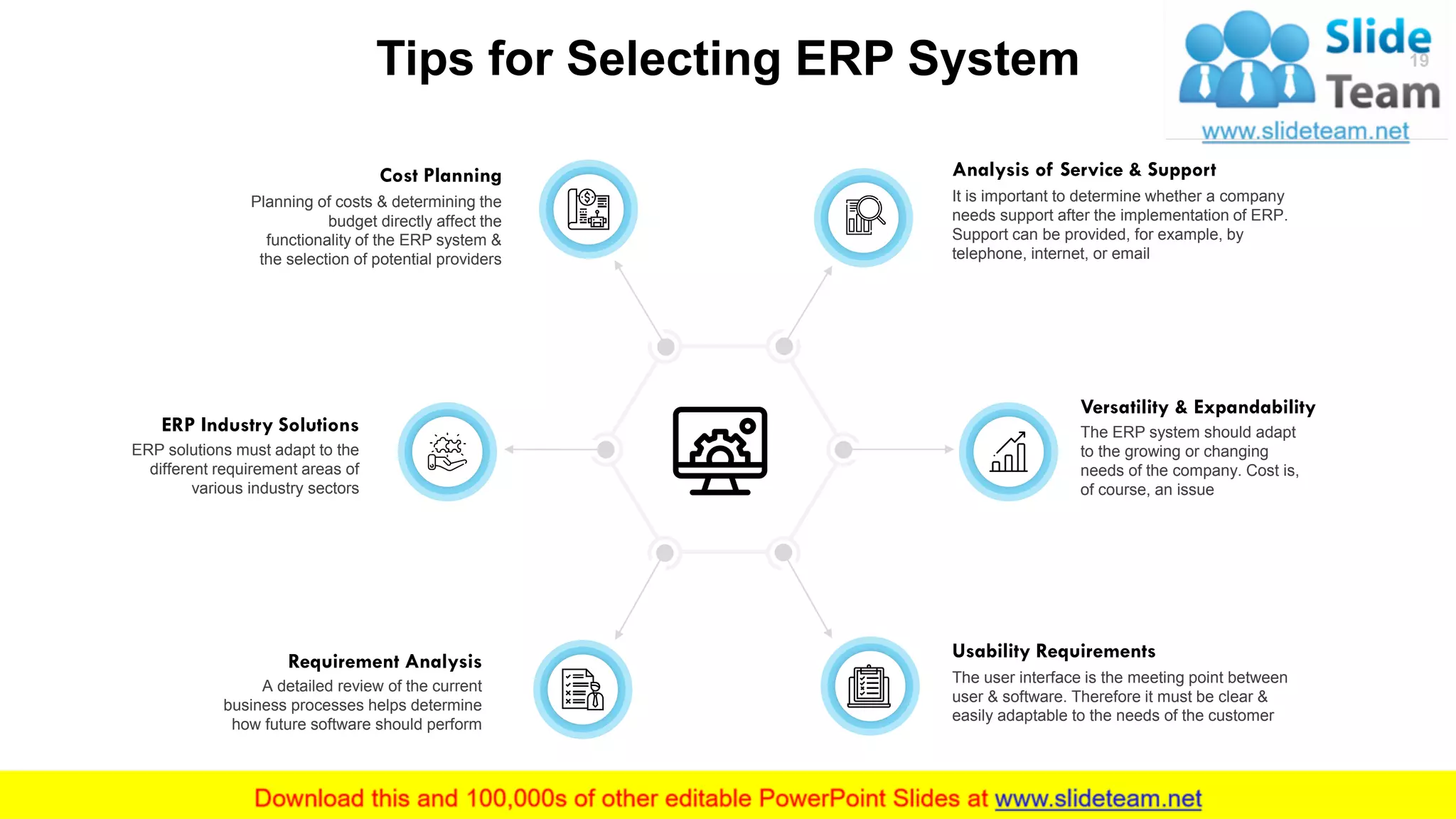
Tips for Selecting ERP System
This slide is 100% editable. Adapt it to your needs and capture your audience's attention.
It is important to determine whether a company
needs support after the implementation of ERP.
Support can be provided, for example, by
telephone, internet, or email
Analysis of Service & Support
The ERP system should adapt
to the growing or changing
needs of the company. Cost is,
of course, an issue
Versatility & Expandability
Usability Requirements
The user interface is the meeting point between
user & software. Therefore it must be clear &
easily adaptable to the needs of the customer
Planning of costs & determining the
budget directly affect the
functionality of the ERP system &
the selection of potential providers
Cost Planning
ERP solutions must adapt to the
different requirement areas of
various industry sectors
ERP Industry Solutions
A detailed review of the current
business processes helps determine
how future software should perform
Requirement Analysis
19
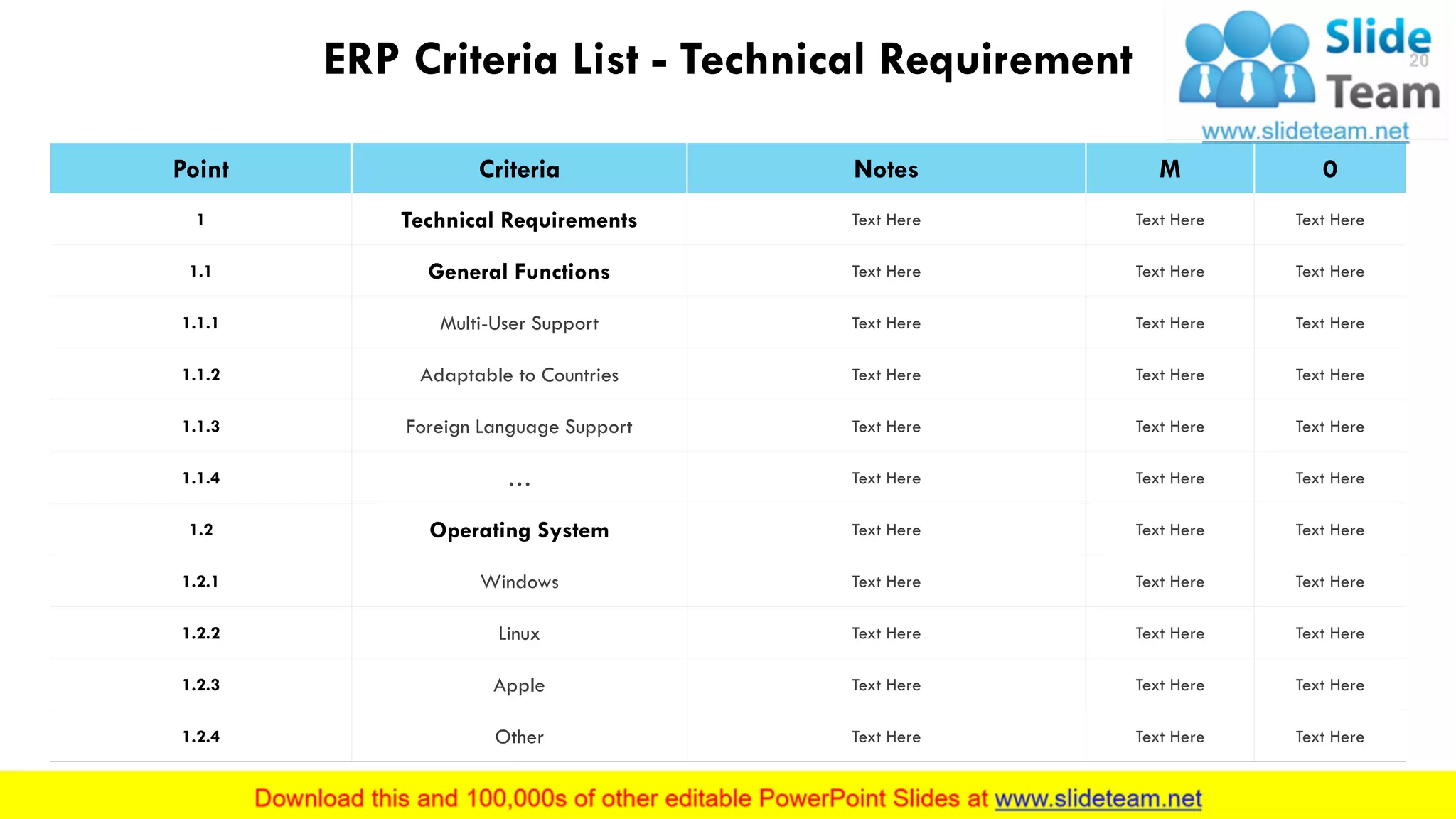
ERP Criteria List - Technical Requirement
Point Criteria Notes M 0
1 Technical Requirements Text Here Text Here Text Here
1.1 General Functions Text Here Text Here Text Here
1.1.1 Multi-User Support Text Here Text Here Text Here
1.1.2 Adaptable to Countries Text Here Text Here Text Here
1.1.3 Foreign Language Support Text Here Text Here Text Here
1.1.4 … Text Here Text Here Text Here
1.2 Operating System Text Here Text Here Text Here
1.2.1 Windows Text Here Text Here Text Here
1.2.2 Linux Text Here Text Here Text Here
1.2.3 Apple Text Here Text Here Text Here
1.2.4 Other Text Here Text Here Text Here
This slide is 100% editable. Adapt it to your needs and capture your audience's attention.
20
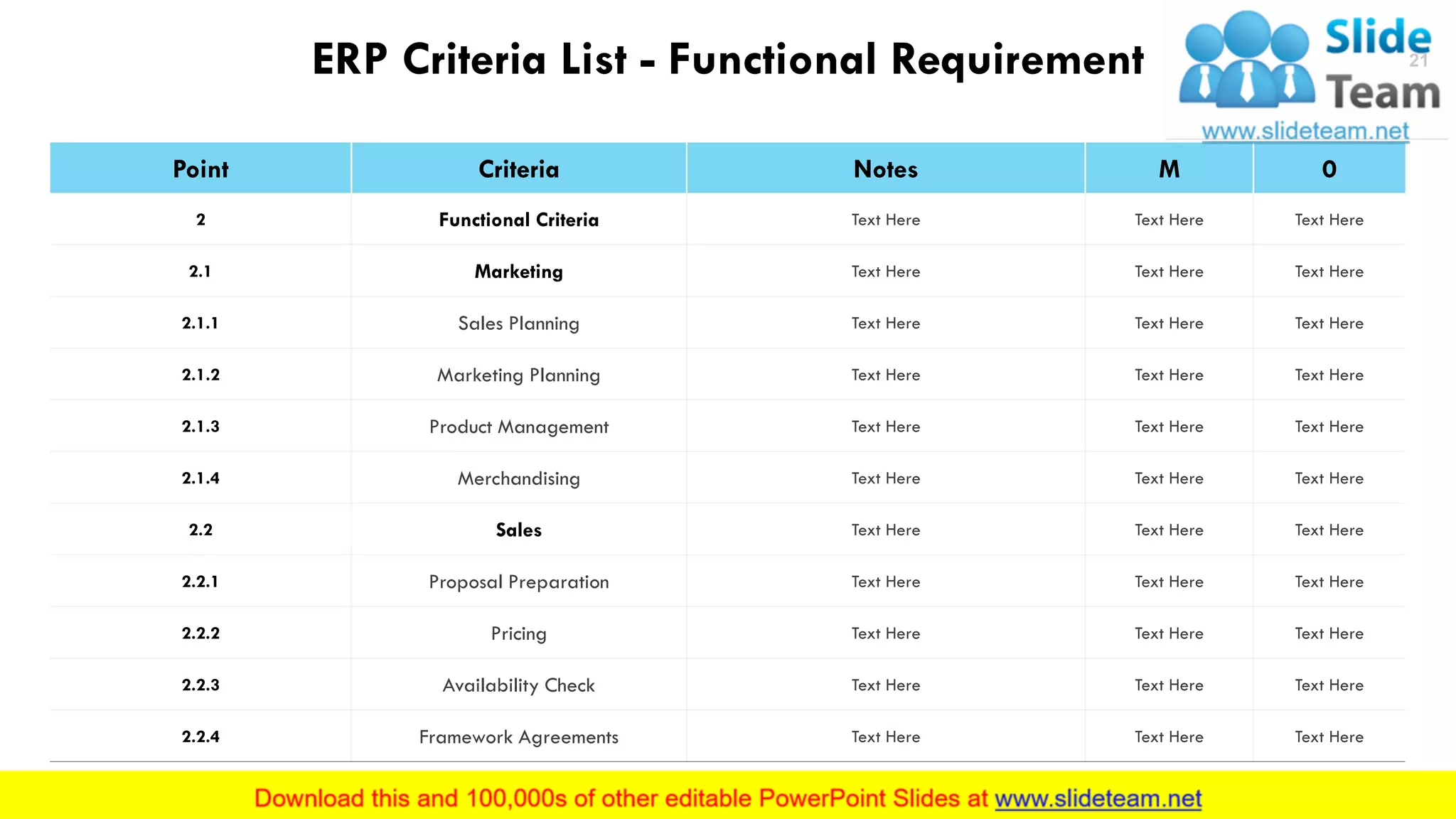
ERP Criteria List - Functional Requirement
Point Criteria Notes M 0
2 Functional Criteria Text Here Text Here Text Here
2.1 Marketing Text Here Text Here Text Here
2.1.1 Sales Planning Text Here Text Here Text Here
2.1.2 Marketing Planning Text Here Text Here Text Here
2.1.3 Product Management Text Here Text Here Text Here
2.1.4 Merchandising Text Here Text Here Text Here
2.2 Sales Text Here Text Here Text Here
2.2.1 Proposal Preparation Text Here Text Here Text Here
2.2.2 Pricing Text Here Text Here Text Here
2.2.3 Availability Check Text Here Text Here Text Here
2.2.4 Framework Agreements Text Here Text Here Text Here
This slide is 100% editable. Adapt it to your needs and capture your audience's attention.
21
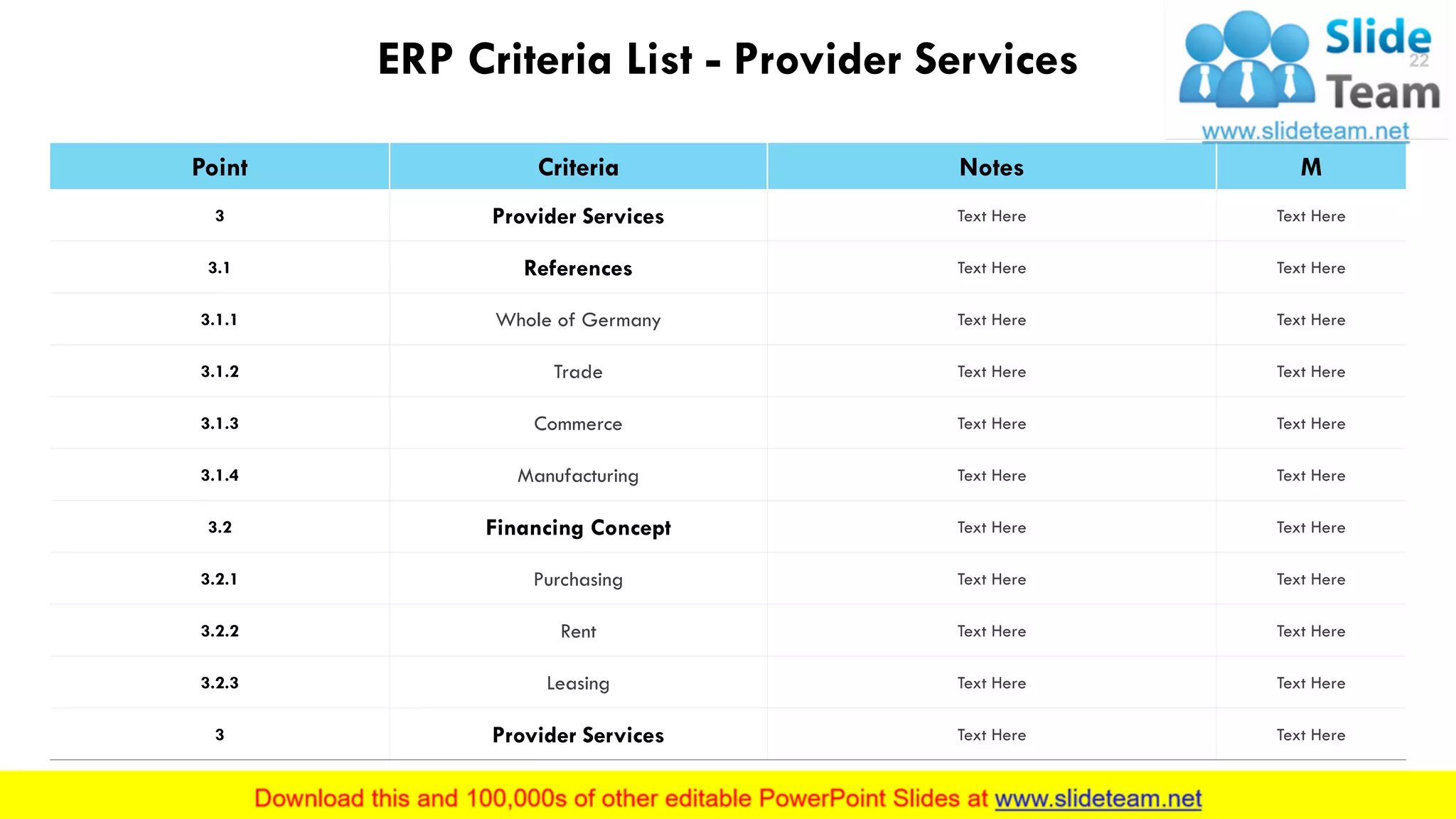
ERP Criteria List - Provider Services
Point Criteria Notes M
3 Provider Services Text Here Text Here
3.1 References Text Here Text Here
3.1.1 Whole of Germany Text Here Text Here
3.1.2 Trade Text Here Text Here
3.1.3 Commerce Text Here Text Here
3.1.4 Manufacturing Text Here Text Here
3.2 Financing Concept Text Here Text Here
3.2.1 Purchasing Text Here Text Here
3.2.2 Rent Text Here Text Here
3.2.3 Leasing Text Here Text Here
3 Provider Services Text Here Text Here
This slide is 100% editable. Adapt it to your needs and capture your audience's attention.
22
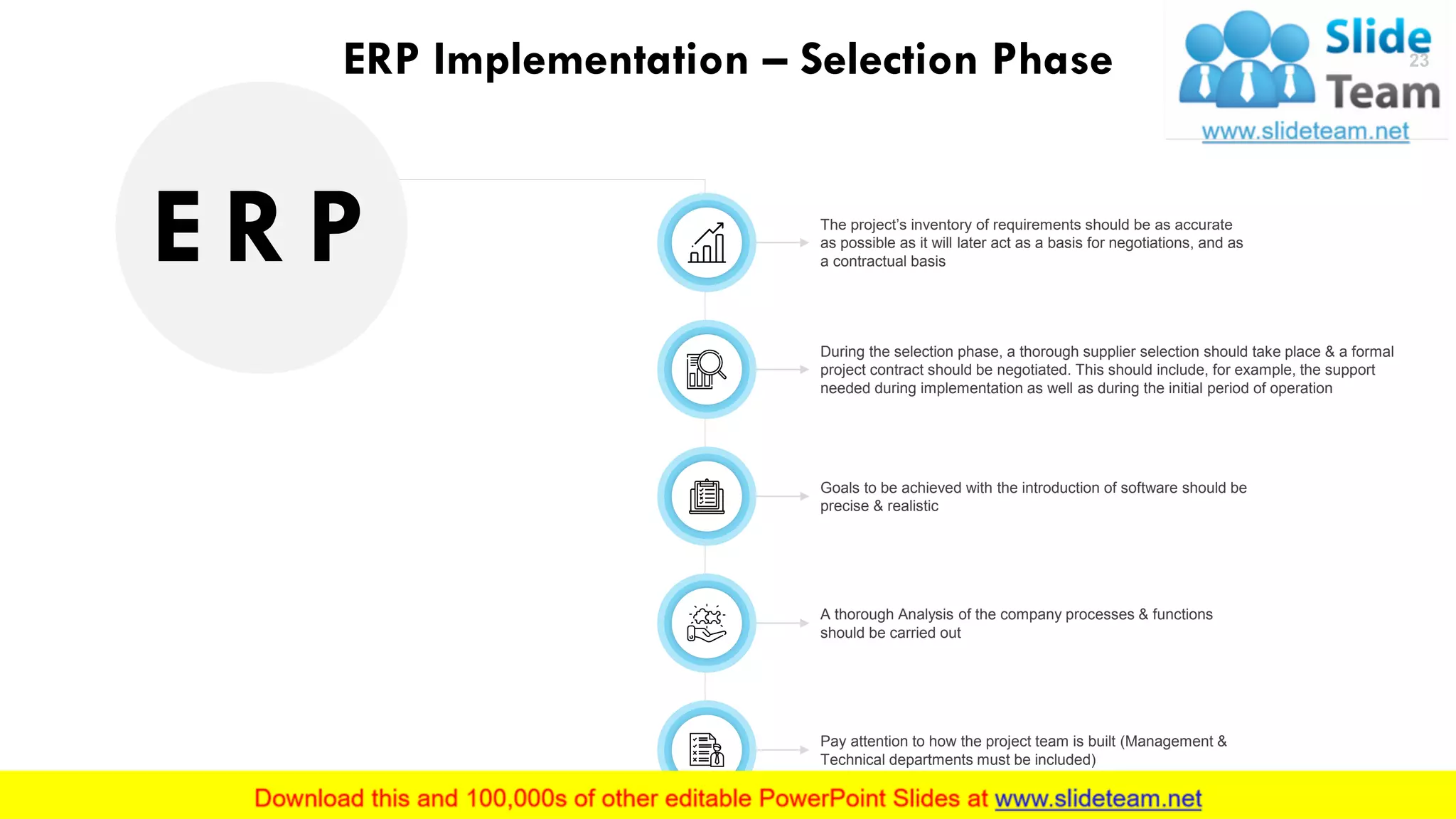
ERP Implementation – Selection Phase
Goals to be achieved with the introduction of software should be
precise & realistic
The project’s inventory of requirements should be as accurate
as possible as it will later act as a basis for negotiations, and as
a contractual basis
During the selection phase, a thorough supplier selection should take place & a formal
project contract should be negotiated. This should include, for example, the support
needed during implementation as well as during the initial period of operation
A thorough Analysis of the company processes & functions
should be carried out
Pay attention to how the project team is built (Management &
Technical departments must be included)
E R P
23
Coffee Break
Presentation will continue in 15 minutes
10:15 To10:30
24
Business Process Modelling Icons Slide 25
Additional
Slides
26
Our
Mission
Mission
This slide is 100% editable. Adapt it to your needs and
capture your audience's attention.
Vision
This slide is 100% editable. Adapt it to your needs and
capture your audience's attention.
Goal
This slide is 100% editable. Adapt it to your needs and
capture your audience's attention.
27
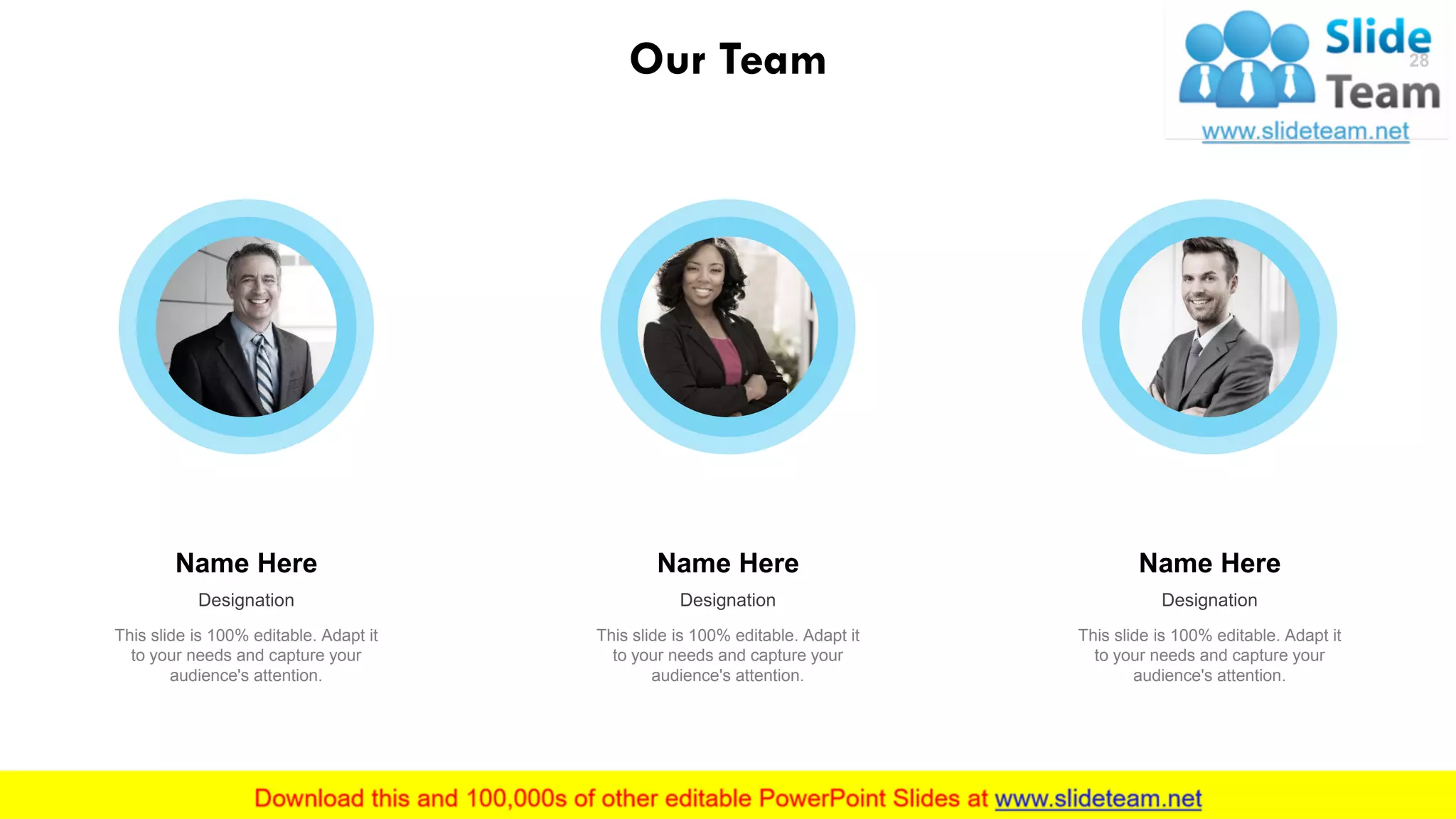
Our Team
Name Here
Designation
This slide is 100% editable. Adapt it
to your needs and capture your
audience's attention.
Name Here
Designation
This slide is 100% editable. Adapt it
to your needs and capture your
audience's attention.
Name Here
Designation
This slide is 100% editable. Adapt it
to your needs and capture your
audience's attention.
28
29
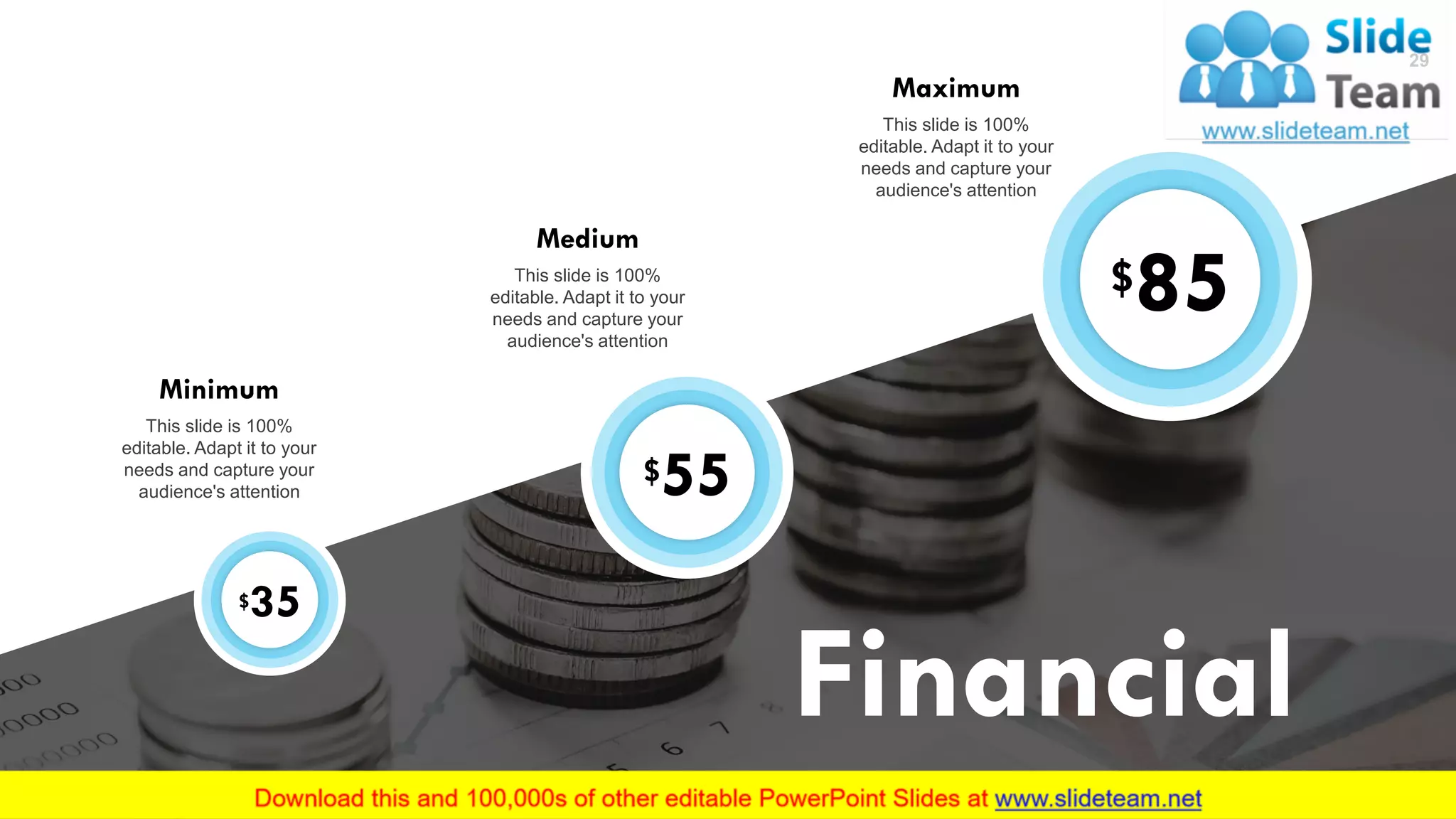
Financial
$35
Minimum
This slide is 100%
editable. Adapt it to your
needs and capture your
audience's attention
$55
Medium
This slide is 100%
editable. Adapt it to your
needs and capture your
audience's attention
$85
Maximum
This slide is 100%
editable. Adapt it to your
needs and capture your
audience's attention
29
We are Professional
This slide is 100% editable. Adapt it to your needs and
capture your audience's attention.
We are Talented
This slide is 100% editable. Adapt it to your needs and
capture your audience's attention.
We are Successful
This slide is 100% editable. Adapt it to your needs and
capture your audience's attention.
30
About
Us
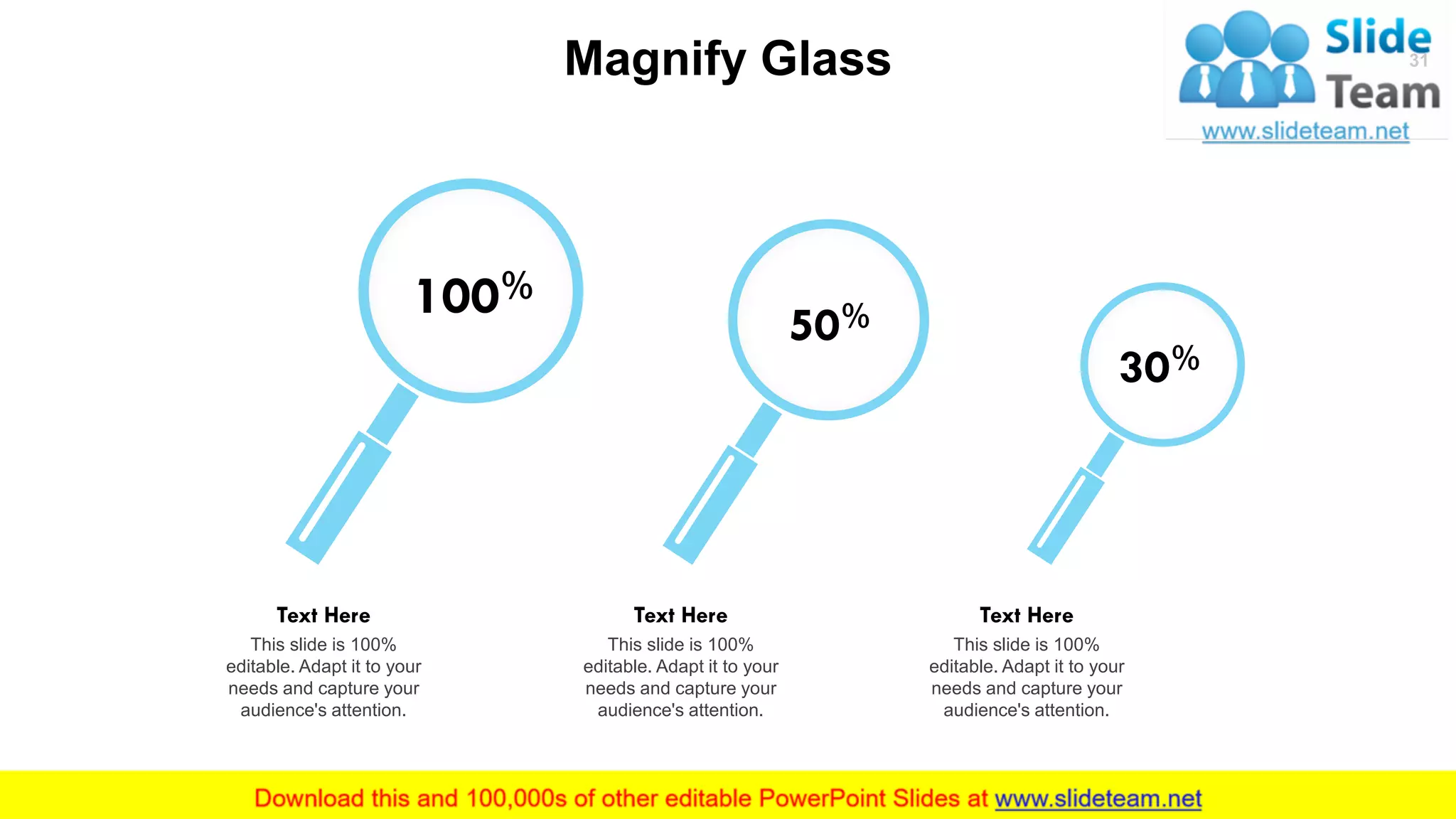
Magnify Glass
100%
This slide is 100%
editable. Adapt it to your
needs and capture your
audience's attention.
Text Here
50%
This slide is 100%
editable. Adapt it to your
needs and capture your
audience's attention.
Text Here
30%
This slide is 100%
editable. Adapt it to your
needs and capture your
audience's attention.
Text Here
31
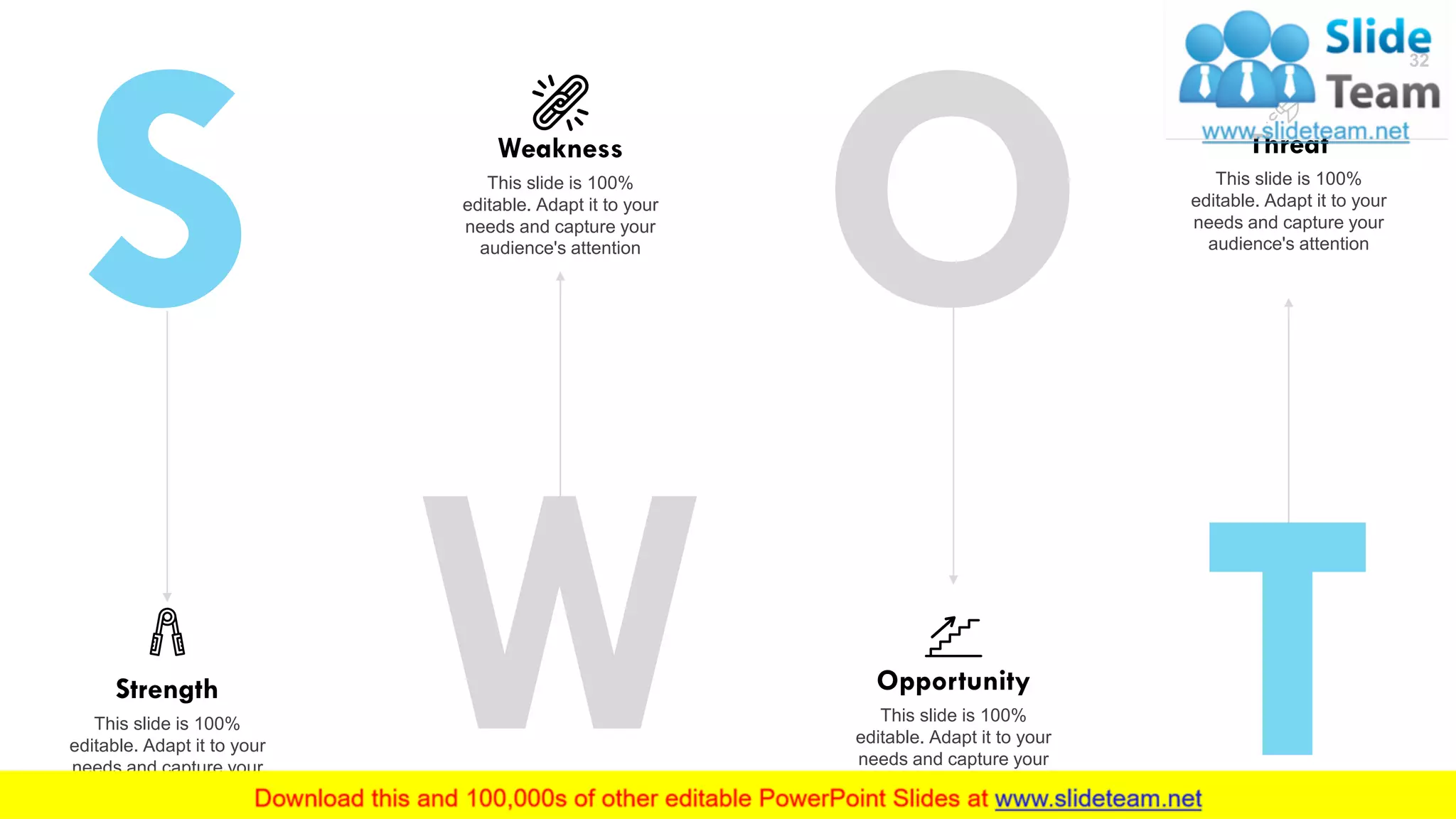
Threat
This slide is 100%
editable. Adapt it to your
needs and capture your
audience's attention
Opportunity
This slide is 100%
editable. Adapt it to your
needs and capture your
audience's attention
Weakness
This slide is 100%
editable. Adapt it to your
needs and capture your
audience's attention
Strength
This slide is 100%
editable. Adapt it to your
needs and capture your
audience's attention
32
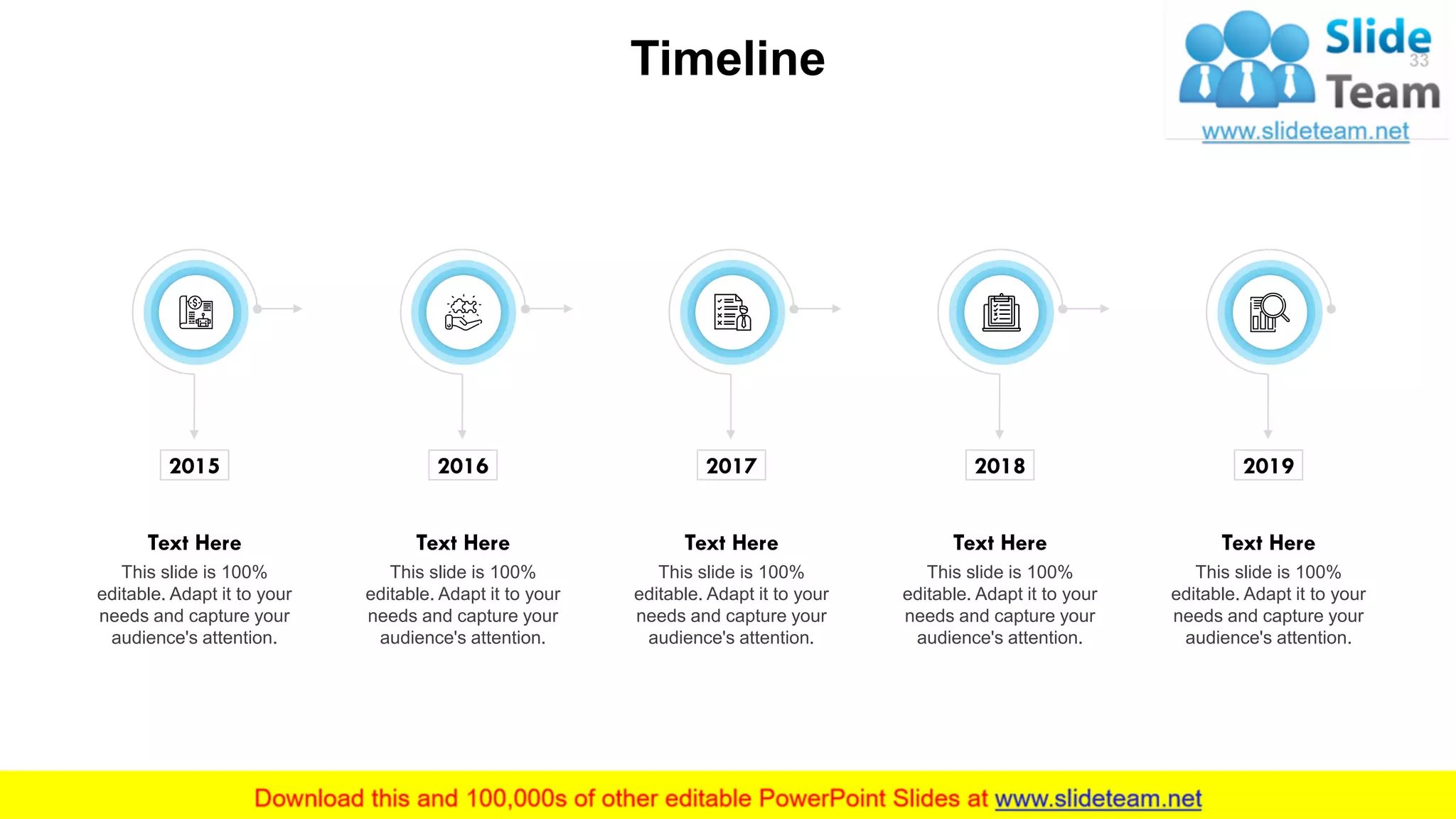
Timeline 33
2015
This slide is 100%
editable. Adapt it to your
needs and capture your
audience's attention.
Text Here
2016
This slide is 100%
editable. Adapt it to your
needs and capture your
audience's attention.
Text Here
2017
This slide is 100%
editable. Adapt it to your
needs and capture your
audience's attention.
Text Here
2018
This slide is 100%
editable. Adapt it to your
needs and capture your
audience's attention.
Text Here
2019
This slide is 100%
editable. Adapt it to your
needs and capture your
audience's attention.
Text Here
34
Thank You
# street number, city, state
Address
emailaddress123@gmail.com
Email Address
0123456789
Contact Number
34

Business Process Modelling PowerPoint Presentation Slides

  • 1.
  • 2.
    Introduction Enterprise • Business Planning • EffectiveApplication & Optimization of Resources Resource • Money • Manpower • Material • Machinery • Marketing • Methods This slide is 100% editable. Adapt it to your needs and capture your audience's attention. 2
  • 3.
    Functional Areas Overview MasterData Management This slide is 100% editable. Adapt it to your needs and capture your audience's attention. Human Resources This slide is 100% editable. Adapt it to your needs and capture your audience's attention. Research & Development This slide is 100% editable. Adapt it to your needs and capture your audience's attention. Controlling This slide is 100% editable. Adapt it to your needs and capture your audience's attention. Materials Management This slide is 100% editable. Adapt it to your needs and capture your audience's attention. Master Data Management Production This slide is 100% editable. Adapt it to your needs and capture your audience's attention. Needs Assessment This slide is 100% editable. Adapt it to your needs and capture your audience's attention. Finance & Accounting This slide is 100% editable. Adapt it to your needs and capture your audience's attention. This slide is 100% editable. Adapt it to your needs and capture your audience's attention. 3
  • 4.
    ERP System Architecture Thisslide is 100% editable. Adapt it to your needs and capture your audience's attention. Strata Use Graphic User Interface (GUI) Web-Client Smartphone Apps Customization Adaptation of GUI Integration Element (Workflow) Document Adjustments Database Management System (DMBS) Interface with other Databases Programming Environment Application Core Database- Independent Part Database- Dependent Part Use of Other Programs User Exit Adaptation Data Storage Applications 4
  • 5.
    Task Categories ofERP Systems Administration Data Storage for Business Transactions This slide is 100% editable. Adapt it to your needs and capture your audience's attention. Scheduling Automation of Routine Operations This slide is 100% editable. Adapt it to your needs and capture your audience's attention. Information Generations of Key Figures This slide is 100% editable. Adapt it to your needs and capture your audience's attention. Analysis Evaluation, Time Series Models This slide is 100% editable. Adapt it to your needs and capture your audience's attention. 5
  • 6.
    ERP Project Progressby Stage Project Preparation • Project objectives • Project plan & concept • Project team ERP Software Selection • Requirements catalogue • Market testing • Requirement/performance specifications • Procurement ERP Implementation • Data migration • Key-user training • Test phase • Staff training • Real start This slide is 100% editable. Adapt it to your needs and capture your audience's attention. 6
  • 7.
    Overview of ImplementationProcess Design Planning & Selection Phase Implementation Phase Preparation/ Project Planning Project Organization Process Analysis Adjustment Conversion Implementing This slide is 100% editable. Adapt it to your needs and capture your audience's attention. 7
  • 8.
    Planning & SelectionPhase 01 02 03 04 05 06 07 08 09 10 11 12 Goal Definition Process Analysis Requirements Market Overview Screening Final Selection Decision This slide is 100% editable. Adapt it to your needs and capture your audience's attention. 8 Weeks
  • 9.
    This slide is100% editable. Adapt it to your needs and capture your audience's attention. Technical Adjustment Adjustment of Process or ERP System Documentation & Monitoring Migration of Master Data Broadening of Project Goals & Requirements System Tests 9 Project Team Adjustment Implementation Phase
  • 10.
    Enterprise Resource PlanningFunnel Project Preparation Situational Analysis- Basic Target Concept Software Selection Concept Fine- Tuning Realization & Implementation Communication With Staff Communication With Staff Communication With Staff Communication With Staff Communication With Staff Support from Management Support from Management Support from Management Support from Management Support from Management This slide is 100% editable. Adapt it to your needs and capture your audience's attention. 10
  • 11.
    Project Preparation Support from Management ClearCommitment to the Project Work Steps Factors Project Installation Project Objective Project Schedule Establish Project Management From Project Team Kick-off Meeting Formation of Project Team Clear Goals & Targets Business Strategy Project Management This slide is 100% editable. Adapt it to your needs and capture your audience's attention. 11 Communication With Staff
  • 12.
    Situational Analysis- BasicTarget Concept Support from Management Communication With Staff Work Steps Understand Business Procedures & Processes Software Support Analysis Vulnerability Analysis Assessment of Results Identify Optimization Potential Derive Requirements of Future Software Support Prepare Basic Target Concept (Requirements Specification) Factors Formation of Project Team Business Strategy This slide is 100% editable. Adapt it to your needs and capture your audience's attention. 12
  • 13.
    Software Selection Process ParticipationIn The Final Selection Support from Management Work Steps First Market Research or Initial Selection Restrictions (by industry, size, distribution) Shortlisting (on the basis of requirement specifications) Restriction (through functionality) Final Selection (workshops, system presentations) Vulnerability Analysis This slide is 100% editable. Adapt it to your needs and capture your audience's attention. 13 Communication With Staff Work Steps Adaptability of ERP System Project Management
  • 14.
    14Software Selection Criteria Contract •Scope of services • Probation period • Warranty period & terms • Customization & service Software Costs • Ongoing • One-time Security • Access protection • Adherence to legal requirements Other • References • Programming • Interfaces & modularity • Safety of investment Installation • Consultation • Support • Training Maintenance • Scope & costs • Response time This slide is 100% editable. Adapt it to your needs and capture your audience's attention. General Selection Criteria
  • 15.
    15Software Selection Criteria Functionality •Requirements • Adjustment • Versatility Documentation • Thoroughness & clarity • Structure • Relevance Input • Error checking & correction • Simplicity Performance • Operator guidance • Screen layout • Robust • Learning curve • Manual & help function Output • Choice of output medium • Formats & layouts • Speed Service • Data management • response & time This slide is 100% editable. Adapt it to your needs and capture your audience's attention. Applied Selection Criteria
  • 16.
    Fine -Tuning ofConcept Assessment of the Target Concept & the Final Project plan Support from Management Communication With Staff Work Steps Expand Project Team (i.e., set key-users) Refine Project Plan Determine Decision- making Authority Definition of Target Processes, Interfaces & Systems Adjustments Data Migration Plan Set test & Training Plans (with involvement of key-users) Factors Composition of Project Team Discretionary Competence of Project Manager Systems Adjustments & Modifications Project Management Training for Users This slide is 100% editable. Adapt it to your needs and capture your audience's attention. 16
  • 17.
    Realization & Implement Reviewof Results & Project Completion Support from Management Work Steps Realization of Target Concept Creation of Pilot System Implementation of System adjustments & Data Migration Implementation of Training for Users Implementation of Extensive System Tests Improvements & Adjustments in Operations Communication with Staff Factors Adjustments in ERP System System Tests & Testing Procedures Training for Users This slide is 100% editable. Adapt it to your needs and capture your audience's attention. 17
  • 18.
    V Model ForImplementation of ERP System Process Analysis Process Optimization Signing of Contracts Launch Workshop Training Make Adjustments Test Go-Live Acceptance Assessment Revise Assessment This slide is 100% editable. Adapt it to your needs and capture your audience's attention. ERP Selection by Manufacturers Presentations Preparation of Requirement Specifications Preparation of Functional Specifications 18
  • 19.
    Tips for SelectingERP System This slide is 100% editable. Adapt it to your needs and capture your audience's attention. It is important to determine whether a company needs support after the implementation of ERP. Support can be provided, for example, by telephone, internet, or email Analysis of Service & Support The ERP system should adapt to the growing or changing needs of the company. Cost is, of course, an issue Versatility & Expandability Usability Requirements The user interface is the meeting point between user & software. Therefore it must be clear & easily adaptable to the needs of the customer Planning of costs & determining the budget directly affect the functionality of the ERP system & the selection of potential providers Cost Planning ERP solutions must adapt to the different requirement areas of various industry sectors ERP Industry Solutions A detailed review of the current business processes helps determine how future software should perform Requirement Analysis 19
  • 20.
    ERP Criteria List- Technical Requirement Point Criteria Notes M 0 1 Technical Requirements Text Here Text Here Text Here 1.1 General Functions Text Here Text Here Text Here 1.1.1 Multi-User Support Text Here Text Here Text Here 1.1.2 Adaptable to Countries Text Here Text Here Text Here 1.1.3 Foreign Language Support Text Here Text Here Text Here 1.1.4 … Text Here Text Here Text Here 1.2 Operating System Text Here Text Here Text Here 1.2.1 Windows Text Here Text Here Text Here 1.2.2 Linux Text Here Text Here Text Here 1.2.3 Apple Text Here Text Here Text Here 1.2.4 Other Text Here Text Here Text Here This slide is 100% editable. Adapt it to your needs and capture your audience's attention. 20
  • 21.
    ERP Criteria List- Functional Requirement Point Criteria Notes M 0 2 Functional Criteria Text Here Text Here Text Here 2.1 Marketing Text Here Text Here Text Here 2.1.1 Sales Planning Text Here Text Here Text Here 2.1.2 Marketing Planning Text Here Text Here Text Here 2.1.3 Product Management Text Here Text Here Text Here 2.1.4 Merchandising Text Here Text Here Text Here 2.2 Sales Text Here Text Here Text Here 2.2.1 Proposal Preparation Text Here Text Here Text Here 2.2.2 Pricing Text Here Text Here Text Here 2.2.3 Availability Check Text Here Text Here Text Here 2.2.4 Framework Agreements Text Here Text Here Text Here This slide is 100% editable. Adapt it to your needs and capture your audience's attention. 21
  • 22.
    ERP Criteria List- Provider Services Point Criteria Notes M 3 Provider Services Text Here Text Here 3.1 References Text Here Text Here 3.1.1 Whole of Germany Text Here Text Here 3.1.2 Trade Text Here Text Here 3.1.3 Commerce Text Here Text Here 3.1.4 Manufacturing Text Here Text Here 3.2 Financing Concept Text Here Text Here 3.2.1 Purchasing Text Here Text Here 3.2.2 Rent Text Here Text Here 3.2.3 Leasing Text Here Text Here 3 Provider Services Text Here Text Here This slide is 100% editable. Adapt it to your needs and capture your audience's attention. 22
  • 23.
    ERP Implementation –Selection Phase Goals to be achieved with the introduction of software should be precise & realistic The project’s inventory of requirements should be as accurate as possible as it will later act as a basis for negotiations, and as a contractual basis During the selection phase, a thorough supplier selection should take place & a formal project contract should be negotiated. This should include, for example, the support needed during implementation as well as during the initial period of operation A thorough Analysis of the company processes & functions should be carried out Pay attention to how the project team is built (Management & Technical departments must be included) E R P 23
  • 24.
    Coffee Break Presentation willcontinue in 15 minutes 10:15 To10:30 24
  • 25.
  • 26.
  • 27.
    Our Mission Mission This slide is100% editable. Adapt it to your needs and capture your audience's attention. Vision This slide is 100% editable. Adapt it to your needs and capture your audience's attention. Goal This slide is 100% editable. Adapt it to your needs and capture your audience's attention. 27
  • 28.
    Our Team Name Here Designation Thisslide is 100% editable. Adapt it to your needs and capture your audience's attention. Name Here Designation This slide is 100% editable. Adapt it to your needs and capture your audience's attention. Name Here Designation This slide is 100% editable. Adapt it to your needs and capture your audience's attention. 28
  • 29.
    29 Financial $35 Minimum This slide is100% editable. Adapt it to your needs and capture your audience's attention $55 Medium This slide is 100% editable. Adapt it to your needs and capture your audience's attention $85 Maximum This slide is 100% editable. Adapt it to your needs and capture your audience's attention 29
  • 30.
    We are Professional Thisslide is 100% editable. Adapt it to your needs and capture your audience's attention. We are Talented This slide is 100% editable. Adapt it to your needs and capture your audience's attention. We are Successful This slide is 100% editable. Adapt it to your needs and capture your audience's attention. 30 About Us
  • 31.
    Magnify Glass 100% This slideis 100% editable. Adapt it to your needs and capture your audience's attention. Text Here 50% This slide is 100% editable. Adapt it to your needs and capture your audience's attention. Text Here 30% This slide is 100% editable. Adapt it to your needs and capture your audience's attention. Text Here 31
  • 32.
    Threat This slide is100% editable. Adapt it to your needs and capture your audience's attention Opportunity This slide is 100% editable. Adapt it to your needs and capture your audience's attention Weakness This slide is 100% editable. Adapt it to your needs and capture your audience's attention Strength This slide is 100% editable. Adapt it to your needs and capture your audience's attention 32
  • 33.
    Timeline 33 2015 This slideis 100% editable. Adapt it to your needs and capture your audience's attention. Text Here 2016 This slide is 100% editable. Adapt it to your needs and capture your audience's attention. Text Here 2017 This slide is 100% editable. Adapt it to your needs and capture your audience's attention. Text Here 2018 This slide is 100% editable. Adapt it to your needs and capture your audience's attention. Text Here 2019 This slide is 100% editable. Adapt it to your needs and capture your audience's attention. Text Here
  • 34.
    34 Thank You # streetnumber, city, state Address emailaddress123@gmail.com Email Address 0123456789 Contact Number 34