IT’s Working
Mark Anderson @ICTEvangelist
IT doesn’t take much
IT doesn’t have to be that tough...
1. Keep IT simple
Be the master of one
➔ What works?
Low stakes quizzing
➔ What tools?
Kahoot and Socrative
➔ What wins?
It marks them for you,
Mark Anderson @ICTEvangelist
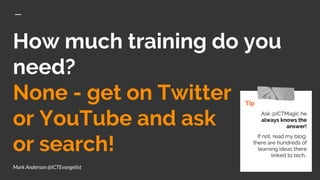
How much training do you
need?
None - get on Twitter
or YouTube and ask
or search!
Tip
Ask @ICTMagic he
always knows the
answer!
If not, read my blog,
there are hundreds of
learning ideas there
linked to tech..
Mark Anderson @ICTEvangelist
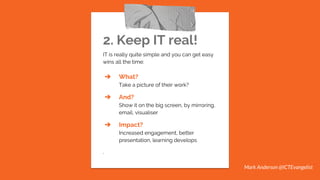
2. Keep IT real!
IT is really quite simple and you can get easy
wins all the time:
➔ What?
Take a picture of their work?
➔ And?
Show it on the big screen, by mirroring,
email, visualiser
➔ Impact?
Increased engagement, better
presentation, learning develops
.
Mark Anderson @ICTEvangelist
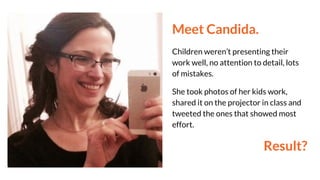
Meet Candida.
Children weren’t presenting their
work well, no attention to detail, lots
of mistakes.
She took photos of her kids work,
shared it on the projector in class and
tweeted the ones that showed most
effort.
Result?
IT doesn’t have to
be hard work for you
in order to have an
impact on learning.
Mark Anderson @ICTEvangelist
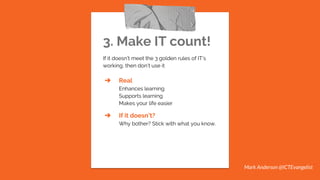
3. Make IT count!
If it doesn’t meet the 3 golden rules of IT’s
working, then don’t use it
➔ Real
Enhances learning
Supports learning
Makes your life easier
➔ If it doesn’t?
Why bother? Stick with what you know.
Mark Anderson @ICTEvangelist
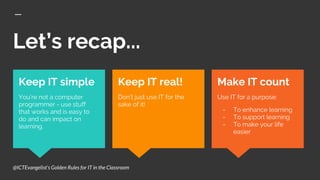
Let’s recap...
Make IT count
Use IT for a purpose:
- To enhance learning
- To support learning
- To make your life
easier
Keep IT simple
You’re not a computer
programmer - use stuff
that works and is easy to
do and can impact on
learning.
Keep IT real!
Don’t just use IT for the
sake of it!
@ICTEvangelist’s Golden Rules for IT in the Classroom
From zero to hero
What tools can you use that meet these three
simple criteria to have an impact upon learning?
Here comes the list...
This presentation will be shared later although feel free to take a
picture of the next slide!
Tip
If taking images of the
whiteboard, why not use
the free ‘Office Lens’
app?
It will crop the board
image down for you and
save it really helpful
formats.
Mark Anderson @ICTEvangelist
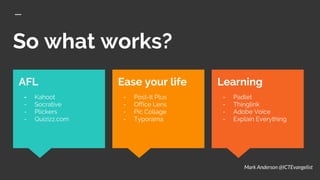
So what works?
Learning
- Padlet
- Thinglink
- Adobe Voice
- Explain Everything
AFL
- Kahoot
- Socrative
- Plickers
- Quizizz.com
Ease your life
- Post-It Plus
- Office Lens
- Pic Collage
- Typorama
Mark Anderson @ICTEvangelist
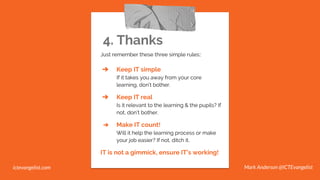
4. Thanks
Just remember these three simple rules::
➔ Keep IT simple
If it takes you away from your core
learning, don’t bother.
➔ Keep IT real
Is it relevant to the learning & the pupils? If
not, don’t bother.
➔ Make IT count!
Will it help the learning process or make
your job easier? If not, ditch it.
IT is not a gimmick, ensure IT’s working!
Mark Anderson @ICTEvangelistictevangelist.com

IT's Working by @ICTEvangelist

  • 1.
  • 2.
  • 5.
    IT doesn’t haveto be that tough...
  • 6.
    1. Keep ITsimple Be the master of one ➔ What works? Low stakes quizzing ➔ What tools? Kahoot and Socrative ➔ What wins? It marks them for you, Mark Anderson @ICTEvangelist
  • 7.
    How much trainingdo you need? None - get on Twitter or YouTube and ask or search! Tip Ask @ICTMagic he always knows the answer! If not, read my blog, there are hundreds of learning ideas there linked to tech.. Mark Anderson @ICTEvangelist
  • 8.
    2. Keep ITreal! IT is really quite simple and you can get easy wins all the time: ➔ What? Take a picture of their work? ➔ And? Show it on the big screen, by mirroring, email, visualiser ➔ Impact? Increased engagement, better presentation, learning develops . Mark Anderson @ICTEvangelist
  • 9.
    Meet Candida. Children weren’tpresenting their work well, no attention to detail, lots of mistakes. She took photos of her kids work, shared it on the projector in class and tweeted the ones that showed most effort. Result?
  • 10.
    IT doesn’t haveto be hard work for you in order to have an impact on learning. Mark Anderson @ICTEvangelist
  • 11.
    3. Make ITcount! If it doesn’t meet the 3 golden rules of IT’s working, then don’t use it ➔ Real Enhances learning Supports learning Makes your life easier ➔ If it doesn’t? Why bother? Stick with what you know. Mark Anderson @ICTEvangelist
  • 12.
    Let’s recap... Make ITcount Use IT for a purpose: - To enhance learning - To support learning - To make your life easier Keep IT simple You’re not a computer programmer - use stuff that works and is easy to do and can impact on learning. Keep IT real! Don’t just use IT for the sake of it! @ICTEvangelist’s Golden Rules for IT in the Classroom
  • 13.
    From zero tohero What tools can you use that meet these three simple criteria to have an impact upon learning? Here comes the list... This presentation will be shared later although feel free to take a picture of the next slide! Tip If taking images of the whiteboard, why not use the free ‘Office Lens’ app? It will crop the board image down for you and save it really helpful formats. Mark Anderson @ICTEvangelist
  • 14.
    So what works? Learning -Padlet - Thinglink - Adobe Voice - Explain Everything AFL - Kahoot - Socrative - Plickers - Quizizz.com Ease your life - Post-It Plus - Office Lens - Pic Collage - Typorama Mark Anderson @ICTEvangelist
  • 15.
    4. Thanks Just rememberthese three simple rules:: ➔ Keep IT simple If it takes you away from your core learning, don’t bother. ➔ Keep IT real Is it relevant to the learning & the pupils? If not, don’t bother. ➔ Make IT count! Will it help the learning process or make your job easier? If not, ditch it. IT is not a gimmick, ensure IT’s working! Mark Anderson @ICTEvangelistictevangelist.com