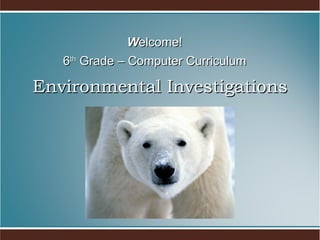
Environmental Investigations W elcome! 6 th  Grade – Computer Curriculum
Welcome to Computer Class! I will introduce you to our computer classroom. If you have any questions during my presentation, please raise your hand and wait to be called on.
All About Me My background I grew up on a small diary farm in New York state. I attended UNC-Chapel Hill, where I received a degree in Mathematics and Computer Science. My experience When I graduated college I worked in NYC where I was a computer auditor (I looked for computer theft) I taught High School Math and Computer Science before I was married. Then I wrote software programs and taught computer applications to adults.
My Goals To give you the academic and social skills you need to master the grade level standards. To provide a supportive and fun classroom environment. To help you discover new interests. Assist students will technology needs in other academic areas.
Class Topics The topics we cover during 6th grade computers are: Keyboarding (Mavis Beacon) Word Processing (Microsoft Word) Spreadsheet (Microsoft Excel) Multimedia Presentation (Microsoft Powerpoint) Database (Microsoft Access) Desktop Publishing (Microsoft Publisher)
During class, students will be actively involved in: Practicing keyboarding – practice, practice… Learning new application skills – overhead Completing daily labs Working on projects All the above will be centered around our class theme. Class Work
All printed materials will be kept in a portfolio. Portfolios will be graded every 9 weeks. Take folder home today and decorate for 1 st  grade. Portfolios
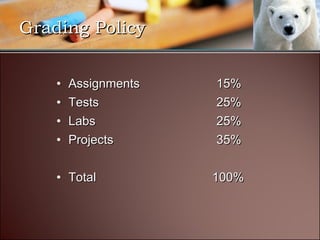
Assignments 15% Tests 25% Labs 25% Projects 35% Total   100% Grading Policy
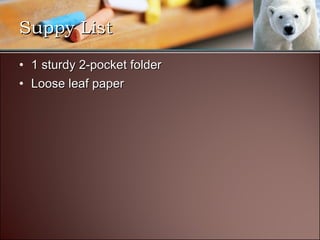
1 sturdy 2-pocket folder Loose leaf paper Suppy List
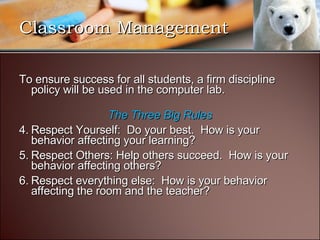
To ensure success for all students, a firm discipline policy will be used in the computer lab. The Three Big Rules Respect Yourself:  Do your best.  How is your behavior affecting your learning? Respect Others: Help others succeed.  How is your behavior affecting others? Respect everything else:  How is your behavior affecting the room and the teacher? Classroom Management
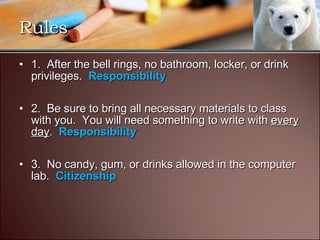
1.  After the bell rings, no bathroom, locker, or drink privileges.    Responsibility   2.  Be sure to bring all necessary materials to class with you.  You will need something to write with  every day .   Responsibility   3.  No candy, gum, or drinks allowed in the computer lab.   Citizenship   Rules
4.  Students must be in their seat and begin logging on when the bell rings or you will be counted as tardy.     Citizenship   5.  No side-to-side conversation while the teacher or classmate is speaking.   Fairness and Respect 6.  Students may not modify any settings on the computer.  This includes printer settings, screensavers, desktop wallpaper, desktop icons, etc.   Respect and Caring Rules
7.  All student will show respect for each other and their work area.  This means turning off their computer, typing on their keyboard, etc.   Respect 8.  No printing from the internet without teacher approval.  Citizenship 9.  No games are to be played on the computers as outlined in the student handbook.  Students are to be on teacher-approved web sites only.   Citizenship Rules
10.  Homework is to be completed by the assigned date.  It is the student's responsibility to schedule time in the computer lab if he/she cannot complete work by the assigned date.  10% off for every day late.  Responsibility Rules
Use flag for questions. Middle School discipline policy will be used in the lab  - 3 checks = detention. Keep your eye out for the black dot… Procedures
Let’s Have a Great Year!

Rules 6 Th

  • 1.
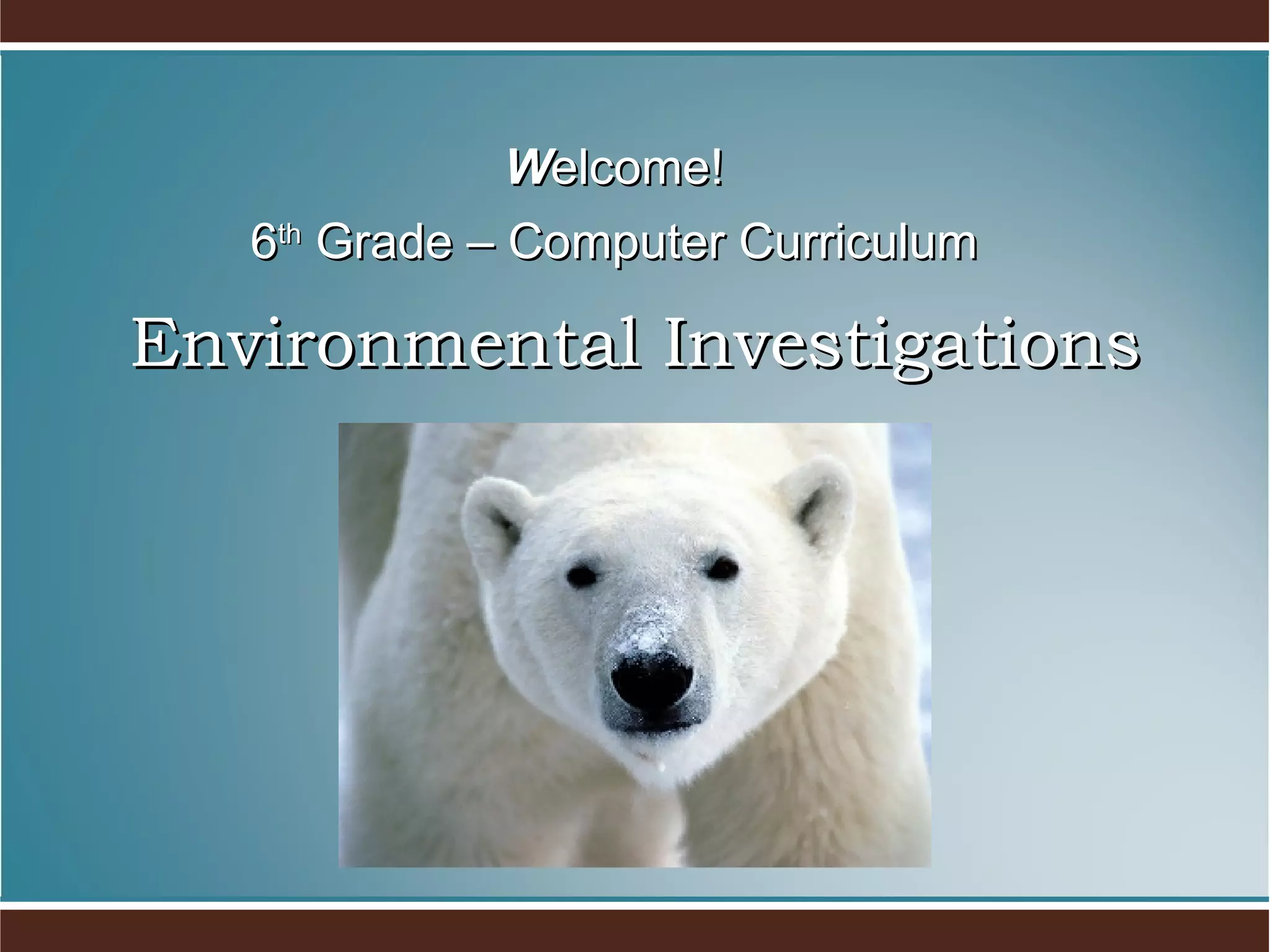
    Environmental Investigations Welcome! 6 th Grade – Computer Curriculum
  • 2.
    Welcome to ComputerClass! I will introduce you to our computer classroom. If you have any questions during my presentation, please raise your hand and wait to be called on.
  • 3.
    All About MeMy background I grew up on a small diary farm in New York state. I attended UNC-Chapel Hill, where I received a degree in Mathematics and Computer Science. My experience When I graduated college I worked in NYC where I was a computer auditor (I looked for computer theft) I taught High School Math and Computer Science before I was married. Then I wrote software programs and taught computer applications to adults.
  • 4.
    My Goals Togive you the academic and social skills you need to master the grade level standards. To provide a supportive and fun classroom environment. To help you discover new interests. Assist students will technology needs in other academic areas.
  • 5.
    Class Topics Thetopics we cover during 6th grade computers are: Keyboarding (Mavis Beacon) Word Processing (Microsoft Word) Spreadsheet (Microsoft Excel) Multimedia Presentation (Microsoft Powerpoint) Database (Microsoft Access) Desktop Publishing (Microsoft Publisher)
  • 6.
    During class, studentswill be actively involved in: Practicing keyboarding – practice, practice… Learning new application skills – overhead Completing daily labs Working on projects All the above will be centered around our class theme. Class Work
  • 7.
    All printed materialswill be kept in a portfolio. Portfolios will be graded every 9 weeks. Take folder home today and decorate for 1 st grade. Portfolios
  • 8.
    Assignments 15% Tests25% Labs 25% Projects 35% Total 100% Grading Policy
  • 9.
    1 sturdy 2-pocketfolder Loose leaf paper Suppy List
  • 10.
    To ensure successfor all students, a firm discipline policy will be used in the computer lab. The Three Big Rules Respect Yourself: Do your best. How is your behavior affecting your learning? Respect Others: Help others succeed. How is your behavior affecting others? Respect everything else: How is your behavior affecting the room and the teacher? Classroom Management
  • 11.
    1.  After thebell rings, no bathroom, locker, or drink privileges.   Responsibility   2.  Be sure to bring all necessary materials to class with you.  You will need something to write with every day .   Responsibility   3.  No candy, gum, or drinks allowed in the computer lab.   Citizenship   Rules
  • 12.
    4.  Students mustbe in their seat and begin logging on when the bell rings or you will be counted as tardy.     Citizenship   5.  No side-to-side conversation while the teacher or classmate is speaking.   Fairness and Respect 6.  Students may not modify any settings on the computer.  This includes printer settings, screensavers, desktop wallpaper, desktop icons, etc.   Respect and Caring Rules
  • 13.
    7.  All studentwill show respect for each other and their work area.  This means turning off their computer, typing on their keyboard, etc.   Respect 8. No printing from the internet without teacher approval. Citizenship 9. No games are to be played on the computers as outlined in the student handbook.  Students are to be on teacher-approved web sites only.   Citizenship Rules
  • 14.
    10.  Homework isto be completed by the assigned date.  It is the student's responsibility to schedule time in the computer lab if he/she cannot complete work by the assigned date.  10% off for every day late. Responsibility Rules
  • 15.
    Use flag forquestions. Middle School discipline policy will be used in the lab - 3 checks = detention. Keep your eye out for the black dot… Procedures
  • 16.
    Let’s Have aGreat Year!