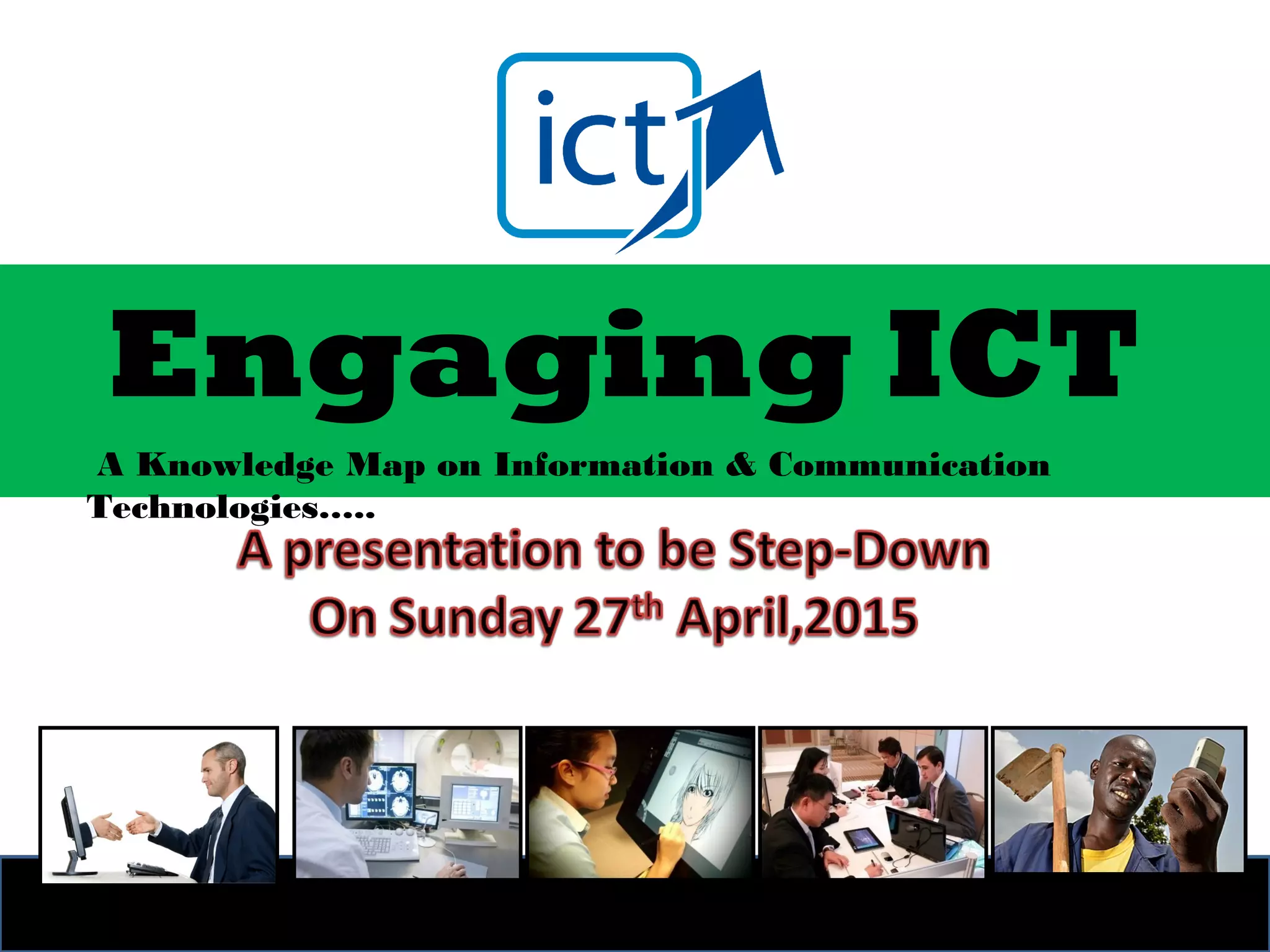
Engaging ICT
A Knowledge Map on Information & Communication
Technologies…..
What weknow, what weWhat weknow, what we
believeand what wedon’tbelieveand what wedon’t
know…….know…….
Special tribute to Ancient of DaysSpecial tribute to Ancient of Days
Daniel 7:9 Isaiah 43:13 Genesis 1
The title “Ancient of Days” first appears in Daniel 7:9, where
Daniel is describing his vision of heaven. There an ancient, or
venerable, Person sits on a flaming throne with wheels of fire,
His hair and clothing white as snow. The flaming throne is
symbolic of judgment, while the white hair and title “Ancient”
indicate that God existed before time began. In Isaiah 43:13, we
find that God refers to Himself existing from ancient of days
(literally, “before days were”). That means God existed before
days were even created. We read in Genesis 1 that God created
time, days and nights, so God existed from before the beginning
of time. God is often represented as ancient, as He that is “from
everlasting to everlasting” (Psalm 90:2) and as “the first and the
last” in Isaiah 44:6.
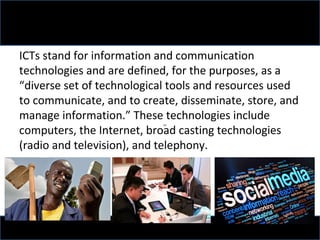
ICTs stand for information and communication
technologies and are defined, for the purposes, as a
“diverse set of technological tools and resources used
to communicate, and to create, disseminate, store, and
manage information.” These technologies include
computers, the Internet, broad casting technologies
(radio and television), and telephony.
ICT APPLICATIONS: BENEFITS IN ALL ASPECTS OF LIFE
ICT applications can support
sustainable development, in the fields
of public administration, business,
education and training, health,
employment, environment, agriculture
and science.
E-government
• Implement e-government strategies focusing on
applications aimed at innovating and promoting
transparency in public administrations and
democratic processes, improving efficiency and
strengthening relations with citizens.(INEC)
• Develop national e-government initiatives and
services, at all levels, adapted to the needs of
citizens and business, to achieve a more efficient
allocation of resources and public goods.
(NAFDAC)/REMITA
E-business
• Government policies should favour assistance to, and
growth of SMEs, in the ICT industry, as well as their
entry into e-business, to stimulate economic growth
and job creation as an element of a strategy for
poverty reduction through wealth creation.
• Through the adoption of an enabling environment, and
based on widely available Internet access,
governments should seek to stimulate private sector
investment, foster new applications, content
development and public/private partnerships.
E-learning
• Everyone should have the necessary skills to
benefit fully from the Information Society.
Therefore capacity building and ICT literacy
are essential. ICTs can contribute to achieving
universal education worldwide, through
delivery of education and training of teachers,
and offering improved conditions for lifelong
learning, encompassing people that are
outside the formal education process, and
improving professional skills.
E-health
• Promote collaborative efforts of governments, planners, health
professionals, and other agencies along with the participation of
international organizations for creating a reliable, timely, high quality and
affordable health care and health information systems and for promoting
continuous medical training, education, and research through the use of
ICTs, while respecting and protecting citizens’ right to privacy.
• Alert, monitor and control the spread of communicable diseases, through
the improvement of common information systems. Ebola etc
• Promote the development of international standards for the exchange of
health data, taking due account of privacy concerns.
• Encourage the adoption of ICTs to improve and extend health care and
health information systems to remote and underserved areas and
vulnerable populations, recognising women’s roles as health providers in
their families and communities.
E-employment
• Encourage the development of best practices
for e-workers and e-employers built, at the
national level, on principles of fairness and
gender equality, respecting all relevant
international norms.
• Promote new ways of organizing work and
business with the aim of raising productivity,
growth and well-being through investment in
ICTs and human resources.
E-environment
• Governments, in cooperation with other
stakeholders are encouraged to use and
promote ICTs as an instrument for
environmental protection and the sustainable
use of natural resources.
• Establish monitoring systems, using ICTs, to
forecast and monitor the impact of natural
and man-made disasters, particularly in
developing countries and small economies.
E-agriculture
• Ensure the systematic dissemination of
information using ICTs on agriculture, animal
husbandry, fisheries, forestry and food, in order
to provide ready access to comprehensive, up-to-
date and detailed knowledge and information,
particularly in rural areas.
• Public-private partnerships should seek to
maximize the use of ICTs as an instrument to
improve production (quantity and quality).
E-science
• Promote affordable and reliable high-speed
Internet connection for all universities and
research institutions to support their critical role
in information and knowledge production,
education and training, and to support the
establishment of partnerships, cooperation and
networking between these institutions.
• Promote electronic publishing, differential pricing
and open access initiatives to make scientific
information affordable and accessible in all
countries on an equitable basis.
Youth are not passive
recipients and beneficiaries.
Young people are not the
problem. Young people are the
solution.
Let's make it work! - the learning,
knowledge, entrepreneurial culture
• Communities that make progress are those
that embrace youth issues, concerns,
problems and aspirations. The youth
contribute significantly to innovation as well
as the promotion and development of ICTs.
• How do young people use ICT, how do they
access ICT, how do they create and contribute
through ICT? Young people lead tomorrow’s
digital revolution today. If ICT must drive
development Youth must be active game
changers and not bystanders.
The reality is that young people are innovators
– they cannot be limited to the worlds of
entertainment and sports. Entertainment
cannot resolve the developmental problems
of unstable power supply and weak
infrastructure; Sports cannot foster higher
productivity in industry and better
governance. Fresh, youthful, innovative ideas,
energies and strengths are needed.
To fulfill their mission Young people must be
empowered with critical life, ICT and entrepreneurial
skills. Young people must take ownership of their
development and progress as “learners, developers,
professionals, contributors, entrepreneurs and
decision-makers”. Through ICT training young people
are exposed to exciting and challenging opportunities
to fulfill their dreams and make a difference.
The Children must go digital to fully
participate, benefit and make headway in
today’s world. To create a Better Future
we must start showing genuine interest in
guiding, inspiring, and protecting children
and young people in Information
Technology.
• Training is more than training. It’s time for you
to possess the ability to contribute to and benefit
from the knowledge economy. Harness your
creative potential!
• IT Careers are priority. As all sectors increasingly
depend on IT, the demand for professionals with
IT skills and expertise is growing.
• Can you see into tomorrow? Innovation is for
the visionary. Don’t be satisfied with acquiring
the latest technology tools. STOP THROWING
MONEY AT TECHNOLOGY!
Effectiveness of ICT technologies
• Anytime, anywhere/247
• Access to remote learning resources.
• ICTs help prepare individuals for the workplace.
• Motivating to learn.
• Facilitating the acquisition of basic skills.
• Enhancing teacher/student training.
• Finding out information
• Processing knowledge.
• Sharing knowledge
ICT and Raising Standards
Recent research also points to ICT as a significant
contributory factor in the raising of standards of
achievement in schools.
• Schools judged by the school inspectors to have very
good ICT resources achieved better results than
schools with poor ICT.
• Schools that made good use of ICT within a subject
tended to have better achievement in that subject
than other schools.
• Socio-economic circumstances and prior
performance of pupils were not found to be critical.
• Secondary schools with very good ICT
resources achieved, on average, better
results in English, Mathematics and
Science than those with poor ICT
resources.
• Improved writing skills: grammar,
presentation, spelling, word recognition
and volume of work.
Disadvantages of ICT knowledge
• Early years education attitudes towards ICT can vary
considerably. Some see it as a potential tool to aid
learning whereas others seem to disagree with the
use of technology in early year settings. Some
suggests that the use of ICT in the foundation stage is
“unhealthy and hinders learning”.
• Another important drawback to using ICT in schools
is the fact that computers are expensive.
• Teachers who had not experienced ICT throughout
their learning tend to have a negative attitude
towards it, as they may lack the training in that area
of the curriculum.
WHY MOST NIGERIAN
ICT BUSINESS FAIL
There has been an upsurge in the
number of Nigerian e-businesses.
It seems Nigerians are gradually
waking up to the enormous
businesses opportunities available
on the internet.
So the question is: what should
be done to stop the ever
swelling number of Nigerian e-
commerce failures.
The problems
• Poor Research
• Wrong Business Model
• Poor logistical infrastructure
• Security and Trust Concerns
• Poor Marketing
What jobs are available
in the computer
industry?
3D Animation or Graphic design
• Requirements
(Must have a good understanding of the software
programs being used to create the visual designs
or 3D animations.
• Recommendations
If you want to get into graphic design or arts, it is
a must that you learn major graphics programs
such as Adobe Photoshop and Illustrator, Corel
draw graphic suite.
Data Entry staff
• Requirements: Requires someone capable of
typing 40-50 or more WPM, basic computer
proficiency, and familiarity with word
processors and Excel and other econometric
software.
• Recommendations: Practice your typing and
take online typing tests to determine your
overall speed and regular perform with typing
applications (Mavis Beacon…)
Database administrator
• Description: A job that requires creating, testing, and
maintaining one or more databases.
• Requirements: Requires a familiarity with or extensive
knowledge of databases at the place of employment.
For example, Access, FoxPro, MySQL, SQL,Sybase,E-
veiw,Peachtree,SPSS etc.
• Recommendations: Become familiar with the database
being used at the business. If the job is for the
continued development of a database, you need to
have a great understanding of the it’s corresponding
programming language. Often, this knowledge
requires past experience or formal education.
Electronics technician or engineer
• Requirements: A strong understanding of
basic and advanced electronics.
• Recommendations: Get formal education
in electronics and electro-mechanical, or
self-teach yourself by building your own
electronic systems.
Freelancer- make money online
• Requirements: Computer and a high-speed
Internet connection.
• Tip: Setting up a PayPal account can help to
expedite the process of receiving payment for
your goods or services sold through the
services listed on this page. Some of these
services may even require you to have a
Paypal account.
Note:
Some of these online services may not
be available in every country around
the world for various reasons,
including legal restrictions and
payment option restrictions
Fraud and Scam Alert
• When trying to make money online, be
cautious of scammers and other fraudulent
services. Keep the below warnings in mind:
• Do not pay any significant initial or upfront
fee, deposit, or down payment. For example,
a company or individual claiming special
computer hardware or marketing material is
needed/avaliable.
• Avoid services asking to cash checks or money
orders into your bank account.
• Be cautious when asked for personal information
such as e-mail, phone numbers, social security,
etc.
• Realize everything you do is going to require
some work. There is no such thing as easy ways
to make money without some effort.
• Always keep the motto "If it sounds to be good
to be true, it probably is" in the back of your
mind.
ARTS AND CRAFTS
www.etsy.com
• is a fantastic place for an artist or anyone
who enjoys making unique handmade goods
and is a great place to sell vintage goods. This
vibrant community has over 15 million buyers
that visit every day and anyone can create
their own online shop and make it available to
these visitors.
www.artfire.com
is another great site to set up your own virtual
store and sell to millions of people on the
Internet. Also, if you are an Etsy member, it is
easy to import your Etsy data into ArtFire to
sell your goods on both sites.
www.fiverr.com
www.peopleperhour.com
• Fiverr is another great site that allows anyone to
create pages that list services they are willing to
provide for $5.00. This could be anything from doing
a voice over, creating an animation, giving a review,
offering advice, or really anything that others may
find useful. Although five dollars may not sound like
a lot, for tasks that may be easy for you to complete
and if several of them can be completed in an hour,
it can be a good source of extra income.
• Another similar site is peopleperhour, which allows
anyone to do jobs that take one or a few hours to
complete for any price they set.
Hardware Engineer
• Description: A position as a hardware designer,
circuit design, embedded systems, firmware, etc.
is a job that requires you to design and create a
complete hardware package or portions of a
hardware device.
• Requirements: Jobs that design or create
hardware devices require that you have a good
understanding of electronics, circuits, firmware,
or design. For this position you need to have
several years of prior experience or a degree in
the field.
Networking or System Administrator
• Description: Computer networking jobs involve designing, setting
up, and maintaining a network.
• Requirements: Although most users today have their own home
networks, setting up, troubleshooting, and maintaining a corporate
network can be a much more complicated task. Often, networking
jobs also require a good understanding of how a network works,
and in some cases how all the underlying protocols and structure of
how networks work.
• Recommendations: There are numerous network and network
related certifications available today, such as the CCNA, MCSE, etc.
Often depending on the level of certification and the job you are
applying for, the certifications will be more than enough to quality
you for most network jobs. Some of the higher networking
positions, especially in the development of network hardware or
programming side, may also require past experience in networking
or a degree.
Programmer or Software developer
• Description: A job that requires the development or
continued development and maintenance of a
software program.
• Requirements: A basic to extensive understanding of a
programming language. Because most job positions
require the ability to help develop a program, they
require several years of past experience or a degree.
• Recommendations: Learn one or more programming
languages. Depending on what programs or scripts you
want to create may change the language you want to
learn.
Quality Assurance (QA), System
analyst or Tester
• Description: This job requires that the
employee test out all features of a product for
any problems or usability issues.
• Requirements: Requires that you have a good
understanding of computer software,
hardware, and the product being tested.
• Recommendations: Become familiar with
computers, software, hardware, and the
products the company makes.
Computer Repair and troubleshooting
• Description: A job that requires you to fix and repair
computer and computer equipment. Often this
involves removing a component from within the
computer and replacing it with a good component.
• Requirements: A good understanding of computer
hardware, computer disassembly, proper tools, and
good troubleshooting skills.
• Recommendations: Build your own computer or
disassemble and re-assemble a computer. Become
familiar with computers, software, hardware, and the
products the company makes.
Technical Support (Technician or Help Desk)
• Description: Helping an end-user or company employee
with their computers, software program, and hardware
device. A technical support position is a great first step for
people interested in working in the computer industry.
• Requirements: A basic understanding of computers,
computer's software, and hardware.
• Recommendations: Become as familiar as possible with
computers, computer software, and computer hardware..
Almost all technical support centers that help end-users
with their computers, computer software, or computer
hardware products have training that all employees go
through before you start work, but will still often require
that the user be familiar with computers.
Webmaster or Web Designer
• Description: Create, maintain, or completely designs a web page.
• Requirements: For basic web designing positions you should have a
good understanding of HTML, the Internet, and web servers. More
advanced positions may also require that you be familiar with such
things as CGI, CSS, Flash, FTP, jQuery, Linux, Perl, PHP, RSS, SSI,
Unix, or XHTML.
• In addition to having a good understanding of the technologies and
code used to create a web page, you are also often required to
know the software programs they are created in.
• Recommendations: One of the best learning experiences for people
who are interested in this job is to create your own web page. Keep
in mind that designing and posting a web page using WYSIWYG
editor without some basic understanding of HTML may not be
enough for most jobs.
Technical Writing/Trainers
• Description: This position often involves
creating or editing technical papers or
manuals.
• Requirements: This position often requires
that the individual has a basic understanding
about the subject being written about and
have good writing and teaching skills .
Question
time????

Engaging ICT

  • 1.
    Engaging ICT A KnowledgeMap on Information & Communication Technologies…..
  • 2.
    What weknow, whatweWhat weknow, what we believeand what wedon’tbelieveand what wedon’t know…….know…….
  • 3.
    Special tribute toAncient of DaysSpecial tribute to Ancient of Days Daniel 7:9 Isaiah 43:13 Genesis 1
  • 4.
    The title “Ancientof Days” first appears in Daniel 7:9, where Daniel is describing his vision of heaven. There an ancient, or venerable, Person sits on a flaming throne with wheels of fire, His hair and clothing white as snow. The flaming throne is symbolic of judgment, while the white hair and title “Ancient” indicate that God existed before time began. In Isaiah 43:13, we find that God refers to Himself existing from ancient of days (literally, “before days were”). That means God existed before days were even created. We read in Genesis 1 that God created time, days and nights, so God existed from before the beginning of time. God is often represented as ancient, as He that is “from everlasting to everlasting” (Psalm 90:2) and as “the first and the last” in Isaiah 44:6.
  • 8.
    ICTs stand forinformation and communication technologies and are defined, for the purposes, as a “diverse set of technological tools and resources used to communicate, and to create, disseminate, store, and manage information.” These technologies include computers, the Internet, broad casting technologies (radio and television), and telephony.
  • 9.
    ICT APPLICATIONS: BENEFITSIN ALL ASPECTS OF LIFE ICT applications can support sustainable development, in the fields of public administration, business, education and training, health, employment, environment, agriculture and science.
  • 10.
    E-government • Implement e-governmentstrategies focusing on applications aimed at innovating and promoting transparency in public administrations and democratic processes, improving efficiency and strengthening relations with citizens.(INEC) • Develop national e-government initiatives and services, at all levels, adapted to the needs of citizens and business, to achieve a more efficient allocation of resources and public goods. (NAFDAC)/REMITA
  • 11.
    E-business • Government policiesshould favour assistance to, and growth of SMEs, in the ICT industry, as well as their entry into e-business, to stimulate economic growth and job creation as an element of a strategy for poverty reduction through wealth creation. • Through the adoption of an enabling environment, and based on widely available Internet access, governments should seek to stimulate private sector investment, foster new applications, content development and public/private partnerships.
  • 12.
    E-learning • Everyone shouldhave the necessary skills to benefit fully from the Information Society. Therefore capacity building and ICT literacy are essential. ICTs can contribute to achieving universal education worldwide, through delivery of education and training of teachers, and offering improved conditions for lifelong learning, encompassing people that are outside the formal education process, and improving professional skills.
  • 13.
    E-health • Promote collaborativeefforts of governments, planners, health professionals, and other agencies along with the participation of international organizations for creating a reliable, timely, high quality and affordable health care and health information systems and for promoting continuous medical training, education, and research through the use of ICTs, while respecting and protecting citizens’ right to privacy. • Alert, monitor and control the spread of communicable diseases, through the improvement of common information systems. Ebola etc • Promote the development of international standards for the exchange of health data, taking due account of privacy concerns. • Encourage the adoption of ICTs to improve and extend health care and health information systems to remote and underserved areas and vulnerable populations, recognising women’s roles as health providers in their families and communities.
  • 14.
    E-employment • Encourage thedevelopment of best practices for e-workers and e-employers built, at the national level, on principles of fairness and gender equality, respecting all relevant international norms. • Promote new ways of organizing work and business with the aim of raising productivity, growth and well-being through investment in ICTs and human resources.
  • 15.
    E-environment • Governments, incooperation with other stakeholders are encouraged to use and promote ICTs as an instrument for environmental protection and the sustainable use of natural resources. • Establish monitoring systems, using ICTs, to forecast and monitor the impact of natural and man-made disasters, particularly in developing countries and small economies.
  • 16.
    E-agriculture • Ensure thesystematic dissemination of information using ICTs on agriculture, animal husbandry, fisheries, forestry and food, in order to provide ready access to comprehensive, up-to- date and detailed knowledge and information, particularly in rural areas. • Public-private partnerships should seek to maximize the use of ICTs as an instrument to improve production (quantity and quality).
  • 17.
    E-science • Promote affordableand reliable high-speed Internet connection for all universities and research institutions to support their critical role in information and knowledge production, education and training, and to support the establishment of partnerships, cooperation and networking between these institutions. • Promote electronic publishing, differential pricing and open access initiatives to make scientific information affordable and accessible in all countries on an equitable basis.
  • 18.
    Youth are notpassive recipients and beneficiaries. Young people are not the problem. Young people are the solution. Let's make it work! - the learning, knowledge, entrepreneurial culture
  • 19.
    • Communities thatmake progress are those that embrace youth issues, concerns, problems and aspirations. The youth contribute significantly to innovation as well as the promotion and development of ICTs. • How do young people use ICT, how do they access ICT, how do they create and contribute through ICT? Young people lead tomorrow’s digital revolution today. If ICT must drive development Youth must be active game changers and not bystanders.
  • 20.
    The reality isthat young people are innovators – they cannot be limited to the worlds of entertainment and sports. Entertainment cannot resolve the developmental problems of unstable power supply and weak infrastructure; Sports cannot foster higher productivity in industry and better governance. Fresh, youthful, innovative ideas, energies and strengths are needed.
  • 21.
    To fulfill theirmission Young people must be empowered with critical life, ICT and entrepreneurial skills. Young people must take ownership of their development and progress as “learners, developers, professionals, contributors, entrepreneurs and decision-makers”. Through ICT training young people are exposed to exciting and challenging opportunities to fulfill their dreams and make a difference.
  • 22.
    The Children mustgo digital to fully participate, benefit and make headway in today’s world. To create a Better Future we must start showing genuine interest in guiding, inspiring, and protecting children and young people in Information Technology.
  • 23.
    • Training ismore than training. It’s time for you to possess the ability to contribute to and benefit from the knowledge economy. Harness your creative potential! • IT Careers are priority. As all sectors increasingly depend on IT, the demand for professionals with IT skills and expertise is growing. • Can you see into tomorrow? Innovation is for the visionary. Don’t be satisfied with acquiring the latest technology tools. STOP THROWING MONEY AT TECHNOLOGY!
  • 25.
    Effectiveness of ICTtechnologies • Anytime, anywhere/247 • Access to remote learning resources. • ICTs help prepare individuals for the workplace. • Motivating to learn. • Facilitating the acquisition of basic skills. • Enhancing teacher/student training. • Finding out information • Processing knowledge. • Sharing knowledge
  • 26.
    ICT and RaisingStandards Recent research also points to ICT as a significant contributory factor in the raising of standards of achievement in schools. • Schools judged by the school inspectors to have very good ICT resources achieved better results than schools with poor ICT. • Schools that made good use of ICT within a subject tended to have better achievement in that subject than other schools. • Socio-economic circumstances and prior performance of pupils were not found to be critical.
  • 27.
    • Secondary schoolswith very good ICT resources achieved, on average, better results in English, Mathematics and Science than those with poor ICT resources. • Improved writing skills: grammar, presentation, spelling, word recognition and volume of work.
  • 28.
    Disadvantages of ICTknowledge • Early years education attitudes towards ICT can vary considerably. Some see it as a potential tool to aid learning whereas others seem to disagree with the use of technology in early year settings. Some suggests that the use of ICT in the foundation stage is “unhealthy and hinders learning”. • Another important drawback to using ICT in schools is the fact that computers are expensive. • Teachers who had not experienced ICT throughout their learning tend to have a negative attitude towards it, as they may lack the training in that area of the curriculum.
  • 29.
    WHY MOST NIGERIAN ICTBUSINESS FAIL
  • 30.
    There has beenan upsurge in the number of Nigerian e-businesses. It seems Nigerians are gradually waking up to the enormous businesses opportunities available on the internet.
  • 31.
    So the questionis: what should be done to stop the ever swelling number of Nigerian e- commerce failures.
  • 32.
    The problems • PoorResearch • Wrong Business Model • Poor logistical infrastructure • Security and Trust Concerns • Poor Marketing
  • 33.
    What jobs areavailable in the computer industry?
  • 34.
    3D Animation orGraphic design • Requirements (Must have a good understanding of the software programs being used to create the visual designs or 3D animations. • Recommendations If you want to get into graphic design or arts, it is a must that you learn major graphics programs such as Adobe Photoshop and Illustrator, Corel draw graphic suite.
  • 35.
    Data Entry staff •Requirements: Requires someone capable of typing 40-50 or more WPM, basic computer proficiency, and familiarity with word processors and Excel and other econometric software. • Recommendations: Practice your typing and take online typing tests to determine your overall speed and regular perform with typing applications (Mavis Beacon…)
  • 36.
    Database administrator • Description:A job that requires creating, testing, and maintaining one or more databases. • Requirements: Requires a familiarity with or extensive knowledge of databases at the place of employment. For example, Access, FoxPro, MySQL, SQL,Sybase,E- veiw,Peachtree,SPSS etc. • Recommendations: Become familiar with the database being used at the business. If the job is for the continued development of a database, you need to have a great understanding of the it’s corresponding programming language. Often, this knowledge requires past experience or formal education.
  • 37.
    Electronics technician orengineer • Requirements: A strong understanding of basic and advanced electronics. • Recommendations: Get formal education in electronics and electro-mechanical, or self-teach yourself by building your own electronic systems.
  • 38.
    Freelancer- make moneyonline • Requirements: Computer and a high-speed Internet connection. • Tip: Setting up a PayPal account can help to expedite the process of receiving payment for your goods or services sold through the services listed on this page. Some of these services may even require you to have a Paypal account.
  • 39.
    Note: Some of theseonline services may not be available in every country around the world for various reasons, including legal restrictions and payment option restrictions
  • 40.
    Fraud and ScamAlert • When trying to make money online, be cautious of scammers and other fraudulent services. Keep the below warnings in mind: • Do not pay any significant initial or upfront fee, deposit, or down payment. For example, a company or individual claiming special computer hardware or marketing material is needed/avaliable.
  • 41.
    • Avoid servicesasking to cash checks or money orders into your bank account. • Be cautious when asked for personal information such as e-mail, phone numbers, social security, etc. • Realize everything you do is going to require some work. There is no such thing as easy ways to make money without some effort. • Always keep the motto "If it sounds to be good to be true, it probably is" in the back of your mind.
  • 42.
    ARTS AND CRAFTS www.etsy.com •is a fantastic place for an artist or anyone who enjoys making unique handmade goods and is a great place to sell vintage goods. This vibrant community has over 15 million buyers that visit every day and anyone can create their own online shop and make it available to these visitors.
  • 43.
    www.artfire.com is another greatsite to set up your own virtual store and sell to millions of people on the Internet. Also, if you are an Etsy member, it is easy to import your Etsy data into ArtFire to sell your goods on both sites.
  • 44.
    www.fiverr.com www.peopleperhour.com • Fiverr isanother great site that allows anyone to create pages that list services they are willing to provide for $5.00. This could be anything from doing a voice over, creating an animation, giving a review, offering advice, or really anything that others may find useful. Although five dollars may not sound like a lot, for tasks that may be easy for you to complete and if several of them can be completed in an hour, it can be a good source of extra income. • Another similar site is peopleperhour, which allows anyone to do jobs that take one or a few hours to complete for any price they set.
  • 45.
    Hardware Engineer • Description:A position as a hardware designer, circuit design, embedded systems, firmware, etc. is a job that requires you to design and create a complete hardware package or portions of a hardware device. • Requirements: Jobs that design or create hardware devices require that you have a good understanding of electronics, circuits, firmware, or design. For this position you need to have several years of prior experience or a degree in the field.
  • 46.
    Networking or SystemAdministrator • Description: Computer networking jobs involve designing, setting up, and maintaining a network. • Requirements: Although most users today have their own home networks, setting up, troubleshooting, and maintaining a corporate network can be a much more complicated task. Often, networking jobs also require a good understanding of how a network works, and in some cases how all the underlying protocols and structure of how networks work. • Recommendations: There are numerous network and network related certifications available today, such as the CCNA, MCSE, etc. Often depending on the level of certification and the job you are applying for, the certifications will be more than enough to quality you for most network jobs. Some of the higher networking positions, especially in the development of network hardware or programming side, may also require past experience in networking or a degree.
  • 47.
    Programmer or Softwaredeveloper • Description: A job that requires the development or continued development and maintenance of a software program. • Requirements: A basic to extensive understanding of a programming language. Because most job positions require the ability to help develop a program, they require several years of past experience or a degree. • Recommendations: Learn one or more programming languages. Depending on what programs or scripts you want to create may change the language you want to learn.
  • 48.
    Quality Assurance (QA),System analyst or Tester • Description: This job requires that the employee test out all features of a product for any problems or usability issues. • Requirements: Requires that you have a good understanding of computer software, hardware, and the product being tested. • Recommendations: Become familiar with computers, software, hardware, and the products the company makes.
  • 49.
    Computer Repair andtroubleshooting • Description: A job that requires you to fix and repair computer and computer equipment. Often this involves removing a component from within the computer and replacing it with a good component. • Requirements: A good understanding of computer hardware, computer disassembly, proper tools, and good troubleshooting skills. • Recommendations: Build your own computer or disassemble and re-assemble a computer. Become familiar with computers, software, hardware, and the products the company makes.
  • 50.
    Technical Support (Technicianor Help Desk) • Description: Helping an end-user or company employee with their computers, software program, and hardware device. A technical support position is a great first step for people interested in working in the computer industry. • Requirements: A basic understanding of computers, computer's software, and hardware. • Recommendations: Become as familiar as possible with computers, computer software, and computer hardware.. Almost all technical support centers that help end-users with their computers, computer software, or computer hardware products have training that all employees go through before you start work, but will still often require that the user be familiar with computers.
  • 51.
    Webmaster or WebDesigner • Description: Create, maintain, or completely designs a web page. • Requirements: For basic web designing positions you should have a good understanding of HTML, the Internet, and web servers. More advanced positions may also require that you be familiar with such things as CGI, CSS, Flash, FTP, jQuery, Linux, Perl, PHP, RSS, SSI, Unix, or XHTML. • In addition to having a good understanding of the technologies and code used to create a web page, you are also often required to know the software programs they are created in. • Recommendations: One of the best learning experiences for people who are interested in this job is to create your own web page. Keep in mind that designing and posting a web page using WYSIWYG editor without some basic understanding of HTML may not be enough for most jobs.
  • 52.
    Technical Writing/Trainers • Description:This position often involves creating or editing technical papers or manuals. • Requirements: This position often requires that the individual has a basic understanding about the subject being written about and have good writing and teaching skills .
  • 53.