QThread
Are you doing it wrong?
Roland Krause
Integrated Computer Solutions
based on material from
David Johnson
What are we talking about!
● Controversy and confusion
● Patterns of threading
● How QThread works
● Pitfalls to avoid
● Examples
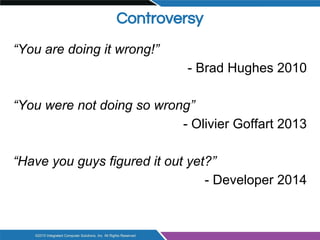
Controversy
“You are doing it wrong!”
- Brad Hughes 2010
“You were not doing so wrong”
- Olivier Goffart 2013
“Have you guys figured it out yet?”
- Developer 2014
What is this all about?
● A casual reading of some blog posts leads one
to imagine there is a “right” way and a “wrong”
way to use QThread
https://blog.qt.io/blog/2010/06/17/youre-doing-it-wrong/
http://woboq.com/blog/qthread-you-were-not-doing-so-wrong.html
https://mayaposch.wordpress.com/2011/11/01/how-to-really-truly-use-
qthreads-the-full-explanation/
https://fabienpn.wordpress.com/2013/05/01/qt-thread-simple-and-stable-with-
sources/
http://stackoverflow.com/questions/4093159/what-is-the-correct-way-to-
implement-a-qthread-example-please
● There are two valid patterns of QThread use
● Both are suitable for different use cases
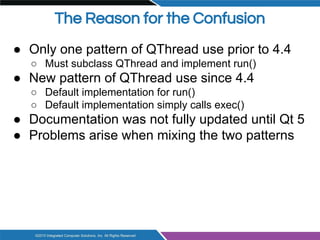
The Reason for the Confusion
● Only one pattern of QThread use prior to 4.4
○ Must subclass QThread and implement run()
● New pattern of QThread use since 4.4
○ Default implementation for run()
○ Default implementation simply calls exec()
● Documentation was not fully updated until Qt 5
● Problems arise when mixing the two patterns
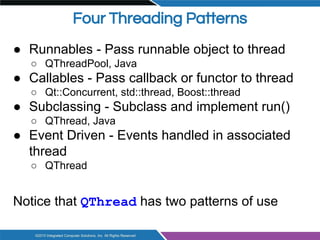
Four Threading Patterns
● Runnables - Pass runnable object to thread
○ QThreadPool, Java
● Callables - Pass callback or functor to thread
○ Qt::Concurrent, std::thread, Boost::thread
● Subclassing - Subclass and implement run()
○ QThread, Java
● Event Driven - Events handled in associated
thread
○ QThread
Notice that QThread has two patterns of use
Four Threading Patterns
Let’s look at these in the context of Qt
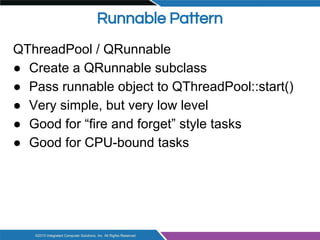
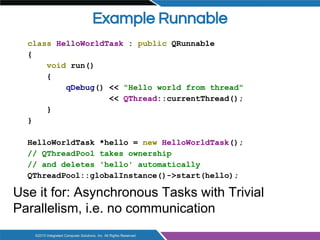
Runnable Pattern
QThreadPool / QRunnable
● Create a QRunnable subclass
● Pass runnable object to QThreadPool::start()
● Very simple, but very low level
● Good for “fire and forget” style tasks
● Good for CPU-bound tasks
Example Runnable
class HelloWorldTask : public QRunnable
{
void run()
{
qDebug() << "Hello world from thread"
<< QThread::currentThread();
}
}
HelloWorldTask *hello = new HelloWorldTask();
// QThreadPool takes ownership
// and deletes 'hello' automatically
QThreadPool::globalInstance()->start(hello);
Use it for: Asynchronous Tasks with Trivial
Parallelism, i.e. no communication
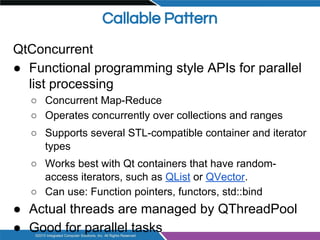
Callable Pattern
QtConcurrent
● Functional programming style APIs for parallel
list processing
○ Concurrent Map-Reduce
○ Operates concurrently over collections and ranges
○ Supports several STL-compatible container and iterator
types
○ Works best with Qt containers that have random-
access iterators, such as QList or QVector.
○ Can use: Function pointers, functors, std::bind
● Actual threads are managed by QThreadPool
● Good for parallel tasks
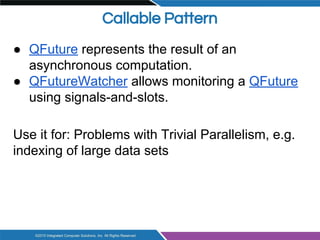
Callable Pattern
● QFuture represents the result of an
asynchronous computation.
● QFutureWatcher allows monitoring a QFuture
using signals-and-slots.
Use it for: Problems with Trivial Parallelism, e.g.
indexing of large data sets
Subclassing Pattern
● Subclass QThread
● Re-implement the run() [protected] method
○ default run() implementation calls exec()
● Call start(), start() calls run()
● Intended for blocking tasks that don’t need
interaction with the main thread
● If you do not really need an event loop in the
thread, you could subclass
Example: Encoding data
Event Driven Pattern
● Create a Worker [Q]Object
○ Implement methods that do the (long running, blocking) work, e.g.
doWork()
● Move this worker object to the thread managed by the
QThread object
○ Creates thread affinity
○ Connect QThread::started to Worker::doWork
● Call QThread::start()
○ emits started() when the actual thread has actually started
○ Worker's slots will be executed in its thread
● Use this for: Threads that need to interact with other
threads through events and/or signals and slots
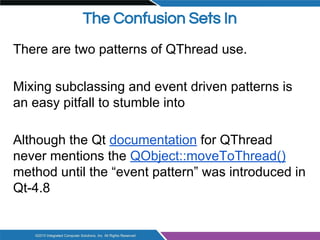
The Confusion Sets In
There are two patterns of QThread use.
Mixing subclassing and event driven patterns is
an easy pitfall to stumble into
Although the Qt documentation for QThread
never mentions the QObject::moveToThread()
method until the “event pattern” was introduced in
Qt-4.8
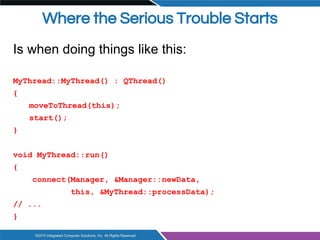
Where the Serious Trouble Starts
Is when doing things like this:
MyThread::MyThread() : QThread()
{
moveToThread(this);
start();
}
void MyThread::run()
{
connect(Manager, &Manager::newData,
this, &MyThread::processData);
// ...
}
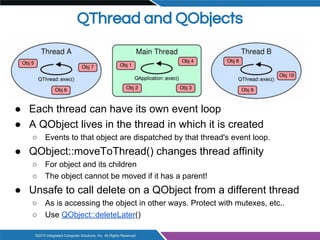
QThread and QObjects
● Each thread can have its own event loop
● A QObject lives in the thread in which it is created
○ Events to that object are dispatched by that thread's event loop.
● QObject::moveToThread() changes thread affinity
○ For object and its children
○ The object cannot be moved if it has a parent!
● Unsafe to call delete on a QObject from a different thread
○ As is accessing the object in other ways. Protect with mutexes, etc..
○ Use QObject::deleteLater()
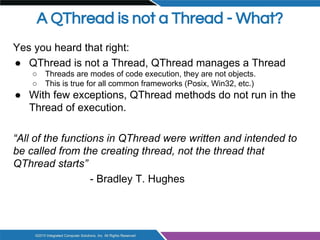
A QThread is not a Thread - What?
Yes you heard that right:
● QThread is not a Thread, QThread manages a Thread
○ Threads are modes of code execution, they are not objects.
○ This is true for all common frameworks (Posix, Win32, etc.)
● With few exceptions, QThread methods do not run in the
Thread of execution.
“All of the functions in QThread were written and intended to
be called from the creating thread, not the thread that
QThread starts”
- Bradley T. Hughes
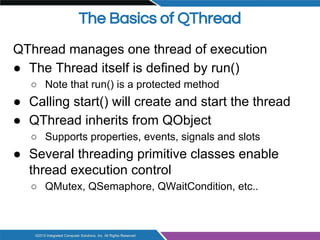
The Basics of QThread
QThread manages one thread of execution
● The Thread itself is defined by run()
○ Note that run() is a protected method
● Calling start() will create and start the thread
● QThread inherits from QObject
○ Supports properties, events, signals and slots
● Several threading primitive classes enable
thread execution control
○ QMutex, QSemaphore, QWaitCondition, etc..
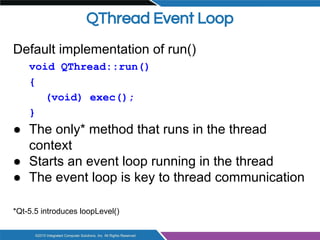
QThread Event Loop
Default implementation of run()
void QThread::run()
{
(void) exec();
}
● The only* method that runs in the thread
context
● Starts an event loop running in the thread
● The event loop is key to thread communication
*Qt-5.5 introduces loopLevel()
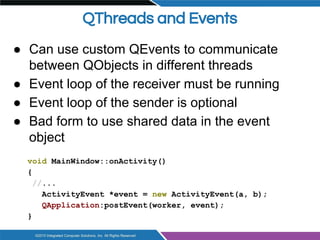
QThreads and Events
● Can use custom QEvents to communicate
between QObjects in different threads
● Event loop of the receiver must be running
● Event loop of the sender is optional
● Bad form to use shared data in the event
object
void MainWindow::onActivity()
{
//...
ActivityEvent *event = new ActivityEvent(a, b);
QApplication:postEvent(worker, event);
}
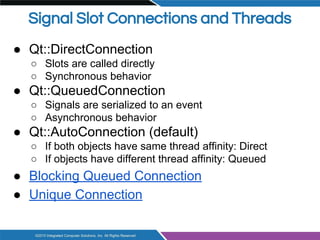
Signal Slot Connections and Threads
● Qt::DirectConnection
○ Slots are called directly
○ Synchronous behavior
● Qt::QueuedConnection
○ Signals are serialized to an event
○ Asynchronous behavior
● Qt::AutoConnection (default)
○ If both objects have same thread affinity: Direct
○ If objects have different thread affinity: Queued
● Blocking Queued Connection
● Unique Connection
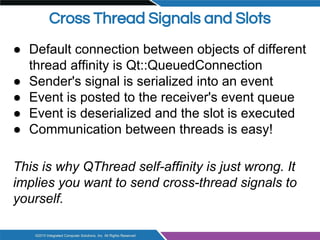
Cross Thread Signals and Slots
● Default connection between objects of different
thread affinity is Qt::QueuedConnection
● Sender's signal is serialized into an event
● Event is posted to the receiver's event queue
● Event is deserialized and the slot is executed
● Communication between threads is easy!
This is why QThread self-affinity is just wrong. It
implies you want to send cross-thread signals to
yourself.
Cross Thread Signals and Slots
● Cross thread signals are really events
○ The receiver needs a running event loop
○ The sender does NOT need an event loop
○ Signals are placed in the event queue
● All threads can emit signals regardless of
pattern
○ Only threads with running event loops should have in-
thread slots
Back to Threading Patterns
Let's look closer at the two threading patterns for
QThread...
The Subclassing Pattern
Use when task...
● ... doesn't need an event loop
● ... doesn't have slots to be called
● … can be defined within run()
Most classic threading problems
Standalone independent tasks
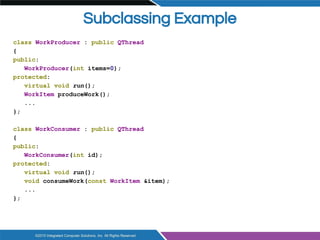
Subclassing Example
class WorkProducer : public QThread
{
public:
WorkProducer(int items=0);
protected:
virtual void run();
WorkItem produceWork();
...
};
class WorkConsumer : public QThread
{
public:
WorkConsumer(int id);
protected:
virtual void run();
void consumeWork(const WorkItem &item);
...
};
Subclassing Example, cont.
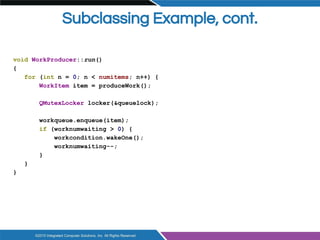
void WorkProducer::run()
{
for (int n = 0; n < numitems; n++) {
WorkItem item = produceWork();
QMutexLocker locker(&queuelock);
workqueue.enqueue(item);
if (worknumwaiting > 0) {
workcondition.wakeOne();
worknumwaiting--;
}
}
}
Subclassing Example, cont.
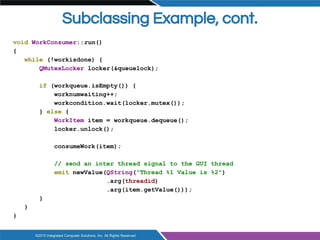
void WorkConsumer::run()
{
while (!workisdone) {
QMutexLocker locker(&queuelock);
if (workqueue.isEmpty()) {
worknumwaiting++;
workcondition.wait(locker.mutex());
} else {
WorkItem item = workqueue.dequeue();
locker.unlock();
consumeWork(item);
// send an inter thread signal to the GUI thread
emit newValue(QString("Thread %1 Value is %2")
.arg(threadid)
.arg(item.getValue()));
}
}
}
Subclassing Example, cont.
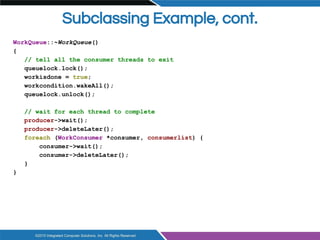
WorkQueue::~WorkQueue()
{
// tell all the consumer threads to exit
queuelock.lock();
workisdone = true;
workcondition.wakeAll();
queuelock.unlock();
// wait for each thread to complete
producer->wait();
producer->deleteLater();
foreach (WorkConsumer *consumer, consumerlist) {
consumer->wait();
consumer->deleteLater();
}
}
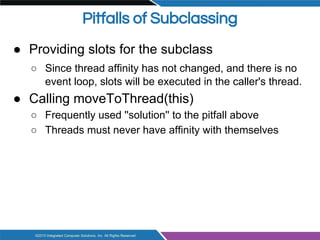
Pitfalls of Subclassing
● Providing slots for the subclass
○ Since thread affinity has not changed, and there is no
event loop, slots will be executed in the caller's thread.
● Calling moveToThread(this)
○ Frequently used ''solution'' to the pitfall above
○ Threads must never have affinity with themselves
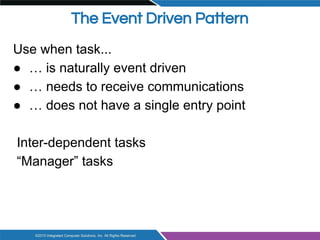
The Event Driven Pattern
Use when task...
● … is naturally event driven
● … needs to receive communications
● … does not have a single entry point
Inter-dependent tasks
“Manager” tasks
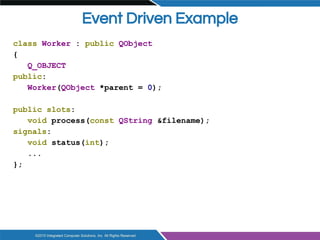
Event Driven Example
class Worker : public QObject
{
Q_OBJECT
public:
Worker(QObject *parent = 0);
public slots:
void process(const QString &filename);
signals:
void status(int);
...
};
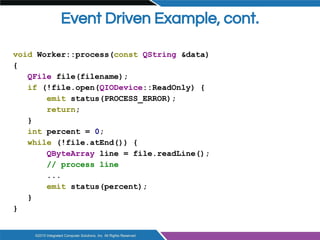
Event Driven Example, cont.
void Worker::process(const QString &data)
{
QFile file(filename);
if (!file.open(QIODevice::ReadOnly) {
emit status(PROCESS_ERROR);
return;
}
int percent = 0;
while (!file.atEnd()) {
QByteArray line = file.readLine();
// process line
...
emit status(percent);
}
}
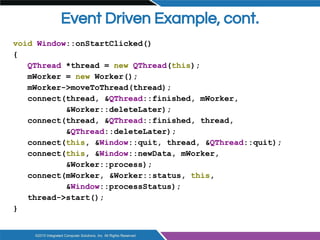
Event Driven Example, cont.
void Window::onStartClicked()
{
QThread *thread = new QThread(this);
mWorker = new Worker();
mWorker->moveToThread(thread);
connect(thread, &QThread::finished, mWorker,
&Worker::deleteLater);
connect(thread, &QThread::finished, thread,
&QThread::deleteLater);
connect(this, &Window::quit, thread, &QThread::quit);
connect(this, &Window::newData, mWorker,
&Worker::process);
connect(mWorker, &Worker::status, this,
&Window::processStatus);
thread->start();
}
Event Driven Example, cont.
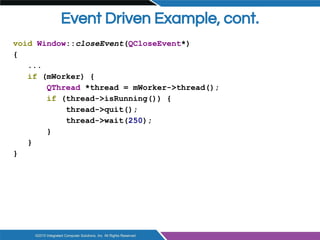
void Window::closeEvent(QCloseEvent*)
{
...
if (mWorker) {
QThread *thread = mWorker->thread();
if (thread->isRunning()) {
thread->quit();
thread->wait(250);
}
}
}
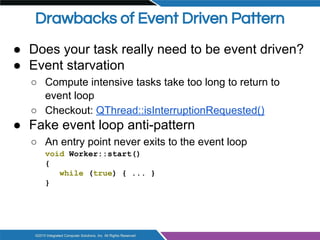
Drawbacks of Event Driven Pattern
● Does your task really need to be event driven?
● Event starvation
○ Compute intensive tasks take too long to return to
event loop
○ Checkout: QThread::isInterruptionRequested()
● Fake event loop anti-pattern
○ An entry point never exits to the event loop
void Worker::start()
{
while (true) { ... }
}
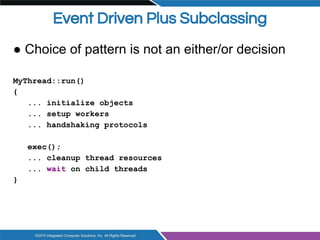
Event Driven Plus Subclassing
● Choice of pattern is not an either/or decision
MyThread::run()
{
... initialize objects
... setup workers
... handshaking protocols
exec();
... cleanup thread resources
... wait on child threads
}
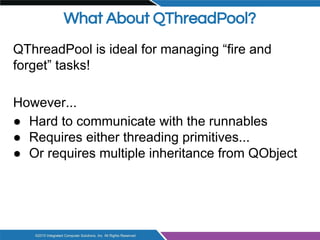
What About QThreadPool?
QThreadPool is ideal for managing “fire and
forget” tasks!
However...
● Hard to communicate with the runnables
● Requires either threading primitives...
● Or requires multiple inheritance from QObject
What about QtConcurrent?
Higher level threading API However...
● Mostly limited to parallel computations
● Recommend to have knowledge of parallel
algorithms
● Recommended to have knowledge of
advanced C++ features
QThread!
Remains the workhorse of Qt threading
● General purpose threading solution
● Solid, Tried and True, Cross-platform
Threading API
● Compare to Boost - Ugh!
● QObject wholesome goodness
Now You Are Doing it Right!
There's no one right way to use QThread
But there are two good ways to use QThread
Subclassing Pattern
Event Driven Pattern
There once was a coder from Lodz
Who thought that his wife yelled too much
He moved to his own QThread
And everything that she said
He ignored - Signal-Slot mismatch!
Thanks David!

QThreads: Are You Using Them Wrong?

  • 1.
    QThread Are you doingit wrong? Roland Krause Integrated Computer Solutions based on material from David Johnson
  • 2.
    What are wetalking about! ● Controversy and confusion ● Patterns of threading ● How QThread works ● Pitfalls to avoid ● Examples
  • 3.
    Controversy “You are doingit wrong!” - Brad Hughes 2010 “You were not doing so wrong” - Olivier Goffart 2013 “Have you guys figured it out yet?” - Developer 2014
  • 4.
    What is thisall about? ● A casual reading of some blog posts leads one to imagine there is a “right” way and a “wrong” way to use QThread https://blog.qt.io/blog/2010/06/17/youre-doing-it-wrong/ http://woboq.com/blog/qthread-you-were-not-doing-so-wrong.html https://mayaposch.wordpress.com/2011/11/01/how-to-really-truly-use- qthreads-the-full-explanation/ https://fabienpn.wordpress.com/2013/05/01/qt-thread-simple-and-stable-with- sources/ http://stackoverflow.com/questions/4093159/what-is-the-correct-way-to- implement-a-qthread-example-please ● There are two valid patterns of QThread use ● Both are suitable for different use cases
  • 5.
    The Reason forthe Confusion ● Only one pattern of QThread use prior to 4.4 ○ Must subclass QThread and implement run() ● New pattern of QThread use since 4.4 ○ Default implementation for run() ○ Default implementation simply calls exec() ● Documentation was not fully updated until Qt 5 ● Problems arise when mixing the two patterns
  • 6.
    Four Threading Patterns ●Runnables - Pass runnable object to thread ○ QThreadPool, Java ● Callables - Pass callback or functor to thread ○ Qt::Concurrent, std::thread, Boost::thread ● Subclassing - Subclass and implement run() ○ QThread, Java ● Event Driven - Events handled in associated thread ○ QThread Notice that QThread has two patterns of use
  • 7.
    Four Threading Patterns Let’slook at these in the context of Qt
  • 8.
    Runnable Pattern QThreadPool /QRunnable ● Create a QRunnable subclass ● Pass runnable object to QThreadPool::start() ● Very simple, but very low level ● Good for “fire and forget” style tasks ● Good for CPU-bound tasks
  • 9.
    Example Runnable class HelloWorldTask: public QRunnable { void run() { qDebug() << "Hello world from thread" << QThread::currentThread(); } } HelloWorldTask *hello = new HelloWorldTask(); // QThreadPool takes ownership // and deletes 'hello' automatically QThreadPool::globalInstance()->start(hello); Use it for: Asynchronous Tasks with Trivial Parallelism, i.e. no communication
  • 10.
    Callable Pattern QtConcurrent ● Functionalprogramming style APIs for parallel list processing ○ Concurrent Map-Reduce ○ Operates concurrently over collections and ranges ○ Supports several STL-compatible container and iterator types ○ Works best with Qt containers that have random- access iterators, such as QList or QVector. ○ Can use: Function pointers, functors, std::bind ● Actual threads are managed by QThreadPool ● Good for parallel tasks
  • 11.
    Callable Pattern ● QFuturerepresents the result of an asynchronous computation. ● QFutureWatcher allows monitoring a QFuture using signals-and-slots. Use it for: Problems with Trivial Parallelism, e.g. indexing of large data sets
  • 12.
    Subclassing Pattern ● SubclassQThread ● Re-implement the run() [protected] method ○ default run() implementation calls exec() ● Call start(), start() calls run() ● Intended for blocking tasks that don’t need interaction with the main thread ● If you do not really need an event loop in the thread, you could subclass Example: Encoding data
  • 13.
    Event Driven Pattern ●Create a Worker [Q]Object ○ Implement methods that do the (long running, blocking) work, e.g. doWork() ● Move this worker object to the thread managed by the QThread object ○ Creates thread affinity ○ Connect QThread::started to Worker::doWork ● Call QThread::start() ○ emits started() when the actual thread has actually started ○ Worker's slots will be executed in its thread ● Use this for: Threads that need to interact with other threads through events and/or signals and slots
  • 14.
    The Confusion SetsIn There are two patterns of QThread use. Mixing subclassing and event driven patterns is an easy pitfall to stumble into Although the Qt documentation for QThread never mentions the QObject::moveToThread() method until the “event pattern” was introduced in Qt-4.8
  • 15.
    Where the SeriousTrouble Starts Is when doing things like this: MyThread::MyThread() : QThread() { moveToThread(this); start(); } void MyThread::run() { connect(Manager, &Manager::newData, this, &MyThread::processData); // ... }
  • 16.
    QThread and QObjects ●Each thread can have its own event loop ● A QObject lives in the thread in which it is created ○ Events to that object are dispatched by that thread's event loop. ● QObject::moveToThread() changes thread affinity ○ For object and its children ○ The object cannot be moved if it has a parent! ● Unsafe to call delete on a QObject from a different thread ○ As is accessing the object in other ways. Protect with mutexes, etc.. ○ Use QObject::deleteLater()
  • 17.
    A QThread isnot a Thread - What? Yes you heard that right: ● QThread is not a Thread, QThread manages a Thread ○ Threads are modes of code execution, they are not objects. ○ This is true for all common frameworks (Posix, Win32, etc.) ● With few exceptions, QThread methods do not run in the Thread of execution. “All of the functions in QThread were written and intended to be called from the creating thread, not the thread that QThread starts” - Bradley T. Hughes
  • 18.
    The Basics ofQThread QThread manages one thread of execution ● The Thread itself is defined by run() ○ Note that run() is a protected method ● Calling start() will create and start the thread ● QThread inherits from QObject ○ Supports properties, events, signals and slots ● Several threading primitive classes enable thread execution control ○ QMutex, QSemaphore, QWaitCondition, etc..
  • 19.
    QThread Event Loop Defaultimplementation of run() void QThread::run() { (void) exec(); } ● The only* method that runs in the thread context ● Starts an event loop running in the thread ● The event loop is key to thread communication *Qt-5.5 introduces loopLevel()
  • 20.
    QThreads and Events ●Can use custom QEvents to communicate between QObjects in different threads ● Event loop of the receiver must be running ● Event loop of the sender is optional ● Bad form to use shared data in the event object void MainWindow::onActivity() { //... ActivityEvent *event = new ActivityEvent(a, b); QApplication:postEvent(worker, event); }
  • 21.
    Signal Slot Connectionsand Threads ● Qt::DirectConnection ○ Slots are called directly ○ Synchronous behavior ● Qt::QueuedConnection ○ Signals are serialized to an event ○ Asynchronous behavior ● Qt::AutoConnection (default) ○ If both objects have same thread affinity: Direct ○ If objects have different thread affinity: Queued ● Blocking Queued Connection ● Unique Connection
  • 22.
    Cross Thread Signalsand Slots ● Default connection between objects of different thread affinity is Qt::QueuedConnection ● Sender's signal is serialized into an event ● Event is posted to the receiver's event queue ● Event is deserialized and the slot is executed ● Communication between threads is easy! This is why QThread self-affinity is just wrong. It implies you want to send cross-thread signals to yourself.
  • 23.
    Cross Thread Signalsand Slots ● Cross thread signals are really events ○ The receiver needs a running event loop ○ The sender does NOT need an event loop ○ Signals are placed in the event queue ● All threads can emit signals regardless of pattern ○ Only threads with running event loops should have in- thread slots
  • 24.
    Back to ThreadingPatterns Let's look closer at the two threading patterns for QThread...
  • 25.
    The Subclassing Pattern Usewhen task... ● ... doesn't need an event loop ● ... doesn't have slots to be called ● … can be defined within run() Most classic threading problems Standalone independent tasks
  • 26.
    Subclassing Example class WorkProducer: public QThread { public: WorkProducer(int items=0); protected: virtual void run(); WorkItem produceWork(); ... }; class WorkConsumer : public QThread { public: WorkConsumer(int id); protected: virtual void run(); void consumeWork(const WorkItem &item); ... };
  • 27.
    Subclassing Example, cont. voidWorkProducer::run() { for (int n = 0; n < numitems; n++) { WorkItem item = produceWork(); QMutexLocker locker(&queuelock); workqueue.enqueue(item); if (worknumwaiting > 0) { workcondition.wakeOne(); worknumwaiting--; } } }
  • 28.
    Subclassing Example, cont. voidWorkConsumer::run() { while (!workisdone) { QMutexLocker locker(&queuelock); if (workqueue.isEmpty()) { worknumwaiting++; workcondition.wait(locker.mutex()); } else { WorkItem item = workqueue.dequeue(); locker.unlock(); consumeWork(item); // send an inter thread signal to the GUI thread emit newValue(QString("Thread %1 Value is %2") .arg(threadid) .arg(item.getValue())); } } }
  • 29.
    Subclassing Example, cont. WorkQueue::~WorkQueue() { //tell all the consumer threads to exit queuelock.lock(); workisdone = true; workcondition.wakeAll(); queuelock.unlock(); // wait for each thread to complete producer->wait(); producer->deleteLater(); foreach (WorkConsumer *consumer, consumerlist) { consumer->wait(); consumer->deleteLater(); } }
  • 30.
    Pitfalls of Subclassing ●Providing slots for the subclass ○ Since thread affinity has not changed, and there is no event loop, slots will be executed in the caller's thread. ● Calling moveToThread(this) ○ Frequently used ''solution'' to the pitfall above ○ Threads must never have affinity with themselves
  • 31.
    The Event DrivenPattern Use when task... ● … is naturally event driven ● … needs to receive communications ● … does not have a single entry point Inter-dependent tasks “Manager” tasks
  • 32.
    Event Driven Example classWorker : public QObject { Q_OBJECT public: Worker(QObject *parent = 0); public slots: void process(const QString &filename); signals: void status(int); ... };
  • 33.
    Event Driven Example,cont. void Worker::process(const QString &data) { QFile file(filename); if (!file.open(QIODevice::ReadOnly) { emit status(PROCESS_ERROR); return; } int percent = 0; while (!file.atEnd()) { QByteArray line = file.readLine(); // process line ... emit status(percent); } }
  • 34.
    Event Driven Example,cont. void Window::onStartClicked() { QThread *thread = new QThread(this); mWorker = new Worker(); mWorker->moveToThread(thread); connect(thread, &QThread::finished, mWorker, &Worker::deleteLater); connect(thread, &QThread::finished, thread, &QThread::deleteLater); connect(this, &Window::quit, thread, &QThread::quit); connect(this, &Window::newData, mWorker, &Worker::process); connect(mWorker, &Worker::status, this, &Window::processStatus); thread->start(); }
  • 35.
    Event Driven Example,cont. void Window::closeEvent(QCloseEvent*) { ... if (mWorker) { QThread *thread = mWorker->thread(); if (thread->isRunning()) { thread->quit(); thread->wait(250); } } }
  • 36.
    Drawbacks of EventDriven Pattern ● Does your task really need to be event driven? ● Event starvation ○ Compute intensive tasks take too long to return to event loop ○ Checkout: QThread::isInterruptionRequested() ● Fake event loop anti-pattern ○ An entry point never exits to the event loop void Worker::start() { while (true) { ... } }
  • 37.
    Event Driven PlusSubclassing ● Choice of pattern is not an either/or decision MyThread::run() { ... initialize objects ... setup workers ... handshaking protocols exec(); ... cleanup thread resources ... wait on child threads }
  • 38.
    What About QThreadPool? QThreadPoolis ideal for managing “fire and forget” tasks! However... ● Hard to communicate with the runnables ● Requires either threading primitives... ● Or requires multiple inheritance from QObject
  • 39.
    What about QtConcurrent? Higherlevel threading API However... ● Mostly limited to parallel computations ● Recommend to have knowledge of parallel algorithms ● Recommended to have knowledge of advanced C++ features
  • 40.
    QThread! Remains the workhorseof Qt threading ● General purpose threading solution ● Solid, Tried and True, Cross-platform Threading API ● Compare to Boost - Ugh! ● QObject wholesome goodness
  • 41.
    Now You AreDoing it Right! There's no one right way to use QThread But there are two good ways to use QThread Subclassing Pattern Event Driven Pattern
  • 42.
    There once wasa coder from Lodz Who thought that his wife yelled too much He moved to his own QThread And everything that she said He ignored - Signal-Slot mismatch! Thanks David!