Docker and
Container Security
@gianarb
Hello!
I am Gianluca Arbezzano
Site Reliability Engineer at InfluxDB
oss maintainer and Docker Captain
You can find me:
@gianarb on Twitter and GitHub
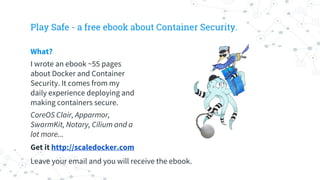
Play Safe - a free ebook about Container Security.
What?
I wrote an ebook ~55 pages
about Docker and Container
Security. It comes from my
daily experience deploying and
making containers secure.
CoreOS Clair, Apparmor,
SwarmKit, Notary, Cilium and a
lot more...
Get it http://scaledocker.com
Leave your email and you will receive the ebook.
Make it
easy to do
the secure
things
Otherwise your colleagues
will be the perfect
vulnerability.
Least Privileged
It’s valid for Orchestration and
anything else.
1.
Runtime
Apparmor, Seccomp, SELinux
2.
Static
Image Scan, CoreOS Clair
3.
Update
Injection new code in the system.
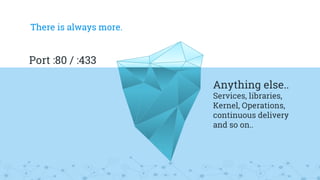
There is always more.
Port :80 / :443
Anything else..
Services, libraries,
Kernel, Operations,
continuous delivery
and so on..
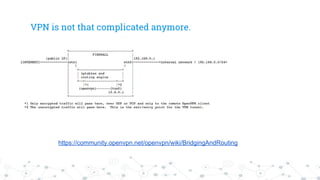
VPN is not that complicated anymore.
https://community.openvpn.net/openvpn/wiki/BridgingAndRouting
SELinux
1. Everything inside a system has labels
2. By default everything is denied
3. You can write policy to allow only what you
need.
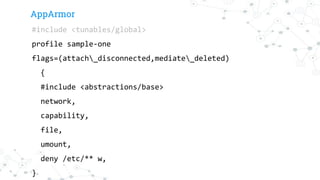
AppArmor
#include <tunables/global>
profile sample-one
flags=(attach_disconnected,mediate_deleted)
{
#include <abstractions/base>
network,
capability,
file,
umount,
deny /etc/** w,
}
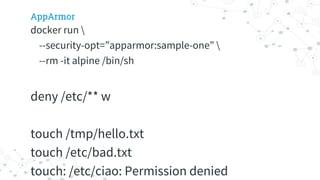
AppArmor
docker run 
--security-opt=”apparmor:sample-one” 
--rm -it alpine /bin/sh
deny /etc/** w
touch /tmp/hello.txt
touch /etc/bad.txt
touch: /etc/ciao: Permission denied
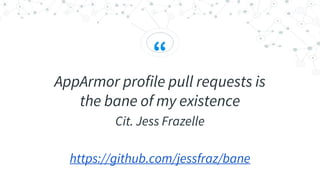
“
AppArmor profile pull requests is
the bane of my existence
Cit. Jess Frazelle
https://github.com/jessfraz/bane
It’s easy if you run one process for
every container!
And if you know
what you are running.
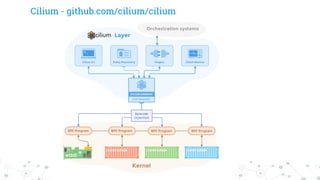
Cilium - github.com/cilium/cilium
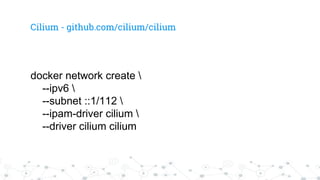
docker network create 
--ipv6 
--subnet ::1/112 
--ipam-driver cilium 
--driver cilium cilium
Cilium - github.com/cilium/cilium
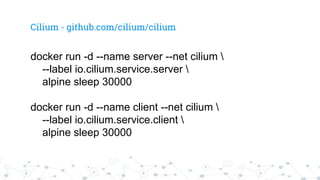
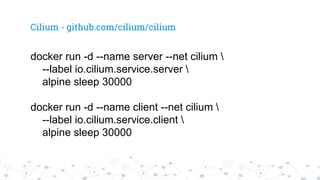
docker run -d --name server --net cilium 
--label io.cilium.service.server 
alpine sleep 30000
docker run -d --name client --net cilium 
--label io.cilium.service.client 
alpine sleep 30000
Cilium - github.com/cilium/cilium
docker run -d --name server --net cilium 
--label io.cilium.service.server 
alpine sleep 30000
docker run -d --name client --net cilium 
--label io.cilium.service.client 
alpine sleep 30000
Cilium - github.com/cilium/cilium
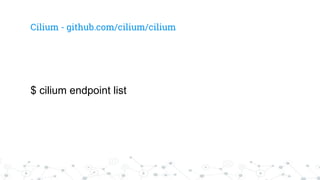
$ cilium endpoint list
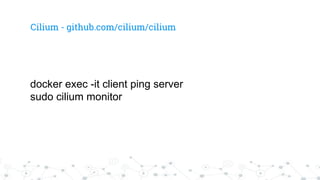
docker exec -it client ping server
sudo cilium monitor
Cilium - github.com/cilium/cilium
cilium policy allowed -s cilium:io.cilium.service.client 
-d cilium:io.cilium.service.server
Resolving policy for context &{Trace:1
Logging:0xc42177b590
From:[cilium:io.cilium.service.client]
To:[cilium:io.cilium.service.server]}
Root rules decision: undecided
No matching children in io.cilium
Root children decision: undecided
Final tree decision: deny
Cilium - github.com/cilium/cilium
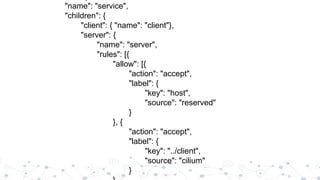
"name": "service",
"children": {
"client": { "name": "client"},
"server": {
"name": "server",
"rules": [{
"allow": [{
"action": "accept",
"label": {
"key": "host",
"source": "reserved"
}
}, {
"action": "accept",
"label": {
"key": "../client",
"source": "cilium"
}
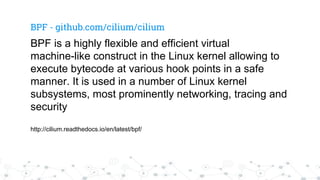
BPF - github.com/cilium/cilium
BPF is a highly flexible and efficient virtual
machine-like construct in the Linux kernel allowing to
execute bytecode at various hook points in a safe
manner. It is used in a number of Linux kernel
subsystems, most prominently networking, tracing and
security
http://cilium.readthedocs.io/en/latest/bpf/
Images.
There are a lot of
good practices
and mistake
to make.
FROM debian
Oh this seems too much...
FROM scratch
Yes. I will make debugging with my
magic wand.
FROM centos
Yum let’s go for lunch! I am hungry
This decision
requires strong
opinions...
Let’s keep in mind about some
concerns
1.
Size
Unused files, libraries, packages
makes your image bigger.
2.
Security
Unrequired code and files are a
good way to get free
vulnerabilities!
3.
Debugging
At some point you will be happy to
run `ping google.com`.
LinuxKit can help
But maintaining your distro is not
very common yet.
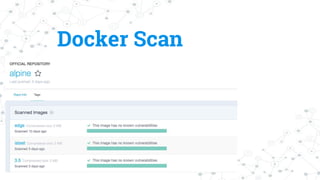
Docker Scan
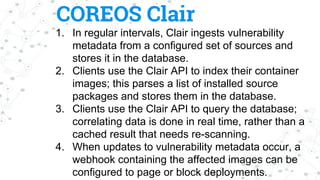
COREOS Clair
1. In regular intervals, Clair ingests vulnerability
metadata from a configured set of sources and
stores it in the database.
2. Clients use the Clair API to index their container
images; this parses a list of installed source
packages and stores them in the database.
3. Clients use the Clair API to query the database;
correlating data is done in real time, rather than a
cached result that needs re-scanning.
4. When updates to vulnerability metadata occur, a
webhook containing the affected images can be
configured to page or block deployments.
The update can be
a problem
sometime...
Docker content
trust.
The world behind the pull.
GPG, TLS, SHA
What I need more?
SHA1 - First collision
https://security.googleblog.com/2017/02/
announcing-first-sha1-collision.html
GPG limitation
● Is it coming from the place
where I hope?
● Between the sender and the
receiver what happen?
● Are the signatures too old?
TUF - The update
framework
https://theupdateframework.github.io
The framework is inspired by
Thandy the Tor’s secure updating
system
Main principles:
◎ Responsibility Separation to decrease the
scope of a specific role.
◎ Survivable key compromise and scoped
keys.
◎ Multi-Signature thresholding
It doesn’t manage
your packages
It only manage identity and signatures in
a separate location.
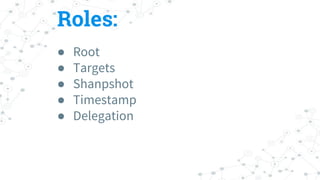
Roles:
● Root
● Targets
● Shanpshot
● Timestamp
● Delegation
Notary
https://github.com/docker/notary
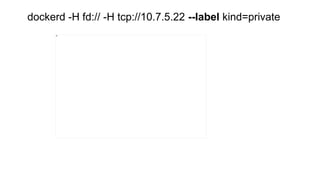
dockerd -H fd:// -H tcp://10.7.5.22 --label kind=private
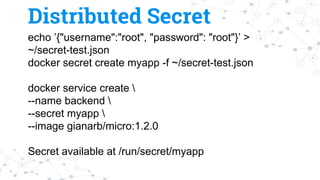
echo ’{"username":"root", "password": "root"}’ >
~/secret-test.json
docker secret create myapp -f ~/secret-test.json
docker service create 
--name backend 
--secret myapp 
--image gianarb/micro:1.2.0
Secret available at /run/secret/myapp
Distributed Secret
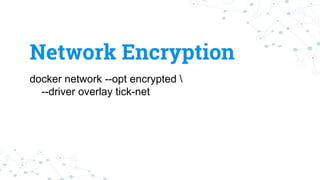
docker network --opt encrypted 
--driver overlay tick-net
Network Encryption
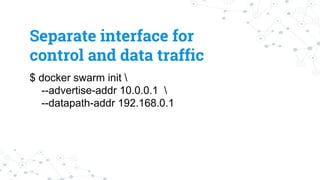
$ docker swarm init 
--advertise-addr 10.0.0.1 
--datapath-addr 192.168.0.1
Separate interface for
control and data traffic
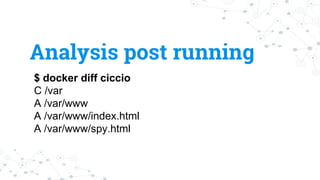
Immutability
$ docker diff ciccio
C /var
A /var/www
A /var/www/index.html
A /var/www/spy.html
Analysis post running
Containers are not
magic.
Bad code stays
bad.
Write good code
Thanks!
Any questions?
@gianarb

Security Tips to run Docker in Production