A visual tool for wiring the internet of things
David Ghedalia
Flow-based programming
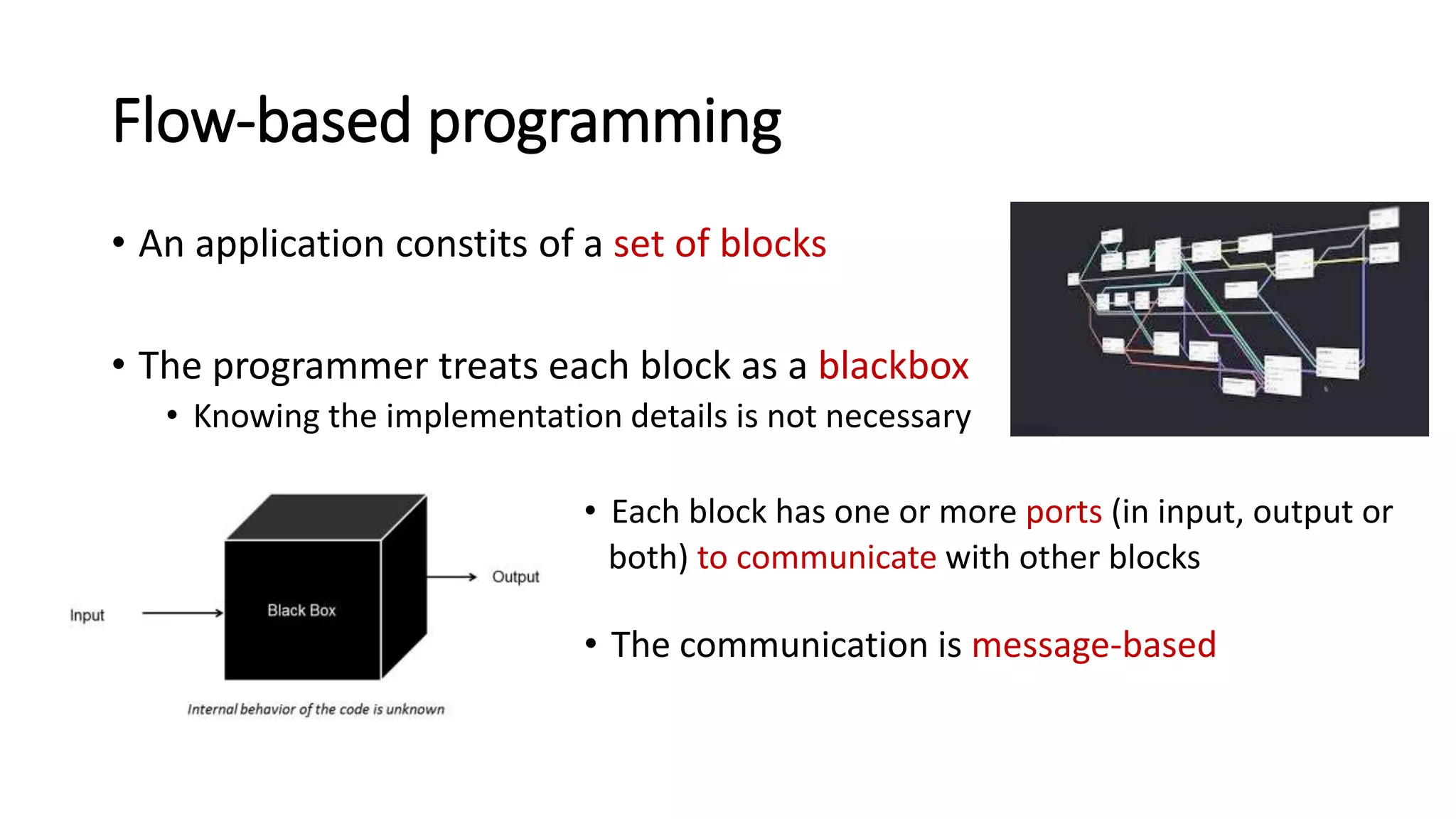
• An application constits of a set of blocks
• The programmer treats each block as a blackbox
• Knowing the implementation details is not necessary
• Each block has one or more ports (in input, output or
both) to communicate with other blocks
• The communication is message-based
IoT and visual programming
The very nature of flow-based programming leads to two
major consequences:
• It can be easily implemented in a visual manner,
allowing the development of complex applications
in a short period of time
• Pardigm is particularly suitable for an IoT environment, in which
a large amount of computation is used to exchange messages
What is Node-RED?
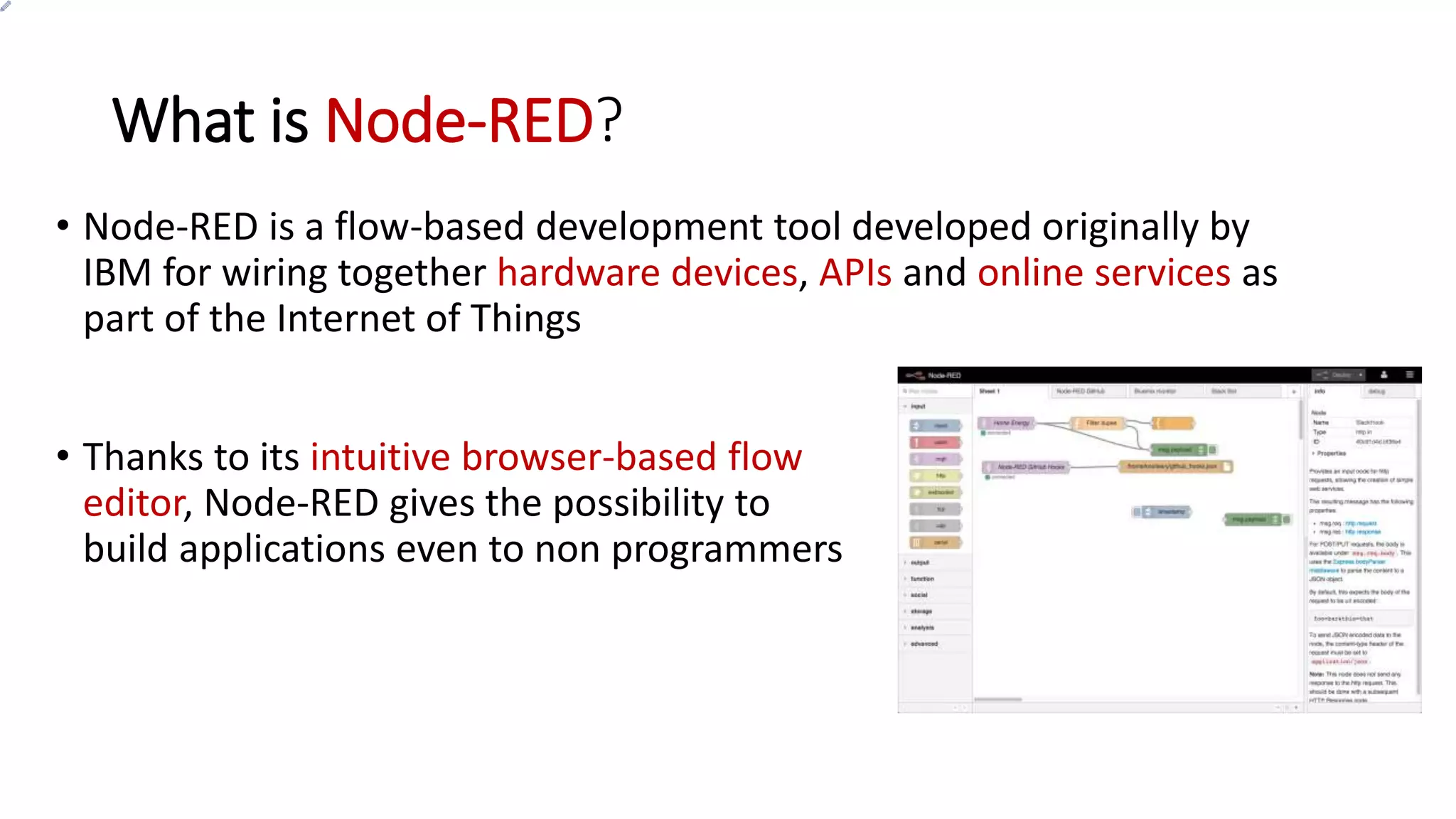
• Node-RED is a flow-based development tool developed originally by
IBM for wiring together hardware devices, APIs and online services as
part of the Internet of Things
• Thanks to its intuitive browser-based flow
editor, Node-RED gives the possibility to
build applications even to non programmers
The architecture
• Runtime
It is written in Javascript and based on NodeJS, taking full advantage of its
event-driven, non-blocking model
• UI
Written in HTML and JavaScript: it enables to
build flows in a visual manner
Other features
• Node-RED is open source
• Simple and fast to deploy
• Flows stored as a JSON file
In this way, they can be easily shared
• Thousands of custom nodes (and flows) built by the community
Getting started
Launching Node-RED
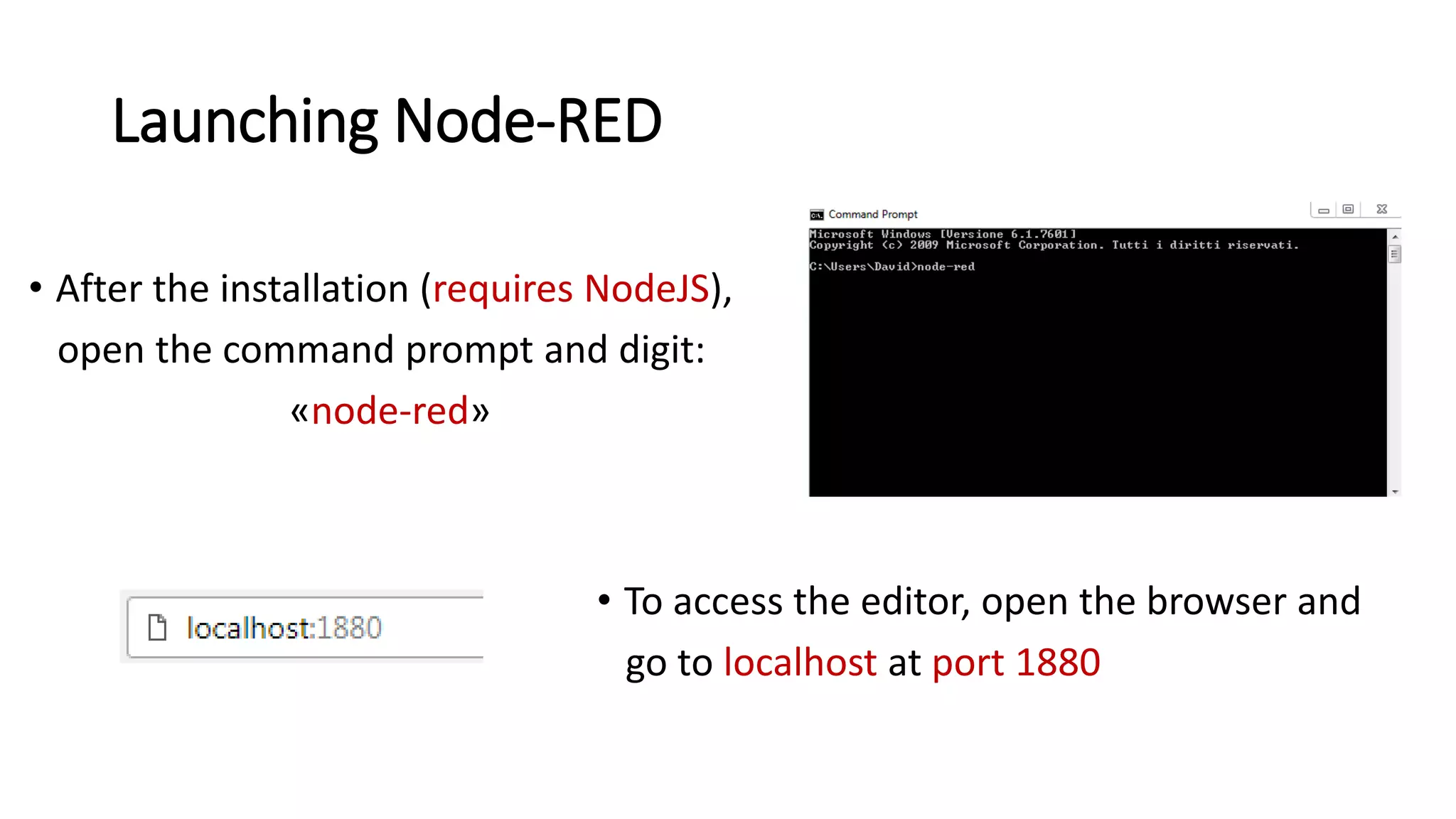
• After the installation (requires NodeJS),
open the command prompt and digit:
«node-red»
• To access the editor, open the browser and
go to localhost at port 1880
Building the first flow (1)
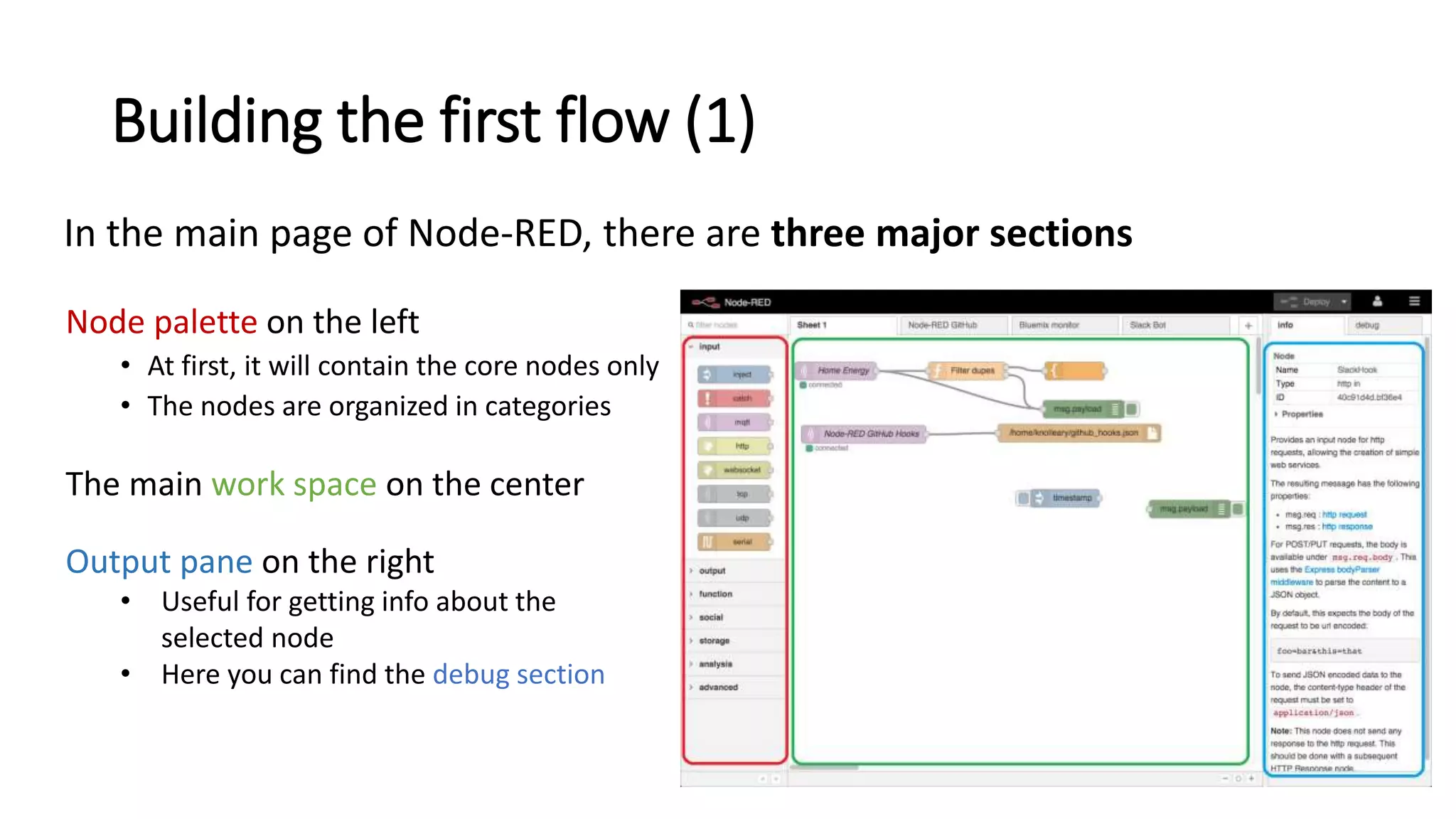
In the main page of Node-RED, there are three major sections
Node palette on the left
• At first, it will contain the core nodes only
• The nodes are organized in categories
The main work space on the center
Output pane on the right
• Useful for getting info about the
selected node
• Here you can find the debug section
Building the first flow (2)
• To insert a node in the current flow, drag a node from the palette and
drop it into the workspace
• To edit a node, double-click on it: a pane will appear, containing all
the editable settings.
In certain nodes, one or more fields will be required before being able to
deploy the flow
• To link two nodes, click and hold the output port of the first node and
release at the input port of the second node
Building the first flow (3)
• Click deploy to make the flow run
The project
Description
home/switchLed
home/ledStatus
MQTT client
MQTT client
+
MQTT broker
NodeMCU
Raspberry Pi
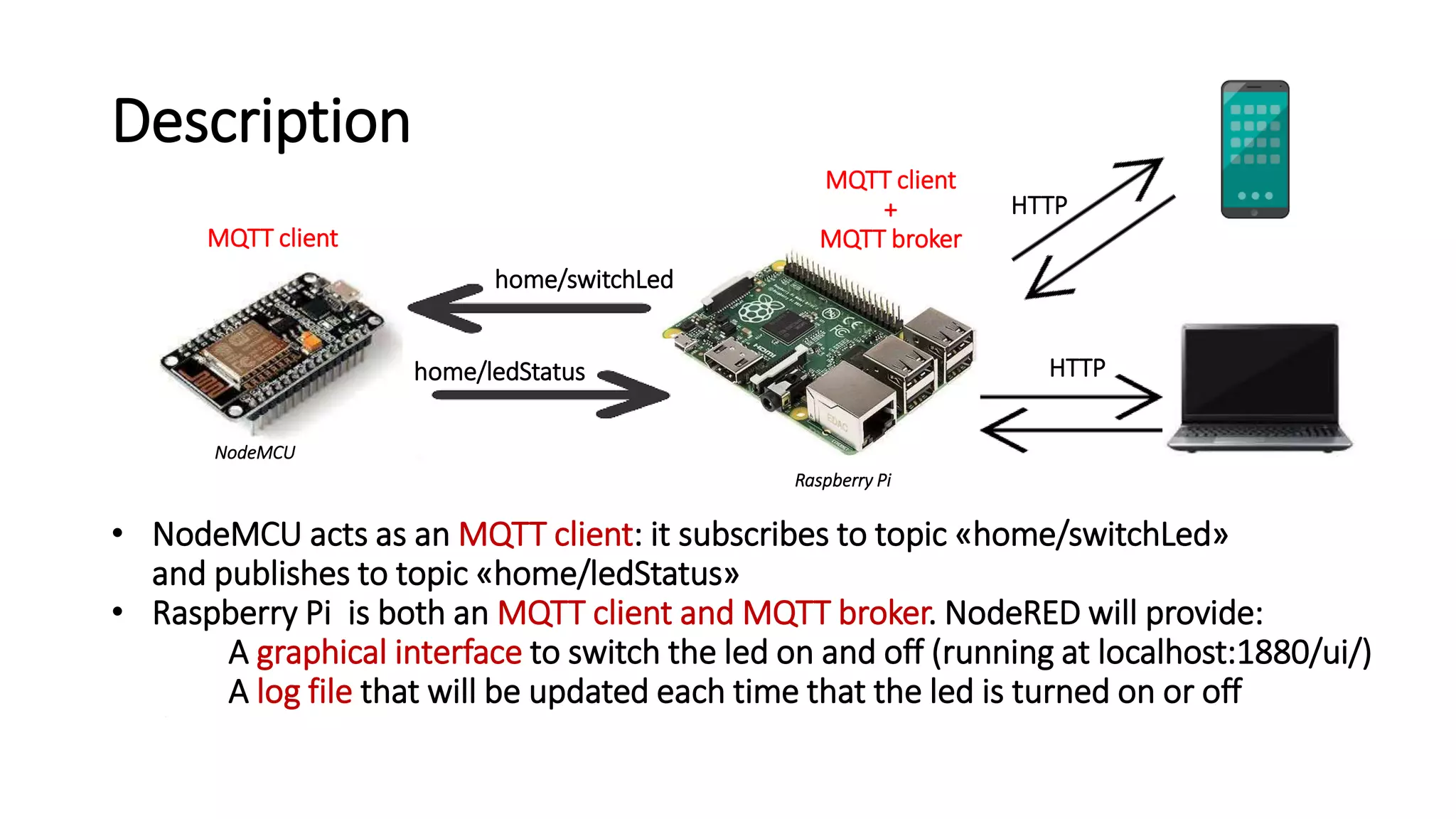
• NodeMCU acts as an MQTT client: it subscribes to topic «home/switchLed»
and publishes to topic «home/ledStatus»
• Raspberry Pi is both an MQTT client and MQTT broker. NodeRED will provide:
A graphical interface to switch the led on and off (running at localhost:1880/ui/)
A log file that will be updated each time that the led is turned on or off•
HTTP
HTTP
Flow
Flow (1)
Flow (2)
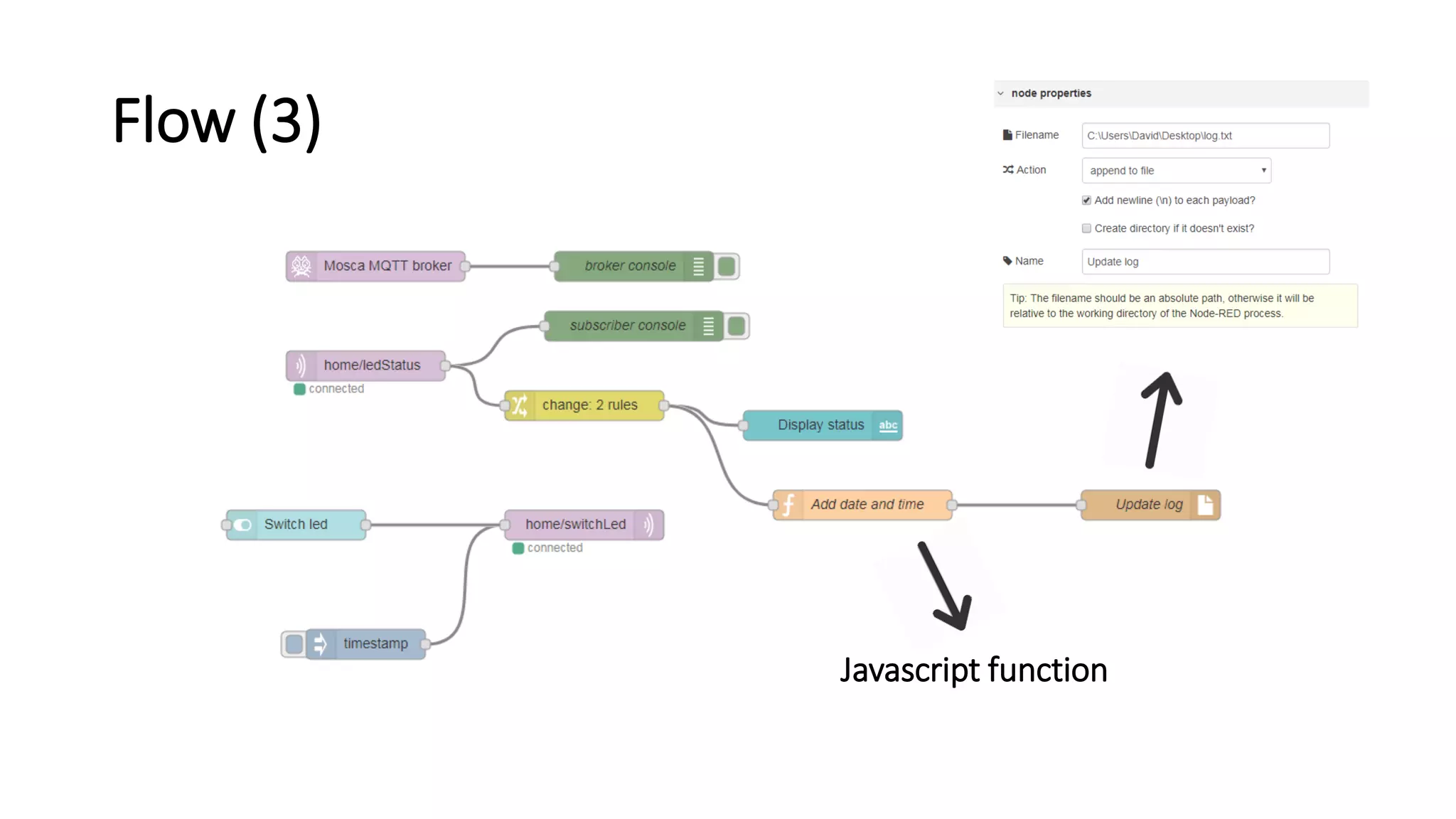
Flow (3)
Javascript function
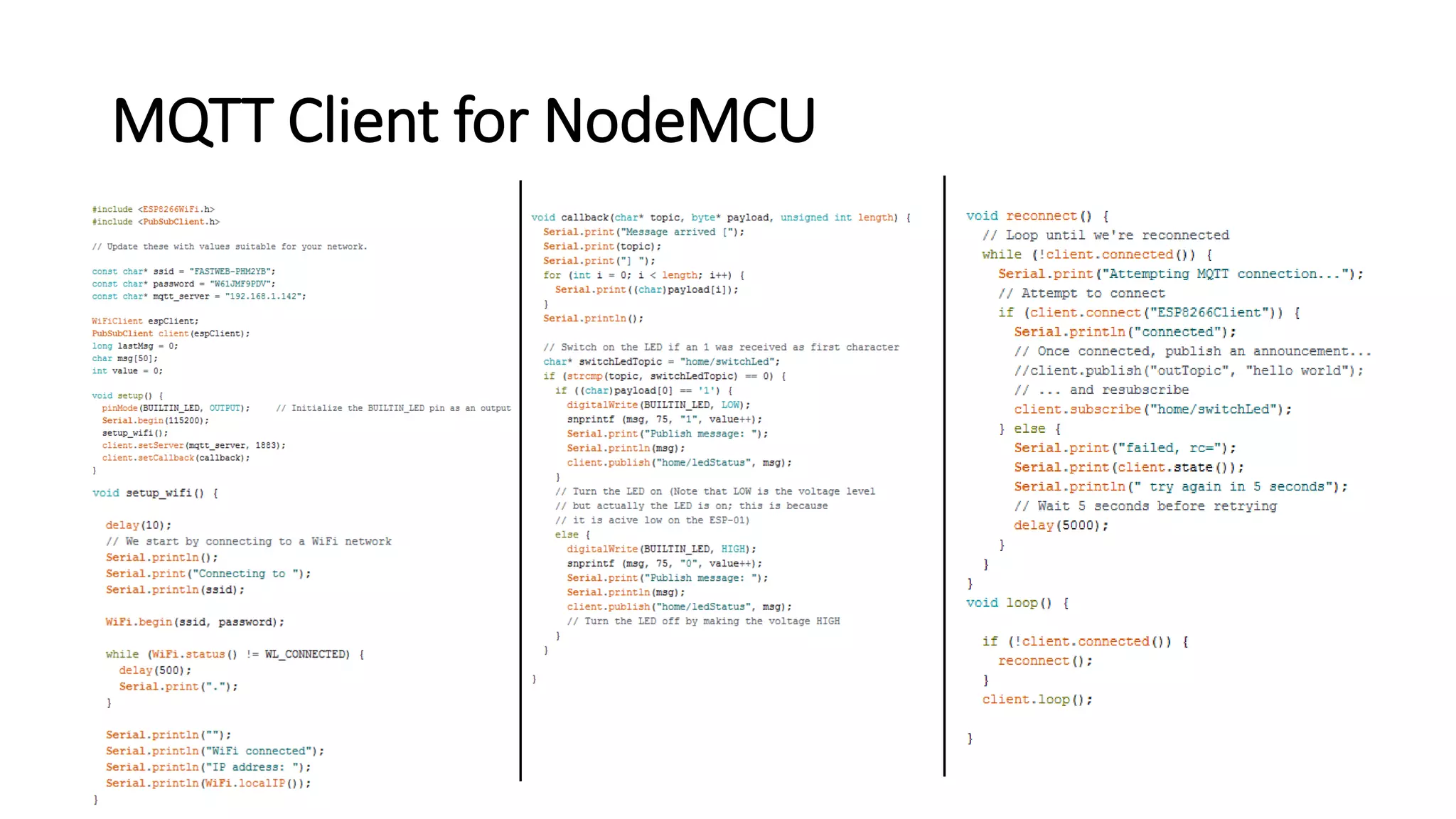
MQTT Client for NodeMCU
Conclusions
• As you can see, there is a lot more work involved to handle the MQTT
protocol compared to Node-RED
• Node-RED is very good for rapid prototyping and building demos
• Node-RED helps you to focus on the main goal of the app rather than
on the implementation details
Thanks!

Node-RED

  • 1.
    A visual toolfor wiring the internet of things David Ghedalia
  • 2.
    Flow-based programming • Anapplication constits of a set of blocks • The programmer treats each block as a blackbox • Knowing the implementation details is not necessary • Each block has one or more ports (in input, output or both) to communicate with other blocks • The communication is message-based
  • 3.
    IoT and visualprogramming The very nature of flow-based programming leads to two major consequences: • It can be easily implemented in a visual manner, allowing the development of complex applications in a short period of time • Pardigm is particularly suitable for an IoT environment, in which a large amount of computation is used to exchange messages
  • 4.
    What is Node-RED? •Node-RED is a flow-based development tool developed originally by IBM for wiring together hardware devices, APIs and online services as part of the Internet of Things • Thanks to its intuitive browser-based flow editor, Node-RED gives the possibility to build applications even to non programmers
  • 5.
    The architecture • Runtime Itis written in Javascript and based on NodeJS, taking full advantage of its event-driven, non-blocking model • UI Written in HTML and JavaScript: it enables to build flows in a visual manner
  • 6.
    Other features • Node-REDis open source • Simple and fast to deploy • Flows stored as a JSON file In this way, they can be easily shared • Thousands of custom nodes (and flows) built by the community
  • 7.
  • 8.
    Launching Node-RED • Afterthe installation (requires NodeJS), open the command prompt and digit: «node-red» • To access the editor, open the browser and go to localhost at port 1880
  • 9.
    Building the firstflow (1) In the main page of Node-RED, there are three major sections Node palette on the left • At first, it will contain the core nodes only • The nodes are organized in categories The main work space on the center Output pane on the right • Useful for getting info about the selected node • Here you can find the debug section
  • 10.
    Building the firstflow (2) • To insert a node in the current flow, drag a node from the palette and drop it into the workspace • To edit a node, double-click on it: a pane will appear, containing all the editable settings. In certain nodes, one or more fields will be required before being able to deploy the flow • To link two nodes, click and hold the output port of the first node and release at the input port of the second node
  • 11.
    Building the firstflow (3) • Click deploy to make the flow run
  • 12.
  • 13.
    Description home/switchLed home/ledStatus MQTT client MQTT client + MQTTbroker NodeMCU Raspberry Pi • NodeMCU acts as an MQTT client: it subscribes to topic «home/switchLed» and publishes to topic «home/ledStatus» • Raspberry Pi is both an MQTT client and MQTT broker. NodeRED will provide: A graphical interface to switch the led on and off (running at localhost:1880/ui/) A log file that will be updated each time that the led is turned on or off• HTTP HTTP
  • 14.
  • 15.
  • 16.
  • 17.
  • 18.
  • 20.
    Conclusions • As youcan see, there is a lot more work involved to handle the MQTT protocol compared to Node-RED • Node-RED is very good for rapid prototyping and building demos • Node-RED helps you to focus on the main goal of the app rather than on the implementation details
  • 21.