
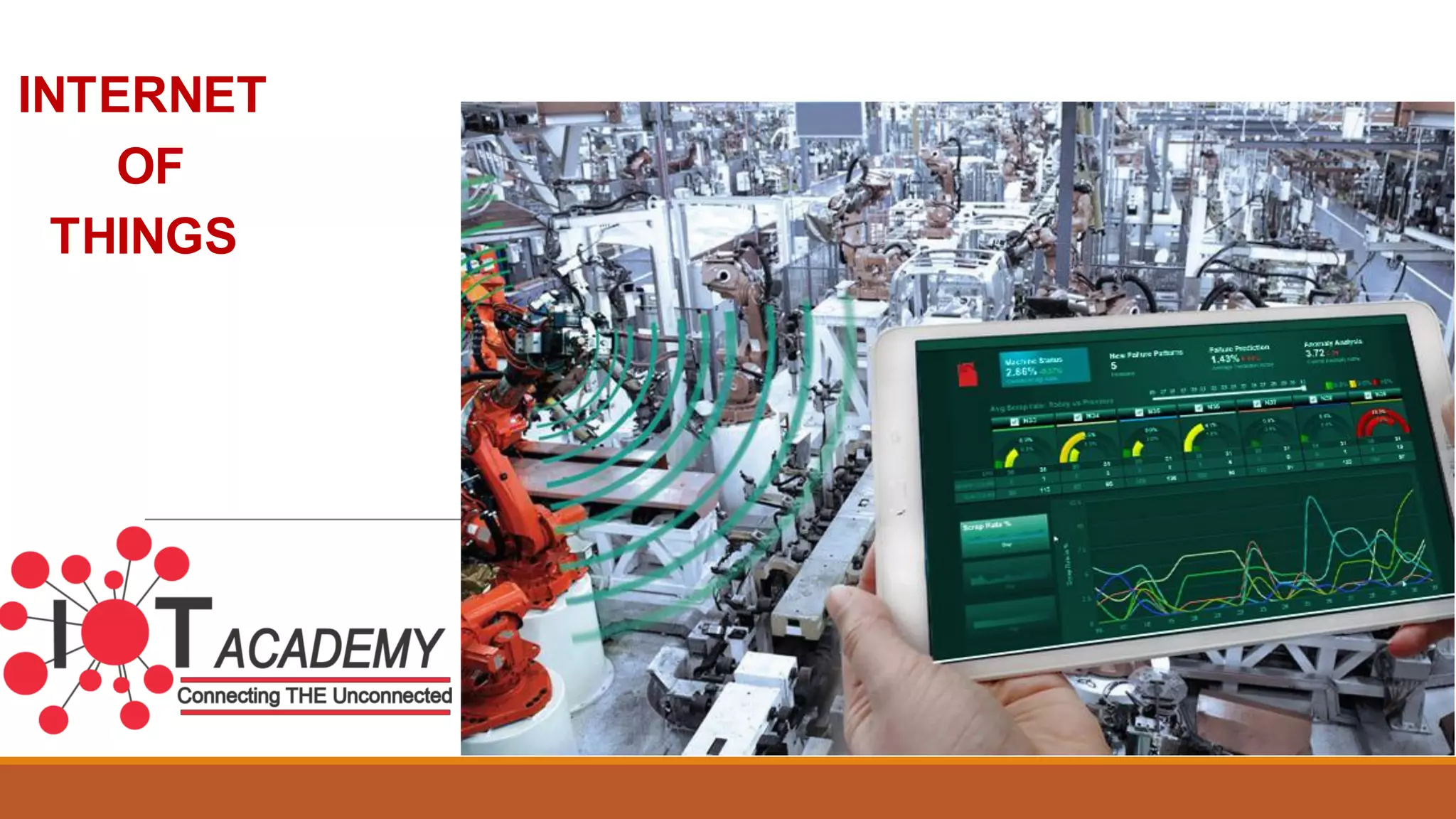

INTERNET
OF
THINGS
Using Node-RED to build the
Internet of Things
Ever had one of those days…
• Where the Application works! And then…
• Can we also get some data from the this whatchamacallit?
• And send the logs off to this other server…
• And add some additional REST endpoints…
The Problem
Weneed tools that make it easier for developers at all levels to
bring together the different streams of events, both Physical and
Digital that make up the Internet of Things
Why Node-RED?
• The internet does not have a one-size-fits-all solution
• Every new “thing” has a new API that must be understood
• Solutions often require pulling together several different device API’s
and online services in new and interesting ways
• Time spent pondering how to access a serial port, or complete an
OAuth flow to Twitter is not time spent on creating the real time of a
solution
Node-RED is
• An application composition tool experience
• A lightweight proof of concept runtime
• Easy to use for simple tasks
• Simple to extend to add new capabilities and types of integration
• Capable of creating the back-end glue between social
applications
• A great way to try…
• “can I just get this data from here to there?”
• “and maybe change it just slightly along the way…”
Node-RED is not
• A fully-scalable, high-performance, enterprise-capable application runtime
• A dashboard with widgets
• A mobile application builder
• The answer to life, the universe, and everything…
On the other hand…
• Node-RED is deployed in a manufacturing production line
• Required extra sensors --quickly--for a proof of concept
• Built on Raspberry Pi’s + Arduinos + Sensors
• Sensor readings and initial processing coordinated via Node-RED
• Able to adapt and change quickly – redeploying during support phone
calls!
Architecture of Node-RED
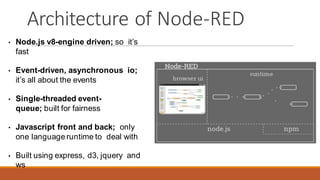
• Node.js v8-engine driven; so it’s
fast
• Event-driven, asynchronous io;
it’s all about the events
• Single-threaded event-
queue; built for fairness
• Javascript front and back; only
one language runtime to deal with
• Built using express, d3, jquery and
ws
Basic Node types
• Inject node
• Allows manual triggering of flows
• Can inject events at scheduled intervals
• Debug node
• Show message content; either payload or
entire object
• Template Node
• Modifies the output based on a Mustache
Template
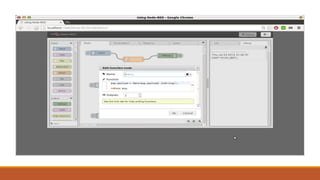
Node-RED Hello World
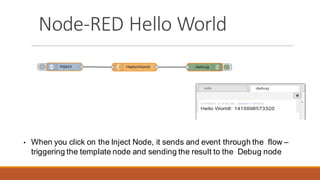
• When you click on the Inject Node, it sends and event through the flow –
triggering the template node and sending the result to the Debug node
Other Input Nodes
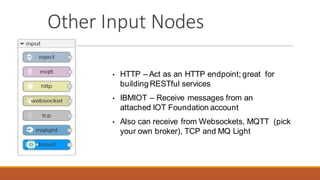
• HTTP – Act as an HTTP endpoint; great for
building RESTful services
• IBMIOT – Receive messages from an
attached IOT Foundation account
• Also can receive from Websockets, MQTT (pick
your own broker), TCP and MQ Light
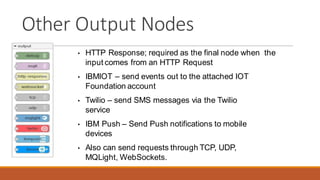
Other Output Nodes
• HTTP Response; required as the final node when the
input comes from an HTTP Request
• IBMIOT – send events out to the attached IOT
Foundation account
• Twilio – send SMS messages via the Twilio
service
• IBM Push – Send Push notifications to mobile
devices
• Also can send requests through TCP, UDP,
MQLight, WebSockets.
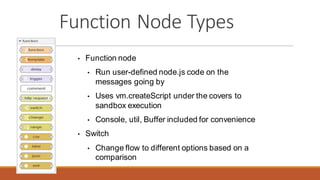
Function Node Types
• Function node
• Run user-defined node.js code on the
messages going by
• Uses vm.createScript under the covers to
sandbox execution
• Console, util, Buffer included for convenience
• Switch
• Change flow to different options based on a
comparison
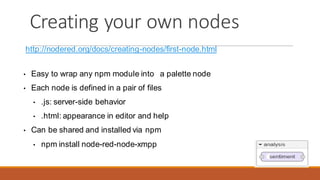
Creating your own nodes
http://nodered.org/docs/creating-nodes/first-node.html
• Easy to wrap any npm module into a palette node
• Each node is defined in a pair of files
• .js: server-side behavior
• .html: appearance in editor and help
• Can be shared and installed via npm
• npm install node-red-node-xmpp
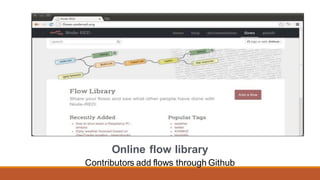
Online flow library
Contributors add flows through Github
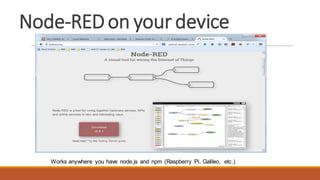
Node-REDon your device
Works anywhere you have node.js and npm (Raspberry Pi, Galileo, etc.)
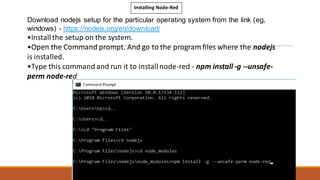
Installing Node-Red
Download nodejs setup for the particular operating system from the link (eg,
windows) - https://nodejs.org/en/download/
•Installthe setup on the system.
•Open the Command prompt. And go to the program files where the nodejs
is installed.
•Type this command and run it to installnode-red - npm install -g --unsafe-
perm node-red
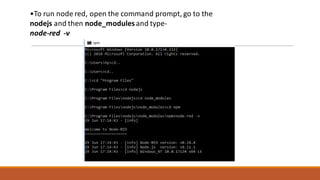
•To run node red, open the command prompt, go to the
nodejs and then node_modules and type-
node-red -v
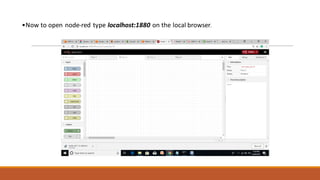
•Now to open node-red type localhost:1880 on the local browser.
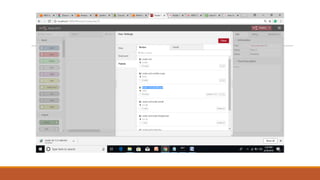
•To installthe node red dashboard- Go to options – manage palette
and then install node-red-dashboard
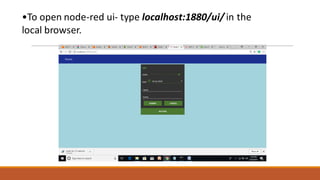
•To open node-red ui- type localhost:1880/ui/ in the
local browser.
THANKS
The IoT Academy
(www.theiotacademy.co)
C56/11, Sector-62, Noida

IoT Node-Red Presentation

  • 1.
  • 2.
    Using Node-RED tobuild the Internet of Things
  • 3.
    Ever had oneof those days… • Where the Application works! And then… • Can we also get some data from the this whatchamacallit? • And send the logs off to this other server… • And add some additional REST endpoints…
  • 4.
    The Problem Weneed toolsthat make it easier for developers at all levels to bring together the different streams of events, both Physical and Digital that make up the Internet of Things
  • 5.
    Why Node-RED? • Theinternet does not have a one-size-fits-all solution • Every new “thing” has a new API that must be understood • Solutions often require pulling together several different device API’s and online services in new and interesting ways • Time spent pondering how to access a serial port, or complete an OAuth flow to Twitter is not time spent on creating the real time of a solution
  • 7.
    Node-RED is • Anapplication composition tool experience • A lightweight proof of concept runtime • Easy to use for simple tasks • Simple to extend to add new capabilities and types of integration • Capable of creating the back-end glue between social applications • A great way to try… • “can I just get this data from here to there?” • “and maybe change it just slightly along the way…”
  • 8.
    Node-RED is not •A fully-scalable, high-performance, enterprise-capable application runtime • A dashboard with widgets • A mobile application builder • The answer to life, the universe, and everything…
  • 9.
    On the otherhand… • Node-RED is deployed in a manufacturing production line • Required extra sensors --quickly--for a proof of concept • Built on Raspberry Pi’s + Arduinos + Sensors • Sensor readings and initial processing coordinated via Node-RED • Able to adapt and change quickly – redeploying during support phone calls!
  • 10.
    Architecture of Node-RED •Node.js v8-engine driven; so it’s fast • Event-driven, asynchronous io; it’s all about the events • Single-threaded event- queue; built for fairness • Javascript front and back; only one language runtime to deal with • Built using express, d3, jquery and ws
  • 11.
    Basic Node types •Inject node • Allows manual triggering of flows • Can inject events at scheduled intervals • Debug node • Show message content; either payload or entire object • Template Node • Modifies the output based on a Mustache Template
  • 12.
    Node-RED Hello World •When you click on the Inject Node, it sends and event through the flow – triggering the template node and sending the result to the Debug node
  • 13.
    Other Input Nodes •HTTP – Act as an HTTP endpoint; great for building RESTful services • IBMIOT – Receive messages from an attached IOT Foundation account • Also can receive from Websockets, MQTT (pick your own broker), TCP and MQ Light
  • 14.
    Other Output Nodes •HTTP Response; required as the final node when the input comes from an HTTP Request • IBMIOT – send events out to the attached IOT Foundation account • Twilio – send SMS messages via the Twilio service • IBM Push – Send Push notifications to mobile devices • Also can send requests through TCP, UDP, MQLight, WebSockets.
  • 15.
    Function Node Types •Function node • Run user-defined node.js code on the messages going by • Uses vm.createScript under the covers to sandbox execution • Console, util, Buffer included for convenience • Switch • Change flow to different options based on a comparison
  • 16.
    Creating your ownnodes http://nodered.org/docs/creating-nodes/first-node.html • Easy to wrap any npm module into a palette node • Each node is defined in a pair of files • .js: server-side behavior • .html: appearance in editor and help • Can be shared and installed via npm • npm install node-red-node-xmpp
  • 17.
    Online flow library Contributorsadd flows through Github
  • 18.
    Node-REDon your device Worksanywhere you have node.js and npm (Raspberry Pi, Galileo, etc.)
  • 19.
    Installing Node-Red Download nodejssetup for the particular operating system from the link (eg, windows) - https://nodejs.org/en/download/ •Installthe setup on the system. •Open the Command prompt. And go to the program files where the nodejs is installed. •Type this command and run it to installnode-red - npm install -g --unsafe- perm node-red
  • 20.
    •To run nodered, open the command prompt, go to the nodejs and then node_modules and type- node-red -v
  • 21.
    •Now to opennode-red type localhost:1880 on the local browser.
  • 22.
    •To installthe nodered dashboard- Go to options – manage palette and then install node-red-dashboard
  • 24.
    •To open node-redui- type localhost:1880/ui/ in the local browser.
  • 25.