Production Diary - Countdown
By Chloe O’Hare
Day 1
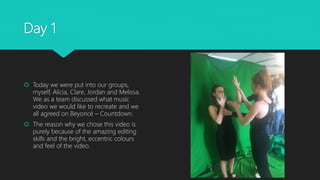
 Today we were put into our groups,
myself, Alicia, Clare, Jordan and Melissa.
We as a team discussed what music
video we would like to recreate and we
all agreed on Beyoncé – Countdown.
 The reason why we chose this video is
purely because of the amazing editing
skills and the bright, eccentric colours
and feel of the video.
Day 2
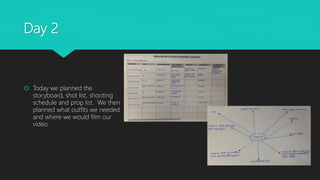
 Today we planned the
storyboard, shot list, shooting
schedule and prop list. We then
planned what outfits we needed
and where we would film our
video.
Day 3
 Today we began filming scenes for our
music video. We took pictures for the
stop start frame imaging section with
Jordan and we filmed the first few clips of
Melissa acting as Beyoncé.
 We dressed Melissa up in nearly the
same clothes as what Beyoncé wore and
put both her and Jordan in front of the
green screen when being filmed.
Day 4
 Today we filmed a lot more shots for the
video and ended up filming them all more
than once to make sure we got the
perfect shot.
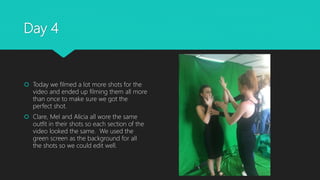
 Clare, Mel and Alicia all wore the same
outfit in their shots so each section of the
video looked the same. We used the
green screen as the background for all
the shots so we could edit well.
Day 5
 Today was the first day we started
editing our prelim. The software we
used to do so was called Adobe
Premiere and we used this to edit the
first part of the countdown video.
 We started putting all the clips in order
and then started to remove the green
screen background and slot in the black
and white background so it matched the
original.
Day 6
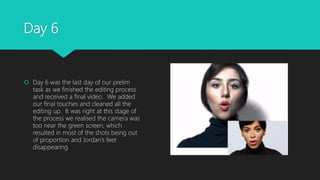
 Day 6 was the last day of our prelim
task as we finished the editing process
and received a final video. We added
our final touches and cleaned all the
editing up. It was right at this stage of
the process we realised the camera was
too near the green screen, which
resulted in most of the shots being out
of proportion and Jordan’s feet
disappearing.

Production Diary - Countdown

  • 1.
    Production Diary -Countdown By Chloe O’Hare
  • 2.
    Day 1  Todaywe were put into our groups, myself, Alicia, Clare, Jordan and Melissa. We as a team discussed what music video we would like to recreate and we all agreed on Beyoncé – Countdown.  The reason why we chose this video is purely because of the amazing editing skills and the bright, eccentric colours and feel of the video.
  • 3.
    Day 2  Todaywe planned the storyboard, shot list, shooting schedule and prop list. We then planned what outfits we needed and where we would film our video.
  • 4.
    Day 3  Todaywe began filming scenes for our music video. We took pictures for the stop start frame imaging section with Jordan and we filmed the first few clips of Melissa acting as Beyoncé.  We dressed Melissa up in nearly the same clothes as what Beyoncé wore and put both her and Jordan in front of the green screen when being filmed.
  • 5.
    Day 4  Todaywe filmed a lot more shots for the video and ended up filming them all more than once to make sure we got the perfect shot.  Clare, Mel and Alicia all wore the same outfit in their shots so each section of the video looked the same. We used the green screen as the background for all the shots so we could edit well.
  • 6.
    Day 5  Todaywas the first day we started editing our prelim. The software we used to do so was called Adobe Premiere and we used this to edit the first part of the countdown video.  We started putting all the clips in order and then started to remove the green screen background and slot in the black and white background so it matched the original.
  • 7.
    Day 6  Day6 was the last day of our prelim task as we finished the editing process and received a final video. We added our final touches and cleaned all the editing up. It was right at this stage of the process we realised the camera was too near the green screen, which resulted in most of the shots being out of proportion and Jordan’s feet disappearing.