
Preparing for technological
changes within academic libraries


            Rachel Vacek, Head of Web Services
              University of Houston Libraries
               @vacekrae, revacek@uh.edu

  Library Futures Series, Oklahoma State University Library
2
3
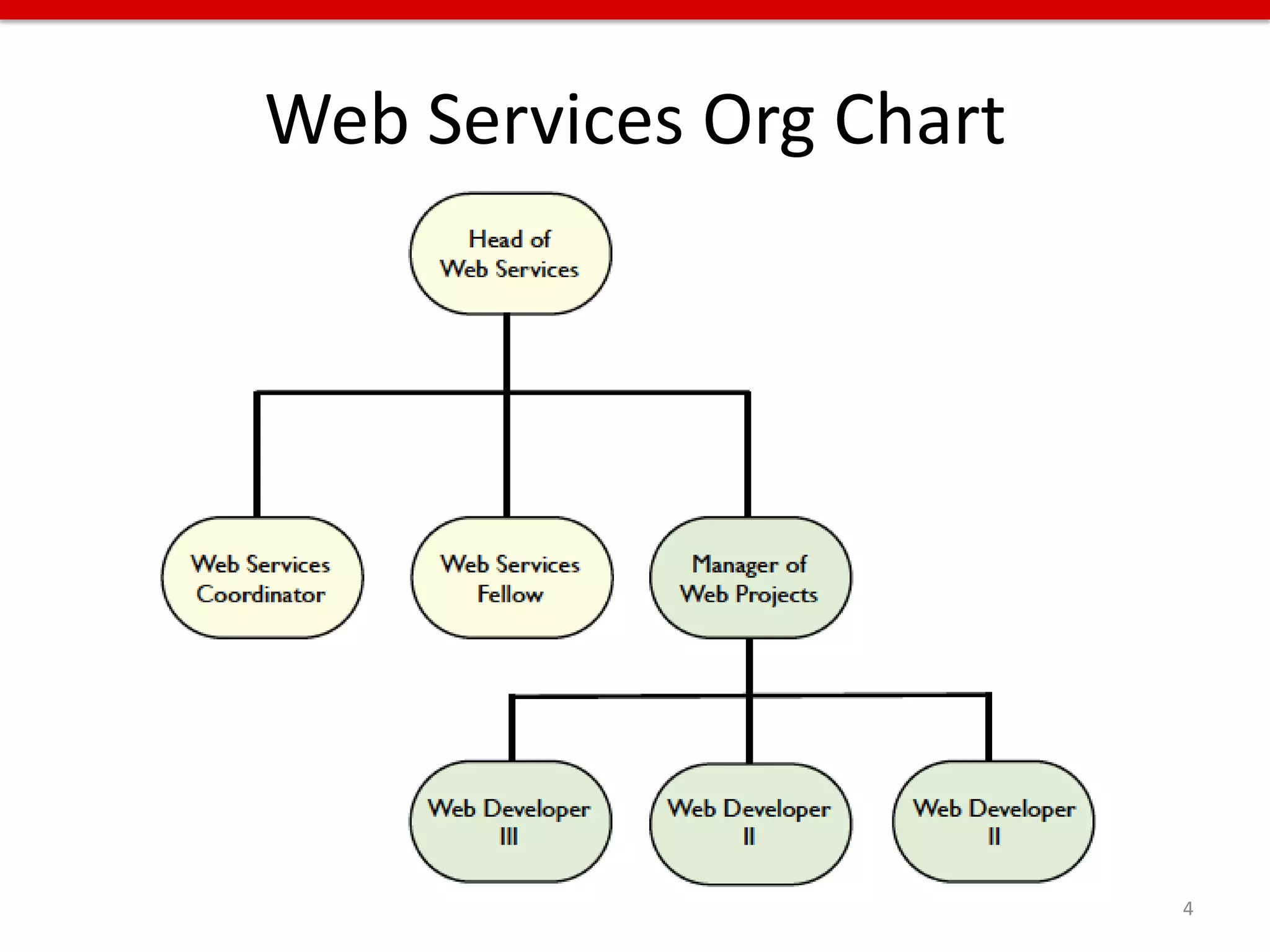
Web Services Org Chart


                         4
Outline
• INNOVATE
  – Create opportunities for technology innovation
• STREAMLINE
  – Streamline and integrate web content
• MOBILIZE
  – Plan for relevant and needed mobile services
• PREPARE
  – Interact with library users in new and unexpected
    ways

                                                        5
INNOVATE


If you always do what you always did, you
will always get what you always got.

- Albert Einstein


                                            6
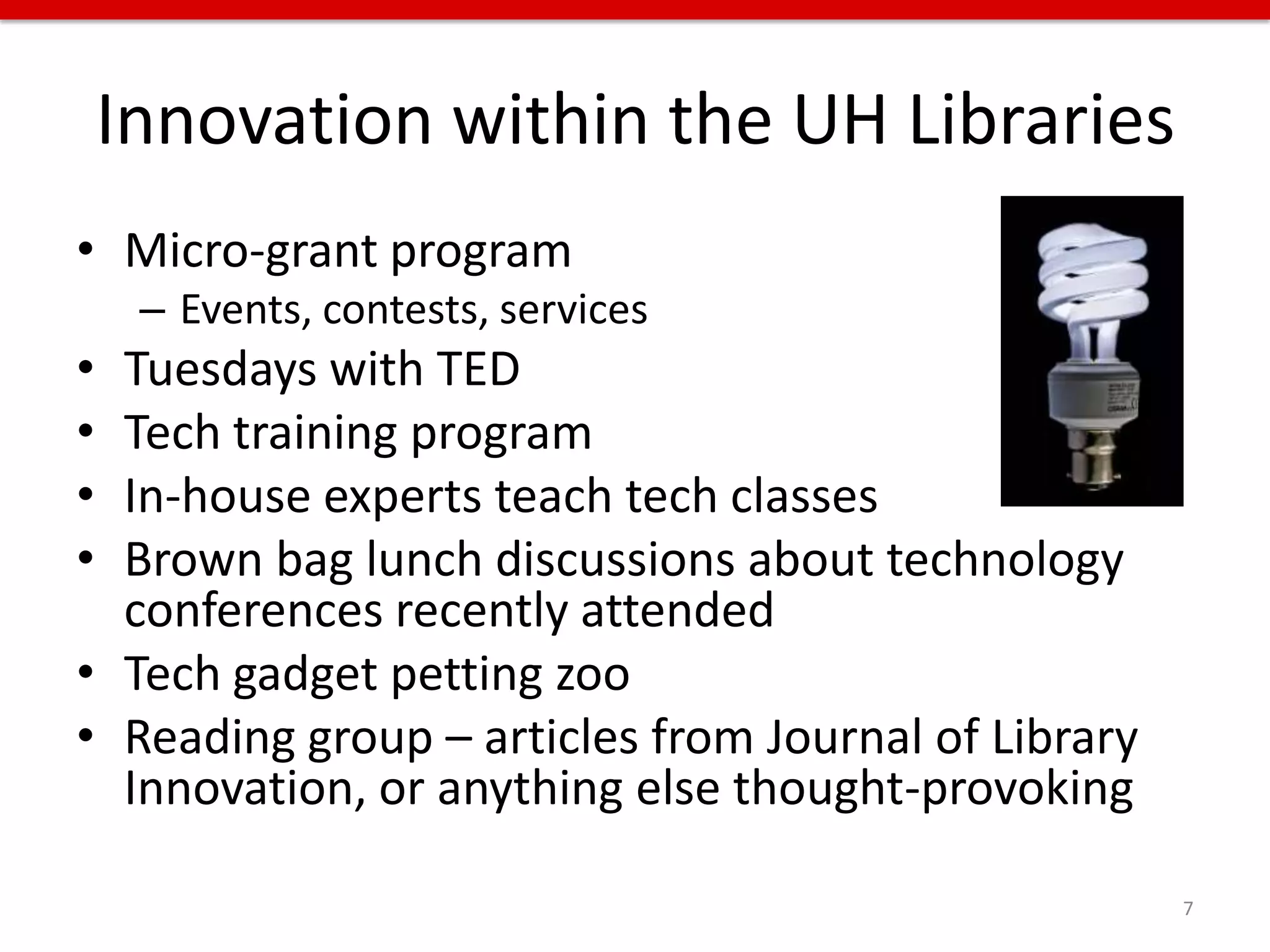
Innovation within the UH Libraries
• Micro-grant program
     – Events, contests, services
• Tuesdays with TED
• Tech training program
• In-house experts teach tech classes
• Brown bag lunch discussions about technology
  conferences recently attended
• Tech gadget petting zoo
• Reading group – articles from Journal of Library
  Innovation, or anything else thought-provoking

                                                     7
Innovation on campus / in community
• Collaboration with other departments on
  campus
• Collaboration with a class
• Digital signage
• Gamification
• Events
• “Field trips” to other facilities on campus or to
  other libraries
                                                      8
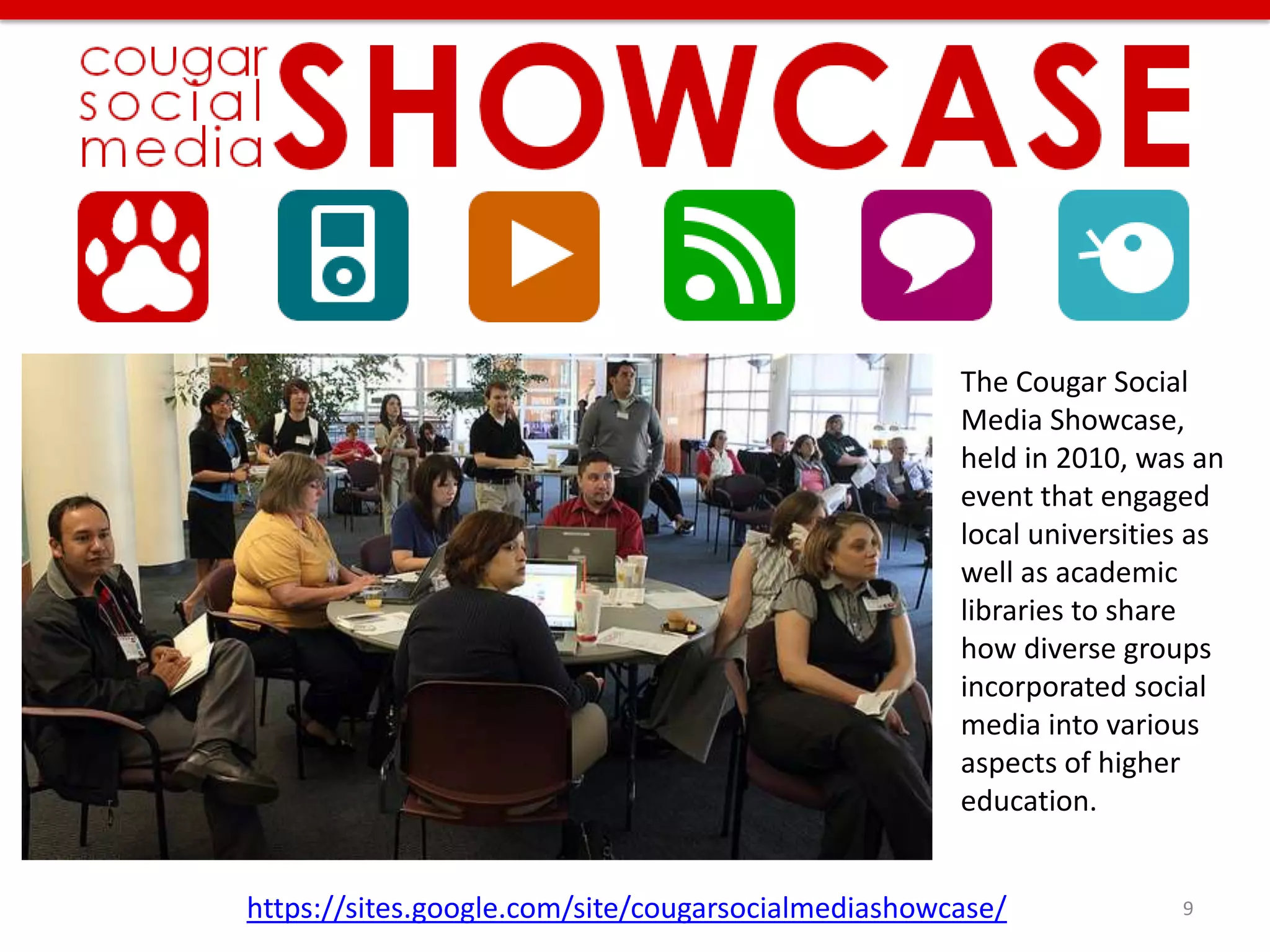
The Cougar Social
                                                    Media Showcase,
                                                    held in 2010, was an
                                                    event that engaged
                                                    local universities as
                                                    well as academic
                                                    libraries to share
                                                    how diverse groups
                                                    incorporated social
                                                    media into various
                                                    aspects of higher
                                                    education.


https://sites.google.com/site/cougarsocialmediashowcase/             9
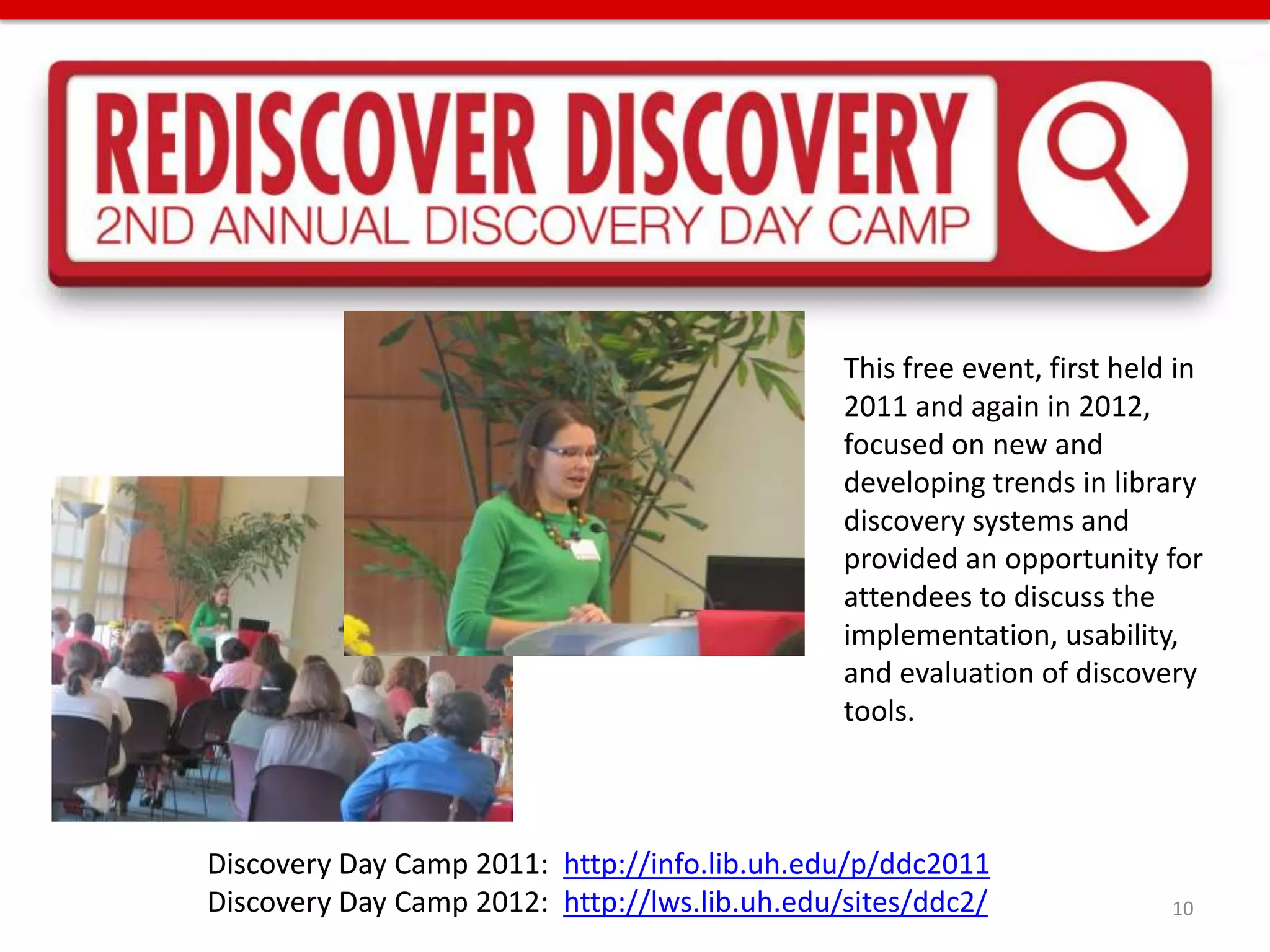
This free event, first held in
                                               2011 and again in 2012,
                                               focused on new and
                                               developing trends in library
                                               discovery systems and
                                               provided an opportunity for
                                               attendees to discuss the
                                               implementation, usability,
                                               and evaluation of discovery
                                               tools.


Discovery Day Camp 2011: http://info.lib.uh.edu/p/ddc2011
Discovery Day Camp 2012: http://lws.lib.uh.edu/sites/ddc2/                10
Technology training program
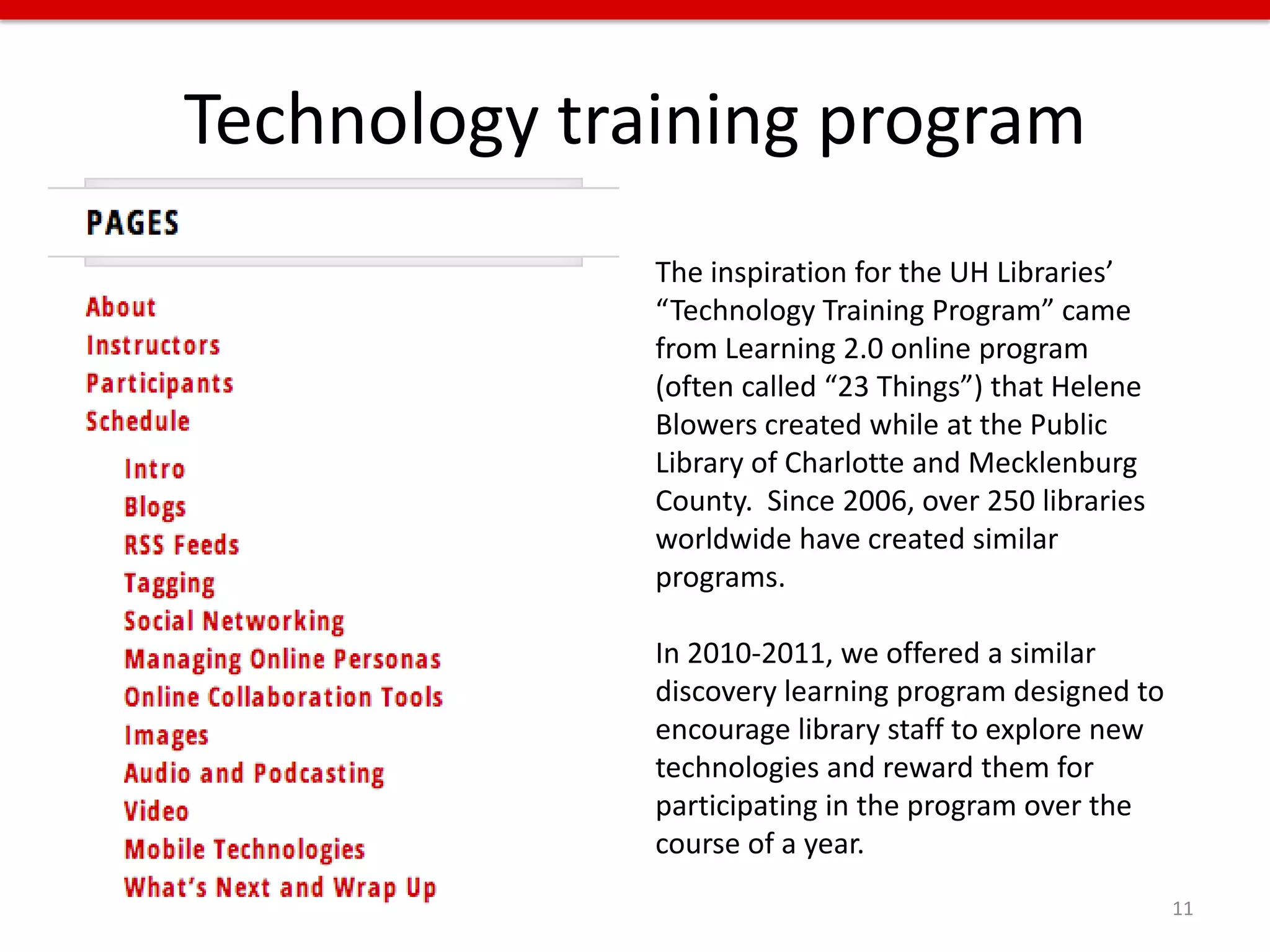
              The inspiration for the UH Libraries’
              “Technology Training Program” came
              from Learning 2.0 online program
              (often called “23 Things”) that Helene
              Blowers created while at the Public
              Library of Charlotte and Mecklenburg
              County. Since 2006, over 250 libraries
              worldwide have created similar
              programs.

              In 2010-2011, we offered a similar
              discovery learning program designed to
              encourage library staff to explore new
              technologies and reward them for
              participating in the program over the
              course of a year.
                                                       11
Tuesdays with TED
Every other week each
summer, I have hosted a
TED Talk viewing and
discussion over the lunch
hour. I found relevant and
timely topics, posted a
schedule, and invited
anyone in the library.
Feedback was encouraging
and people overall liked
the ability to discuss topics
that aren’t often
addressed in libraries but
could potentially have an
impact.


                                          12
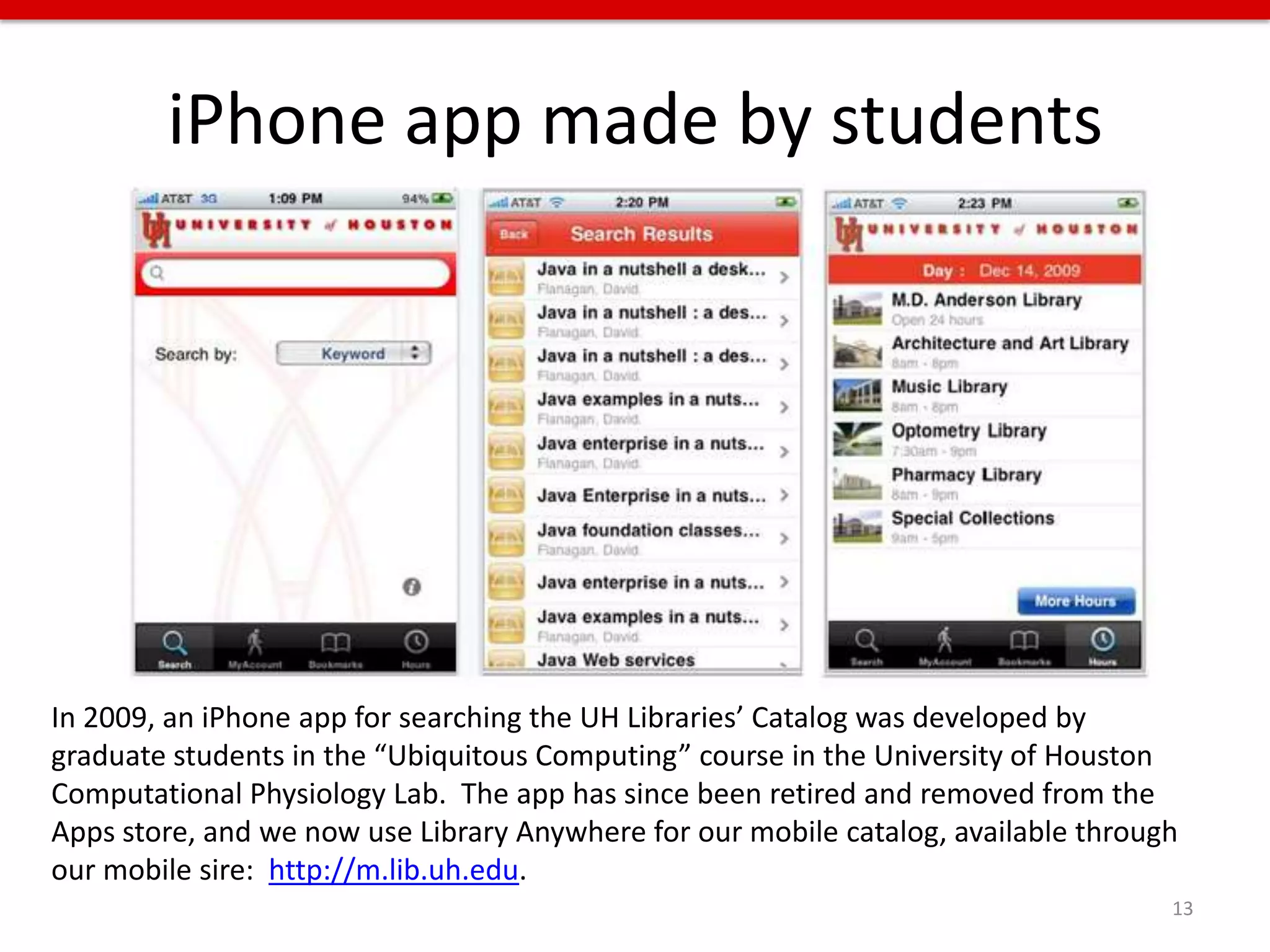
iPhone app made by students


In 2009, an iPhone app for searching the UH Libraries’ Catalog was developed by
graduate students in the “Ubiquitous Computing” course in the University of Houston
Computational Physiology Lab. The app has since been retired and removed from the
Apps store, and we now use Library Anywhere for our mobile catalog, available through
our mobile sire: http://m.lib.uh.edu.
                                                                                    13
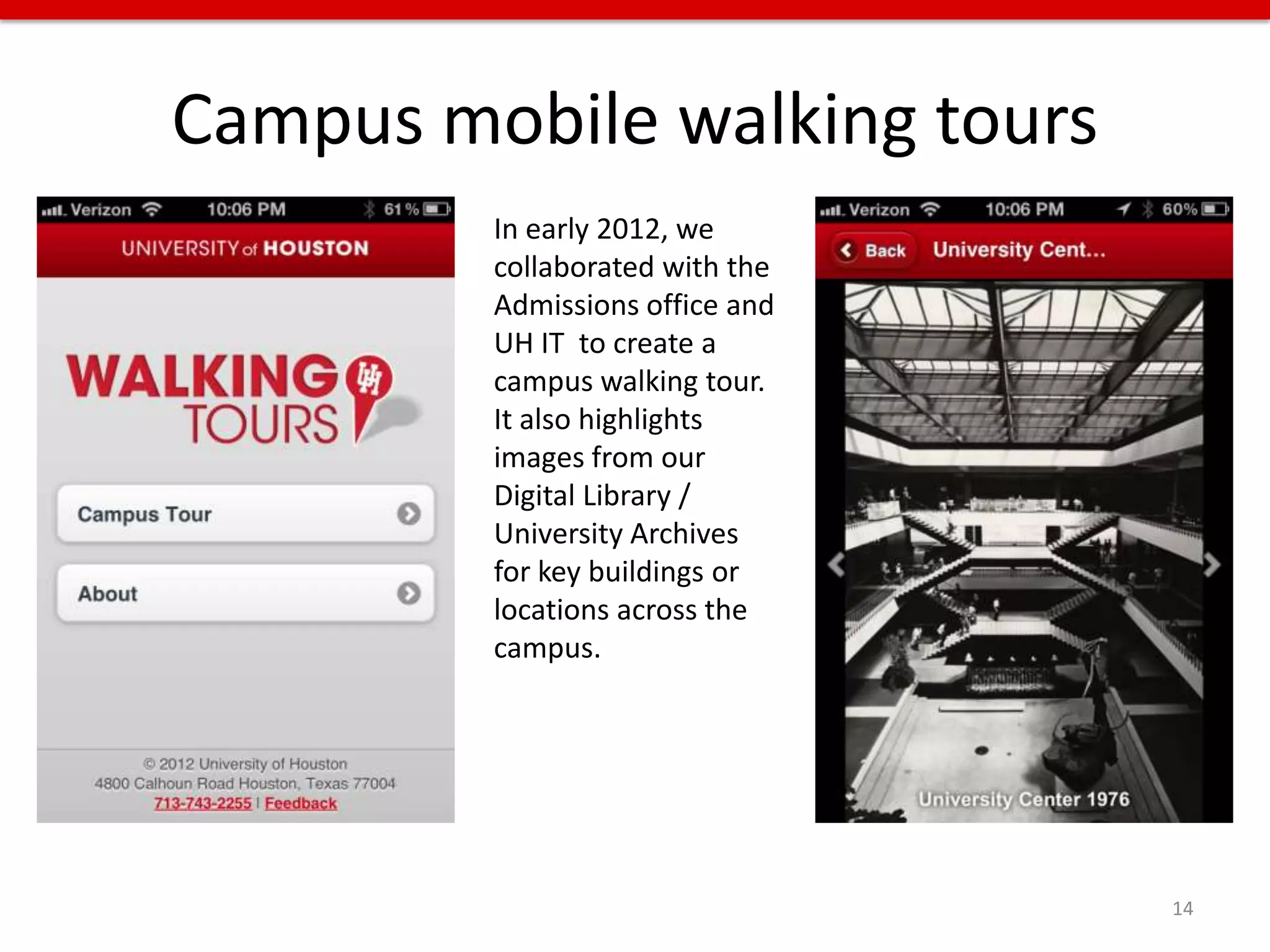
Campus mobile walking tours
         In early 2012, we
         collaborated with the
         Admissions office and
         UH IT to create a
         campus walking tour.
         It also highlights
         images from our
         Digital Library /
         University Archives
         for key buildings or
         locations across the
         campus.


                                 14
INNOVATE: Key concepts
• Create a culture where
  – Risk-taking is rewarded
  – Failures are just opportunities where you learned
    more than you expected
  – Innovation and discussion about ideas are the
    norm, not the occasional activity


                                                        15
INNOVATE: Key concepts
• Create a culture where (cont.)
  – Experimental collaboration with students, faculty,
    or other campus partners is encouraged
  – Events facilitate wider discussion about topics or
    ideas
  – Support is demonstrated by a commitment to
    funding innovation


                                                         16
STREAMLINE


It is failure that guides evolution; perfection
provides no incentive for improvement, and
nothing is perfect.

- Colson Whitehead, novelist


                                                  17
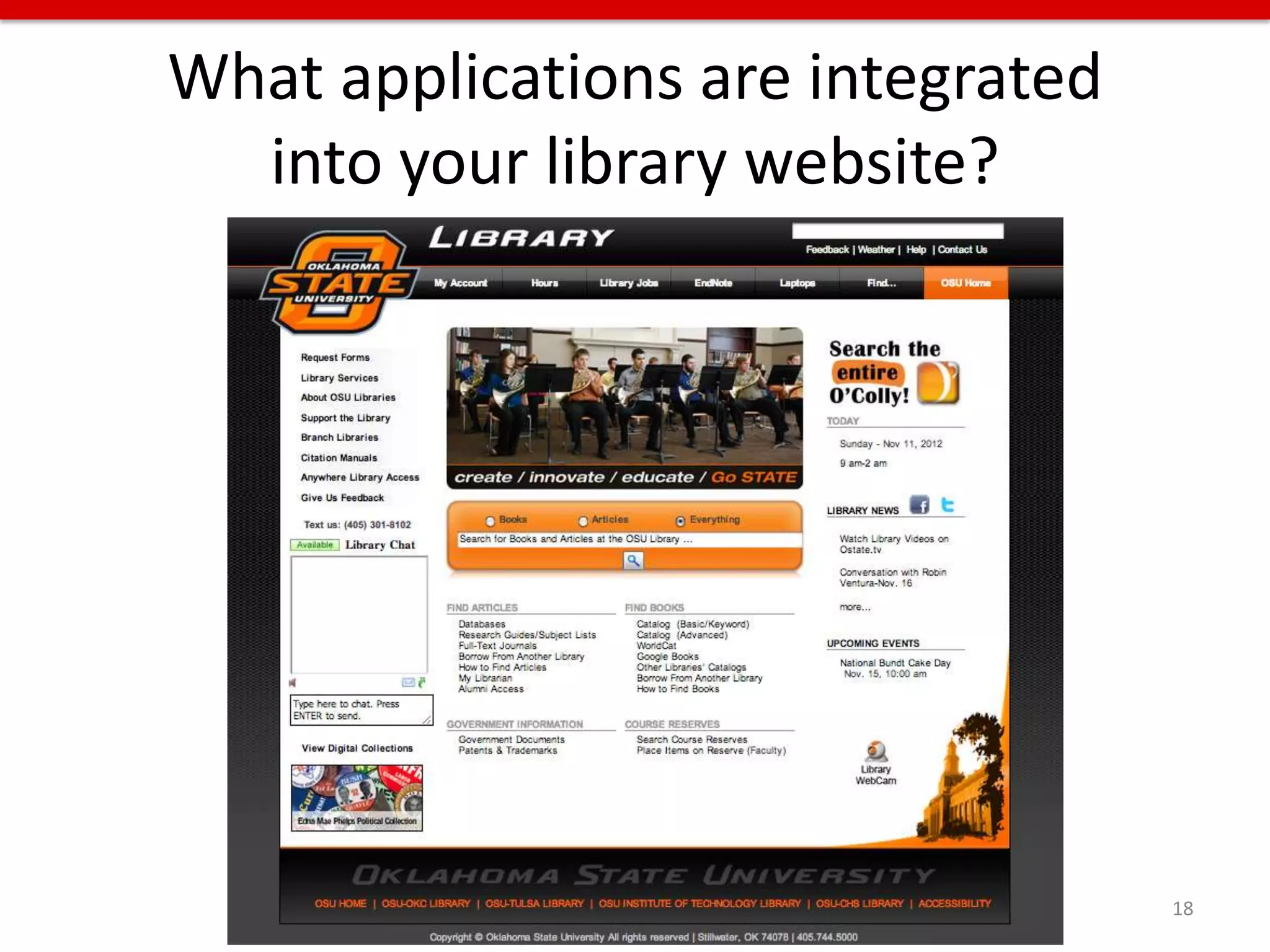
What applications are integrated
  into your library website?


                                   18
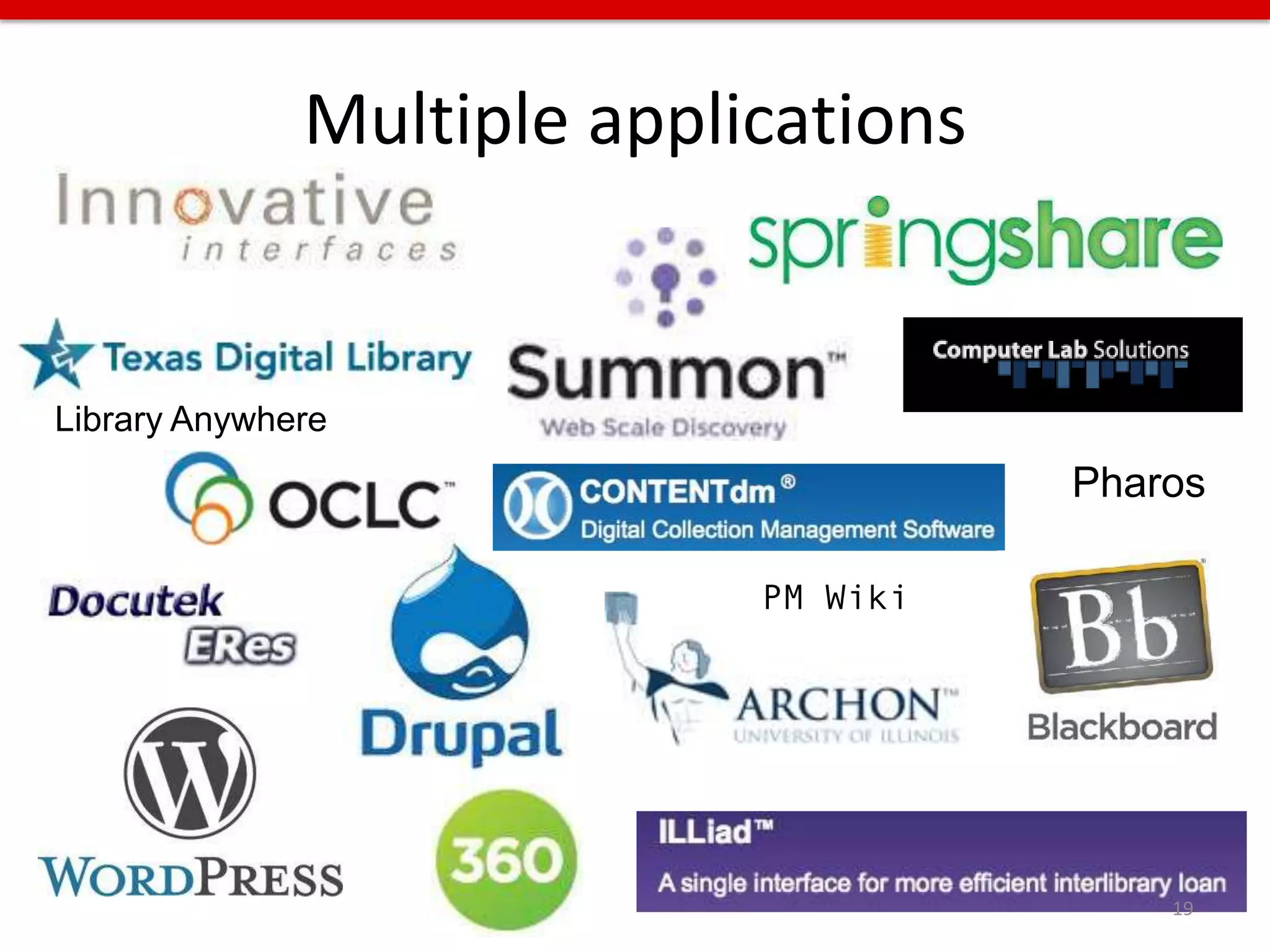
Multiple applications


Library Anywhere
                                      Pharos

                            PM Wiki


                                          19
Multiple access points
• Users can enter into your library site from
   –   Course management system
   –   Search engine
   –   University website
   –   Bookmarks in their browser
   –   Off campus
   –   Marketing flyer
   –   Social media
   –   From a mobile device
   –   From different types of computers

                                                20
Multiple access points
•   info.lib.uh.edu      •   archon.lib.uh.edu
•   library.uh.edu       •   uh.edu/library
•   guides.lib.uh.edu    •   uh.edu/libraries
•   digital.lib.uh.edu   •   lws.uh.edu
•   search.lib.uh.edu    •   login.ezproxy.lib.uh.edu
•   weblogs.lib.uh.edu   •   illiad.lib.uh.edu
•   ask.lib.uh.edu

                                                   21
Multiple brands


                  22
Multiple sources for content
•   Website CMS
•   Mobile website CMS
•   LibGuides
•   LibAnswers
•   Blogs
•   Social Media
•   And multiple people throughout the library
    create that content
                                                 23
ENOUGH!!!


            24
Organizational politics need to change
• Applications are managed by multiple
  departments within the library
• Departments need to be less isolated, more
  agile, and willing to work closely with one
  another and with stakeholders
• Usability test results, analytics, transaction
  logs, database usage, etc., need to be
  transparent to everyone within the library

                                                   25
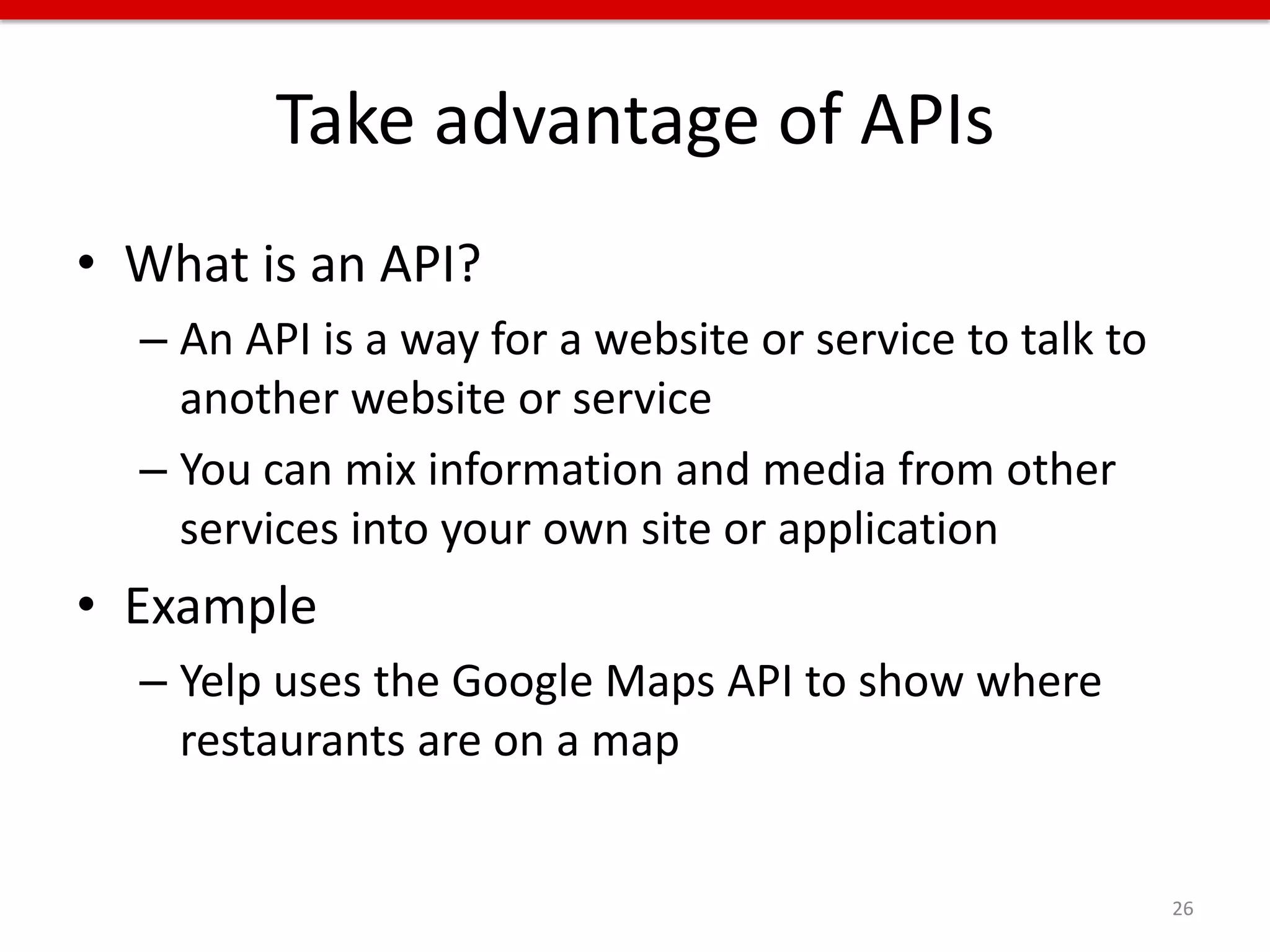
Take advantage of APIs
• What is an API?
  – An API is a way for a website or service to talk to
    another website or service
  – You can mix information and media from other
    services into your own site or application
• Example
  – Yelp uses the Google Maps API to show where
    restaurants are on a map


                                                          26
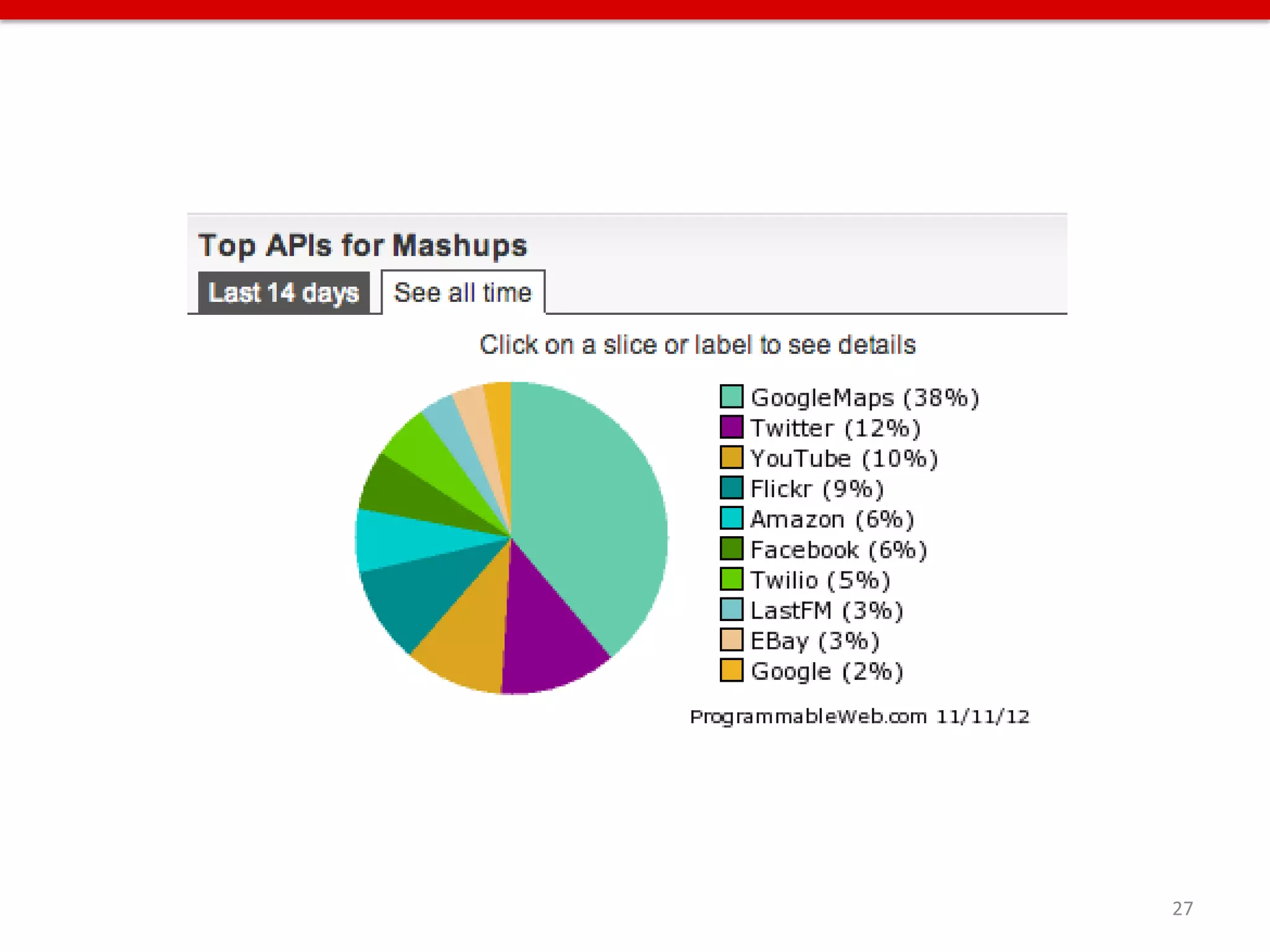
27
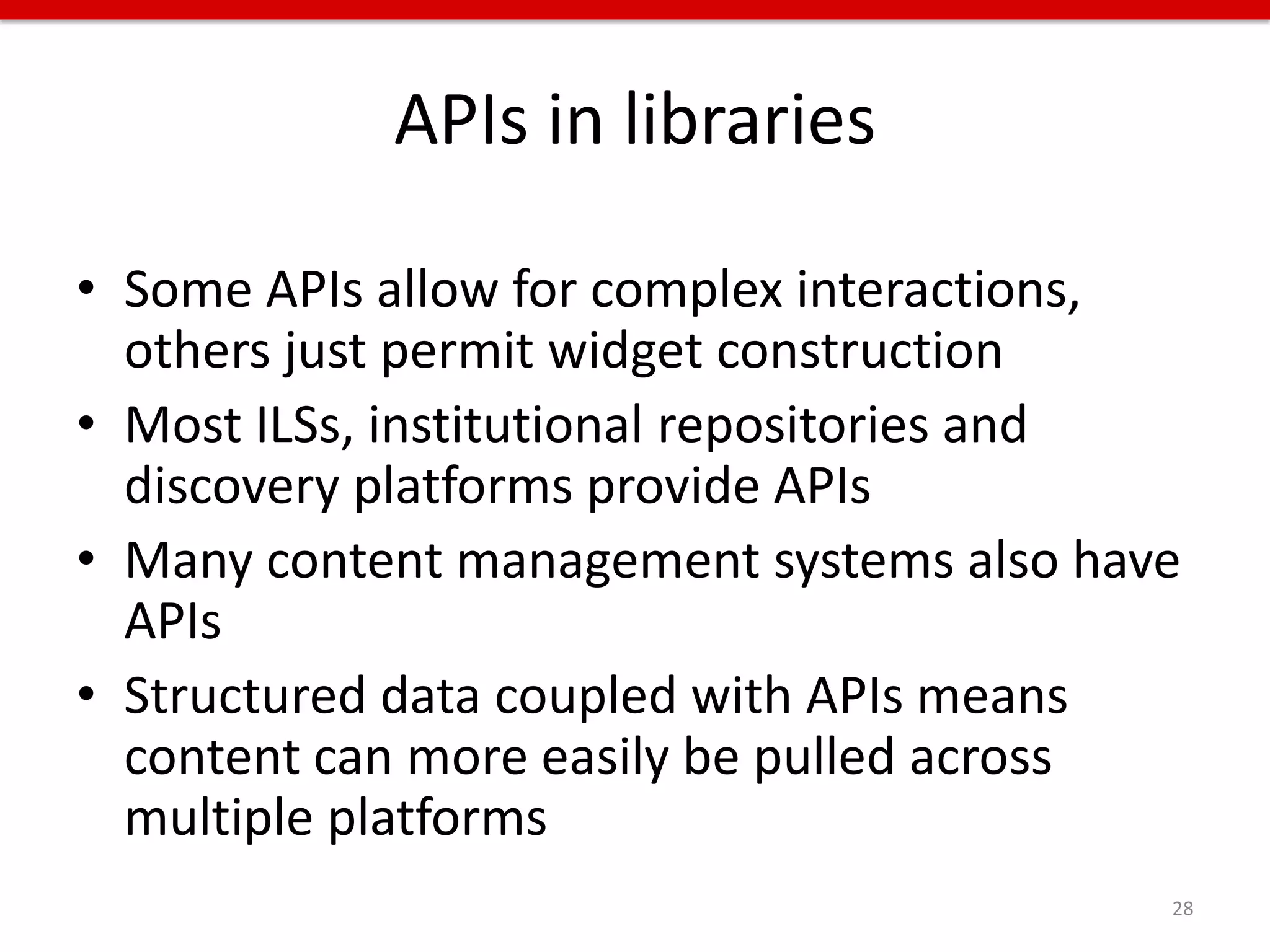
APIs in libraries

• Some APIs allow for complex interactions,
  others just permit widget construction
• Most ILSs, institutional repositories and
  discovery platforms provide APIs
• Many content management systems also have
  APIs
• Structured data coupled with APIs means
  content can more easily be pulled across
  multiple platforms
                                          28
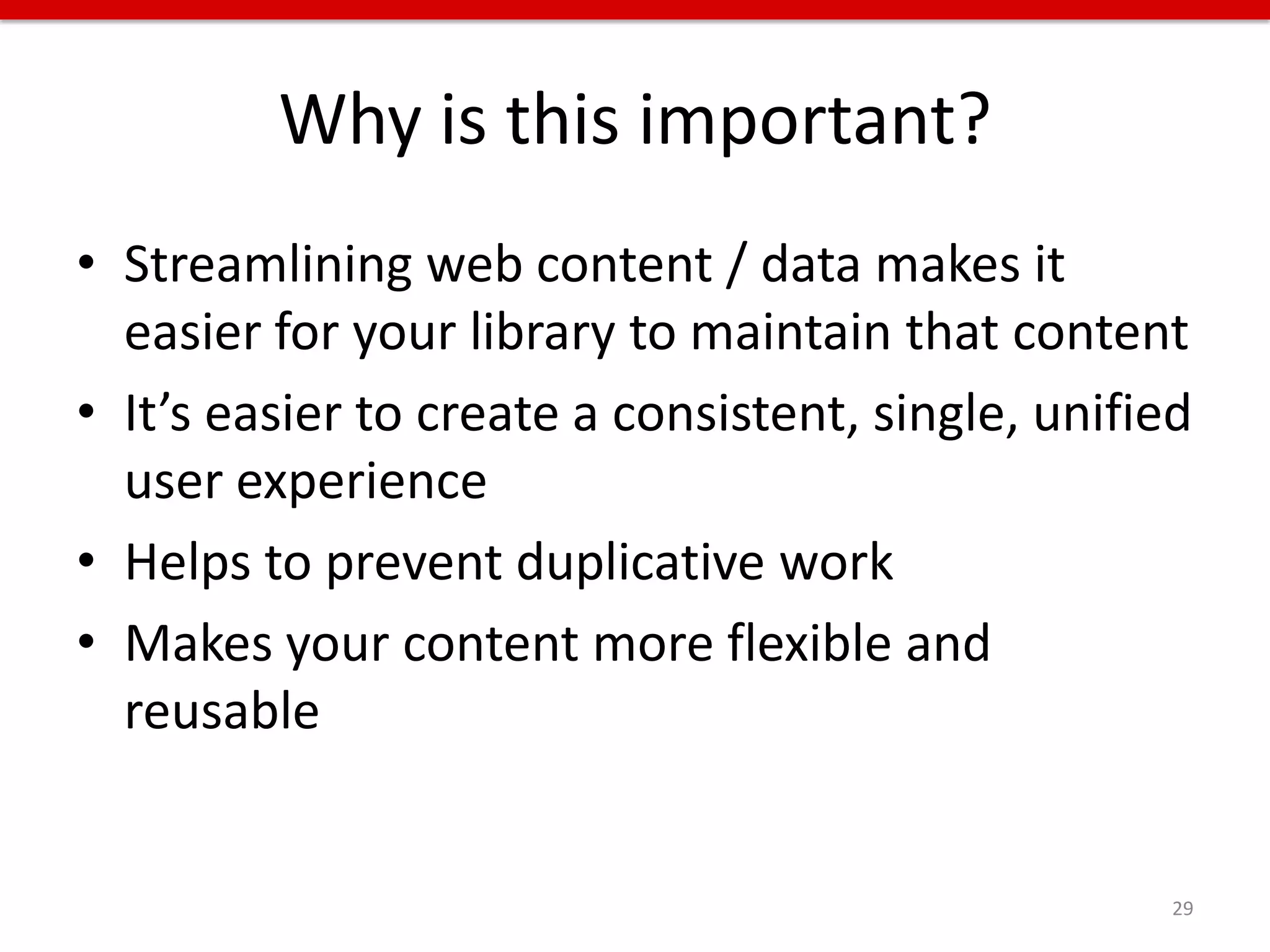
Why is this important?
• Streamlining web content / data makes it
  easier for your library to maintain that content
• It’s easier to create a consistent, single, unified
  user experience
• Helps to prevent duplicative work
• Makes your content more flexible and
  reusable


                                                    29
30
What are we doing
    at the UH Libraries
to streamline and improve
our web user experiences?


                            31
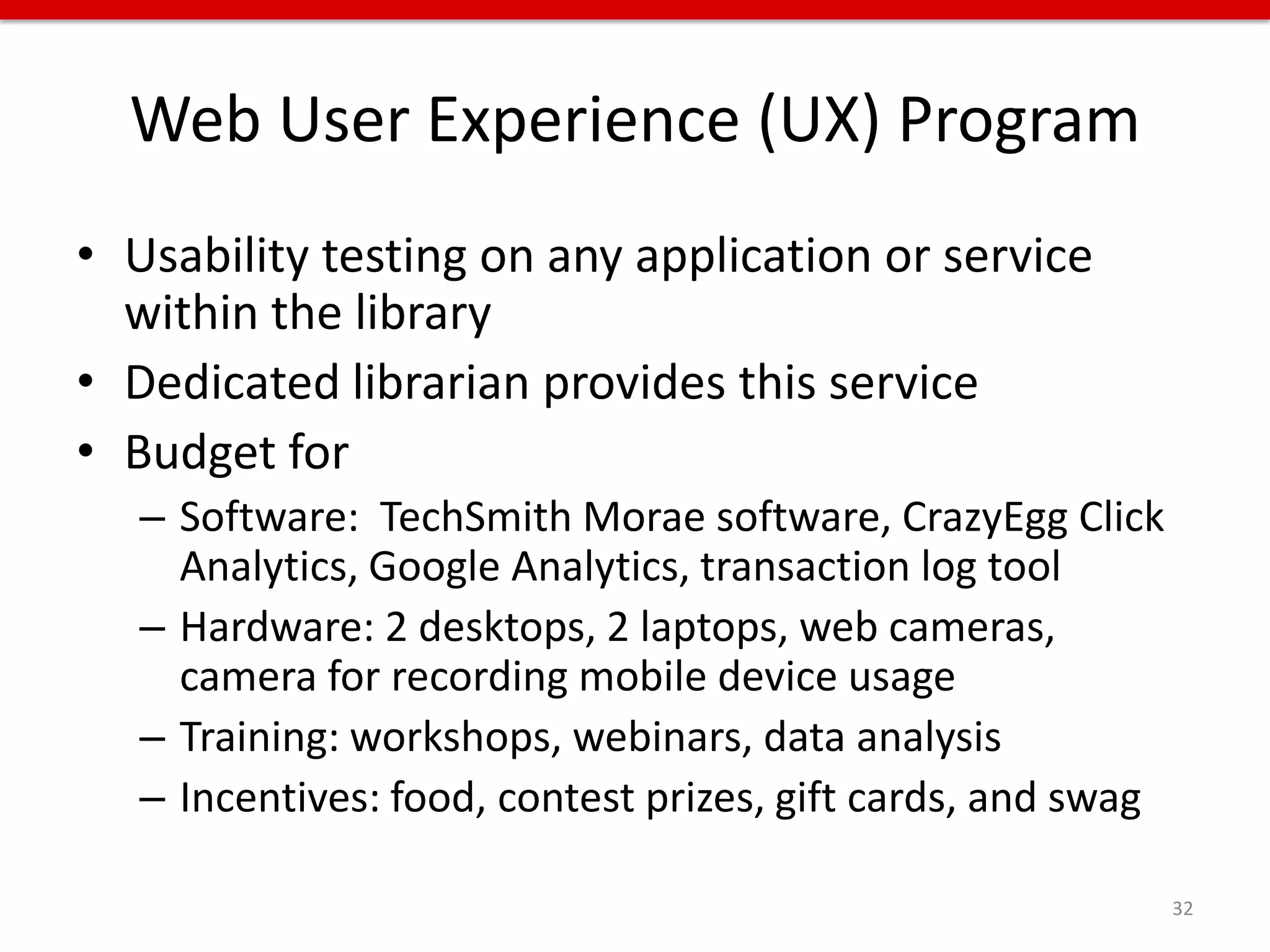
Web User Experience (UX) Program
• Usability testing on any application or service
  within the library
• Dedicated librarian provides this service
• Budget for
   – Software: TechSmith Morae software, CrazyEgg Click
     Analytics, Google Analytics, transaction log tool
   – Hardware: 2 desktops, 2 laptops, web cameras,
     camera for recording mobile device usage
   – Training: workshops, webinars, data analysis
   – Incentives: food, contest prizes, gift cards, and swag

                                                              32
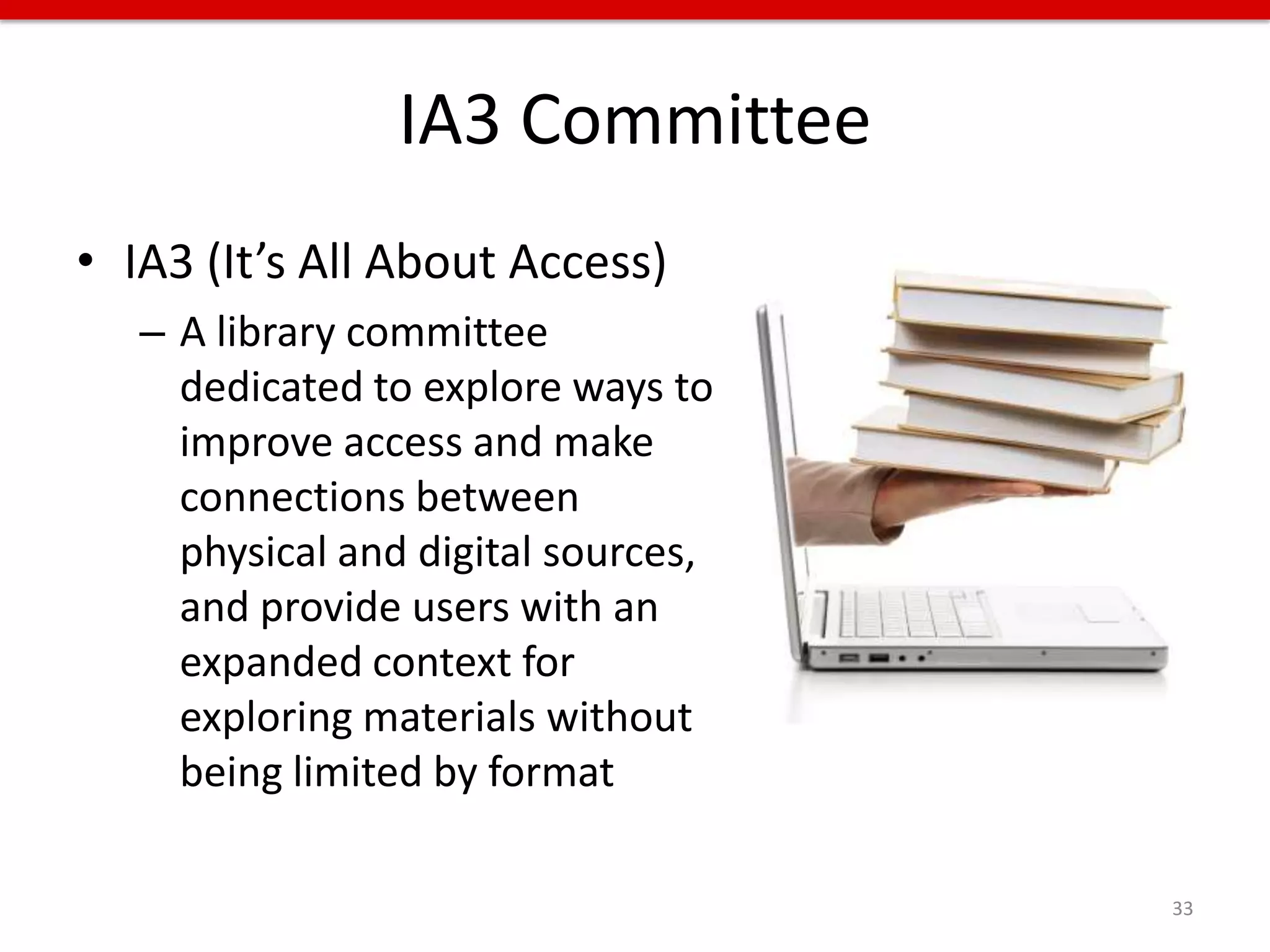
IA3 Committee
• IA3 (It’s All About Access)
   – A library committee
     dedicated to explore ways to
     improve access and make
     connections between
     physical and digital sources,
     and provide users with an
     expanded context for
     exploring materials without
     being limited by format

                                     33
APIs we created / use / will use
• Staff Directory – content is pulled from our
  intranet to our main and mobile websites
• Hours – content is pulled from our main
  library website to our mobile website
• Electronic Databases – we parse an exported
  MARC file to display certain information about
  each database on our main library website,
  and that info could be pulled into our mobile
  website, course management system, etc.

                                               34
APIs we created / use / will use
• Digital Library – content will be pulled into a
  custom user interface, and could be pulled
  into a mobile version
• Finding Aids – pull records into specific
  subject-based collection pages
• Discovery landing page – pull info from
  multiple resources into a search landing page
• And many more…

                                                    35
C.O.P.E.


       Create Once,
    Publish Everywhere


Daniel Jacobson’s philosophy, API guru and software engineer at Netflix
                                                                          36
STREAMLINE: Key Concepts
• More web-based services are in every area of
  the library, from public services to technical
  services
• There is an ever increasing amount of systems
  to maintain
• It is more complicated to fold that increasing
  amount of systems into a single UX on the
  library’s web presence

                                               37
STREAMLINE: Key Concepts
• Using open source or custom built systems or
  hosted systems with APIs can help with
  maintenance and the single UX
• Remember that there is no single solution,
  and this is not an easy process
• You may need a dedicated web developer(s)
  to build applications or work with APIs


                                                 38
MOBILIZE


Technology has become as ubiquitous as the
air we breathe, so we are no longer conscious
of its presence.

- Godfrey Reggio, film director


                                                39
Changing trends
• NMC Horizon Report: 2012 Higher Education
  Edition:
  – People expect to be able to work, learn, and study
    whenever and wherever they want to
  – The technologies we user are increasingly cloud-
    based, and our notions of IT support are
    decentralized


    2012 Horizon Report: http://nmc.org/pdf/2012-horizon-report-HE.pdf   40
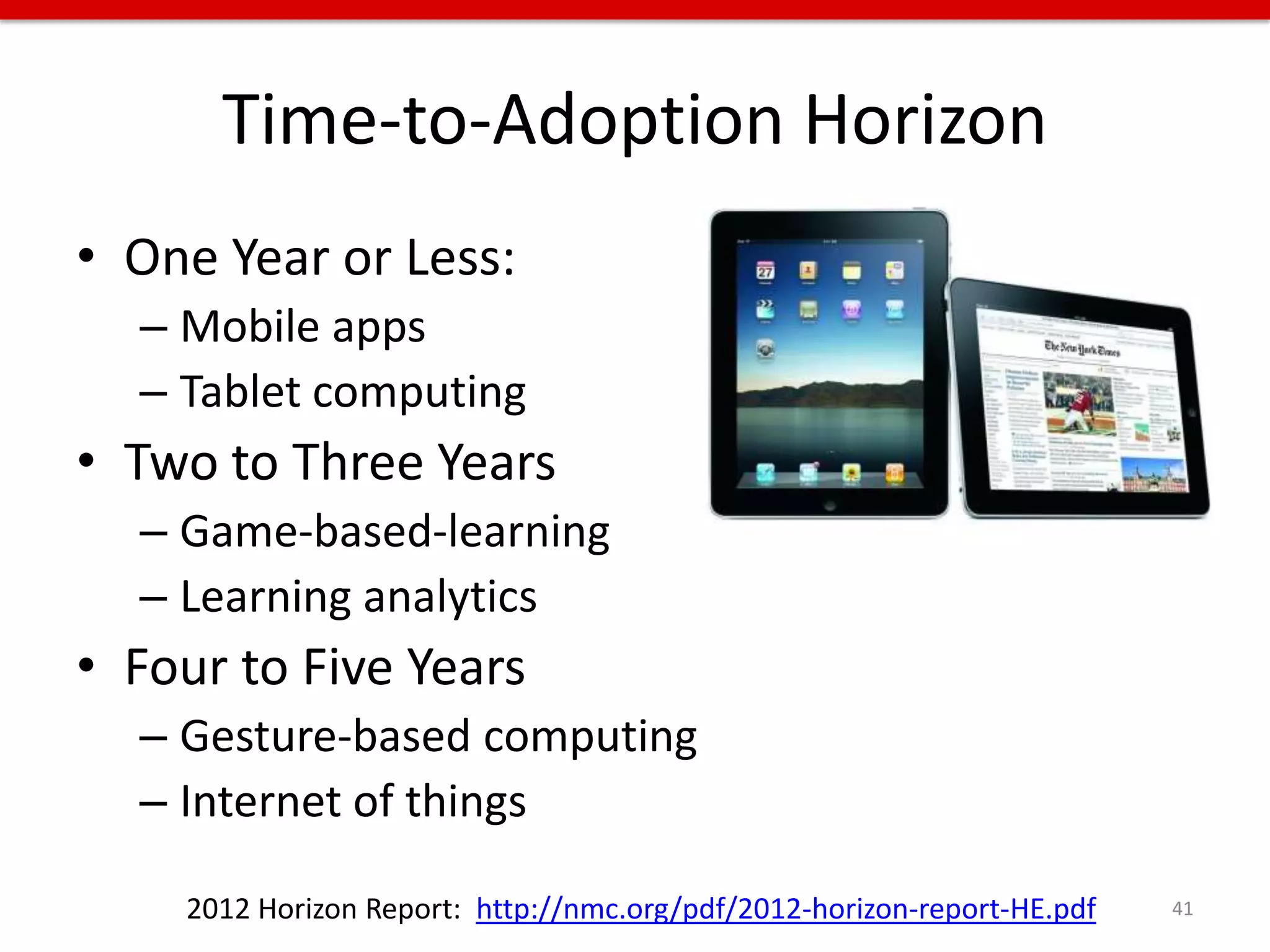
Time-to-Adoption Horizon
• One Year or Less:
  – Mobile apps
  – Tablet computing
• Two to Three Years
  – Game-based-learning
  – Learning analytics
• Four to Five Years
  – Gesture-based computing
  – Internet of things

    2012 Horizon Report: http://nmc.org/pdf/2012-horizon-report-HE.pdf   41
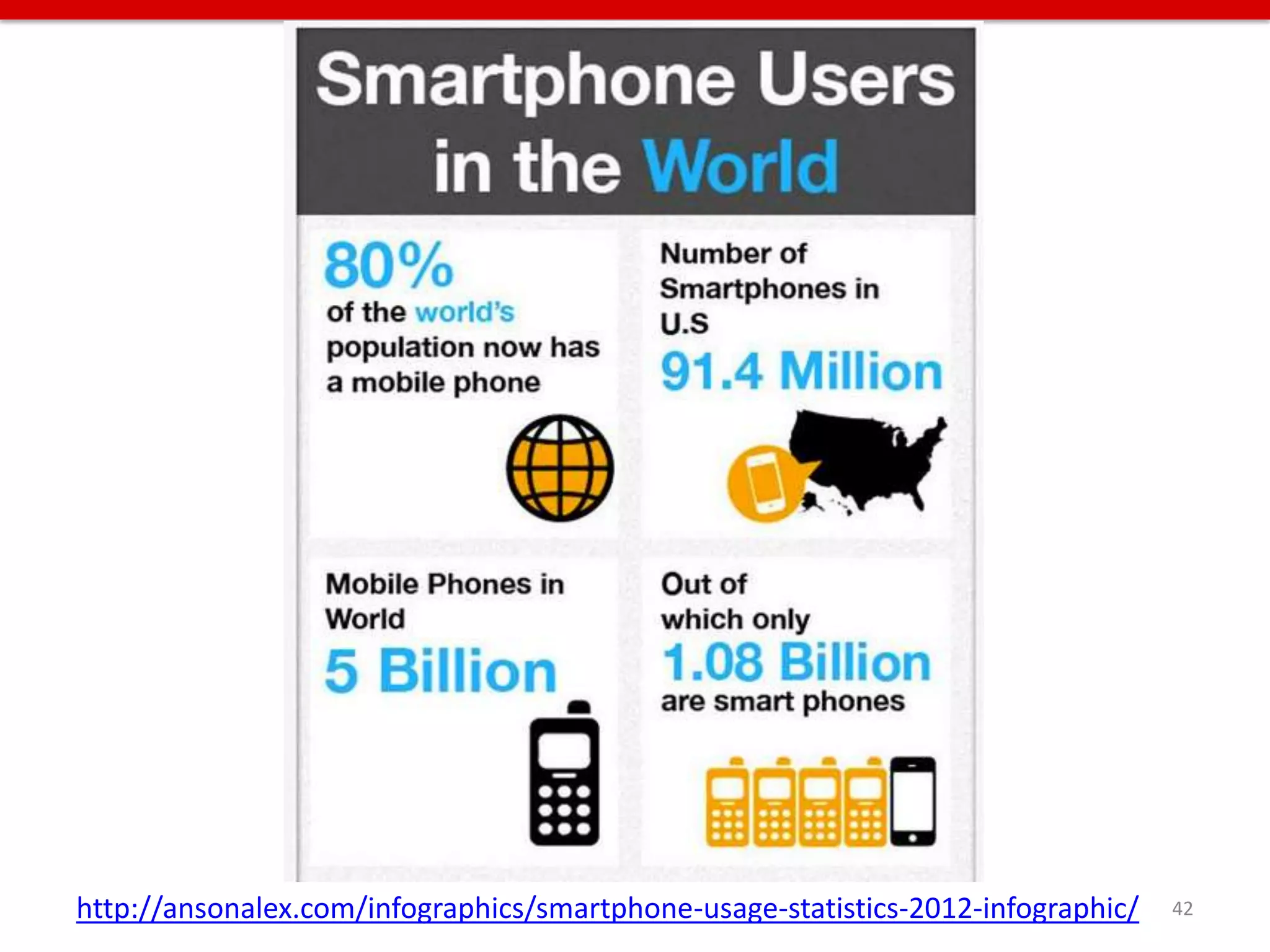
http://ansonalex.com/infographics/smartphone-usage-statistics-2012-infographic/   42
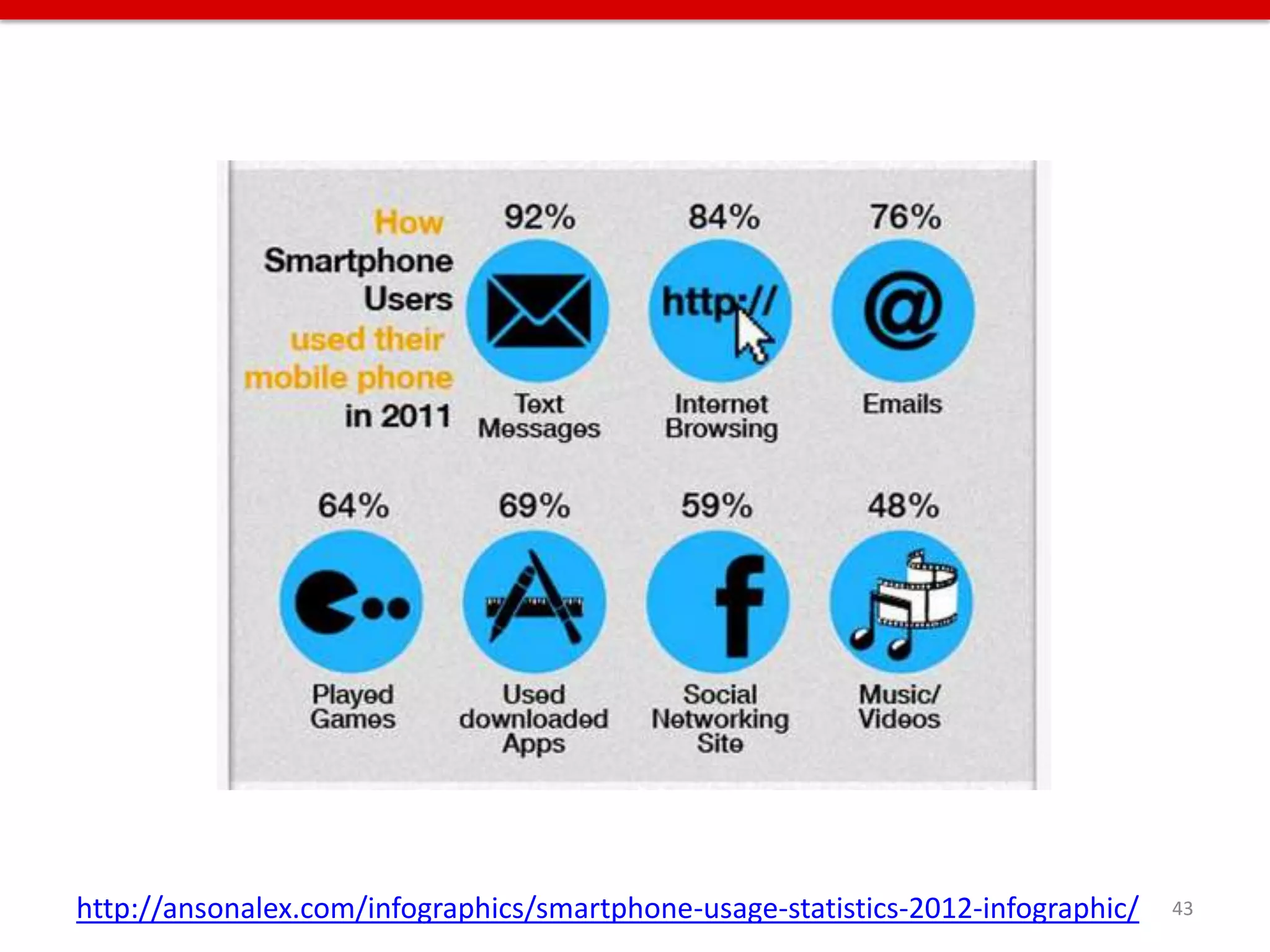
http://ansonalex.com/infographics/smartphone-usage-statistics-2012-infographic/   43
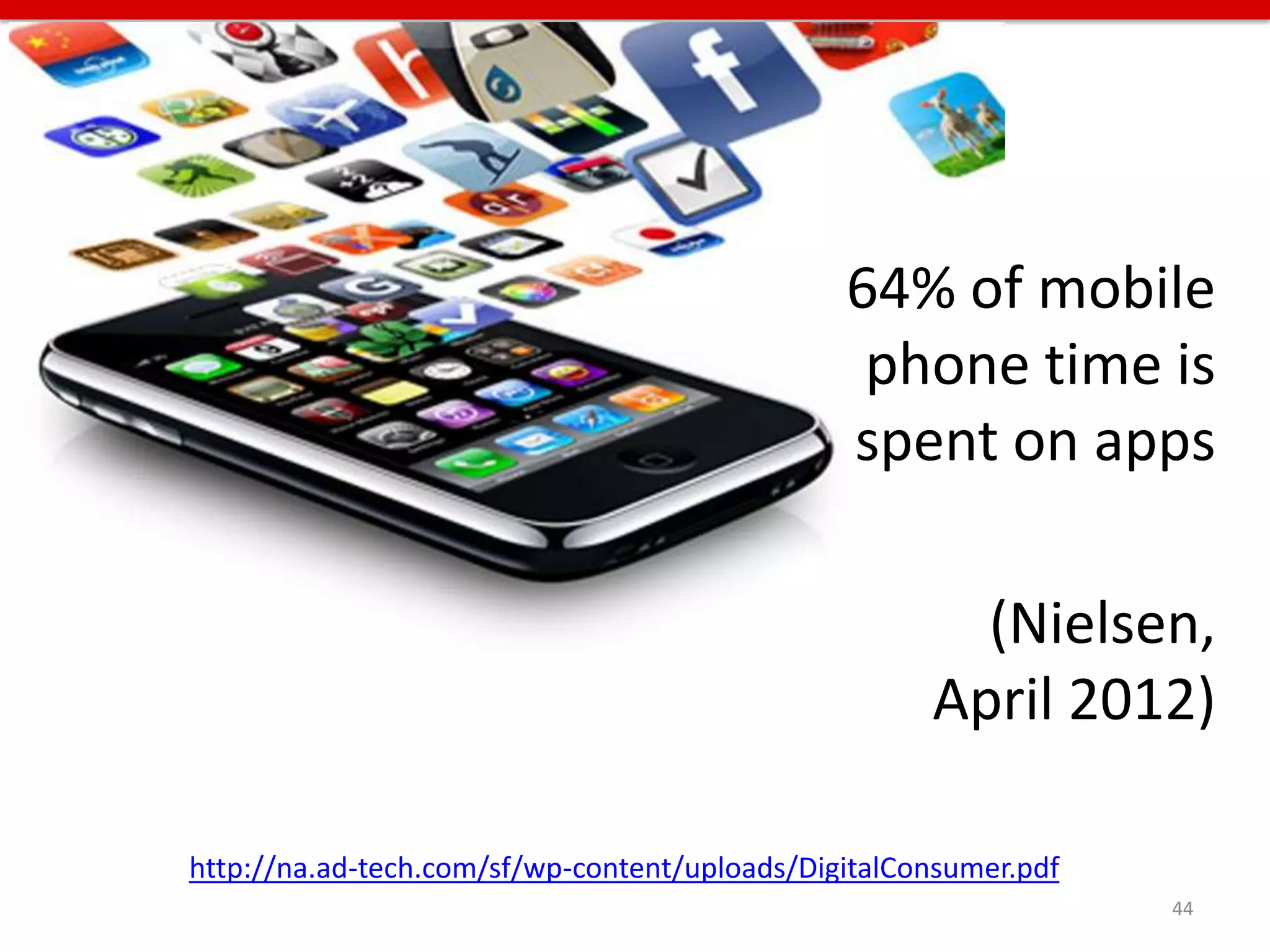
64% of mobile
                                                phone time is
                                               spent on apps

                                                       (Nielsen,
                                                     April 2012)

http://na.ad-tech.com/sf/wp-content/uploads/DigitalConsumer.pdf
                                                                  44
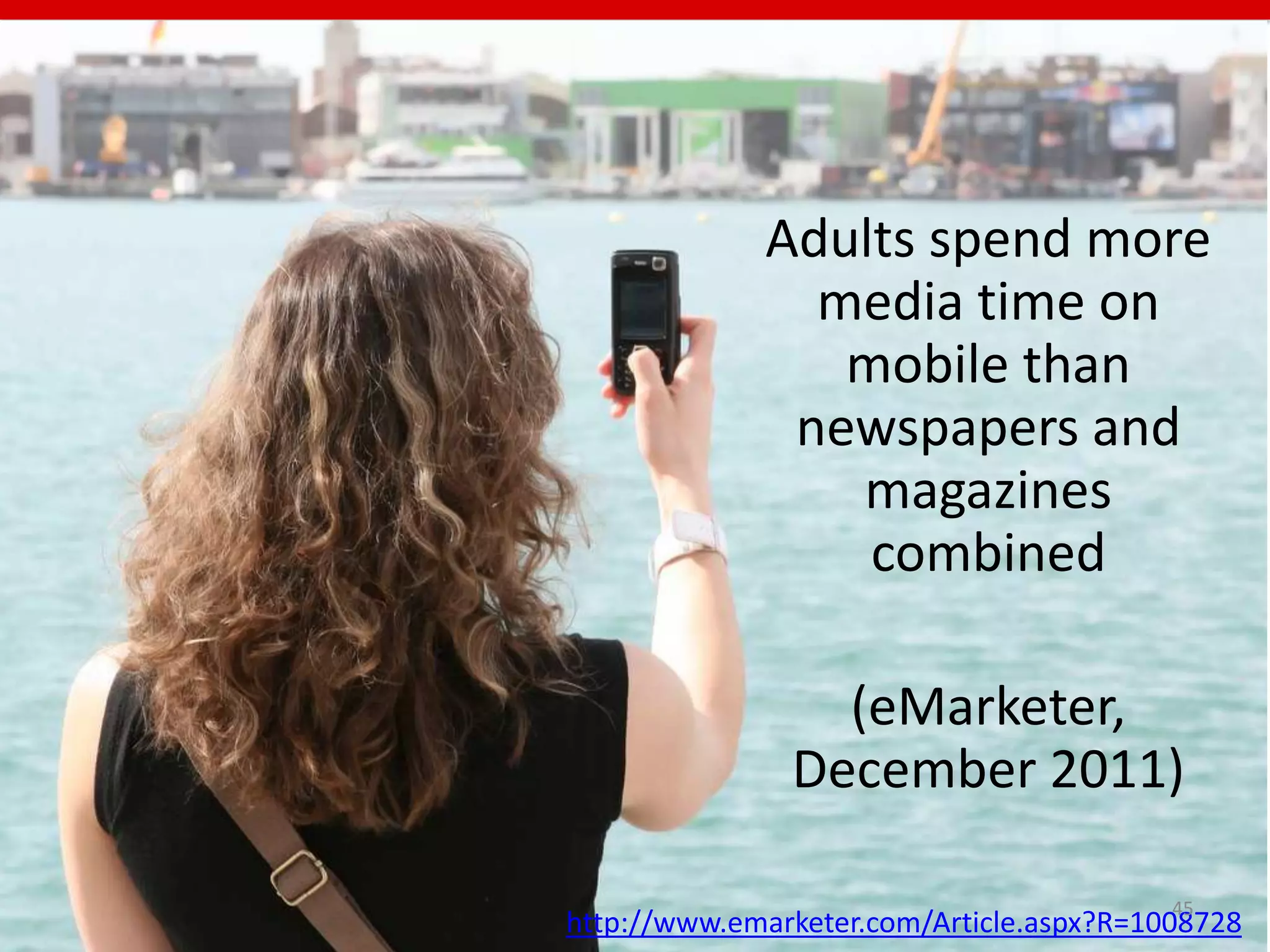
Adults spend more
               media time on
                mobile than
              newspapers and
                magazines
                 combined

                 (eMarketer,
               December 2011)

                                          45
http://www.emarketer.com/Article.aspx?R=1008728
61% of people who visit a mobile
unfriendly site are likely to go elsewhere

(Karim Temsamani, Interactive Advertising
      Bureau (IAB), February 2012)


      https://snaphop.com/2012-mobile-marketing-statistics/
                                                              46
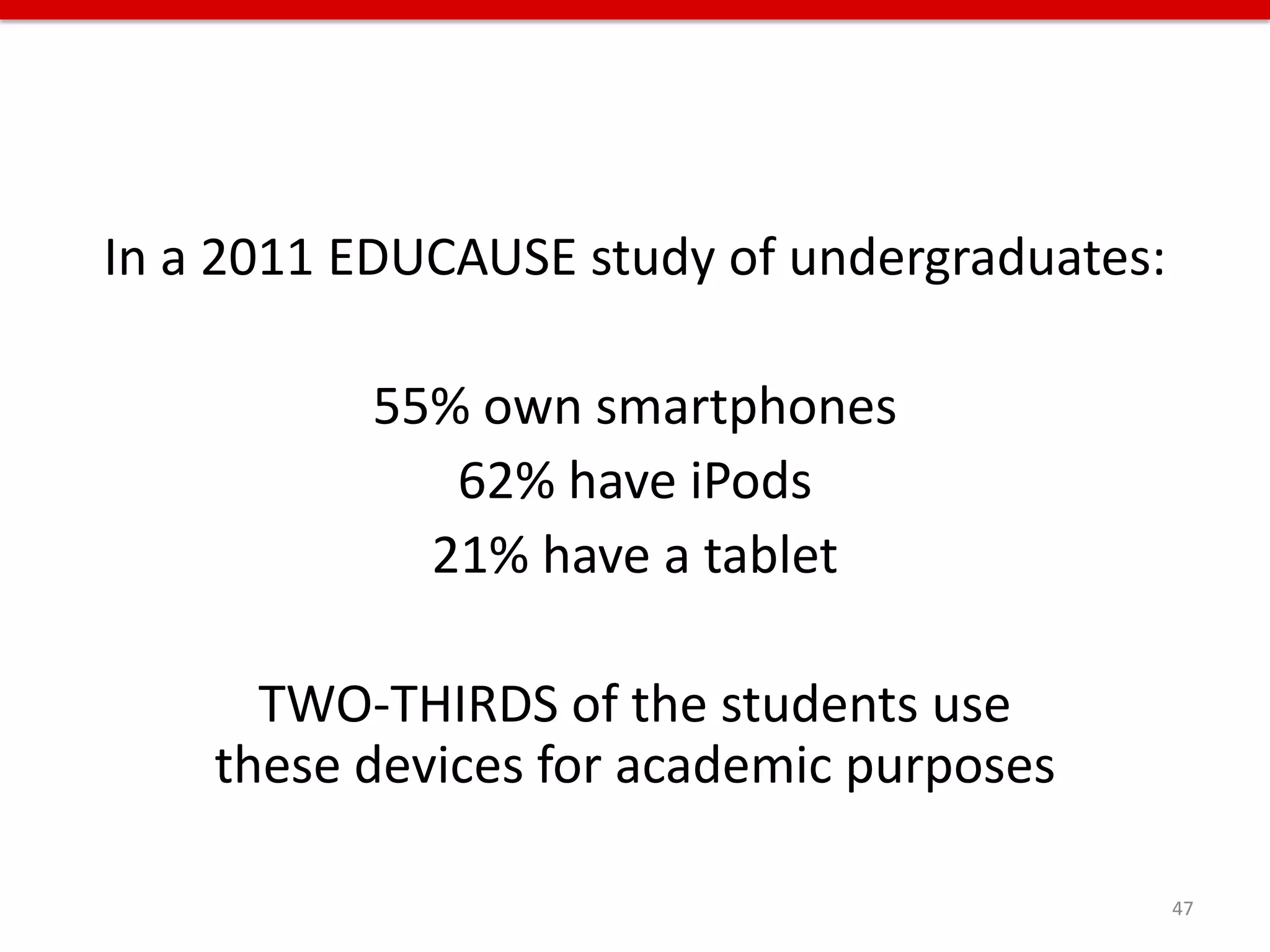
In a 2011 EDUCAUSE study of undergraduates:

          55% own smartphones
             62% have iPods
            21% have a tablet

      TWO-THIRDS of the students use
    these devices for academic purposes

                                              47
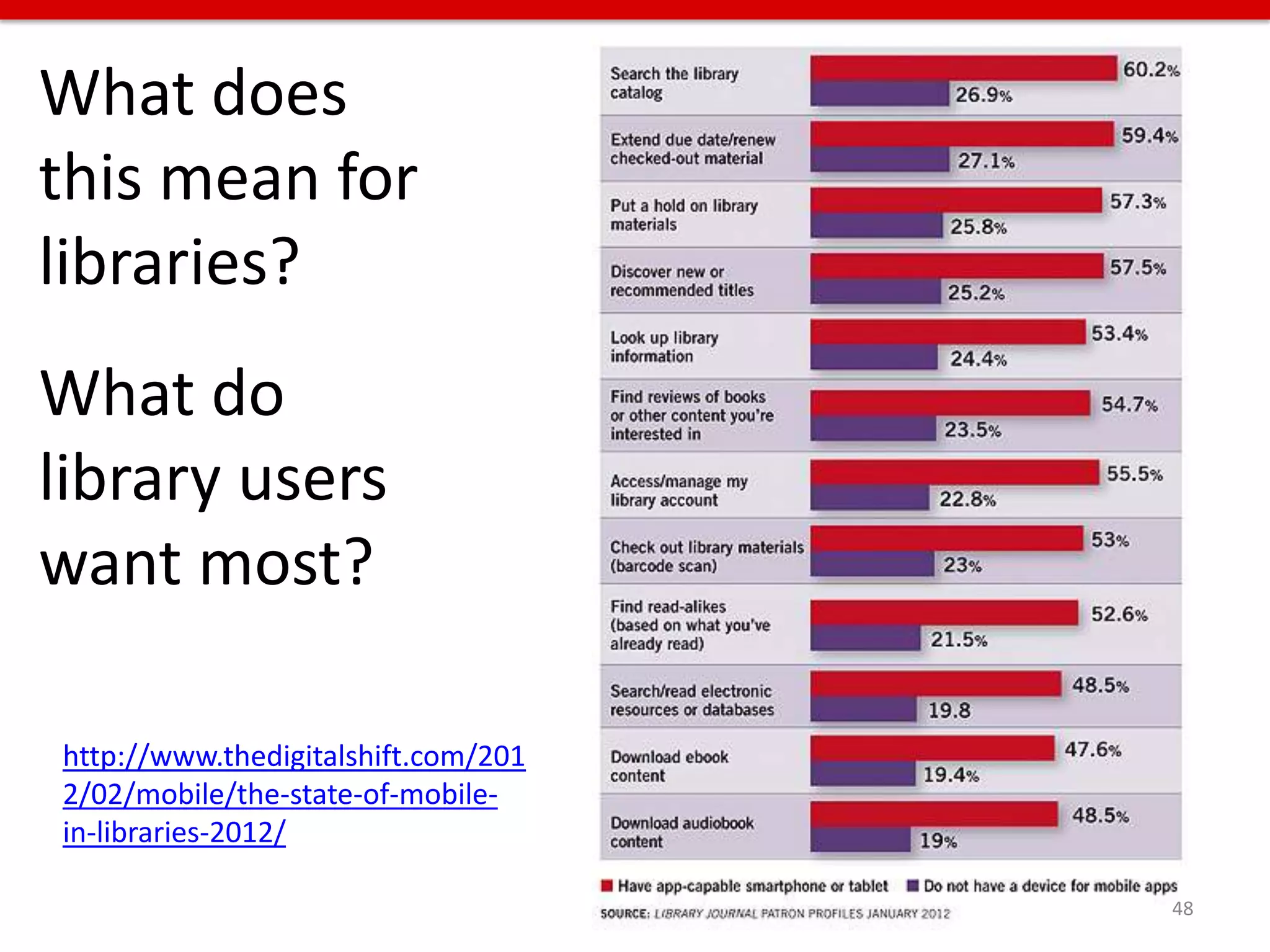
What does
this mean for
libraries?
What do
library users
want most?

http://www.thedigitalshift.com/201
2/02/mobile/the-state-of-mobile-
in-libraries-2012/

                                     48
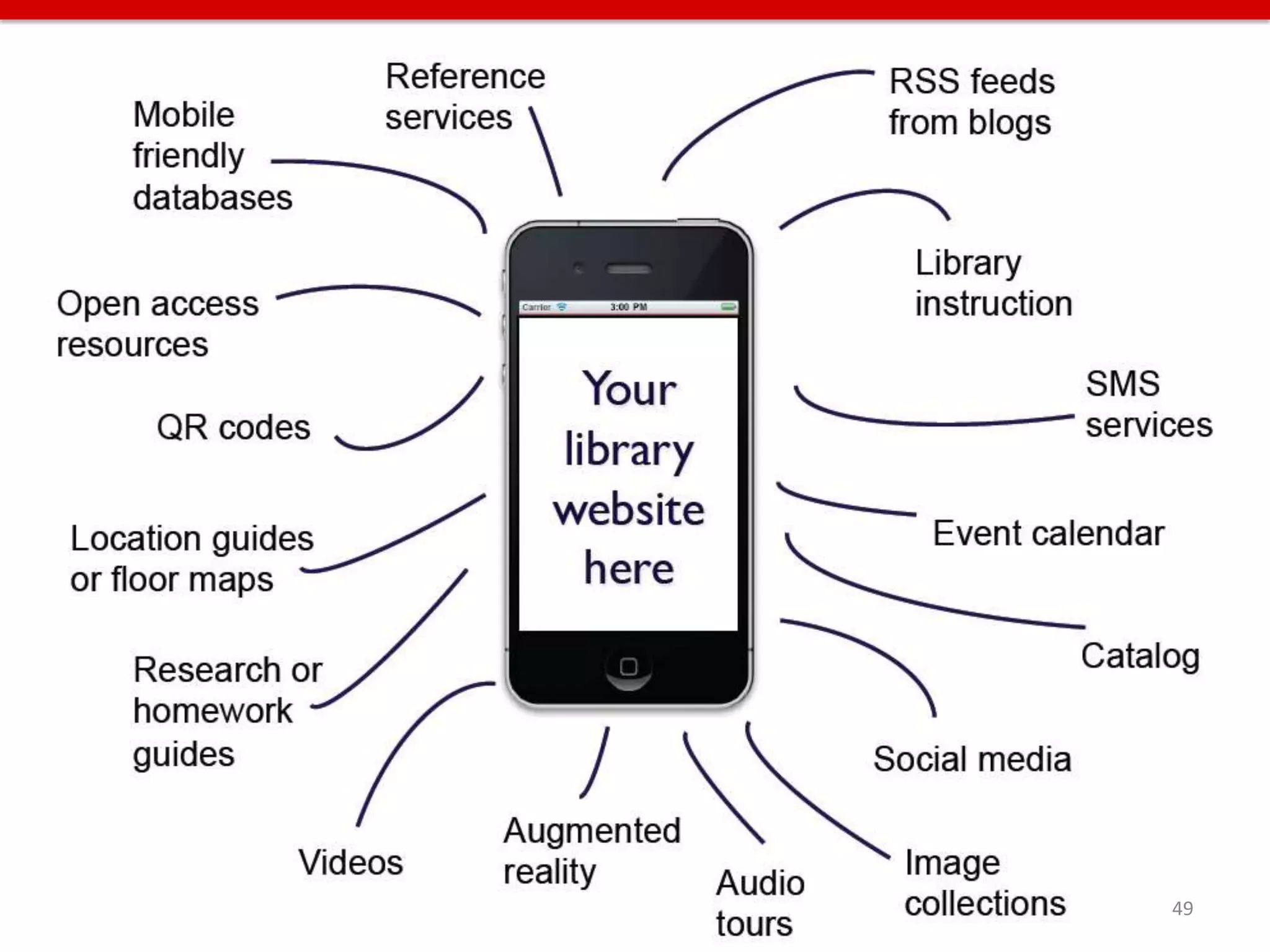
49
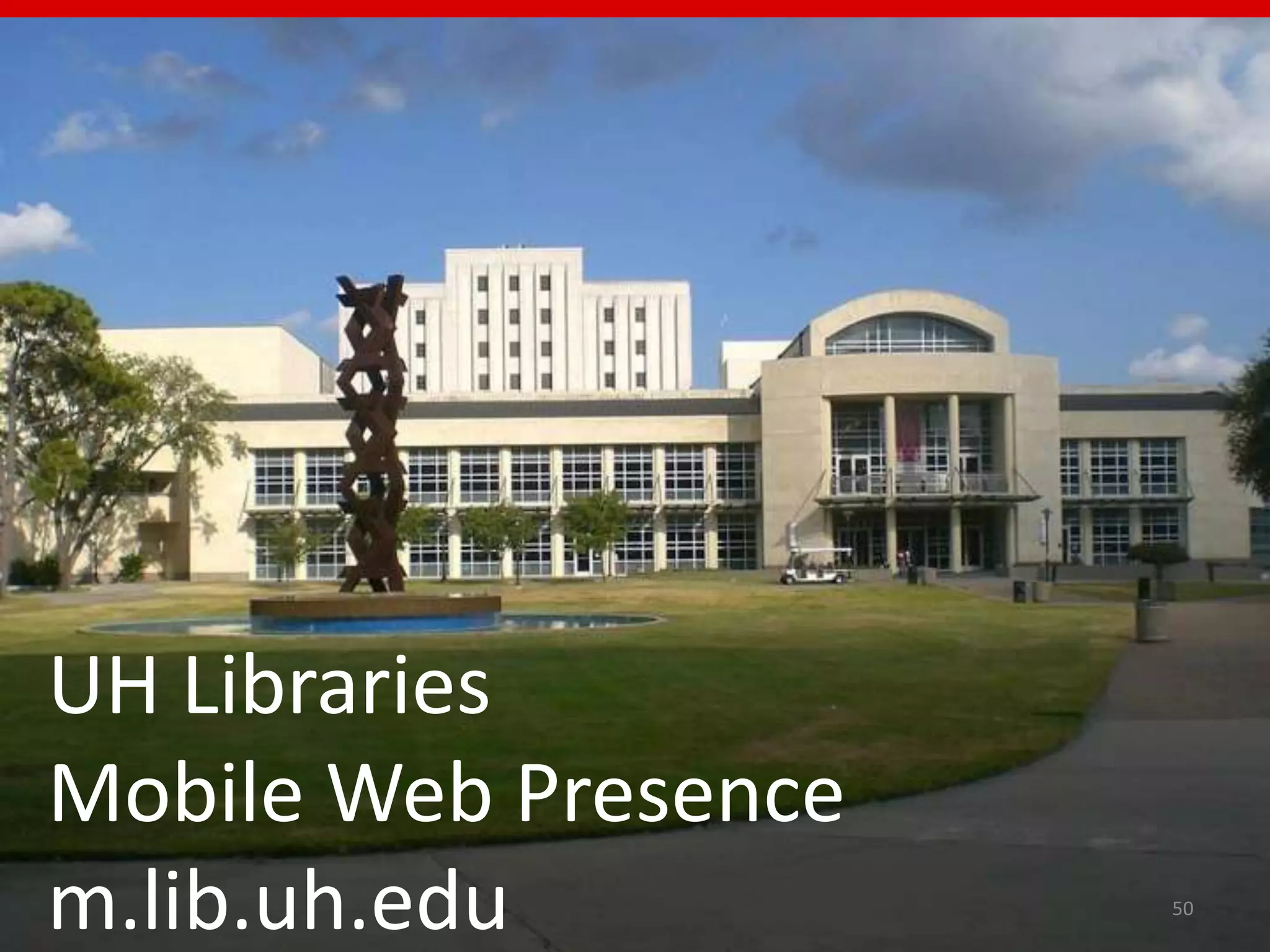
UH Libraries
Mobile Web Presence
m.lib.uh.edu          50
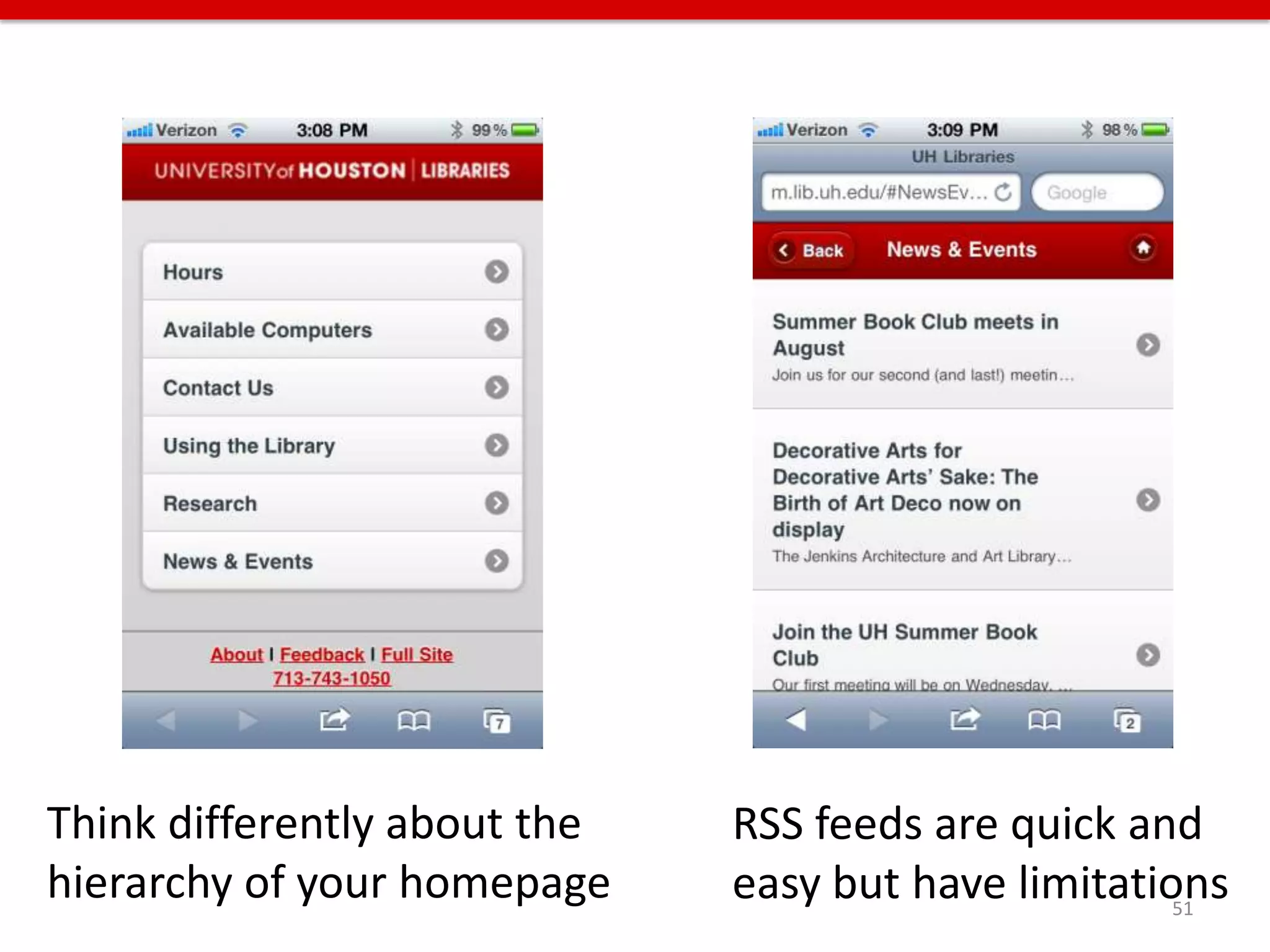
Think differently about the   RSS feeds are quick and
hierarchy of your homepage    easy but have limitations
                                                     51
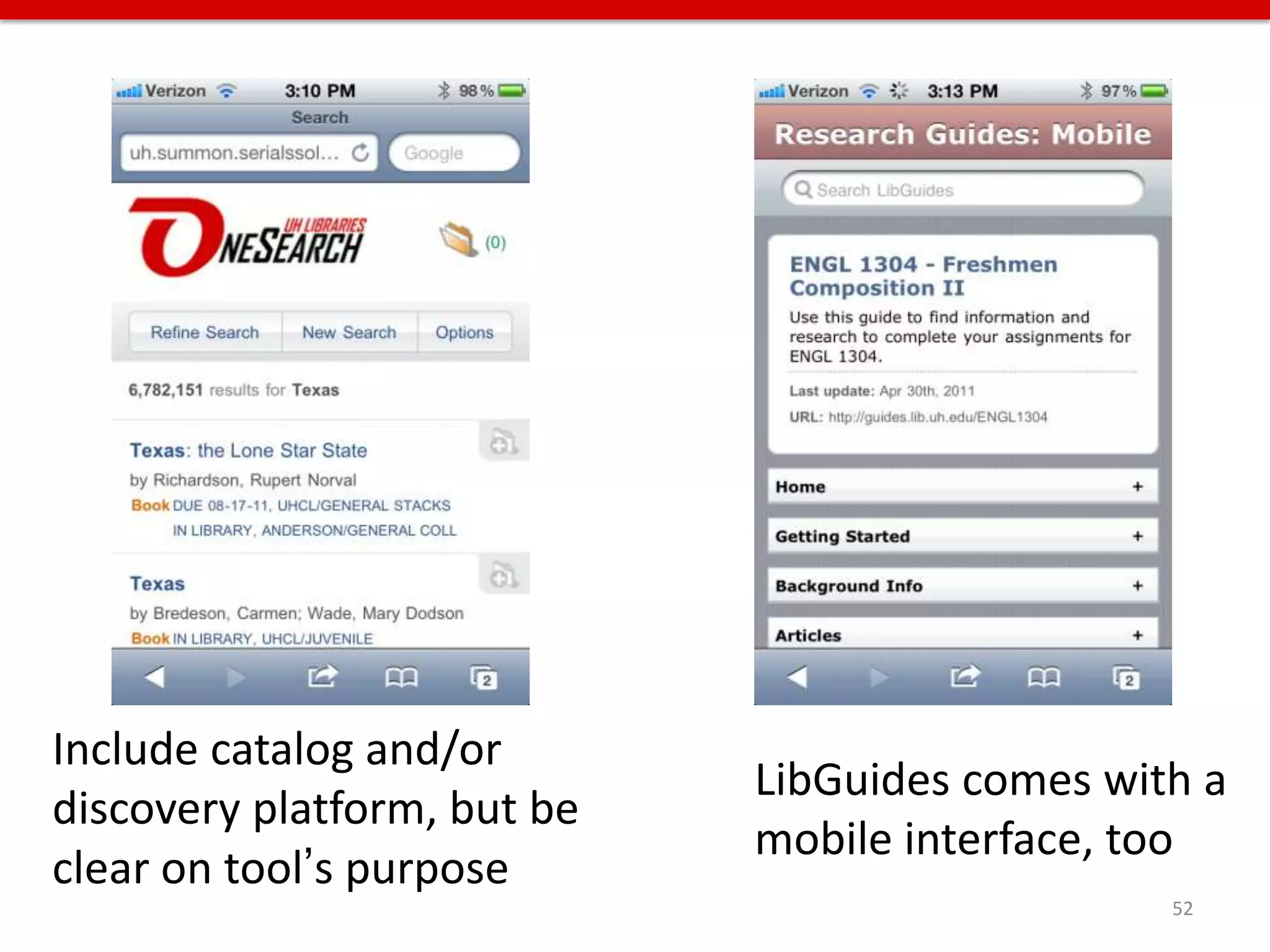
Include catalog and/or
                             LibGuides comes with a
discovery platform, but be
                             mobile interface, too
clear on tool’s purpose
                                                52
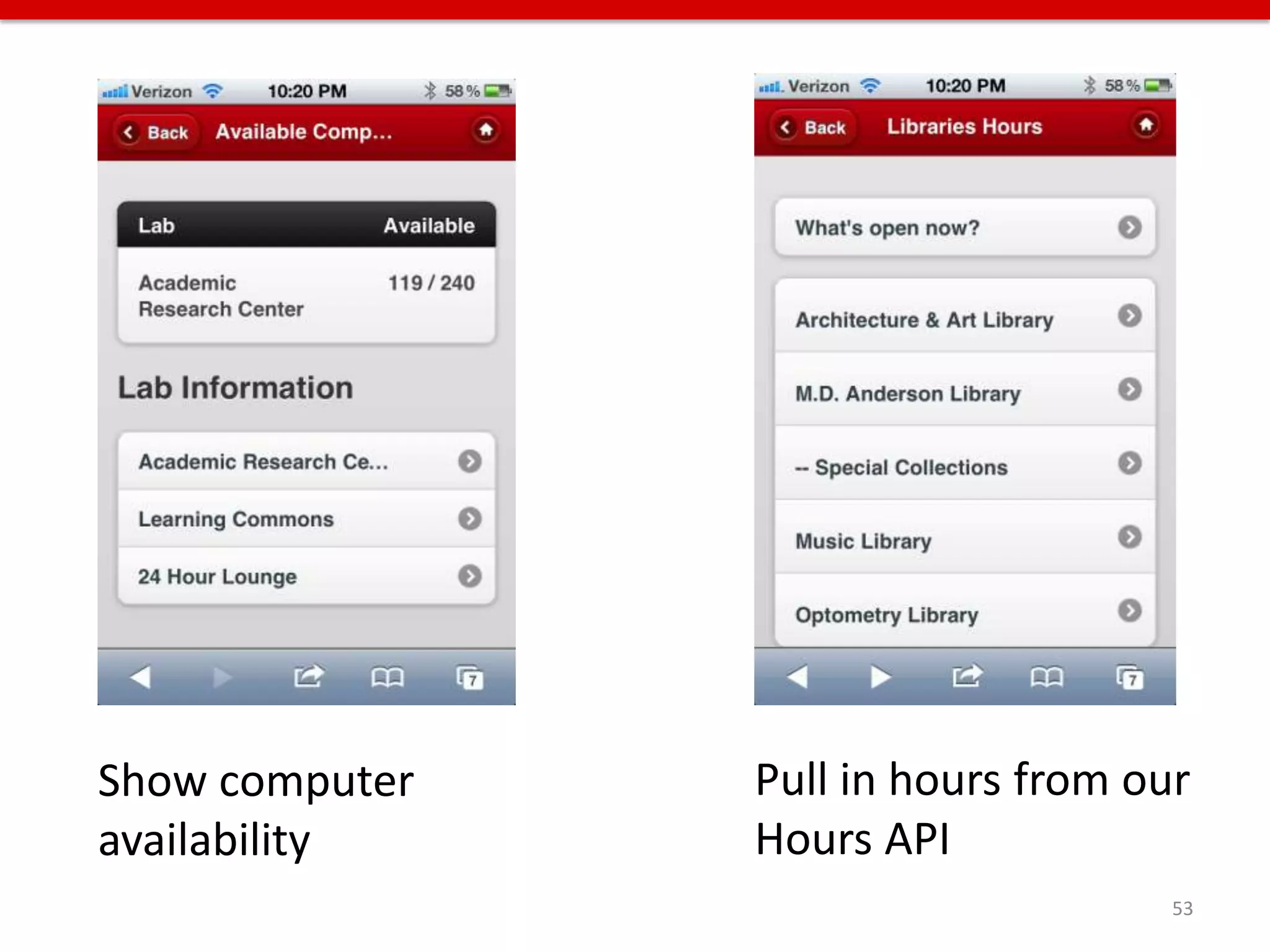
Show computer   Pull in hours from our
availability    Hours API
                                     53
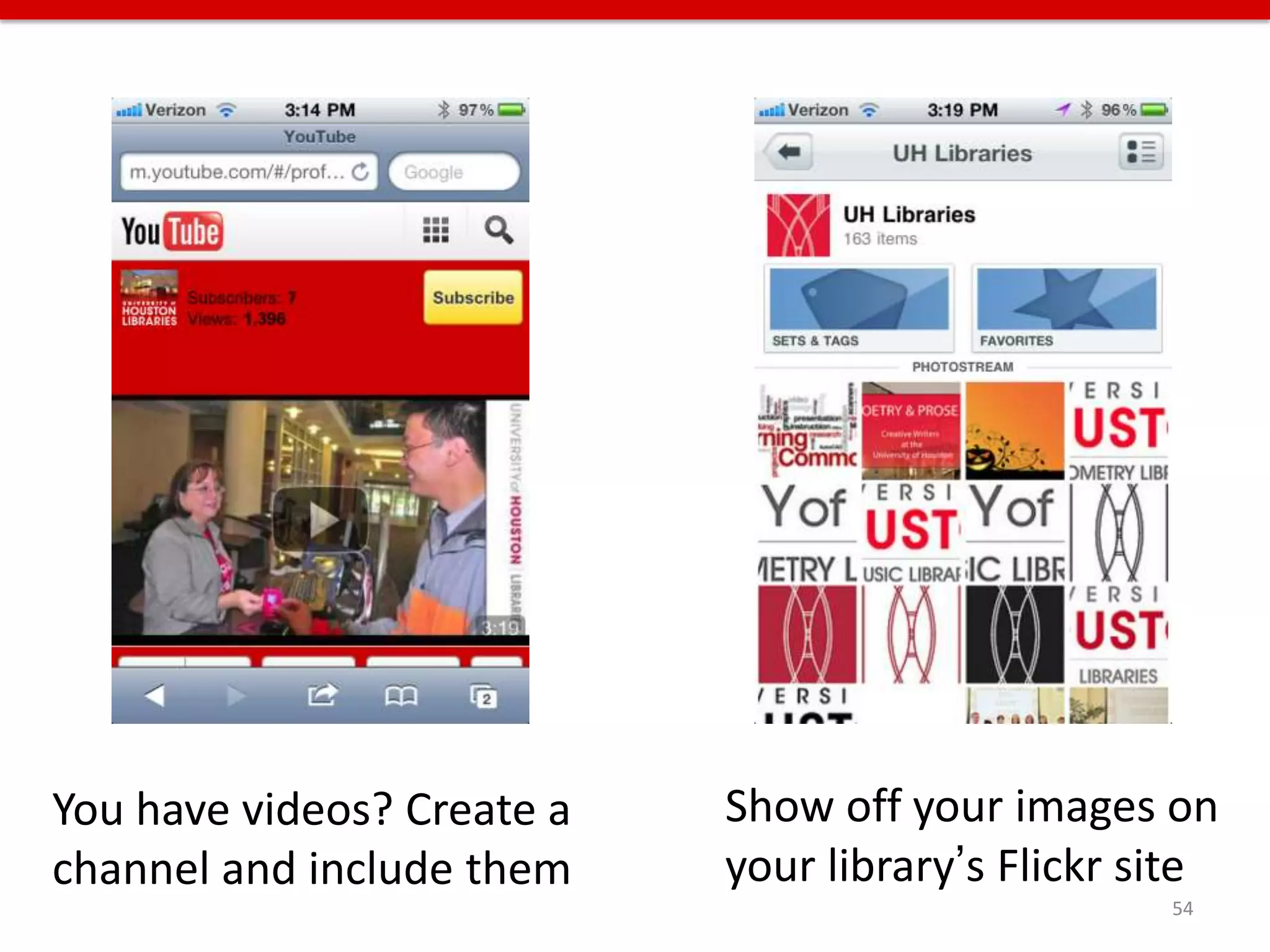
You have videos? Create a   Show off your images on
channel and include them    your library’s Flickr site
                                                   54
Features we have coming soon
• Mobile version of the Digital Library
• Expanded computer availability to other labs
  in the library
• Mobile friendly databases
• Library equipment availability
• Room/computer reservation
• More social media integration
• Emergency alerting service
• Augmented reality layar                    55
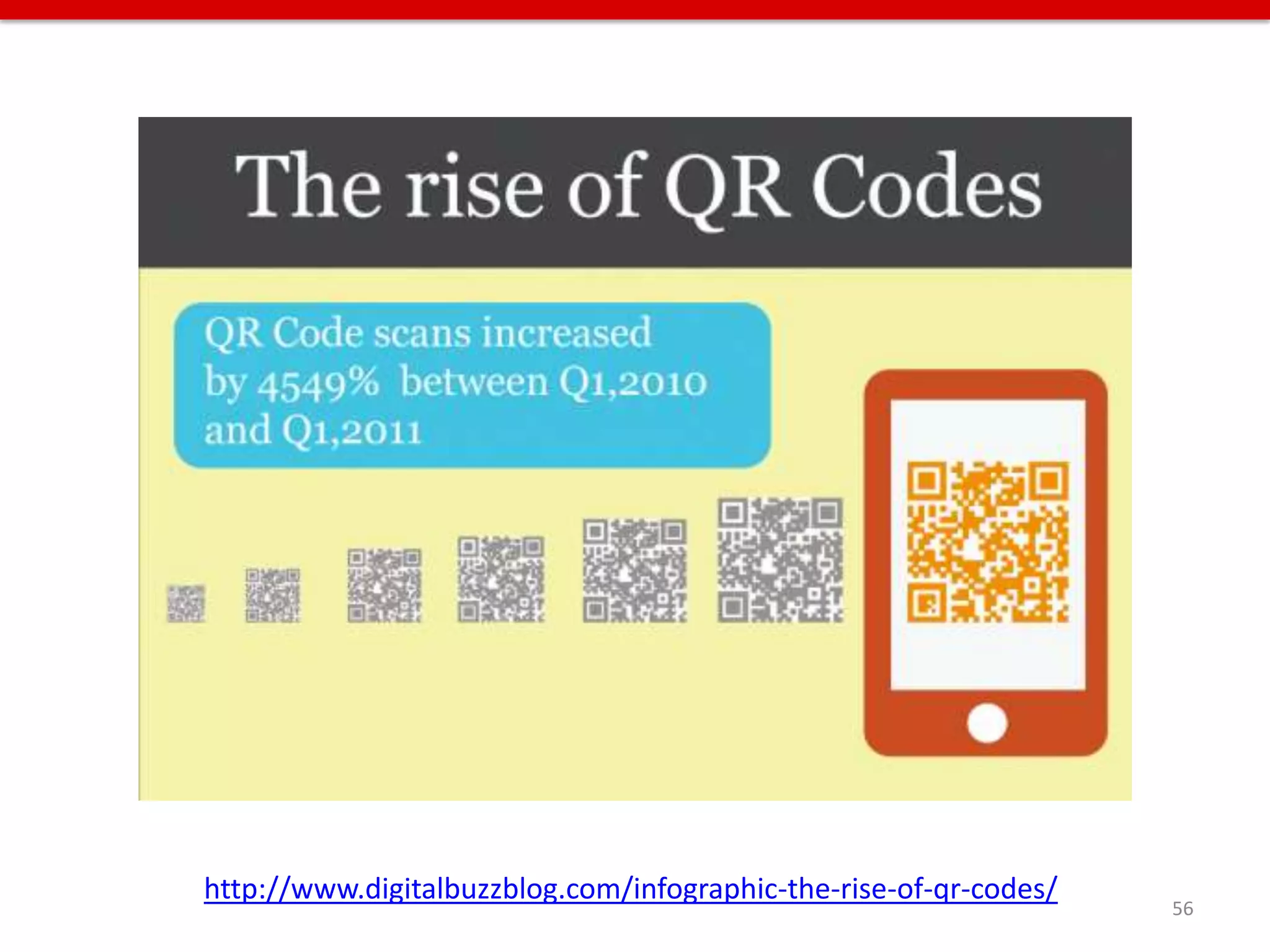
http://www.digitalbuzzblog.com/infographic-the-rise-of-qr-codes/
                                                                   56
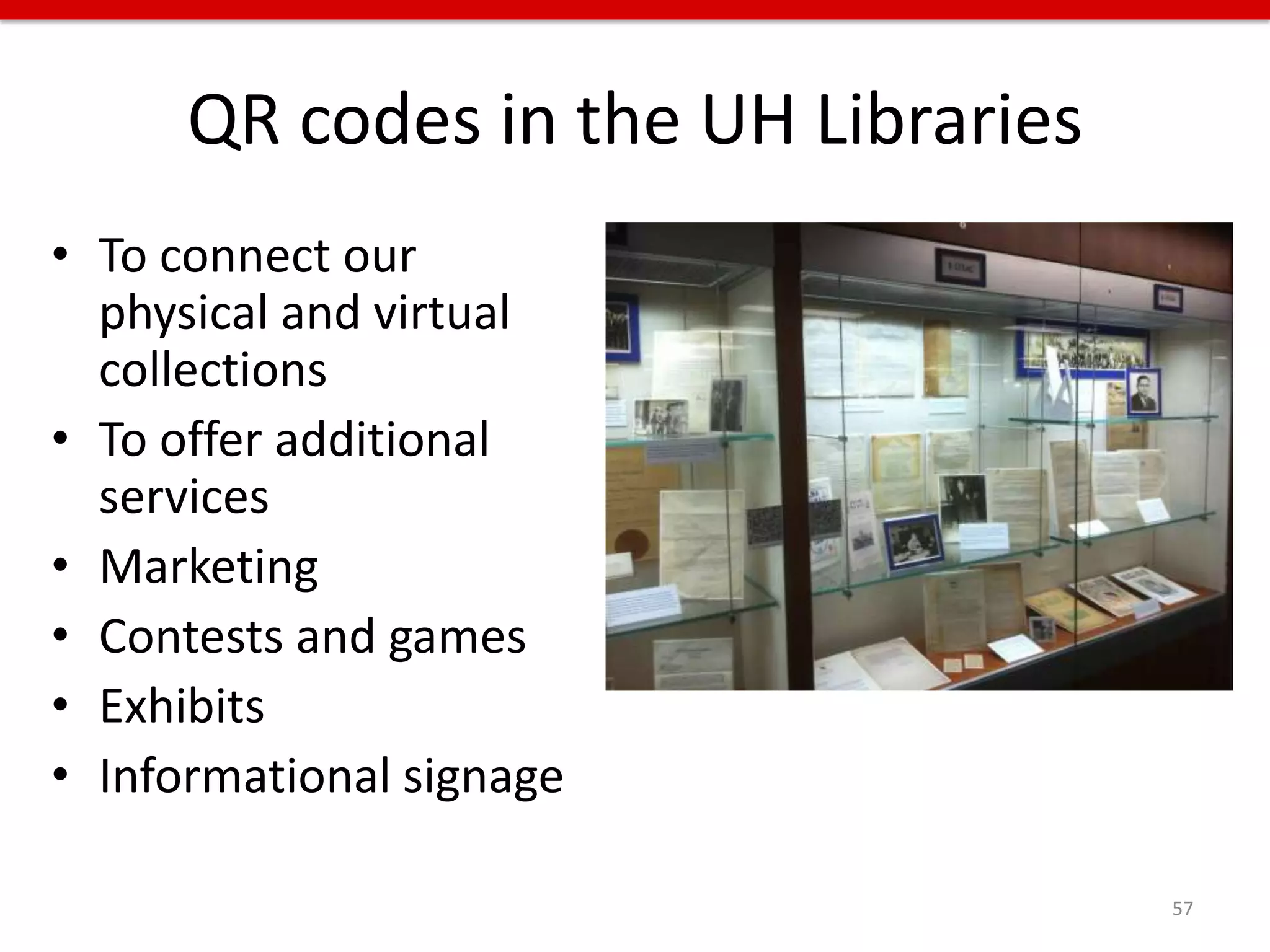
QR codes in the UH Libraries
• To connect our
  physical and virtual
  collections
• To offer additional
  services
• Marketing
• Contests and games
• Exhibits
• Informational signage

                                     57
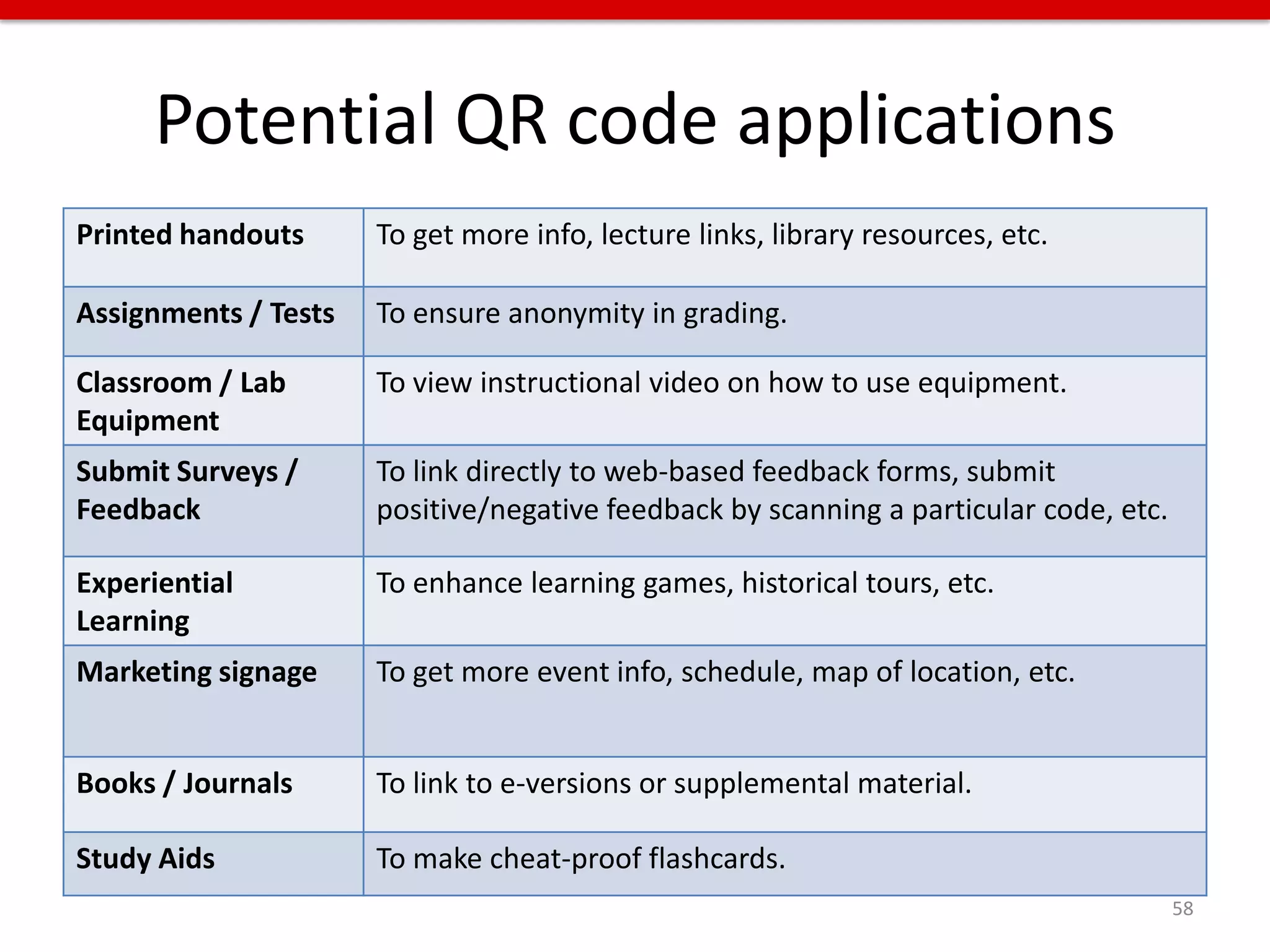
Potential QR code applications
Printed handouts      To get more info, lecture links, library resources, etc.

Assignments / Tests   To ensure anonymity in grading.

Classroom / Lab       To view instructional video on how to use equipment.
Equipment
Submit Surveys /      To link directly to web-based feedback forms, submit
Feedback              positive/negative feedback by scanning a particular code, etc.

Experiential          To enhance learning games, historical tours, etc.
Learning
Marketing signage     To get more event info, schedule, map of location, etc.


Books / Journals      To link to e-versions or supplemental material.

Study Aids            To make cheat-proof flashcards.
                                                                                       58
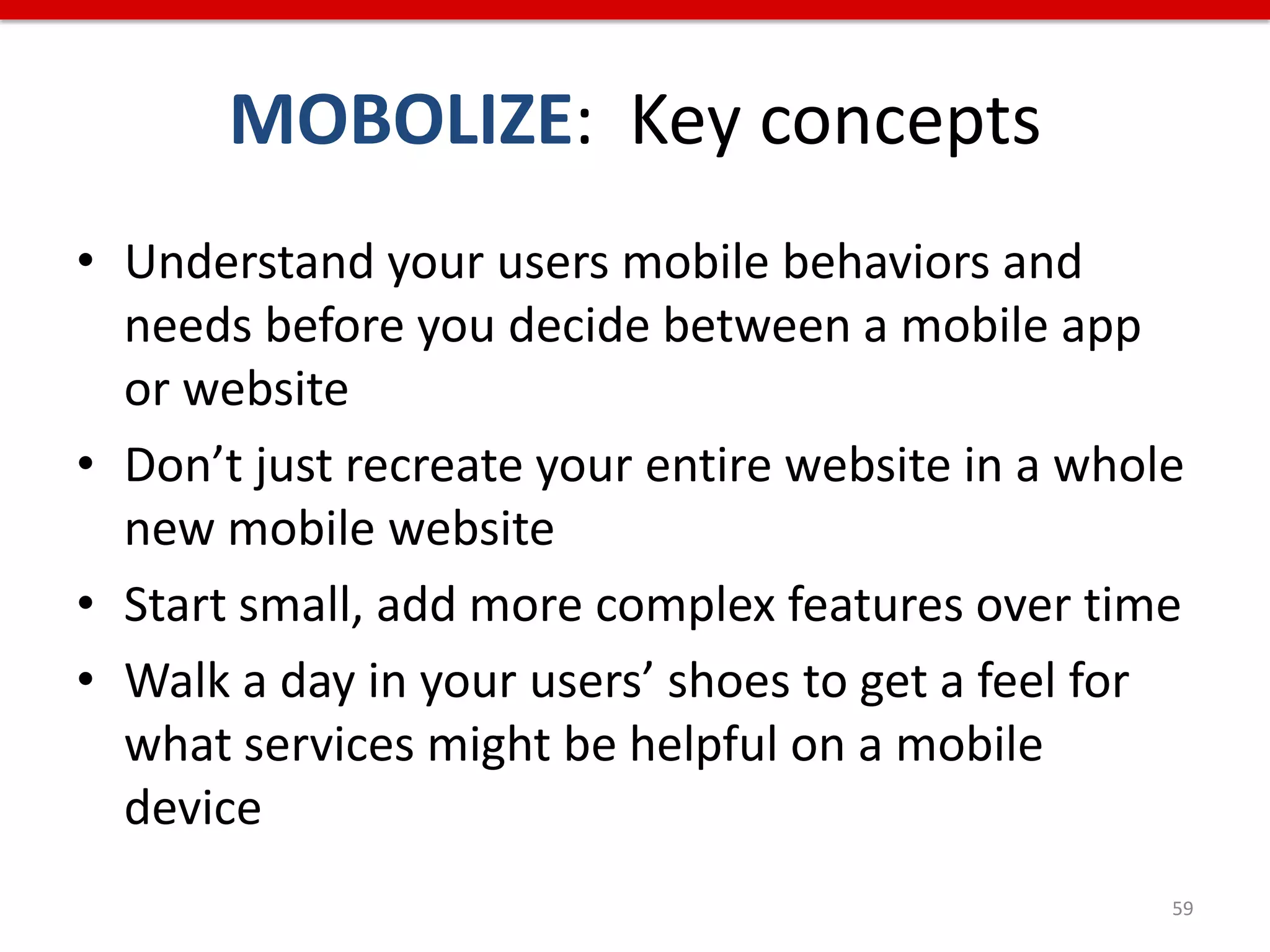
MOBOLIZE: Key concepts
• Understand your users mobile behaviors and
  needs before you decide between a mobile app
  or website
• Don’t just recreate your entire website in a whole
  new mobile website
• Start small, add more complex features over time
• Walk a day in your users’ shoes to get a feel for
  what services might be helpful on a mobile
  device
                                                   59
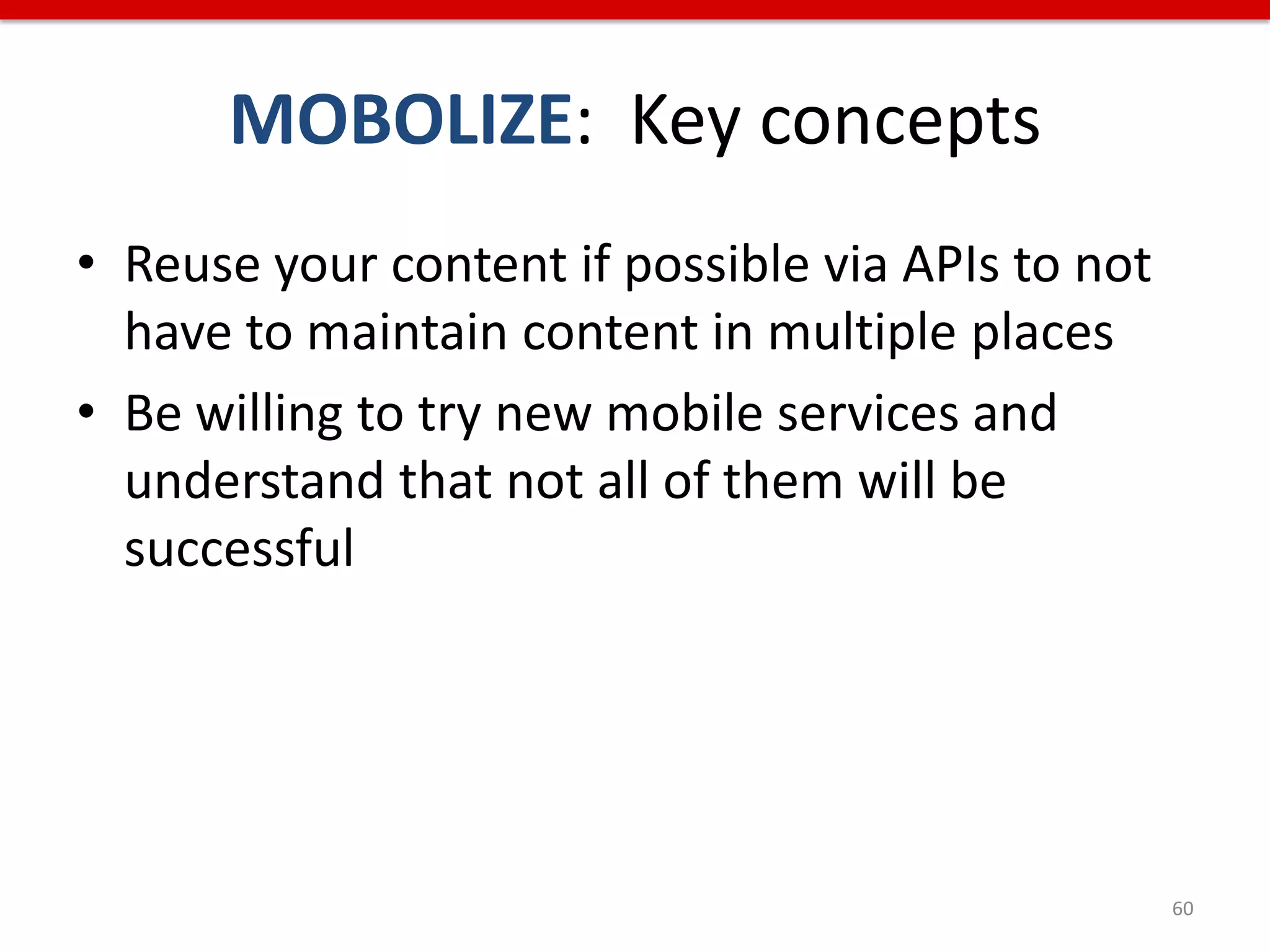
MOBOLIZE: Key concepts
• Reuse your content if possible via APIs to not
  have to maintain content in multiple places
• Be willing to try new mobile services and
  understand that not all of them will be
  successful


                                                   60
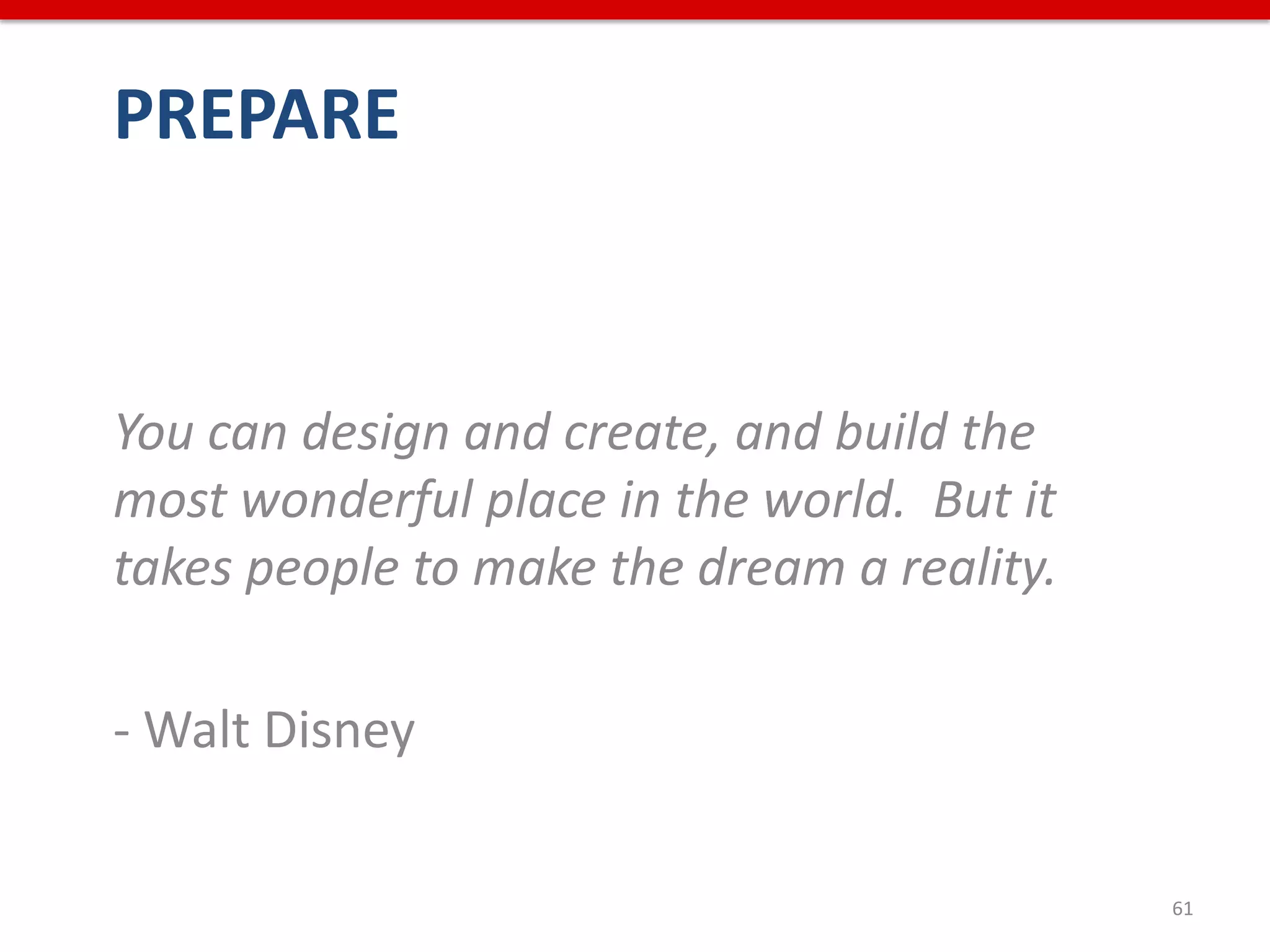
PREPARE


You can design and create, and build the
most wonderful place in the world. But it
takes people to make the dream a reality.

- Walt Disney

                                            61
Moving from search to discovery
• Location aware services
  – Foursquare
  – Yelp
• Pinterest pure discovery on things you like,
  and then organize the things you like
• A mashup of content/data from multiple
  systems can enhance discovery
• “Frictionless” access or sharing is automatic,
  not manual
                                                   62
Explosion of data
• There is a growing increase in the need for
  data curation, management, and preservation
• Libraries also create lots of content and have
  systems full of content that people might need
  – Web content: hours, staff directory, database list,
    computer/equipment/room availability, research
    guides, jobs, e-journals,
  – Collections: finding aids, digital collections,
    institutional repositories


                                                      63
Potential uses for that data
• Digital humanities
  initiatives on campus
• Custom discovery
  interfaces
• Specific departments
   on campus
  – For example, pull library hours into digital signage in
    student union or resident halls
  – Builds trust on campus – I’ll share my data if you share
    yours

                                                           64
Potential uses for that data
• Libraries need to grow from purely collection-
  based to also include creation-based
• Library users might want to use the data in
  new and creative ways
  – Spurs innovation
  – Why just build the APIs for your own purpose?
  – Encourage communication and engage users


                                                    65
PREPARE: Key concepts
• Users want to access, share, and easily
  discover resources and services anywhere,
  anytime, and on any device
• Build tools that you can use to help your
  library, but share those tools with others, too
• Web content and data that is flexible can be
  used in ways you’d never image


                                                    66
Additional Resources
• Futures Thinking for Academic Librarians: Higher Education
  in 2025 (Staley and Malenfant, 2010)
   – http://www.ala.org/ala/mgrps/divs/acrl/issues/value/futures20
     25.pdf
• The Value of Academic Libraries: A Comprehensive
  Research Review and Report (Oakleaf, 2010)
   – http://www.ala.org/acrl/sites/ala.org.acrl/files/content/issues/v
     alue/val_report.pdf
• How College Students Manage Technology When in the
  Library for Crunch Time (Head and Eisenberg, 2011)
   – http://projectinfolit.org/pdfs/PIL_Fall2011_TechStudy_FullRepo
     rt1.1.pdf
                                                                     67
Additional Resources
• NMC Horizon Reports, Higher Education Editions, 2011 and 2012
    – http://www.nmc.org/system/files/pubs/1316814265/2011-Horizon-
      Report%282%29.pdf
    – http://nmc.org/pdf/2012-horizon-report-HE.pdf
    – Video summary: http://youtu.be/NyQK2ZucXJI
• ECAR National Study of Undergraduates and Information
  Technology (EDUCAUSE, 2011)
    – http://www.educause.edu/Resources/ECARNationalStudyofUndergrad
      ua/238012
• The State of Mobile in Libraries 2012
    – http://www.thedigitalshift.com/2012/02/mobile/the-state-of-mobile-
      in-libraries-2012/
• Value of Academic Libraries: A look forward (Hinchliffe, 2010)
    – http://crln.acrl.org/content/71/9/466.full


                                                                       68
Thank you!
Rachel Vacek, Head of Web Services


revacek@uh.edu
http://rachelvacek.com

Presentation also available on
http://www.slideshare.net/vacekrae

                                     69

Preparing for Technological Changes within Academic LIbraries

  • 1.
    Preparing for technological changeswithin academic libraries Rachel Vacek, Head of Web Services University of Houston Libraries @vacekrae, revacek@uh.edu Library Futures Series, Oklahoma State University Library
  • 2.
  • 3.
  • 4.
  • 5.
    Outline • INNOVATE – Create opportunities for technology innovation • STREAMLINE – Streamline and integrate web content • MOBILIZE – Plan for relevant and needed mobile services • PREPARE – Interact with library users in new and unexpected ways 5
  • 6.
    INNOVATE If you alwaysdo what you always did, you will always get what you always got. - Albert Einstein 6
  • 7.
    Innovation within theUH Libraries • Micro-grant program – Events, contests, services • Tuesdays with TED • Tech training program • In-house experts teach tech classes • Brown bag lunch discussions about technology conferences recently attended • Tech gadget petting zoo • Reading group – articles from Journal of Library Innovation, or anything else thought-provoking 7
  • 8.
    Innovation on campus/ in community • Collaboration with other departments on campus • Collaboration with a class • Digital signage • Gamification • Events • “Field trips” to other facilities on campus or to other libraries 8
  • 9.
    The Cougar Social Media Showcase, held in 2010, was an event that engaged local universities as well as academic libraries to share how diverse groups incorporated social media into various aspects of higher education. https://sites.google.com/site/cougarsocialmediashowcase/ 9
  • 10.
    This free event,first held in 2011 and again in 2012, focused on new and developing trends in library discovery systems and provided an opportunity for attendees to discuss the implementation, usability, and evaluation of discovery tools. Discovery Day Camp 2011: http://info.lib.uh.edu/p/ddc2011 Discovery Day Camp 2012: http://lws.lib.uh.edu/sites/ddc2/ 10
  • 11.
    Technology training program The inspiration for the UH Libraries’ “Technology Training Program” came from Learning 2.0 online program (often called “23 Things”) that Helene Blowers created while at the Public Library of Charlotte and Mecklenburg County. Since 2006, over 250 libraries worldwide have created similar programs. In 2010-2011, we offered a similar discovery learning program designed to encourage library staff to explore new technologies and reward them for participating in the program over the course of a year. 11
  • 12.
    Tuesdays with TED Everyother week each summer, I have hosted a TED Talk viewing and discussion over the lunch hour. I found relevant and timely topics, posted a schedule, and invited anyone in the library. Feedback was encouraging and people overall liked the ability to discuss topics that aren’t often addressed in libraries but could potentially have an impact. 12
  • 13.
    iPhone app madeby students In 2009, an iPhone app for searching the UH Libraries’ Catalog was developed by graduate students in the “Ubiquitous Computing” course in the University of Houston Computational Physiology Lab. The app has since been retired and removed from the Apps store, and we now use Library Anywhere for our mobile catalog, available through our mobile sire: http://m.lib.uh.edu. 13
  • 14.
    Campus mobile walkingtours In early 2012, we collaborated with the Admissions office and UH IT to create a campus walking tour. It also highlights images from our Digital Library / University Archives for key buildings or locations across the campus. 14
  • 15.
    INNOVATE: Key concepts •Create a culture where – Risk-taking is rewarded – Failures are just opportunities where you learned more than you expected – Innovation and discussion about ideas are the norm, not the occasional activity 15
  • 16.
    INNOVATE: Key concepts •Create a culture where (cont.) – Experimental collaboration with students, faculty, or other campus partners is encouraged – Events facilitate wider discussion about topics or ideas – Support is demonstrated by a commitment to funding innovation 16
  • 17.
    STREAMLINE It is failurethat guides evolution; perfection provides no incentive for improvement, and nothing is perfect. - Colson Whitehead, novelist 17
  • 18.
    What applications areintegrated into your library website? 18
  • 19.
  • 20.
    Multiple access points •Users can enter into your library site from – Course management system – Search engine – University website – Bookmarks in their browser – Off campus – Marketing flyer – Social media – From a mobile device – From different types of computers 20
  • 21.
    Multiple access points • info.lib.uh.edu • archon.lib.uh.edu • library.uh.edu • uh.edu/library • guides.lib.uh.edu • uh.edu/libraries • digital.lib.uh.edu • lws.uh.edu • search.lib.uh.edu • login.ezproxy.lib.uh.edu • weblogs.lib.uh.edu • illiad.lib.uh.edu • ask.lib.uh.edu 21
  • 22.
  • 23.
    Multiple sources forcontent • Website CMS • Mobile website CMS • LibGuides • LibAnswers • Blogs • Social Media • And multiple people throughout the library create that content 23
  • 24.
  • 25.
    Organizational politics needto change • Applications are managed by multiple departments within the library • Departments need to be less isolated, more agile, and willing to work closely with one another and with stakeholders • Usability test results, analytics, transaction logs, database usage, etc., need to be transparent to everyone within the library 25
  • 26.
    Take advantage ofAPIs • What is an API? – An API is a way for a website or service to talk to another website or service – You can mix information and media from other services into your own site or application • Example – Yelp uses the Google Maps API to show where restaurants are on a map 26
  • 27.
  • 28.
    APIs in libraries •Some APIs allow for complex interactions, others just permit widget construction • Most ILSs, institutional repositories and discovery platforms provide APIs • Many content management systems also have APIs • Structured data coupled with APIs means content can more easily be pulled across multiple platforms 28
  • 29.
    Why is thisimportant? • Streamlining web content / data makes it easier for your library to maintain that content • It’s easier to create a consistent, single, unified user experience • Helps to prevent duplicative work • Makes your content more flexible and reusable 29
  • 30.
  • 31.
    What are wedoing at the UH Libraries to streamline and improve our web user experiences? 31
  • 32.
    Web User Experience(UX) Program • Usability testing on any application or service within the library • Dedicated librarian provides this service • Budget for – Software: TechSmith Morae software, CrazyEgg Click Analytics, Google Analytics, transaction log tool – Hardware: 2 desktops, 2 laptops, web cameras, camera for recording mobile device usage – Training: workshops, webinars, data analysis – Incentives: food, contest prizes, gift cards, and swag 32
  • 33.
    IA3 Committee • IA3(It’s All About Access) – A library committee dedicated to explore ways to improve access and make connections between physical and digital sources, and provide users with an expanded context for exploring materials without being limited by format 33
  • 34.
    APIs we created/ use / will use • Staff Directory – content is pulled from our intranet to our main and mobile websites • Hours – content is pulled from our main library website to our mobile website • Electronic Databases – we parse an exported MARC file to display certain information about each database on our main library website, and that info could be pulled into our mobile website, course management system, etc. 34
  • 35.
    APIs we created/ use / will use • Digital Library – content will be pulled into a custom user interface, and could be pulled into a mobile version • Finding Aids – pull records into specific subject-based collection pages • Discovery landing page – pull info from multiple resources into a search landing page • And many more… 35
  • 36.
    C.O.P.E. Create Once, Publish Everywhere Daniel Jacobson’s philosophy, API guru and software engineer at Netflix 36
  • 37.
    STREAMLINE: Key Concepts •More web-based services are in every area of the library, from public services to technical services • There is an ever increasing amount of systems to maintain • It is more complicated to fold that increasing amount of systems into a single UX on the library’s web presence 37
  • 38.
    STREAMLINE: Key Concepts •Using open source or custom built systems or hosted systems with APIs can help with maintenance and the single UX • Remember that there is no single solution, and this is not an easy process • You may need a dedicated web developer(s) to build applications or work with APIs 38
  • 39.
    MOBILIZE Technology has becomeas ubiquitous as the air we breathe, so we are no longer conscious of its presence. - Godfrey Reggio, film director 39
  • 40.
    Changing trends • NMCHorizon Report: 2012 Higher Education Edition: – People expect to be able to work, learn, and study whenever and wherever they want to – The technologies we user are increasingly cloud- based, and our notions of IT support are decentralized 2012 Horizon Report: http://nmc.org/pdf/2012-horizon-report-HE.pdf 40
  • 41.
    Time-to-Adoption Horizon • OneYear or Less: – Mobile apps – Tablet computing • Two to Three Years – Game-based-learning – Learning analytics • Four to Five Years – Gesture-based computing – Internet of things 2012 Horizon Report: http://nmc.org/pdf/2012-horizon-report-HE.pdf 41
  • 42.
  • 43.
  • 44.
    64% of mobile phone time is spent on apps (Nielsen, April 2012) http://na.ad-tech.com/sf/wp-content/uploads/DigitalConsumer.pdf 44
  • 45.
    Adults spend more media time on mobile than newspapers and magazines combined (eMarketer, December 2011) 45 http://www.emarketer.com/Article.aspx?R=1008728
  • 46.
    61% of peoplewho visit a mobile unfriendly site are likely to go elsewhere (Karim Temsamani, Interactive Advertising Bureau (IAB), February 2012) https://snaphop.com/2012-mobile-marketing-statistics/ 46
  • 47.
    In a 2011EDUCAUSE study of undergraduates: 55% own smartphones 62% have iPods 21% have a tablet TWO-THIRDS of the students use these devices for academic purposes 47
  • 48.
    What does this meanfor libraries? What do library users want most? http://www.thedigitalshift.com/201 2/02/mobile/the-state-of-mobile- in-libraries-2012/ 48
  • 49.
  • 50.
    UH Libraries Mobile WebPresence m.lib.uh.edu 50
  • 51.
    Think differently aboutthe RSS feeds are quick and hierarchy of your homepage easy but have limitations 51
  • 52.
    Include catalog and/or LibGuides comes with a discovery platform, but be mobile interface, too clear on tool’s purpose 52
  • 53.
    Show computer Pull in hours from our availability Hours API 53
  • 54.
    You have videos?Create a Show off your images on channel and include them your library’s Flickr site 54
  • 55.
    Features we havecoming soon • Mobile version of the Digital Library • Expanded computer availability to other labs in the library • Mobile friendly databases • Library equipment availability • Room/computer reservation • More social media integration • Emergency alerting service • Augmented reality layar 55
  • 56.
  • 57.
    QR codes inthe UH Libraries • To connect our physical and virtual collections • To offer additional services • Marketing • Contests and games • Exhibits • Informational signage 57
  • 58.
    Potential QR codeapplications Printed handouts To get more info, lecture links, library resources, etc. Assignments / Tests To ensure anonymity in grading. Classroom / Lab To view instructional video on how to use equipment. Equipment Submit Surveys / To link directly to web-based feedback forms, submit Feedback positive/negative feedback by scanning a particular code, etc. Experiential To enhance learning games, historical tours, etc. Learning Marketing signage To get more event info, schedule, map of location, etc. Books / Journals To link to e-versions or supplemental material. Study Aids To make cheat-proof flashcards. 58
  • 59.
    MOBOLIZE: Key concepts •Understand your users mobile behaviors and needs before you decide between a mobile app or website • Don’t just recreate your entire website in a whole new mobile website • Start small, add more complex features over time • Walk a day in your users’ shoes to get a feel for what services might be helpful on a mobile device 59
  • 60.
    MOBOLIZE: Key concepts •Reuse your content if possible via APIs to not have to maintain content in multiple places • Be willing to try new mobile services and understand that not all of them will be successful 60
  • 61.
    PREPARE You can designand create, and build the most wonderful place in the world. But it takes people to make the dream a reality. - Walt Disney 61
  • 62.
    Moving from searchto discovery • Location aware services – Foursquare – Yelp • Pinterest pure discovery on things you like, and then organize the things you like • A mashup of content/data from multiple systems can enhance discovery • “Frictionless” access or sharing is automatic, not manual 62
  • 63.
    Explosion of data •There is a growing increase in the need for data curation, management, and preservation • Libraries also create lots of content and have systems full of content that people might need – Web content: hours, staff directory, database list, computer/equipment/room availability, research guides, jobs, e-journals, – Collections: finding aids, digital collections, institutional repositories 63
  • 64.
    Potential uses forthat data • Digital humanities initiatives on campus • Custom discovery interfaces • Specific departments on campus – For example, pull library hours into digital signage in student union or resident halls – Builds trust on campus – I’ll share my data if you share yours 64
  • 65.
    Potential uses forthat data • Libraries need to grow from purely collection- based to also include creation-based • Library users might want to use the data in new and creative ways – Spurs innovation – Why just build the APIs for your own purpose? – Encourage communication and engage users 65
  • 66.
    PREPARE: Key concepts •Users want to access, share, and easily discover resources and services anywhere, anytime, and on any device • Build tools that you can use to help your library, but share those tools with others, too • Web content and data that is flexible can be used in ways you’d never image 66
  • 67.
    Additional Resources • FuturesThinking for Academic Librarians: Higher Education in 2025 (Staley and Malenfant, 2010) – http://www.ala.org/ala/mgrps/divs/acrl/issues/value/futures20 25.pdf • The Value of Academic Libraries: A Comprehensive Research Review and Report (Oakleaf, 2010) – http://www.ala.org/acrl/sites/ala.org.acrl/files/content/issues/v alue/val_report.pdf • How College Students Manage Technology When in the Library for Crunch Time (Head and Eisenberg, 2011) – http://projectinfolit.org/pdfs/PIL_Fall2011_TechStudy_FullRepo rt1.1.pdf 67
  • 68.
    Additional Resources • NMCHorizon Reports, Higher Education Editions, 2011 and 2012 – http://www.nmc.org/system/files/pubs/1316814265/2011-Horizon- Report%282%29.pdf – http://nmc.org/pdf/2012-horizon-report-HE.pdf – Video summary: http://youtu.be/NyQK2ZucXJI • ECAR National Study of Undergraduates and Information Technology (EDUCAUSE, 2011) – http://www.educause.edu/Resources/ECARNationalStudyofUndergrad ua/238012 • The State of Mobile in Libraries 2012 – http://www.thedigitalshift.com/2012/02/mobile/the-state-of-mobile- in-libraries-2012/ • Value of Academic Libraries: A look forward (Hinchliffe, 2010) – http://crln.acrl.org/content/71/9/466.full 68
  • 69.
    Thank you! Rachel Vacek,Head of Web Services revacek@uh.edu http://rachelvacek.com Presentation also available on http://www.slideshare.net/vacekrae 69

Editor's Notes

  • #3 How many people on campus, how many libraries, how many library staff, how many in my department.