What Are You Doing Now? The Tiwtterfication of the Web - CiL2008

Loading...

Flash Player 9 (or above) is needed to view presentations.
We have detected that you do not have it on your computer. To install it, go here.

1 comments

Comments 1 - 1 of 1 previous next Post a comment

  • + vfennell vfennell 2 years ago
    Just what I needed to understand Twitter..all good stuff!
Post a comment
Embed Video
Edit your comment Cancel

Notes on slide 1

Our presentation is going to be very ADD, just like Twitter is.

5 Favorites

What Are You Doing Now? The Tiwtterfication of the Web - CiL2008 - Presentation Transcript

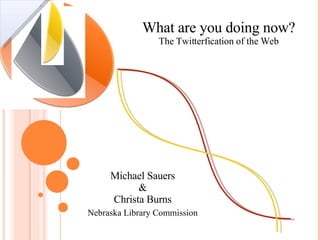
  1. What are you doing now? The Twitterfication of the Web Michael Sauers & Christa Burns Nebraska Library Commission
  2. What is microblogging?
    • The act of blogging that is:
      • Short
      • Fast
      • Easy
      • Mobile
  3. Enter Twitter
    • Answer the question “What are you doing now?” in 140 characters or less
    • Follow friends
    • Be followed
    • Like IM but asynchronous
      • No “status”, others don’t know if your paying attention
  4.  
  5. Create an account
  6. Set up posting options
  7. Design your home page
  8. Post
    • A post: “Tweet”
    • Creating a post: “Tweeting”
    • Methods
      • via the Web (twitter.com)
      • via a client (Twhirl)
      • via a bookmarklet (TwitThis)
      • via e-mail
      • via IM (twitter)
      • via SMS (40404)
      • Blog-to-Twitter (twitterfeed)
    • URL’s that extend past the 140 character limit are automatically turned into TinyURLs
  9. Twitter.com
  10. Twhirl
  11. Twitter Vista Gadget
  12. TwitThis
  13. EmailTwitter.com
  14. TWITTERFEED
  15. Twitter commands
    • @ username
    • d username message
    • nudge username
    • l: location information
    • follow username
    • leave username
    • block username
    • invite phonenumber
    • #hashtag
  16. Direct messages
  17. Add friends
  18. Follow your friends
    • Read your friends’ tweets via your Twitter homepage
    • Read via a client
    • Subscribe via RSS
    • Receive via IM
    • Receive tweets via SMS
    • Graphical
      • Twittervision Twitter/Google Maps mashup
  19. Uses
    • Ultra simple blogging
    • Conferences
    • Reference Questions
    • News
    • Traffic
    • Weather
    • Presidential Campaigning
    • Web site updates
    • Conversations
    • Humor
    • Characters
  20. aadl
  21. NLC Reference
  22.  
  23. BBC News
  24. Oregon Traffic
  25. Boston Weather
  26. Barack Obama
  27. “ Darth Vader”
  28. A Twitter conversation during the development of this slide show
  29.  
  30.  
  31.  
  32. Searching Twitter Content
  33. Problems
    • Twitterference So many SMS tweets that you can’t make a phone call.
    • If it ever goes away, your content is gone
    • Considered too distracting by some
    • If you don’t participate, you won’t get anything out of it
  34. 7 TIPS TO A GOOD TWITTER EXPERIENCE
    • Follow unto others
    • @comment others
    • Link to your stuff
    • Don’t take non-responses personally
    • Be patient
    • Avoid addiction
    • Use your name
    • Source: http://meryl.net/2008/04/01/7-tips-to-a-good-twitter-experience/
  35. http://www.gapingvoid.com/Moveable_Type/archives/000932.html
  36. Contact Information
    • Michael Sauers Technology Innovation Librarian, Nebraska Library Commission
    • [email_address]
    • www.travelinlibrarian.info
    • twitter.com/msauers
    • Christa Burns OCLC Member Services Librarian,
    • NEBASE / Nebraska Library Commission
    • [email_address]
    • christajoy.blogspot.com
    • twitter.com/cjburns

+ Nebraska Library CommissionNebraska Library Commission, 2 years ago

custom

2447 views, 5 favs, 0 embeds more stats

Presented at Computers in Libraries 2008, Crystal C more

More info about this document

© All Rights Reserved

Go to text version

  • Total Views 2447
    • 2447 on SlideShare
    • 0 from embeds
  • Comments 1
  • Favorites 5
  • Downloads 32
Most viewed embeds

more

All embeds

less

Flagged as inappropriate Flag as inappropriate
Flag as inappropriate

Select your reason for flagging this presentation as inappropriate. If needed, use the feedback form to let us know more details.

Cancel
File a copyright complaint
Having problems? Go to our helpdesk?

Categories