Volunter Toronto Using Web 2.0 Tools to Manage Community Relations

Loading...

Flash Player 9 (or above) is needed to view presentations.
We have detected that you do not have it on your computer. To install it, go here.

1 comments

Comments 1 - 1 of 1 previous next Post a comment

Post a comment
Embed Video
Edit your comment Cancel

Favorites, Groups & Events

Volunter Toronto Using Web 2.0 Tools to Manage Community Relations - Presentation Transcript

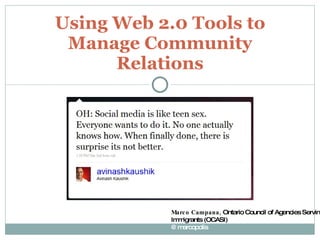
  1. Using Web 2.0 Tools to Manage Community Relations Marco Campana, Ontario Council of Agencies Serving Immigrants (OCASI) @marcopolis
  2. A Quick Overview
    • Introduction
    • Strategies
    • Tools
    • Resources
    • 5 Pillars
        • Ease of Use
        • Trusted Networks
        • Everyone Can Publish
        • Actively Passive
        • Media Rich
    Web 2.0
  3. Social Media
  4. Why Social Media?
    • It’s happening now .
    • With or without you.
    • The people you want to reach are probably using it.
    • What if increased use of online tools could save us time, free us up to do more interesting work, get us the information we needed to do our jobs and engage our community more efficiently, effectively?
    Working Smarter?
  5. Why Social Media?
    • Learn what people are saying about you
    • Create buzz for campaigns and events
    • Increase issue or organizational exposure
    • Identify and recruit evangelists
    • Find new opportunities
    • Offer support to clients and programs
    • Improve ‘findability’
    • Get the message out fast
  6. Introduction
    • Social media is more than just a way to talk online.
    • It’s an opportunity to listen to your community, and inform the way you engage , mobilize and sustain supporters .
    • Social Media tools can help you in your efforts to:
    • recruit, organize and retain community members.
    • plan and market your events and programs.
  7. Five Good Ideas
    • Online conversations are still conversations. The language may be different online, but the principles are the same.
    • Connect and integrate your online work with your offline work.
    • Isolate technology from conversation. Don’t let the technology become the conversation.
    • Your conversations will evolve, be prepared to evolve with them.
    • Don’t just innovate, participate. Go to where your audience already is, join them, engage them, use the technology that’s already working for them.
    • http://atwork.settlement.org/sys/atwork_whatshappen_detail.asp?anno_id=2008201
  8. Listening | Sharing | Engaging
  9. Listening | Sharing | Engaging
      • Have a strategy
      • Learn to work/listen online
      • Choose the right tools for you
      • Manage your workflow
      • Avoid “Garbage Overload”
      • Find the right information for the right people at the right time
      • Share and collaborate – become an aggregator
  10. Telling Your Story
    • Who is your audience ?
    • What do you want them to do?
    • How can you convince your audience to:
    • Volunteer their time?
    • Spread the word?
    • Take action?
    • ???
  11. Your Audience
    • How to tell the story that encourages them to take the action you want? How can you engage them fully? Where are they and are you there?
    • How well do you know your audience(s)?
    • How can you learn more about your audience(s)? Ask them!
  12. Strategies
    • Core – set up, listen, update and evolve
    • Daily Routine – process, discipline, workflow
    • Define Sharing – collaborating, informing, developing expertise
    • Responding – are you listening strategically?
    • How will you measure success?
    http://atwork.settlement.org/sys/atwork_library_detail.asp?doc_id=1004779
    • Why are you listening? What are your mission goals?
    • Come up with at least Five Ways You Plan to Use the Information ( link to day-to-day action)
    • What’s Your Internal Process? H ow will you organize your listening?
    • http://beth.typepad.com/beths_blog/2009/02/getting-your-nonprofit-organization-ready-to-listen-.html
    Strategies Getting your organization ready to listen
  13. Tools - Key Social Platforms
    • Video Sharing
    • Podcasts
    • Message Boards
    • Photo Sharing
    • Chat Rooms
    • Social Networking
    • Widgets
    • RSS
    • Microblogging
    • Blogging
  14. Tools
  15. Your Story Platform Your Website
  16.  
  17. Tools
  18. Tools
  19. Tools
    • Let’s review a few that are useful for Listening, Aggregating and Sharing:
    • RSS
    • Email (Yes! Email)/e-Newsletters/Watchthatpage/RSS to email
    • Google Alerts
    • Twitter
    • Trusted Networks: Social Networks/Online Communities (Facebook, Ning, etc.); Social Bookmarking - Delicious, Diigo
    • Google Custom Search Engine
    • Rich/Multimedia
  20. Tools - RSS Actively Passive
  21. Tools - RSS
  22. Tools - RSS
  23. Tools - Email as Web 2.0?
  24. Tools – RSS to Email
  25. Tools - Watchthatpage
  26. Tools – Google Alerts
  27. Tools – Google Alerts
  28. Tools - Twitter
  29. Tools - Twitter
    • `
  30. Tools - Trusted Networks
  31. Tools - Trusted Networks Roll Your Own Social Network
  32. Tools - Trusted Networks
  33. Google Custom Search Engine
  34. Multimedia
  35. Tools – Mobile?
  36. How Much Time?
  37. Resources
    • How I learned to stop worrying and love the early adopters!
  38. Resources
    • http://socialmedia-listening.wikispaces.com/
    • http://www.wearemedia.org
    • http://wiki.healthnexussante.ca
      • Setting the Stage/Strategy
      • Blogs to Follow
      • Daily Routines
      • Practical Tool Examples and Explanations
      • Learn
      • Play!
  39. Images
    • http://www.flickr.com/photos/tyla/2613836330/
    • http://www.flickr.com/photos/matthamm/2945559128
    • http://www.flickr.com/photos/dailypic/1459055735/
    • http://www.flickr.com/photos/cambodia4kidsorg/3226367547/sizes/o/
    • Webinar:Twitter for Nonprofits - Jeff Patrick, Common Knowledge
    • http://www.flickr.com/photos/i-1326/2968175502/
    • http://www.flickr.com/photos/debschultz/1925555485/sizes/o/
    • http://www.flickr.com/photos/stabilo-boss/93136022/in/pool-web2dot0diagrams
    • http://www.flickr.com/photos/ycc2106/134414023/
    • http://www.flickr.com/photos/abiesudiono/3640386883/
    • http://www.flickr.com/photos/nielsvk/258851215/
    • http://www.flickr.com/photos/adunne/286285676
    • http://www.flickr.com/photos/luc/1824234195/
    • http://www.flickr.com/photos/w5nyv/455756468/
    • http://www.flickr.com/photos/dan_h/667441709/
    • http://www.flickr.com/photos/sparktography/2485147794/
    • http://www.flickr.com/photos/skemsley/3554049015
    • http://www.flickr.com/photos/archiemcphee/3401974951/
    • http://www.flickr.com/photos/timheuer/143007903/
    • http://www.flickr.com/photos/bre/448847262/
    • http://www.flickr.com/photos/zachinglis/41443867/
    • http://www.flickr.com/photos/cambodia4kidsorg/2906235414/
    • http://farm4.static.flickr.com/3027/2905389559_d3ec3e6530.jpg
    • http://www.flickr.com/photos/erio/51737097/
    • http://www.flickr.com/photos/cyprien/3174008527/sizes/o/

+ settlementatworksettlementatwork, 1 month ago

custom

75 views, 0 favs, 0 embeds more stats

Social media is more than just a way to talk online more

More info about this document

© All Rights Reserved

Go to text version

  • Total Views 75
    • 75 on SlideShare
    • 0 from embeds
  • Comments 1
  • Favorites 0
  • Downloads 6
Most viewed embeds

more

All embeds

less

Flagged as inappropriate Flag as inappropriate
Flag as inappropriate

Select your reason for flagging this presentation as inappropriate. If needed, use the feedback form to let us know more details.

Cancel
File a copyright complaint
Having problems? Go to our helpdesk?

Categories