Scott Leberknight
3/4/2021
JUnit Pioneer
“JUnit Pioneer is an extension pack for JUnit 5 or,
to be more precise, for the Jupiter engine”
Recap: JUnit Extensions
Provide a way to extend JUnit’s core features
Well-defined extension API and lifecycle
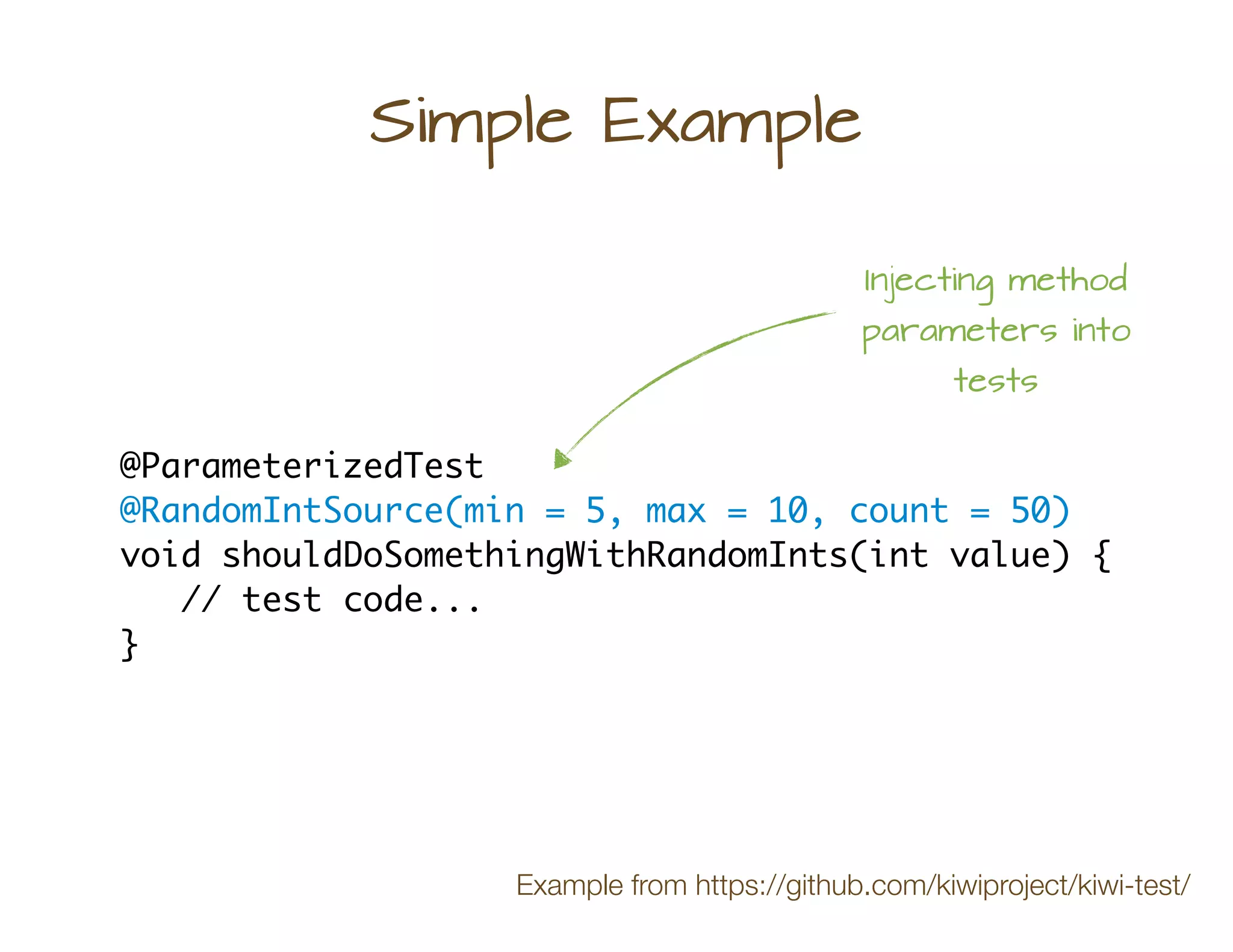
Simple Example
@ParameterizedTest
@RandomIntSource(min = 5, max = 10, count = 50)
void shouldDoSomethingWithRandomInts(int value) {
// test code...
}
Injecting method
parameters into
tests
Example from https://github.com/kiwiproject/kiwi-test/
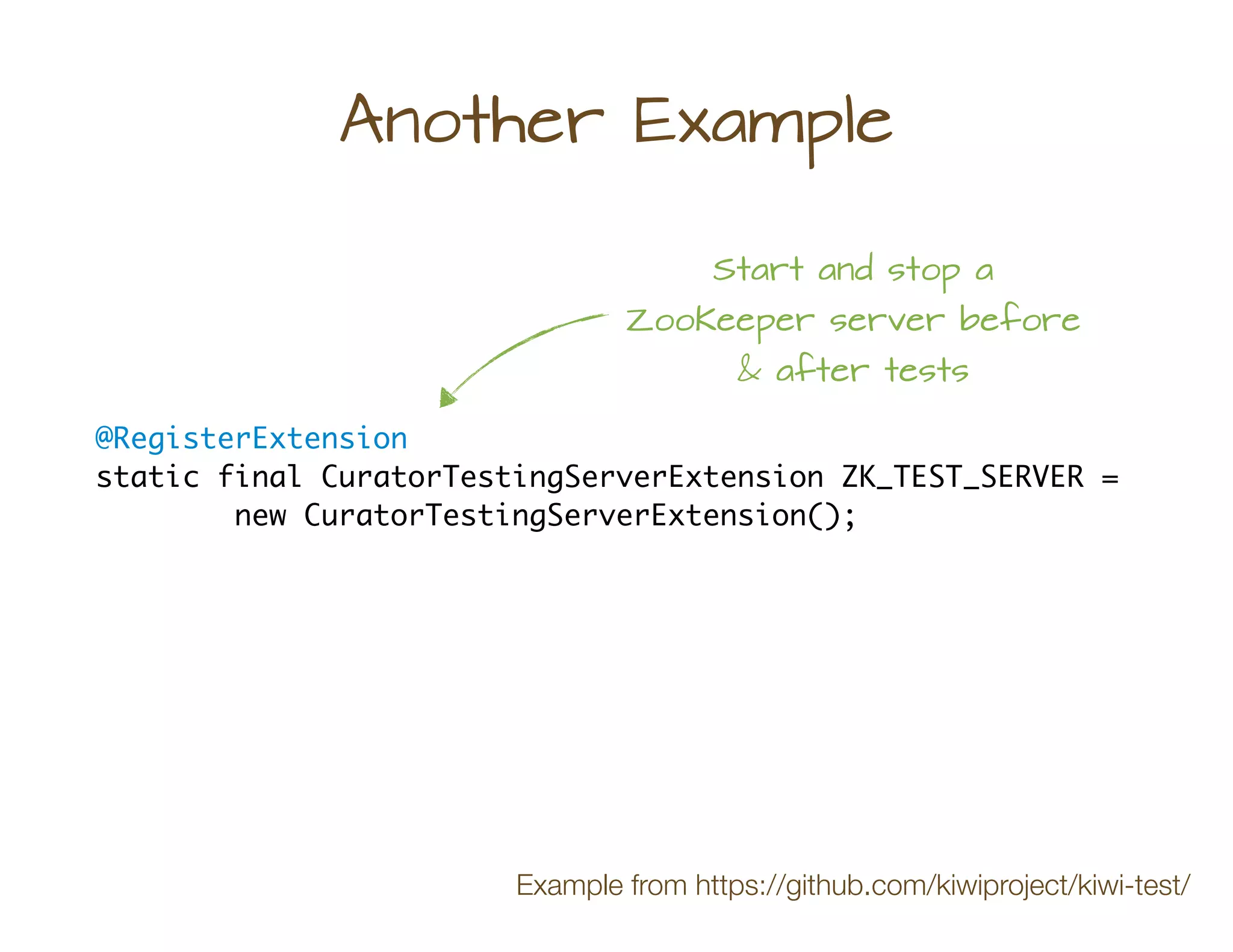
@RegisterExtension
static final CuratorTestingServerExtension ZK_TEST_SERVER =
new CuratorTestingServerExtension();
Another Example
Start and stop a
ZooKeeper server before
& after tests
Example from https://github.com/kiwiproject/kiwi-test/
Pioneer Extensions
A collection of useful Jupiter extensions
Easy to integrate into your tests
Pioneer Extensions
Cartesian product
Locale & TimeZone
Environment Vars
Range sources
Issue Info
Disabling tests
Report entries
Stdin & Stdout
System props
Vintage tests
Stopwatch!
* as of 2021-03-04
*
System Properties
@SetSystemProperty(key = "user", value = "bob")
@SetSystemProperty(key = "id", value = "42")
class SystemPropertyTest {
@Test
@ClearSystemProperty(key = "user")
void testWithoutUserProperty() { ... }
@Test
@SetSystemProperty(key = "pwd", value = "12345")
void anotherTest() { ... }
}
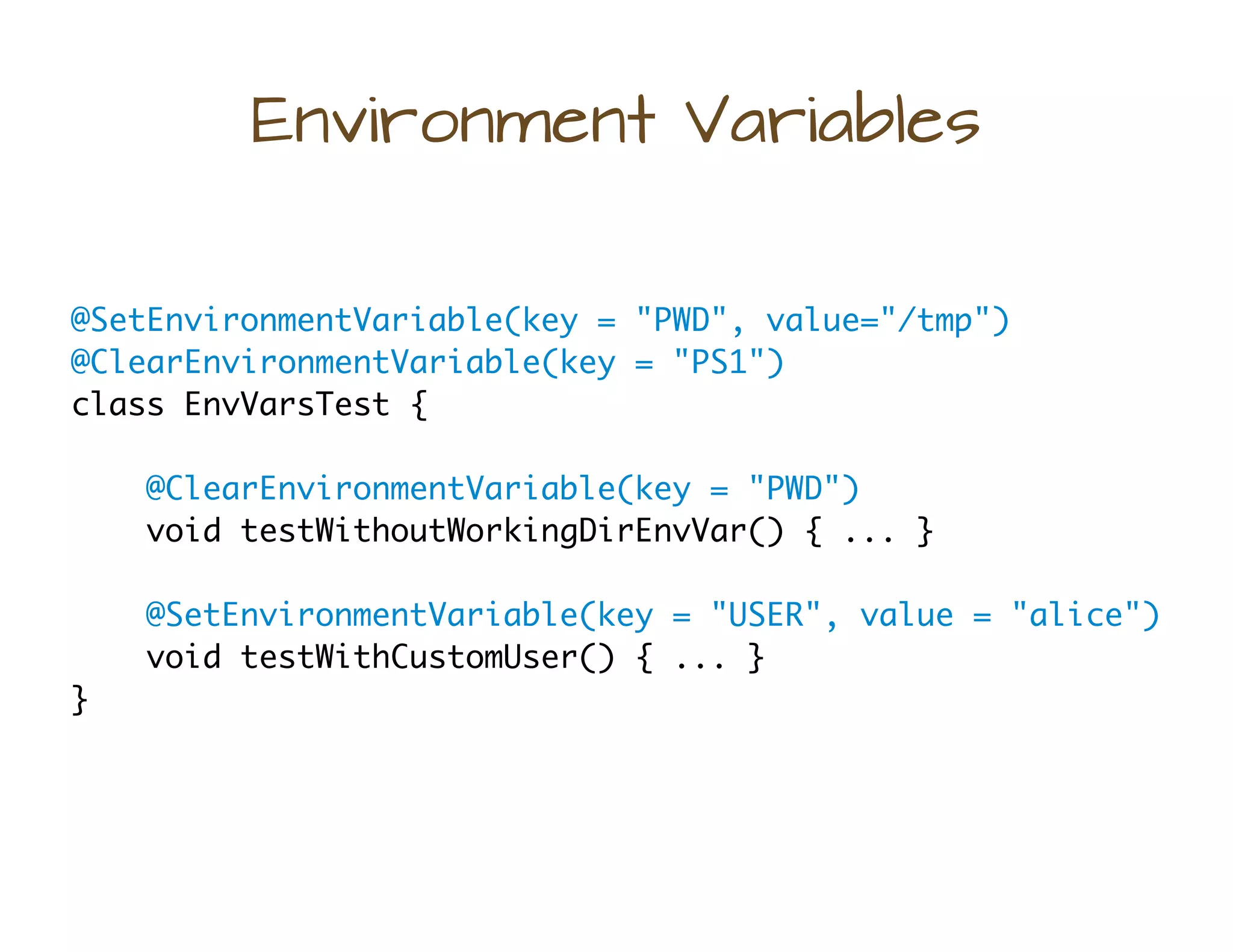
Environment Variables
@SetEnvironmentVariable(key = "PWD", value="/tmp")
@ClearEnvironmentVariable(key = "PS1")
class EnvVarsTest {
@ClearEnvironmentVariable(key = "PWD")
void testWithoutWorkingDirEnvVar() { ... }
@SetEnvironmentVariable(key = "USER", value = "alice")
void testWithCustomUser() { ... }
}
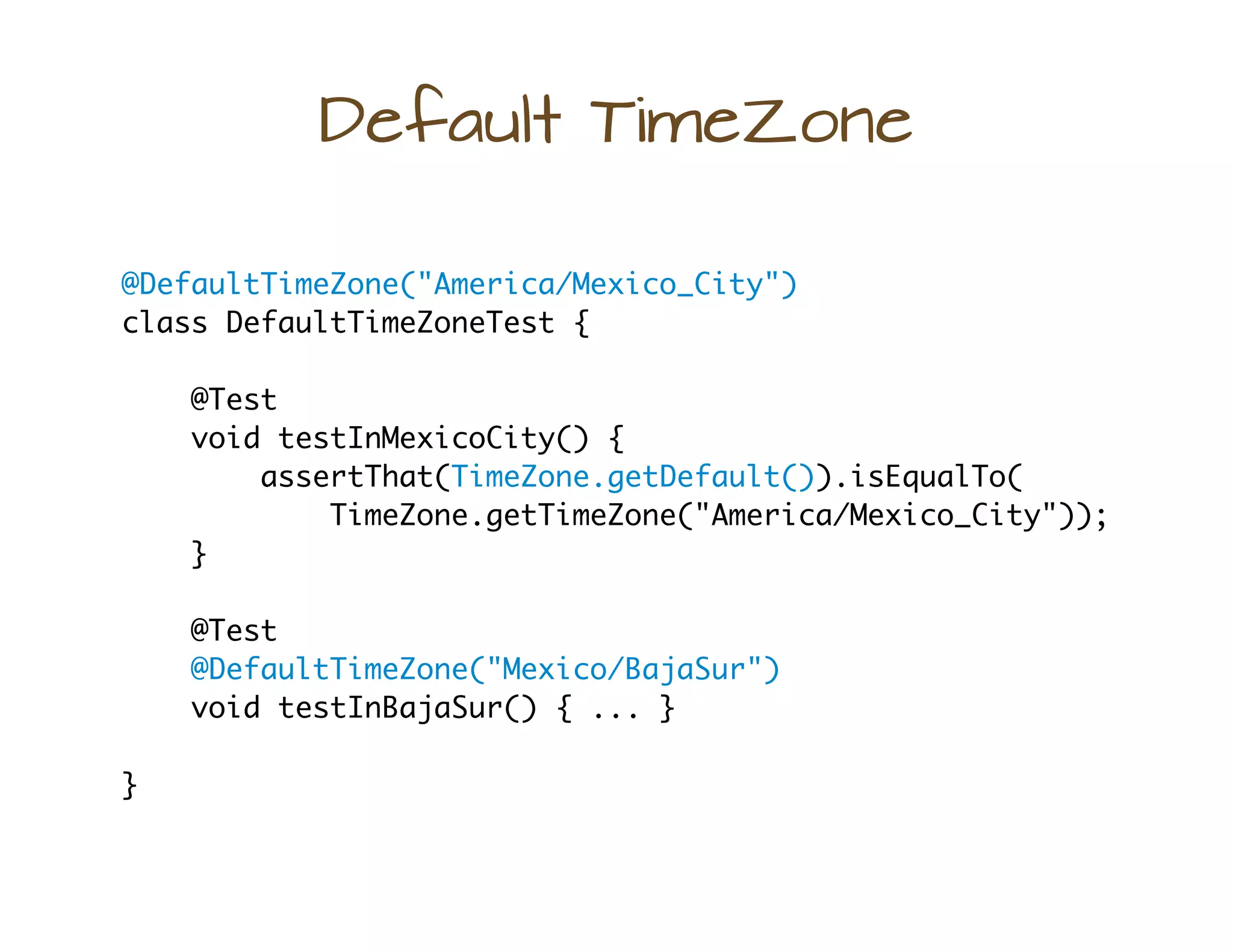
Default TimeZone
@DefaultTimeZone("America/Mexico_City")
class DefaultTimeZoneTest {
@Test
void testInMexicoCity() {
assertThat(TimeZone.getDefault()).isEqualTo(
TimeZone.getTimeZone("America/Mexico_City"));
}
@Test
@DefaultTimeZone("Mexico/BajaSur")
void testInBajaSur() { ... }
}
Default Locale
@DefaultLocale("es")
class DefaultLocaleTest {
@Test
void testWithDefaultFromClass() {
assertThat(Locale.getDefault())
.isEqualTo(new Locale("es"));
}
@Test
@DefaultLocale(language = "nan", country = "TW",
variant = "Hant")
void testUsingAllAttributes() {
assertThat(Locale.getDefault()).isEqualTo(
new Locale("nan", "TW", "Hant"));
}
}
Having Issues?
public class SystemOutIssueProcessor
implements IssueProcessor {
@Override
public void processTestResults(List<IssueTestSuite> suites) {
// do something with each test suite
}
}
@Test
@Issue("JUPI-1234")
void shouldFix1234() {
// test code for issue JUPI-1234
}
#1 Annotate
#2 Define processor
#3 Register implementation
com.fortitudetec.junit.pioneering.SystemOutIssueProcessor
META-INF/services/org.junitpioneer.jupiter.IssueProcessor
I need those TPS reports...
class ReportEntriesTest {
@Test
@ReportEntry("I'm Going To Need Those TPS Reports ASAP")
void testWithReportEntry() { ... }
@Test
@ReportEntry(key = "result", value = "success",
when = PublishCondition.ON_SUCCESS)
@ReportEntry(key = "result", value = "failed",
when = ReportEntry.PublishCondition.ON_FAILURE)
void testWithConditionalEntries() { ... }
}
#1 Annotate
public class SimpleTestExecutionListener
implements TestExecutionListener { ... }
#2 Create a JUnit
TestExecutionListener
com.fortitudetec.junit.pioneering.SimpleTestExecutionListener
META-INF/services/org.junit.platform.launcher.TestExecutionListener
#3 Register implementation
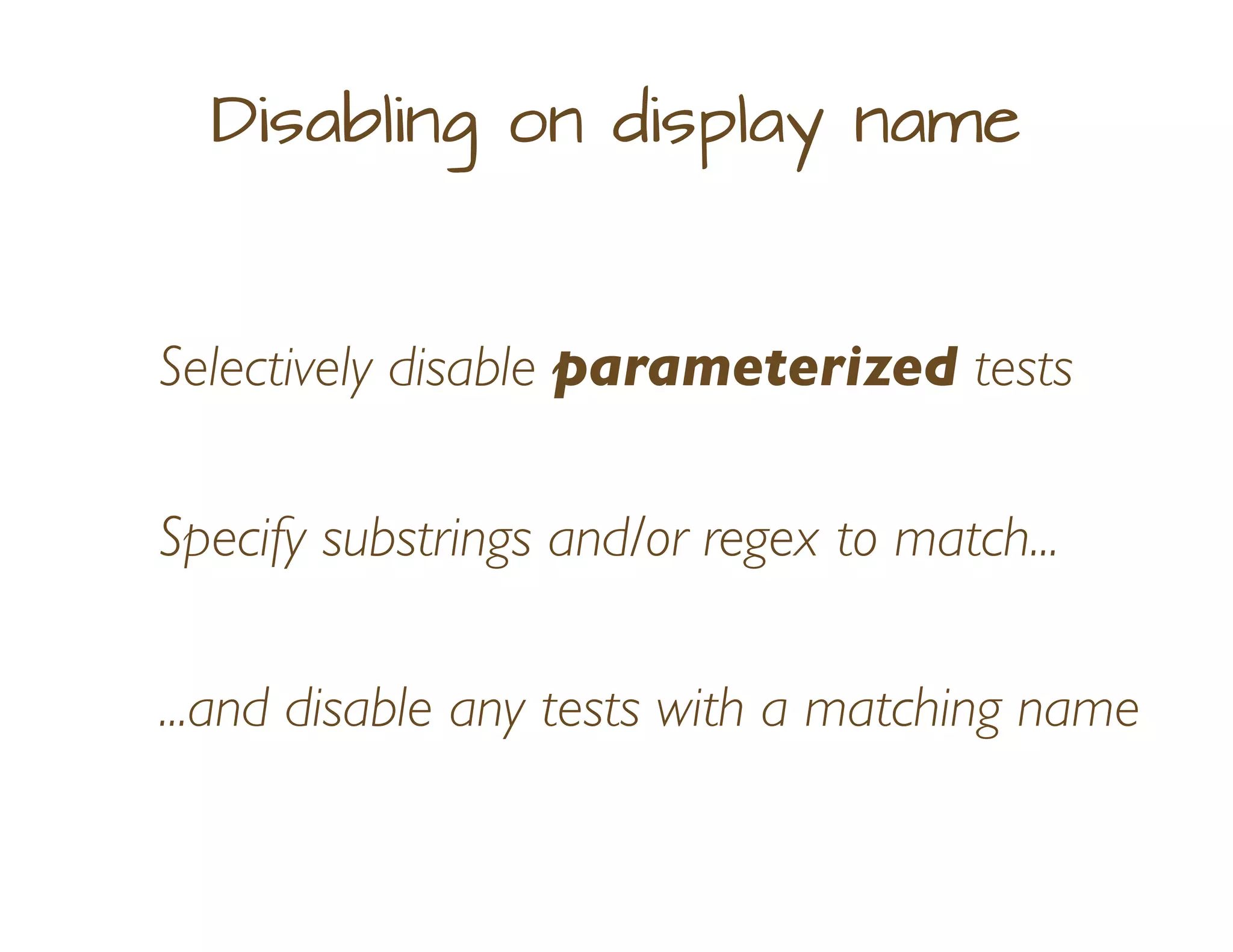
Disabling on display name
Selectively disable parameterized tests
Specify substrings and/or regex to match...
...and disable any tests with a matching name
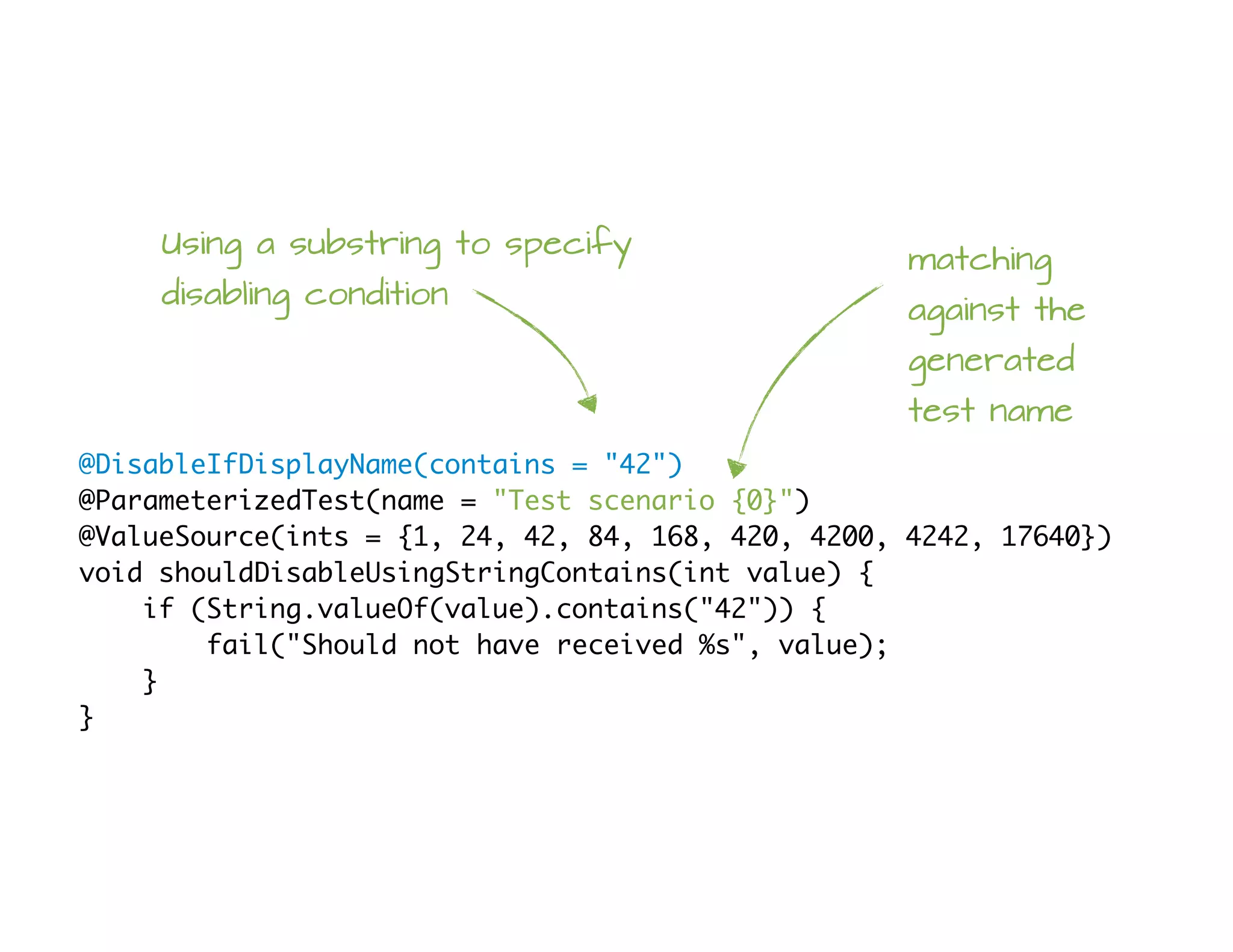
@DisableIfDisplayName(contains = "42")
@ParameterizedTest(name = "Test scenario {0}")
@ValueSource(ints = {1, 24, 42, 84, 168, 420, 4200, 4242, 17640})
void shouldDisableUsingStringContains(int value) {
if (String.valueOf(value).contains("42")) {
fail("Should not have received %s", value);
}
}
Using a substring to specify
disabling condition
matching
against the
generated
test name
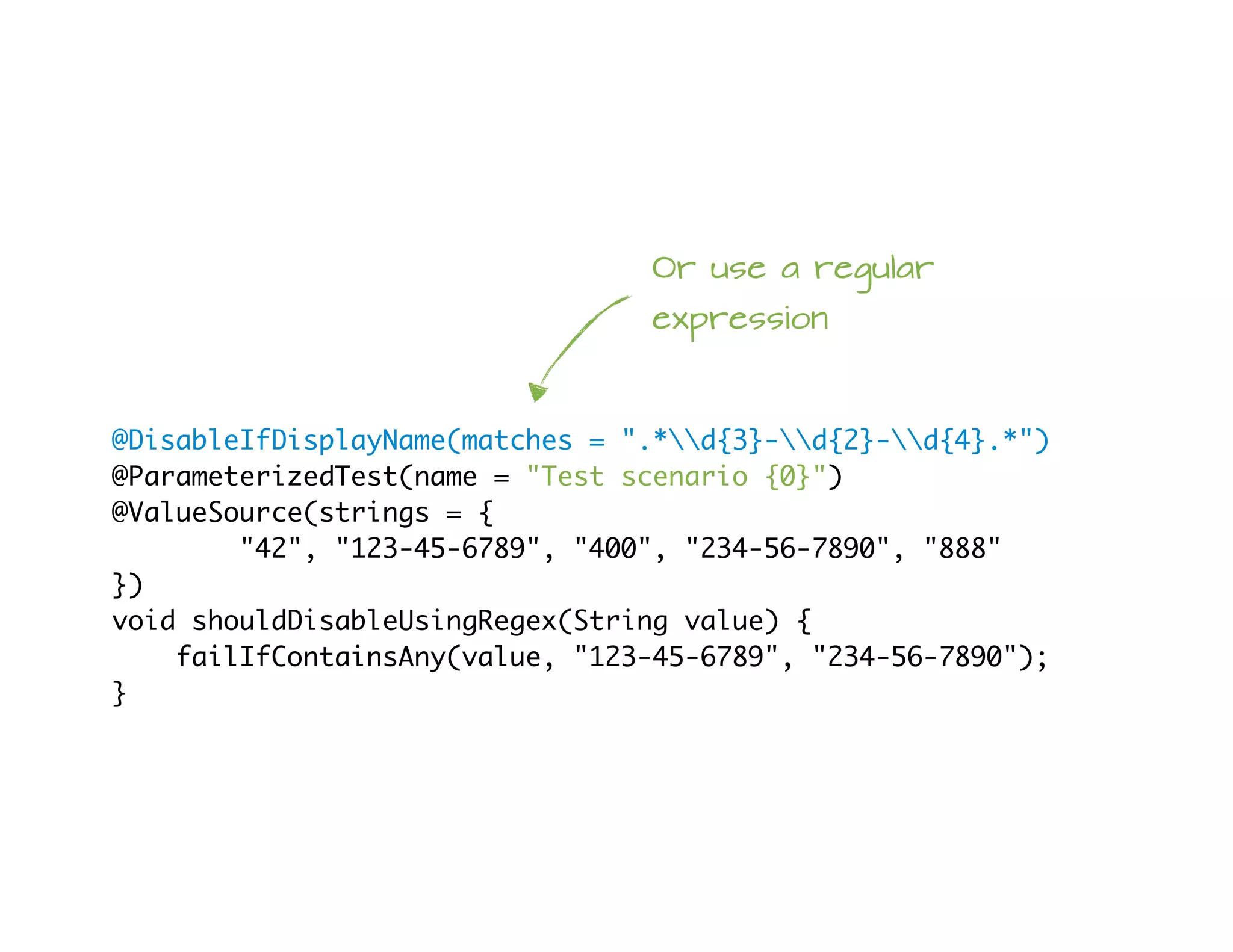
@DisableIfDisplayName(matches = ".*d{3}-d{2}-d{4}.*")
@ParameterizedTest(name = "Test scenario {0}")
@ValueSource(strings = {
"42", "123-45-6789", "400", "234-56-7890", "888"
})
void shouldDisableUsingRegex(String value) {
failIfContainsAny(value, "123-45-6789", "234-56-7890");
}
Or use a regular
expression
@DisableIfDisplayName(contains = {"42", "84"},
matches = ".*d{3}-d{2}-d{4}.*")
@ParameterizedTest(name = "Test scenario {0}")
@ValueSource(strings = {
"24", "42", "123-45-6789", "400", "234-56-7890", "888"
})
void shouldDisableUsingContainsAndMatches(String value) {
failIfContainsAny(value, "42", "84", "123-45-6789", "234-56-7890");
}
or use both...
@DisableIfDisplayName(matches = ".*[0-9][3|5]")
@ParameterizedTest(name = "Product: FTCH-000-{0}")
@RandomIntSource(min = 0, max = 1_000, count = 500)
void shouldDisableWhenProductCodeEndsWith_X3_Or_X5(int code) {
var codeString = String.valueOf(code);
if (PRODUCT_NUMBER_PATTERN.matcher(codeString).matches()) {
fail("Should not have received %d", code);
}
}
Combine a regex
with randomized test input
@RandomIntSource from https://github.com/kiwiproject/kiwi-test/
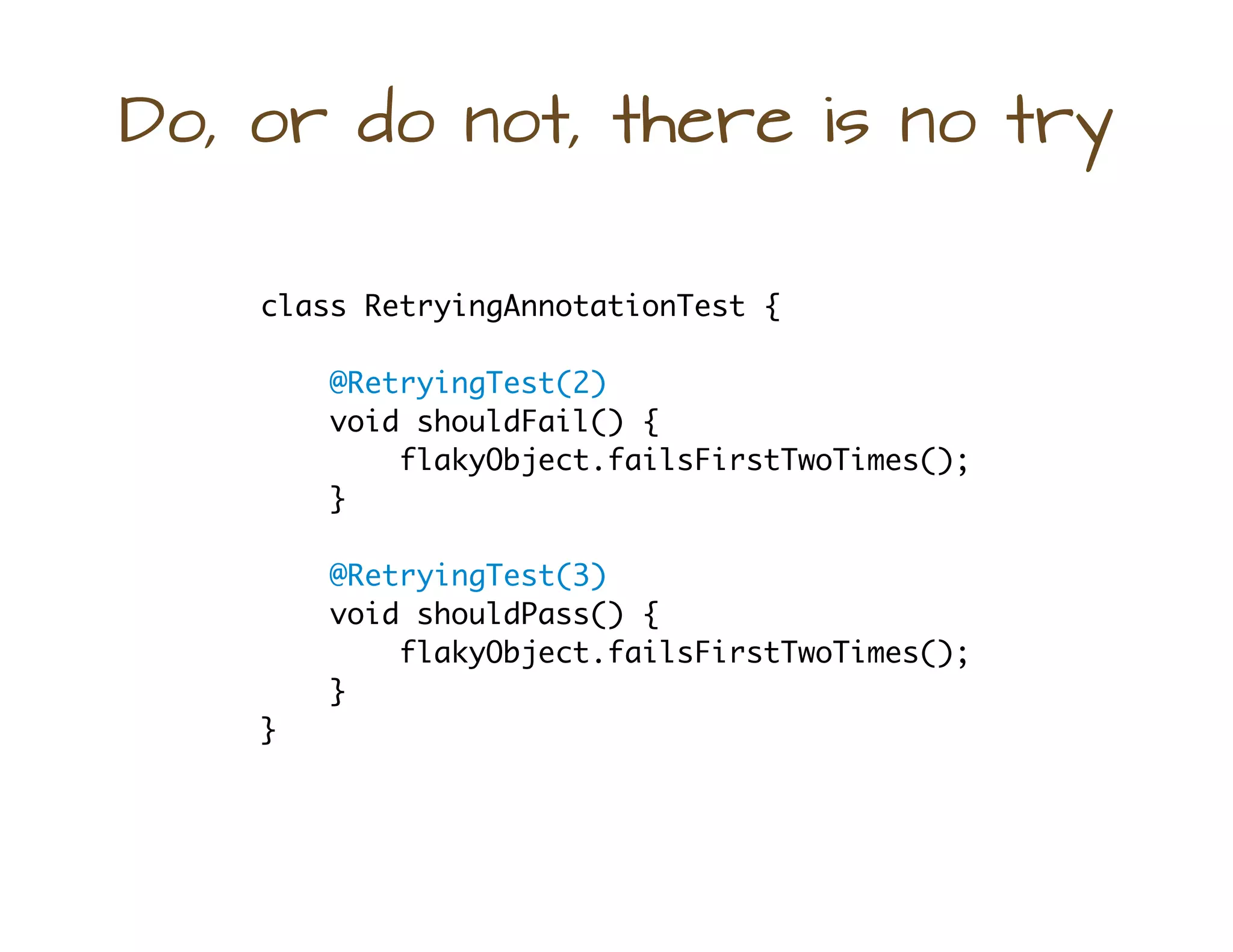
Do, or do not, there is no try
class RetryingAnnotationTest {
@RetryingTest(2)
void shouldFail() {
flakyObject.failsFirstTwoTimes();
}
@RetryingTest(3)
void shouldPass() {
flakyObject.failsFirstTwoTimes();
}
}
Third time's
the charm eh?
Stdin
@Test
@StdIo({"foo", "bar", "baz"})
void shouldReadFromStandardInput() throws IOException {
var reader = new BufferedReader(new InputStreamReader(System.in));
assertThat(reader.readLine()).isEqualTo("foo");
assertThat(reader.readLine()).isEqualTo("bar");
assertThat(reader.readLine()).isEqualTo("baz");
}
@Test
@StdIo({"1", "2"})
void shouldCaptureStdIn(StdIn stdIn) throws IOException {
var reader = new BufferedReader(new InputStreamReader(System.in));
reader.readLine();
reader.readLine();
assertThat(stdIn.capturedLines()).containsExactly("1", "2");
}
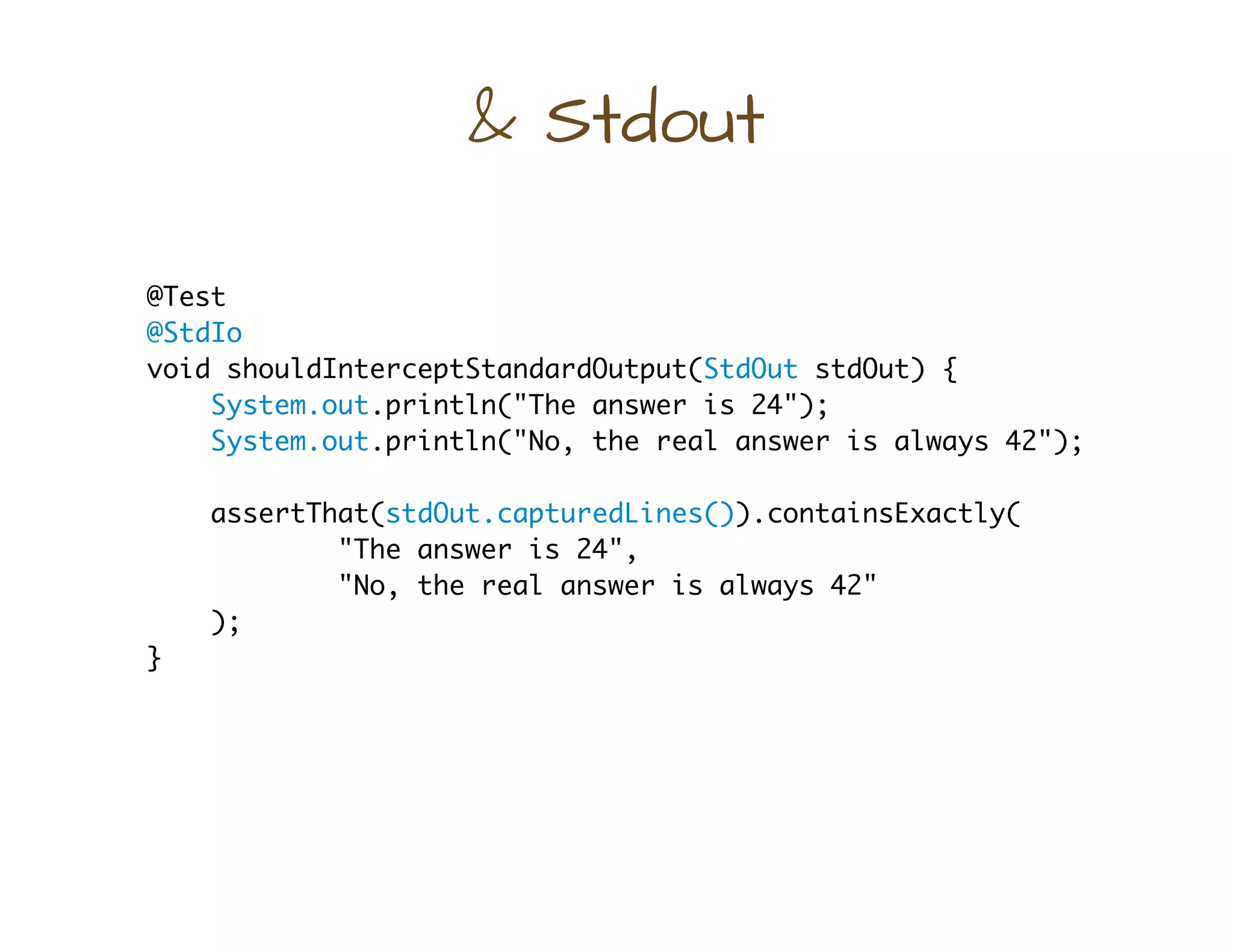
& Stdout
@Test
@StdIo
void shouldInterceptStandardOutput(StdOut stdOut) {
System.out.println("The answer is 24");
System.out.println("No, the real answer is always 42");
assertThat(stdOut.capturedLines()).containsExactly(
"The answer is 24",
"No, the real answer is always 42"
);
}
How long did that take?
class StopwatchTest {
@RepeatedTest(value = 10)
@Stopwatch
void shouldReportElapsedTime() { ... }
}
Elapsed time will be published
via a TestReporter, so that a
TestExecutionListener can
receive it
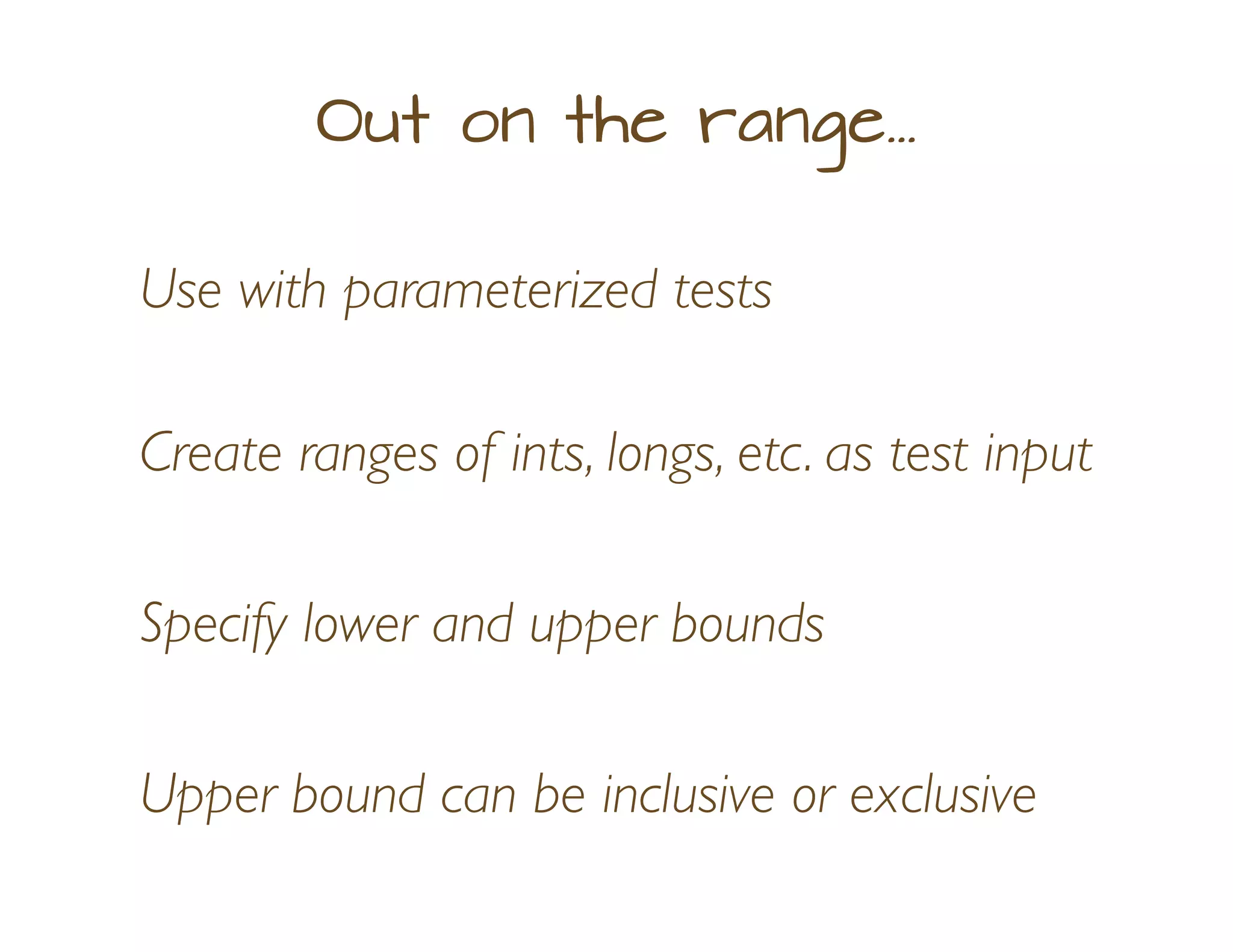
Out on the range...
Create ranges of ints, longs, etc. as test input
Use with parameterized tests
Specify lower and upper bounds
Upper bound can be inclusive or exclusive
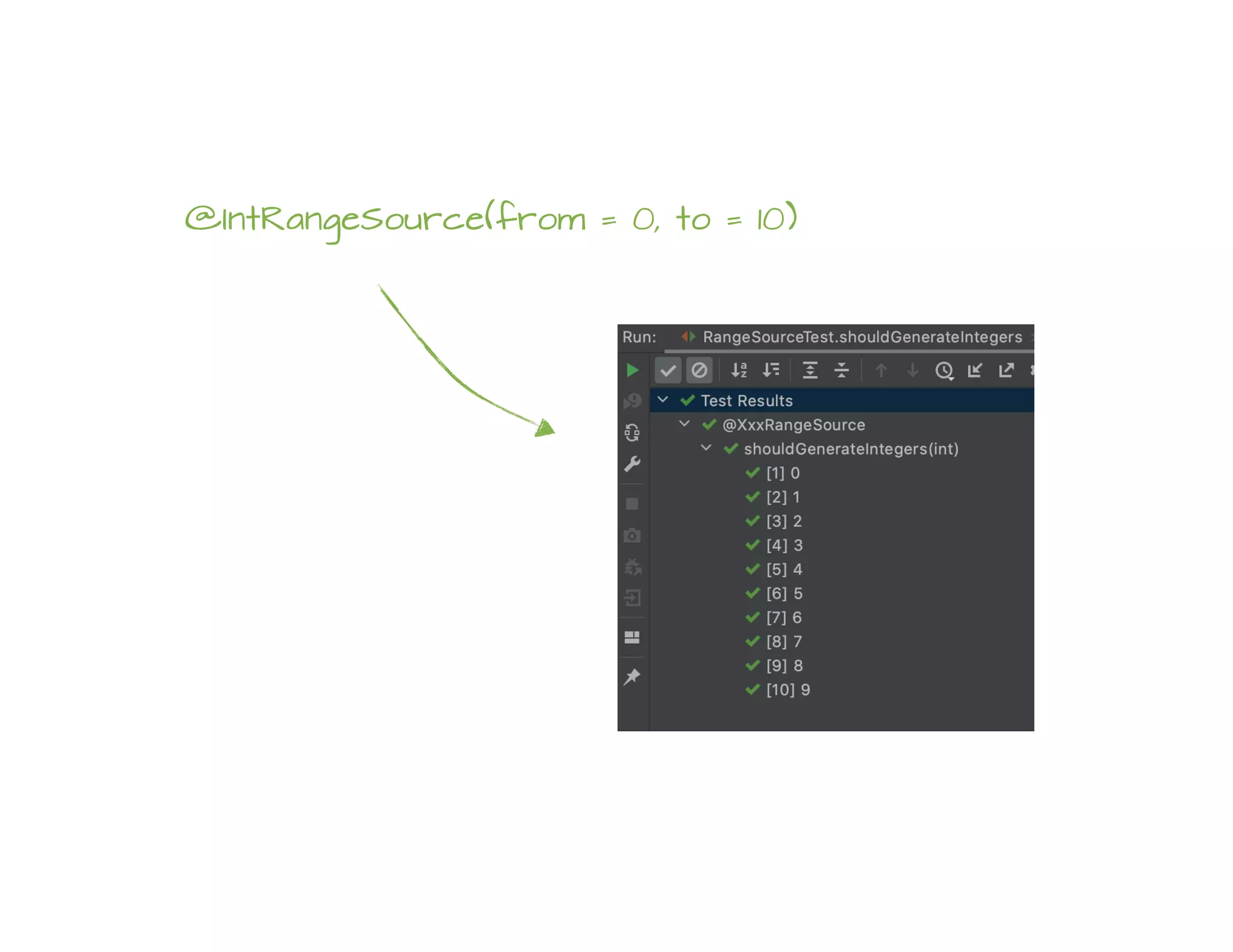
@ParameterizedTest
@IntRangeSource(from = 0, to = 10)
void shouldGenerateIntegers(int value) {
assertThat(value).isBetween(0, 9);
failIfSeeUpperBound(value, 10);
}
'from' is inclusive;
'to' is exclusive by default
@IntRangeSource(from = 0, to = 10)
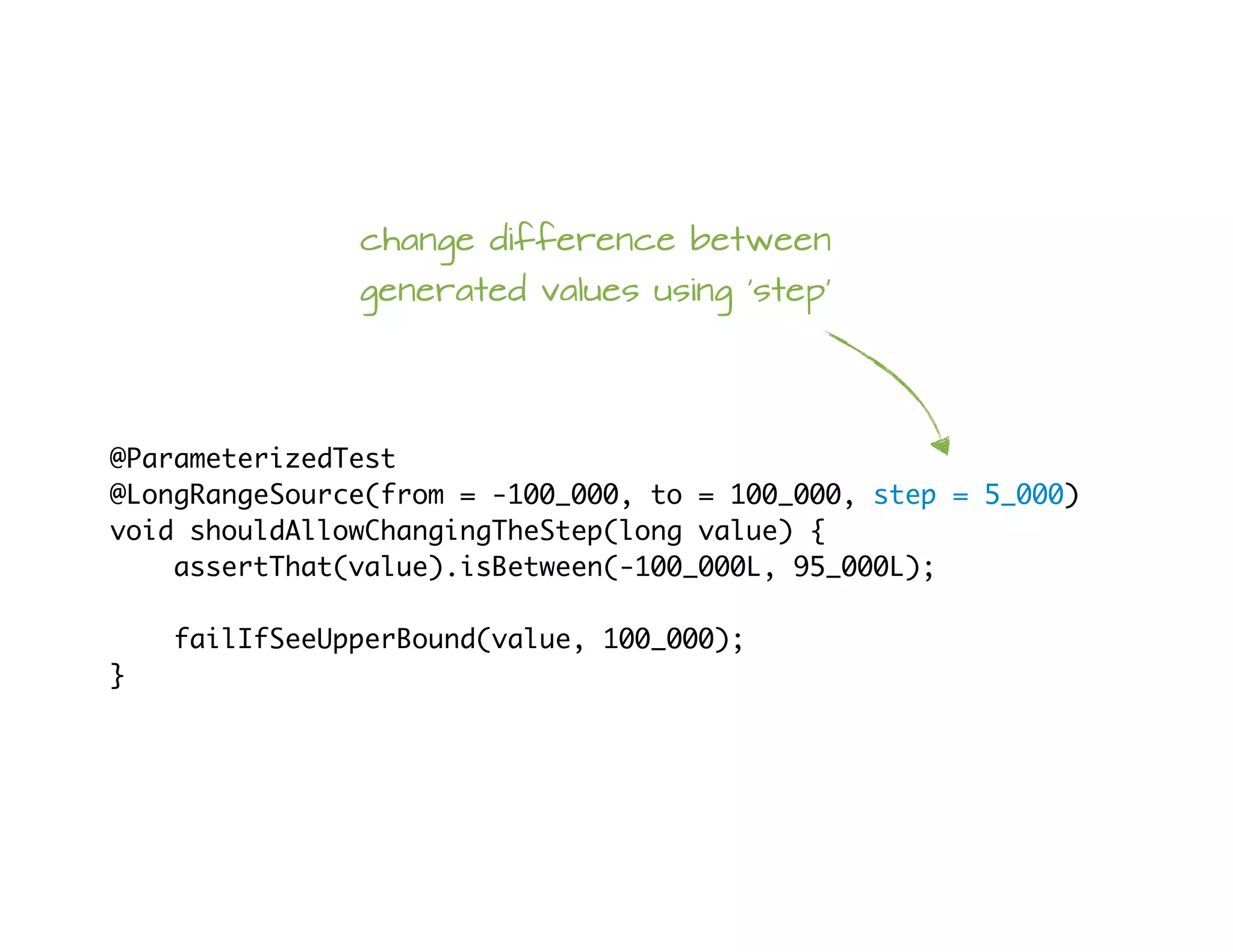
@ParameterizedTest
@LongRangeSource(from = -100_000, to = 100_000, step = 5_000)
void shouldAllowChangingTheStep(long value) {
assertThat(value).isBetween(-100_000L, 95_000L);
failIfSeeUpperBound(value, 100_000);
}
change difference between
generated values using 'step'
@ParameterizedTest
@DoubleRangeSource(from = 0.0, to = 10.0, step = 0.5, closed = true)
void shouldAllowClosedRanges(double value) {
assertThat(value).isBetween(0.0, 10.0);
}
make a closed range
The best vintage?
Pioneer's vintage @Test replaces JUnit 4 @Test...
...but marks the method as a Jupiter test
Supports expected and timeout parameters
@CartesianProductTest
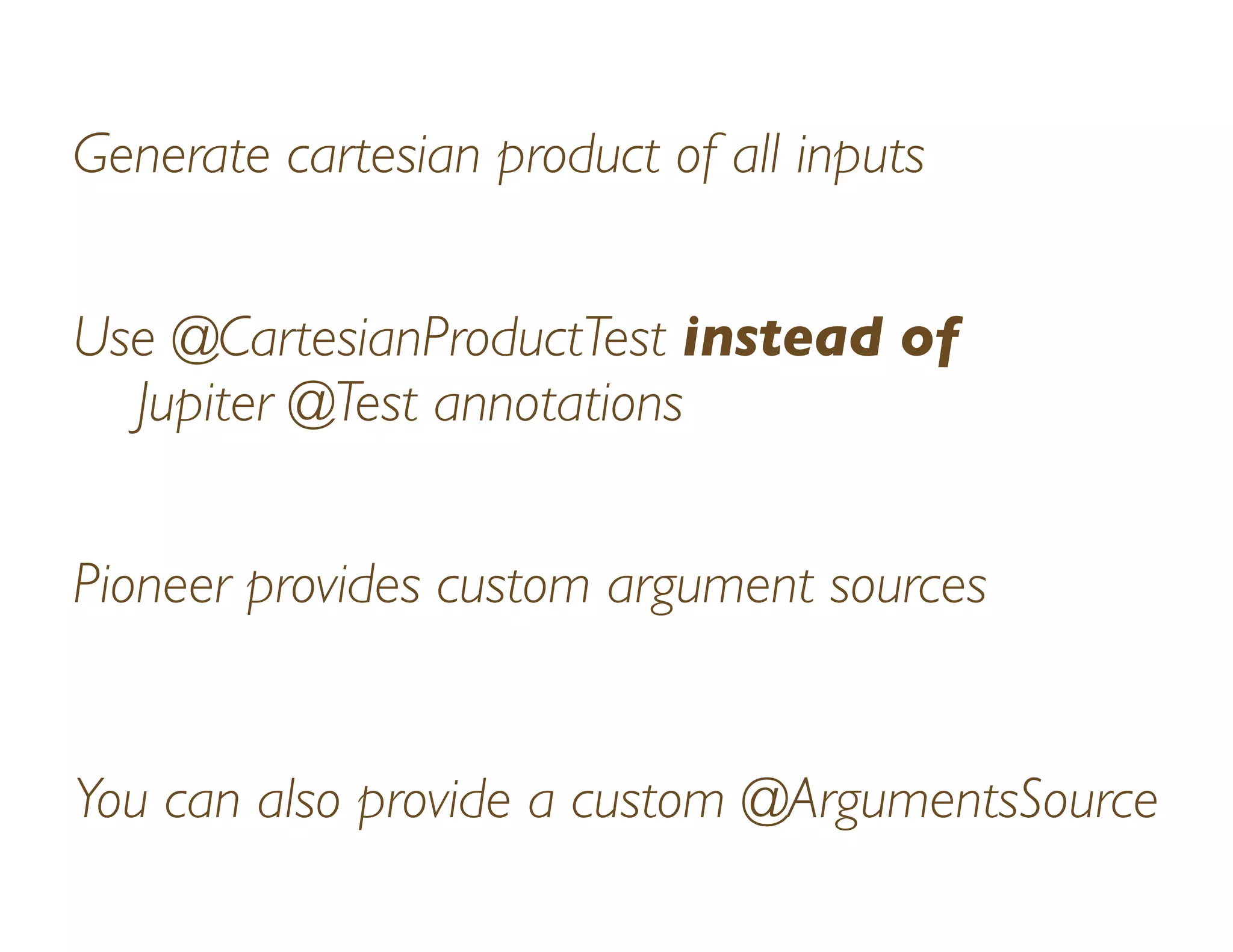
Generate cartesian product of all inputs
Use @CartesianProductTest instead of
Jupiter @Test annotations
Pioneer provides custom argument sources
You can also provide a custom @ArgumentsSource
@CartesianProductTest({"0", "1"})
void shouldProduceAllCombinationsOfThree(String x,
String y,
String z) {
List.of(x, y, z).forEach(this::assertIsZeroOrOne);
}
specify a String array
produces all input
combinations
(2 to the 3rd
power in this
example)
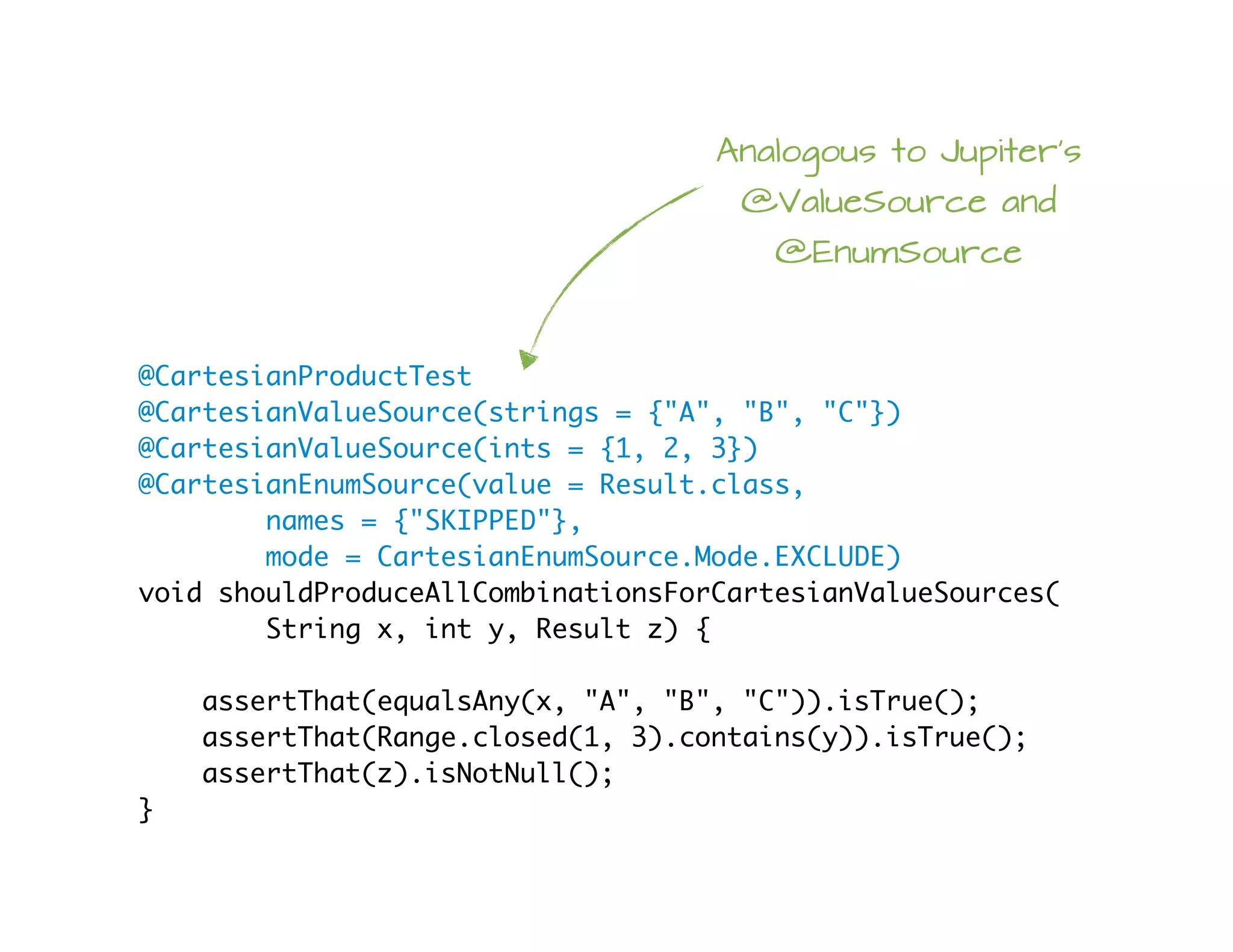
@CartesianProductTest
@CartesianValueSource(strings = {"A", "B", "C"})
@CartesianValueSource(ints = {1, 2, 3})
@CartesianEnumSource(value = Result.class,
names = {"SKIPPED"},
mode = CartesianEnumSource.Mode.EXCLUDE)
void shouldProduceAllCombinationsForCartesianValueSources(
String x, int y, Result z) {
assertThat(equalsAny(x, "A", "B", "C")).isTrue();
assertThat(Range.closed(1, 3).contains(y)).isTrue();
assertThat(z).isNotNull();
}
Analogous to Jupiter's
@ValueSource and
@EnumSource
Using @CartesianValueSource
and @CartesianEnumSource
Danger Will Robinson!
You must use Pioneer's @CartesianXyxSource
with @CartesianProductTest
Trying to use plain Jupiter sources like
@ValueSource will result in exceptions
@CartesianProductTest
@IntRangeSource(from = 1, to = 4, closed = true)
@LongRangeSource(from = 1000, to = 1005, closed = true)
void shouldWorkWithRangeSources(int x, long y) {
assertThat(Range.closed(1, 4).contains(x)).isTrue();
assertThat(Range.closed(1000L, 1005L).contains(y)).isTrue();
}
Also works with
Pioneer range
sources
Using several of Pioneer's
@XyzRangeSource annotations
with @CartesianProductTest
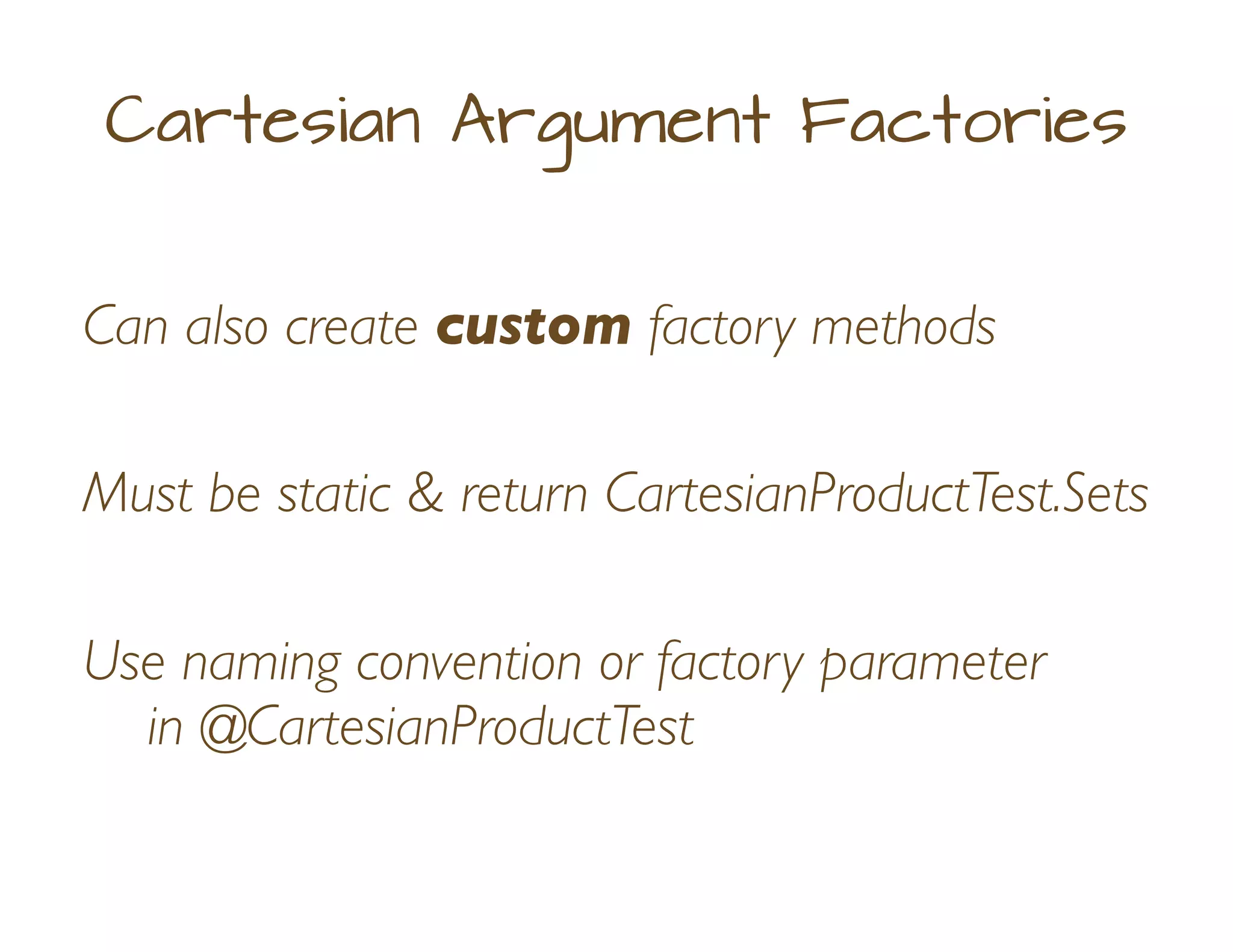
Can also create custom factory methods
Cartesian Argument Factories
Must be static & return CartesianProductTest.Sets
Use naming convention or factory parameter
in @CartesianProductTest
@CartesianProductTest(factory = "customProduct")
void shouldAllowCustomArgumentFactory(
String greek, Result result, int level) {
assertThat(equalsAny(greek, "Alpha", "Beta", "Gamma")).isTrue();
assertThat(result).isNotNull();
assertThat(Range.closedOpen(0, 5).contains(level)).isTrue();
}
static CartesianProductTest.Sets customProduct() {
return new CartesianProductTest.Sets()
.add("Alpha", "Beta", "Gamma")
.add((Object[]) Result.values())
.addAll(Stream.iterate(0, val -> val + 1).limit(5));
}
Instead, we could name the test
'customProduct' (but, I think using
factory is more understandable)
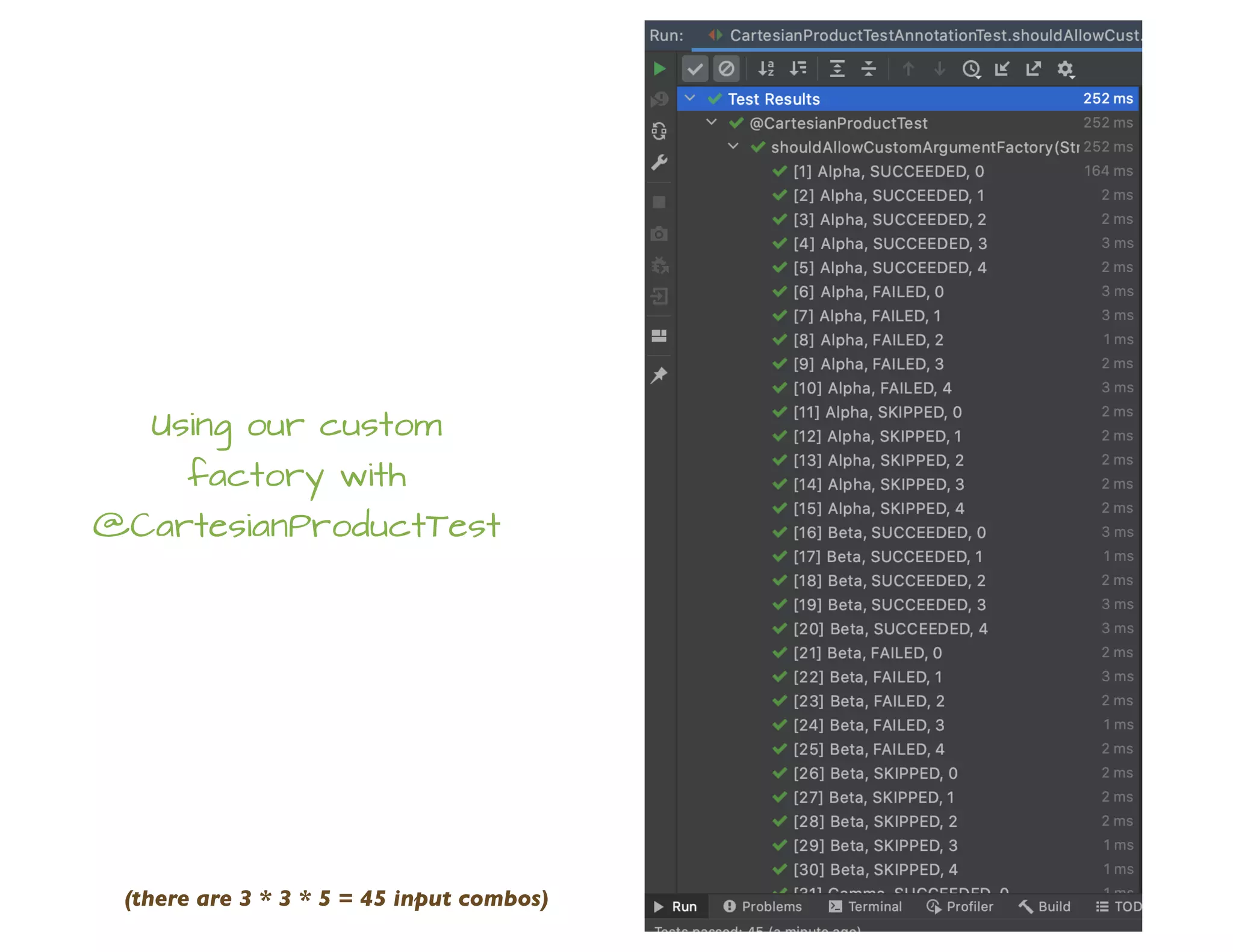
Using our custom
factory with
@CartesianProductTest
(there are 3 * 3 * 5 = 45 input combos)
Wrap Up
Pioneer has some cool things (fact)
Pioneer has some useful things (fact)
You should probably use them (opinion)
Example Code
https://github.com/sleberknight/junit-pioneering-presentation-code
References
JUnit Pioneer website
https://junit-pioneer.org
On GitHub
https://github.com/junit-pioneer/junit-pioneer
IETF BCP 47
https://tools.ietf.org/html/bcp47
IETF language tag (wikipedia)
https://en.wikipedia.org/wiki/IETF_language_tag
JDK 11 Locale
https://docs.oracle.com/en/java/javase/11/docs/api/java.base/java/util/Locale.html
Local Helper website
https://lh.2xlibre.net
Photos & Images
An artist's impression of a Pioneer spacecraft on its way to interstellar space
https://commons.wikimedia.org/wiki/File:An_artist%27s_impression_of_a_Pioneer_spacecraft_on_its_way_to_interstellar_space.jpg
One more thing...
https://www.flickr.com/photos/mathoov/4681491052
https://creativecommons.org/licenses/by-nc-nd/2.0/
My Info
sleberknight at
fortitudetec.com
www.fortitudetec.com
@sleberknight
scott.leberknight at
gmail

JUnit Pioneer

  • 1.
  • 2.
    “JUnit Pioneer isan extension pack for JUnit 5 or, to be more precise, for the Jupiter engine”
  • 3.
    Recap: JUnit Extensions Providea way to extend JUnit’s core features Well-defined extension API and lifecycle
  • 4.
    Simple Example @ParameterizedTest @RandomIntSource(min =5, max = 10, count = 50) void shouldDoSomethingWithRandomInts(int value) { // test code... } Injecting method parameters into tests Example from https://github.com/kiwiproject/kiwi-test/
  • 5.
    @RegisterExtension static final CuratorTestingServerExtensionZK_TEST_SERVER = new CuratorTestingServerExtension(); Another Example Start and stop a ZooKeeper server before & after tests Example from https://github.com/kiwiproject/kiwi-test/
  • 6.
    Pioneer Extensions A collectionof useful Jupiter extensions Easy to integrate into your tests
  • 7.
    Pioneer Extensions Cartesian product Locale& TimeZone Environment Vars Range sources Issue Info Disabling tests Report entries Stdin & Stdout System props Vintage tests Stopwatch! * as of 2021-03-04 *
  • 8.
    System Properties @SetSystemProperty(key ="user", value = "bob") @SetSystemProperty(key = "id", value = "42") class SystemPropertyTest { @Test @ClearSystemProperty(key = "user") void testWithoutUserProperty() { ... } @Test @SetSystemProperty(key = "pwd", value = "12345") void anotherTest() { ... } }
  • 9.
    Environment Variables @SetEnvironmentVariable(key ="PWD", value="/tmp") @ClearEnvironmentVariable(key = "PS1") class EnvVarsTest { @ClearEnvironmentVariable(key = "PWD") void testWithoutWorkingDirEnvVar() { ... } @SetEnvironmentVariable(key = "USER", value = "alice") void testWithCustomUser() { ... } }
  • 10.
    Default TimeZone @DefaultTimeZone("America/Mexico_City") class DefaultTimeZoneTest{ @Test void testInMexicoCity() { assertThat(TimeZone.getDefault()).isEqualTo( TimeZone.getTimeZone("America/Mexico_City")); } @Test @DefaultTimeZone("Mexico/BajaSur") void testInBajaSur() { ... } }
  • 11.
    Default Locale @DefaultLocale("es") class DefaultLocaleTest{ @Test void testWithDefaultFromClass() { assertThat(Locale.getDefault()) .isEqualTo(new Locale("es")); } @Test @DefaultLocale(language = "nan", country = "TW", variant = "Hant") void testUsingAllAttributes() { assertThat(Locale.getDefault()).isEqualTo( new Locale("nan", "TW", "Hant")); } }
  • 12.
    Having Issues? public classSystemOutIssueProcessor implements IssueProcessor { @Override public void processTestResults(List<IssueTestSuite> suites) { // do something with each test suite } } @Test @Issue("JUPI-1234") void shouldFix1234() { // test code for issue JUPI-1234 } #1 Annotate #2 Define processor
  • 13.
  • 14.
    I need thoseTPS reports... class ReportEntriesTest { @Test @ReportEntry("I'm Going To Need Those TPS Reports ASAP") void testWithReportEntry() { ... } @Test @ReportEntry(key = "result", value = "success", when = PublishCondition.ON_SUCCESS) @ReportEntry(key = "result", value = "failed", when = ReportEntry.PublishCondition.ON_FAILURE) void testWithConditionalEntries() { ... } } #1 Annotate
  • 15.
    public class SimpleTestExecutionListener implementsTestExecutionListener { ... } #2 Create a JUnit TestExecutionListener com.fortitudetec.junit.pioneering.SimpleTestExecutionListener META-INF/services/org.junit.platform.launcher.TestExecutionListener #3 Register implementation
  • 16.
    Disabling on displayname Selectively disable parameterized tests Specify substrings and/or regex to match... ...and disable any tests with a matching name
  • 17.
    @DisableIfDisplayName(contains = "42") @ParameterizedTest(name= "Test scenario {0}") @ValueSource(ints = {1, 24, 42, 84, 168, 420, 4200, 4242, 17640}) void shouldDisableUsingStringContains(int value) { if (String.valueOf(value).contains("42")) { fail("Should not have received %s", value); } } Using a substring to specify disabling condition matching against the generated test name
  • 18.
    @DisableIfDisplayName(matches = ".*d{3}-d{2}-d{4}.*") @ParameterizedTest(name= "Test scenario {0}") @ValueSource(strings = { "42", "123-45-6789", "400", "234-56-7890", "888" }) void shouldDisableUsingRegex(String value) { failIfContainsAny(value, "123-45-6789", "234-56-7890"); } Or use a regular expression
  • 19.
    @DisableIfDisplayName(contains = {"42","84"}, matches = ".*d{3}-d{2}-d{4}.*") @ParameterizedTest(name = "Test scenario {0}") @ValueSource(strings = { "24", "42", "123-45-6789", "400", "234-56-7890", "888" }) void shouldDisableUsingContainsAndMatches(String value) { failIfContainsAny(value, "42", "84", "123-45-6789", "234-56-7890"); } or use both...
  • 20.
    @DisableIfDisplayName(matches = ".*[0-9][3|5]") @ParameterizedTest(name= "Product: FTCH-000-{0}") @RandomIntSource(min = 0, max = 1_000, count = 500) void shouldDisableWhenProductCodeEndsWith_X3_Or_X5(int code) { var codeString = String.valueOf(code); if (PRODUCT_NUMBER_PATTERN.matcher(codeString).matches()) { fail("Should not have received %d", code); } } Combine a regex with randomized test input @RandomIntSource from https://github.com/kiwiproject/kiwi-test/
  • 22.
    Do, or donot, there is no try class RetryingAnnotationTest { @RetryingTest(2) void shouldFail() { flakyObject.failsFirstTwoTimes(); } @RetryingTest(3) void shouldPass() { flakyObject.failsFirstTwoTimes(); } }
  • 23.
  • 24.
    Stdin @Test @StdIo({"foo", "bar", "baz"}) voidshouldReadFromStandardInput() throws IOException { var reader = new BufferedReader(new InputStreamReader(System.in)); assertThat(reader.readLine()).isEqualTo("foo"); assertThat(reader.readLine()).isEqualTo("bar"); assertThat(reader.readLine()).isEqualTo("baz"); } @Test @StdIo({"1", "2"}) void shouldCaptureStdIn(StdIn stdIn) throws IOException { var reader = new BufferedReader(new InputStreamReader(System.in)); reader.readLine(); reader.readLine(); assertThat(stdIn.capturedLines()).containsExactly("1", "2"); }
  • 25.
    & Stdout @Test @StdIo void shouldInterceptStandardOutput(StdOutstdOut) { System.out.println("The answer is 24"); System.out.println("No, the real answer is always 42"); assertThat(stdOut.capturedLines()).containsExactly( "The answer is 24", "No, the real answer is always 42" ); }
  • 26.
    How long didthat take? class StopwatchTest { @RepeatedTest(value = 10) @Stopwatch void shouldReportElapsedTime() { ... } } Elapsed time will be published via a TestReporter, so that a TestExecutionListener can receive it
  • 27.
    Out on therange... Create ranges of ints, longs, etc. as test input Use with parameterized tests Specify lower and upper bounds Upper bound can be inclusive or exclusive
  • 28.
    @ParameterizedTest @IntRangeSource(from = 0,to = 10) void shouldGenerateIntegers(int value) { assertThat(value).isBetween(0, 9); failIfSeeUpperBound(value, 10); } 'from' is inclusive; 'to' is exclusive by default
  • 29.
  • 30.
    @ParameterizedTest @LongRangeSource(from = -100_000,to = 100_000, step = 5_000) void shouldAllowChangingTheStep(long value) { assertThat(value).isBetween(-100_000L, 95_000L); failIfSeeUpperBound(value, 100_000); } change difference between generated values using 'step'
  • 31.
    @ParameterizedTest @DoubleRangeSource(from = 0.0,to = 10.0, step = 0.5, closed = true) void shouldAllowClosedRanges(double value) { assertThat(value).isBetween(0.0, 10.0); } make a closed range
  • 32.
    The best vintage? Pioneer'svintage @Test replaces JUnit 4 @Test... ...but marks the method as a Jupiter test Supports expected and timeout parameters
  • 34.
  • 35.
    Generate cartesian productof all inputs Use @CartesianProductTest instead of Jupiter @Test annotations Pioneer provides custom argument sources You can also provide a custom @ArgumentsSource
  • 36.
    @CartesianProductTest({"0", "1"}) void shouldProduceAllCombinationsOfThree(Stringx, String y, String z) { List.of(x, y, z).forEach(this::assertIsZeroOrOne); } specify a String array produces all input combinations (2 to the 3rd power in this example)
  • 37.
    @CartesianProductTest @CartesianValueSource(strings = {"A","B", "C"}) @CartesianValueSource(ints = {1, 2, 3}) @CartesianEnumSource(value = Result.class, names = {"SKIPPED"}, mode = CartesianEnumSource.Mode.EXCLUDE) void shouldProduceAllCombinationsForCartesianValueSources( String x, int y, Result z) { assertThat(equalsAny(x, "A", "B", "C")).isTrue(); assertThat(Range.closed(1, 3).contains(y)).isTrue(); assertThat(z).isNotNull(); } Analogous to Jupiter's @ValueSource and @EnumSource
  • 38.
  • 39.
    Danger Will Robinson! Youmust use Pioneer's @CartesianXyxSource with @CartesianProductTest Trying to use plain Jupiter sources like @ValueSource will result in exceptions
  • 40.
    @CartesianProductTest @IntRangeSource(from = 1,to = 4, closed = true) @LongRangeSource(from = 1000, to = 1005, closed = true) void shouldWorkWithRangeSources(int x, long y) { assertThat(Range.closed(1, 4).contains(x)).isTrue(); assertThat(Range.closed(1000L, 1005L).contains(y)).isTrue(); } Also works with Pioneer range sources
  • 41.
    Using several ofPioneer's @XyzRangeSource annotations with @CartesianProductTest
  • 42.
    Can also createcustom factory methods Cartesian Argument Factories Must be static & return CartesianProductTest.Sets Use naming convention or factory parameter in @CartesianProductTest
  • 43.
    @CartesianProductTest(factory = "customProduct") voidshouldAllowCustomArgumentFactory( String greek, Result result, int level) { assertThat(equalsAny(greek, "Alpha", "Beta", "Gamma")).isTrue(); assertThat(result).isNotNull(); assertThat(Range.closedOpen(0, 5).contains(level)).isTrue(); } static CartesianProductTest.Sets customProduct() { return new CartesianProductTest.Sets() .add("Alpha", "Beta", "Gamma") .add((Object[]) Result.values()) .addAll(Stream.iterate(0, val -> val + 1).limit(5)); } Instead, we could name the test 'customProduct' (but, I think using factory is more understandable)
  • 44.
    Using our custom factorywith @CartesianProductTest (there are 3 * 3 * 5 = 45 input combos)
  • 45.
    Wrap Up Pioneer hassome cool things (fact) Pioneer has some useful things (fact) You should probably use them (opinion)
  • 46.
  • 47.
    References JUnit Pioneer website https://junit-pioneer.org OnGitHub https://github.com/junit-pioneer/junit-pioneer IETF BCP 47 https://tools.ietf.org/html/bcp47 IETF language tag (wikipedia) https://en.wikipedia.org/wiki/IETF_language_tag JDK 11 Locale https://docs.oracle.com/en/java/javase/11/docs/api/java.base/java/util/Locale.html Local Helper website https://lh.2xlibre.net
  • 48.
    Photos & Images Anartist's impression of a Pioneer spacecraft on its way to interstellar space https://commons.wikimedia.org/wiki/File:An_artist%27s_impression_of_a_Pioneer_spacecraft_on_its_way_to_interstellar_space.jpg One more thing... https://www.flickr.com/photos/mathoov/4681491052 https://creativecommons.org/licenses/by-nc-nd/2.0/
  • 49.