Plus91 Technologies Pvt. Ltd.
Adding Value to Healthcare


 Twitter in Healthcare – Get Started
Twitter! What’s that?
Twitter is a Social Network where users send
and read short messages of upto 140 characters

Twitter is a Cross between Text
messaging, Blogging and Instant
Messaging and is called the
‘SMS’ of the Internet

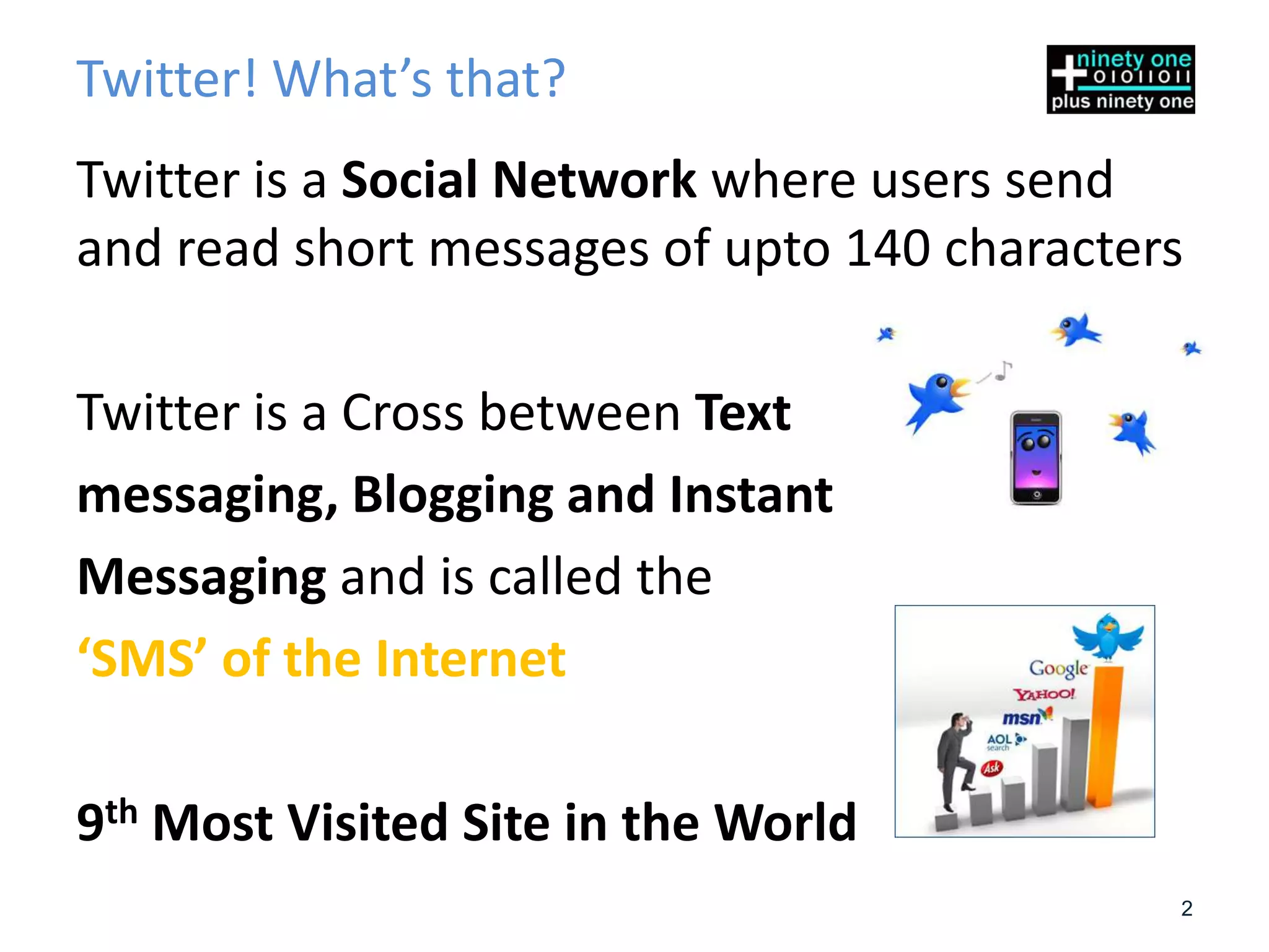
9th Most Visited Site in the World
                                             2
Twitter is Many Things

• The Club - An index of friends, likes, brands, companies, favorites
  etc.

• The Gossip Room - A place to hear what others are talking about

• The Bulletin Board - A place to post updates, thoughts and share
  links to news, pictures, videos, blogs, etc.

• The News Channel - A place where you get the latest breaking
  news instantly as it happens.


• A network of things you like and need … And More
                                                                        3
What do these terms on Twitter mean?

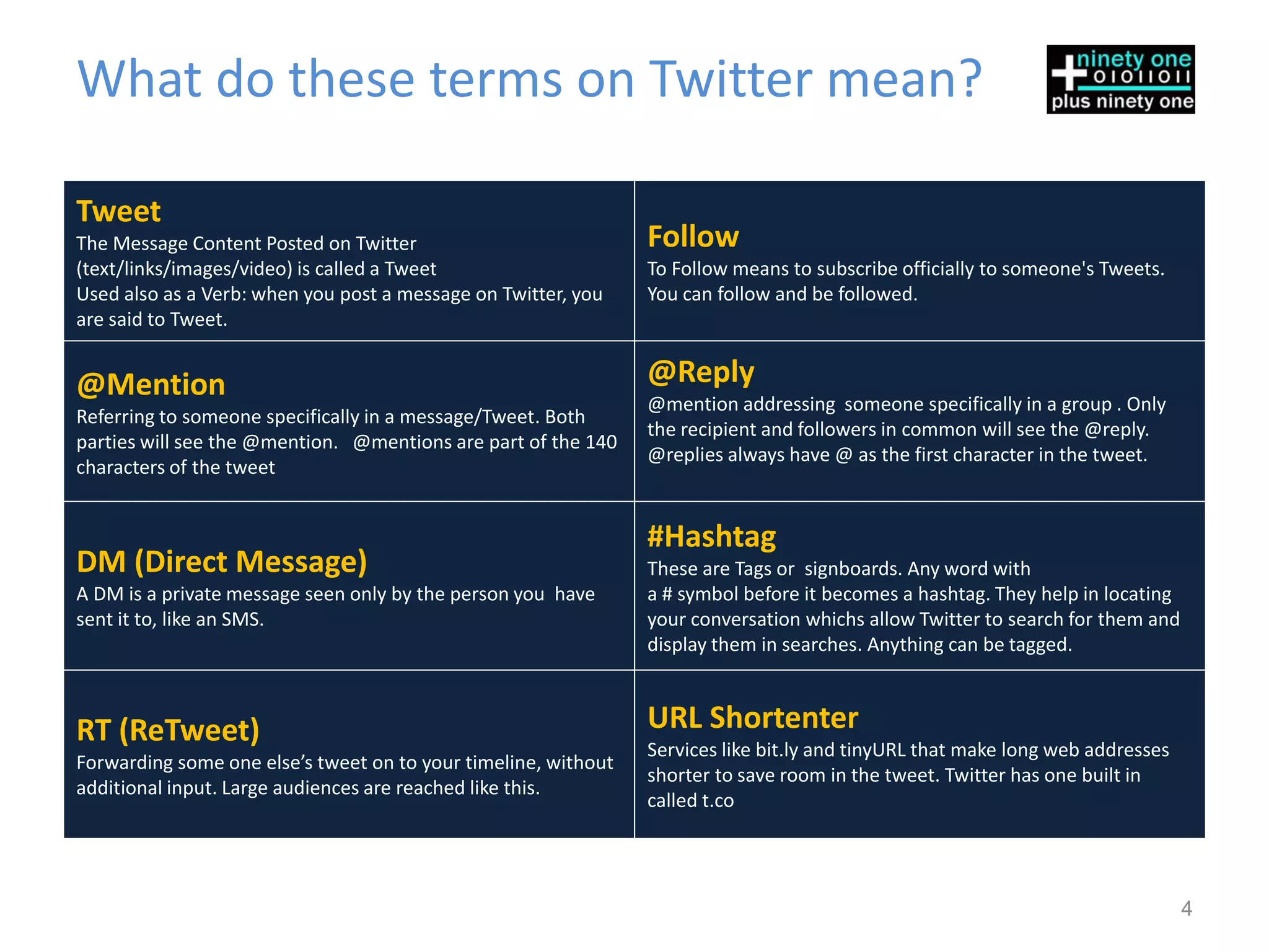
Tweet
The Message Content Posted on Twitter                           Follow
(text/links/images/video) is called a Tweet                     To Follow means to subscribe officially to someone's Tweets.
Used also as a Verb: when you post a message on Twitter, you    You can follow and be followed.
are said to Tweet.


@Mention                                                        @Reply
                                                                @mention addressing someone specifically in a group . Only
Referring to someone specifically in a message/Tweet. Both
                                                                the recipient and followers in common will see the @reply.
parties will see the @mention. @mentions are part of the 140
                                                                @replies always have @ as the first character in the tweet.
characters of the tweet


                                                                #Hashtag
DM (Direct Message)                                             These are Tags or signboards. Any word with
A DM is a private message seen only by the person you have      a # symbol before it becomes a hashtag. They help in locating
sent it to, like an SMS.                                        your conversation whichs allow Twitter to search for them and
                                                                display them in searches. Anything can be tagged.


RT (ReTweet)                                                    URL Shortenter
                                                                Services like bit.ly and tinyURL that make long web addresses
Forwarding some one else’s tweet on to your timeline, without
                                                                shorter to save room in the tweet. Twitter has one built in
additional input. Large audiences are reached like this.
                                                                called t.co


                                                                                                                                4
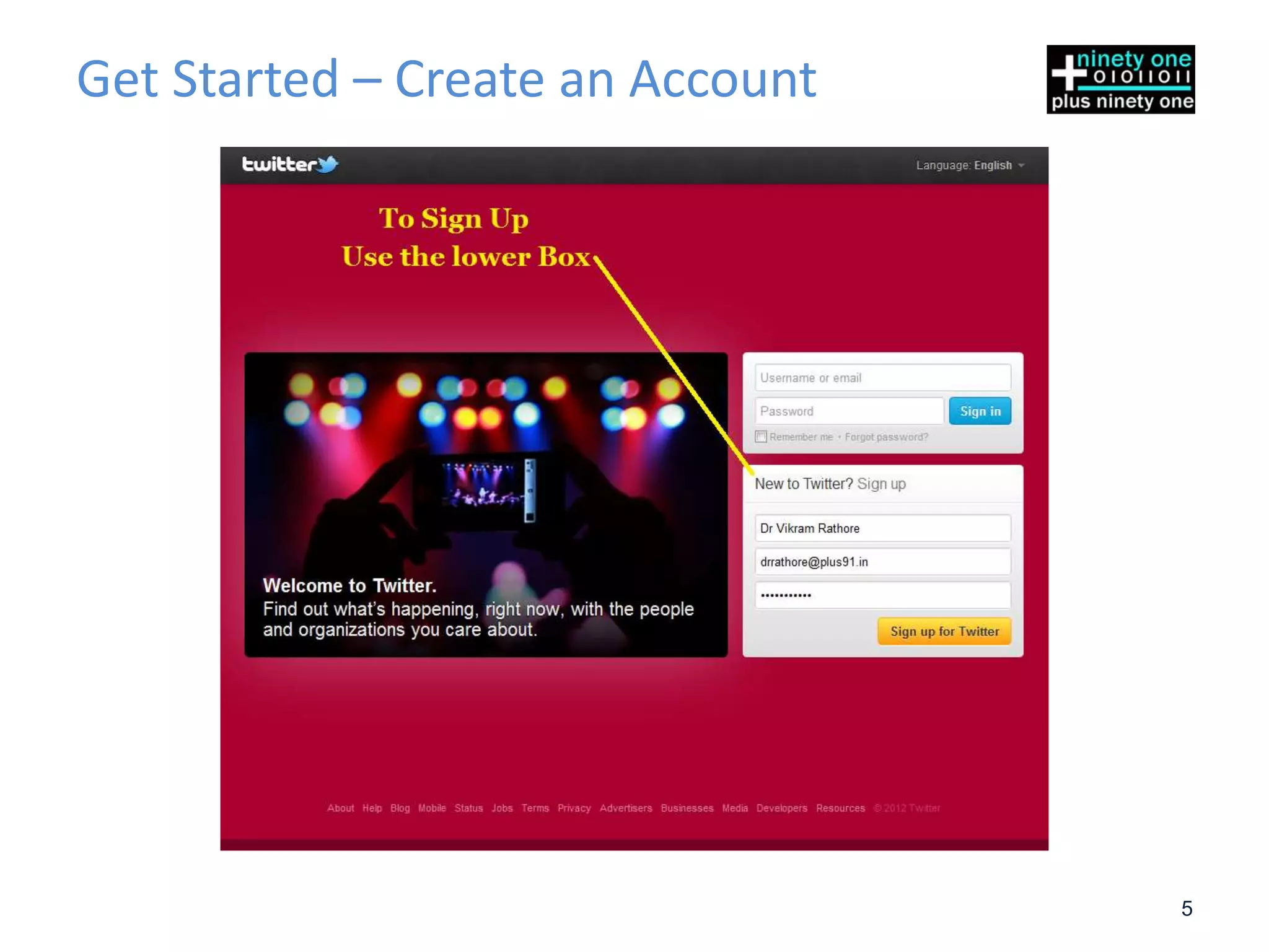
Get Started – Create an Account


                                  5
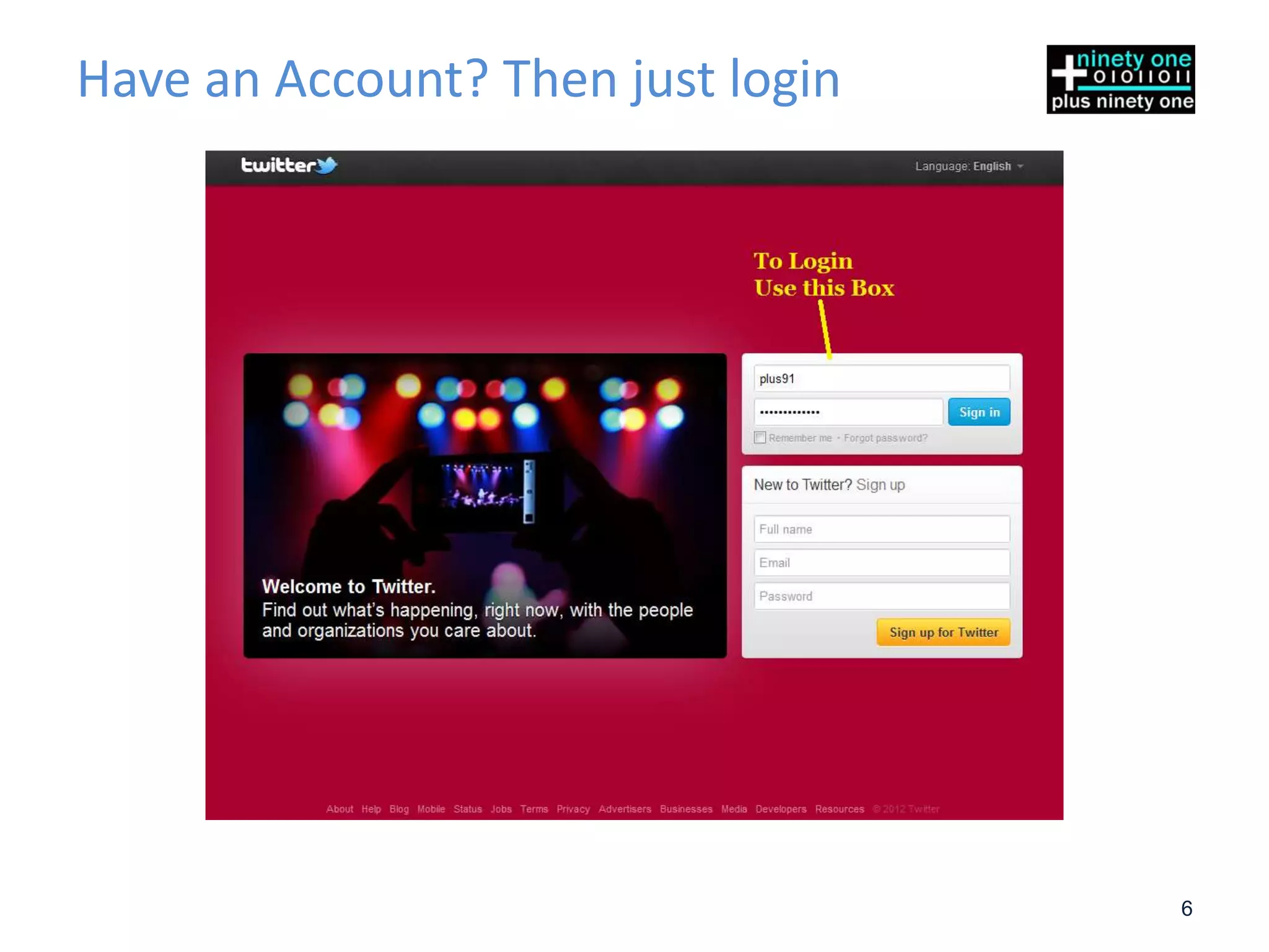
Have an Account? Then just login


                                   6
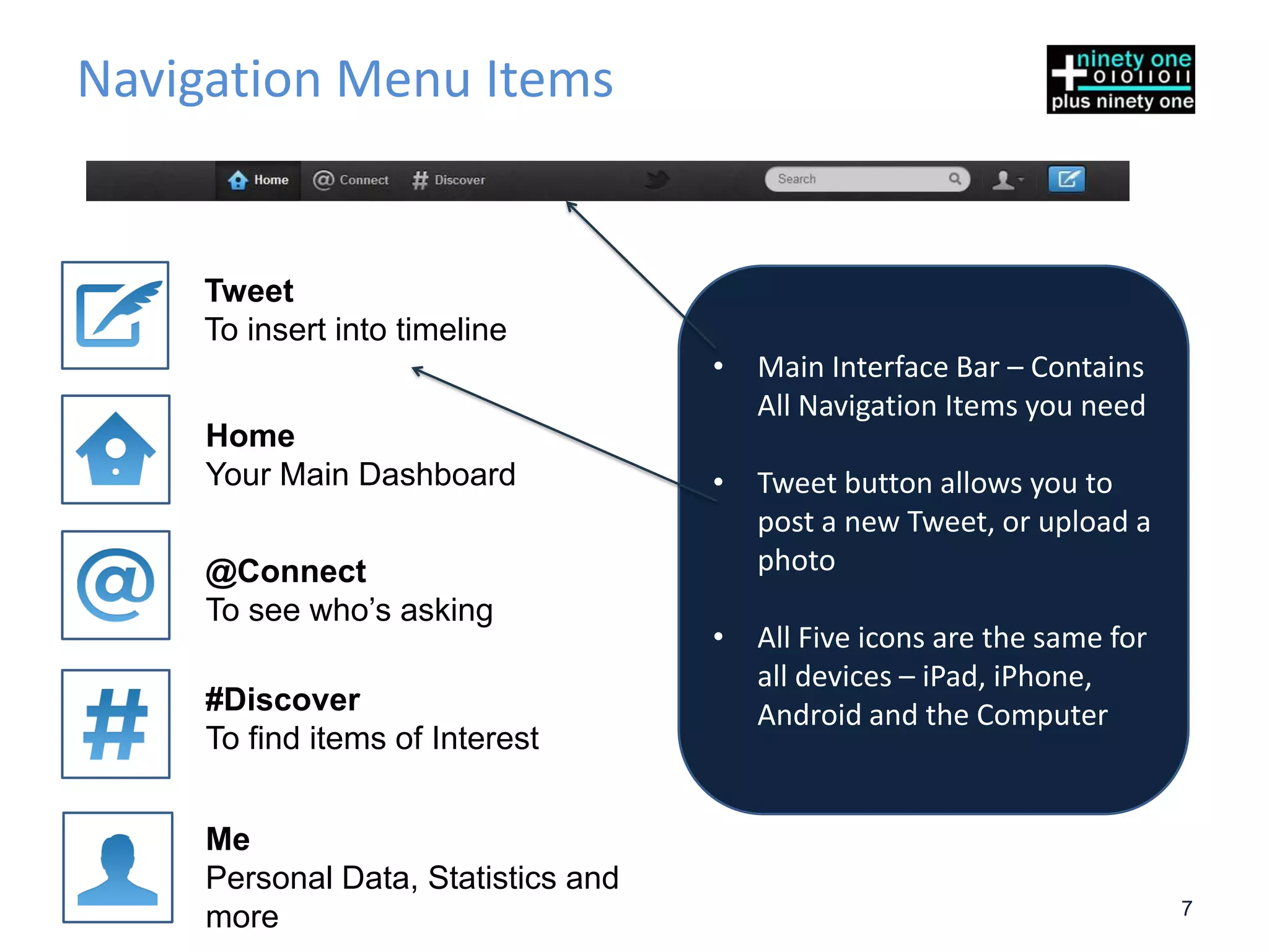
Navigation Menu Items


    Tweet
    To insert into timeline
                                     •   Main Interface Bar – Contains
                                         All Navigation Items you need
     Home
     Your Main Dashboard             •   Tweet button allows you to
                                         post a new Tweet, or upload a
     @Connect                            photo
     To see who’s asking
                                     •   All Five icons are the same for
                                         all devices – iPad, iPhone,
     #Discover                           Android and the Computer
     To find items of Interest


     Me
     Personal Data, Statistics and
                                                                           7
     more
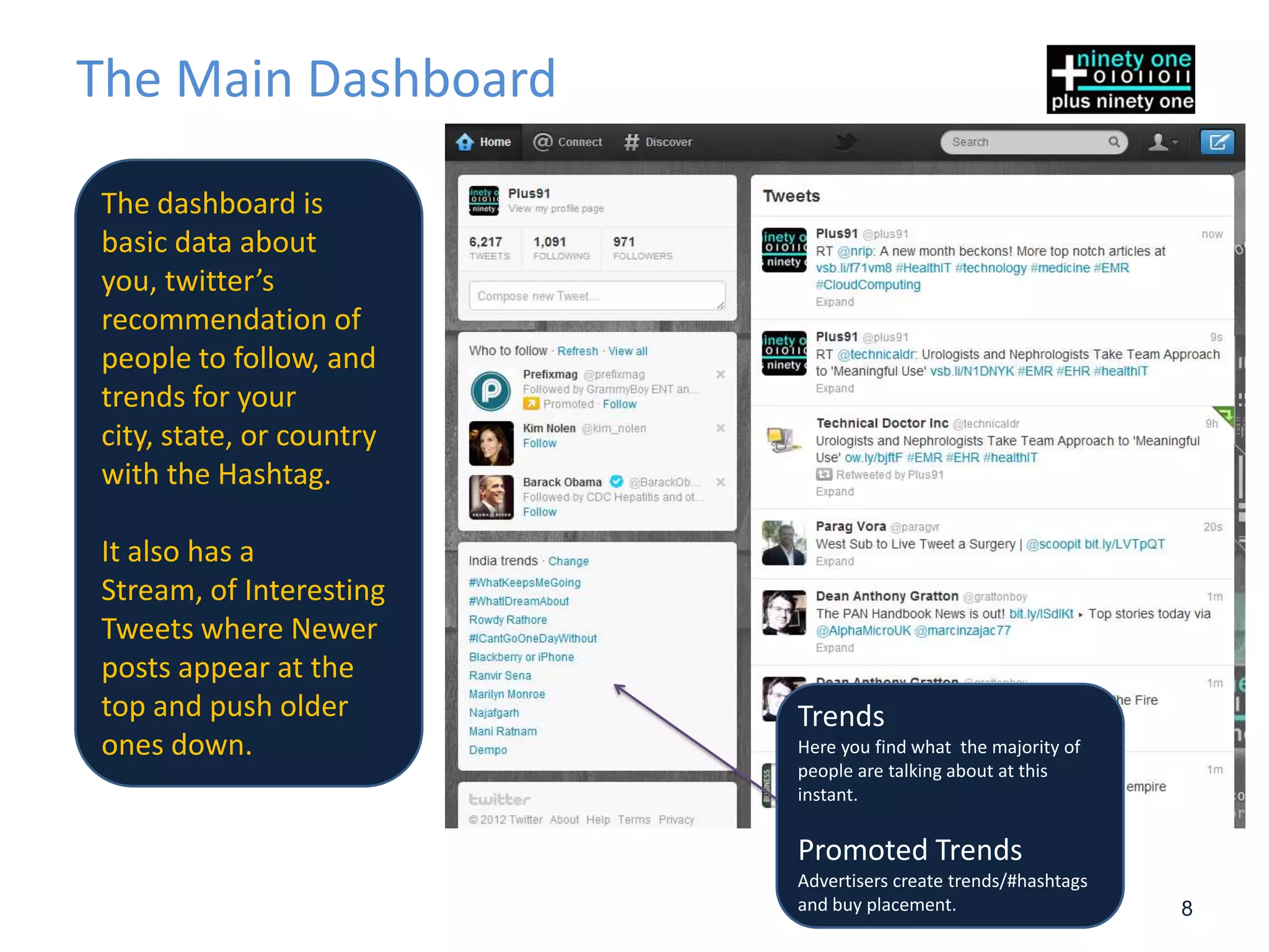
The Main Dashboard

The dashboard is
basic data about
you, twitter’s
recommendation of
people to follow, and
trends for your
city, state, or country
with the Hashtag.

It also has a
Stream, of Interesting
Tweets where Newer
posts appear at the
top and push older        Trends
ones down.                Here you find what the majority of
                          people are talking about at this
                          instant.

                          Promoted Trends
                          Advertisers create trends/#hashtags
                          and buy placement.                    8
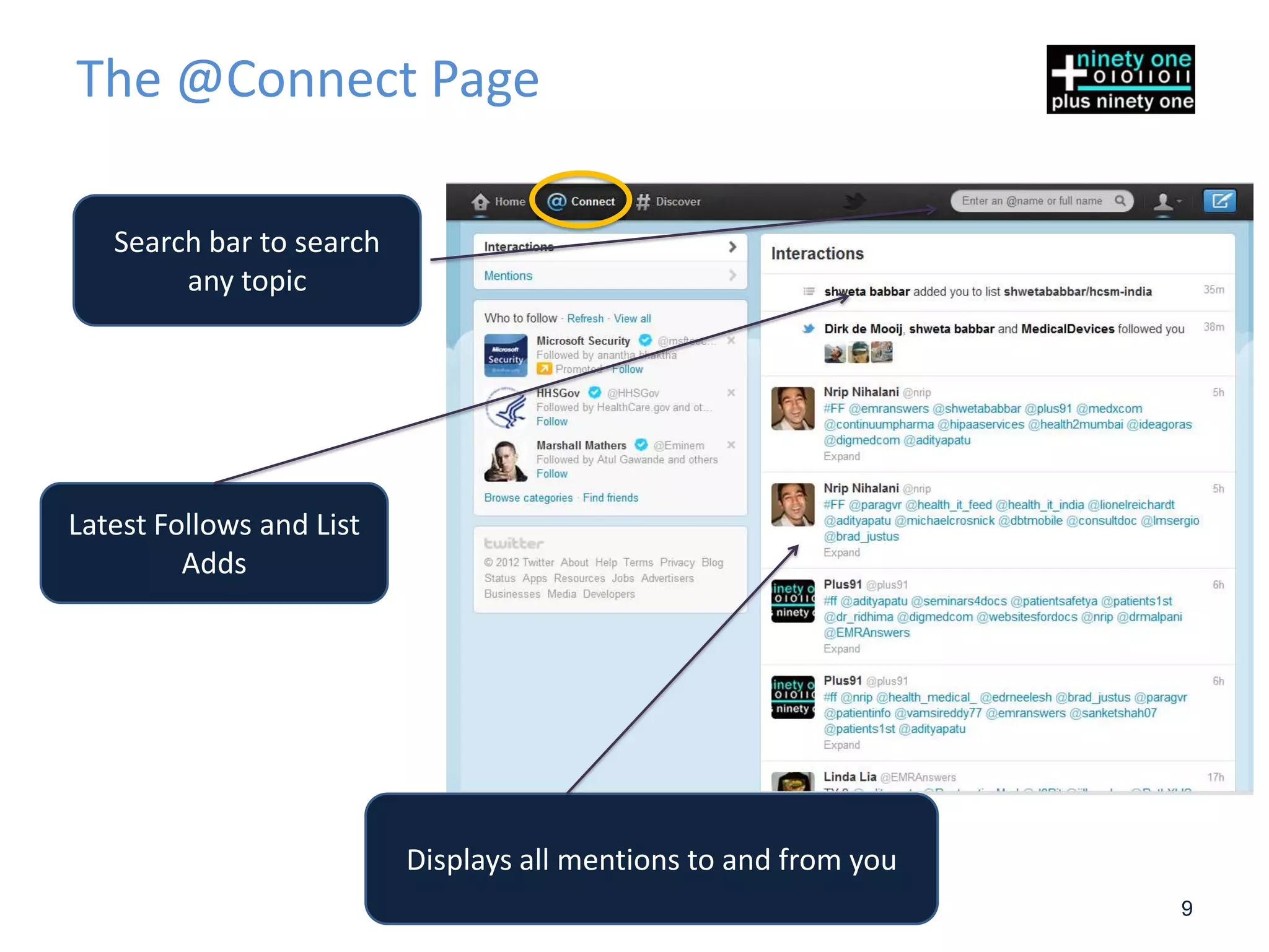
The @Connect Page

   Search bar to search
        any topic


Latest Follows and List
         Adds


                          Displays all mentions to and from you
                                                                  9
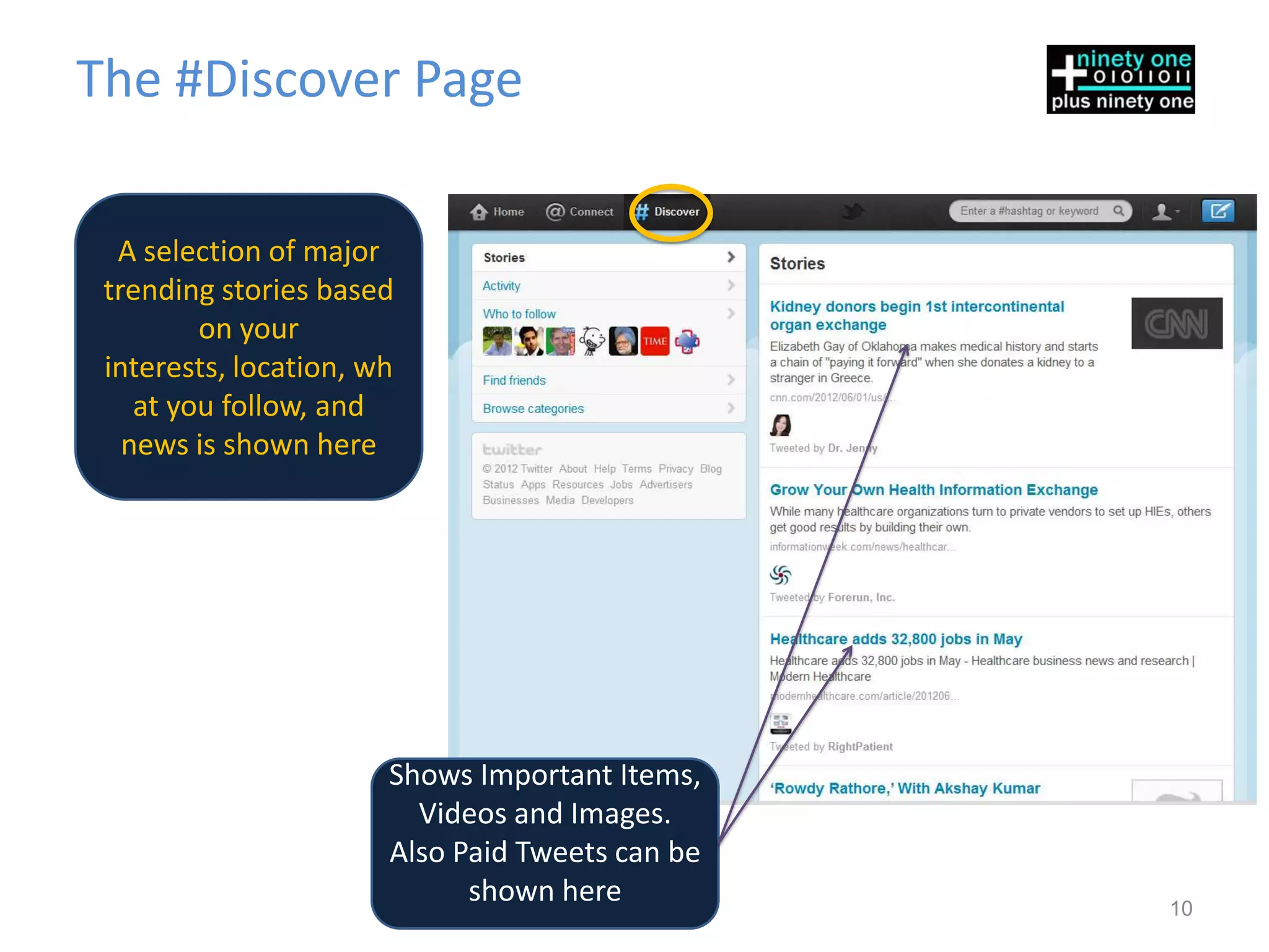
The #Discover Page

  A selection of major
 trending stories based
         on your
 interests, location, wh
    at you follow, and
   news is shown here


                       Shows Important Items,
                         Videos and Images.
                       Also Paid Tweets can be
                             shown here          10
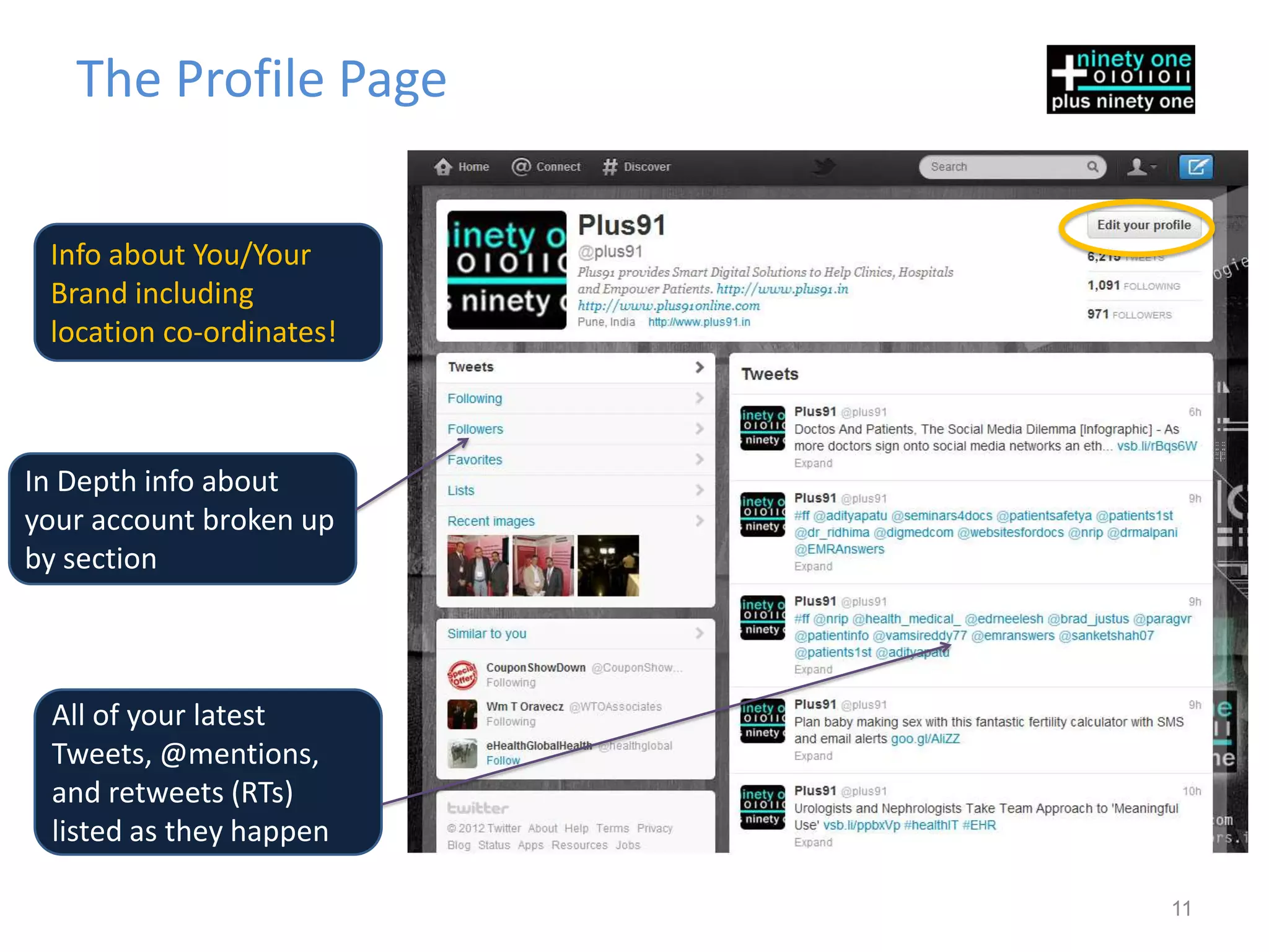
The Profile Page

 Info about You/Your
 Brand including
 location co-ordinates!


In Depth info about
your account broken up
by section


 All of your latest
 Tweets, @mentions,
 and retweets (RTs)
 listed as they happen

                          11
Determining Twitter’s Usability
Now That You
UNDERSTAND TWITTER

How will it benefit
                 “your”
healthcare facility?

                                  12
Key Questions on everyone’s mind
• In what ways does Twitter sync with your current
  Clinic/Hospital Branding and Patient Interactions?
• How will Twitter serve your Clinic or Hospital?
• How will your tweets help your audience?
• Are they going to be helpful, educational, service
  friendly, humorous?
• Are they only going to convey a certain kind of
  information, discounts and promotions , or news?


                                                       13
So How does Twitter Help
• Twitter is probably the fastest way to Raise awareness
  today
• Twitter allows you to Provide news and information
  easily
• Twitter allows protected views to ensue secure sharing
  of data
• Providing Quick Non Medical Advice to patients and
  others saving visits and thus Time
• Building a loyal set of followers allows viral spread of
  your information
• More Beneficial than even referrals
                                                        14
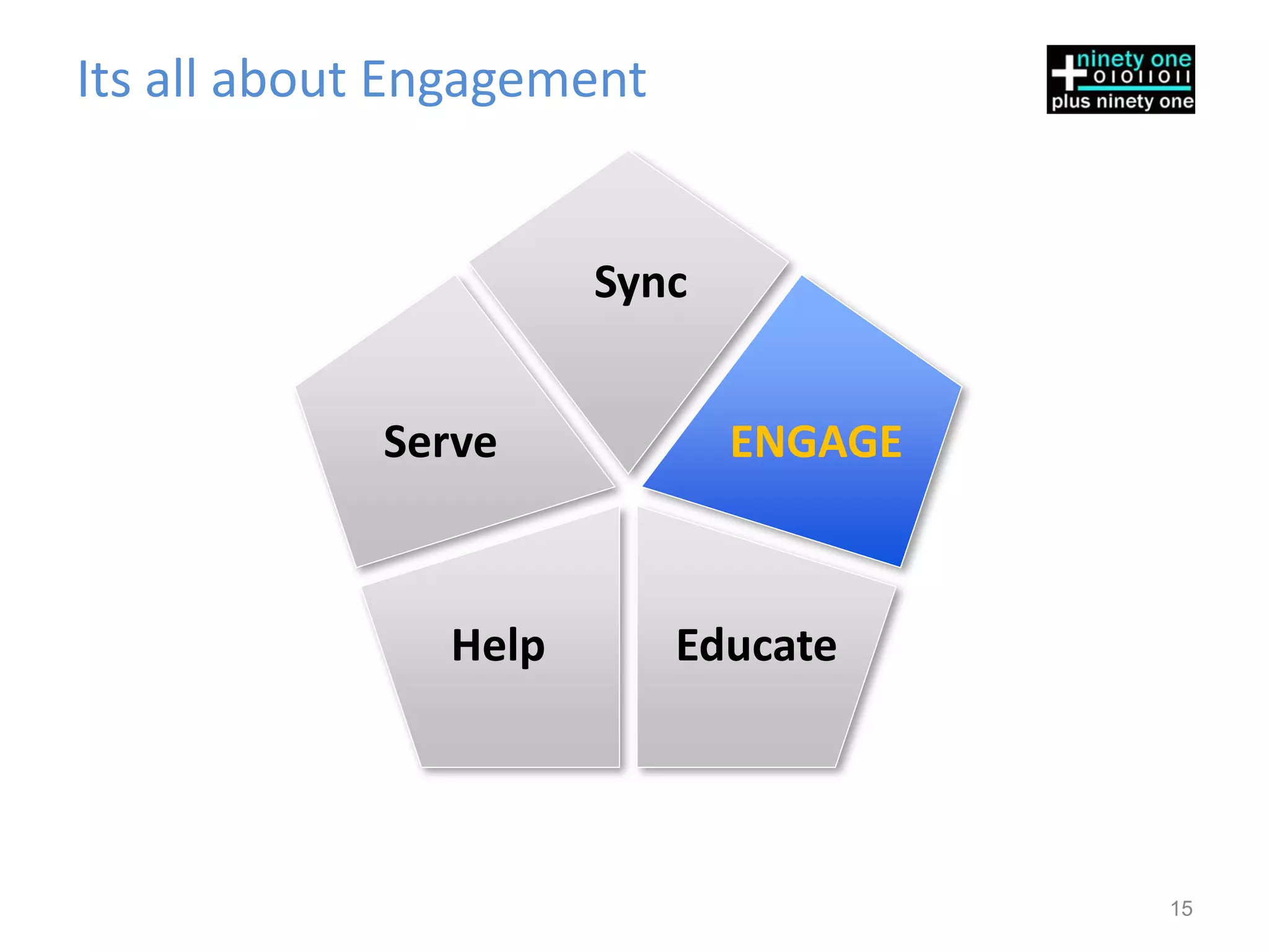
Its all about Engagement


                      Sync


            Serve            ENGAGE


               Help        Educate


                                      15
How to ensure a good Twitter presence
•Make Twitter Friends – Friends are good fun
 anywhere you go… even in cyberspace
•Speak up – Share your views regularly
•Listen – Listen to what others are saying
•Be Willing to Engage in conversations
•Be Committed – Be Regular
•Don’t Overdo it – Don’t make extra accounts to
 manage roles. Soon you’ll find it overbearing

                                             16
Think you need a Twitter Strategy
•Appoint someone in your clinic /hospital who
 will be responsible for Tweeting
•Create Goals – (More on this below)
•Create a Content Strategy based on your goals
•Define limits and permissions- Will someone
 check Tweets before they are sent out?
•Define limits on Tweets per Week / Day / Hour
•Develop a content timeline to ensure Tweeting
 and Approvals happen in a timely manner
                                             17
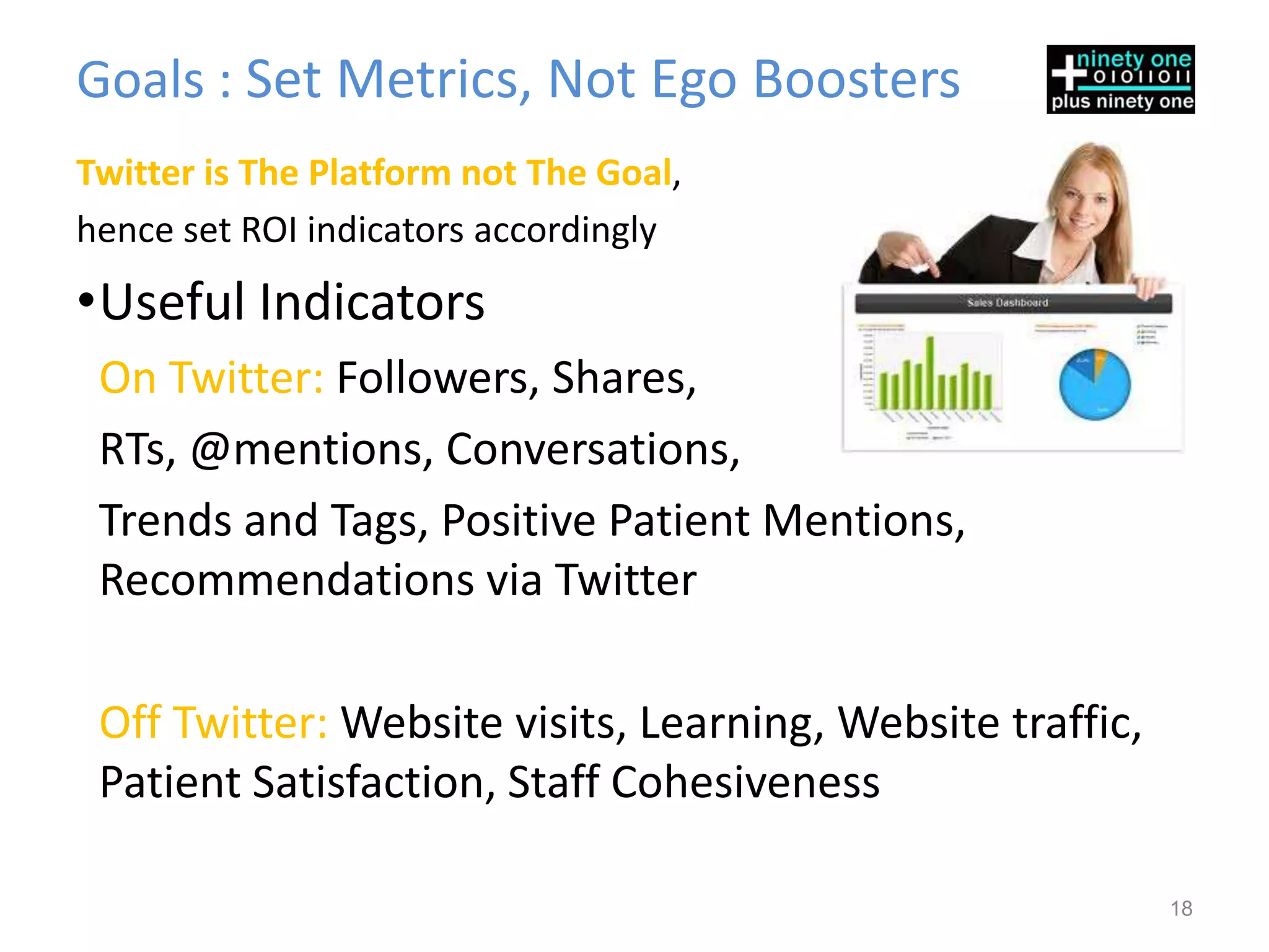
Goals : Set Metrics, Not Ego Boosters
Twitter is The Platform not The Goal,
hence set ROI indicators accordingly
•Useful Indicators
 On Twitter: Followers, Shares,
 RTs, @mentions, Conversations,
 Trends and Tags, Positive Patient Mentions,
 Recommendations via Twitter

 Off Twitter: Website visits, Learning, Website traffic,
 Patient Satisfaction, Staff Cohesiveness

                                                           18
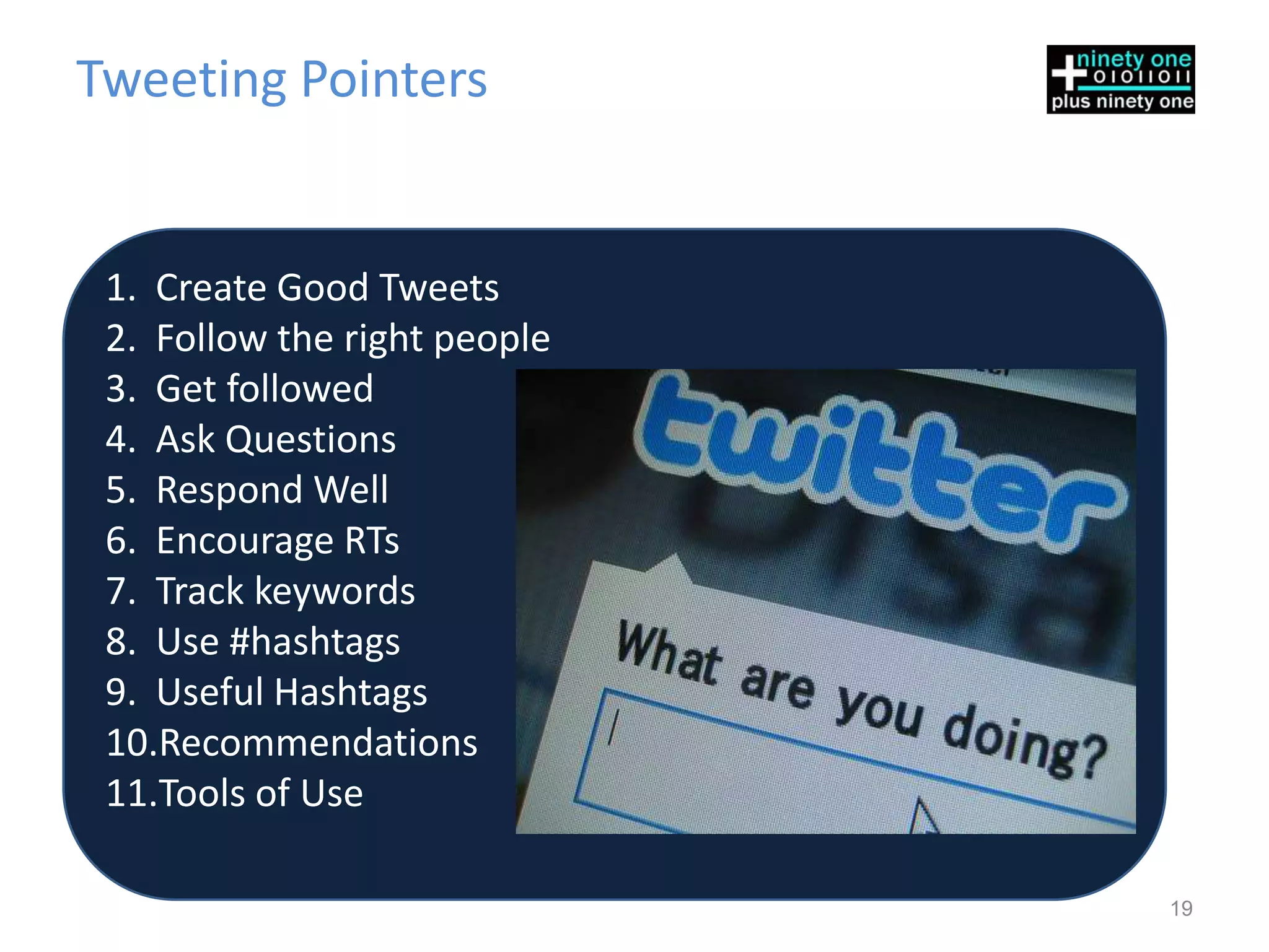
Tweeting Pointers


 1. Create Good Tweets
 2. Follow the right people
 3. Get followed
 4. Ask Questions
 5. Respond Well
 6. Encourage RTs
 7. Track keywords
 8. Use #hashtags
 9. Useful Hashtags
 10.Recommendations
 11.Tools of Use

                              19
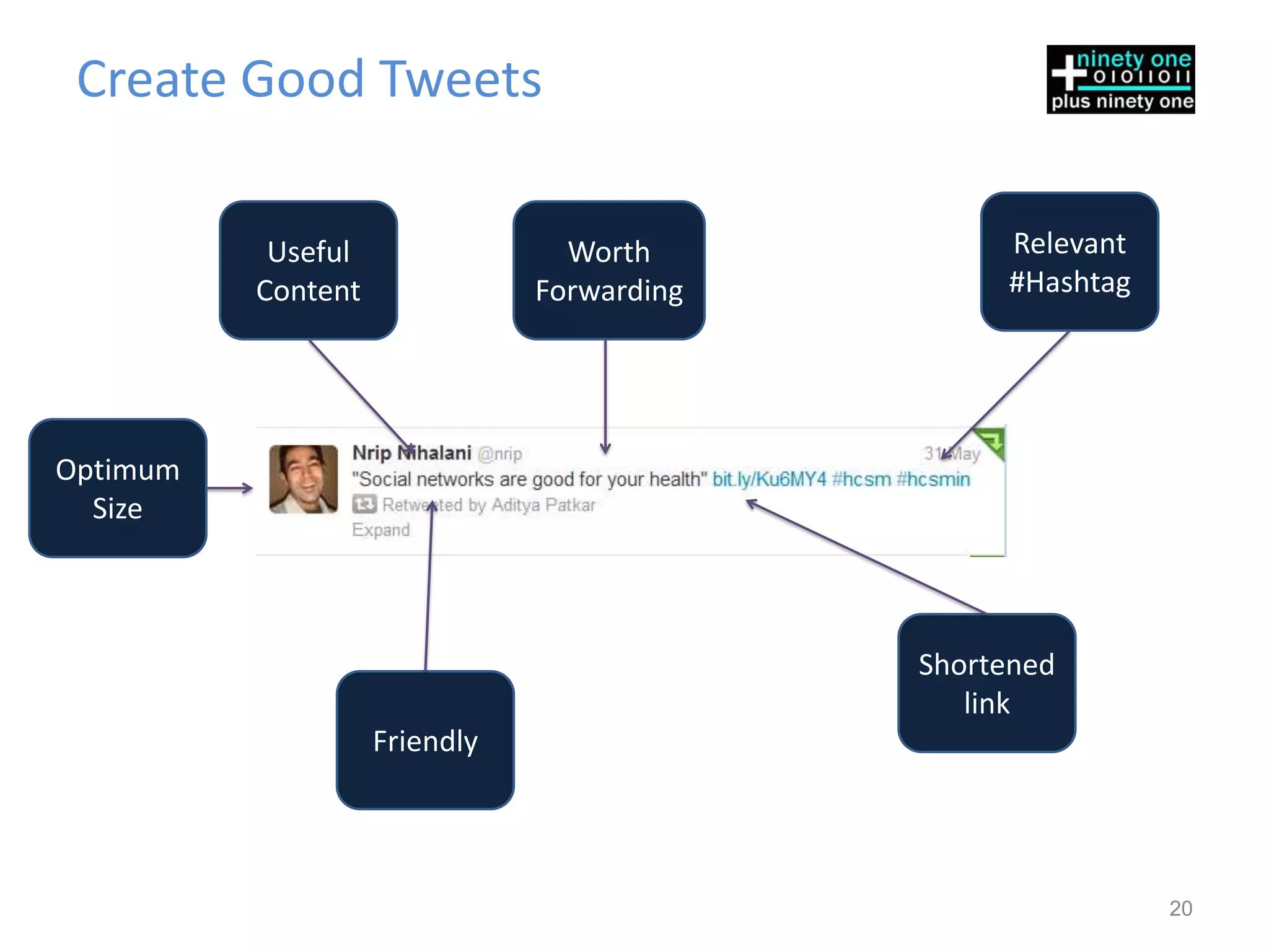
Create Good Tweets

           Useful                Worth           Relevant
          Content              Forwarding        #Hashtag


Optimum
  Size


                                            Shortened
                                               link
                    Friendly


                                                            20
Follow the Right People

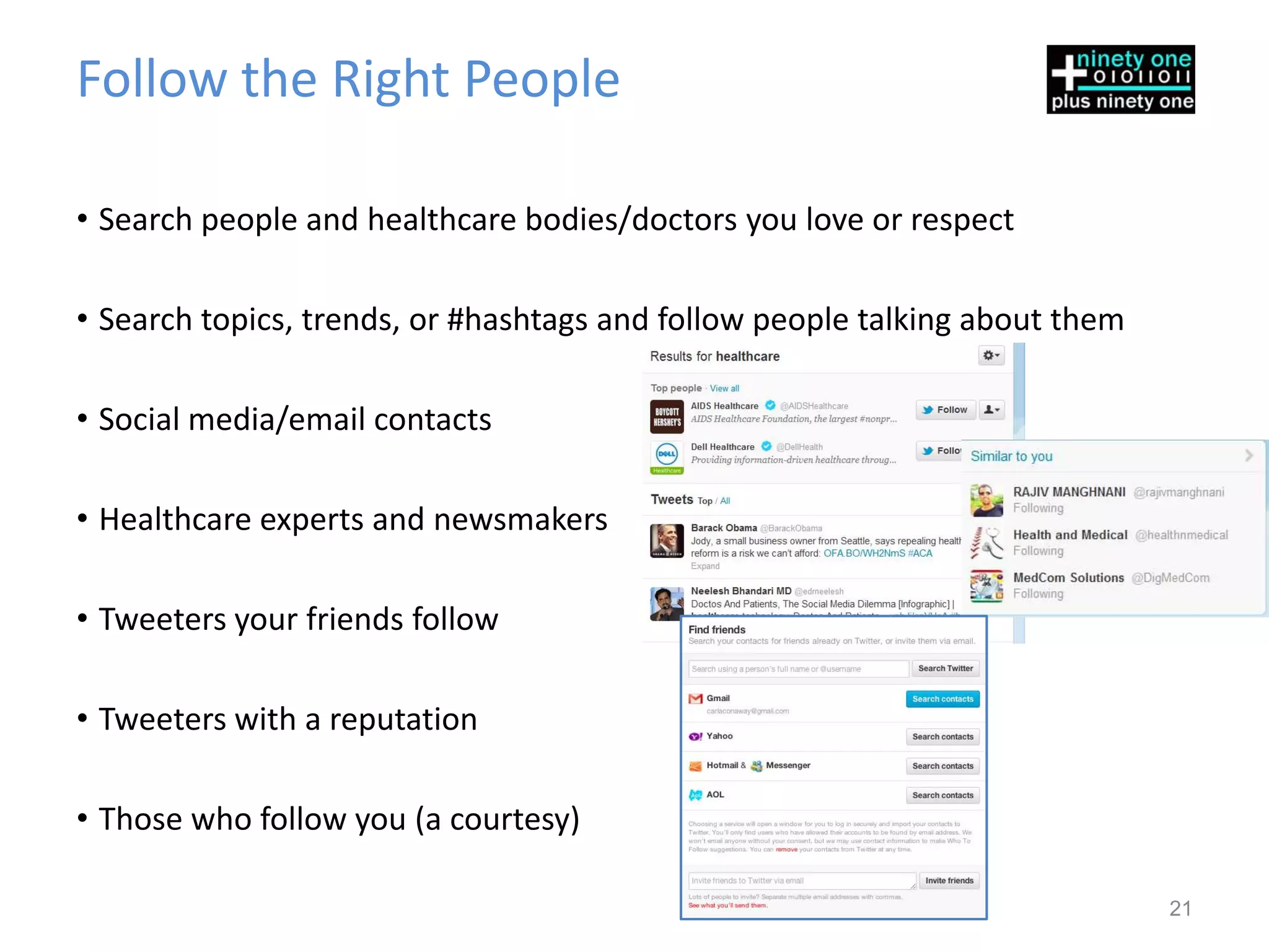
• Search people and healthcare bodies/doctors you love or respect

• Search topics, trends, or #hashtags and follow people talking about them

• Social media/email contacts

• Healthcare experts and newsmakers

• Tweeters your friends follow

• Tweeters with a reputation

• Those who follow you (a courtesy)

                                                                             21
How to Get More Followers
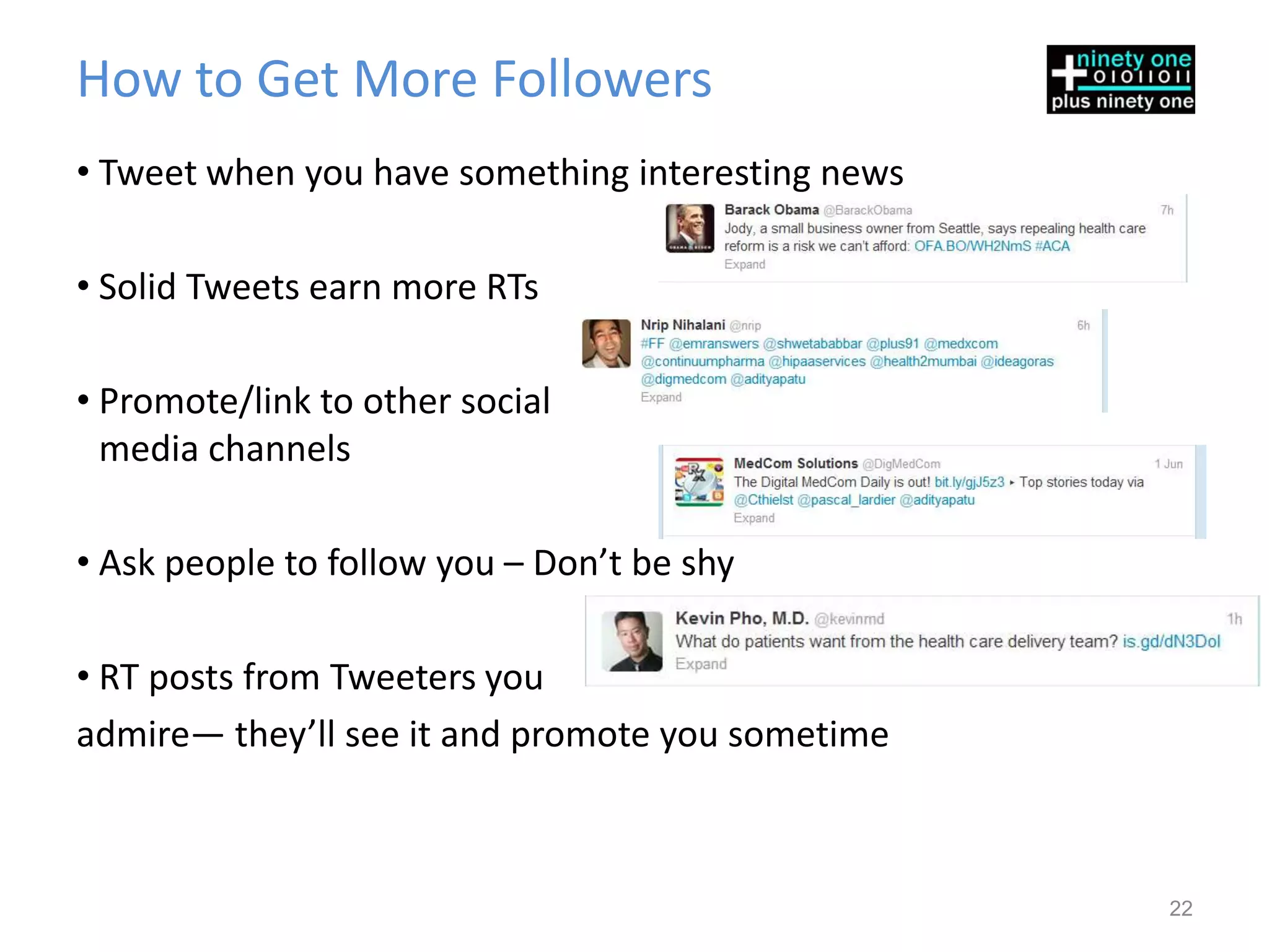
• Tweet when you have something interesting news

• Solid Tweets earn more RTs

• Promote/link to other social
  media channels

• Ask people to follow you – Don’t be shy

• RT posts from Tweeters you
admire— they’ll see it and promote you sometime


                                                   22
Ask Questions. Good Ones
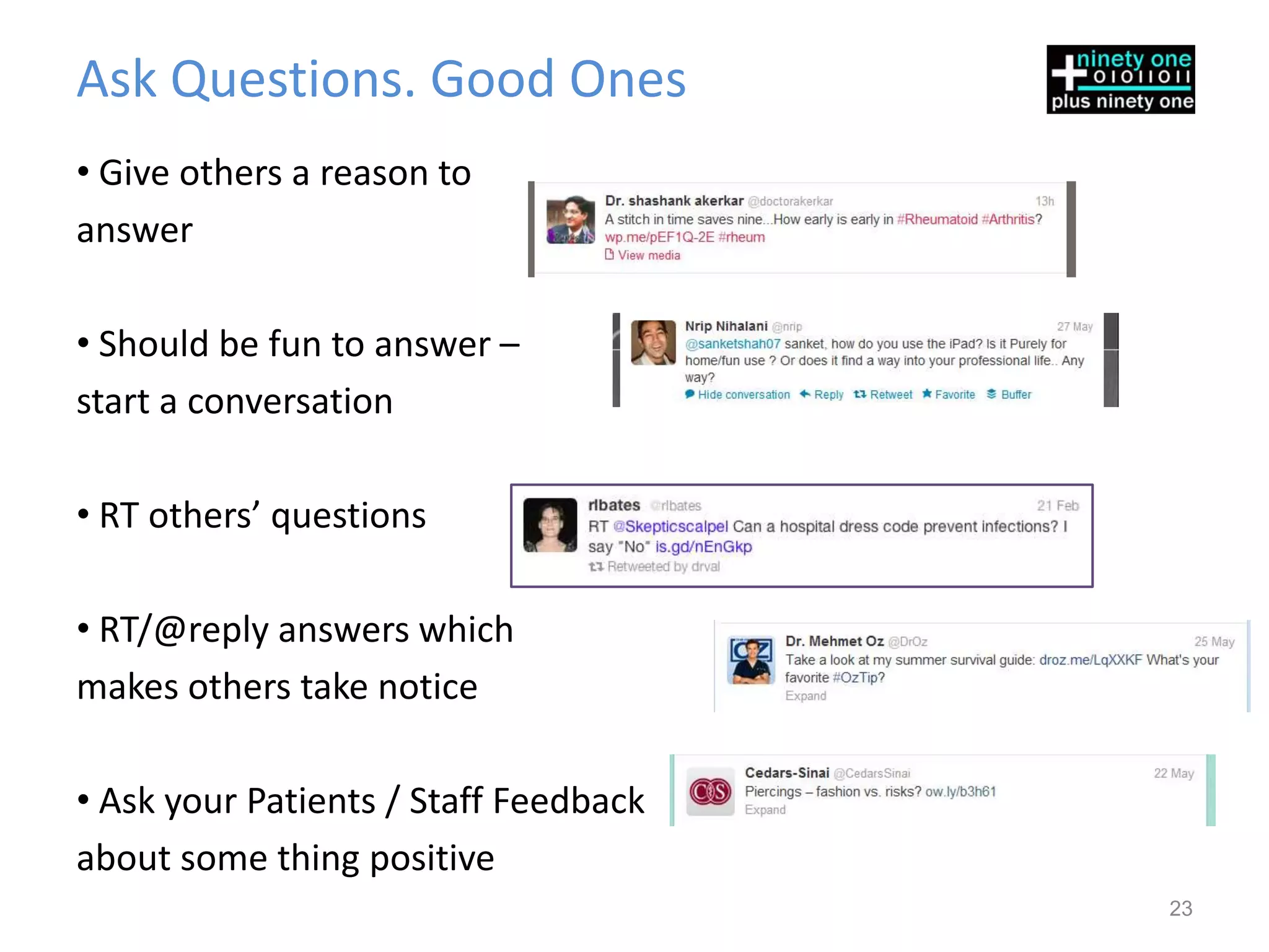
• Give others a reason to
answer

• Should be fun to answer –
start a conversation

• RT others’ questions

• RT/@reply answers which
makes others take notice

• Ask your Patients / Staff Feedback
about some thing positive
                                       23
Respond Well
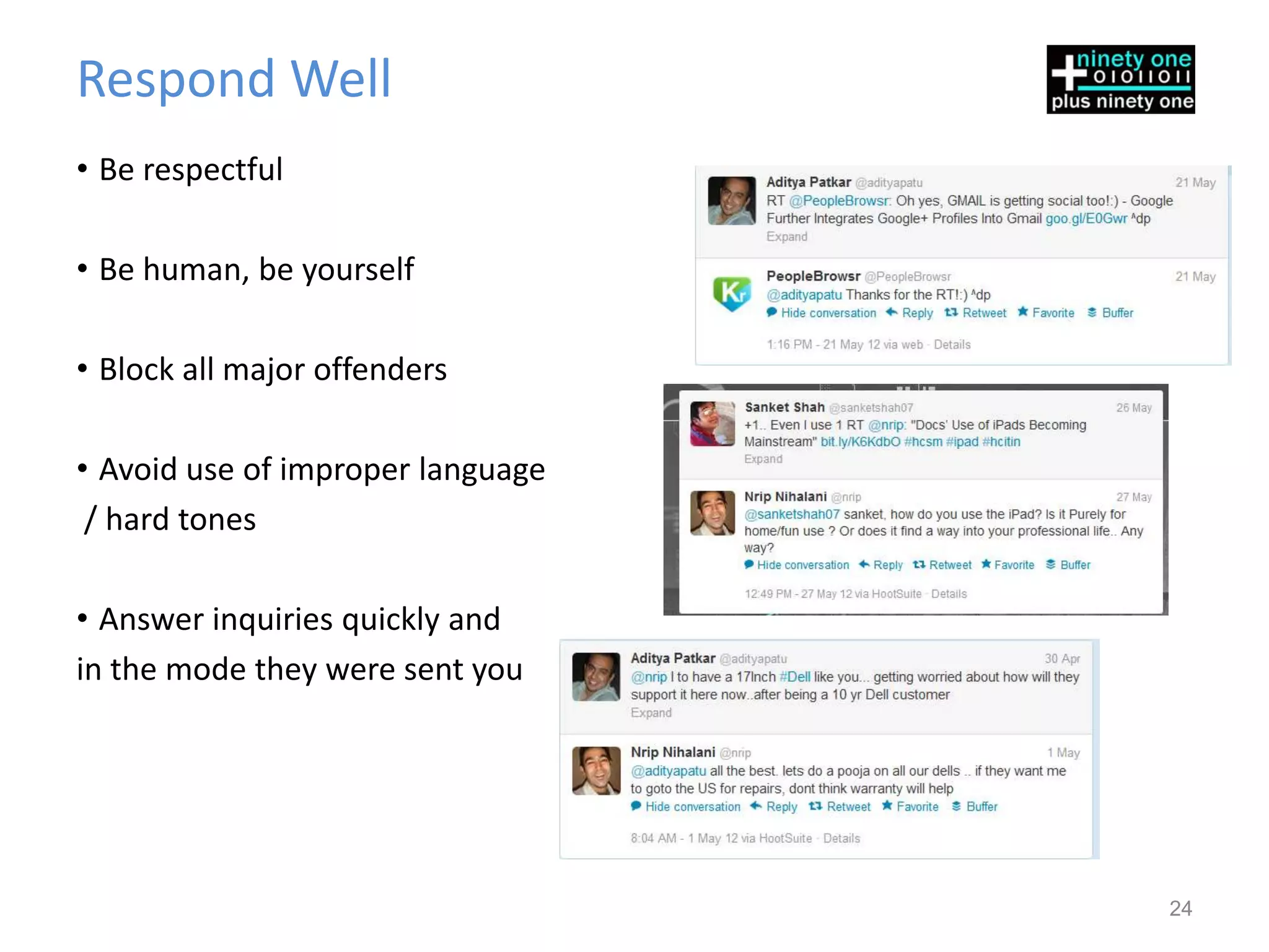
• Be respectful

• Be human, be yourself

• Block all major offenders

• Avoid use of improper language
 / hard tones

• Answer inquiries quickly and
in the mode they were sent you


                                   24
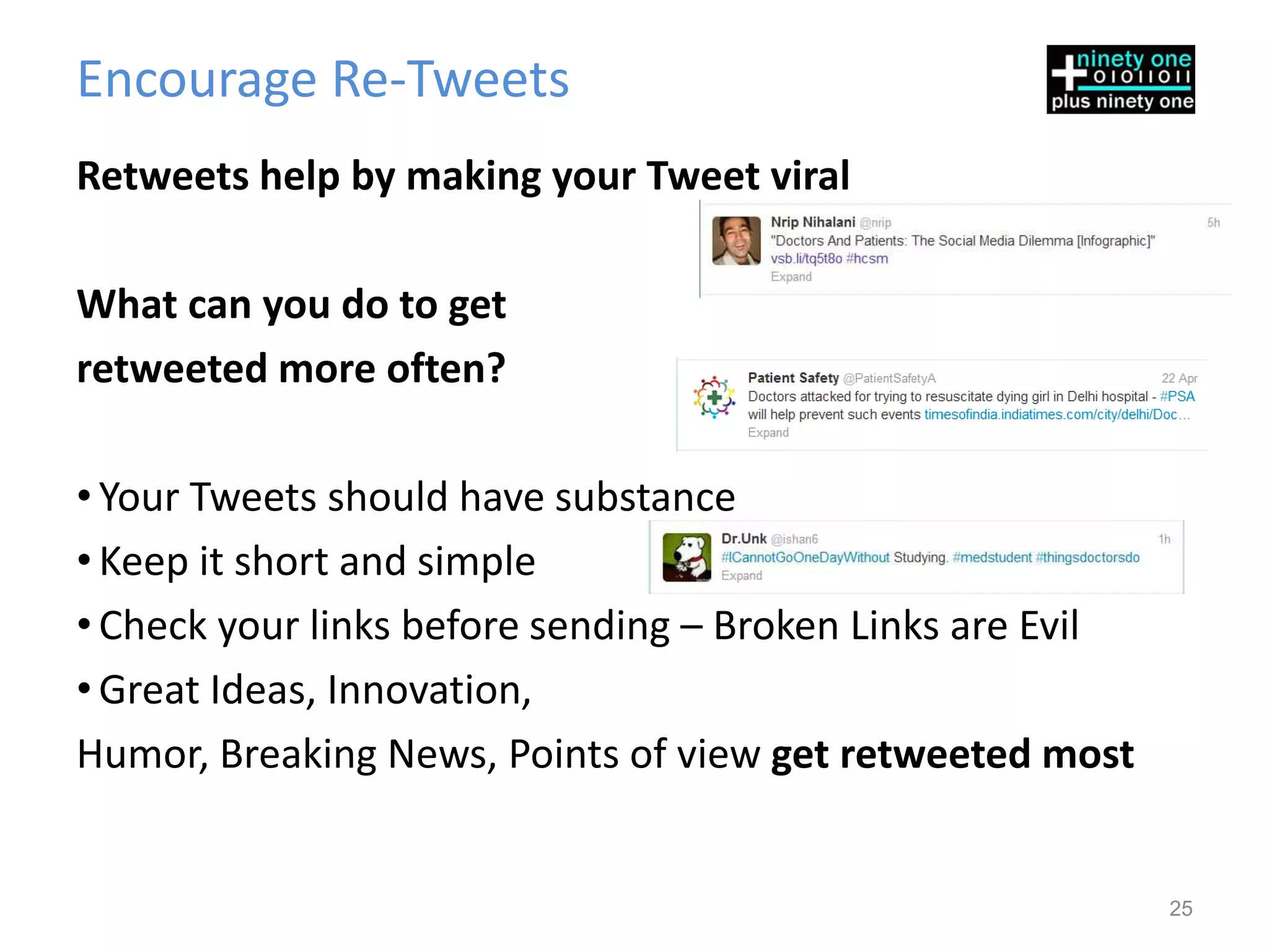
Encourage Re-Tweets
Retweets help by making your Tweet viral

What can you do to get
retweeted more often?

• Your Tweets should have substance
• Keep it short and simple
• Check your links before sending – Broken Links are Evil
• Great Ideas, Innovation,
Humor, Breaking News, Points of view get retweeted most


                                                            25
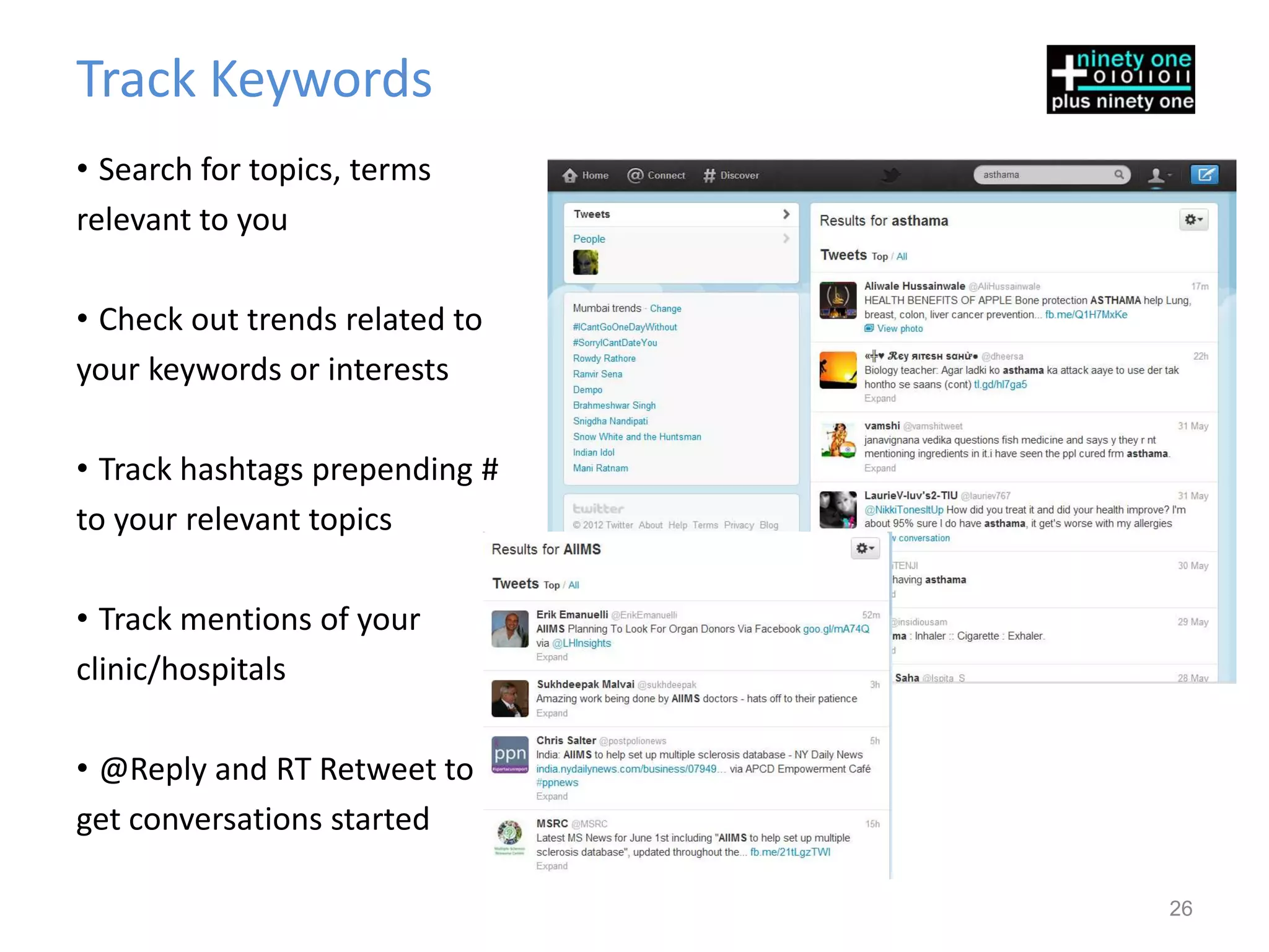
Track Keywords
• Search for topics, terms
relevant to you

• Check out trends related to
your keywords or interests

• Track hashtags prepending #
to your relevant topics

• Track mentions of your
clinic/hospitals

• @Reply and RT Retweet to
get conversations started

                                26
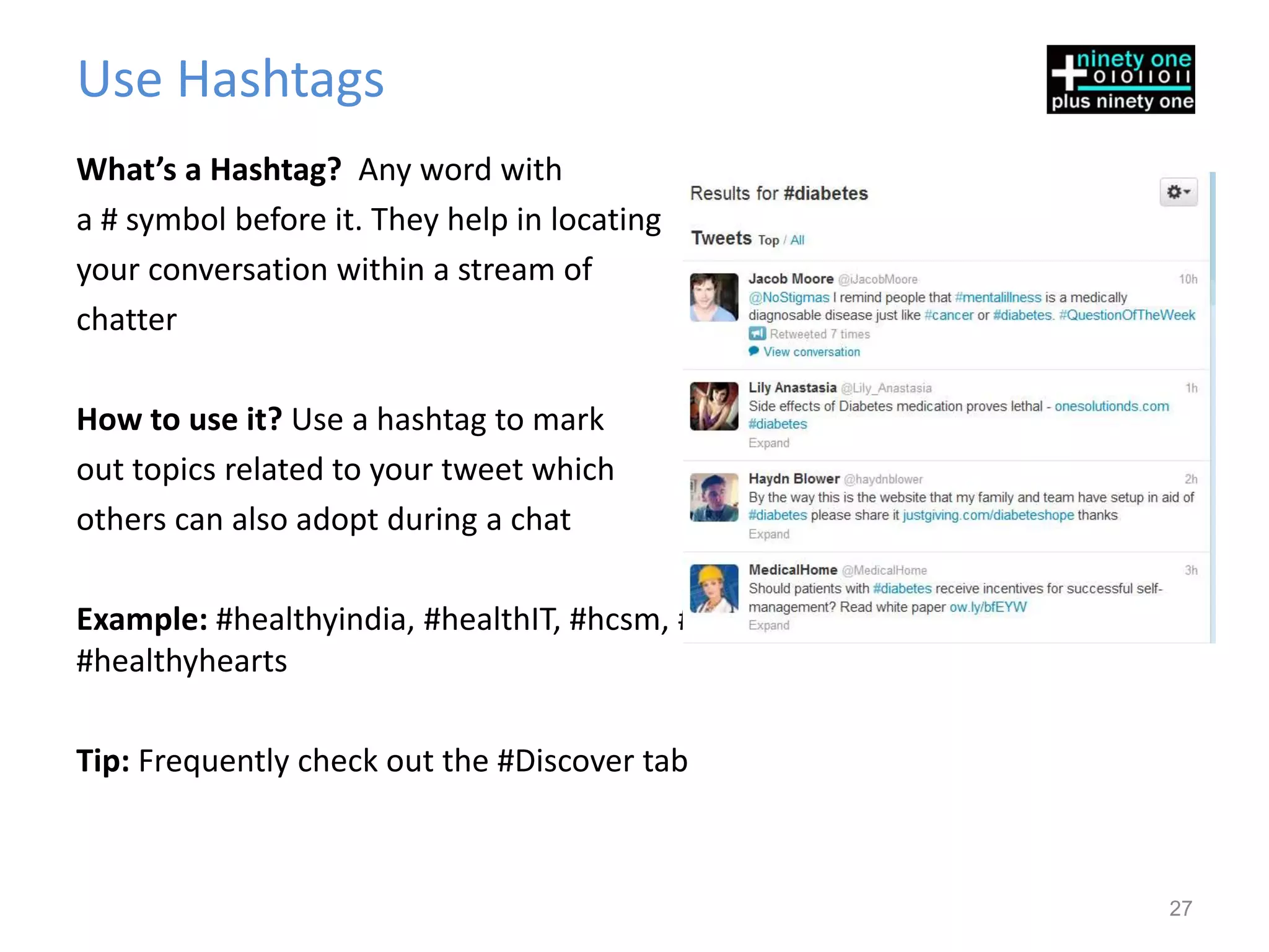
Use Hashtags
What’s a Hashtag? Any word with
a # symbol before it. They help in locating
your conversation within a stream of
chatter

How to use it? Use a hashtag to mark
out topics related to your tweet which
others can also adopt during a chat

Example: #healthyindia, #healthIT, #hcsm, #diabetescontrol, #essentialdrugs,
#healthyhearts

Tip: Frequently check out the #Discover tab


                                                                               27
Useful Hashtags for Healthcare
•Global
#healthIT
#hcsm
#hitSM
#mHealth
#eHealth
#ptcare
•India Centric
#hcsmin
#hcitin


                                 28
Recommended Accounts to Follow
@berci
@nrip
@hjluks
@kevinmd
@ehrandhit
@westr
@ahier
@edrneelesh
@nicolaziady
                                 29
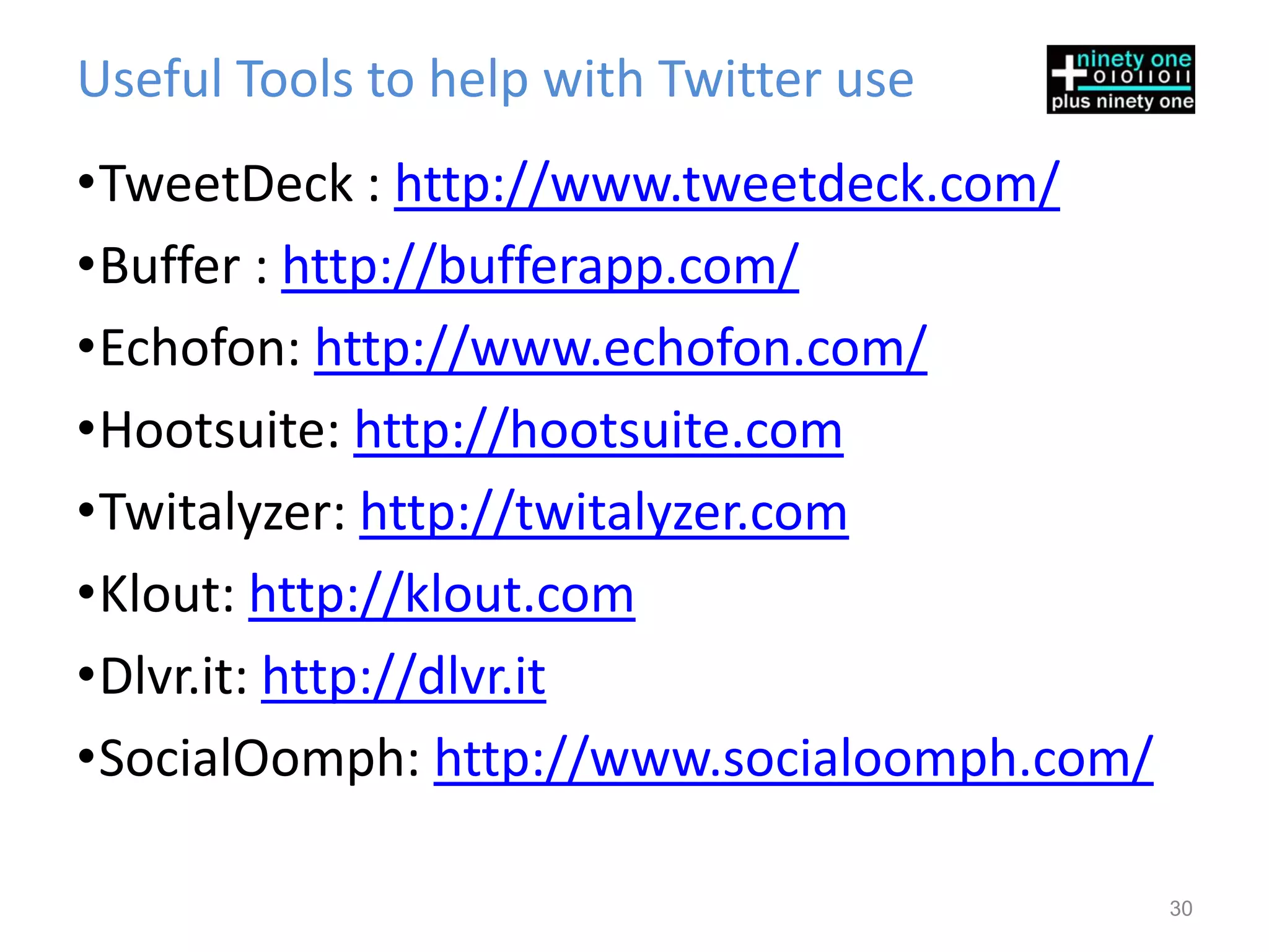
Useful Tools to help with Twitter use
•TweetDeck : http://www.tweetdeck.com/
•Buffer : http://bufferapp.com/
•Echofon: http://www.echofon.com/
•Hootsuite: http://hootsuite.com
•Twitalyzer: http://twitalyzer.com
•Klout: http://klout.com
•Dlvr.it: http://dlvr.it
•SocialOomph: http://www.socialoomph.com/

                                            30
Thanks for Viewing this Presentation

For us help you further, please contact us


Web: http://www.plus91online.com
Corporate: http://www.plus91.in
Twitter: @plus91 @nrip @adityapatu
Facebook: http://www.facebook.com/plus91.in

Healthcare Get Started With Twitter

  • 1.
    Plus91 Technologies Pvt.Ltd. Adding Value to Healthcare Twitter in Healthcare – Get Started
  • 2.
    Twitter! What’s that? Twitteris a Social Network where users send and read short messages of upto 140 characters Twitter is a Cross between Text messaging, Blogging and Instant Messaging and is called the ‘SMS’ of the Internet 9th Most Visited Site in the World 2
  • 3.
    Twitter is ManyThings • The Club - An index of friends, likes, brands, companies, favorites etc. • The Gossip Room - A place to hear what others are talking about • The Bulletin Board - A place to post updates, thoughts and share links to news, pictures, videos, blogs, etc. • The News Channel - A place where you get the latest breaking news instantly as it happens. • A network of things you like and need … And More 3
  • 4.
    What do theseterms on Twitter mean? Tweet The Message Content Posted on Twitter Follow (text/links/images/video) is called a Tweet To Follow means to subscribe officially to someone's Tweets. Used also as a Verb: when you post a message on Twitter, you You can follow and be followed. are said to Tweet. @Mention @Reply @mention addressing someone specifically in a group . Only Referring to someone specifically in a message/Tweet. Both the recipient and followers in common will see the @reply. parties will see the @mention. @mentions are part of the 140 @replies always have @ as the first character in the tweet. characters of the tweet #Hashtag DM (Direct Message) These are Tags or signboards. Any word with A DM is a private message seen only by the person you have a # symbol before it becomes a hashtag. They help in locating sent it to, like an SMS. your conversation whichs allow Twitter to search for them and display them in searches. Anything can be tagged. RT (ReTweet) URL Shortenter Services like bit.ly and tinyURL that make long web addresses Forwarding some one else’s tweet on to your timeline, without shorter to save room in the tweet. Twitter has one built in additional input. Large audiences are reached like this. called t.co 4
  • 5.
    Get Started –Create an Account 5
  • 6.
    Have an Account?Then just login 6
  • 7.
    Navigation Menu Items Tweet To insert into timeline • Main Interface Bar – Contains All Navigation Items you need Home Your Main Dashboard • Tweet button allows you to post a new Tweet, or upload a @Connect photo To see who’s asking • All Five icons are the same for all devices – iPad, iPhone, #Discover Android and the Computer To find items of Interest Me Personal Data, Statistics and 7 more
  • 8.
    The Main Dashboard Thedashboard is basic data about you, twitter’s recommendation of people to follow, and trends for your city, state, or country with the Hashtag. It also has a Stream, of Interesting Tweets where Newer posts appear at the top and push older Trends ones down. Here you find what the majority of people are talking about at this instant. Promoted Trends Advertisers create trends/#hashtags and buy placement. 8
  • 9.
    The @Connect Page Search bar to search any topic Latest Follows and List Adds Displays all mentions to and from you 9
  • 10.
    The #Discover Page A selection of major trending stories based on your interests, location, wh at you follow, and news is shown here Shows Important Items, Videos and Images. Also Paid Tweets can be shown here 10
  • 11.
    The Profile Page Info about You/Your Brand including location co-ordinates! In Depth info about your account broken up by section All of your latest Tweets, @mentions, and retweets (RTs) listed as they happen 11
  • 12.
    Determining Twitter’s Usability NowThat You UNDERSTAND TWITTER How will it benefit “your” healthcare facility? 12
  • 13.
    Key Questions oneveryone’s mind • In what ways does Twitter sync with your current Clinic/Hospital Branding and Patient Interactions? • How will Twitter serve your Clinic or Hospital? • How will your tweets help your audience? • Are they going to be helpful, educational, service friendly, humorous? • Are they only going to convey a certain kind of information, discounts and promotions , or news? 13
  • 14.
    So How doesTwitter Help • Twitter is probably the fastest way to Raise awareness today • Twitter allows you to Provide news and information easily • Twitter allows protected views to ensue secure sharing of data • Providing Quick Non Medical Advice to patients and others saving visits and thus Time • Building a loyal set of followers allows viral spread of your information • More Beneficial than even referrals 14
  • 15.
    Its all aboutEngagement Sync Serve ENGAGE Help Educate 15
  • 16.
    How to ensurea good Twitter presence •Make Twitter Friends – Friends are good fun anywhere you go… even in cyberspace •Speak up – Share your views regularly •Listen – Listen to what others are saying •Be Willing to Engage in conversations •Be Committed – Be Regular •Don’t Overdo it – Don’t make extra accounts to manage roles. Soon you’ll find it overbearing 16
  • 17.
    Think you needa Twitter Strategy •Appoint someone in your clinic /hospital who will be responsible for Tweeting •Create Goals – (More on this below) •Create a Content Strategy based on your goals •Define limits and permissions- Will someone check Tweets before they are sent out? •Define limits on Tweets per Week / Day / Hour •Develop a content timeline to ensure Tweeting and Approvals happen in a timely manner 17
  • 18.
    Goals : SetMetrics, Not Ego Boosters Twitter is The Platform not The Goal, hence set ROI indicators accordingly •Useful Indicators On Twitter: Followers, Shares, RTs, @mentions, Conversations, Trends and Tags, Positive Patient Mentions, Recommendations via Twitter Off Twitter: Website visits, Learning, Website traffic, Patient Satisfaction, Staff Cohesiveness 18
  • 19.
    Tweeting Pointers 1.Create Good Tweets 2. Follow the right people 3. Get followed 4. Ask Questions 5. Respond Well 6. Encourage RTs 7. Track keywords 8. Use #hashtags 9. Useful Hashtags 10.Recommendations 11.Tools of Use 19
  • 20.
    Create Good Tweets Useful Worth Relevant Content Forwarding #Hashtag Optimum Size Shortened link Friendly 20
  • 21.
    Follow the RightPeople • Search people and healthcare bodies/doctors you love or respect • Search topics, trends, or #hashtags and follow people talking about them • Social media/email contacts • Healthcare experts and newsmakers • Tweeters your friends follow • Tweeters with a reputation • Those who follow you (a courtesy) 21
  • 22.
    How to GetMore Followers • Tweet when you have something interesting news • Solid Tweets earn more RTs • Promote/link to other social media channels • Ask people to follow you – Don’t be shy • RT posts from Tweeters you admire— they’ll see it and promote you sometime 22
  • 23.
    Ask Questions. GoodOnes • Give others a reason to answer • Should be fun to answer – start a conversation • RT others’ questions • RT/@reply answers which makes others take notice • Ask your Patients / Staff Feedback about some thing positive 23
  • 24.
    Respond Well • Berespectful • Be human, be yourself • Block all major offenders • Avoid use of improper language / hard tones • Answer inquiries quickly and in the mode they were sent you 24
  • 25.
    Encourage Re-Tweets Retweets helpby making your Tweet viral What can you do to get retweeted more often? • Your Tweets should have substance • Keep it short and simple • Check your links before sending – Broken Links are Evil • Great Ideas, Innovation, Humor, Breaking News, Points of view get retweeted most 25
  • 26.
    Track Keywords • Searchfor topics, terms relevant to you • Check out trends related to your keywords or interests • Track hashtags prepending # to your relevant topics • Track mentions of your clinic/hospitals • @Reply and RT Retweet to get conversations started 26
  • 27.
    Use Hashtags What’s aHashtag? Any word with a # symbol before it. They help in locating your conversation within a stream of chatter How to use it? Use a hashtag to mark out topics related to your tweet which others can also adopt during a chat Example: #healthyindia, #healthIT, #hcsm, #diabetescontrol, #essentialdrugs, #healthyhearts Tip: Frequently check out the #Discover tab 27
  • 28.
    Useful Hashtags forHealthcare •Global #healthIT #hcsm #hitSM #mHealth #eHealth #ptcare •India Centric #hcsmin #hcitin 28
  • 29.
    Recommended Accounts toFollow @berci @nrip @hjluks @kevinmd @ehrandhit @westr @ahier @edrneelesh @nicolaziady 29
  • 30.
    Useful Tools tohelp with Twitter use •TweetDeck : http://www.tweetdeck.com/ •Buffer : http://bufferapp.com/ •Echofon: http://www.echofon.com/ •Hootsuite: http://hootsuite.com •Twitalyzer: http://twitalyzer.com •Klout: http://klout.com •Dlvr.it: http://dlvr.it •SocialOomph: http://www.socialoomph.com/ 30
  • 31.
    Thanks for Viewingthis Presentation For us help you further, please contact us Web: http://www.plus91online.com Corporate: http://www.plus91.in Twitter: @plus91 @nrip @adityapatu Facebook: http://www.facebook.com/plus91.in