First – A Quick Overview of the Community of Inquiry Framework
 
Cognitive Presence The exploration, construction, resolution and confirmation of understanding through  collaboration and reflection in a community of inquiry. (Garrison, 2007)
Social Presence The degree to which participants in computer mediated communication feel socially and emotionally connected The ability of participants in a community of inquiry to project themselves socially and emotionally --  as ‘real’ people. (Richardson & Swan, 2003)
Teaching Presence The design, facilitation and direction of cognitive and social processes for the purpose of realizing personally meaningful and educationally worthwhile learning outcomes. Instructional Design and Organization Facilitation of Discourse Direct Instruction
Challenges in Online Learning Asynchronous courses do not provide instructors with as many paralinguistic cues as face to face environments Communicating in text can be difficult and frustrating as we are unsure of whether or not our intent is conveyed Instructor immediacy behaviors (use of personal examples, humor, and openness toward and encouragement of student ideas and discussion) in online courses were a significant predictor of student learning (Arbaugh, 2006)
Text will work, HOWEVER… Various surveys of online learners indicate that they prefer multimedia over text only presentations of content This made us question whether applying media other than text to online interactions would be of benefit in projecting teaching presence
Asynchronous Audio Feedback Audio commenting tool in Adobe Acrobat Pro v.7 was used to provide feedback on student assignments – 2005. Version 8 is currently available and has the same capability.
 
 
The Study and It’s Context
What We Wanted to Know RQ 1:  Between audio and text-based student feedback in ALN, which do students believe is a more effective means of interaction with the instructor? RQ 2:  To what degree do students believe audio feedback is an effective replacement of instructor/student interaction that typically occurs in traditional face to face classes?
What We Wanted to Know RQ 3:  How does the use of audio feedback impact the sense of community in ALN?  RQ 4:  In what manner is perceived learning impacted by the use of audio feedback? RQ 5:  What relationship exists between the use of audio feedback and student satisfaction?
What We Looked At Alternating text-based (6) and audio (5) feedback on assignments in online course C&I 687: Advanced Teaching Strategies Single item on course survey -preference for audio versus text feedback Semi-structured post-course interviews with 27 of 34 enrolled students Document analysis of final project Relation between feedback modality and level (Bloom’s) of content application
Unsolicited Feedback Emails started coming in immediately after the first use of audio commenting Over 40% of students spontaneously emailed us about audio commenting– 100% expressing satisfaction with the technique
Unsolicited Feedback - Example “ We’ve had written comments twice and verbal comments twice now. Let me guess – this is someone’s research project right? Let me just save you some time. The verbal feedback is much, much, much better than the written.”
End of Course Survey Data 26 of 31 students preferred audio to text 4 students indicated no difference 1 student indicated N/A (due to technical problems – defective sound card)
Semi-structured Interviews Four themes emerged from transcript analysis THEME 1 – Ability to understand nuance (70% of students) Students indicated that they were better able to understand instructor’s intent  Humor, encouragement and emphasis were all much more clear
Semi-structured Interviews Four themes emerged from transcript analysis THEME 2 – Feelings of increased involvement (56% of students) Students felt less isolated and were more motivated to participate
Semi-structured Interviews Four themes emerged from transcript analysis THEME 3 – Content retention (44% of students) Students believed they retained audio feedback,  and the content to which audio feedback was related , better than text-based feedback and related content.
Semi-structured Interviews Four themes emerged from transcript analysis THEME 4 – Instructor Caring (30% of students) Students felt that audio was more personal than text  Comments frequently related to nuance and tone of voice
Document Analysis - Quantity In final projects (series of thematic integrated lesson plans), students used content for which audio feedback was received approximately 3 times more often than content for which text-based feedback received Notice triangulation with Theme 3 from interviews
Document Analysis - Quality Students were 5 to 6 times more likely to apply content for which audio feedback was received at the higher levels of Bloom’s Taxonomy than content for which text-based feedback was received Further reinforced interview data
Subsequent Data Collection Triangulation and novelty effect Quantitative: 312 students surveyed No decrease in preference after multiple exposures across semesters Qualitative: 51 students interviewed The same themes emerged from content analyses of interview data
Efficiency  Mean time to provide feedback  text = 13.43 minutes audio = 3.81 minutes Mean quantity of feedback text = 129.75 words audio = 331.39 words
Confirmatory  Data
Multi – institutional Research Quantitative: n = 1138 Qualitative  n = 607 15 institutions Range AA – Ph.D. 7 Likert-type Items Open Qualitative Item – probing for more themes
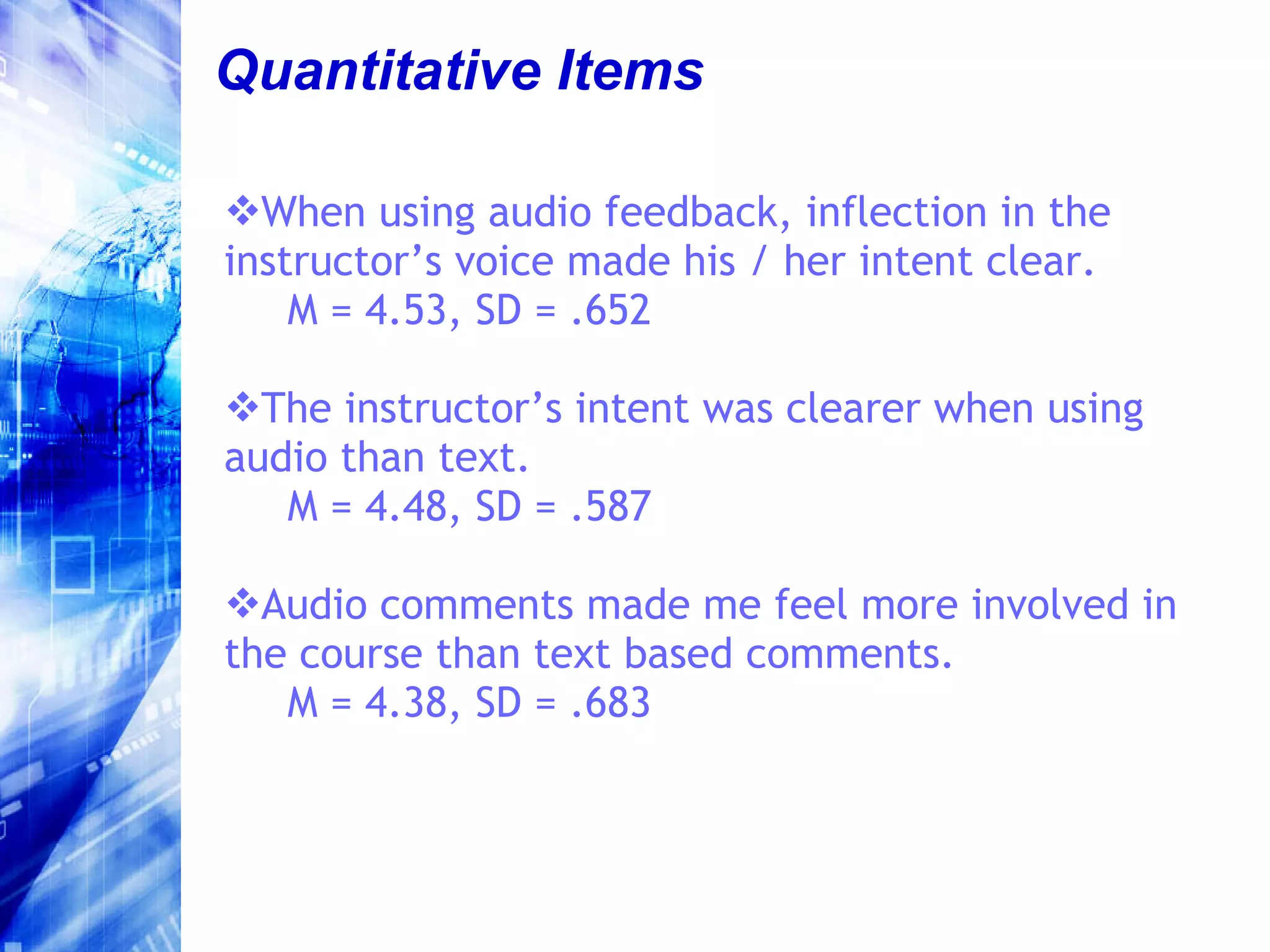
Quantitative Items When using audio feedback, inflection in the instructor’s voice made his / her intent clear. M = 4.53, SD = .652 The instructor’s intent was clearer when using audio than text. M = 4.48, SD = .587 Audio comments made me feel more involved in the course than text based comments. M = 4.38, SD = .683
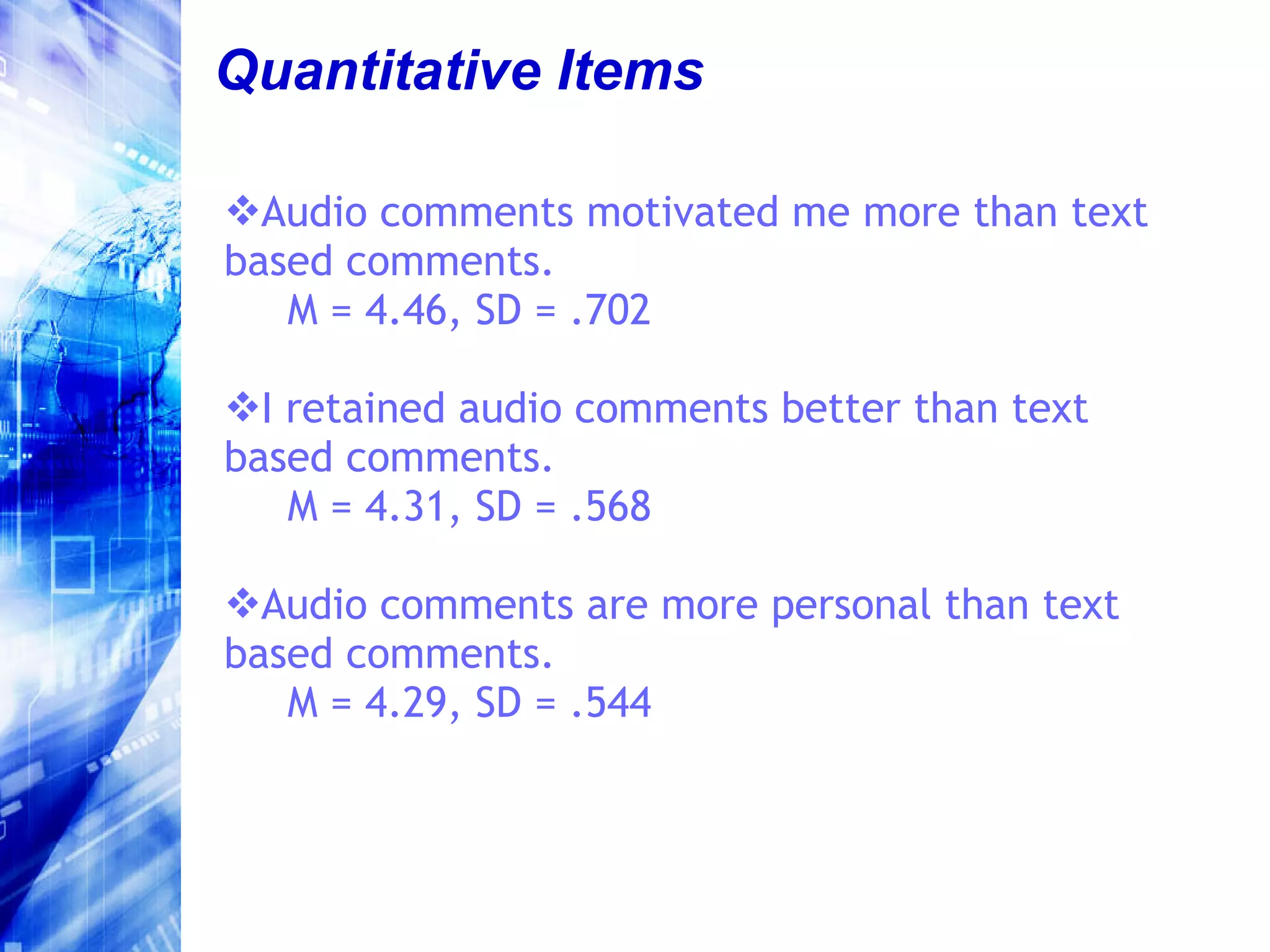
Quantitative Items Audio comments motivated me more than text based comments. M = 4.46, SD = .702 I retained audio comments better than text based comments. M = 4.31, SD = .568 Audio comments are more personal than text based comments. M = 4.29, SD = .544
Quantitative Items Receiving audio comments made me feel as if the instructor cared more about me and my work than when I received text based comments.  M = 4.38, SD = .617
Additional Findings No additional themes revealed by analysis of qualitative data No difference among learner or institutional types Some indication that the technique may not be as effective if the instructor is not a native speaker – more data needed
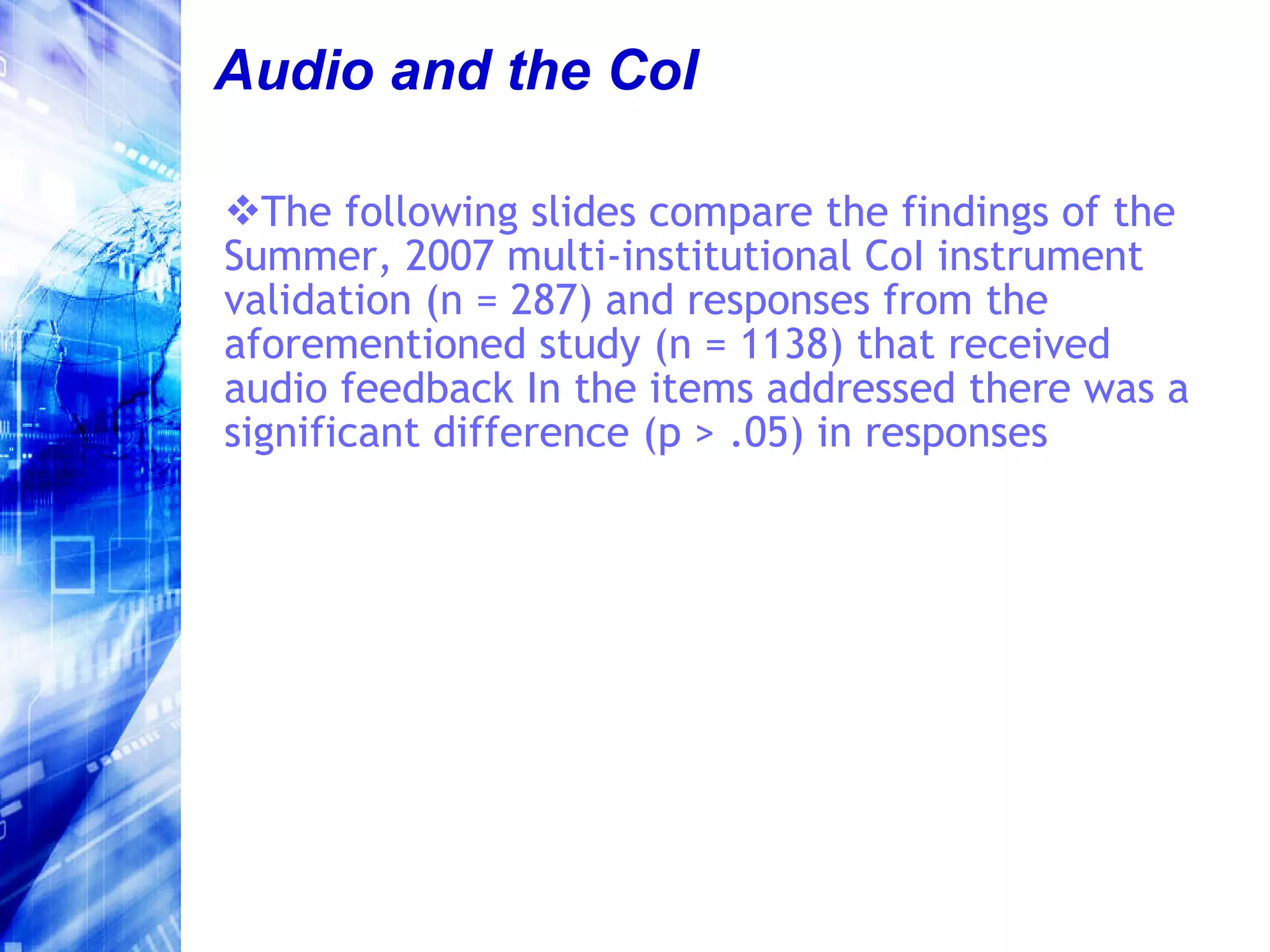
Audio and the CoI The following slides compare the findings of the Summer, 2007 multi-institutional CoI instrument validation (n = 287) and responses from the aforementioned study (n = 1138) that received audio feedback In the items addressed there was a significant difference (p > .05) in responses
Teaching Presence 1 The instructor was helpful in identifying areas of agreement and disagreement on course topics that helped me to learn. Summer 2007 / mean = 4.12 Audio group / mean = 4.43
Teaching Presence 2 The instructor encouraged course participants to explore new concepts in this course. Summer 2007 / mean = 4.44 Audio group / mean = 4.58
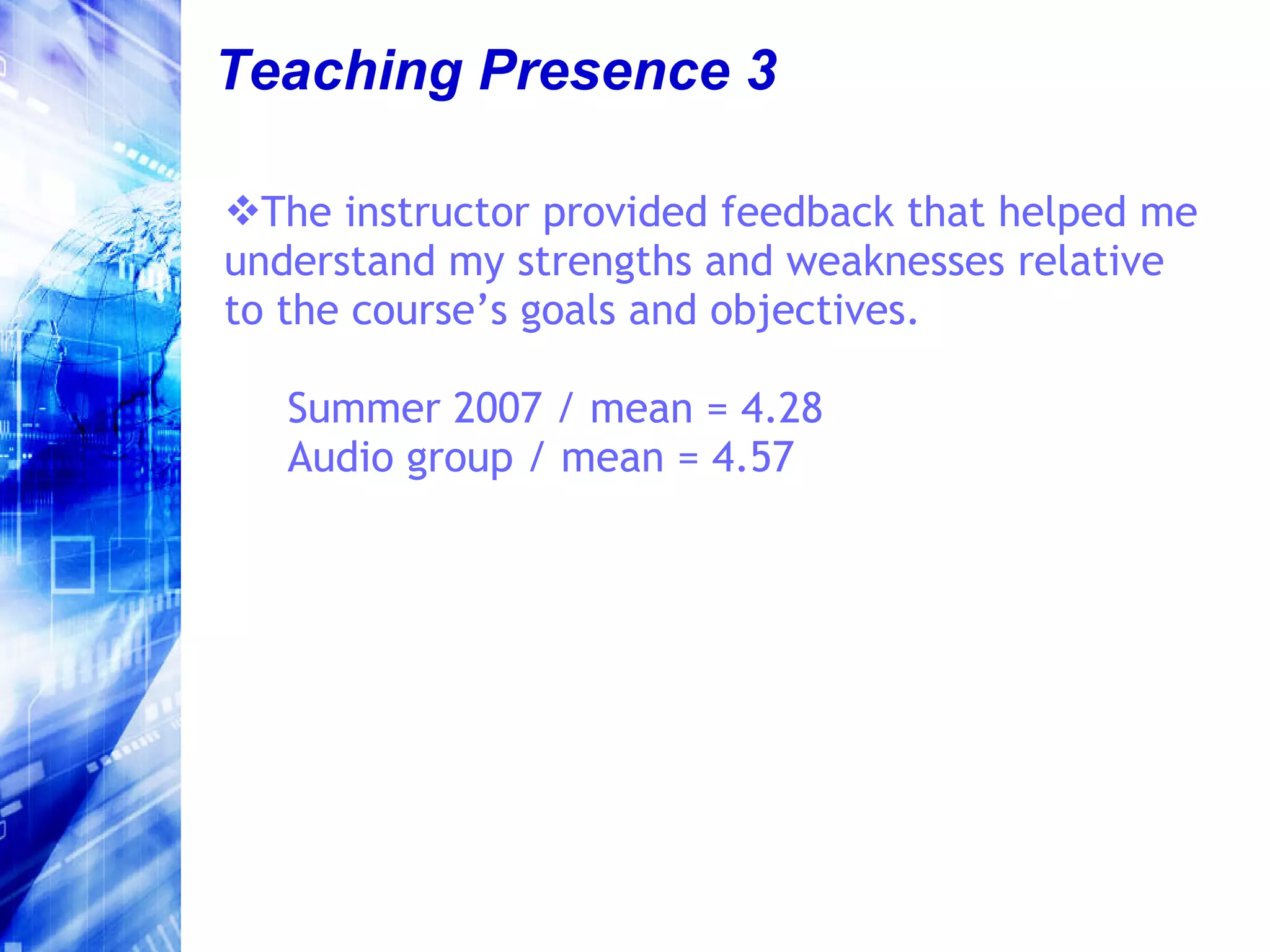
Teaching Presence 3 The instructor provided feedback that helped me understand my strengths and weaknesses relative to the course’s goals and objectives.  Summer 2007 / mean = 4.28 Audio group / mean = 4.57
Social Presence Online or web-based communication is an excellent medium for social interaction. Summer 2007 / mean = 3.90 Audio group / mean = 4.27
Cognitive Presence 1 I felt motivated to explore content related questions. Summer 2007 / mean = 4.31 Audio group / mean = 4.55
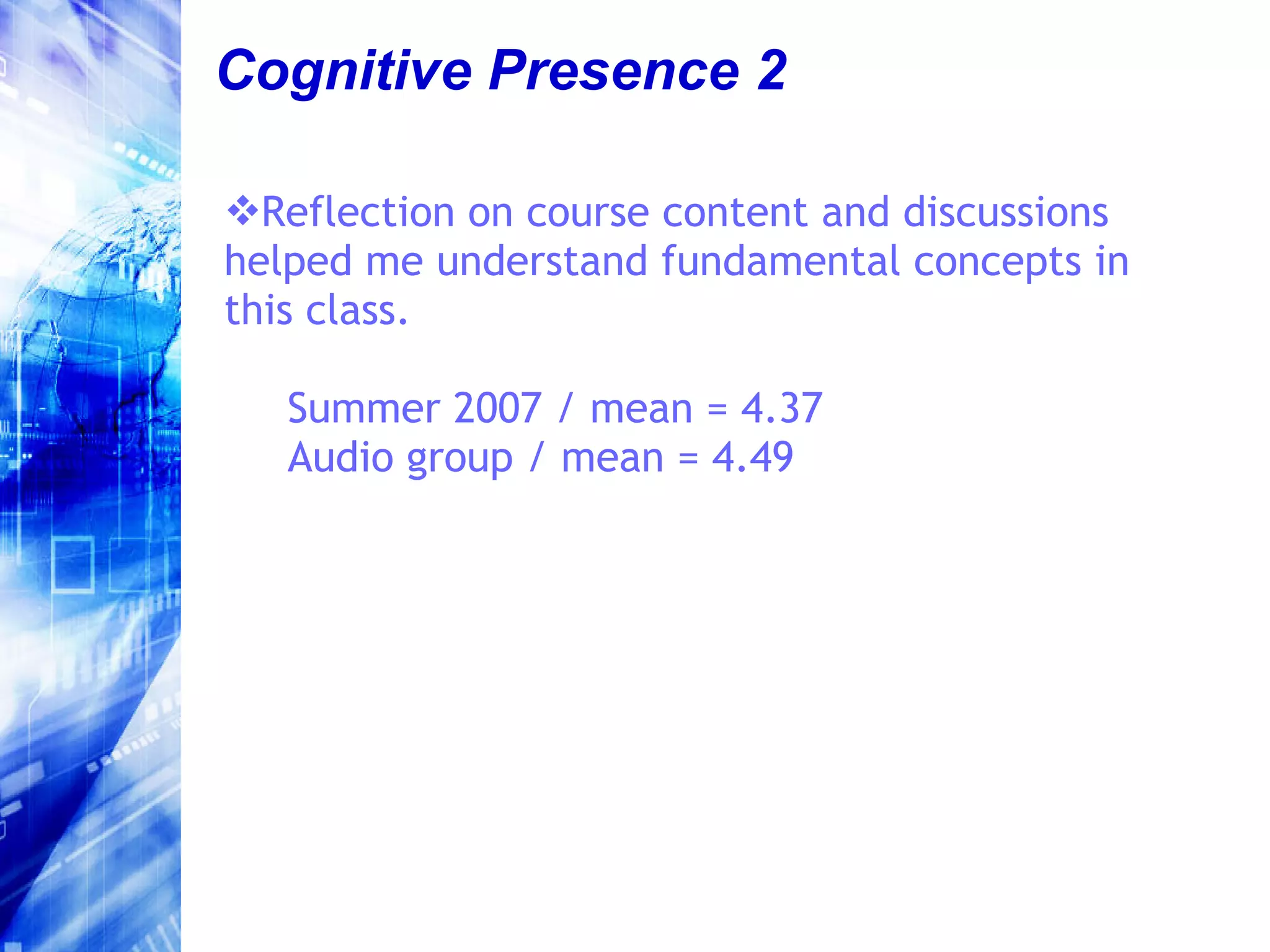
Cognitive Presence 2 Reflection on course content and discussions helped me understand fundamental concepts in this class. Summer 2007 / mean = 4.37 Audio group / mean = 4.49
Looking Forward
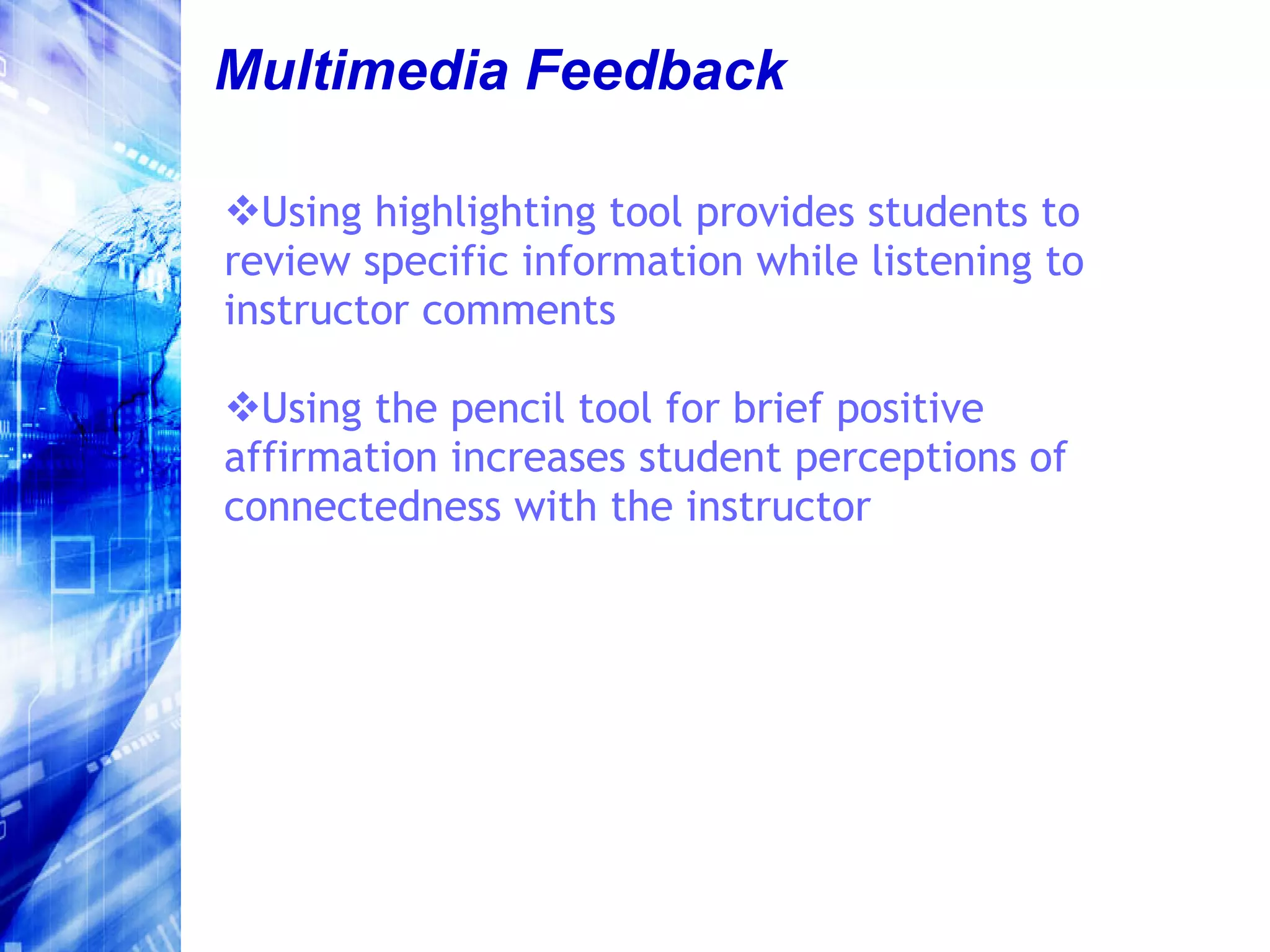
Multimedia Feedback Using highlighting tool provides students to review specific information while listening to instructor comments Using the pencil tool for brief positive affirmation increases student perceptions of connectedness with the instructor
Offline Applications Though embedded audio feedback was originally used in the online environment, it is equally powerful in the face-to-face classroom Term papers, spreadsheets, dissertation advising, graphic art projects, etc., etc.
Want to Talk More? Phil Ice, Ed.D. [email_address]

Asynchronous Audio Feedback

  • 1.
  • 2.
    First – AQuick Overview of the Community of Inquiry Framework
  • 3.
  • 4.
    Cognitive Presence Theexploration, construction, resolution and confirmation of understanding through collaboration and reflection in a community of inquiry. (Garrison, 2007)
  • 5.
    Social Presence Thedegree to which participants in computer mediated communication feel socially and emotionally connected The ability of participants in a community of inquiry to project themselves socially and emotionally -- as ‘real’ people. (Richardson & Swan, 2003)
  • 6.
    Teaching Presence Thedesign, facilitation and direction of cognitive and social processes for the purpose of realizing personally meaningful and educationally worthwhile learning outcomes. Instructional Design and Organization Facilitation of Discourse Direct Instruction
  • 7.
    Challenges in OnlineLearning Asynchronous courses do not provide instructors with as many paralinguistic cues as face to face environments Communicating in text can be difficult and frustrating as we are unsure of whether or not our intent is conveyed Instructor immediacy behaviors (use of personal examples, humor, and openness toward and encouragement of student ideas and discussion) in online courses were a significant predictor of student learning (Arbaugh, 2006)
  • 8.
    Text will work,HOWEVER… Various surveys of online learners indicate that they prefer multimedia over text only presentations of content This made us question whether applying media other than text to online interactions would be of benefit in projecting teaching presence
  • 9.
    Asynchronous Audio FeedbackAudio commenting tool in Adobe Acrobat Pro v.7 was used to provide feedback on student assignments – 2005. Version 8 is currently available and has the same capability.
  • 10.
  • 11.
  • 12.
    The Study andIt’s Context
  • 13.
    What We Wantedto Know RQ 1: Between audio and text-based student feedback in ALN, which do students believe is a more effective means of interaction with the instructor? RQ 2: To what degree do students believe audio feedback is an effective replacement of instructor/student interaction that typically occurs in traditional face to face classes?
  • 14.
    What We Wantedto Know RQ 3: How does the use of audio feedback impact the sense of community in ALN? RQ 4: In what manner is perceived learning impacted by the use of audio feedback? RQ 5: What relationship exists between the use of audio feedback and student satisfaction?
  • 15.
    What We LookedAt Alternating text-based (6) and audio (5) feedback on assignments in online course C&I 687: Advanced Teaching Strategies Single item on course survey -preference for audio versus text feedback Semi-structured post-course interviews with 27 of 34 enrolled students Document analysis of final project Relation between feedback modality and level (Bloom’s) of content application
  • 16.
    Unsolicited Feedback Emailsstarted coming in immediately after the first use of audio commenting Over 40% of students spontaneously emailed us about audio commenting– 100% expressing satisfaction with the technique
  • 17.
    Unsolicited Feedback -Example “ We’ve had written comments twice and verbal comments twice now. Let me guess – this is someone’s research project right? Let me just save you some time. The verbal feedback is much, much, much better than the written.”
  • 18.
    End of CourseSurvey Data 26 of 31 students preferred audio to text 4 students indicated no difference 1 student indicated N/A (due to technical problems – defective sound card)
  • 19.
    Semi-structured Interviews Fourthemes emerged from transcript analysis THEME 1 – Ability to understand nuance (70% of students) Students indicated that they were better able to understand instructor’s intent Humor, encouragement and emphasis were all much more clear
  • 20.
    Semi-structured Interviews Fourthemes emerged from transcript analysis THEME 2 – Feelings of increased involvement (56% of students) Students felt less isolated and were more motivated to participate
  • 21.
    Semi-structured Interviews Fourthemes emerged from transcript analysis THEME 3 – Content retention (44% of students) Students believed they retained audio feedback, and the content to which audio feedback was related , better than text-based feedback and related content.
  • 22.
    Semi-structured Interviews Fourthemes emerged from transcript analysis THEME 4 – Instructor Caring (30% of students) Students felt that audio was more personal than text Comments frequently related to nuance and tone of voice
  • 23.
    Document Analysis -Quantity In final projects (series of thematic integrated lesson plans), students used content for which audio feedback was received approximately 3 times more often than content for which text-based feedback received Notice triangulation with Theme 3 from interviews
  • 24.
    Document Analysis -Quality Students were 5 to 6 times more likely to apply content for which audio feedback was received at the higher levels of Bloom’s Taxonomy than content for which text-based feedback was received Further reinforced interview data
  • 25.
    Subsequent Data CollectionTriangulation and novelty effect Quantitative: 312 students surveyed No decrease in preference after multiple exposures across semesters Qualitative: 51 students interviewed The same themes emerged from content analyses of interview data
  • 26.
    Efficiency Meantime to provide feedback text = 13.43 minutes audio = 3.81 minutes Mean quantity of feedback text = 129.75 words audio = 331.39 words
  • 27.
  • 28.
    Multi – institutionalResearch Quantitative: n = 1138 Qualitative n = 607 15 institutions Range AA – Ph.D. 7 Likert-type Items Open Qualitative Item – probing for more themes
  • 29.
    Quantitative Items Whenusing audio feedback, inflection in the instructor’s voice made his / her intent clear. M = 4.53, SD = .652 The instructor’s intent was clearer when using audio than text. M = 4.48, SD = .587 Audio comments made me feel more involved in the course than text based comments. M = 4.38, SD = .683
  • 30.
    Quantitative Items Audiocomments motivated me more than text based comments. M = 4.46, SD = .702 I retained audio comments better than text based comments. M = 4.31, SD = .568 Audio comments are more personal than text based comments. M = 4.29, SD = .544
  • 31.
    Quantitative Items Receivingaudio comments made me feel as if the instructor cared more about me and my work than when I received text based comments. M = 4.38, SD = .617
  • 32.
    Additional Findings Noadditional themes revealed by analysis of qualitative data No difference among learner or institutional types Some indication that the technique may not be as effective if the instructor is not a native speaker – more data needed
  • 33.
    Audio and theCoI The following slides compare the findings of the Summer, 2007 multi-institutional CoI instrument validation (n = 287) and responses from the aforementioned study (n = 1138) that received audio feedback In the items addressed there was a significant difference (p > .05) in responses
  • 34.
    Teaching Presence 1The instructor was helpful in identifying areas of agreement and disagreement on course topics that helped me to learn. Summer 2007 / mean = 4.12 Audio group / mean = 4.43
  • 35.
    Teaching Presence 2The instructor encouraged course participants to explore new concepts in this course. Summer 2007 / mean = 4.44 Audio group / mean = 4.58
  • 36.
    Teaching Presence 3The instructor provided feedback that helped me understand my strengths and weaknesses relative to the course’s goals and objectives. Summer 2007 / mean = 4.28 Audio group / mean = 4.57
  • 37.
    Social Presence Onlineor web-based communication is an excellent medium for social interaction. Summer 2007 / mean = 3.90 Audio group / mean = 4.27
  • 38.
    Cognitive Presence 1I felt motivated to explore content related questions. Summer 2007 / mean = 4.31 Audio group / mean = 4.55
  • 39.
    Cognitive Presence 2Reflection on course content and discussions helped me understand fundamental concepts in this class. Summer 2007 / mean = 4.37 Audio group / mean = 4.49
  • 40.
  • 41.
    Multimedia Feedback Usinghighlighting tool provides students to review specific information while listening to instructor comments Using the pencil tool for brief positive affirmation increases student perceptions of connectedness with the instructor
  • 42.
    Offline Applications Thoughembedded audio feedback was originally used in the online environment, it is equally powerful in the face-to-face classroom Term papers, spreadsheets, dissertation advising, graphic art projects, etc., etc.
  • 43.
    Want to TalkMore? Phil Ice, Ed.D. [email_address]