Web Performance Testing NoVa Test Automation Interest Group Patrick Meenan Twitter: @PatMeenan [email_address] blog.patrickmeenan.com
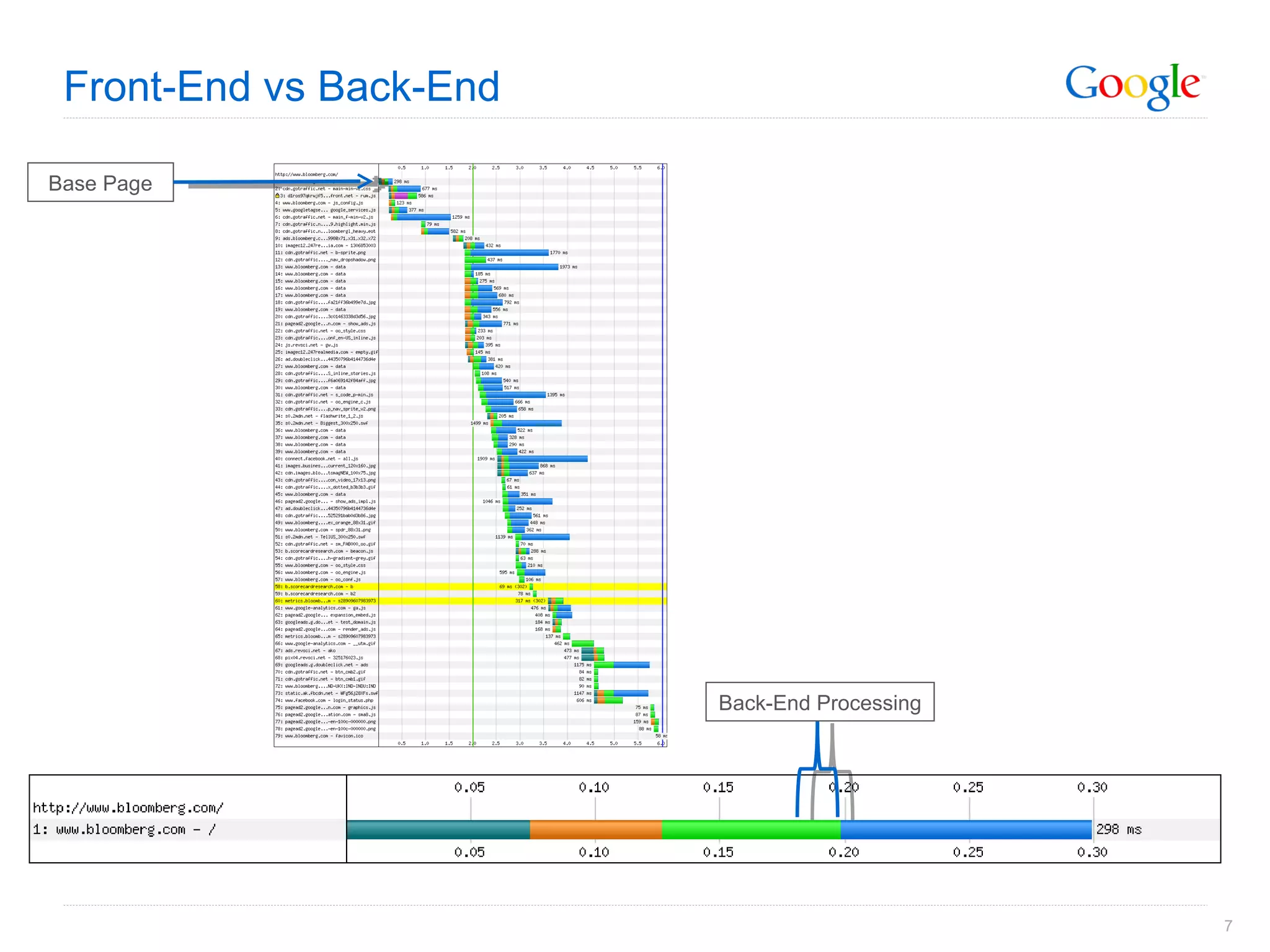
Front-End vs. Back-End
 
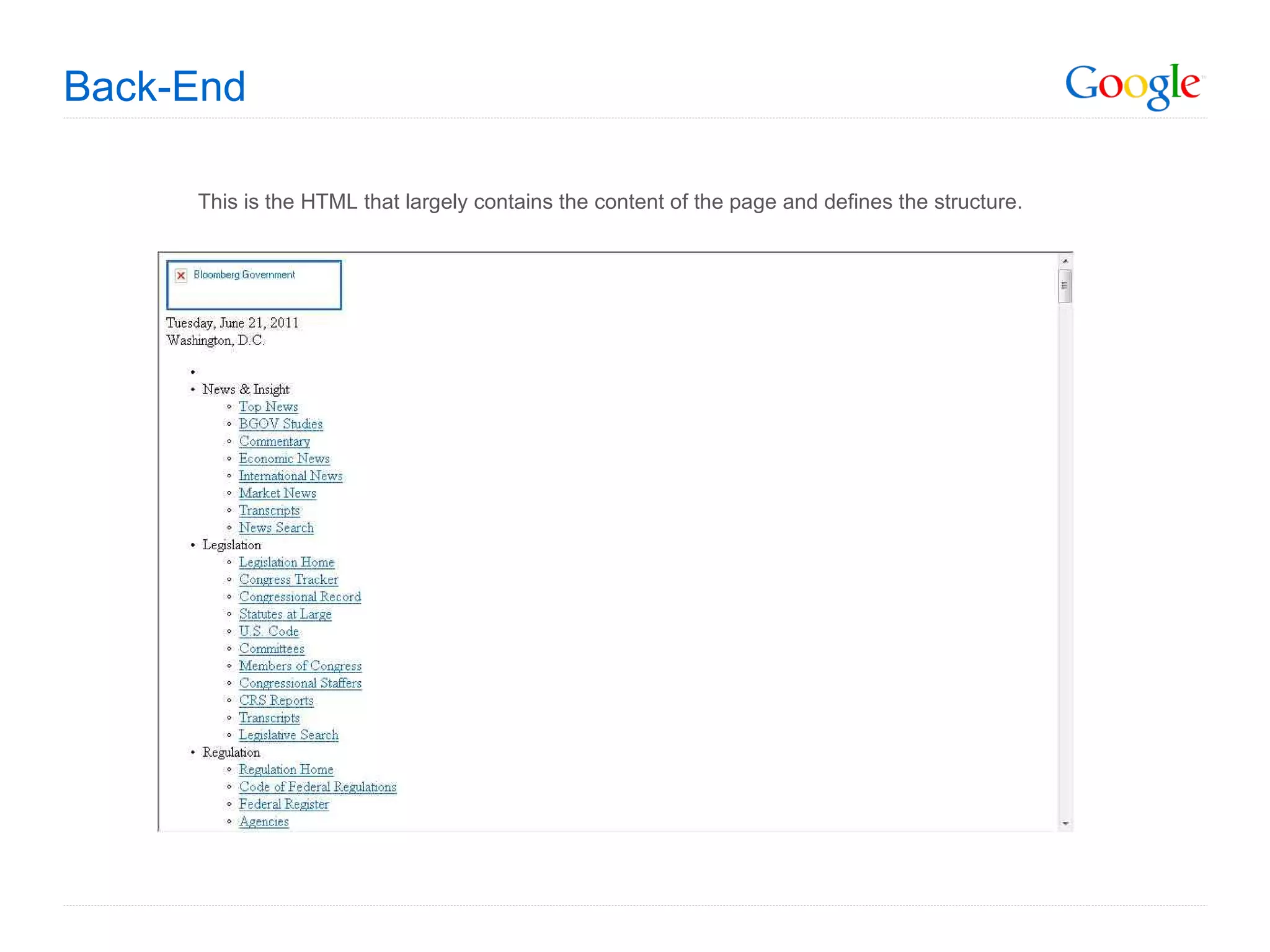
Back-End This is the HTML that largely contains the content of the page and defines the structure.
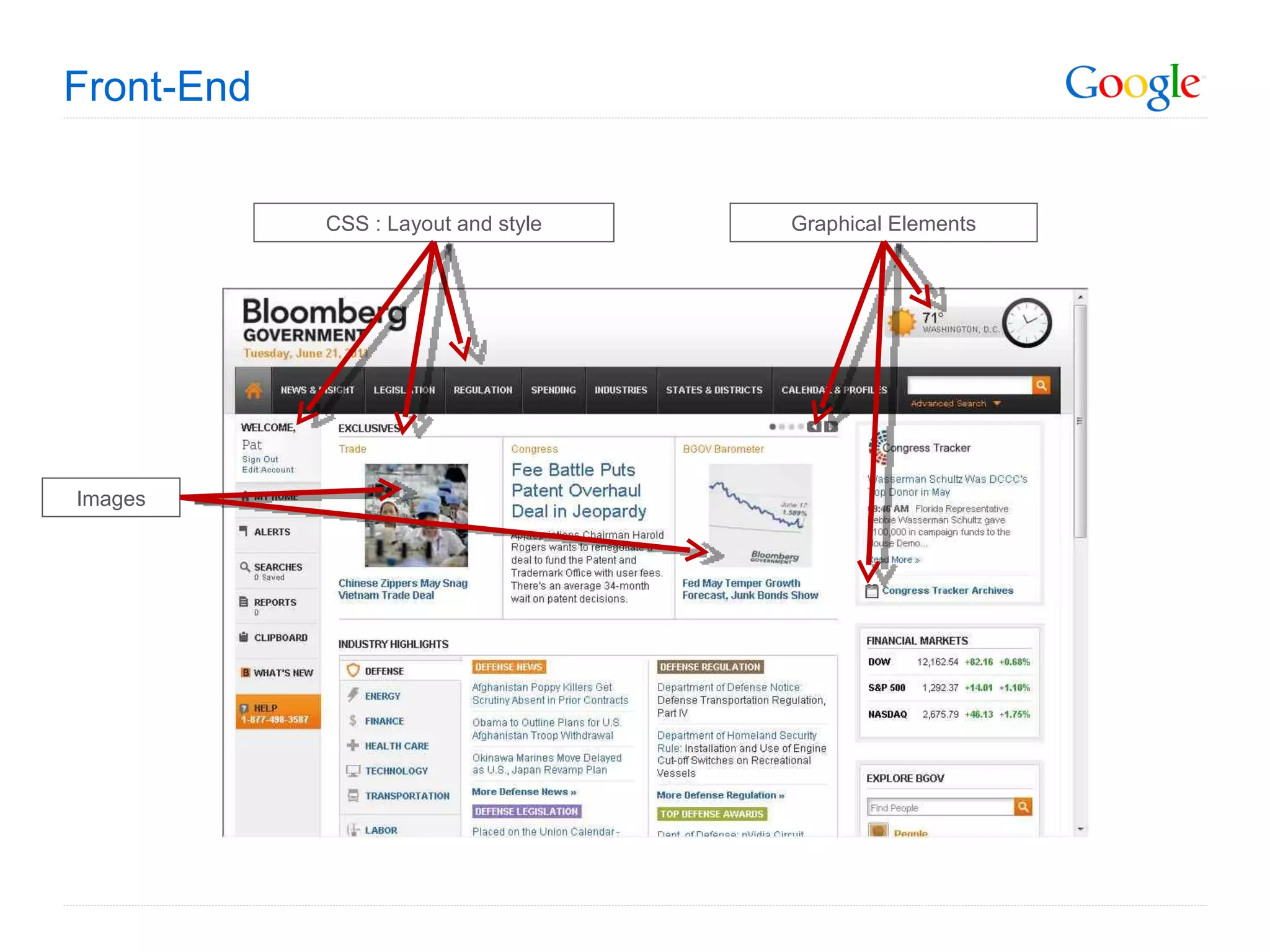
Front-End CSS : Layout and style Images Graphical Elements
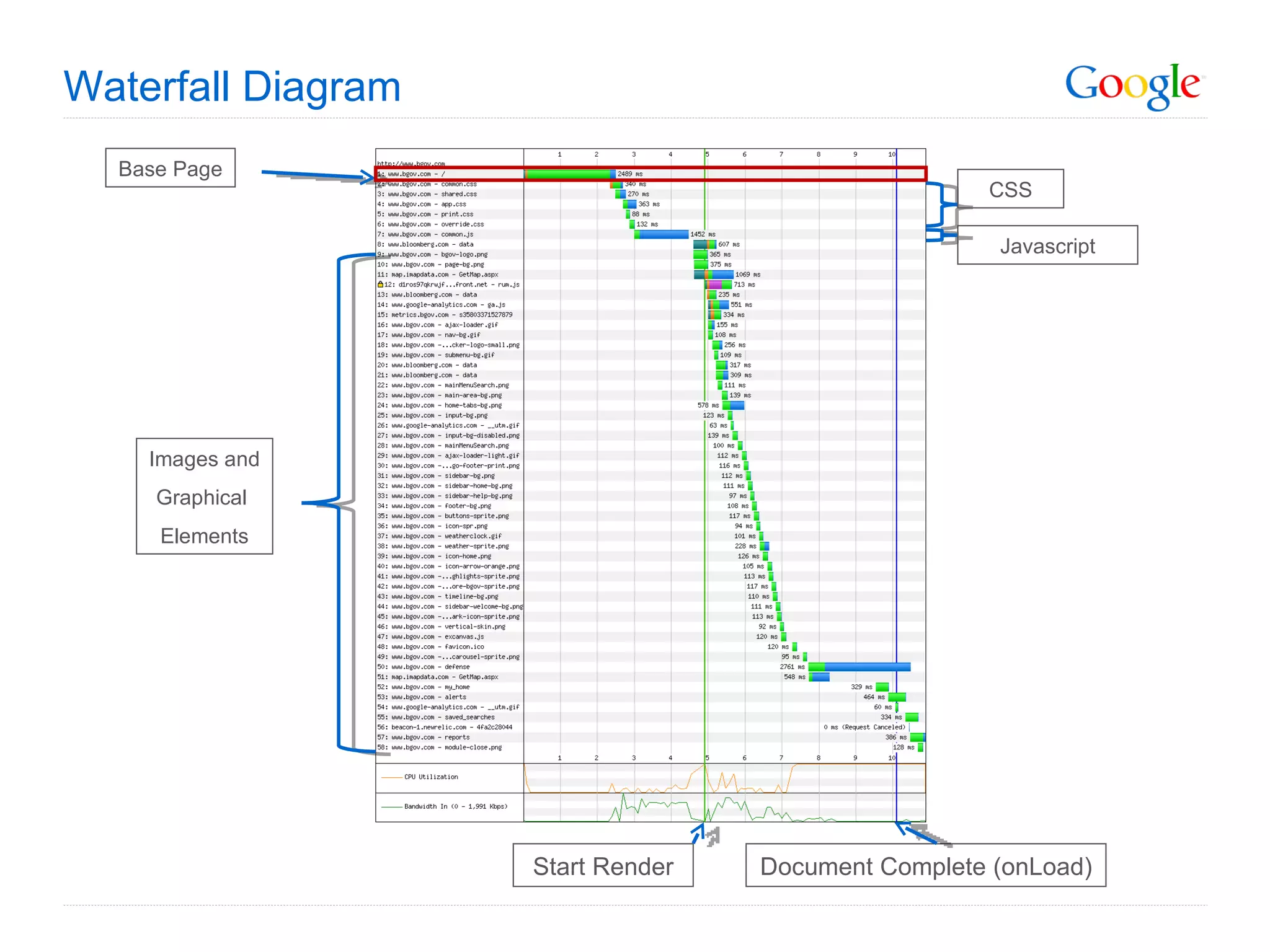
Waterfall Diagram Base Page CSS Images and Graphical  Elements Javascript Start Render Document Complete (onLoad)
Front-End vs Back-End Base Page Back-End Processing
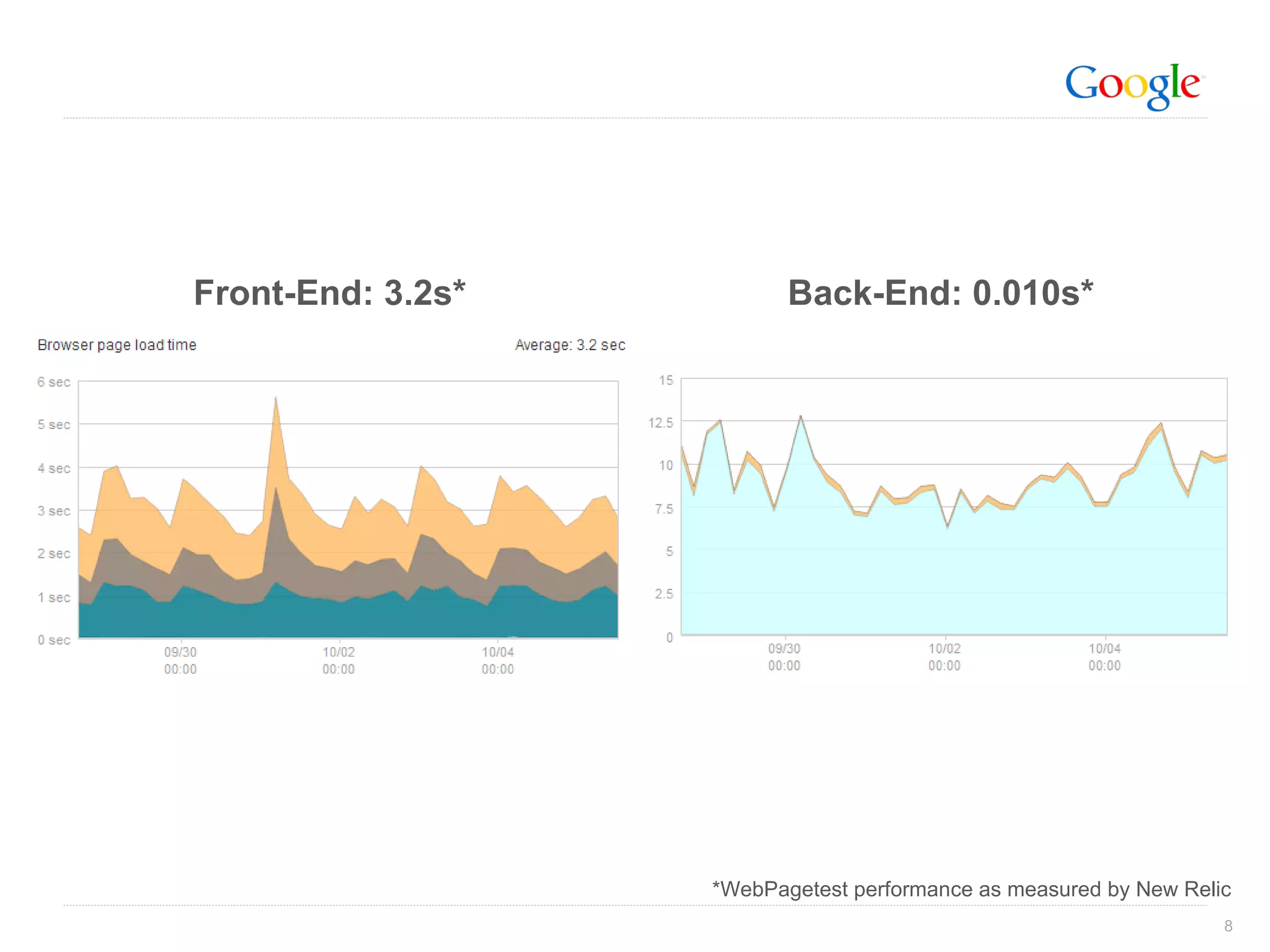
Front-End: 3.2s* Back-End: 0.010s* *WebPagetest performance as measured by New Relic
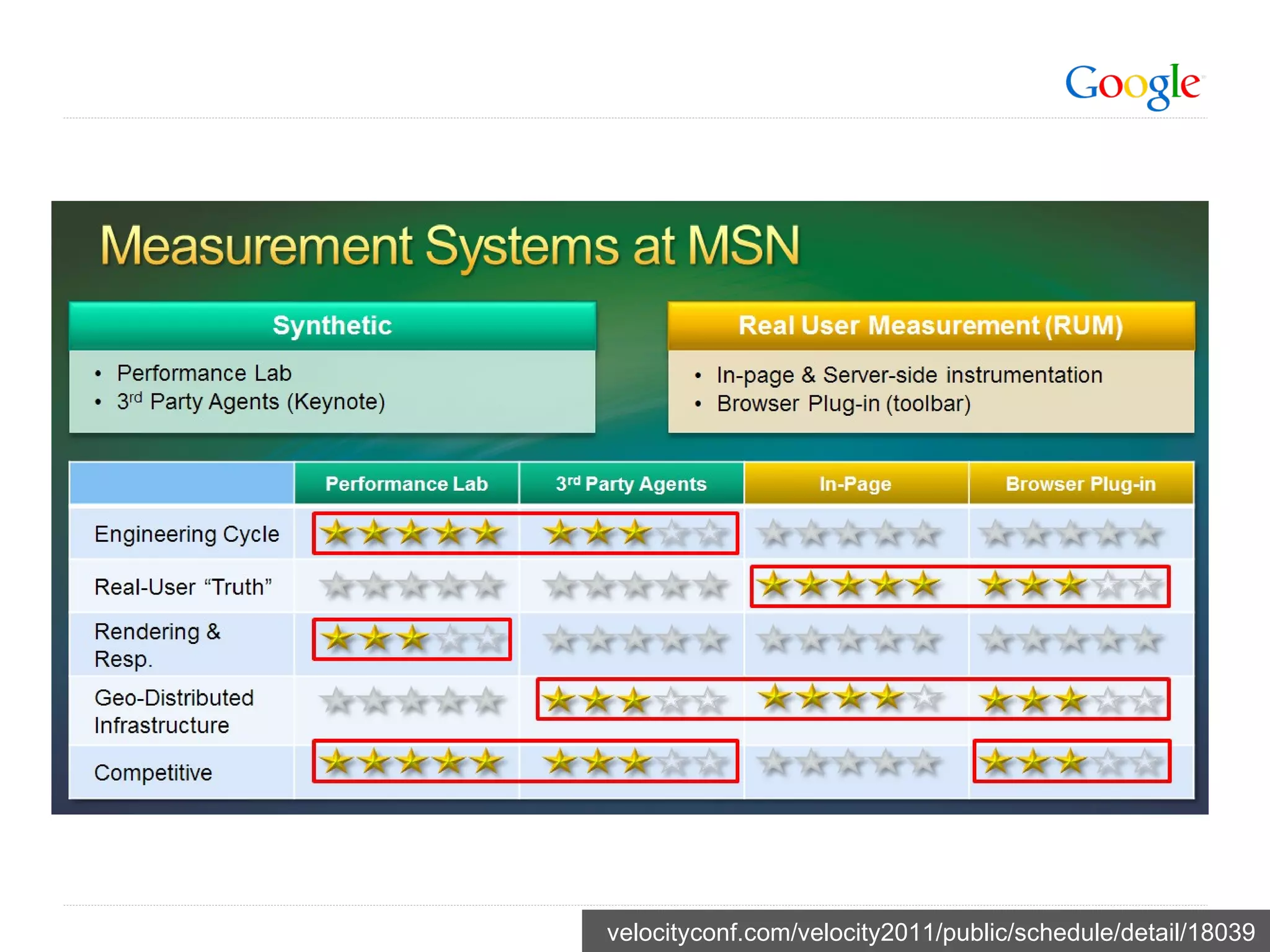
Measuring Performance
velocityconf.com/velocity2011/public/schedule/detail/18039
Active Testing Consistent results Good for detecting and diagnosing issues that are 100% repeatable and on pages you are monitoring Lots of detail Availability monitoring Not representative of actual end-user performance Usually tested from data centers Sometimes co-located with CDN provider equipment
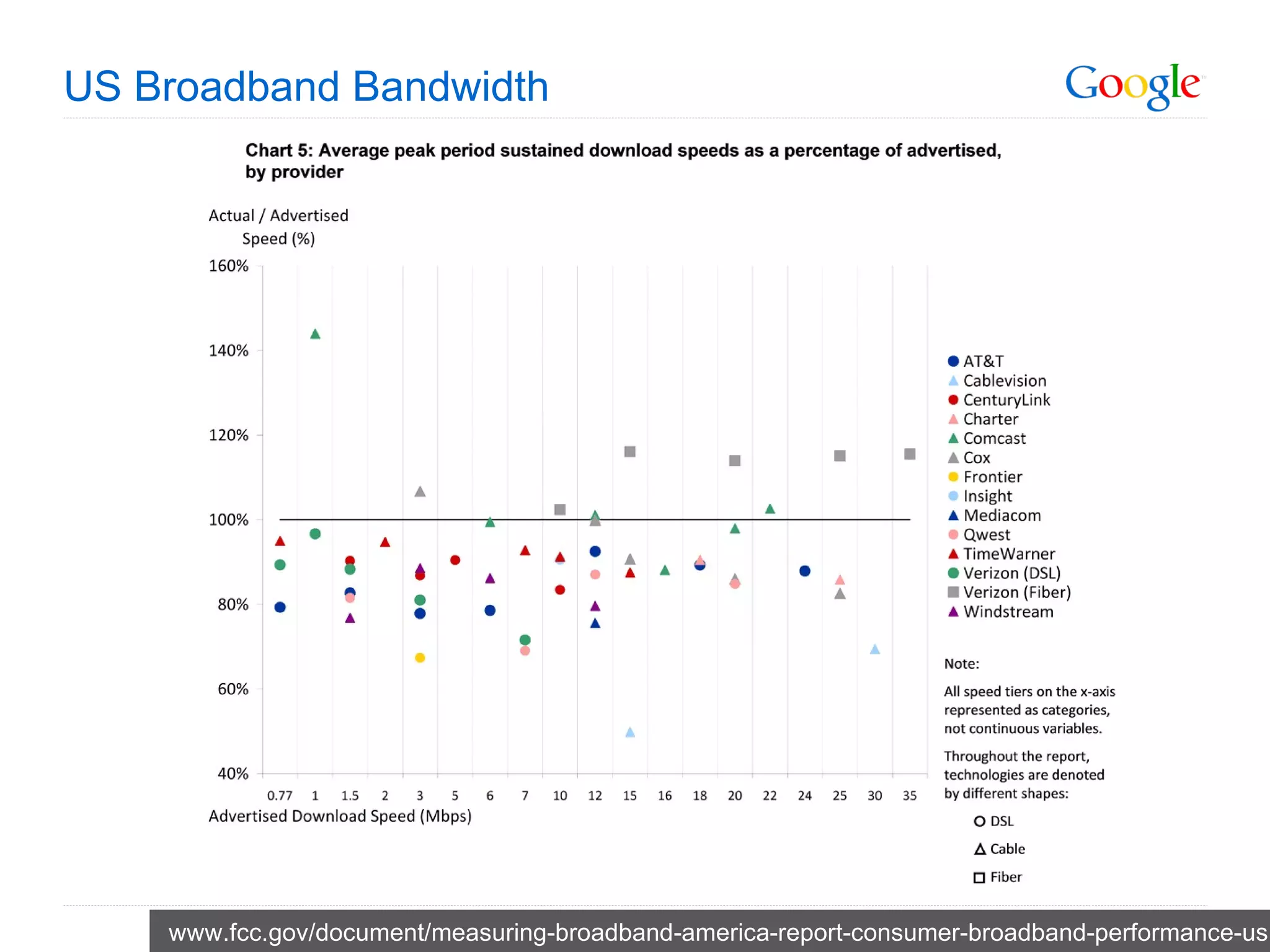
US Broadband Bandwidth www.fcc.gov/document/measuring-broadband-america-report-consumer-broadband-performance-us
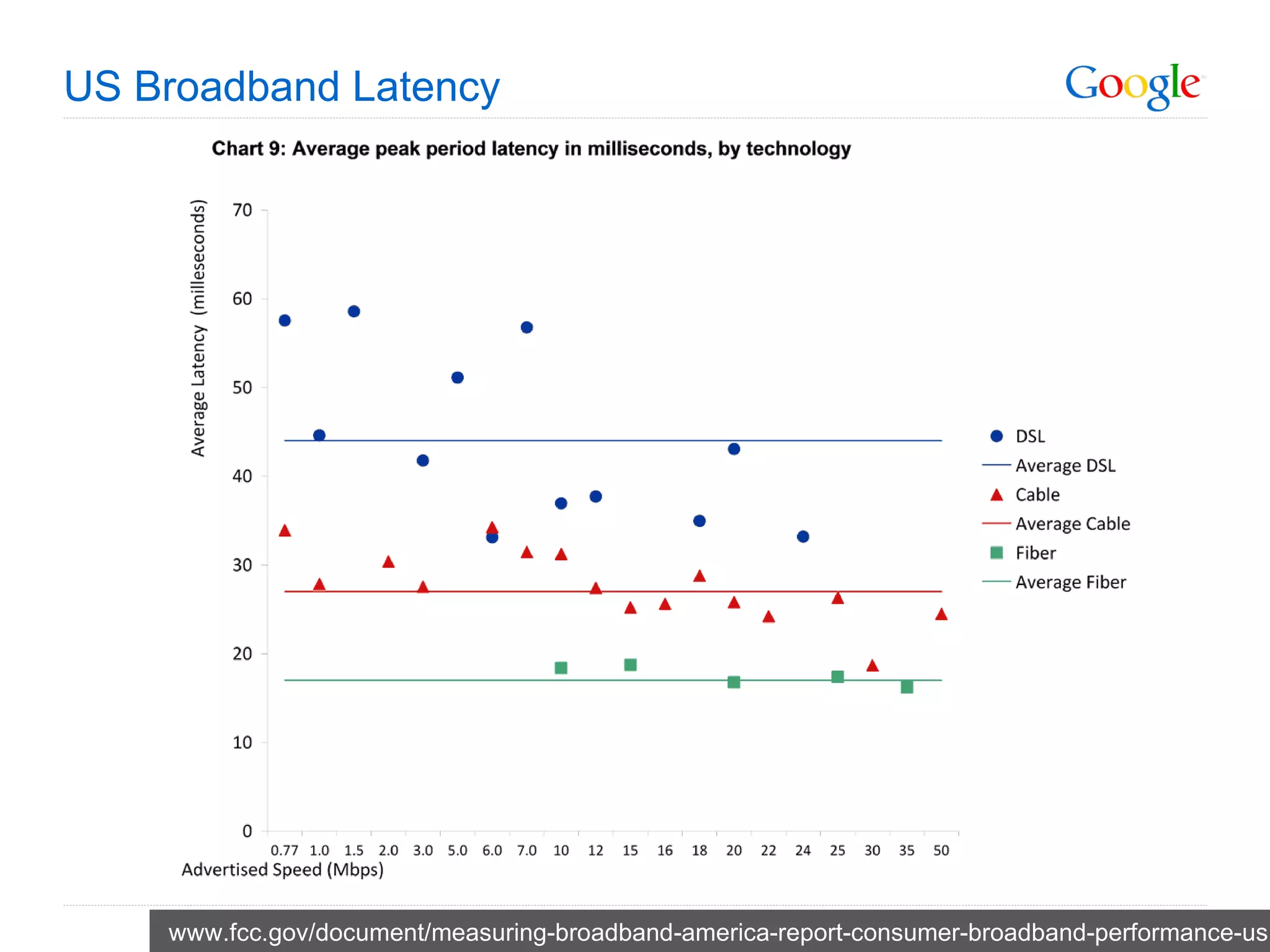
US Broadband Latency www.fcc.gov/document/measuring-broadband-america-report-consumer-broadband-performance-us
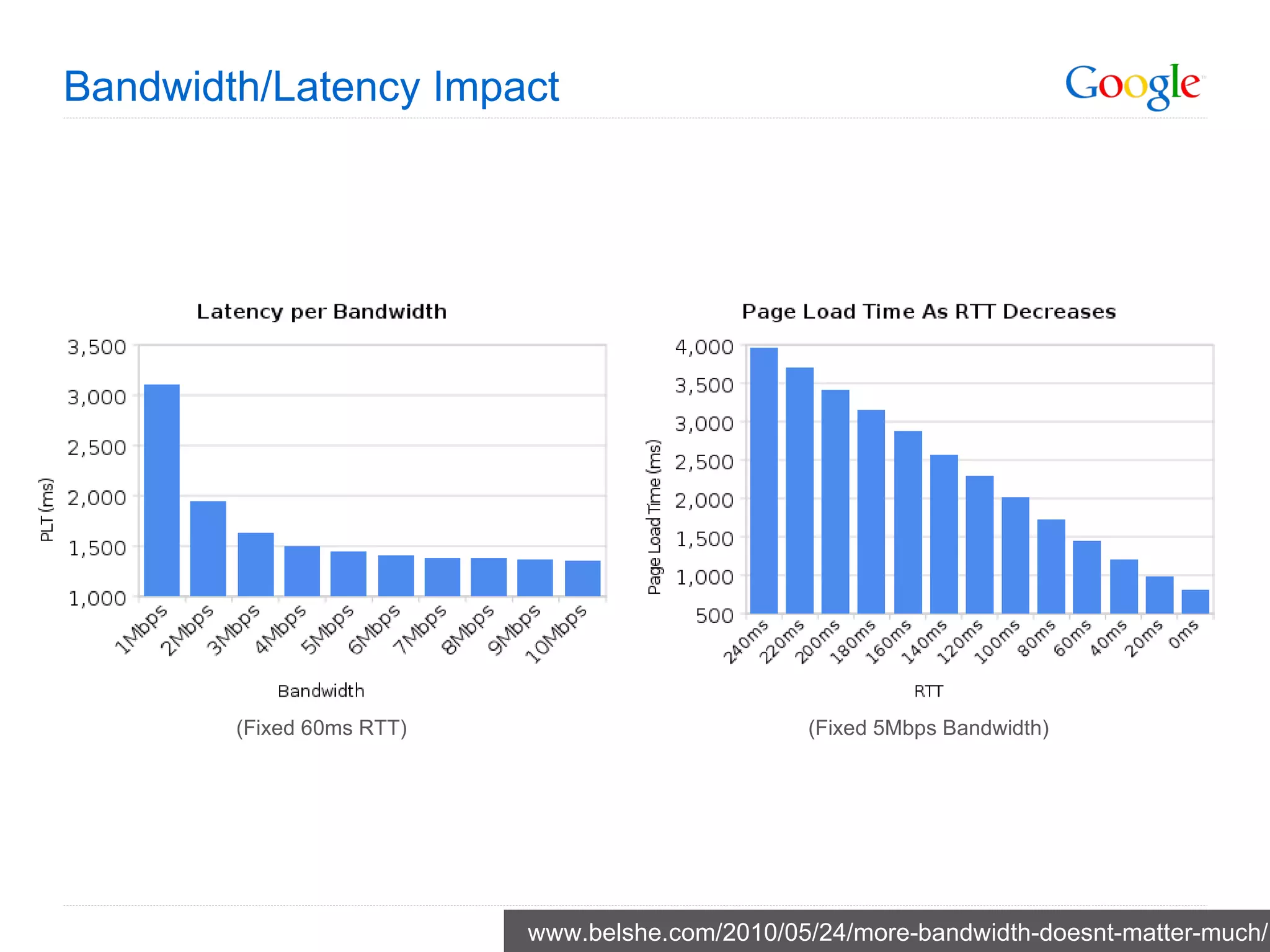
Bandwidth/Latency Impact www.belshe.com/2010/05/24/more-bandwidth-doesnt-matter-much/ (Fixed 60ms RTT) (Fixed 5Mbps Bandwidth)
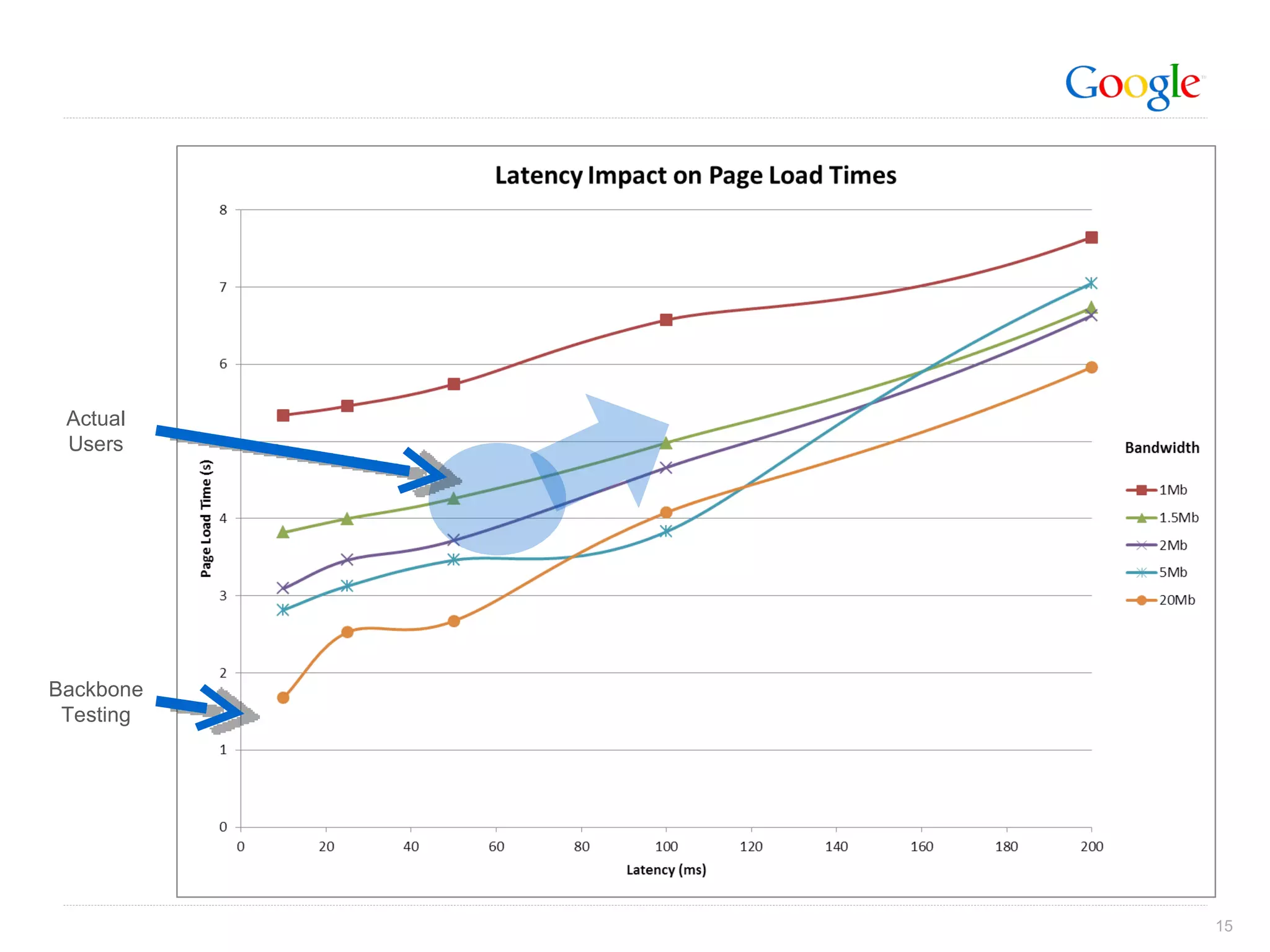
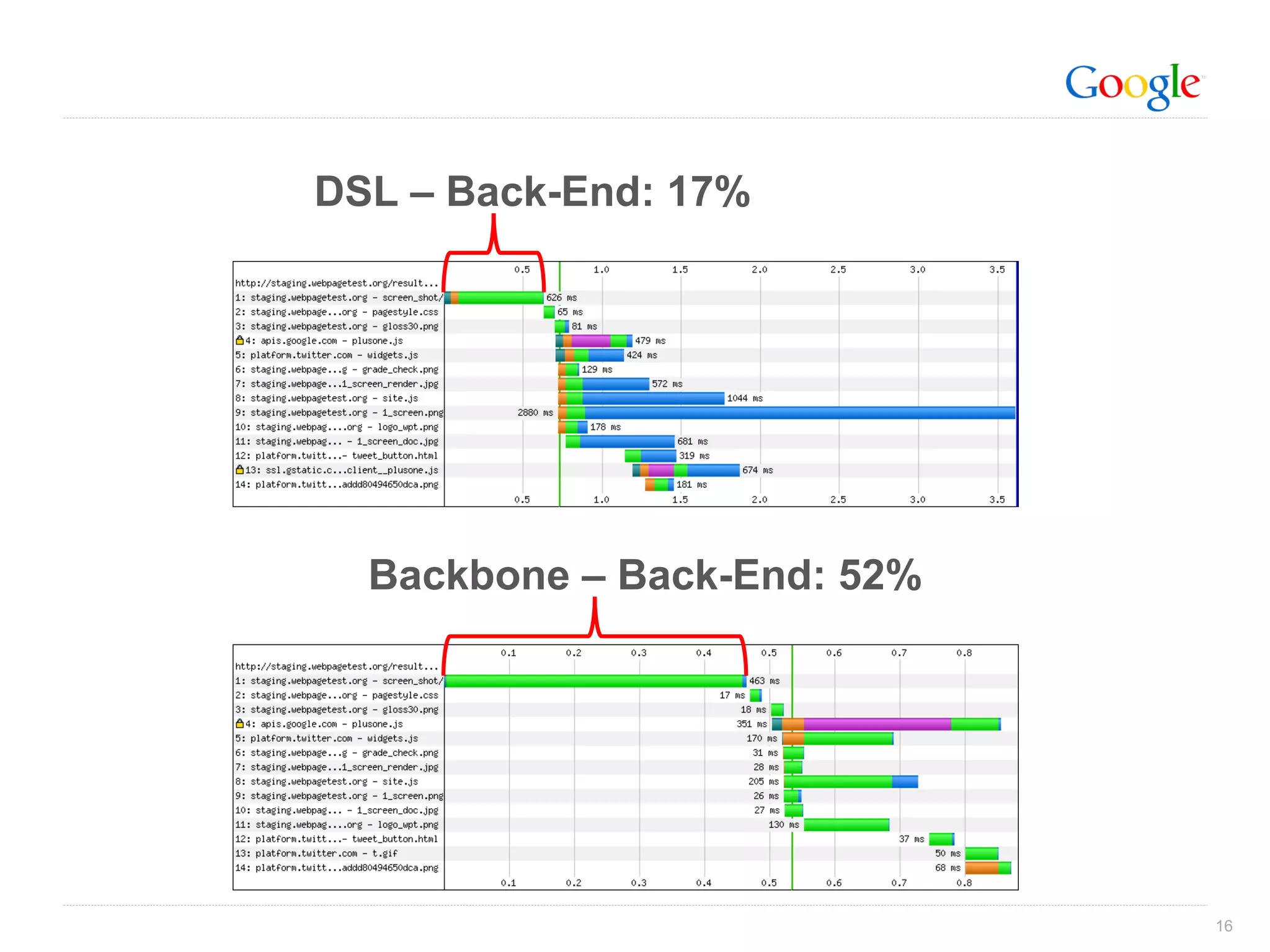
Backbone Testing Actual Users
DSL – Back-End: 17% Backbone – Back-End: 52%
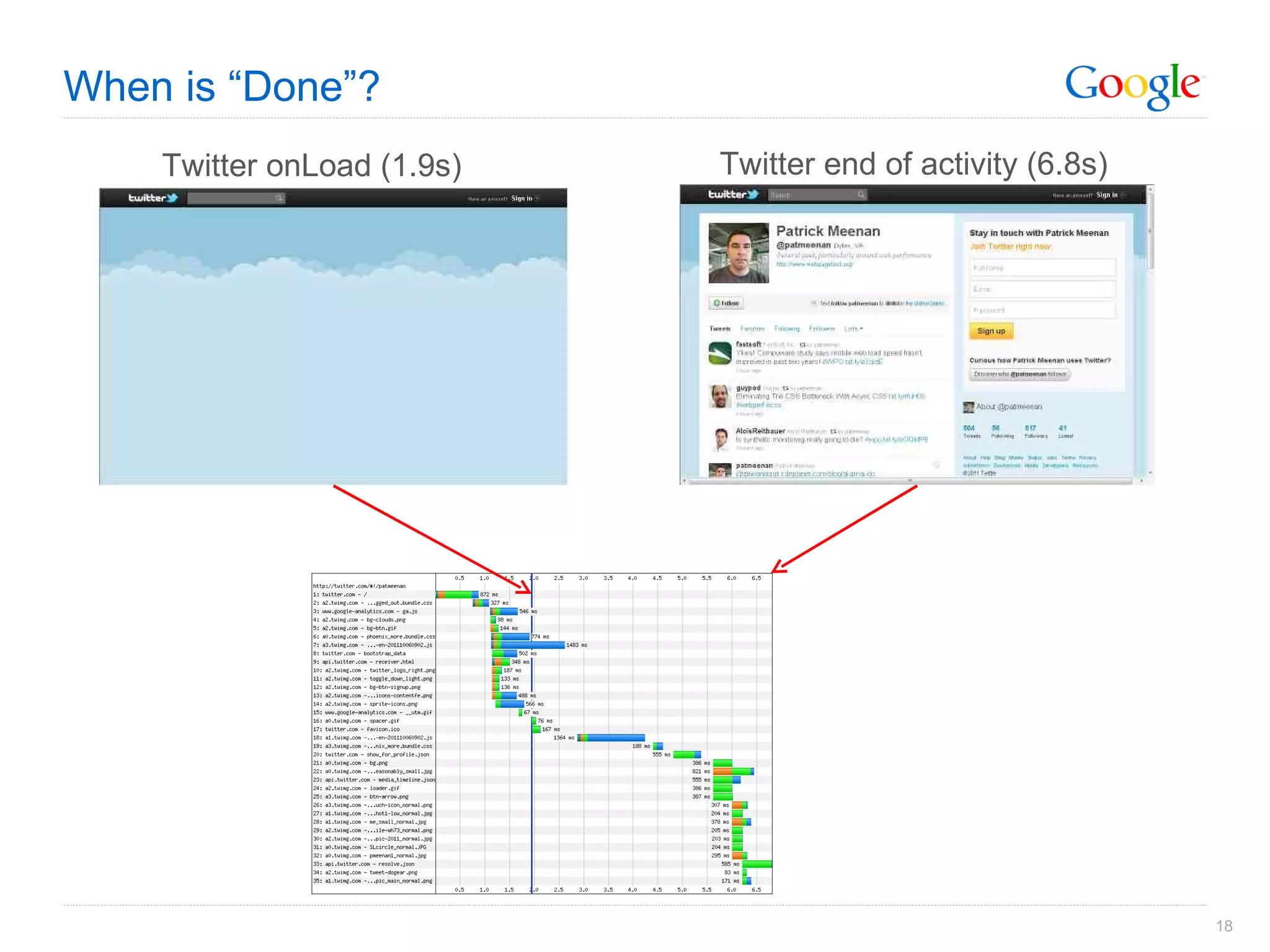
When is “Done”? Easy answer is onLoad But…
When is “Done”? Twitter onLoad (1.9s) Twitter end of activity (6.8s)
Synthetic Browsers Know HOW your active testing is done Some only test the base page Synthetic browsers usually not reflective of real browser Real browser testing Connectivity (backbone, last-mile) www.engadget.com Synthetic Browser: 447 requests IE 8: 241 requests
Real User Monitoring (RUM) Full coverage on all pages visited by users Real performance information for end-user experience No availability monitoring Limited detail …  but getting better
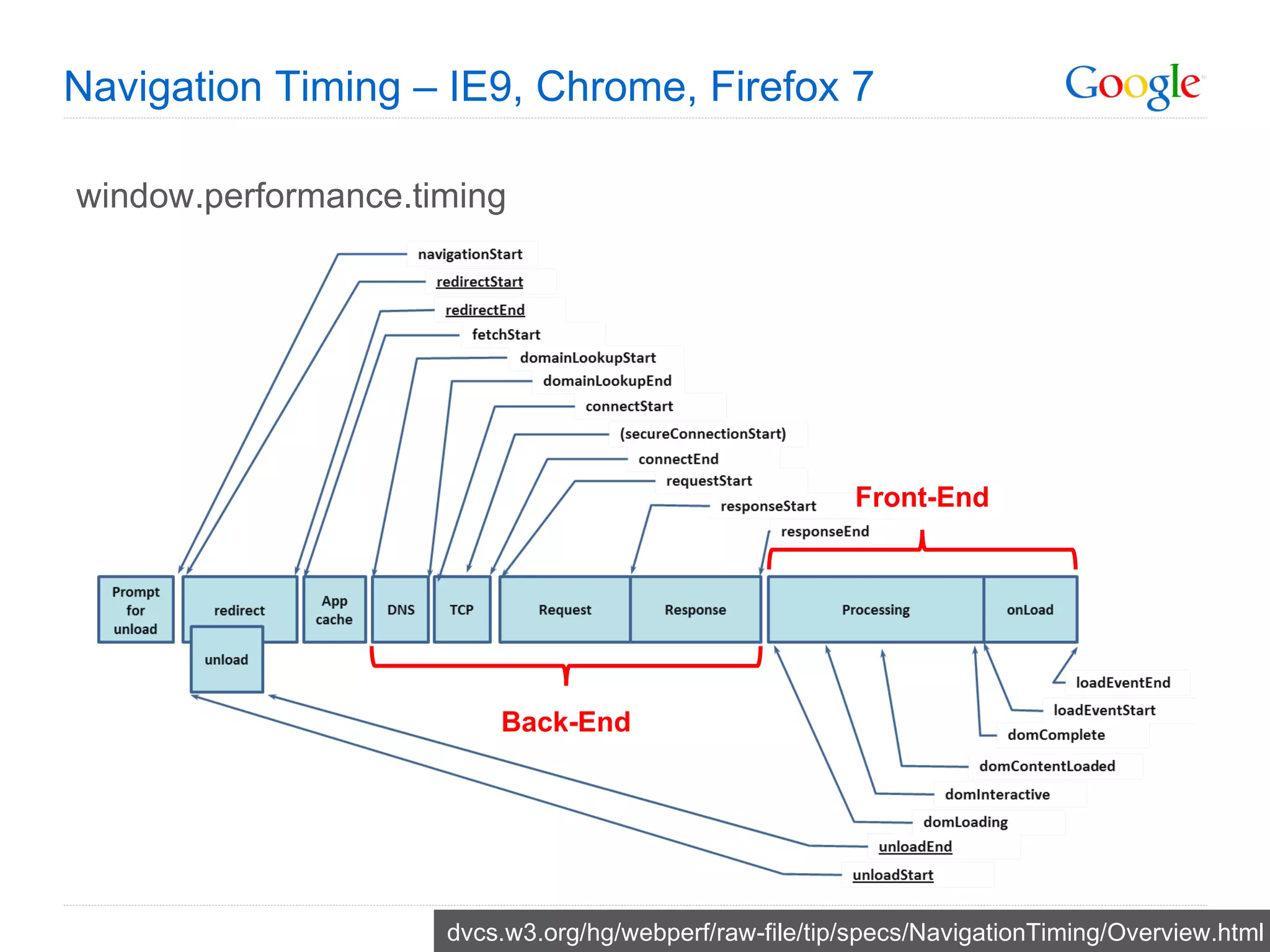
Navigation Timing – IE9, Chrome, Firefox 7 window.performance.timing dvcs.w3.org/hg/webperf/raw-file/tip/specs/NavigationTiming/Overview.html Front-End Back-End
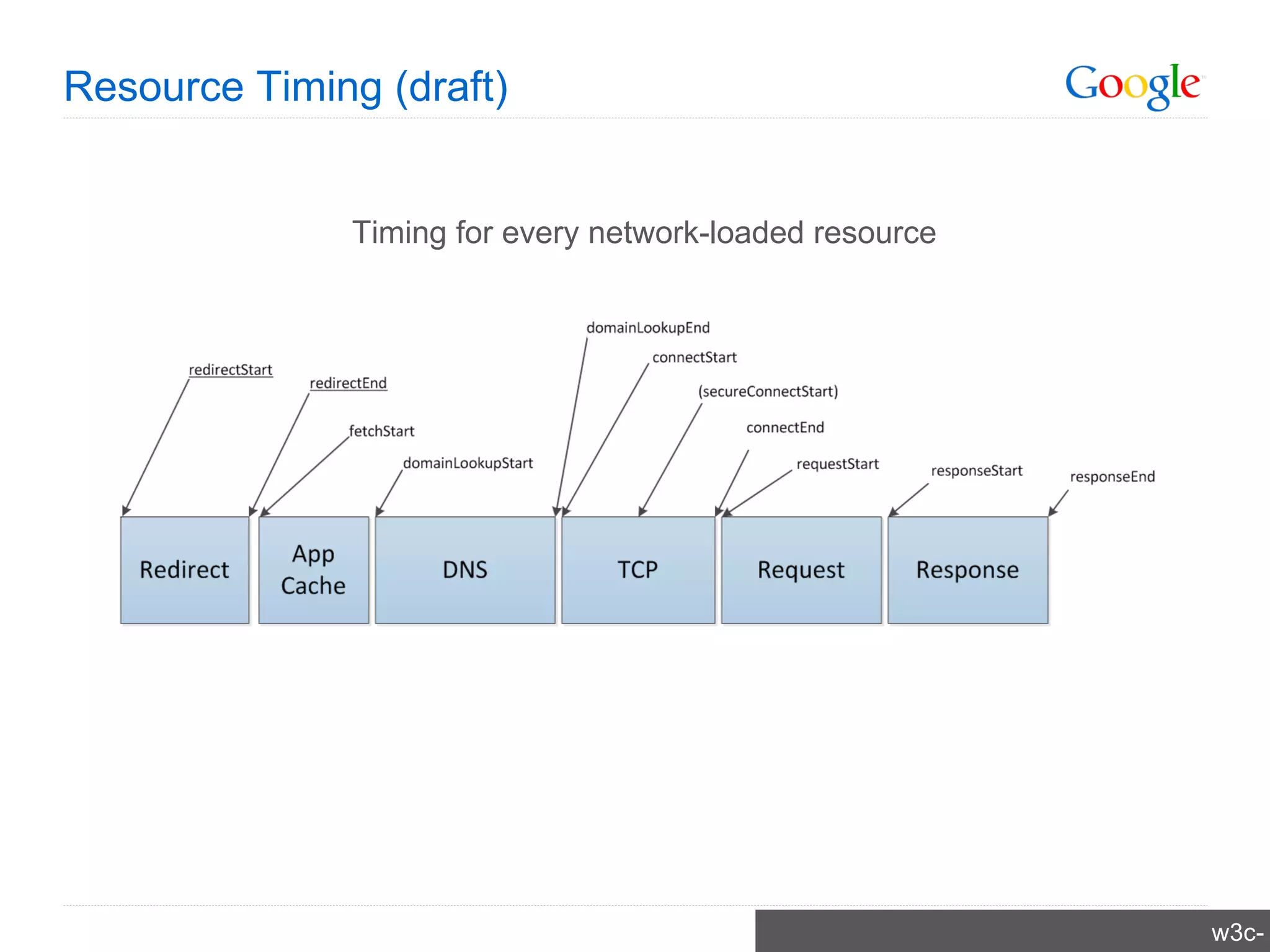
Resource Timing (draft) w3c-test.org/webperf/specs/ResourceTiming/ Timing for every network-loaded resource
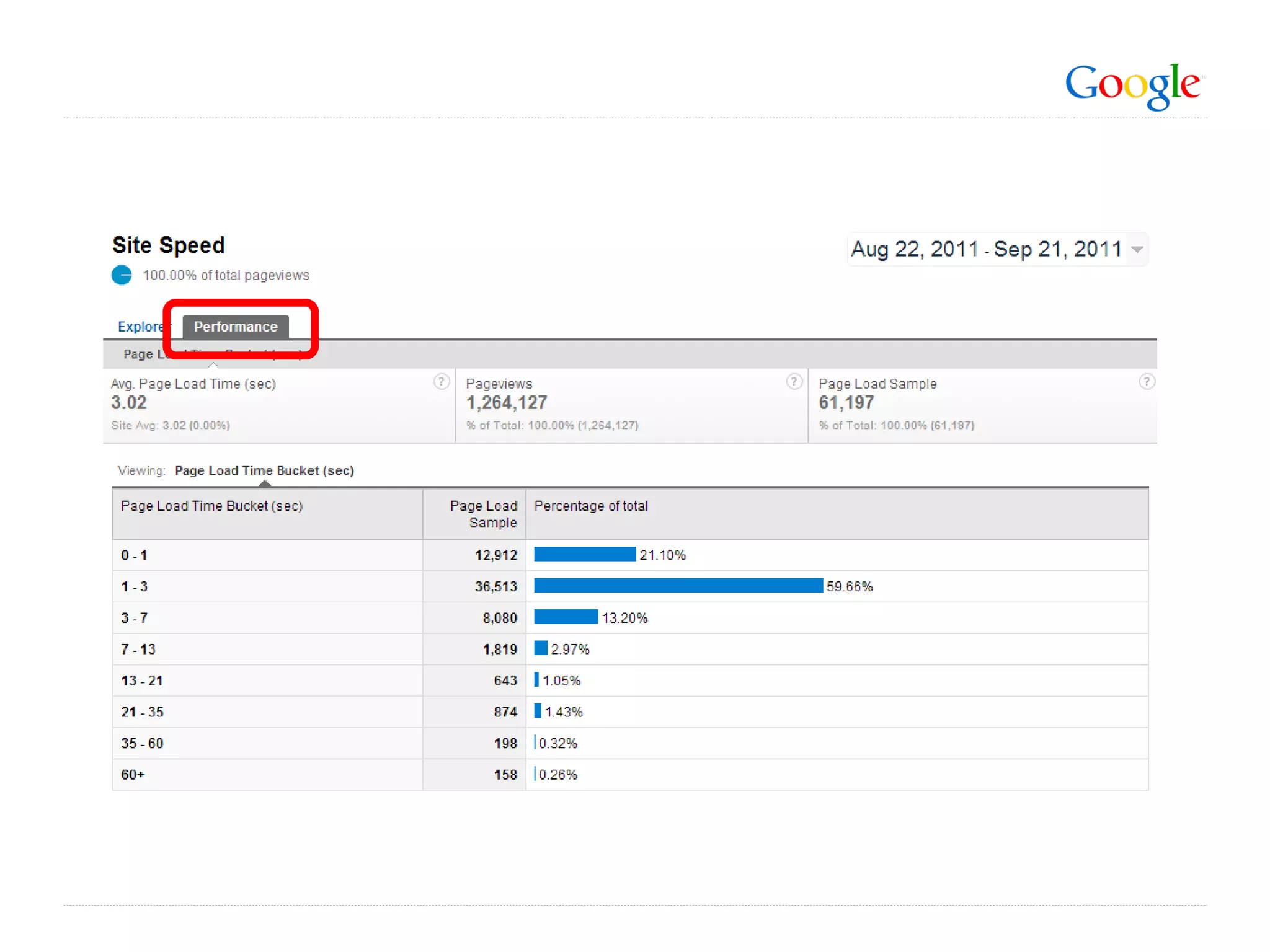
_gaq.push(['_trackPageLoadTime']);
 
 
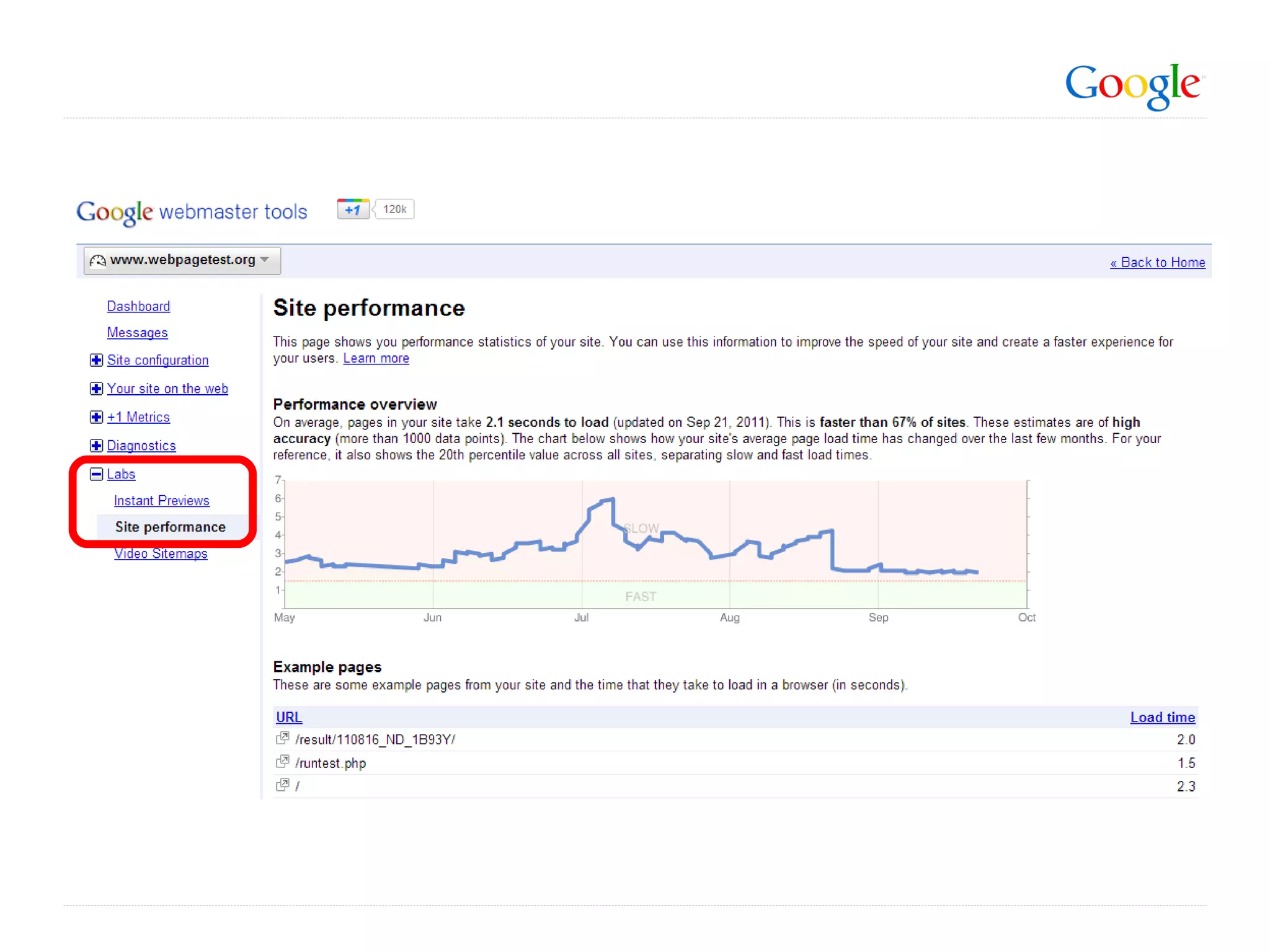
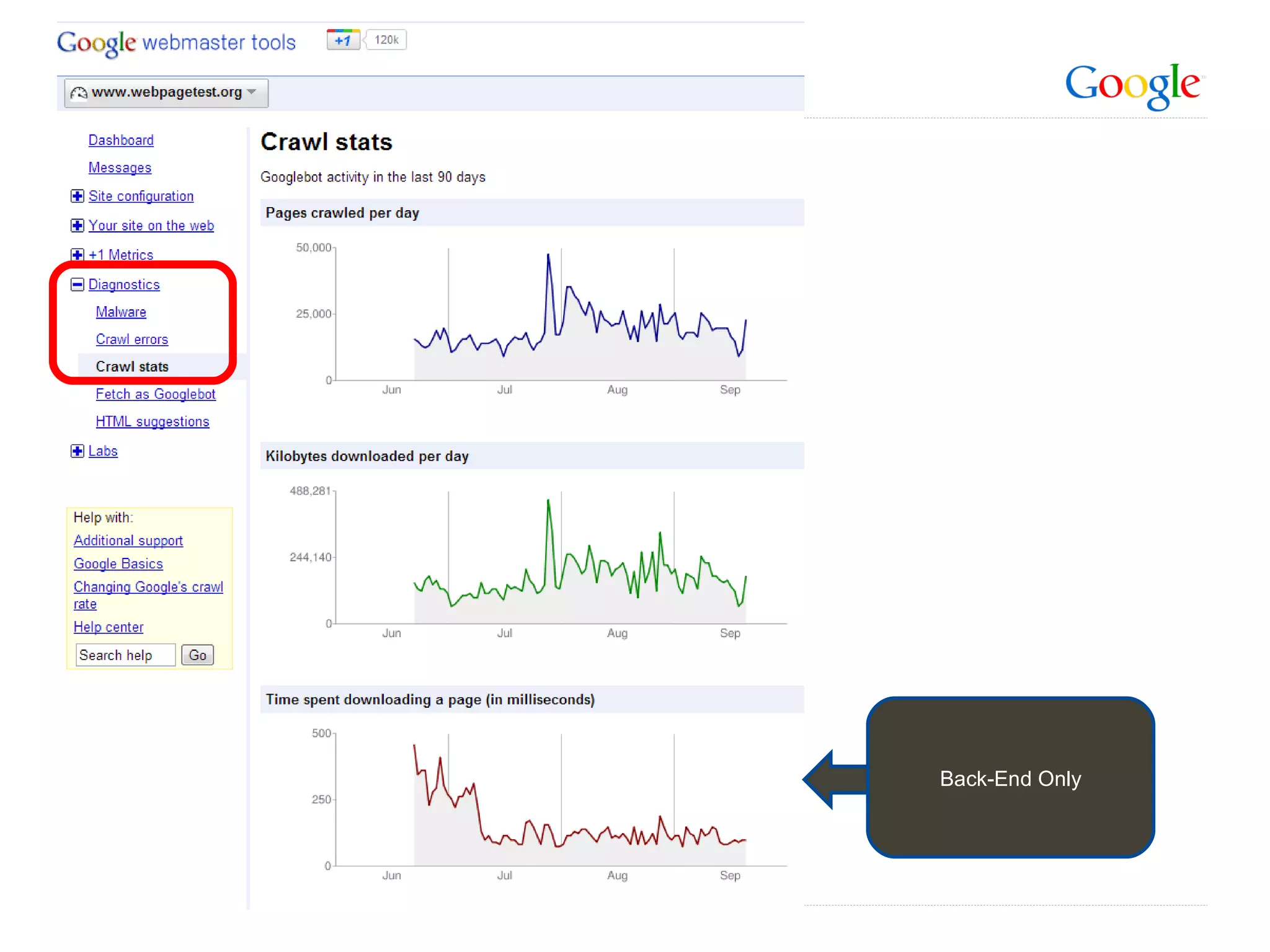
Back-End Only
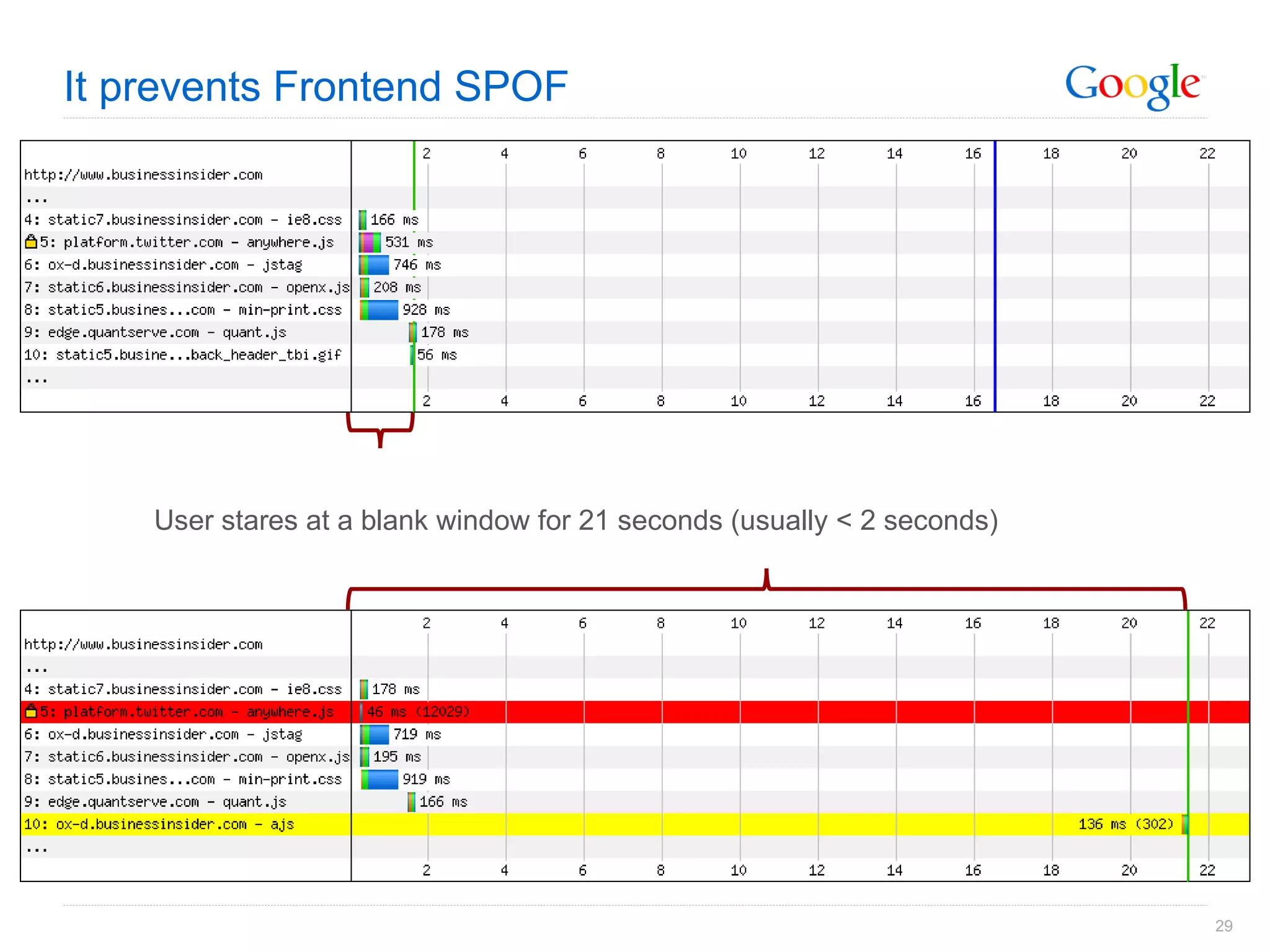
Frontend Single Point Of Failure
Asynchronous Javascript It’s not just good for web performance… <script type=&quot;text/javascript&quot; src=&quot;http://platform.twitter.com/widgets.js&quot;></script> vs. <script type=&quot;text/javascript&quot;> (function() { var tw = document.createElement('script');  tw.type = 'text/javascript';  tw.async = true; tw.src = 'http://platform.twitter.com/widgets.js'; var s = document.getElementsByTagName('script')[0];  s.parentNode.insertBefore(tw, s); })(); </script>
It prevents Frontend SPOF User stares at a blank window for 21 seconds (usually < 2 seconds)
What it feels like
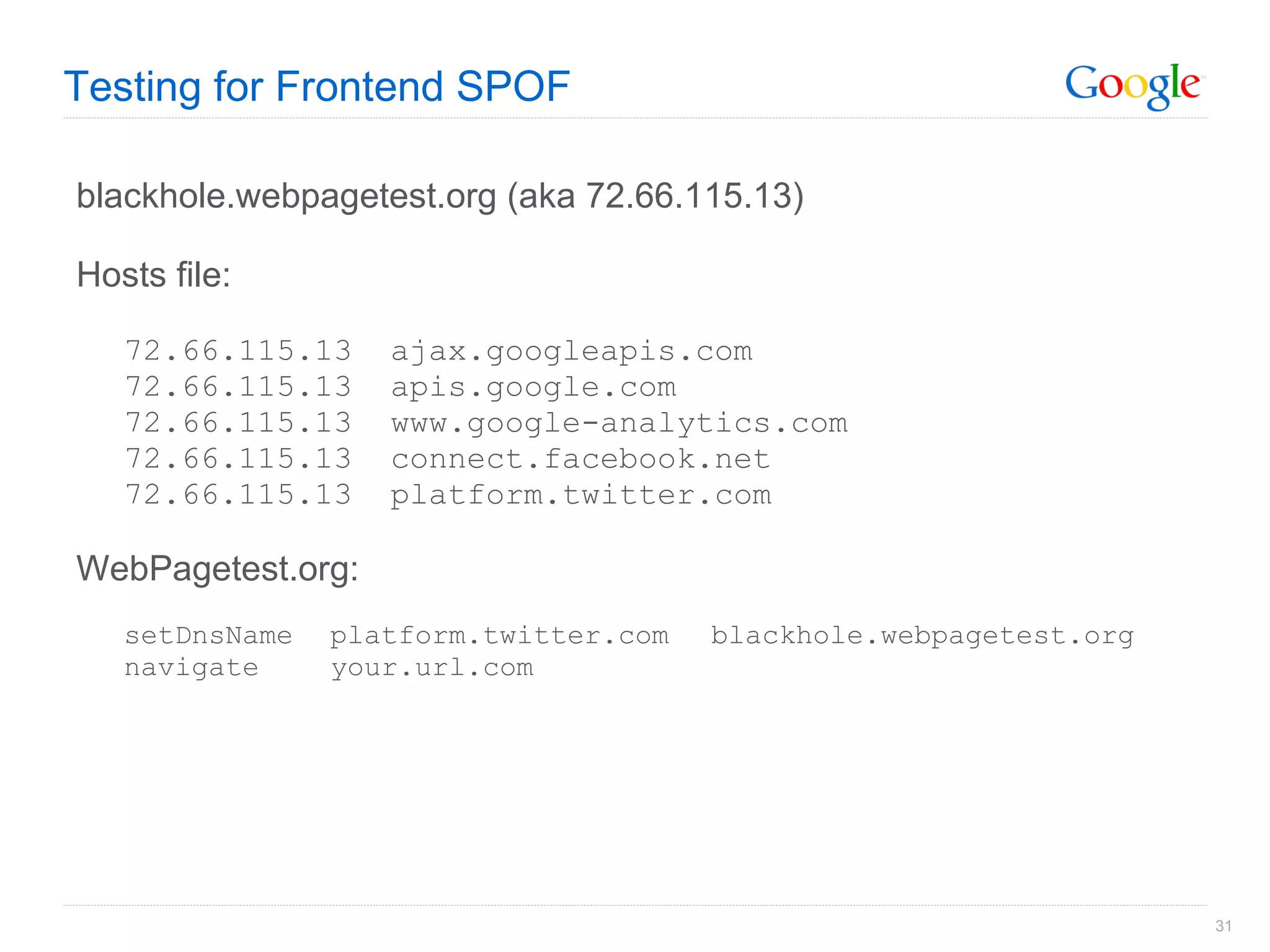
Testing for Frontend SPOF blackhole.webpagetest.org (aka 72.66.115.13) Hosts file: 72.66.115.13  ajax.googleapis.com 72.66.115.13  apis.google.com 72.66.115.13  www.google-analytics.com 72.66.115.13  connect.facebook.net 72.66.115.13  platform.twitter.com WebPagetest.org: setDnsName platform.twitter.com blackhole.webpagetest.org navigate your.url.com
WebPagetest
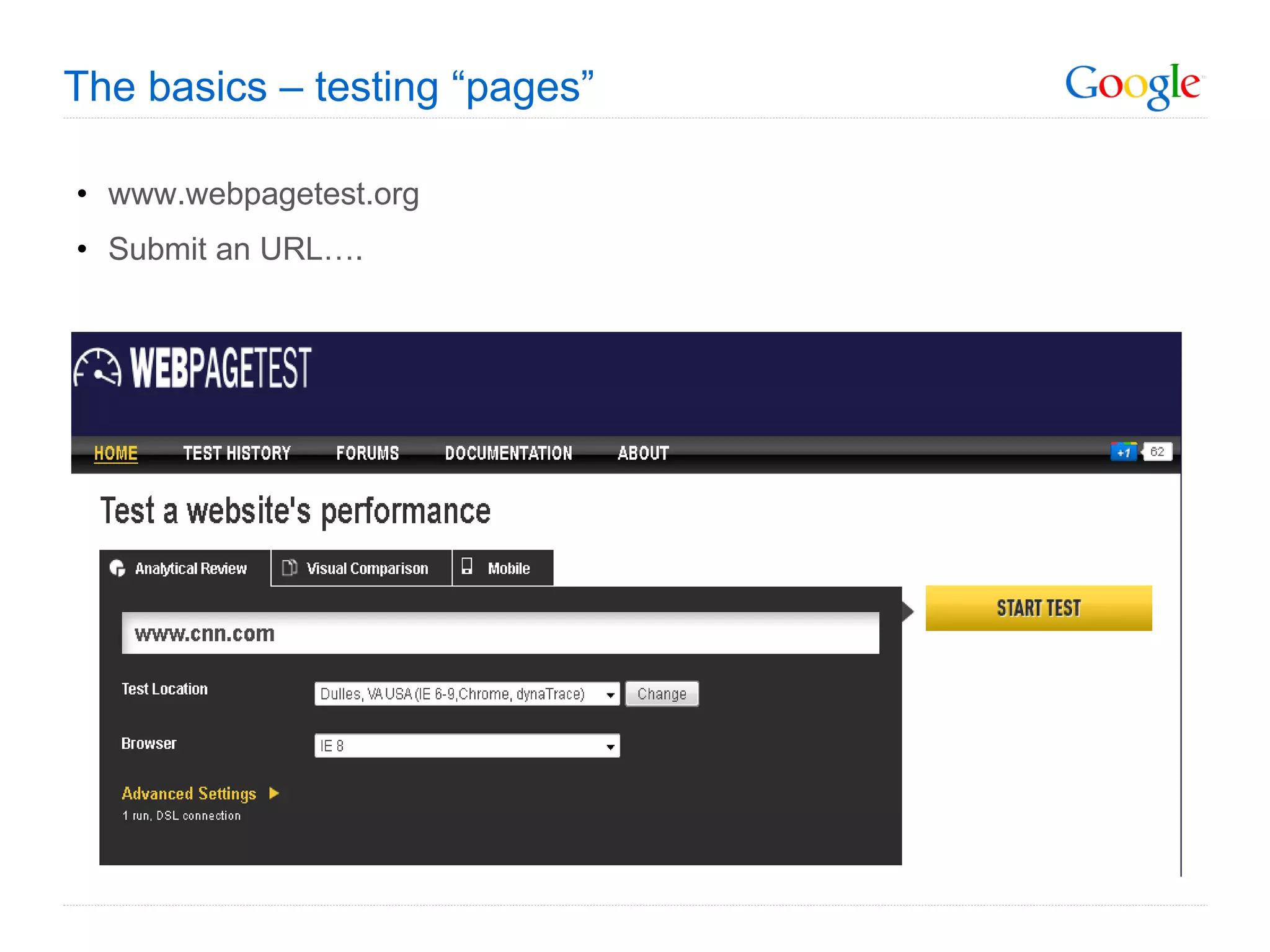
The basics – testing “pages” www.webpagetest.org Submit an URL….
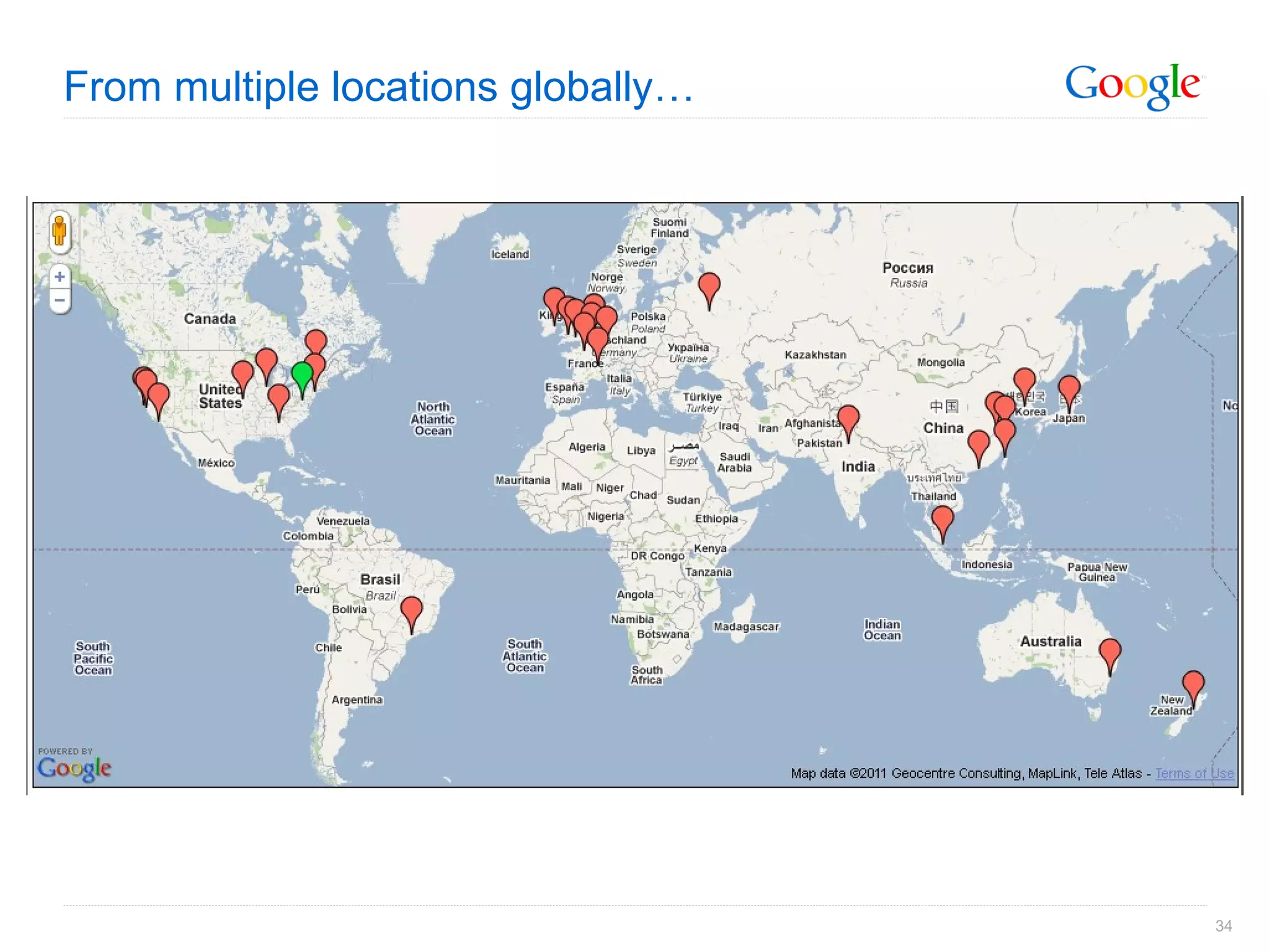
From multiple locations globally…
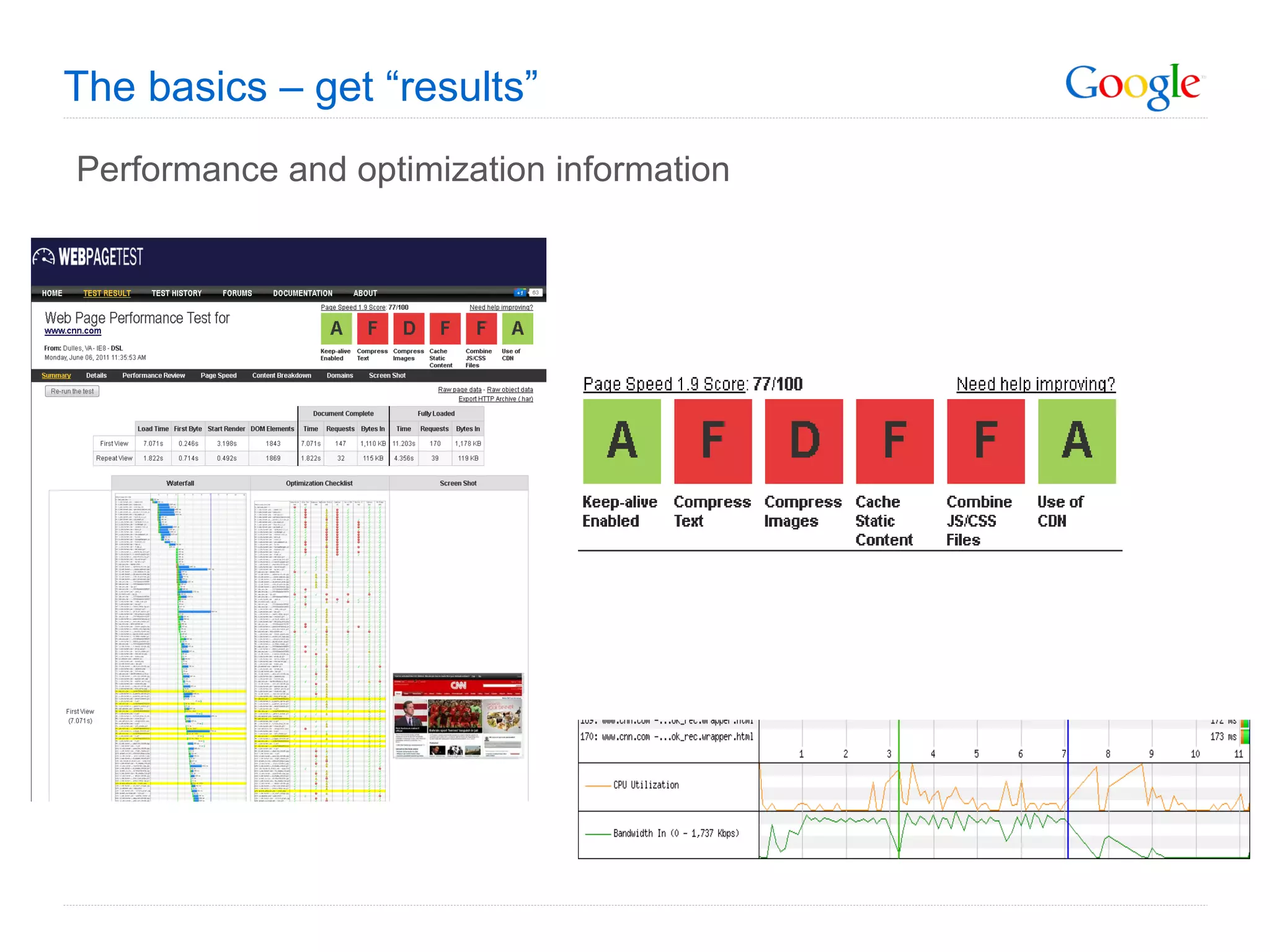
The basics – get “results” Performance and optimization information
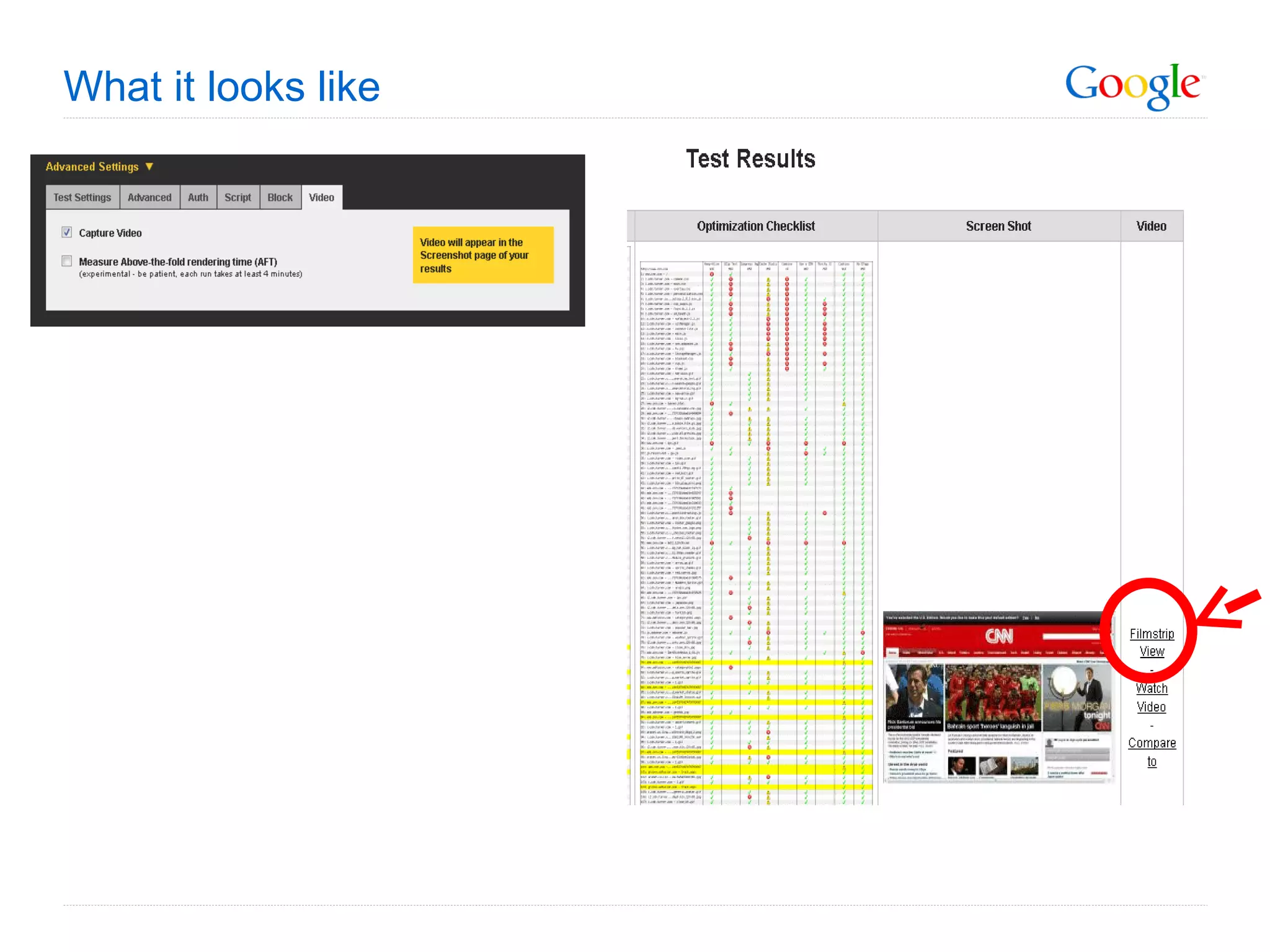
What it looks like
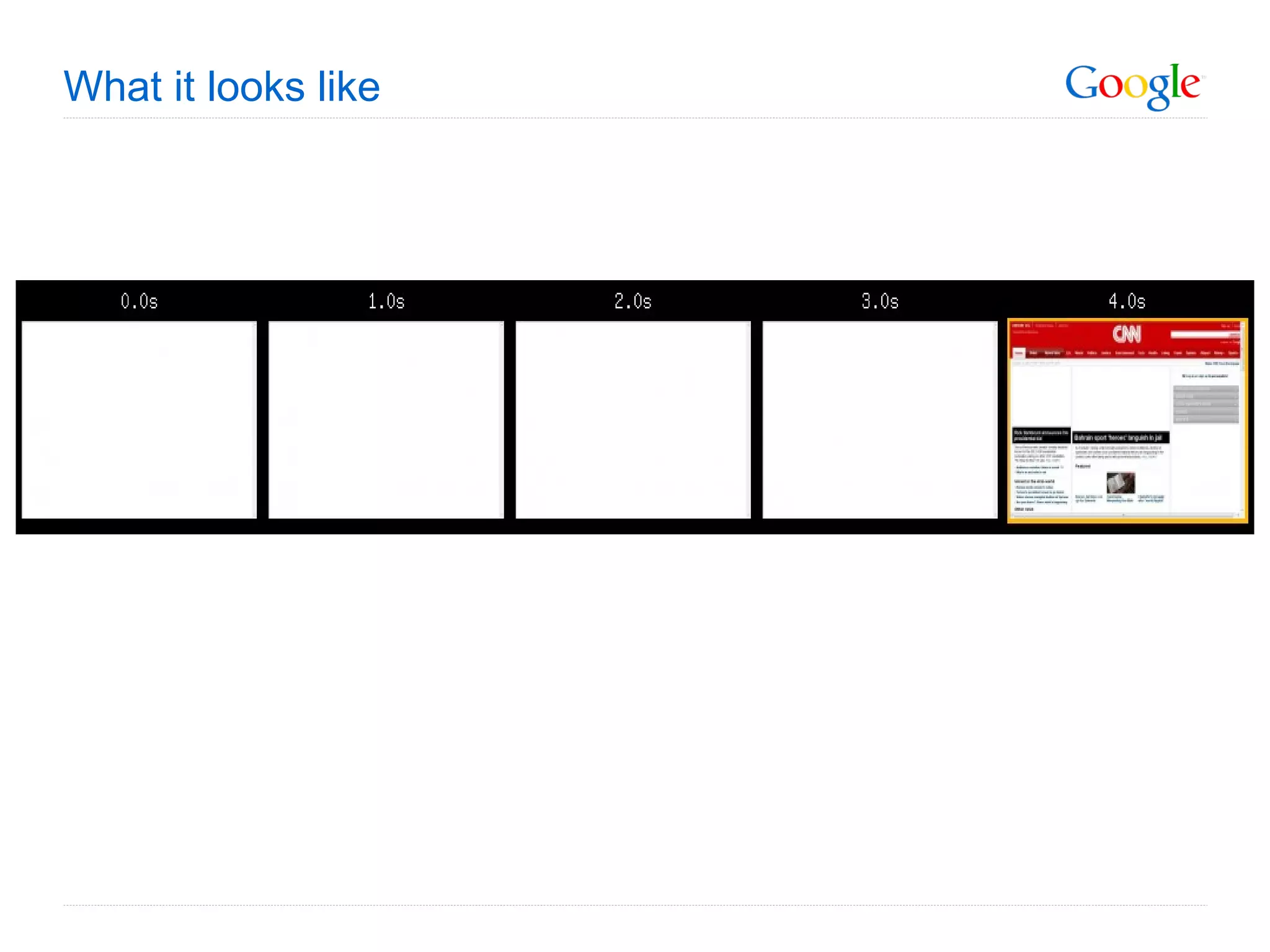
What it looks like
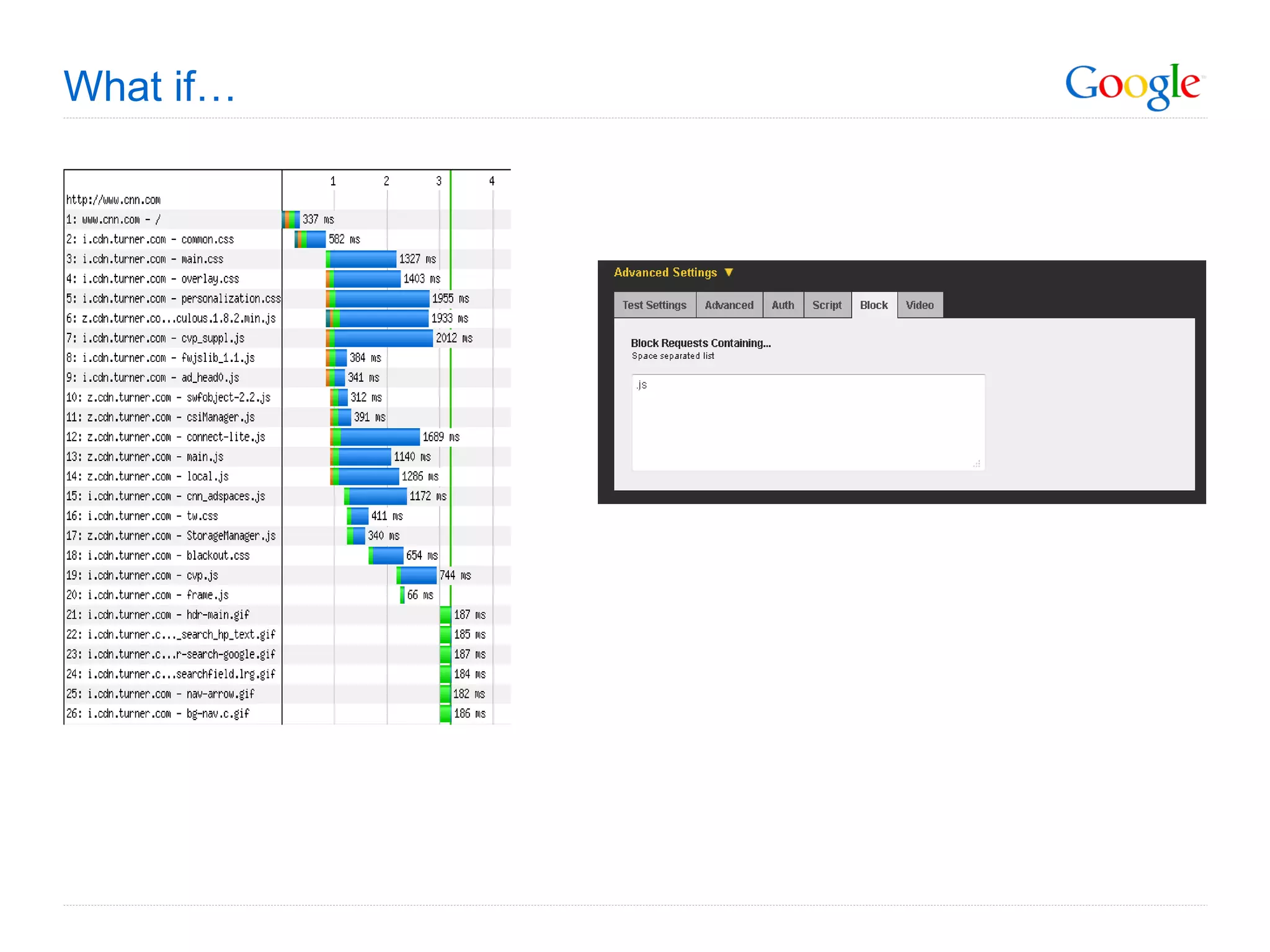
What if…
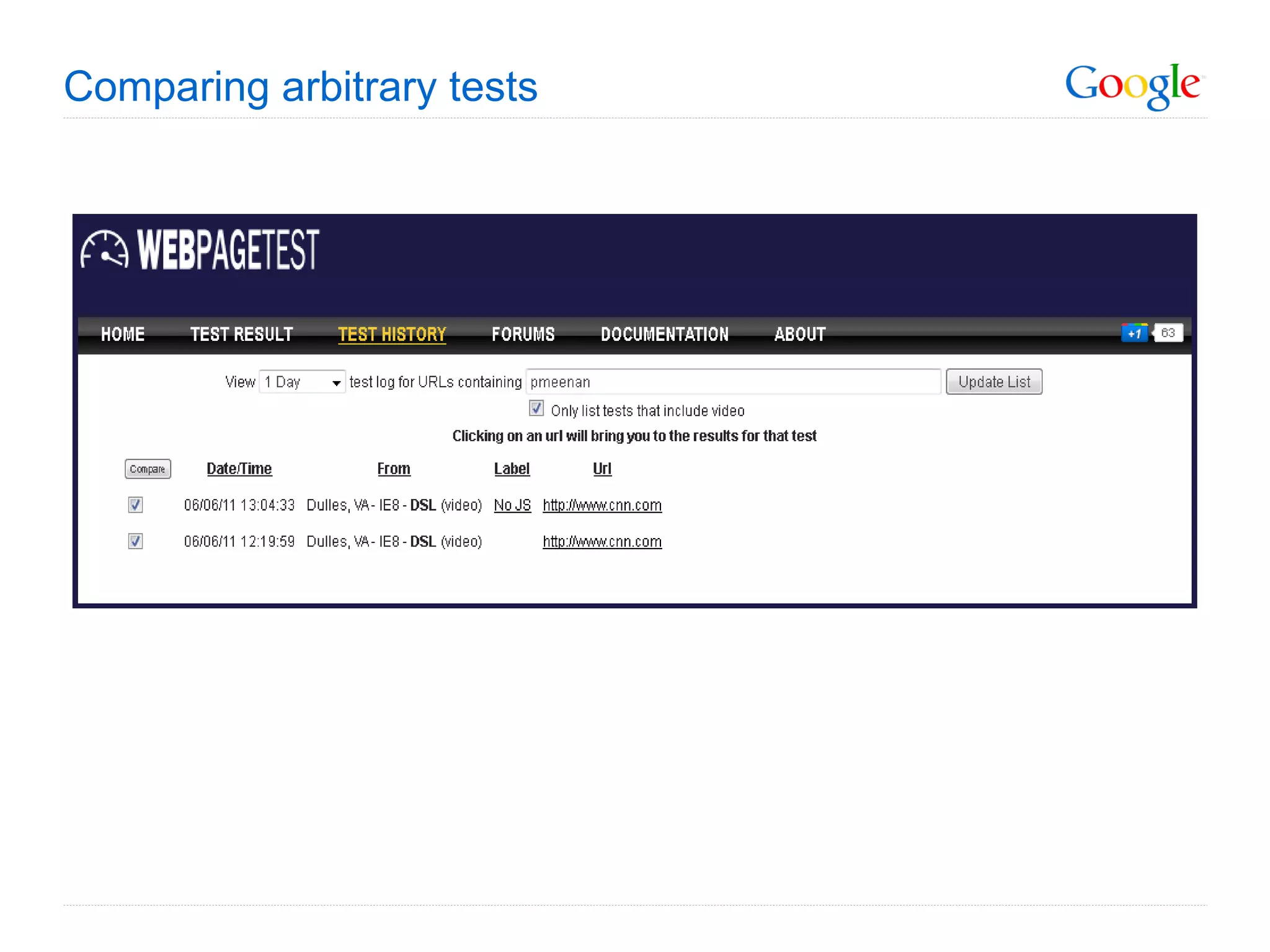
Comparing arbitrary tests
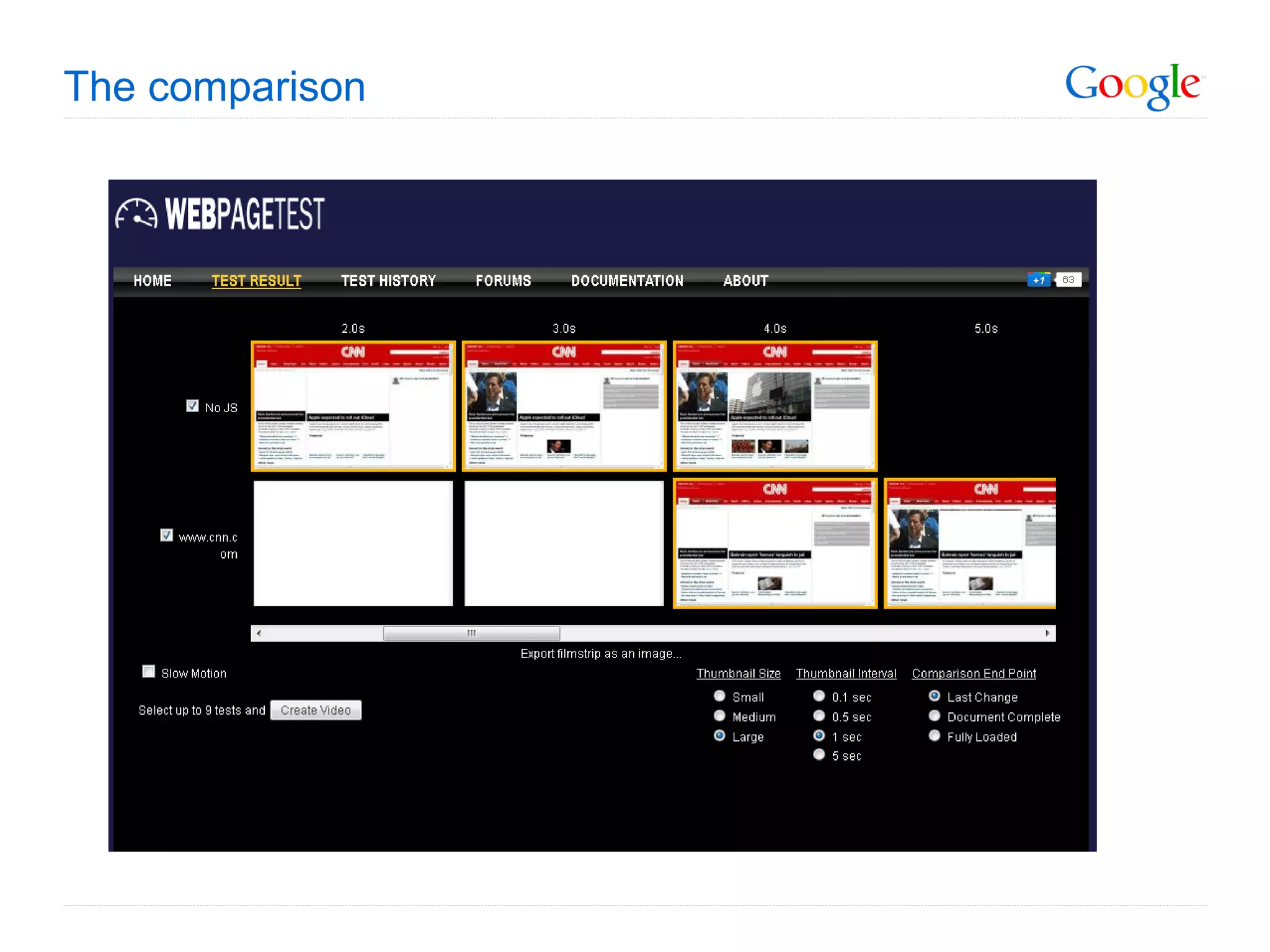
The comparison
More advanced capabilities Automating Rich Applications Authenticating into form-protected applications Interacting with Web Apps (Mail, Calendar, etc) Testing a navigation flow from one page to another Execute arbitrary Javascript REALLY Advanced Options Re-writing DNS lookups (directing traffic to a test/staging box) Custom User-Agent strings & HTTP Headers Pre-populating cookies Custom test end conditions Capture Dynatrace Ajax Edition sessions Tcpdump capture
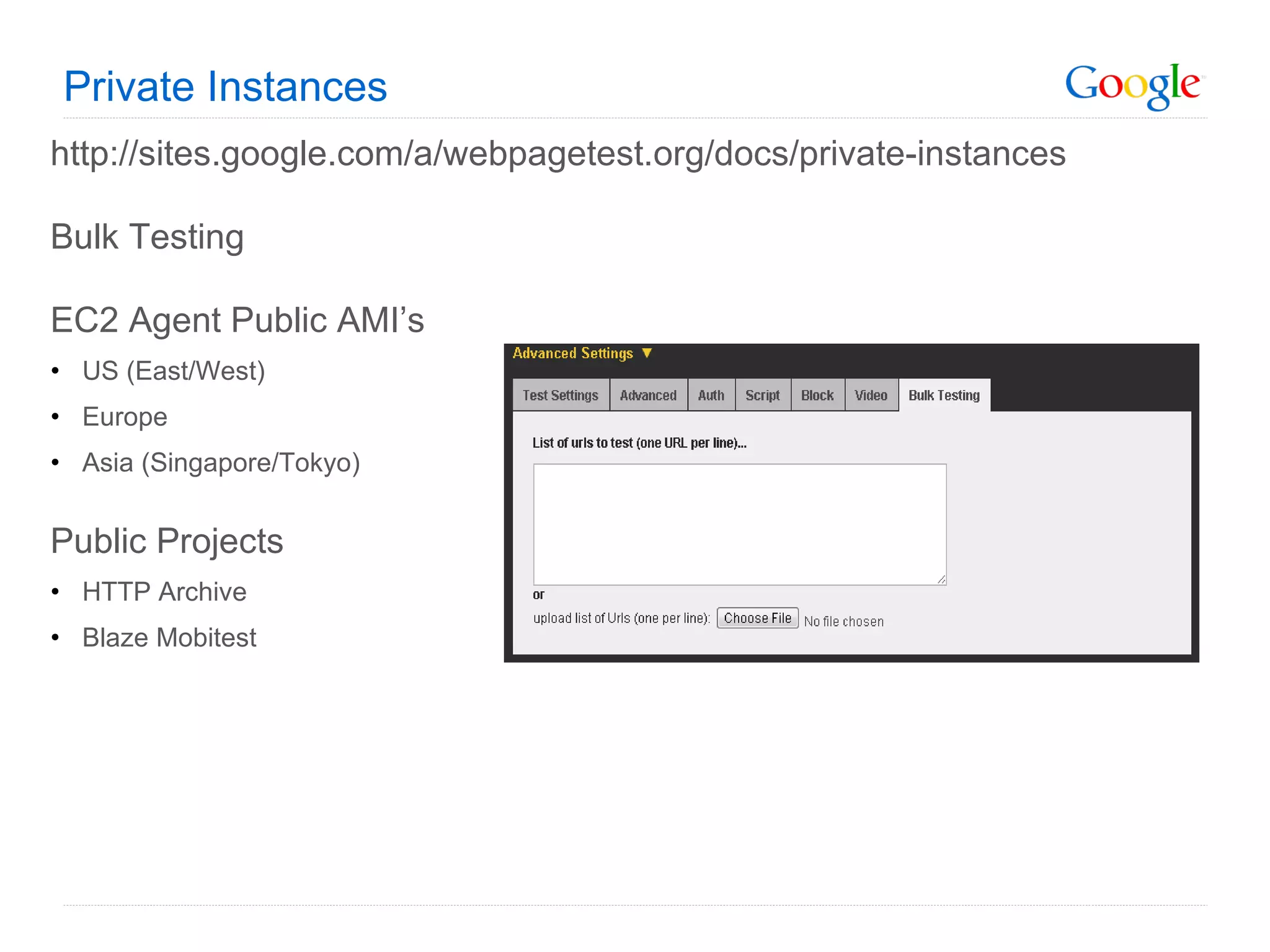
Private Instances http://sites.google.com/a/webpagetest.org/docs/private-instances Bulk Testing EC2 Agent Public AMI’s US (East/West) Europe Asia (Singapore/Tokyo) Public Projects HTTP Archive Blaze Mobitest
REST API Submit tests (API key required for public instance) Check status Fetch Result XML HAR http://sites.google.com/a/webpagetest.org/docs/advanced-features/webpagetest-restful-apis
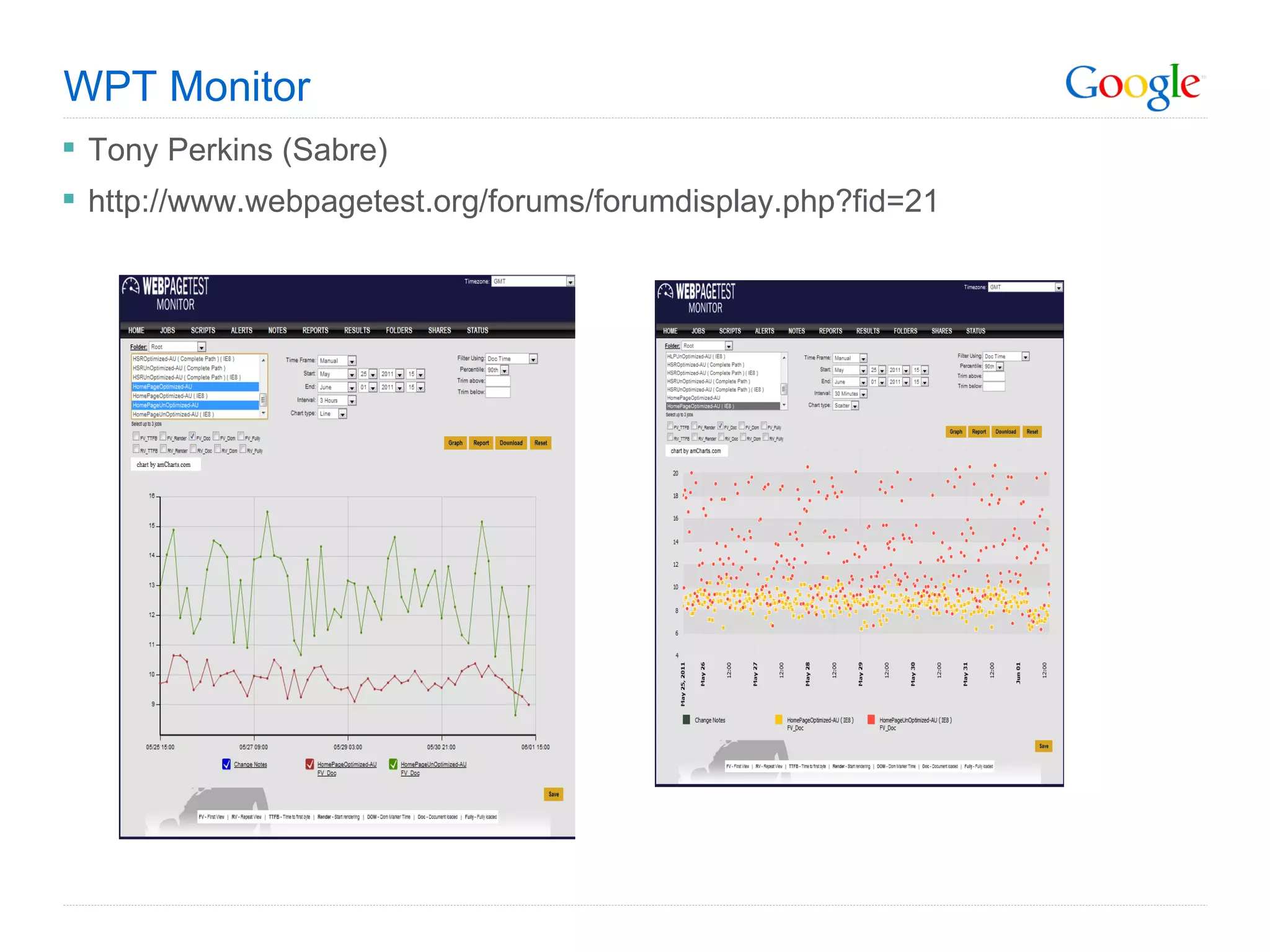
WPT Monitor Tony Perkins (Sabre) http://www.webpagetest.org/forums/forumdisplay.php?fid=21
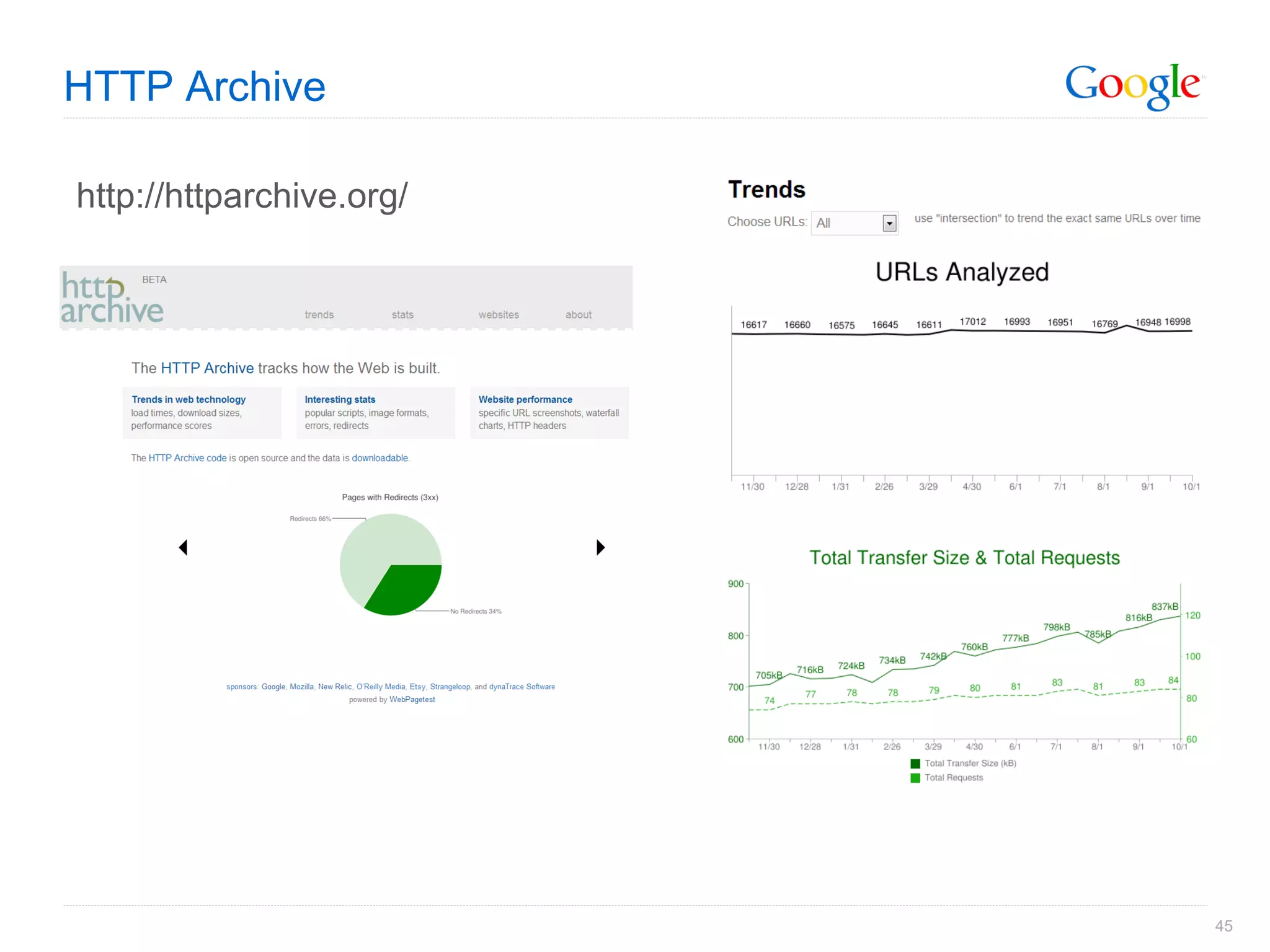
HTTP Archive http://httparchive.org/

Web performance testing