Mahout Workshop
on
Google Cloud Platform
Assoc. Prof. Dr. Thanachart Numnonda
Executive Director
IMC Institute
April 2015
2
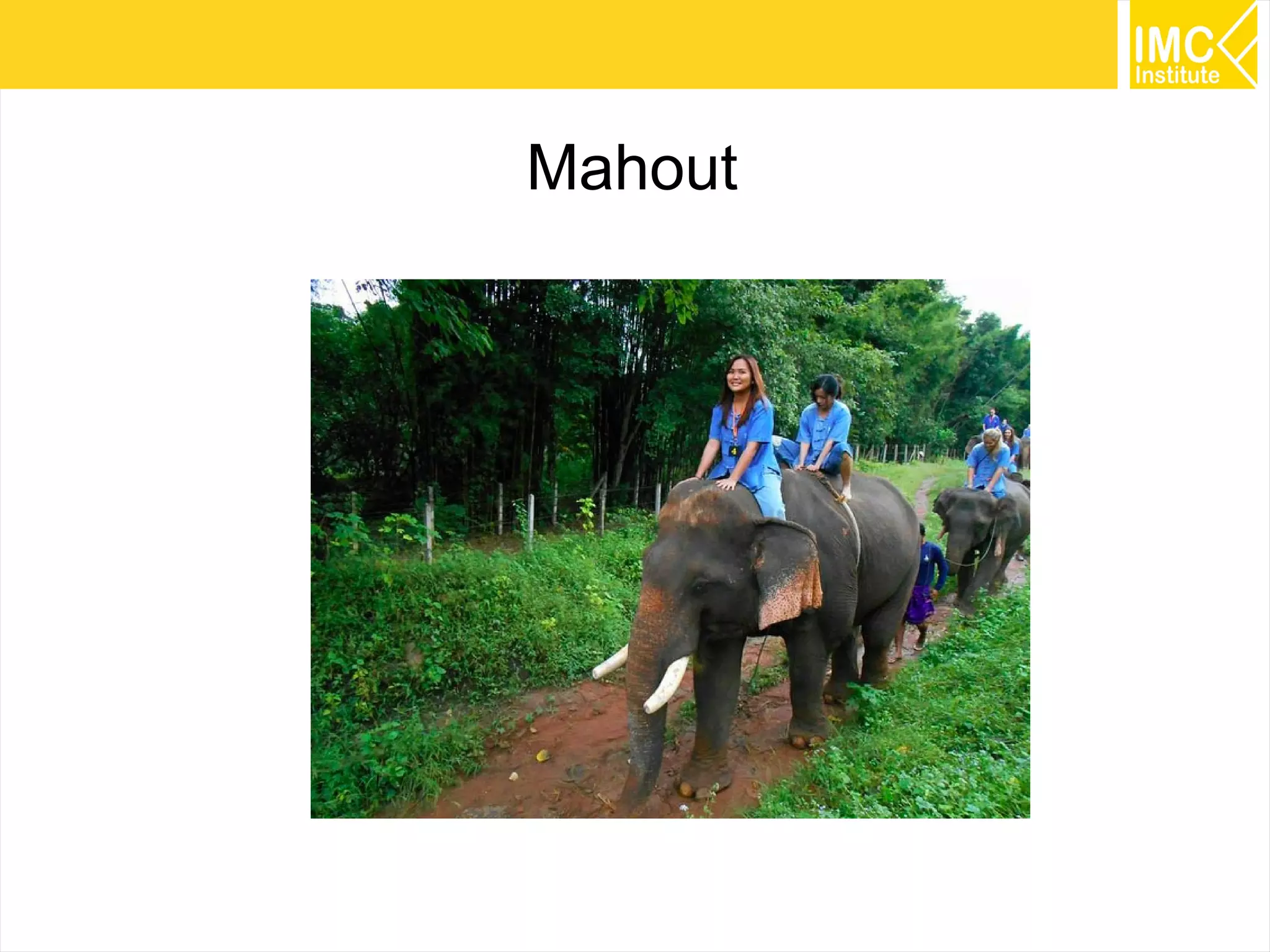
Mahout
3
Mahout is a Java library which Implementing
Machine Learning techniques for
clustering, classification and recommendation
What is Mahout?
4
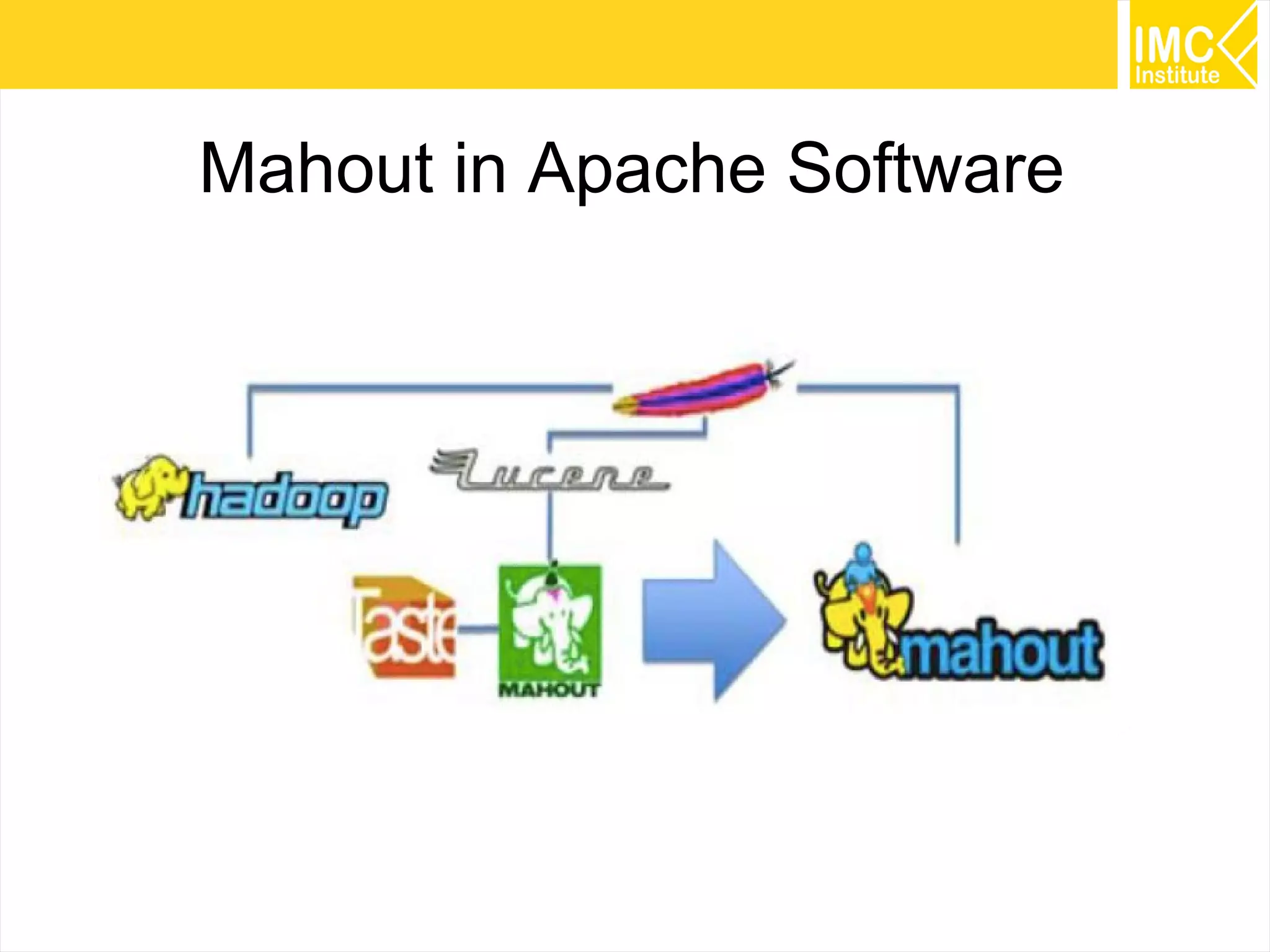
Mahout in Apache Software
5
Why Mahout?
Apache License
Good Community
Good Documentation
Scalable
Extensible
Command Line Interface
Java Library
6
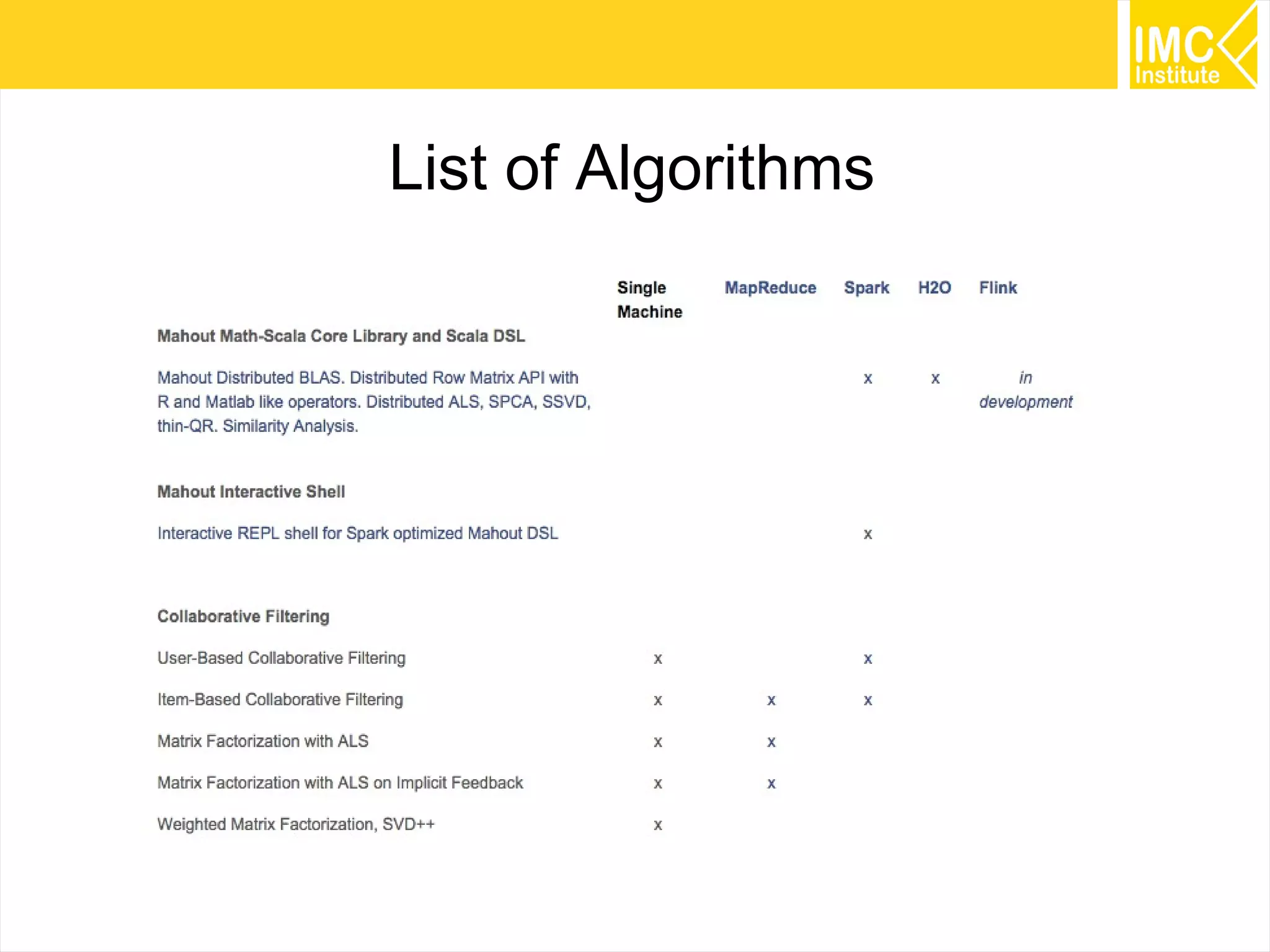
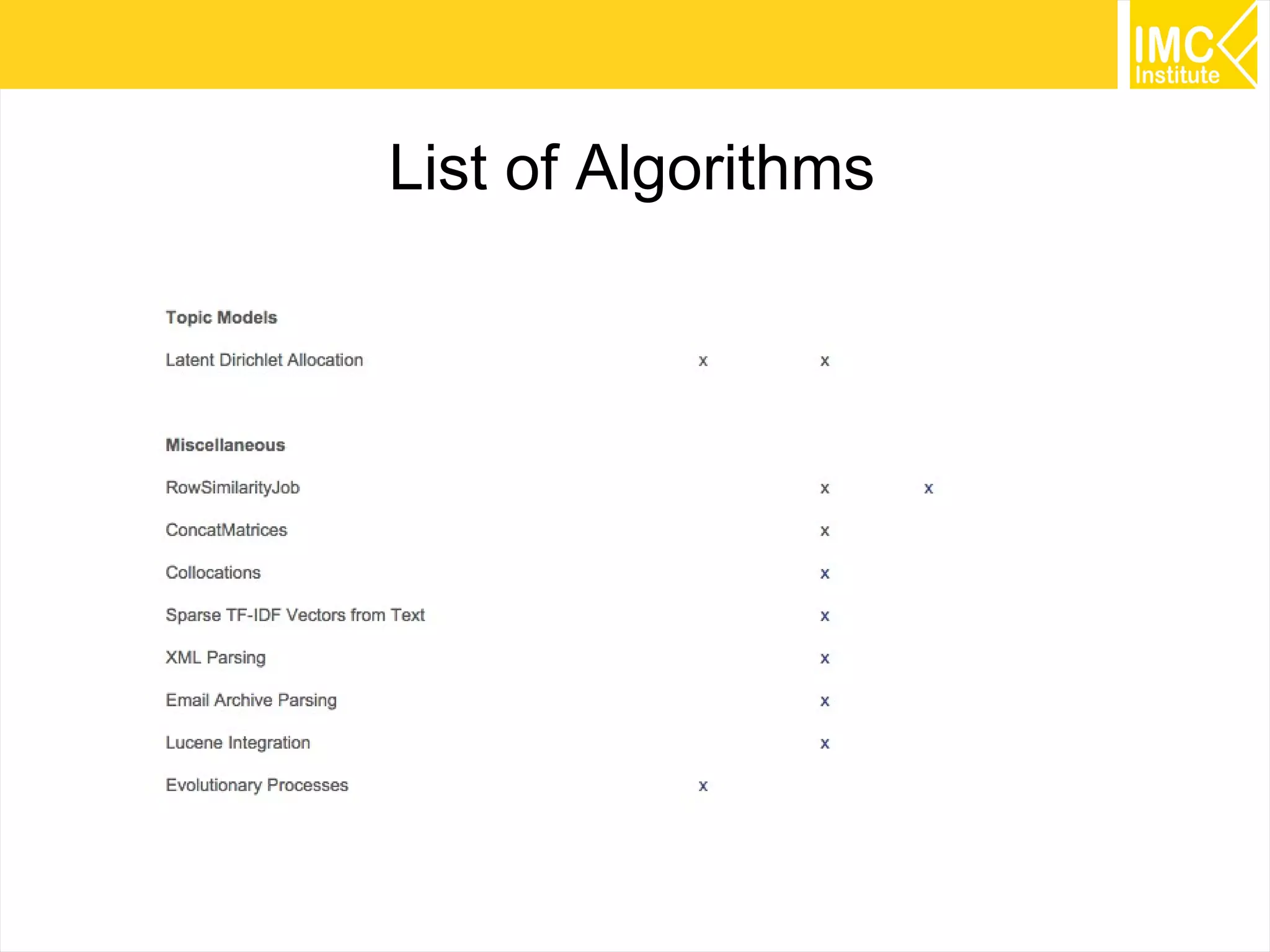
List of Algorithms
7
List of Algorithms
8
List of Algorithms
9
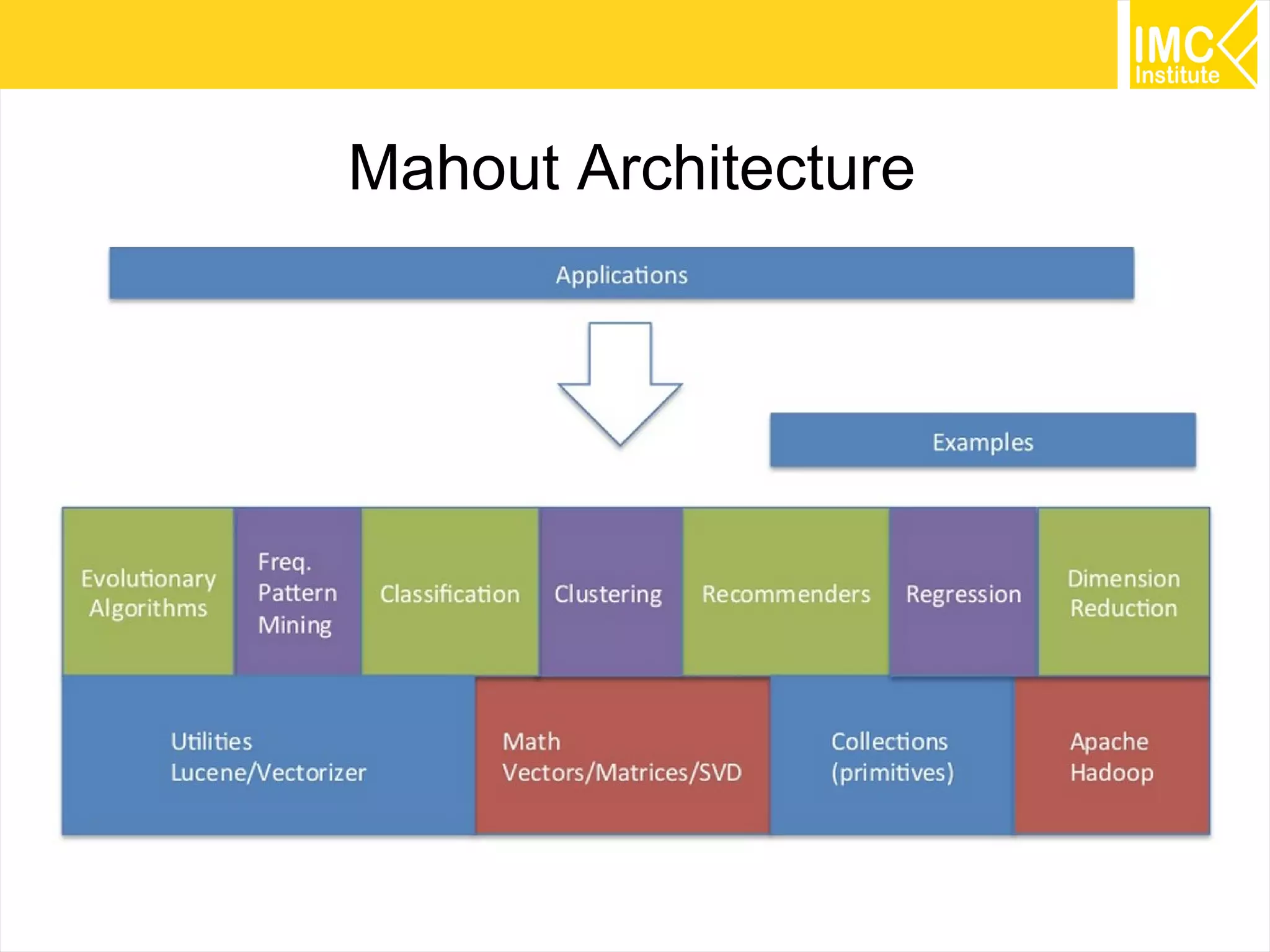
Mahout Architecture
10
Use Cases
11
Launch an Instance
12
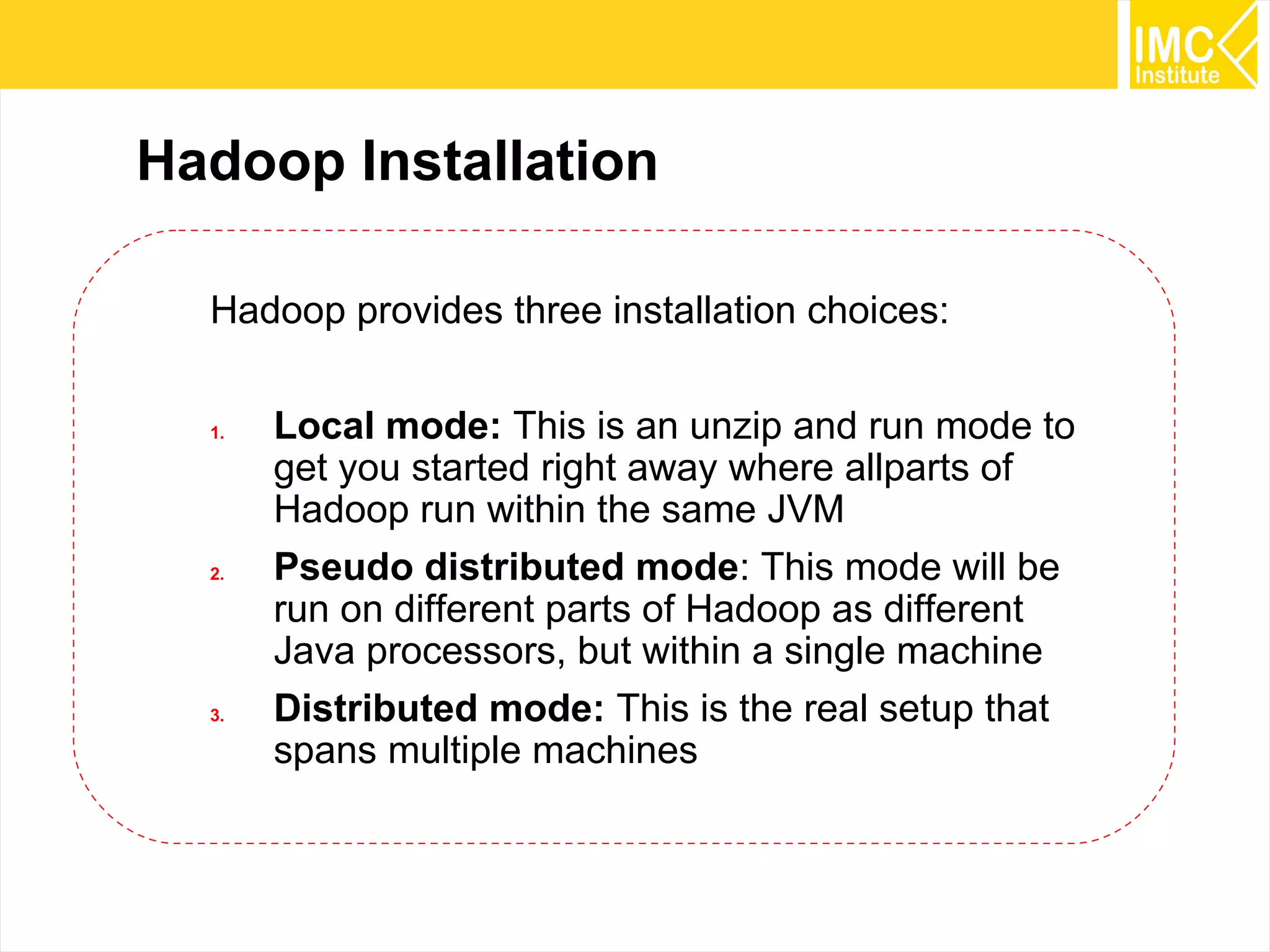
Hadoop Installation
Hadoop provides three installation choices:
1. Local mode: This is an unzip and run mode to
get you started right away where allparts of
Hadoop run within the same JVM
2. Pseudo distributed mode: This mode will be
run on different parts of Hadoop as different
Java processors, but within a single machine
3. Distributed mode: This is the real setup that
spans multiple machines
13
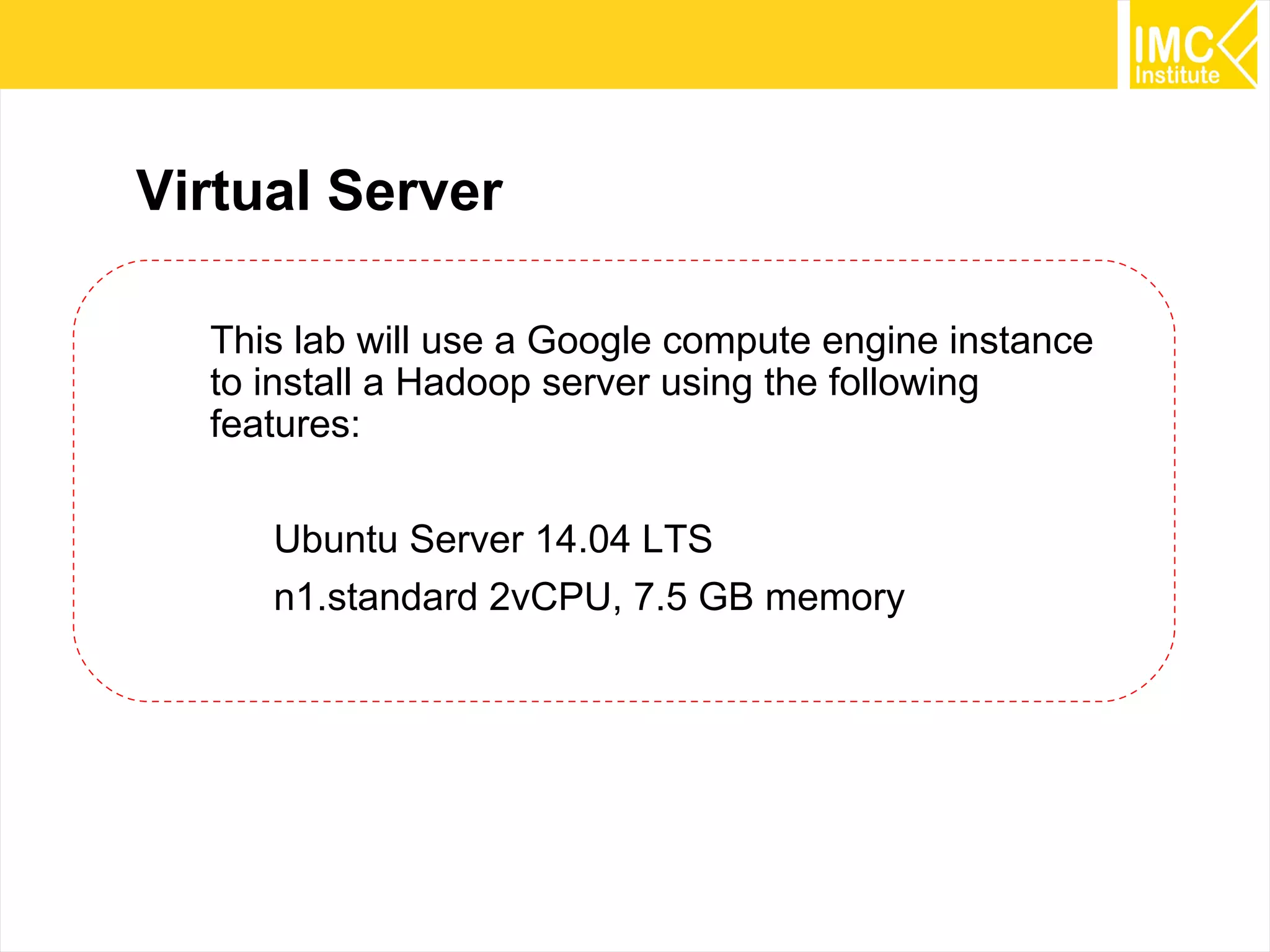
Virtual Server
This lab will use a Google compute engine instance
to install a Hadoop server using the following
features:
Ubuntu Server 14.04 LTS
n1.standard 2vCPU, 7.5 GB memory
14
Create a new project from Developers Console
15
From Project Dashboard >> Select Compute Engine
16
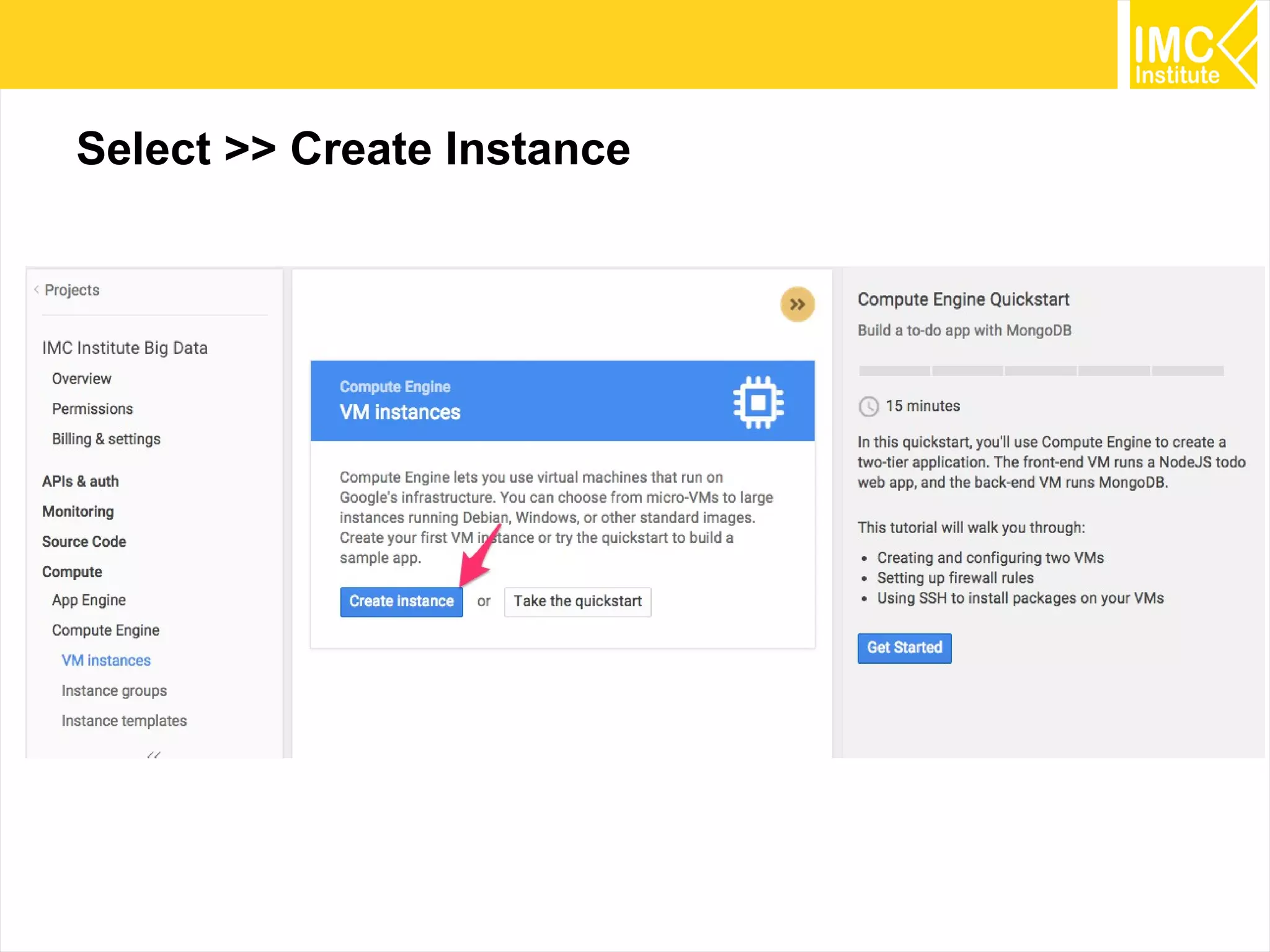
Select >> Create Instance
17
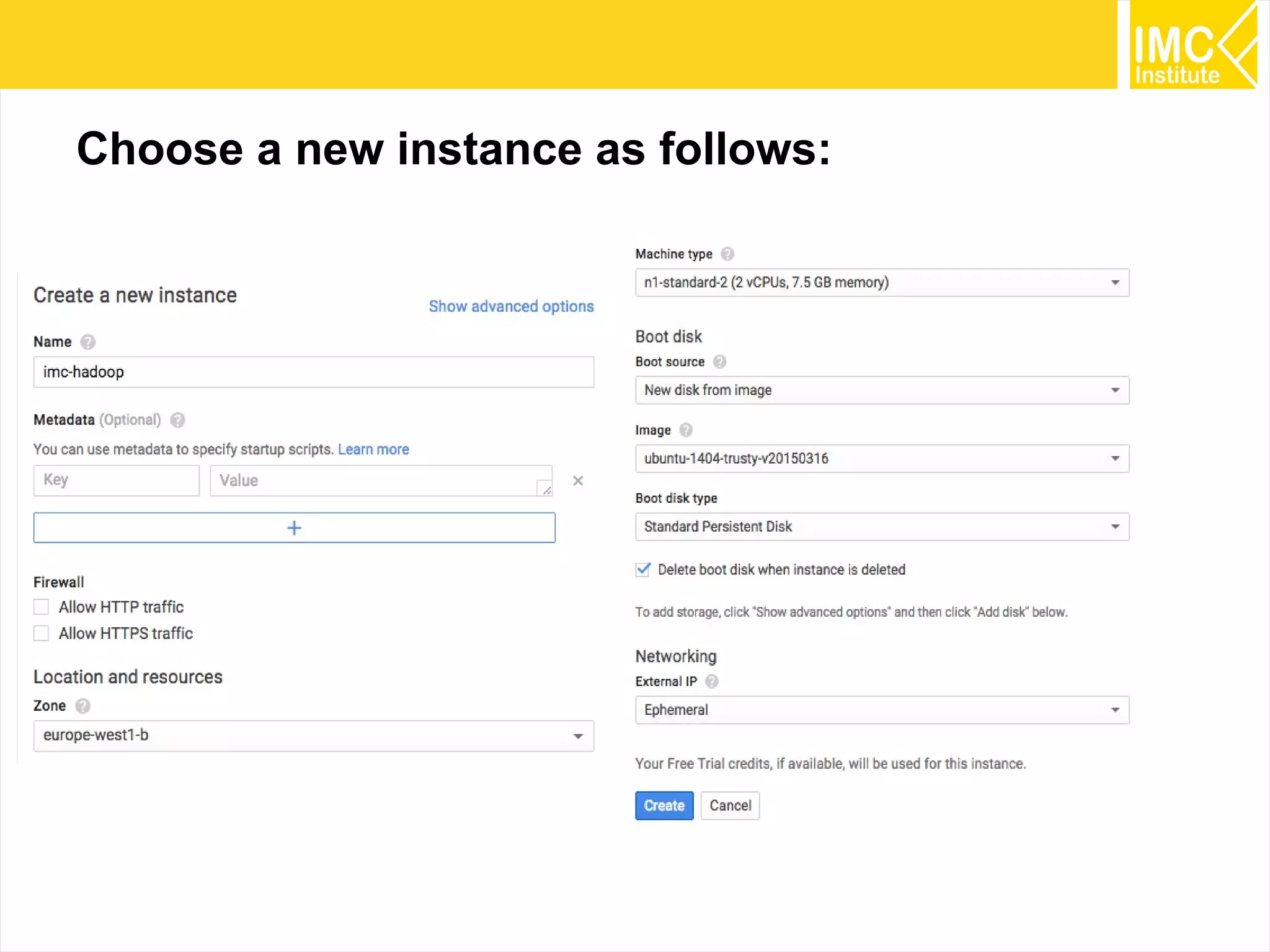
Choose a new instance as follows:
18
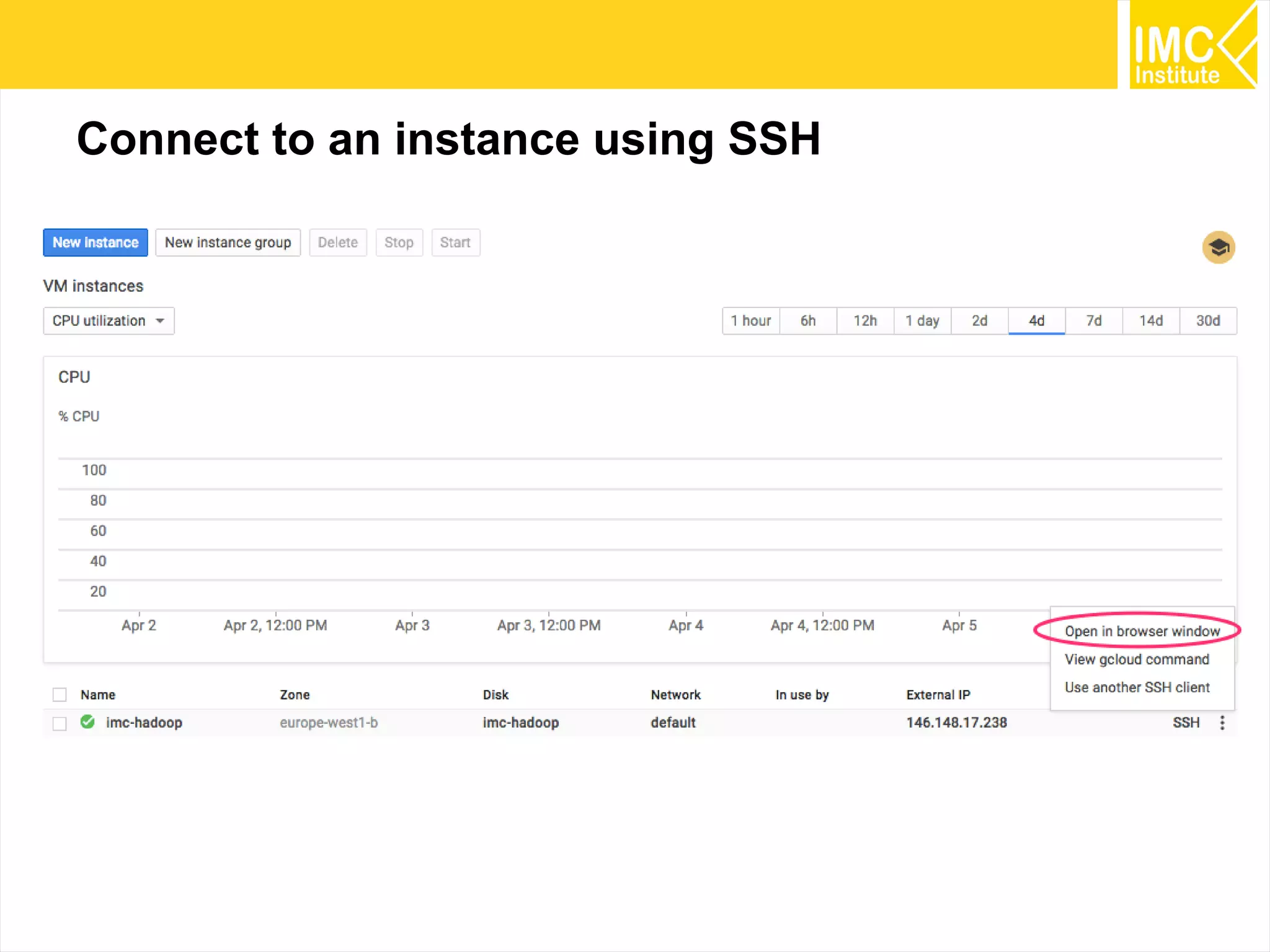
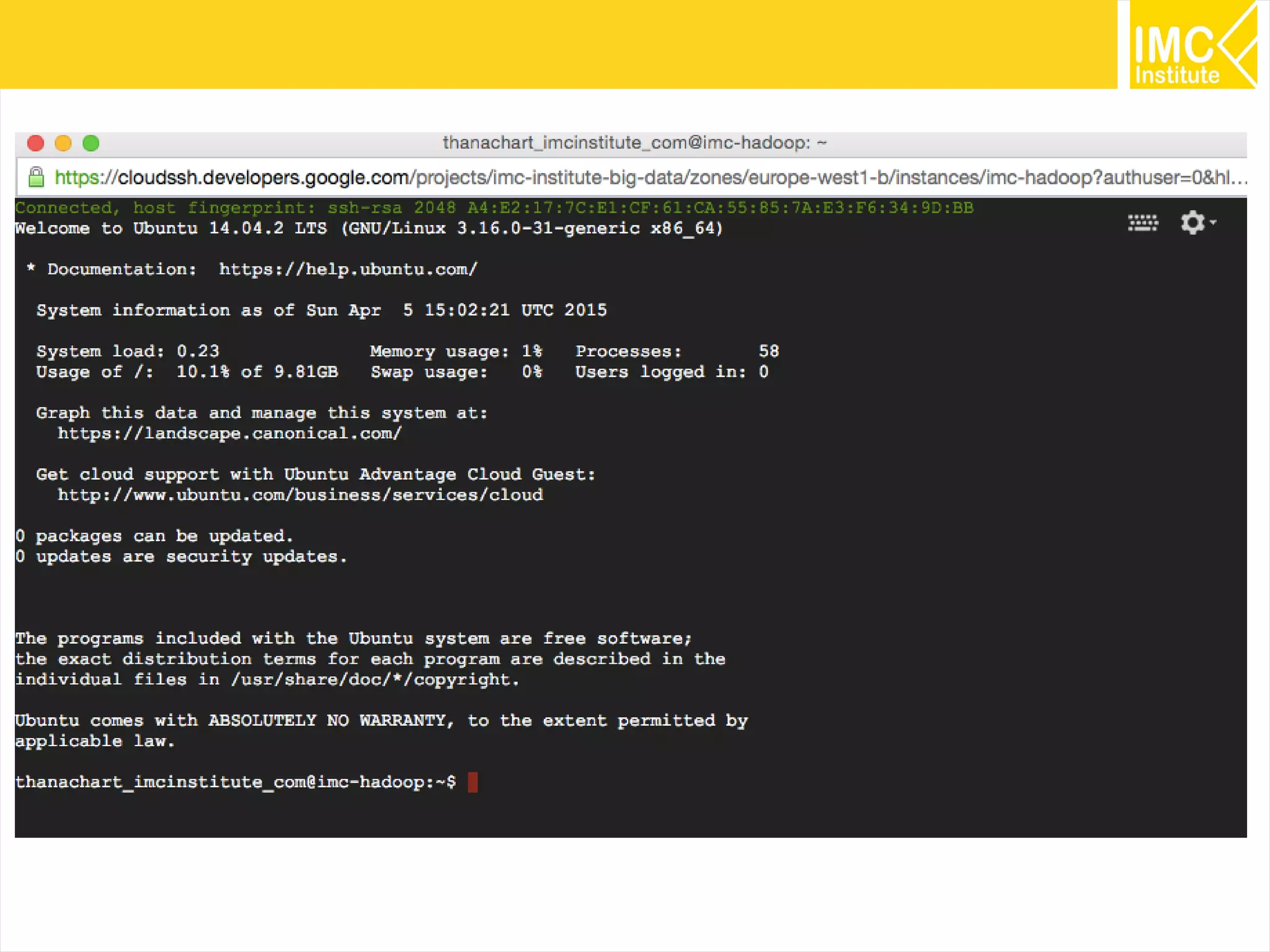
Connect to an instance using SSH
19
20
Installing Hadoop
21
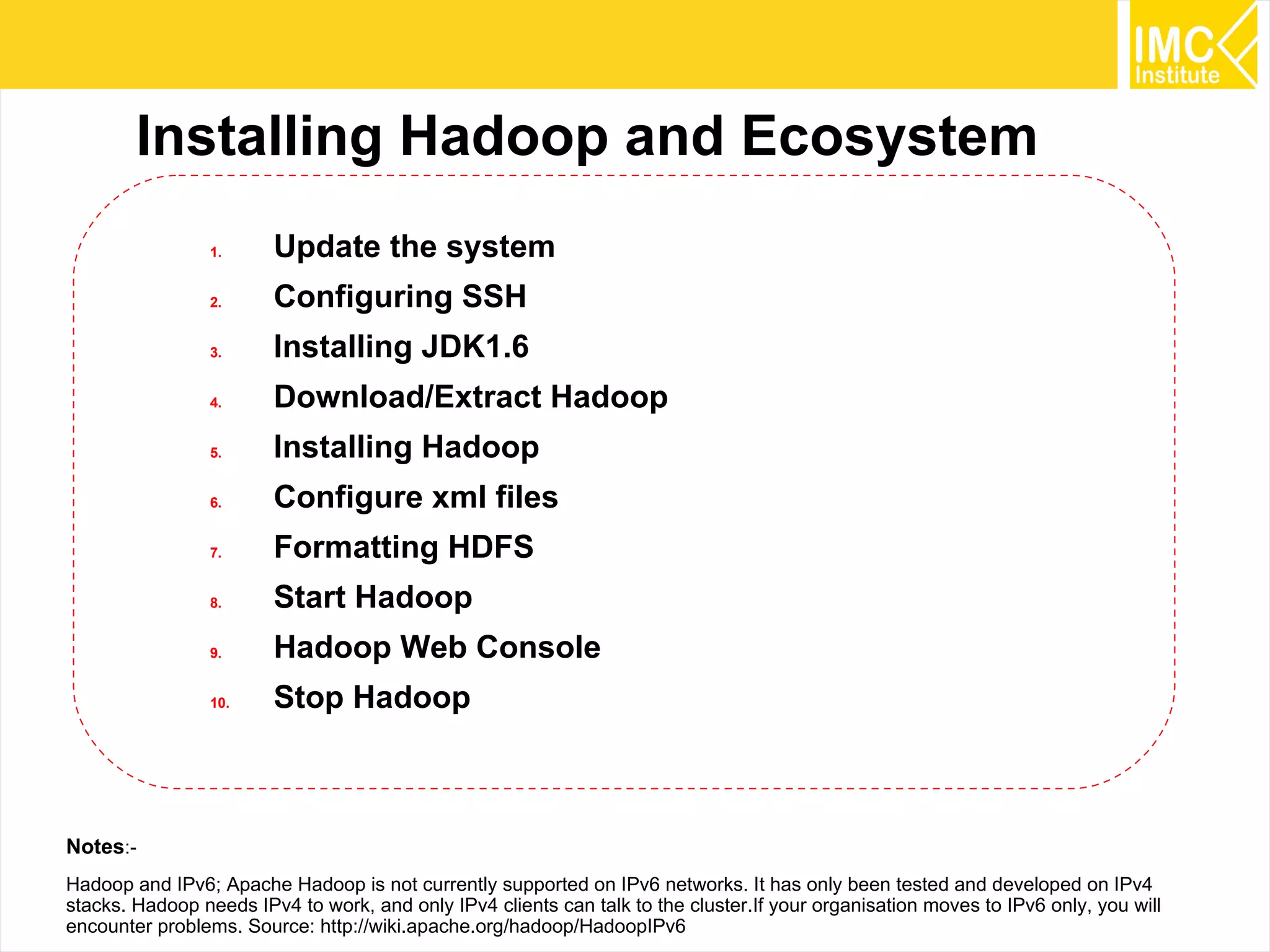
Installing Hadoop and Ecosystem
1. Update the system
2. Configuring SSH
3. Installing JDK1.6
4. Download/Extract Hadoop
5. Installing Hadoop
6. Configure xml files
7. Formatting HDFS
8. Start Hadoop
9. Hadoop Web Console
10. Stop Hadoop
Notes:-
Hadoop and IPv6; Apache Hadoop is not currently supported on IPv6 networks. It has only been tested and developed on IPv4
stacks. Hadoop needs IPv4 to work, and only IPv4 clients can talk to the cluster.If your organisation moves to IPv6 only, you will
encounter problems. Source: http://wiki.apache.org/hadoop/HadoopIPv6
22
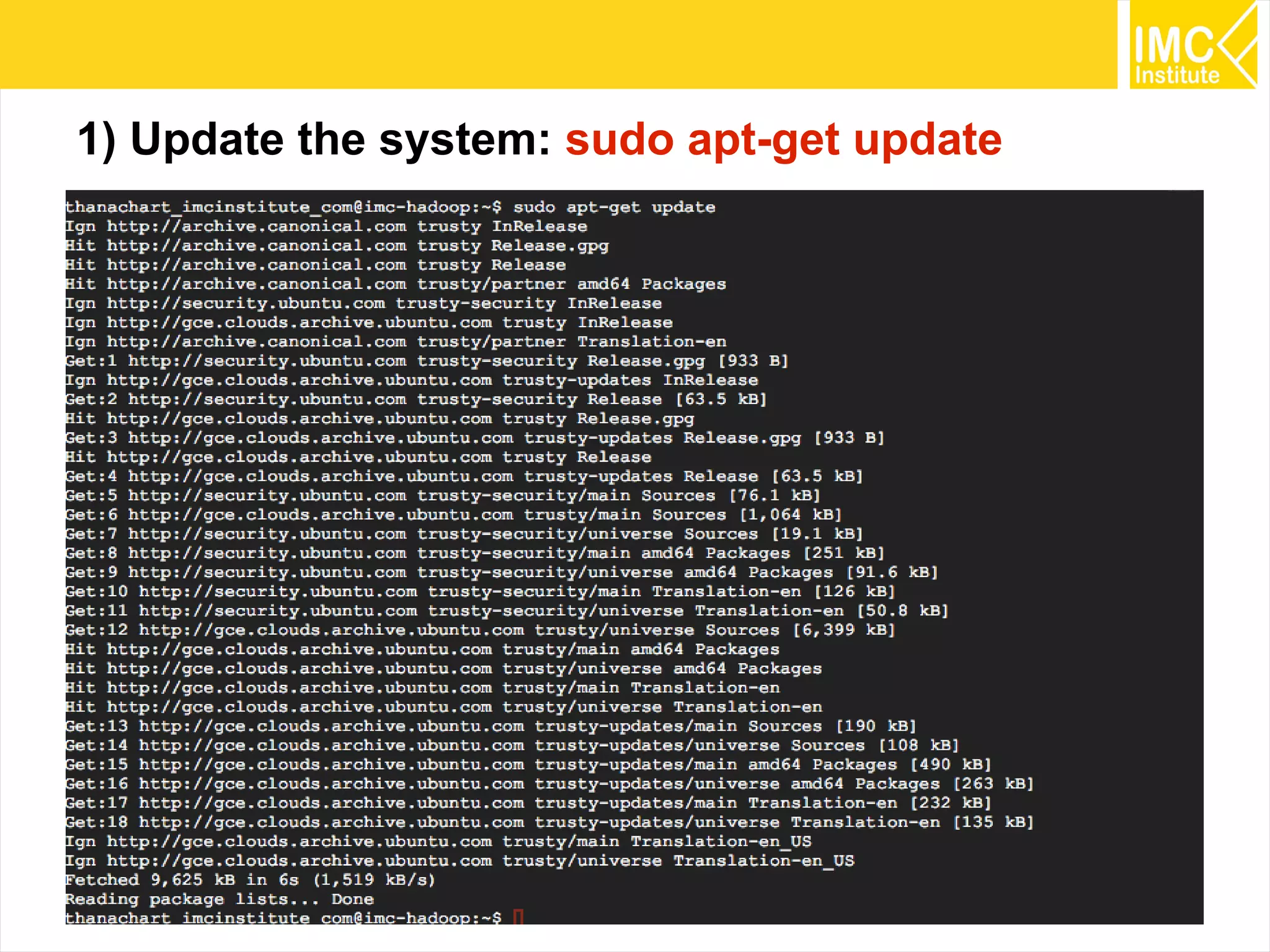
1) Update the system: sudo apt-get update
23
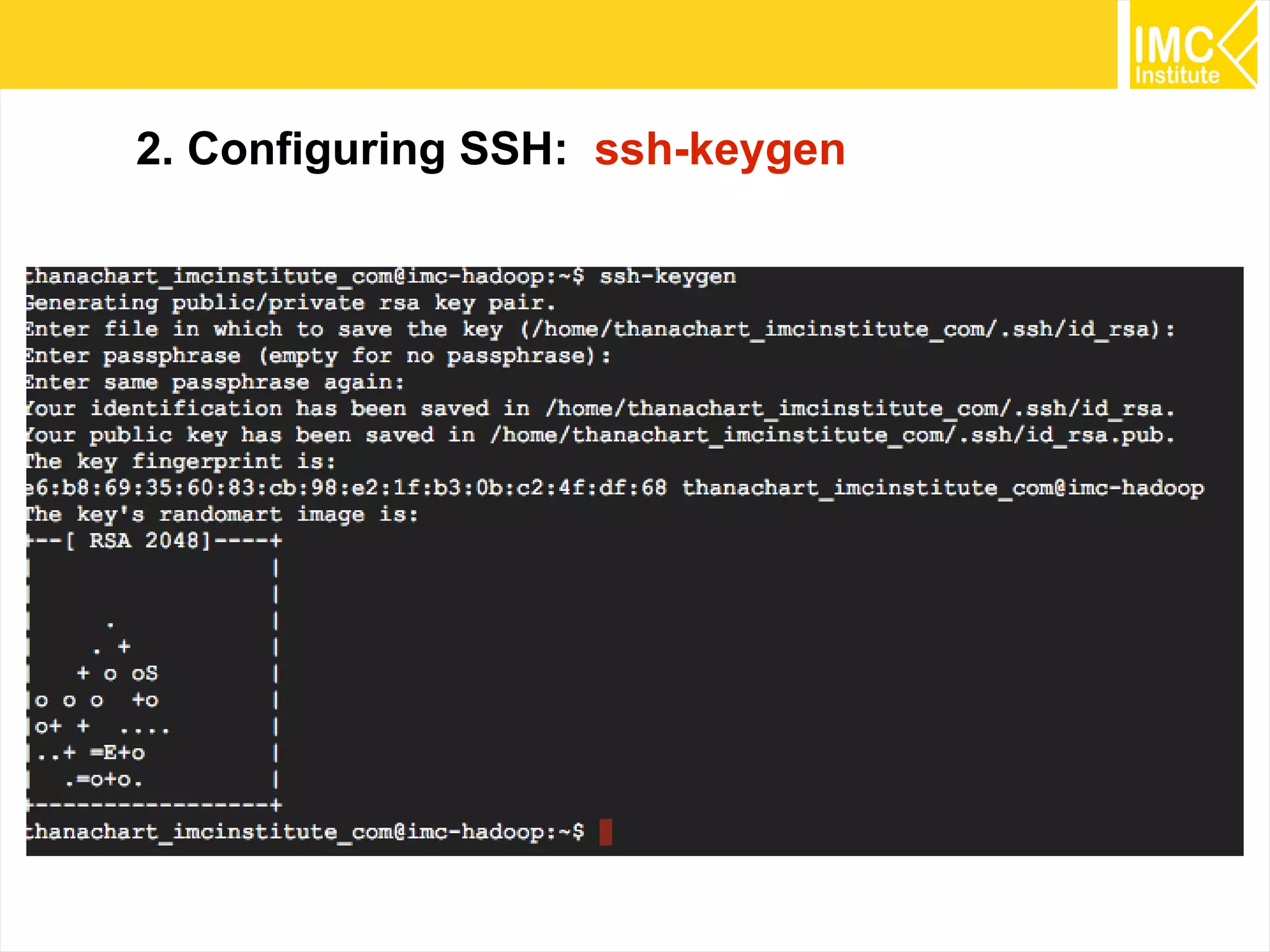
2. Configuring SSH: ssh-keygen
24
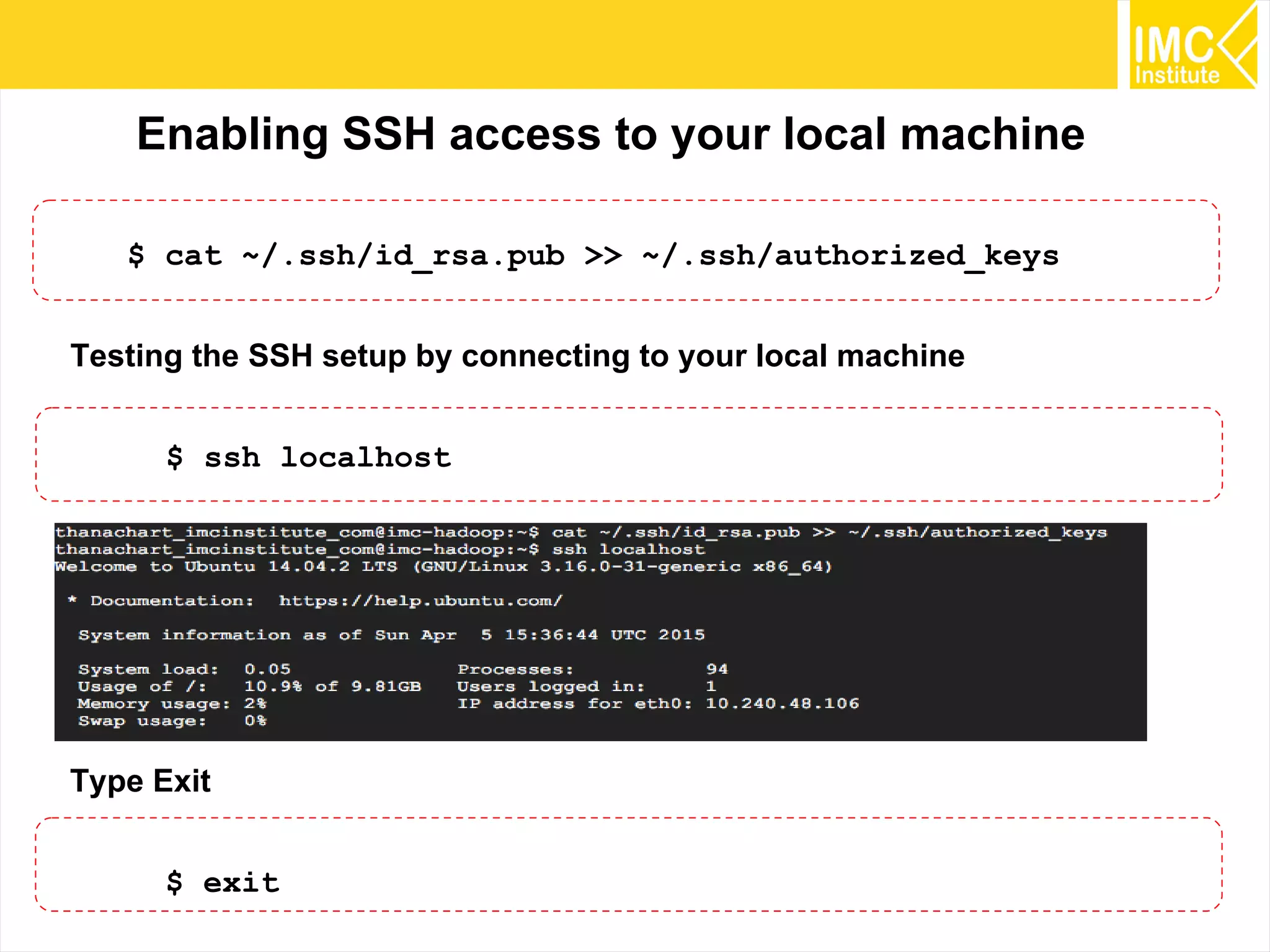
Enabling SSH access to your local machine
$ cat ~/.ssh/id_rsa.pub >> ~/.ssh/authorized_keys
Testing the SSH setup by connecting to your local machine
$ ssh localhost
Type Exit
$ exit
25
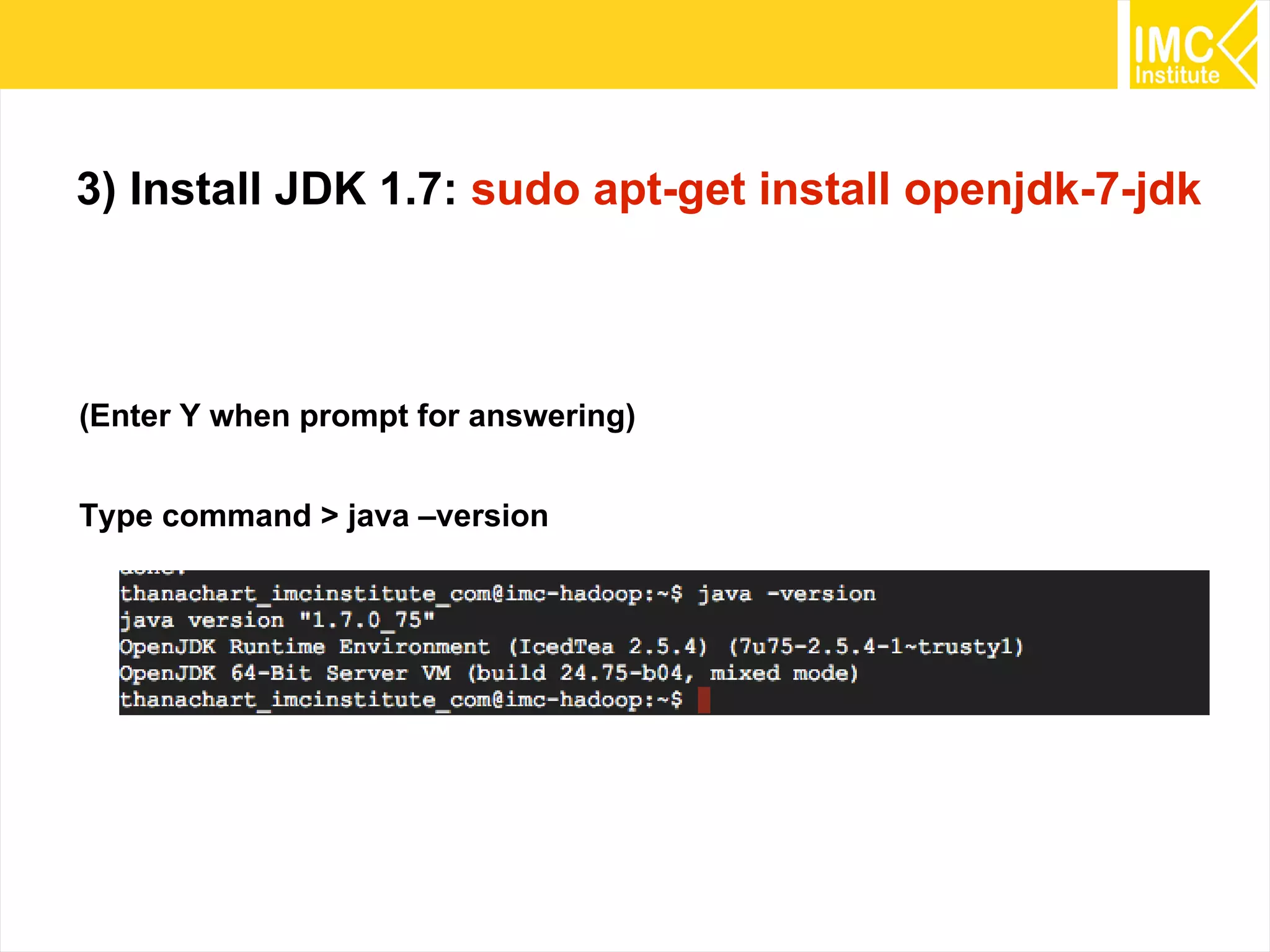
3) Install JDK 1.7: sudo apt-get install openjdk-7-jdk
(Enter Y when prompt for answering)
Type command > java –version
26
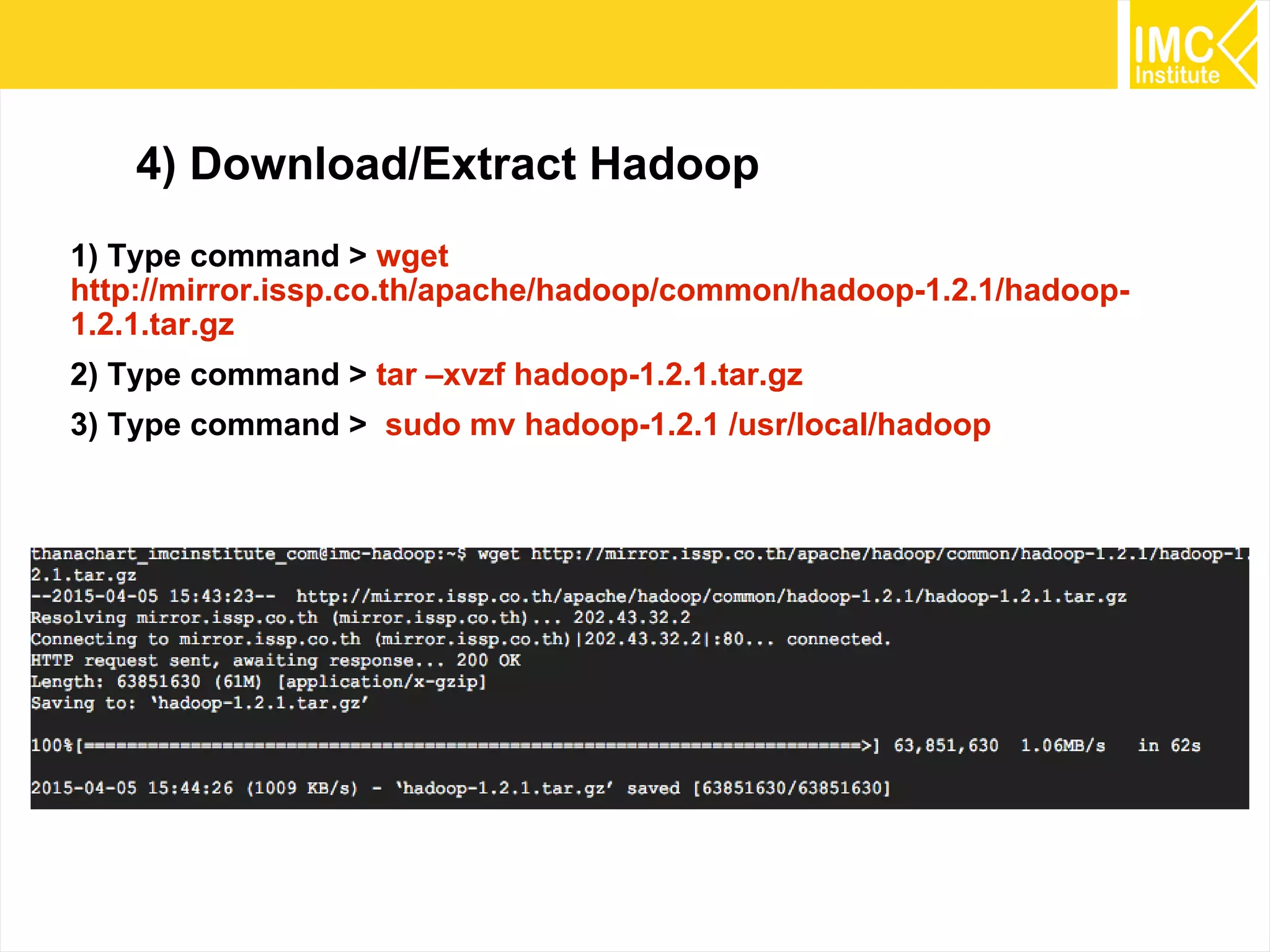
4) Download/Extract Hadoop
1) Type command > wget
http://mirror.issp.co.th/apache/hadoop/common/hadoop-1.2.1/hadoop-
1.2.1.tar.gz
2) Type command > tar –xvzf hadoop-1.2.1.tar.gz
3) Type command > sudo mv hadoop-1.2.1 /usr/local/hadoop
27
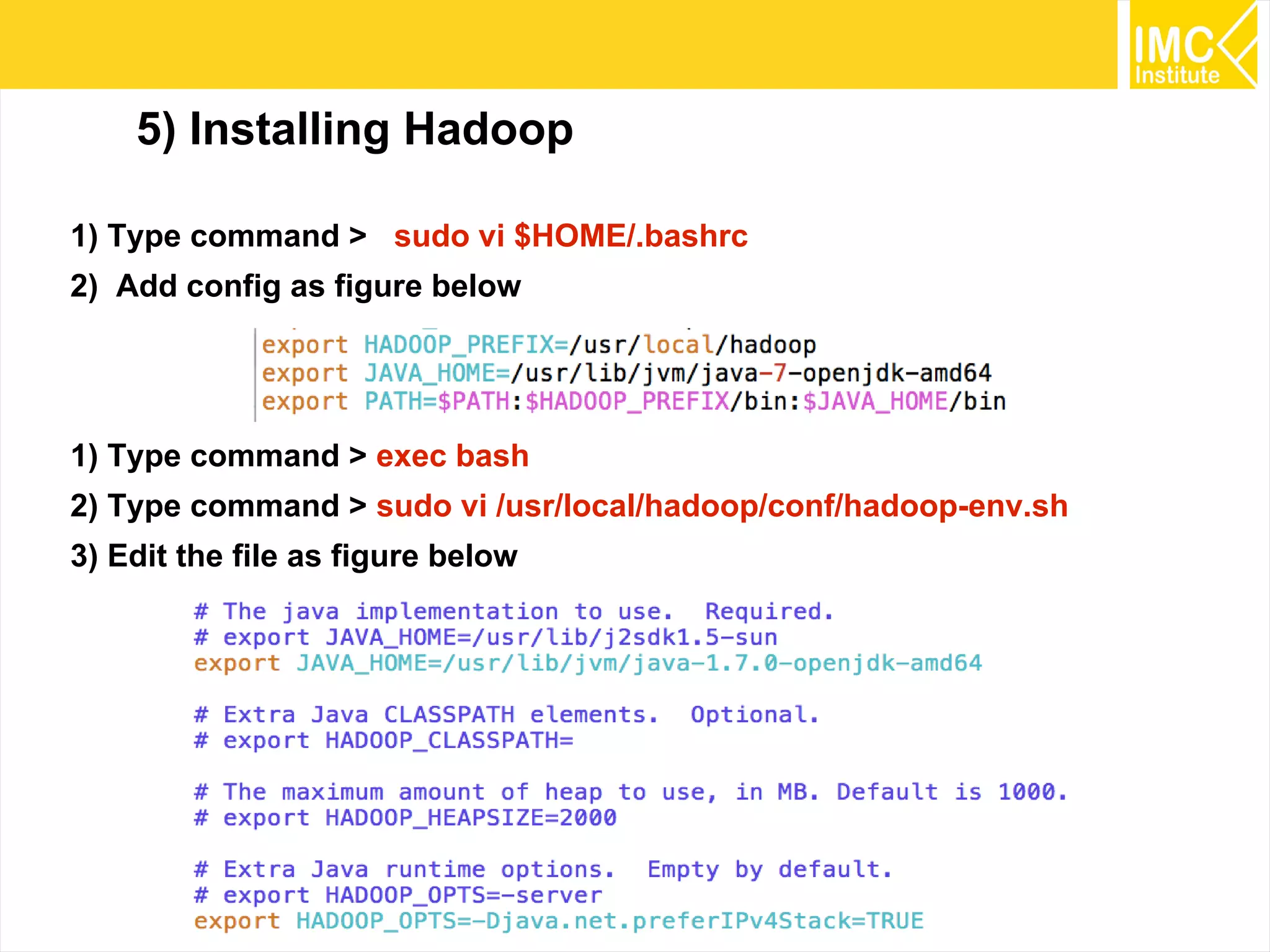
5) Installing Hadoop
1) Type command > sudo vi $HOME/.bashrc
2) Add config as figure below
1) Type command > exec bash
2) Type command > sudo vi /usr/local/hadoop/conf/hadoop-env.sh
3) Edit the file as figure below
28
6) Configuring Hadoop conf/*-site.xml
1. core-site.xml (hadoop.tmp.dir, fs.default.name)
2. hdfs-site.xml (dfs.replication)
3. mapred-site.xml (mapred.job.tracker)
29
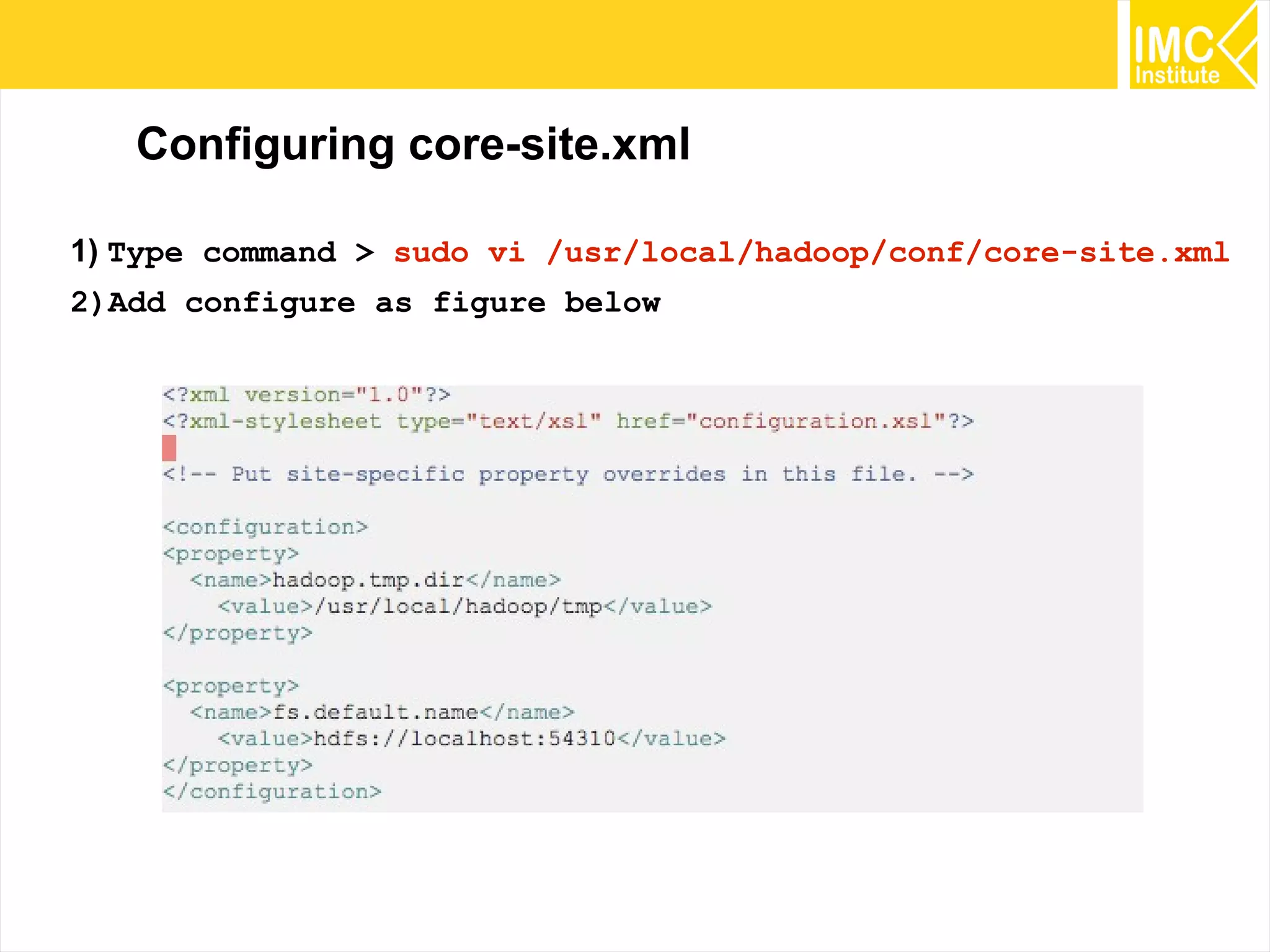
Configuring core-site.xml
1) Type command > sudo vi /usr/local/hadoop/conf/core-site.xml
2)Add configure as figure below
30
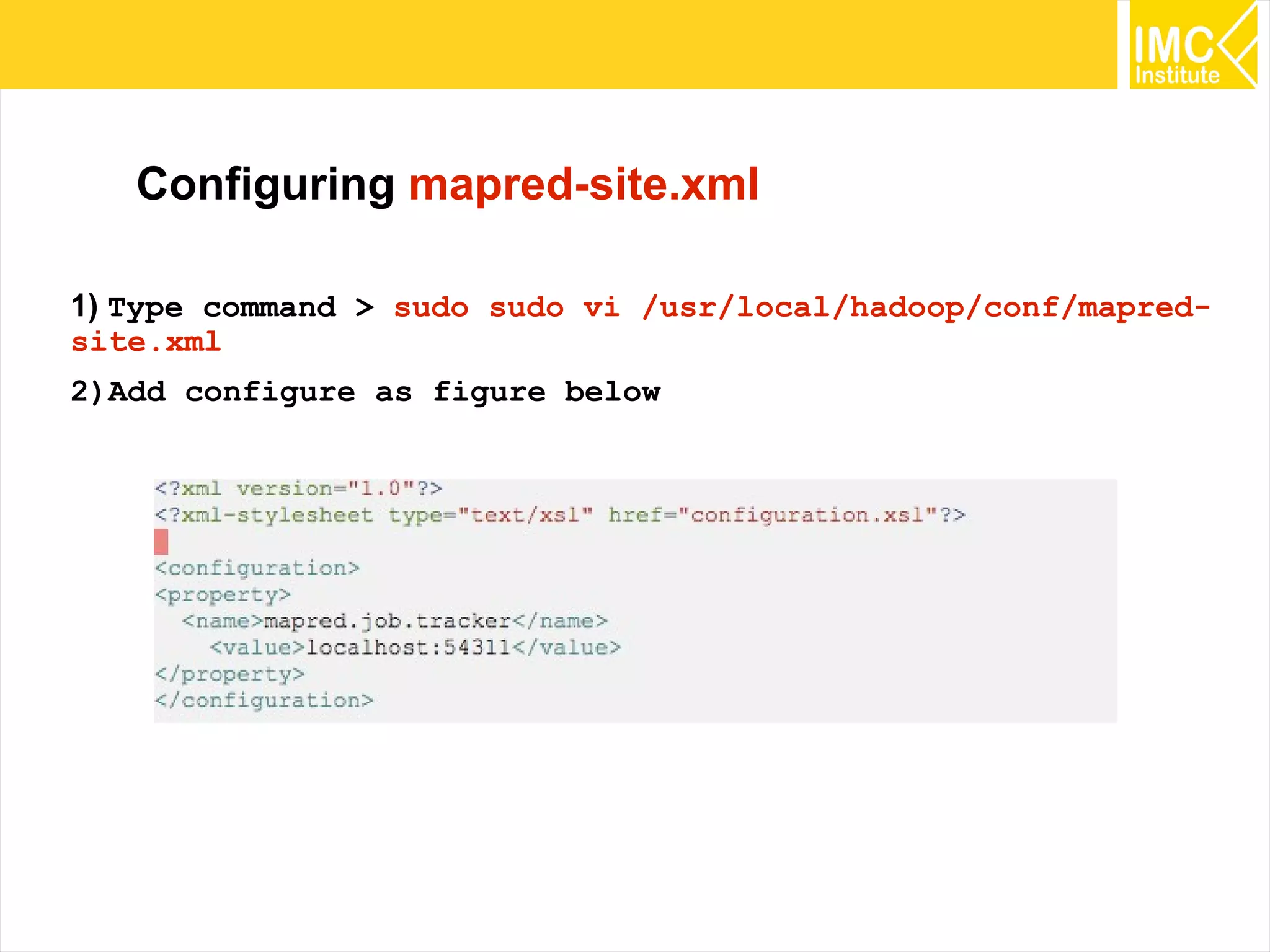
Configuring mapred-site.xml
1) Type command > sudo sudo vi /usr/local/hadoop/conf/mapred-
site.xml
2)Add configure as figure below
31
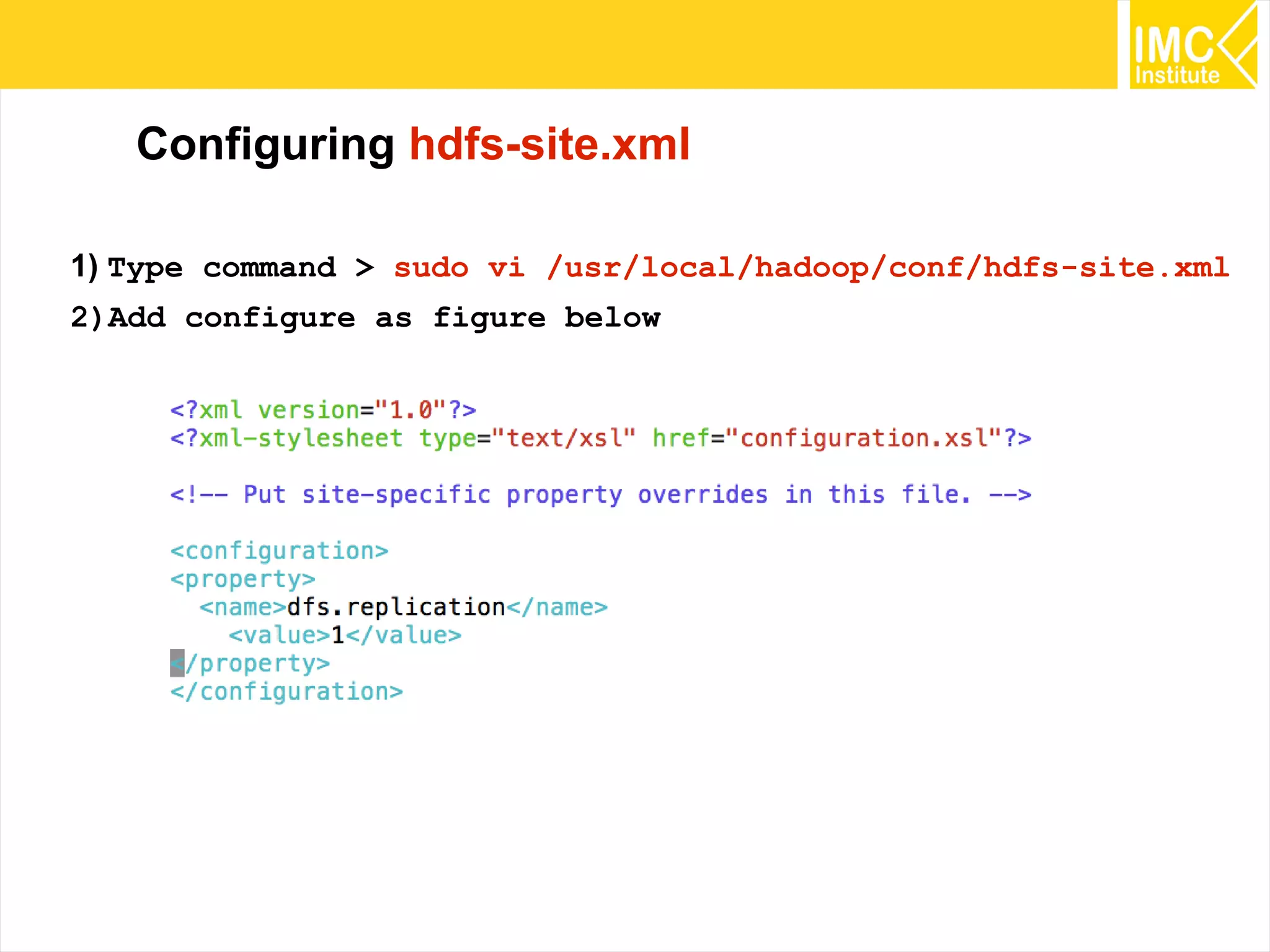
Configuring hdfs-site.xml
1) Type command > sudo vi /usr/local/hadoop/conf/hdfs-site.xml
2)Add configure as figure below
32
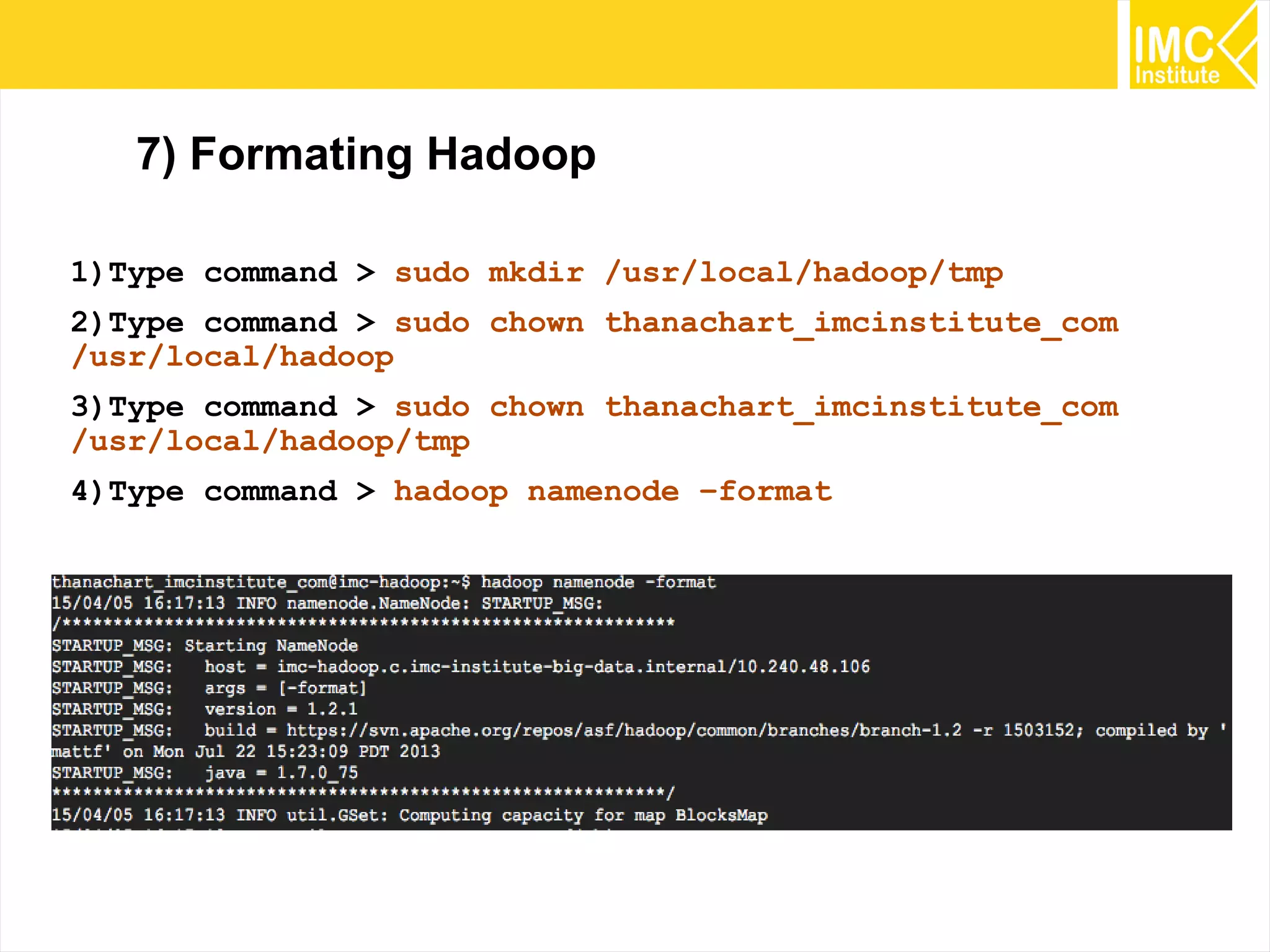
7) Formating Hadoop
1)Type command > sudo mkdir /usr/local/hadoop/tmp
2)Type command > sudo chown thanachart_imcinstitute_com
/usr/local/hadoop
3)Type command > sudo chown thanachart_imcinstitute_com
/usr/local/hadoop/tmp
4)Type command > hadoop namenode –format
33
Starting Hadoop
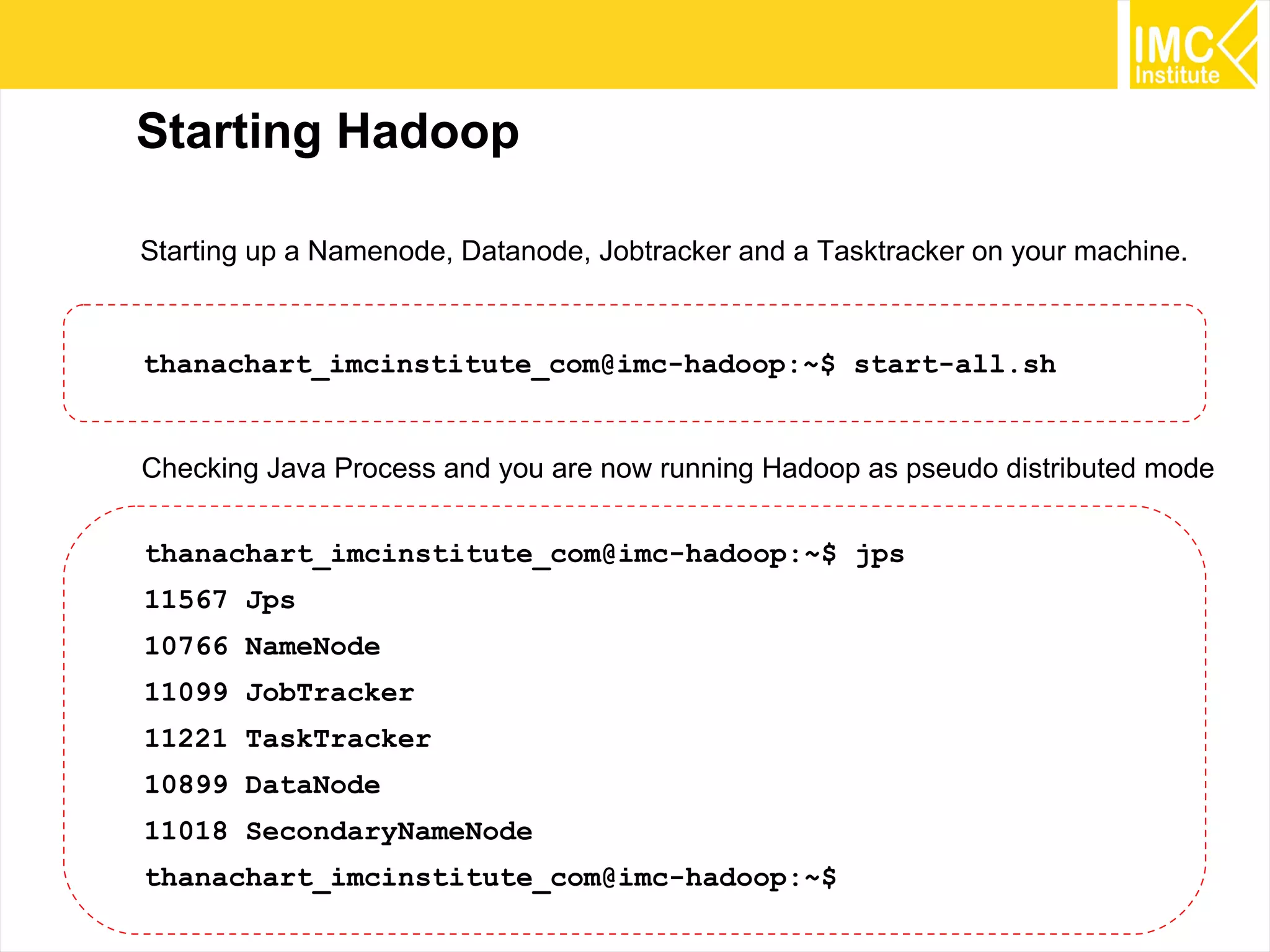
thanachart_imcinstitute_com@imc-hadoop:~$ start-all.sh
Starting up a Namenode, Datanode, Jobtracker and a Tasktracker on your machine.
thanachart_imcinstitute_com@imc-hadoop:~$ jps
11567 Jps
10766 NameNode
11099 JobTracker
11221 TaskTracker
10899 DataNode
11018 SecondaryNameNode
thanachart_imcinstitute_com@imc-hadoop:~$
Checking Java Process and you are now running Hadoop as pseudo distributed mode
34
Installing Mahout
35
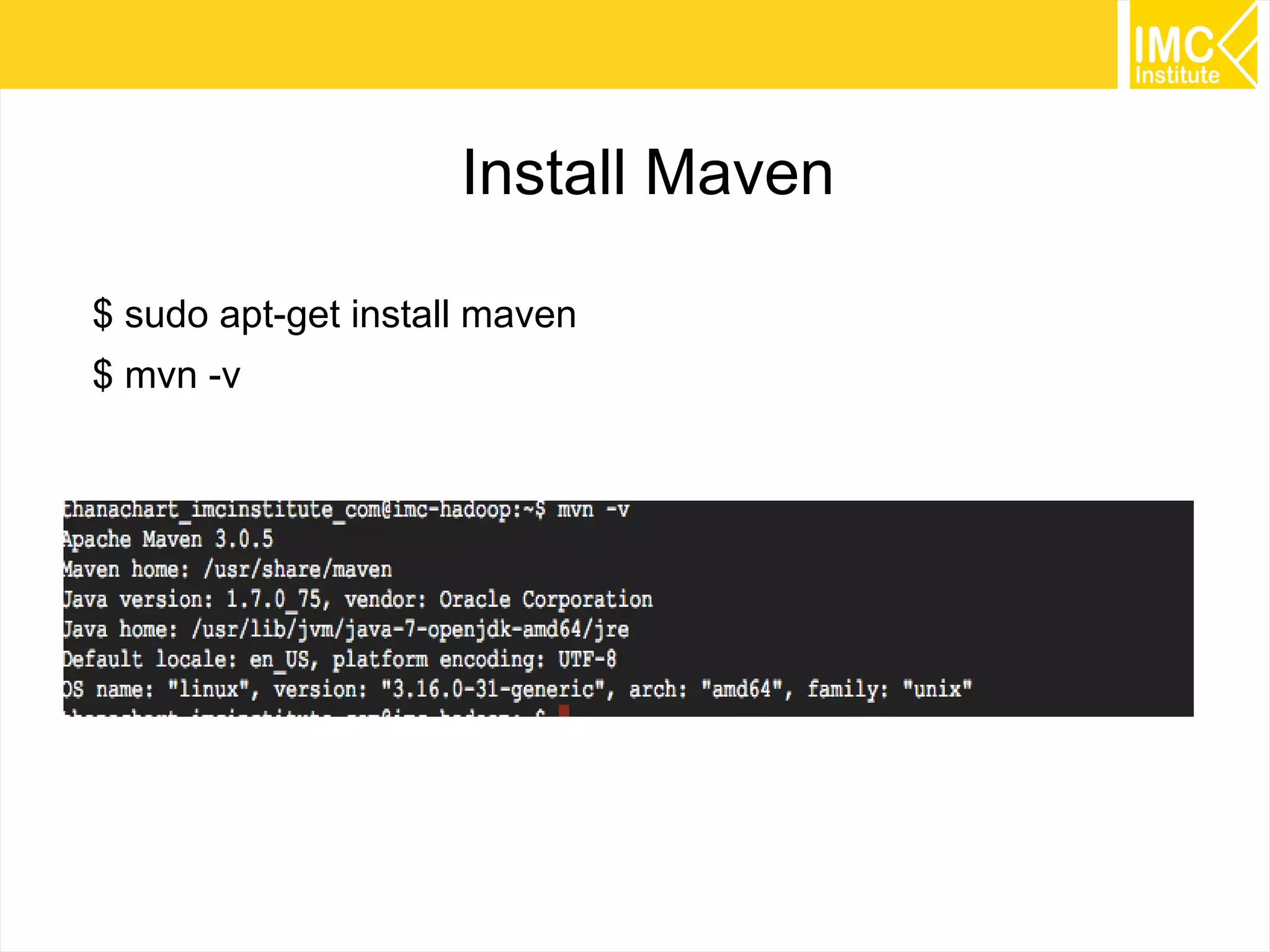
Install Maven
$ sudo apt-get install maven
$ mvn -v
36
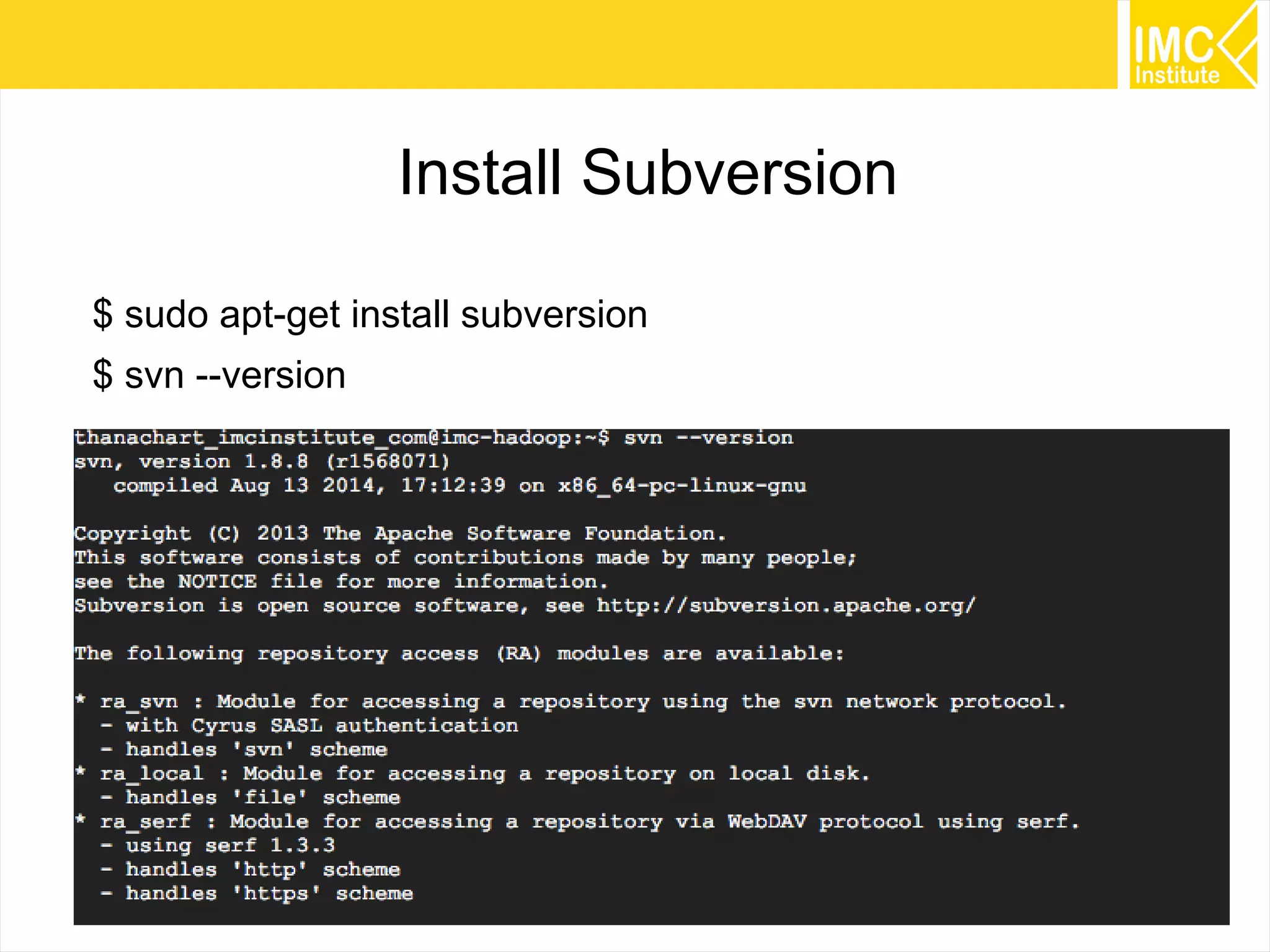
Install Subversion
$ sudo apt-get install subversion
$ svn --version
37
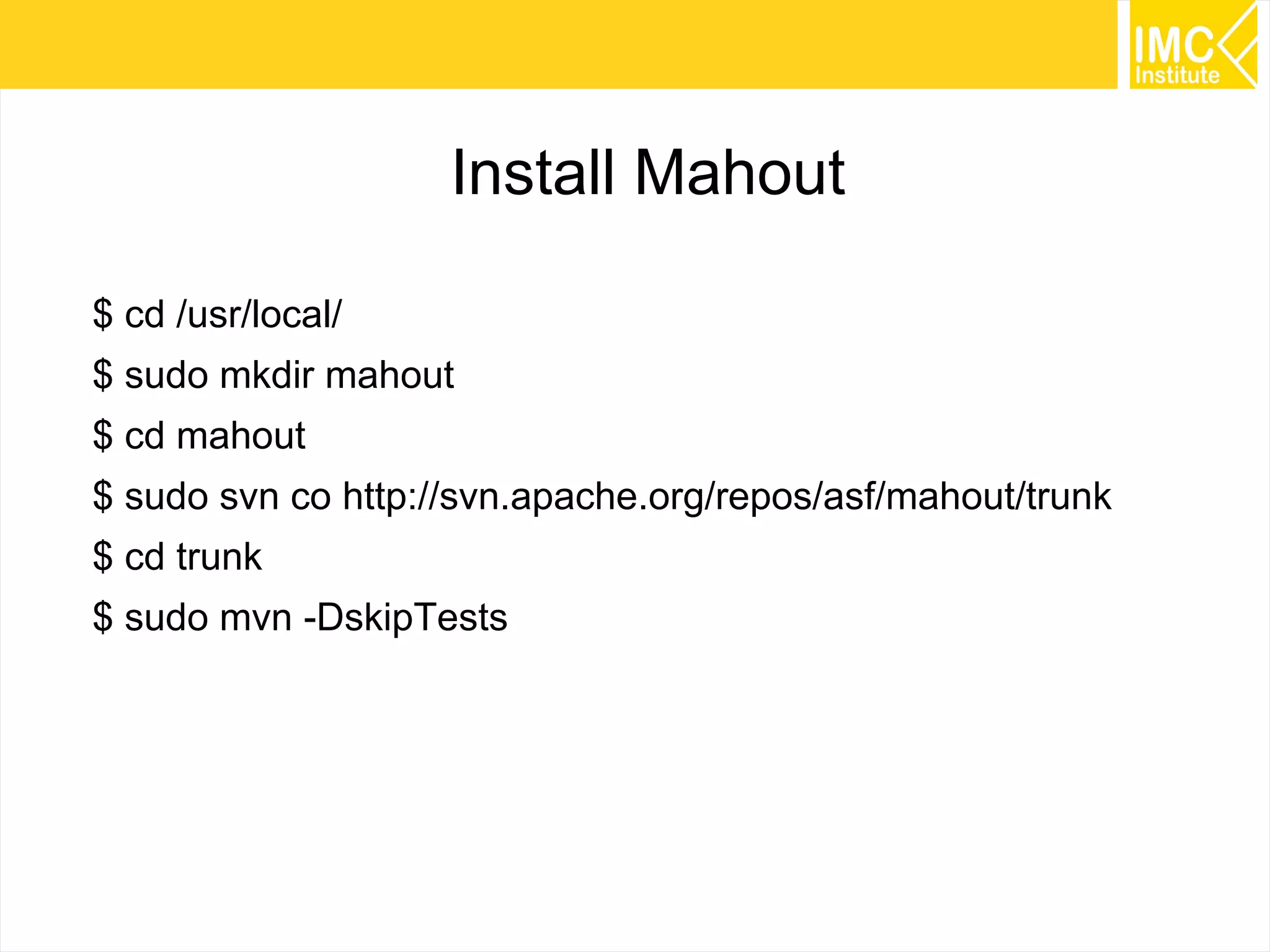
Install Mahout
$ cd /usr/local/
$ sudo mkdir mahout
$ cd mahout
$ sudo svn co http://svn.apache.org/repos/asf/mahout/trunk
$ cd trunk
$ sudo mvn -DskipTests
38
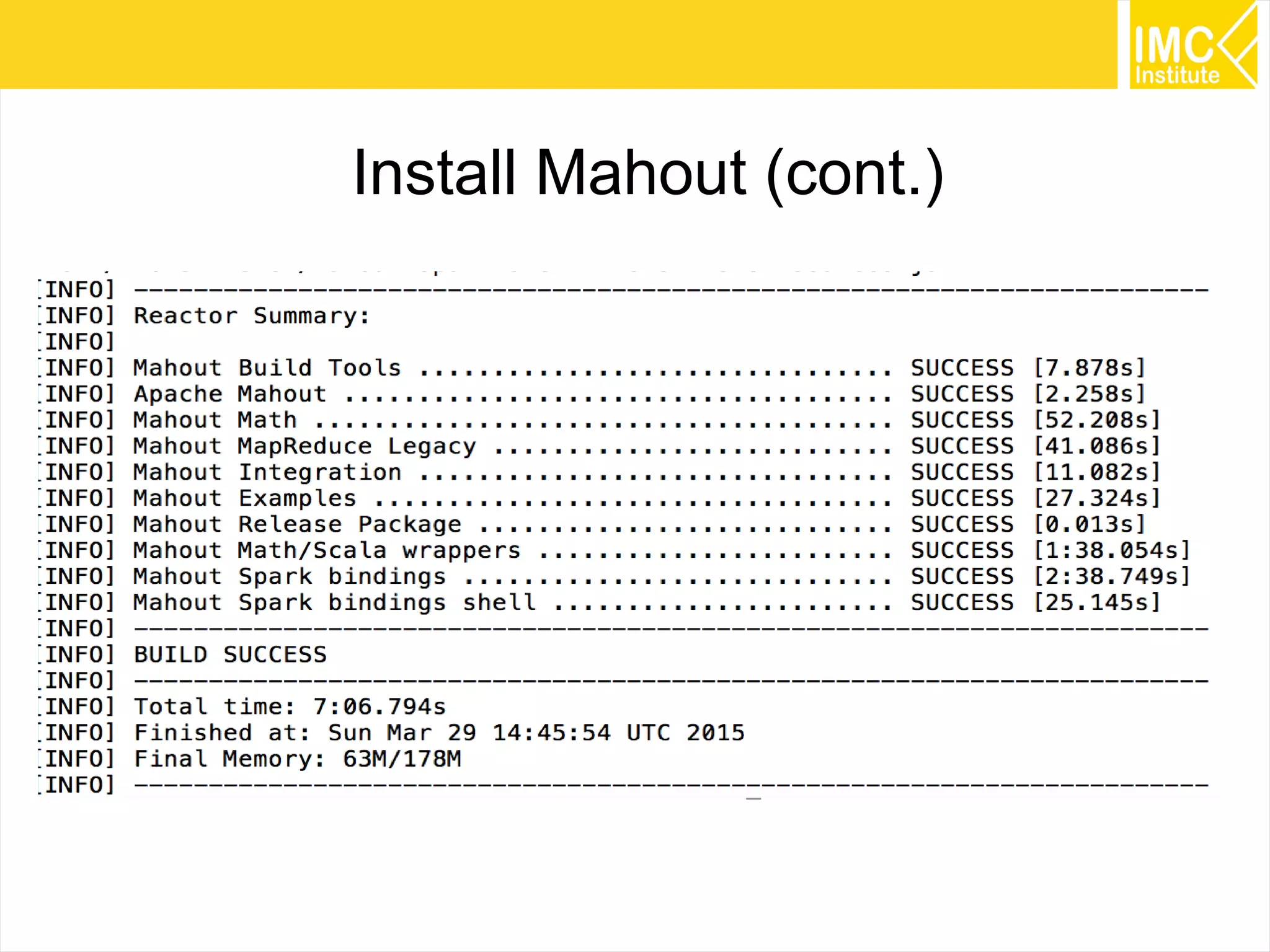
Install Mahout (cont.)
39
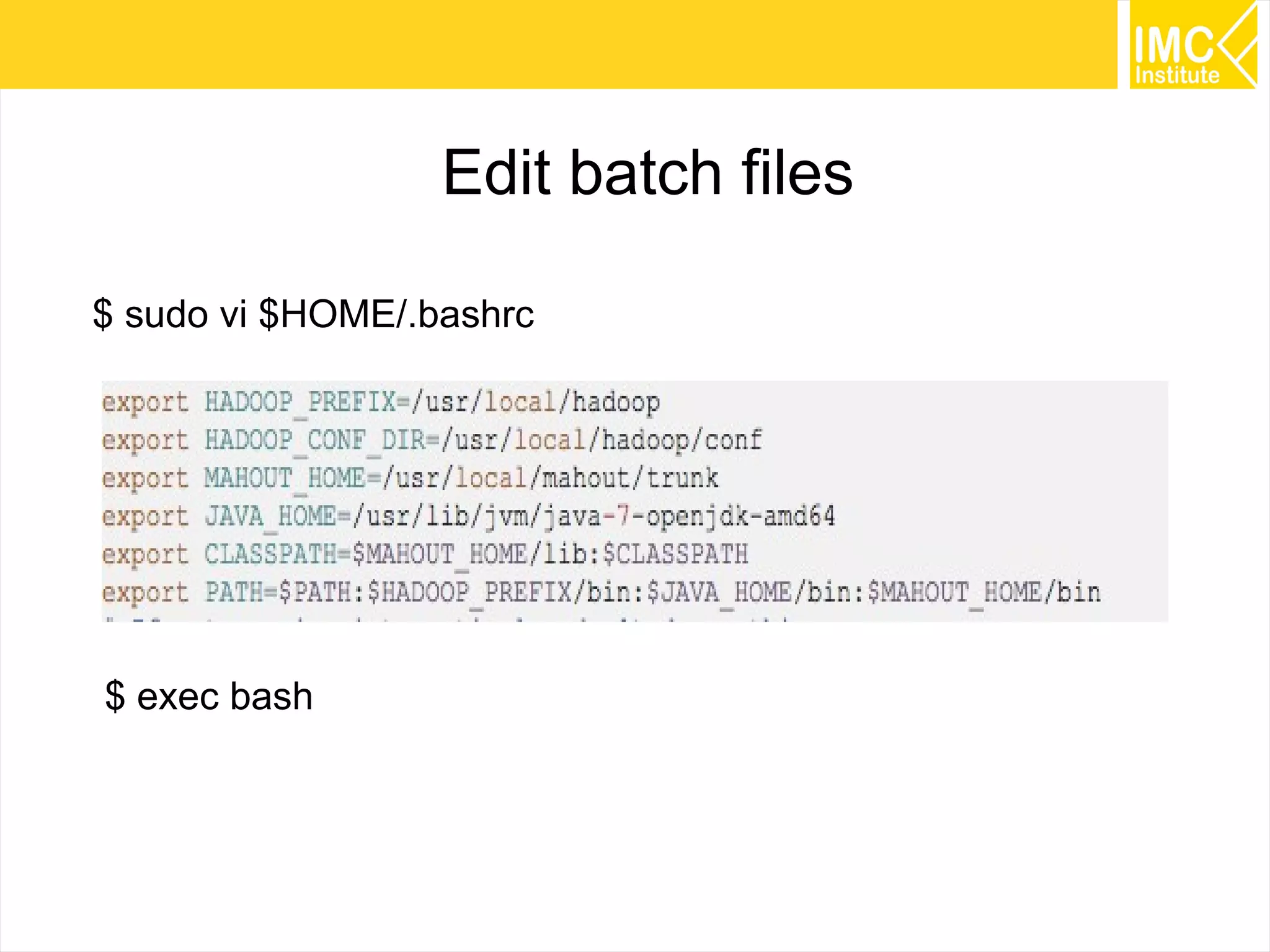
Edit batch files
$ sudo vi $HOME/.bashrc
$ exec bash
40
Running
Recommendation Algorithms
41
MovieLens
http://grouplens.org/datasets/movielens/
42
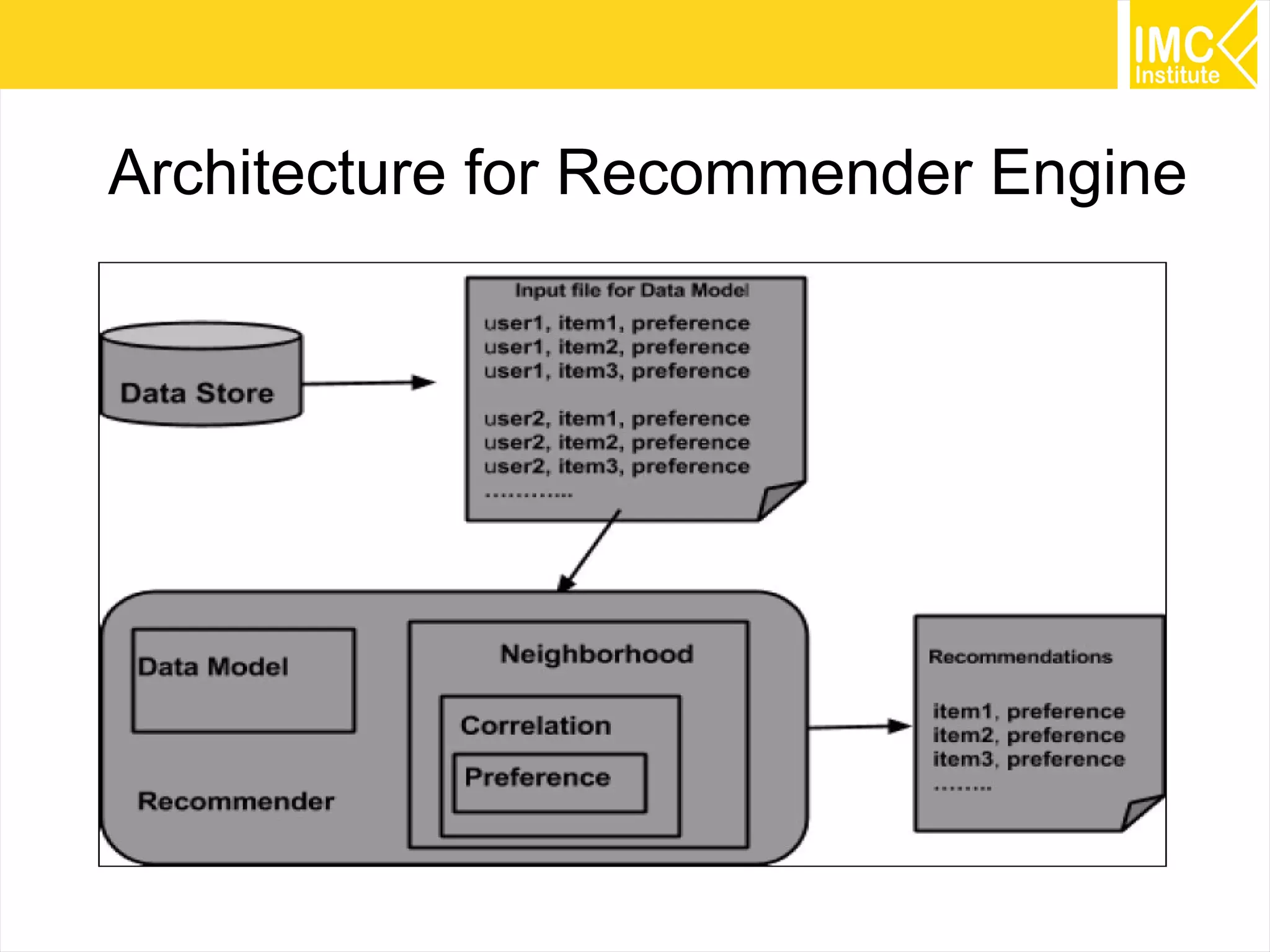
Architecture for Recommender Engine
43
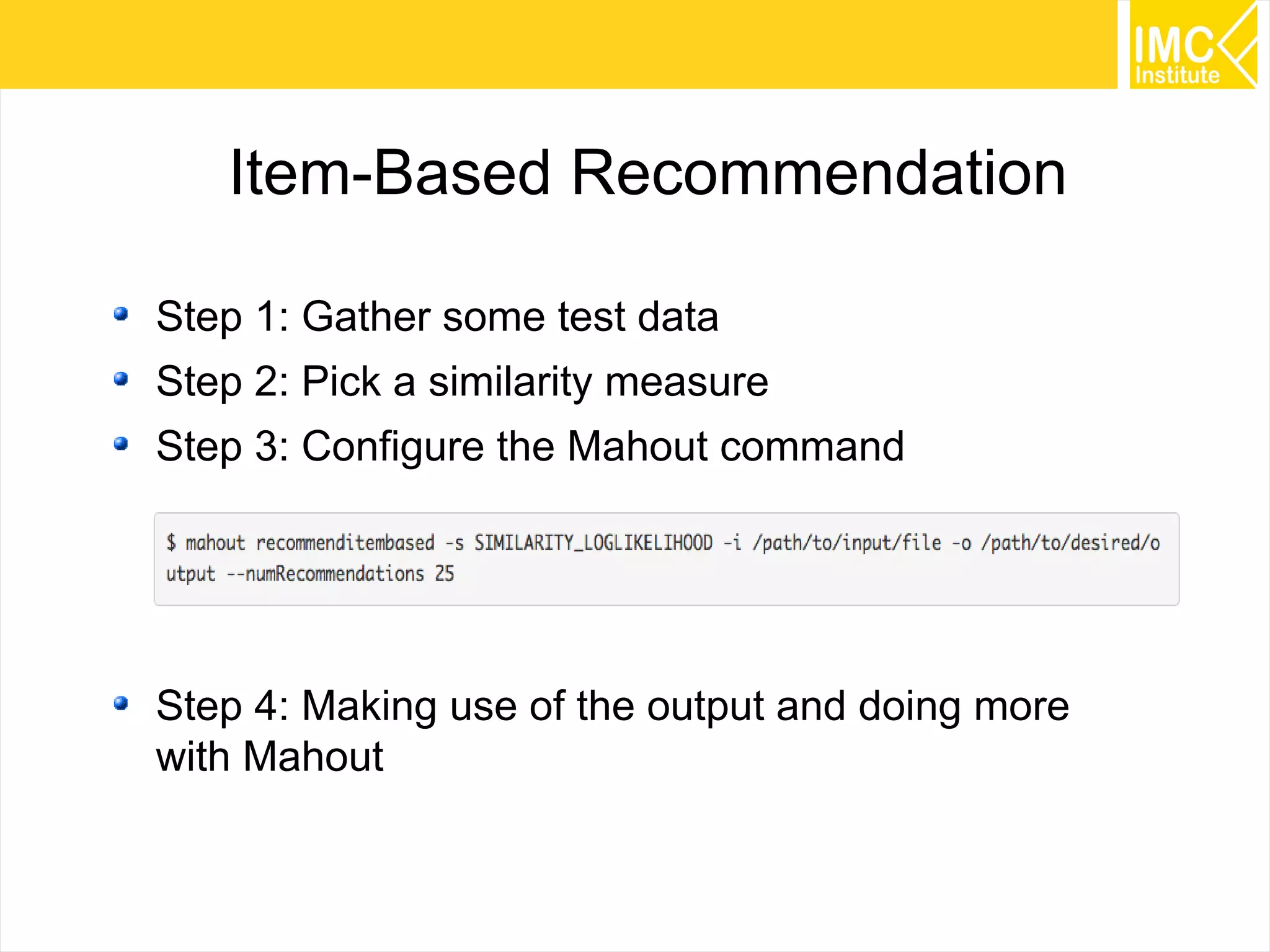
Item-Based Recommendation
Step 1: Gather some test data
Step 2: Pick a similarity measure
Step 3: Configure the Mahout command
Step 4: Making use of the output and doing more
with Mahout
44
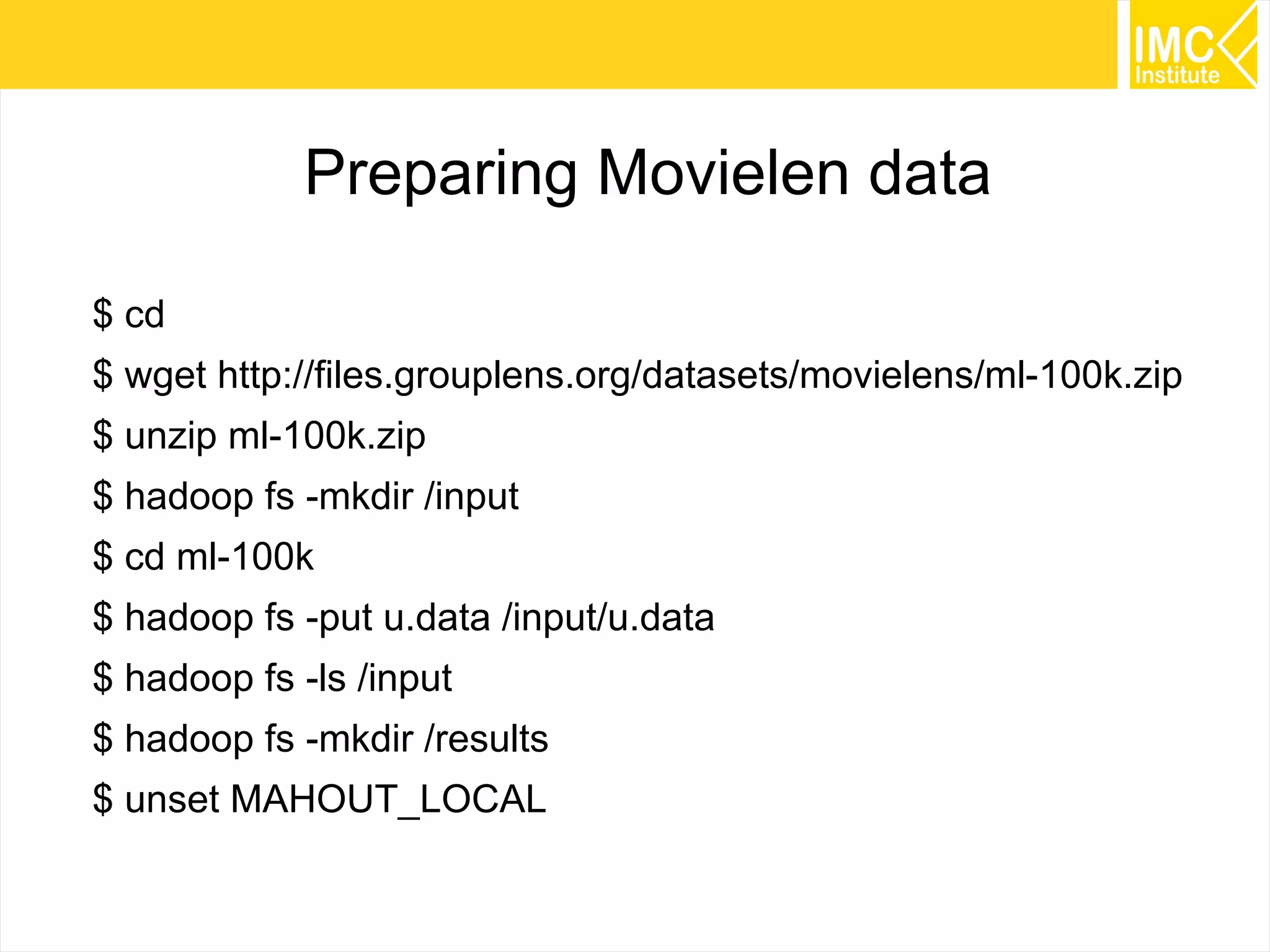
Preparing Movielen data
$ cd
$ wget http://files.grouplens.org/datasets/movielens/ml-100k.zip
$ unzip ml-100k.zip
$ hadoop fs -mkdir /input
$ cd ml-100k
$ hadoop fs -put u.data /input/u.data
$ hadoop fs -ls /input
$ hadoop fs -mkdir /results
$ unset MAHOUT_LOCAL
45
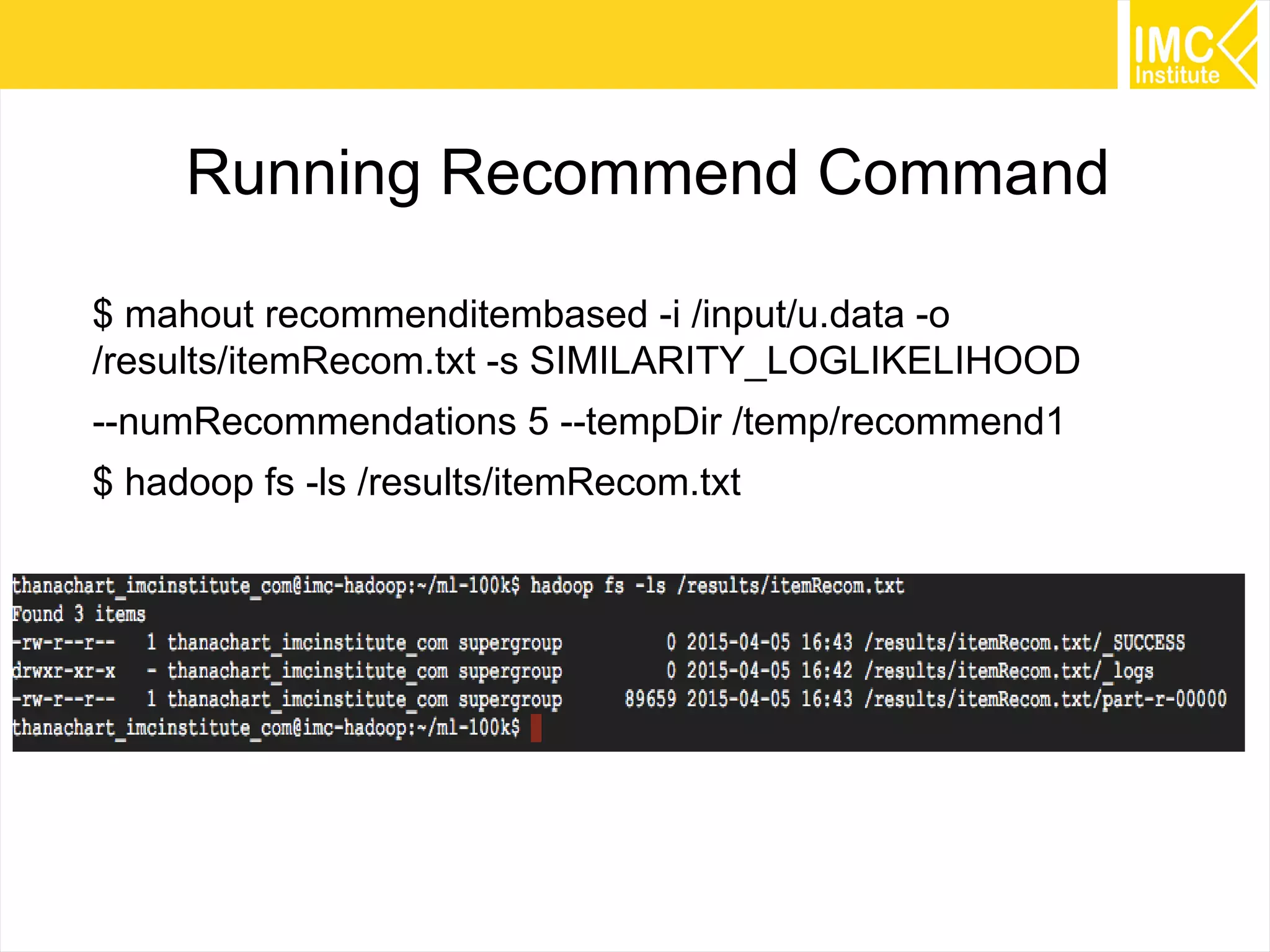
Running Recommend Command
$ mahout recommenditembased -i /input/u.data -o
/results/itemRecom.txt -s SIMILARITY_LOGLIKELIHOOD
--numRecommendations 5 --tempDir /temp/recommend1
$ hadoop fs -ls /results/itemRecom.txt
46
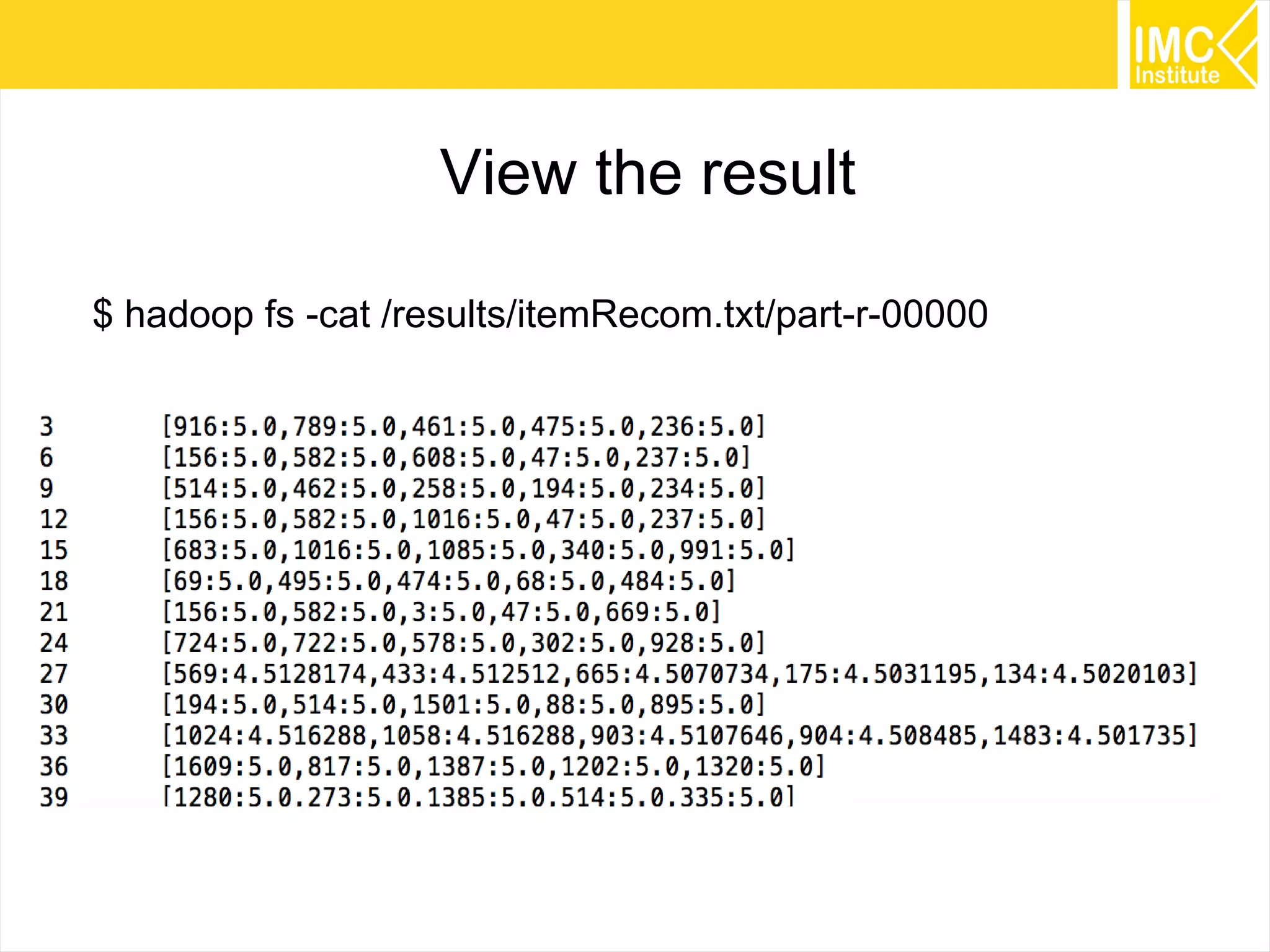
View the result
$ hadoop fs -cat /results/itemRecom.txt/part-r-00000
47
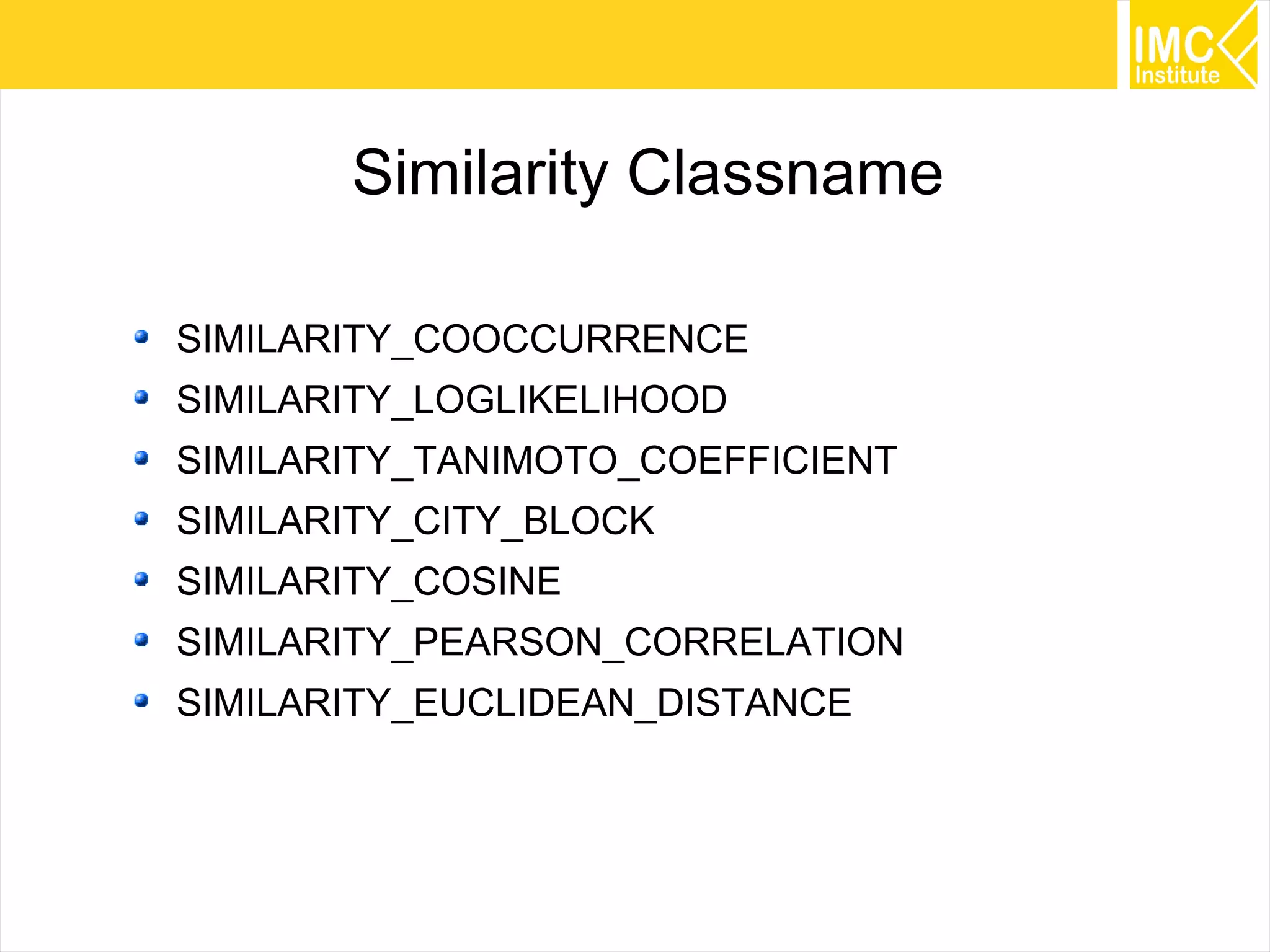
Similarity Classname
SIMILARITY_COOCCURRENCE
SIMILARITY_LOGLIKELIHOOD
SIMILARITY_TANIMOTO_COEFFICIENT
SIMILARITY_CITY_BLOCK
SIMILARITY_COSINE
SIMILARITY_PEARSON_CORRELATION
SIMILARITY_EUCLIDEAN_DISTANCE
48
Running Recommendation in
a single machine
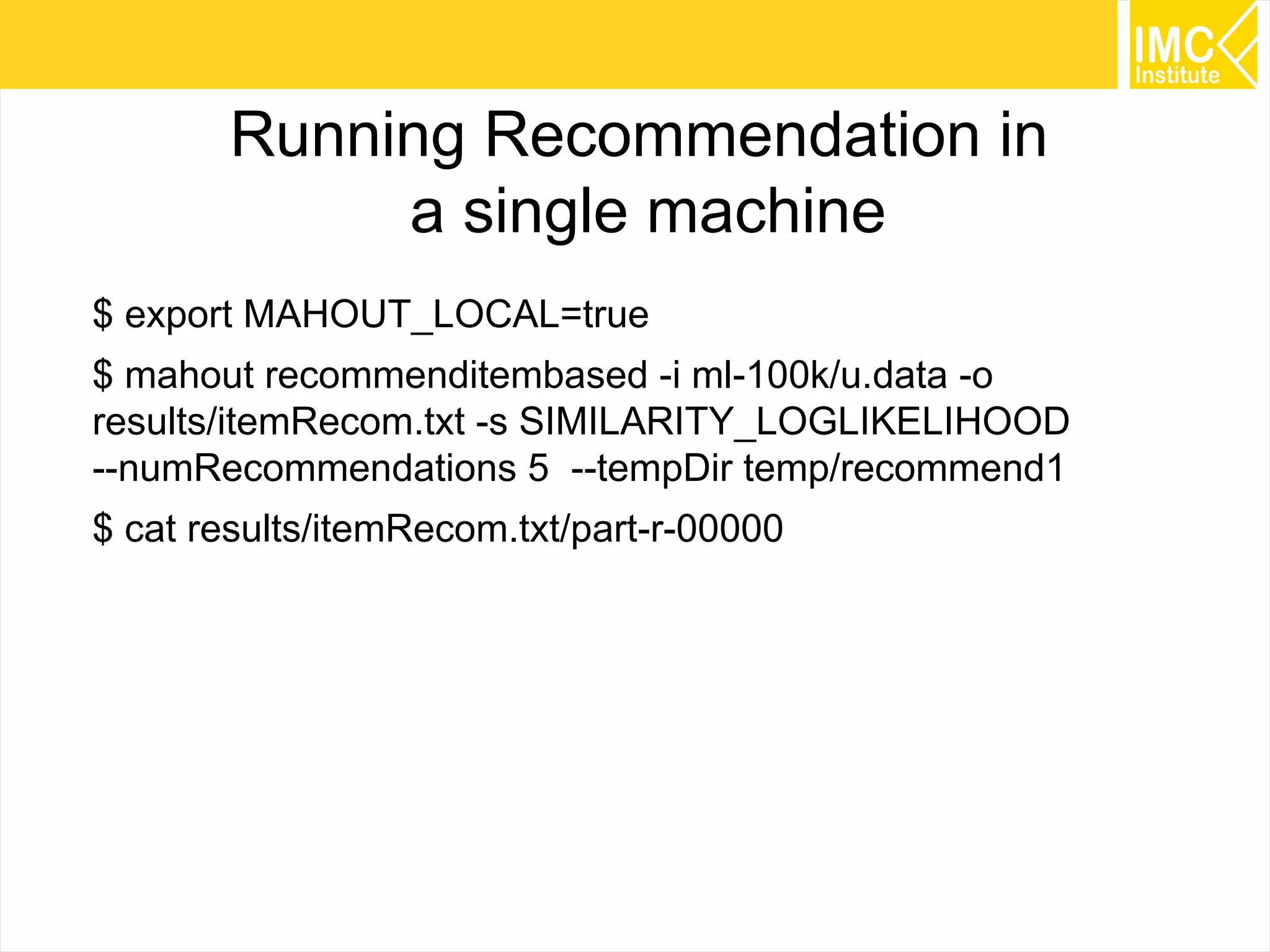
$ export MAHOUT_LOCAL=true
$ mahout recommenditembased -i ml-100k/u.data -o
results/itemRecom.txt -s SIMILARITY_LOGLIKELIHOOD
--numRecommendations 5 --tempDir temp/recommend1
$ cat results/itemRecom.txt/part-r-00000
49
Running
Example Program
Using Naive Bayes classifer
50
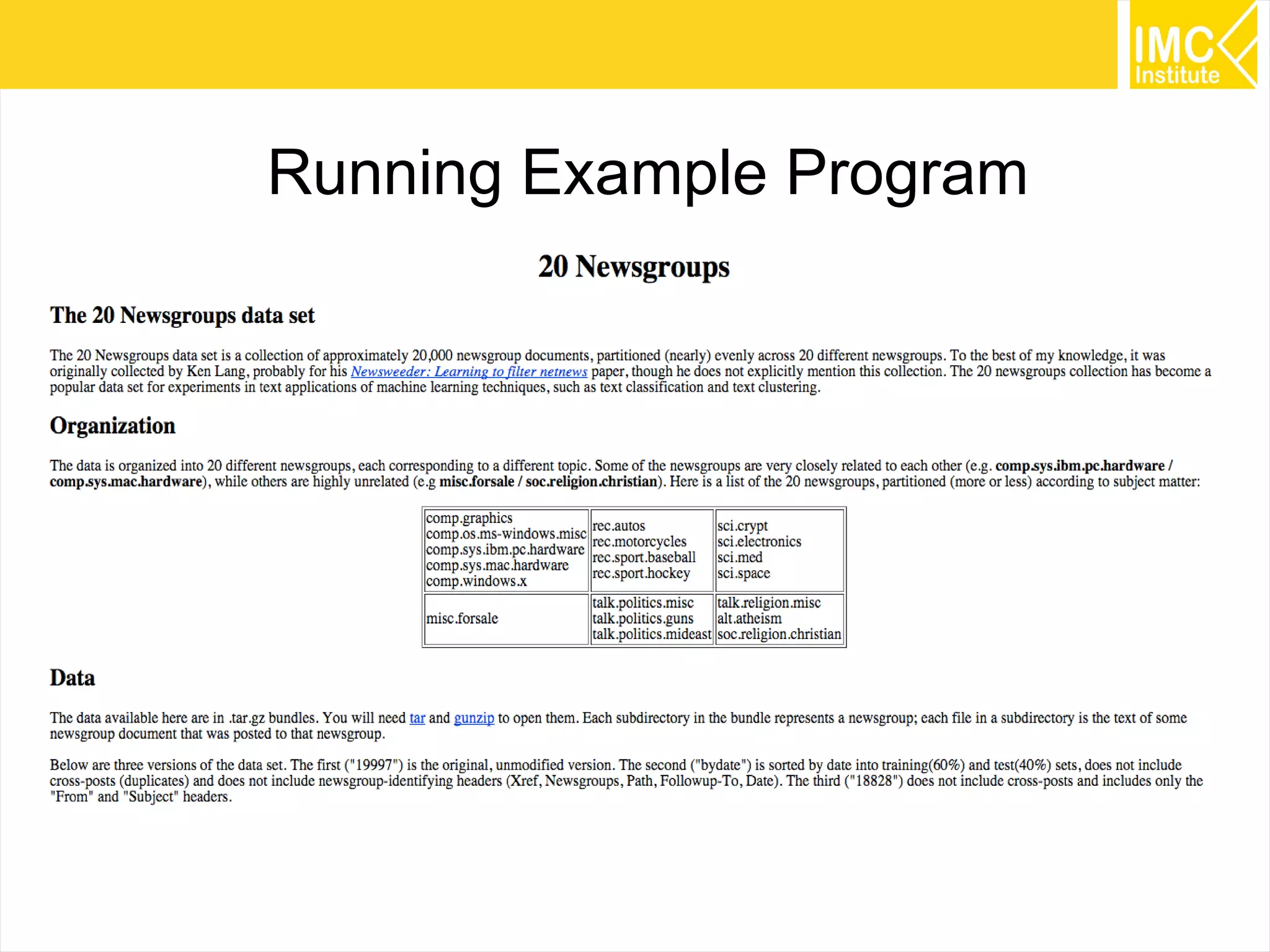
Running Example Program
51
Preparing data
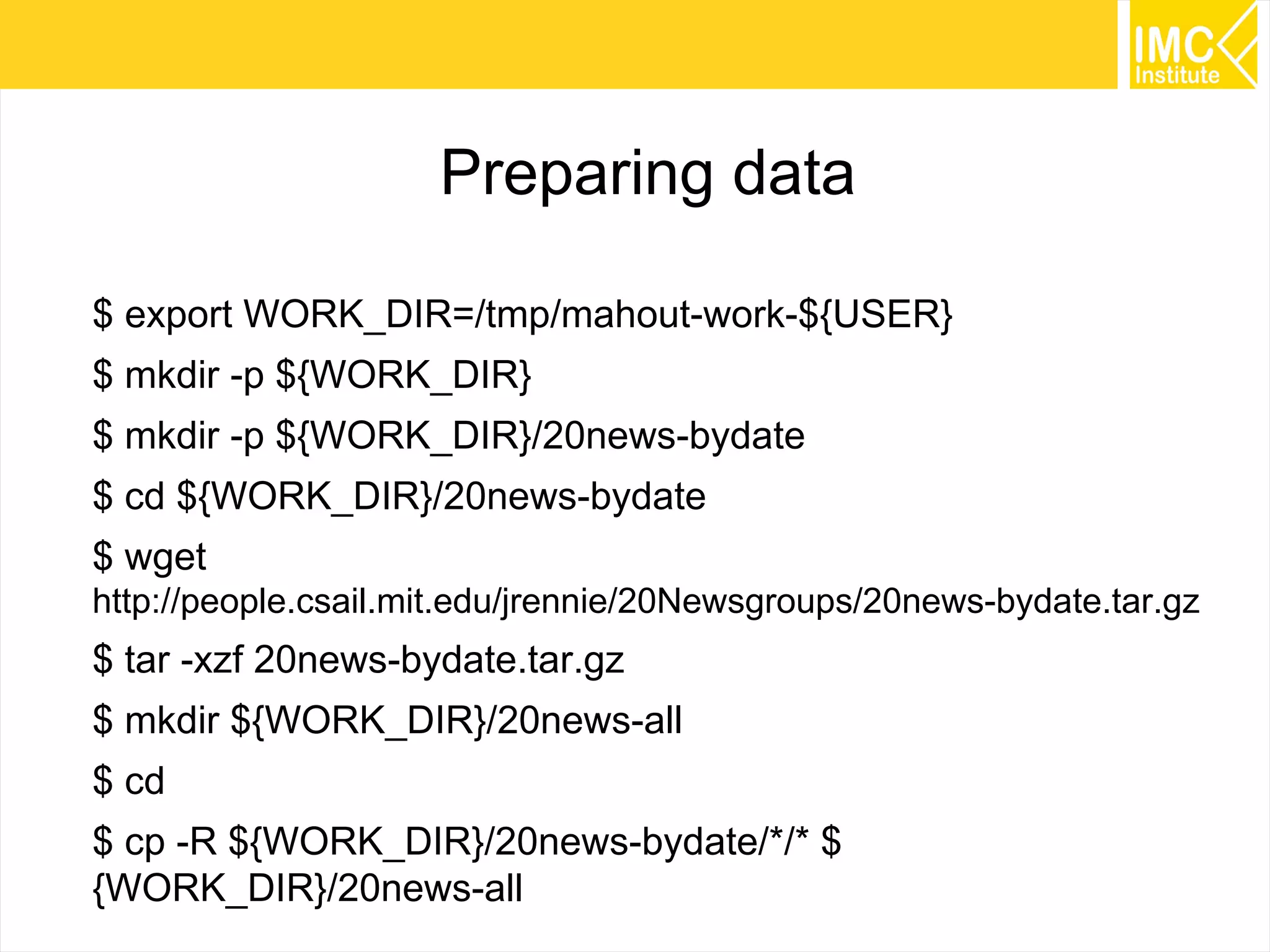
$ export WORK_DIR=/tmp/mahout-work-${USER}
$ mkdir -p ${WORK_DIR}
$ mkdir -p ${WORK_DIR}/20news-bydate
$ cd ${WORK_DIR}/20news-bydate
$ wget
http://people.csail.mit.edu/jrennie/20Newsgroups/20news-bydate.tar.gz
$ tar -xzf 20news-bydate.tar.gz
$ mkdir ${WORK_DIR}/20news-all
$ cd
$ cp -R ${WORK_DIR}/20news-bydate/*/* $
{WORK_DIR}/20news-all
52
Note: Running on MapReduce
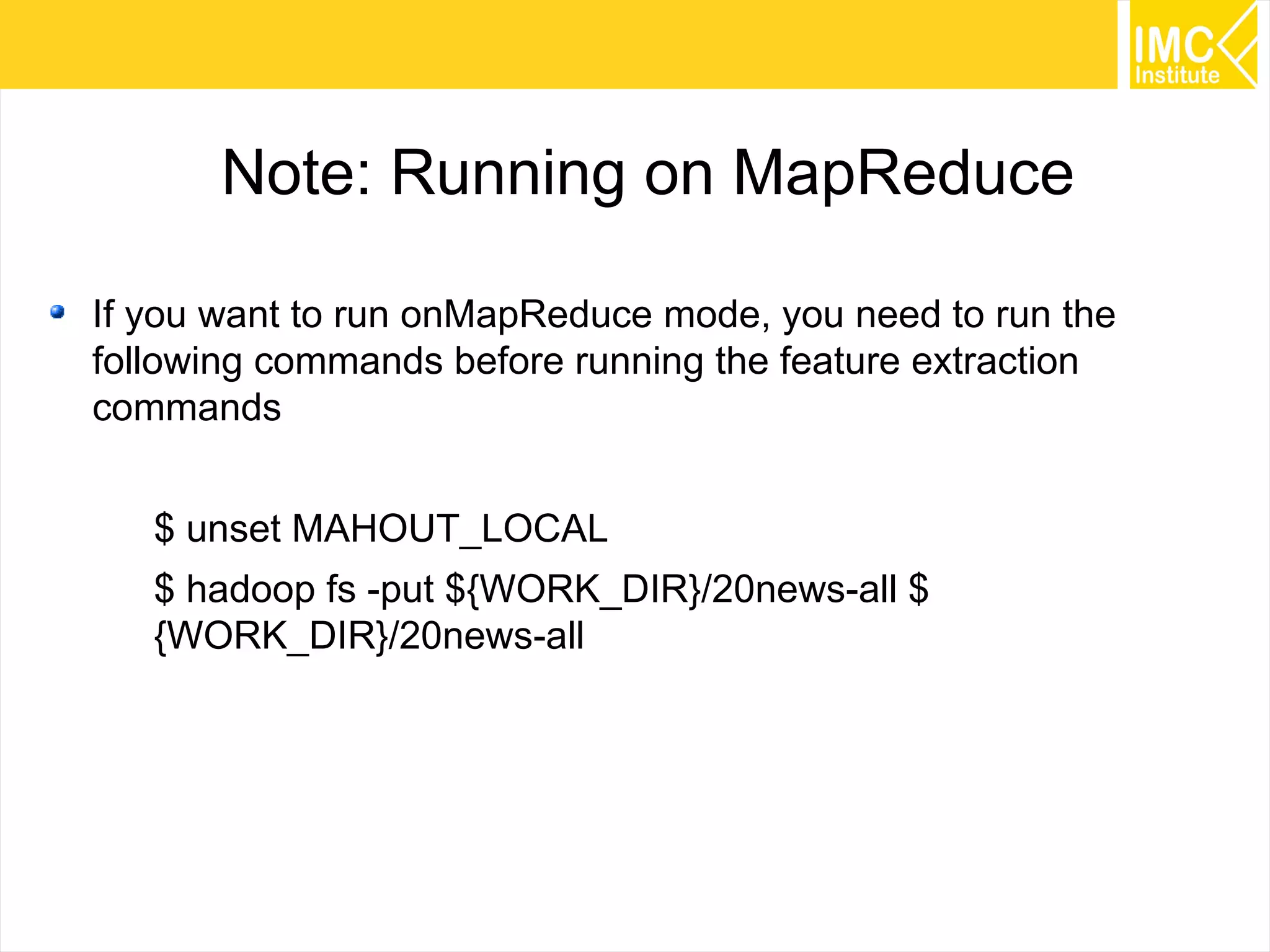
If you want to run onMapReduce mode, you need to run the
following commands before running the feature extraction
commands
$ unset MAHOUT_LOCAL
$ hadoop fs -put ${WORK_DIR}/20news-all $
{WORK_DIR}/20news-all
53
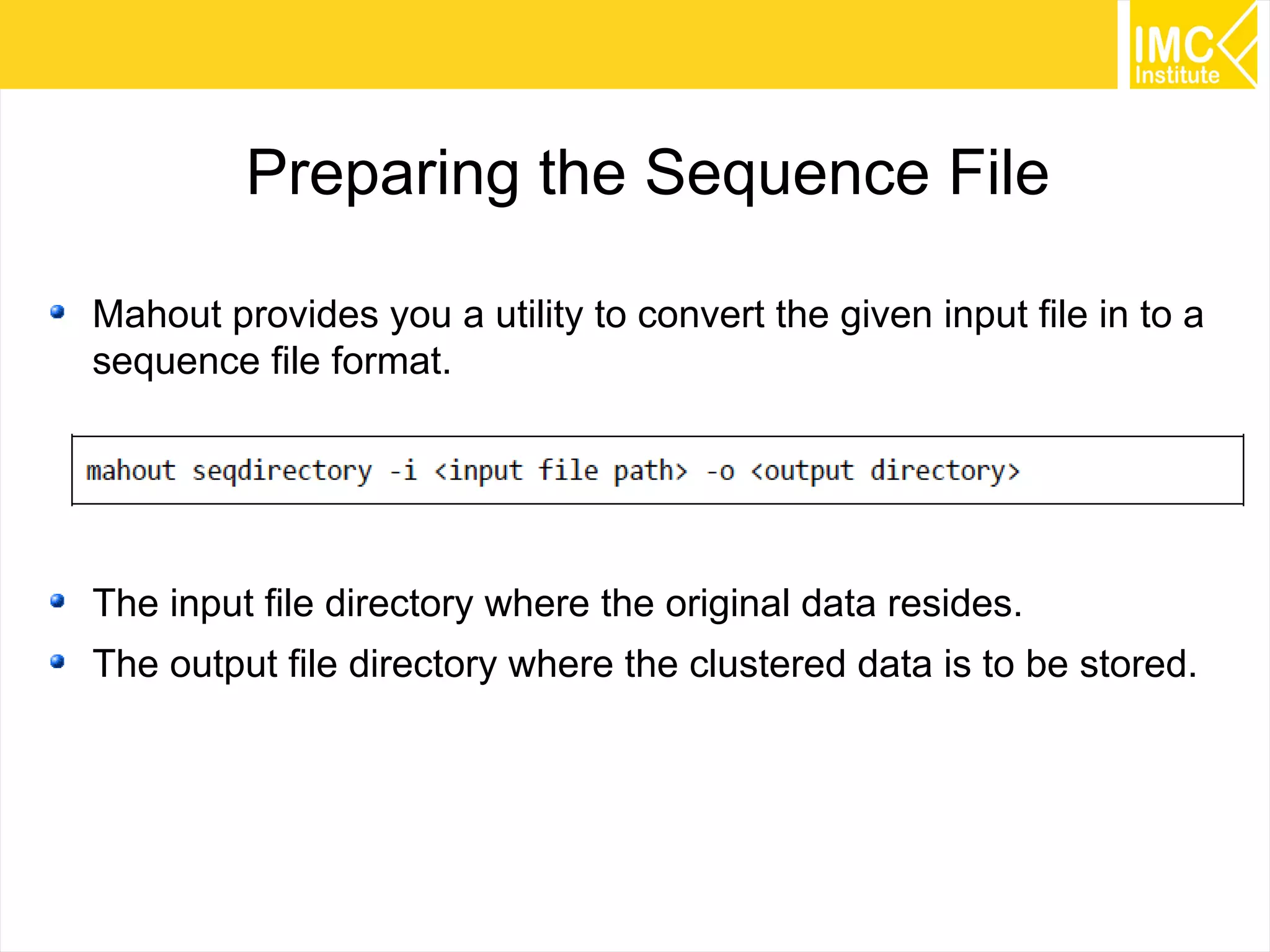
Preparing the Sequence File
Mahout provides you a utility to convert the given input file in to a
sequence file format.
The input file directory where the original data resides.
The output file directory where the clustered data is to be stored.
54
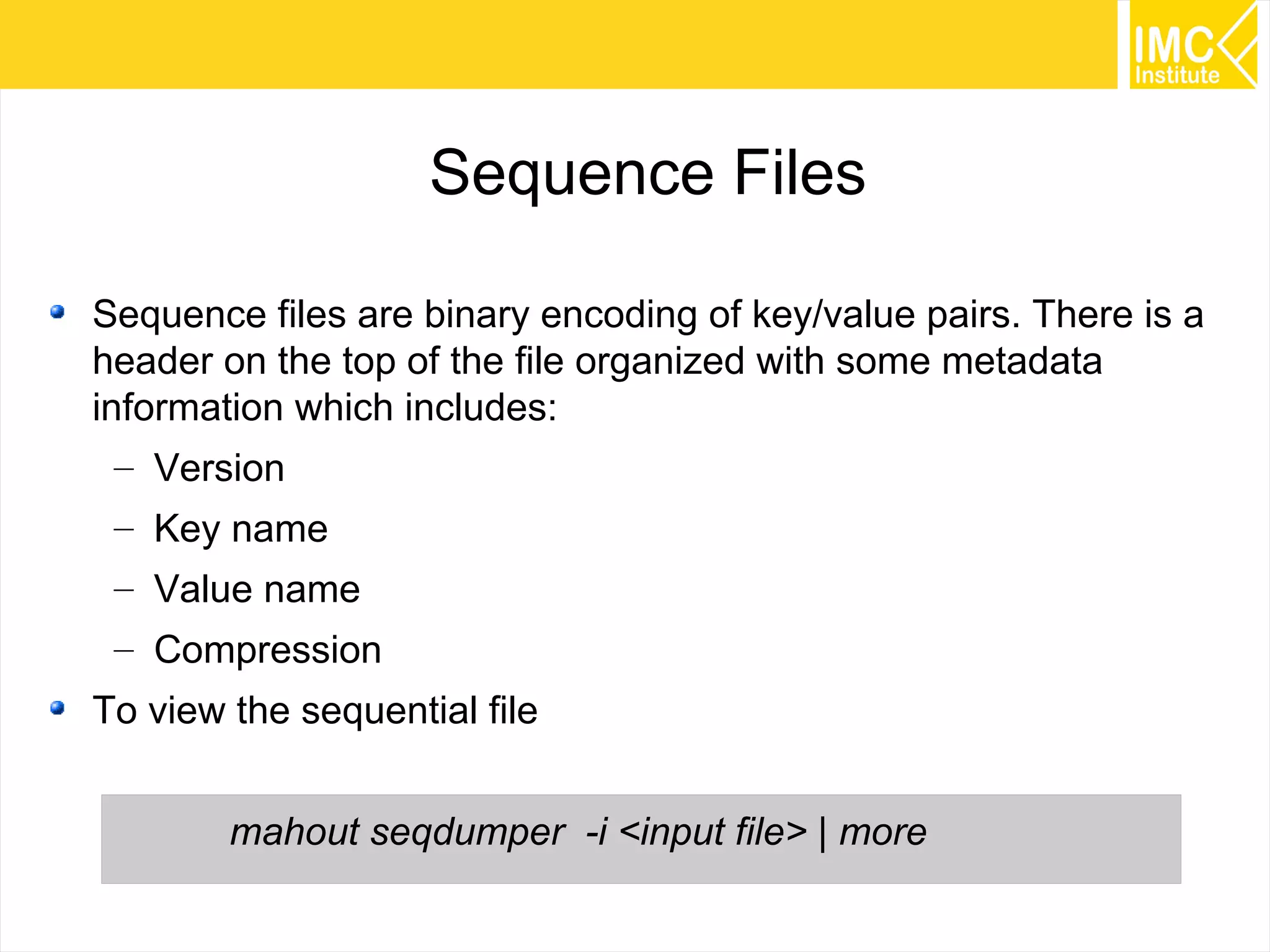
Sequence Files
Sequence files are binary encoding of key/value pairs. There is a
header on the top of the file organized with some metadata
information which includes:
– Version
– Key name
– Value name
– Compression
To view the sequential file
mahout seqdumper -i <input file> | more
55
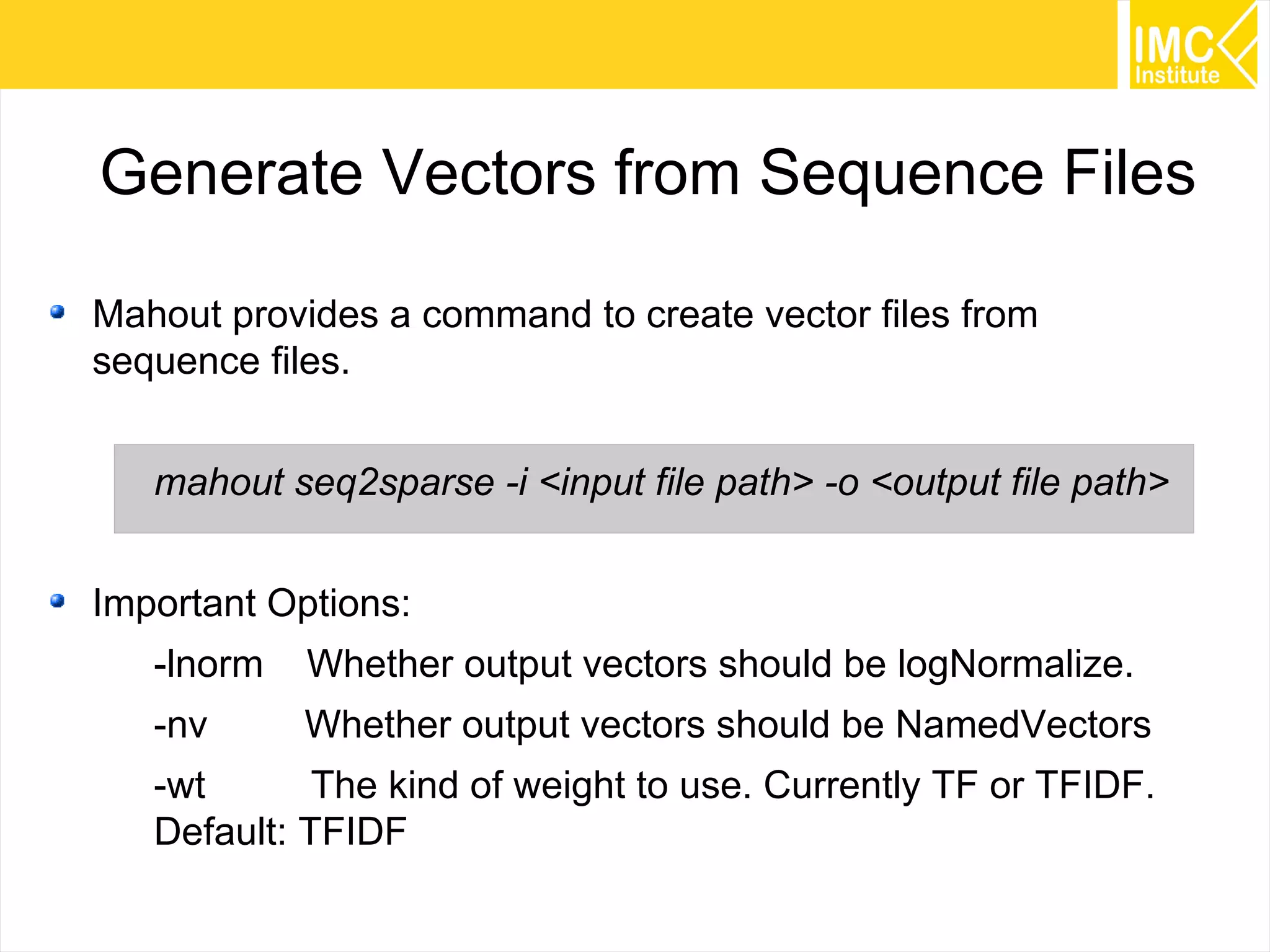
Generate Vectors from Sequence Files
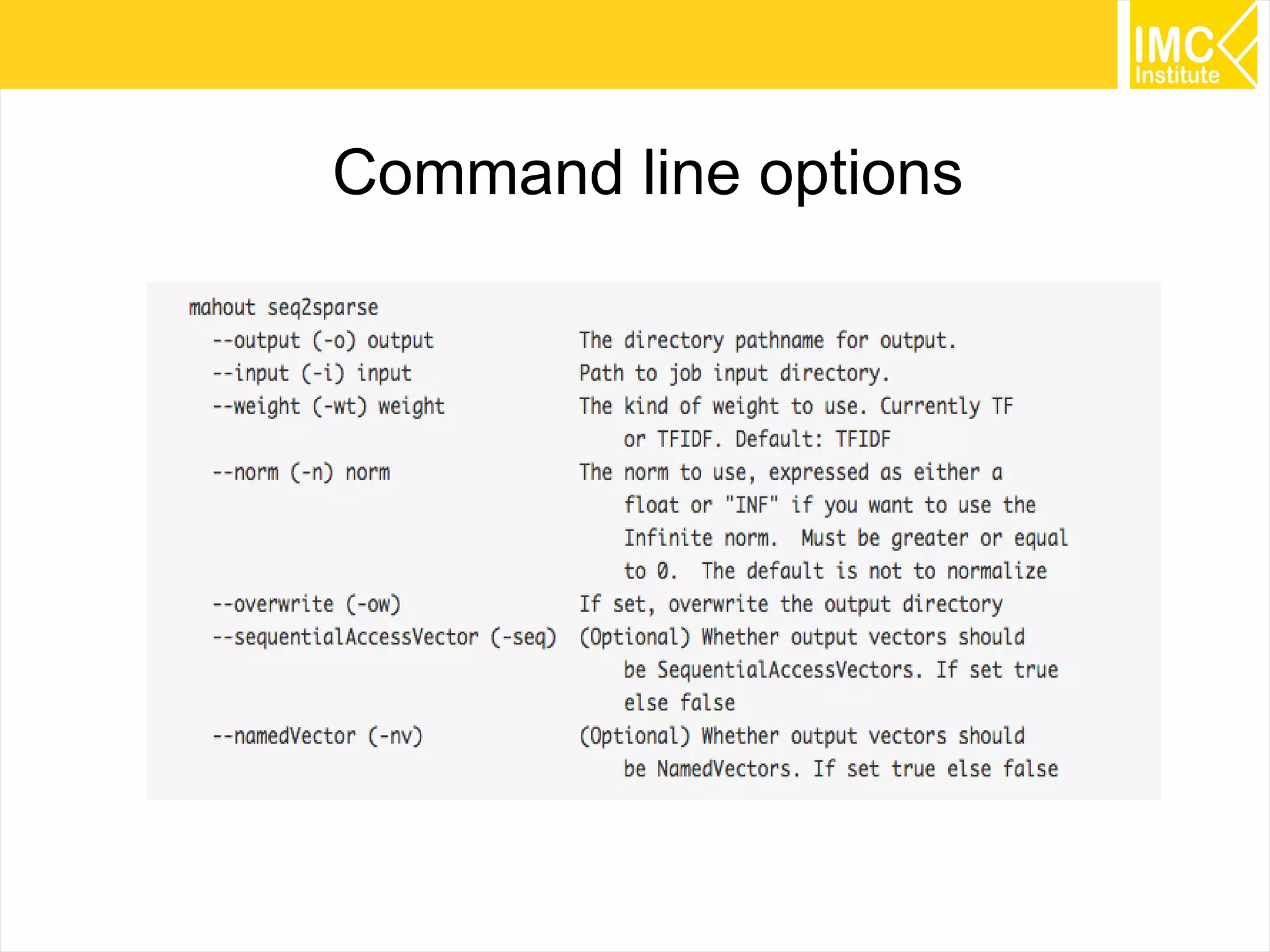
Mahout provides a command to create vector files from
sequence files.
mahout seq2sparse -i <input file path> -o <output file path>
Important Options:
-lnorm Whether output vectors should be logNormalize.
-nv Whether output vectors should be NamedVectors
-wt The kind of weight to use. Currently TF or TFIDF.
Default: TFIDF
56
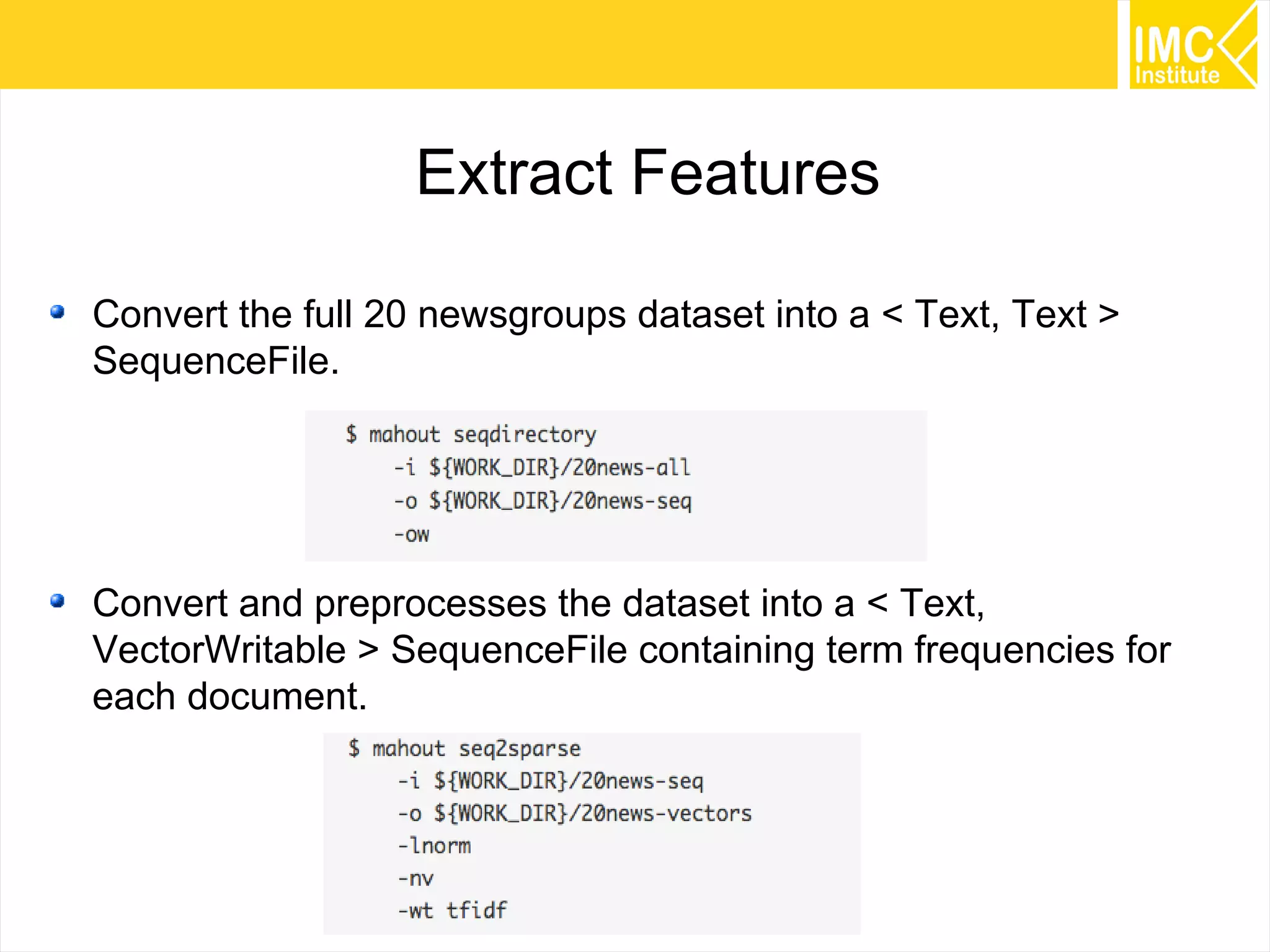
Extract Features
Convert the full 20 newsgroups dataset into a < Text, Text >
SequenceFile.
Convert and preprocesses the dataset into a < Text,
VectorWritable > SequenceFile containing term frequencies for
each document.
57
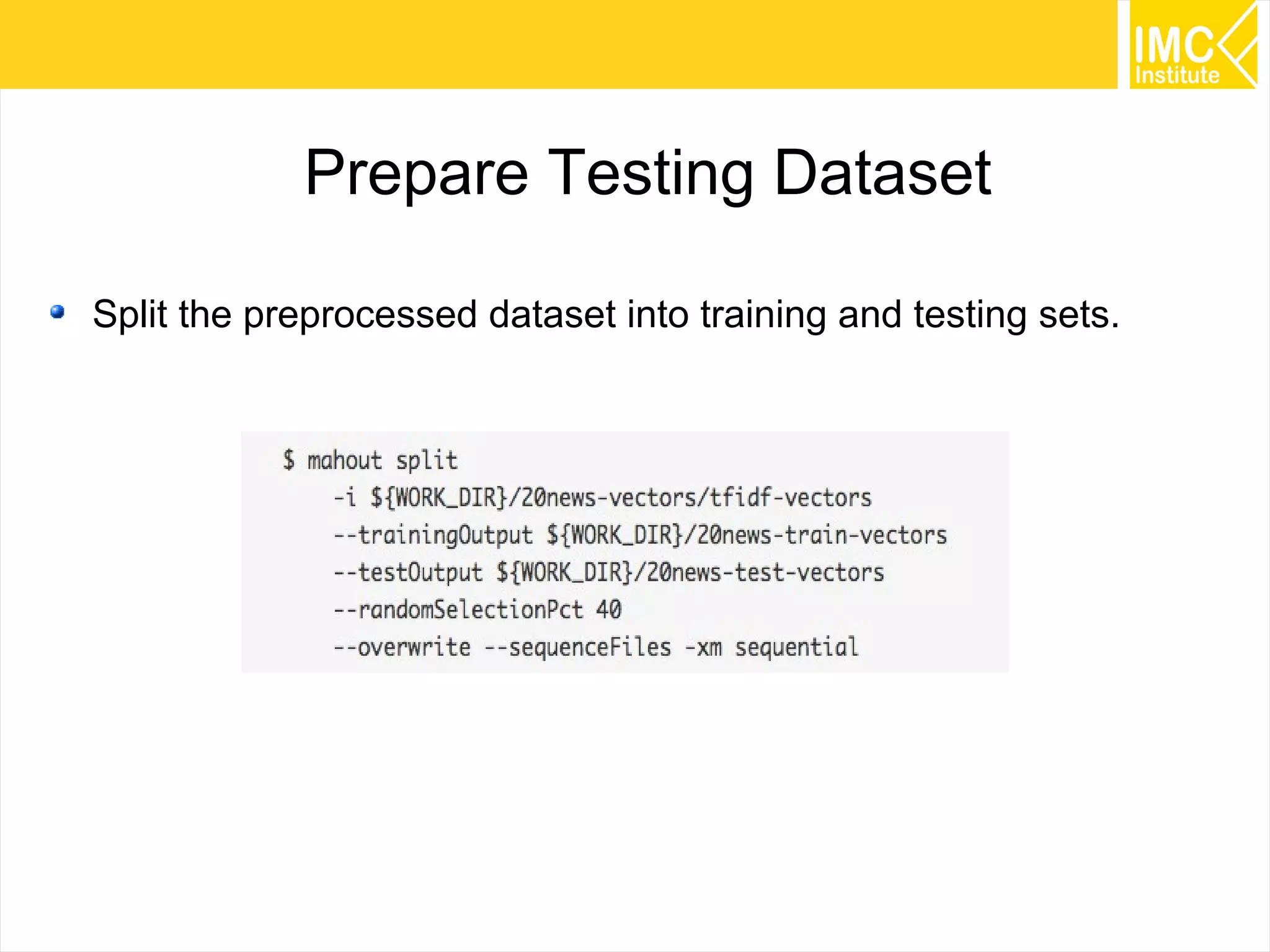
Prepare Testing Dataset
Split the preprocessed dataset into training and testing sets.
58
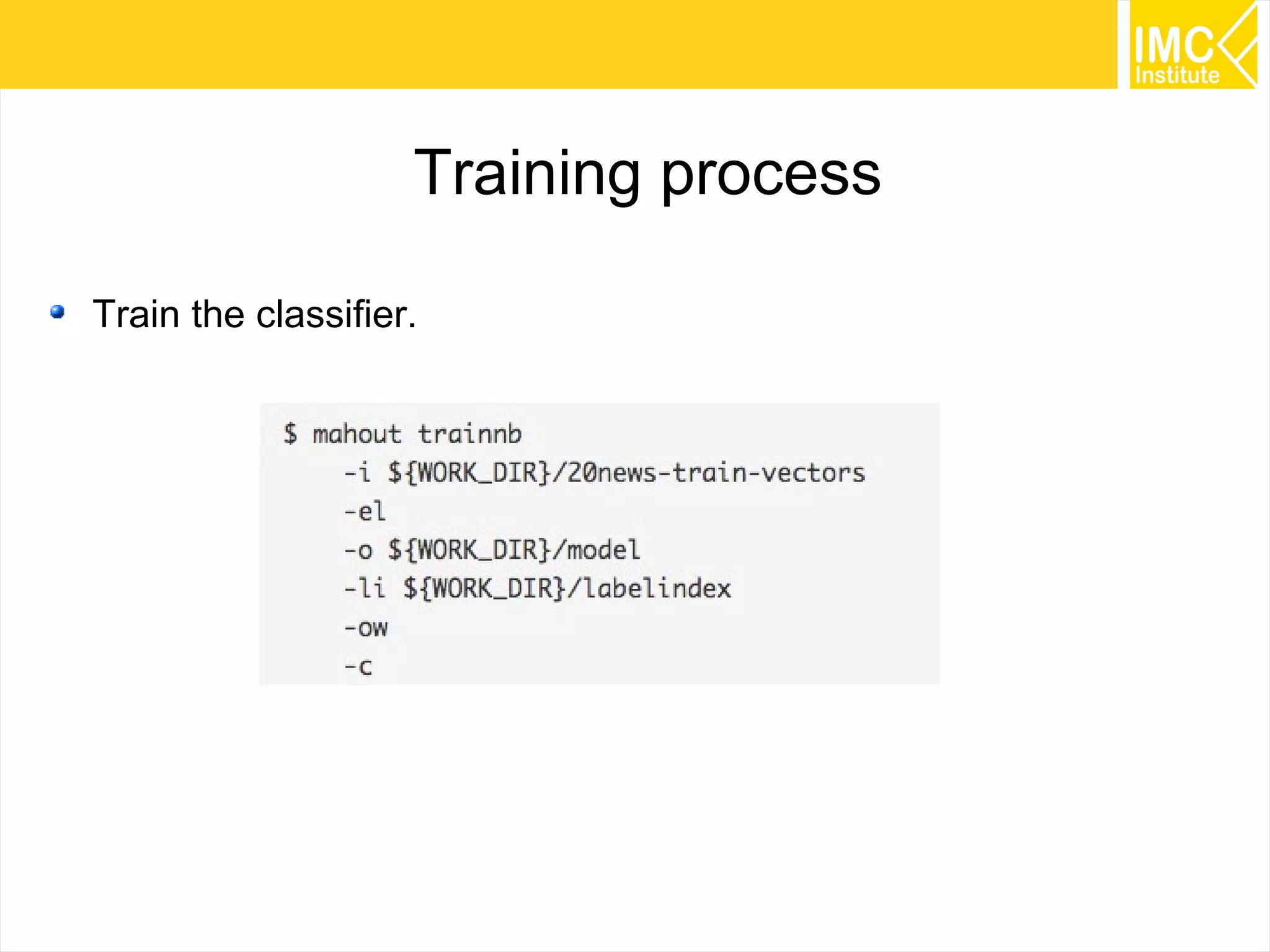
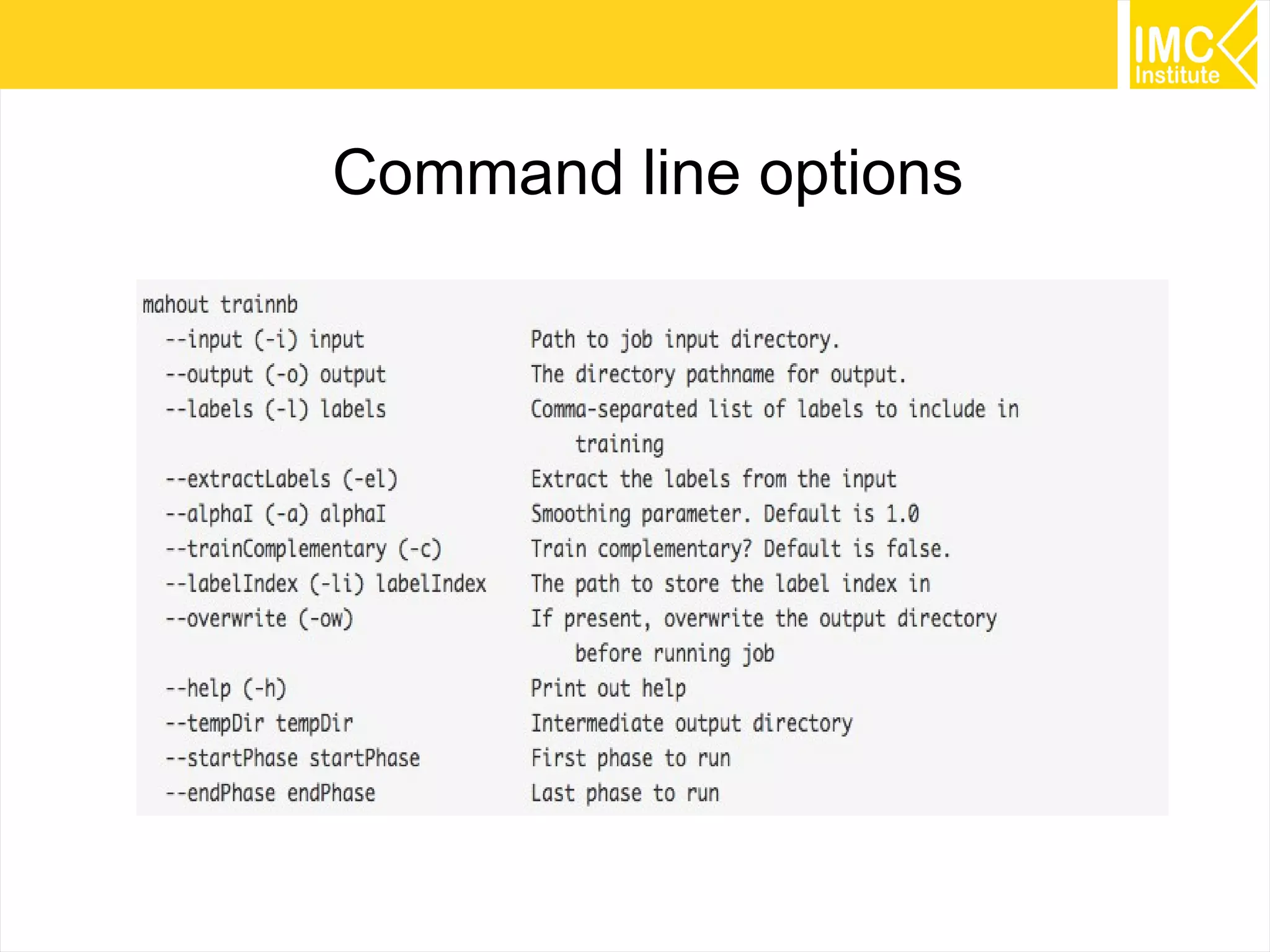
Training process
Train the classifier.
59
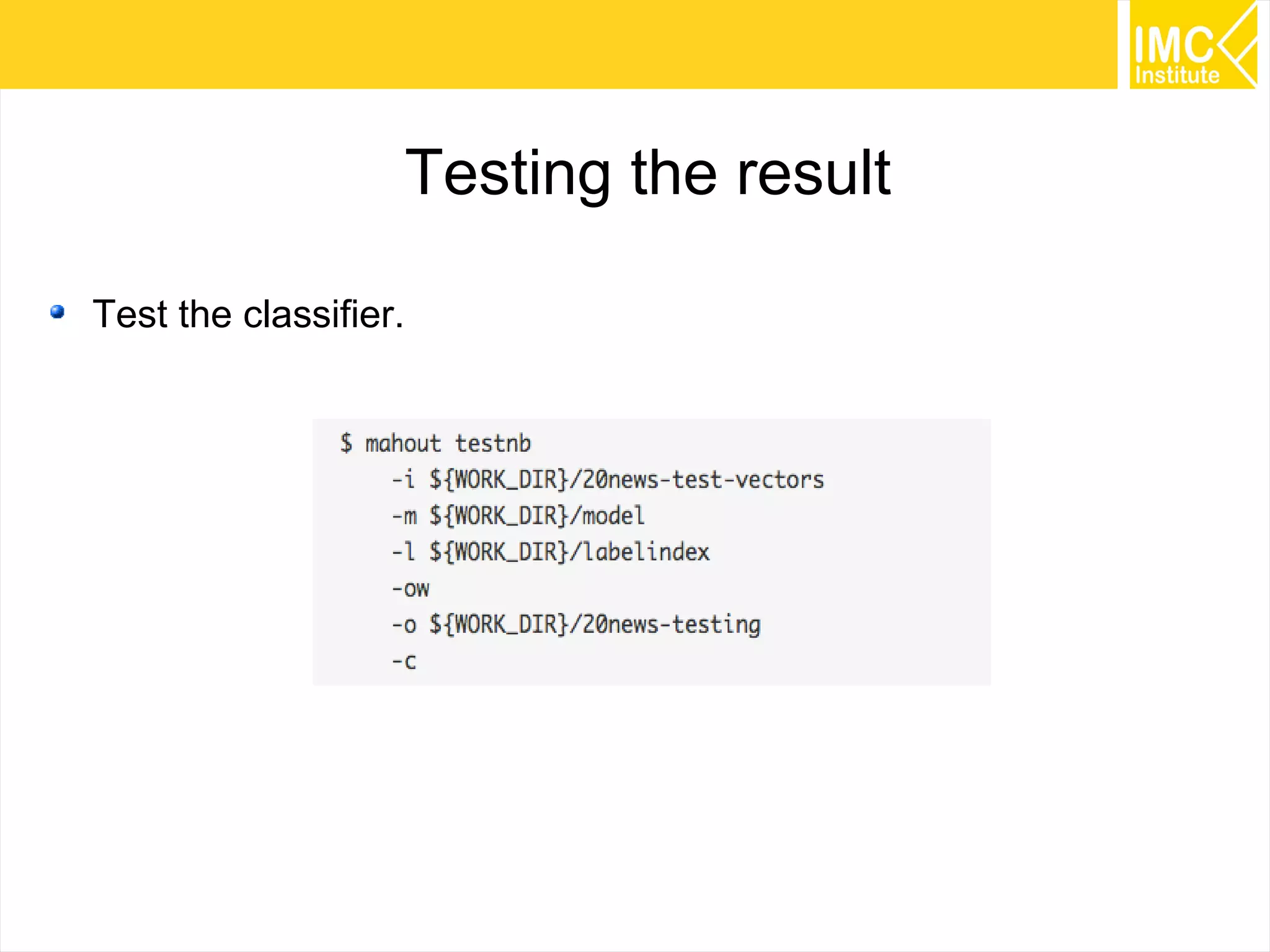
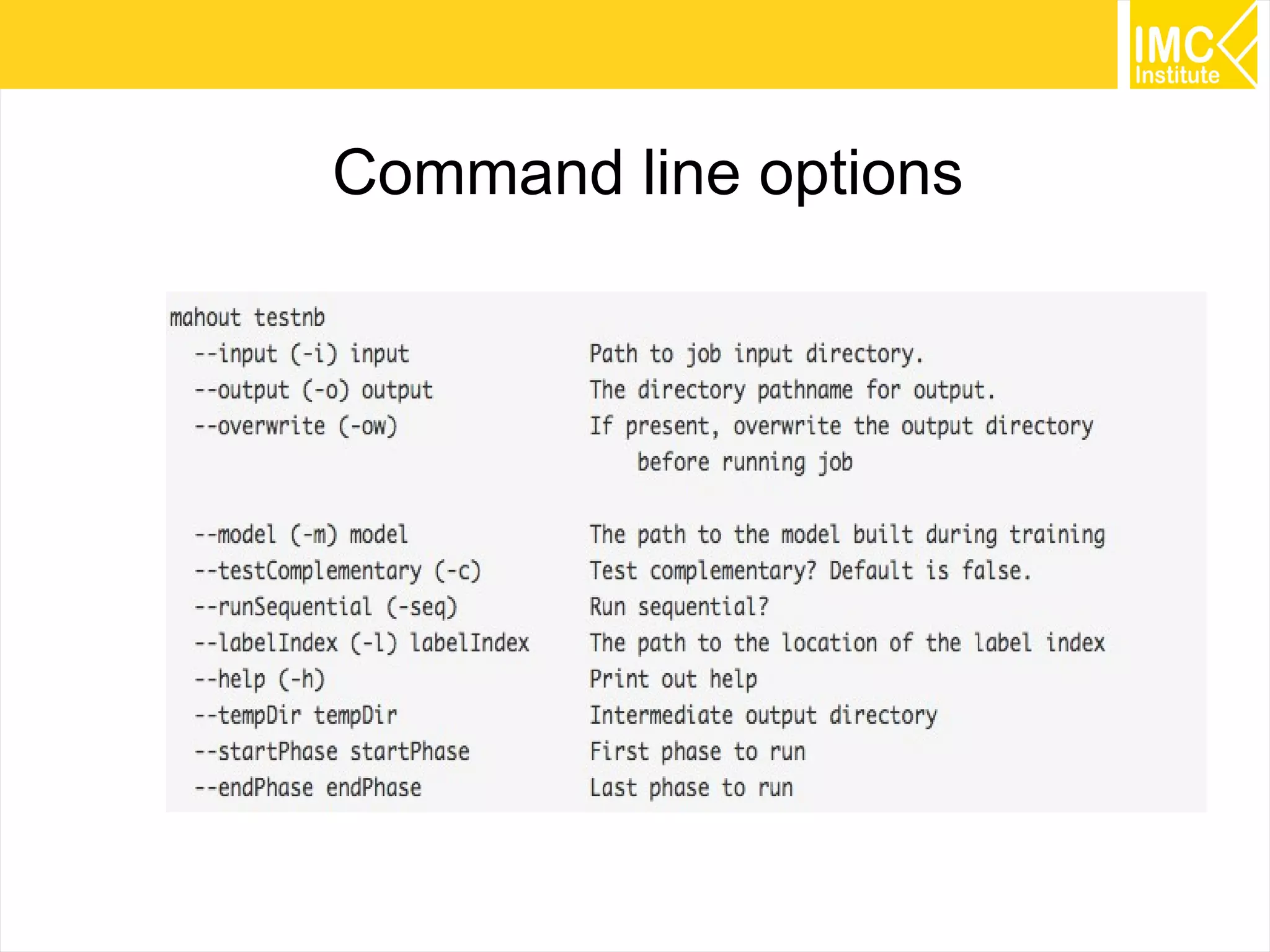
Testing the result
Test the classifier.
60
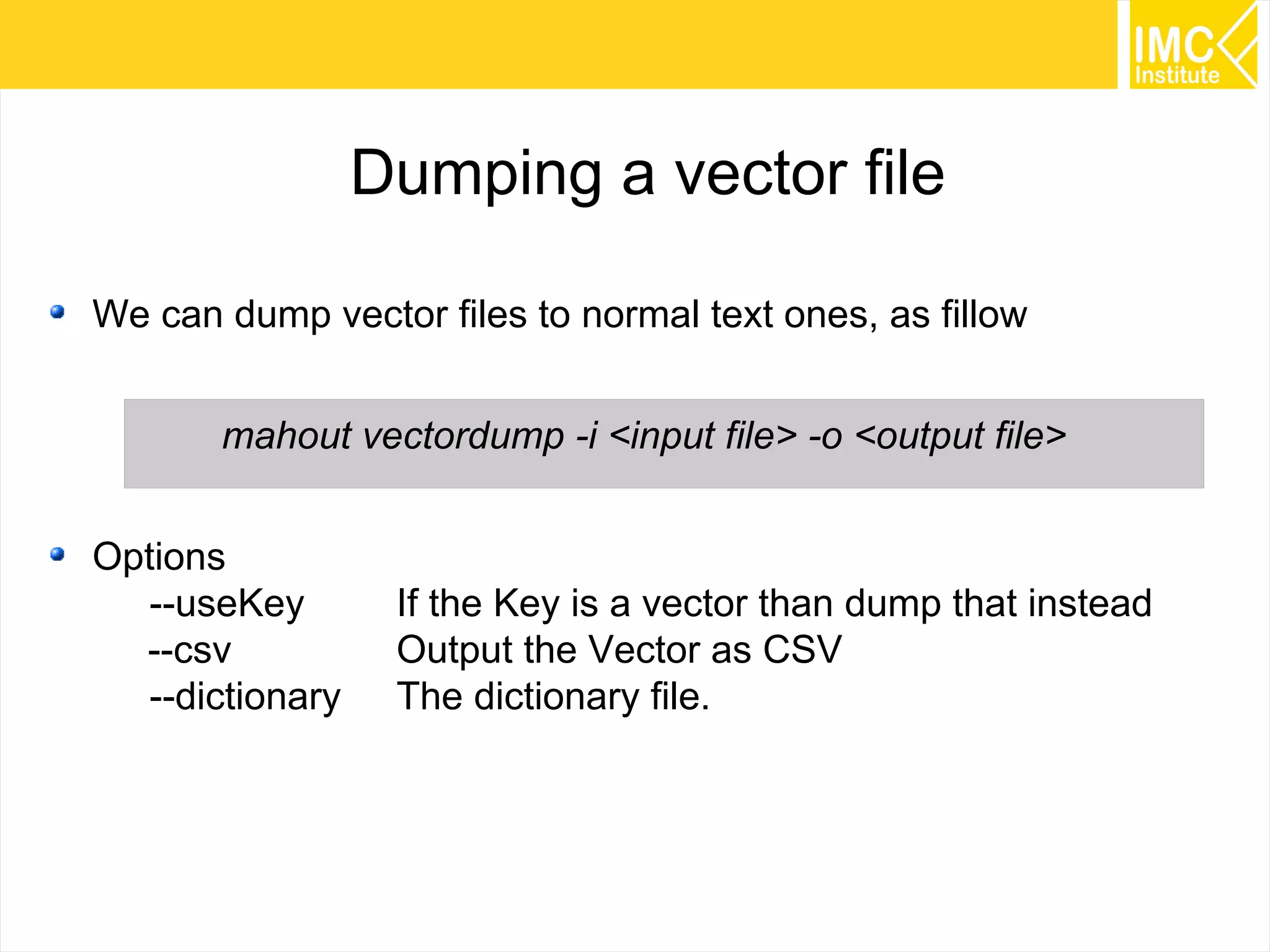
Dumping a vector file
We can dump vector files to normal text ones, as fillow
mahout vectordump -i <input file> -o <output file>
Options
--useKey If the Key is a vector than dump that instead
--csv Output the Vector as CSV
--dictionary The dictionary file.
61
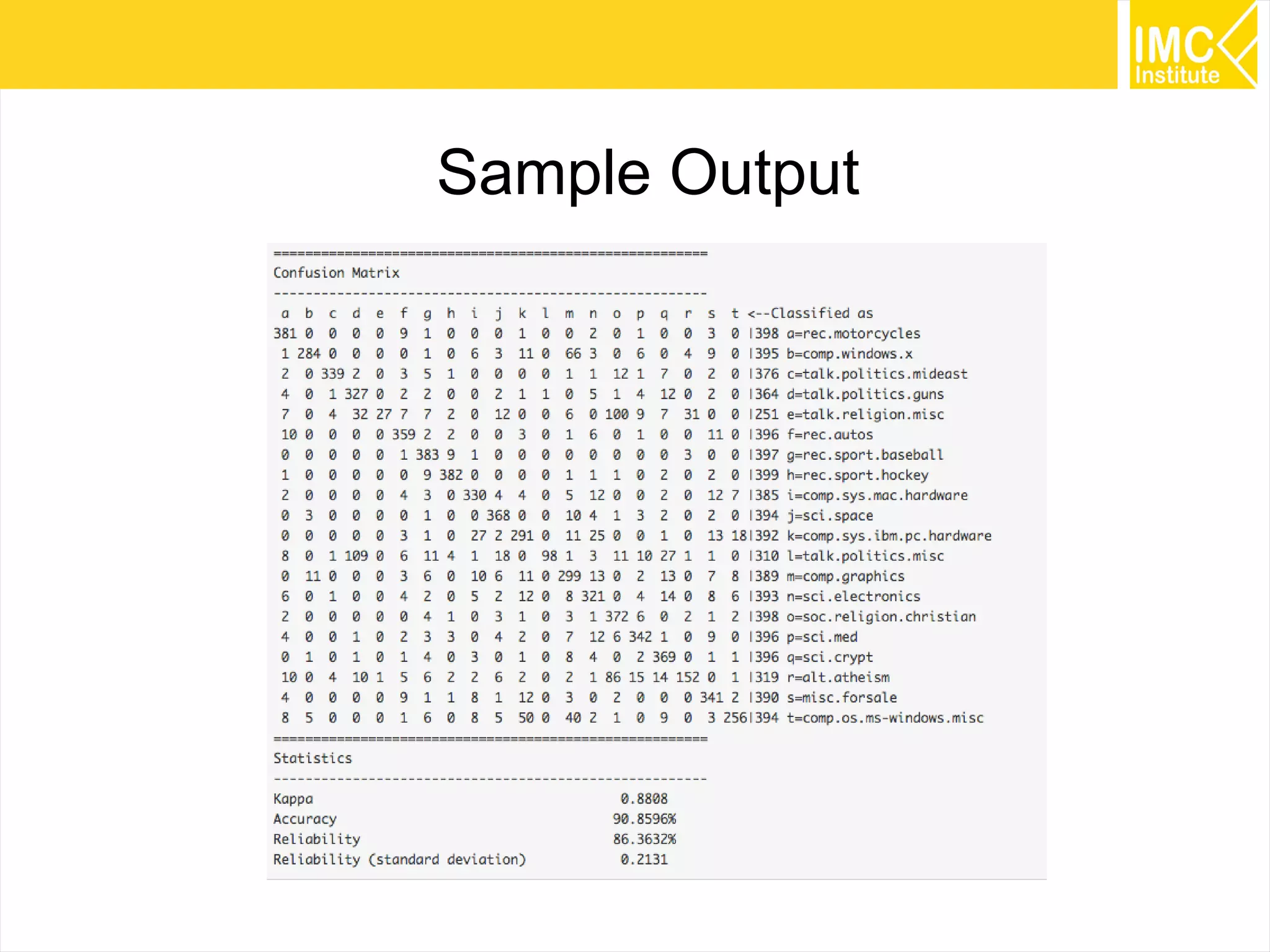
Sample Output
62
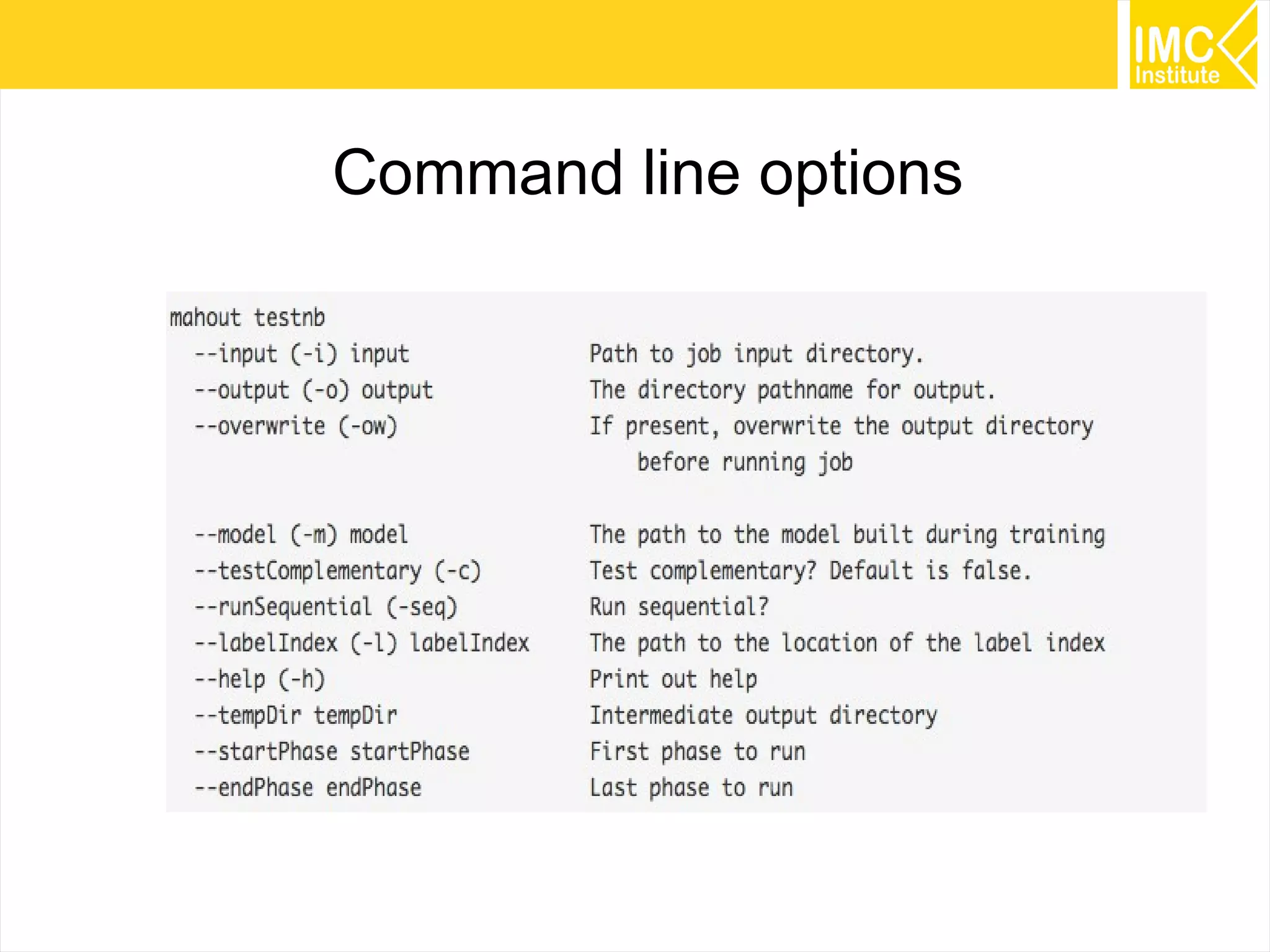
Command line options
63
Command line options
64
Command line options
65
K-means clustering
66
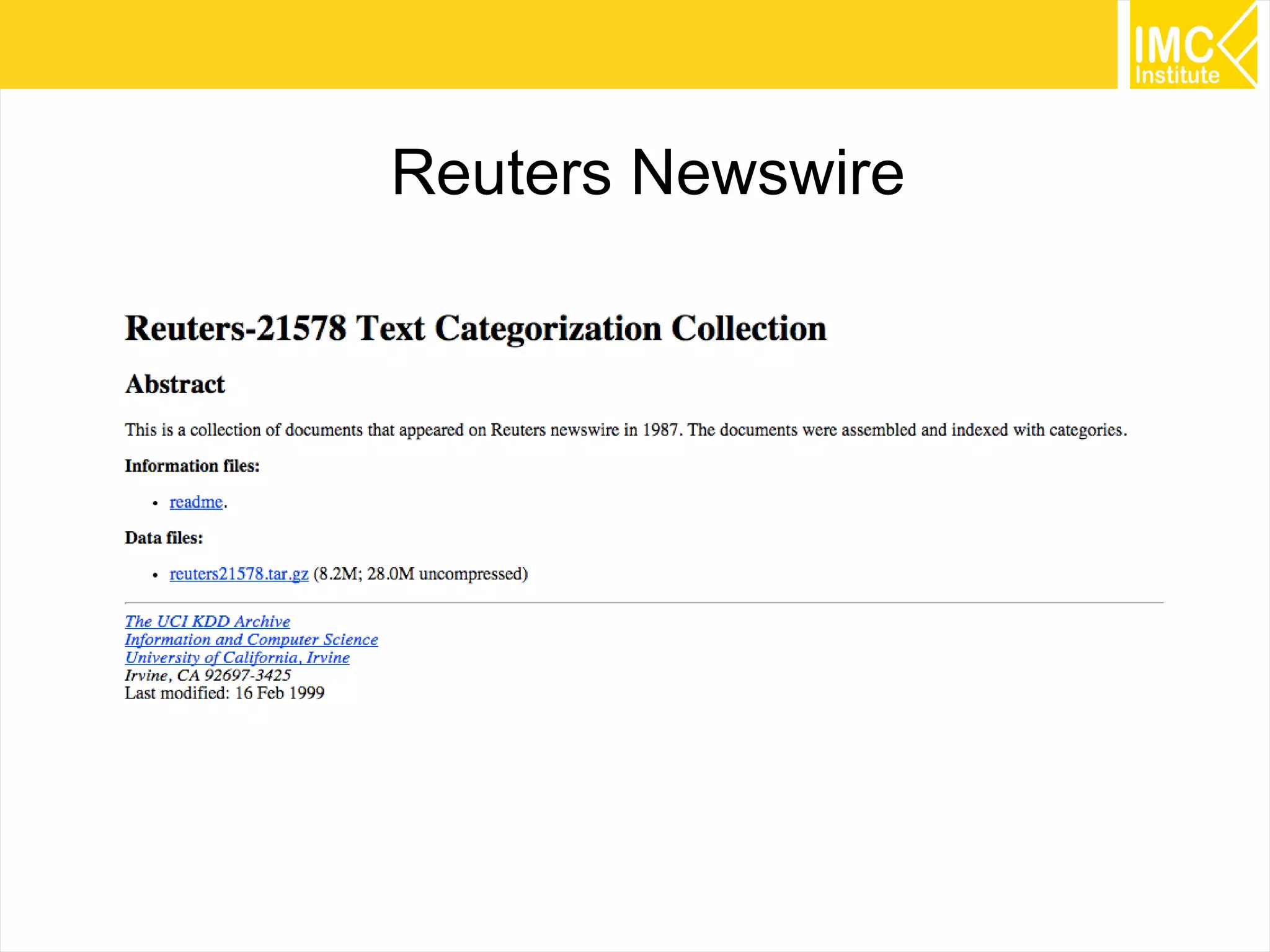
Reuters Newswire
67
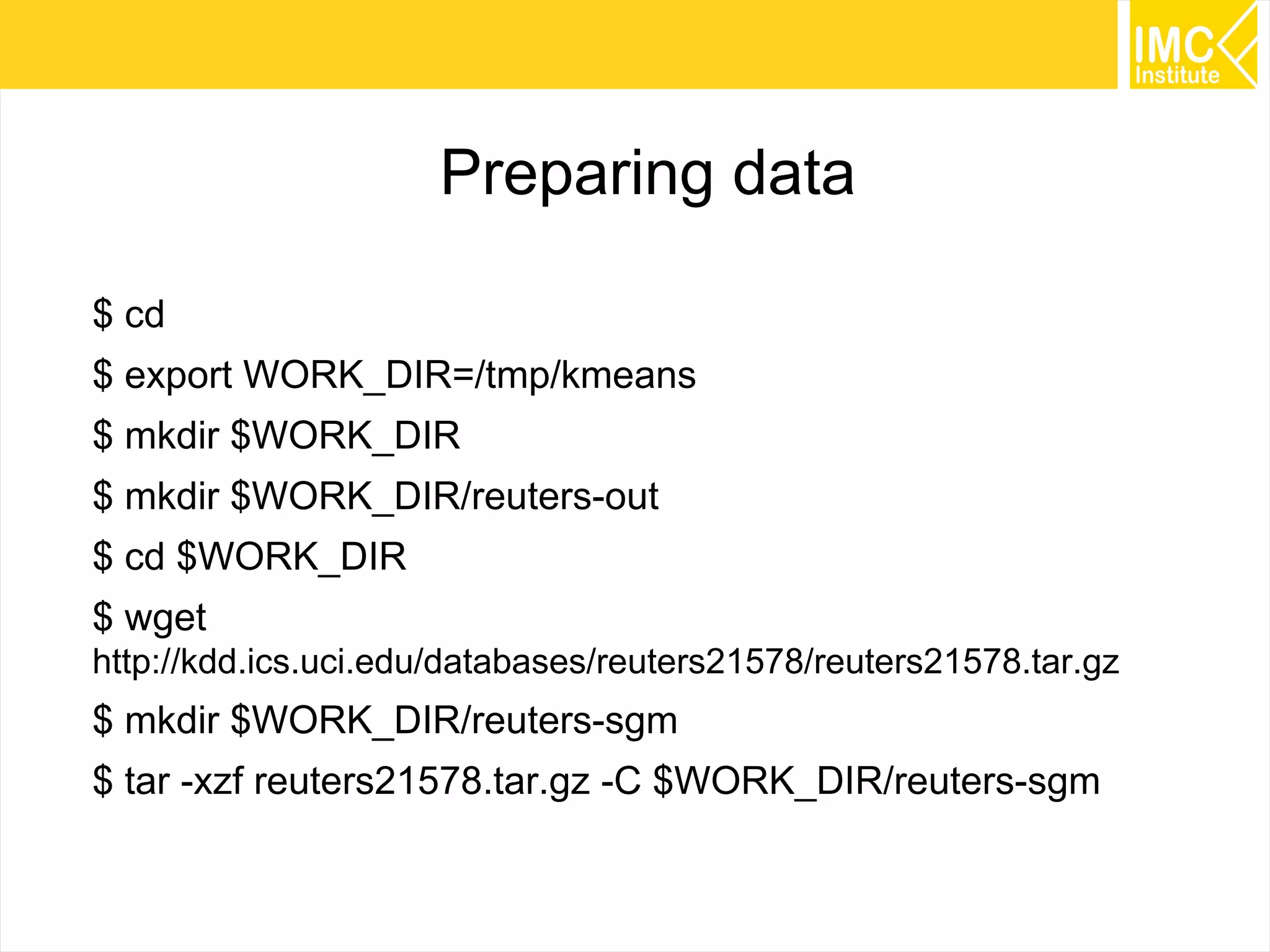
Preparing data
$ cd
$ export WORK_DIR=/tmp/kmeans
$ mkdir $WORK_DIR
$ mkdir $WORK_DIR/reuters-out
$ cd $WORK_DIR
$ wget
http://kdd.ics.uci.edu/databases/reuters21578/reuters21578.tar.gz
$ mkdir $WORK_DIR/reuters-sgm
$ tar -xzf reuters21578.tar.gz -C $WORK_DIR/reuters-sgm
68
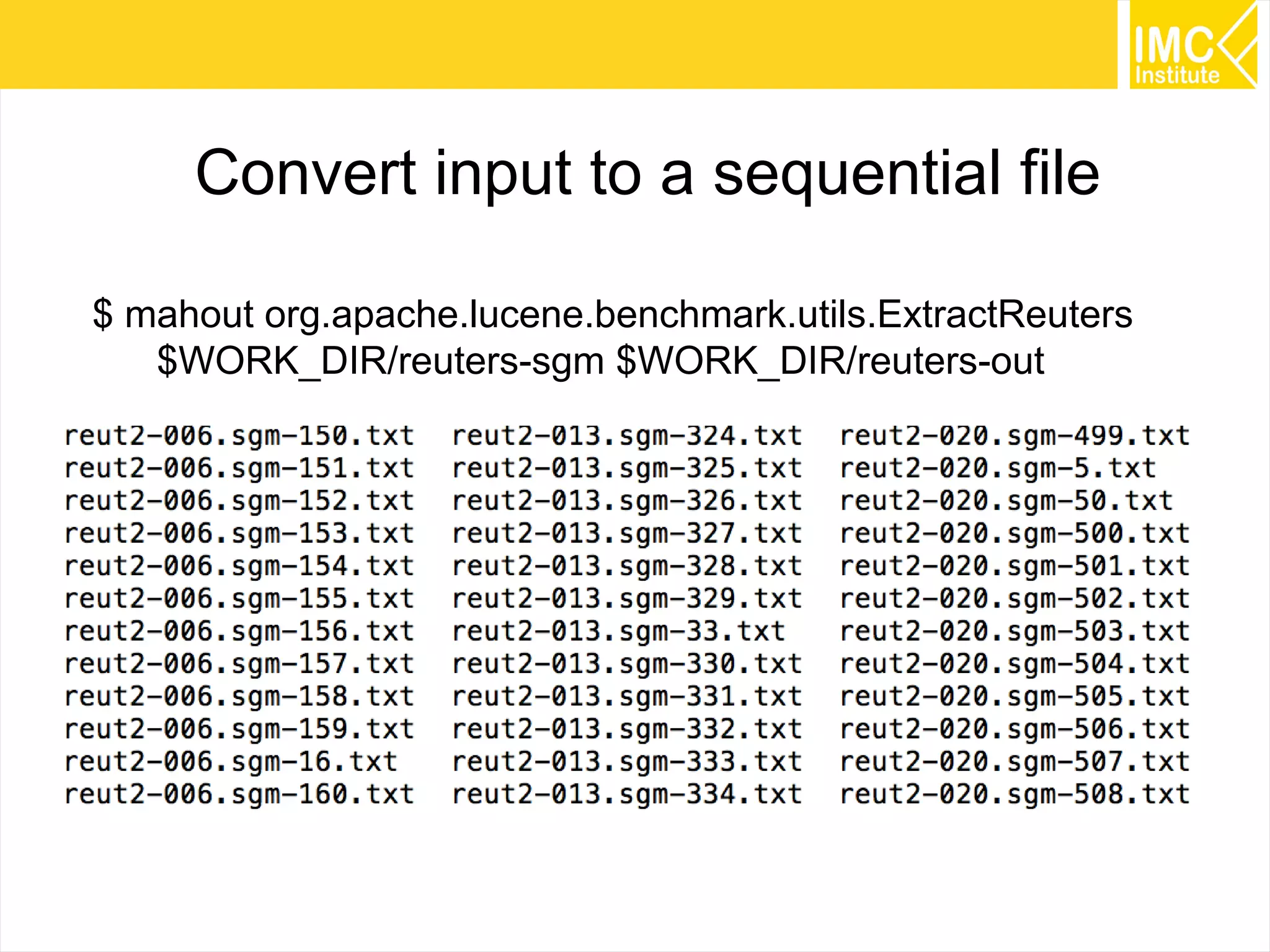
Convert input to a sequential file
$ mahout org.apache.lucene.benchmark.utils.ExtractReuters
$WORK_DIR/reuters-sgm $WORK_DIR/reuters-out
69
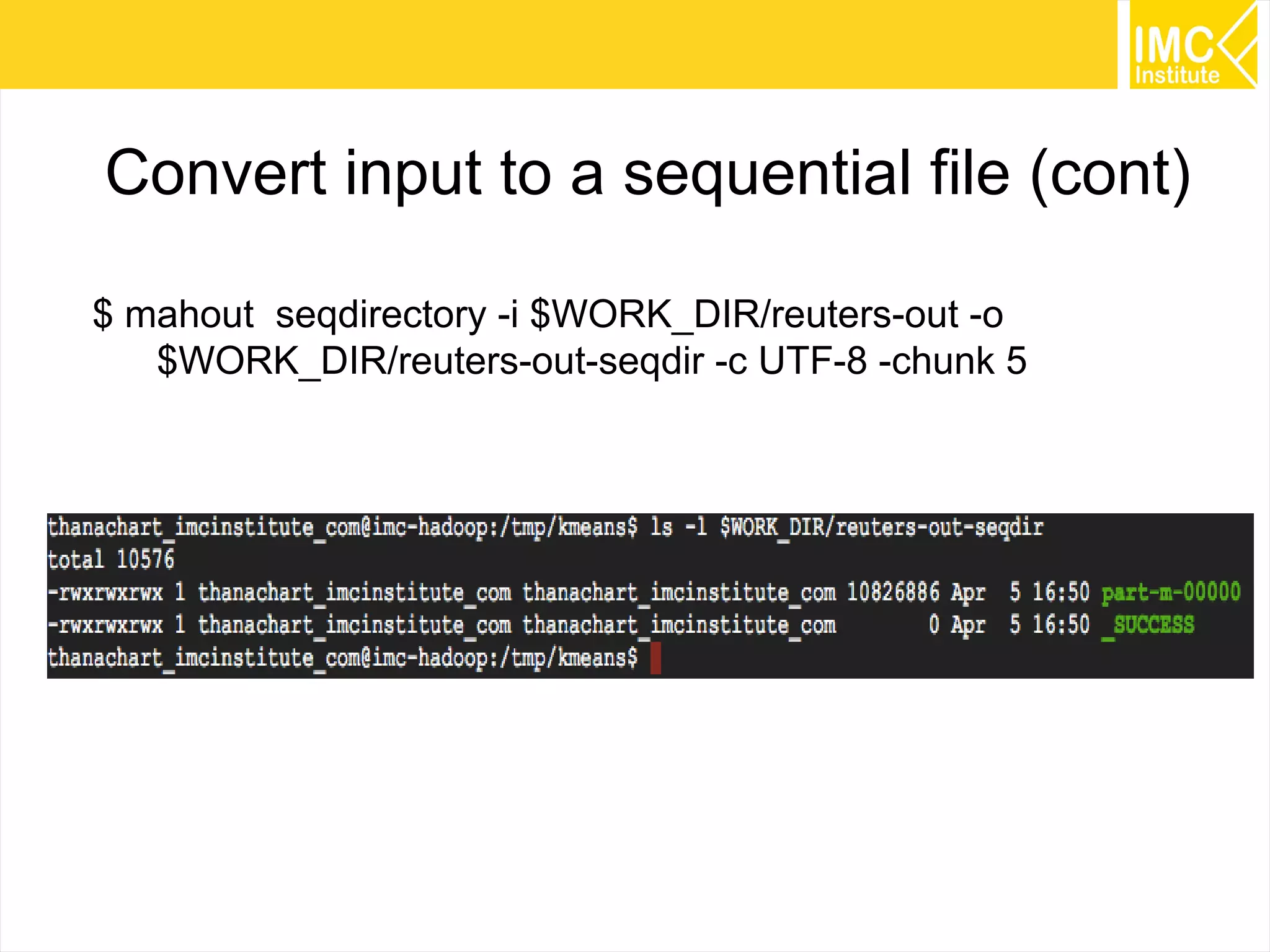
Convert input to a sequential file (cont)
$ mahout seqdirectory -i $WORK_DIR/reuters-out -o
$WORK_DIR/reuters-out-seqdir -c UTF-8 -chunk 5
70
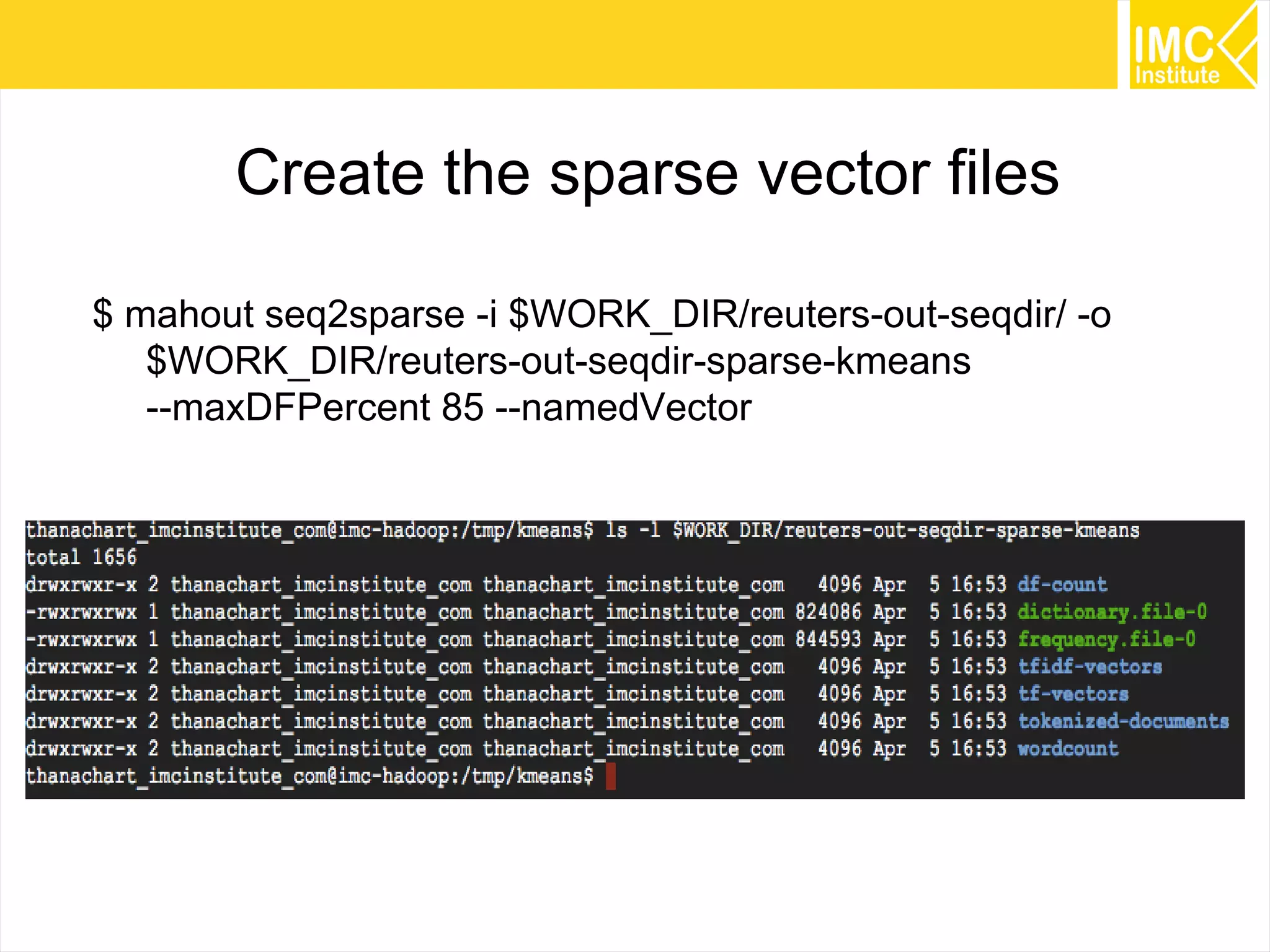
Create the sparse vector files
$ mahout seq2sparse -i $WORK_DIR/reuters-out-seqdir/ -o
$WORK_DIR/reuters-out-seqdir-sparse-kmeans
--maxDFPercent 85 --namedVector
71
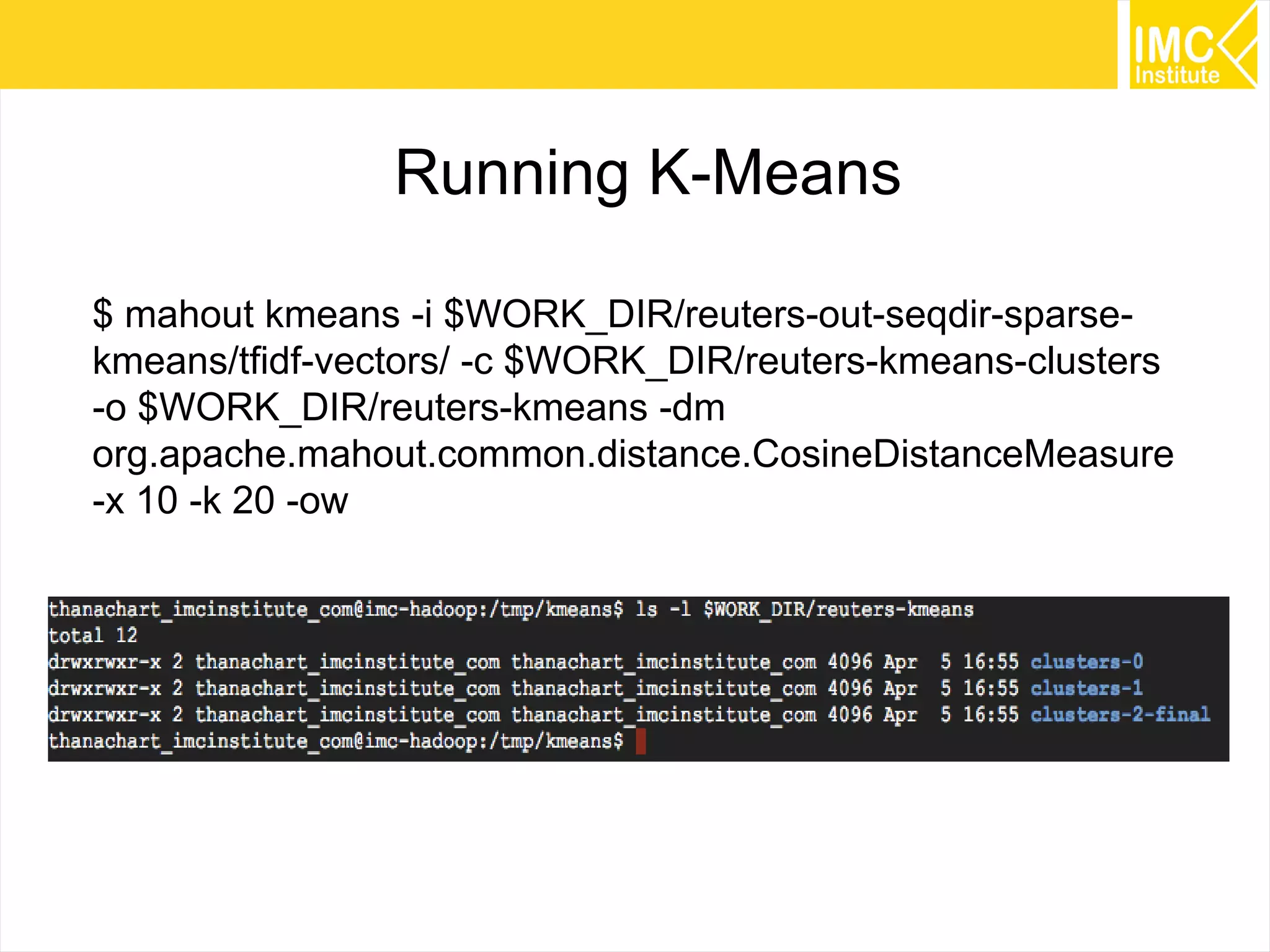
Running K-Means
$ mahout kmeans -i $WORK_DIR/reuters-out-seqdir-sparse-
kmeans/tfidf-vectors/ -c $WORK_DIR/reuters-kmeans-clusters
-o $WORK_DIR/reuters-kmeans -dm
org.apache.mahout.common.distance.CosineDistanceMeasure
-x 10 -k 20 -ow
72
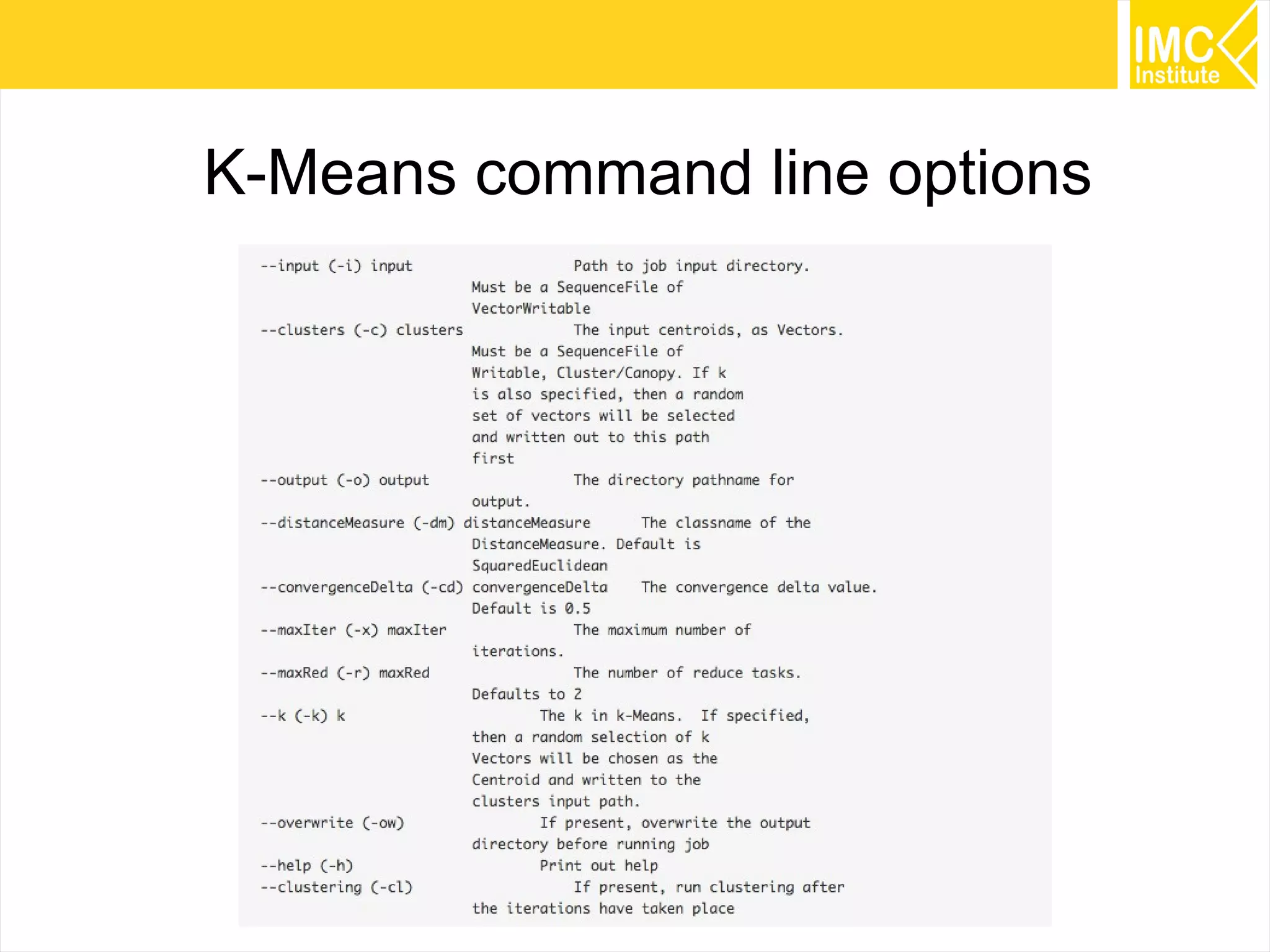
K-Means command line options
73
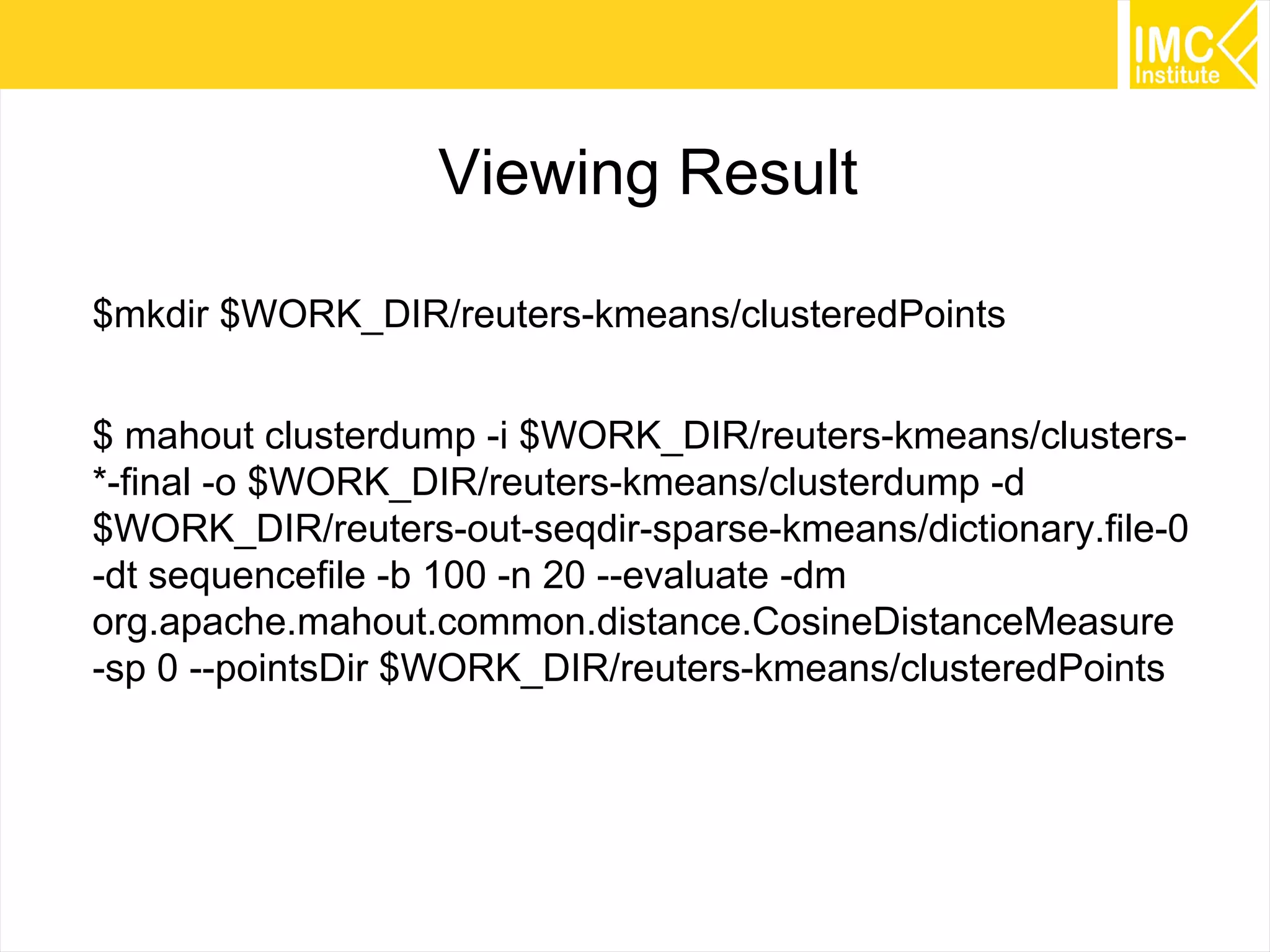
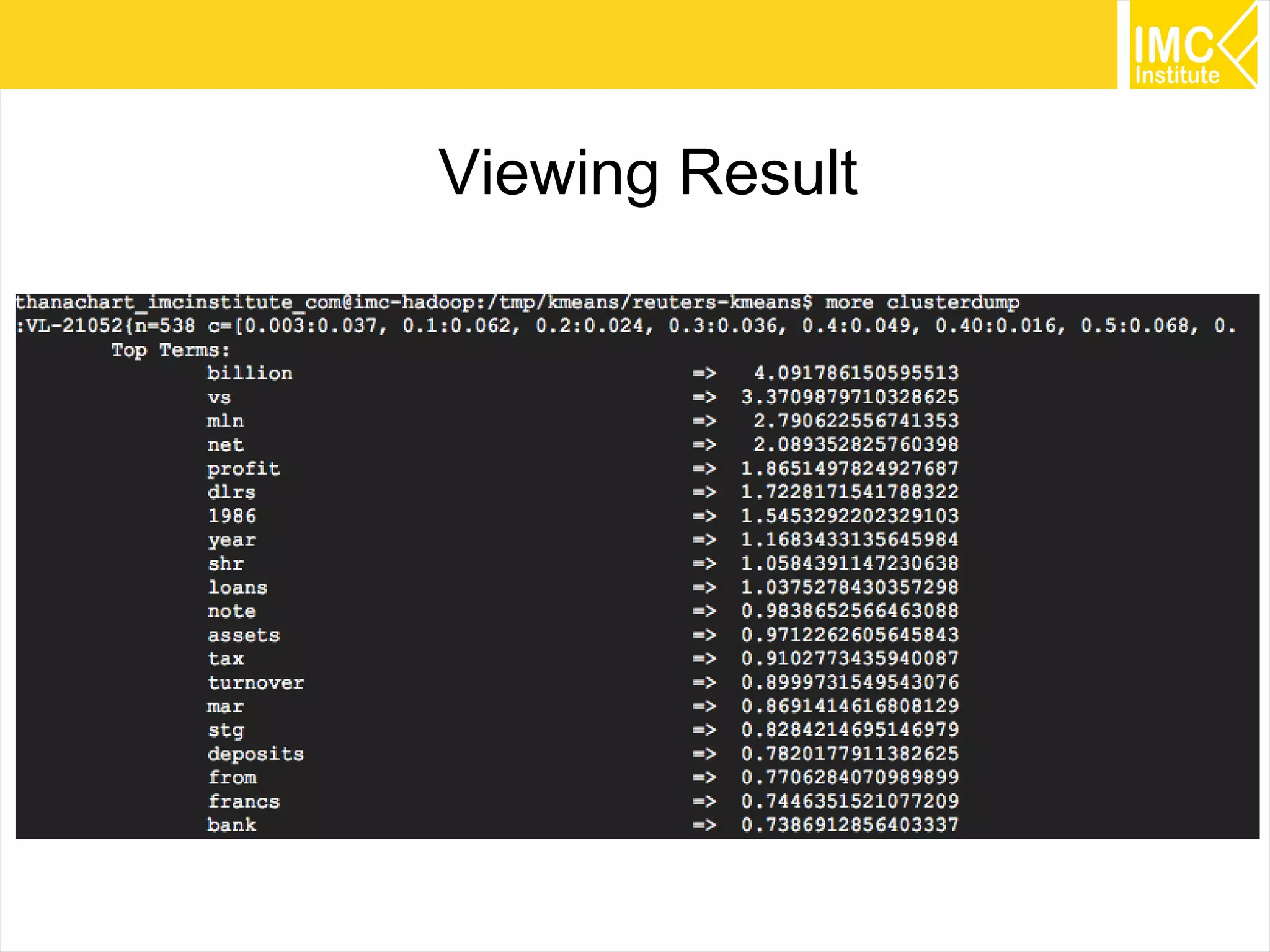
Viewing Result
$mkdir $WORK_DIR/reuters-kmeans/clusteredPoints
$ mahout clusterdump -i $WORK_DIR/reuters-kmeans/clusters-
*-final -o $WORK_DIR/reuters-kmeans/clusterdump -d
$WORK_DIR/reuters-out-seqdir-sparse-kmeans/dictionary.file-0
-dt sequencefile -b 100 -n 20 --evaluate -dm
org.apache.mahout.common.distance.CosineDistanceMeasure
-sp 0 --pointsDir $WORK_DIR/reuters-kmeans/clusteredPoints
74
Viewing Result
75
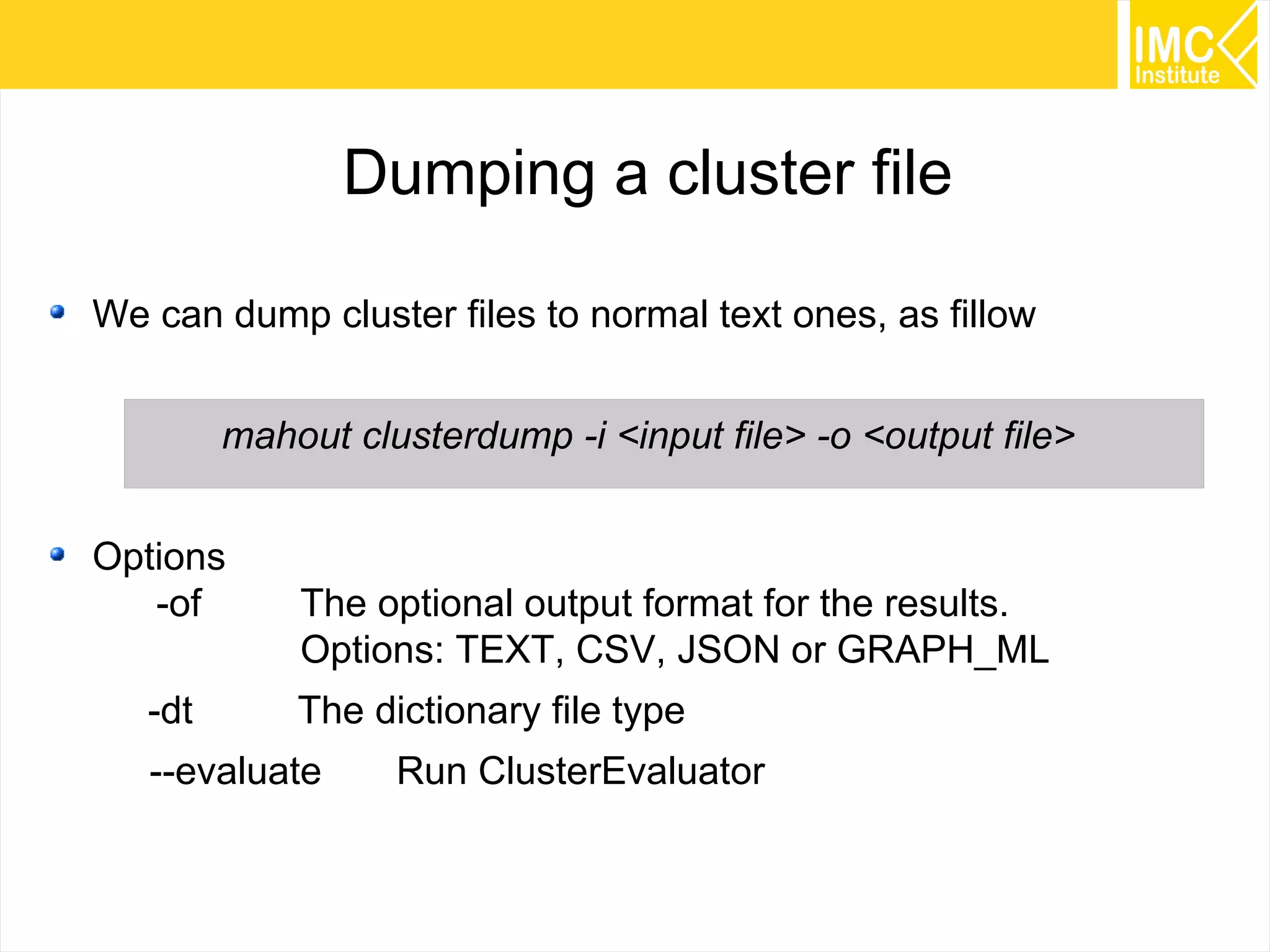
Dumping a cluster file
We can dump cluster files to normal text ones, as fillow
mahout clusterdump -i <input file> -o <output file>
Options
-of The optional output format for the results.
Options: TEXT, CSV, JSON or GRAPH_ML
-dt The dictionary file type
--evaluate Run ClusterEvaluator
76
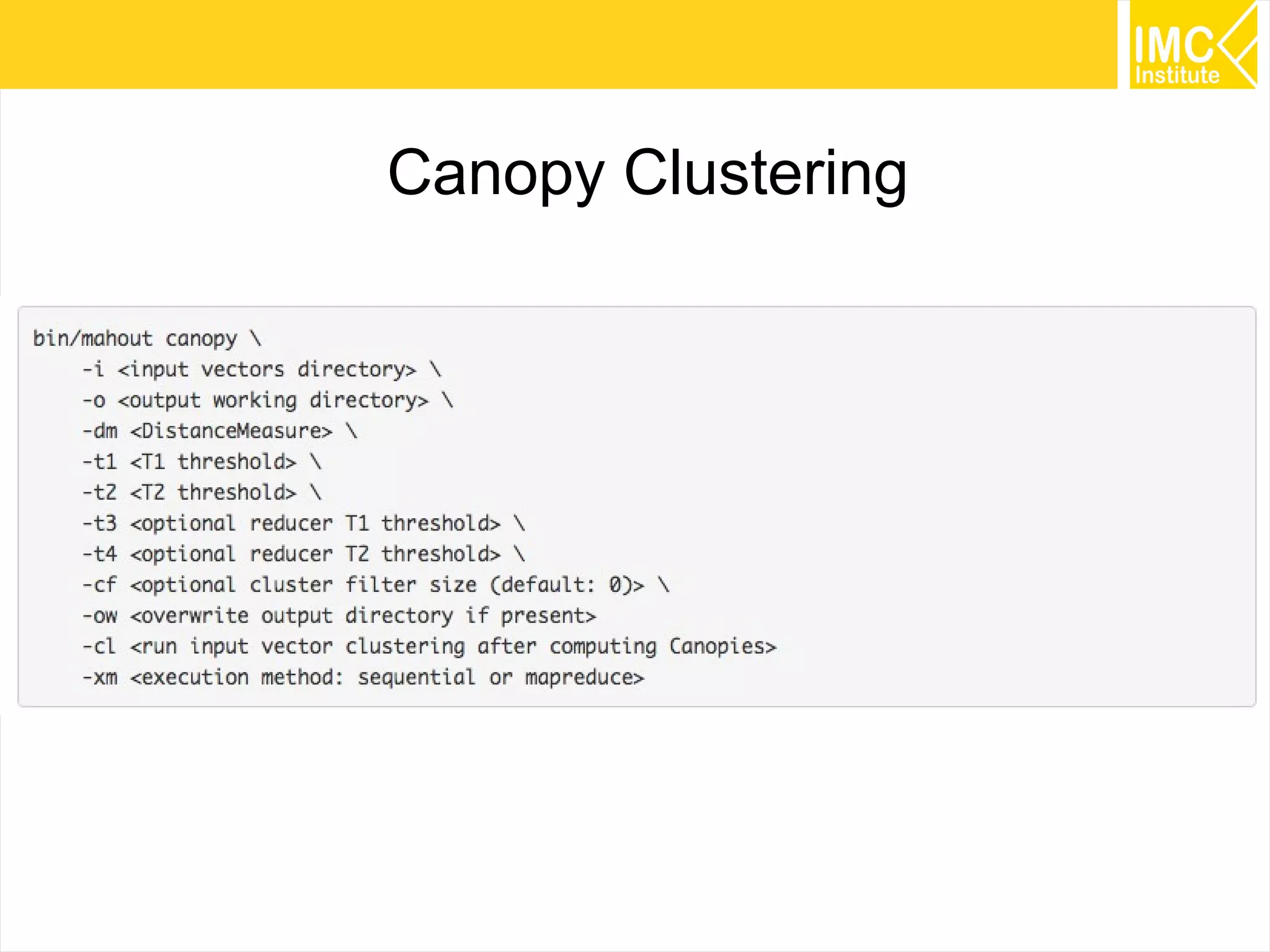
Canopy Clustering
77
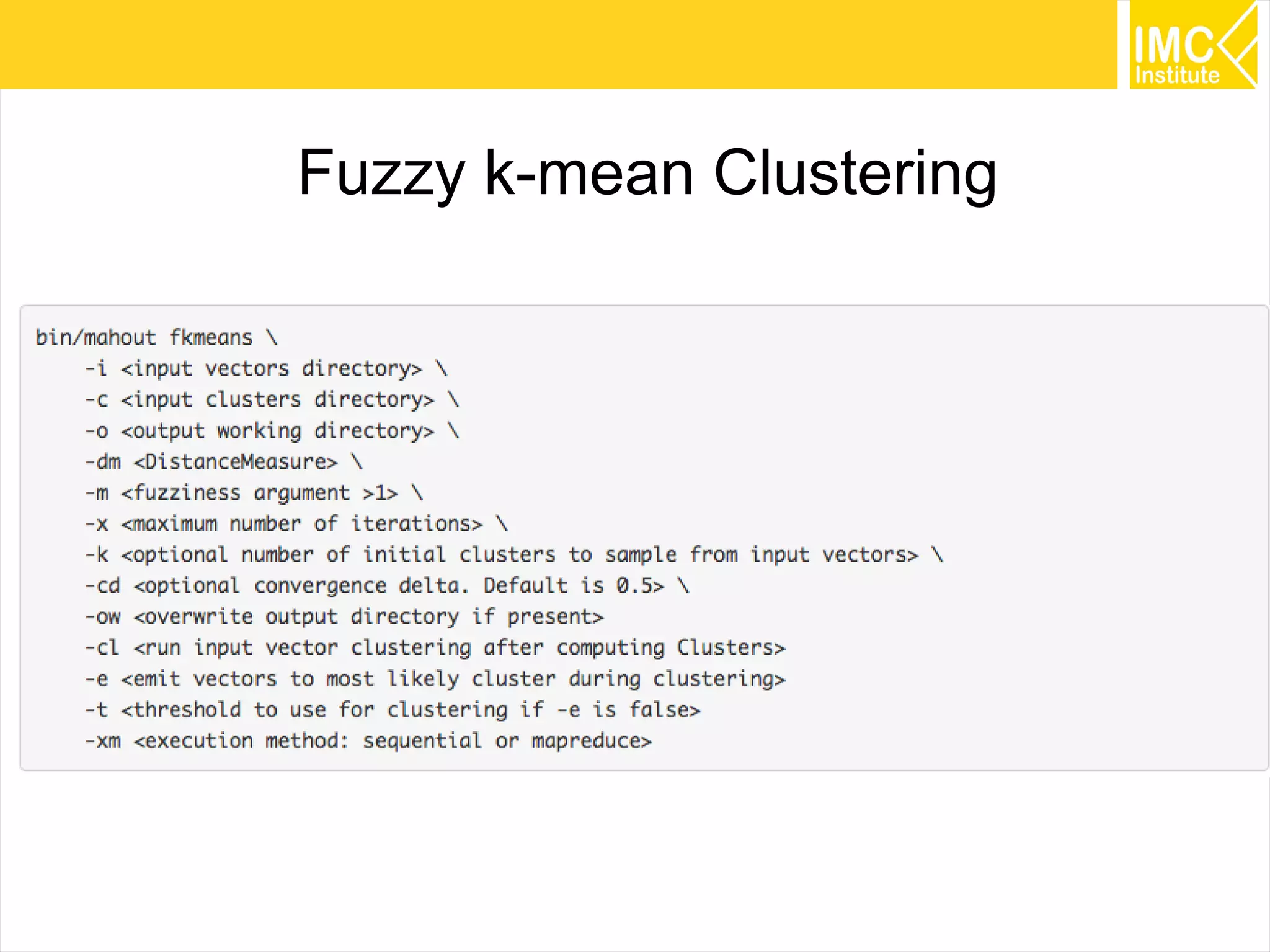
Fuzzy k-mean Clustering
78
Command line options
79
Recommended Books
80
www.facebook.com/imcinstitute
81
Thank you
thanachart@imcinstitute.com
www.facebook.com/imcinstitute
www.slideshare.net/imcinstitute
www.thanachart.org

Mahout Workshop on Google Cloud Platform