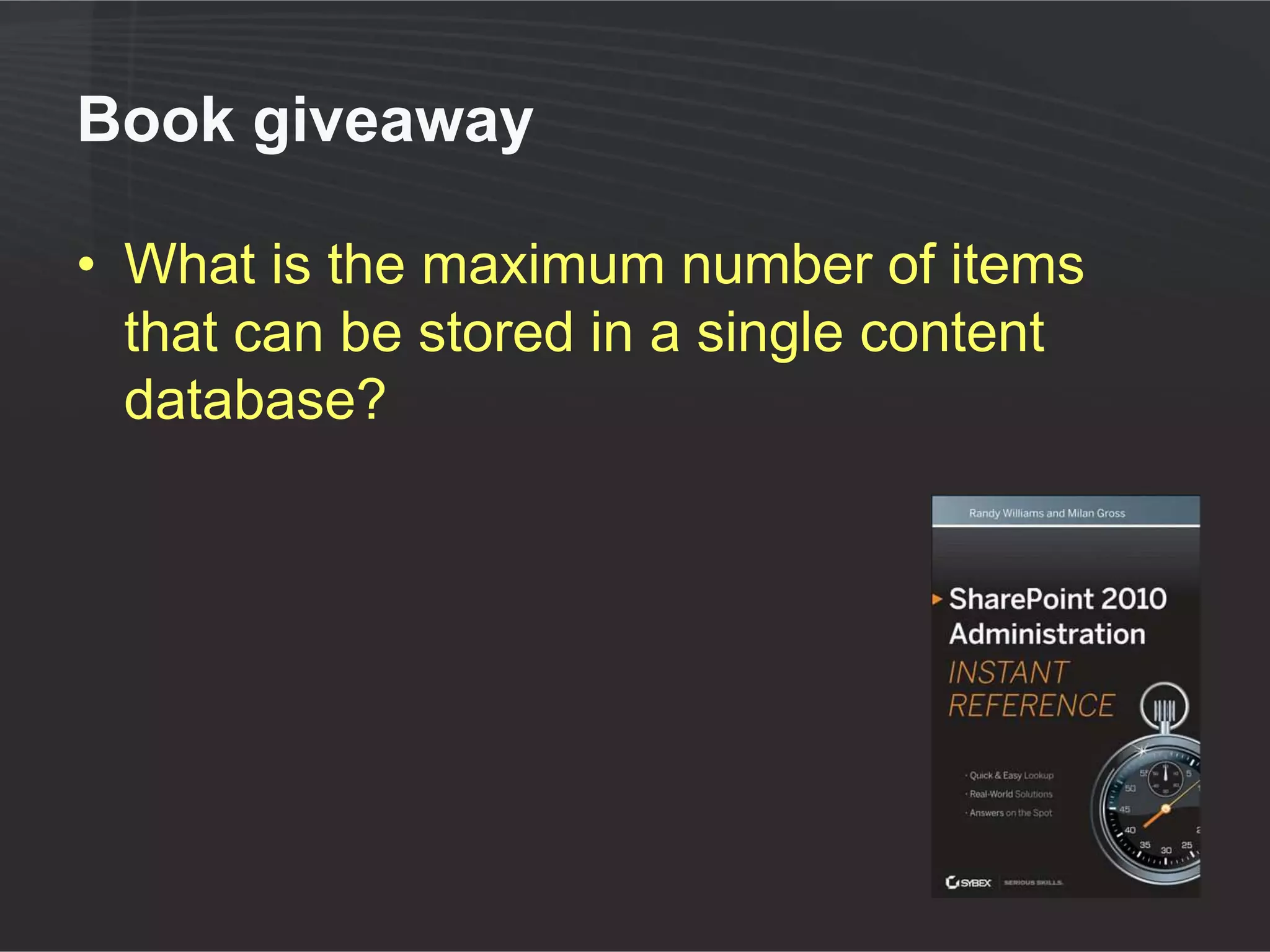

Sizing Your Content Databases:
 Understanding the New Limits

        Randy Williams
          AvePoint
Randy Williams
         • Enterprise Trainer & Evangelist – AvePoint
         • 20+ years in IT
            ●   developer, consultant, trainer, author
         • Three-time SharePoint MVP
         • Speaker at many global conferences

         randy.williams@avepoint.com
         http://linkd.in/plEEb1
         @tweetraw
Agenda

 Understanding                Remote BLOB
   new limits                 storage (RBS)


    1 2          Achieving
                                 3 4          Summary
                   larger                       Q&A
                 capacities
Agenda

 Understanding
   new limits


    1
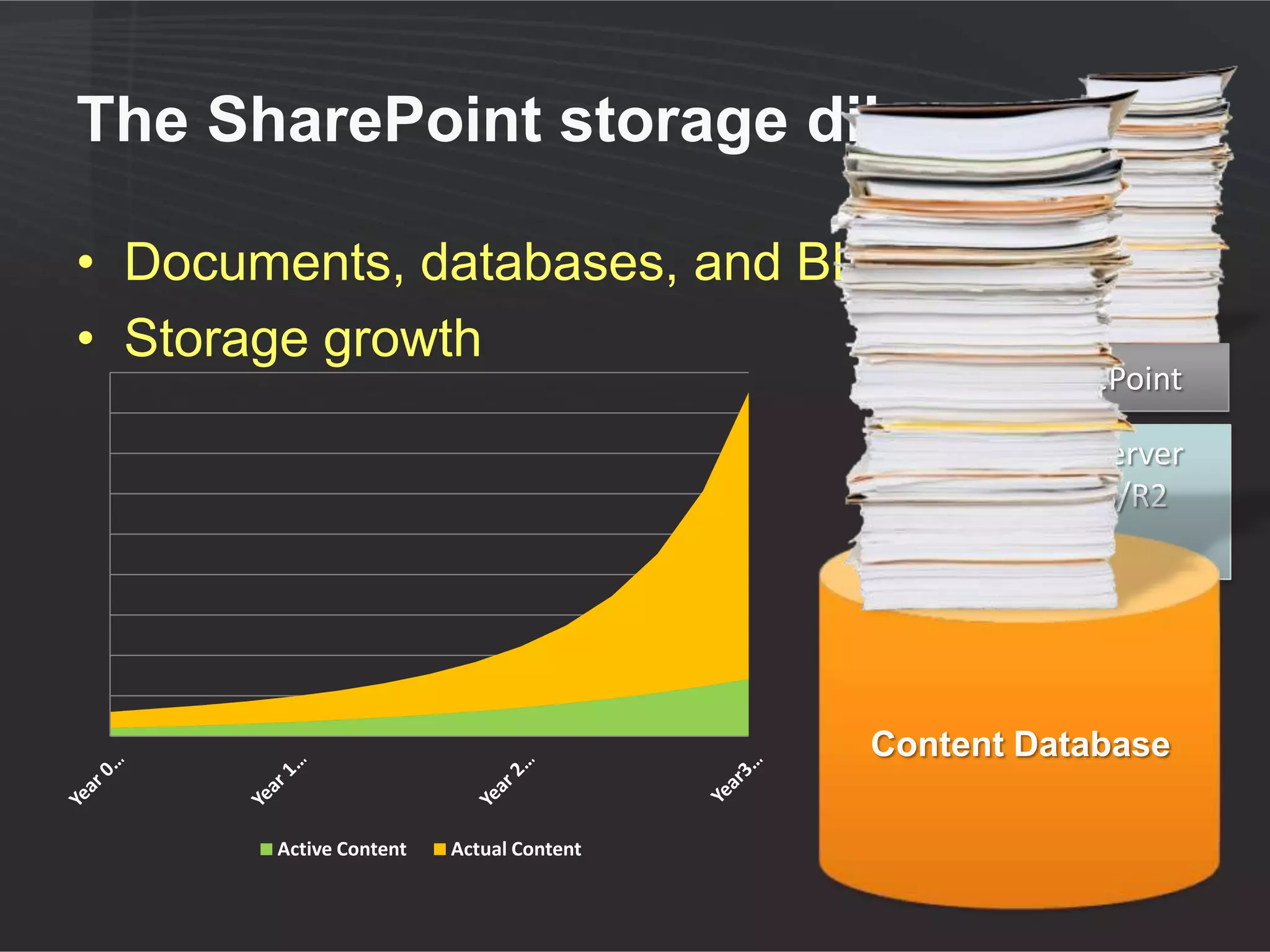
The SharePoint storage dilemma

• Documents, databases, and BLOBs
• Storage growth
                                                 SharePoint

                                                  SQL Server
                                                   2008/R2


                                                   Content
                                                  Database
                                                    Content
                                         Content Database
                                                   Database

       Active Content   Actual Content
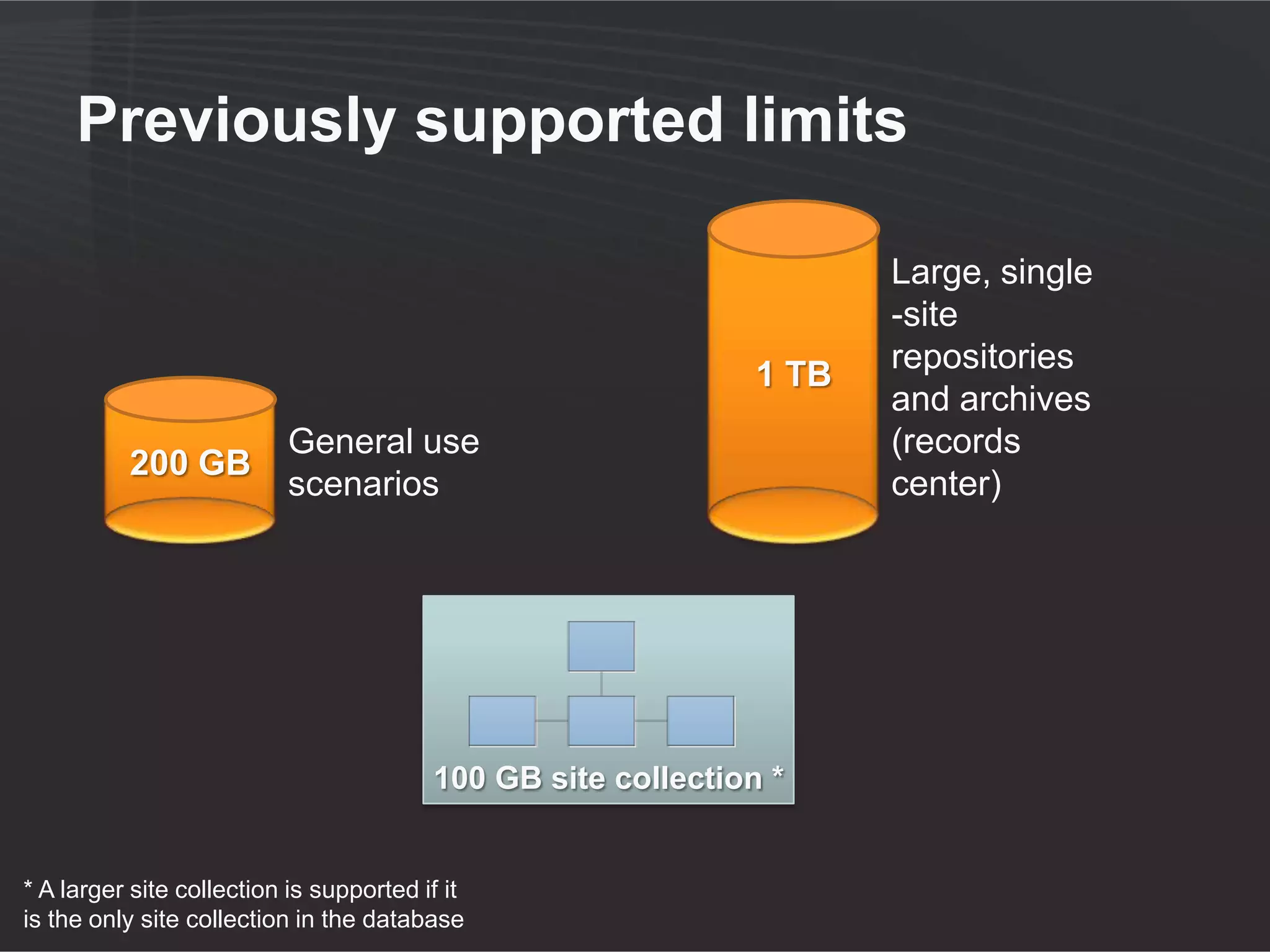
Previously supported limits

                                                                      Large, single
                                                                      -site
                                                                      repositories
                                                               1 TB
                                                                      and archives
                           General use                                (records
          200 GB
                           scenarios                                  center)


                                         100 GB site collection *


* A larger site collection is supported if it
is the only site collection in the database
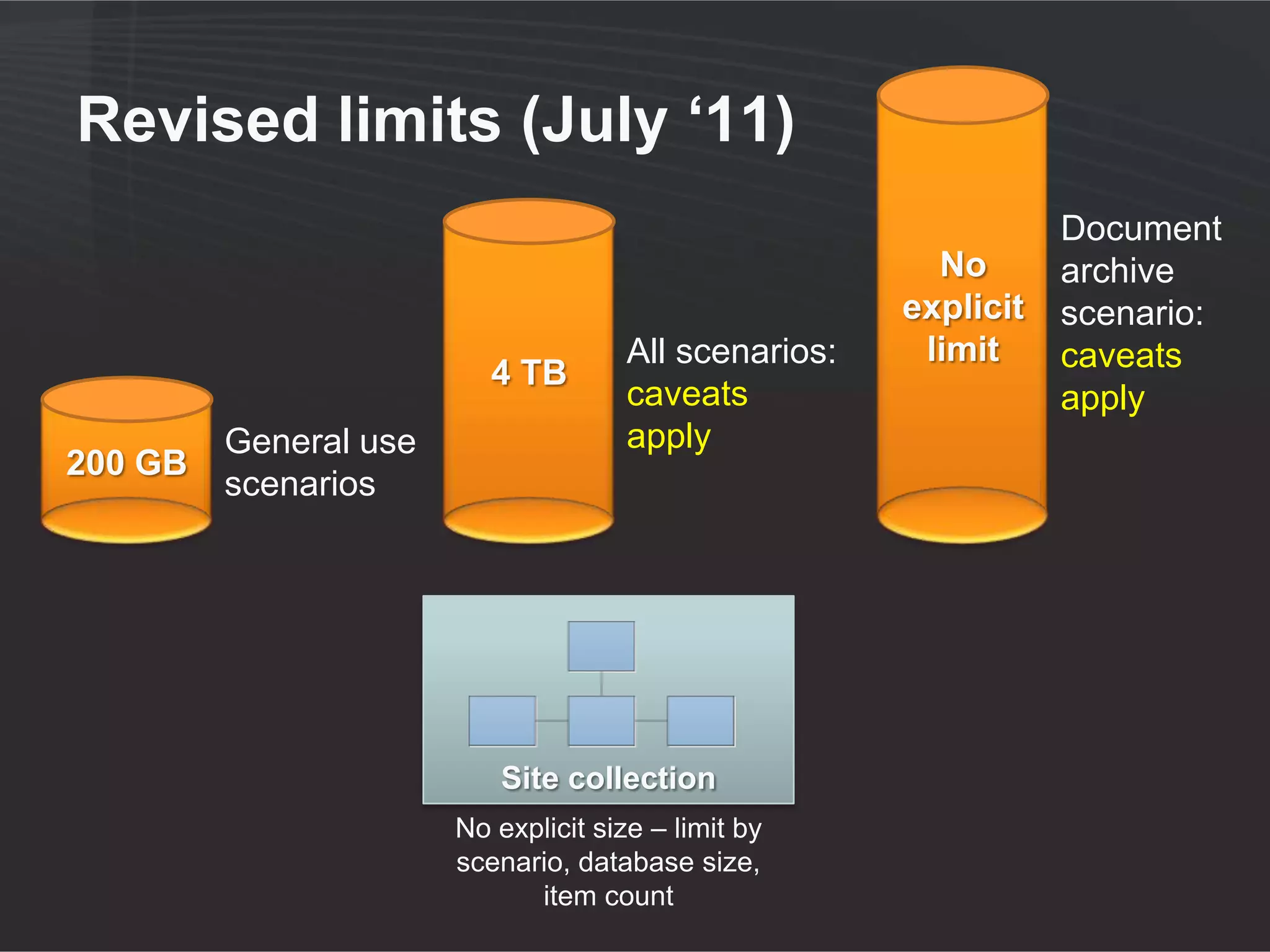
Revised limits (July ‘11)
                                                                  Document
                                                         No       archive
                                                       explicit   scenario:
                                      All scenarios:    limit     caveats
                          4 TB
                                      caveats                     apply
         General use                  apply
200 GB
         scenarios


                           Site collection
                       No explicit size – limit by
                       scenario, database size,
                             item count
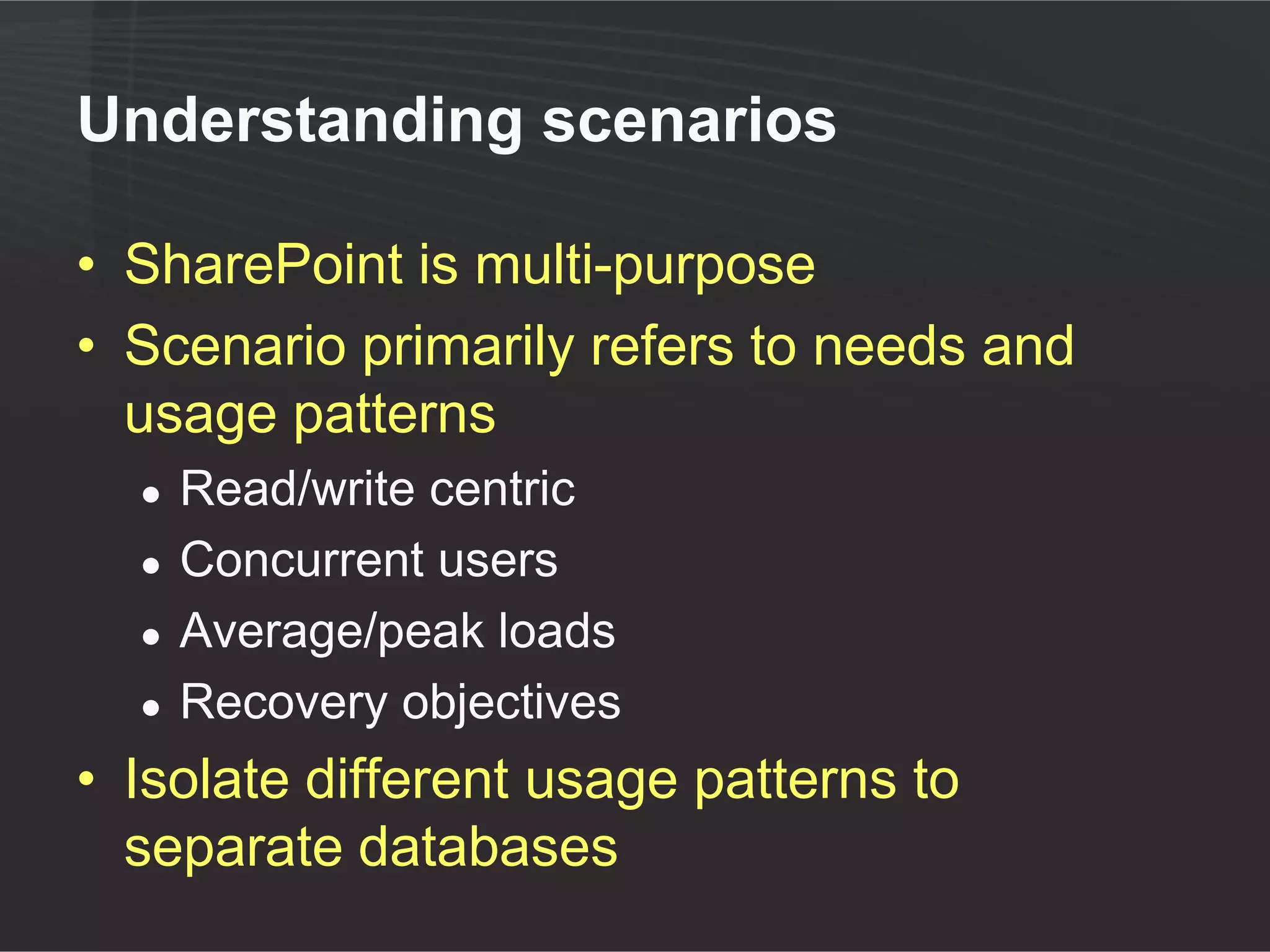
Understanding scenarios

• SharePoint is multi-purpose
• Scenario primarily refers to needs and
  usage patterns
  ●   Read/write centric
  ●   Concurrent users
  ●   Average/peak loads
  ●   Recovery objectives
• Isolate different usage patterns to
  separate databases
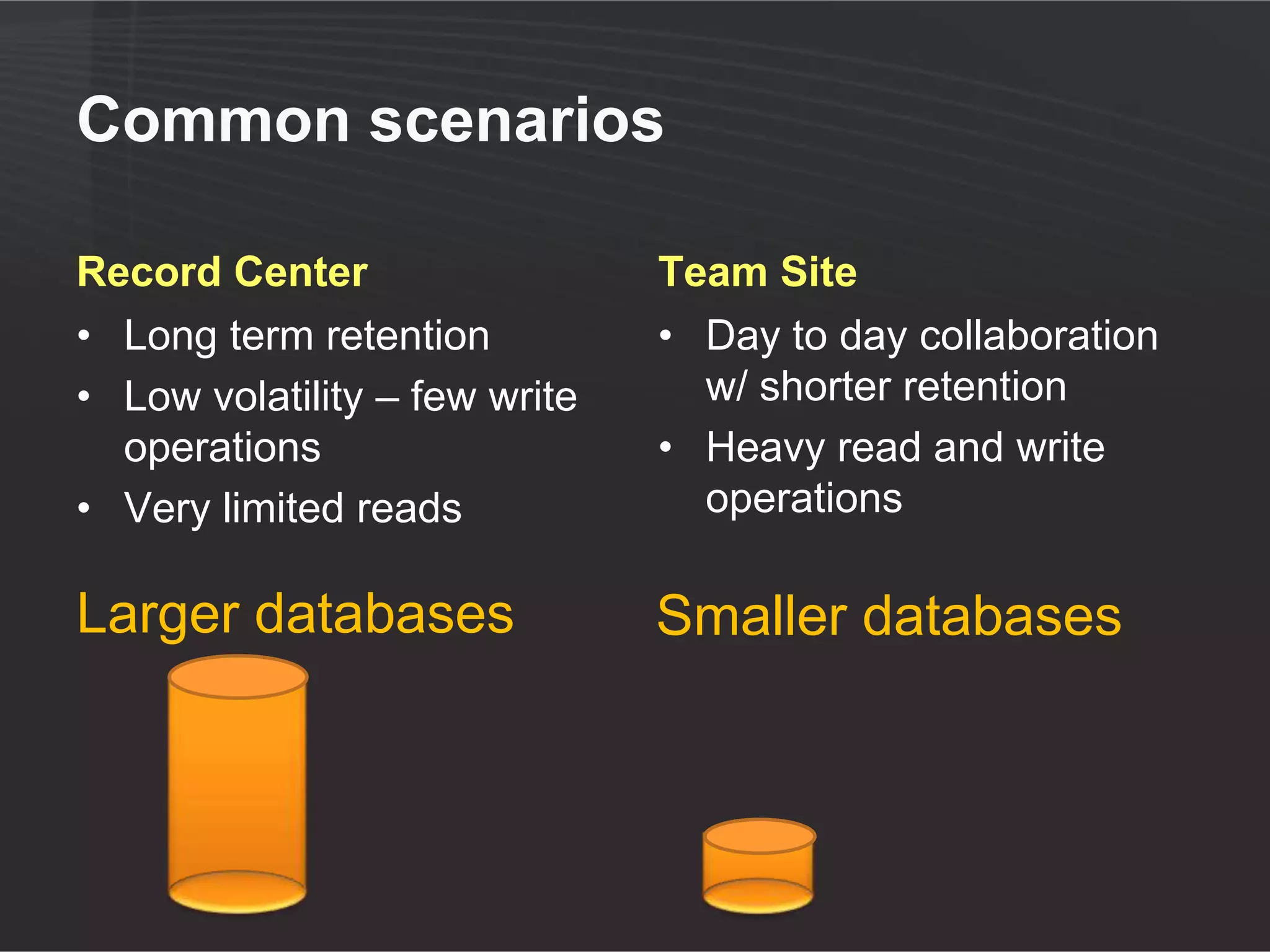
Common scenarios

Record Center                 Team Site
• Long term retention         • Day to day collaboration
• Low volatility – very few     w/ shorter retention
  write operations            • Higher volatility
• Limited reads               • Higher reads

Larger databases              Smaller databases
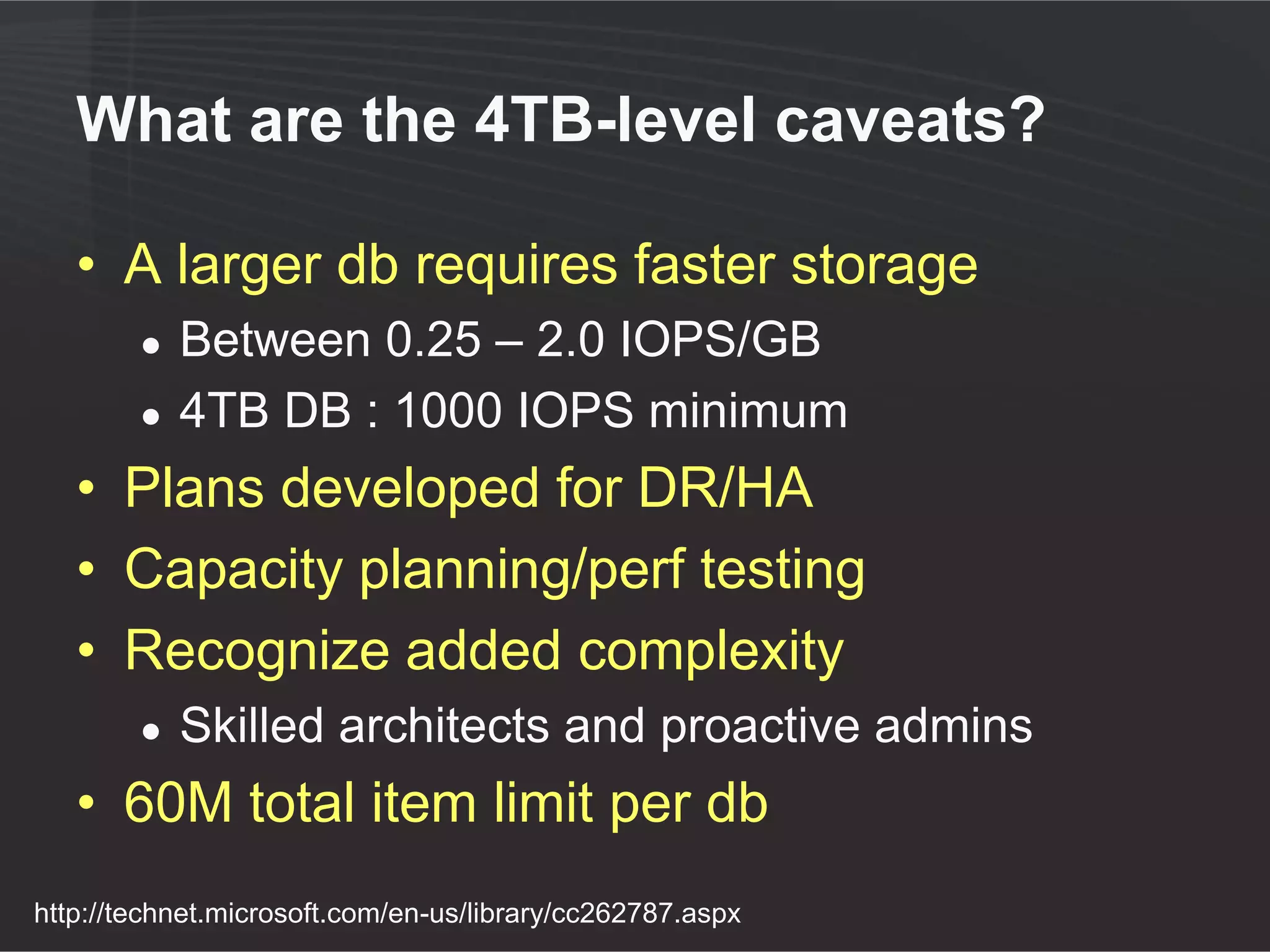
What are the 4TB-level caveats?

   • A larger db requires faster storage
        ●   Between 0.25 – 2.0 IOPS/GB
        ●   4TB DB : 1000 IOPS minimum
   • Plans developed for DR/HA
   • Capacity planning/perf testing
   • Recognize added complexity
        ●   Skilled architects and proactive admins
   • 60M total item limit per db
http://technet.microsoft.com/en-us/library/cc262787.aspx
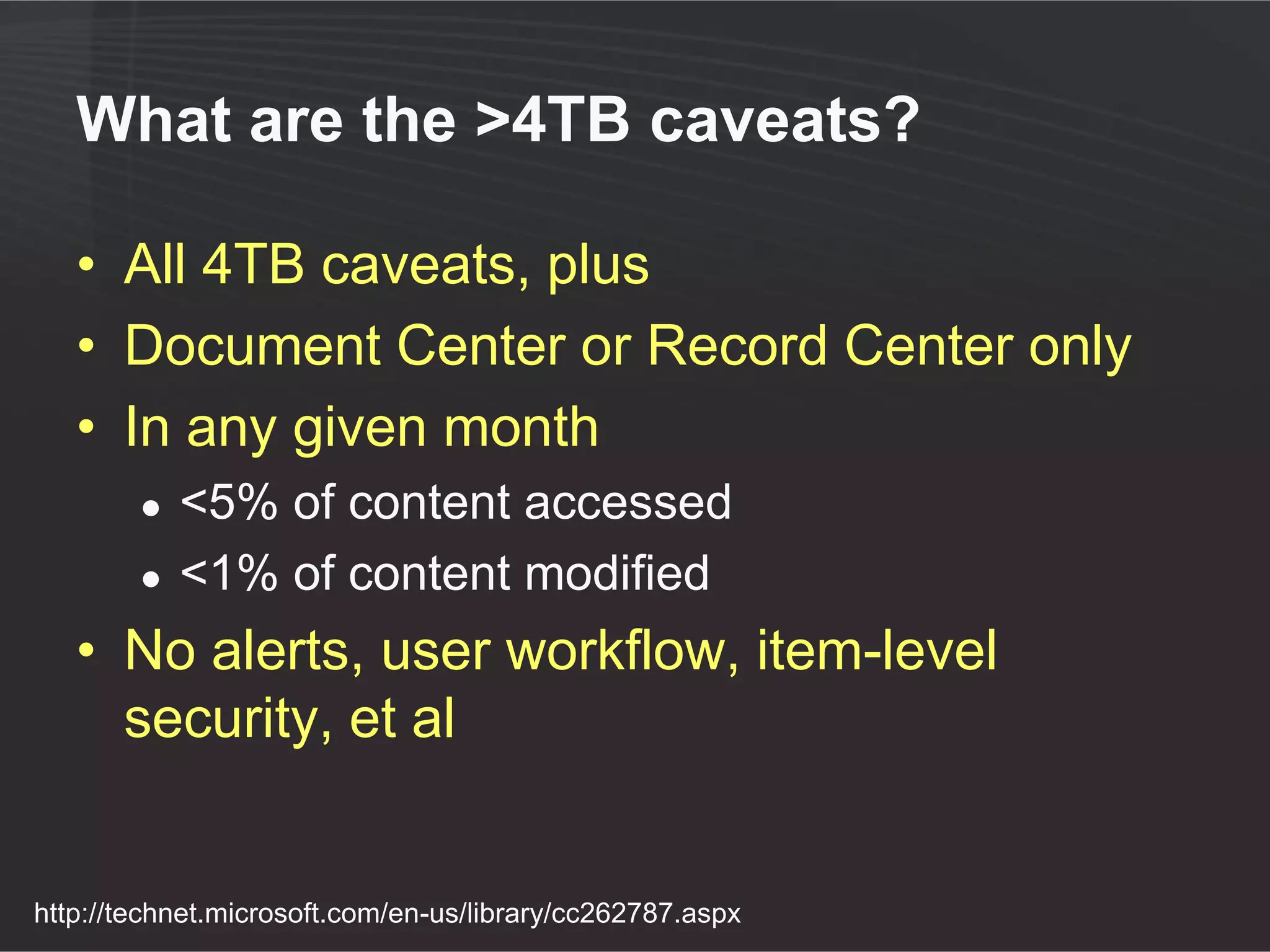
What are the >4TB caveats?

   • All 4TB caveats, plus
   • Document Center or Record Center only
   • In any given month
        ●   <5% of content accessed
        ●   <1% of content modified
   • No alerts, user workflow, item-level
     security, et al


http://technet.microsoft.com/en-us/library/cc262787.aspx
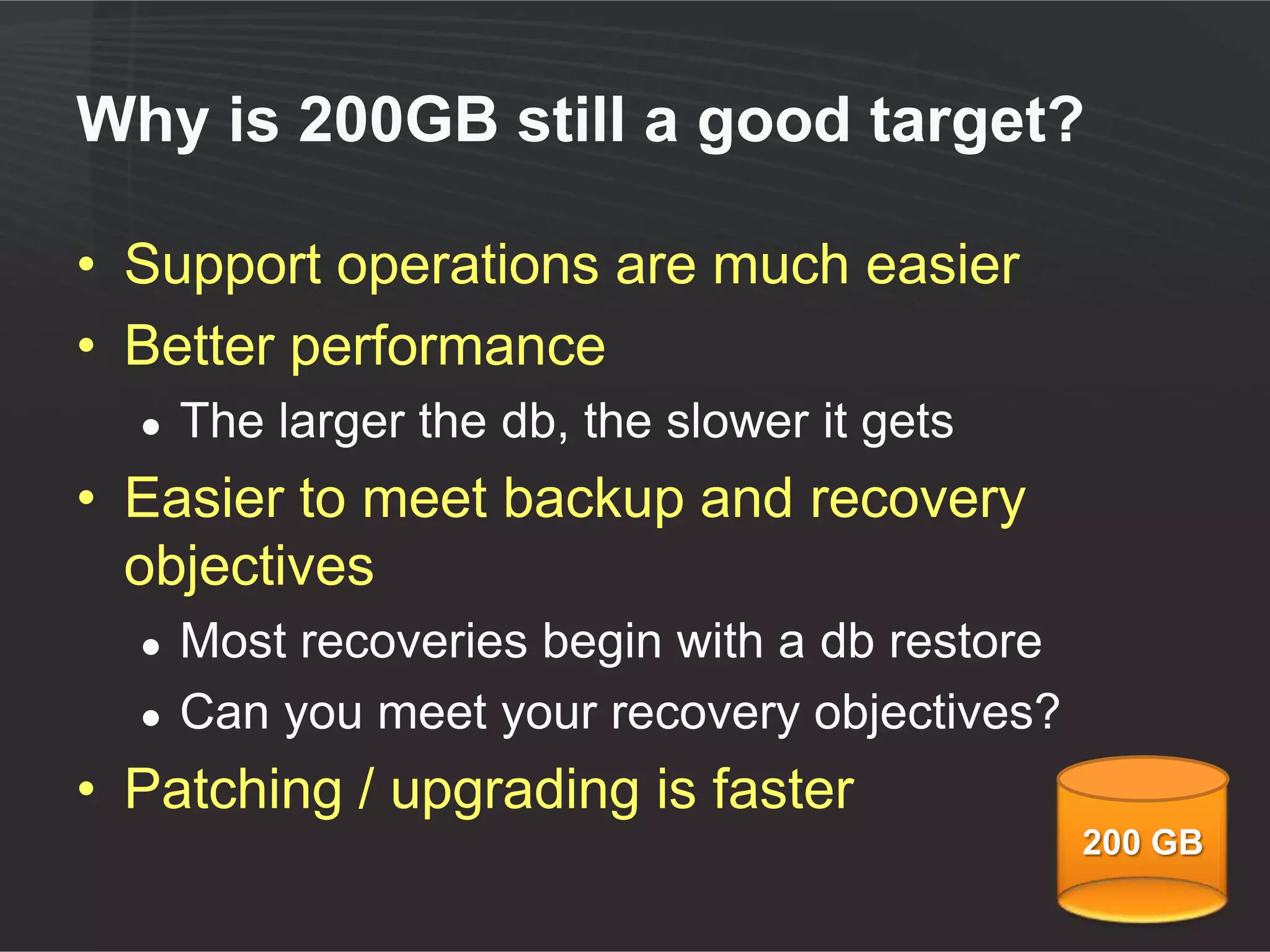
Why is 200GB still a good number?

• Support operations are much easier
• Better performance
  ●   The larger the db, the slower it gets
• Easier to meet backup and recovery
  objectives
  ●   Most recoveries begin with a db restore
  ●   Can you meet your recovery objectives?
• Patching / upgrading is faster
                                                200 GB
Why are larger DBs slower?

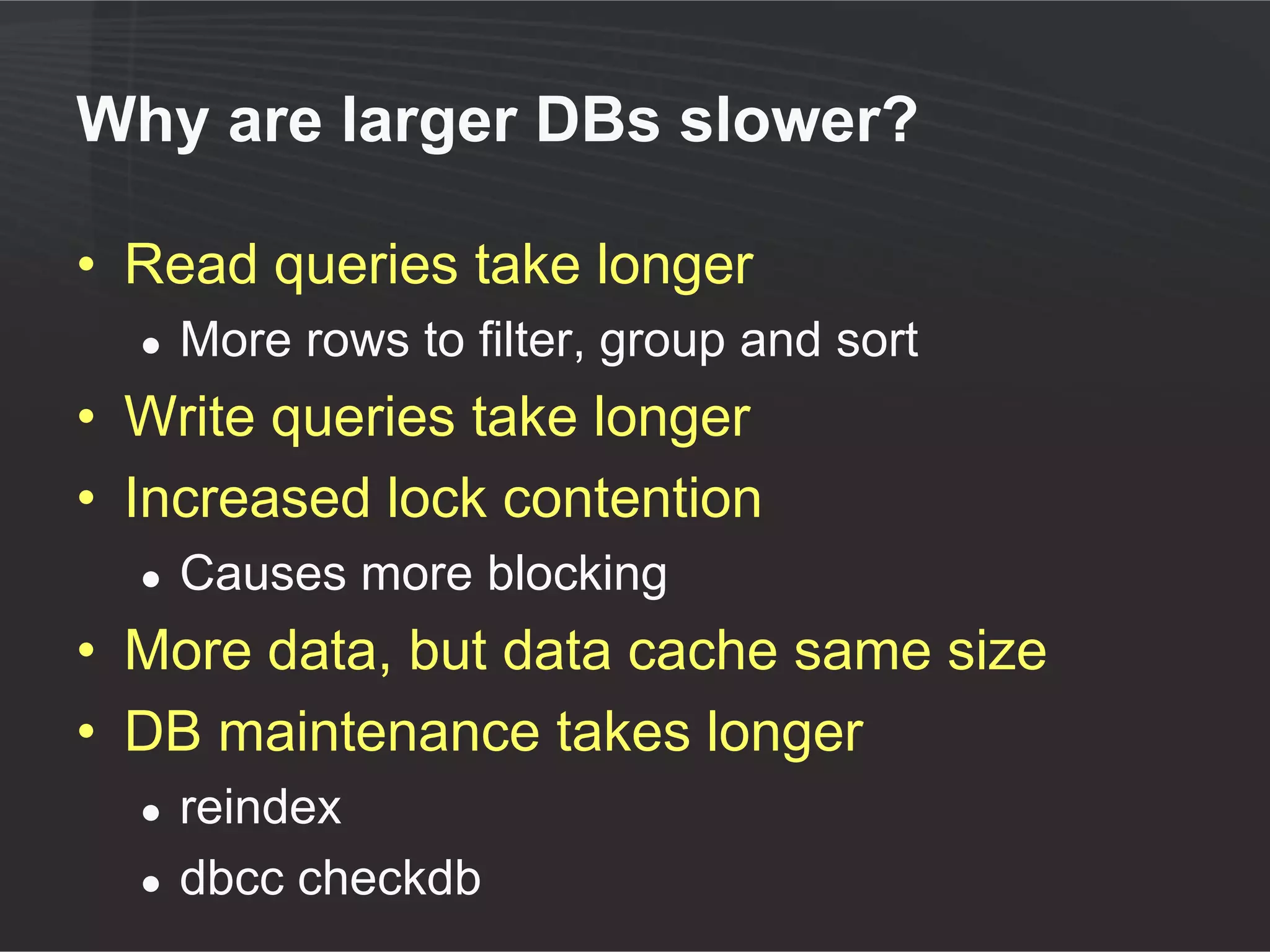
• Select queries take longer
  ●   More rows to filter, group and sort
• Write queries take longer
• Locking escalation
  ●   More blocking
• More data, but data cache same size
• DB maintenance takes longer
  ●   reindex
  ●   dbcc checkdb
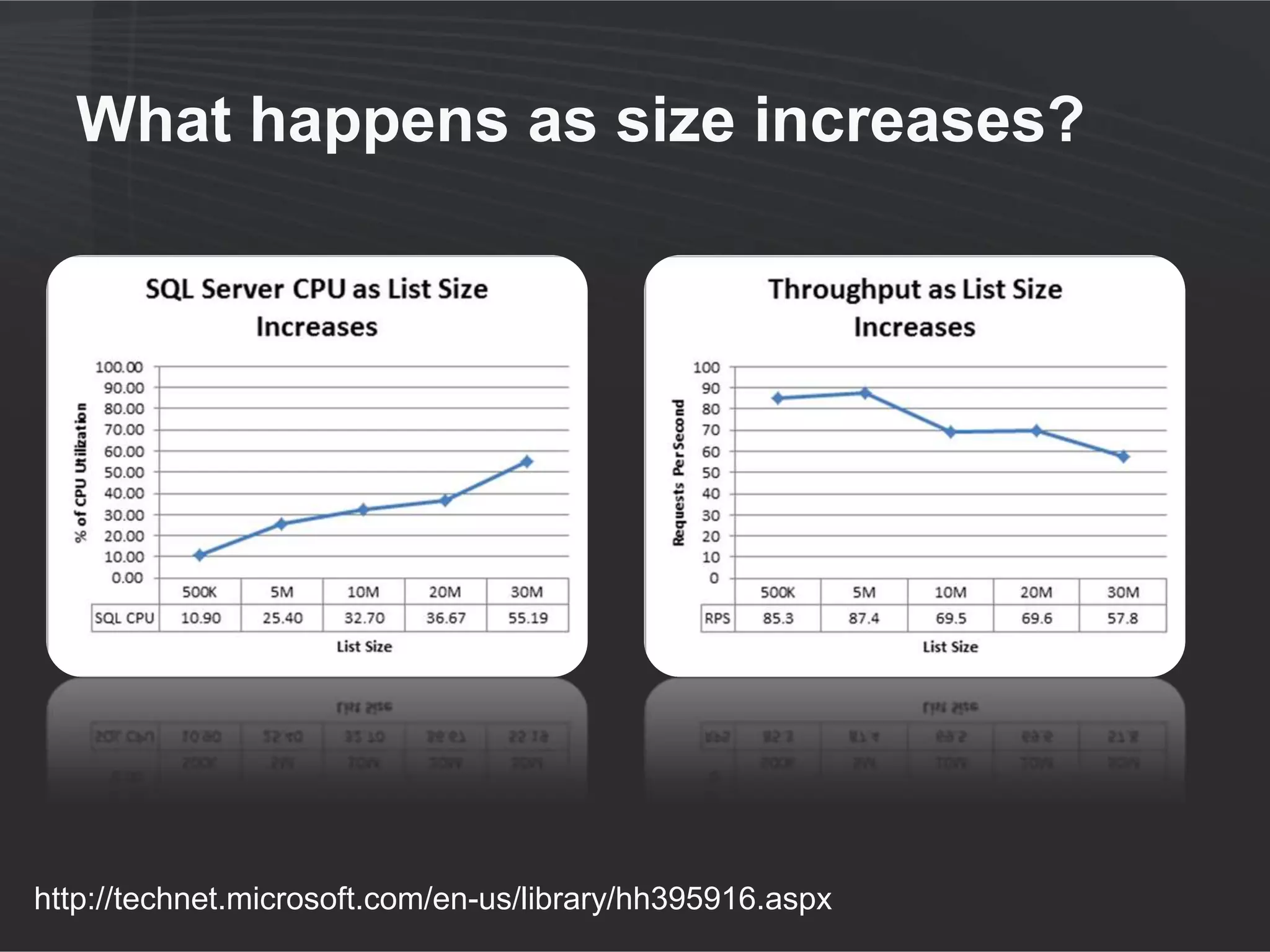
What happens as size increases?


http://technet.microsoft.com/en-us/library/hh395916.aspx
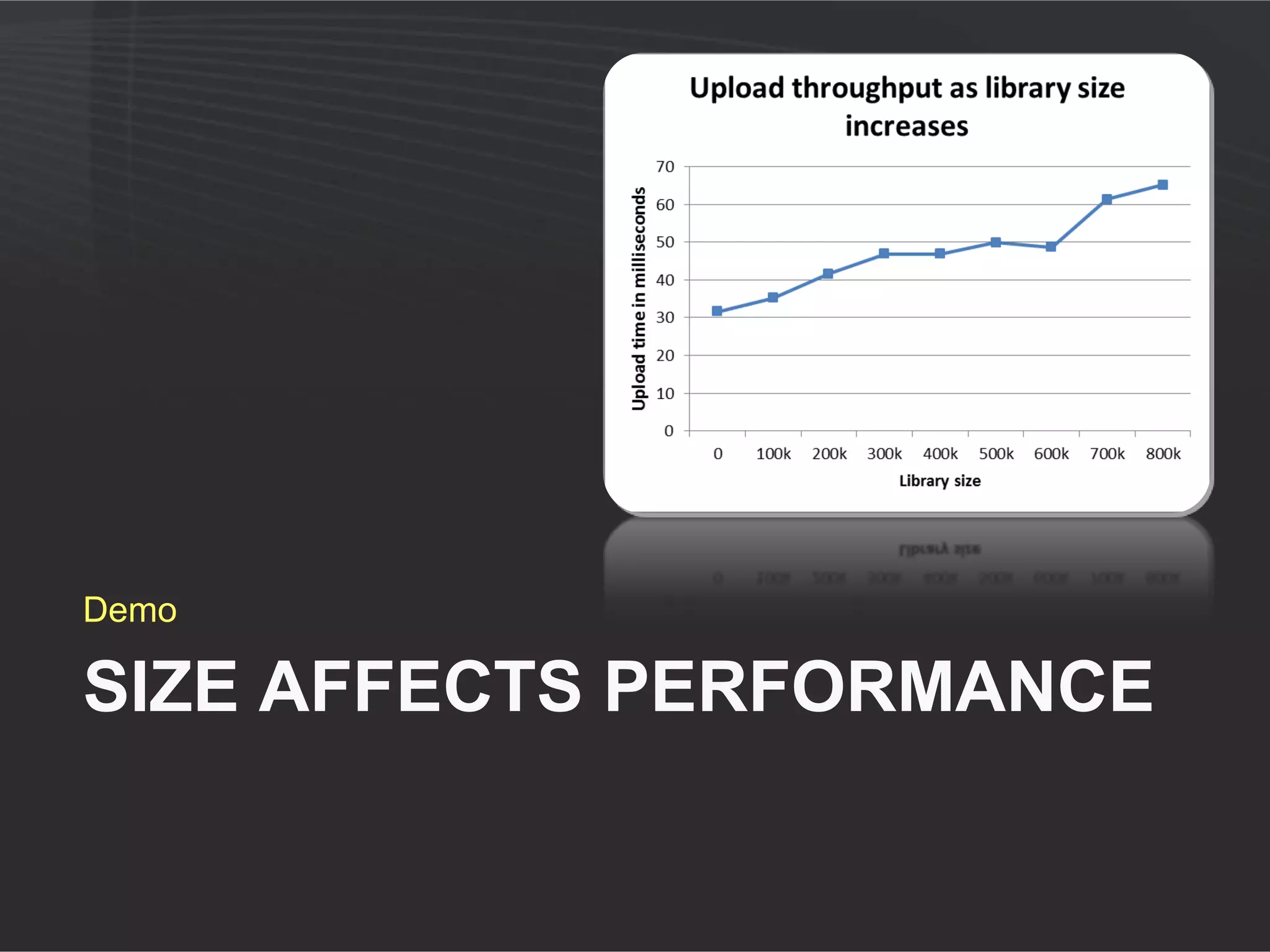
Demo

SIZE AFFECTS PERFORMANCE
Agenda


          2
         Achieving
           larger
         capacities
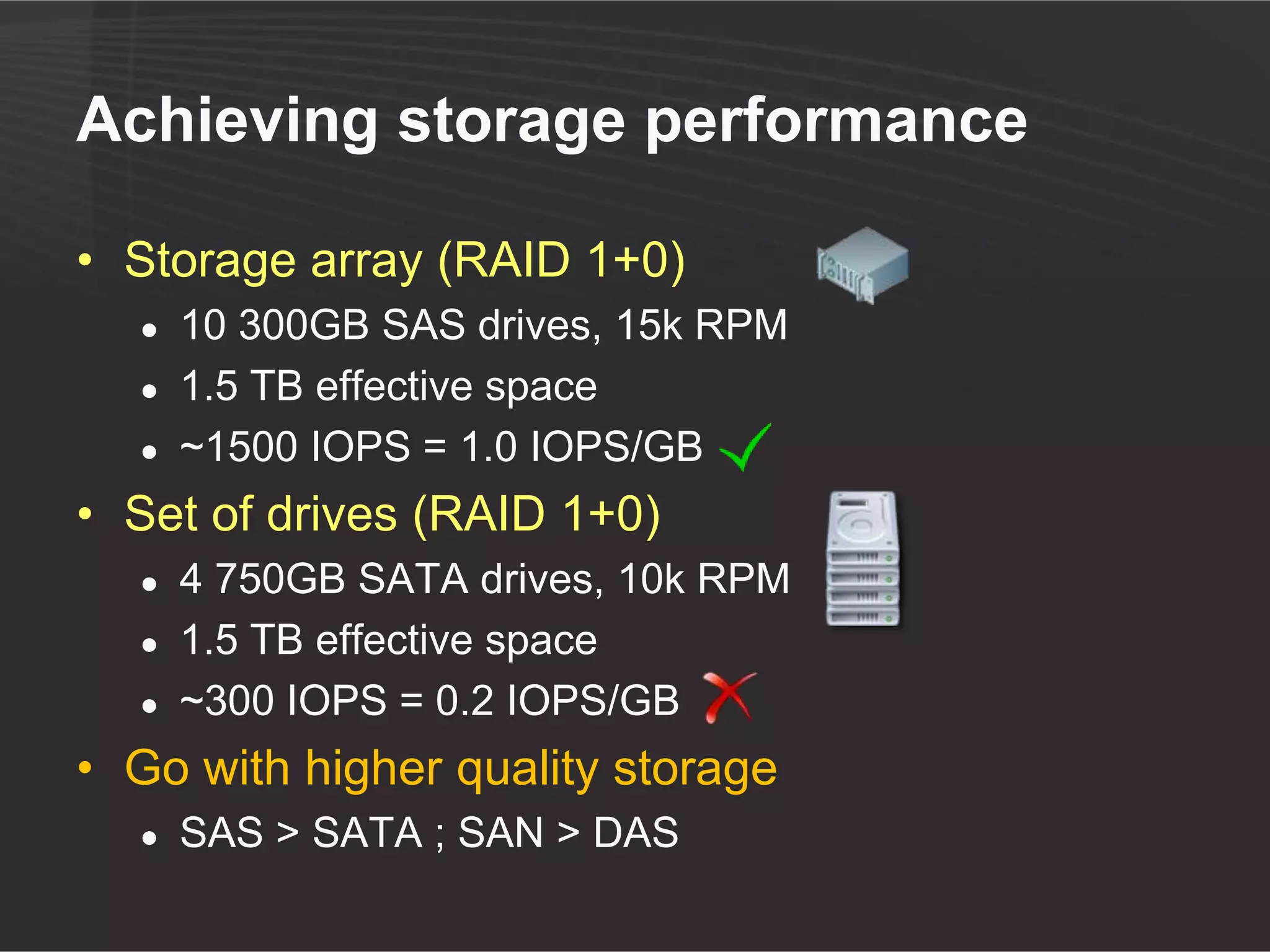
Achieving storage performance

• Storage array (RAID 1+0)
  ●   10 300GB SAS drives, 15k RPM
  ●   1.5 TB effective space
  ●   ~1500 IOPS = 1.0 IOPS/GB
• Set of drives (RAID 1+0)
  ●   4 750GB SATA drives, 10k RPM
  ●   1.5 TB effective space
  ●   ~300 IOPS = 0.2 IOPS/GB
• Go with higher quality storage
  ●   SAS > SATA ; SAN > DAS
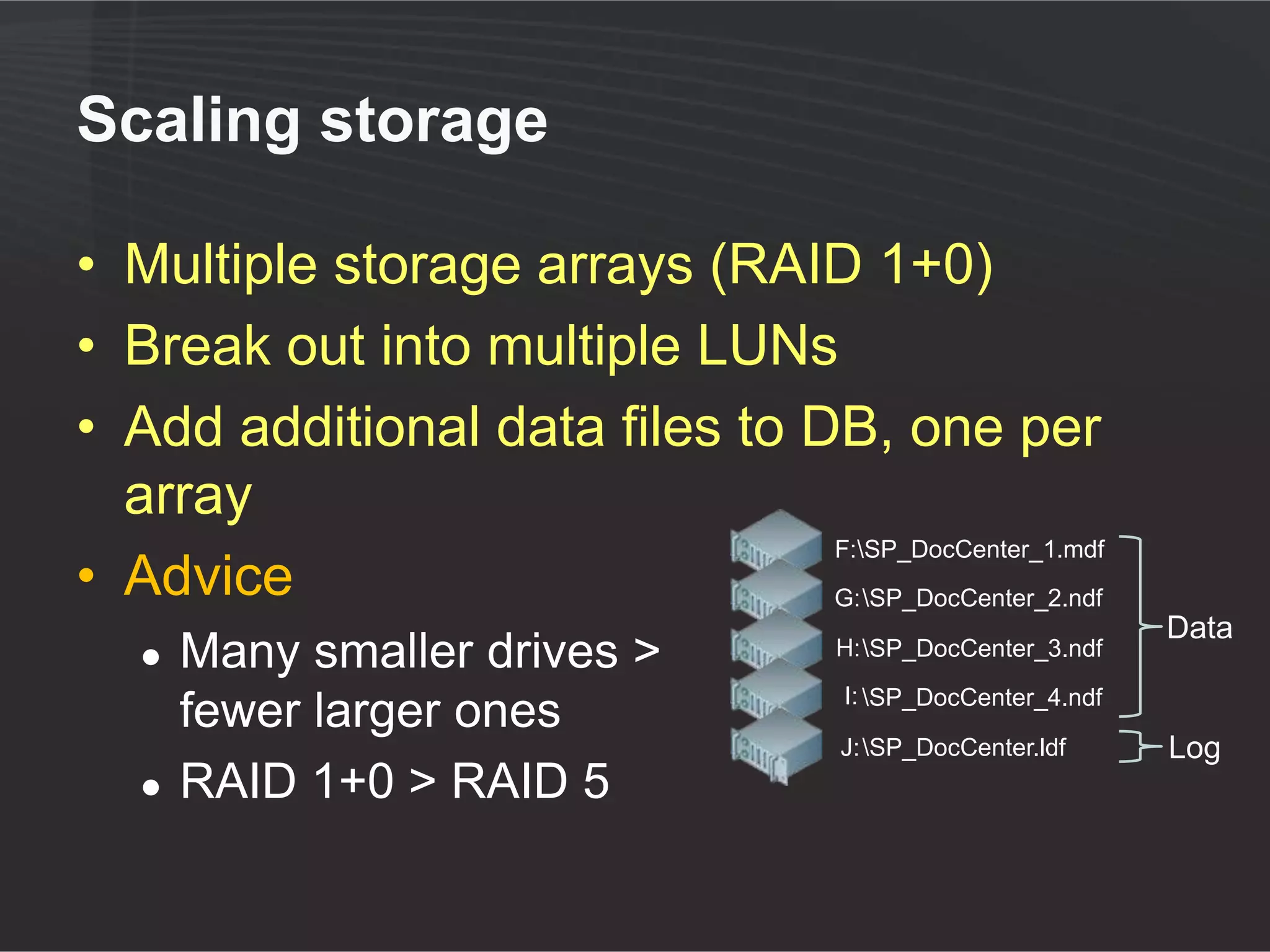
Scaling storage

• Multiple storage arrays (RAID 1+0)
• Break out into multiple LUNs
• Add additional data files to DB, one per
  array
                                F:SP_DocCenter_1.mdf
• Advice                        G: SP_DocCenter_2.ndf
                                                                 Data
   ●   Many smaller drives >           H: SP_DocCenter_3.ndf
                                        I: SP_DocCenter_4.ndf
       fewer larger ones
                                        J: SP_DocCenter.ldf     Log
   ●   RAID 1+0 > RAID 5
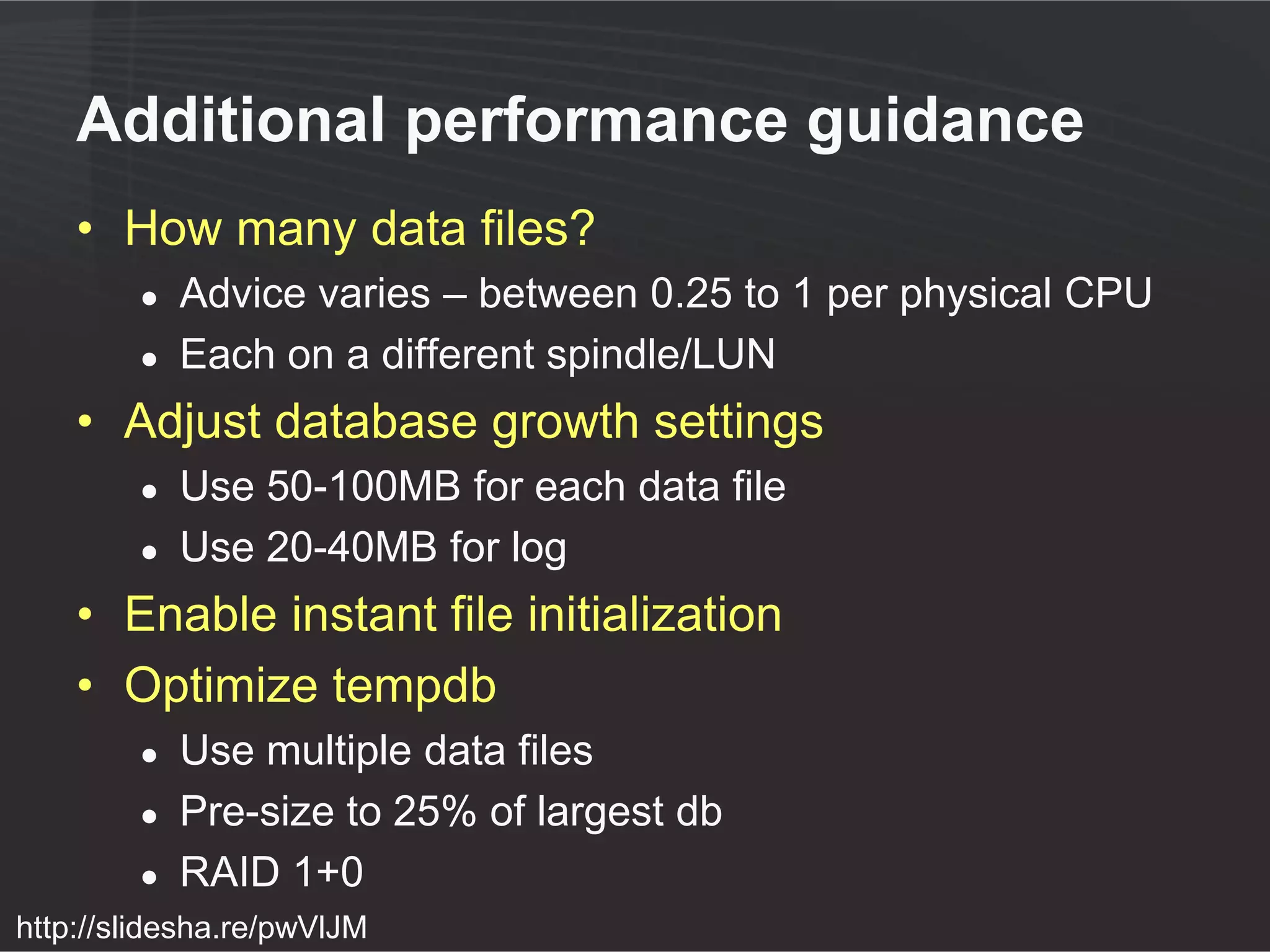
Additional performance guidance
    • How many data files?
        ●   Advice varies – between 0.25 to 1 per physical CPU
        ●   Each on a different spindle/LUN
    • Adjust database growth settings
        ●   Use 50-100MB for each data file
        ●   Use 20-40MB for log
    • Enable instant file initialization
    • Optimize tempdb
        ●   Use multiple data files
        ●   Pre-size to 25% of largest db
        ●   RAID 1+0
http://slidesha.re/pwVlJM
Demo (if time permits)

DB SETTINGS AFFECT
PERFORMANCE
Achieving Disaster Recovery

   • Built-in SharePoint backup is incapable of
     working with large capacities
        ●   Site collection backup limit : 15GB
        ●   Practical database backup limit : 200GB
   • Look at your backup/recovery objectives
        ●   Most recoveries involve a database restore
   • Look for third-party solutions
   • Deploy SP1 – site recycle bin

http://slidesha.re/rlv3u1
Agenda

         Remote BLOB
         storage (RBS)


            3
Remote BLOB Storage (RBS)

• Storing document (BLOB) outside
  database
  ●   Reduce database size
• Cannot be used to scale beyond database
  limits
  ●   Effective size = DB size + BLOB store
• Can externalize based on document size
• Built in RBS support with SQL Server
  2008 (FILESTREAM provider)
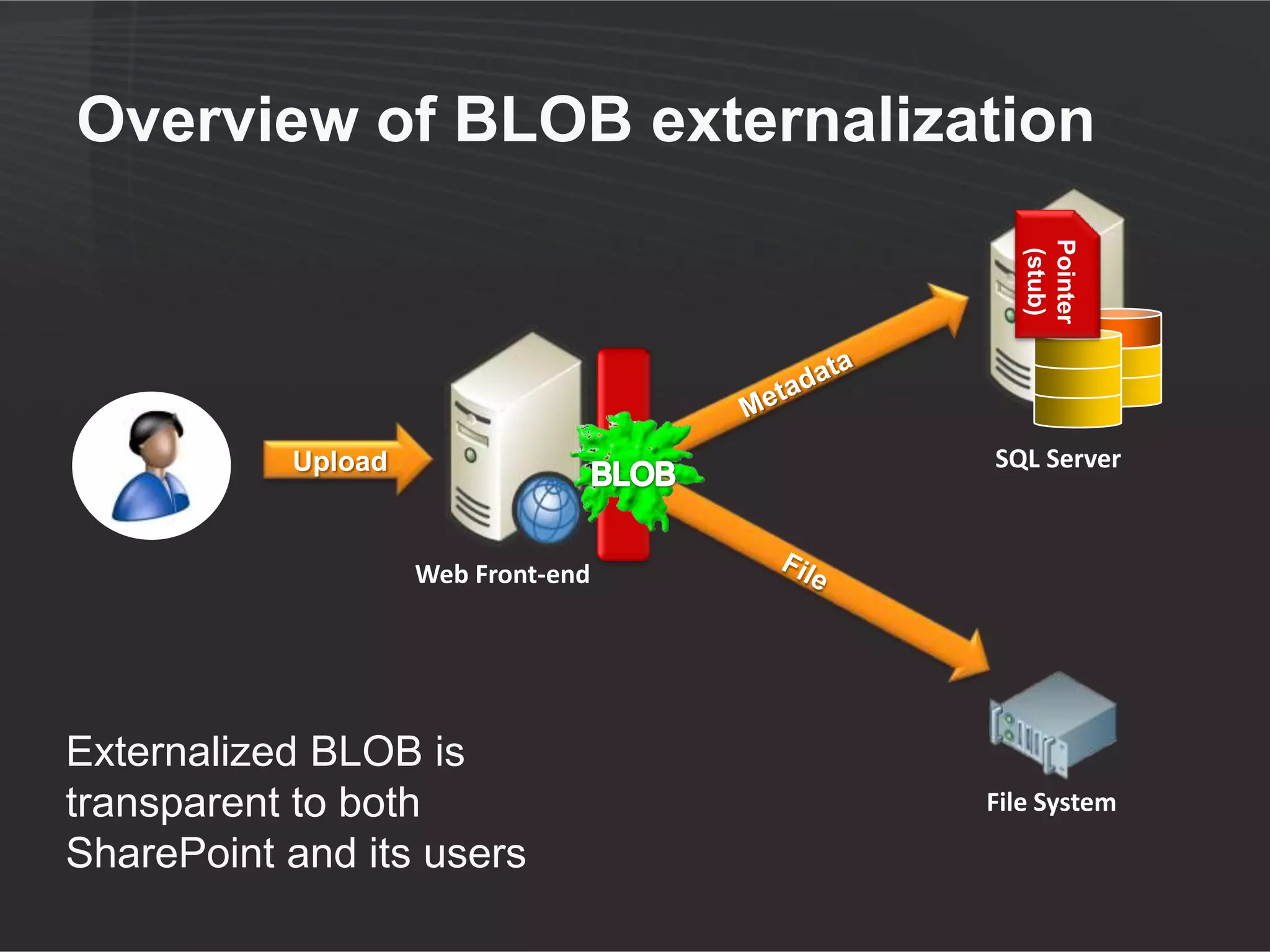
Overview of BLOB externalization


                                             Pointer
                                              (stub)
                                    RBS
           Upload                         SQL Server


                    Web Front-end


Externalized BLOB is
transparent to both                       File System

SharePoint and its users
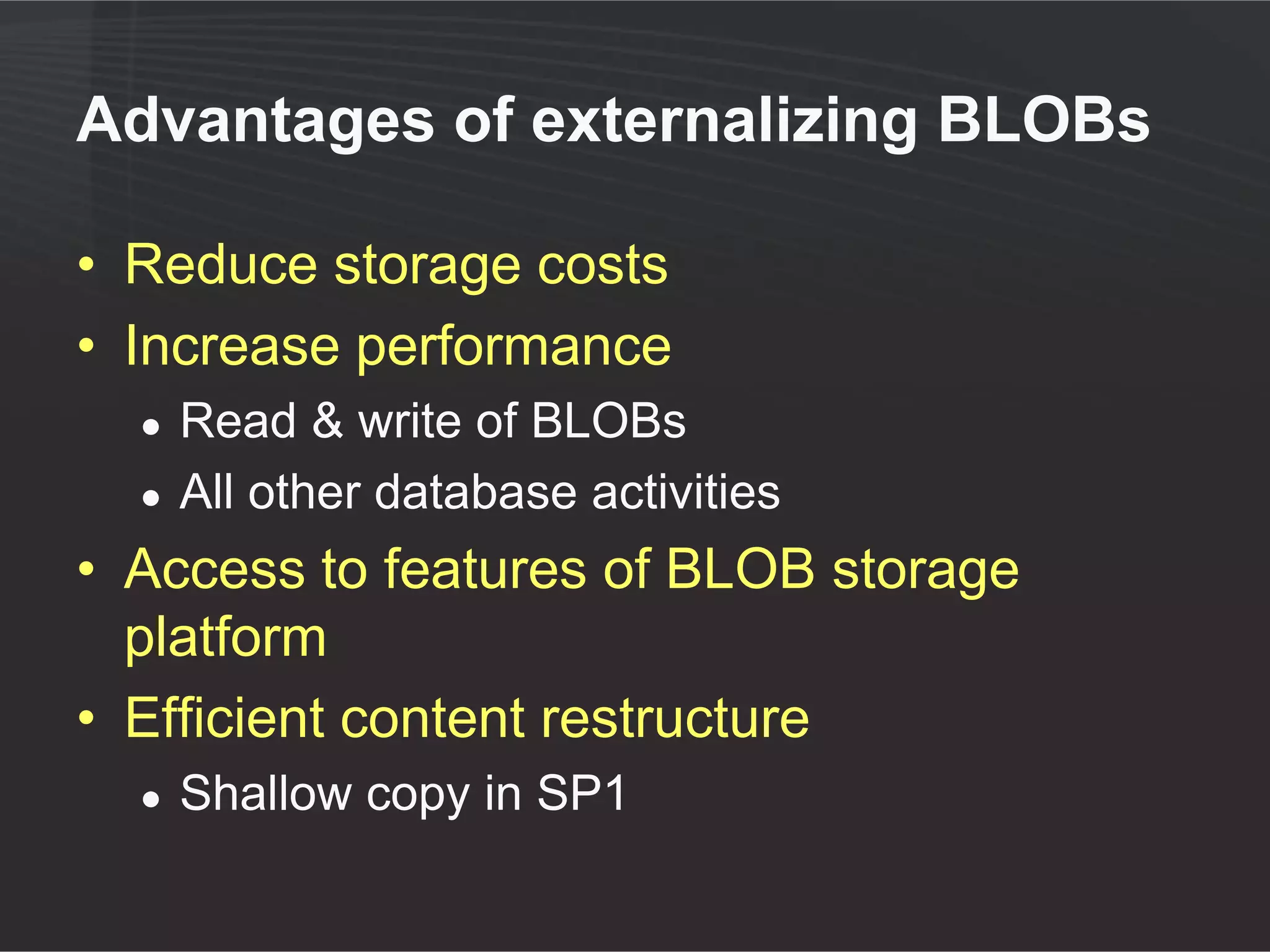
Advantages of externalizing BLOBs

• Reduce storage costs
• Increase performance
  ●   Read & write
  ●   All other activity by users of the DB and SQL server
• Access to features of BLOB storage
  platform
• Efficient content restructure
  ●   Shallow copy in SP1
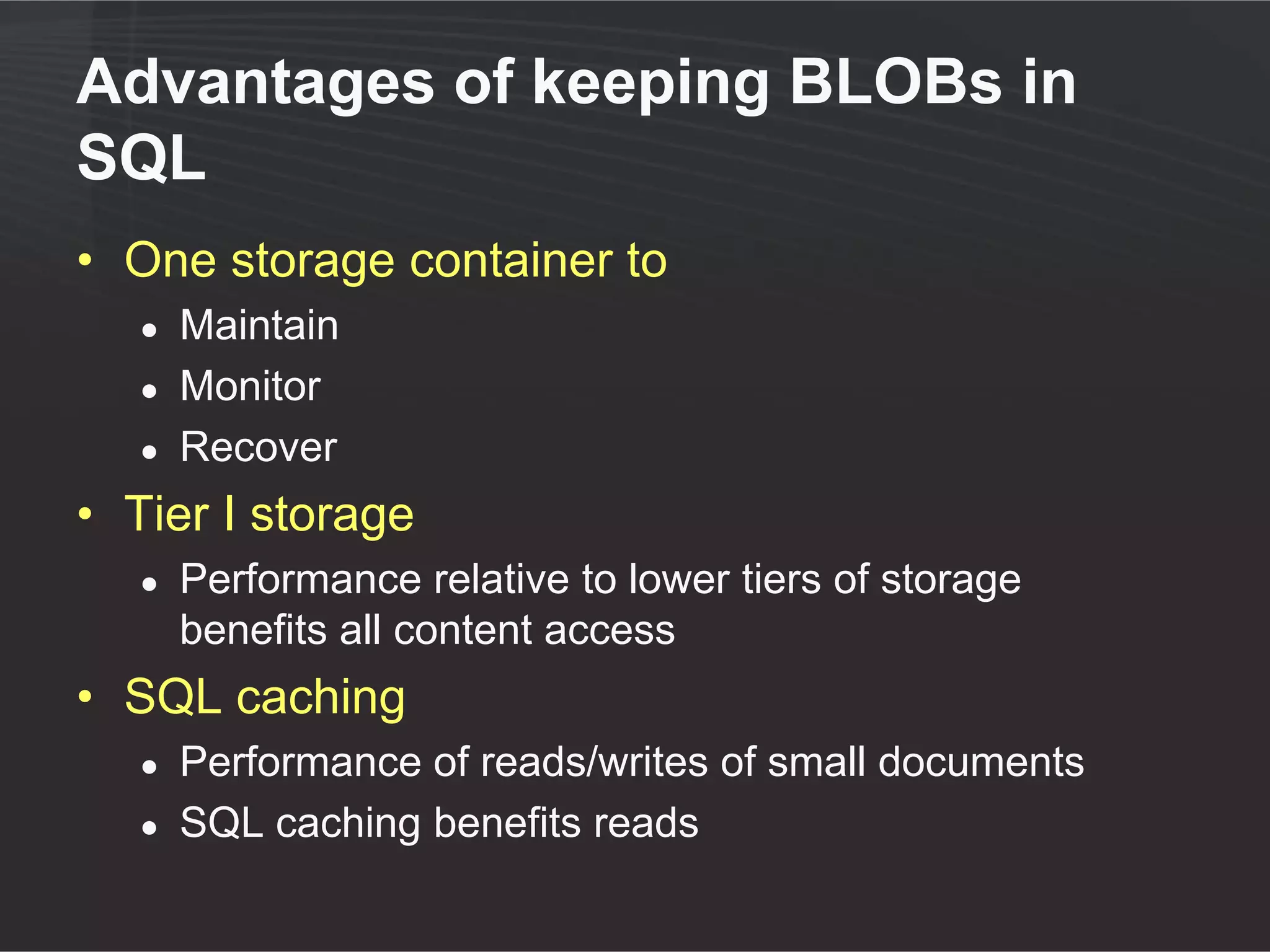
Advantages of keeping BLOBs in
SQL
• One storage container to
   ●   Maintain
   ●   Monitor
   ●   Recover
• Tier I storage
   ●   Performance relative to lower tiers of storage
       benefits all content access
• SQL caching
   ●   Performance of reads/writes of small documents
   ●   SQL caching benefits reads
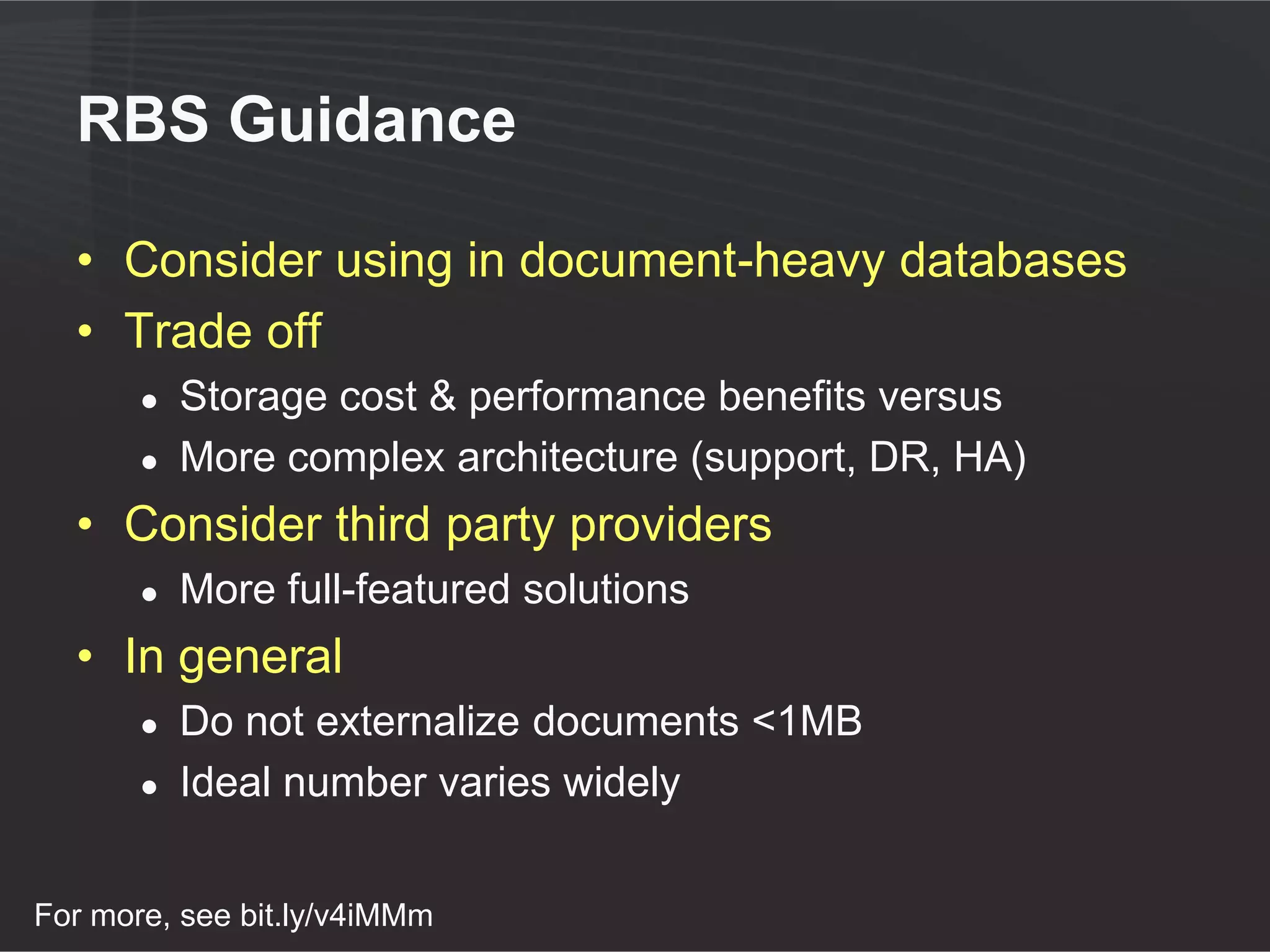
RBS Guidance

• Consider using in document-heavy databases
• Trade off
  ●   Storage cost & performance benefits versus
  ●   More complex architecture (support, DR, HA)
• Consider third party providers
  ●   More full-featured solutions
• In general
  ●   Do not externalize <1MB documents
  ●   Ideal number varies widely
Agenda


          4
         Summary
           Q&A
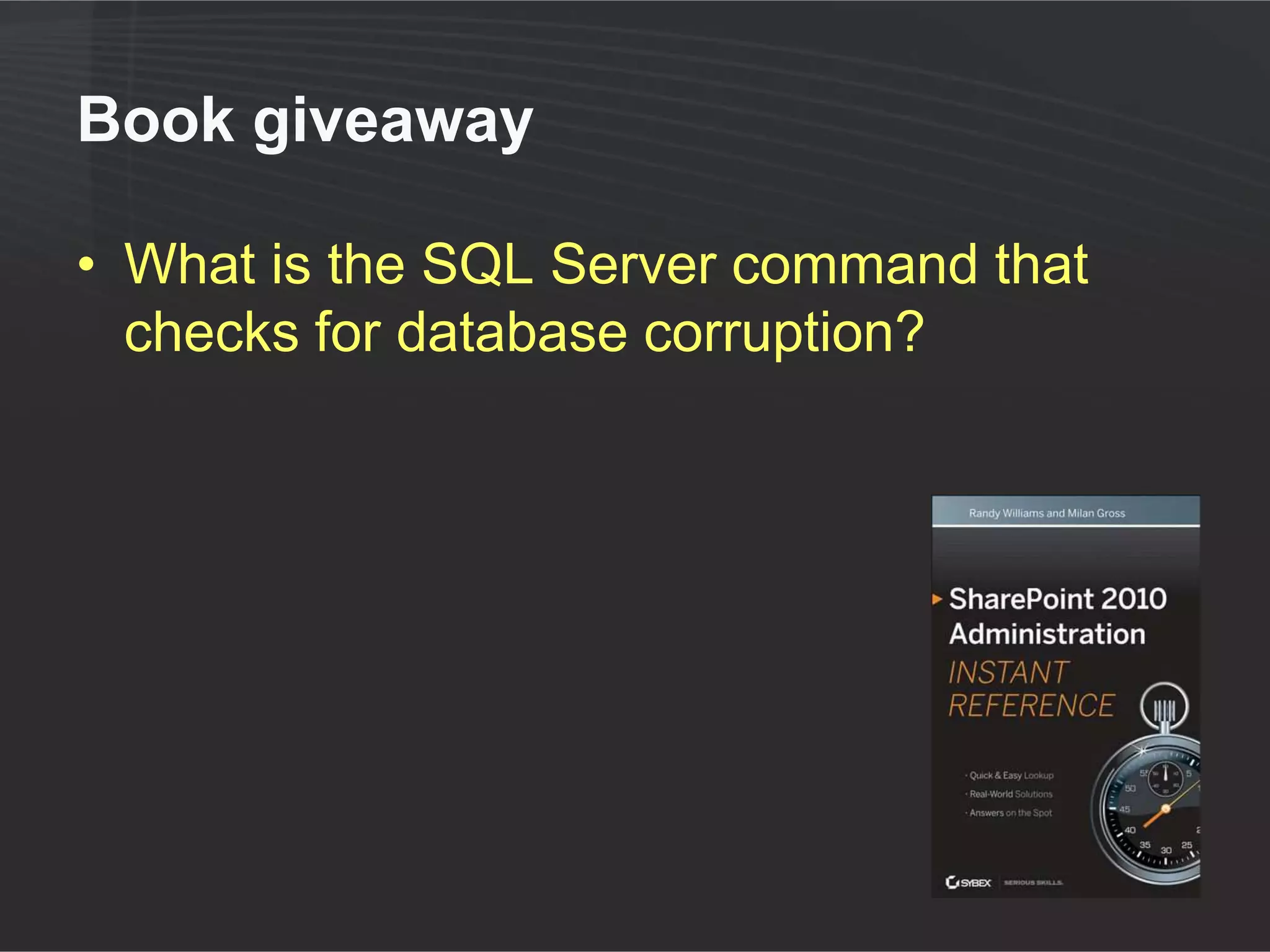
In review

• 4TB is the new supported limit for all
  scenarios
• No limit for record/document centers
• Keys to achieving larger sizes
  ●   Storage performance planning/testing
  ●   DR/HA planning/testing
• RBS offers benefits but does not extend
  these limits
Your Feedback is Important

 Please fill out a session evaluation form
  drop it off at the conference registration
                      desk.

                Thank you!
Questions?
  randy.williams@avepoint.com
  http://linkd.in/plEEb1
  @tweetraw
Sizing your Content Databases: Understanding the Limits

Sizing your Content Databases: Understanding the Limits

  • 1.
    Sizing Your ContentDatabases: Understanding the New Limits Randy Williams AvePoint
  • 2.
    Randy Williams • Enterprise Trainer & Evangelist – AvePoint • 20+ years in IT ● developer, consultant, trainer, author • Three-time SharePoint MVP • Speaker at many global conferences randy.williams@avepoint.com http://linkd.in/plEEb1 @tweetraw
  • 3.
    Agenda Understanding Remote BLOB new limits storage (RBS) 1 2 Achieving 3 4 Summary larger Q&A capacities
  • 4.
  • 5.
    The SharePoint storagedilemma • Documents, databases, and BLOBs • Storage growth SharePoint SQL Server 2008/R2 Content Database Content Content Database Database Active Content Actual Content
  • 6.
    Previously supported limits Large, single -site repositories 1 TB and archives General use (records 200 GB scenarios center) 100 GB site collection * * A larger site collection is supported if it is the only site collection in the database
  • 7.
    Revised limits (July‘11) Document No archive explicit scenario: All scenarios: limit caveats 4 TB caveats apply General use apply 200 GB scenarios Site collection No explicit size – limit by scenario, database size, item count
  • 8.
    Understanding scenarios • SharePointis multi-purpose • Scenario primarily refers to needs and usage patterns ● Read/write centric ● Concurrent users ● Average/peak loads ● Recovery objectives • Isolate different usage patterns to separate databases
  • 9.
    Common scenarios Record Center Team Site • Long term retention • Day to day collaboration • Low volatility – very few w/ shorter retention write operations • Higher volatility • Limited reads • Higher reads Larger databases Smaller databases
  • 10.
    What are the4TB-level caveats? • A larger db requires faster storage ● Between 0.25 – 2.0 IOPS/GB ● 4TB DB : 1000 IOPS minimum • Plans developed for DR/HA • Capacity planning/perf testing • Recognize added complexity ● Skilled architects and proactive admins • 60M total item limit per db http://technet.microsoft.com/en-us/library/cc262787.aspx
  • 11.
    What are the>4TB caveats? • All 4TB caveats, plus • Document Center or Record Center only • In any given month ● <5% of content accessed ● <1% of content modified • No alerts, user workflow, item-level security, et al http://technet.microsoft.com/en-us/library/cc262787.aspx
  • 12.
    Why is 200GBstill a good number? • Support operations are much easier • Better performance ● The larger the db, the slower it gets • Easier to meet backup and recovery objectives ● Most recoveries begin with a db restore ● Can you meet your recovery objectives? • Patching / upgrading is faster 200 GB
  • 13.
    Why are largerDBs slower? • Select queries take longer ● More rows to filter, group and sort • Write queries take longer • Locking escalation ● More blocking • More data, but data cache same size • DB maintenance takes longer ● reindex ● dbcc checkdb
  • 14.
    What happens assize increases? http://technet.microsoft.com/en-us/library/hh395916.aspx
  • 15.
  • 16.
    Agenda 2 Achieving larger capacities
  • 17.
    Achieving storage performance •Storage array (RAID 1+0) ● 10 300GB SAS drives, 15k RPM ● 1.5 TB effective space ● ~1500 IOPS = 1.0 IOPS/GB • Set of drives (RAID 1+0) ● 4 750GB SATA drives, 10k RPM ● 1.5 TB effective space ● ~300 IOPS = 0.2 IOPS/GB • Go with higher quality storage ● SAS > SATA ; SAN > DAS
  • 18.
    Scaling storage • Multiplestorage arrays (RAID 1+0) • Break out into multiple LUNs • Add additional data files to DB, one per array F:SP_DocCenter_1.mdf • Advice G: SP_DocCenter_2.ndf Data ● Many smaller drives > H: SP_DocCenter_3.ndf I: SP_DocCenter_4.ndf fewer larger ones J: SP_DocCenter.ldf Log ● RAID 1+0 > RAID 5
  • 19.
    Additional performance guidance • How many data files? ● Advice varies – between 0.25 to 1 per physical CPU ● Each on a different spindle/LUN • Adjust database growth settings ● Use 50-100MB for each data file ● Use 20-40MB for log • Enable instant file initialization • Optimize tempdb ● Use multiple data files ● Pre-size to 25% of largest db ● RAID 1+0 http://slidesha.re/pwVlJM
  • 20.
    Demo (if timepermits) DB SETTINGS AFFECT PERFORMANCE
  • 21.
    Achieving Disaster Recovery • Built-in SharePoint backup is incapable of working with large capacities ● Site collection backup limit : 15GB ● Practical database backup limit : 200GB • Look at your backup/recovery objectives ● Most recoveries involve a database restore • Look for third-party solutions • Deploy SP1 – site recycle bin http://slidesha.re/rlv3u1
  • 22.
    Agenda Remote BLOB storage (RBS) 3
  • 23.
    Remote BLOB Storage(RBS) • Storing document (BLOB) outside database ● Reduce database size • Cannot be used to scale beyond database limits ● Effective size = DB size + BLOB store • Can externalize based on document size • Built in RBS support with SQL Server 2008 (FILESTREAM provider)
  • 24.
    Overview of BLOBexternalization Pointer (stub) RBS Upload SQL Server Web Front-end Externalized BLOB is transparent to both File System SharePoint and its users
  • 25.
    Advantages of externalizingBLOBs • Reduce storage costs • Increase performance ● Read & write ● All other activity by users of the DB and SQL server • Access to features of BLOB storage platform • Efficient content restructure ● Shallow copy in SP1
  • 26.
    Advantages of keepingBLOBs in SQL • One storage container to ● Maintain ● Monitor ● Recover • Tier I storage ● Performance relative to lower tiers of storage benefits all content access • SQL caching ● Performance of reads/writes of small documents ● SQL caching benefits reads
  • 27.
    RBS Guidance • Considerusing in document-heavy databases • Trade off ● Storage cost & performance benefits versus ● More complex architecture (support, DR, HA) • Consider third party providers ● More full-featured solutions • In general ● Do not externalize <1MB documents ● Ideal number varies widely
  • 28.
    Agenda 4 Summary Q&A
  • 29.
    In review • 4TBis the new supported limit for all scenarios • No limit for record/document centers • Keys to achieving larger sizes ● Storage performance planning/testing ● DR/HA planning/testing • RBS offers benefits but does not extend these limits
  • 30.
    Your Feedback isImportant Please fill out a session evaluation form drop it off at the conference registration desk. Thank you!
  • 31.
    Questions? randy.williams@avepoint.com http://linkd.in/plEEb1 @tweetraw

Editor's Notes

  • #6 Introduce concept of documents being stored as BLOBs in CDBBUILD: Diagram of architectureDiscuss storage growthBUILD: Bloat of data, mostly inactiveBUILD: Burden on CDBsDiscuss need to thin about storage holistically: lifecycle, compliance, SLAs, cost
  • #29 v4iMMm