Tracking Gaps In the User
Experience
Charles Meaden
Digital Nation
The Very Brief Intro
• Been involved in web analytics for 20 years
• Run a small agency specialising in analytics and usability based in Swansea
Great Quote
Ease of use may be
invisible, but its absence
sure isn’t.
IBM
The Flow
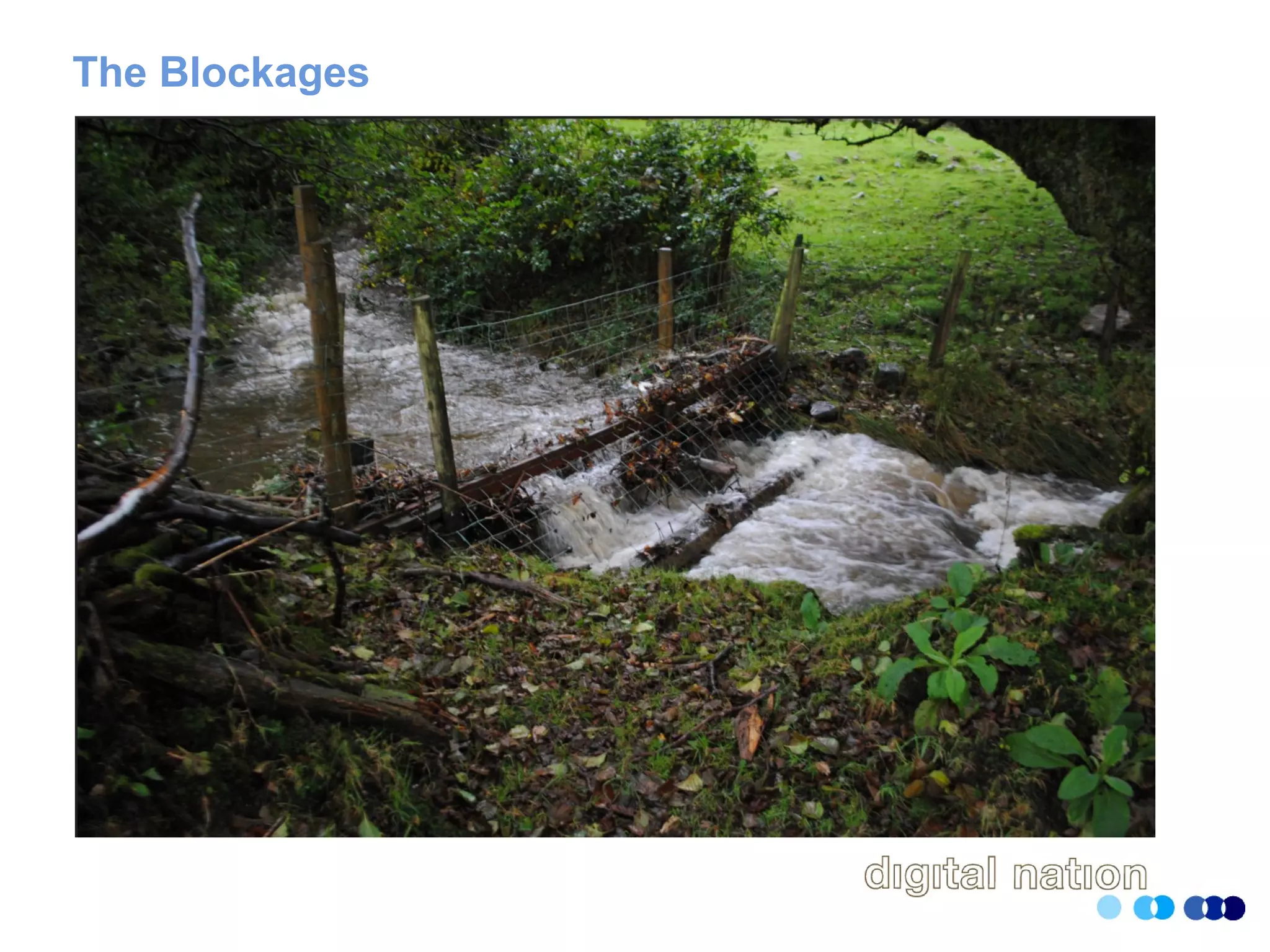
The Blockages
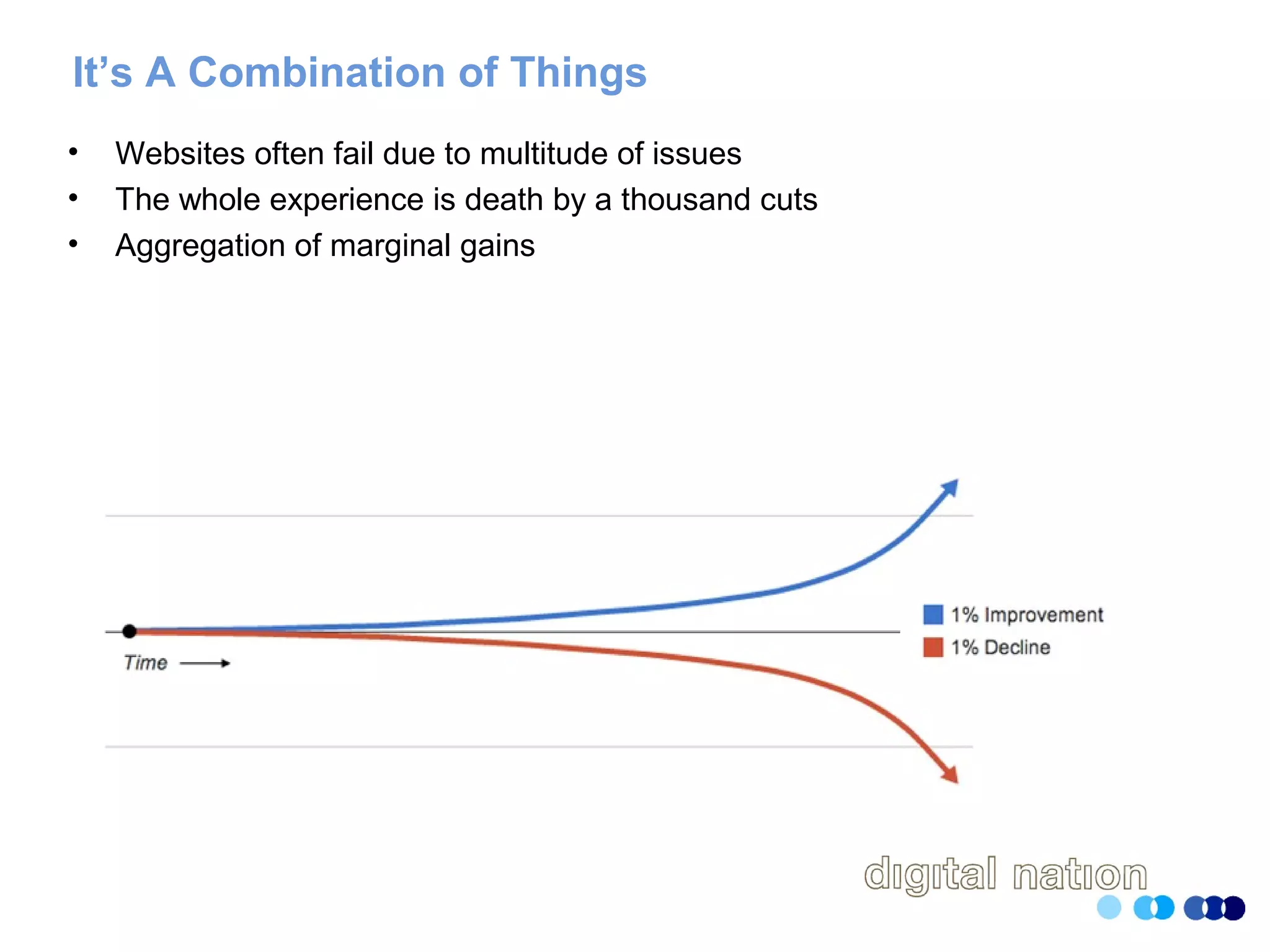
It’s A Combination of Things
• Websites often fail due to multitude of issues
• The whole experience is death by a thousand cuts
• Aggregation of marginal gains
Analytics Will Get You Halfway There
• Properly configured, it’ll tell you where you have an issue
• Can’t necessarily tell you the important
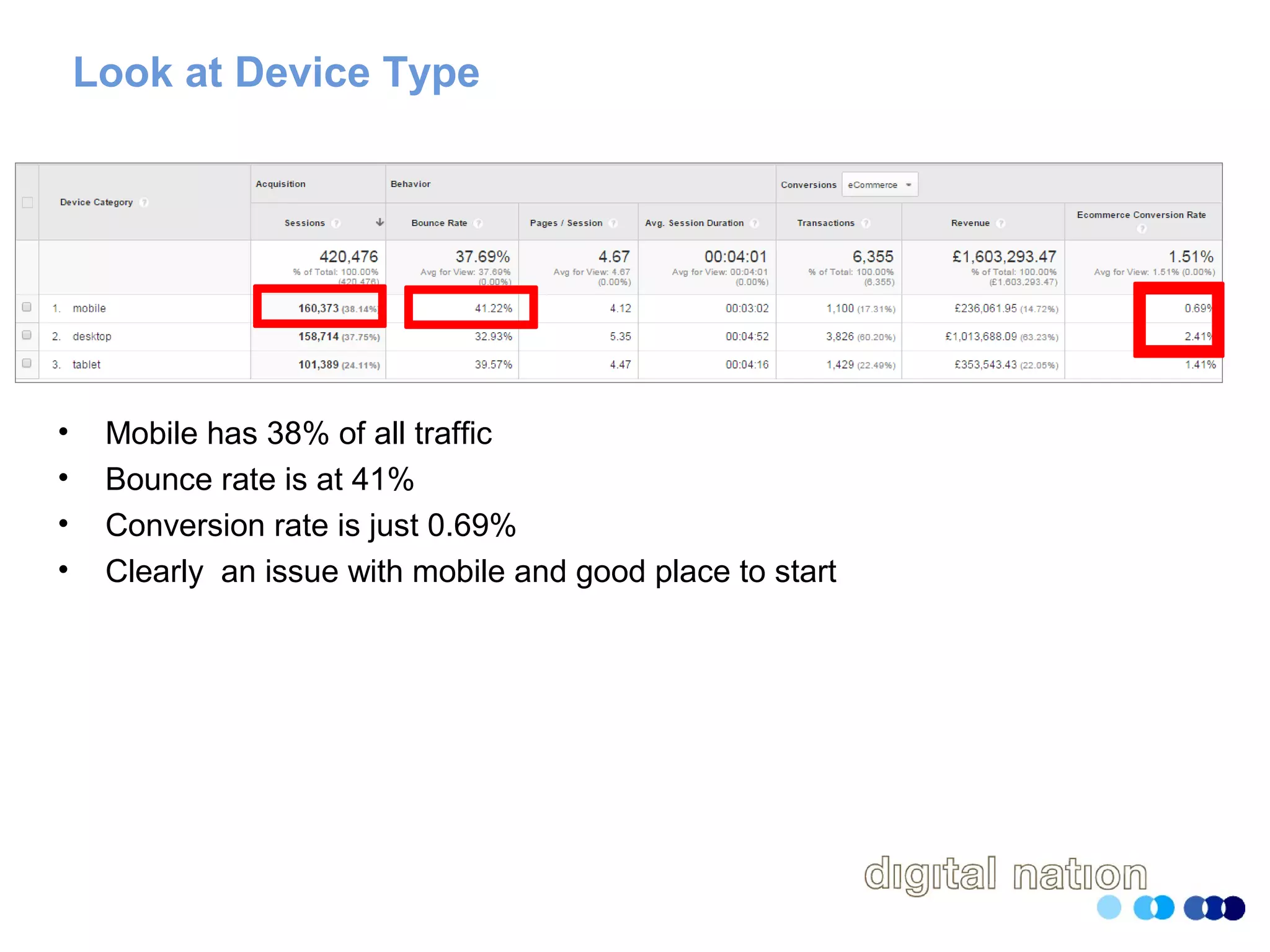
Look at Device Type
• Mobile has 38% of all traffic
• Bounce rate is at 41%
• Conversion rate is just 0.69%
• Clearly an issue with mobile and good place to start
Browser and Browser Version
• Don’t just look at browser
• Look at browser and browser version
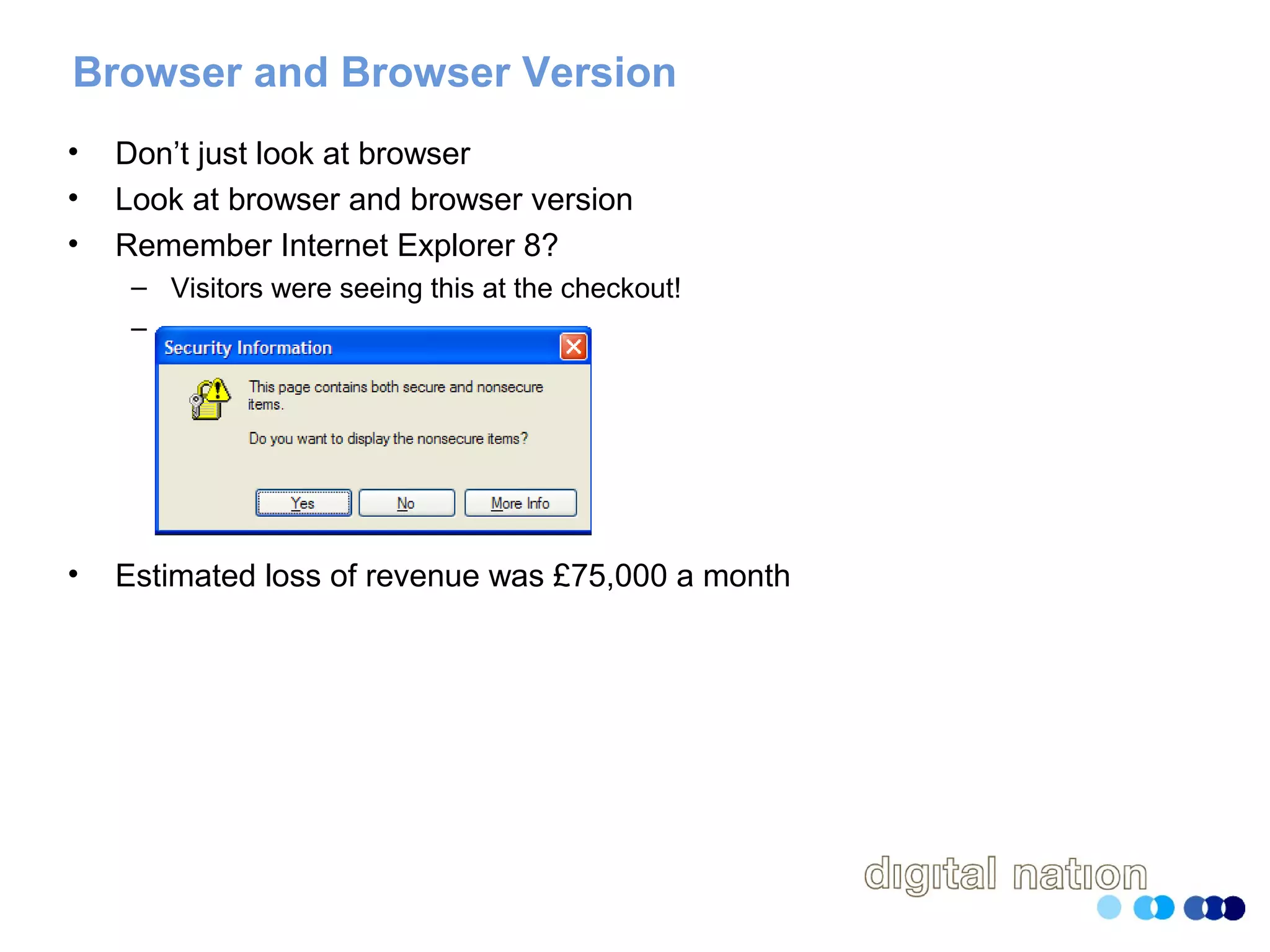
• Remember Internet Explorer 8?
– Visitors were seeing this at the checkout!
–
• Estimated loss of revenue was £75,000 a month
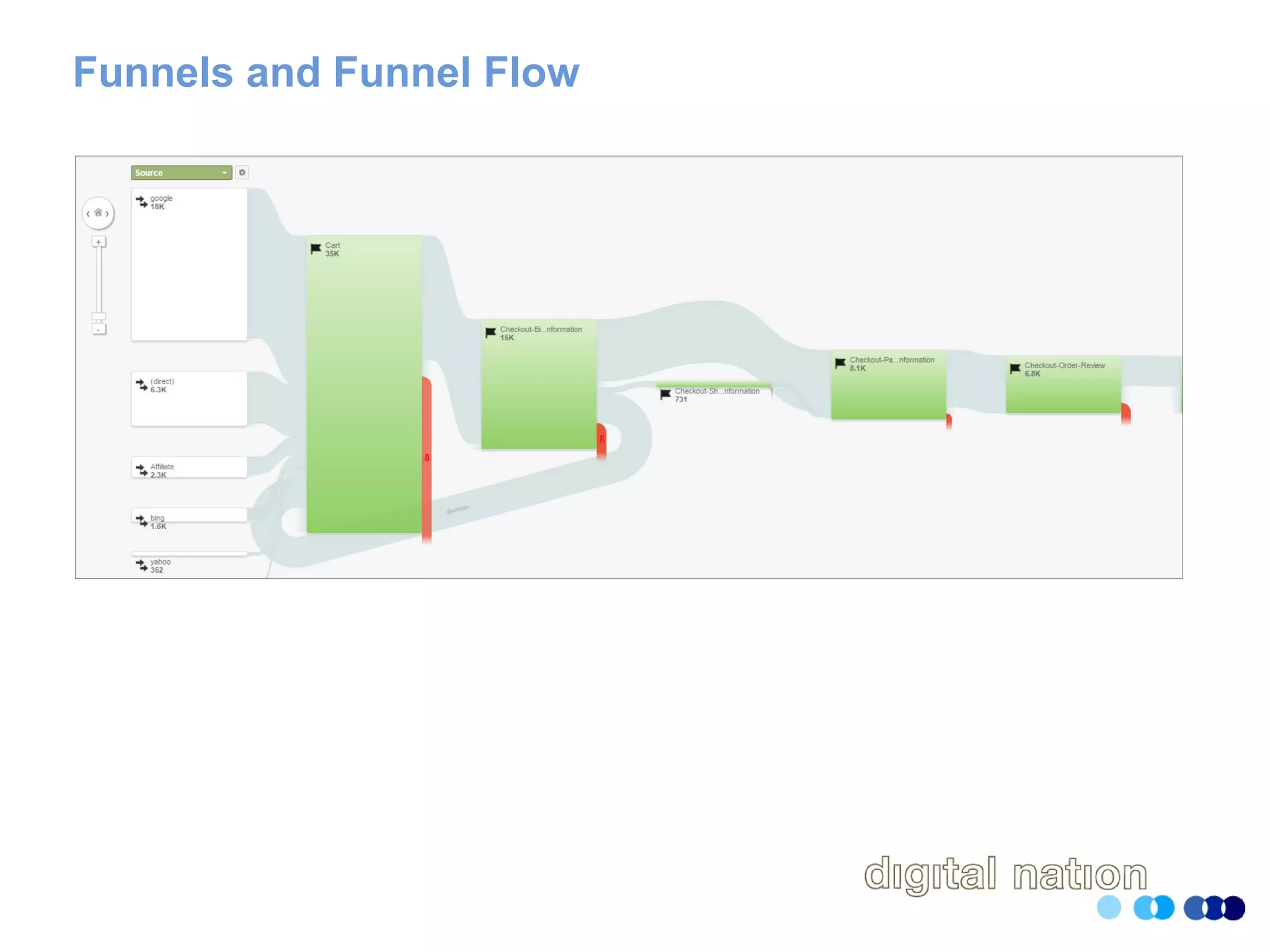
Funnels and Funnel Flow
• Statement of the bleeding obvious….
• Gives you place to start looking for gaps
• If using Google Analytics, don’t stop the at the default goals
• Make friends with the API
• Learn how to use tools such as Analytics Edge
Funnels and Funnel Flow
404 Error Pages
• At the very least track the referrer page
• Segment against channel
• Calculate how many are entrances to your site
• Look outside your analytics
– Crawl the site with ScreamingFrog
– Use tools such as Textpipe to crawl log files for errors
Failed Search Terms
• Capture search terms which generated zero search results
• Analyse these to understand
– Are they phrases your users use to describe your products
– Are they for services you don’t (yet) offer
• You can then finetune your search engine
• At the same time, analyse all your search terms for their effectivness
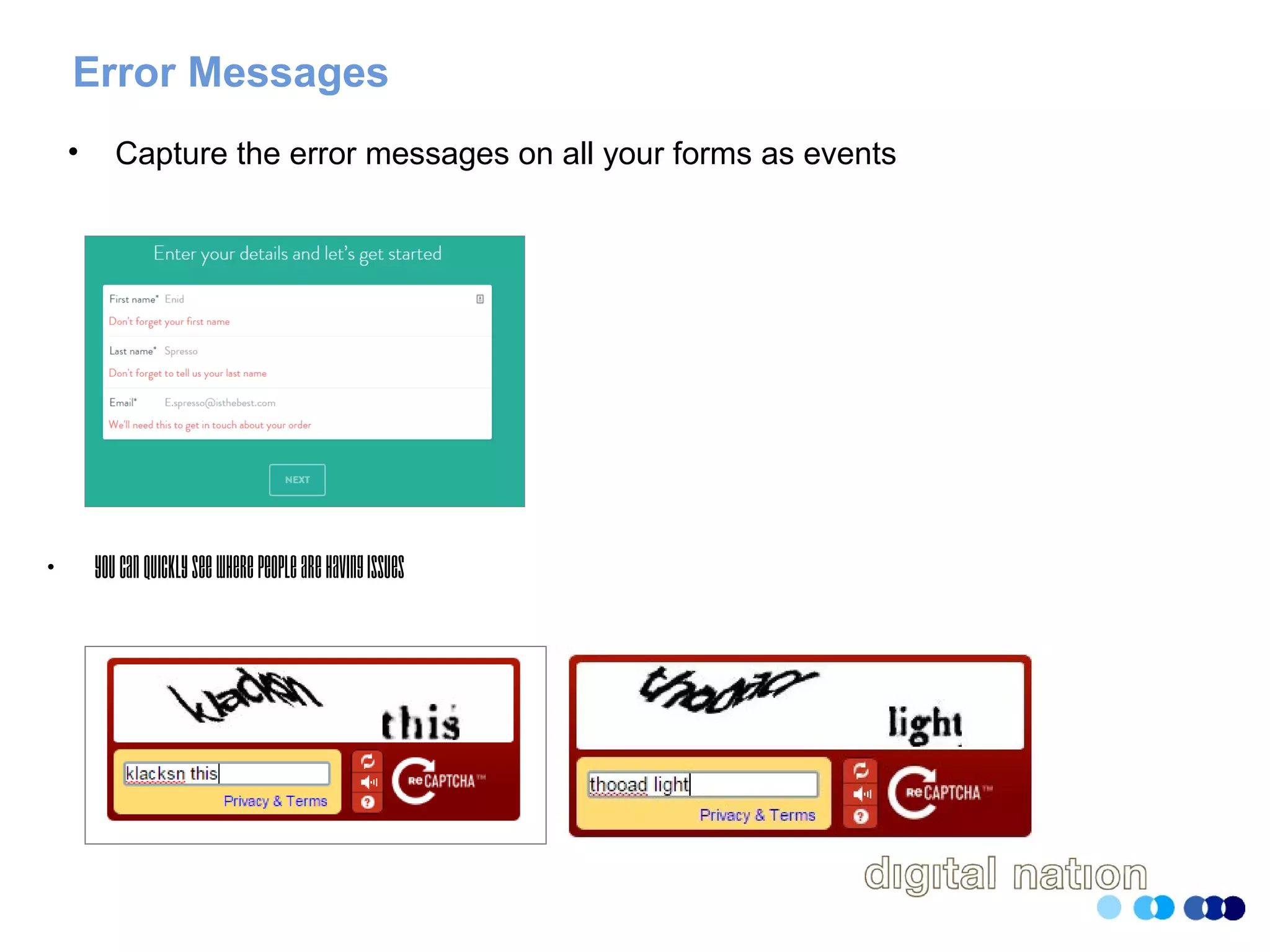
Error Messages
• Capture the error messages on all your forms as events
• Youcanquicklyseewherepeoplearehavingissues
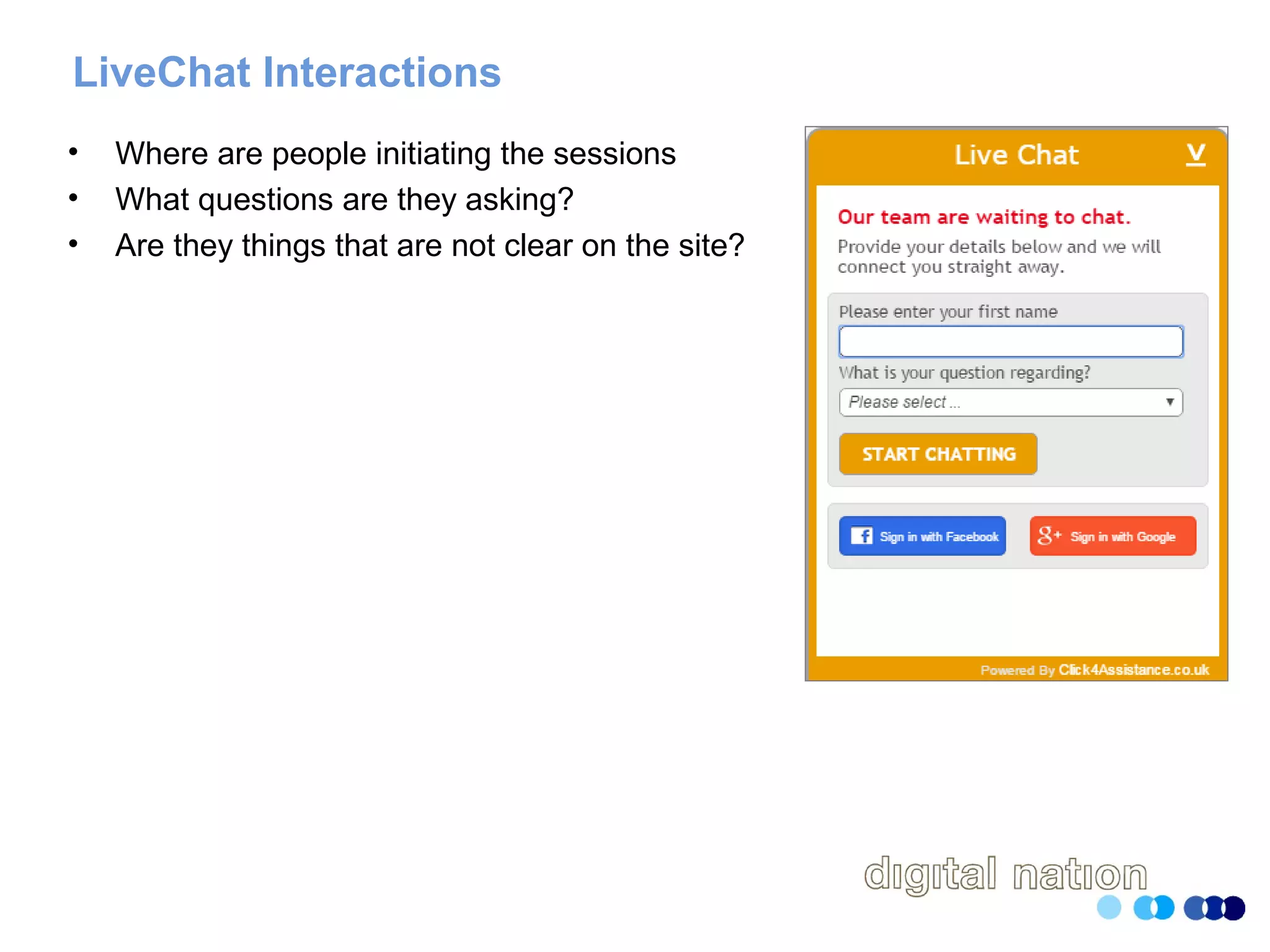
LiveChat Interactions
• Where are people initiating the sessions
• What questions are they asking?
• Are they things that are not clear on the site?
Track Incoming Phone Calls
• At the very least assign a unique phone number to the website
• Ideally assign a unique number to each campaign
• Get whoever answers the phone to make a note of common questions
Navigational Choices
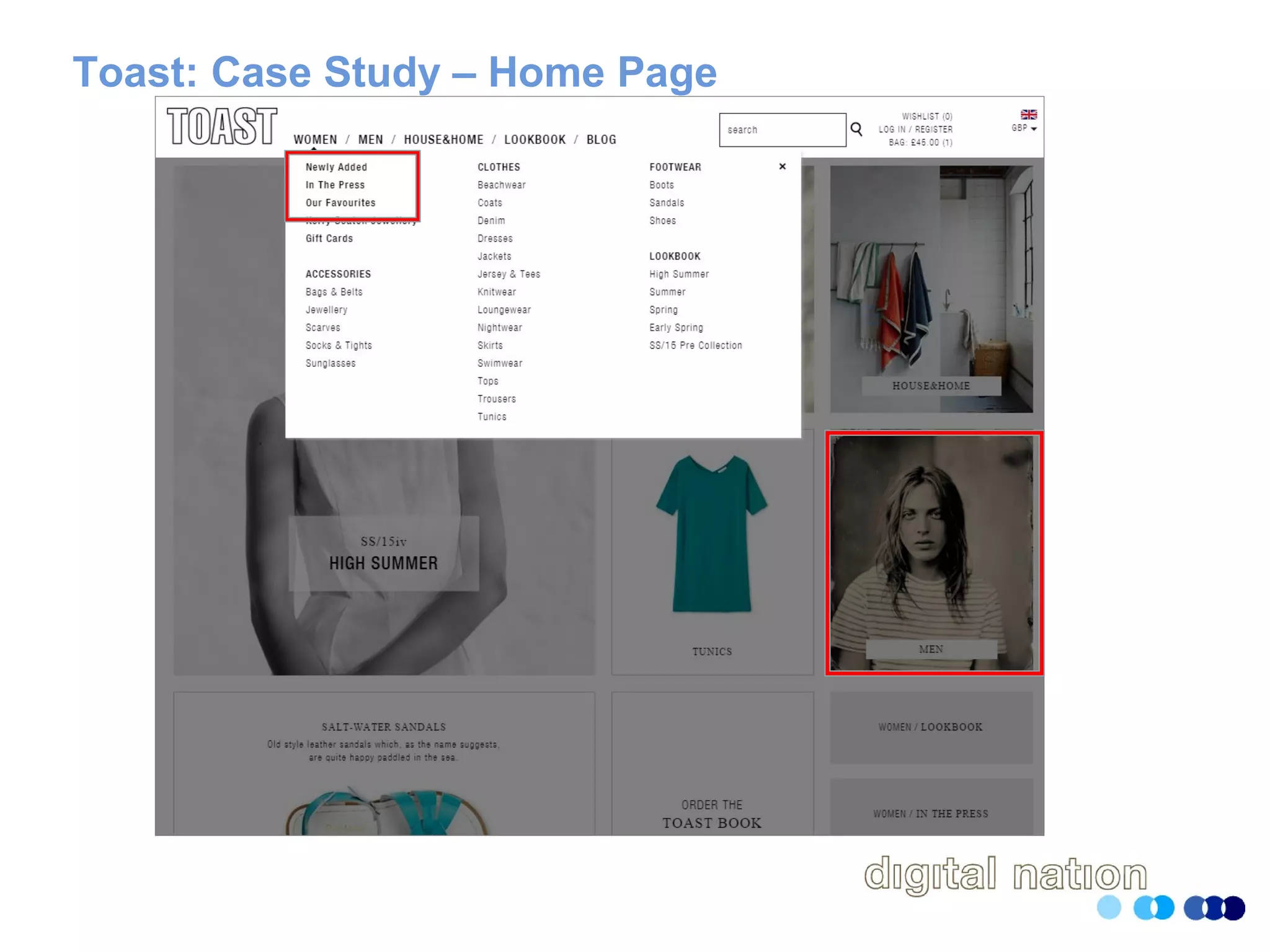
• If you can track which navigational elements people selected
• Are people selecting
– Menus
– Images
– Links in the body text
• What are the most post popular choices
• What elements are people ignoring
Toast: Case Study – Home Page
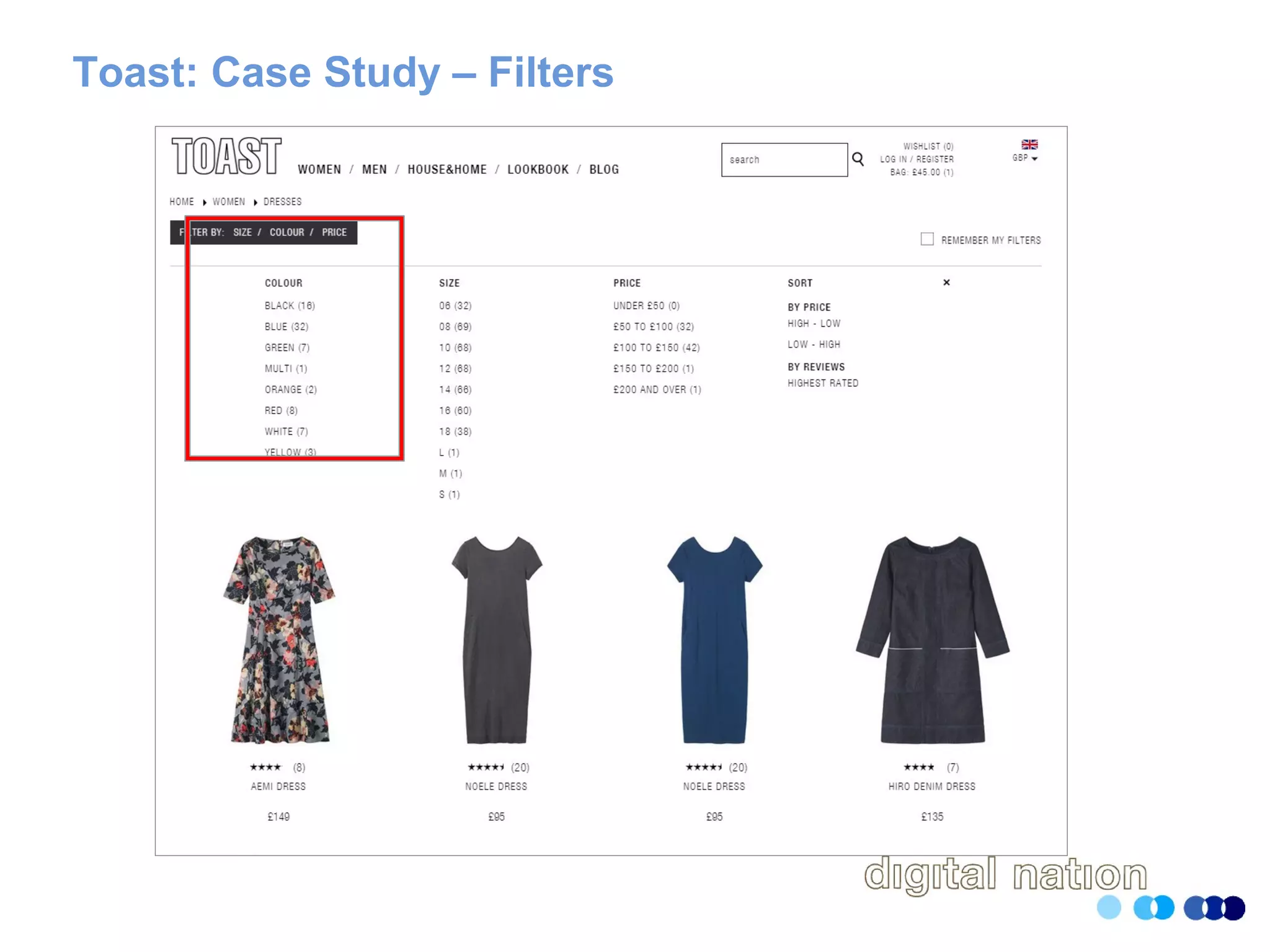
Toast: Case Study – Filters
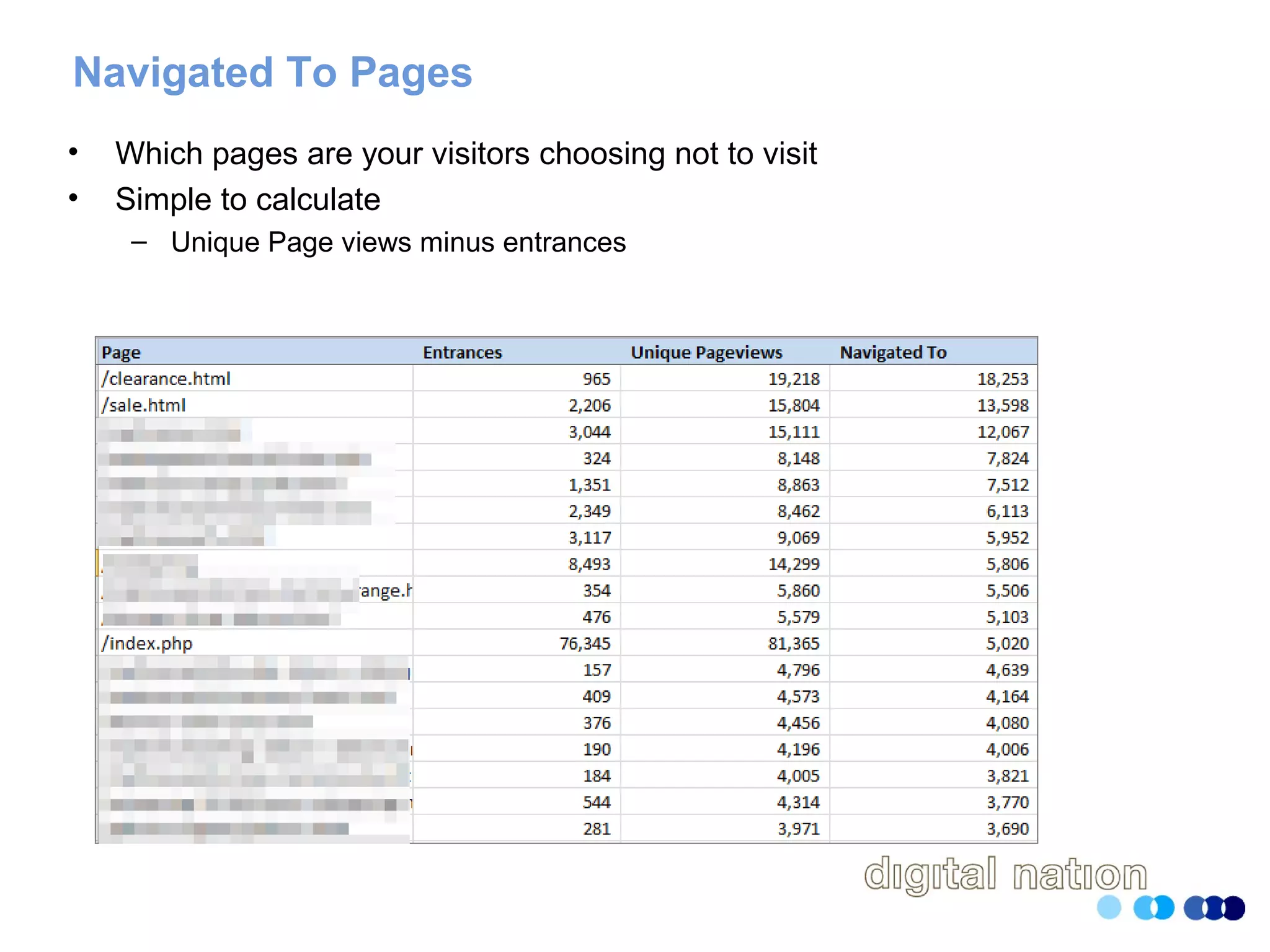
Navigated To Pages
• Which pages are your visitors choosing not to visit
• Simple to calculate
– Unique Page views minus entrances
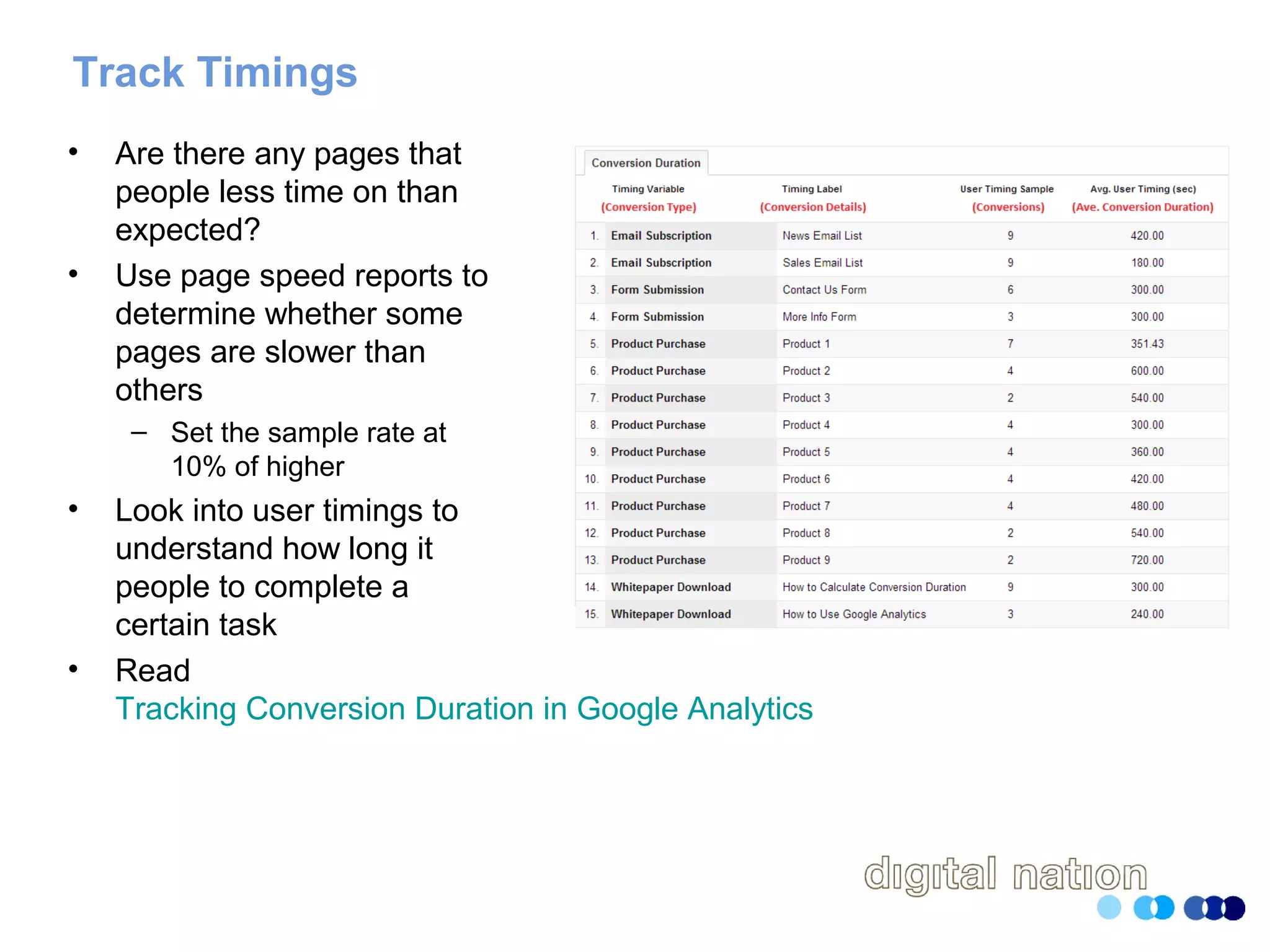
Track Timings
• Are there any pages that
people less time on than
expected?
• Use page speed reports to
determine whether some
pages are slower than
others
– Set the sample rate at
10% of higher
• Look into user timings to
understand how long it
people to complete a
certain task
• Read
Tracking Conversion Duration in Google Analytics
Track When Things Go Wrong
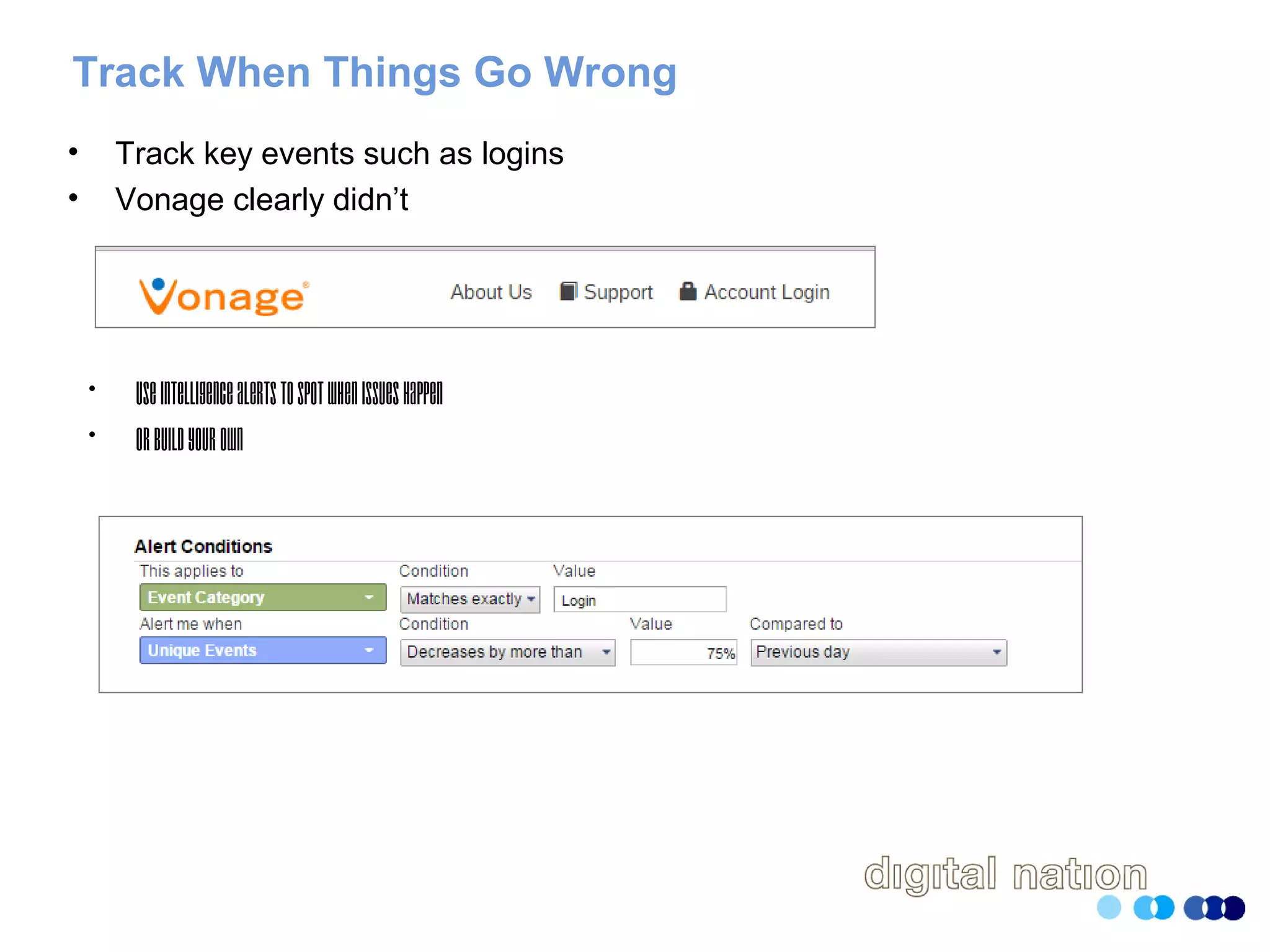
• Track key events such as logins
• Vonage clearly didn’t
• UseIntelligencealertstospotwhenissueshappen
• Orbuildyourown
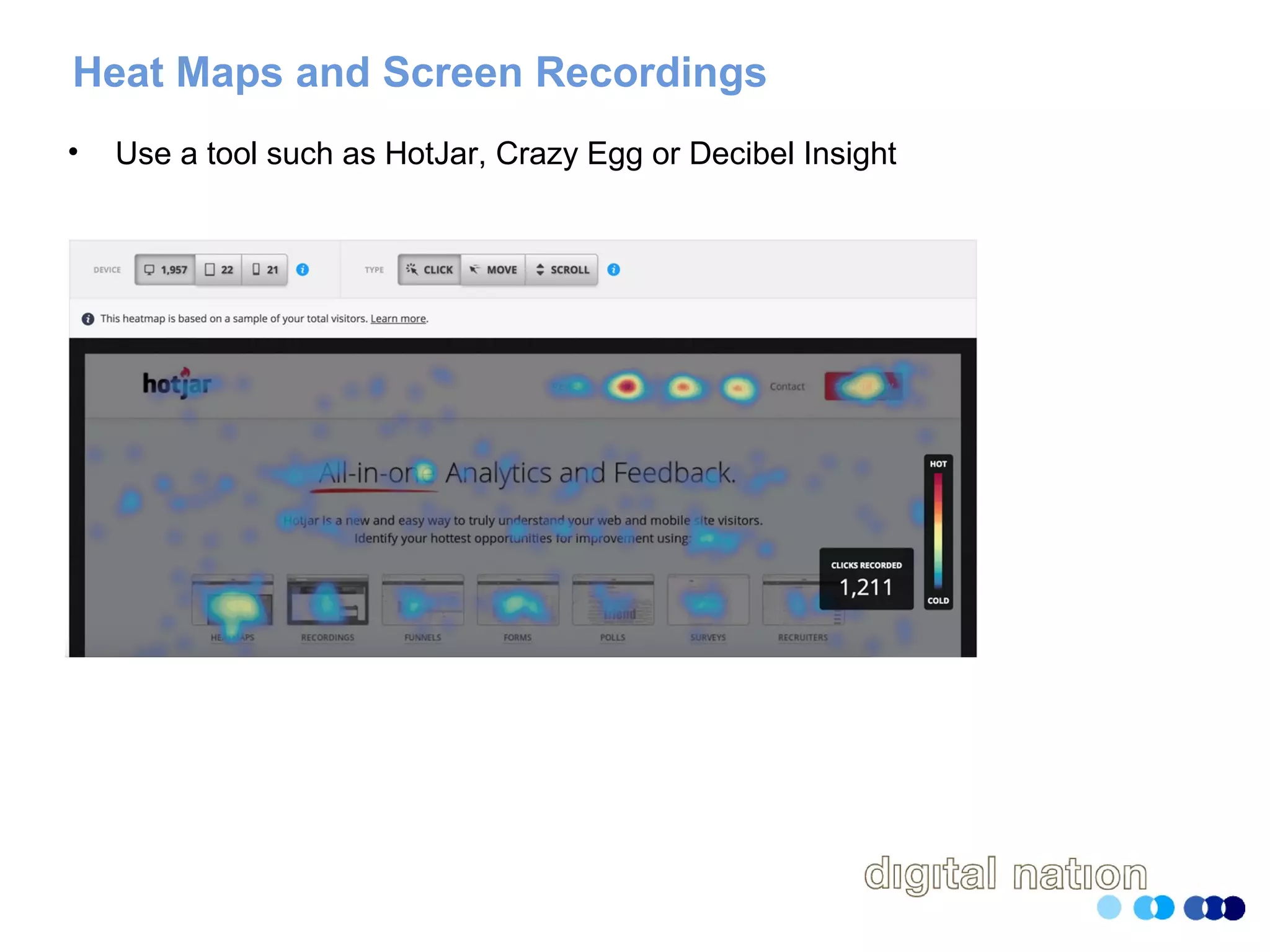
Heat Maps and Screen Recordings
• Use a tool such as HotJar, Crazy Egg or Decibel Insight
Ask Your Users Why
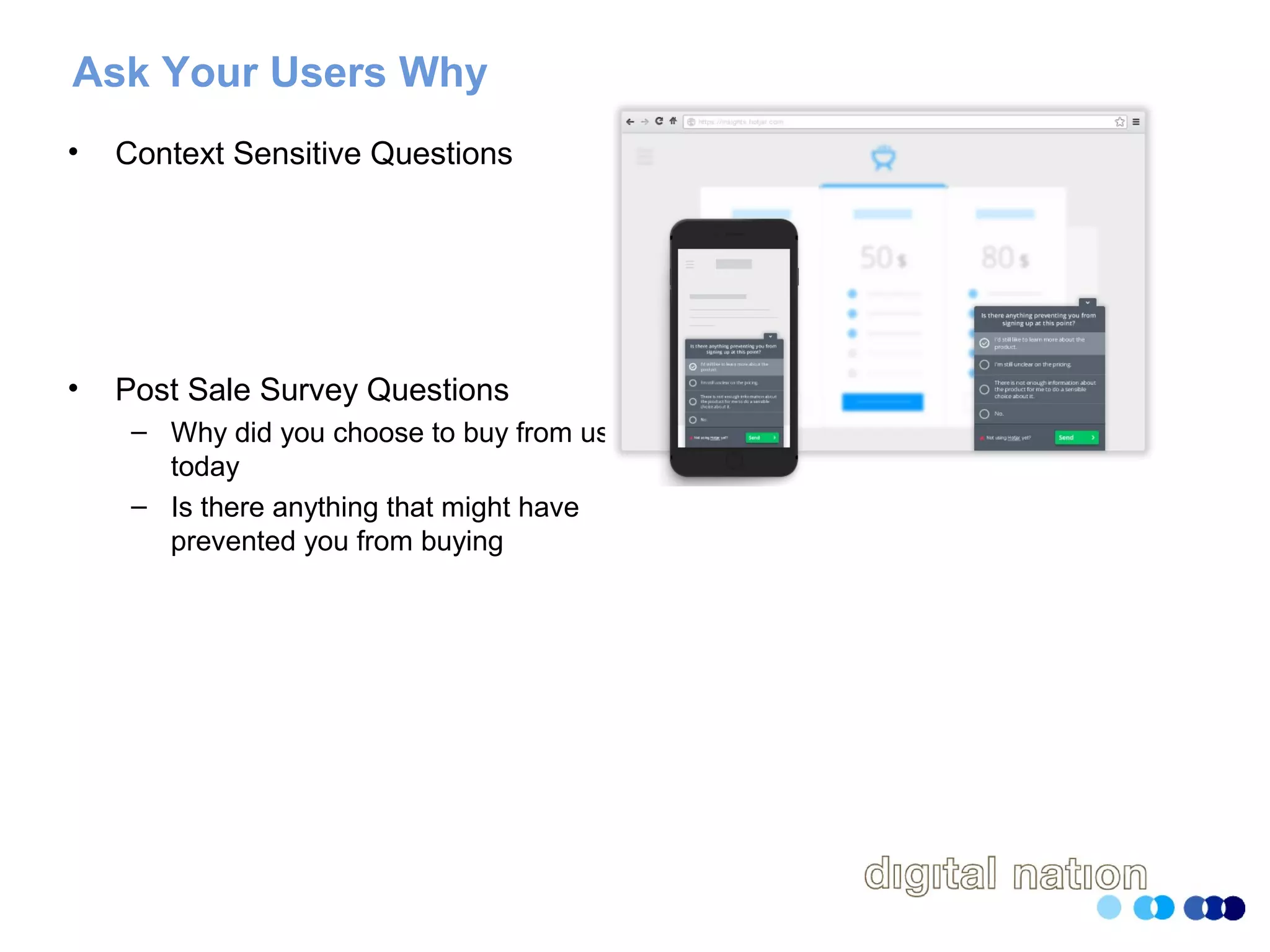
• Context Sensitive Questions
• Post Sale Survey Questions
– Why did you choose to buy from us
today
– Is there anything that might have
prevented you from buying
Thank you and get in touch
Email charles@digitalnation.co.uk
Twitter @charlesmeaden
LinkedIn https://uk.linkedin.com/in/charlesmeaden

Tracking Gaps in the User Experience

  • 1.
    Tracking Gaps Inthe User Experience Charles Meaden Digital Nation
  • 2.
    The Very BriefIntro • Been involved in web analytics for 20 years • Run a small agency specialising in analytics and usability based in Swansea
  • 3.
    Great Quote Ease ofuse may be invisible, but its absence sure isn’t. IBM
  • 4.
  • 5.
  • 6.
    It’s A Combinationof Things • Websites often fail due to multitude of issues • The whole experience is death by a thousand cuts • Aggregation of marginal gains
  • 7.
    Analytics Will GetYou Halfway There • Properly configured, it’ll tell you where you have an issue • Can’t necessarily tell you the important
  • 8.
    Look at DeviceType • Mobile has 38% of all traffic • Bounce rate is at 41% • Conversion rate is just 0.69% • Clearly an issue with mobile and good place to start
  • 9.
    Browser and BrowserVersion • Don’t just look at browser • Look at browser and browser version • Remember Internet Explorer 8? – Visitors were seeing this at the checkout! – • Estimated loss of revenue was £75,000 a month
  • 10.
    Funnels and FunnelFlow • Statement of the bleeding obvious…. • Gives you place to start looking for gaps • If using Google Analytics, don’t stop the at the default goals • Make friends with the API • Learn how to use tools such as Analytics Edge
  • 11.
  • 12.
    404 Error Pages •At the very least track the referrer page • Segment against channel • Calculate how many are entrances to your site • Look outside your analytics – Crawl the site with ScreamingFrog – Use tools such as Textpipe to crawl log files for errors
  • 13.
    Failed Search Terms •Capture search terms which generated zero search results • Analyse these to understand – Are they phrases your users use to describe your products – Are they for services you don’t (yet) offer • You can then finetune your search engine • At the same time, analyse all your search terms for their effectivness
  • 14.
    Error Messages • Capturethe error messages on all your forms as events • Youcanquicklyseewherepeoplearehavingissues
  • 15.
    LiveChat Interactions • Whereare people initiating the sessions • What questions are they asking? • Are they things that are not clear on the site?
  • 16.
    Track Incoming PhoneCalls • At the very least assign a unique phone number to the website • Ideally assign a unique number to each campaign • Get whoever answers the phone to make a note of common questions
  • 17.
    Navigational Choices • Ifyou can track which navigational elements people selected • Are people selecting – Menus – Images – Links in the body text • What are the most post popular choices • What elements are people ignoring
  • 18.
    Toast: Case Study– Home Page
  • 19.
    Toast: Case Study– Filters
  • 20.
    Navigated To Pages •Which pages are your visitors choosing not to visit • Simple to calculate – Unique Page views minus entrances
  • 21.
    Track Timings • Arethere any pages that people less time on than expected? • Use page speed reports to determine whether some pages are slower than others – Set the sample rate at 10% of higher • Look into user timings to understand how long it people to complete a certain task • Read Tracking Conversion Duration in Google Analytics
  • 22.
    Track When ThingsGo Wrong • Track key events such as logins • Vonage clearly didn’t • UseIntelligencealertstospotwhenissueshappen • Orbuildyourown
  • 23.
    Heat Maps andScreen Recordings • Use a tool such as HotJar, Crazy Egg or Decibel Insight
  • 24.
    Ask Your UsersWhy • Context Sensitive Questions • Post Sale Survey Questions – Why did you choose to buy from us today – Is there anything that might have prevented you from buying
  • 25.
    Thank you andget in touch Email charles@digitalnation.co.uk Twitter @charlesmeaden LinkedIn https://uk.linkedin.com/in/charlesmeaden