











MySQL:ОсновыоптимизацииилиЧтодолжен знать каждыйразработчик
АгниславОнуфрийчукОбо мне
АгниславОнуфрийчукВеб-разработчикОбо мне
АгниславОнуфрийчукВеб-разработчикЛюблю девушекОбо мне
АгниславОнуфрийчукВеб-разработчикЛюблю девушекНе люблю MS Internet Exporerи OperaОбо мне
Ктоработает с MySQL?О вас
Ктоработает с MySQL?КтоиспользуетMyISAM?О вас
Ктоработает с MySQL?КтоиспользуетMyISAM?Ктоещё не используетInnoDB?О вас
Ктоработает с MySQL?КтоиспользуетMyISAM?Ктоещё не используетInnoDB?Кто не знает про my.ini/my.cnf?О вас
Здесьзнают толк в оптимизацииMySQLО PortaOne
Здесьзнают толк в оптимизацииMySQLЗдесьзнают толк в девушкахО PortaOne
Здесьзнают толк в оптимизацииMySQLЗдесьзнают толк в девушкахЗдесьзнают толк в программистахО PortaOne
Здесьзнают толк в оптимизацииMySQLЗдесьзнают толк в девушкахЗдесьзнают толк в программистахЗдесьзнают толк в after-parties.О PortaOne
Начнём?
ОптимизацияMySQL
Всё плохо.     ОптимизацияMySQL
Сегоднямы не поговорим о…
ШардингеСегоднямы не поговорим о…
ШардингеЖелезеСегоднямы не поговорим о…
ШардингеЖелезеОперационных системахСегоднямы не поговорим о…
ШардингеЖелезеОперационных системахФайловых системахСегоднямы не поговорим о…
Сегоднямыпоговорим о…
Движках (engines)Сегоднямыпоговорим о…
Движках (engines)Базовых настройкахСегоднямыпоговорим о…
Движках (engines)Базовых настройкахПолезныхутилитахСегоднямыпоговорим о…
Движках (engines)Базовых настройкахПолезныхутилитахЗапросахСегоднямыпоговорим о…
Движках (engines)Базовых настройкахПолезныхутилитахЗапросахИ о чём-нибудьприятномСегоднямыпоговорим о…
 Engines Settings Utilities Queries Girls Roadmap
 Engines Settings Utilities QueriesRoadmap
 Engines Settings Utilities QueriesRoadmap
Engines
WTF?Engines
WTF? It’s cool!Engines
InnoDB/XtraDBMyISAM/MariaMemoryNDBCSVBlackholeEngines
Extremely fastNot-transactionalTable-level lockingNo BLOB/TEXT data typesEngines: Memory
Extremely fastTransactionalRow-level lockingGood scaling capabilitiesEngines: NDB
Simple data exchangeNo table partitioningNo NULL values (since 5.1.23)Engines: CSV
Extremely fast (faster then Memory/NDB)TransactionalAll types of indexesLow-cost storageEngines: Blackhole
Default for years (up to 5.5)Non-TransactionalTable-level lockingFull-text search indexesFast readEngines: MyISAM
TransactionalRow-level lockingForeign keysSimple performance tuningEngines: InnoDB
All InnoDB feature plus:“Out-of-box” better performanceMost powerful performance tuning“Troubleshoot without guesswork”Engines: XtraDB
 Engines Settings Utilities QueriesRoadmap
There hundreds of them…Settings
There hundreds of them…but a couple of them are enough for usSettings
Using memory is better than using diskThe main point is…
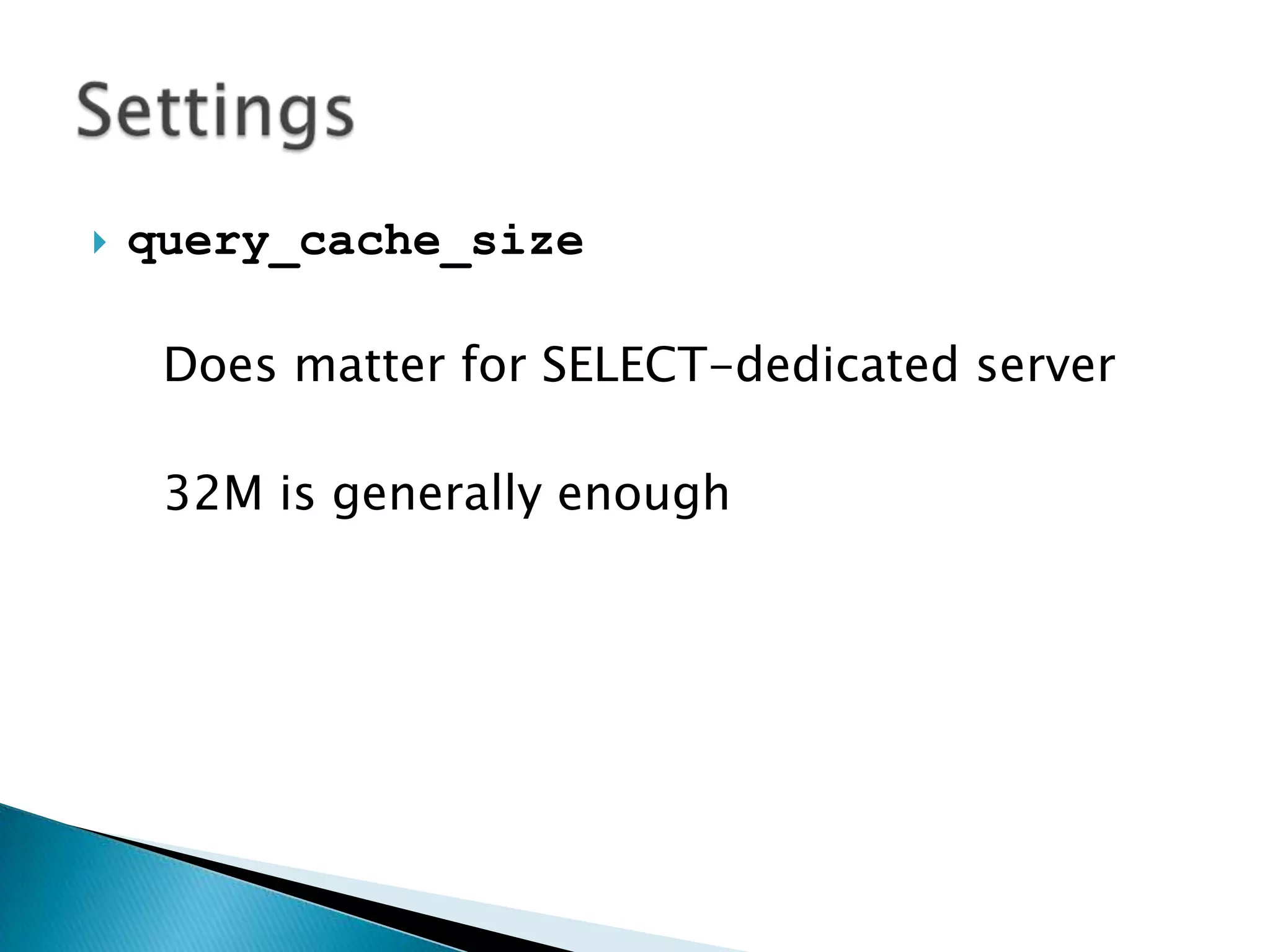
query_cache_sizeDoes matter for SELECT-dedicated server32M is generally enoughSettings
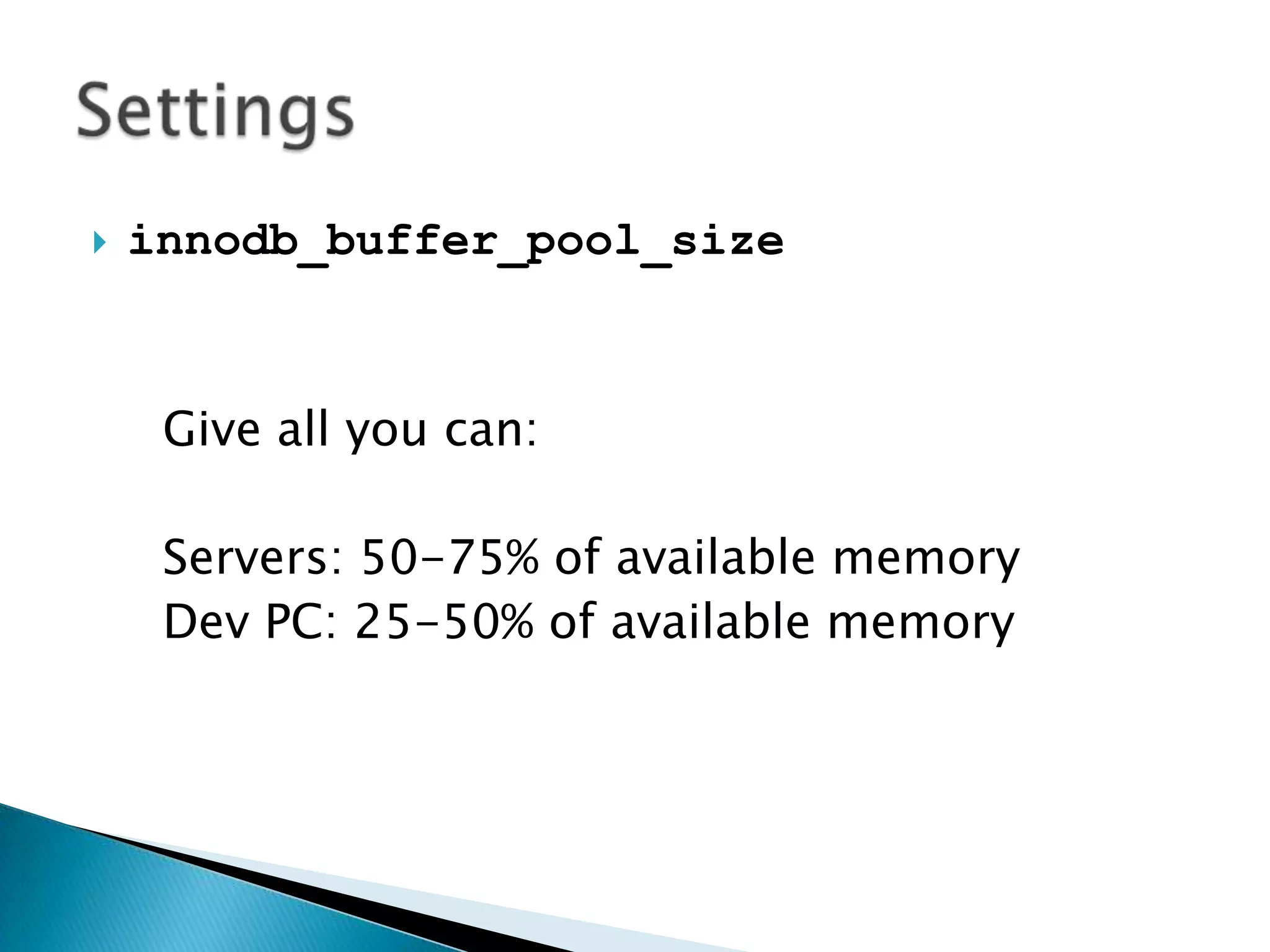
innodb_buffer_pool_sizeGive all you can:Servers: 50-75% of available memoryDev PC: 25-50% of available memorySettings
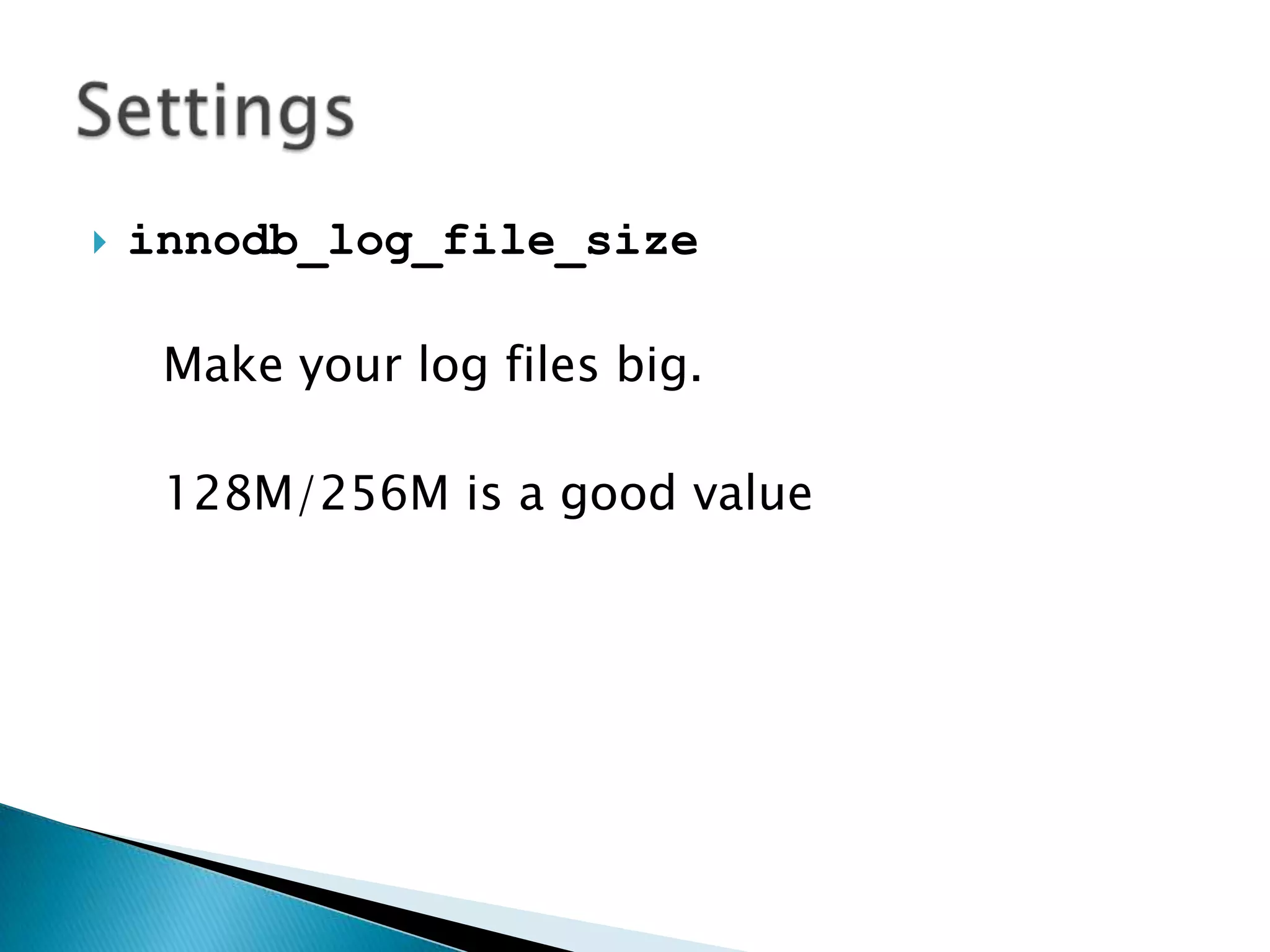
innodb_log_file_sizeMake your log files big.128M/256M is a good valueSettings
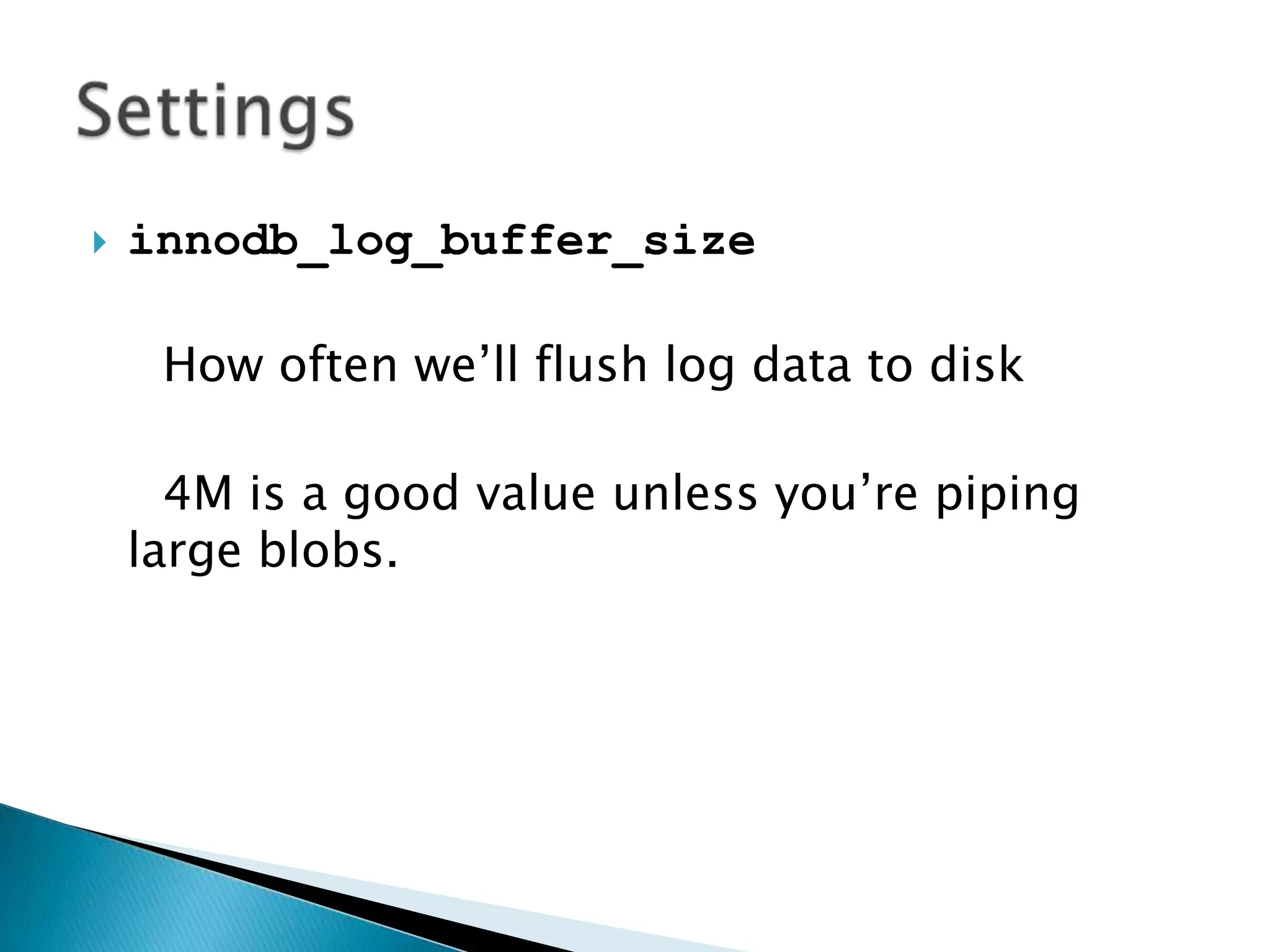
innodb_log_buffer_sizeHow often we’ll flush log data to disk4M is a good value unless you’re piping large blobs.Settings
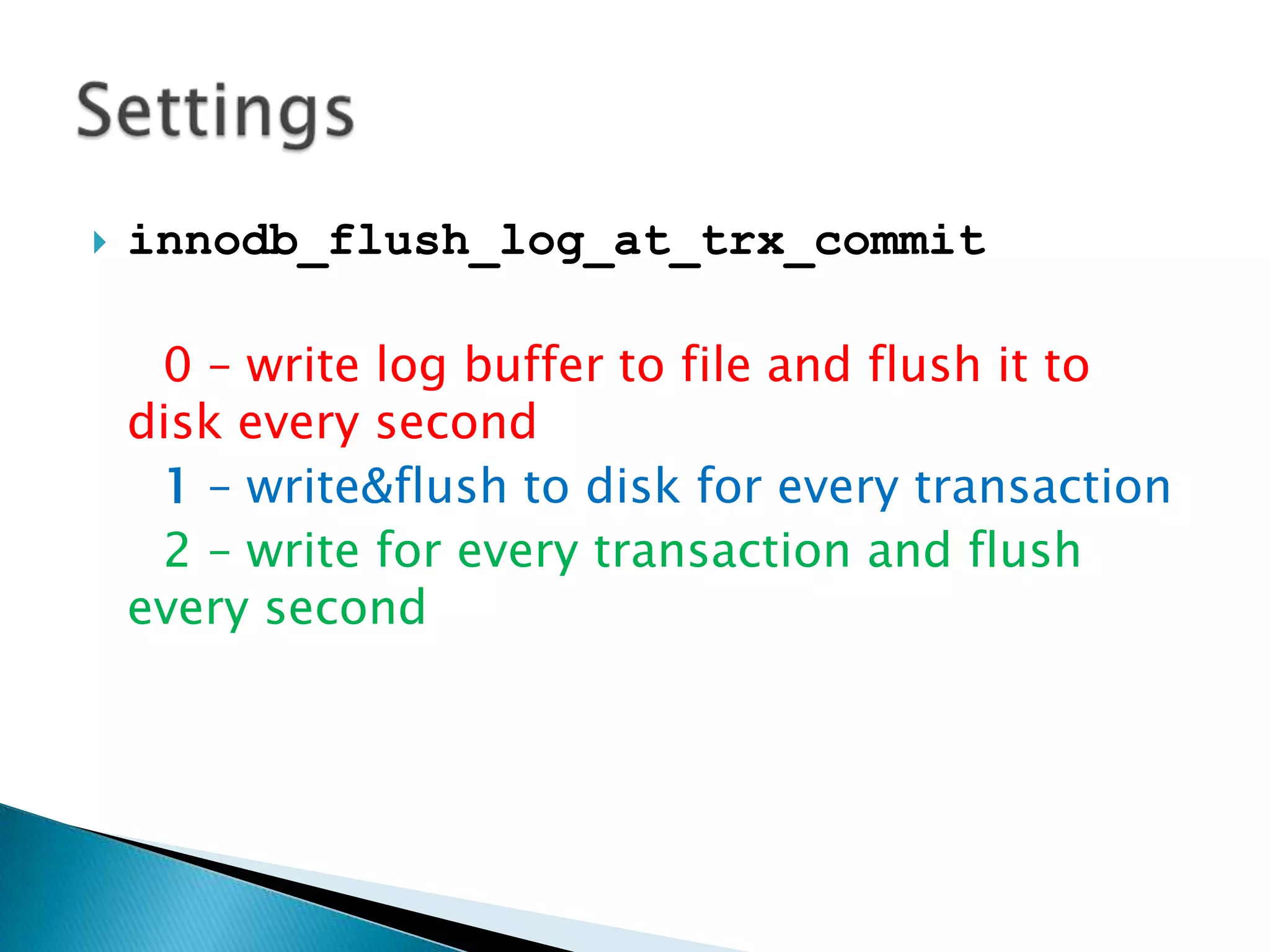
innodb_flush_log_at_trx_commit0 – write log buffer to file and flush it to disk every second1 – write&flush to disk for every transaction2 – write for every transaction and flush every secondSettings
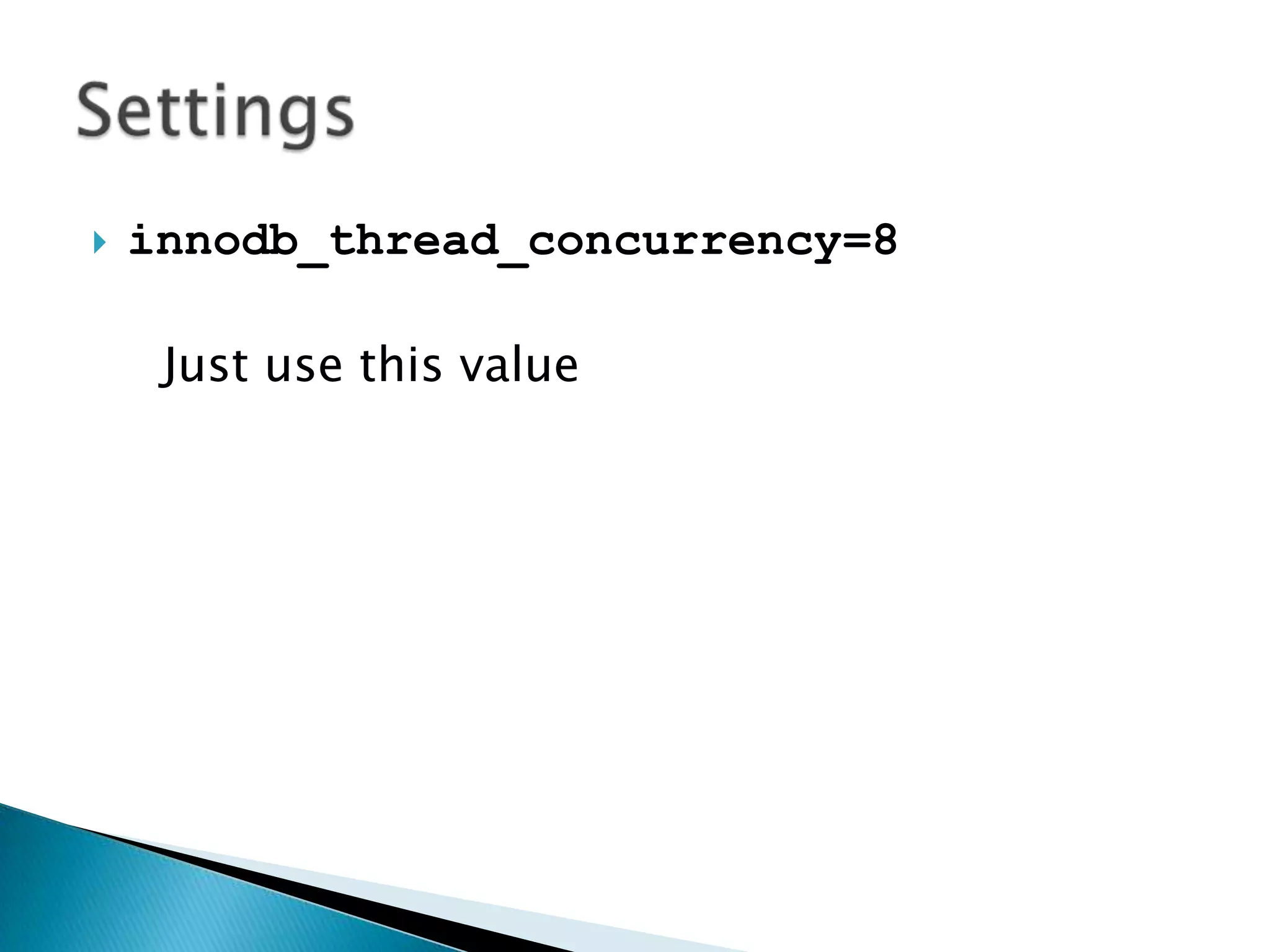
innodb_thread_concurrency=8Just use this valueSettings
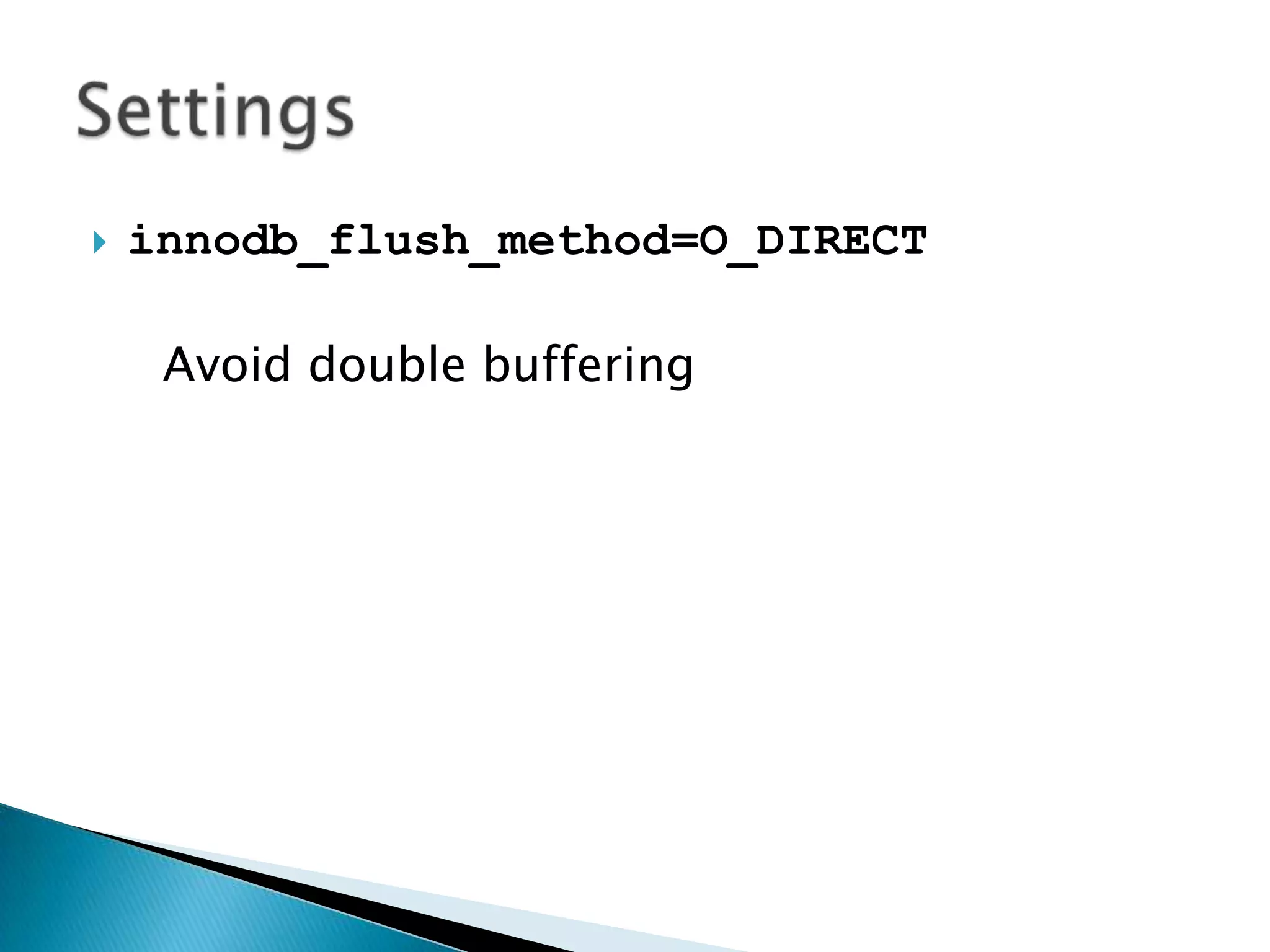
innodb_flush_method=O_DIRECTAvoid double bufferingSettings
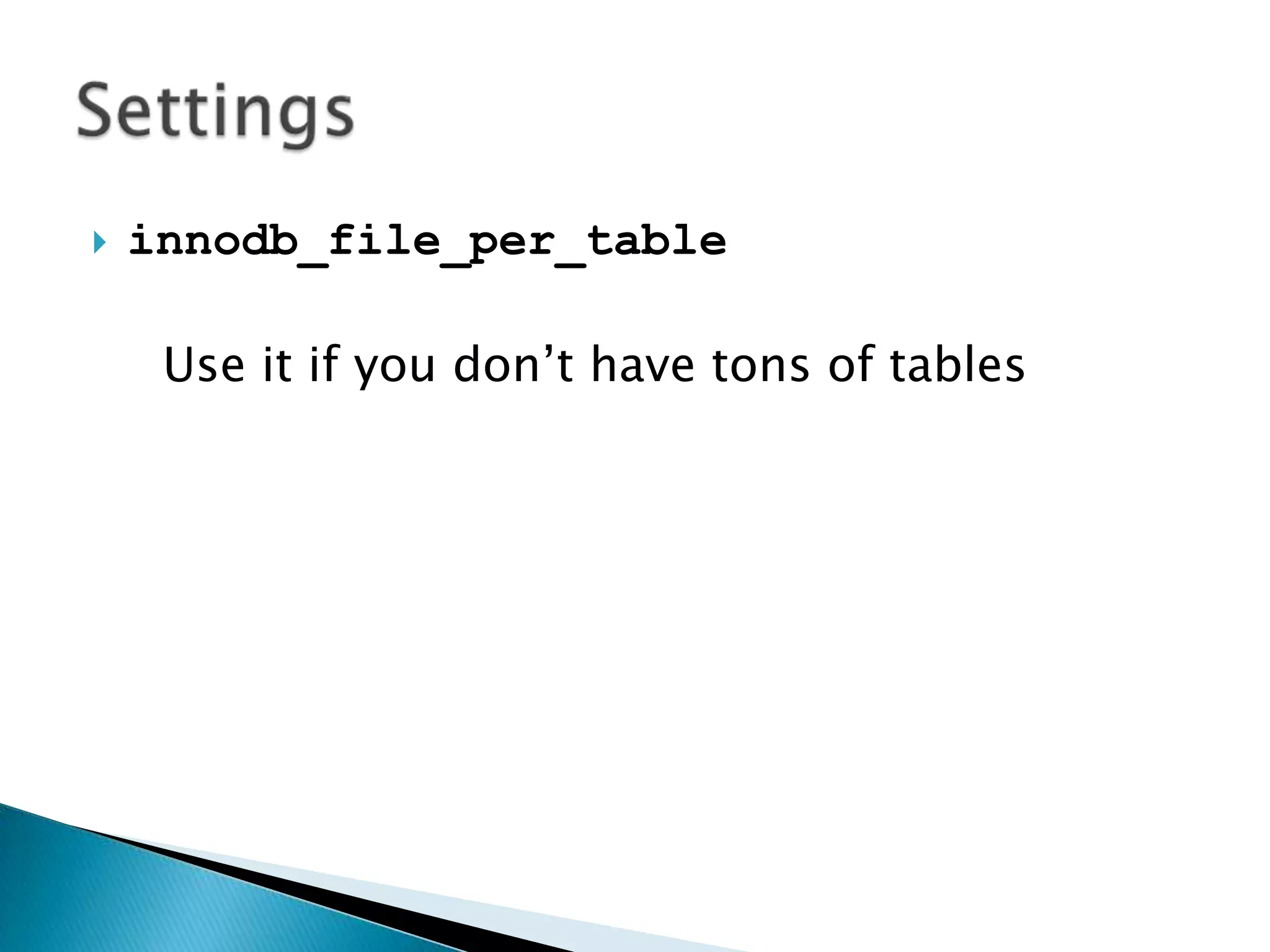
innodb_file_per_tableUse it if you don’t have tons of tablesSettings
 Engines Settings Utilities QueriesRoadmap
tuning-primer.shmysql-tuner.plmaatkitinnotopUtilities
http://www.day32.com/MySQL/tuning-primer.sh
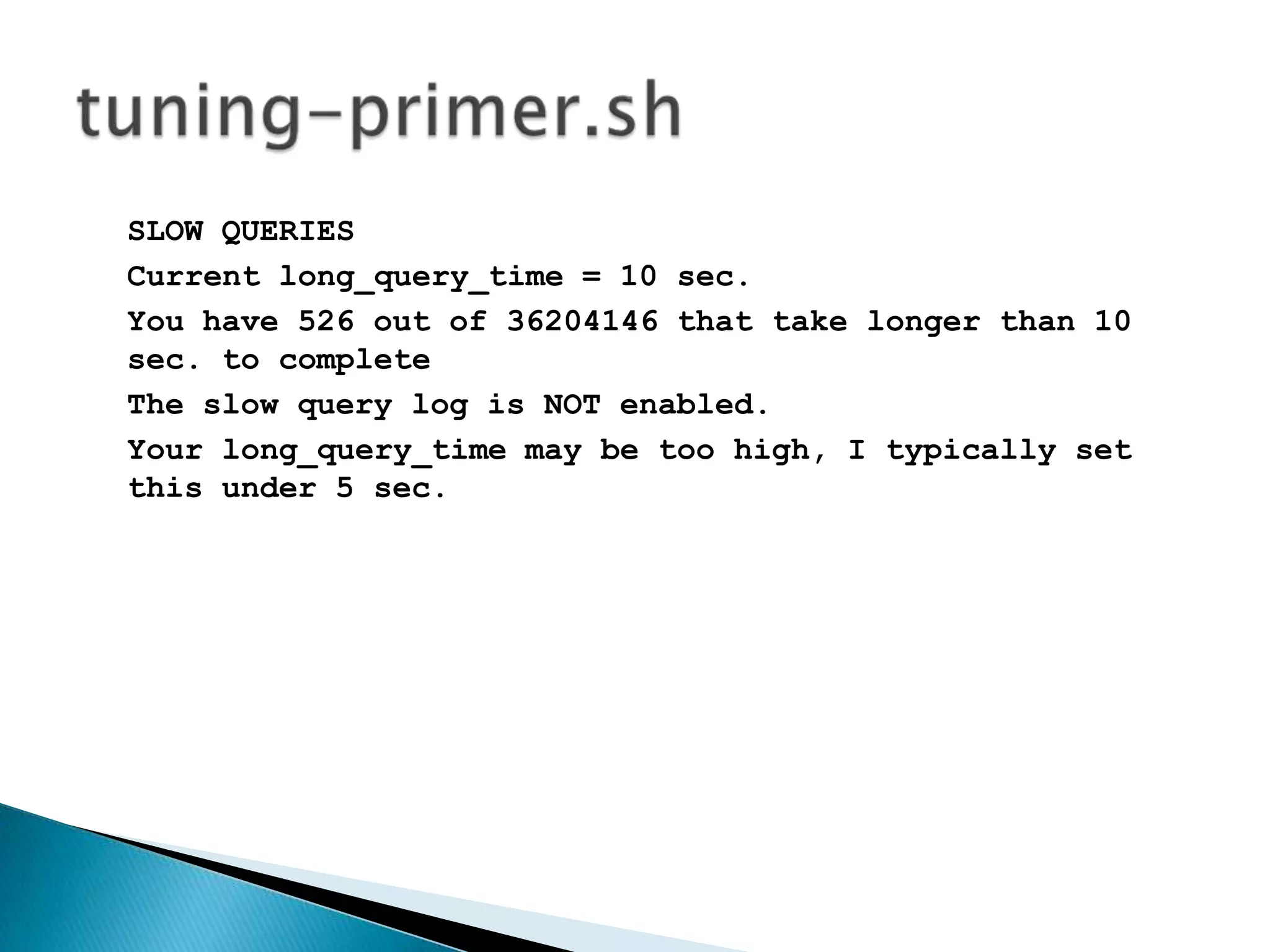
SLOW QUERIESCurrent long_query_time = 10 sec.You have 526 out of 36204146 that take longer than 10 sec. to completeThe slow query log is NOT enabled.Your long_query_time may be too high, I typically set this under 5 sec.tuning-primer.sh
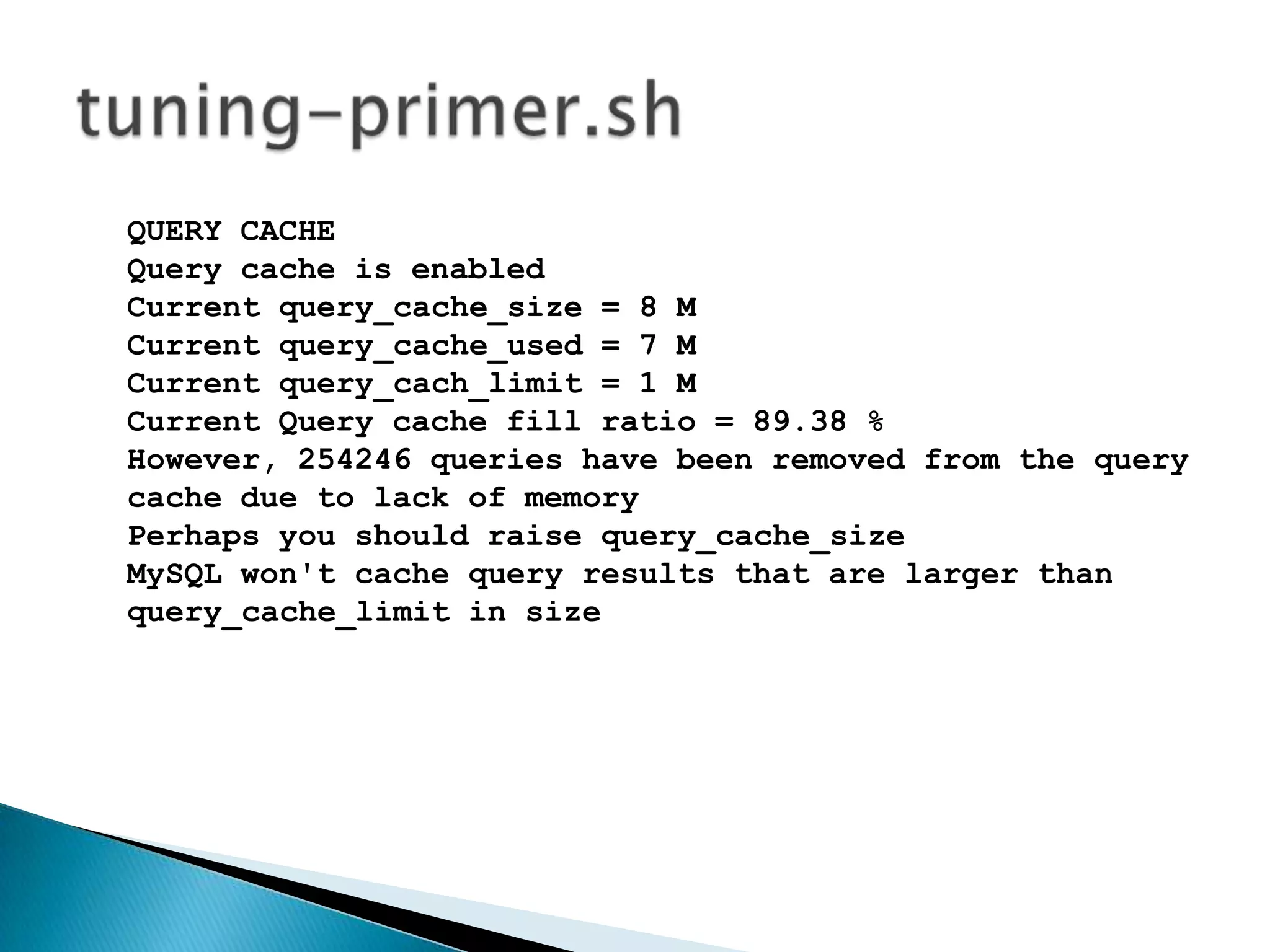
QUERY CACHEQuery cache is enabledCurrent query_cache_size = 8 MCurrent query_cache_used = 7 MCurrent query_cach_limit = 1 MCurrent Query cache fill ratio = 89.38 %However, 254246 queries have been removed from the query cache due to lack of memoryPerhaps you should raise query_cache_sizeMySQL won't cache query results that are larger than query_cache_limit in size tuning-primer.sh
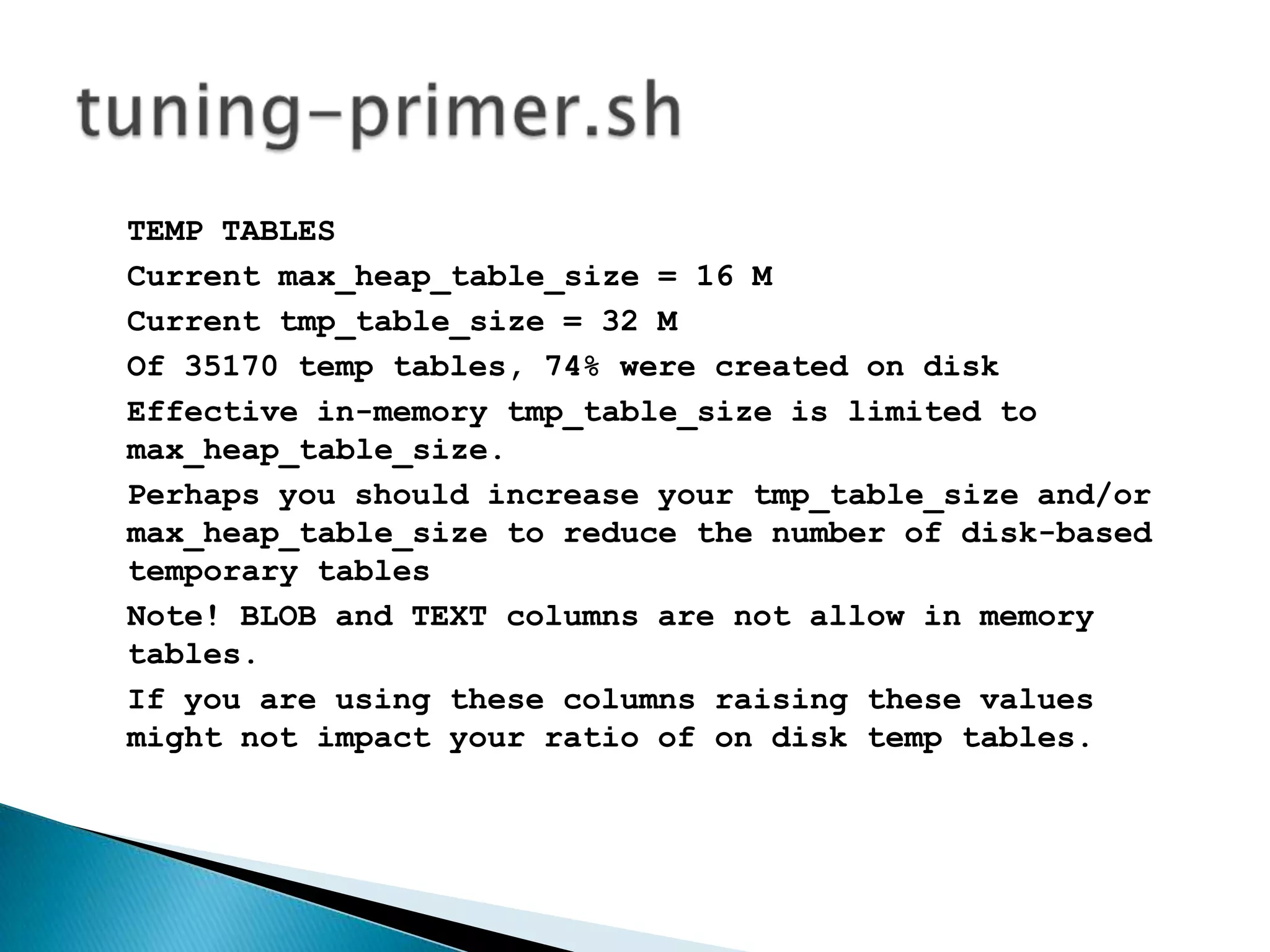
TEMP TABLESCurrent max_heap_table_size = 16 MCurrent tmp_table_size = 32 MOf 35170 temp tables, 74% were created on diskEffective in-memory tmp_table_size is limited to max_heap_table_size.Perhaps you should increase your tmp_table_size and/or max_heap_table_size to reduce the number of disk-based temporary tablesNote! BLOB and TEXT columns are not allow in memory tables.If you are using these columns raising these values might not impact your ratio of on disk temp tables. tuning-primer.sh
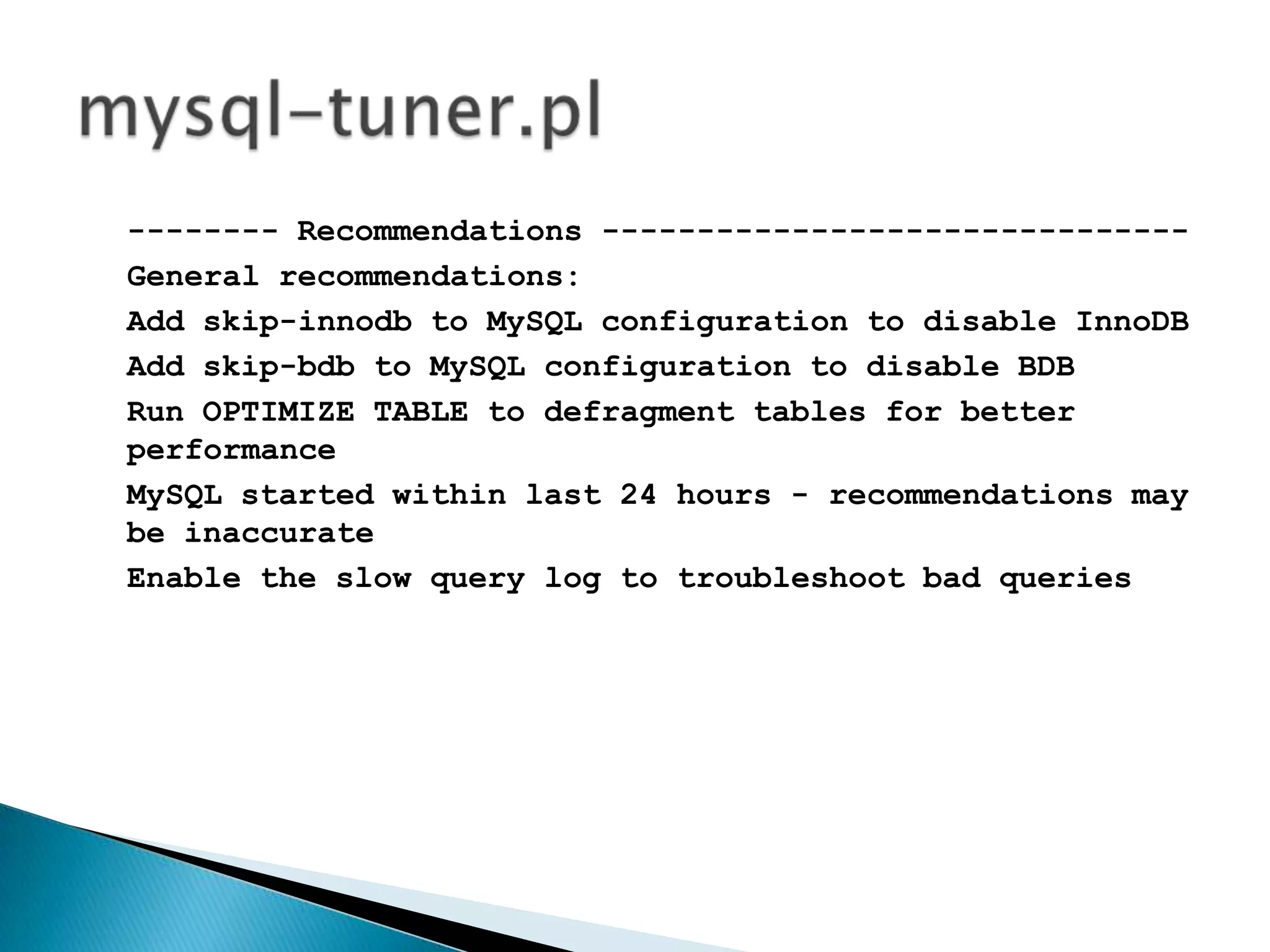
http://mysql-tuner.plmysql-tuner.pl
-------- Storage Engine Statistics ---------------------[--] Status: -Archive +BDB -Federated +InnoDB -ISAM -NDBCluster[--] Data in MyISAM tables: 19M (Tables: 90)[!!] InnoDB is enabled but isn't being used[!!] BDB is enabled but isn't being used[!!] Total fragmented tables: 18mysql-tuner.pl
-------- Performance Metrics ---------------------------[--] Up for: 16m 37s (6K q [6.059 qps], 146 conn, TX: 54M, RX: 665K)[--] Reads / Writes: 62% / 38%[--] Total buffers: 298.0M global + 6.3M per thread (100 max threads)[OK] Maximum possible memory usage: 929.2M (26% of installed RAM)[OK] Slow queries: 0% (0/6K)[OK] Highest usage of available connections: 5% (5/100)[OK] Key buffer size / total MyISAM indexes: 256.0M/2.3M[!!] Key buffer hit rate: 91.3% (1K cached / 101 reads)[OK] Query cache efficiency: 97.6% (5K cached / 5K selects)mysql-tuner.pl
-------- Recommendations -------------------------------General recommendations:Add skip-innodb to MySQL configuration to disable InnoDBAdd skip-bdb to MySQL configuration to disable BDBRun OPTIMIZE TABLE to defragment tables for better performanceMySQLstarted within last 24 hours - recommendations may be inaccurateEnable the slow query log to troubleshoot bad queriesmysql-tuner.pl
maatkithttp://www.maatkit.org/
maatkitmk-error-logmk-log-playermk-index-usagemk-query-advisormk-query-digestmk-query-profiler… (>30)
maatkit: mk-error-logCount Level   Message                                             ===== ======= =======================================      5 info    mysqld started                                          4 info    mysqld version info                                     3 info    InnoDB: Started                                         2 info    mysqld ended                                            1 unknown Number of processes running now: 0                      1 error   [ERROR] /usr/sbin/mysqld: unknown variable 'ssl-ke      1 error   [ERROR] Failed to initialize the master info struc
maatkit: mk-log-playermk-log-player does two things: it splits MySQL query logs into session files and it plays (executes) queries in session files on a MySQL server.
maatkit: mk-index-usageThis tool connects to a MySQL database server, reads through a query log, and uses EXPLAIN to ask MySQL how it will use each query. When it is finished, it prints out a report on indexes that the queries didn't use.
maatkit: mk-query-advisormk-query-advisor examines queries and applies rules to them, trying to find queries that look bad according to the rules. It reports on queries that match the rules, so you can find bad practices or hidden problems in your SQL.
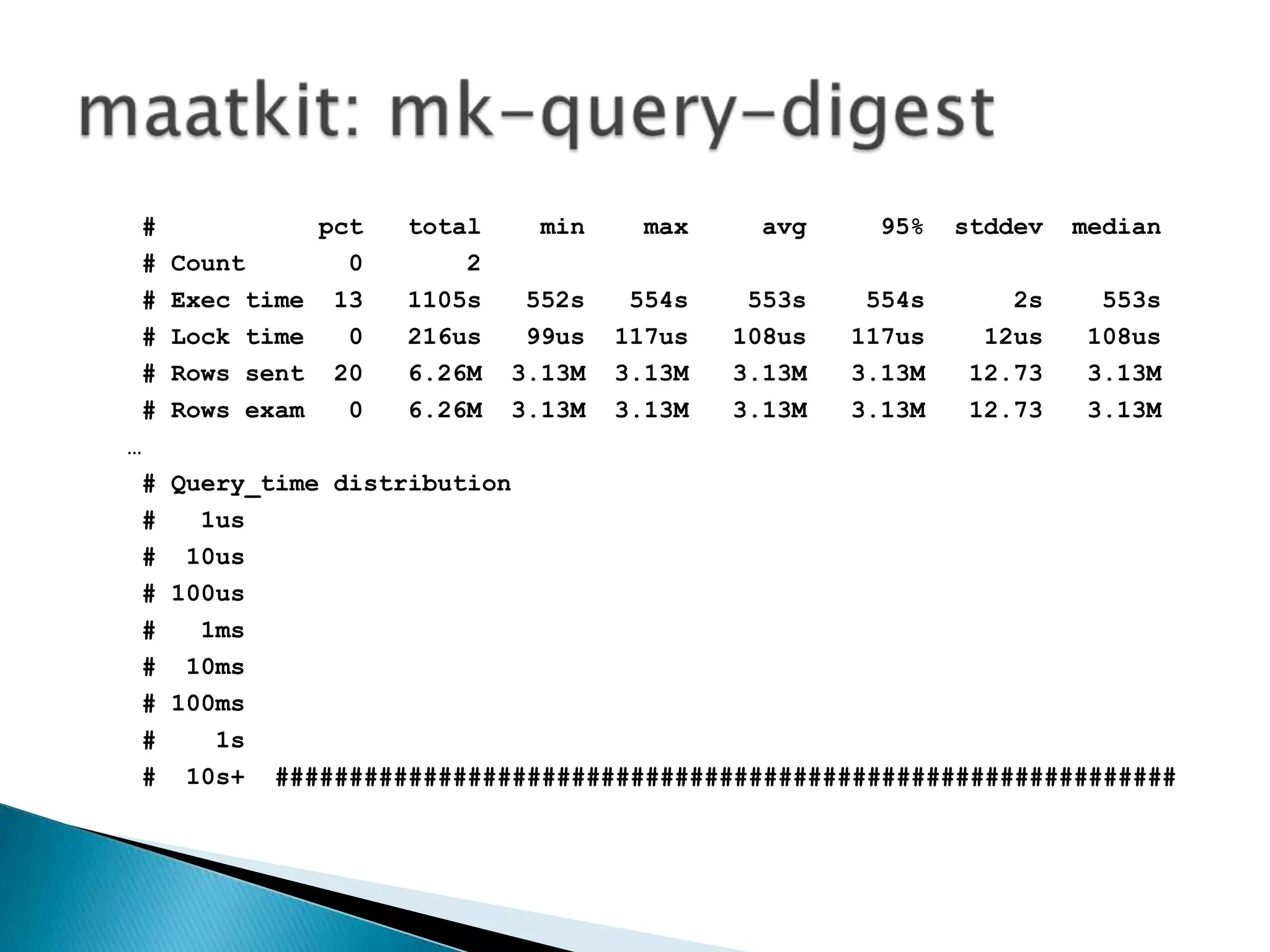
maatkit: mk-query-digest #           pct   total    min    max     avg     95%  stddev  median # Count       0       2 # Exec time  13   1105s   552s   554s    553s    554s      2s    553s # Lock time   0   216us   99us  117us   108us   117us    12us   108us # Rows sent  20   6.26M  3.13M  3.13M3.13M3.13M   12.73   3.13M # Rows exam   0   6.26M  3.13M  3.13M3.13M3.13M   12.73   3.13M… # Query_time distribution #   1us #  10us # 100us #   1ms #  10ms # 100ms #    1s #  10s+  #############################################################
maatkit: mk-query-profilermk-query-profiler reads a file containing one or more SQL statements or shell commands, executes them, and analyzes the output of SHOW STATUS afterwards. It then prints statistics about how the batch performed. For example, it can show how many table scans the batch caused, how many page reads, how many temporary tables, and so forth.
http://code.google.com/p/innotop/innotop
 Engines Settings Utilities QueriesRoadmap
Queries
use ORMsuse Indexesbe concrete (limit yourself)get a map!Queries
why?use ORMs
experiencesafetyclear codespeeding developmentportabilityuse ORMs
why?use Indexes
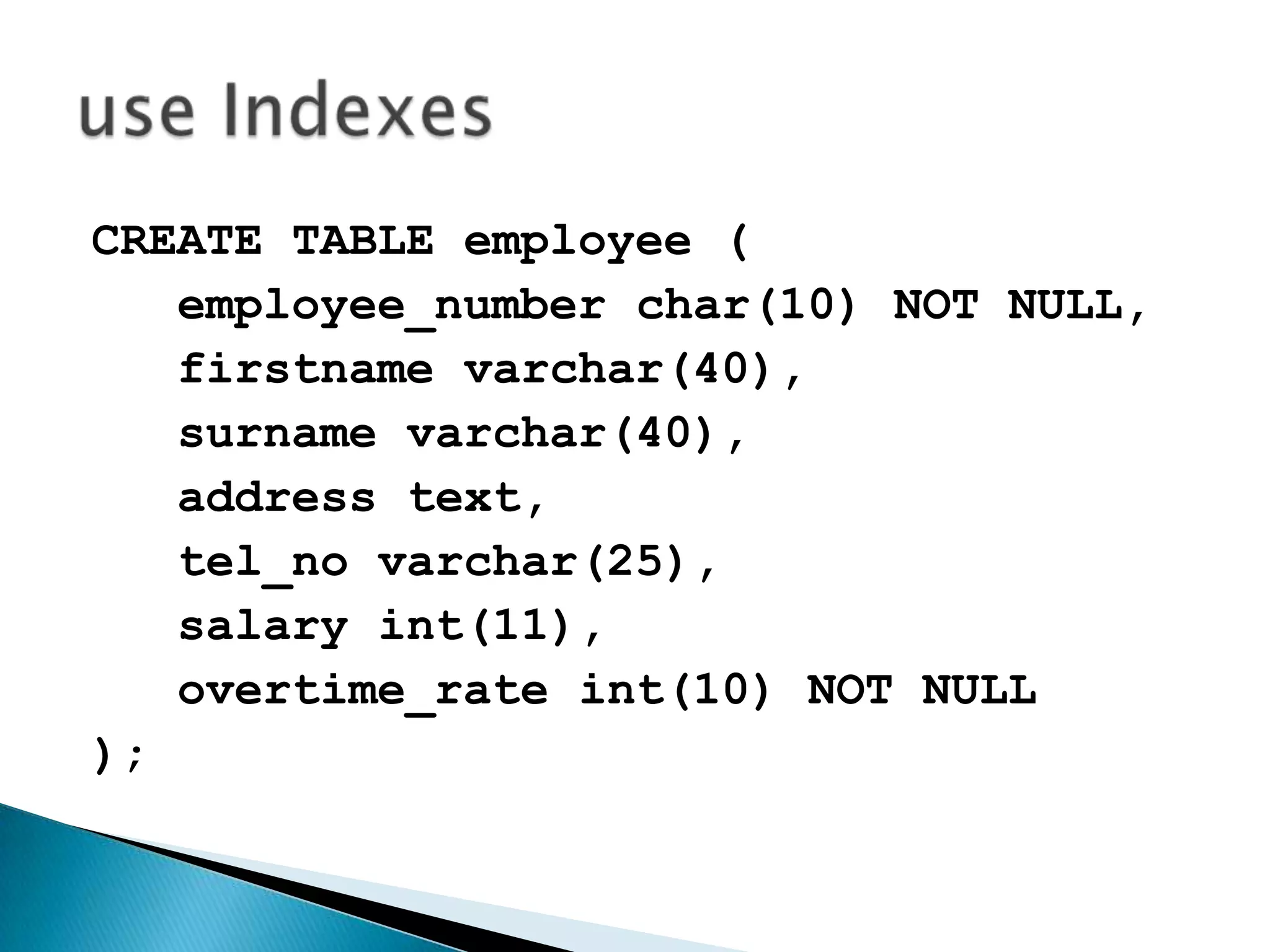
CREATE TABLE employee (employee_number char(10) NOT NULL,firstnamevarchar(40),   surname varchar(40),   address text,tel_novarchar(25),   salary int(11),overtime_rateint(10) NOT NULL);use Indexes
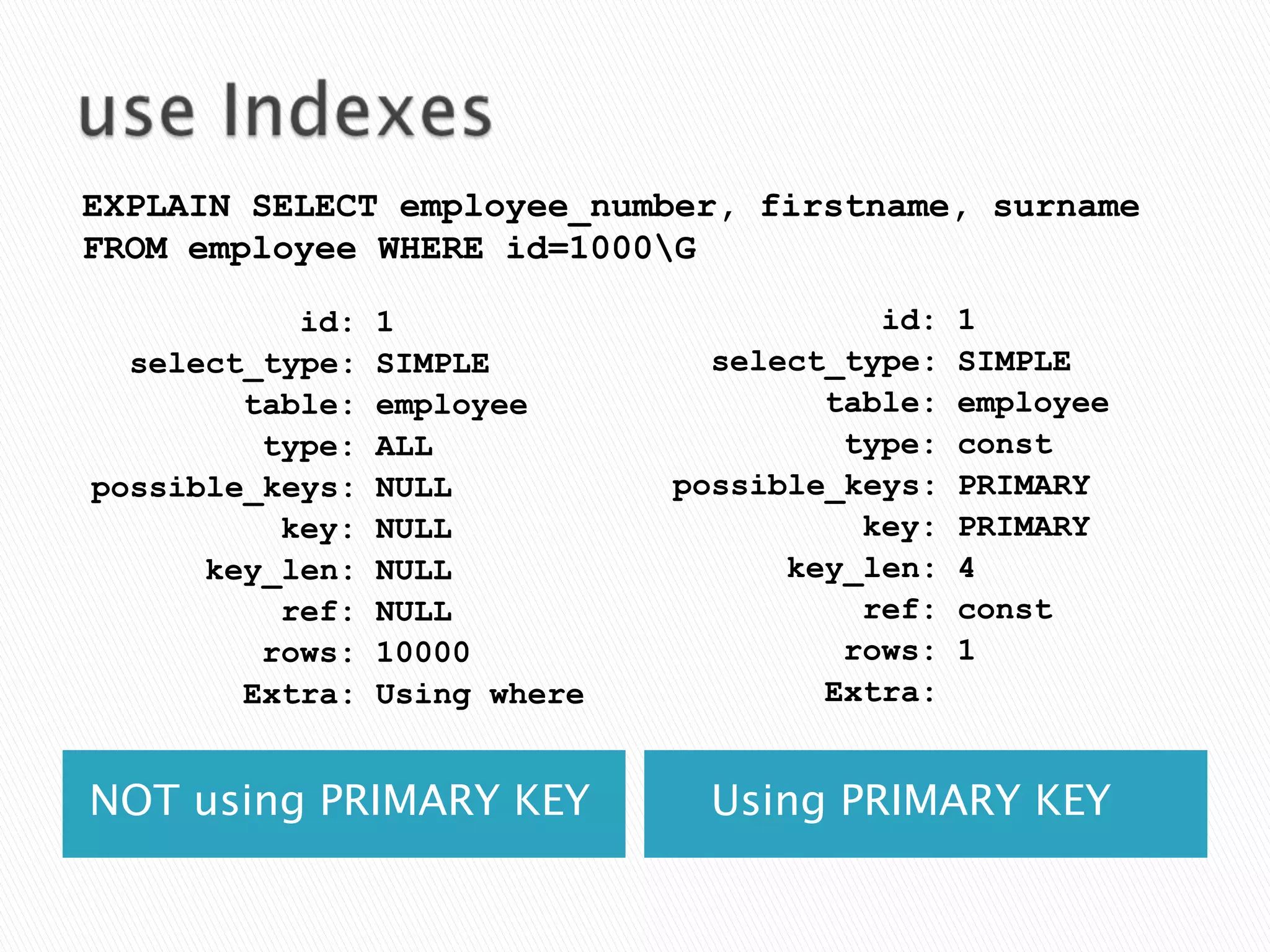
use IndexesNOT using PRIMARY KEY   Using PRIMARY KEYEXPLAIN SELECT employee_number, firstname, surname FROM employee WHERE id=1000\G           id: 1select_type: SIMPLE        table: employee         type: constpossible_keys: PRIMARY          key: PRIMARYkey_len: 4          ref: const         rows: 1        Extra:           id: 1select_type: SIMPLE        table: employee         type: ALLpossible_keys: NULL          key: NULLkey_len: NULL          ref: NULL         rows: 10000        Extra: Using where
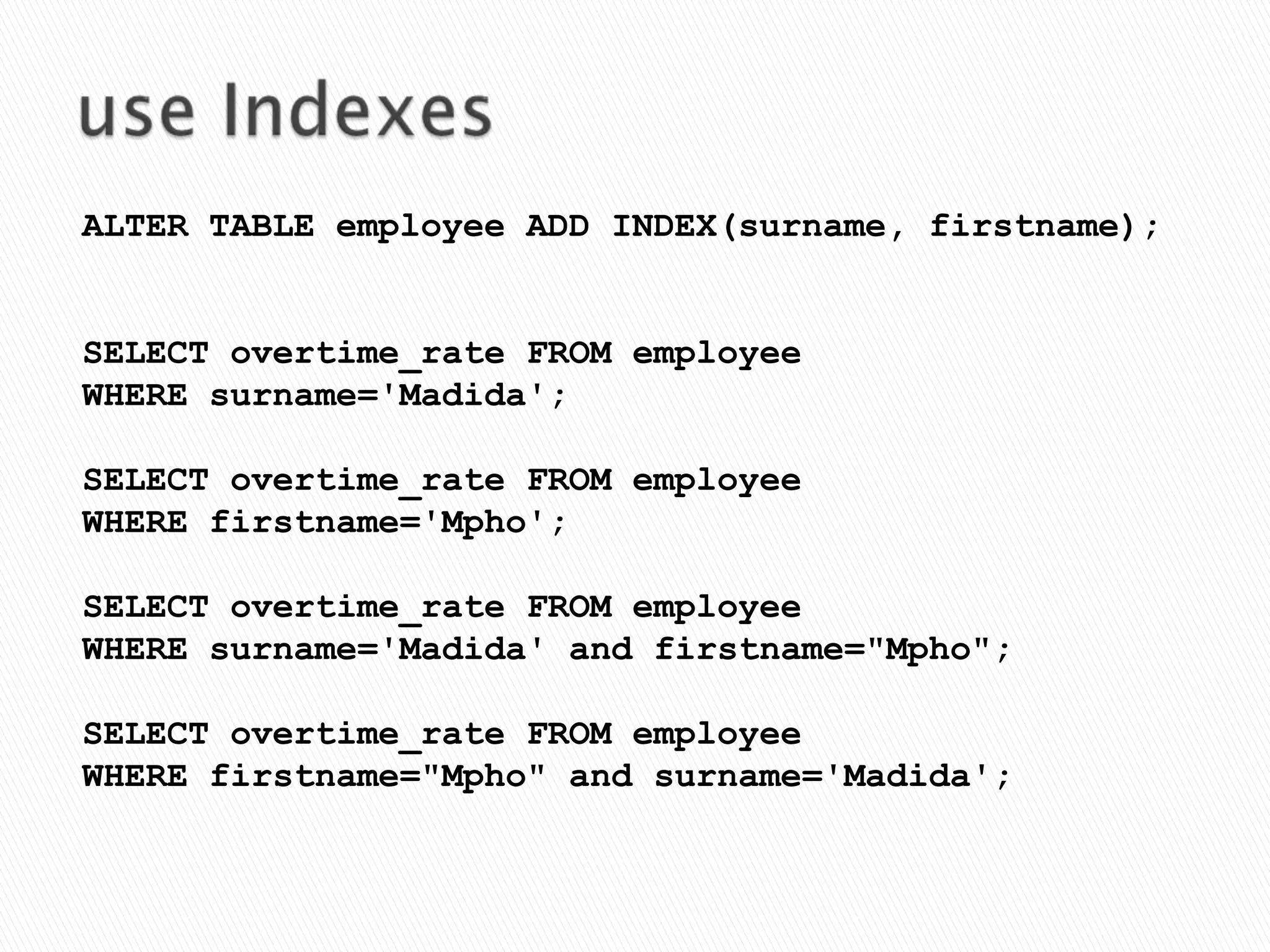
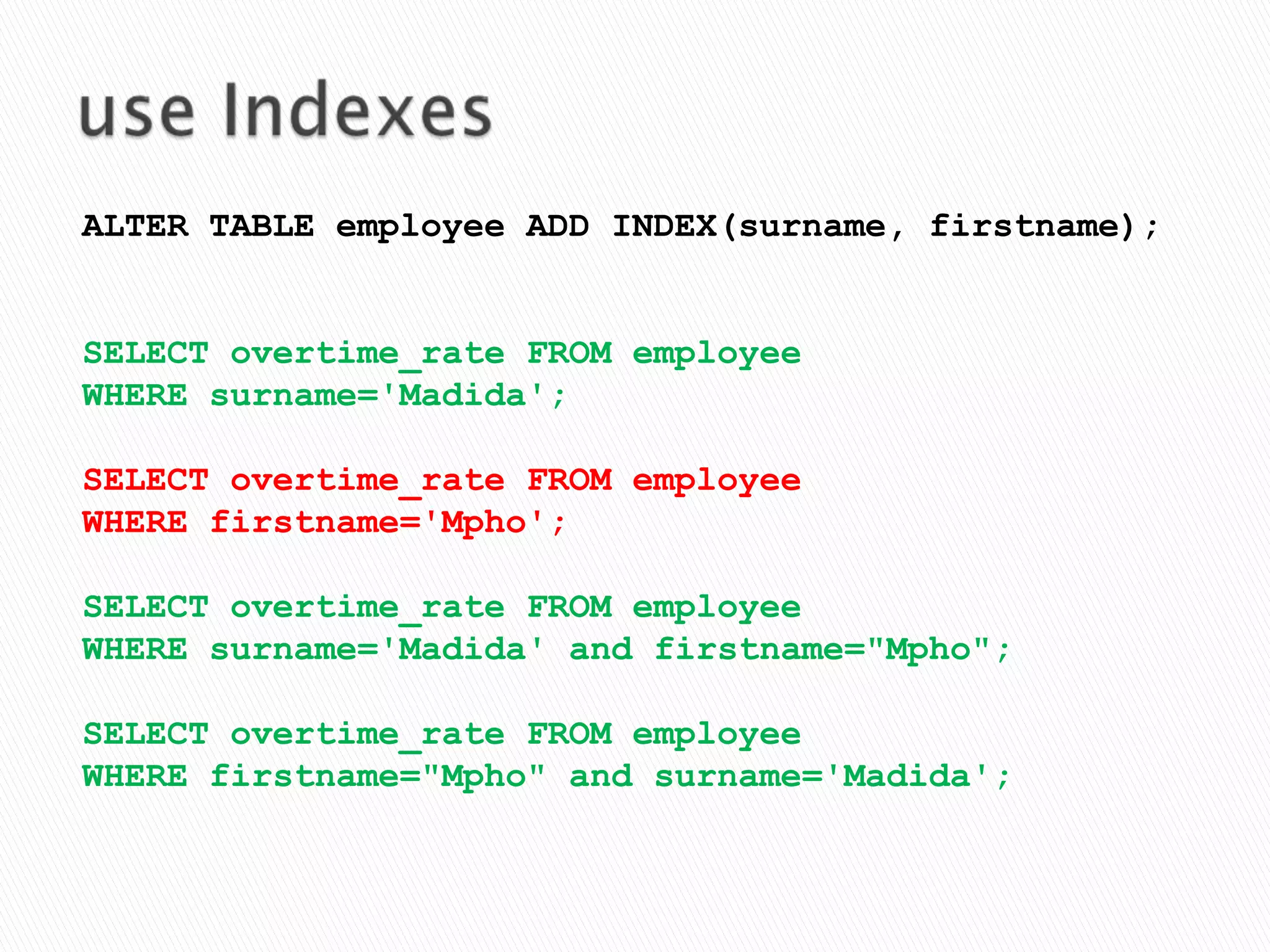
use IndexesALTER TABLE employee ADD INDEX(surname, firstname);SELECT overtime_rate FROM employeeWHERE surname='Madida';SELECT overtime_rate FROM employee WHERE firstname='Mpho';SELECT overtime_rate FROM employee WHERE surname='Madida' and firstname="Mpho";SELECT overtime_rate FROM employee WHERE firstname="Mpho" and surname='Madida';
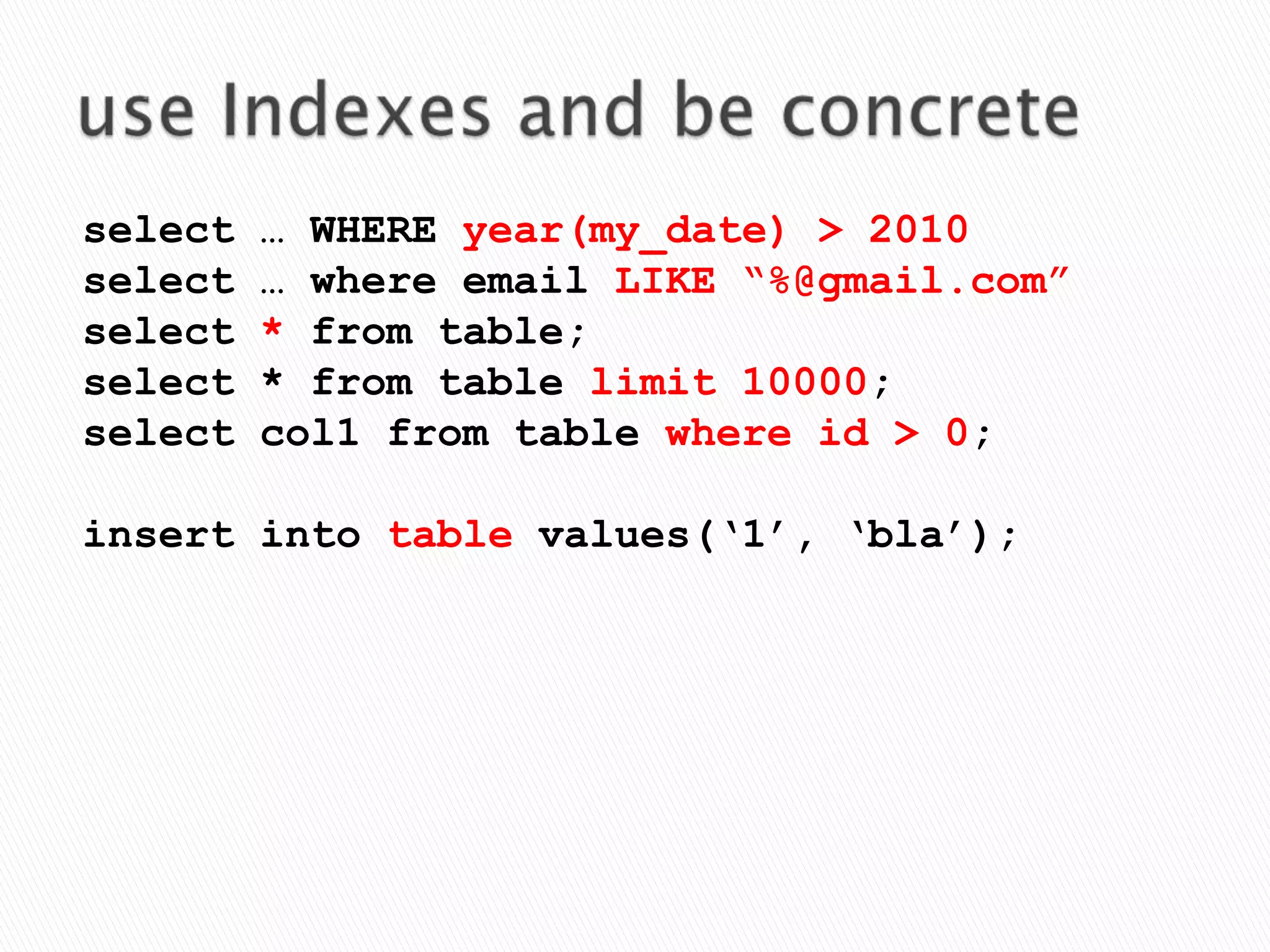
use Indexesand be concreteselect … WHERE year(my_date) > 2010select … where email LIKE “%@gmail.com”select * from table;select * from table limit 10000;select col1 from table where id > 0;insert into table values(‘1’, ‘bla’);
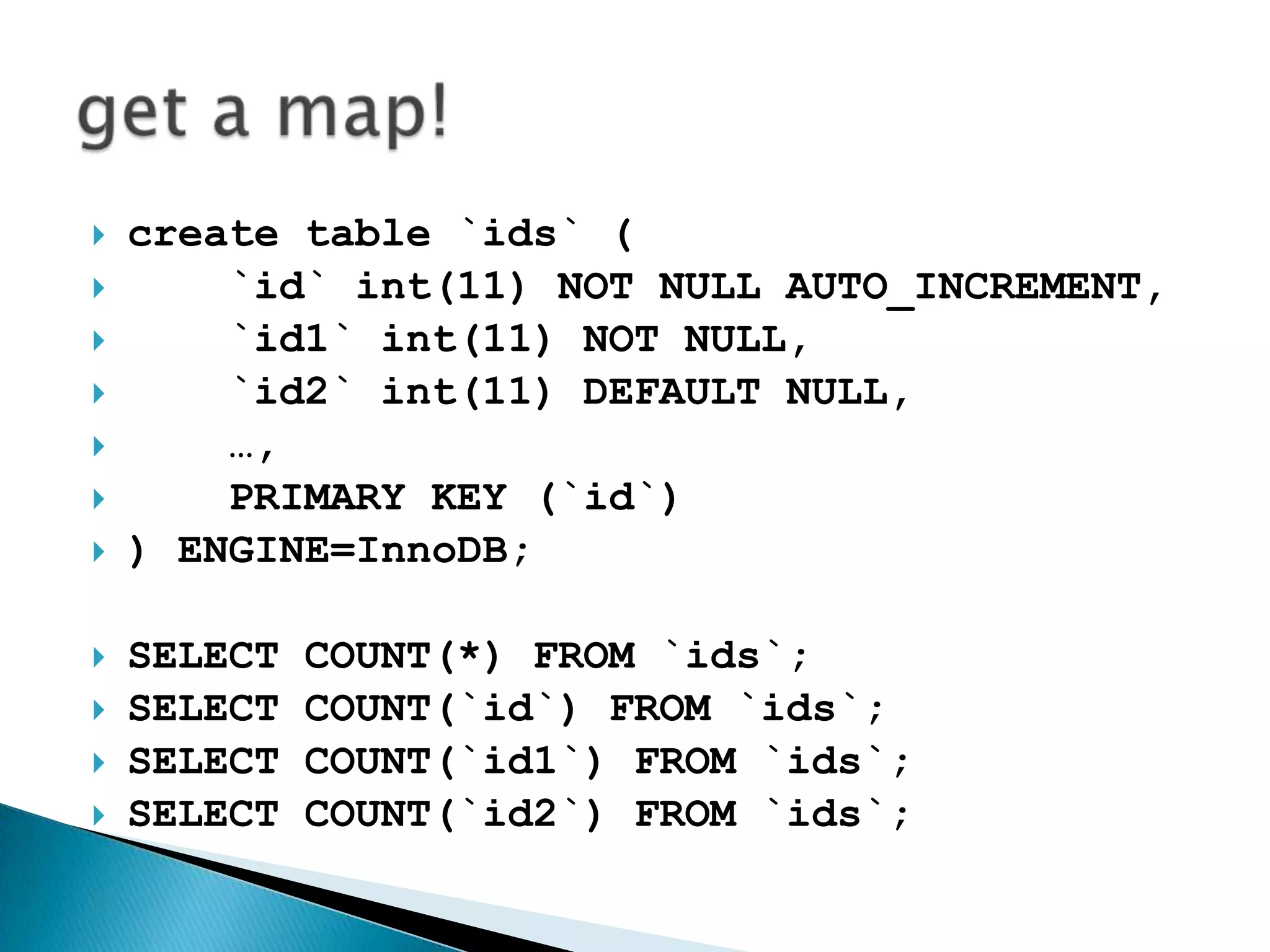
create table `ids` (   `id` int(11) NOT NULL AUTO_INCREMENT,   `id1` int(11) NOT NULL,`id2` int(11) DEFAULT NULL,    …,   PRIMARY KEY (`id`)) ENGINE=InnoDB;SELECT COUNT(*) FROM `ids`;SELECT COUNT(`id`) FROM `ids`;SELECT COUNT(`id1`) FROM `ids`;SELECT COUNT(`id2`) FROM `ids`;get a map!
 EnginesSettings Utilities QueriesRoadmap
Questions?
Contactsvcardagnislav @gmailskypetwitterfacebookvkontaktelivejournal

Оптимизация MySQL. Что должен знать каждый разработчик