MuhammedAjmalI K
mhdajmalik@gmail.com
www.facebook.com/ajuik2008
twitter.com/mhdajmalik
in.linkedin.com/in/profilename
9745020951
Session and Cookies,
Get and Post
Disclaimer: This presentation is prepared by trainees of
baabtra as a part of mentoring program. This is not official
document of baabtra –Mentoring Partner
Baabtra-Mentoring Partner is the mentoring division of baabte System Technologies Pvt . Ltd
Overview
• Introduction
• State Management
• Cookie
• Session
• Get
• Post
Introduction
• Web Pages developed in ASP.Net are HTTP based
and HTTP protocol is a stateless protocol.
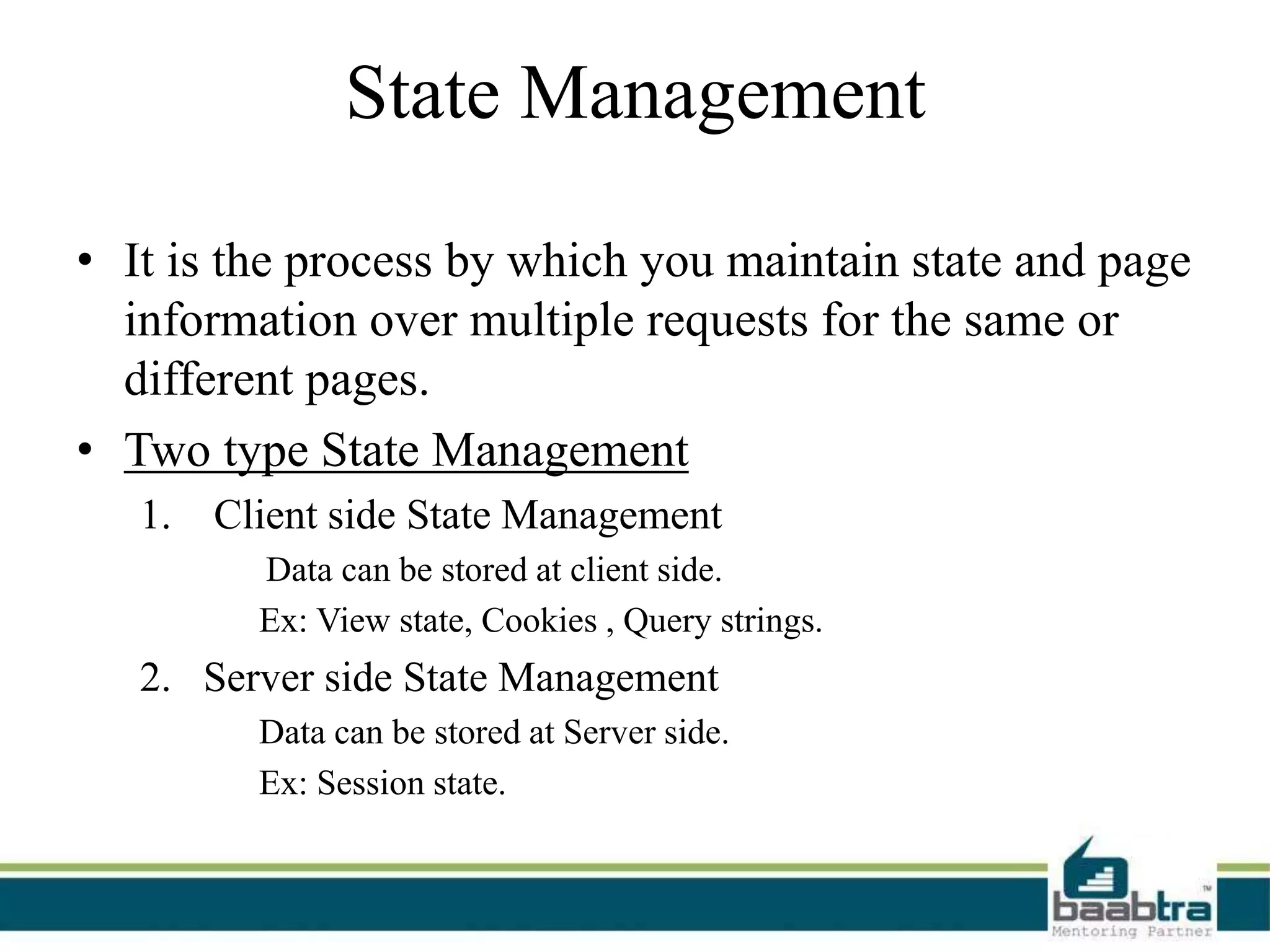
State Management
• It is the process by which you maintain state and page
information over multiple requests for the same or
different pages.
• Two type State Management
1. Client side State Management
Data can be stored at client side.
Ex: View state, Cookies , Query strings.
2. Server side State Management
Data can be stored at Server side.
Ex: Session state.
Cookie
Introduction
• Cookies are the small text files that are stored on
client side.
• It is used for state management.
• Used to send data from one webform to another.
How to create Cookies
Step 1: Create the cookie object
HttpCookie cookie = new HttpCookie("UserDetails");
Step 2: store value into cookie
cookie["Name"] = txtName.Text;
cookie["Email"] = txtEmail.Text;
Step 3: Add the cookie to the client machine
Response.Cookies.Add(cookie);
How to read data from Cookies
Step 1: Retrieve Cookie
HttpCookie cookie = Request.Cookies["UserDetails"];
Step 2: check whether a cookie was found or not.
if (cookie != null)
{
lblName.Text = cookie["Name"];
lblEmail.Text = cookie["Email"];
}
EXAMPLE
Types Of Cookie
• Cookies can be broadly classified into 2 types
1. Non-Persistent cookies
• Temporary Cookies.
• Remain in memory until the browser is closed.
2. Persistent cookies
• permanent cookies
• Remain on the client computer, even after the browser
is closed.
How to make persistent Cookies?
• persistent cookies should have an expatriation time
defined.
– cookie.Expires = DateTime.Now.AddDays(30);
Advantages and Disadvantages
of Cookies
• Advantages
– It's very simple to use and implement.
– Browser takes care of sending the data.
• Disadvantages
– It stores data in simple text format, so it's not
secure at all.
– There is a size limit for cookies data (4KB).
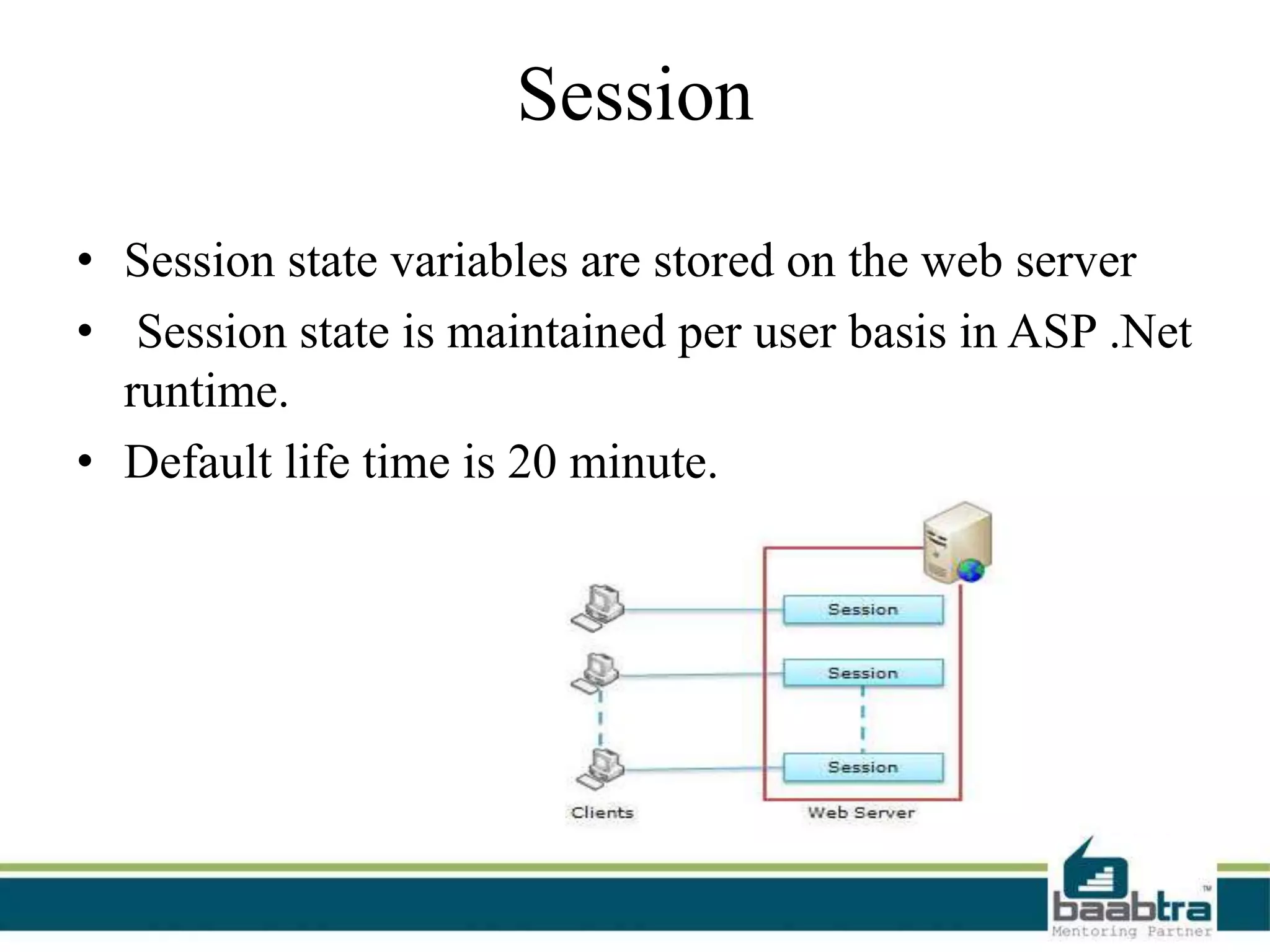
Session
• Session state variables are stored on the web server
• Session state is maintained per user basis in ASP .Net
runtime.
• Default life time is 20 minute.
Storing values To Session
• Use session Object
– Session["UserName"] = txtUser.Text;
Retrieving values From Session
 Check weather session variable null or not
if (Session["UserName"] != null)
{
// Retrieving UserName from Session
lblWelcome.Text = "Welcome : " + Session["UserName"];
}
else
{ //Do Something }
Advantages and Disadvantages
of Session
• Advantages
– Stores client data separately.
– Session is secure and transparent from the user.
• Disadvantages
– Performance overhead
Get and Post
Hypertext Transfer Protocol
• Http is the most common protocol used for
communication between a web server and a client.
• The 2 most commonly used HTTP methods are
1. GET
2. POST.
GET Request
• the data being sent to your server is coded into the
URL.
POST Request
• Data will be arranged in HTTP message body.
where it is?
• <form method="get||post">
• By default Get method are used
• If the form data is large then best is use POST
• By default the form with runat="server", will
have method="post“
•
where it is? Contd..
• the first request of that page: Request is a GET
type .
• In postback: Request is a POST type
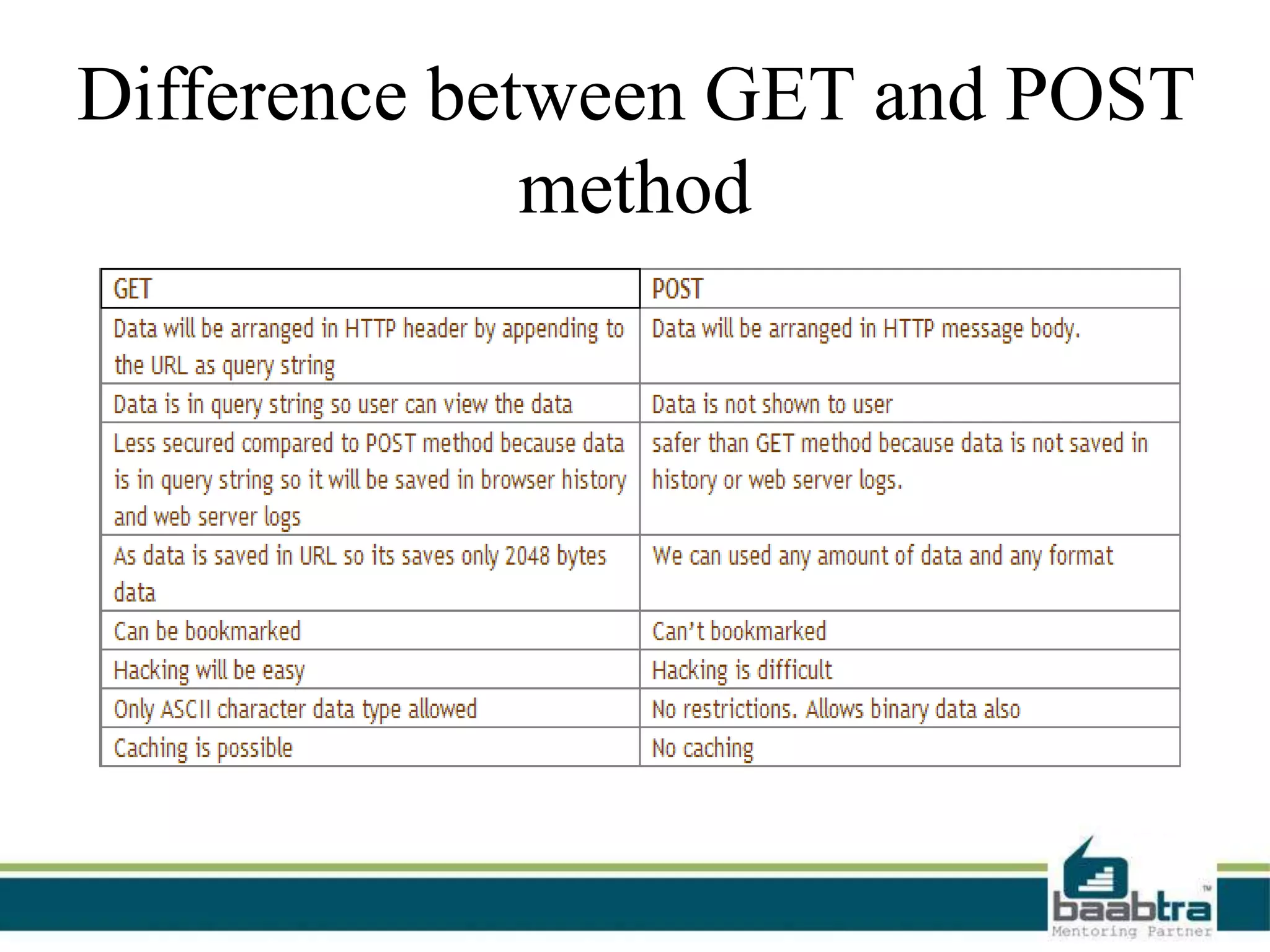
Difference between GET and POST
method
Example Programs….
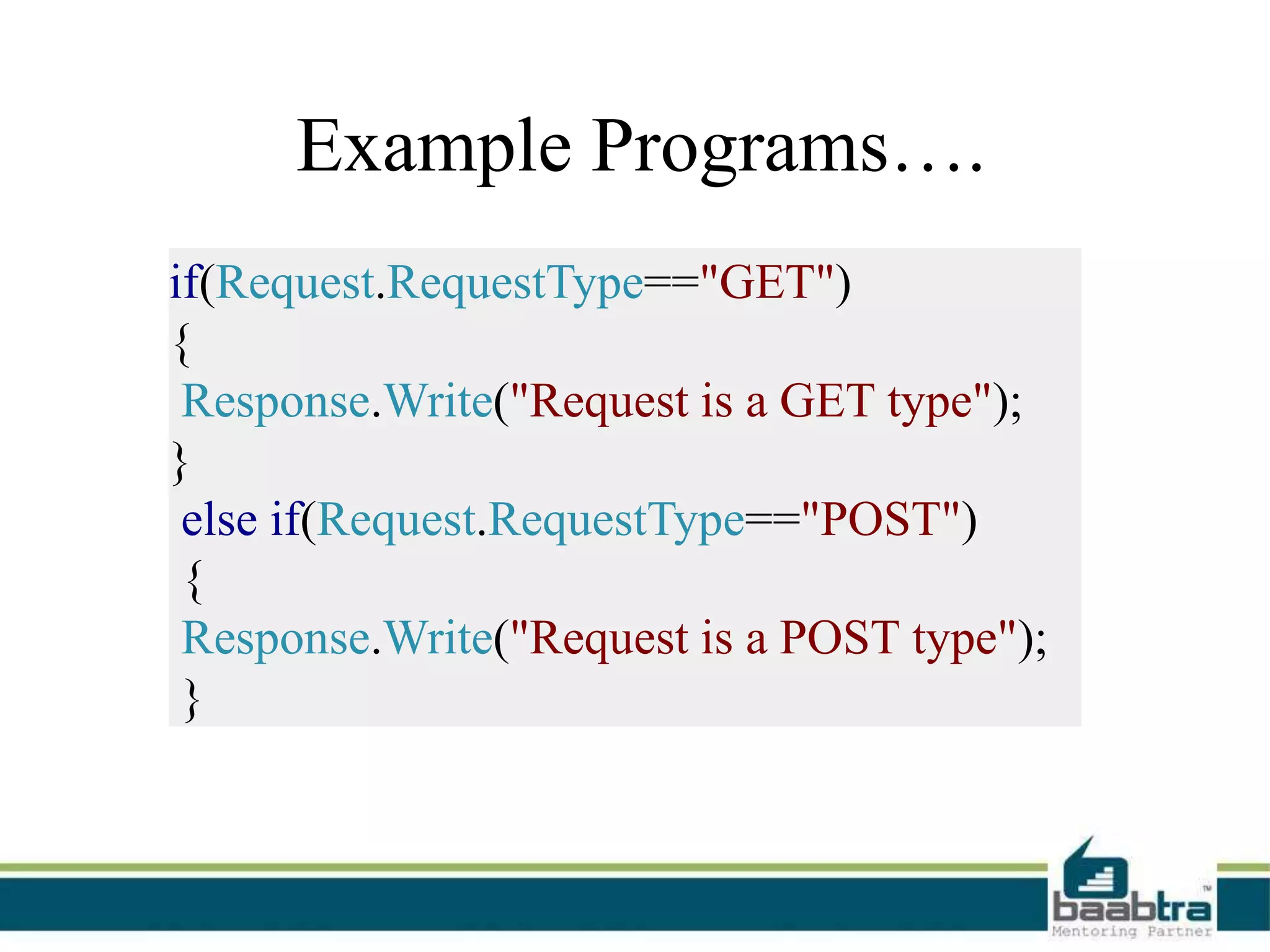
if(Request.RequestType=="GET")
{
Response.Write("Request is a GET type");
}
else if(Request.RequestType=="POST")
{
Response.Write("Request is a POST type");
}
Thank You
Want to learn more about programming or Looking to become a good programmer?
Are you wasting time on searching so many contents online?
Do you want to learn things quickly?
Tired of spending huge amount of money to become a Software professional?
Do an online course
@ baabtra.com
We put industry standards to practice. Our structured, activity based courses are so designed
to make a quick, good software professional out of anybody who holds a passion for coding.
Follow us @ twitter.com/baabtra
Like us @ facebook.com/baabtra
Subscribe to us @ youtube.com/baabtra
Become a follower @ slideshare.net/BaabtraMentoringPartner
Connect to us @ in.linkedin.com/in/baabtra
Thanks in advance.
www.baabtra.com | www.massbaab.com |www.baabte.com
Contact Us
Emarald Mall (Big Bazar Building)
Mavoor Road, Kozhikode,
Kerala, India.
Ph: + 91 – 495 40 25 550
NC Complex, Near Bus Stand
Mukkam, Kozhikode,
Kerala, India.
Ph: + 91 – 495 40 25 550
Cafit Square,
Hilite Business Park,
Near Pantheerankavu,
Kozhikode
Start up Village
Eranakulam,
Kerala, India.
Email: info@baabtra.com

Session and cookies,get and post

  • 2.
  • 3.
    Disclaimer: This presentationis prepared by trainees of baabtra as a part of mentoring program. This is not official document of baabtra –Mentoring Partner Baabtra-Mentoring Partner is the mentoring division of baabte System Technologies Pvt . Ltd
  • 4.
    Overview • Introduction • StateManagement • Cookie • Session • Get • Post
  • 5.
    Introduction • Web Pagesdeveloped in ASP.Net are HTTP based and HTTP protocol is a stateless protocol.
  • 6.
    State Management • Itis the process by which you maintain state and page information over multiple requests for the same or different pages. • Two type State Management 1. Client side State Management Data can be stored at client side. Ex: View state, Cookies , Query strings. 2. Server side State Management Data can be stored at Server side. Ex: Session state.
  • 7.
  • 8.
    Introduction • Cookies arethe small text files that are stored on client side. • It is used for state management. • Used to send data from one webform to another.
  • 9.
    How to createCookies Step 1: Create the cookie object HttpCookie cookie = new HttpCookie("UserDetails"); Step 2: store value into cookie cookie["Name"] = txtName.Text; cookie["Email"] = txtEmail.Text; Step 3: Add the cookie to the client machine Response.Cookies.Add(cookie);
  • 10.
    How to readdata from Cookies Step 1: Retrieve Cookie HttpCookie cookie = Request.Cookies["UserDetails"]; Step 2: check whether a cookie was found or not. if (cookie != null) { lblName.Text = cookie["Name"]; lblEmail.Text = cookie["Email"]; } EXAMPLE
  • 11.
    Types Of Cookie •Cookies can be broadly classified into 2 types 1. Non-Persistent cookies • Temporary Cookies. • Remain in memory until the browser is closed. 2. Persistent cookies • permanent cookies • Remain on the client computer, even after the browser is closed.
  • 12.
    How to makepersistent Cookies? • persistent cookies should have an expatriation time defined. – cookie.Expires = DateTime.Now.AddDays(30);
  • 13.
    Advantages and Disadvantages ofCookies • Advantages – It's very simple to use and implement. – Browser takes care of sending the data. • Disadvantages – It stores data in simple text format, so it's not secure at all. – There is a size limit for cookies data (4KB).
  • 14.
    Session • Session statevariables are stored on the web server • Session state is maintained per user basis in ASP .Net runtime. • Default life time is 20 minute.
  • 15.
    Storing values ToSession • Use session Object – Session["UserName"] = txtUser.Text;
  • 16.
    Retrieving values FromSession  Check weather session variable null or not if (Session["UserName"] != null) { // Retrieving UserName from Session lblWelcome.Text = "Welcome : " + Session["UserName"]; } else { //Do Something }
  • 17.
    Advantages and Disadvantages ofSession • Advantages – Stores client data separately. – Session is secure and transparent from the user. • Disadvantages – Performance overhead
  • 18.
  • 19.
    Hypertext Transfer Protocol •Http is the most common protocol used for communication between a web server and a client. • The 2 most commonly used HTTP methods are 1. GET 2. POST.
  • 20.
    GET Request • thedata being sent to your server is coded into the URL.
  • 21.
    POST Request • Datawill be arranged in HTTP message body.
  • 22.
    where it is? •<form method="get||post"> • By default Get method are used • If the form data is large then best is use POST • By default the form with runat="server", will have method="post“ •
  • 23.
    where it is?Contd.. • the first request of that page: Request is a GET type . • In postback: Request is a POST type
  • 24.
    Difference between GETand POST method
  • 25.
    Example Programs…. if(Request.RequestType=="GET") { Response.Write("Request isa GET type"); } else if(Request.RequestType=="POST") { Response.Write("Request is a POST type"); }
  • 26.
  • 27.
    Want to learnmore about programming or Looking to become a good programmer? Are you wasting time on searching so many contents online? Do you want to learn things quickly? Tired of spending huge amount of money to become a Software professional? Do an online course @ baabtra.com We put industry standards to practice. Our structured, activity based courses are so designed to make a quick, good software professional out of anybody who holds a passion for coding.
  • 28.
    Follow us @twitter.com/baabtra Like us @ facebook.com/baabtra Subscribe to us @ youtube.com/baabtra Become a follower @ slideshare.net/BaabtraMentoringPartner Connect to us @ in.linkedin.com/in/baabtra Thanks in advance. www.baabtra.com | www.massbaab.com |www.baabte.com
  • 29.
    Contact Us Emarald Mall(Big Bazar Building) Mavoor Road, Kozhikode, Kerala, India. Ph: + 91 – 495 40 25 550 NC Complex, Near Bus Stand Mukkam, Kozhikode, Kerala, India. Ph: + 91 – 495 40 25 550 Cafit Square, Hilite Business Park, Near Pantheerankavu, Kozhikode Start up Village Eranakulam, Kerala, India. Email: info@baabtra.com