Boundary Value Analysis & Equivalence
Partitioning with Examples
What is Boundary Testing?
• Boundary testing is the process of testing between extreme ends or
boundaries between partitions of the input values.
• extreme ends like Start- End, Lower- Upper, Maximum-Minimum, Just
Inside-Just Outside values are called boundary values and the testing is
called "boundary testing".
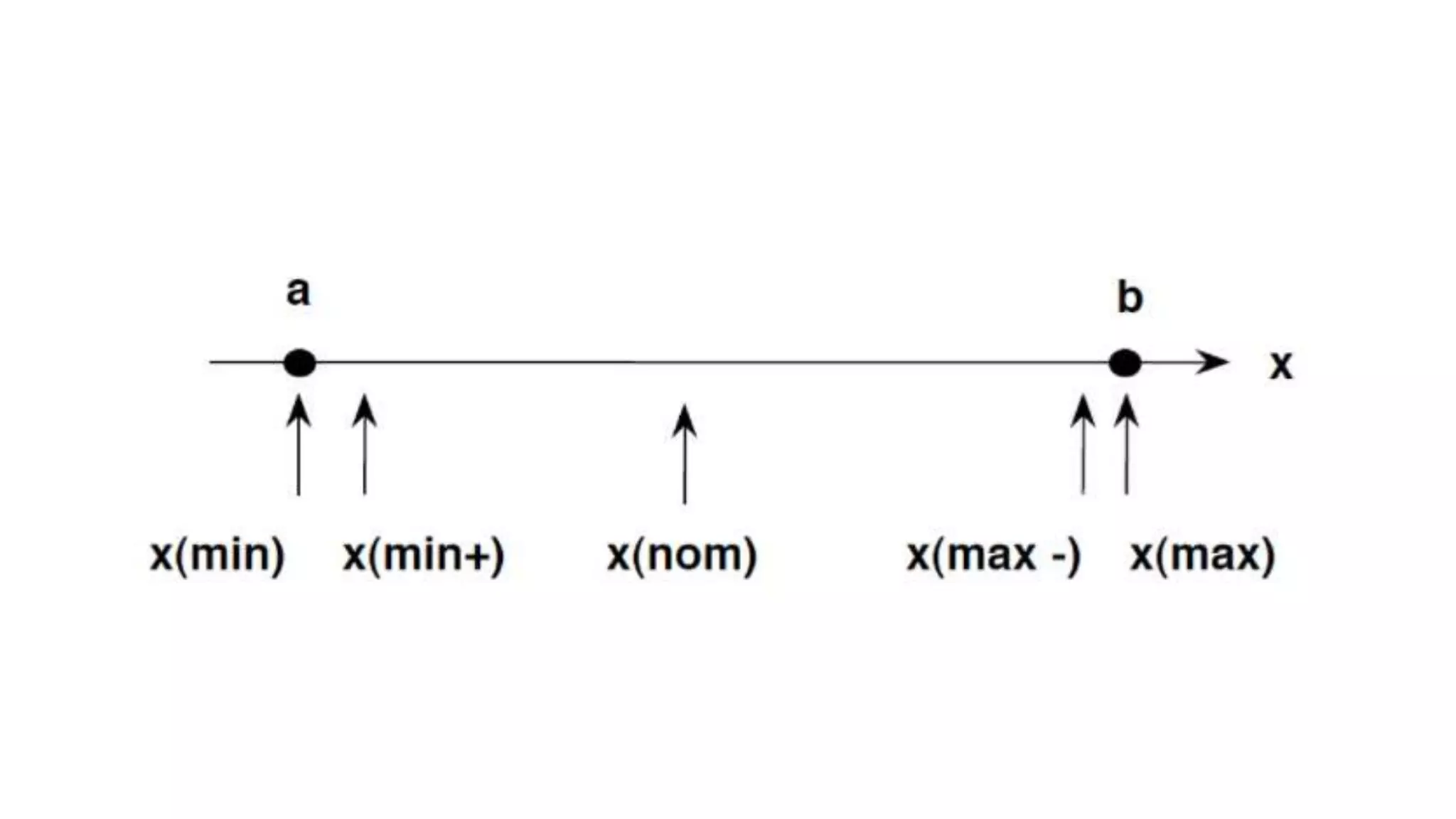
• The basic idea in boundary value testing is to select input variable values at
their:
1. Minimum
2. Just above the minimum
3. A nominal value
4. Just below the maximum
5. Maximum
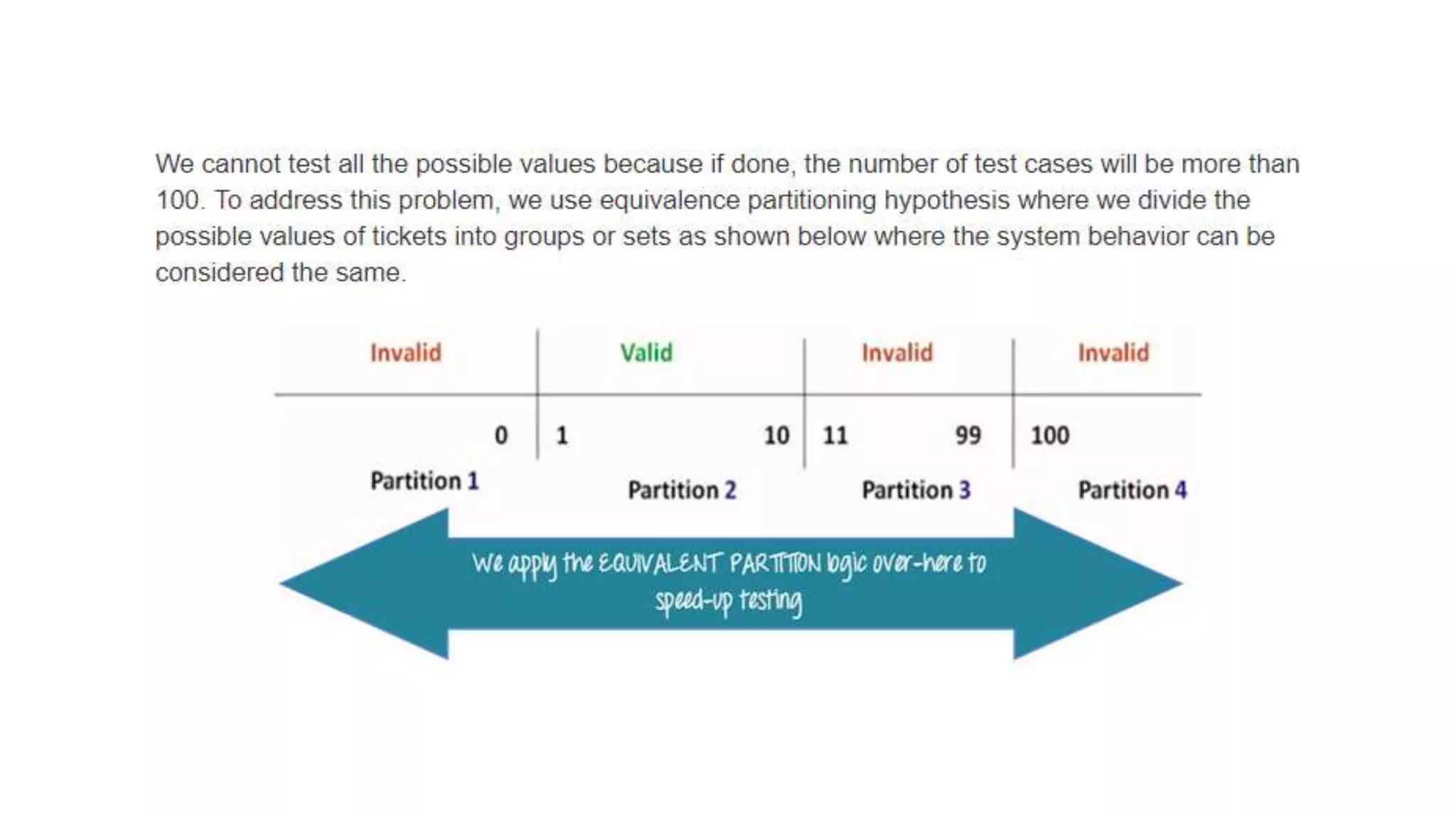
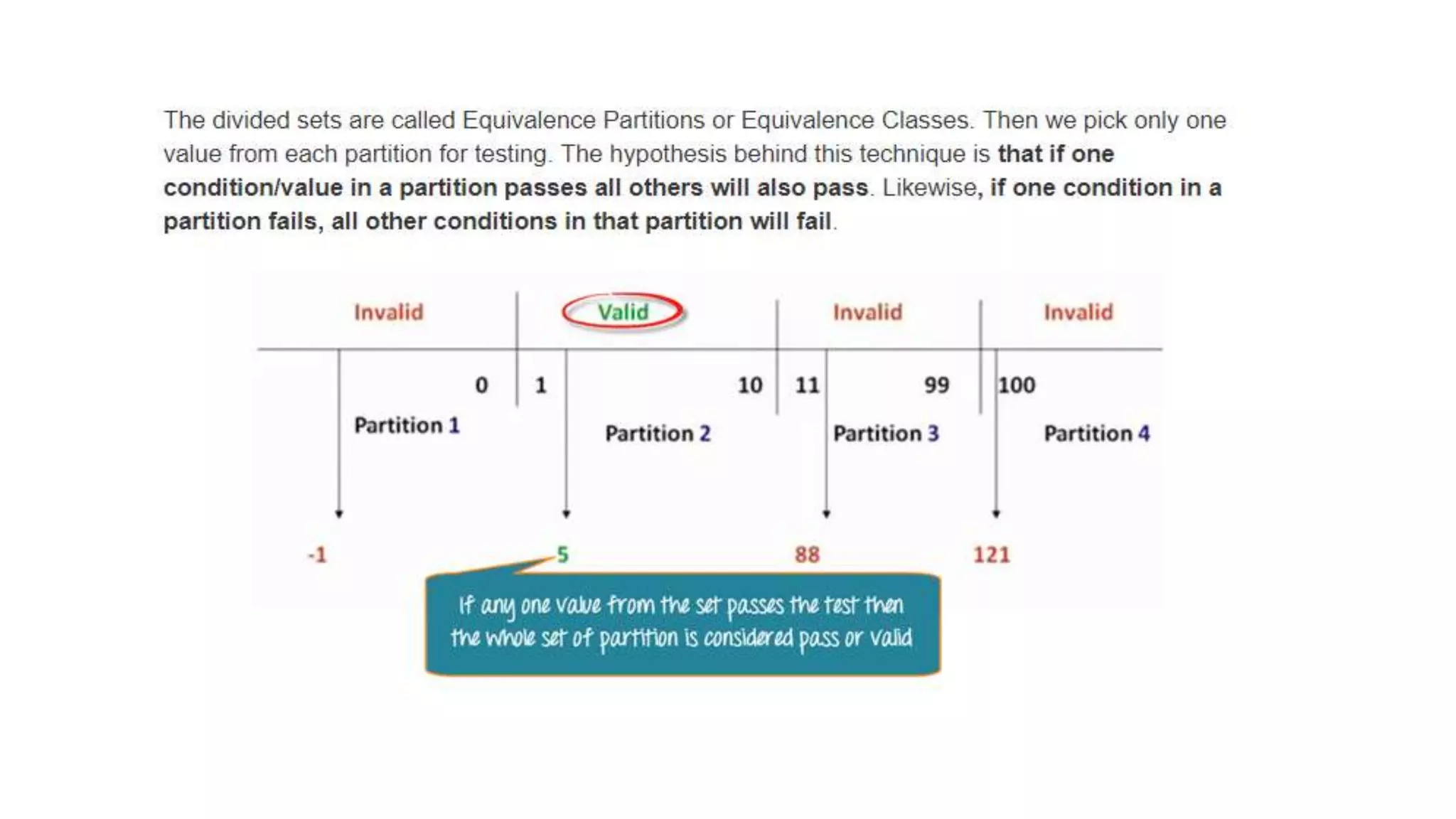
What is Equivalent Class Partitioning?
• Equivalent Class Partitioning is a black box technique (code is not
visible to tester) which can be applied to all levels of testing like unit,
integration, system, etc. In this technique, you divide the set of test
condition into a partition that can be considered the same.
• It divides the input data of software into different equivalence data
classes.
• You can apply this technique, where there is a range in input field.
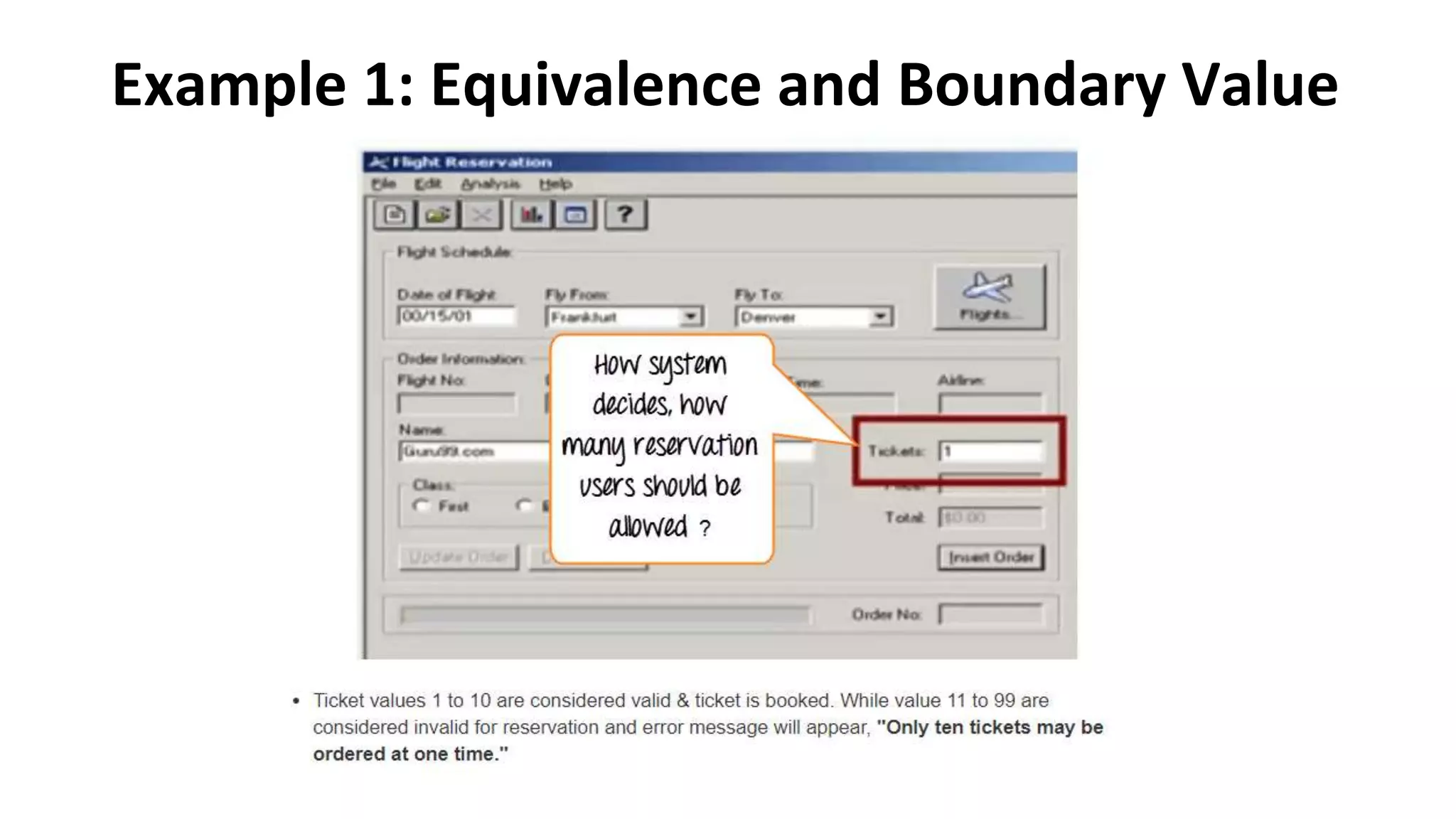
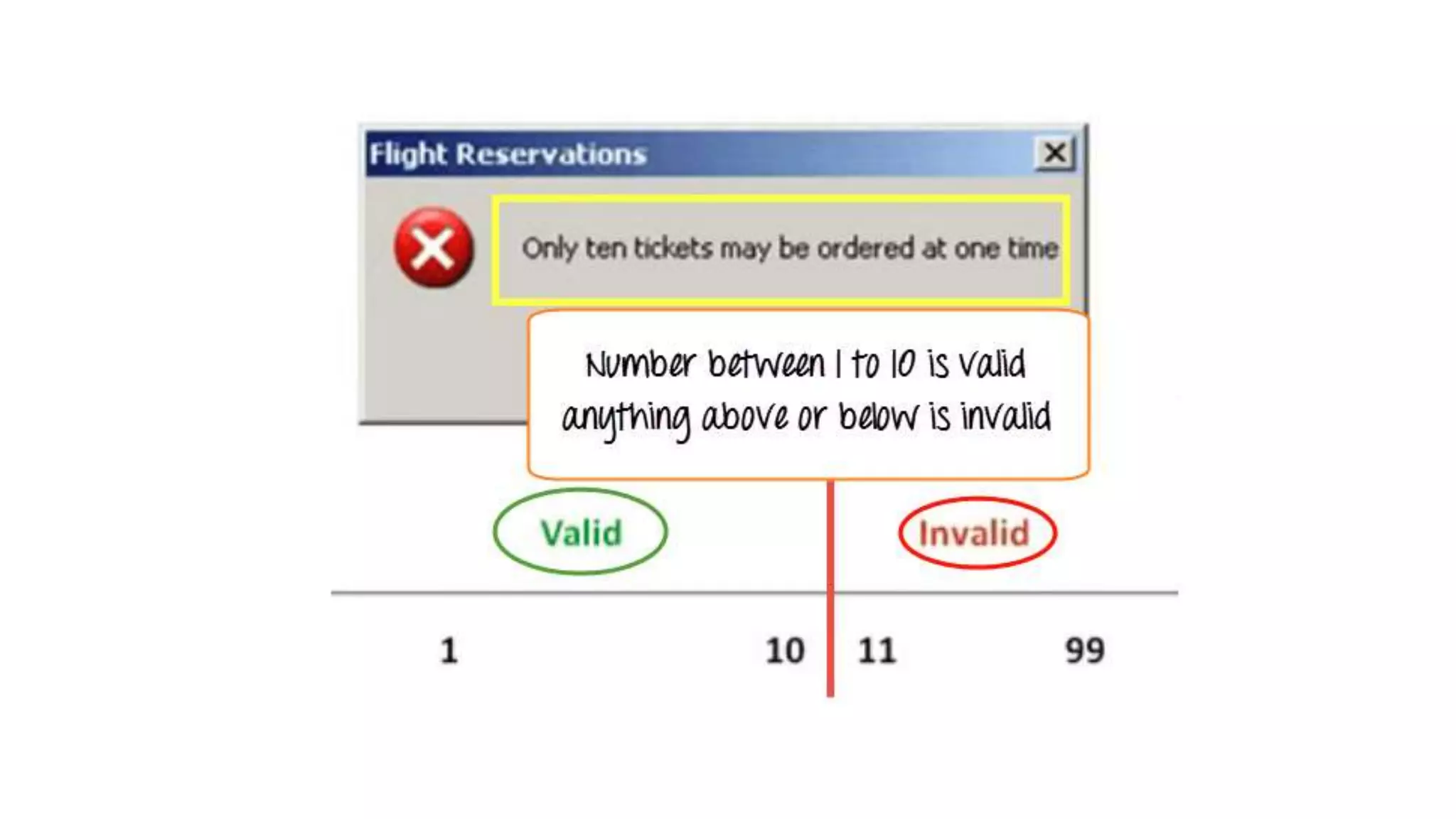
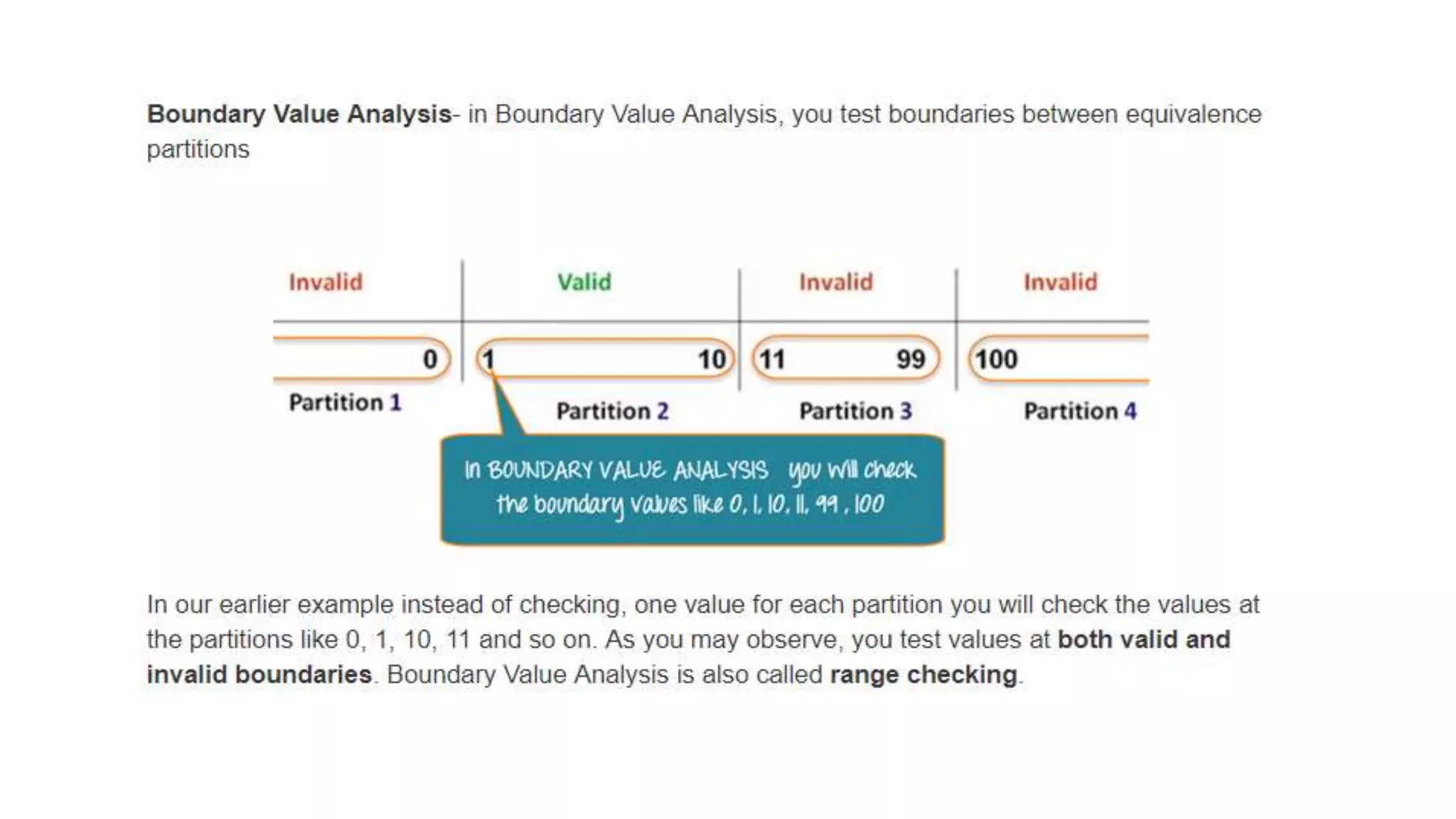
Example 1: Equivalence and Boundary Value
Here is the test condition
• Any Number greater than 10 entered in the reservation column (let
say 11) is considered invalid.
• Any Number less than 1 that is 0 or below, then it is considered
invalid.
• Numbers 1 to 10 are considered valid
• Any 3 Digit Number say -100 is invalid.
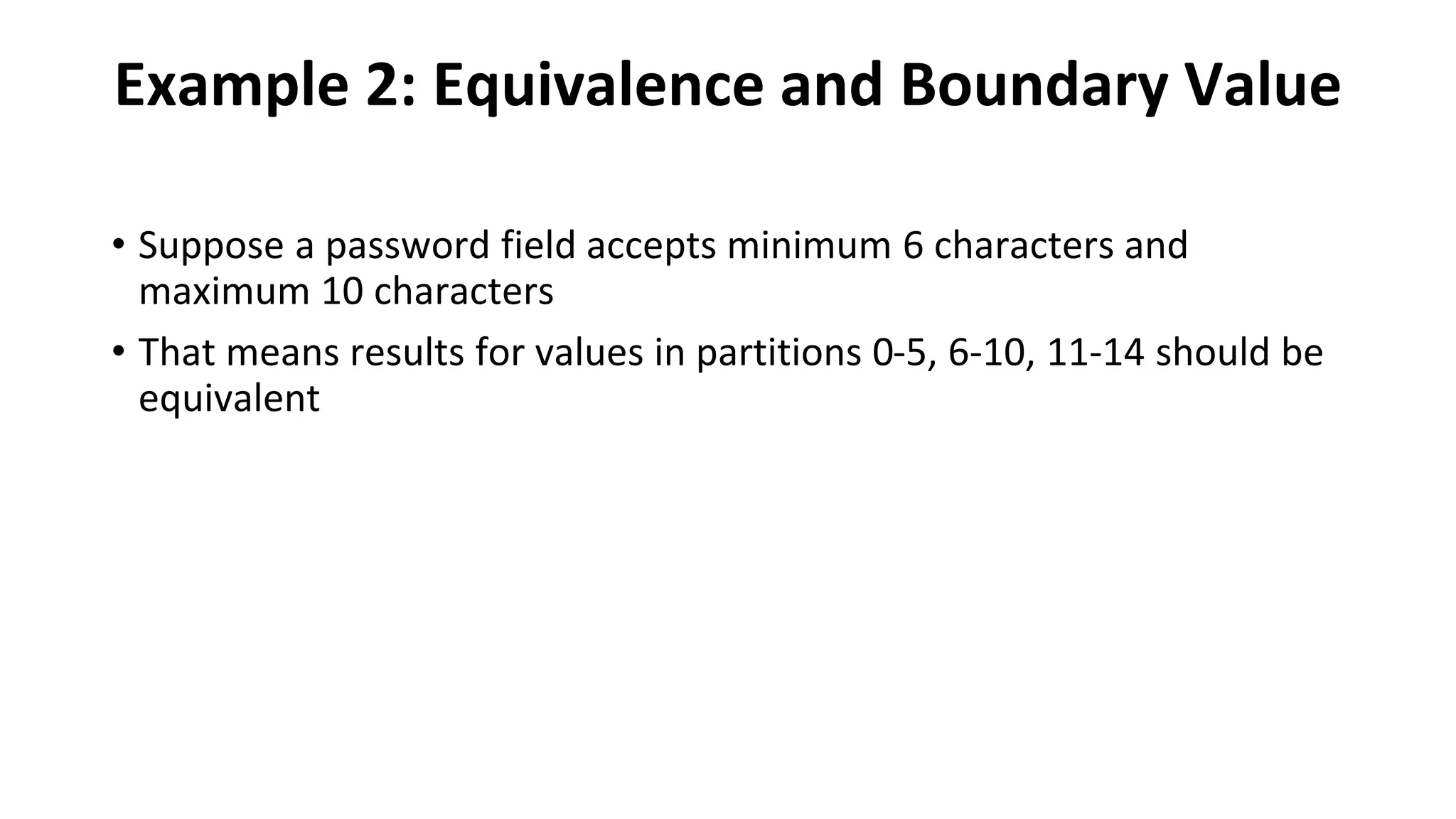
Example 2: Equivalence and Boundary Value
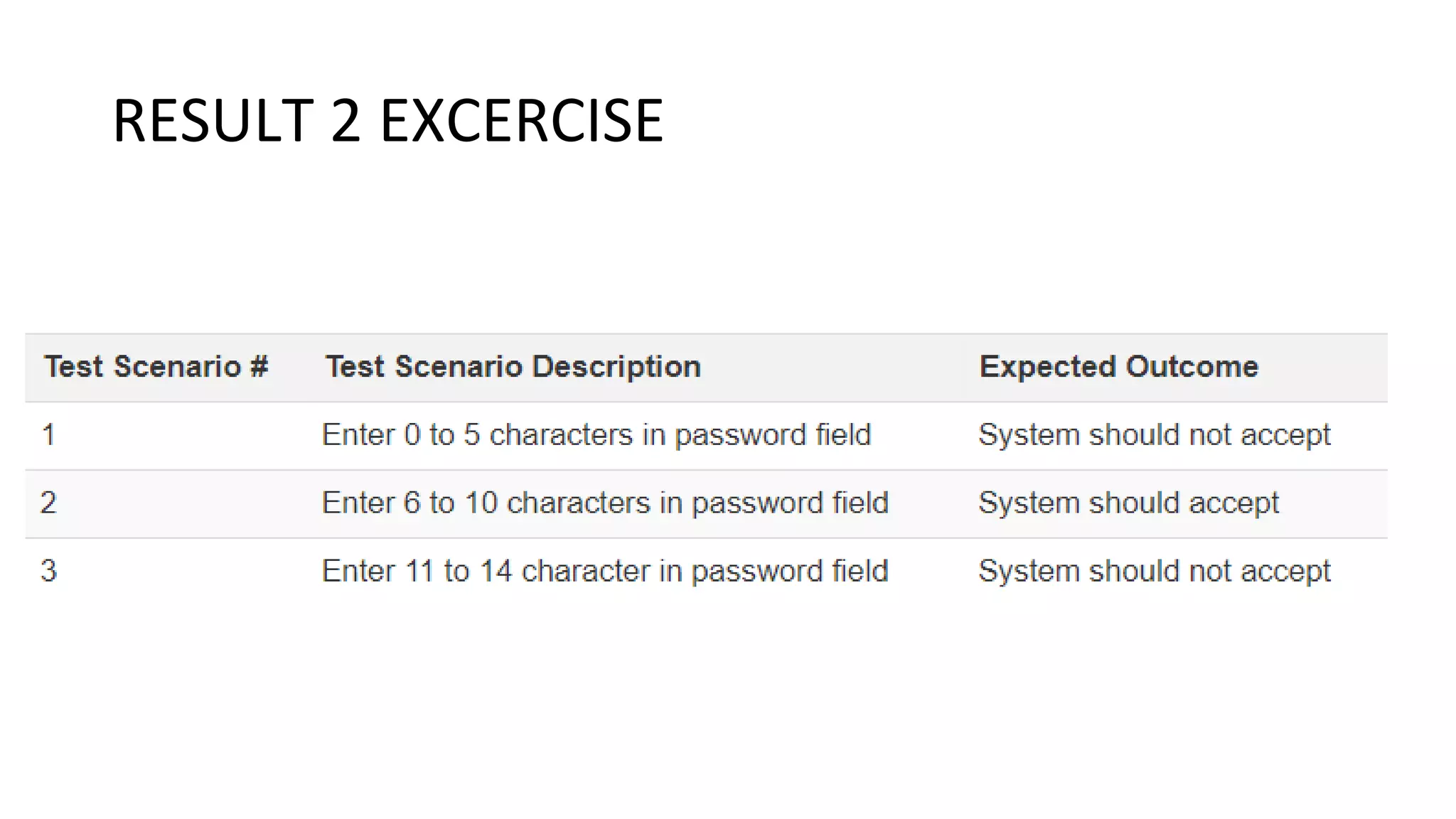
• Suppose a password field accepts minimum 6 characters and
maximum 10 characters
• That means results for values in partitions 0-5, 6-10, 11-14 should be
equivalent
RESULT 2 EXCERCISE
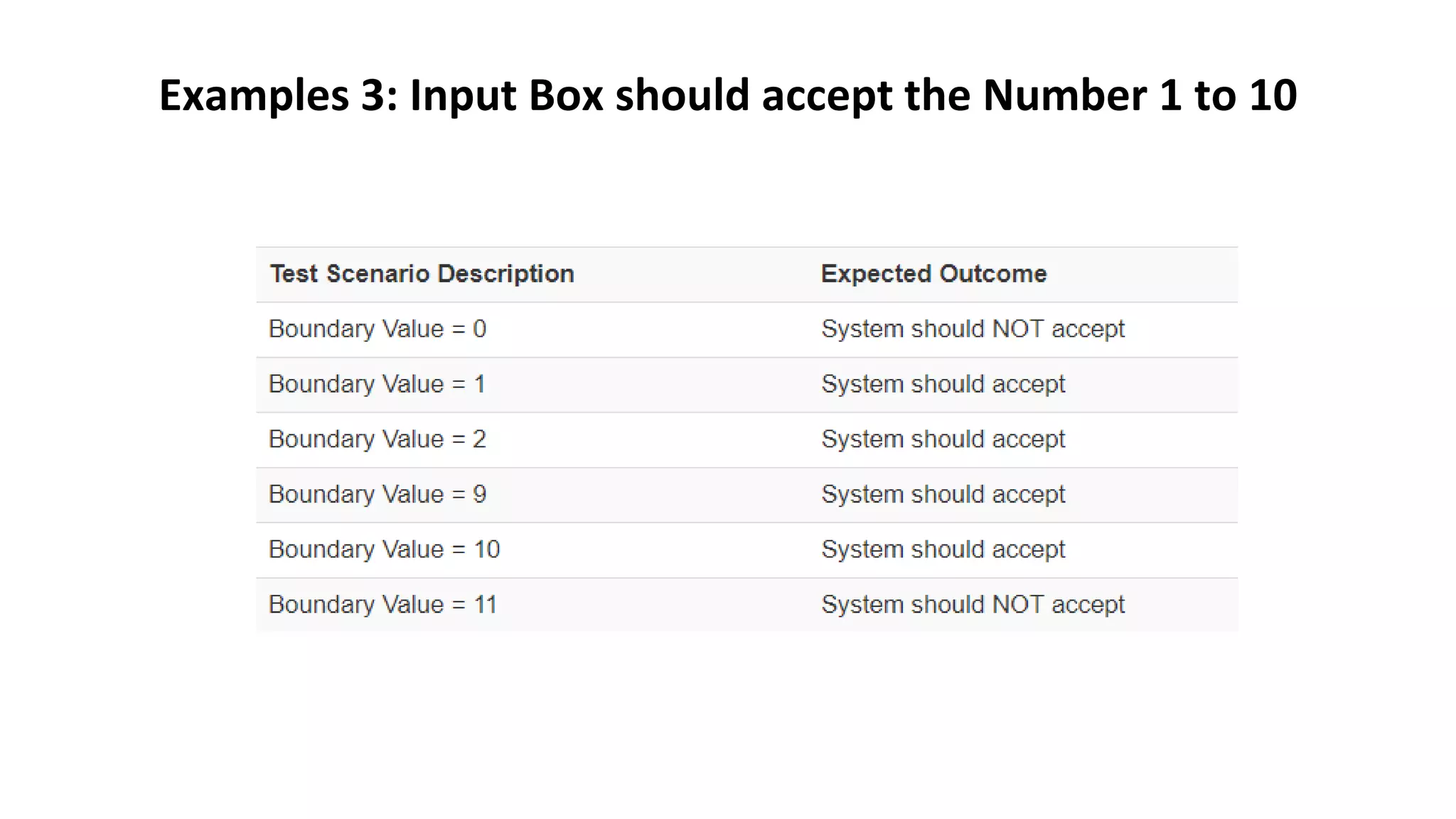
Examples 3: Input Box should accept the Number 1 to 10
1. Example of Equivalence Class Partitioning?
• A text field permits only numeric characters
• Length must be 6-10 characters long
2.Example 2(BVA)
• Suppose you have very important tool at office, accepts valid User Name
and Password field to work on that tool, and accepts minimum 8
characters and maximum 12 characters. Valid range 8-12, Invalid range 7
or less than 7 and Invalid range 13 or more than 13.
3. Example 3
• Test cases for the application whose input box accepts numbers between
1-1000. Valid range 1-1000, Invalid range 0 and Invalid range 1001 or
more.
THANK YOU

Boundary Value Analysis & Equivalence Partitioning with Examples (1) (2).pptx

  • 1.
    Boundary Value Analysis& Equivalence Partitioning with Examples
  • 2.
    What is BoundaryTesting? • Boundary testing is the process of testing between extreme ends or boundaries between partitions of the input values. • extreme ends like Start- End, Lower- Upper, Maximum-Minimum, Just Inside-Just Outside values are called boundary values and the testing is called "boundary testing". • The basic idea in boundary value testing is to select input variable values at their: 1. Minimum 2. Just above the minimum 3. A nominal value 4. Just below the maximum 5. Maximum
  • 4.
    What is EquivalentClass Partitioning? • Equivalent Class Partitioning is a black box technique (code is not visible to tester) which can be applied to all levels of testing like unit, integration, system, etc. In this technique, you divide the set of test condition into a partition that can be considered the same. • It divides the input data of software into different equivalence data classes. • You can apply this technique, where there is a range in input field.
  • 5.
    Example 1: Equivalenceand Boundary Value
  • 7.
    Here is thetest condition • Any Number greater than 10 entered in the reservation column (let say 11) is considered invalid. • Any Number less than 1 that is 0 or below, then it is considered invalid. • Numbers 1 to 10 are considered valid • Any 3 Digit Number say -100 is invalid.
  • 11.
    Example 2: Equivalenceand Boundary Value • Suppose a password field accepts minimum 6 characters and maximum 10 characters • That means results for values in partitions 0-5, 6-10, 11-14 should be equivalent
  • 12.
  • 13.
    Examples 3: InputBox should accept the Number 1 to 10
  • 15.
    1. Example ofEquivalence Class Partitioning? • A text field permits only numeric characters • Length must be 6-10 characters long 2.Example 2(BVA) • Suppose you have very important tool at office, accepts valid User Name and Password field to work on that tool, and accepts minimum 8 characters and maximum 12 characters. Valid range 8-12, Invalid range 7 or less than 7 and Invalid range 13 or more than 13. 3. Example 3 • Test cases for the application whose input box accepts numbers between 1-1000. Valid range 1-1000, Invalid range 0 and Invalid range 1001 or more.
  • 16.