COMPUTER NETWORKS
Prepared by
S.Sabari Giri Murugan
Faculty G2-Grade
KL University
SESSION II
Types of Network Architecture- Peer-to-Peer & Client/Server,
Workgroup Vs. Domain. Network Topologies, Types of
Topologies, Logical and physical topologies, selecting the
Right Topology
TYPES OF NETWORK
ARCHITECTURE
Session 2
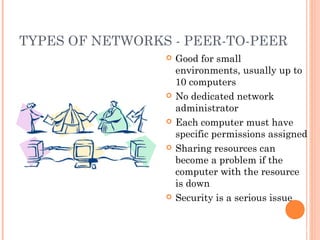
TYPES OF NETWORKS - PEER-TO-PEER
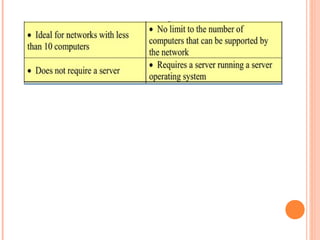
 Good for small
environments, usually up to
10 computers
 No dedicated network
administrator
 Each computer must have
specific permissions assigned
 Sharing resources can
become a problem if the
computer with the resource
is down
 Security is a serious issue
3
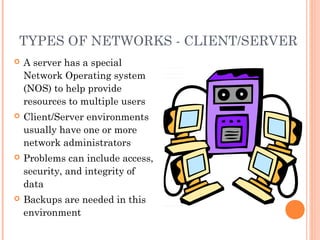
TYPES OF NETWORKS - CLIENT/SERVER
 A server has a special
Network Operating system
(NOS) to help provide
resources to multiple users
 Client/Server environments
usually have one or more
network administrators
 Problems can include access,
security, and integrity of
data
 Backups are needed in this
environment
4
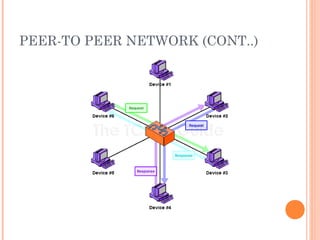
PEER-TO PEER NETWORK (CONT..)
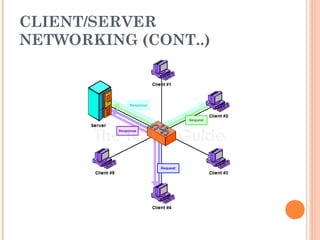
CLIENT/SERVER
NETWORKING (CONT..)
NETWORK TOPOLOGY
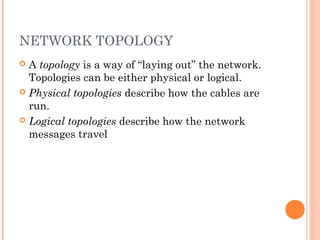
 A topology is a way of “laying out” the network.
Topologies can be either physical or logical.
 Physical topologies describe how the cables are
run.
 Logical topologies describe how the network
messages travel
TOPOLOGY
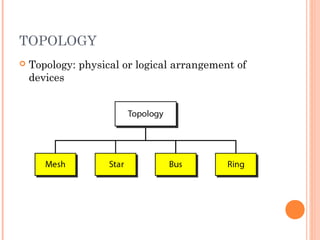
 Topology: physical or logical arrangement of
devices
10
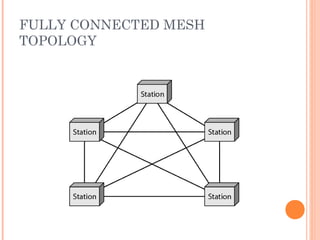
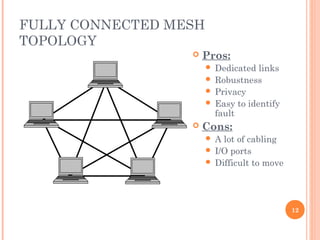
FULLY CONNECTED MESH
TOPOLOGY
11
FULLY CONNECTED MESH
TOPOLOGY
12
 Pros:
 Dedicated links
 Robustness
 Privacy
 Easy to identify
fault
 Cons:
 A lot of cabling
 I/O ports
 Difficult to move
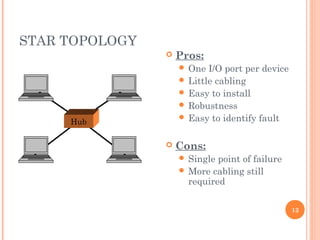
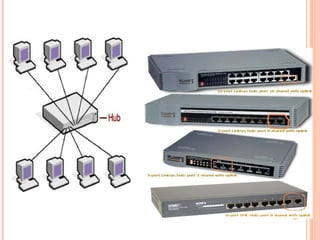
STAR TOPOLOGY
13
 Pros:
 One I/O port per device
 Little cabling
 Easy to install
 Robustness
 Easy to identify fault
 Cons:
 Single point of failure
 More cabling still
required
Hub
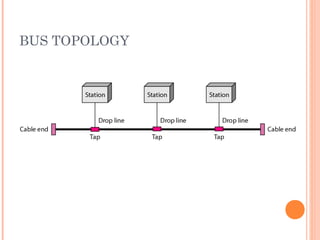
BUS TOPOLOGY
15
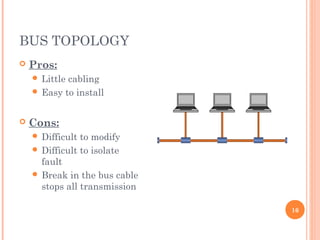
BUS TOPOLOGY
16
 Pros:
 Little cabling
 Easy to install
 Cons:
 Difficult to modify
 Difficult to isolate
fault
 Break in the bus cable
stops all transmission
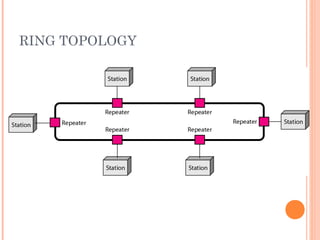
RING TOPOLOGY
17
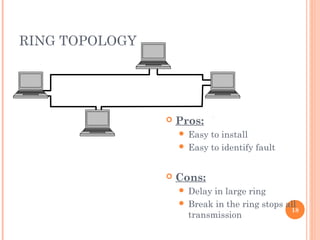
RING TOPOLOGY
18
 Pros:
 Easy to install
 Easy to identify fault
 Cons:
 Delay in large ring
 Break in the ring stops all
transmission
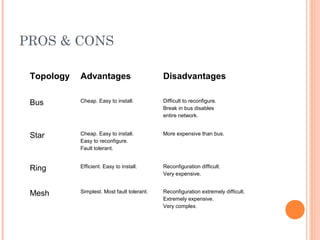
PROS & CONS
Topology Advantages Disadvantages
Bus Cheap. Easy to install. Difficult to reconfigure.
Break in bus disables
entire network.
Star Cheap. Easy to install.
Easy to reconfigure.
Fault tolerant.
More expensive than bus.
Ring Efficient. Easy to install. Reconfiguration difficult.
Very expensive.
Mesh Simplest. Most fault tolerant. Reconfiguration extremely difficult.
Extremely expensive.
Very complex.
NETWORKING MODELS
 Two networking models:
 Workgroup
 Domain
20
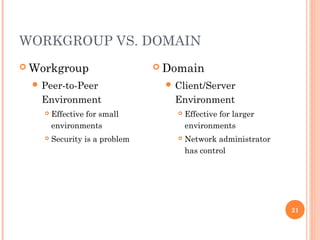
WORKGROUP VS. DOMAIN
21
 Workgroup
 Peer-to-Peer
Environment
 Effective for small
environments
 Security is a problem
 Domain
 Client/Server
Environment
 Effective for larger
environments
 Network administrator
has control
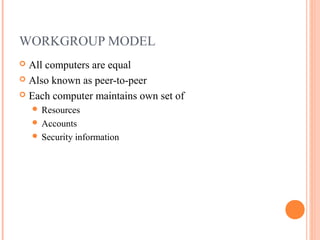
WORKGROUP MODEL
 All computers are equal
 Also known as peer-to-peer
 Each computer maintains own set of
 Resources
 Accounts
 Security information
22
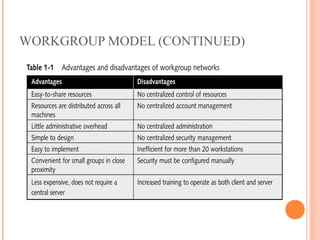
WORKGROUP MODEL (CONTINUED)
23
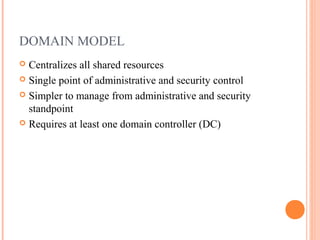
DOMAIN MODEL
 Centralizes all shared resources
 Single point of administrative and security control
 Simpler to manage from administrative and security
standpoint
 Requires at least one domain controller (DC)
24
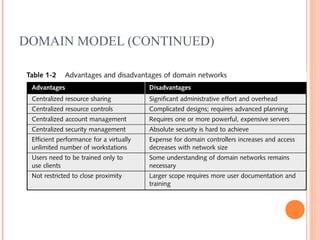
DOMAIN MODEL (CONTINUED)
25
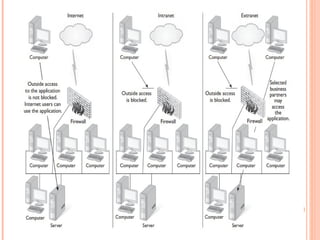
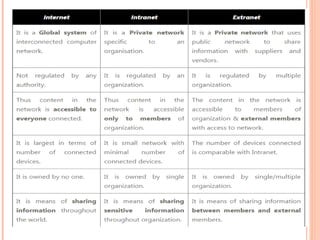
INTRANET, INTERNET &EXTRANET
Types of Network Architecture

Types of Network Architecture

  • 1.
    COMPUTER NETWORKS Prepared by S.SabariGiri Murugan Faculty G2-Grade KL University SESSION II Types of Network Architecture- Peer-to-Peer & Client/Server, Workgroup Vs. Domain. Network Topologies, Types of Topologies, Logical and physical topologies, selecting the Right Topology
  • 2.
  • 3.
    TYPES OF NETWORKS- PEER-TO-PEER  Good for small environments, usually up to 10 computers  No dedicated network administrator  Each computer must have specific permissions assigned  Sharing resources can become a problem if the computer with the resource is down  Security is a serious issue 3
  • 4.
    TYPES OF NETWORKS- CLIENT/SERVER  A server has a special Network Operating system (NOS) to help provide resources to multiple users  Client/Server environments usually have one or more network administrators  Problems can include access, security, and integrity of data  Backups are needed in this environment 4
  • 5.
  • 6.
  • 9.
    NETWORK TOPOLOGY  Atopology is a way of “laying out” the network. Topologies can be either physical or logical.  Physical topologies describe how the cables are run.  Logical topologies describe how the network messages travel
  • 10.
    TOPOLOGY  Topology: physicalor logical arrangement of devices 10
  • 11.
  • 12.
    FULLY CONNECTED MESH TOPOLOGY 12 Pros:  Dedicated links  Robustness  Privacy  Easy to identify fault  Cons:  A lot of cabling  I/O ports  Difficult to move
  • 13.
    STAR TOPOLOGY 13  Pros: One I/O port per device  Little cabling  Easy to install  Robustness  Easy to identify fault  Cons:  Single point of failure  More cabling still required Hub
  • 15.
  • 16.
    BUS TOPOLOGY 16  Pros: Little cabling  Easy to install  Cons:  Difficult to modify  Difficult to isolate fault  Break in the bus cable stops all transmission
  • 17.
  • 18.
    RING TOPOLOGY 18  Pros: Easy to install  Easy to identify fault  Cons:  Delay in large ring  Break in the ring stops all transmission
  • 19.
    PROS & CONS TopologyAdvantages Disadvantages Bus Cheap. Easy to install. Difficult to reconfigure. Break in bus disables entire network. Star Cheap. Easy to install. Easy to reconfigure. Fault tolerant. More expensive than bus. Ring Efficient. Easy to install. Reconfiguration difficult. Very expensive. Mesh Simplest. Most fault tolerant. Reconfiguration extremely difficult. Extremely expensive. Very complex.
  • 20.
    NETWORKING MODELS  Twonetworking models:  Workgroup  Domain 20
  • 21.
    WORKGROUP VS. DOMAIN 21 Workgroup  Peer-to-Peer Environment  Effective for small environments  Security is a problem  Domain  Client/Server Environment  Effective for larger environments  Network administrator has control
  • 22.
    WORKGROUP MODEL  Allcomputers are equal  Also known as peer-to-peer  Each computer maintains own set of  Resources  Accounts  Security information 22
  • 23.
  • 24.
    DOMAIN MODEL  Centralizesall shared resources  Single point of administrative and security control  Simpler to manage from administrative and security standpoint  Requires at least one domain controller (DC) 24
  • 25.
  • 26.