Use of XSLT Formats in
Creation, Maintenance and
 Optimization of Web Site
        Templates

          Jay Mercer
     IU Communications
      Indiana University
       mercerjd@iu.edu
Template Formats?
   What are template formats?
   Where do I find them?
   When should I use them?
   How do I use them?
   Caveats
   Show me some examples!
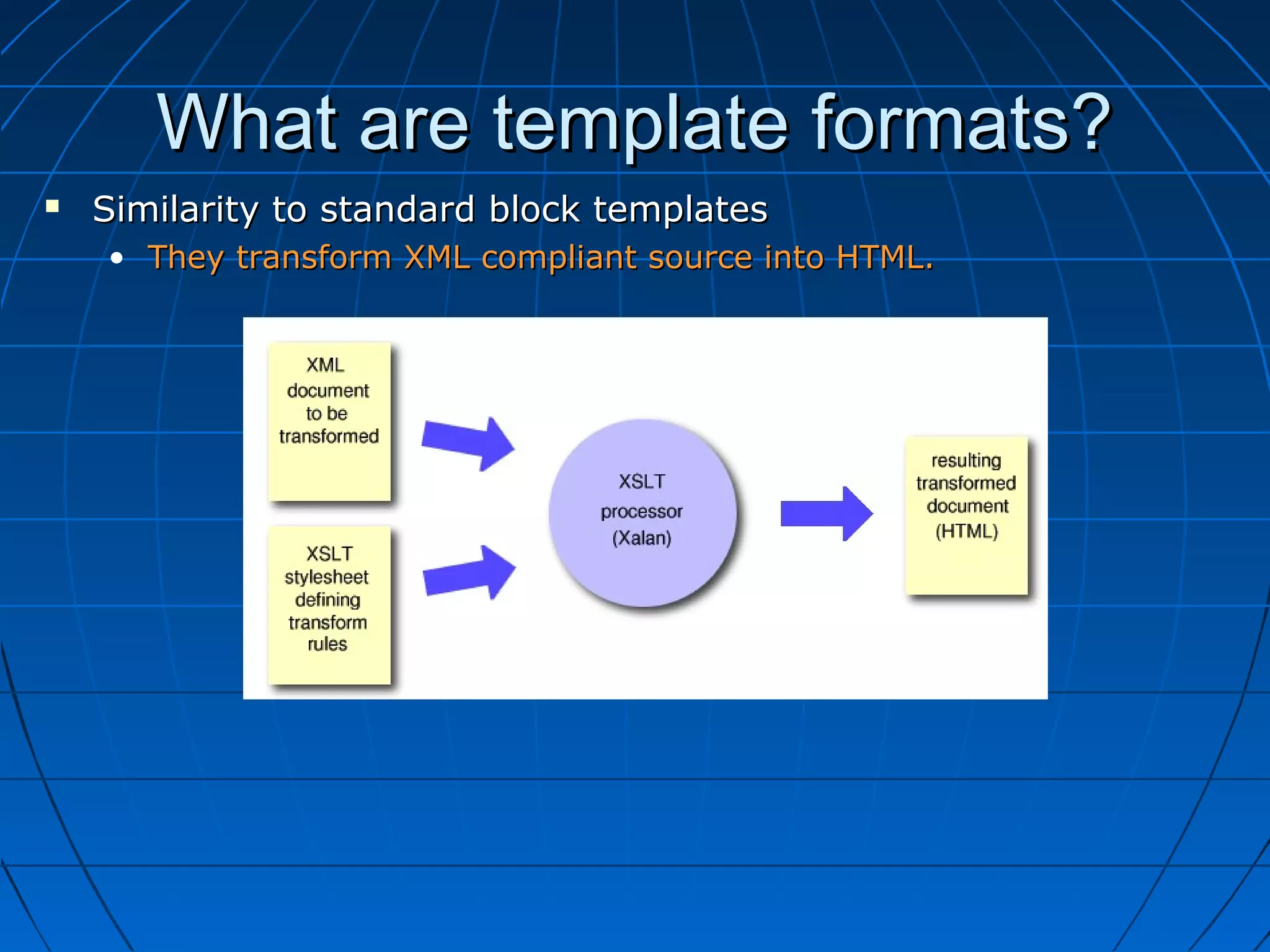
What are template formats?
   Similarity to standard block templates
    • They transform XML compliant source into HTML.
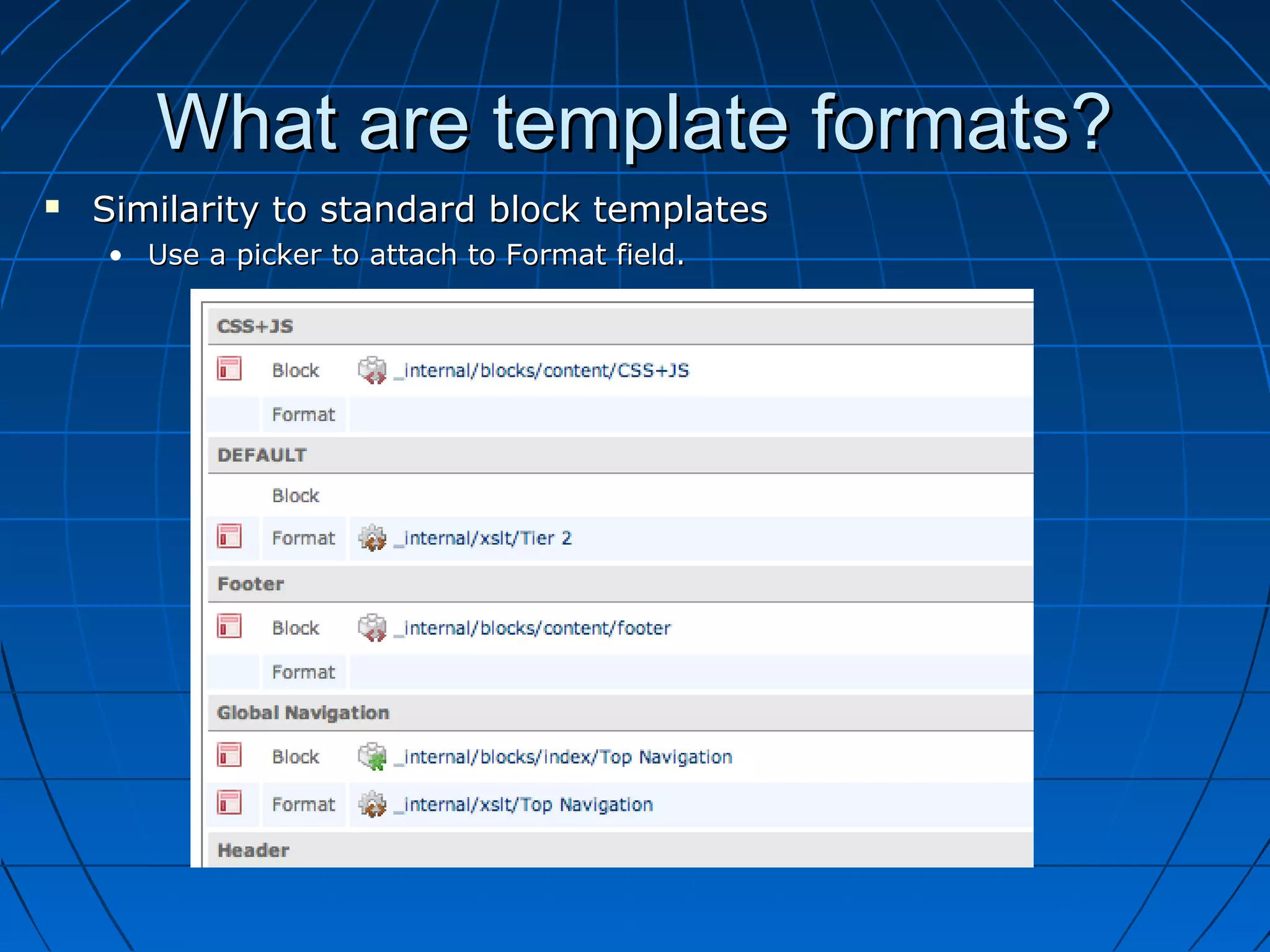
What are template formats?
   Similarity to standard block templates
    • Use a picker to attach to Format field.
What are template formats?
   Difference from standard block templates
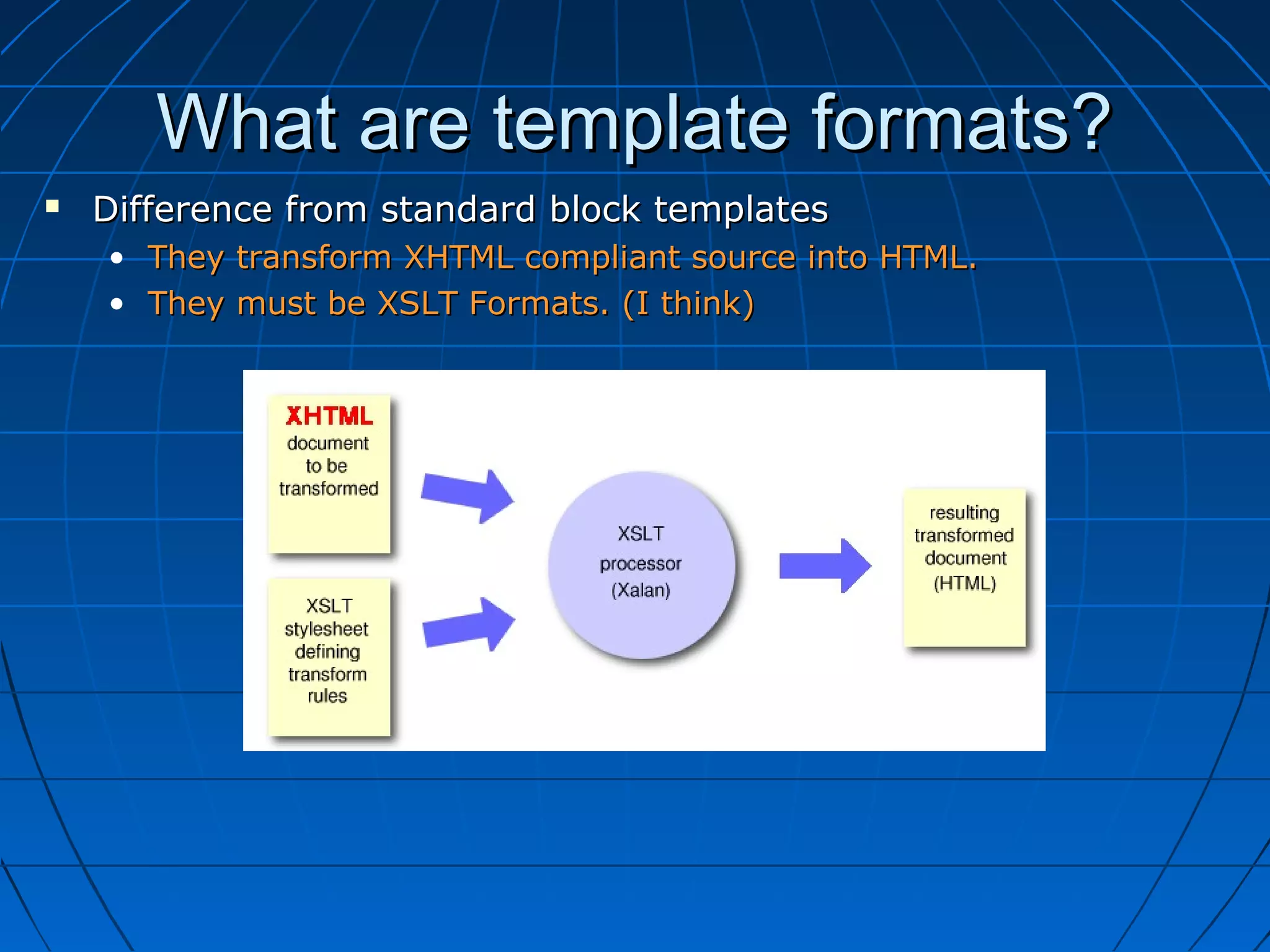
    • They transform XHTML compliant source into HTML.
    • They must be XSLT Formats. (I think)
What are template formats?
   Difference from standard block templates
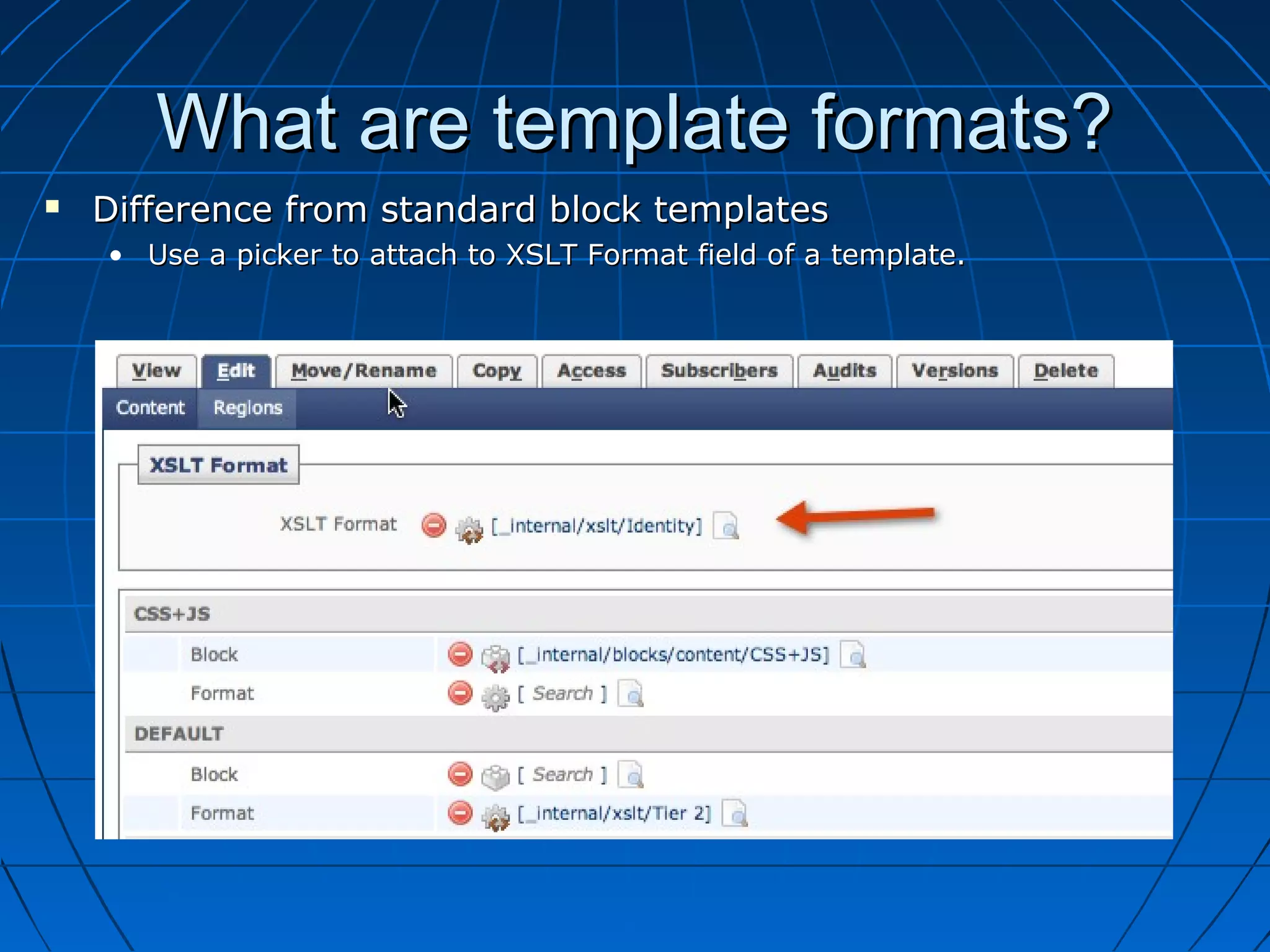
    • Use a picker to attach to XSLT Format field of a template.
What are template formats?
   Template formats are XSLT Formats that are applied to a
    template.
    •   They transform the entire assembled template content.
    •   Region blocks are rendered first.
    •   Are used to manipulate XHTML.
    •   They transform XHTML into XHTML
    •   “Post-processing.”
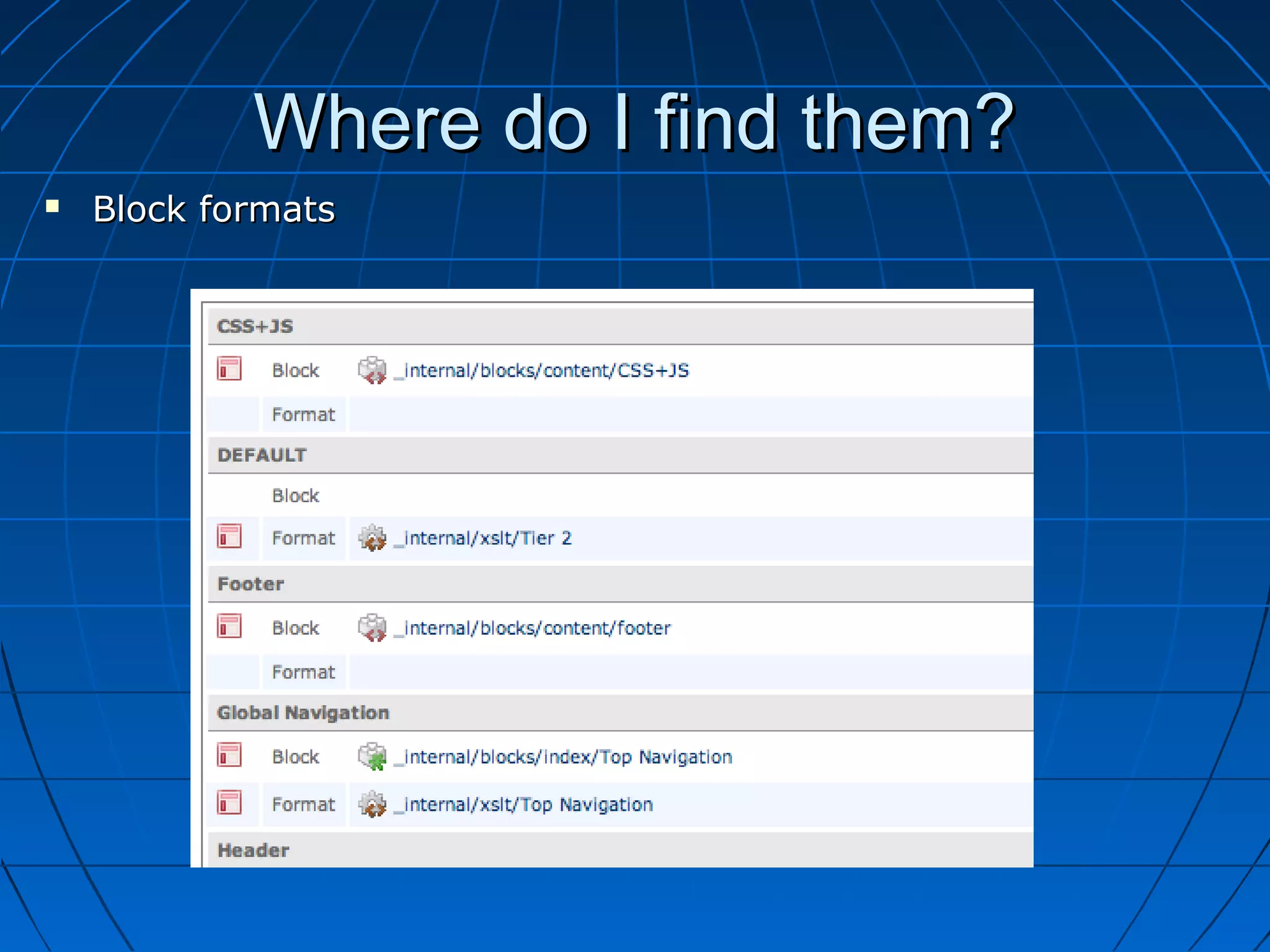
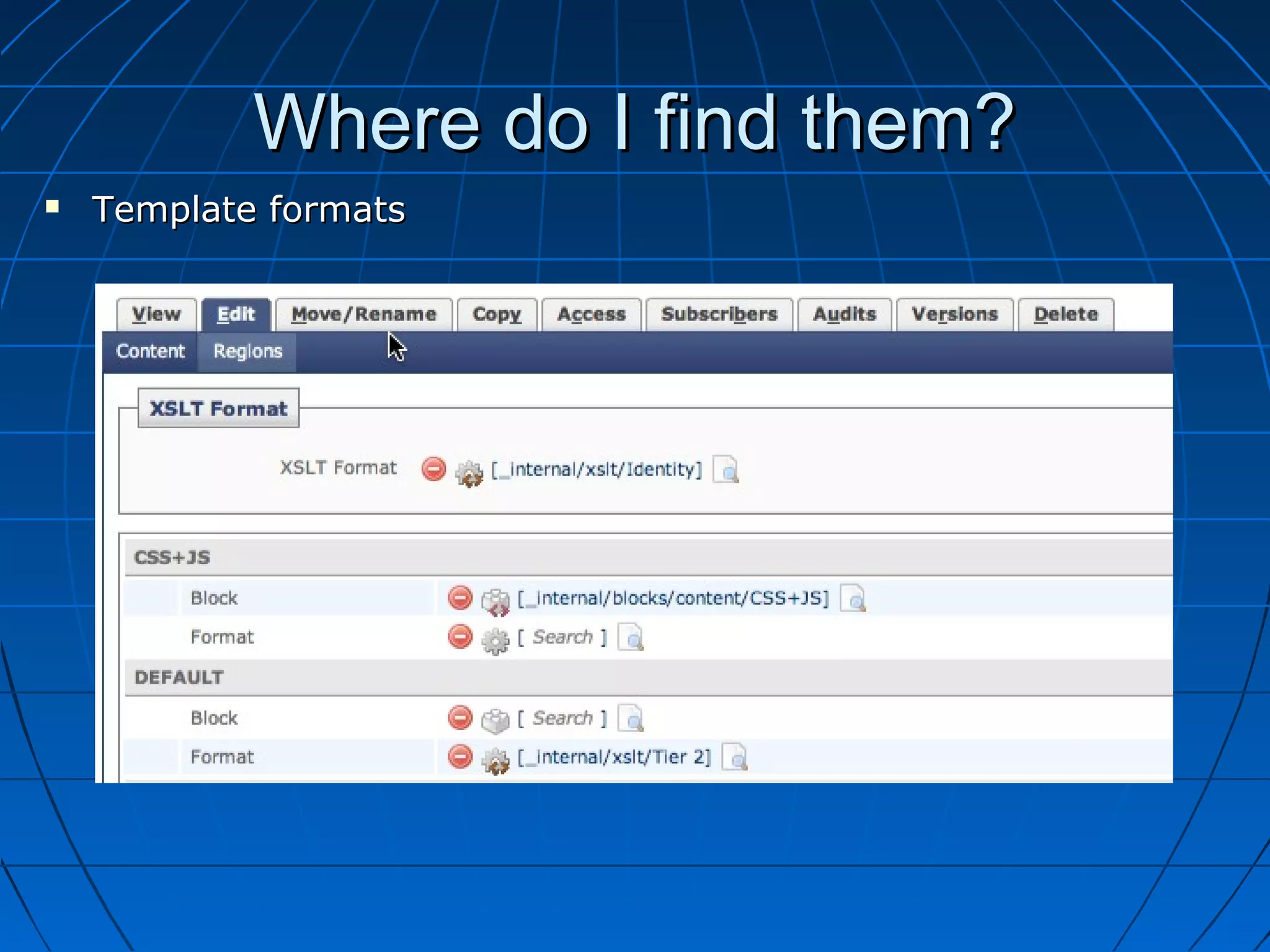
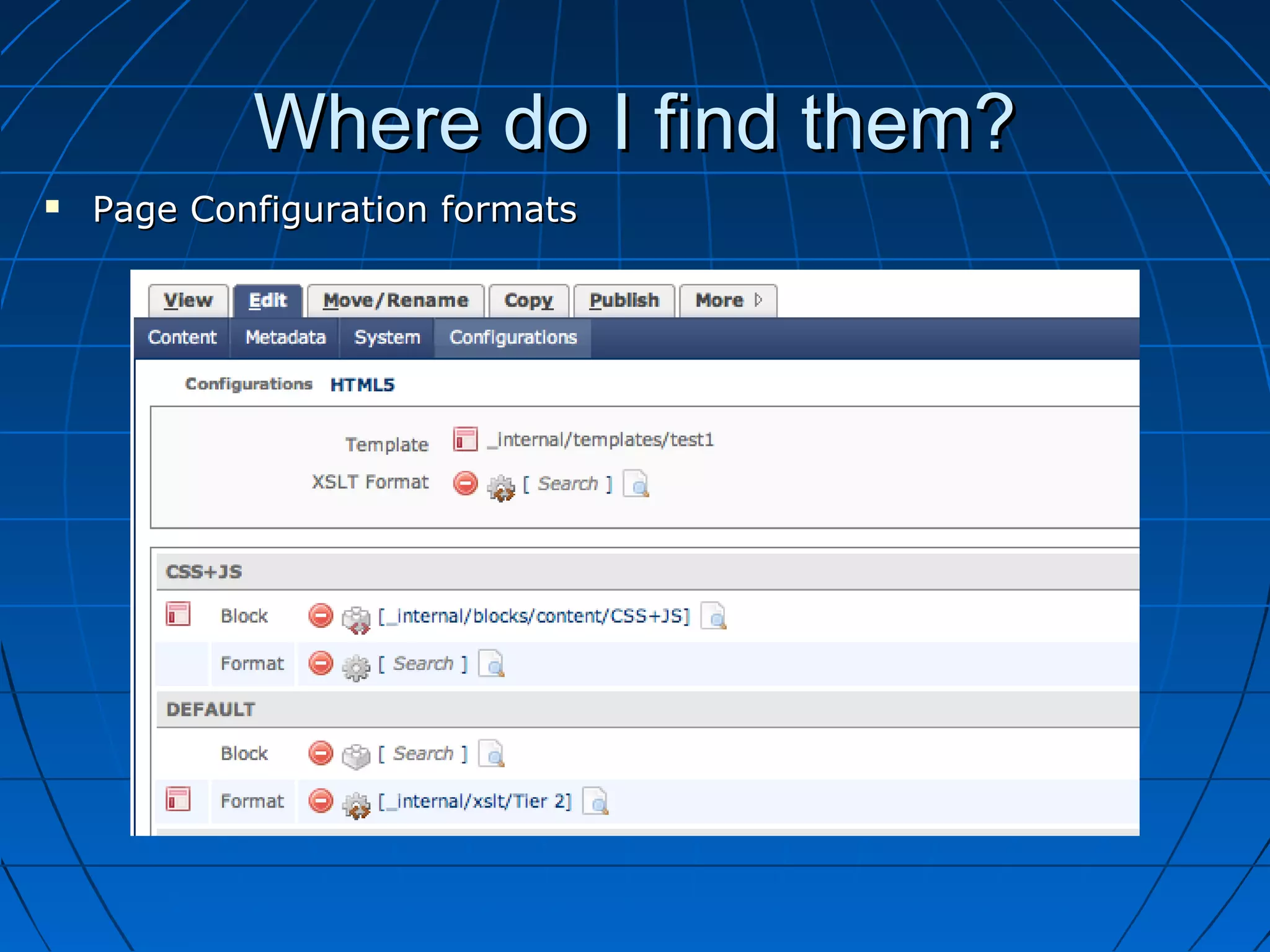
Where do I find them?
   Formats can be applied in 3 places.
    •   Blocks
    •   Templates
    •   Page Configurations
Where do I find them?
   Block formats
Where do I find them?
   Template formats
Where do I find them?
   Page Configuration formats
When should I use them?
   Always.
   Modify page elements that exist outside the main content area
    from within the DEFAULT system region format.
   Move page elements from one position to another.
   Modularize code for reusability.
   Implement “on-demand” javascript.
   Give end-user greater control.
   Generate multiple page elements from single block.
   Quickly create a new website from existing website.
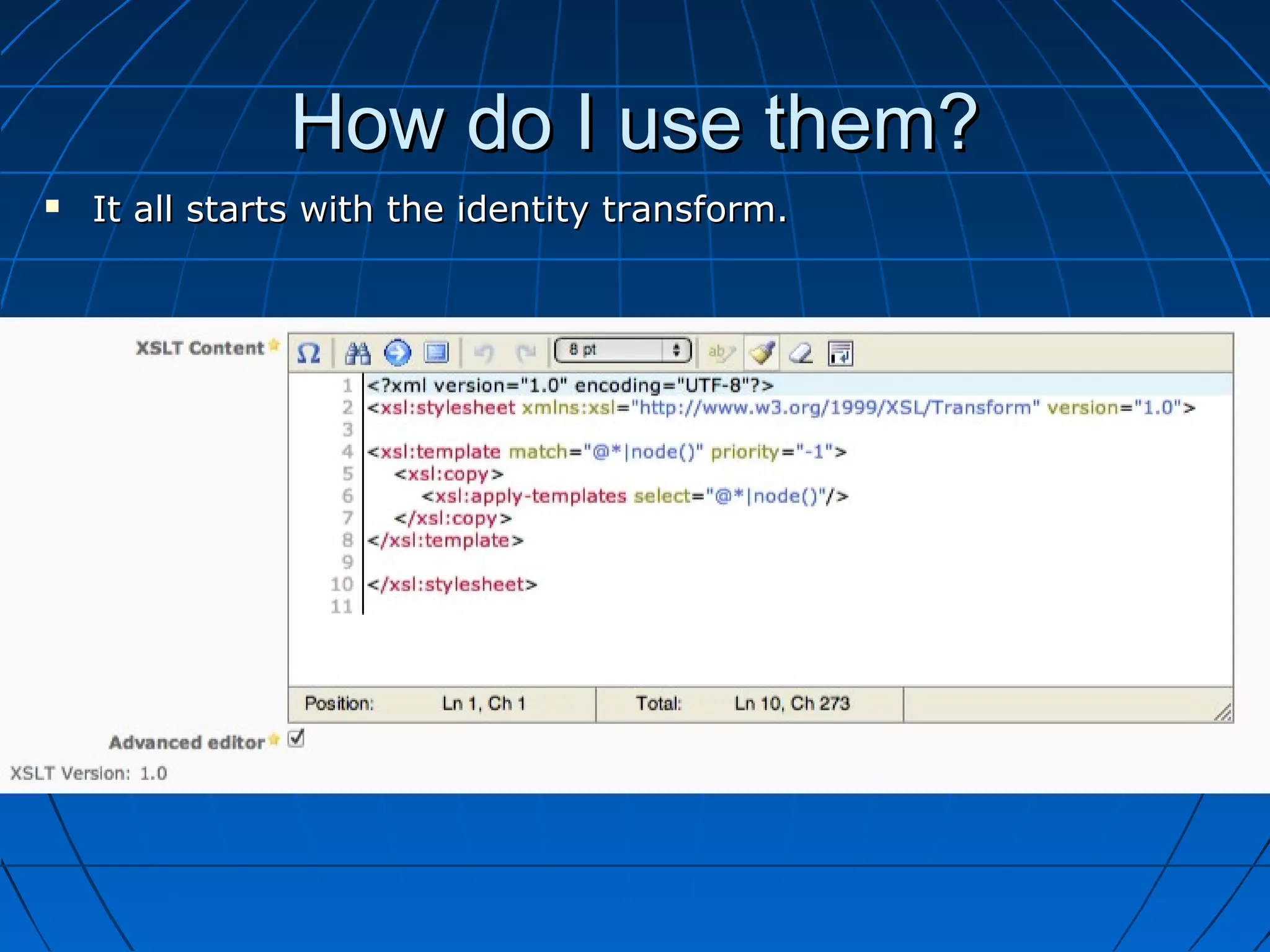
How do I use them?
   It all starts with the identity transform.
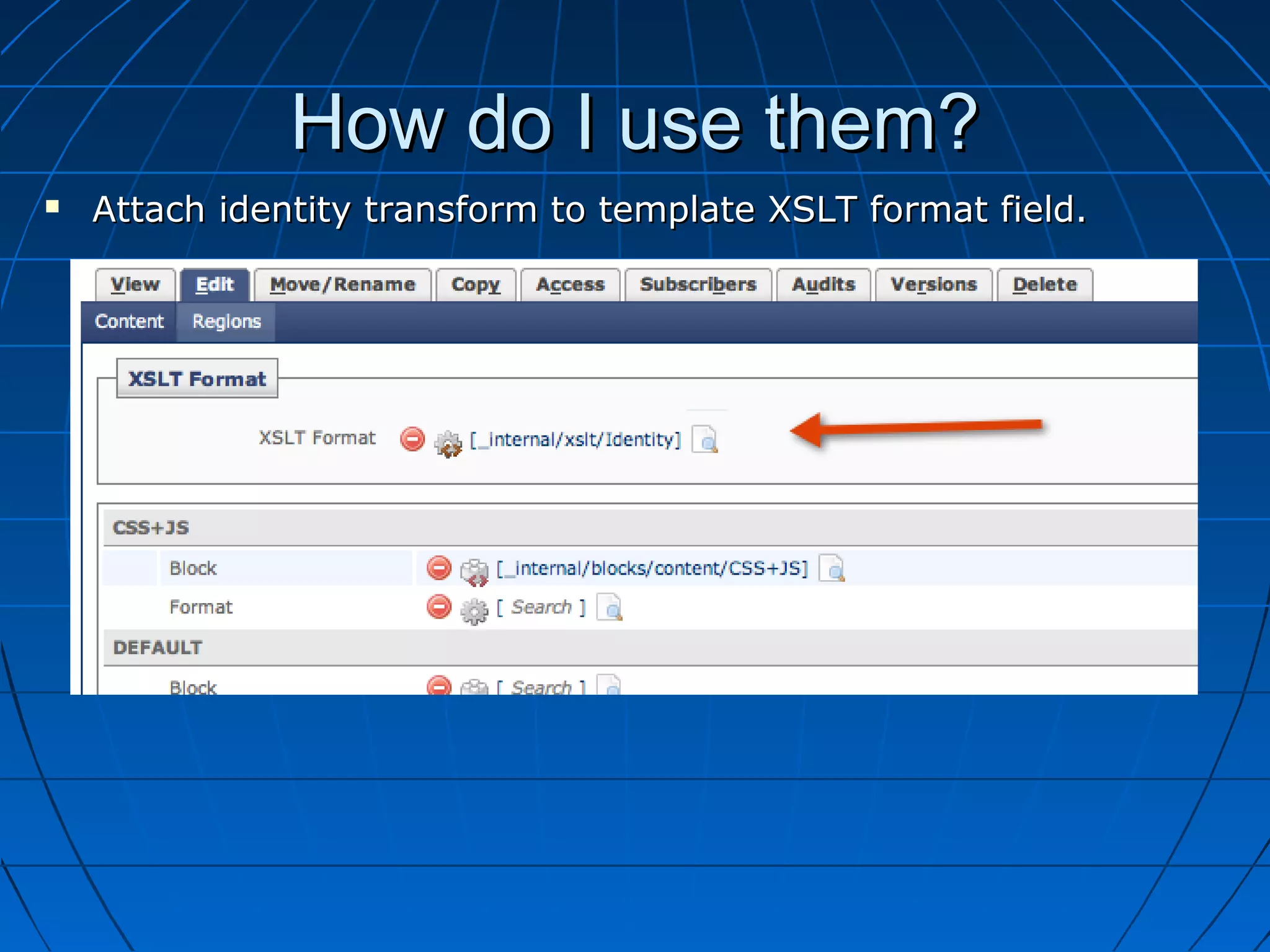
How do I use them?
   Attach identity transform to template XSLT format field.
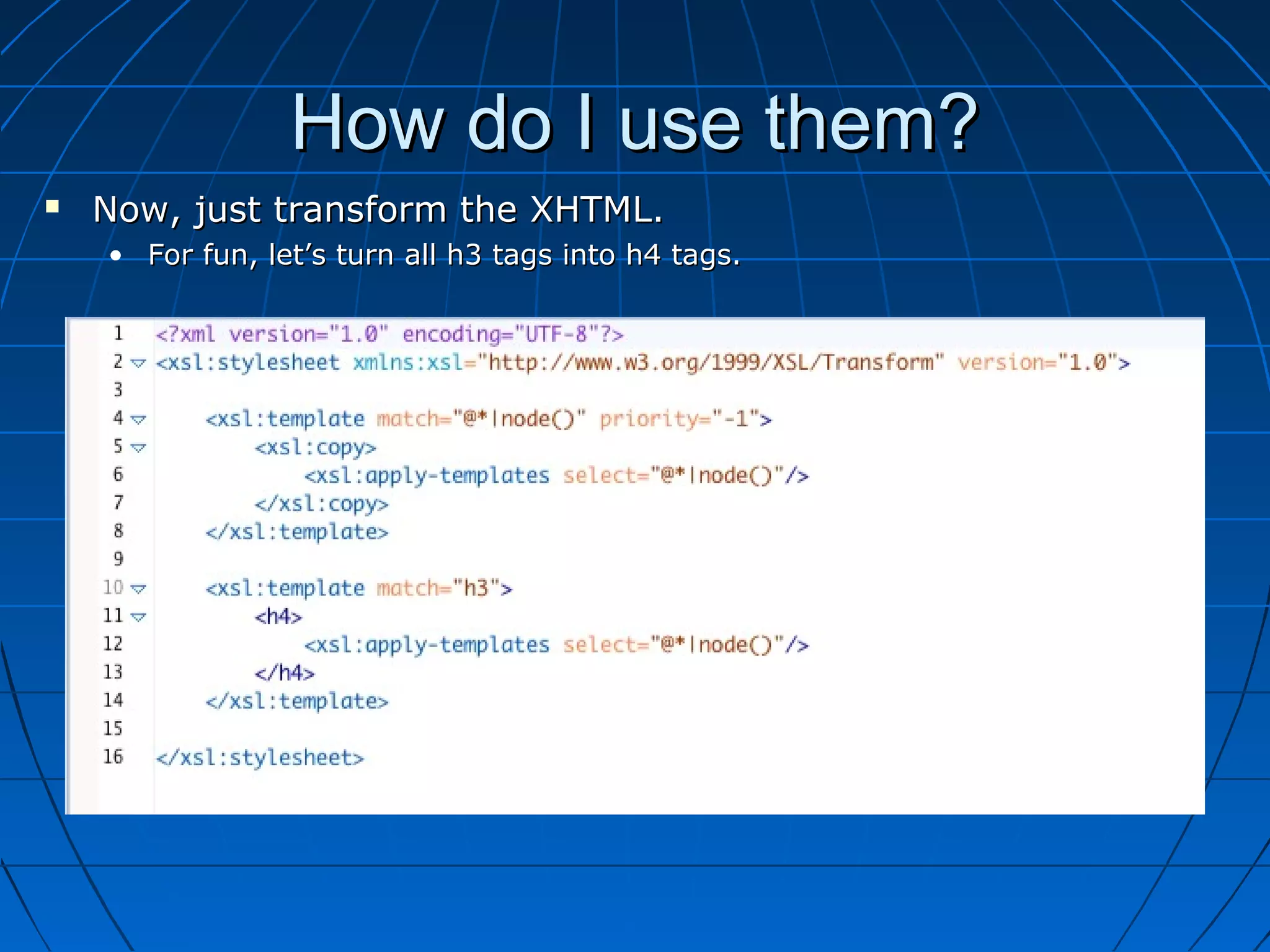
How do I use them?
   Now, just transform the XHTML.
    • For fun, let’s turn all h3 tags into h4 tags.
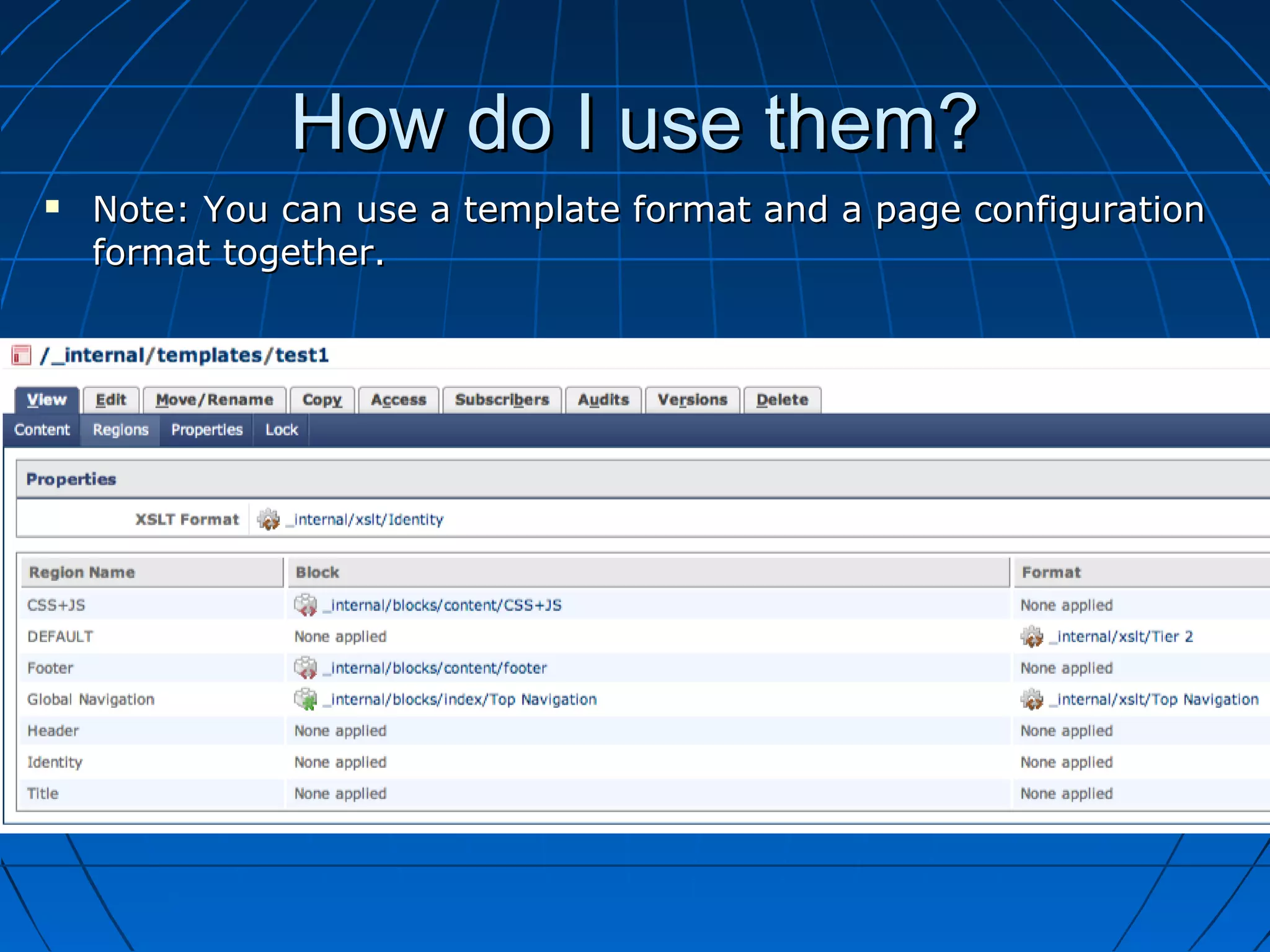
How do I use them?
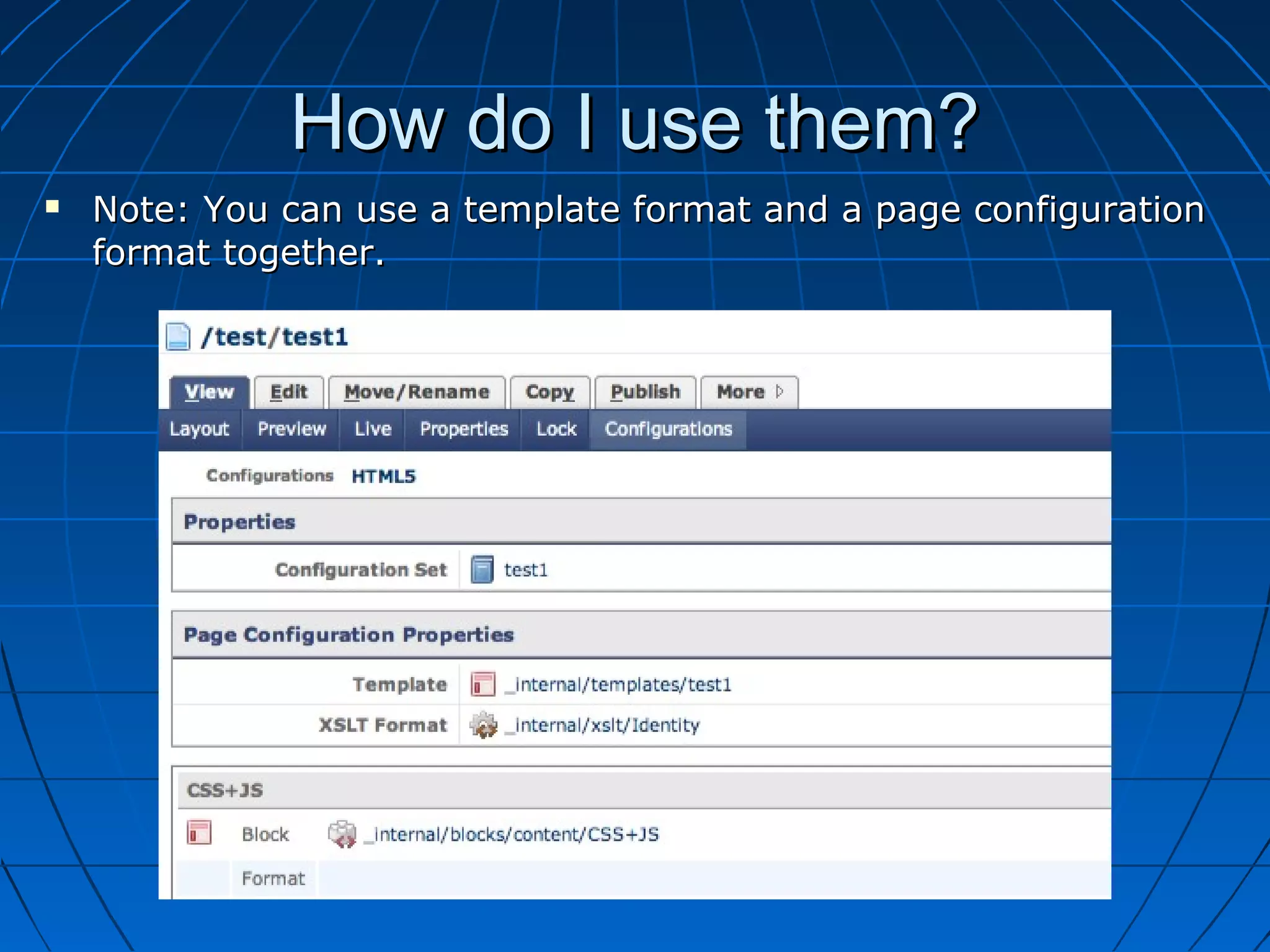
   Note: You can use a template format and a page configuration
    format together.
How do I use them?
   Note: You can use a template format and a page configuration
    format together.
How do I use them?
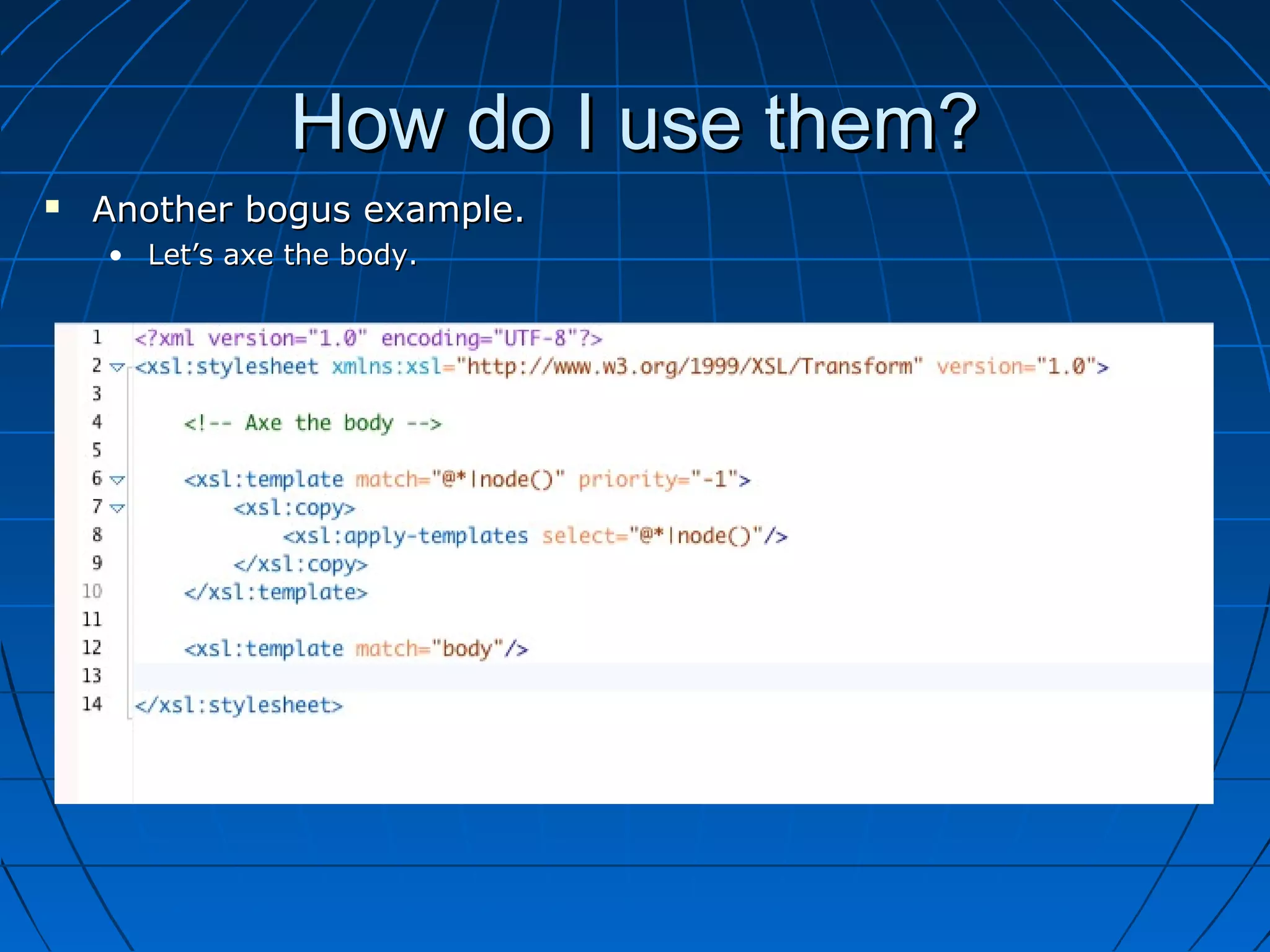
   Another bogus example.
    • Let’s axe the body.
Caveats
   DOCTYPE
    • A template format WILL remove the DOCTYPE from the output.

   Namespacing
    • If namespace on the html element is used, special xpath syntax is needed.
Caveats
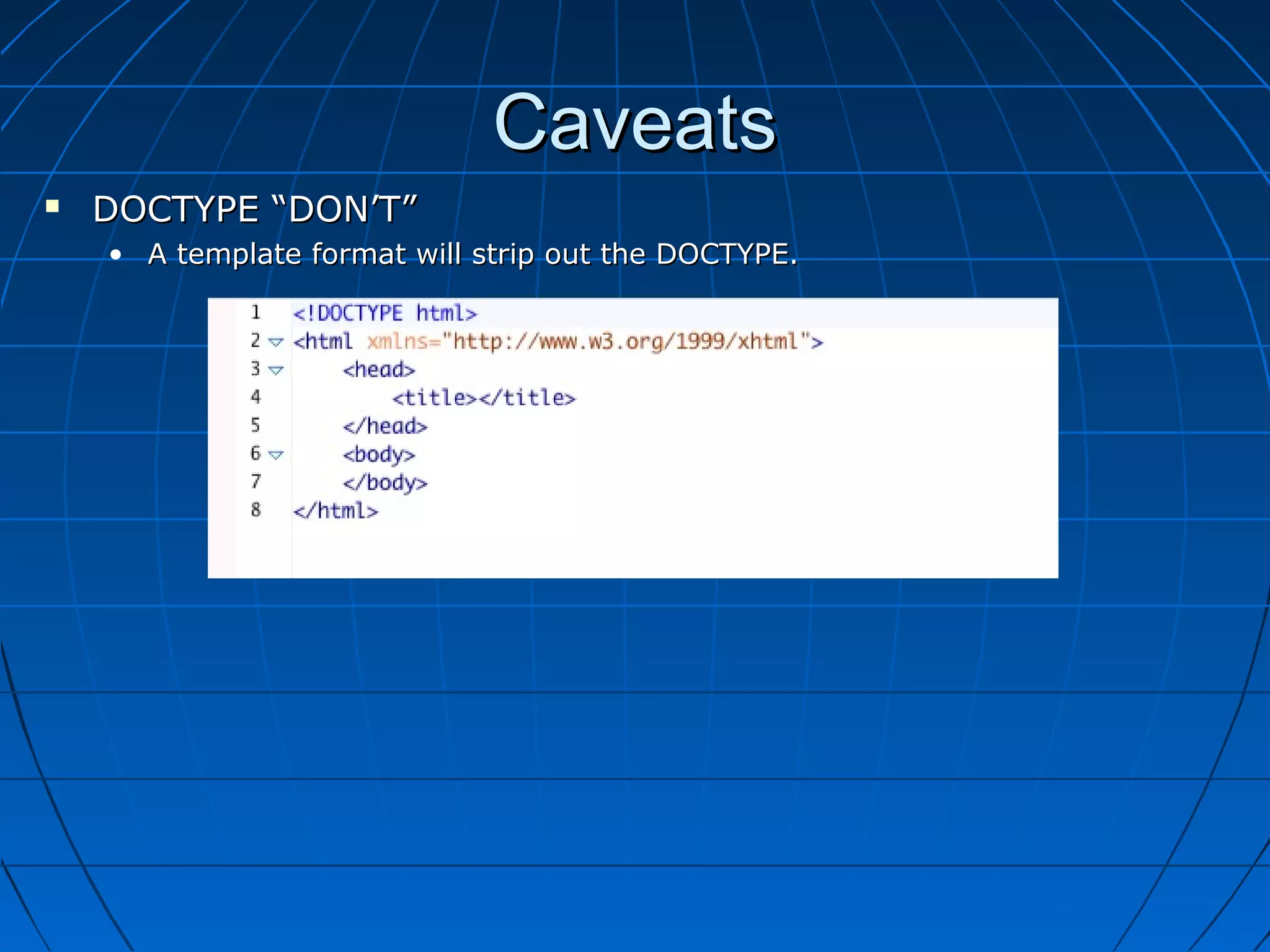
   DOCTYPE “DON’T”
    • A template format will strip out the DOCTYPE.
Caveats
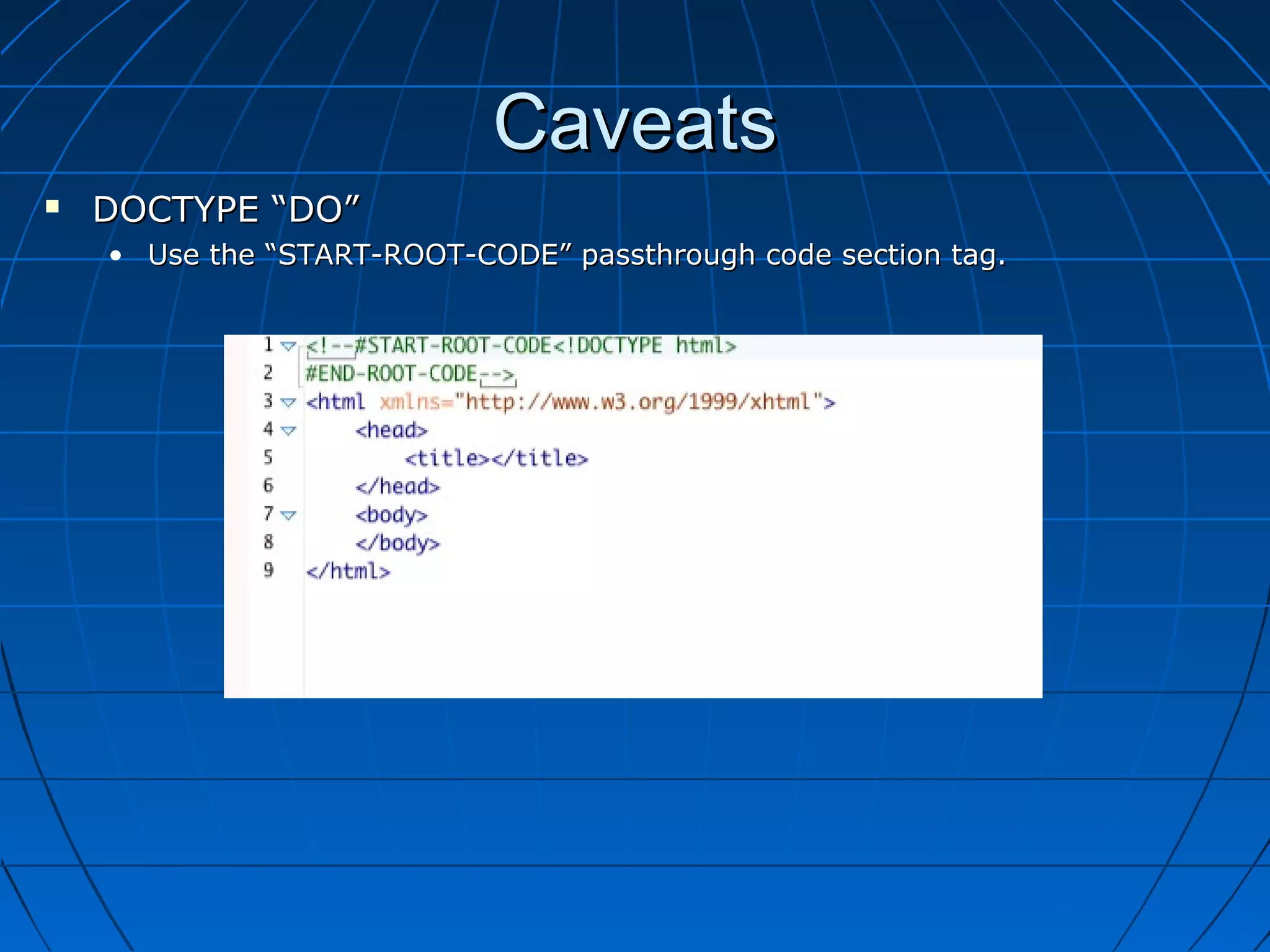
   DOCTYPE “DO”
    • Use the “START-ROOT-CODE” passthrough code section tag.
Caveats
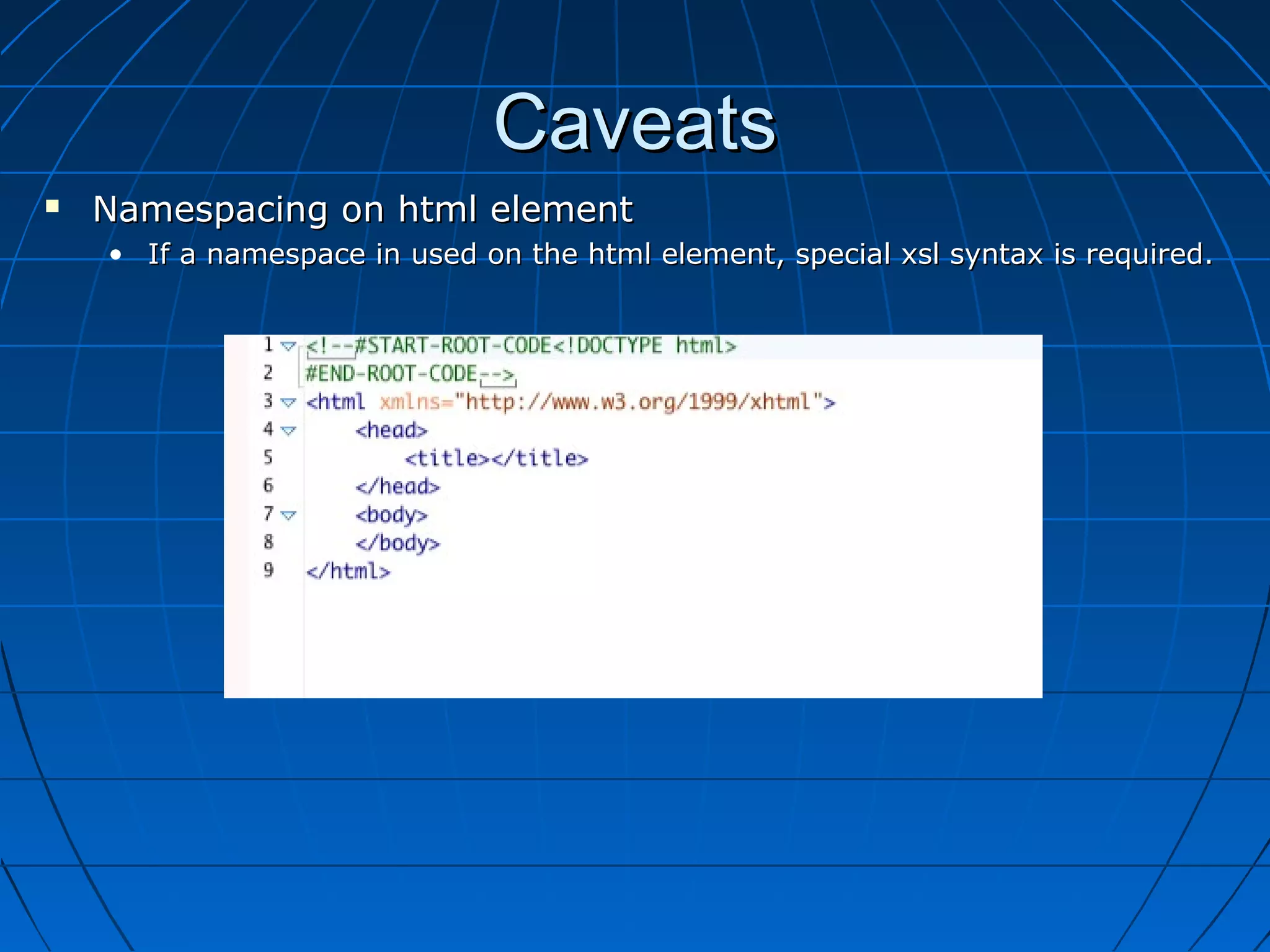
   Namespacing on html element
    • If a namespace in used on the html element, special xsl syntax is required.
Caveats
   Namespacing on html element
    • If a namespace in used on the html element, special xsl syntax is required.

Method 1: Use node()[name()=‘body’] syntax
Caveats
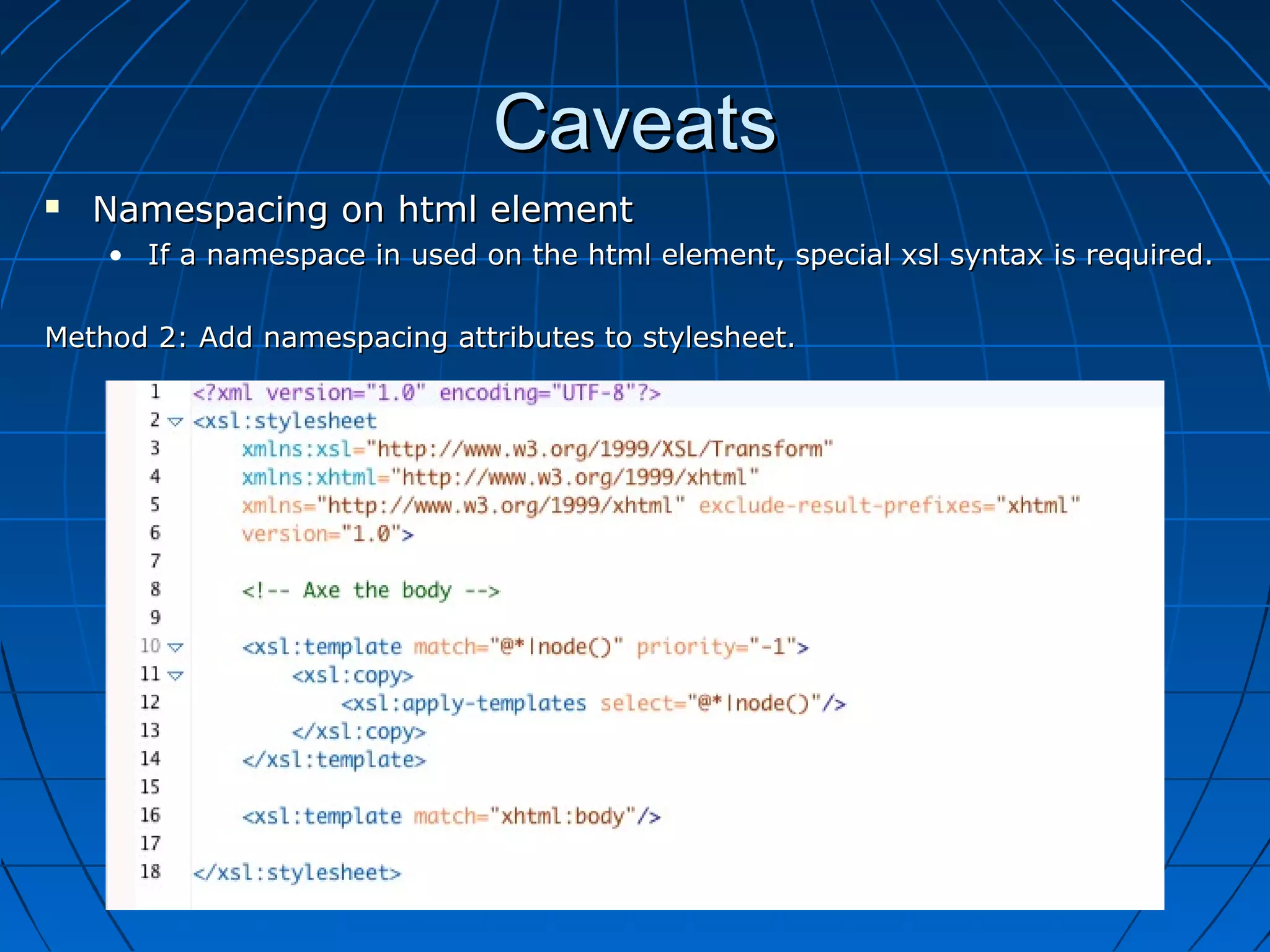
   Namespacing on html element
    • If a namespace in used on the html element, special xsl syntax is required.

Method 2: Add namespacing attributes to stylesheet.
Example
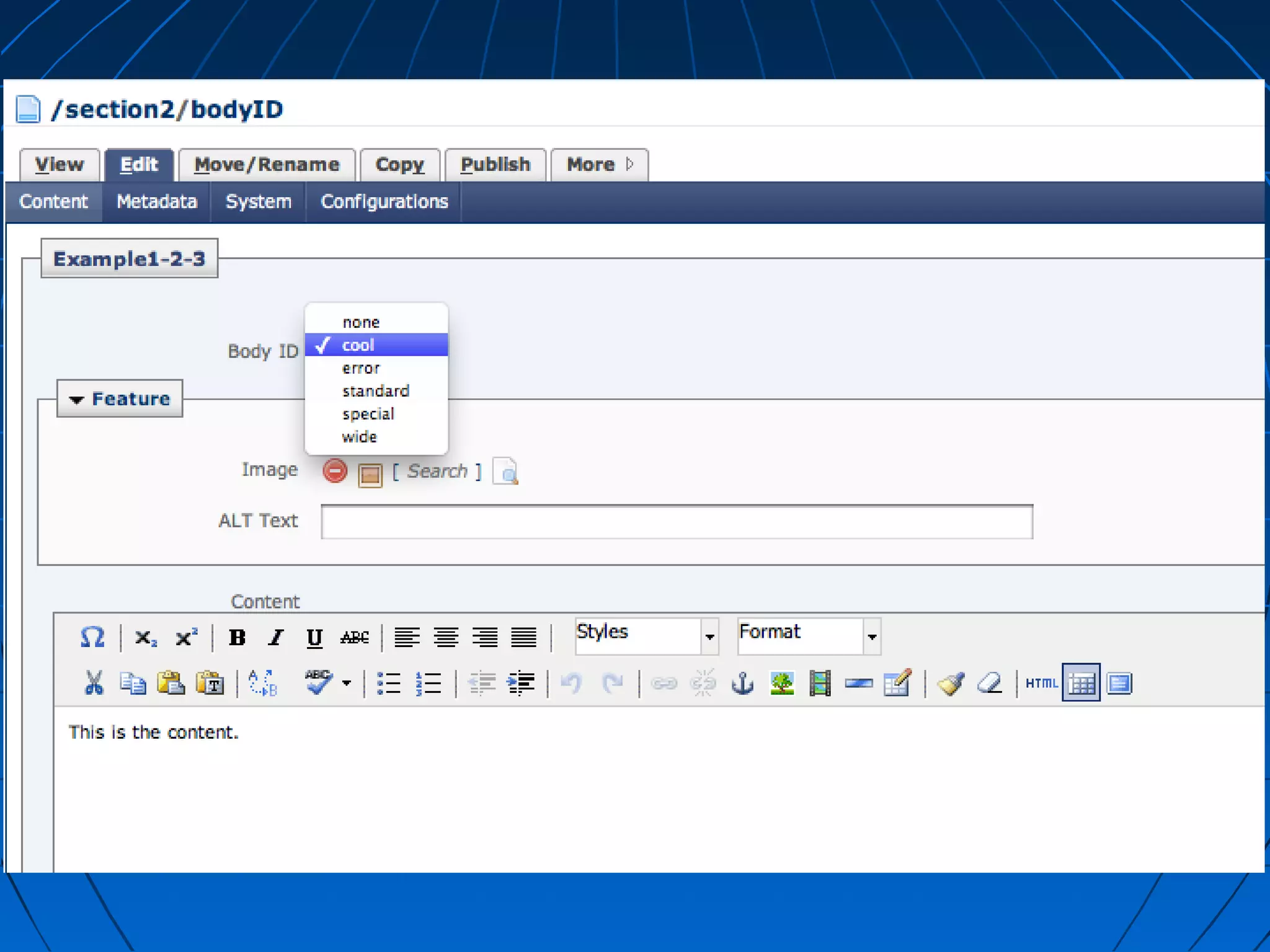
   Changing body id based on data definition.
Example
   Changing body id based on data definition.
Example
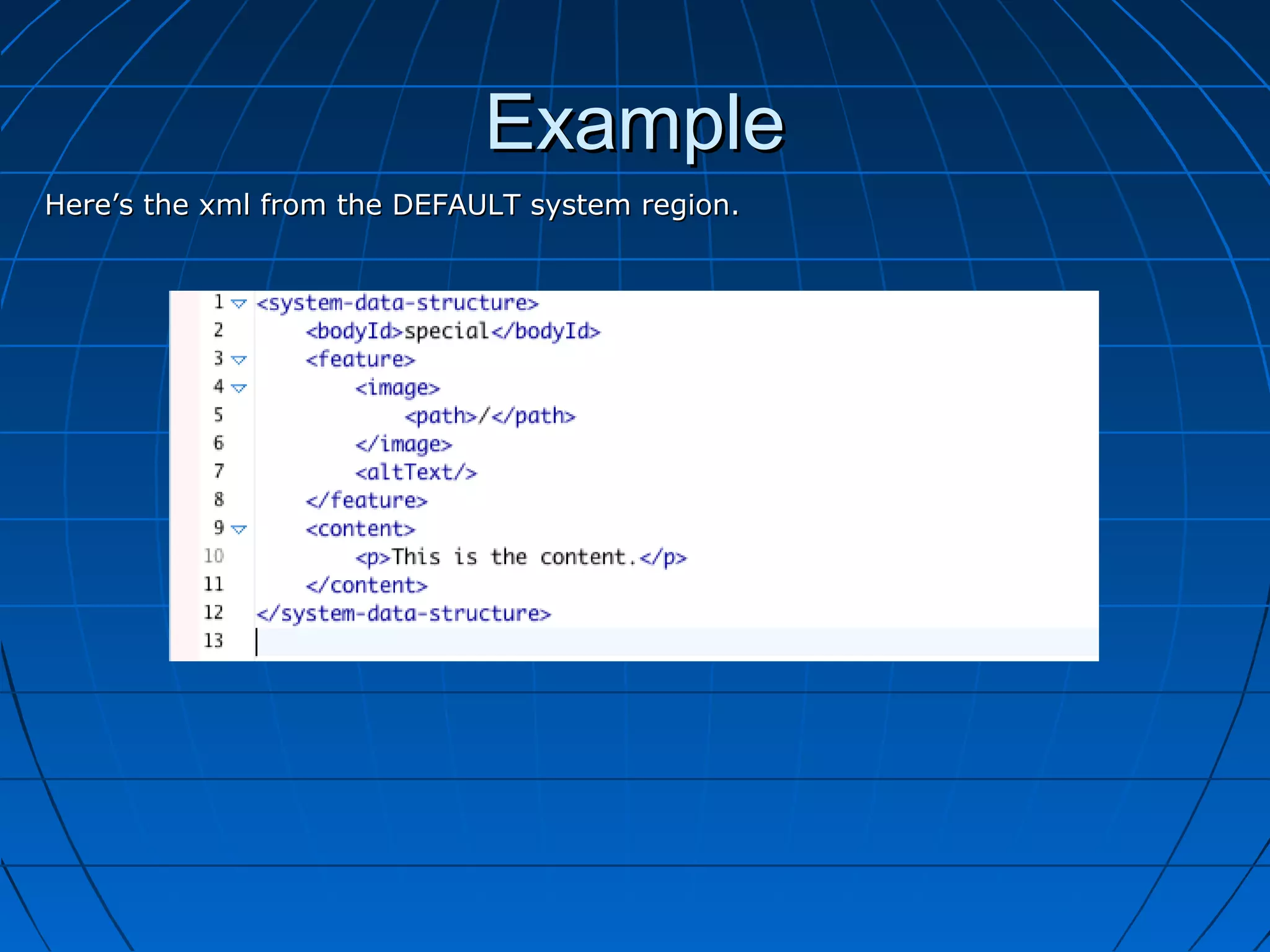
Here’s the xml from the DEFAULT system region.
Example
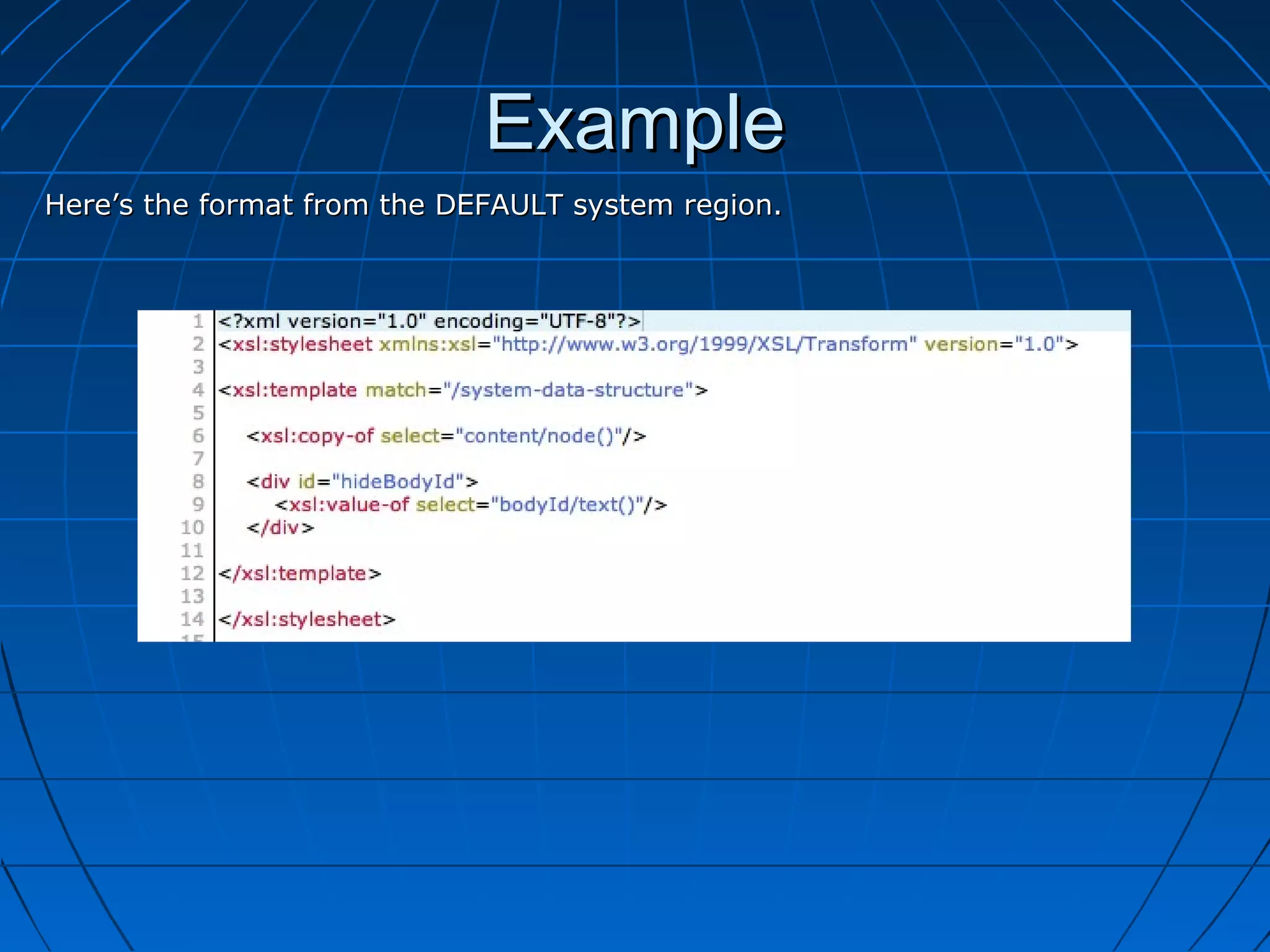
Here’s the format from the DEFAULT system region.
Example
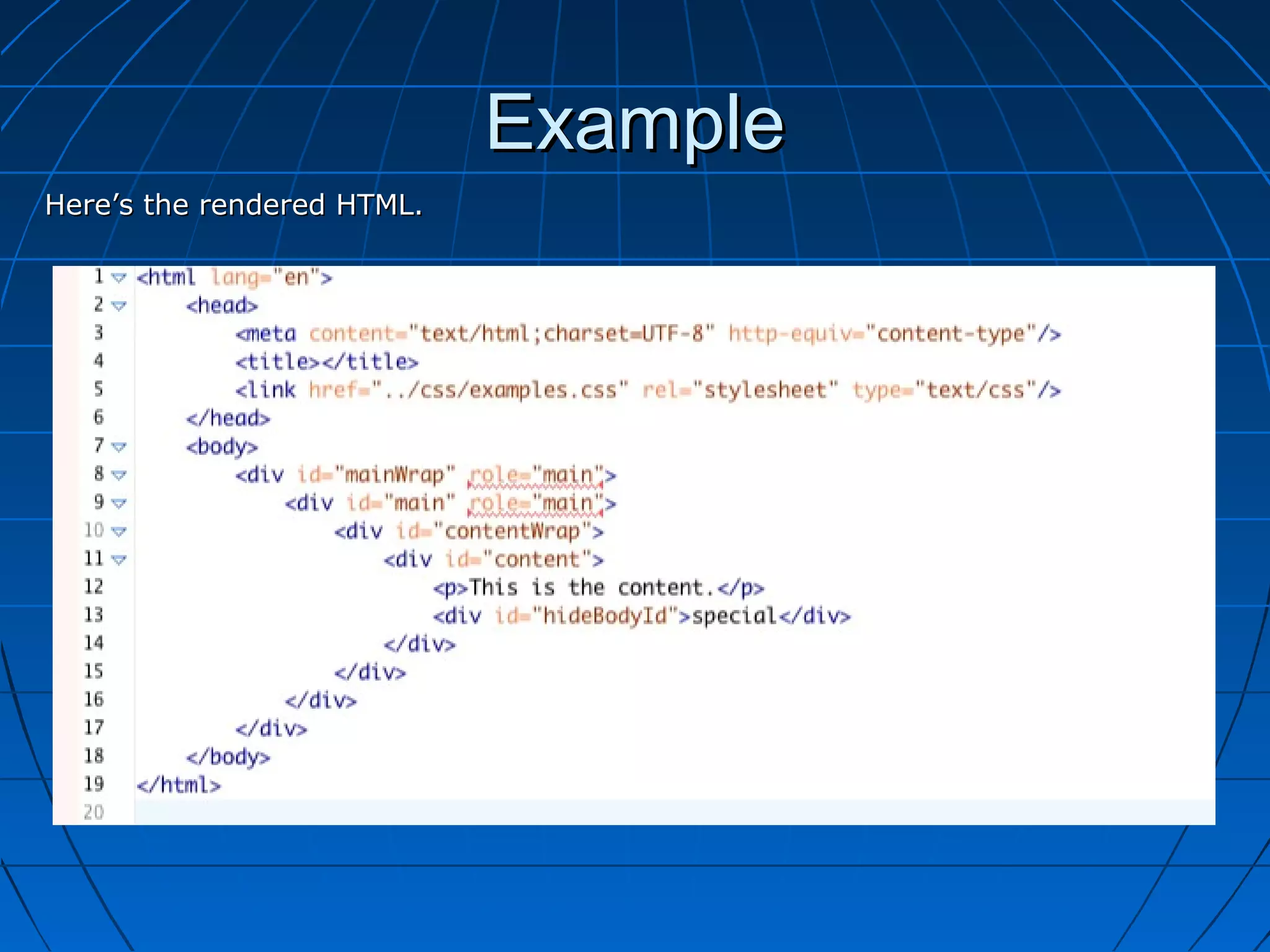
Here’s the rendered HTML.
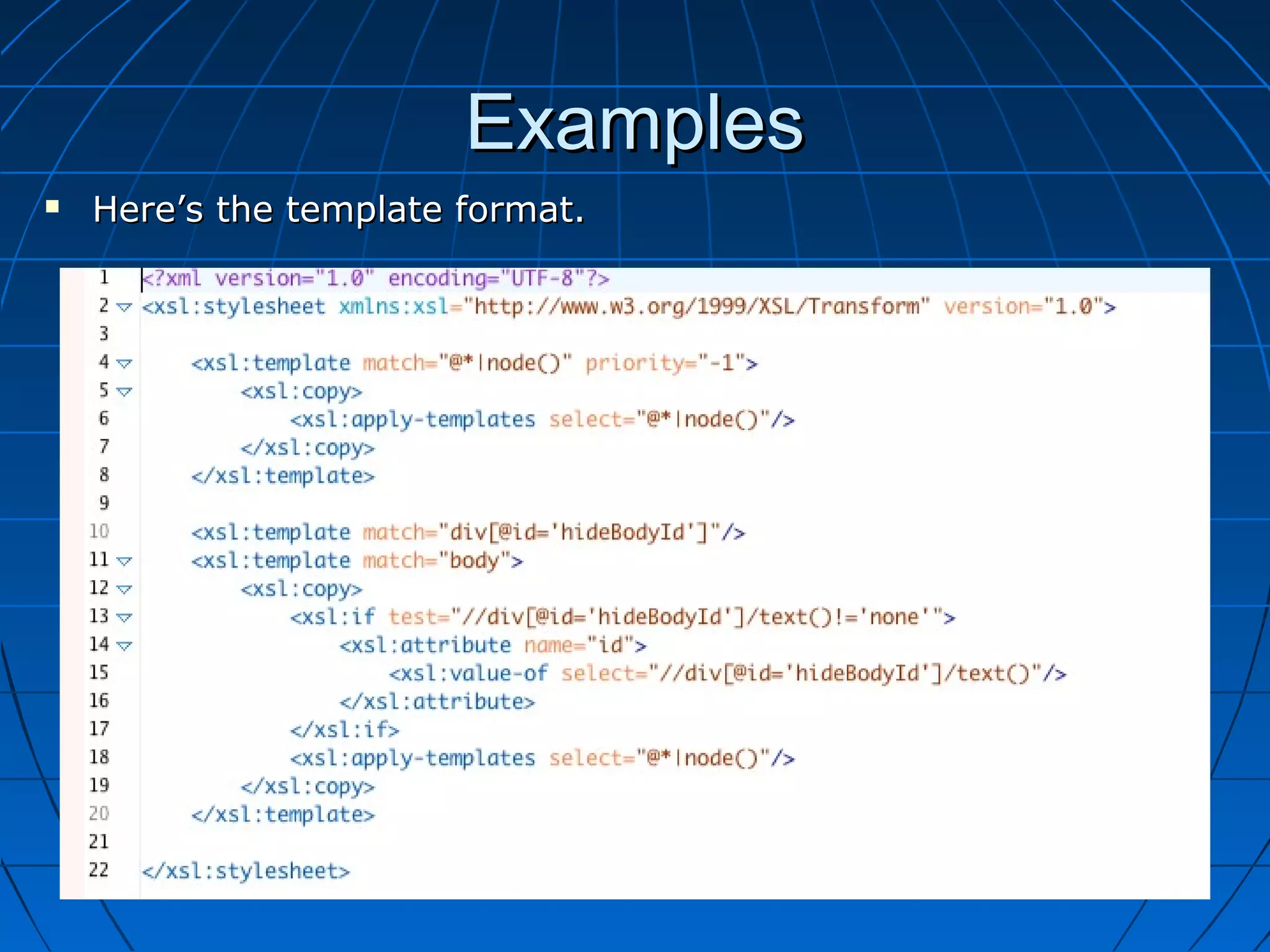
Examples
   Here’s the template format.
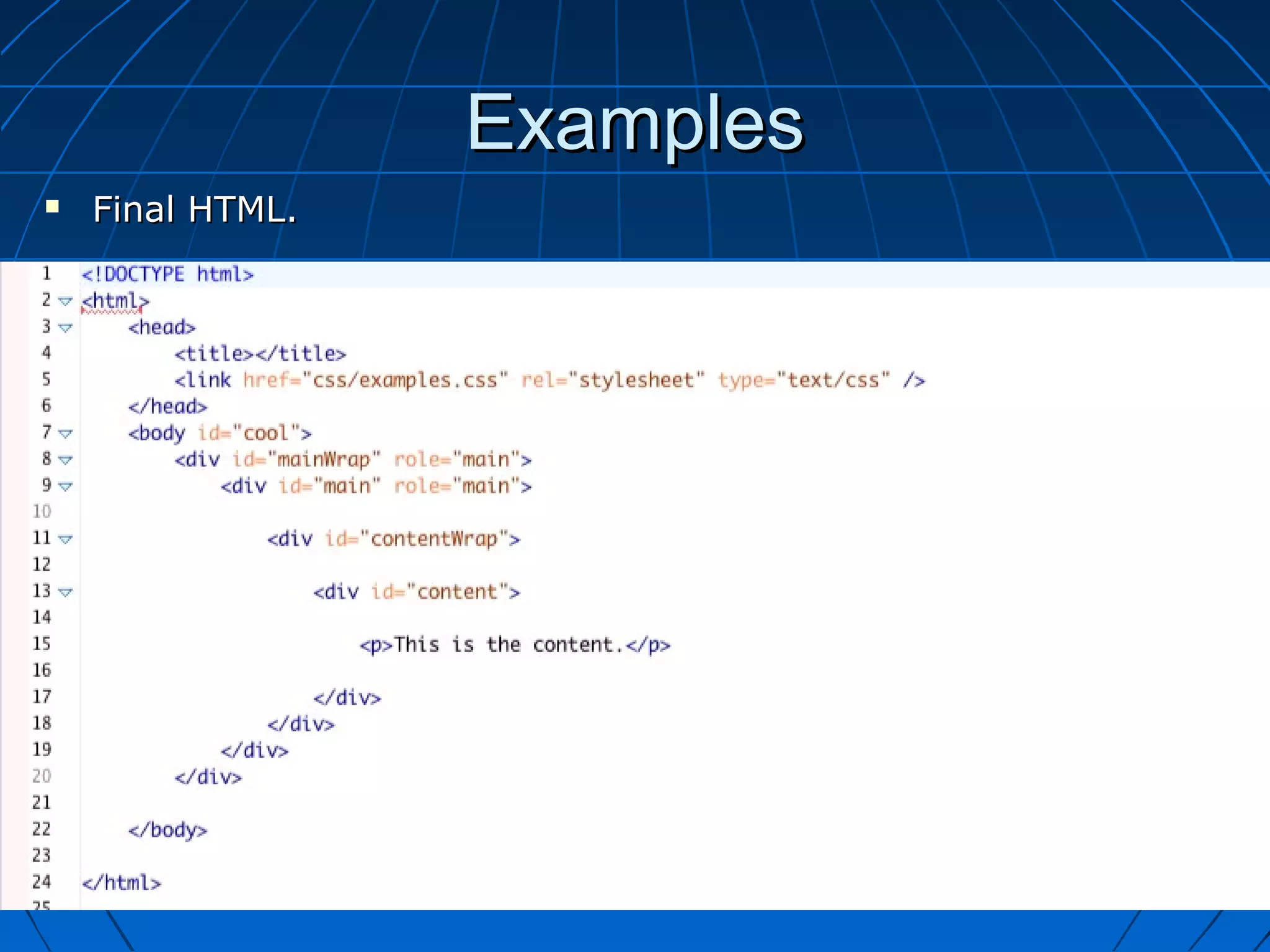
Examples
   Final HTML.
Resources
• http://www.iu.edu/~pagriet/csuc12/

XSLT Formats in Website Templates in Cascade Server CMS by Jay Mercer

  • 1.
    Use of XSLTFormats in Creation, Maintenance and Optimization of Web Site Templates Jay Mercer IU Communications Indiana University mercerjd@iu.edu
  • 2.
    Template Formats?  What are template formats?  Where do I find them?  When should I use them?  How do I use them?  Caveats  Show me some examples!
  • 3.
    What are templateformats?  Similarity to standard block templates • They transform XML compliant source into HTML.
  • 4.
    What are templateformats?  Similarity to standard block templates • Use a picker to attach to Format field.
  • 5.
    What are templateformats?  Difference from standard block templates • They transform XHTML compliant source into HTML. • They must be XSLT Formats. (I think)
  • 6.
    What are templateformats?  Difference from standard block templates • Use a picker to attach to XSLT Format field of a template.
  • 7.
    What are templateformats?  Template formats are XSLT Formats that are applied to a template. • They transform the entire assembled template content. • Region blocks are rendered first. • Are used to manipulate XHTML. • They transform XHTML into XHTML • “Post-processing.”
  • 8.
    Where do Ifind them?  Formats can be applied in 3 places. • Blocks • Templates • Page Configurations
  • 9.
    Where do Ifind them?  Block formats
  • 10.
    Where do Ifind them?  Template formats
  • 11.
    Where do Ifind them?  Page Configuration formats
  • 12.
    When should Iuse them?  Always.  Modify page elements that exist outside the main content area from within the DEFAULT system region format.  Move page elements from one position to another.  Modularize code for reusability.  Implement “on-demand” javascript.  Give end-user greater control.  Generate multiple page elements from single block.  Quickly create a new website from existing website.
  • 13.
    How do Iuse them?  It all starts with the identity transform.
  • 14.
    How do Iuse them?  Attach identity transform to template XSLT format field.
  • 15.
    How do Iuse them?  Now, just transform the XHTML. • For fun, let’s turn all h3 tags into h4 tags.
  • 16.
    How do Iuse them?  Note: You can use a template format and a page configuration format together.
  • 17.
    How do Iuse them?  Note: You can use a template format and a page configuration format together.
  • 18.
    How do Iuse them?  Another bogus example. • Let’s axe the body.
  • 19.
    Caveats  DOCTYPE • A template format WILL remove the DOCTYPE from the output.  Namespacing • If namespace on the html element is used, special xpath syntax is needed.
  • 20.
    Caveats  DOCTYPE “DON’T” • A template format will strip out the DOCTYPE.
  • 21.
    Caveats  DOCTYPE “DO” • Use the “START-ROOT-CODE” passthrough code section tag.
  • 22.
    Caveats  Namespacing on html element • If a namespace in used on the html element, special xsl syntax is required.
  • 23.
    Caveats  Namespacing on html element • If a namespace in used on the html element, special xsl syntax is required. Method 1: Use node()[name()=‘body’] syntax
  • 24.
    Caveats  Namespacing on html element • If a namespace in used on the html element, special xsl syntax is required. Method 2: Add namespacing attributes to stylesheet.
  • 25.
    Example  Changing body id based on data definition.
  • 26.
    Example  Changing body id based on data definition.
  • 27.
    Example Here’s the xmlfrom the DEFAULT system region.
  • 28.
    Example Here’s the formatfrom the DEFAULT system region.
  • 29.
  • 30.
    Examples  Here’s the template format.
  • 31.
    Examples  Final HTML.
  • 32.