Crowdsourced Maps: 
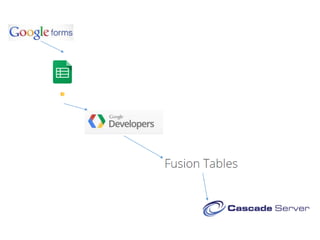
From Google Forms 
to Fusion Tables 
to Cascade Server 
Lee Clontz · lclontz@emory.edu · @clontz 
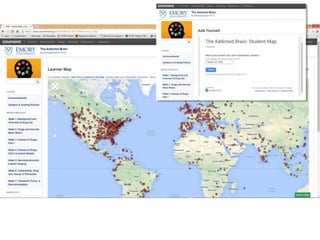
Go to: https://it.emory.edu/cascademap 
To add yourself!
Please note: 
• I didn’t create this process! 
• “Official” process is documented on Google 
developer site 
• Enhanced script is on my GitHub 
• This process is on YouTube 
• 25,000 API calls per day 
• Uses some “experimental” Google services
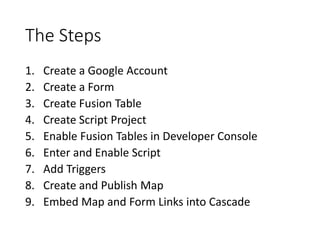
The Steps 
1. Create a Google Account 
2. Create a Form 
3. Create Fusion Table 
4. Create Script Project 
5. Enable Fusion Tables in Developer Console 
6. Enter and Enable Script 
7. Add Triggers 
8. Create and Publish Map 
9. Embed Map and Form Links into Cascade
Let’s Do This…
Links 
• GitHub: 
• https://github.com/lclontz/google_forms_to_fusion_tables 
• YouTube: 
• http://youtu.be/sxR4ZETbK3U 
• Official Documentation: 
• Search for “google form fusion table synchronize” 
• Twitter: 
• @clontz 
Thanks!

Crowdsourced Maps: From Google Forms to Fusion Tables to Cascade Server

  • 1.
    Crowdsourced Maps: FromGoogle Forms to Fusion Tables to Cascade Server Lee Clontz · lclontz@emory.edu · @clontz Go to: https://it.emory.edu/cascademap To add yourself!
  • 8.
    Please note: •I didn’t create this process! • “Official” process is documented on Google developer site • Enhanced script is on my GitHub • This process is on YouTube • 25,000 API calls per day • Uses some “experimental” Google services
  • 10.
    The Steps 1.Create a Google Account 2. Create a Form 3. Create Fusion Table 4. Create Script Project 5. Enable Fusion Tables in Developer Console 6. Enter and Enable Script 7. Add Triggers 8. Create and Publish Map 9. Embed Map and Form Links into Cascade
  • 11.
  • 12.
    Links • GitHub: • https://github.com/lclontz/google_forms_to_fusion_tables • YouTube: • http://youtu.be/sxR4ZETbK3U • Official Documentation: • Search for “google form fusion table synchronize” • Twitter: • @clontz Thanks!