Optimizing MySQL for 
Cascade Server 
James Kreuziger 
Strategic Communications 
@jkreuzig 
#csuc14 
1
The standard “a little bit about myself” 
• Graduate of UC Irvine (96) with a B.S. in Physics 
• Staff member for the last 16 years 
• First 8 years as a scientific programmer on grant funded research 
• Last 8 years in communications department building websites 
• Hobbies 
– Soccer referee 
• USSF Grade 6 State Referee 
• AYSO National Referee 
• Southern California Soccer Officials Association (High School Soccer) 
• NISOA Referee (National Intercollegiate Soccer Officials Association) 
2
Overview 
• Who is this presentation for? 
• What we won’t cover today 
• Terminology 
• Hardware requirements 
• Which version of MySQL to run 
• Which flavor of MySQL to run 
• Default MySQL configuration 
• Configuring MySQL for your workload 
• Tools for testing 
• Testing and results 
• Questions 
• Resources 
3
Optimizing MySQL for Cascade Server 
• Who is this presentation for? 
4
Who is this presentation for? 
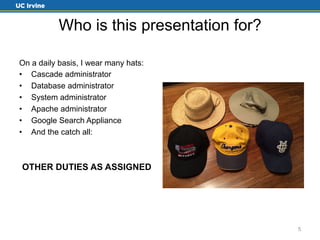
On a daily basis, I wear many hats: 
• Cascade administrator 
• Database administrator 
• System administrator 
• Apache administrator 
• Google Search Appliance 
• And the catch all: 
OTHER DUTIES AS ASSIGNED 
5
Who is this presentation for? 
You should be here if: 
• Cascade administrators 
• Want to migrate from another db 
• You have installed MySQL for 
other reasons, but haven’t done 
any other configuration. 
Not really for: 
• Large MySQL installation dba’s 
• You are running MySQL in the 
cloud 
6
Optimizing MySQL for Cascade Server 
• Who is this presentation for? 
• What we won’t cover today 
7
What we won’t cover today 
• Configuration of Cascade Server 
• MySQL replication or cluster setups 
• Memcached 
8
Optimizing MySQL for Cascade Server 
• Who is this presentation for? 
• What we won’t cover today 
• Terminology 
9
Terminology 
Query Cache – From the MySQL Documentation[1] 
“The query cache stores the text of a SELECT statement together with the 
corresponding result that was sent to the client. If an identical statement is 
received later, the server retrieves the results from the query cache rather than 
parsing and executing the statement again. The query cache is shared among 
sessions, so a result set generated by one client can be sent in response to the 
same query issued by another client.” 
The key here is “identical statement”. Every space, term 
and even the capitalization of the statement has to be the 
same. 
1. http://dev.mysql.com/doc/refman/5.5/en/query-cache.html 10
Terminology cont. 
Innodb Buffer Pool – From the MySQL Documentation[2] 
“InnoDB maintains a storage area called the buffer pool for caching data and 
indexes in memory” 
VERY important. Probably one of the most important 
configuration options. If you make only one change to your 
configuration, this (in my opinion) is the most important. 
2. http://dev.mysql.com/doc/refman/5.5/en/innodb-buffer-pool.html 11
Terminology cont. 
Row – An entry in a database table 
Page - The default size at which data is moved between disk and memory 
(default = 16K for MySQL)[3]. It’s the smallest unit of on disk storage. 
– In MySQL, the max a row can be is roughly 50% of the page size (8000 bytes default) not 
including VARBINAY, VARCHAR, BOLOB or TEXT columns. 
Why is the max row size restricted to 50% of the page size? 
– To allow one page to store at least 2 columns. 
3. http://dev.mysql.com/doc/refman/5.5/en/glossary.html#glos_page 12
Optimizing MySQL for Cascade Server 
• Who is this presentation for? 
• What we won’t cover today 
• Terminology 
• Hardware requirements 
13
Hardware requirements 
Hannon Hill requirements for running MySQL for Cascade[4] 
• MySQL 5.0 / 5.1 / 5.5 
• Memory for database server: 
– 2 GB RAM (minimum) 
– 4 GB RAM (recommended) 
I’d recommend a quad-core server with a minimum 16 GB 
RAM for your database server. 
4. http://www.hannonhill.com/products/requirements.html 14
Optimizing MySQL for Cascade Server 
• Who is this presentation for? 
• What we won’t cover today 
• Terminology 
• Hardware requirements 
• Which version of MySQL to run 
15
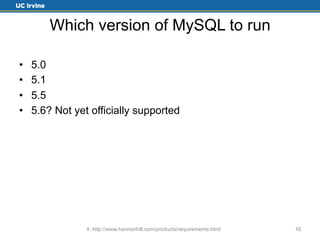
Which version of MySQL to run 
• 5.0 
• 5.1 
• 5.5 
• 5.6? Not yet officially supported 
4. http://www.hannonhill.com/products/requirements.html 16
Optimizing MySQL for Cascade Server 
• Who is this presentation for? 
• What we won’t cover today 
• Terminology 
• Hardware requirements 
• Which version of MySQL to run 
• Which flavor of MySQL to run 
17
Which flavor of MySQL to run 
• Oracle MySQL 
• MariaDB 
– Soon to be the default database server for RedHat and by default, CentOS 
– http://ideas.hannonhill.com/forums/52559-ideas-for-cascade-server/suggestions/ 
6065138-add-support-for-mariadb 
• Percona Server 
– My favorite 
– Percona XtraDB is a drop in replacement for innodb[5] 
– XtraDB available in MariaDB as well. 
Note: Only Oracle MySQL is listed as currently supported. Try these 
others at your own risk. 
5. http://www.percona.com/software/percona-xtradb 18
Optimizing MySQL for Cascade Server 
• Who is this presentation for? 
• What we won’t cover today 
• Terminology 
• Hardware requirements 
• Which version of MySQL to run 
• Which flavor of MySQL to run 
• Default MySQL configuration 
19
Default MySQL configuration 
These are the Hannon Hill recommendations[6] 
• InnoDB storage engine 
• max_allowed_packet=16M 
• key_buffer=16M 
• Character set is defined when creating the database 
6. http://www.hannonhill.com/kb/Database-Config/ 20
Optimizing MySQL for Cascade Server 
• Who is this presentation for? 
• What we won’t cover today 
• Terminology 
• Hardware requirements 
• Which version of MySQL to run 
• Which flavor of MySQL to run 
• Default MySQL configuration 
• Configuring MySQL for your workload 
21
Configuring MySQL for your workload 
The my.cnf file 
Innodb should be the default storage engine 
• innodb_file_per_table = 1 
• log_bin = <directory where binary log files live> 
• Cache (query caches and other caches) 
– binlog_cache_size 
– thread_cache_size 
– query_cache_size 
– query_cache_limit 
22
Configuring MySQL for your workload 
cont. 
• Buffers 
– innodb_buffer_pool - VERY important. Probably one of the most 
important configuration options. The bigger you can make this, 
the better. 80% of available memory is a good starting point. If 
you have 128 GB+ memory available on your machine, you may 
even be able to push it higher (90%) 
You can make this too big. If your entire dataset can fit into 
the inoodb_buffer_pool, it’s probably too big. 
23
Configuring MySQL for your workload 
cont. 
• Storage 
– If you have the option, store your data and binary log files on 
separate physical disks 
“But I don’t want to read all the documentation. I just want 
to get started with a good, solid configuration file that 
meets my needs.” 
• Percona configuration tool – https://tools.percona.com/ 
24
Optimizing MySQL for Cascade Server 
• Who is this presentation for? 
• What we won’t cover today 
• Terminology 
• Hardware requirements 
• Which version of MySQL to run 
• Which flavor of MySQL to run 
• Default MySQL configuration 
• Configuring MySQL for your workload 
• Tools for testing 
25
Tools for testing 
• Hardware monitoring – Vmware vSphere web client 
– If you have the option, store your data and binary log files on 
separate physical disks 
26
Tools for testing cont. 
• Monitoring MySQL 
– MySQL Workbench - http://mysqlworkbench.org/ 
27
Tools for testing cont. 
• jmeter – Open Source load testing tool written in java 
- http://jmeter.apache.org/ 
28
Tools for testing cont. 
• Blazemeter – jmeter in the cloud. 
• http://blazemeter.com 
29
Optimizing MySQL for Cascade Server 
• Who is this presentation for? 
• What we won’t cover today 
• Terminology 
• Hardware requirements 
• Which version of MySQL to run 
• Which flavor of MySQL to run 
• Default MySQL configuration 
• Configuring MySQL for your workload 
• Tools for testing 
• Testing and results 
30
Testing and results 
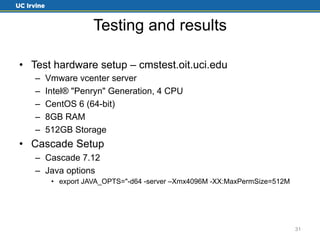
• Test hardware setup – cmstest.oit.uci.edu 
– Vmware vcenter server 
– Intel® "Penryn" Generation, 4 CPU 
– CentOS 6 (64-bit) 
– 8GB RAM 
– 512GB Storage 
• Cascade Setup 
– Cascade 7.12 
– Java options 
• export JAVA_OPTS="-d64 -server –Xmx4096M -XX:MaxPermSize=512M 
31
Testing and results cont. 
• MySQL Setup 
– Default MySQL server configuration (Hannon Hill 
recommendations) 
• cascade-test-stripped.cnf 
– My configuration 
• cascade-my-test.cnf (most comments have been stripped out) 
– Cascade database configuration options – Can be set at 
database creation/restore, or using ALTER TABLE 
• KEY_BLOCK_SIZE 
– 16K 
– 8K 
– 4K 
– 2K or 1K – Not tested. Not useful for a Cascade database instance. Row sizes 
won’t compress. 
32
Testing and results cont. 
• Storage testing 
– Examine the file sizes of the .ibd (innodb) files. These are the 
storage files for the data and indexes for each table. The size 
shown in the OS corresponds to how much space each table is 
taking. 
– Could determine this through MySQL system tables, but results 
would be comparable and it would take more time. 
– Use ALTER TABLE to change all tables 
• KEY_BLOCK_SIZE=16 
• KEY_BLOCK_SIZE=8 
• KEY_BLOCK_SIZE=4 
33
Testing and results cont. 
• Storage testing results 
34
Testing and results cont. 
• Load testing 
– jmeter running on a 27” iMac, Quad Core, 32 GB RAM 
• Allocated 10GB memory, otherwise it crashes 
– Test plan - Cascade-Test.jmx 
• 20 minute test 
• 10 minute ramp up time 
• 15 users 
• Login, publishing (pages and directories), editing, opening, changing sites, 
deleting messages, logoff 
• Plan was to exercise Cascade with a typical number of active users (15) 
and different MySQL configurations. 
35
Testing and results cont. 
• Load testing results 
– KEY_BLOCK_SIZE=16, 30 users 
• Too many errors 
– KEY_BLOCK_SIZE=16, 15 users 
• 346.5 ms average. response time 
– KEY_BLOCK_SIZE=8, 15 users 
• 339.5 ms average response time 
– KEY_BLOCK_SIZE=4, 15 users (single run) 
• 331 ms average response time 
– KEY_BLOCK_SIZE=16, 15 users, minimal configuration 
• 389 ms average response time 
Note: I didn’t test compression on the minimal configuration, as it 
wasn’t enabled. 
36
Optimizing MySQL for Cascade Server 
• Who is this presentation for? 
• What we won’t cover today 
• Terminology 
• Hardware requirements 
• Which version of MySQL to run 
• Which flavor of MySQL to run 
• Default MySQL configuration 
• Configuring MySQL for your workload 
• Tools for testing 
• Testing and results 
• Questions 
37
Optimizing MySQL for Cascade Server 
• Who is this presentation for? 
• What we won’t cover today 
• Terminology 
• Hardware requirements 
• Which version of MySQL to run 
• Which flavor of MySQL to run 
• Default MySQL configuration 
• Configuring MySQL for your workload 
• Tools for testing 
• Testing and results 
• Questions 
• Resources 
38
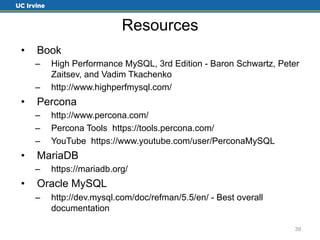
Resources 
• Book 
– High Performance MySQL, 3rd Edition - Baron Schwartz, Peter 
Zaitsev, and Vadim Tkachenko 
– http://www.highperfmysql.com/ 
• Percona 
– http://www.percona.com/ 
– Percona Tools https://tools.percona.com/ 
– YouTube https://www.youtube.com/user/PerconaMySQL 
• MariaDB 
– https://mariadb.org/ 
• Oracle MySQL 
– http://dev.mysql.com/doc/refman/5.5/en/ - Best overall 
documentation 
39
Thank You! 
James Kreuziger 
jkreuzig@uci.edu 
http://uci.edu/ 
@jkreuzig 
#csuc14 
949-824-5484 
40

Optimizing MySQL for Cascade Server

  • 1.
    Optimizing MySQL for Cascade Server James Kreuziger Strategic Communications @jkreuzig #csuc14 1
  • 2.
    The standard “alittle bit about myself” • Graduate of UC Irvine (96) with a B.S. in Physics • Staff member for the last 16 years • First 8 years as a scientific programmer on grant funded research • Last 8 years in communications department building websites • Hobbies – Soccer referee • USSF Grade 6 State Referee • AYSO National Referee • Southern California Soccer Officials Association (High School Soccer) • NISOA Referee (National Intercollegiate Soccer Officials Association) 2
  • 3.
    Overview • Whois this presentation for? • What we won’t cover today • Terminology • Hardware requirements • Which version of MySQL to run • Which flavor of MySQL to run • Default MySQL configuration • Configuring MySQL for your workload • Tools for testing • Testing and results • Questions • Resources 3
  • 4.
    Optimizing MySQL forCascade Server • Who is this presentation for? 4
  • 5.
    Who is thispresentation for? On a daily basis, I wear many hats: • Cascade administrator • Database administrator • System administrator • Apache administrator • Google Search Appliance • And the catch all: OTHER DUTIES AS ASSIGNED 5
  • 6.
    Who is thispresentation for? You should be here if: • Cascade administrators • Want to migrate from another db • You have installed MySQL for other reasons, but haven’t done any other configuration. Not really for: • Large MySQL installation dba’s • You are running MySQL in the cloud 6
  • 7.
    Optimizing MySQL forCascade Server • Who is this presentation for? • What we won’t cover today 7
  • 8.
    What we won’tcover today • Configuration of Cascade Server • MySQL replication or cluster setups • Memcached 8
  • 9.
    Optimizing MySQL forCascade Server • Who is this presentation for? • What we won’t cover today • Terminology 9
  • 10.
    Terminology Query Cache– From the MySQL Documentation[1] “The query cache stores the text of a SELECT statement together with the corresponding result that was sent to the client. If an identical statement is received later, the server retrieves the results from the query cache rather than parsing and executing the statement again. The query cache is shared among sessions, so a result set generated by one client can be sent in response to the same query issued by another client.” The key here is “identical statement”. Every space, term and even the capitalization of the statement has to be the same. 1. http://dev.mysql.com/doc/refman/5.5/en/query-cache.html 10
  • 11.
    Terminology cont. InnodbBuffer Pool – From the MySQL Documentation[2] “InnoDB maintains a storage area called the buffer pool for caching data and indexes in memory” VERY important. Probably one of the most important configuration options. If you make only one change to your configuration, this (in my opinion) is the most important. 2. http://dev.mysql.com/doc/refman/5.5/en/innodb-buffer-pool.html 11
  • 12.
    Terminology cont. Row– An entry in a database table Page - The default size at which data is moved between disk and memory (default = 16K for MySQL)[3]. It’s the smallest unit of on disk storage. – In MySQL, the max a row can be is roughly 50% of the page size (8000 bytes default) not including VARBINAY, VARCHAR, BOLOB or TEXT columns. Why is the max row size restricted to 50% of the page size? – To allow one page to store at least 2 columns. 3. http://dev.mysql.com/doc/refman/5.5/en/glossary.html#glos_page 12
  • 13.
    Optimizing MySQL forCascade Server • Who is this presentation for? • What we won’t cover today • Terminology • Hardware requirements 13
  • 14.
    Hardware requirements HannonHill requirements for running MySQL for Cascade[4] • MySQL 5.0 / 5.1 / 5.5 • Memory for database server: – 2 GB RAM (minimum) – 4 GB RAM (recommended) I’d recommend a quad-core server with a minimum 16 GB RAM for your database server. 4. http://www.hannonhill.com/products/requirements.html 14
  • 15.
    Optimizing MySQL forCascade Server • Who is this presentation for? • What we won’t cover today • Terminology • Hardware requirements • Which version of MySQL to run 15
  • 16.
    Which version ofMySQL to run • 5.0 • 5.1 • 5.5 • 5.6? Not yet officially supported 4. http://www.hannonhill.com/products/requirements.html 16
  • 17.
    Optimizing MySQL forCascade Server • Who is this presentation for? • What we won’t cover today • Terminology • Hardware requirements • Which version of MySQL to run • Which flavor of MySQL to run 17
  • 18.
    Which flavor ofMySQL to run • Oracle MySQL • MariaDB – Soon to be the default database server for RedHat and by default, CentOS – http://ideas.hannonhill.com/forums/52559-ideas-for-cascade-server/suggestions/ 6065138-add-support-for-mariadb • Percona Server – My favorite – Percona XtraDB is a drop in replacement for innodb[5] – XtraDB available in MariaDB as well. Note: Only Oracle MySQL is listed as currently supported. Try these others at your own risk. 5. http://www.percona.com/software/percona-xtradb 18
  • 19.
    Optimizing MySQL forCascade Server • Who is this presentation for? • What we won’t cover today • Terminology • Hardware requirements • Which version of MySQL to run • Which flavor of MySQL to run • Default MySQL configuration 19
  • 20.
    Default MySQL configuration These are the Hannon Hill recommendations[6] • InnoDB storage engine • max_allowed_packet=16M • key_buffer=16M • Character set is defined when creating the database 6. http://www.hannonhill.com/kb/Database-Config/ 20
  • 21.
    Optimizing MySQL forCascade Server • Who is this presentation for? • What we won’t cover today • Terminology • Hardware requirements • Which version of MySQL to run • Which flavor of MySQL to run • Default MySQL configuration • Configuring MySQL for your workload 21
  • 22.
    Configuring MySQL foryour workload The my.cnf file Innodb should be the default storage engine • innodb_file_per_table = 1 • log_bin = <directory where binary log files live> • Cache (query caches and other caches) – binlog_cache_size – thread_cache_size – query_cache_size – query_cache_limit 22
  • 23.
    Configuring MySQL foryour workload cont. • Buffers – innodb_buffer_pool - VERY important. Probably one of the most important configuration options. The bigger you can make this, the better. 80% of available memory is a good starting point. If you have 128 GB+ memory available on your machine, you may even be able to push it higher (90%) You can make this too big. If your entire dataset can fit into the inoodb_buffer_pool, it’s probably too big. 23
  • 24.
    Configuring MySQL foryour workload cont. • Storage – If you have the option, store your data and binary log files on separate physical disks “But I don’t want to read all the documentation. I just want to get started with a good, solid configuration file that meets my needs.” • Percona configuration tool – https://tools.percona.com/ 24
  • 25.
    Optimizing MySQL forCascade Server • Who is this presentation for? • What we won’t cover today • Terminology • Hardware requirements • Which version of MySQL to run • Which flavor of MySQL to run • Default MySQL configuration • Configuring MySQL for your workload • Tools for testing 25
  • 26.
    Tools for testing • Hardware monitoring – Vmware vSphere web client – If you have the option, store your data and binary log files on separate physical disks 26
  • 27.
    Tools for testingcont. • Monitoring MySQL – MySQL Workbench - http://mysqlworkbench.org/ 27
  • 28.
    Tools for testingcont. • jmeter – Open Source load testing tool written in java - http://jmeter.apache.org/ 28
  • 29.
    Tools for testingcont. • Blazemeter – jmeter in the cloud. • http://blazemeter.com 29
  • 30.
    Optimizing MySQL forCascade Server • Who is this presentation for? • What we won’t cover today • Terminology • Hardware requirements • Which version of MySQL to run • Which flavor of MySQL to run • Default MySQL configuration • Configuring MySQL for your workload • Tools for testing • Testing and results 30
  • 31.
    Testing and results • Test hardware setup – cmstest.oit.uci.edu – Vmware vcenter server – Intel® "Penryn" Generation, 4 CPU – CentOS 6 (64-bit) – 8GB RAM – 512GB Storage • Cascade Setup – Cascade 7.12 – Java options • export JAVA_OPTS="-d64 -server –Xmx4096M -XX:MaxPermSize=512M 31
  • 32.
    Testing and resultscont. • MySQL Setup – Default MySQL server configuration (Hannon Hill recommendations) • cascade-test-stripped.cnf – My configuration • cascade-my-test.cnf (most comments have been stripped out) – Cascade database configuration options – Can be set at database creation/restore, or using ALTER TABLE • KEY_BLOCK_SIZE – 16K – 8K – 4K – 2K or 1K – Not tested. Not useful for a Cascade database instance. Row sizes won’t compress. 32
  • 33.
    Testing and resultscont. • Storage testing – Examine the file sizes of the .ibd (innodb) files. These are the storage files for the data and indexes for each table. The size shown in the OS corresponds to how much space each table is taking. – Could determine this through MySQL system tables, but results would be comparable and it would take more time. – Use ALTER TABLE to change all tables • KEY_BLOCK_SIZE=16 • KEY_BLOCK_SIZE=8 • KEY_BLOCK_SIZE=4 33
  • 34.
    Testing and resultscont. • Storage testing results 34
  • 35.
    Testing and resultscont. • Load testing – jmeter running on a 27” iMac, Quad Core, 32 GB RAM • Allocated 10GB memory, otherwise it crashes – Test plan - Cascade-Test.jmx • 20 minute test • 10 minute ramp up time • 15 users • Login, publishing (pages and directories), editing, opening, changing sites, deleting messages, logoff • Plan was to exercise Cascade with a typical number of active users (15) and different MySQL configurations. 35
  • 36.
    Testing and resultscont. • Load testing results – KEY_BLOCK_SIZE=16, 30 users • Too many errors – KEY_BLOCK_SIZE=16, 15 users • 346.5 ms average. response time – KEY_BLOCK_SIZE=8, 15 users • 339.5 ms average response time – KEY_BLOCK_SIZE=4, 15 users (single run) • 331 ms average response time – KEY_BLOCK_SIZE=16, 15 users, minimal configuration • 389 ms average response time Note: I didn’t test compression on the minimal configuration, as it wasn’t enabled. 36
  • 37.
    Optimizing MySQL forCascade Server • Who is this presentation for? • What we won’t cover today • Terminology • Hardware requirements • Which version of MySQL to run • Which flavor of MySQL to run • Default MySQL configuration • Configuring MySQL for your workload • Tools for testing • Testing and results • Questions 37
  • 38.
    Optimizing MySQL forCascade Server • Who is this presentation for? • What we won’t cover today • Terminology • Hardware requirements • Which version of MySQL to run • Which flavor of MySQL to run • Default MySQL configuration • Configuring MySQL for your workload • Tools for testing • Testing and results • Questions • Resources 38
  • 39.
    Resources • Book – High Performance MySQL, 3rd Edition - Baron Schwartz, Peter Zaitsev, and Vadim Tkachenko – http://www.highperfmysql.com/ • Percona – http://www.percona.com/ – Percona Tools https://tools.percona.com/ – YouTube https://www.youtube.com/user/PerconaMySQL • MariaDB – https://mariadb.org/ • Oracle MySQL – http://dev.mysql.com/doc/refman/5.5/en/ - Best overall documentation 39
  • 40.
    Thank You! JamesKreuziger jkreuzig@uci.edu http://uci.edu/ @jkreuzig #csuc14 949-824-5484 40