XSD(XML Schema Definition)
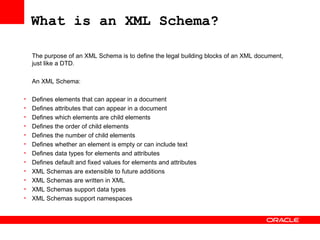
What is an XML Schema? The purpose of an XML Schema is to define the legal building blocks of an XML document, just like a DTD.   An XML Schema: Defines elements that can appear in a document  Defines attributes that can appear in a document  Defines which elements are child elements  Defines the order of child elements  Defines the number of child elements  Defines whether an element is empty or can include text  Defines data types for elements and attributes  Defines default and fixed values for elements and attributes  XML Schemas are extensible to future additions XML Schemas are written in XML  XML Schemas support data types  XML Schemas support namespaces
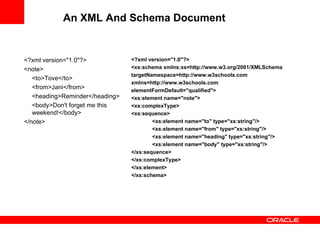
An XML And Schema Document <?xml version=&quot;1.0&quot;?> <note> <to>Tove</to> <from>Jani</from> <heading>Reminder</heading> <body>Don't forget me this weekend!</body> </note> <?xml version=&quot;1.0&quot;?> <xs:schema xmlns:xs=http://www.w3.org/2001/XMLSchema targetNamespace=http://www.w3schools.com xmlns=http://www.w3schools.com elementFormDefault=&quot;qualified&quot;> <xs:element name=&quot;note&quot;> <xs:complexType> <xs:sequence> <xs:element name=&quot;to&quot; type=&quot;xs:string&quot;/> <xs:element name=&quot;from&quot; type=&quot;xs:string&quot;/> <xs:element name=&quot;heading&quot; type=&quot;xs:string&quot;/> <xs:element name=&quot;body&quot; type=&quot;xs:string&quot;/> </xs:sequence> </xs:complexType> </xs:element> </xs:schema>
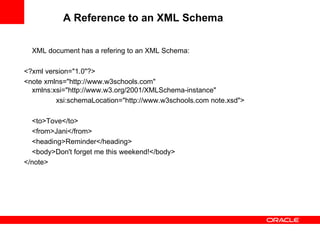
A Reference to an XML Schema   XML document has a refering to an XML Schema: <?xml version=&quot;1.0&quot;?> <note xmlns=&quot;http://www.w3schools.com&quot; xmlns:xsi=&quot;http://www.w3.org/2001/XMLSchema-instance&quot; xsi:schemaLocation=&quot;http://www.w3schools.com note.xsd&quot;> <to>Tove</to> <from>Jani</from> <heading>Reminder</heading> <body>Don't forget me this weekend!</body> </note>
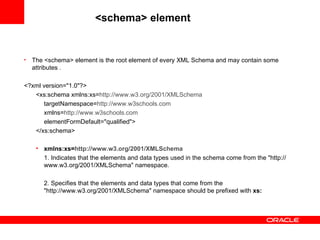
<schema> element  The <schema> element is the root element of every XML Schema and  may contain some attributes  . <?xml version=&quot;1.0&quot;?> <xs:schema xmlns:xs= http://www.w3.org/2001/XMLSchema targetNamespace= http://www.w3schools.com xmlns= http://www.w3schools.com elementFormDefault=&quot;qualified&quot;> </xs:schema> xmlns:xs= http://www.w3.org/2001/ XMLSchema 1. Indicates that the elements and data types used in the schema come from the &quot;http://www.w3.org/2001/XMLSchema&quot; namespace. 2. Specifies that the elements and data types that come from the &quot;http://www.w3.org/2001/XMLSchema&quot; namespace should be prefixed with  xs:
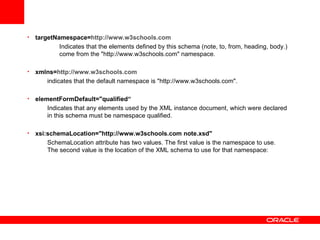
targetNamespace= http://www.w3schools.com Indicates that the elements defined by this schema (note, to, from, heading, body.)  come from the &quot;http://www.w3schools.com&quot; namespace.   xmlns= http://www.w3schools.com indicates that the default namespace is &quot;http://www.w3schools.com&quot;. elementFormDefault=&quot;qualified“ Indicates that any elements used by the XML instance document, which were declared in this schema must be namespace qualified.   xsi:schemaLocation=&quot;http://www.w3schools.com note.xsd&quot; SchemaLocation attribute has two values. The first value is the namespace to use. The second value is the location of the XML schema to use for that namespace:
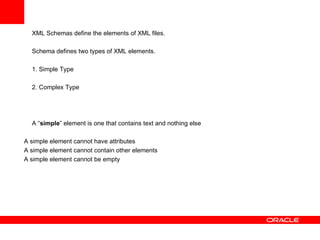
XML Schemas define the elements of XML files. Schema defines two types of XML elements. 1. Simple Type 2. Complex Type   A “ simple ” element is one that contains text and nothing else A simple element cannot have attributes A simple element cannot contain other elements A simple element cannot be empty
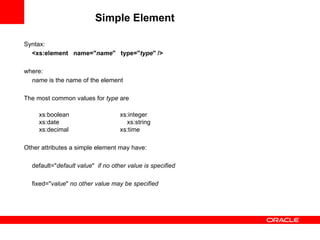
Simple Element Syntax: <xs:element  name=&quot; name &quot;  type=&quot; type &quot; />   where: name  is the name of the element The most common values for  type  are   xs:boolean xs:integer   xs:date   xs:string   xs:decimal xs:time   Other attributes a simple element may have:   default=&quot; default value &quot;  if no other value is specified fixed=&quot; value &quot;  no other value may be specified
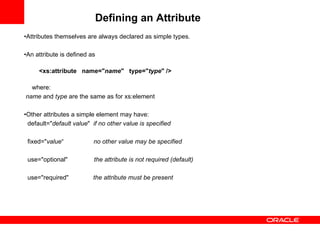
Defining an Attribute   • Attributes themselves are always declared as simple types.   • An attribute is defined as   <xs:attribute  name=&quot; name &quot;  type=&quot; type &quot; /> where: name  and  type  are the same as for xs:element   • Other attributes a simple element may have: default=&quot; default value &quot;  if no other value is specified   fixed=&quot; value “  no other value may be specified use=&quot;optional&quot;  the attribute is not required (default)   use=&quot;required&quot;  the attribute must be present
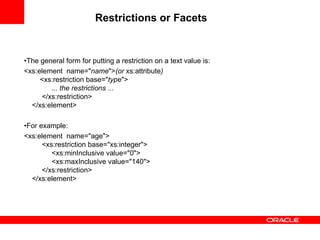
Restrictions or Facets   • The general form for putting a restriction on a text value is: <xs:element  name=&quot; name &quot;> (or  xs:attribute )   <xs:restriction base=&quot; type &quot;>   ... the restrictions ...   </xs:restriction> </xs:element>   • For example: <xs:element  name=&quot;age&quot;>   <xs:restriction base=&quot;xs:integer&quot;>   <xs:minInclusive value=&quot;0&quot;>   <xs:maxInclusive value=&quot;140&quot;>   </xs:restriction> </xs:element>
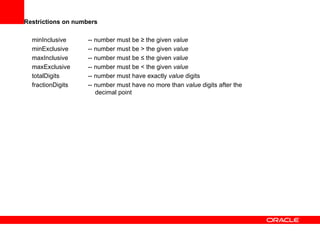
Restrictions on numbers   minInclusive  -- number must be ≥ the given  value minExclusive  -- number must be > the given  value maxInclusive  -- number must be ≤ the given  value maxExclusive  -- number must be < the given  value totalDigits  -- number must have exactly  value  digits fractionDigits  -- number must have no more than  value  digits after the      decimal point
Resitriction on strings   length  -- the string must contain exactly  value  characters  minLength  -- the string must contain at least  value  characters maxLength  -- the string must contain no more than  value  characters pattern  -- the  value  is a regular expression that the string must match   <xs:element name=&quot;password&quot;> <xs:simpleType> <xs:restriction base=&quot;xs:string&quot;> <xs:pattern value=&quot;[a-zA-Z0-9] <xs:minLength value=&quot;5&quot;/> <xs:maxLength value=&quot;8&quot;/>  </xs:restriction> </xs:simpleType> </xs:element>
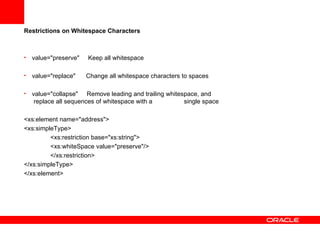
Restrictions on Whitespace Characters   value=&quot;preserve&quot;  Keep all whitespace value=&quot;replace&quot;  Change all whitespace characters to spaces value=&quot;collapse&quot;  Remove leading and trailing whitespace, and    replace all sequences of whitespace with a  single space <xs:element name=&quot;address&quot;> <xs:simpleType> <xs:restriction base=&quot;xs:string&quot;> <xs:whiteSpace value=&quot;preserve&quot;/> </xs:restriction> </xs:simpleType> </xs:element>
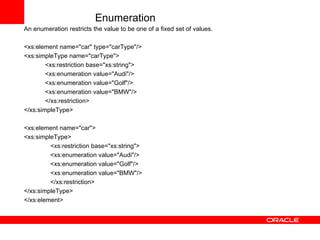
Enumeration An enumeration restricts the value to be one of a fixed set of values. <xs:element name=&quot;car&quot; type=&quot;carType&quot;/> <xs:simpleType name=&quot;carType&quot;> <xs:restriction base=&quot;xs:string&quot;> <xs:enumeration value=&quot;Audi&quot;/> <xs:enumeration value=&quot;Golf&quot;/> <xs:enumeration value=&quot;BMW&quot;/> </xs:restriction> </xs:simpleType> <xs:element name=&quot;car&quot;> <xs:simpleType> <xs:restriction base=&quot;xs:string&quot;> <xs:enumeration value=&quot;Audi&quot;/> <xs:enumeration value=&quot;Golf&quot;/> <xs:enumeration value=&quot;BMW&quot;/> </xs:restriction> </xs:simpleType> </xs:element>
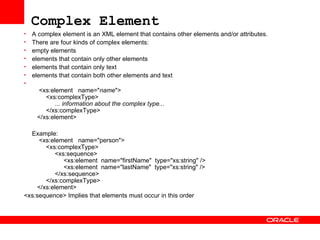
Complex Element   A complex element is an XML element that contains other elements and/or attributes. There are four kinds of complex elements: empty elements  elements that contain only other elements  elements that contain only text  elements that contain both other elements and text    <xs:element  name=&quot; name &quot;>   <xs:complexType>   ... information about the complex type...   </xs:complexType>   </xs:element>  Example:   <xs:element  name=&quot;person&quot;>   <xs:complexType>   <xs:sequence>   <xs:element  name=&quot;firstName&quot;  type=&quot;xs:string&quot; />   <xs:element  name=&quot;lastName&quot;  type=&quot;xs:string&quot; />   </xs:sequence>   </xs:complexType>   </xs:element> <xs:sequence> Implies that elements must occur in this order
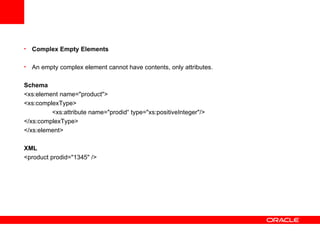
Complex Empty Elements   An empty complex element cannot have contents, only attributes.   Schema <xs:element name=&quot;product&quot;> <xs:complexType> <xs:attribute name=&quot;prodid“ type=&quot;xs:positiveInteger&quot;/> </xs:complexType> </xs:element> XML <product prodid=&quot;1345&quot; />
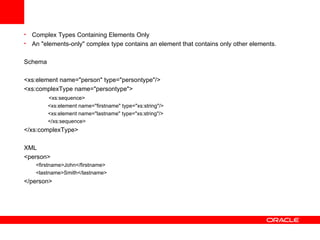
Complex Types Containing Elements Only   An &quot;elements-only&quot; complex type contains an element that contains only other elements.   Schema <xs:element name=&quot;person&quot; type=&quot;persontype&quot;/> <xs:complexType name=&quot;persontype&quot;> <xs:sequence> <xs:element name=&quot;firstname&quot; type=&quot;xs:string&quot;/> <xs:element name=&quot;lastname&quot; type=&quot;xs:string&quot;/> </xs:sequence> </xs:complexType> XML <person> <firstname>John</firstname> <lastname>Smith</lastname> </person>
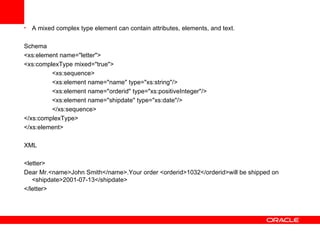
A mixed complex type element can contain attributes, elements, and text.   Schema <xs:element name=&quot;letter&quot;> <xs:complexType mixed=&quot;true&quot;> <xs:sequence> <xs:element name=&quot;name&quot; type=&quot;xs:string&quot;/> <xs:element name=&quot;orderid&quot; type=&quot;xs:positiveInteger&quot;/> <xs:element name=&quot;shipdate&quot; type=&quot;xs:date&quot;/> </xs:sequence> </xs:complexType> </xs:element> XML <letter> Dear Mr.<name>John Smith</name>.Your order <orderid>1032</orderid>will be shipped on <shipdate>2001-07-13</shipdate> </letter>
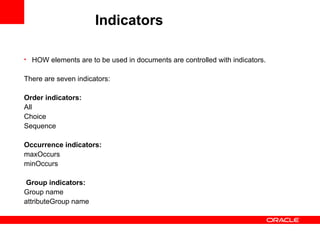
Indicators   HOW elements are to be used in documents are controlled with indicators. There are seven indicators: Order indicators: All  Choice  Sequence  Occurrence indicators: maxOccurs  minOccurs      Group indicators: Group name  attributeGroup name
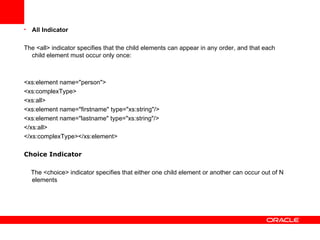
All Indicator The <all> indicator specifies that the child elements can appear in any order, and that each child element must occur only once:  <xs:element name=&quot;person&quot;> <xs:complexType> <xs:all> <xs:element name=&quot;firstname&quot; type=&quot;xs:string&quot;/> <xs:element name=&quot;lastname&quot; type=&quot;xs:string&quot;/> </xs:all> </xs:complexType></xs:element> Choice Indicator The <choice> indicator specifies that either one child element or another can occur out of N elements
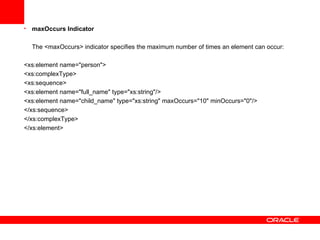
maxOccurs Indicator The <maxOccurs> indicator specifies the maximum number of times an element can occur: <xs:element name=&quot;person&quot;> <xs:complexType> <xs:sequence> <xs:element name=&quot;full_name&quot; type=&quot;xs:string&quot;/> <xs:element name=&quot;child_name&quot; type=&quot;xs:string&quot; maxOccurs=&quot;10&quot; minOccurs=&quot;0&quot;/> </xs:sequence> </xs:complexType> </xs:element>
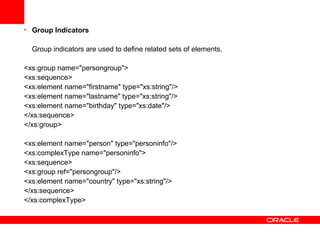
Group Indicators Group indicators are used to define related sets of elements.   <xs:group name=&quot;persongroup&quot;> <xs:sequence> <xs:element name=&quot;firstname&quot; type=&quot;xs:string&quot;/> <xs:element name=&quot;lastname&quot; type=&quot;xs:string&quot;/> <xs:element name=&quot;birthday&quot; type=&quot;xs:date&quot;/> </xs:sequence> </xs:group> <xs:element name=&quot;person&quot; type=&quot;personinfo&quot;/> <xs:complexType name=&quot;personinfo&quot;> <xs:sequence> <xs:group ref=&quot;persongroup&quot;/> <xs:element name=&quot;country&quot; type=&quot;xs:string&quot;/> </xs:sequence> </xs:complexType>
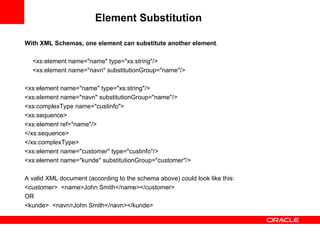
Element Substitution   With XML Schemas, one element can substitute another element .   <xs:element name=&quot;name&quot; type=&quot;xs:string&quot;/> <xs:element name=&quot;navn&quot; substitutionGroup=&quot;name&quot;/>   <xs:element name=&quot;name&quot; type=&quot;xs:string&quot;/> <xs:element name=&quot;navn&quot; substitutionGroup=&quot;name&quot;/> <xs:complexType name=&quot;custinfo&quot;> <xs:sequence> <xs:element ref=&quot;name&quot;/> </xs:sequence> </xs:complexType> <xs:element name=&quot;customer&quot; type=&quot;custinfo&quot;/> <xs:element name=&quot;kunde&quot; substitutionGroup=&quot;customer&quot;/> A valid XML document (according to the schema above) could look like this: <customer>  <name>John Smith</name> </customer>  OR <kunde>  <navn>John Smith</navn> </kunde>

XSD

  • 1.
  • 2.
    What is anXML Schema? The purpose of an XML Schema is to define the legal building blocks of an XML document, just like a DTD.   An XML Schema: Defines elements that can appear in a document Defines attributes that can appear in a document Defines which elements are child elements Defines the order of child elements Defines the number of child elements Defines whether an element is empty or can include text Defines data types for elements and attributes Defines default and fixed values for elements and attributes XML Schemas are extensible to future additions XML Schemas are written in XML XML Schemas support data types XML Schemas support namespaces
  • 3.
    An XML AndSchema Document <?xml version=&quot;1.0&quot;?> <note> <to>Tove</to> <from>Jani</from> <heading>Reminder</heading> <body>Don't forget me this weekend!</body> </note> <?xml version=&quot;1.0&quot;?> <xs:schema xmlns:xs=http://www.w3.org/2001/XMLSchema targetNamespace=http://www.w3schools.com xmlns=http://www.w3schools.com elementFormDefault=&quot;qualified&quot;> <xs:element name=&quot;note&quot;> <xs:complexType> <xs:sequence> <xs:element name=&quot;to&quot; type=&quot;xs:string&quot;/> <xs:element name=&quot;from&quot; type=&quot;xs:string&quot;/> <xs:element name=&quot;heading&quot; type=&quot;xs:string&quot;/> <xs:element name=&quot;body&quot; type=&quot;xs:string&quot;/> </xs:sequence> </xs:complexType> </xs:element> </xs:schema>
  • 4.
    A Reference toan XML Schema XML document has a refering to an XML Schema: <?xml version=&quot;1.0&quot;?> <note xmlns=&quot;http://www.w3schools.com&quot; xmlns:xsi=&quot;http://www.w3.org/2001/XMLSchema-instance&quot; xsi:schemaLocation=&quot;http://www.w3schools.com note.xsd&quot;> <to>Tove</to> <from>Jani</from> <heading>Reminder</heading> <body>Don't forget me this weekend!</body> </note>
  • 5.
    <schema> element The <schema> element is the root element of every XML Schema and may contain some attributes . <?xml version=&quot;1.0&quot;?> <xs:schema xmlns:xs= http://www.w3.org/2001/XMLSchema targetNamespace= http://www.w3schools.com xmlns= http://www.w3schools.com elementFormDefault=&quot;qualified&quot;> </xs:schema> xmlns:xs= http://www.w3.org/2001/ XMLSchema 1. Indicates that the elements and data types used in the schema come from the &quot;http://www.w3.org/2001/XMLSchema&quot; namespace. 2. Specifies that the elements and data types that come from the &quot;http://www.w3.org/2001/XMLSchema&quot; namespace should be prefixed with xs:
  • 6.
    targetNamespace= http://www.w3schools.com Indicatesthat the elements defined by this schema (note, to, from, heading, body.) come from the &quot;http://www.w3schools.com&quot; namespace. xmlns= http://www.w3schools.com indicates that the default namespace is &quot;http://www.w3schools.com&quot;. elementFormDefault=&quot;qualified“ Indicates that any elements used by the XML instance document, which were declared in this schema must be namespace qualified. xsi:schemaLocation=&quot;http://www.w3schools.com note.xsd&quot; SchemaLocation attribute has two values. The first value is the namespace to use. The second value is the location of the XML schema to use for that namespace:
  • 7.
    XML Schemas definethe elements of XML files. Schema defines two types of XML elements. 1. Simple Type 2. Complex Type A “ simple ” element is one that contains text and nothing else A simple element cannot have attributes A simple element cannot contain other elements A simple element cannot be empty
  • 8.
    Simple Element Syntax:<xs:element name=&quot; name &quot; type=&quot; type &quot; /> where: name is the name of the element The most common values for type are xs:boolean xs:integer xs:date xs:string xs:decimal xs:time   Other attributes a simple element may have:   default=&quot; default value &quot; if no other value is specified fixed=&quot; value &quot; no other value may be specified
  • 9.
    Defining an Attribute • Attributes themselves are always declared as simple types.   • An attribute is defined as <xs:attribute name=&quot; name &quot; type=&quot; type &quot; /> where: name and type are the same as for xs:element   • Other attributes a simple element may have: default=&quot; default value &quot; if no other value is specified   fixed=&quot; value “ no other value may be specified use=&quot;optional&quot; the attribute is not required (default)   use=&quot;required&quot; the attribute must be present
  • 10.
    Restrictions or Facets • The general form for putting a restriction on a text value is: <xs:element name=&quot; name &quot;> (or xs:attribute ) <xs:restriction base=&quot; type &quot;> ... the restrictions ... </xs:restriction> </xs:element>   • For example: <xs:element name=&quot;age&quot;> <xs:restriction base=&quot;xs:integer&quot;> <xs:minInclusive value=&quot;0&quot;> <xs:maxInclusive value=&quot;140&quot;> </xs:restriction> </xs:element>
  • 11.
    Restrictions on numbers  minInclusive -- number must be ≥ the given value minExclusive -- number must be > the given value maxInclusive -- number must be ≤ the given value maxExclusive -- number must be < the given value totalDigits -- number must have exactly value digits fractionDigits -- number must have no more than value digits after the decimal point
  • 12.
    Resitriction on strings  length -- the string must contain exactly value characters minLength -- the string must contain at least value characters maxLength -- the string must contain no more than value characters pattern -- the value is a regular expression that the string must match <xs:element name=&quot;password&quot;> <xs:simpleType> <xs:restriction base=&quot;xs:string&quot;> <xs:pattern value=&quot;[a-zA-Z0-9] <xs:minLength value=&quot;5&quot;/> <xs:maxLength value=&quot;8&quot;/> </xs:restriction> </xs:simpleType> </xs:element>
  • 13.
    Restrictions on WhitespaceCharacters value=&quot;preserve&quot; Keep all whitespace value=&quot;replace&quot; Change all whitespace characters to spaces value=&quot;collapse&quot; Remove leading and trailing whitespace, and replace all sequences of whitespace with a single space <xs:element name=&quot;address&quot;> <xs:simpleType> <xs:restriction base=&quot;xs:string&quot;> <xs:whiteSpace value=&quot;preserve&quot;/> </xs:restriction> </xs:simpleType> </xs:element>
  • 14.
    Enumeration An enumerationrestricts the value to be one of a fixed set of values. <xs:element name=&quot;car&quot; type=&quot;carType&quot;/> <xs:simpleType name=&quot;carType&quot;> <xs:restriction base=&quot;xs:string&quot;> <xs:enumeration value=&quot;Audi&quot;/> <xs:enumeration value=&quot;Golf&quot;/> <xs:enumeration value=&quot;BMW&quot;/> </xs:restriction> </xs:simpleType> <xs:element name=&quot;car&quot;> <xs:simpleType> <xs:restriction base=&quot;xs:string&quot;> <xs:enumeration value=&quot;Audi&quot;/> <xs:enumeration value=&quot;Golf&quot;/> <xs:enumeration value=&quot;BMW&quot;/> </xs:restriction> </xs:simpleType> </xs:element>
  • 15.
    Complex Element A complex element is an XML element that contains other elements and/or attributes. There are four kinds of complex elements: empty elements elements that contain only other elements elements that contain only text elements that contain both other elements and text <xs:element name=&quot; name &quot;> <xs:complexType> ... information about the complex type... </xs:complexType> </xs:element>  Example: <xs:element name=&quot;person&quot;> <xs:complexType> <xs:sequence> <xs:element name=&quot;firstName&quot; type=&quot;xs:string&quot; /> <xs:element name=&quot;lastName&quot; type=&quot;xs:string&quot; /> </xs:sequence> </xs:complexType> </xs:element> <xs:sequence> Implies that elements must occur in this order
  • 16.
    Complex Empty Elements An empty complex element cannot have contents, only attributes. Schema <xs:element name=&quot;product&quot;> <xs:complexType> <xs:attribute name=&quot;prodid“ type=&quot;xs:positiveInteger&quot;/> </xs:complexType> </xs:element> XML <product prodid=&quot;1345&quot; />
  • 17.
    Complex Types ContainingElements Only An &quot;elements-only&quot; complex type contains an element that contains only other elements. Schema <xs:element name=&quot;person&quot; type=&quot;persontype&quot;/> <xs:complexType name=&quot;persontype&quot;> <xs:sequence> <xs:element name=&quot;firstname&quot; type=&quot;xs:string&quot;/> <xs:element name=&quot;lastname&quot; type=&quot;xs:string&quot;/> </xs:sequence> </xs:complexType> XML <person> <firstname>John</firstname> <lastname>Smith</lastname> </person>
  • 18.
    A mixed complextype element can contain attributes, elements, and text. Schema <xs:element name=&quot;letter&quot;> <xs:complexType mixed=&quot;true&quot;> <xs:sequence> <xs:element name=&quot;name&quot; type=&quot;xs:string&quot;/> <xs:element name=&quot;orderid&quot; type=&quot;xs:positiveInteger&quot;/> <xs:element name=&quot;shipdate&quot; type=&quot;xs:date&quot;/> </xs:sequence> </xs:complexType> </xs:element> XML <letter> Dear Mr.<name>John Smith</name>.Your order <orderid>1032</orderid>will be shipped on <shipdate>2001-07-13</shipdate> </letter>
  • 19.
    Indicators HOW elements are to be used in documents are controlled with indicators. There are seven indicators: Order indicators: All Choice Sequence Occurrence indicators: maxOccurs minOccurs     Group indicators: Group name attributeGroup name
  • 20.
    All Indicator The<all> indicator specifies that the child elements can appear in any order, and that each child element must occur only once: <xs:element name=&quot;person&quot;> <xs:complexType> <xs:all> <xs:element name=&quot;firstname&quot; type=&quot;xs:string&quot;/> <xs:element name=&quot;lastname&quot; type=&quot;xs:string&quot;/> </xs:all> </xs:complexType></xs:element> Choice Indicator The <choice> indicator specifies that either one child element or another can occur out of N elements
  • 21.
    maxOccurs Indicator The<maxOccurs> indicator specifies the maximum number of times an element can occur: <xs:element name=&quot;person&quot;> <xs:complexType> <xs:sequence> <xs:element name=&quot;full_name&quot; type=&quot;xs:string&quot;/> <xs:element name=&quot;child_name&quot; type=&quot;xs:string&quot; maxOccurs=&quot;10&quot; minOccurs=&quot;0&quot;/> </xs:sequence> </xs:complexType> </xs:element>
  • 22.
    Group Indicators Groupindicators are used to define related sets of elements. <xs:group name=&quot;persongroup&quot;> <xs:sequence> <xs:element name=&quot;firstname&quot; type=&quot;xs:string&quot;/> <xs:element name=&quot;lastname&quot; type=&quot;xs:string&quot;/> <xs:element name=&quot;birthday&quot; type=&quot;xs:date&quot;/> </xs:sequence> </xs:group> <xs:element name=&quot;person&quot; type=&quot;personinfo&quot;/> <xs:complexType name=&quot;personinfo&quot;> <xs:sequence> <xs:group ref=&quot;persongroup&quot;/> <xs:element name=&quot;country&quot; type=&quot;xs:string&quot;/> </xs:sequence> </xs:complexType>
  • 23.
    Element Substitution With XML Schemas, one element can substitute another element . <xs:element name=&quot;name&quot; type=&quot;xs:string&quot;/> <xs:element name=&quot;navn&quot; substitutionGroup=&quot;name&quot;/> <xs:element name=&quot;name&quot; type=&quot;xs:string&quot;/> <xs:element name=&quot;navn&quot; substitutionGroup=&quot;name&quot;/> <xs:complexType name=&quot;custinfo&quot;> <xs:sequence> <xs:element ref=&quot;name&quot;/> </xs:sequence> </xs:complexType> <xs:element name=&quot;customer&quot; type=&quot;custinfo&quot;/> <xs:element name=&quot;kunde&quot; substitutionGroup=&quot;customer&quot;/> A valid XML document (according to the schema above) could look like this: <customer> <name>John Smith</name> </customer> OR <kunde> <navn>John Smith</navn> </kunde>