Xen Project
Windows PV Drivers
Paul Durrant
Project Lead
Agenda
• Background
• Origin of the drivers
• Legacy, Standard and XenProject drivers
• Driver interfaces
• Discovery
• Compatibility
• Building and Installing drivers
• Tools
Terminology
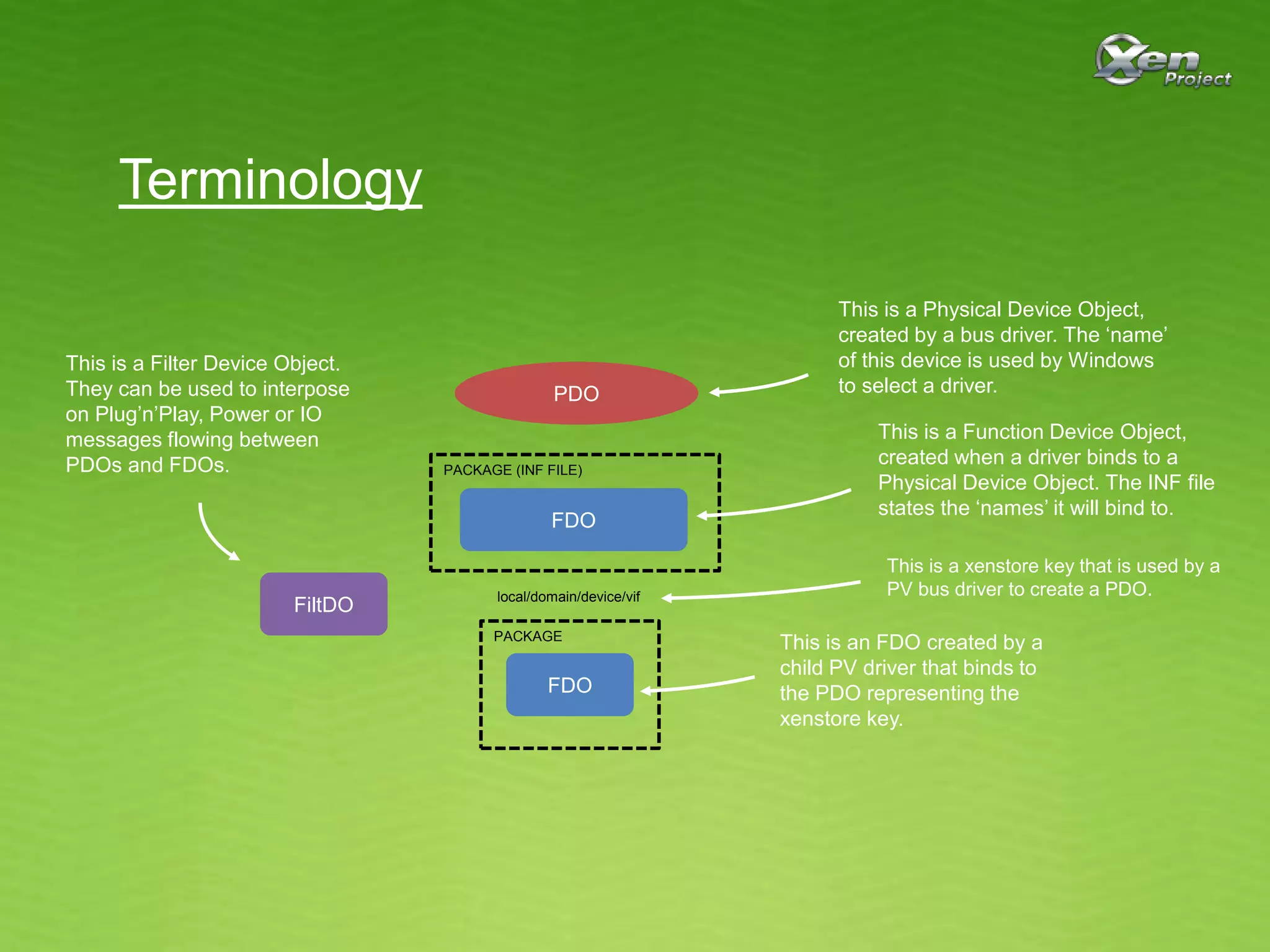
PDO
FDO
FDO
PACKAGE (INF FILE)
PACKAGE
local/domain/device/vif
This is a Function Device Object,
created when a driver binds to a
Physical Device Object. The INF file
states the ‘names’ it will bind to.
This is a Physical Device Object,
created by a bus driver. The ‘name’
of this device is used by Windows
to select a driver.
This is a xenstore key that is used by a
PV bus driver to create a PDO.
This is an FDO created by a
child PV driver that binds to
the PDO representing the
xenstore key.
FiltDO
This is a Filter Device Object.
They can be used to interpose
on Plug’n’Play, Power or IO
messages flowing between
PDOs and FDOs.
Legacy Drivers
• Used for all versions of Windows in Citrix
XenServer 6.0
• Used only for Windows XP and Server 2003 from
XenServer 6.1
• Closed source
• Code of unknown origin made open source difficult
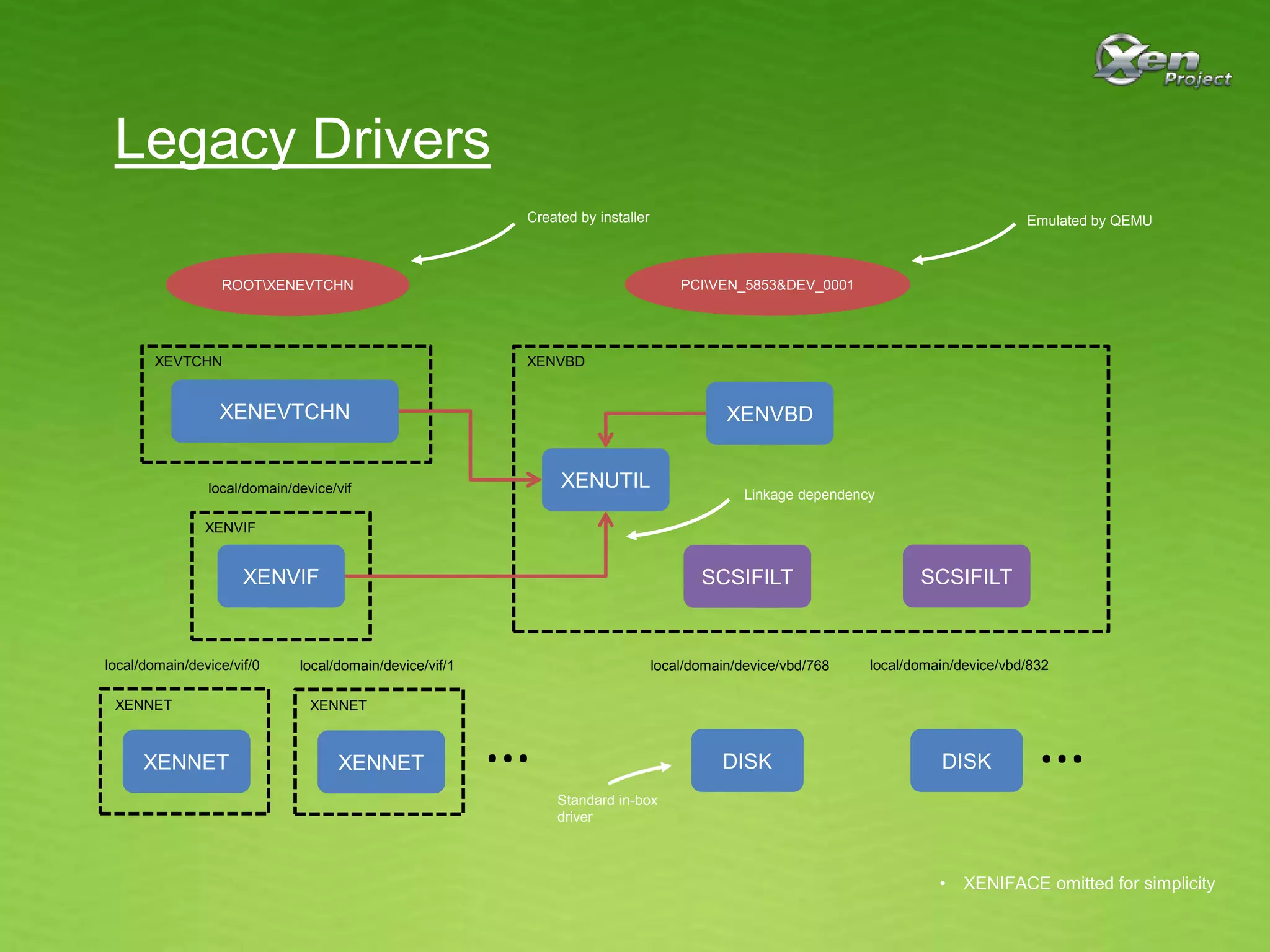
Legacy Drivers
ROOTXENEVTCHN PCIVEN_5853&DEV_0001
XENVBDXENEVTCHN
DISK
XENVIF
XENNET
XENUTIL
XENVBDXEVTCHN
XENVIF
XENNET
local/domain/device/vif
local/domain/device/vif/0
XENNET
XENNET
local/domain/device/vif/1 local/domain/device/vbd/768
DISK
local/domain/device/vbd/832
SCSIFILT SCSIFILT
……
Created by installer Emulated by QEMU
Standard in-box
driver
Linkage dependency
• XENIFACE omitted for simplicity
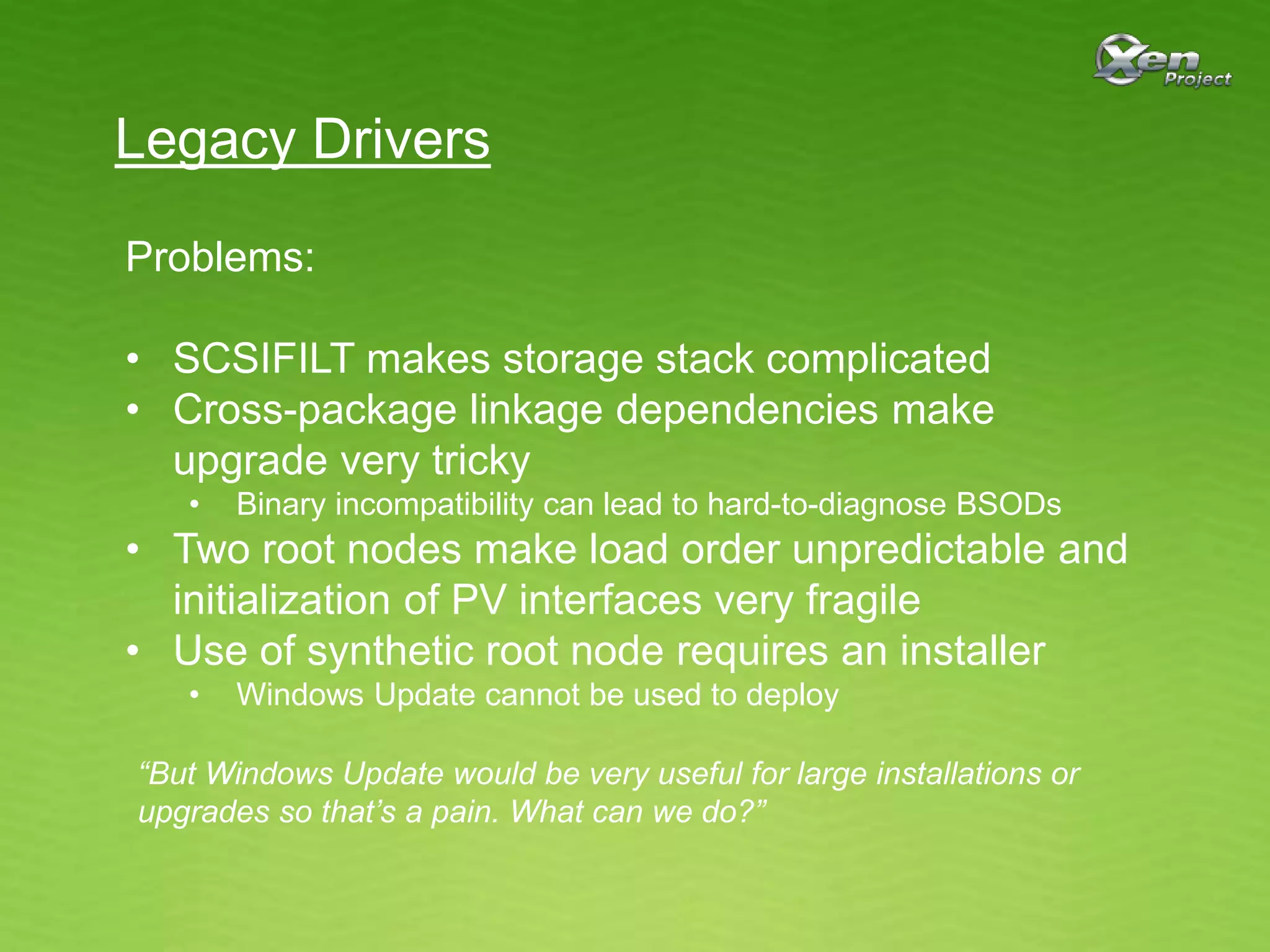
Legacy Drivers
Problems:
• SCSIFILT makes storage stack complicated
• Cross-package linkage dependencies make
upgrade very tricky
• Binary incompatibility can lead to hard-to-diagnose BSODs
• Two root nodes make load order unpredictable and
initialization of PV interfaces very fragile
• Use of synthetic root node requires an installer
• Windows Update cannot be used to deploy
“But Windows Update would be very useful for large installations or
upgrades so that’s a pain. What can we do?”
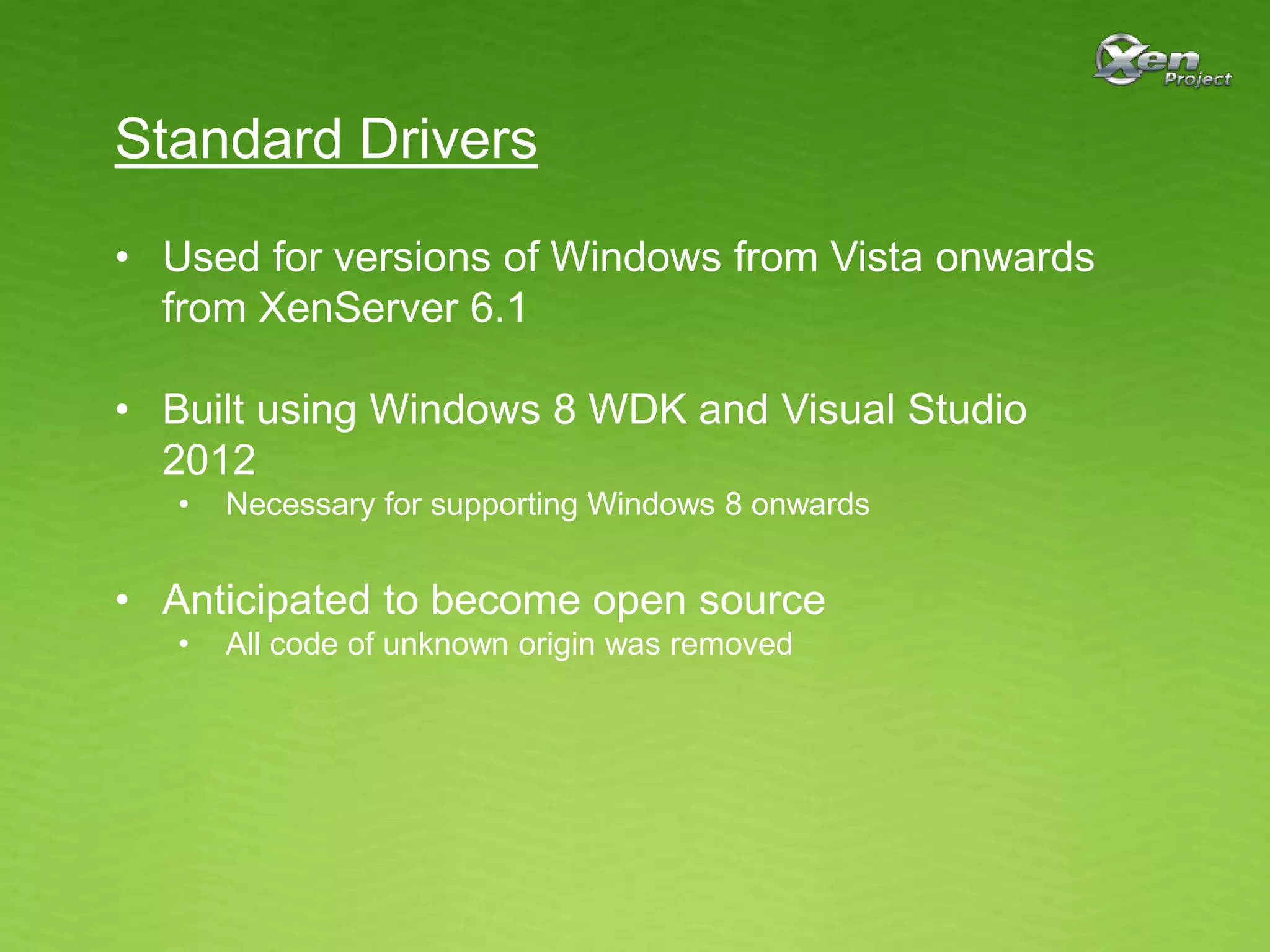
Standard Drivers
• Used for versions of Windows from Vista onwards
from XenServer 6.1
• Built using Windows 8 WDK and Visual Studio
2012
• Necessary for supporting Windows 8 onwards
• Anticipated to become open source
• All code of unknown origin was removed
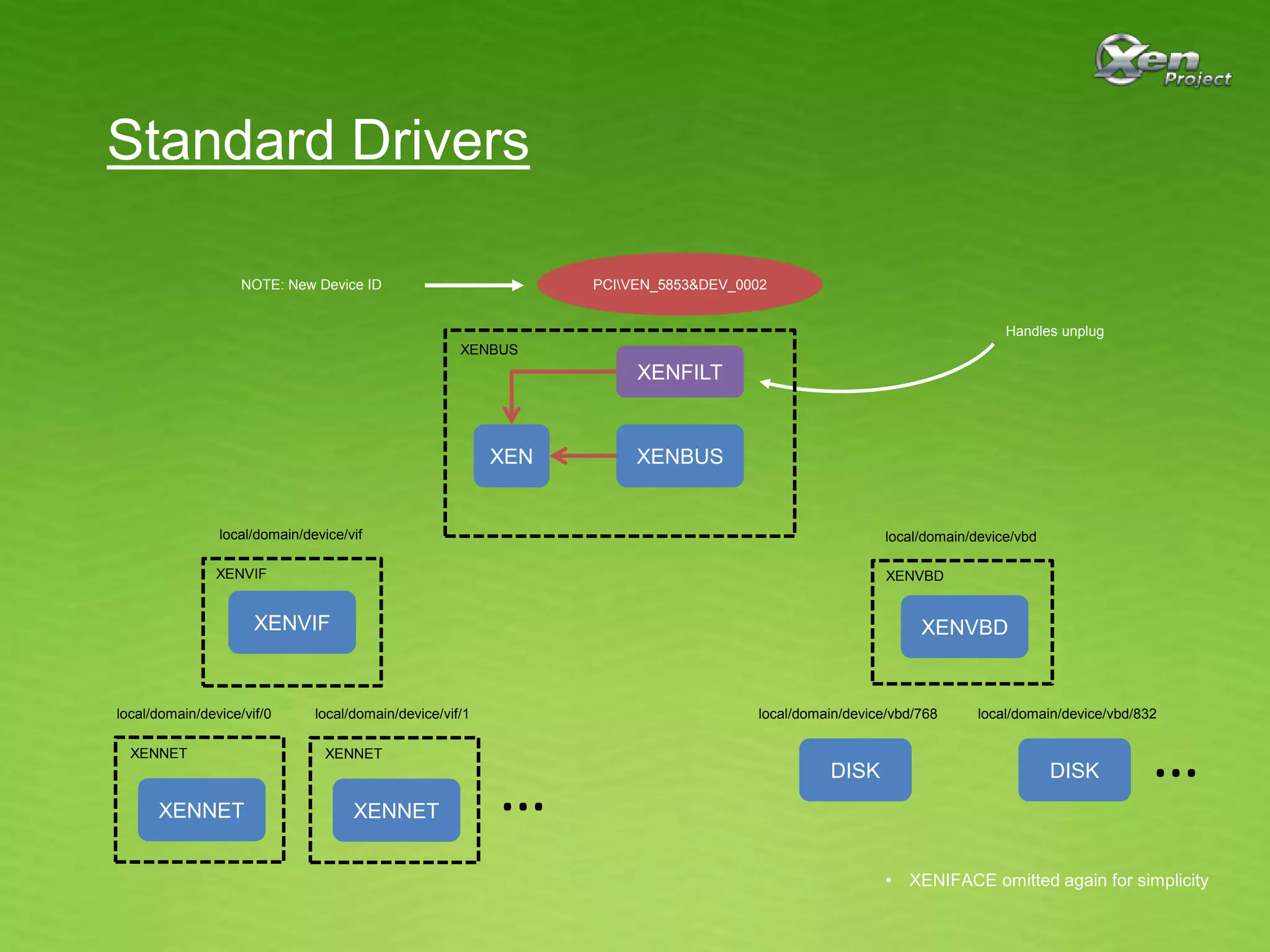
PCIVEN_5853&DEV_0002
XENVBD
DISK
XENVIF
XENNET
XENVBDXENVIF
XENNET
local/domain/device/vif
local/domain/device/vif/0
XENNET
XENNET
local/domain/device/vif/1 local/domain/device/vbd/768
DISK
local/domain/device/vbd/832
……
local/domain/device/vbd
XENBUS
XENBUS
XENFILT
XEN
NOTE: New Device ID
Handles unplug
Standard Drivers
• XENIFACE omitted again for simplicity
Standard Drivers
Advantages:
• STORPORT instead of SCSIPORT
• No need for SCSIFILT
• Independent packages
• No binary compatibility issues
• No installation ordering issues
• Just PCI root node
• Windows Update now possible
Standard Drivers
Problems:
• New Device ID
• Conceived to allow Windows Update deployment, but…
• Caused big problems in XenServer 6.1
• Not acceptable to upstream community (e.g. Amazon)
• Compatibility checks don’t behave well
• Still an assumption that drivers will be installed or upgraded
together
Xen Project Drivers
• XenServer went fully open source in 2013
• Desire for Windows PV drivers to become even
more open
• Drivers already functioning on most Xen installations
• Amazon already building from source
• Windows PV Drivers sub-project ratified in June
2014
• Front page accessible from http://www.xenproject.org
• Source repositories at http://xenbits.xenproject.org
• Project lead: Paul Durrant
• Committers: Paul Durrant, Ben Chalmers and Owen Smith
Xen Project Drivers
• Plan to use for all versions of Windows from
XenServer vNext
• Windows 2003 goes out of support in May 2015
• Built using Windows 8 WDK and Visual Studio
2012
• Cannot move to 8.1 WDK as Windows 7 is not supported
• Source is buildable with 8.1 WDK and Visual Studio 2013
• Remaining problems from Standard Drivers
addressed
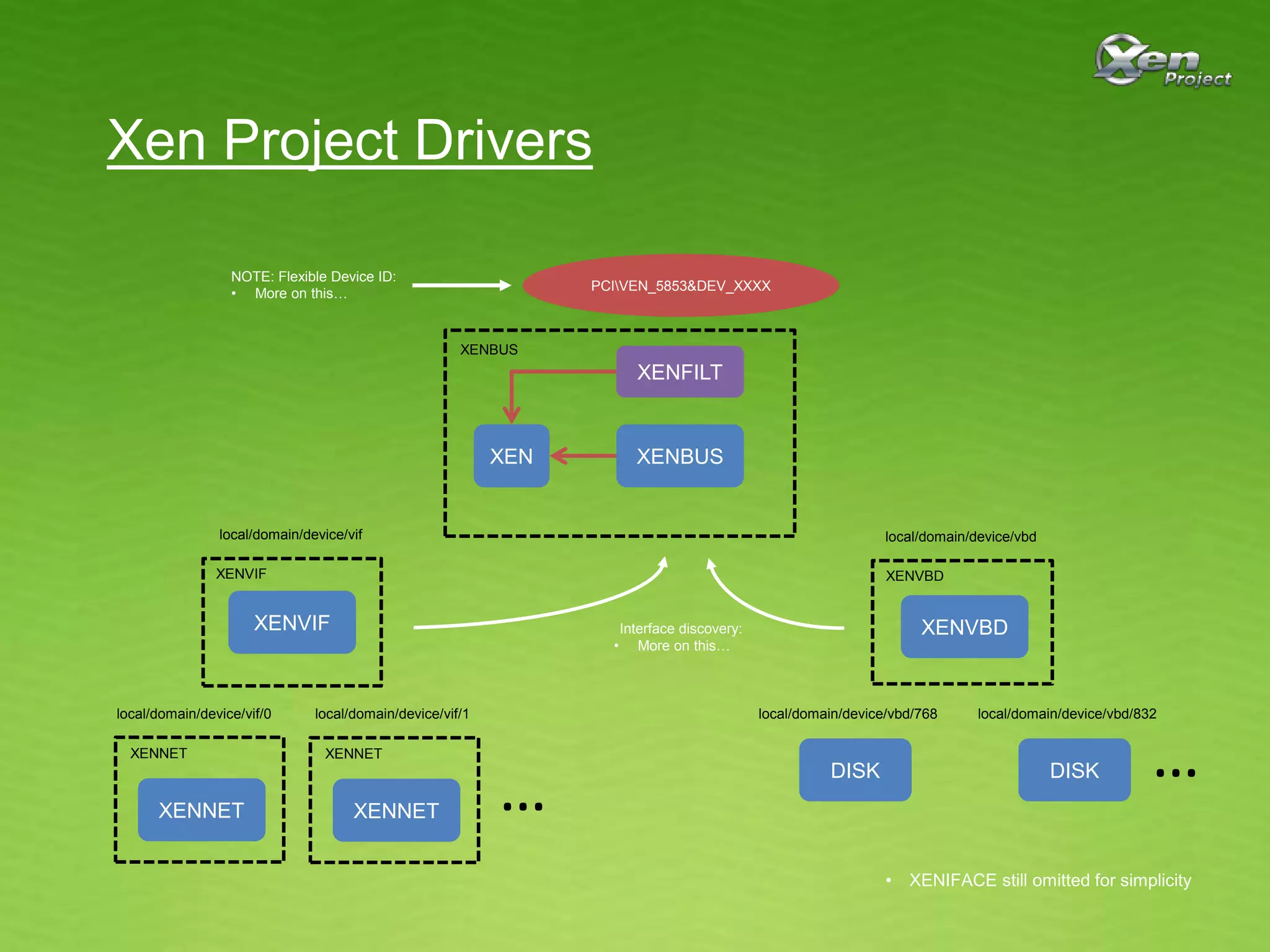
PCIVEN_5853&DEV_XXXX
XENVBD
DISK
XENVIF
XENNET
XENVBDXENVIF
XENNET
local/domain/device/vif
local/domain/device/vif/0
XENNET
XENNET
local/domain/device/vif/1 local/domain/device/vbd/768
DISK
local/domain/device/vbd/832
……
local/domain/device/vbd
Interface discovery:
• More on this…
NOTE: Flexible Device ID:
• More on this…
Xen Project Drivers
• XENIFACE still omitted for simplicity
XENBUS
XENBUS
XENFILT
XEN
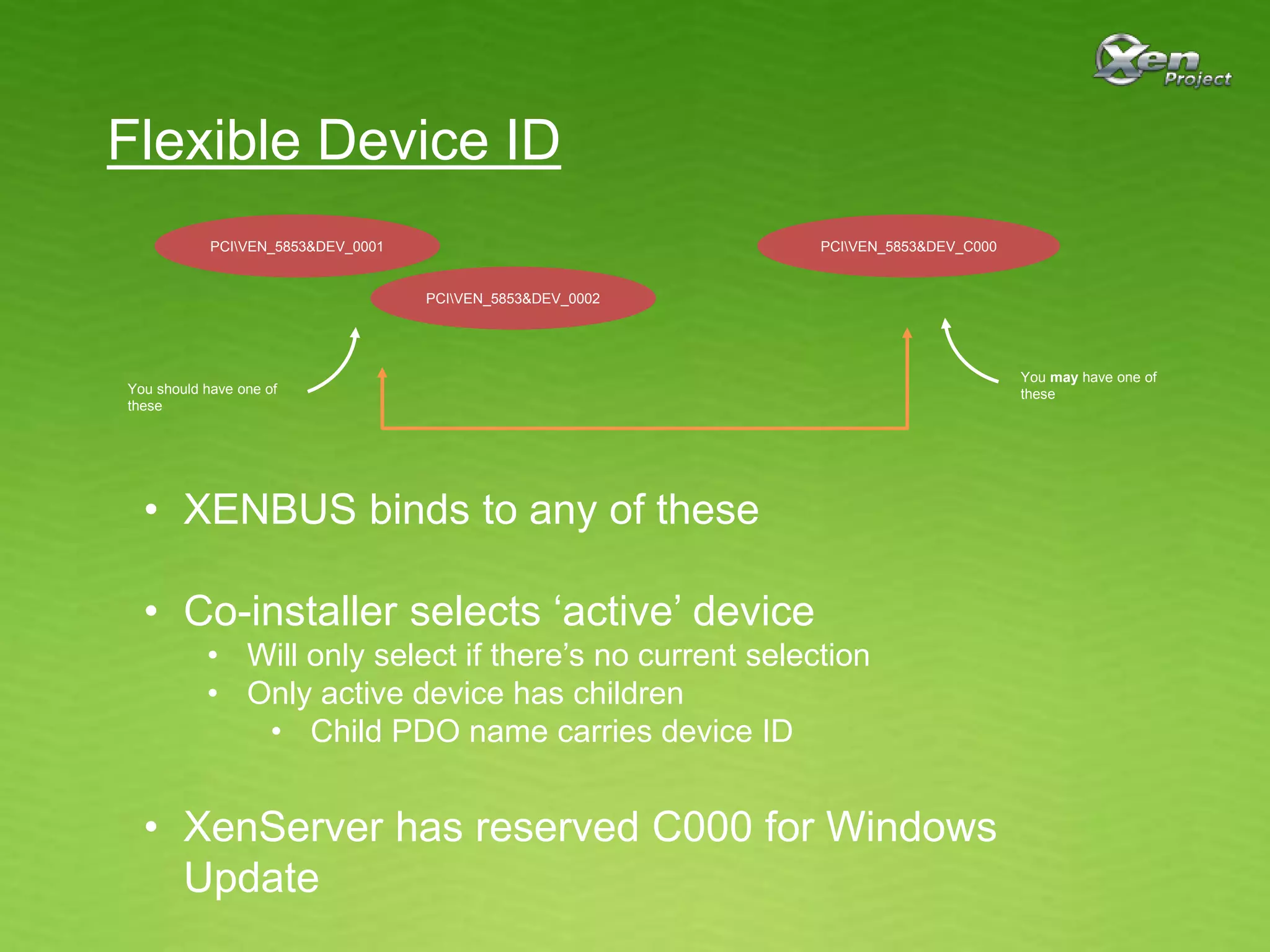
Flexible Device ID
PCIVEN_5853&DEV_0001
PCIVEN_5853&DEV_0002
PCIVEN_5853&DEV_C000
You should have one of
these
You may have one of
these
• XENBUS binds to any of these
• Co-installer selects ‘active’ device
• Will only select if there’s no current selection
• Only active device has children
• Child PDO name carries device ID
• XenServer has reserved C000 for Windows
Update
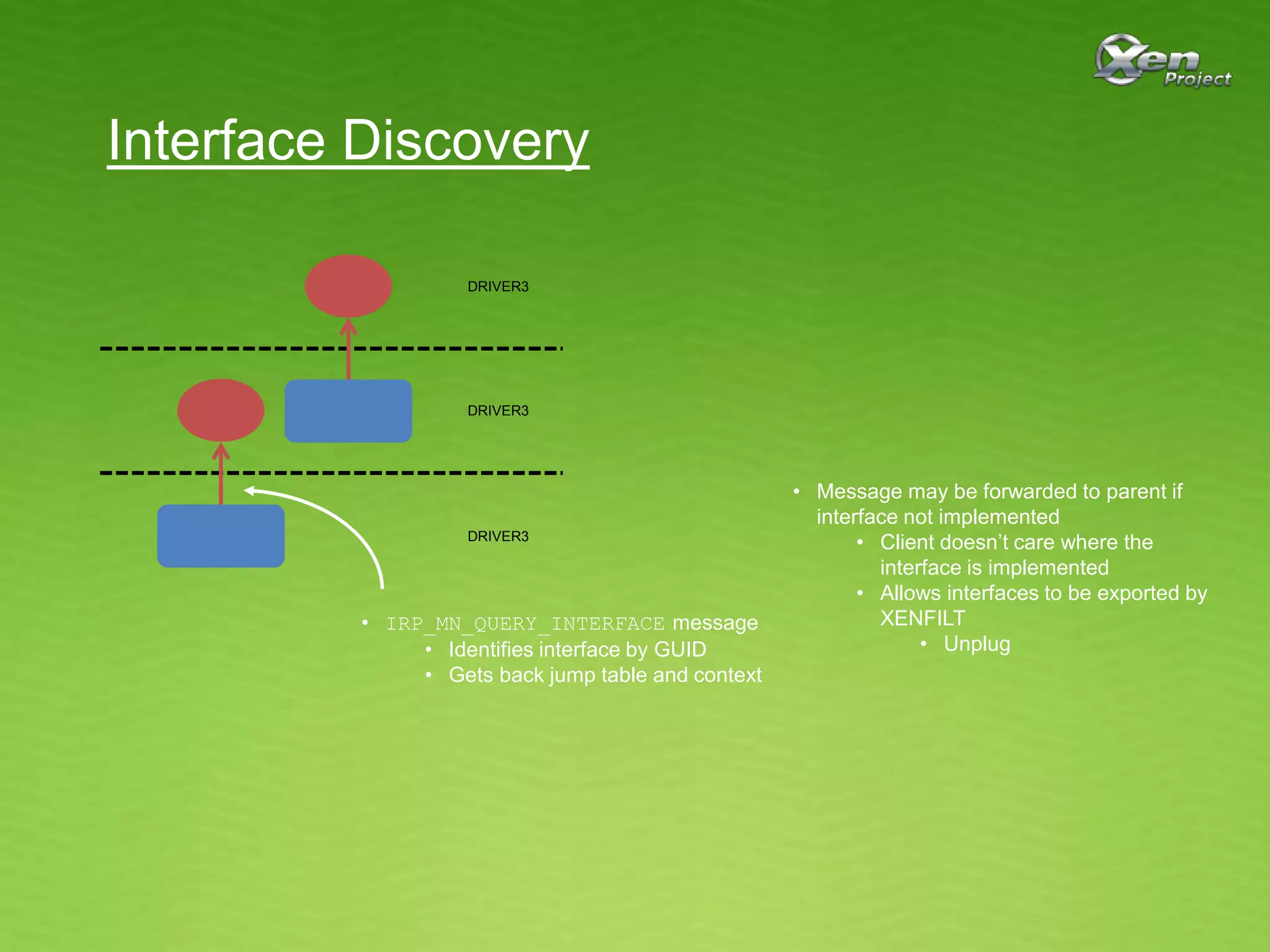
Interface Discovery
• IRP_MN_QUERY_INTERFACE message
• Identifies interface by GUID
• Gets back jump table and context
DRIVER3
DRIVER3
DRIVER3
• Message may be forwarded to parent if
interface not implemented
• Client doesn’t care where the
interface is implemented
• Allows interfaces to be exported by
XENFILT
• Unplug
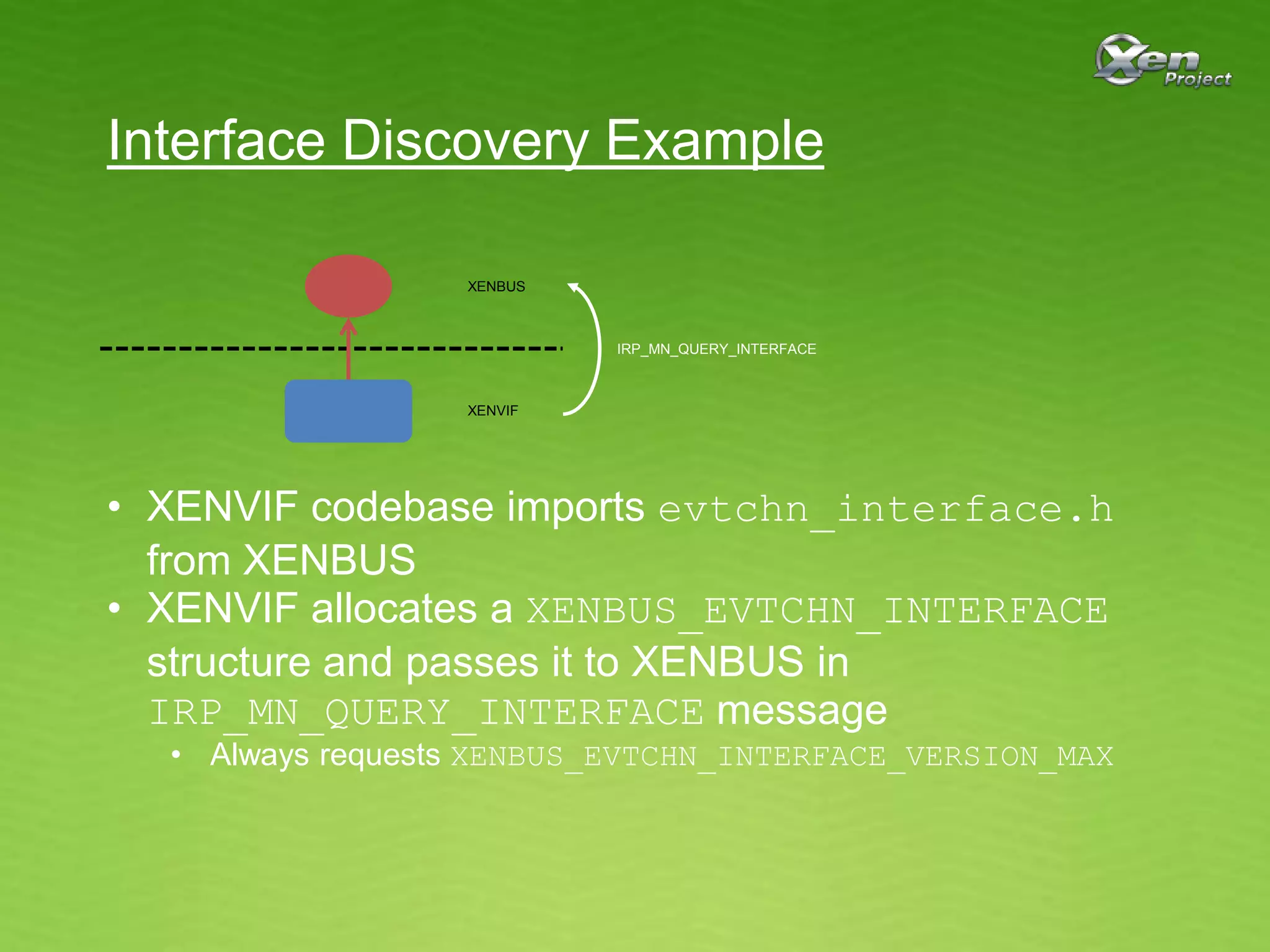
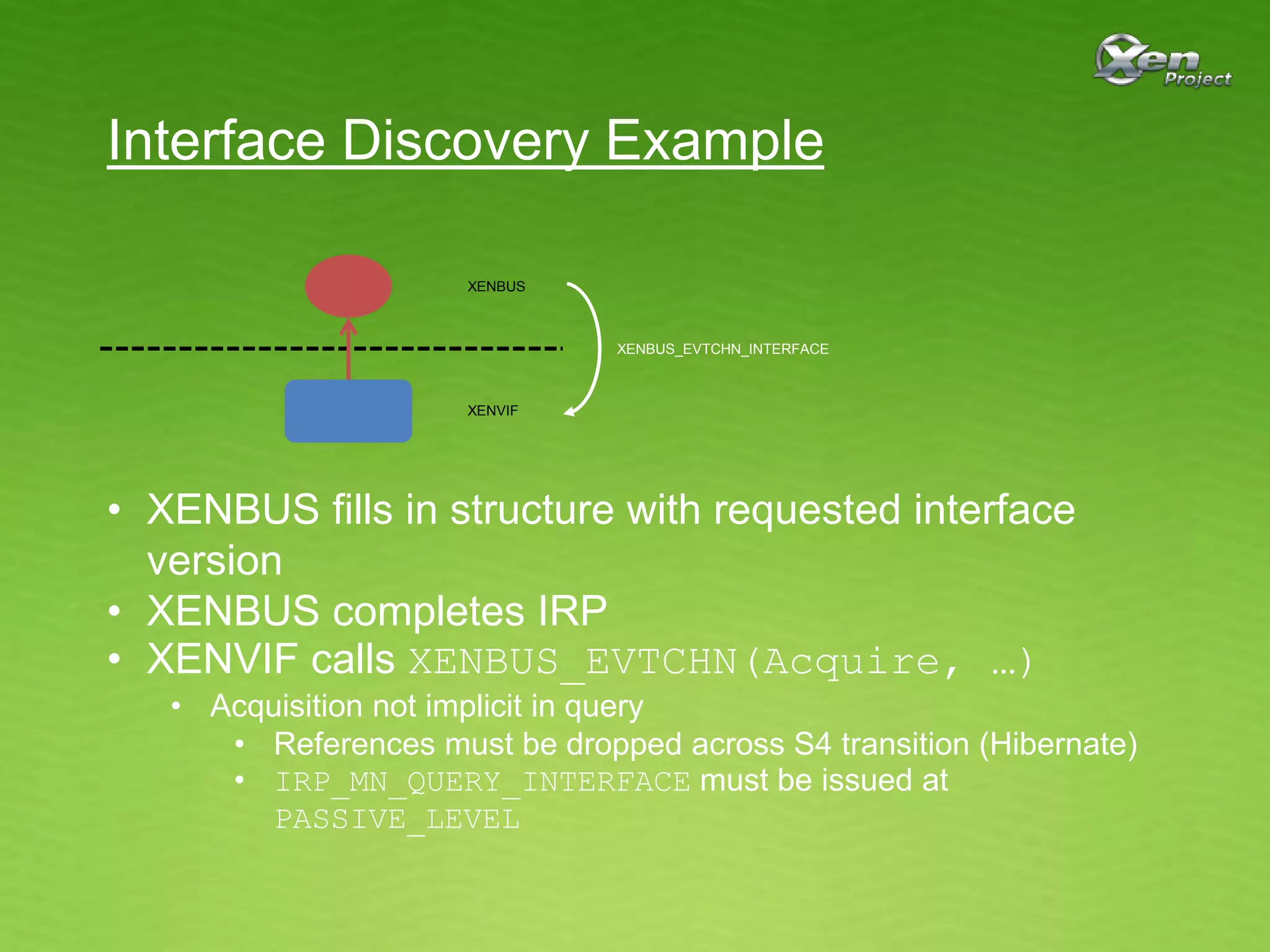
Interface Discovery Example
XENBUS
XENVIF
• XENVIF codebase imports evtchn_interface.h
from XENBUS
• XENVIF allocates a XENBUS_EVTCHN_INTERFACE
structure and passes it to XENBUS in
IRP_MN_QUERY_INTERFACE message
• Always requests XENBUS_EVTCHN_INTERFACE_VERSION_MAX
IRP_MN_QUERY_INTERFACE
Interface Discovery Example
XENBUS
XENVIF
• XENBUS fills in structure with requested interface
version
• XENBUS completes IRP
• XENVIF calls XENBUS_EVTCHN(Acquire, …)
• Acquisition not implicit in query
• References must be dropped across S4 transition (Hibernate)
• IRP_MN_QUERY_INTERFACE must be issued at
PASSIVE_LEVEL
XENBUS_EVTCHN_INTERFACE
Interface Discovery Example
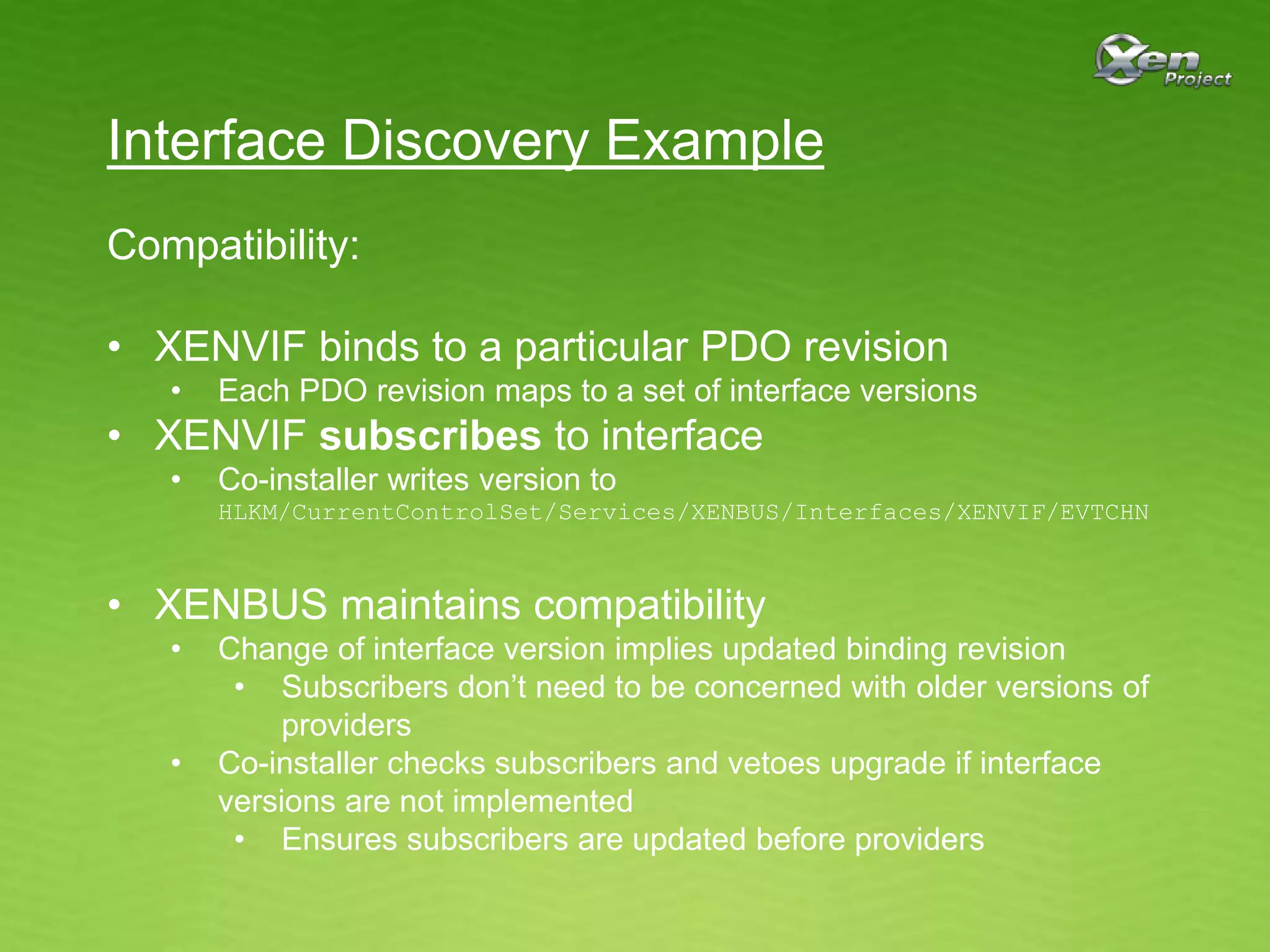
Compatibility:
• XENVIF binds to a particular PDO revision
• Each PDO revision maps to a set of interface versions
• XENVIF subscribes to interface
• Co-installer writes version to
HLKM/CurrentControlSet/Services/XENBUS/Interfaces/XENVIF/EVTCHN
• XENBUS maintains compatibility
• Change of interface version implies updated binding revision
• Subscribers don’t need to be concerned with older versions of
providers
• Co-installer checks subscribers and vetoes upgrade if interface
versions are not implemented
• Ensures subscribers are updated before providers
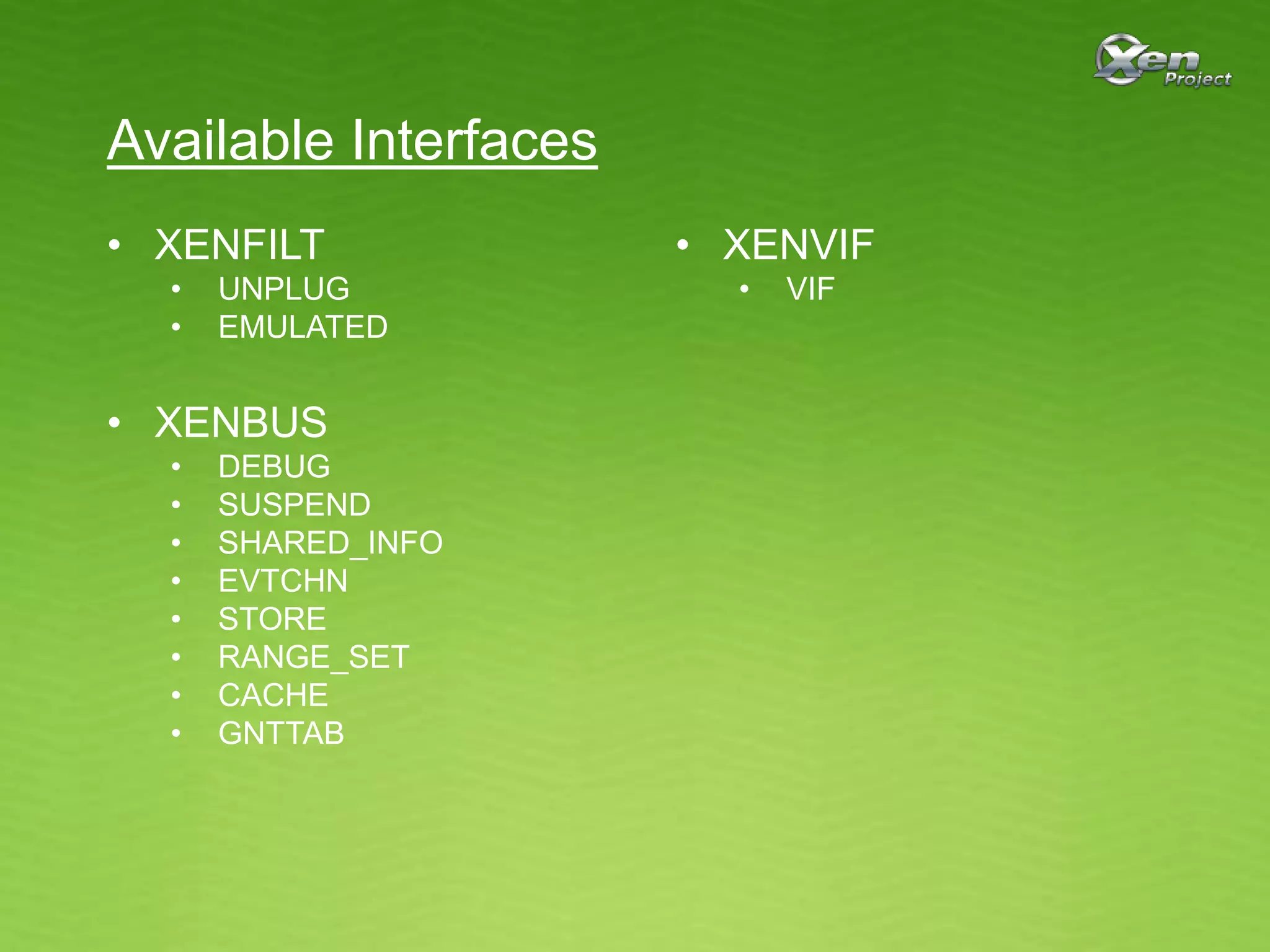
Available Interfaces
• XENFILT
• UNPLUG
• EMULATED
• XENBUS
• DEBUG
• SUSPEND
• SHARED_INFO
• EVTCHN
• STORE
• RANGE_SET
• CACHE
• GNTTAB
• XENVIF
• VIF
Building
• BUILD.md should tell you want you need to know
• Pre-requistes
• Visual Studio 2012 (NOT Express) or 2013 (Express OK)
• Windows 8 or 8.1 WDK
(See http://msdn.microsoft.com/en-us/windows/hardware/hh852365)
• Python 3.x
• Set environment
• KIT
• SYMBOL_SERVER
• build.py free|checked [nosdv]
• Latest development builds available for download:
(See http://www.xenproject.org/downloads/windows-pv-drivers/development-builds.html)
Usually C:Program FilesWindows Kits8.0
I use C:Symbols
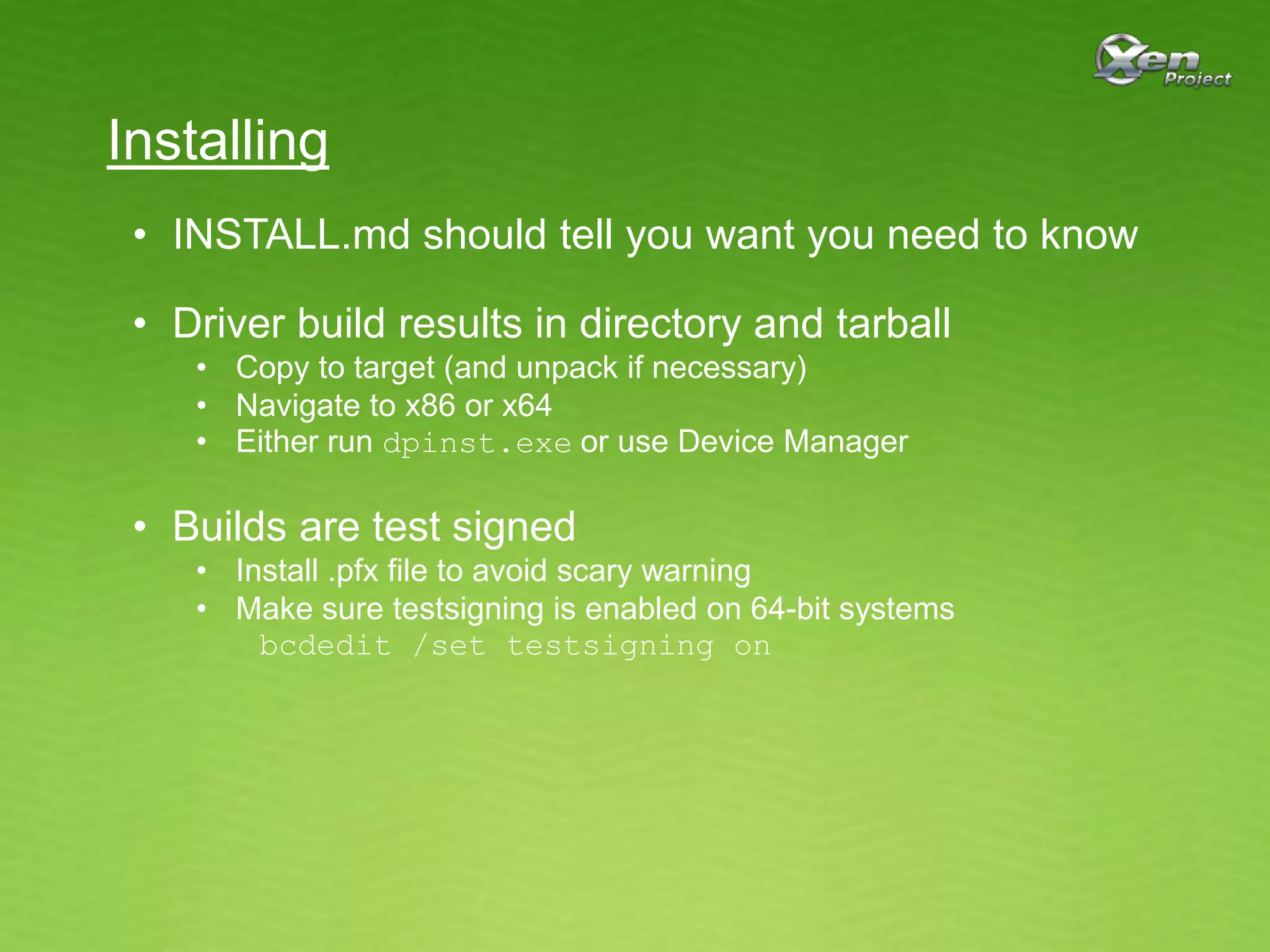
Installing
• INSTALL.md should tell you want you need to know
• Driver build results in directory and tarball
• Copy to target (and unpack if necessary)
• Navigate to x86 or x64
• Either run dpinst.exe or use Device Manager
• Builds are test signed
• Install .pfx file to avoid scary warning
• Make sure testsigning is enabled on 64-bit systems
bcdedit /set testsigning on
Contributing
• See MAINTAINERS file
• Follow guidance at http://wiki.xen.org/wiki/Submitting_Xen_Patches
• Subscribe to mailing list win-pv-devel@lists.xenproject.org
(See http://lists.xenproject.org/cgi-bin/mailman/listinfo/win-pv-devel)
Q & A

Xen Project: Windows PV Drivers

  • 1.
    Xen Project Windows PVDrivers Paul Durrant Project Lead
  • 2.
    Agenda • Background • Originof the drivers • Legacy, Standard and XenProject drivers • Driver interfaces • Discovery • Compatibility • Building and Installing drivers • Tools
  • 3.
    Terminology PDO FDO FDO PACKAGE (INF FILE) PACKAGE local/domain/device/vif Thisis a Function Device Object, created when a driver binds to a Physical Device Object. The INF file states the ‘names’ it will bind to. This is a Physical Device Object, created by a bus driver. The ‘name’ of this device is used by Windows to select a driver. This is a xenstore key that is used by a PV bus driver to create a PDO. This is an FDO created by a child PV driver that binds to the PDO representing the xenstore key. FiltDO This is a Filter Device Object. They can be used to interpose on Plug’n’Play, Power or IO messages flowing between PDOs and FDOs.
  • 4.
    Legacy Drivers • Usedfor all versions of Windows in Citrix XenServer 6.0 • Used only for Windows XP and Server 2003 from XenServer 6.1 • Closed source • Code of unknown origin made open source difficult
  • 5.
    Legacy Drivers ROOTXENEVTCHN PCIVEN_5853&DEV_0001 XENVBDXENEVTCHN DISK XENVIF XENNET XENUTIL XENVBDXEVTCHN XENVIF XENNET local/domain/device/vif local/domain/device/vif/0 XENNET XENNET local/domain/device/vif/1local/domain/device/vbd/768 DISK local/domain/device/vbd/832 SCSIFILT SCSIFILT …… Created by installer Emulated by QEMU Standard in-box driver Linkage dependency • XENIFACE omitted for simplicity
  • 6.
    Legacy Drivers Problems: • SCSIFILTmakes storage stack complicated • Cross-package linkage dependencies make upgrade very tricky • Binary incompatibility can lead to hard-to-diagnose BSODs • Two root nodes make load order unpredictable and initialization of PV interfaces very fragile • Use of synthetic root node requires an installer • Windows Update cannot be used to deploy “But Windows Update would be very useful for large installations or upgrades so that’s a pain. What can we do?”
  • 7.
    Standard Drivers • Usedfor versions of Windows from Vista onwards from XenServer 6.1 • Built using Windows 8 WDK and Visual Studio 2012 • Necessary for supporting Windows 8 onwards • Anticipated to become open source • All code of unknown origin was removed
  • 8.
  • 9.
    Standard Drivers Advantages: • STORPORTinstead of SCSIPORT • No need for SCSIFILT • Independent packages • No binary compatibility issues • No installation ordering issues • Just PCI root node • Windows Update now possible
  • 10.
    Standard Drivers Problems: • NewDevice ID • Conceived to allow Windows Update deployment, but… • Caused big problems in XenServer 6.1 • Not acceptable to upstream community (e.g. Amazon) • Compatibility checks don’t behave well • Still an assumption that drivers will be installed or upgraded together
  • 11.
    Xen Project Drivers •XenServer went fully open source in 2013 • Desire for Windows PV drivers to become even more open • Drivers already functioning on most Xen installations • Amazon already building from source • Windows PV Drivers sub-project ratified in June 2014 • Front page accessible from http://www.xenproject.org • Source repositories at http://xenbits.xenproject.org • Project lead: Paul Durrant • Committers: Paul Durrant, Ben Chalmers and Owen Smith
  • 12.
    Xen Project Drivers •Plan to use for all versions of Windows from XenServer vNext • Windows 2003 goes out of support in May 2015 • Built using Windows 8 WDK and Visual Studio 2012 • Cannot move to 8.1 WDK as Windows 7 is not supported • Source is buildable with 8.1 WDK and Visual Studio 2013 • Remaining problems from Standard Drivers addressed
  • 13.
  • 14.
    Flexible Device ID PCIVEN_5853&DEV_0001 PCIVEN_5853&DEV_0002 PCIVEN_5853&DEV_C000 Youshould have one of these You may have one of these • XENBUS binds to any of these • Co-installer selects ‘active’ device • Will only select if there’s no current selection • Only active device has children • Child PDO name carries device ID • XenServer has reserved C000 for Windows Update
  • 15.
    Interface Discovery • IRP_MN_QUERY_INTERFACEmessage • Identifies interface by GUID • Gets back jump table and context DRIVER3 DRIVER3 DRIVER3 • Message may be forwarded to parent if interface not implemented • Client doesn’t care where the interface is implemented • Allows interfaces to be exported by XENFILT • Unplug
  • 16.
    Interface Discovery Example XENBUS XENVIF •XENVIF codebase imports evtchn_interface.h from XENBUS • XENVIF allocates a XENBUS_EVTCHN_INTERFACE structure and passes it to XENBUS in IRP_MN_QUERY_INTERFACE message • Always requests XENBUS_EVTCHN_INTERFACE_VERSION_MAX IRP_MN_QUERY_INTERFACE
  • 17.
    Interface Discovery Example XENBUS XENVIF •XENBUS fills in structure with requested interface version • XENBUS completes IRP • XENVIF calls XENBUS_EVTCHN(Acquire, …) • Acquisition not implicit in query • References must be dropped across S4 transition (Hibernate) • IRP_MN_QUERY_INTERFACE must be issued at PASSIVE_LEVEL XENBUS_EVTCHN_INTERFACE
  • 18.
    Interface Discovery Example Compatibility: •XENVIF binds to a particular PDO revision • Each PDO revision maps to a set of interface versions • XENVIF subscribes to interface • Co-installer writes version to HLKM/CurrentControlSet/Services/XENBUS/Interfaces/XENVIF/EVTCHN • XENBUS maintains compatibility • Change of interface version implies updated binding revision • Subscribers don’t need to be concerned with older versions of providers • Co-installer checks subscribers and vetoes upgrade if interface versions are not implemented • Ensures subscribers are updated before providers
  • 19.
    Available Interfaces • XENFILT •UNPLUG • EMULATED • XENBUS • DEBUG • SUSPEND • SHARED_INFO • EVTCHN • STORE • RANGE_SET • CACHE • GNTTAB • XENVIF • VIF
  • 20.
    Building • BUILD.md shouldtell you want you need to know • Pre-requistes • Visual Studio 2012 (NOT Express) or 2013 (Express OK) • Windows 8 or 8.1 WDK (See http://msdn.microsoft.com/en-us/windows/hardware/hh852365) • Python 3.x • Set environment • KIT • SYMBOL_SERVER • build.py free|checked [nosdv] • Latest development builds available for download: (See http://www.xenproject.org/downloads/windows-pv-drivers/development-builds.html) Usually C:Program FilesWindows Kits8.0 I use C:Symbols
  • 21.
    Installing • INSTALL.md shouldtell you want you need to know • Driver build results in directory and tarball • Copy to target (and unpack if necessary) • Navigate to x86 or x64 • Either run dpinst.exe or use Device Manager • Builds are test signed • Install .pfx file to avoid scary warning • Make sure testsigning is enabled on 64-bit systems bcdedit /set testsigning on
  • 22.
    Contributing • See MAINTAINERSfile • Follow guidance at http://wiki.xen.org/wiki/Submitting_Xen_Patches • Subscribe to mailing list win-pv-devel@lists.xenproject.org (See http://lists.xenproject.org/cgi-bin/mailman/listinfo/win-pv-devel)
  • 23.