Xen and the Art of Virtualization

Nikola Gvozdiev
Georgian Mihaila
Outline
Xen and the Art of Virtualization – Ian Pratt et al.
I.
II.
III.
IV.

The Art of Virtualization
Xen, goals and design
Xen evaluation
The future looks bright
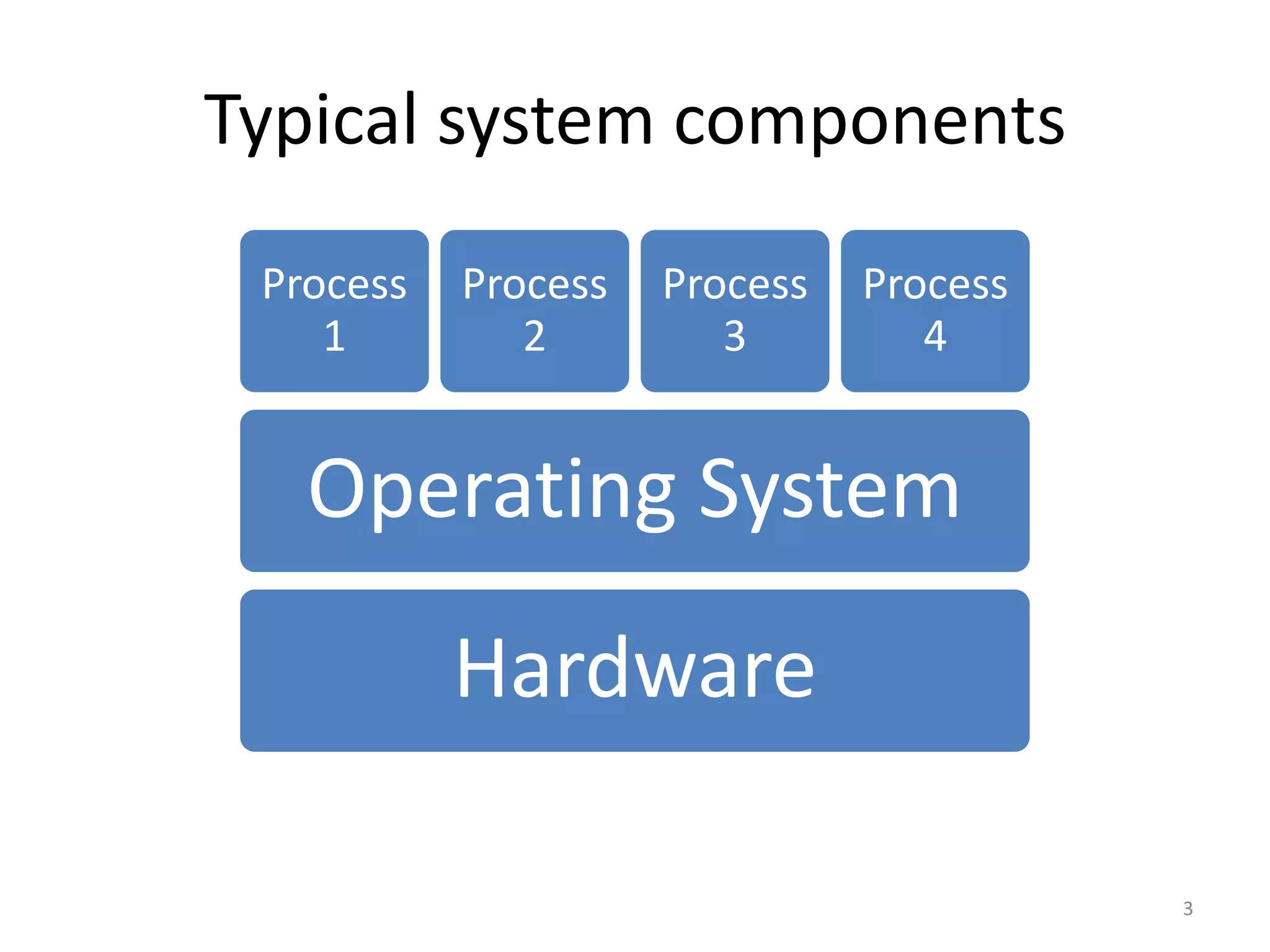
Typical system components
Process
1

Process
2

Process
3

Process
4

Operating System

Hardware
3
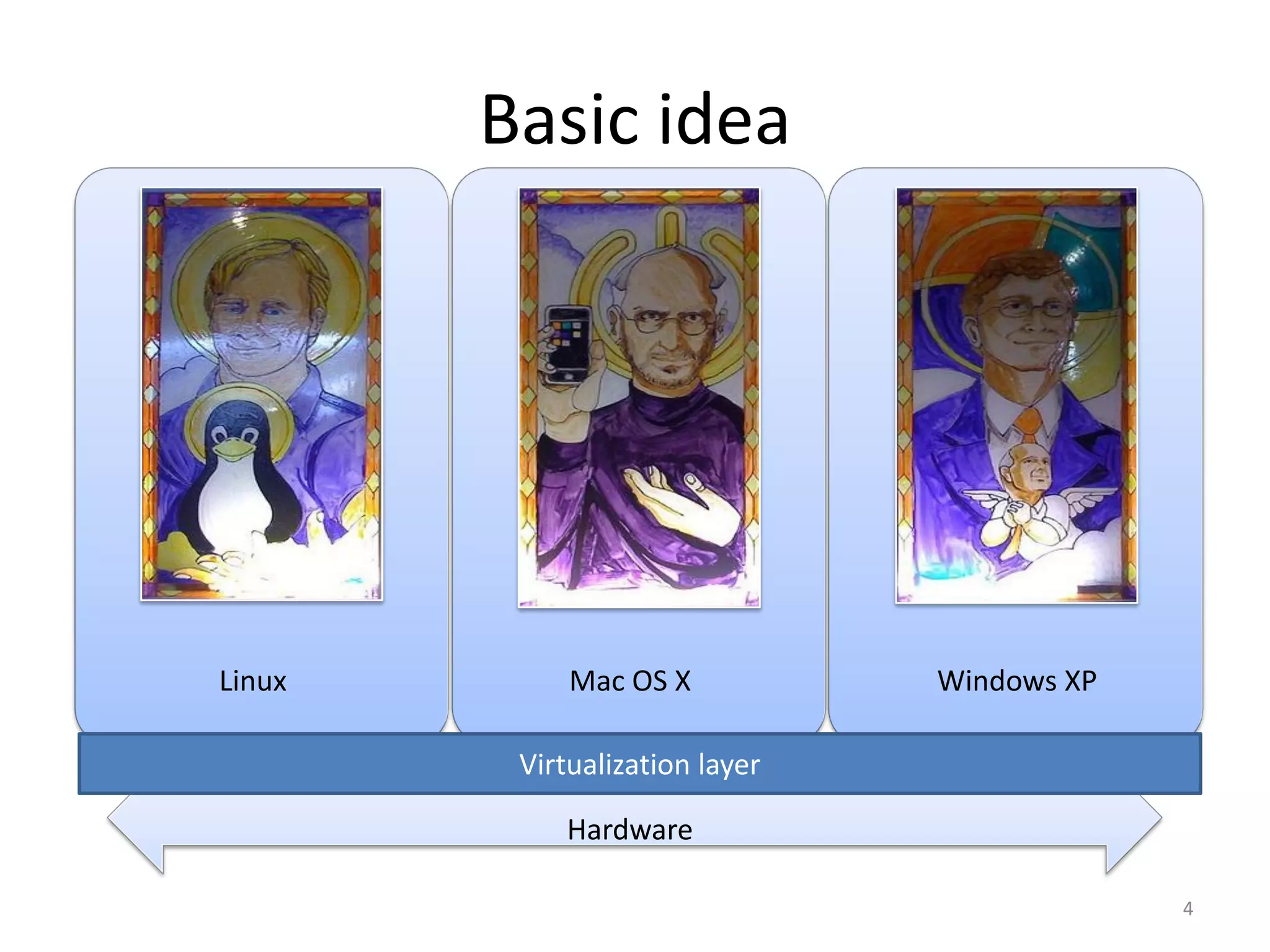
Basic idea

Linux

Mac OS X
Windows XP

Virtualization layer
Hardware
4
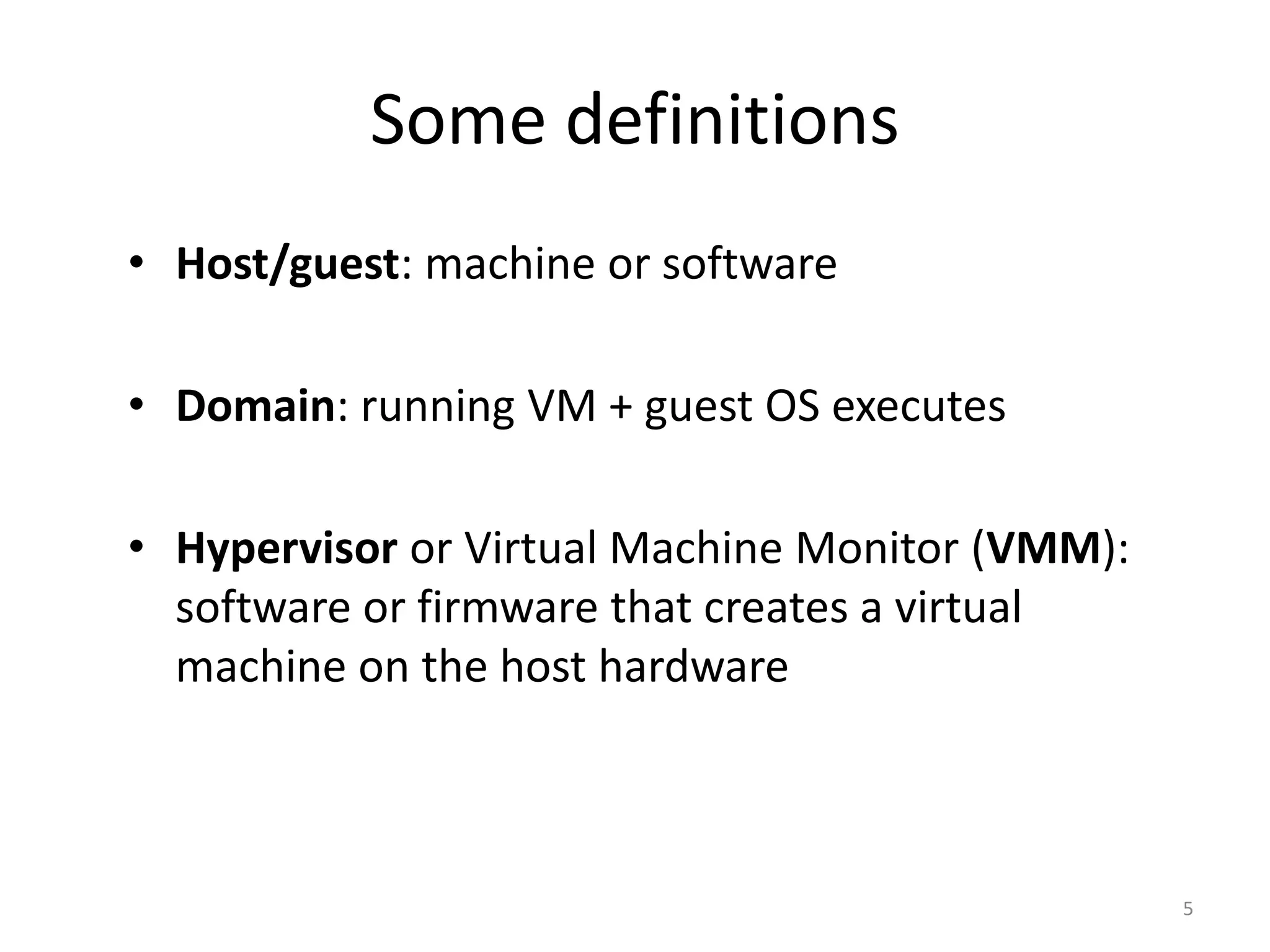
Some definitions
• Host/guest: machine or software
• Domain: running VM + guest OS executes
• Hypervisor or Virtual Machine Monitor (VMM):
software or firmware that creates a virtual
machine on the host hardware

5
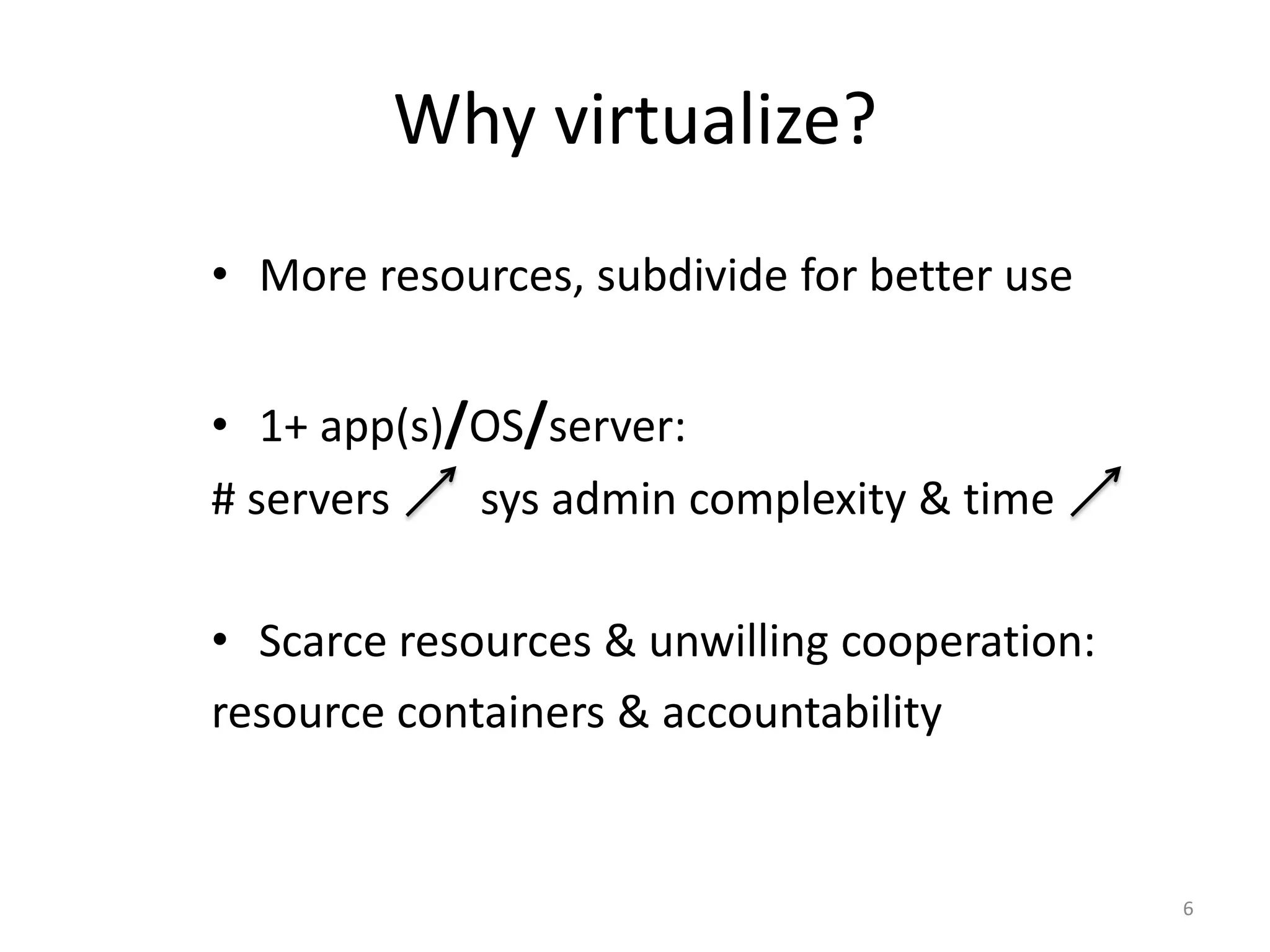
Why virtualize?
• More resources, subdivide for better use
• 1+ app(s)/OS/server:
# servers
sys admin complexity & time
• Scarce resources & unwilling cooperation:
resource containers & accountability

6
Some applications
• Resource optimization
• Infrastructure as a Service (IaaS)
• Application mobility/migration
• Containers/virus/worm (sandboxing)

7
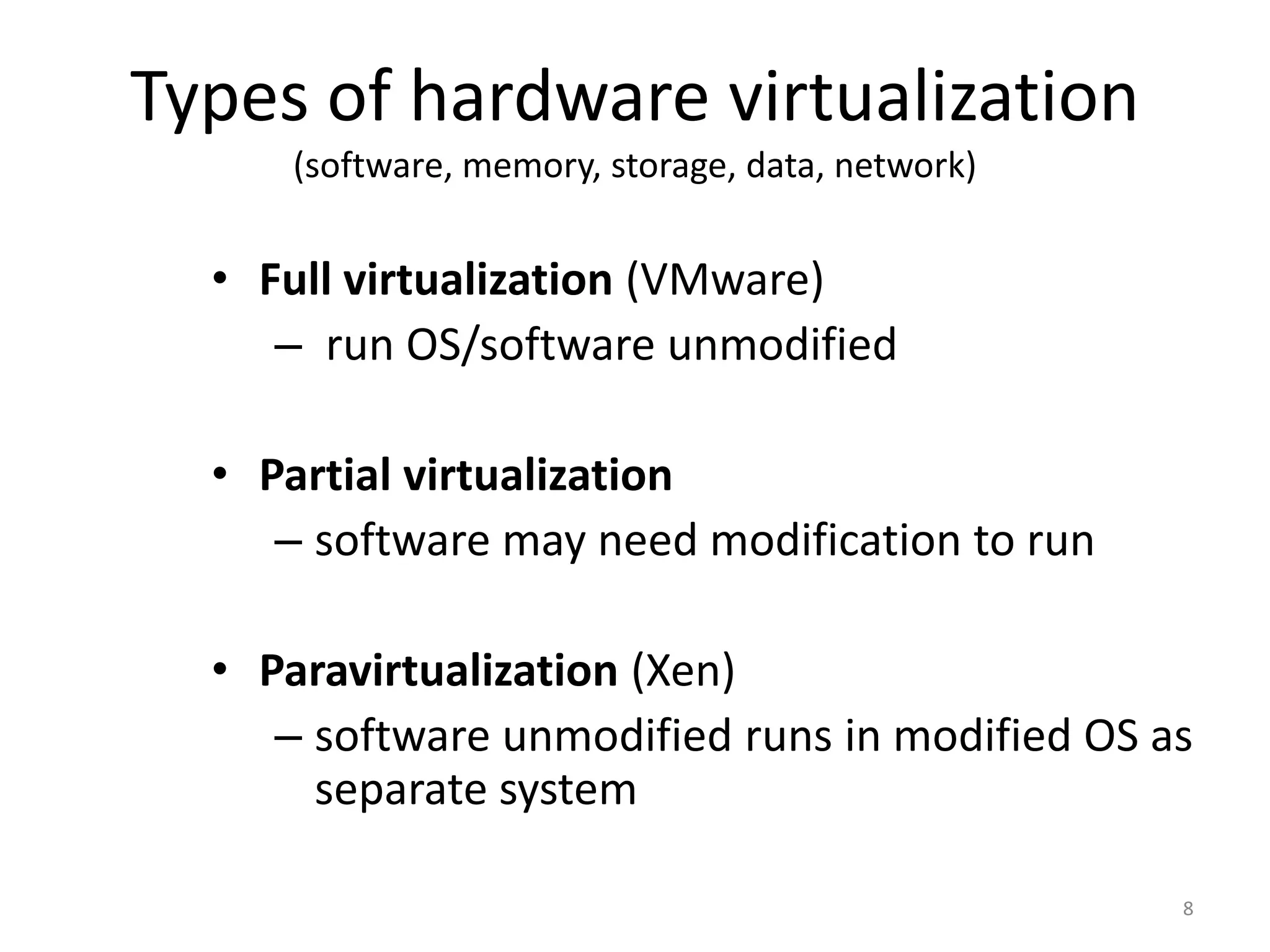
Types of hardware virtualization
(software, memory, storage, data, network)

• Full virtualization (VMware)
– run OS/software unmodified
• Partial virtualization
– software may need modification to run
• Paravirtualization (Xen)
– software unmodified runs in modified OS as
separate system
8
Outline
Xen and the Art of Virtualization – Ian Pratt et al.
I.
II.
III.
IV.

The Art of Virtualization
Xen, goals and design
Xen evaluation
The future looks bright
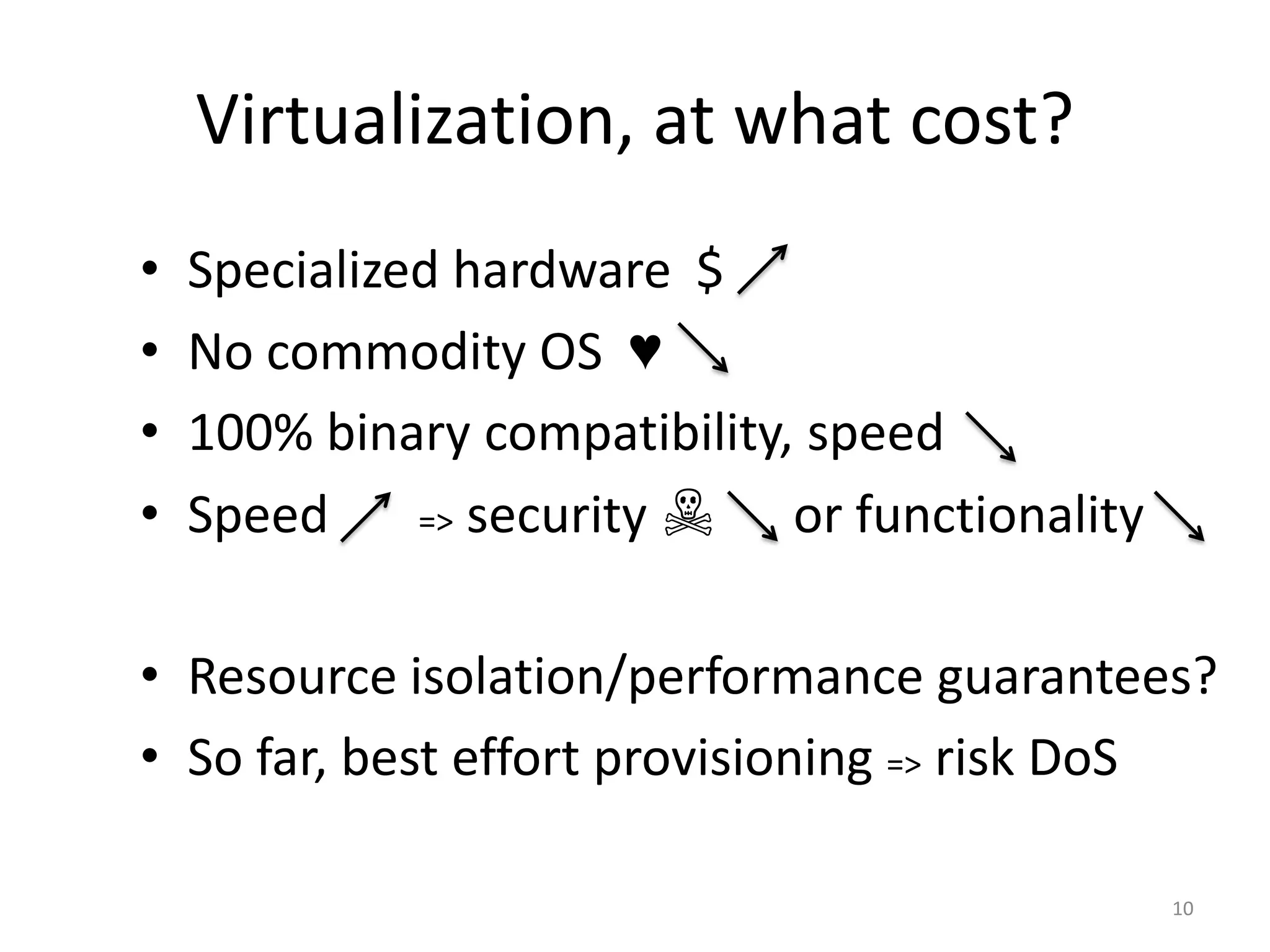
Virtualization, at what cost?
•
•
•
•

Specialized hardware $
No commodity OS ♥
100% binary compatibility, speed
Speed
=> security ☠
or functionality

• Resource isolation/performance guarantees?
• So far, best effort provisioning => risk DoS
10
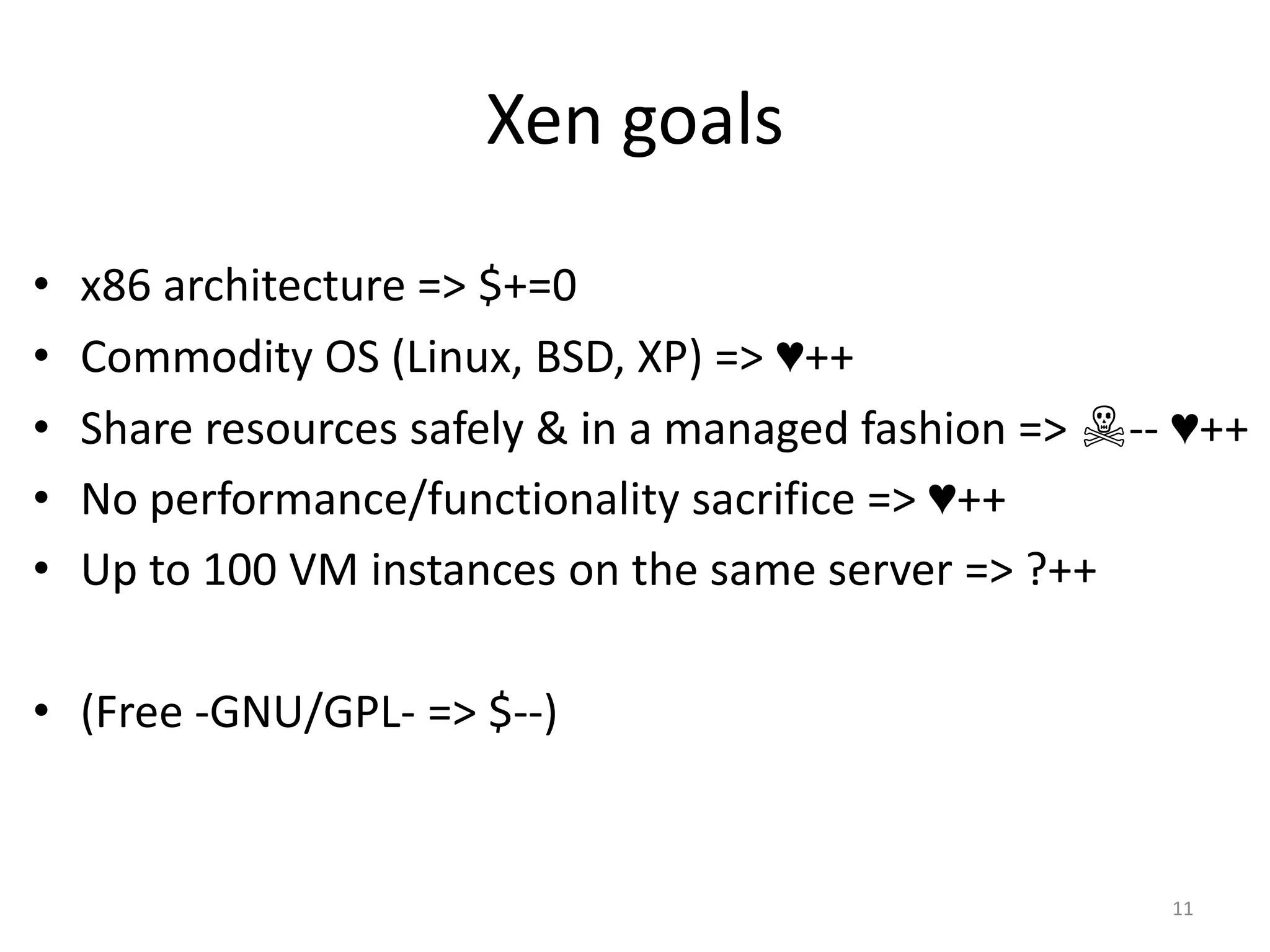
Xen goals
•
•
•
•
•

x86 architecture => $+=0
Commodity OS (Linux, BSD, XP) => ♥++
Share resources safely & in a managed fashion => ☠-- ♥++
No performance/functionality sacrifice => ♥++
Up to 100 VM instances on the same server => ?++

• (Free -GNU/GPL- => $--)

11
The Xen paper
Focus on the VMM design
• How to multiplex physical resources at the
granularity of an entire OS and provide
performance isolation between guest OSes?
Prototype
• Full Linux, partial Win XP, ongoing NetBSD port

12
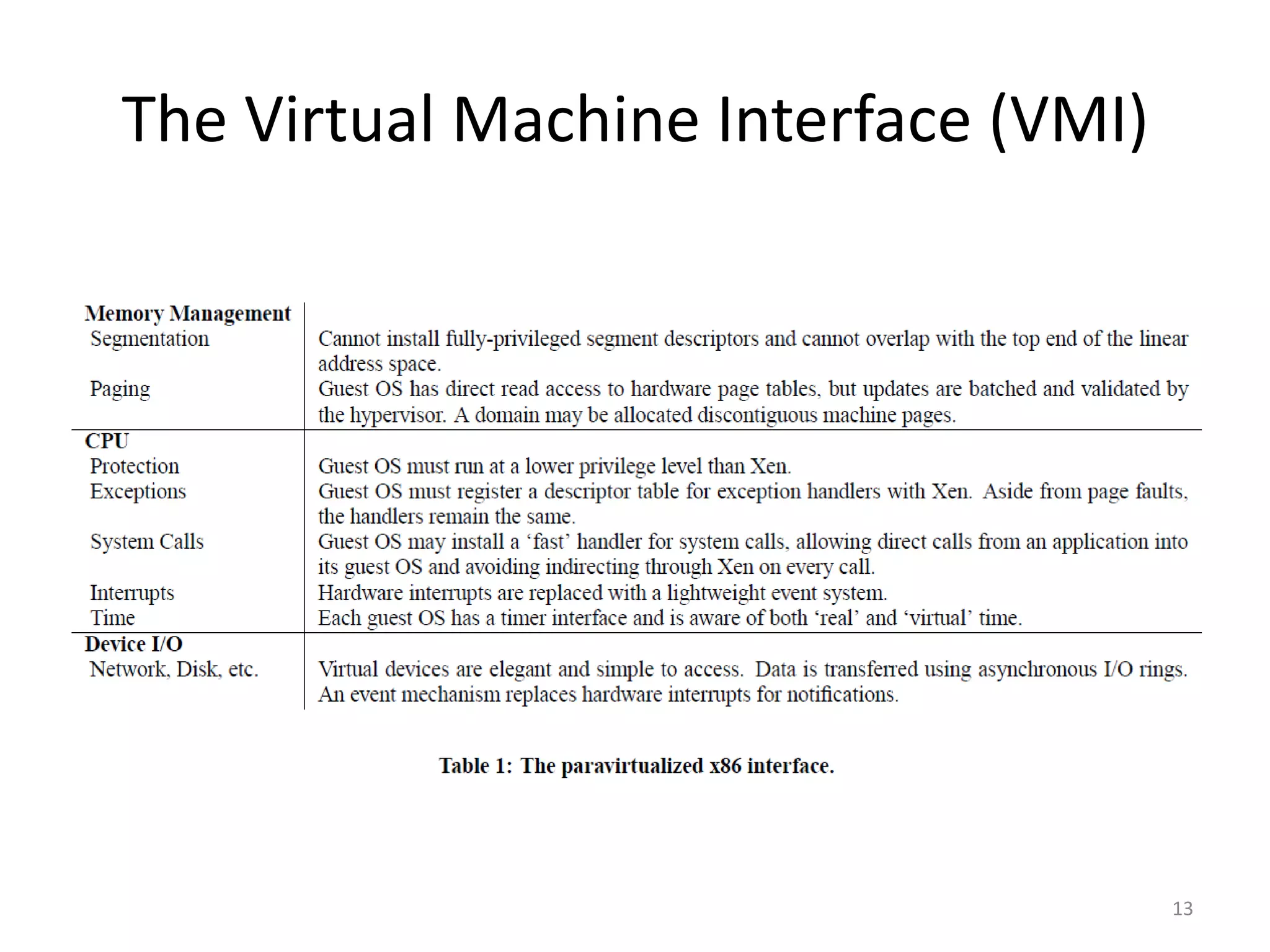
The Virtual Machine Interface (VMI)

13
Typical System call
User
Program
Program
executing

OS Kernel

call read()

Program
blocked
Program
executing

Kernel
performing read
read() returns

14
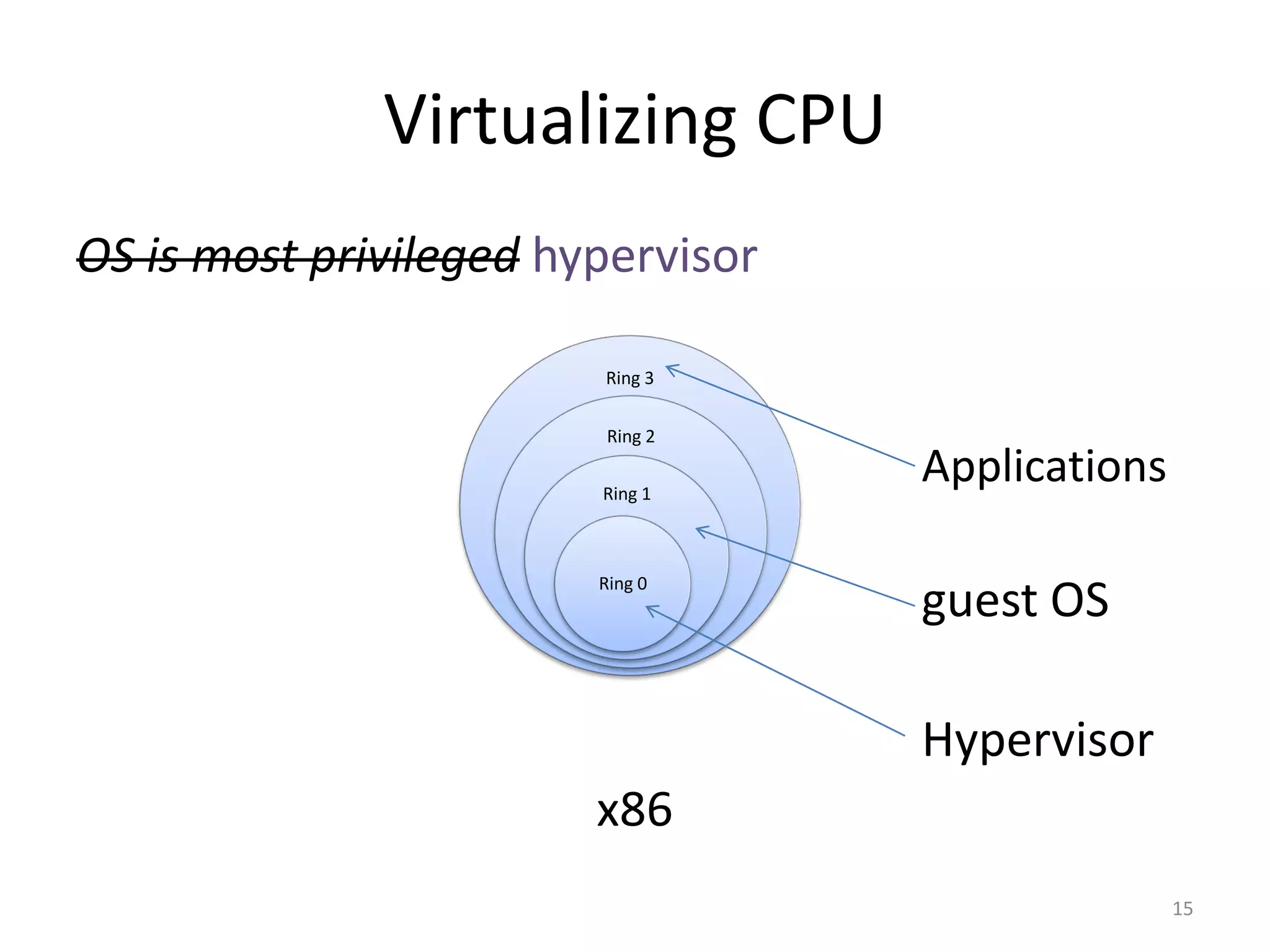
Virtualizing CPU
OS is most privileged hypervisor
Ring 3

Ring 2
Ring 1

Ring 0

Applications

guest OS
Hypervisor

x86
15
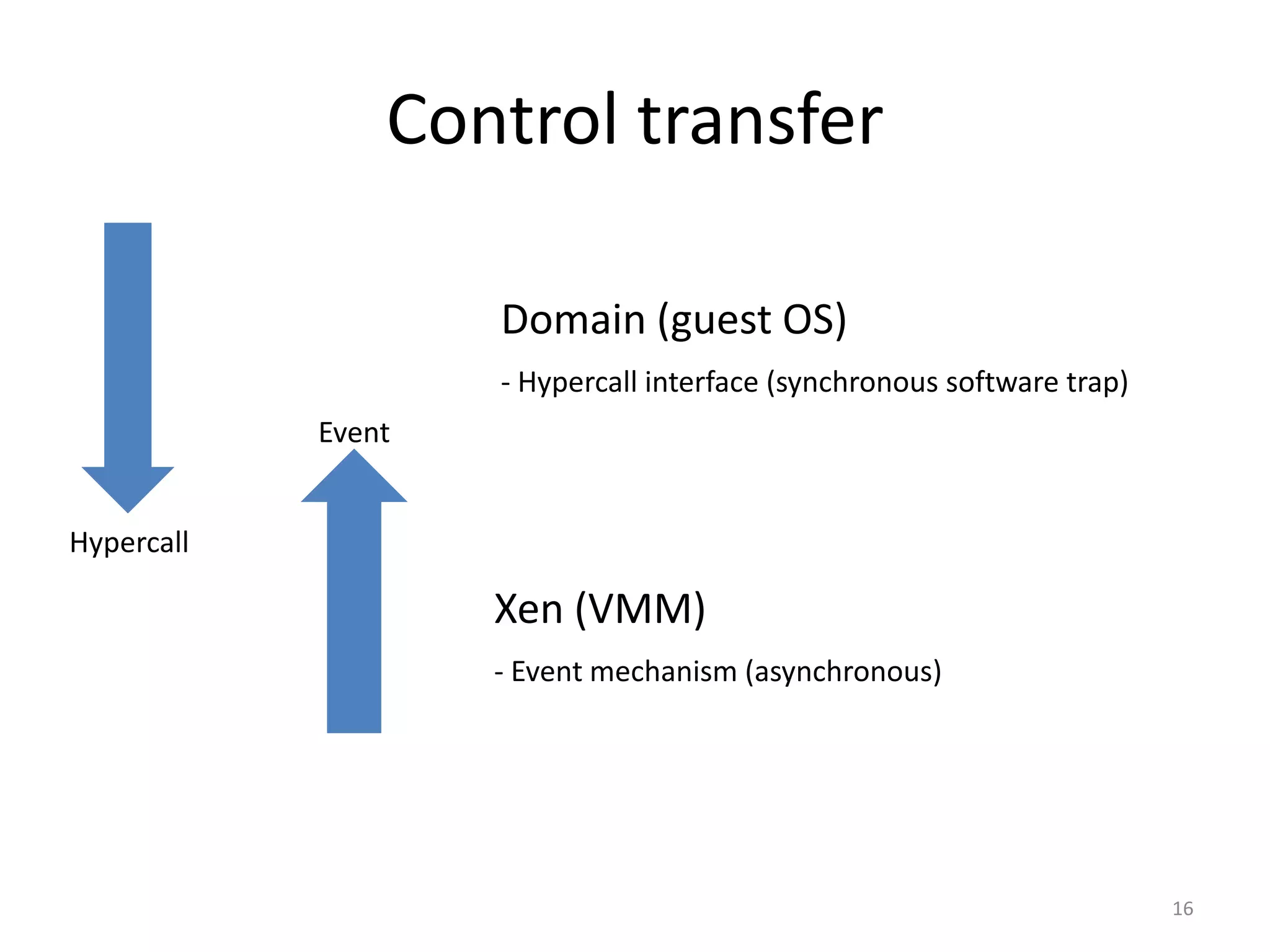
Control transfer
Domain (guest OS)
- Hypercall interface (synchronous software trap)
Event
Hypercall

Xen (VMM)
- Event mechanism (asynchronous)

16
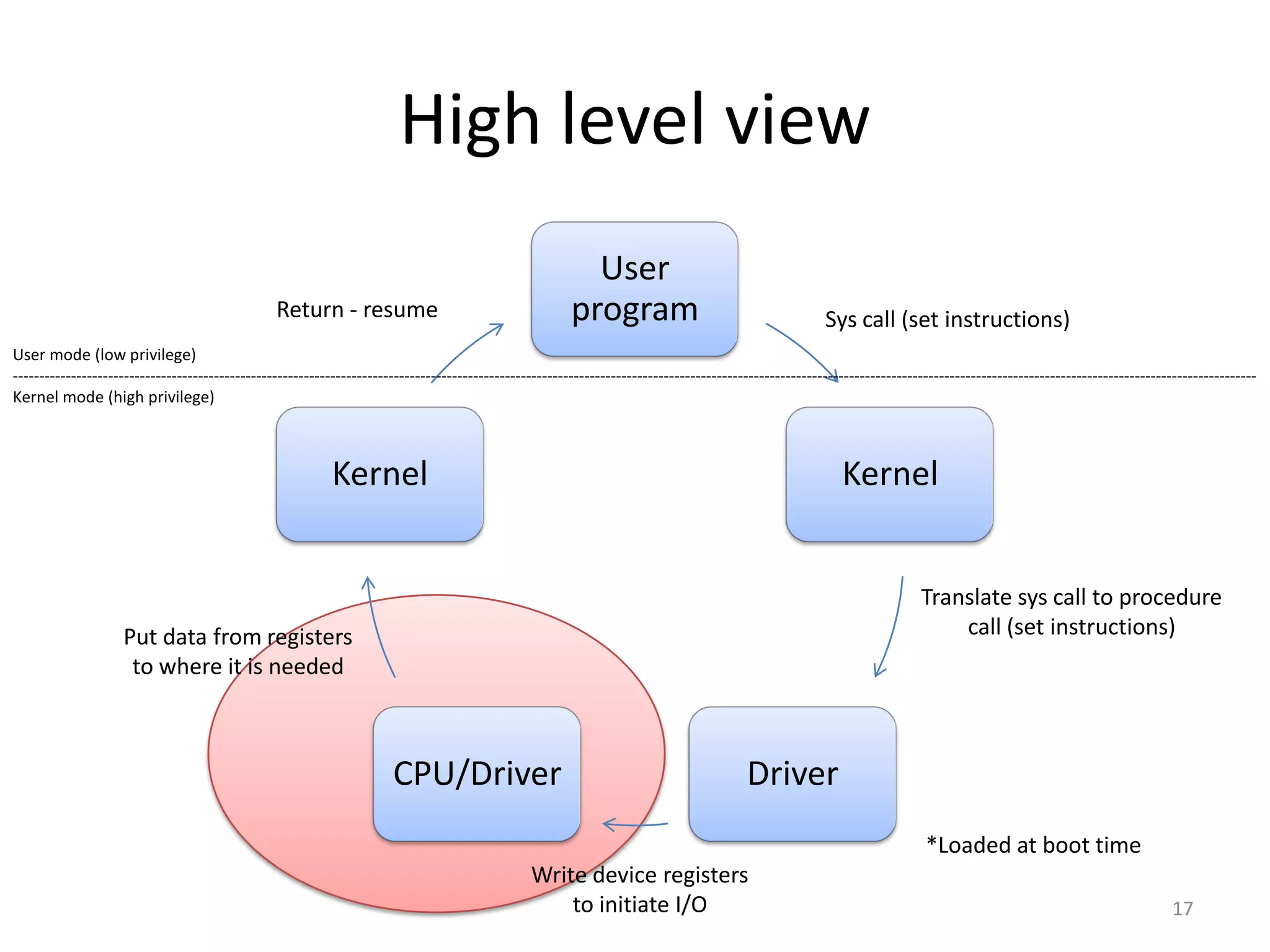
High level view
User
program

Return - resume

Sys call (set instructions)

User mode (low privilege)
------------------------------------------------------------------------------------------------------------------------------------------------------------------------------------------------------------------------------------------Kernel mode (high privilege)

Kernel

Kernel
Translate sys call to procedure
call (set instructions)

Put data from registers
to where it is needed

CPU/Driver

Driver
*Loaded at boot time

Write device registers
to initiate I/O

17
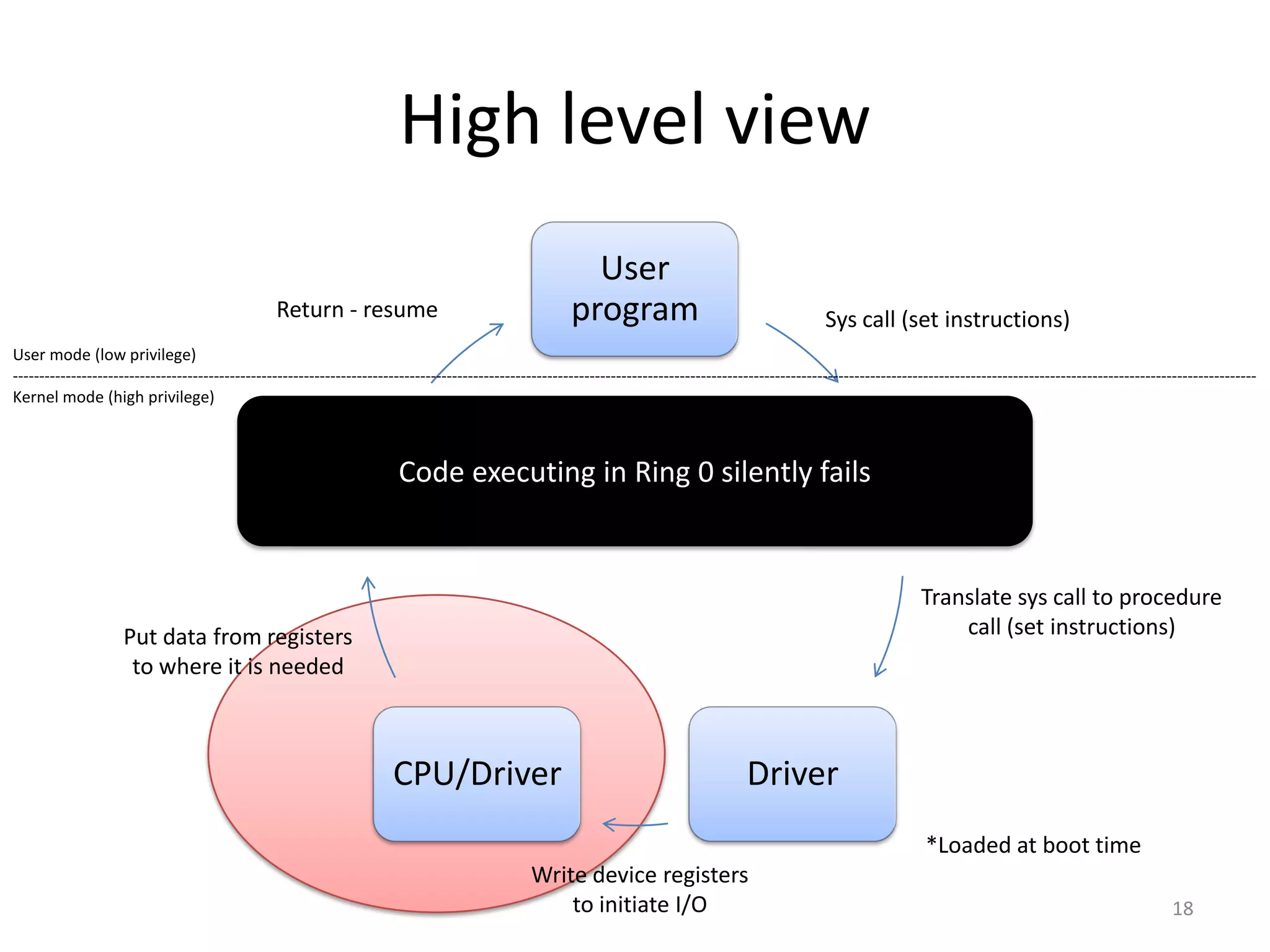
High level view
User
program

Return - resume

Sys call (set instructions)

User mode (low privilege)
------------------------------------------------------------------------------------------------------------------------------------------------------------------------------------------------------------------------------------------Kernel mode (high privilege)

Code
Kernel executing in Ring 0 silently fails
Kernel

Translate sys call to procedure
call (set instructions)

Put data from registers
to where it is needed

CPU/Driver

Driver
*Loaded at boot time

Write device registers
to initiate I/O

18
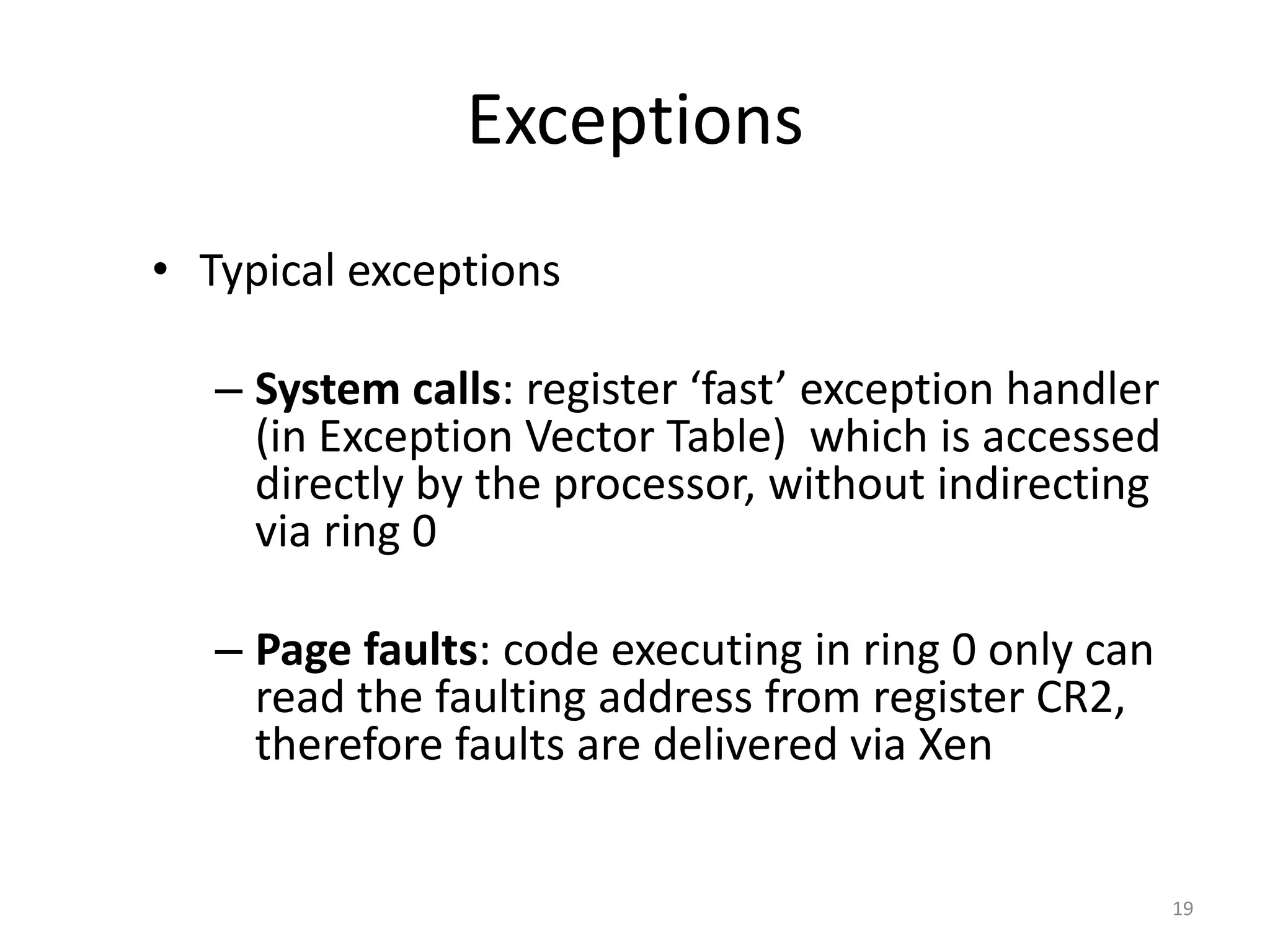
Exceptions
• Typical exceptions
– System calls: register ‘fast’ exception handler
(in Exception Vector Table) which is accessed
directly by the processor, without indirecting
via ring 0
– Page faults: code executing in ring 0 only can
read the faulting address from register CR2,
therefore faults are delivered via Xen

19
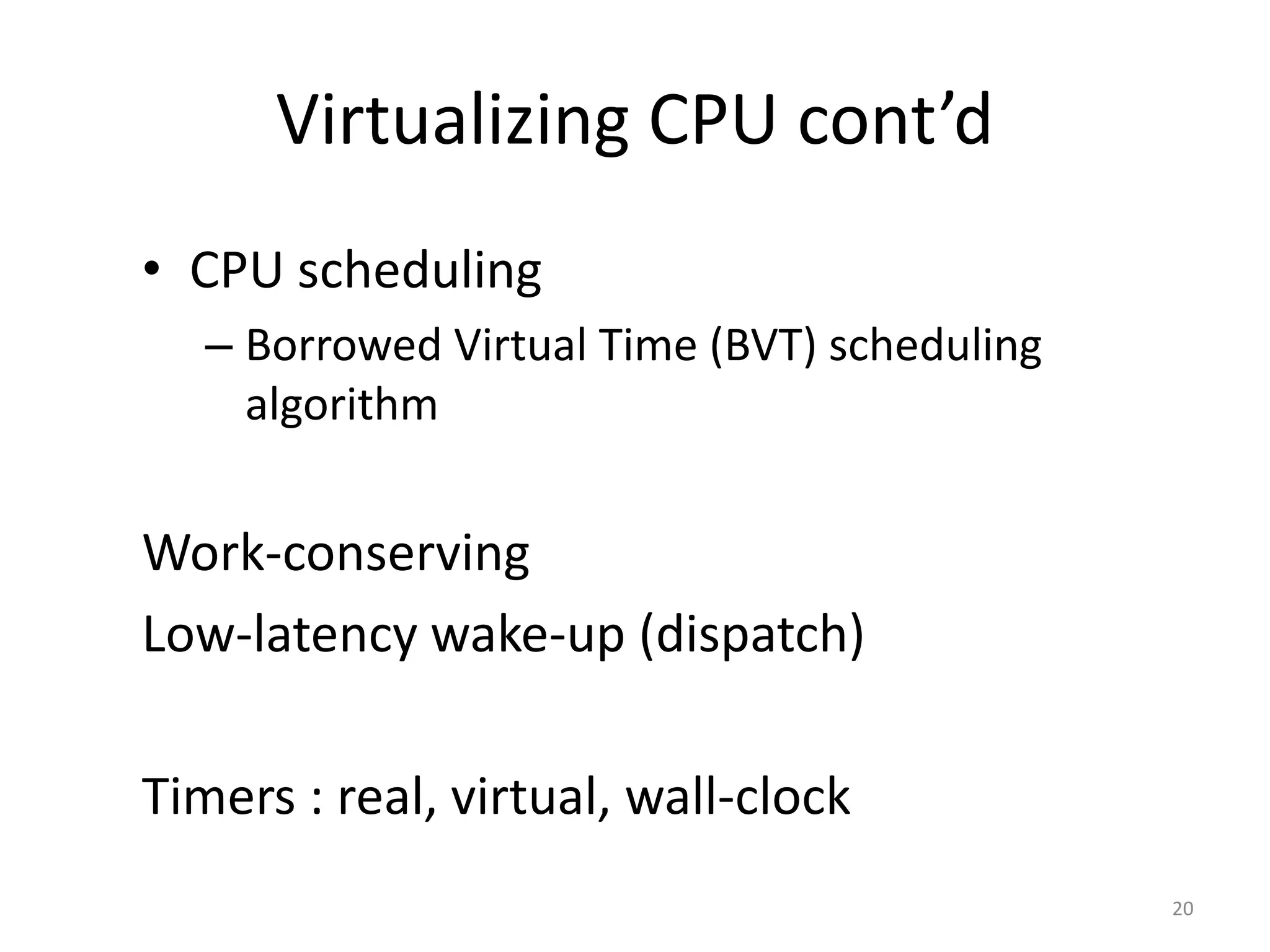
Virtualizing CPU cont’d
• CPU scheduling
– Borrowed Virtual Time (BVT) scheduling
algorithm

Work-conserving
Low-latency wake-up (dispatch)
Timers : real, virtual, wall-clock
20
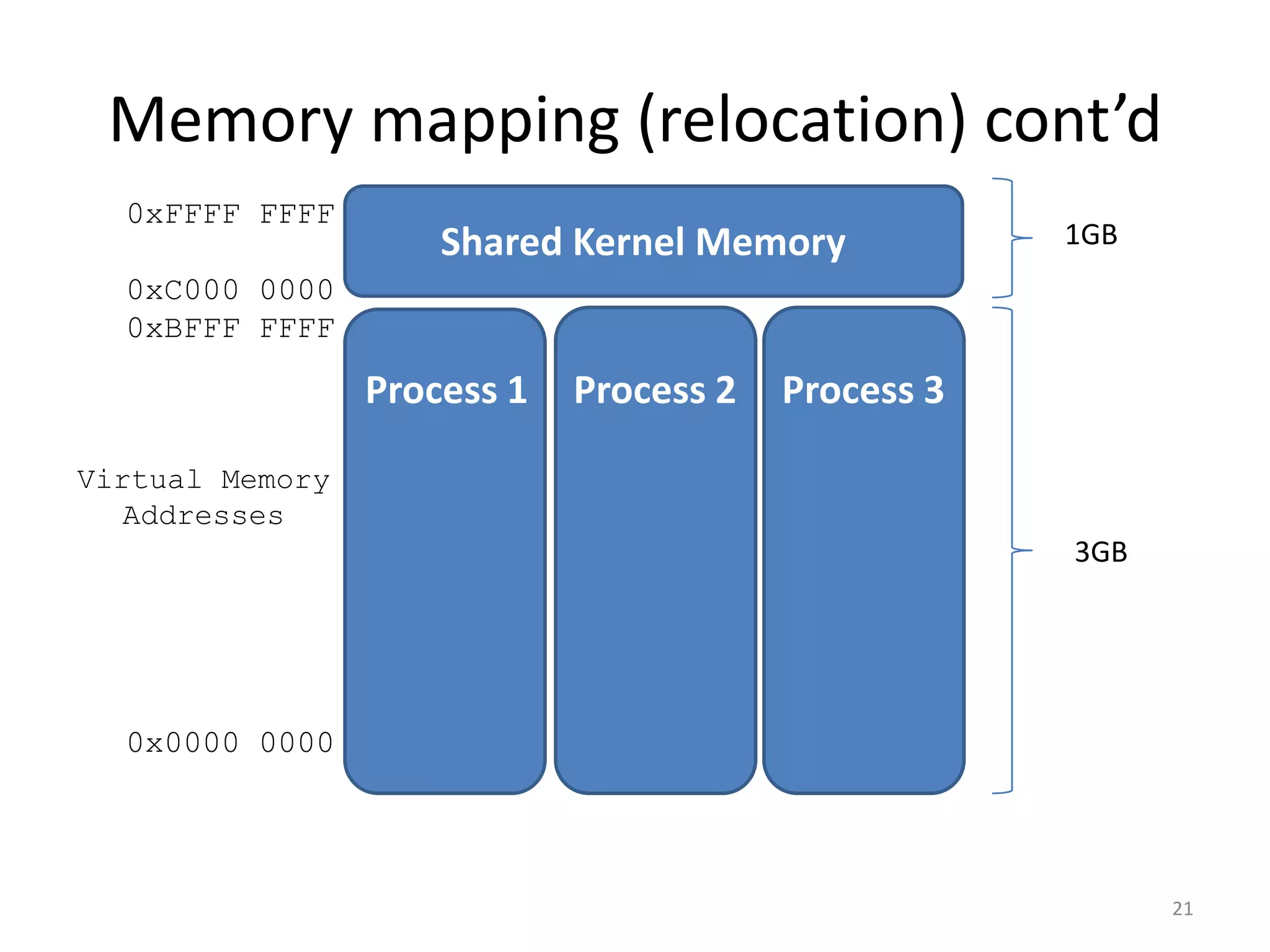
Memory mapping (relocation) cont’d
0xFFFF FFFF

Shared Kernel Memory

1GB

0xC000 0000
0xBFFF FFFF

Process 1

Process 2

Process 3

Virtual Memory
Addresses

3GB

0x0000 0000

21
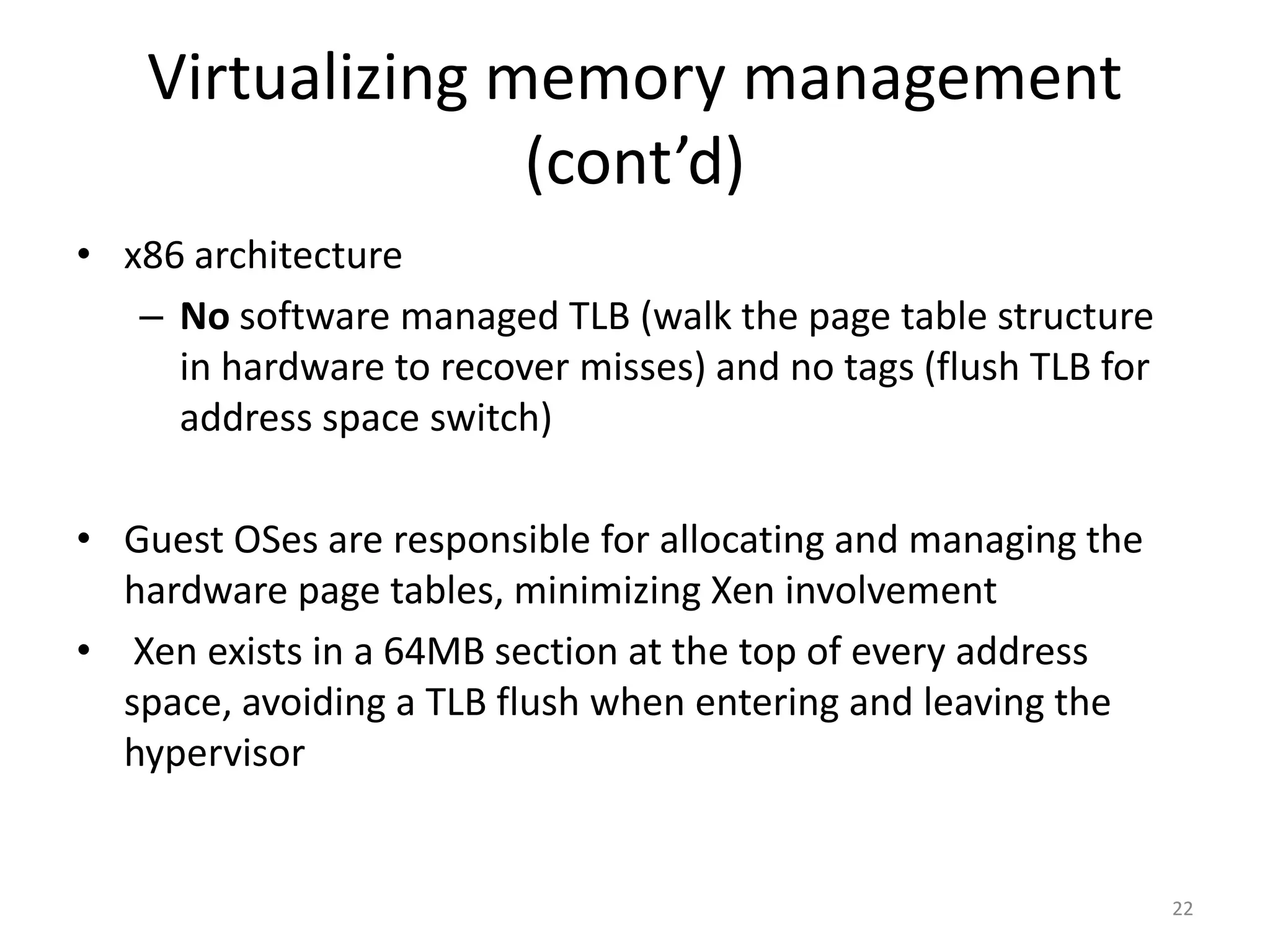
Virtualizing memory management
(cont’d)
• x86 architecture
– No software managed TLB (walk the page table structure
in hardware to recover misses) and no tags (flush TLB for
address space switch)
• Guest OSes are responsible for allocating and managing the
hardware page tables, minimizing Xen involvement
• Xen exists in a 64MB section at the top of every address
space, avoiding a TLB flush when entering and leaving the
hypervisor

22
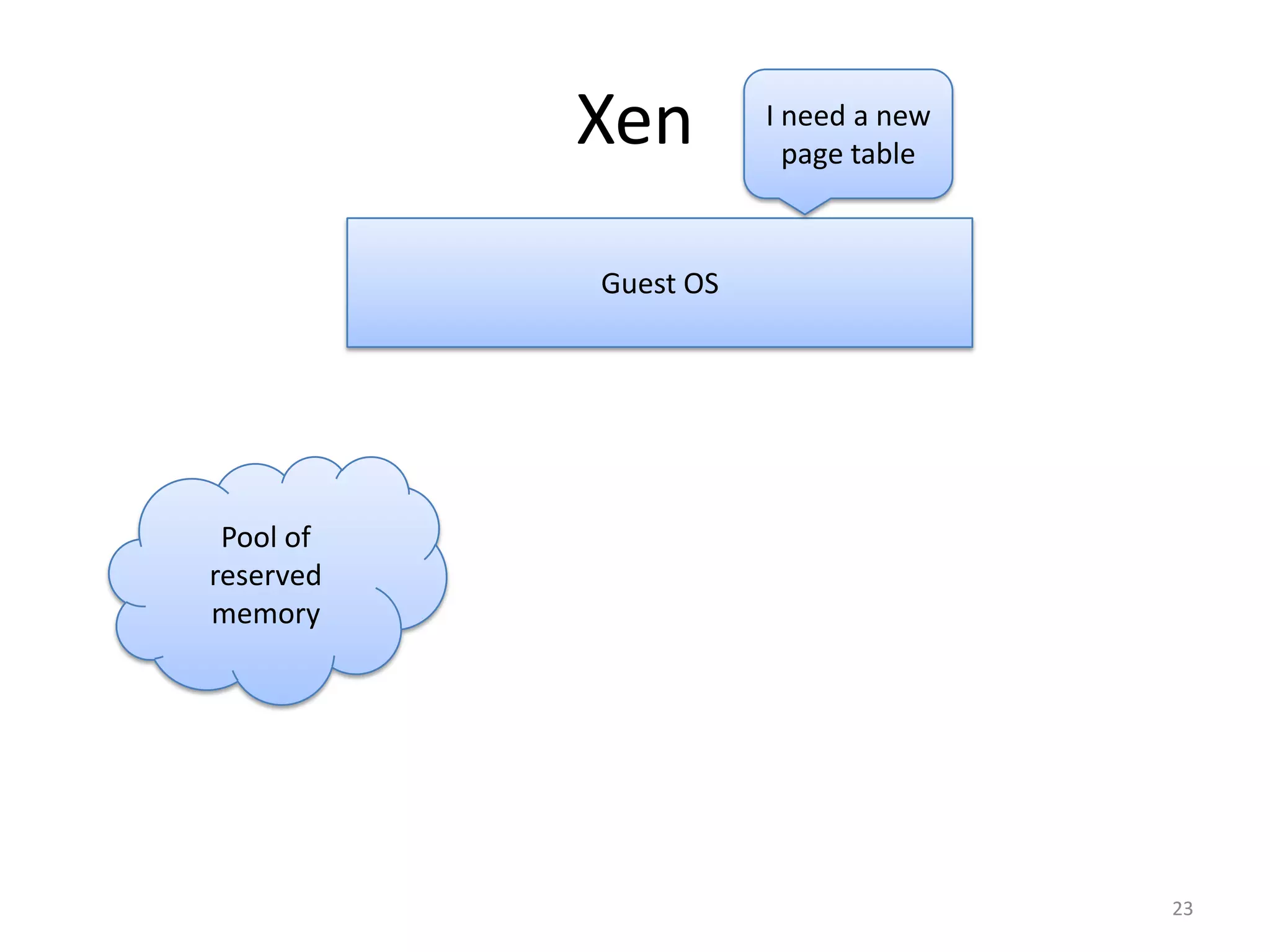
Xen

I need a new
page table

Guest OS

Pool of
reserved
memory

23
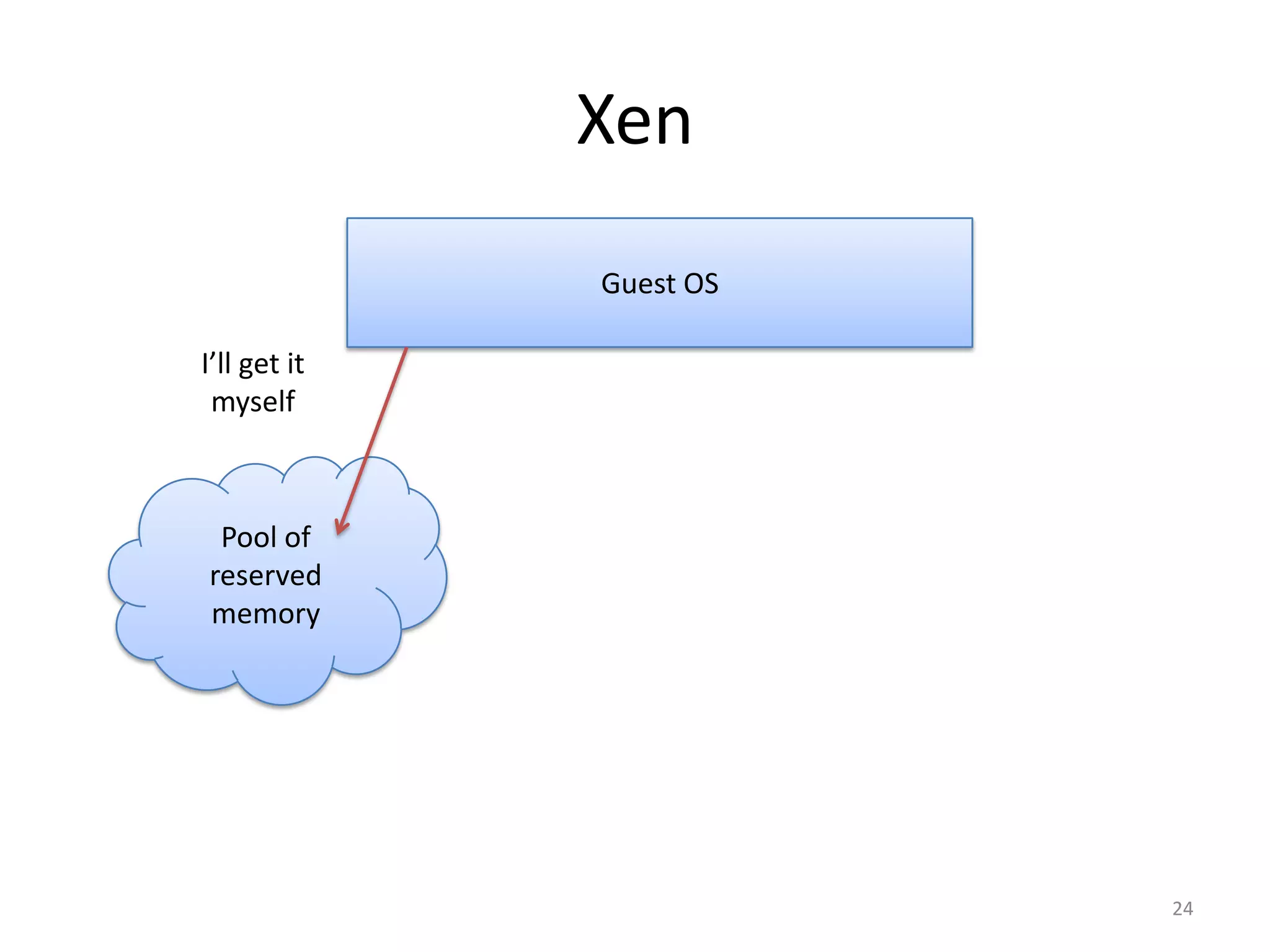
Xen
Guest OS
I’ll get it
myself

Pool of
reserved
memory

24
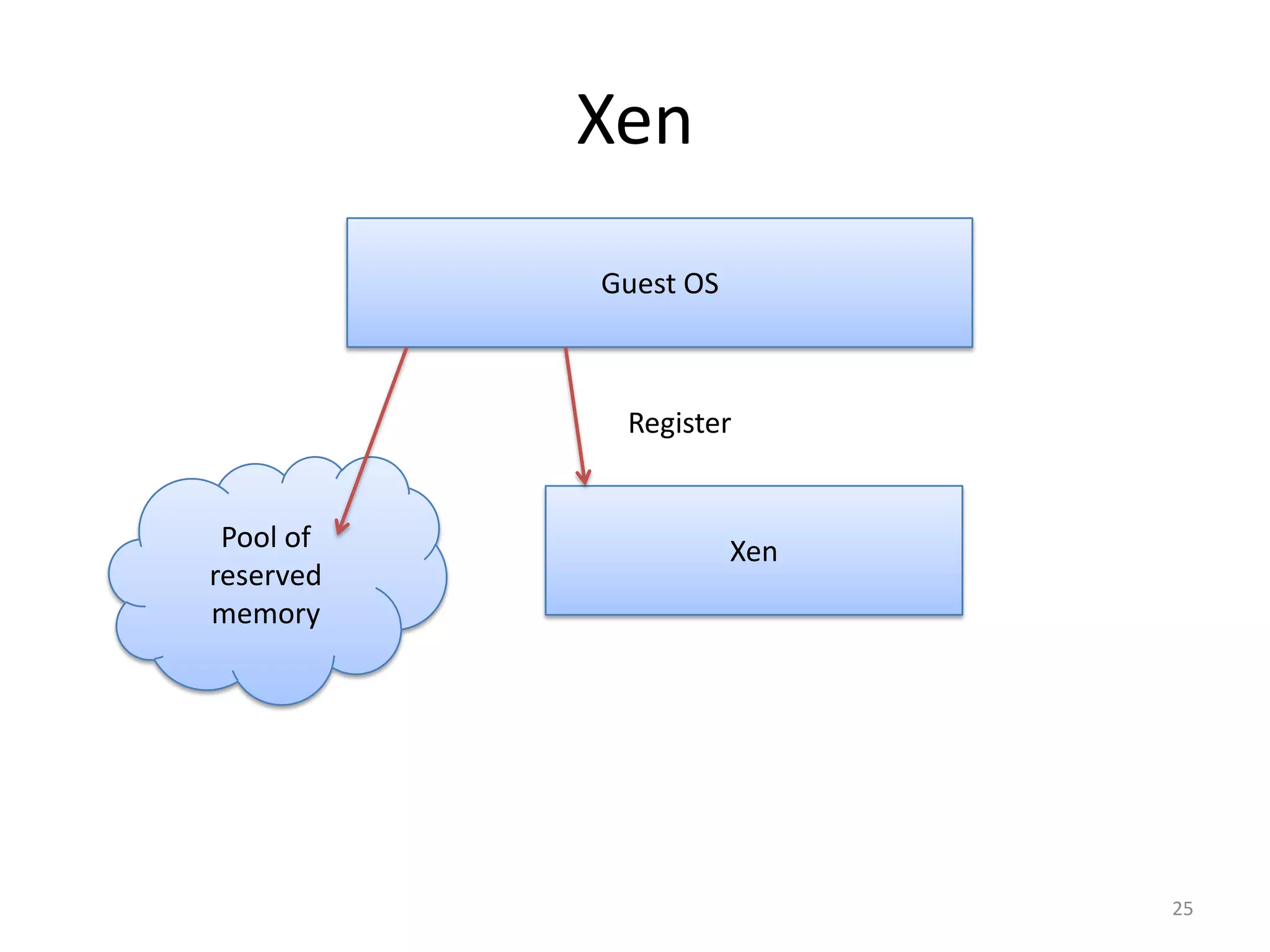
Xen
Guest OS

Register

Pool of
reserved
memory

Xen

25
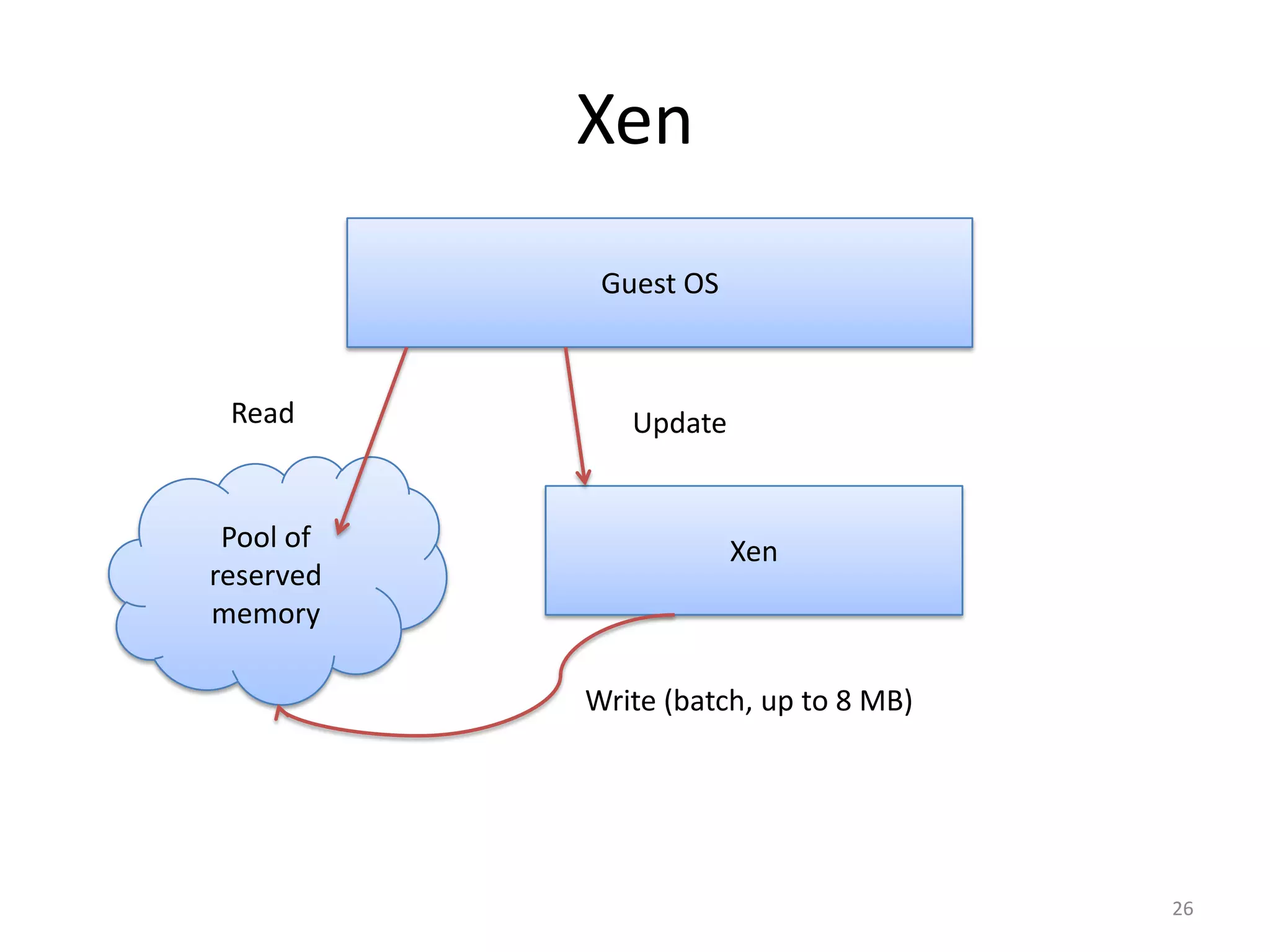
Xen
Guest OS

Read

Pool of
reserved
memory

Update

Xen

Write (batch, up to 8 MB)

26
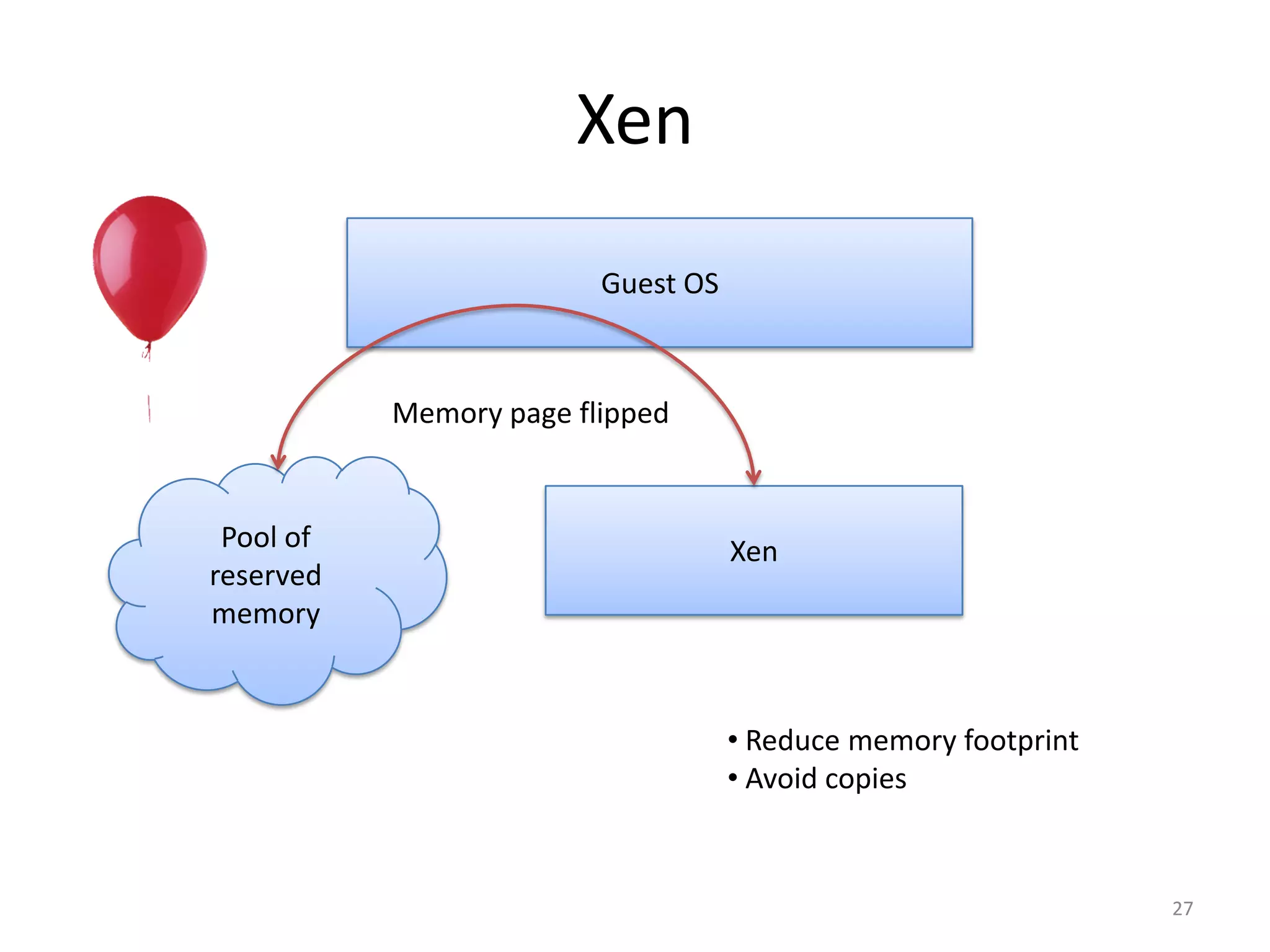
Xen
Guest OS

Memory page flipped

Pool of
reserved
memory

Xen

• Reduce memory footprint
• Avoid copies

27
Virtualizing Device I/O
(disk, network interface)

• Xen exposes device abstractions
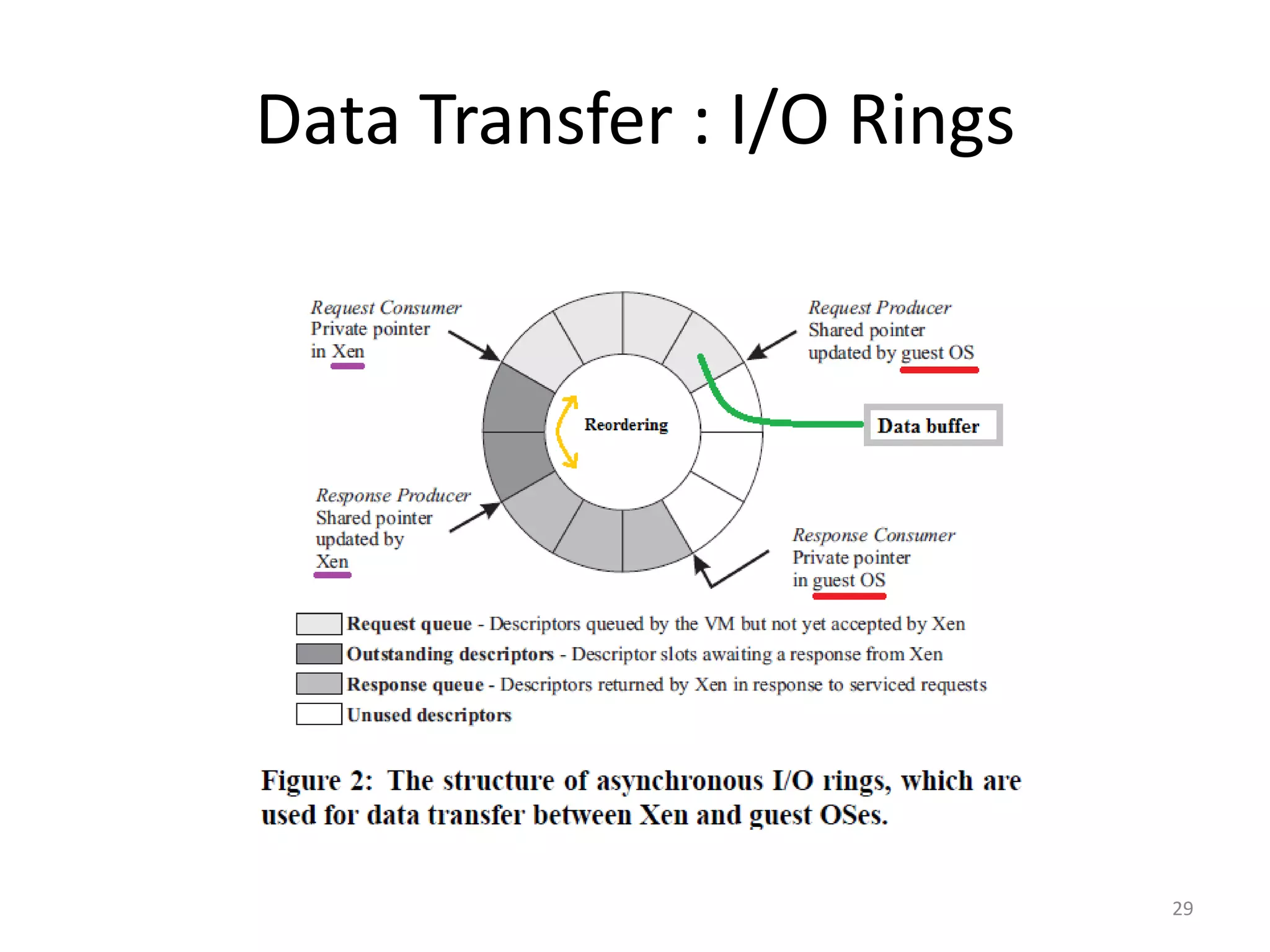
• I/O data is transferred to and from each domain via
Xen, using shared memory, asynchronous buffer
descriptor rings

28
Data Transfer : I/O Rings

29
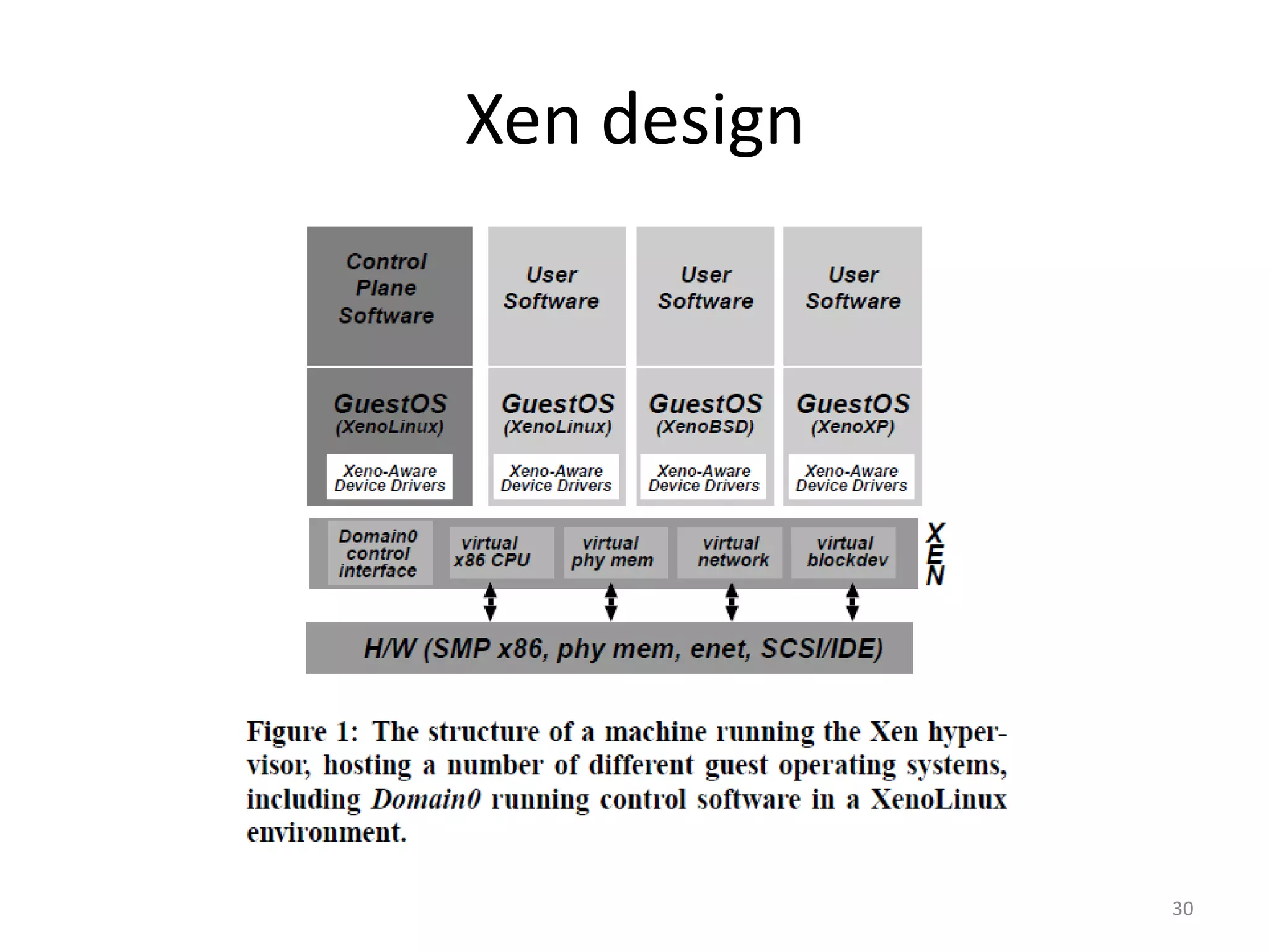
Xen design

30
Outline
Xen and the Art of Virtualization – Ian Pratt et al.
I.
II.
III.
IV.

The Art of Virtualization
Xen, goals and design
Xen evaluation
The future looks bright
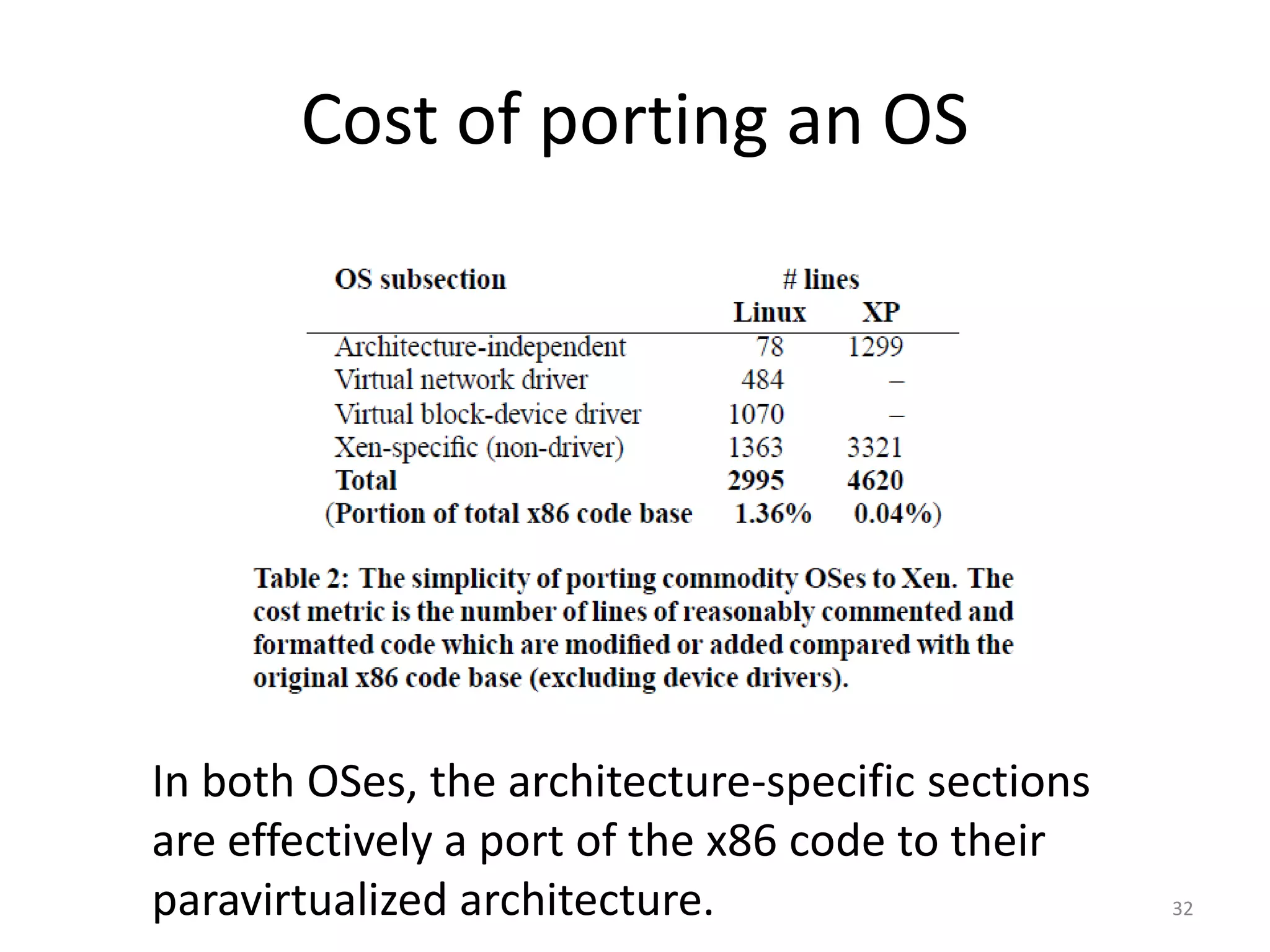
Cost of porting an OS

In both OSes, the architecture-specific sections
are effectively a port of the x86 code to their
paravirtualized architecture.

32
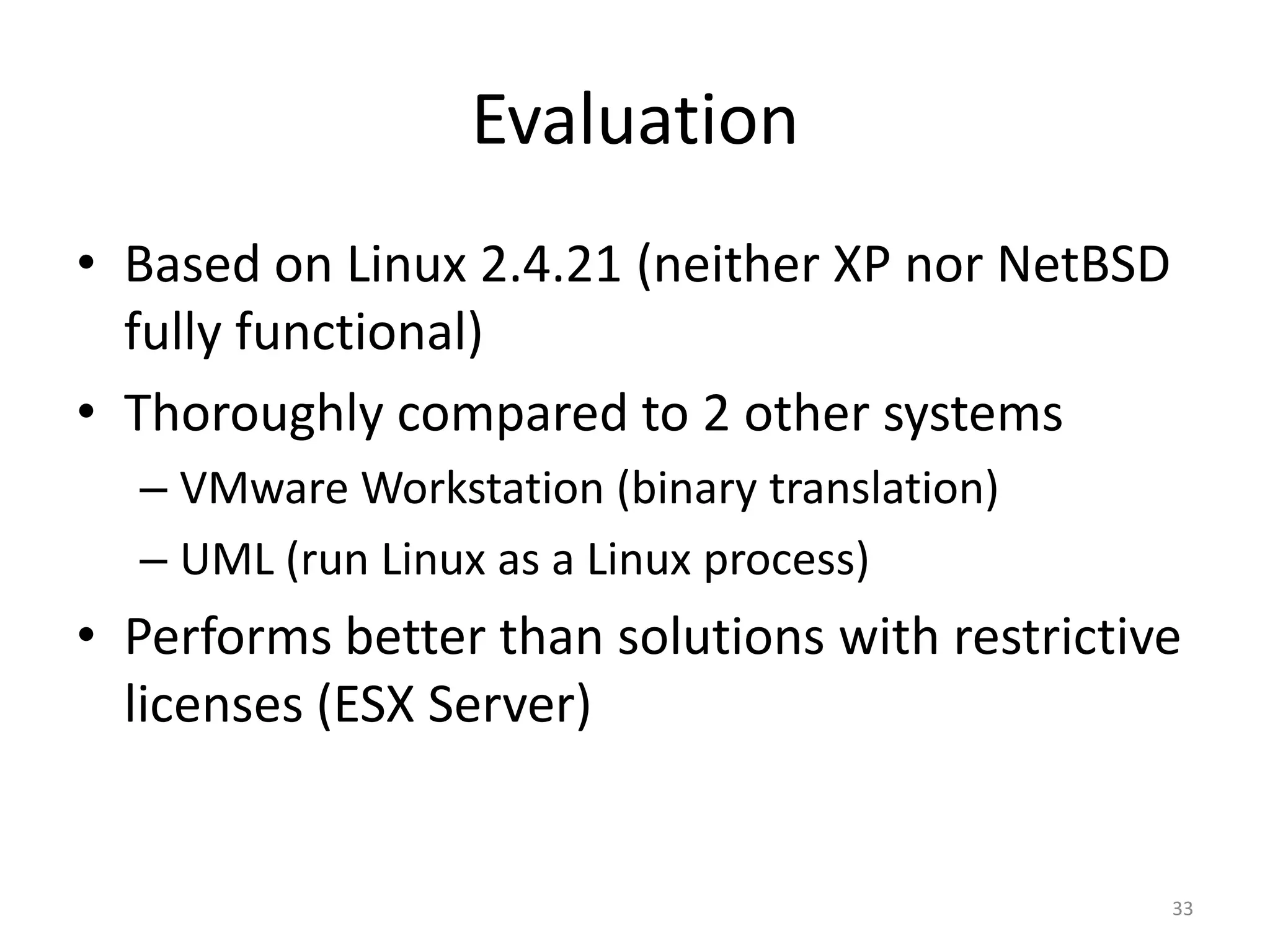
Evaluation
• Based on Linux 2.4.21 (neither XP nor NetBSD
fully functional)
• Thoroughly compared to 2 other systems
– VMware Workstation (binary translation)
– UML (run Linux as a Linux process)

• Performs better than solutions with restrictive
licenses (ESX Server)

33
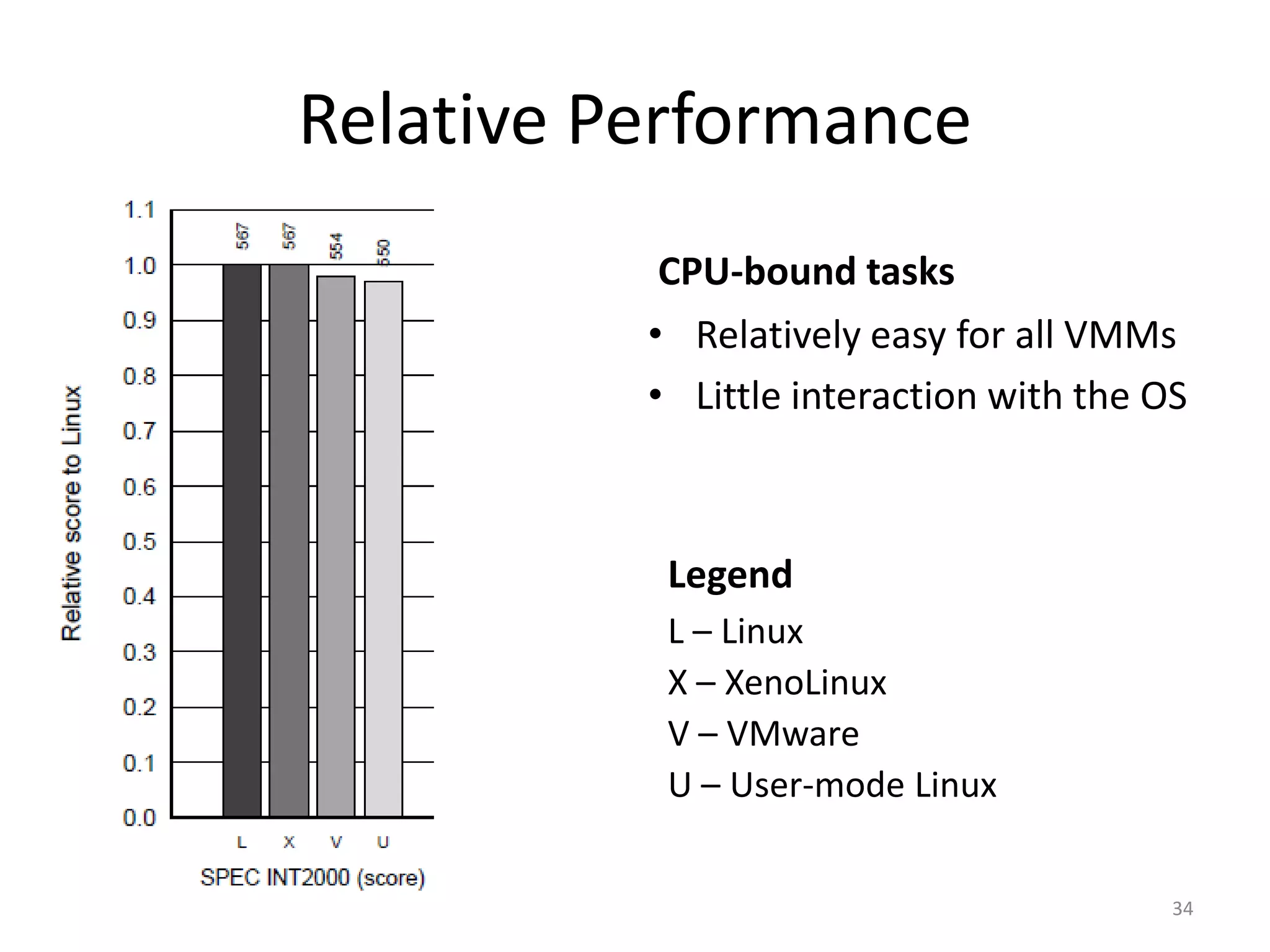
Relative Performance
CPU-bound tasks
• Relatively easy for all VMMs
• Little interaction with the OS

Legend
L – Linux
X – XenoLinux
V – VMware
U – User-mode Linux
34
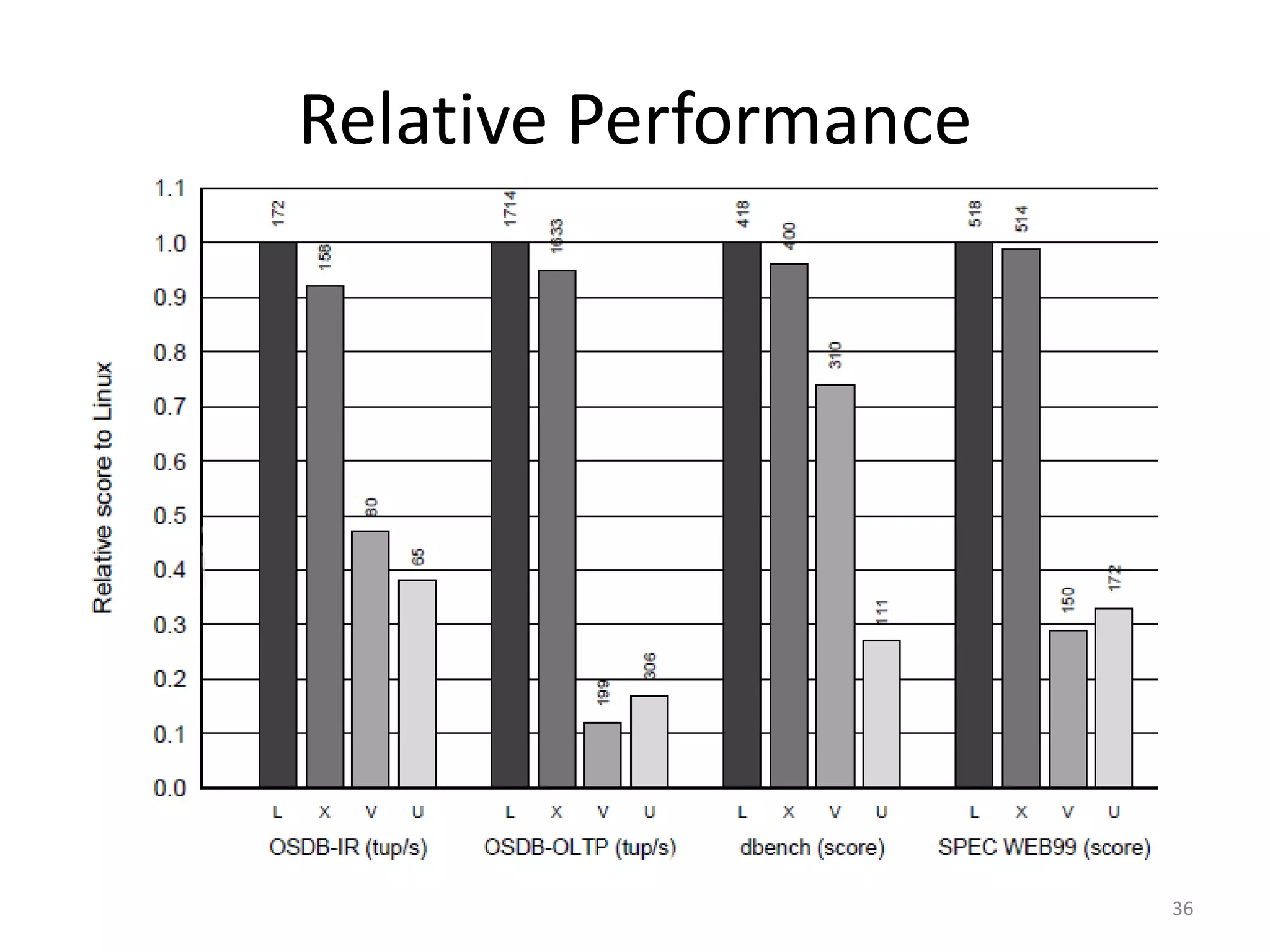
Relative Performance
Tasks with more I/O
• About 7% of the time spent
in OS doing I/O and memory
management
• This portion of time gets
expanded for each VMM
but to a different extent

35
Relative Performance

36
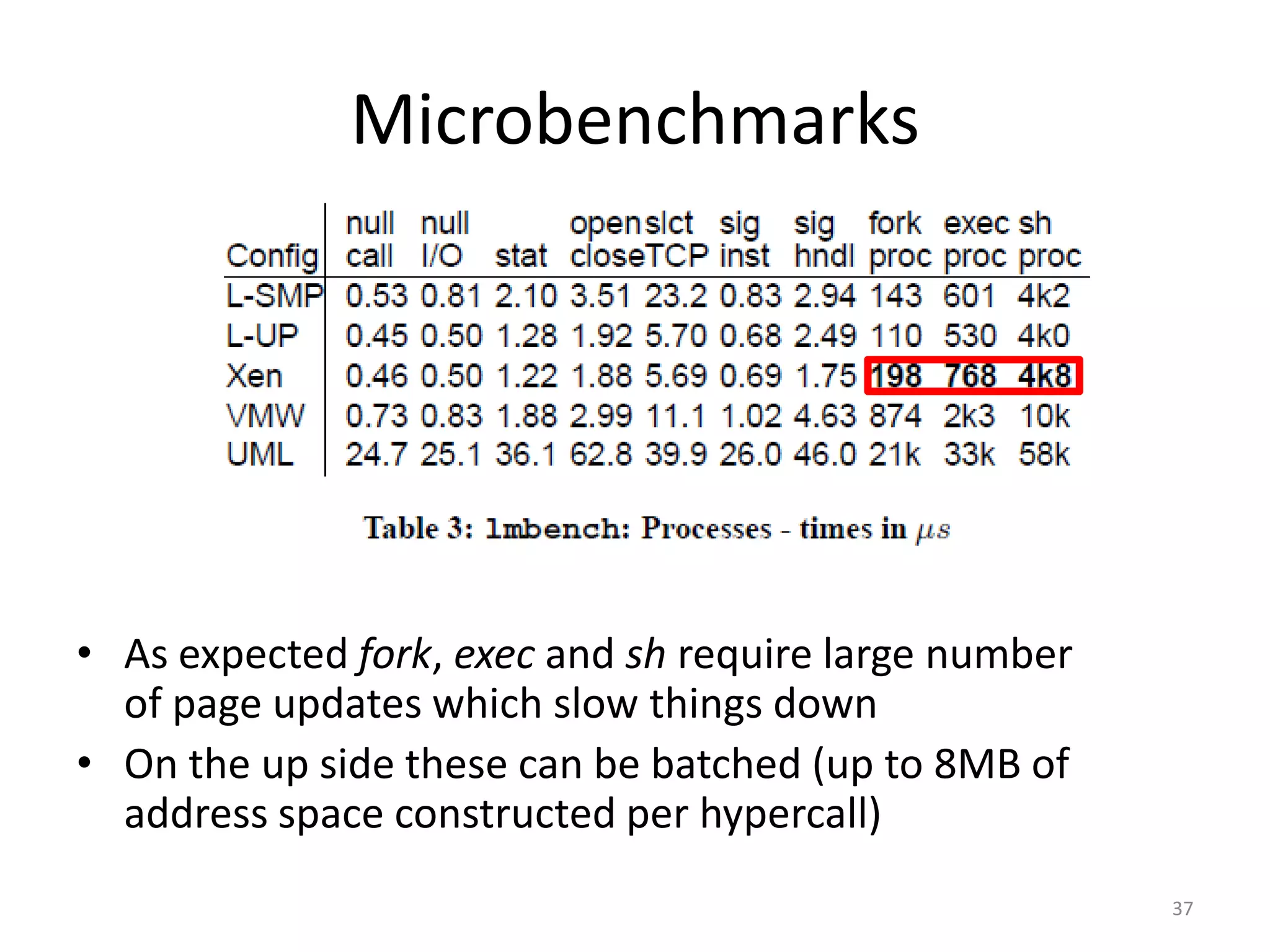
Microbenchmarks

• As expected fork, exec and sh require large number
of page updates which slow things down
• On the up side these can be batched (up to 8MB of
address space constructed per hypercall)
37
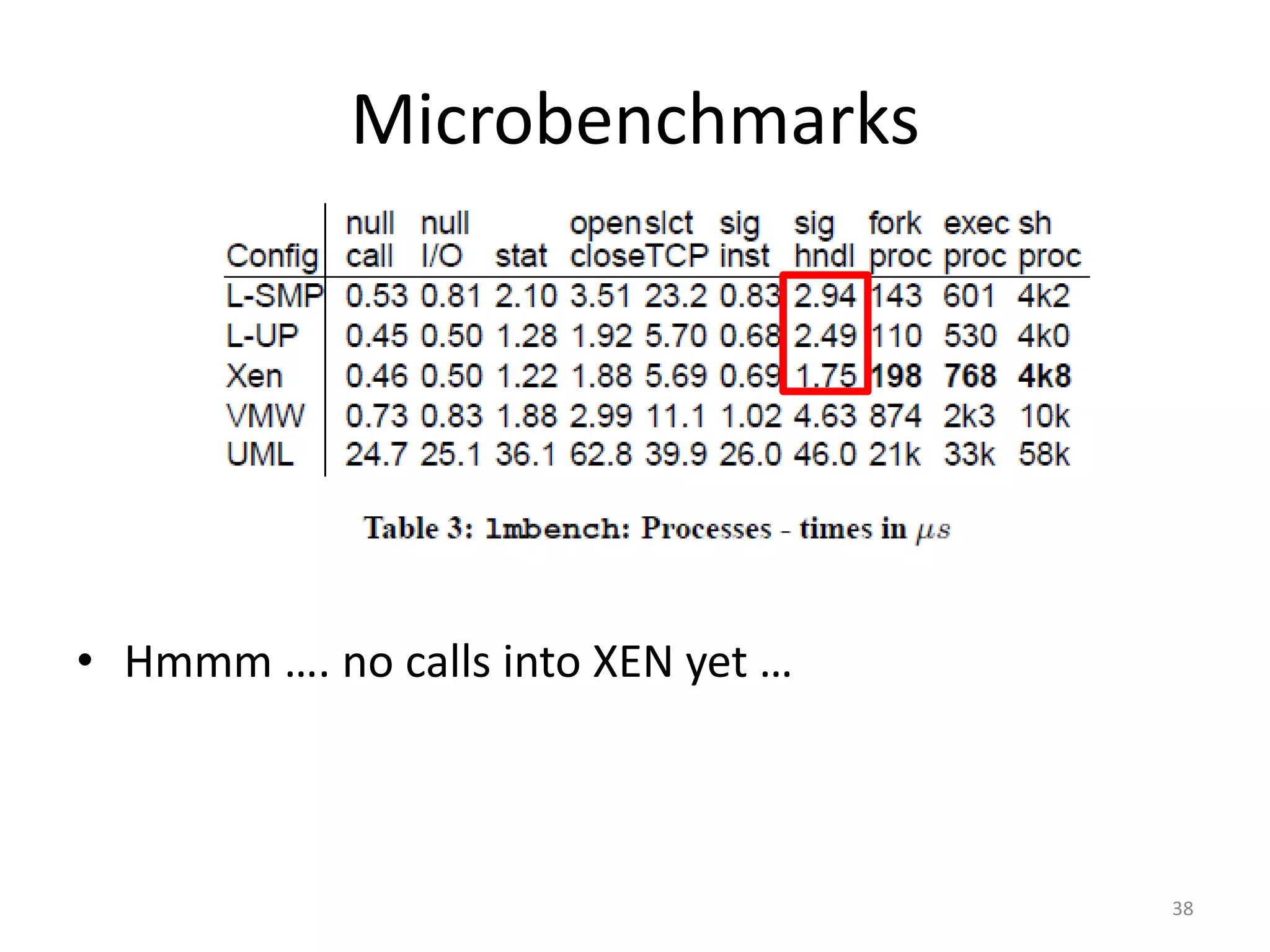
Microbenchmarks

• Hmmm …. no calls into XEN yet …

38
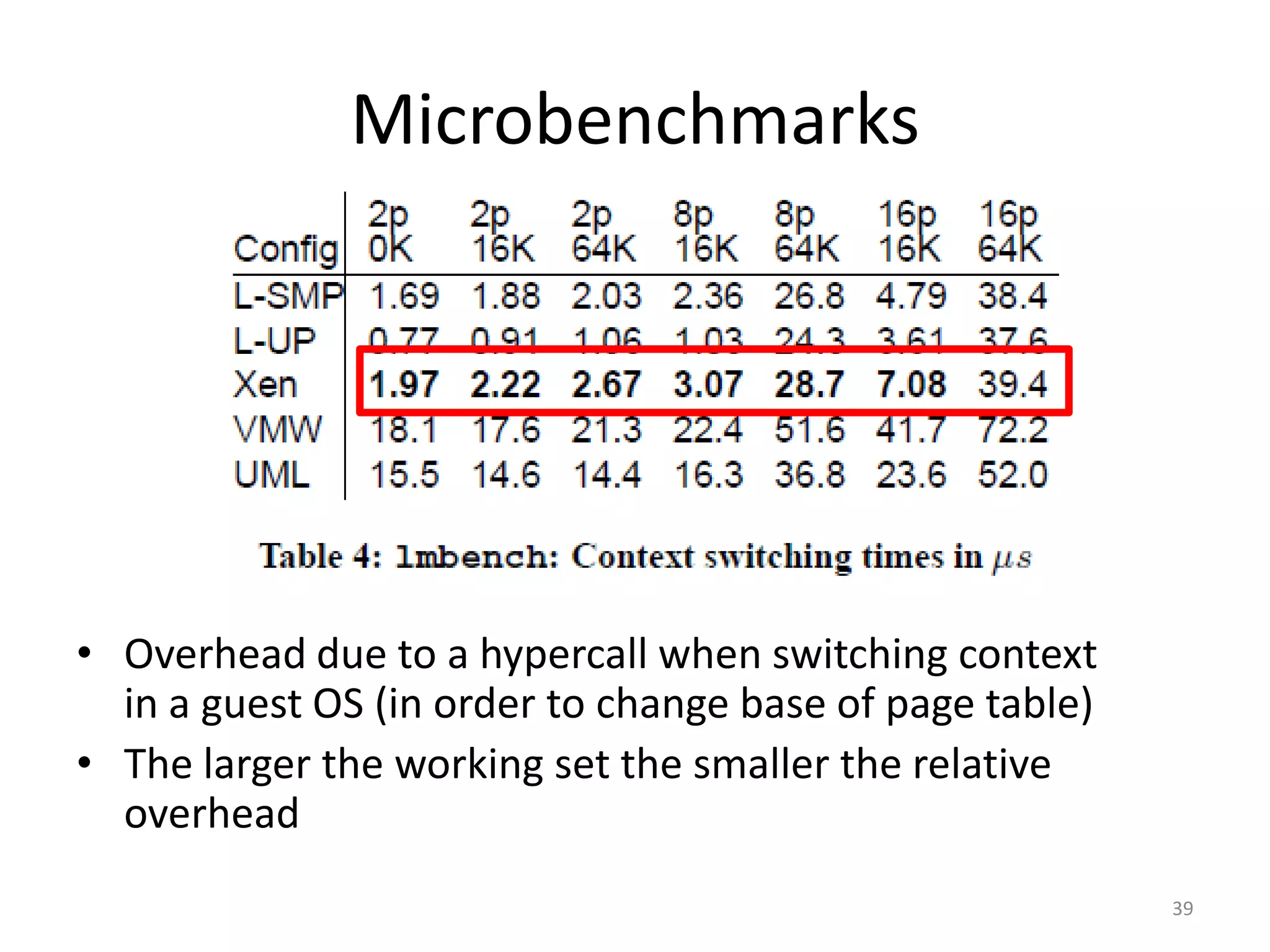
Microbenchmarks

• Overhead due to a hypercall when switching context
in a guest OS (in order to change base of page table)
• The larger the working set the smaller the relative
overhead
39
Microbenchmarks

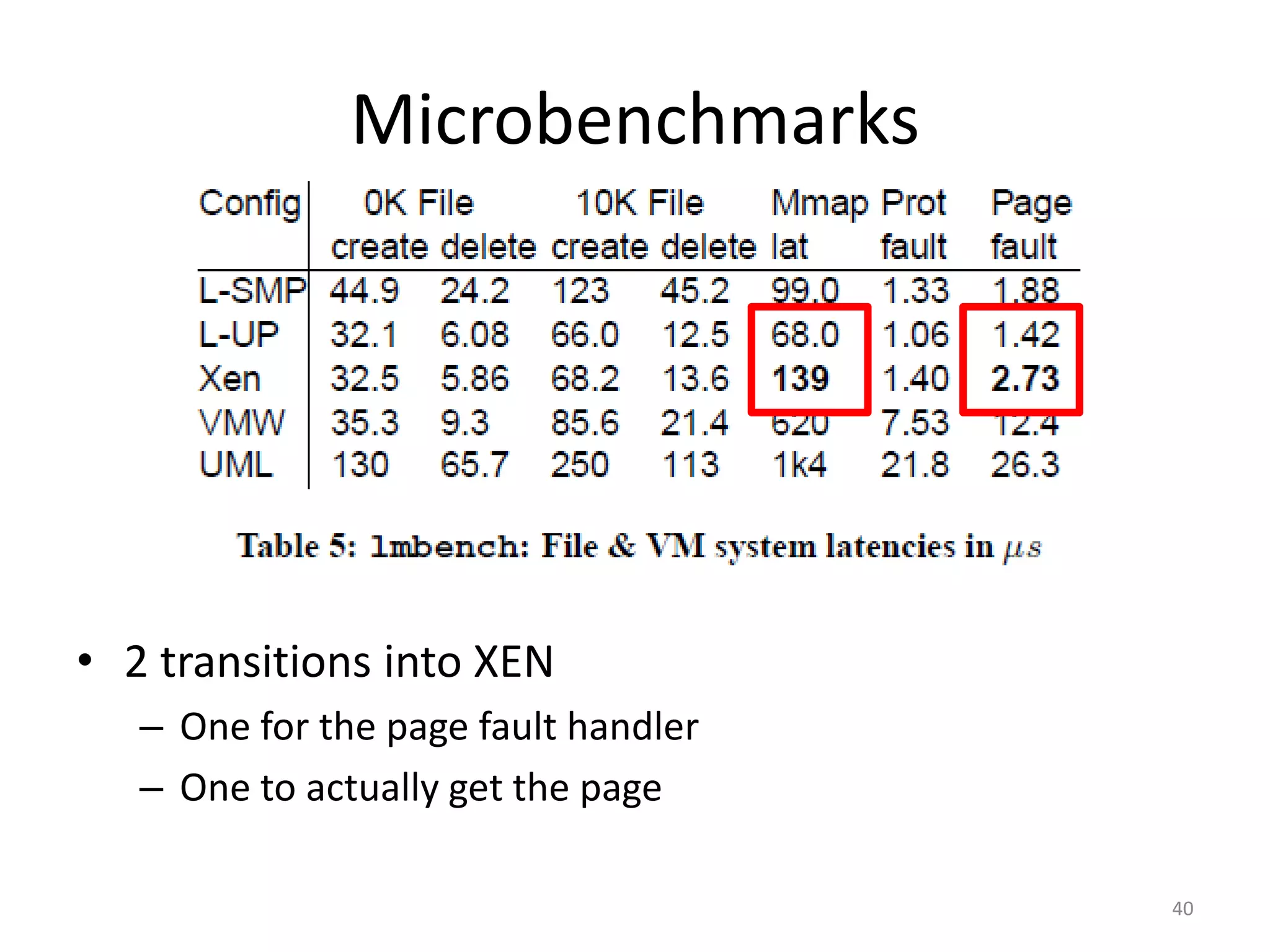
• 2 transitions into XEN
– One for the page fault handler
– One to actually get the page
40
Microbenchmarks

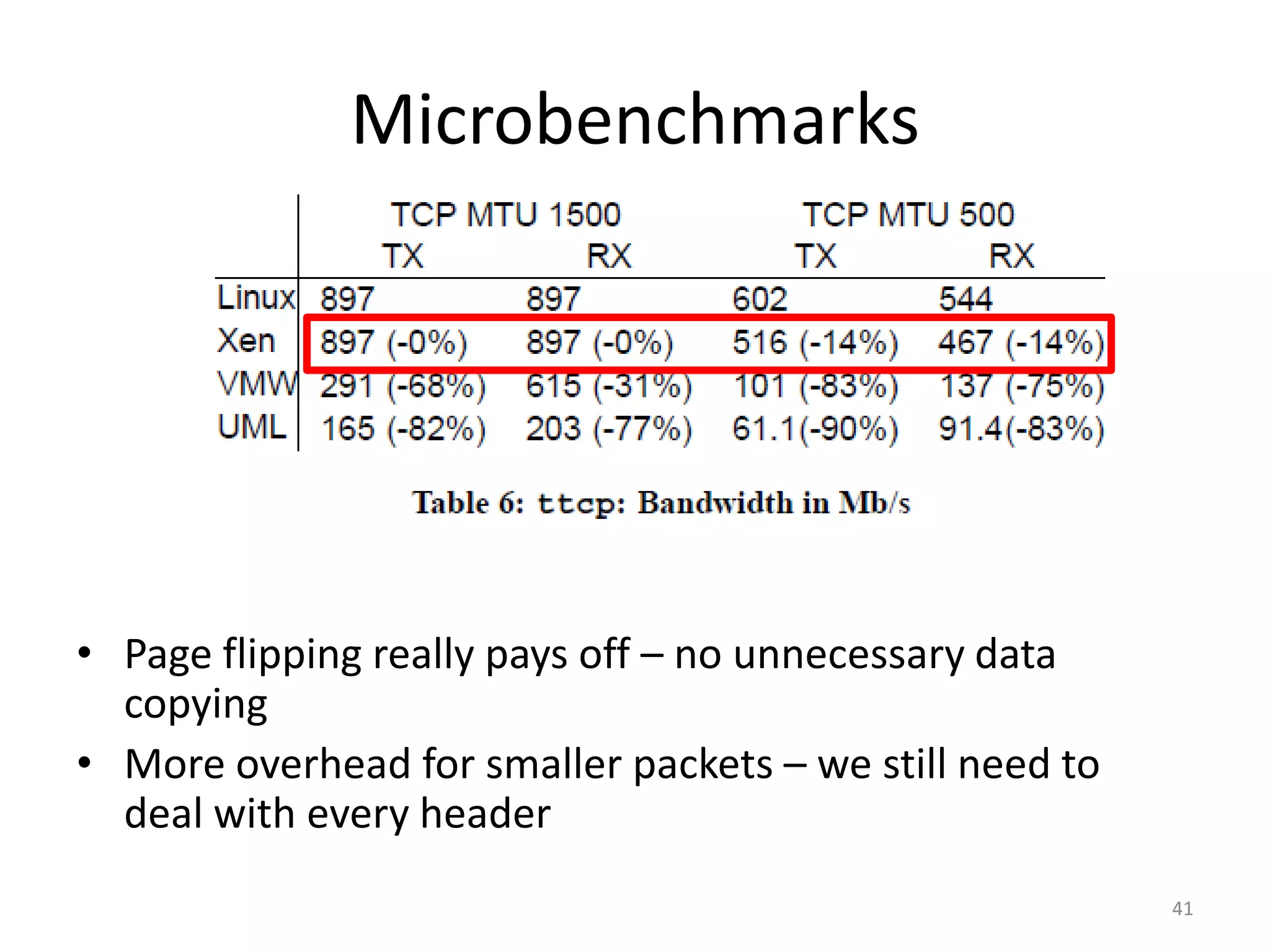
• Page flipping really pays off – no unnecessary data
copying
• More overhead for smaller packets – we still need to
deal with every header
41
Concurrent VMs
• Unexpectedly low
SMP performance
for 1 instance of
Apache
• As expected
adding another
domain leads to a
sharp jump in
performance
under XEN
• More domains –
more overhead
42
Concurrent VMs
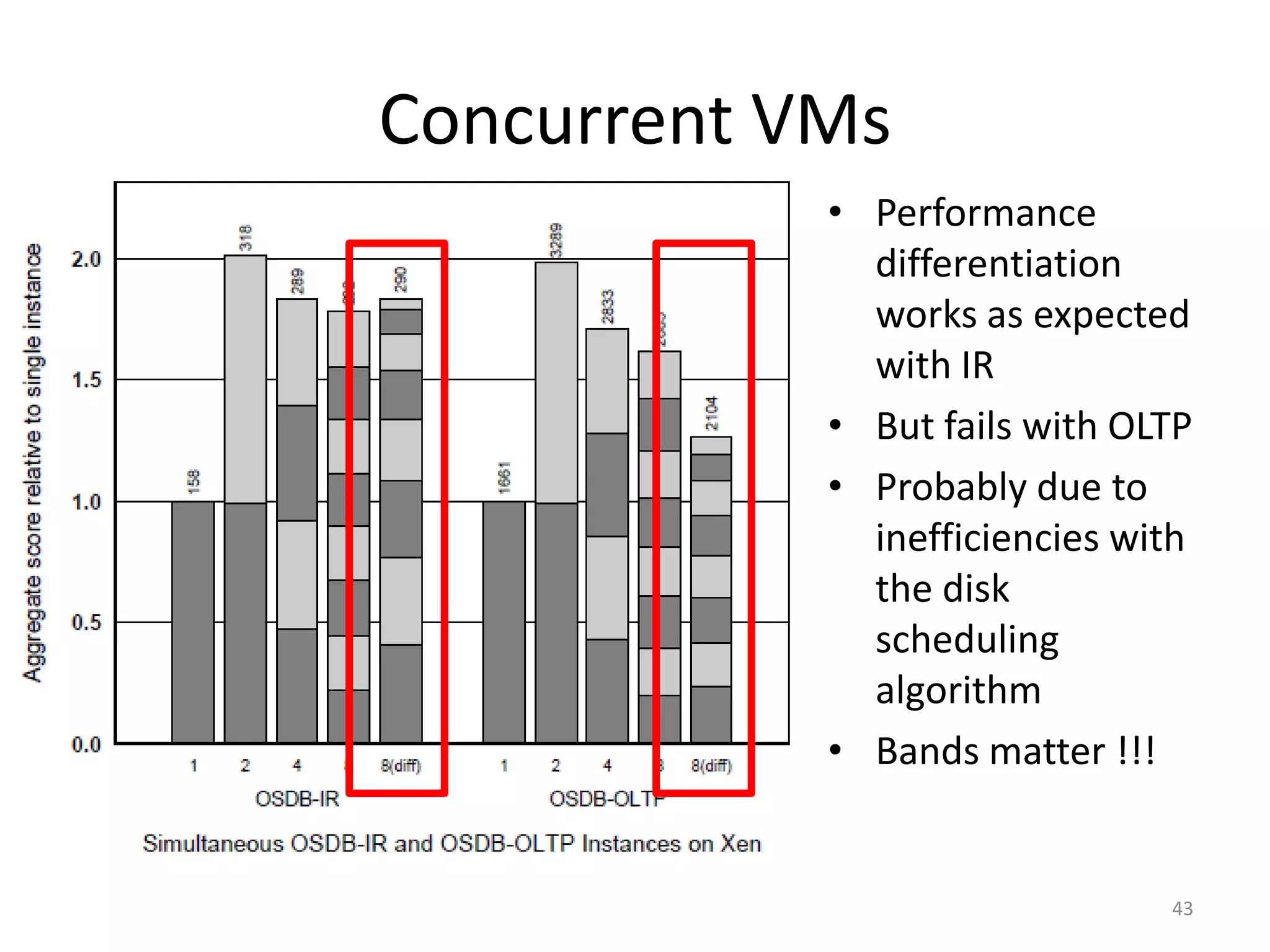
• Performance
differentiation
works as expected
with IR
• But fails with OLTP
• Probably due to
inefficiencies with
the disk
scheduling
algorithm
• Bands matter !!!

43
Isolation
SPEC
WEB99

OSDB-IR

Guest
OS

Guest
OS

Guest
OS

Hypervisor (XEN)

Hardware

Guest
OS

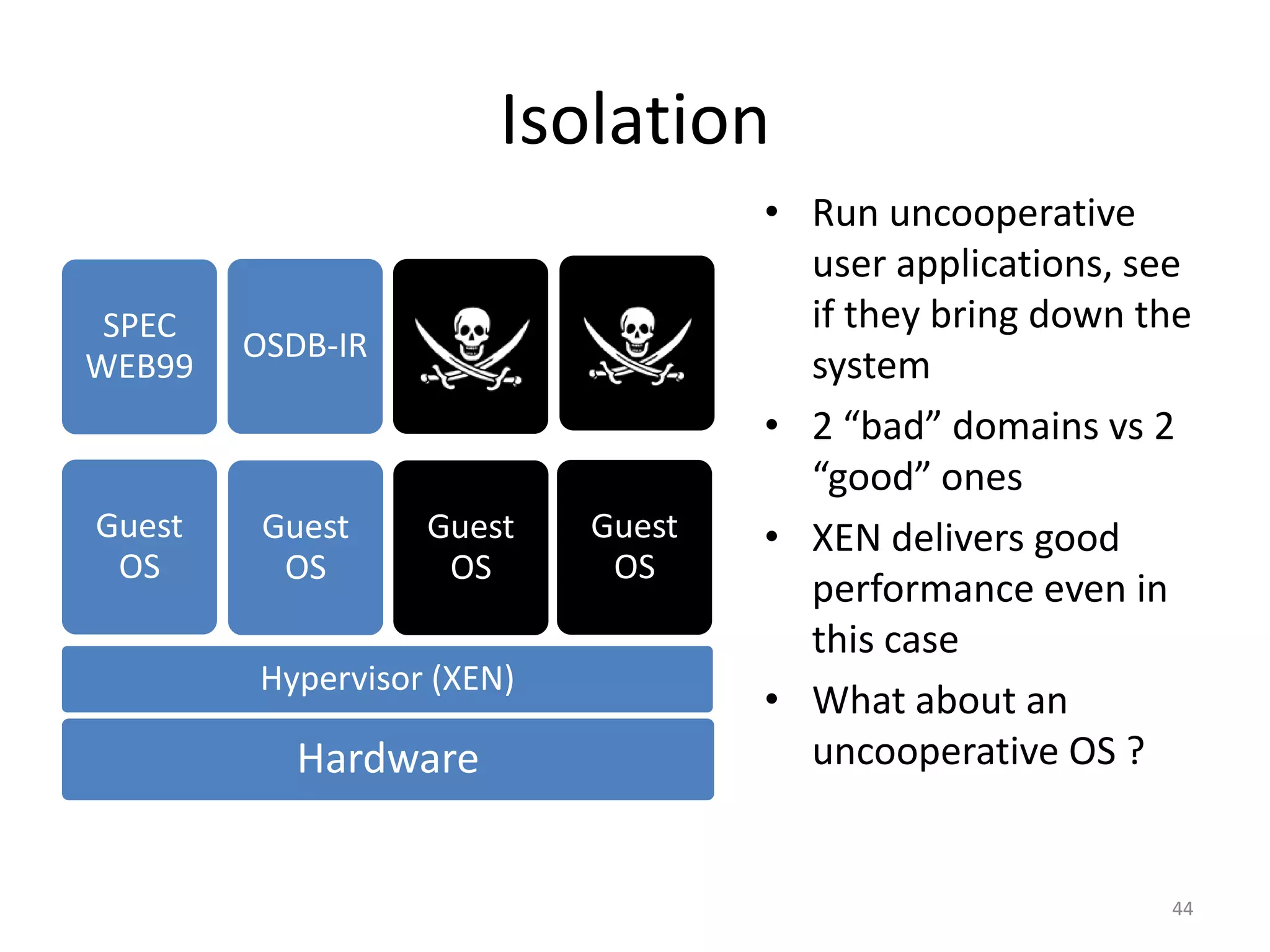
• Run uncooperative
user applications, see
if they bring down the
system
• 2 “bad” domains vs 2
“good” ones
• XEN delivers good
performance even in
this case
• What about an
uncooperative OS ?

44
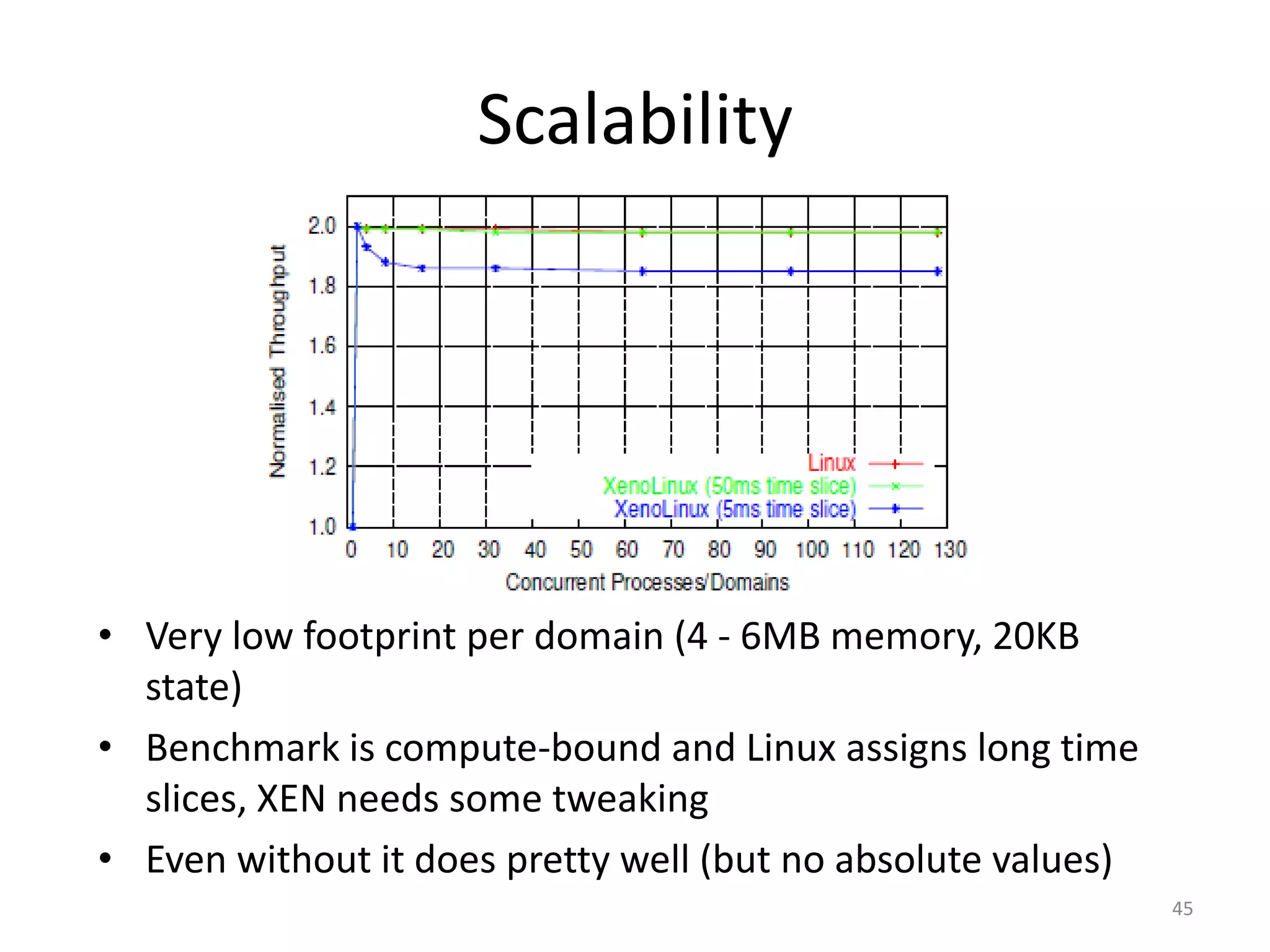
Scalability

• Very low footprint per domain (4 - 6MB memory, 20KB
state)
• Benchmark is compute-bound and Linux assigns long time
slices, XEN needs some tweaking
• Even without it does pretty well (but no absolute values)
45
Criticism
• No comparison between fundamentally similar
techniques (e.g. the big IBM mainframe)
• Memory footprint almost not mentioned
• Most tests performed with limited number of
domains, while the paper’s main goal is to
demonstrate performance with 100 domains
• Benchmarks used relevant today ?

46
Outline
Xen and the Art of Virtualization – Ian Pratt et al.
I.
II.
III.
IV.

The Art of Virtualization
Xen, goals and design
Xen evaluation
The future looks bright
Related work
• Started by IBM in the 70s
• Resurgence lately (at time of publication) as
hardware got fast enough to run multiple OS
• Unlike in other solutions isolation/security is
“implicitly” enforced by the hypervisor
• One of the first attempts at paravirtualization the
other two are:
– IBM zSeries mainframes (Linux)
– Denali (quite a bit different)

48
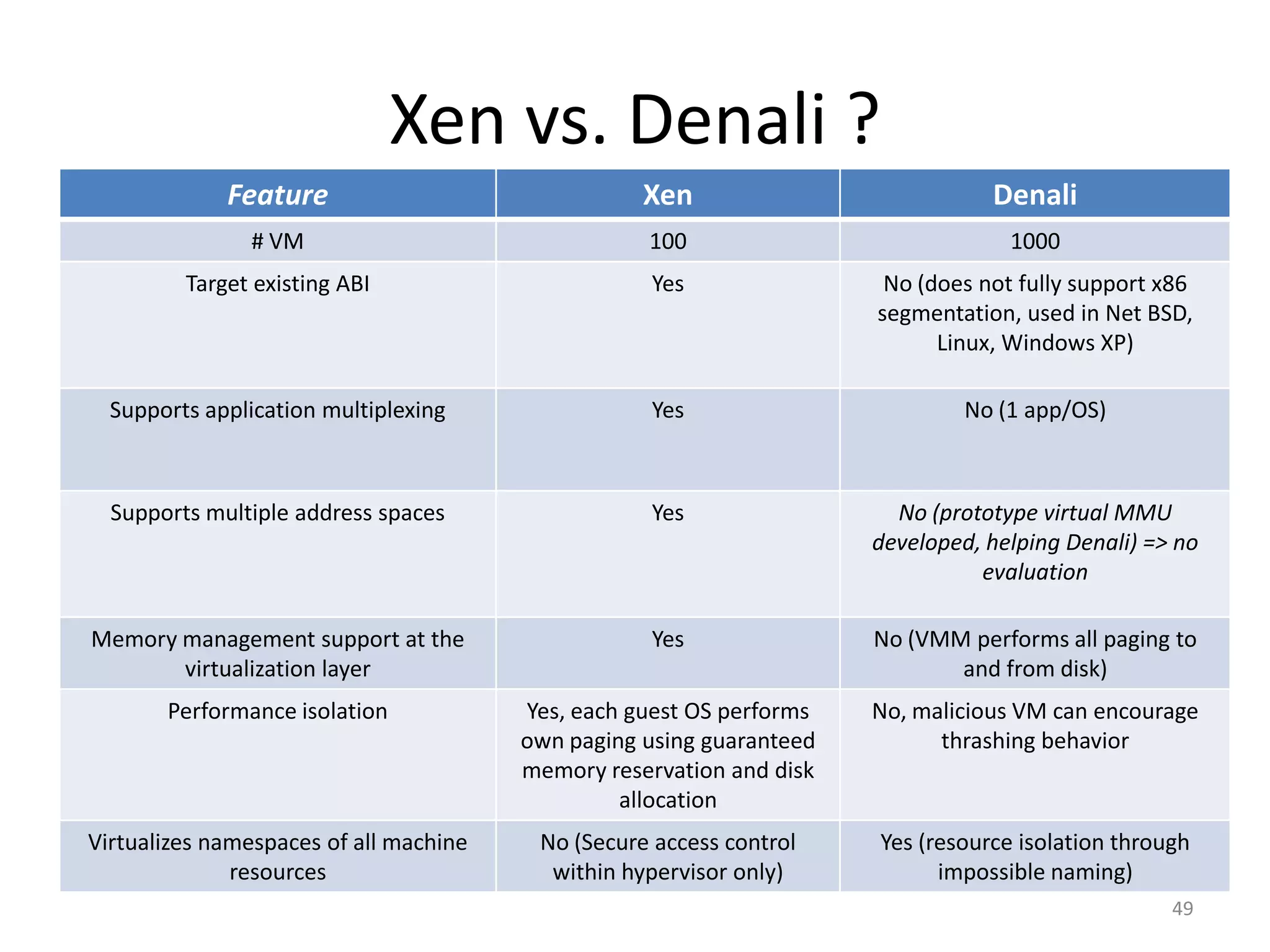
Xen vs. Denali ?
Feature

Xen

Denali

# VM

100

1000

Target existing ABI

Yes

No (does not fully support x86
segmentation, used in Net BSD,
Linux, Windows XP)

Supports application multiplexing

Yes

No (1 app/OS)

Supports multiple address spaces

Yes

No (prototype virtual MMU
developed, helping Denali) => no
evaluation

Memory management support at the
virtualization layer

Yes

No (VMM performs all paging to
and from disk)

Performance isolation

Yes, each guest OS performs
own paging using guaranteed
memory reservation and disk
allocation

No, malicious VM can encourage
thrashing behavior

Virtualizes namespaces of all machine
resources

No (Secure access control
within hypervisor only)

Yes (resource isolation through
impossible naming)
49
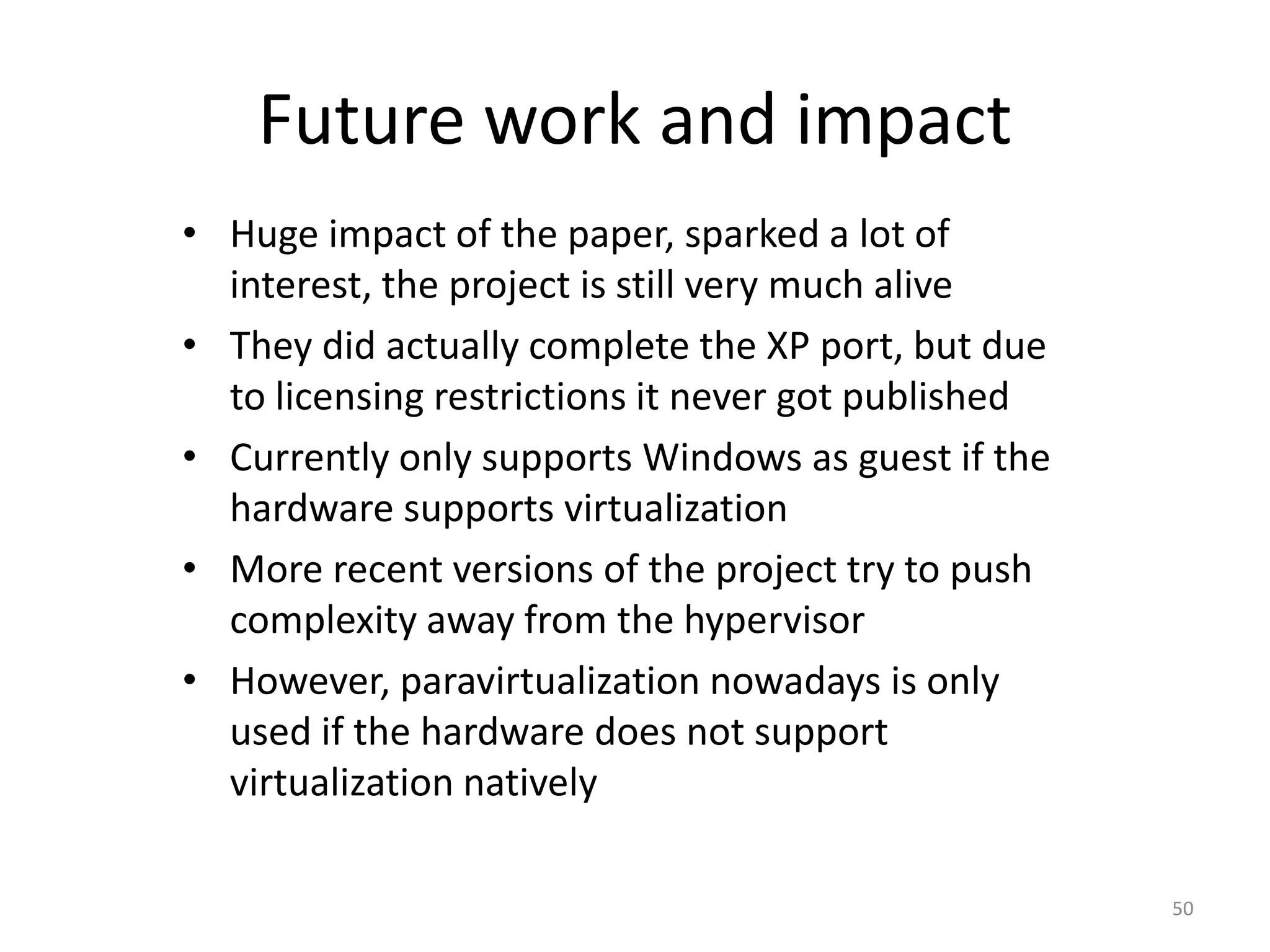
Future work and impact
• Huge impact of the paper, sparked a lot of
interest, the project is still very much alive
• They did actually complete the XP port, but due
to licensing restrictions it never got published
• Currently only supports Windows as guest if the
hardware supports virtualization
• More recent versions of the project try to push
complexity away from the hypervisor
• However, paravirtualization nowadays is only
used if the hardware does not support
virtualization natively
50
Any questions?

Xen and the Art of Virtualization

  • 1.
    Xen and theArt of Virtualization Nikola Gvozdiev Georgian Mihaila
  • 2.
    Outline Xen and theArt of Virtualization – Ian Pratt et al. I. II. III. IV. The Art of Virtualization Xen, goals and design Xen evaluation The future looks bright
  • 3.
  • 4.
    Basic idea Linux Mac OSX Windows XP Virtualization layer Hardware 4
  • 5.
    Some definitions • Host/guest:machine or software • Domain: running VM + guest OS executes • Hypervisor or Virtual Machine Monitor (VMM): software or firmware that creates a virtual machine on the host hardware 5
  • 6.
    Why virtualize? • Moreresources, subdivide for better use • 1+ app(s)/OS/server: # servers sys admin complexity & time • Scarce resources & unwilling cooperation: resource containers & accountability 6
  • 7.
    Some applications • Resourceoptimization • Infrastructure as a Service (IaaS) • Application mobility/migration • Containers/virus/worm (sandboxing) 7
  • 8.
    Types of hardwarevirtualization (software, memory, storage, data, network) • Full virtualization (VMware) – run OS/software unmodified • Partial virtualization – software may need modification to run • Paravirtualization (Xen) – software unmodified runs in modified OS as separate system 8
  • 9.
    Outline Xen and theArt of Virtualization – Ian Pratt et al. I. II. III. IV. The Art of Virtualization Xen, goals and design Xen evaluation The future looks bright
  • 10.
    Virtualization, at whatcost? • • • • Specialized hardware $ No commodity OS ♥ 100% binary compatibility, speed Speed => security ☠ or functionality • Resource isolation/performance guarantees? • So far, best effort provisioning => risk DoS 10
  • 11.
    Xen goals • • • • • x86 architecture=> $+=0 Commodity OS (Linux, BSD, XP) => ♥++ Share resources safely & in a managed fashion => ☠-- ♥++ No performance/functionality sacrifice => ♥++ Up to 100 VM instances on the same server => ?++ • (Free -GNU/GPL- => $--) 11
  • 12.
    The Xen paper Focuson the VMM design • How to multiplex physical resources at the granularity of an entire OS and provide performance isolation between guest OSes? Prototype • Full Linux, partial Win XP, ongoing NetBSD port 12
  • 13.
    The Virtual MachineInterface (VMI) 13
  • 14.
    Typical System call User Program Program executing OSKernel call read() Program blocked Program executing Kernel performing read read() returns 14
  • 15.
    Virtualizing CPU OS ismost privileged hypervisor Ring 3 Ring 2 Ring 1 Ring 0 Applications guest OS Hypervisor x86 15
  • 16.
    Control transfer Domain (guestOS) - Hypercall interface (synchronous software trap) Event Hypercall Xen (VMM) - Event mechanism (asynchronous) 16
  • 17.
    High level view User program Return- resume Sys call (set instructions) User mode (low privilege) ------------------------------------------------------------------------------------------------------------------------------------------------------------------------------------------------------------------------------------------Kernel mode (high privilege) Kernel Kernel Translate sys call to procedure call (set instructions) Put data from registers to where it is needed CPU/Driver Driver *Loaded at boot time Write device registers to initiate I/O 17
  • 18.
    High level view User program Return- resume Sys call (set instructions) User mode (low privilege) ------------------------------------------------------------------------------------------------------------------------------------------------------------------------------------------------------------------------------------------Kernel mode (high privilege) Code Kernel executing in Ring 0 silently fails Kernel Translate sys call to procedure call (set instructions) Put data from registers to where it is needed CPU/Driver Driver *Loaded at boot time Write device registers to initiate I/O 18
  • 19.
    Exceptions • Typical exceptions –System calls: register ‘fast’ exception handler (in Exception Vector Table) which is accessed directly by the processor, without indirecting via ring 0 – Page faults: code executing in ring 0 only can read the faulting address from register CR2, therefore faults are delivered via Xen 19
  • 20.
    Virtualizing CPU cont’d •CPU scheduling – Borrowed Virtual Time (BVT) scheduling algorithm Work-conserving Low-latency wake-up (dispatch) Timers : real, virtual, wall-clock 20
  • 21.
    Memory mapping (relocation)cont’d 0xFFFF FFFF Shared Kernel Memory 1GB 0xC000 0000 0xBFFF FFFF Process 1 Process 2 Process 3 Virtual Memory Addresses 3GB 0x0000 0000 21
  • 22.
    Virtualizing memory management (cont’d) •x86 architecture – No software managed TLB (walk the page table structure in hardware to recover misses) and no tags (flush TLB for address space switch) • Guest OSes are responsible for allocating and managing the hardware page tables, minimizing Xen involvement • Xen exists in a 64MB section at the top of every address space, avoiding a TLB flush when entering and leaving the hypervisor 22
  • 23.
    Xen I need anew page table Guest OS Pool of reserved memory 23
  • 24.
    Xen Guest OS I’ll getit myself Pool of reserved memory 24
  • 25.
  • 26.
  • 27.
    Xen Guest OS Memory pageflipped Pool of reserved memory Xen • Reduce memory footprint • Avoid copies 27
  • 28.
    Virtualizing Device I/O (disk,network interface) • Xen exposes device abstractions • I/O data is transferred to and from each domain via Xen, using shared memory, asynchronous buffer descriptor rings 28
  • 29.
    Data Transfer :I/O Rings 29
  • 30.
  • 31.
    Outline Xen and theArt of Virtualization – Ian Pratt et al. I. II. III. IV. The Art of Virtualization Xen, goals and design Xen evaluation The future looks bright
  • 32.
    Cost of portingan OS In both OSes, the architecture-specific sections are effectively a port of the x86 code to their paravirtualized architecture. 32
  • 33.
    Evaluation • Based onLinux 2.4.21 (neither XP nor NetBSD fully functional) • Thoroughly compared to 2 other systems – VMware Workstation (binary translation) – UML (run Linux as a Linux process) • Performs better than solutions with restrictive licenses (ESX Server) 33
  • 34.
    Relative Performance CPU-bound tasks •Relatively easy for all VMMs • Little interaction with the OS Legend L – Linux X – XenoLinux V – VMware U – User-mode Linux 34
  • 35.
    Relative Performance Tasks withmore I/O • About 7% of the time spent in OS doing I/O and memory management • This portion of time gets expanded for each VMM but to a different extent 35
  • 36.
  • 37.
    Microbenchmarks • As expectedfork, exec and sh require large number of page updates which slow things down • On the up side these can be batched (up to 8MB of address space constructed per hypercall) 37
  • 38.
    Microbenchmarks • Hmmm ….no calls into XEN yet … 38
  • 39.
    Microbenchmarks • Overhead dueto a hypercall when switching context in a guest OS (in order to change base of page table) • The larger the working set the smaller the relative overhead 39
  • 40.
    Microbenchmarks • 2 transitionsinto XEN – One for the page fault handler – One to actually get the page 40
  • 41.
    Microbenchmarks • Page flippingreally pays off – no unnecessary data copying • More overhead for smaller packets – we still need to deal with every header 41
  • 42.
    Concurrent VMs • Unexpectedlylow SMP performance for 1 instance of Apache • As expected adding another domain leads to a sharp jump in performance under XEN • More domains – more overhead 42
  • 43.
    Concurrent VMs • Performance differentiation worksas expected with IR • But fails with OLTP • Probably due to inefficiencies with the disk scheduling algorithm • Bands matter !!! 43
  • 44.
    Isolation SPEC WEB99 OSDB-IR Guest OS Guest OS Guest OS Hypervisor (XEN) Hardware Guest OS • Rununcooperative user applications, see if they bring down the system • 2 “bad” domains vs 2 “good” ones • XEN delivers good performance even in this case • What about an uncooperative OS ? 44
  • 45.
    Scalability • Very lowfootprint per domain (4 - 6MB memory, 20KB state) • Benchmark is compute-bound and Linux assigns long time slices, XEN needs some tweaking • Even without it does pretty well (but no absolute values) 45
  • 46.
    Criticism • No comparisonbetween fundamentally similar techniques (e.g. the big IBM mainframe) • Memory footprint almost not mentioned • Most tests performed with limited number of domains, while the paper’s main goal is to demonstrate performance with 100 domains • Benchmarks used relevant today ? 46
  • 47.
    Outline Xen and theArt of Virtualization – Ian Pratt et al. I. II. III. IV. The Art of Virtualization Xen, goals and design Xen evaluation The future looks bright
  • 48.
    Related work • Startedby IBM in the 70s • Resurgence lately (at time of publication) as hardware got fast enough to run multiple OS • Unlike in other solutions isolation/security is “implicitly” enforced by the hypervisor • One of the first attempts at paravirtualization the other two are: – IBM zSeries mainframes (Linux) – Denali (quite a bit different) 48
  • 49.
    Xen vs. Denali? Feature Xen Denali # VM 100 1000 Target existing ABI Yes No (does not fully support x86 segmentation, used in Net BSD, Linux, Windows XP) Supports application multiplexing Yes No (1 app/OS) Supports multiple address spaces Yes No (prototype virtual MMU developed, helping Denali) => no evaluation Memory management support at the virtualization layer Yes No (VMM performs all paging to and from disk) Performance isolation Yes, each guest OS performs own paging using guaranteed memory reservation and disk allocation No, malicious VM can encourage thrashing behavior Virtualizes namespaces of all machine resources No (Secure access control within hypervisor only) Yes (resource isolation through impossible naming) 49
  • 50.
    Future work andimpact • Huge impact of the paper, sparked a lot of interest, the project is still very much alive • They did actually complete the XP port, but due to licensing restrictions it never got published • Currently only supports Windows as guest if the hardware supports virtualization • More recent versions of the project try to push complexity away from the hypervisor • However, paravirtualization nowadays is only used if the hardware does not support virtualization natively 50
  • 51.