COIC 101-O Introduction to Computers
Prof. María Isabel Neuman
Email-Outlook
• Content Objectives
At the end of this workshop students will be able to:
1. Use email in a professional environment
2. Understand and apply the rules of electronic communications when using email
professionally
3. Identify the functions and resources in the email program Outlook
4. Access the different email resources the institution provides for the students
• Language Objectives
1. Read and interpret technical texts related to the contents of this
Workshop.
2. Write short essays to answer specific questions related to the
contents of this Workshop.
3. Participate in oral class discussions held in English
4. Enhance your vocabulary with not less than ten technical terms
related to the subject of this workshop.
10 New Words
1. Email
2. Reply
3. Reply to all
4. Cc
5. BCc
6. Forward
7. Attachment
8. Inbox
9. Spam
10. Junk mail
Class Practice 1
• Open your Outlook program
• Write a professional email introducing yourself to a Human Resources
personnel from a company you want to work for
• Send a copy to a person that referred you to that company
• Send a blind copy to your facilitator
• Attach your resume
• Create a signature for your professional emails
Class Practice 2
• Go to Course Messages in Blackboard
• Send a message to all your classmates and your facilitator
with an attachment
Class Practice 3
• Open your institutional Outlook
• Send a message to your facilitator that cannot be forwarded
to all your classmate's institutional email.
Ok, so we are done for today
In this workshop we
1. Used email in a professional environment
2. Understood and applied the rules of electronic communications
when using email professionally
3. Identified the functions and resources in the email program Outlook
4. Accessed the different email resources the institution provides for
the students
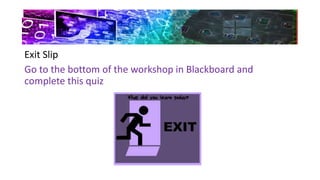
Exit Slip
Go to the bottom of the workshop in Blackboard and
complete this quiz
Workshop 8 email Neuman

Workshop 8 email Neuman

  • 1.
    COIC 101-O Introductionto Computers Prof. María Isabel Neuman Email-Outlook
  • 2.
    • Content Objectives Atthe end of this workshop students will be able to: 1. Use email in a professional environment 2. Understand and apply the rules of electronic communications when using email professionally 3. Identify the functions and resources in the email program Outlook 4. Access the different email resources the institution provides for the students
  • 3.
    • Language Objectives 1.Read and interpret technical texts related to the contents of this Workshop. 2. Write short essays to answer specific questions related to the contents of this Workshop. 3. Participate in oral class discussions held in English 4. Enhance your vocabulary with not less than ten technical terms related to the subject of this workshop.
  • 4.
    10 New Words 1.Email 2. Reply 3. Reply to all 4. Cc 5. BCc 6. Forward 7. Attachment 8. Inbox 9. Spam 10. Junk mail
  • 5.
    Class Practice 1 •Open your Outlook program • Write a professional email introducing yourself to a Human Resources personnel from a company you want to work for • Send a copy to a person that referred you to that company • Send a blind copy to your facilitator • Attach your resume • Create a signature for your professional emails
  • 6.
    Class Practice 2 •Go to Course Messages in Blackboard • Send a message to all your classmates and your facilitator with an attachment Class Practice 3 • Open your institutional Outlook • Send a message to your facilitator that cannot be forwarded to all your classmate's institutional email.
  • 7.
    Ok, so weare done for today In this workshop we 1. Used email in a professional environment 2. Understood and applied the rules of electronic communications when using email professionally 3. Identified the functions and resources in the email program Outlook 4. Accessed the different email resources the institution provides for the students
  • 8.
    Exit Slip Go tothe bottom of the workshop in Blackboard and complete this quiz