COMP 110-O Introduction to Computers and Software
Prof. María Isabel Neuman
SharePoint and the cloud
• Content Objectives
At the end of this workshop students will be able to:
1. Use Share Point from Microsoft Office Suite
2. Understand and apply these tools in a professional environment.
• Language Objectives
1. Read and interpret technical texts related to the contents of this
Workshop.
2. Write short essays to answer specific questions related to the
contents of this Workshop.
3. Participate in oral class discussions held in English
4. Enhance your vocabulary with not less than ten technical terms
related to the subject of this workshop.
10 New Words
1. MS Teams
2. MS SharePoint
3. Team Site
4. Communication Site
5. Distribution list
6. Calendar
7. Meetings
8. Collaboration App
9. @mentions
10. Web app
Class Practice 1
• Go to Office.com and access with your institutional credentials
• In SharePoint, create a Team Site
• Include all your classmates in the Team Site
• Include the facilitator in your Team Site
Class Practice 2
• Upload to your Team Site
1. The document of the History of Computers
2. Your Power Point Presentation
3. The link to your Wix.com site
Ok, so we are done for today
In this workshop we
1. Use Share Point from Microsoft Office Suite
2. Understand and apply these tools in a professional environment.
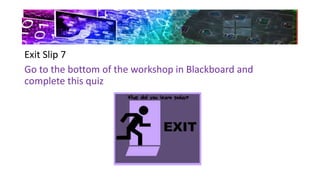
Exit Slip 7
Go to the bottom of the workshop in Blackboard and
complete this quiz
Workshop 7  share point and cloud Neuman

Workshop 7 share point and cloud Neuman

  • 1.
    COMP 110-O Introductionto Computers and Software Prof. María Isabel Neuman SharePoint and the cloud
  • 2.
    • Content Objectives Atthe end of this workshop students will be able to: 1. Use Share Point from Microsoft Office Suite 2. Understand and apply these tools in a professional environment.
  • 3.
    • Language Objectives 1.Read and interpret technical texts related to the contents of this Workshop. 2. Write short essays to answer specific questions related to the contents of this Workshop. 3. Participate in oral class discussions held in English 4. Enhance your vocabulary with not less than ten technical terms related to the subject of this workshop.
  • 4.
    10 New Words 1.MS Teams 2. MS SharePoint 3. Team Site 4. Communication Site 5. Distribution list 6. Calendar 7. Meetings 8. Collaboration App 9. @mentions 10. Web app
  • 5.
    Class Practice 1 •Go to Office.com and access with your institutional credentials • In SharePoint, create a Team Site • Include all your classmates in the Team Site • Include the facilitator in your Team Site
  • 6.
    Class Practice 2 •Upload to your Team Site 1. The document of the History of Computers 2. Your Power Point Presentation 3. The link to your Wix.com site
  • 7.
    Ok, so weare done for today In this workshop we 1. Use Share Point from Microsoft Office Suite 2. Understand and apply these tools in a professional environment.
  • 8.
    Exit Slip 7 Goto the bottom of the workshop in Blackboard and complete this quiz