Need for Speed
Gear up Your WordPress
Daniel Kanchev
@dvkanchev

Before we begin …
7+ Years of WordPress experience
5 Years with SiteGround
Love FOSS
Addicted to extreme sports
Why bother optimizing

Better user experience
Better rankings
Lower hosting expenses
Make a plan
… and follow it!

Benchmark loading times
Pinpoint performance issues
Prioritise problems
Start optimizing
Benchmark again
Benchmark and find issues

http://gtmetrix.com
http://tools.pingdom.com
Common problems
… completely unordered!
Too many posts on the homepage
Too many social widgets
Too many external fonts used
Large/unoptimized Images
Themes with too many unused features
Too much CSS/JS code
No static content compression
No caching
No CDN
Prioritise problems

Sort performance issues by their severity
Sort them by the time you need to fix them
Cross-reference the two lists
Page size
… matters!

Make a scroll map test ( crazyegg.com )
Reduce the number of posts per page
Progressive page loading (infinite scroll)
Social media widgets/plugins
… use them wisely!

Try not to use “Share on 100 social networks” services
Avoid using more than one social plugin
External fonts
… trust me, you don’t need 8 fonts on your site!

Include only fonts you use, on the pages you use them
Put fonts on your local server and include locally
Sacrifice the usage of a font for a better site performance
Images
… the right size and the right quality

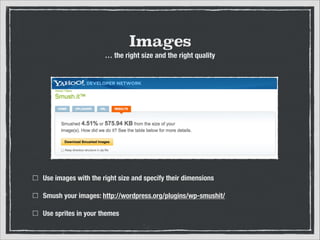
Use images with the right size and specify their dimensions
Smush your images: http://wordpress.org/plugins/wp-smushit/
Use sprites in your themes
Avoid bloated themes
… really, cut the fat!

Avoid themes that support every possible website idea
Don’t use all theme features on the same page
Make sure that the JavaScript and CSS is loaded only when needed
Minify your CSS and JS
… the smaller the size, the better!

Try using WP Minify: http://wordpress.org/plugins/wp-minify/
If you’re already using it, enable minify options in W3 Total Cache
Enable gZIP compression
… for HTML, CSS and JavaScript!

Use .htaccess rules instead of plugins:
http://kb.siteground.com/enable-gzip-via-htaccess/
Leverage browser caching
… whatever that means!

The .htaccess rules: 

http://kb.siteground.com/leverage-browser-caching/
Move your JS code to the
footer in WordPress

The functions.php code: 

http://www.fluxbytes.com/wordpress/move-javascriptfiles-to-footer-in-wordpress/
Remove WordPress transient
records from the database

DELETE FROM `wp_options` WHERE `option_name` LIKE ('_transient_%');
Use a CDN service
… but do it wisely!

Measure if your site is working faster
Even local business can take advantage by the CDN
Bonus: “Always Online ” service
Cache your content
… if you don’t cache your content that’s bad and you should feel bad!

Use object caching - Memcached, Redis
Use opcode caching - АPC, xCache
Use reverse proxies - Varnish, nGinx
WordPress Interaction with
Your Database

First request goes
to the database
server
Object Caching

First request goes to the
database server
Objects are also stored in
Memcached
Object Caching

All consecutive requests are
forwarded to the Memcached server
How PHP Works
Scanning
Lexing
Parsing
Compilation
Opcode

Execution
PHP Opcode Caching

!

Opcode

Execution
Reverse Proxy Servers
Some Key Takes

Speed Optimization is a process - do it regularly and you
will be rewarded!
Always test! Don’t test on a live site, use staging copies
instead. Backup!
Choose a well optimised host!
Resources:
http://tools.pingdom.com
http://loadimpact.com
http://gtmetrix.com
http://crazyegg.com
http://wordpress.org/plugins/wp-smushit/
http://kb.siteground.com/enable-gzip-via-htaccess/
http://checkgzipcompression.com
http://kb.siteground.com/leverage-browser-caching/
Thank you!
@dvkanchev / daniel.k@siteground.com
WordPress website optimization

WordPress website optimization