@samiKIP www.eatechspace.com #WordCampNairobi
WordPress Parent Themes &
Child Themes
#WordCampNairobi
@samiKIP www.eatechspace.com #WordCampNairobi
What to expect…
• What are Themes?
• What do they do?
• What makes a theme?
• Choosing a theme!
• Child themes!
• Do I need one?
• How can I get one?
@samiKIP www.eatechspace.com #WordCampNairobi
What is a WordPress Theme?
A WordPress theme defines the design and layout of your
website’s front-end, what a visitor sees when they visit your
site.
@samiKIP www.eatechspace.com #WordCampNairobi
What themes do?
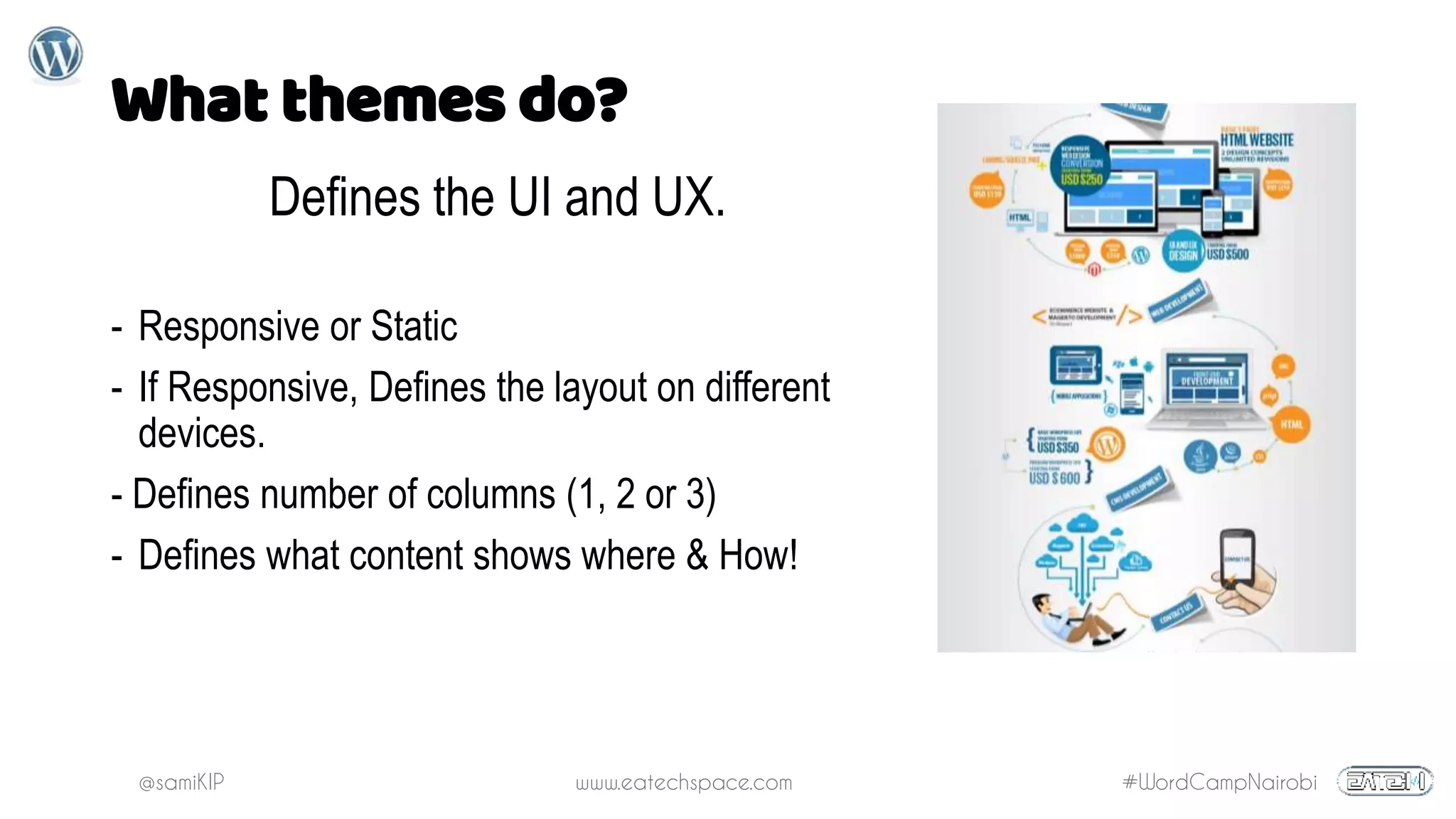
Defines the UI and UX.
- Responsive or Static
- If Responsive, Defines the layout on different
devices.
- Defines number of columns (1, 2 or 3)
- Defines what content shows where & How!
@samiKIP www.eatechspace.com #WordCampNairobi
What makes a theme?
REQUIRED
index.php – the
main template file
style.css – the main
style file
ADDITIONAL
Template files
Localization files
CSS files
Graphics
JavaScript
Text files
@samiKIP www.eatechspace.com #WordCampNairobi
Choosing a theme
UI/UX over functionality.
Why?
Add functionality using
plugins so that when you
change your theme, you
retain your website's
functionality.
@samiKIP www.eatechspace.com #WordCampNairobi
Child Themes
A child theme inherits the
functionality and styling of
another theme.
- Allows you to change small aspects of your site’s
appearance while preserving your theme’s look and
functionality.
- Your customizations are kept separate from the parent
theme’s files allowing you to upgrade the parent theme
without affecting the customizations you’ve made to
your site.
- Save on development time since you are not
reinventing the wheel
- Are a great way to start learning about theme
development
What?
When?
Why?
• "I wish my site could..."
• "I hate how this page/post is arranged"
• "I wish that section wasn't here"
• "I don't need this section"
@samiKIP www.eatechspace.com #WordCampNairobi
Creating a Child Theme
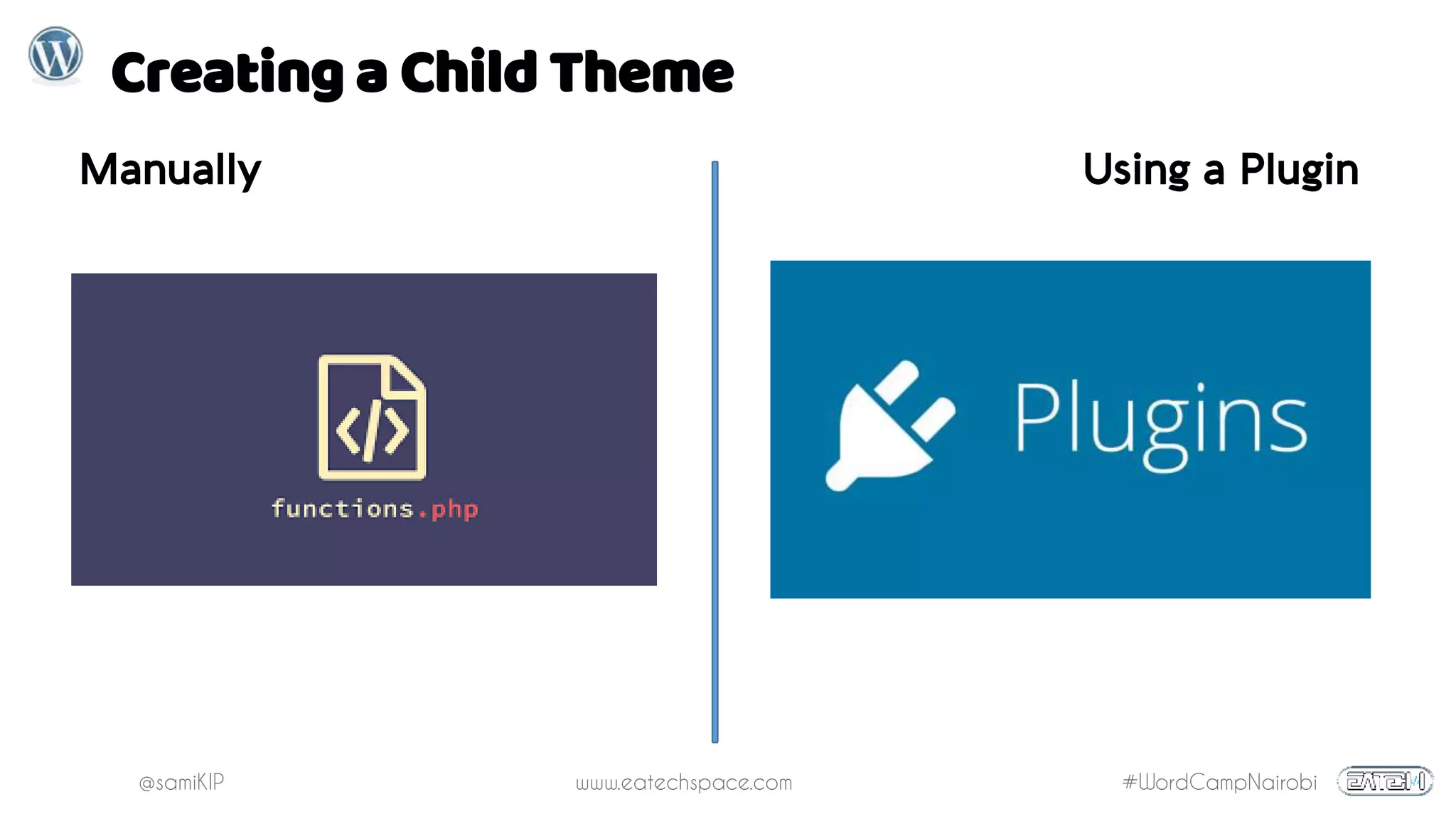
Manually Using a Plugin
@samiKIP www.eatechspace.com #WordCampNairobi
Creating a Child Theme Manually
1. Create a Folder
2. Name it parent theme's name
+ "- child" at the end
3. Create style.css and
functions.php
@samiKIP www.eatechspace.com #WordCampNairobi
Child Theme’s style.css
Required Info
Theme Name – needs to be unique to your theme
Template – the name of the parent theme directory.
@samiKIP www.eatechspace.com #WordCampNairobi
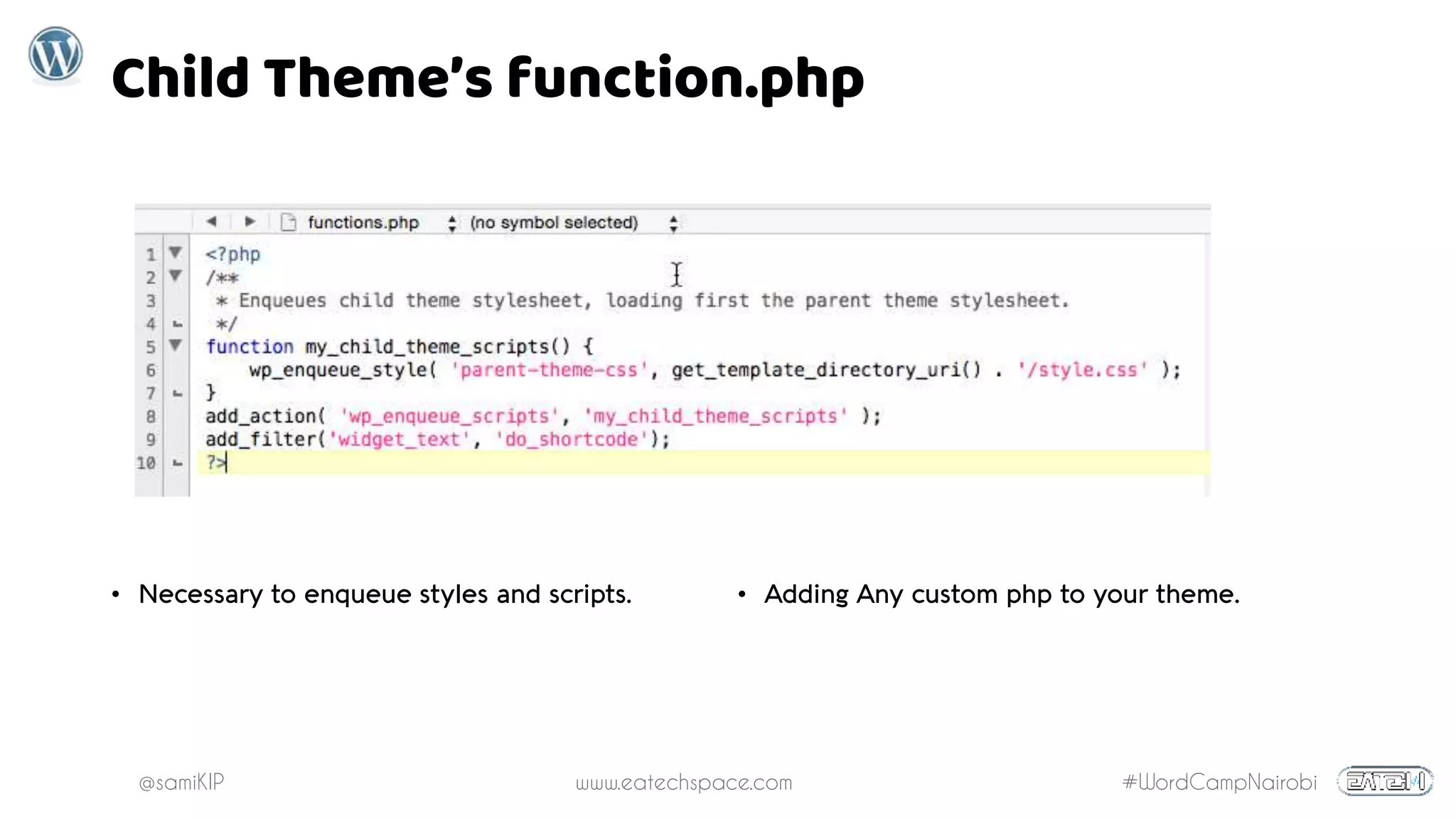
Child Theme’s function.php
• Necessary to enqueue styles and scripts. • Adding Any custom php to your theme.
@samiKIP www.eatechspace.com #WordCampNairobi
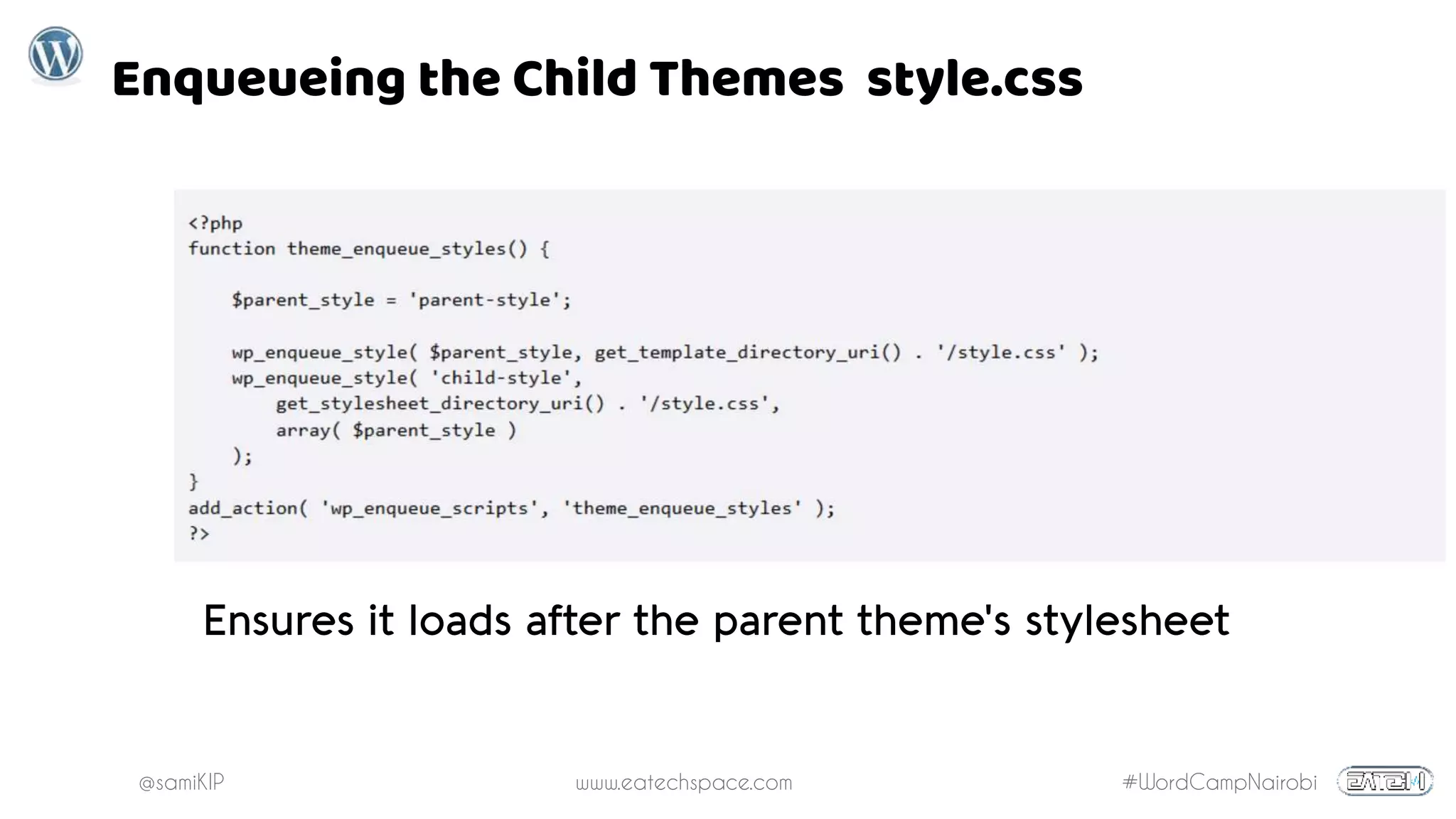
Enqueueing the Child Themes style.css
Ensures it loads after the parent theme's stylesheet
@samiKIP www.eatechspace.com #WordCampNairobi
Creating Child Theme Using a Plugin
Suggested plugin: Child Theme Configurator
Installation:
Go to “Plugins > Add New.”
Type “child theme” in the “Search” box and click
Locate “Child Theme Configurator”, click “Install Now"
then "Activate"
Navigate to Tools > Child Themes (multisite users go to
Network Admin > Themes > Child Themes).
@samiKIP www.eatechspace.com #WordCampNairobi
Creating Child Theme with Plugin
@samiKIP www.eatechspace.com #WordCampNairobi
Pros of Using a Plugin
• Automatically determines the correct way to set up a child
theme based on the theme you are using.
• Finds the exact style selectors your theme uses and change
properties quickly.
• Copy existing widgets, menus and Customizer options to
child theme
• Automatically enqueues stylesheets
@samiKIP www.eatechspace.com #WordCampNairobi
Installing & Activating a Child Theme
@samiKIP www.eatechspace.com #WordCampNairobi
Editing & Overriding
Parent Theme Templates
Copy the file from parent theme
folder and paste exactly in the
same location inside the child
theme.
Creating Custom
Template Files
Create the template file inside
the Child theme directory
@samiKIP www.eatechspace.com #WordCampNairobi
Key Pointers
• Parent Theme is Still Master
• - Any changes made on the Child Theme doesn't
affect the Parent Theme, but changes made on
Parent Theme will be visible on you website even
if child theme is active.
• Watch Out for Updates
• Overridden files won't update automatically. You'll
have to update them manually.
• Enqueue/Reference any new files/scripts
• WordPress won’t automatically load stylesheets,
scripts and other files for your child theme on the
front-end. To do that you'll have to reference the
location using the wordpress
get_stylesheet_directory and wp_enqueue
functions where you need them loaded.
• Child Copies Master
• A child theme inherits post formats as defined by
the parent theme.
• Do You Really Need a Child Theme?
• If the changes you are making will only affect the
CSS and you are not altering any html or php code
of the theme, it’s better to use just a custom CSS
plugin, that is if your theme doesn't have an option
to include Custom CSS.
• Why Not Just Create you own Theme?
• If you are making extensive customizations –
beyond styles and a few theme files – creating a
parent theme might be a better option than a child
theme. Creating a parent theme allows you to
avoid issues with deprecated code in the future.
This needs to be decided on a case-by-case basis.
@samiKIP www.eatechspace.com #WordCampNairobi
Thank You

WordPress and Child Themes

  • 1.
    @samiKIP www.eatechspace.com #WordCampNairobi WordPressParent Themes & Child Themes #WordCampNairobi
  • 2.
    @samiKIP www.eatechspace.com #WordCampNairobi Whatto expect… • What are Themes? • What do they do? • What makes a theme? • Choosing a theme! • Child themes! • Do I need one? • How can I get one?
  • 3.
    @samiKIP www.eatechspace.com #WordCampNairobi Whatis a WordPress Theme? A WordPress theme defines the design and layout of your website’s front-end, what a visitor sees when they visit your site.
  • 4.
    @samiKIP www.eatechspace.com #WordCampNairobi Whatthemes do? Defines the UI and UX. - Responsive or Static - If Responsive, Defines the layout on different devices. - Defines number of columns (1, 2 or 3) - Defines what content shows where & How!
  • 5.
    @samiKIP www.eatechspace.com #WordCampNairobi Whatmakes a theme? REQUIRED index.php – the main template file style.css – the main style file ADDITIONAL Template files Localization files CSS files Graphics JavaScript Text files
  • 6.
    @samiKIP www.eatechspace.com #WordCampNairobi Choosinga theme UI/UX over functionality. Why? Add functionality using plugins so that when you change your theme, you retain your website's functionality.
  • 7.
    @samiKIP www.eatechspace.com #WordCampNairobi ChildThemes A child theme inherits the functionality and styling of another theme. - Allows you to change small aspects of your site’s appearance while preserving your theme’s look and functionality. - Your customizations are kept separate from the parent theme’s files allowing you to upgrade the parent theme without affecting the customizations you’ve made to your site. - Save on development time since you are not reinventing the wheel - Are a great way to start learning about theme development What? When? Why? • "I wish my site could..." • "I hate how this page/post is arranged" • "I wish that section wasn't here" • "I don't need this section"
  • 8.
    @samiKIP www.eatechspace.com #WordCampNairobi Creatinga Child Theme Manually Using a Plugin
  • 9.
    @samiKIP www.eatechspace.com #WordCampNairobi Creatinga Child Theme Manually 1. Create a Folder 2. Name it parent theme's name + "- child" at the end 3. Create style.css and functions.php
  • 10.
    @samiKIP www.eatechspace.com #WordCampNairobi ChildTheme’s style.css Required Info Theme Name – needs to be unique to your theme Template – the name of the parent theme directory.
  • 11.
    @samiKIP www.eatechspace.com #WordCampNairobi ChildTheme’s function.php • Necessary to enqueue styles and scripts. • Adding Any custom php to your theme.
  • 12.
    @samiKIP www.eatechspace.com #WordCampNairobi Enqueueingthe Child Themes style.css Ensures it loads after the parent theme's stylesheet
  • 13.
    @samiKIP www.eatechspace.com #WordCampNairobi CreatingChild Theme Using a Plugin Suggested plugin: Child Theme Configurator Installation: Go to “Plugins > Add New.” Type “child theme” in the “Search” box and click Locate “Child Theme Configurator”, click “Install Now" then "Activate" Navigate to Tools > Child Themes (multisite users go to Network Admin > Themes > Child Themes).
  • 14.
  • 15.
    @samiKIP www.eatechspace.com #WordCampNairobi Prosof Using a Plugin • Automatically determines the correct way to set up a child theme based on the theme you are using. • Finds the exact style selectors your theme uses and change properties quickly. • Copy existing widgets, menus and Customizer options to child theme • Automatically enqueues stylesheets
  • 16.
  • 17.
    @samiKIP www.eatechspace.com #WordCampNairobi Editing& Overriding Parent Theme Templates Copy the file from parent theme folder and paste exactly in the same location inside the child theme. Creating Custom Template Files Create the template file inside the Child theme directory
  • 18.
    @samiKIP www.eatechspace.com #WordCampNairobi KeyPointers • Parent Theme is Still Master • - Any changes made on the Child Theme doesn't affect the Parent Theme, but changes made on Parent Theme will be visible on you website even if child theme is active. • Watch Out for Updates • Overridden files won't update automatically. You'll have to update them manually. • Enqueue/Reference any new files/scripts • WordPress won’t automatically load stylesheets, scripts and other files for your child theme on the front-end. To do that you'll have to reference the location using the wordpress get_stylesheet_directory and wp_enqueue functions where you need them loaded. • Child Copies Master • A child theme inherits post formats as defined by the parent theme. • Do You Really Need a Child Theme? • If the changes you are making will only affect the CSS and you are not altering any html or php code of the theme, it’s better to use just a custom CSS plugin, that is if your theme doesn't have an option to include Custom CSS. • Why Not Just Create you own Theme? • If you are making extensive customizations – beyond styles and a few theme files – creating a parent theme might be a better option than a child theme. Creating a parent theme allows you to avoid issues with deprecated code in the future. This needs to be decided on a case-by-case basis.
  • 19.