Developing WordPress
Professionally
a.k.a
I’ve made lots of mistakes so you don’t have to
Quick Intro
Austin Gil (@Stegosource)
Lead developer at Visceral
(www.thisisvisceral.com)
I build kick-ass web sites
and apps that make life
better for clients and users.
I also break things sometimes....
What you should already know:
â—Ź How to get online (Domains + Hosting)
â—Ź What is WordPress (.com vs. .org)
â—Ź Installing WordPress, themes, plugins
What we will cover:
â—Ź Order of things to learn
â—Ź Tools & resources to get started
â—Ź What to do WHEN things break
â—Ź How to continue growing
What we won’t cover:
â—Ź WP training (training.thisisvisceral.com)
â—Ź Detailed code examples
â—Ź Advanced tools & workflow
Let’s go!
Learn Basic Coding
The very basics:
â—Ź Learn HTML & CSS well
â—Ź Be familiar with PHP & Javascript
â—Ź Resources:
â—‹ w3schools.com
â—‹ freecodecamp.com
â—‹ codecademy.com
â—‹ codeschool.com
WordPress specific:
â—Ź WP Query & Loop
â—Ź Template hierarchy & tags
â—Ź Resources:
â—‹ WordPress Codex
â—‹ Default WordPress theme
â—‹ WordPress Template Tag Reference
Best practices:
● Start early (“Please” - future you)
â—Ź Comment all the things!!!
â—Ź Resources:
○ 10up’s Engineering Best Practices
â—‹ WordPress Core Contributor Handbook
â—Ź Backup early. Backup often
● Don’t edit the source
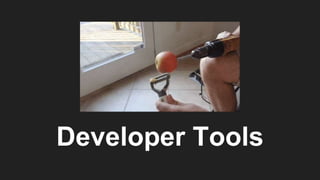
Developer Tools
Code editor:
â—Ź Syntax highlighting
â—Ź Customizeable
â—Ź Resources:
â—‹ Visual Studio Code
â—Ź Find what works for YOU
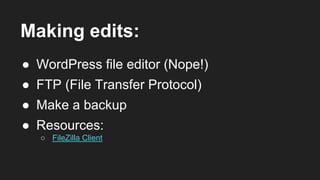
Making edits:
â—Ź WordPress file editor (Nope!)
â—Ź FTP (File Transfer Protocol)
â—Ź Resources:
â—‹ FileZilla Client
â—Ź Make a backup
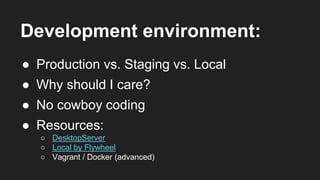
Development environment:
â—Ź Production vs. Staging vs. Local
â—Ź Why should I care?
â—Ź Resources:
â—‹ DesktopServer
â—‹ Local by Flywheel
â—‹ Vagrant / Docker (advanced)
â—Ź No cowboy coding
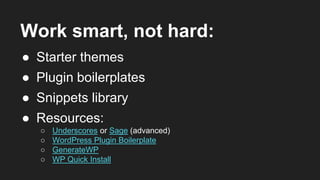
Work smart, not hard:
â—Ź Starter themes
â—Ź Plugin boilerplates
â—Ź Resources:
â—‹ Underscores or Sage (advanced)
â—‹ WordPress Plugin Boilerplate
â—‹ GenerateWP
â—‹ WP Quick Install
â—Ź Snippets library
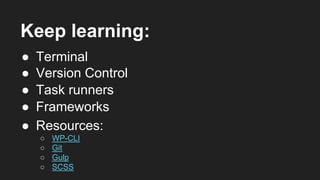
Keep learning:
â—Ź Version Control
â—Ź Task runners
â—Ź Resources:
â—‹ WP-CLI
â—‹ Git
â—‹ Gulp
â—‹ SCSS
â—Ź Frameworks
â—Ź Terminal
Dealing With Bugs
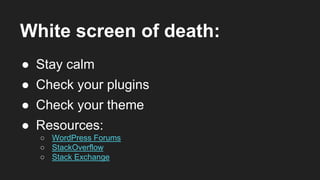
White screen of death:
â—Ź Stay calm
â—Ź Check your plugins
â—Ź Resources:
â—‹ WordPress Forums
â—‹ StackOverflow
â—‹ Stack Exchange
â—Ź Check your theme
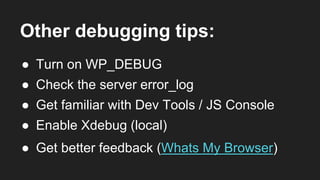
Other debugging tips:
â—Ź Turn on WP_DEBUG
â—Ź Check the server error_log
â—Ź Enable Xdebug (local)
â—Ź Get familiar with Dev Tools / JS Console
â—Ź Get better feedback (Whats My Browser)
Running A Business
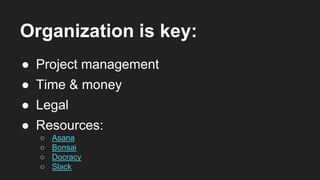
Organization is key:
â—Ź Project management
â—Ź Time & money
â—Ź Legal
â—Ź Resources:
â—‹ Asana
â—‹ Bonsai
â—‹ Docracy
â—‹ Slack
Give back:
â—Ź Discuss
â—Ź Participate
â—Ź Resources:
â—‹ WordPress Forums
â—‹ Facebook
â—‹ Meetup
â—Ź Contribute
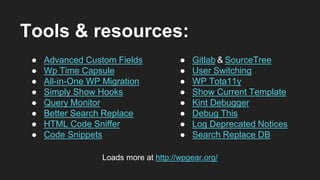
Tools & resources:
â—Ź Advanced Custom Fields
â—Ź Wp Time Capsule
â—Ź All-in-One WP Migration
â—Ź Simply Show Hooks
â—Ź Query Monitor
â—Ź Better Search Replace
â—Ź HTML Code Sniffer
â—Ź Code Snippets
â—Ź Gitlab & SourceTree
â—Ź User Switching
â—Ź WP Tota11y
â—Ź Show Current Template
â—Ź Kint Debugger
â—Ź Debug This
â—Ź Log Deprecated Notices
â—Ź Search Replace DB
Loads more at http://wpgear.org/

Developing word press professionally

  • 1.
    Developing WordPress Professionally a.k.a I’ve madelots of mistakes so you don’t have to
  • 2.
    Quick Intro Austin Gil(@Stegosource) Lead developer at Visceral (www.thisisvisceral.com) I build kick-ass web sites and apps that make life better for clients and users. I also break things sometimes....
  • 3.
    What you shouldalready know: â—Ź How to get online (Domains + Hosting) â—Ź What is WordPress (.com vs. .org) â—Ź Installing WordPress, themes, plugins
  • 4.
    What we willcover: â—Ź Order of things to learn â—Ź Tools & resources to get started â—Ź What to do WHEN things break â—Ź How to continue growing
  • 5.
    What we won’tcover: ● WP training (training.thisisvisceral.com) ● Detailed code examples ● Advanced tools & workflow
  • 6.
  • 7.
  • 8.
    The very basics: â—ŹLearn HTML & CSS well â—Ź Be familiar with PHP & Javascript â—Ź Resources: â—‹ w3schools.com â—‹ freecodecamp.com â—‹ codecademy.com â—‹ codeschool.com
  • 9.
    WordPress specific: â—Ź WPQuery & Loop â—Ź Template hierarchy & tags â—Ź Resources: â—‹ WordPress Codex â—‹ Default WordPress theme â—‹ WordPress Template Tag Reference
  • 10.
    Best practices: ● Startearly (“Please” - future you) ● Comment all the things!!! ● Resources: ○ 10up’s Engineering Best Practices ○ WordPress Core Contributor Handbook ● Backup early. Backup often ● Don’t edit the source
  • 11.
  • 12.
    Code editor: â—Ź Syntaxhighlighting â—Ź Customizeable â—Ź Resources: â—‹ Visual Studio Code â—Ź Find what works for YOU
  • 13.
    Making edits: â—Ź WordPressfile editor (Nope!) â—Ź FTP (File Transfer Protocol) â—Ź Resources: â—‹ FileZilla Client â—Ź Make a backup
  • 14.
    Development environment: â—Ź Productionvs. Staging vs. Local â—Ź Why should I care? â—Ź Resources: â—‹ DesktopServer â—‹ Local by Flywheel â—‹ Vagrant / Docker (advanced) â—Ź No cowboy coding
  • 15.
    Work smart, nothard: â—Ź Starter themes â—Ź Plugin boilerplates â—Ź Resources: â—‹ Underscores or Sage (advanced) â—‹ WordPress Plugin Boilerplate â—‹ GenerateWP â—‹ WP Quick Install â—Ź Snippets library
  • 16.
    Keep learning: â—Ź VersionControl â—Ź Task runners â—Ź Resources: â—‹ WP-CLI â—‹ Git â—‹ Gulp â—‹ SCSS â—Ź Frameworks â—Ź Terminal
  • 17.
  • 18.
    White screen ofdeath: â—Ź Stay calm â—Ź Check your plugins â—Ź Resources: â—‹ WordPress Forums â—‹ StackOverflow â—‹ Stack Exchange â—Ź Check your theme
  • 19.
    Other debugging tips: â—ŹTurn on WP_DEBUG â—Ź Check the server error_log â—Ź Enable Xdebug (local) â—Ź Get familiar with Dev Tools / JS Console â—Ź Get better feedback (Whats My Browser)
  • 20.
  • 21.
    Organization is key: â—ŹProject management â—Ź Time & money â—Ź Legal â—Ź Resources: â—‹ Asana â—‹ Bonsai â—‹ Docracy â—‹ Slack
  • 22.
    Give back: â—Ź Discuss â—ŹParticipate â—Ź Resources: â—‹ WordPress Forums â—‹ Facebook â—‹ Meetup â—Ź Contribute
  • 23.
    Tools & resources: â—ŹAdvanced Custom Fields â—Ź Wp Time Capsule â—Ź All-in-One WP Migration â—Ź Simply Show Hooks â—Ź Query Monitor â—Ź Better Search Replace â—Ź HTML Code Sniffer â—Ź Code Snippets â—Ź Gitlab & SourceTree â—Ź User Switching â—Ź WP Tota11y â—Ź Show Current Template â—Ź Kint Debugger â—Ź Debug This â—Ź Log Deprecated Notices â—Ź Search Replace DB Loads more at http://wpgear.org/