Introduction to
WordPress Plugins
If WordPress can’t do it,
it will be able to soon!
kristarella.com
Plug-what now?

• Plugins are addons for WordPress that
add features and functions to your
website

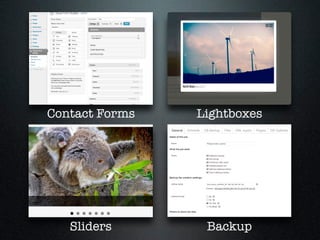
• For example...
Contact Forms

Lightboxes

Sliders

Backup
What are widgets?
• and how are they

different to plugins?

• The word widget

comes from “Window
Gadget”

• In WP Widgets are

extra sections of
content or navigation

• Often placed in the
sidebar or footer

• Some widgets are

plugins, but not all
plugins are widgets

• i.e., you can install

a plugin to provide
your website with
new types of
widgets

• plugins can do lots
of other things too
Pros & Cons of Plugins
✔
• Plugins keep

WordPress from
becoming bloated

• Provide flexibility &
extensibility

• Provide choice
• e.g., Mailchimp,

Aweber, Campaign
Monitor

• Open Source (GPL)

✘
• Too many might slow
your site down

• Might need to be
updated to stay
compatible

• May be dependent on
plugin developer for
updates
Exifography
• Enables import of

extra metadata from
photos

• Displays photo

metadata (EXIF) in
posts & pages

Available on WordPress.org

by kristarella
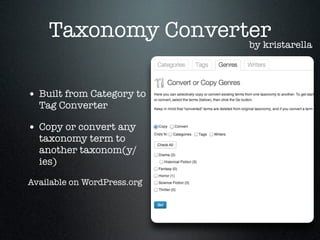
Taxonomy Converter
by kristarella
• Built from Category to
Tag Converter

• Copy or convert any

taxonomy term to
another taxonom(y/
ies)

Available on WordPress.org
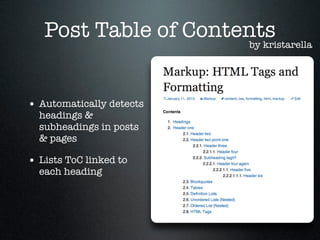
Post Table of Contents
by kristarella
• Automatically detects
headings &
subheadings in posts
& pages

• Lists ToC linked to
each heading
Recipe Markup
• Automatically detects
ingredients list &
directions in recipe
posts

• Creates needed

markup for rich
snippets in Google

by kristarella

Intro to WordPress Plugins

  • 1.
    Introduction to WordPress Plugins IfWordPress can’t do it, it will be able to soon! kristarella.com
  • 2.
    Plug-what now? • Pluginsare addons for WordPress that add features and functions to your website • For example...
  • 3.
  • 4.
    What are widgets? •and how are they different to plugins? • The word widget comes from “Window Gadget” • In WP Widgets are extra sections of content or navigation • Often placed in the sidebar or footer • Some widgets are plugins, but not all plugins are widgets • i.e., you can install a plugin to provide your website with new types of widgets • plugins can do lots of other things too
  • 5.
    Pros & Consof Plugins ✔ • Plugins keep WordPress from becoming bloated • Provide flexibility & extensibility • Provide choice • e.g., Mailchimp, Aweber, Campaign Monitor • Open Source (GPL) ✘ • Too many might slow your site down • Might need to be updated to stay compatible • May be dependent on plugin developer for updates
  • 6.
    Exifography • Enables importof extra metadata from photos • Displays photo metadata (EXIF) in posts & pages Available on WordPress.org by kristarella
  • 7.
    Taxonomy Converter by kristarella •Built from Category to Tag Converter • Copy or convert any taxonomy term to another taxonom(y/ ies) Available on WordPress.org
  • 8.
    Post Table ofContents by kristarella • Automatically detects headings & subheadings in posts & pages • Lists ToC linked to each heading
  • 9.
    Recipe Markup • Automaticallydetects ingredients list & directions in recipe posts • Creates needed markup for rich snippets in Google by kristarella