a presentation by
May 21, 2014
Amber Vasquez
@ambersiscoe
Wireframing Basics
- UX and the
Design Process
About Mightybytes
We solve problems by:
• UX research and strategy
• Responsive web design and
development
• Content strategy
• Digital marketing and SEO
• Motion graphics
• Product development
• Drupal, Wordpress,
Expression Engine
!
What you will learn today
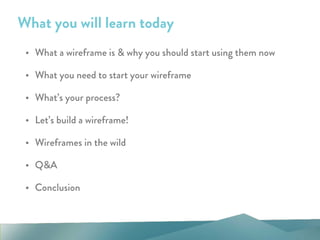
• What a wireframe is & why you should start using them now
• What you need to start your wireframe
• What’s your process?
• Let’s build a wireframe!
• Wireframes in the wild
• Q&A
• Conclusion
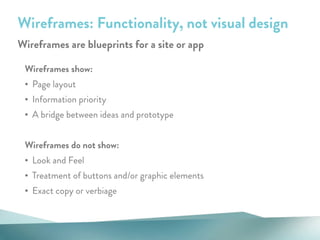
Wireframes show:
• Page layout
• Information priority
• A bridge between ideas and prototype
!
Wireframes do not show:
• Look and Feel
• Treatment of buttons and/or graphic elements
• Exact copy or verbiage
Wireframes: Functionality, not visual design
Wireframes are blueprints for a site or app
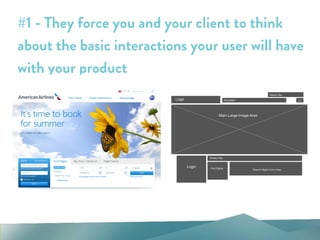
#1 - They force you and your client to think
about the basic interactions your user will have
with your product
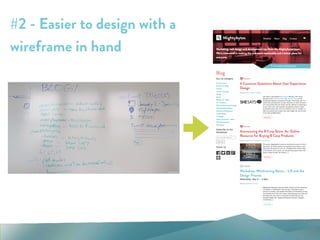
#2 - Easier to design with a
wireframe in hand
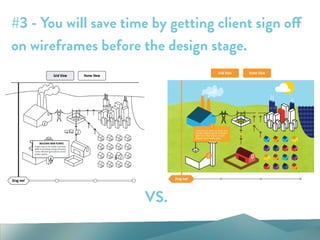
#3 - You will save time by getting client sign off
on wireframes before the design stage.
VS.
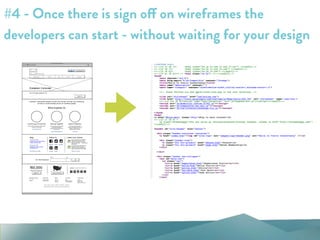
#4 - Once there is sign off on wireframes the
developers can start - without waiting for your design
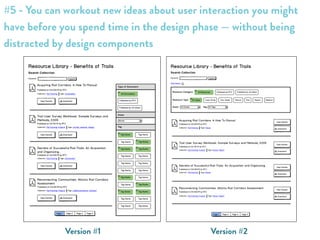
Version #2Version #1
#5 - You can workout new ideas about user interaction you might
have before you spend time in the design phase — without being
distracted by design components
An amazing analogy!
• Wireframes are the architectural blueprint of the house
• HTML/CSS are the bones of the house - the frame, the doors, the roof
• Backend Development (i.e. a Drupal install, Wordpress setup, ect.) is the
plumbing and heating - you don’t see it, but it’s an integral part of how the
house operates
• Visual Design is how you decorate the house - it’s curtains, carpet, paint or
wallpaper & furniture
Think of your website or app like a house:
a presentation by
Your first wireframe
- Let’s get started!
What kind of wireframe do YOU need?
• What is the budget?
• What is the timeframe?
• What do you need to get sign off to move forward in the process with
your client?
Some questions to ask before you begin:
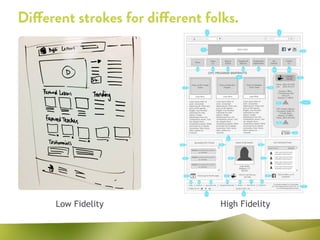
Different strokes for different folks.
Low Fidelity High Fidelity
What program should you use?
• Paper sketches
• Illustrator
• Photoshop
• Keynote or Powerpoint
• InDesign
• Fireworks
• Balsamiq
• Omnigraffle
Pick your poison:
Pattern libraries recommend solutions to common
design problems so you don’t have to burn your time
re-inventing the wheel.
!
Some of my favorites include:
• Welie.com
• Patterny.com
• Patterntap.com
• Pttrns.com
Juicy Tidbit!
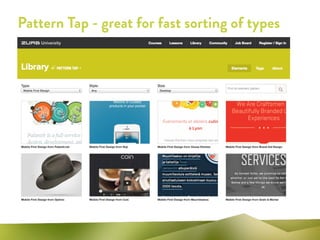
Pattern Tap - great for fast sorting of types
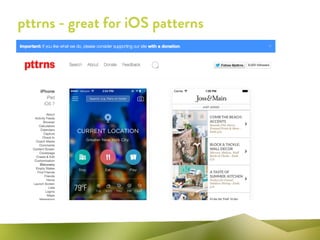
pttrns - great for iOS patterns
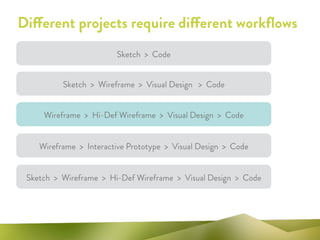
Different projects require different workflows
Sketch > Wireframe > Visual Design > Code
Sketch > Wireframe > Hi-Def Wireframe > Visual Design > Code
Wireframe > Hi-Def Wireframe > Visual Design > Code
Sketch > Code
Wireframe > Interactive Prototype > Visual Design > Code
a presentation by
Let’s build a
wireframe!
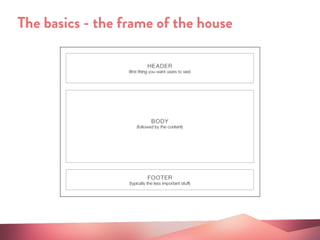
The basics - the frame of the house
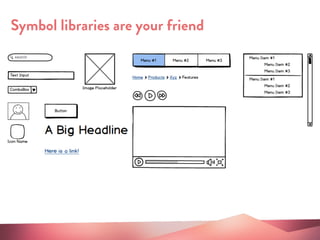
Symbol libraries are your friend
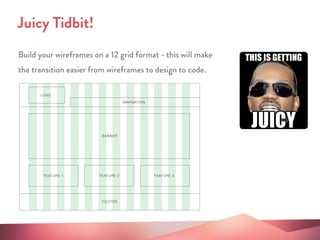
Build your wireframes on a 12 grid format - this will make
the transition easier from wireframes to design to code.
Juicy Tidbit!
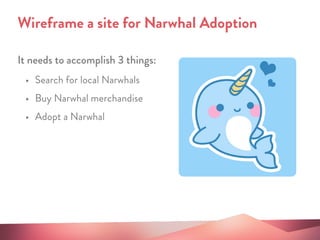
It needs to accomplish 3 things:
Wireframe a site for Narwhal Adoption
• Search for local Narwhals
• Buy Narwhal merchandise
• Adopt a Narwhal
a presentation by
Wireframing in
the Wild
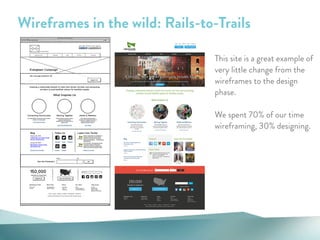
Wireframes in the wild: Rails-to-Trails
This site is a great example of
very little change from the
wireframes to the design
phase.
!
We spent 70% of our time
wireframing, 30% designing.
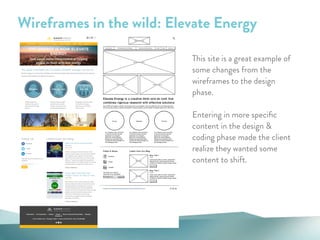
Wireframes in the wild: Elevate Energy
This site is a great example of
some changes from the
wireframes to the design
phase.
!
Entering in more specific
content in the design &
coding phase made the client
realize they wanted some
content to shift.
a presentation by
Q&A
a presentation by
May 21, 2014
Amber Vasquez
@ambersiscoe
&
Thank you!
linkedin.com/in/ambersiscoe

Wireframing Basics - UX and the Design Process by Amber Vasquez

  • 1.
    a presentation by May21, 2014 Amber Vasquez @ambersiscoe Wireframing Basics - UX and the Design Process
  • 2.
    About Mightybytes We solveproblems by: • UX research and strategy • Responsive web design and development • Content strategy • Digital marketing and SEO • Motion graphics • Product development • Drupal, Wordpress, Expression Engine !
  • 4.
    What you willlearn today • What a wireframe is & why you should start using them now • What you need to start your wireframe • What’s your process? • Let’s build a wireframe! • Wireframes in the wild • Q&A • Conclusion
  • 5.
    Wireframes show: • Pagelayout • Information priority • A bridge between ideas and prototype ! Wireframes do not show: • Look and Feel • Treatment of buttons and/or graphic elements • Exact copy or verbiage Wireframes: Functionality, not visual design Wireframes are blueprints for a site or app
  • 6.
    #1 - Theyforce you and your client to think about the basic interactions your user will have with your product
  • 7.
    #2 - Easierto design with a wireframe in hand
  • 8.
    #3 - Youwill save time by getting client sign off on wireframes before the design stage. VS.
  • 9.
    #4 - Oncethere is sign off on wireframes the developers can start - without waiting for your design
  • 10.
    Version #2Version #1 #5- You can workout new ideas about user interaction you might have before you spend time in the design phase — without being distracted by design components
  • 11.
    An amazing analogy! •Wireframes are the architectural blueprint of the house • HTML/CSS are the bones of the house - the frame, the doors, the roof • Backend Development (i.e. a Drupal install, Wordpress setup, ect.) is the plumbing and heating - you don’t see it, but it’s an integral part of how the house operates • Visual Design is how you decorate the house - it’s curtains, carpet, paint or wallpaper & furniture Think of your website or app like a house:
  • 12.
    a presentation by Yourfirst wireframe - Let’s get started!
  • 13.
    What kind ofwireframe do YOU need? • What is the budget? • What is the timeframe? • What do you need to get sign off to move forward in the process with your client? Some questions to ask before you begin:
  • 14.
    Different strokes fordifferent folks. Low Fidelity High Fidelity
  • 15.
    What program shouldyou use? • Paper sketches • Illustrator • Photoshop • Keynote or Powerpoint • InDesign • Fireworks • Balsamiq • Omnigraffle Pick your poison:
  • 16.
    Pattern libraries recommendsolutions to common design problems so you don’t have to burn your time re-inventing the wheel. ! Some of my favorites include: • Welie.com • Patterny.com • Patterntap.com • Pttrns.com Juicy Tidbit!
  • 17.
    Pattern Tap -great for fast sorting of types
  • 18.
    pttrns - greatfor iOS patterns
  • 19.
    Different projects requiredifferent workflows Sketch > Wireframe > Visual Design > Code Sketch > Wireframe > Hi-Def Wireframe > Visual Design > Code Wireframe > Hi-Def Wireframe > Visual Design > Code Sketch > Code Wireframe > Interactive Prototype > Visual Design > Code
  • 20.
    a presentation by Let’sbuild a wireframe!
  • 21.
    The basics -the frame of the house
  • 22.
  • 23.
    Build your wireframeson a 12 grid format - this will make the transition easier from wireframes to design to code. Juicy Tidbit!
  • 24.
    It needs toaccomplish 3 things: Wireframe a site for Narwhal Adoption • Search for local Narwhals • Buy Narwhal merchandise • Adopt a Narwhal
  • 25.
  • 26.
    Wireframes in thewild: Rails-to-Trails This site is a great example of very little change from the wireframes to the design phase. ! We spent 70% of our time wireframing, 30% designing.
  • 27.
    Wireframes in thewild: Elevate Energy This site is a great example of some changes from the wireframes to the design phase. ! Entering in more specific content in the design & coding phase made the client realize they wanted some content to shift.
  • 28.
  • 29.
    a presentation by May21, 2014 Amber Vasquez @ambersiscoe & Thank you! linkedin.com/in/ambersiscoe