Figma:Introduction
Facilitators:
Tanuj Karteek Allena
Yashwanth A Doddegowda
Become aGDSCMEMBER
RSVPFORtheevent
— ANONYMOUS
“UI without UX is like beauty
without Brains.”
About:
Figma is a cloud-based design and prototyping tool that allows you to
create wireframes as well as high-fidelity mockups and interactive
prototypes.
To get started with wireframing in Figma, you'll need to sign up for a
Figma account and create a new file. From there, you can begin designing
your wireframes using Figma's interface and tools.
One of the key features of Figma for wireframing is its extensive library of
UI elements and templates that you can use to create your wireframes.
These elements include buttons, input fields, navigation bars, and other
common UI elements that you can use to build out your wireframe.
Figma also provides a range of design and layout tools that you can use
to create clean and organized wireframes. These tools include alignment
guides, grids, and layout options that allow you to easily position and size
your UI elements.
In addition to creating wireframes, Figma also offers a range of
prototyping tools that allow you to create interactive prototypes
of your wireframes. This can be useful for testing and
demonstrating your wireframes to stakeholders or users.
Overall, Figma is a powerful tool for creating wireframes and
prototypes, and it's widely used by designers and product teams
in a variety of industries.
POLL
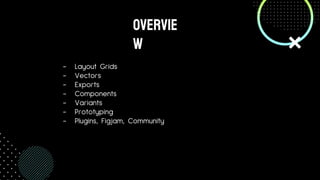
- Layout Grids
- Vectors
- Exports
- Components
- Variants
- Prototyping
- Plugins, Figjam, Community
OVervie
w
Linkforassetsfileforthissession
Layoutgrids
Things must know where they should be
01
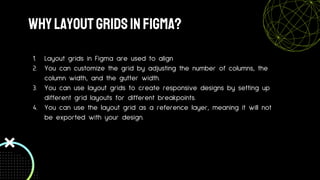
WhylayoutgridsinFigma?
1. Layout grids in Figma are used to align
2. You can customize the grid by adjusting the number of columns, the
column width, and the gutter width.
3. You can use layout grids to create responsive designs by setting up
different grid layouts for different breakpoints.
4. You can use the layout grid as a reference layer, meaning it will not
be exported with your design.
Vectors
Quality Shouldn’t decrease ryt?
02
WhatarevectorsinFigma?
1. Vectors in Figma are lines, shapes, and paths that are defined by
mathematical equations rather than pixels. This means that they can
be scaled to any size without losing quality.
2. In Figma, you can create vector shapes using the Vector tools in the
toolbar, such as the Pen tool, Line tool, and Rectangle tool.
3. You can apply fills and strokes to vector shapes to customize their
appearance.
4. You can combine vector shapes using Boolean operations, such as
union, difference, and intersection.
5. Vectors are resolution-independent, meaning they can be used in
designs for high-resolution screens or for print without losing quality.
EXports
Ooh yes, we can have them!!
03
So,Whatarethey?
1. In Figma, you can export designs as image files (such as PNG, JPEG,
or SVG), PDFs, or design specs.
2. You can export a design by going to the File menu and selecting
"Export" or by right-clicking on the design in the Layers panel and
selecting "Export."
3. You can choose to export the entire design, or you can select
specific layers or artboards to export.
4. You can also create export presets to quickly export designs with
the same settings.
CoMPONENTS
They are everywhere
04
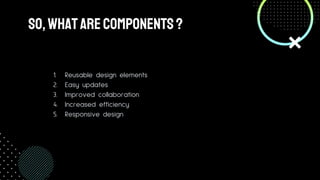
SO,WHatareCOmPONENTS?
1. Reusable design elements
2. Easy updates
3. Improved collaboration
4. Increased efficiency
5. Responsive design
Variants
There is always another variant of it
05
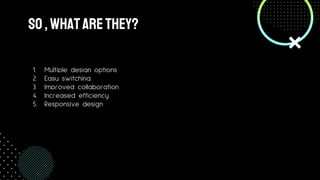
So,Whatarethey?
1. Multiple design options
2. Easy switching
3. Improved collaboration
4. Increased efficiency
5. Responsive design
Prototyping
The FUN part ??
06
ANiMATIONINFIGMA
- Now that you told your team how the
project design will look like , what do
you do about animations?
- Transitions?
- Button clicks?
- No worries ,cause prototypes are here
to save the day!!
PLUGINS,FIGJAM, Community
Tools to make your life easier
07
PLUGINS
- Additional extensions to figma that ease the
process of making designs
- Just like how extensions work in Chrome or
VScode
- Probably the first thing you do when you start
out with figma :)
WhatPLUGINSDOIuSE?
- Iconify
- Font Awesome Icons
- Detach Component
- Unsplash
- Pattern Hero
- Blush
- Wireframe
FIGJAM
- Project Visualisation Tool
- Flowchart Maker
- For some legends, note taker
COmmunity
- PROBABLY ONE OF THE MOST IMPORTANT FEATURES OF
FIGMA
- Community is a place where you can share design files
to every designer out there
- Yes, that means you get to see the design files of the
top brass of the world
- And the best part , you can copy them and make
changes with them all you want
- This will give you many insights on all the design
principles and the best practices to be followed
OTHERHELPFULPLATFORMS
- Obsidian
- Probably one of the best Note taking platforms out
there
- Highly Customizable
- Notion
- Project Tracking Platform
- Excalidraw
- Best platform to make flowcharts and drawings for
your project
WRAP
UP
So, whatisthe takeawayfrom this?
- Most of the people new to the industry think that product
designers are doing limited work and get paid more that they are
worth thinking they are not skilled enough
- But that’s as false as it can get
- Every click and scroll you make on your social media is mostly
dependent on the design of the application
- Designing is made to assess the ever decreasing attention span of
humans
MIsconception
WeeklongChallenge
Recreate the LMS page of our college
OR
Recreate the College Official Landing
Page
JOINWInterhackswhatsappgroup
thanks
Do you have any questions?
ya64597@gmail.com
8073944404
tanujkarteekallena@gmail.com
9023981048

Introduction to UI/UX with Figma

  • 1.
  • 2.
  • 3.
  • 4.
    — ANONYMOUS “UI withoutUX is like beauty without Brains.”
  • 5.
    About: Figma is acloud-based design and prototyping tool that allows you to create wireframes as well as high-fidelity mockups and interactive prototypes. To get started with wireframing in Figma, you'll need to sign up for a Figma account and create a new file. From there, you can begin designing your wireframes using Figma's interface and tools. One of the key features of Figma for wireframing is its extensive library of UI elements and templates that you can use to create your wireframes. These elements include buttons, input fields, navigation bars, and other common UI elements that you can use to build out your wireframe. Figma also provides a range of design and layout tools that you can use to create clean and organized wireframes. These tools include alignment guides, grids, and layout options that allow you to easily position and size your UI elements.
  • 6.
    In addition tocreating wireframes, Figma also offers a range of prototyping tools that allow you to create interactive prototypes of your wireframes. This can be useful for testing and demonstrating your wireframes to stakeholders or users. Overall, Figma is a powerful tool for creating wireframes and prototypes, and it's widely used by designers and product teams in a variety of industries.
  • 7.
  • 8.
    - Layout Grids -Vectors - Exports - Components - Variants - Prototyping - Plugins, Figjam, Community OVervie w
  • 9.
  • 10.
    Layoutgrids Things must knowwhere they should be 01
  • 11.
    WhylayoutgridsinFigma? 1. Layout gridsin Figma are used to align 2. You can customize the grid by adjusting the number of columns, the column width, and the gutter width. 3. You can use layout grids to create responsive designs by setting up different grid layouts for different breakpoints. 4. You can use the layout grid as a reference layer, meaning it will not be exported with your design.
  • 12.
  • 13.
    WhatarevectorsinFigma? 1. Vectors inFigma are lines, shapes, and paths that are defined by mathematical equations rather than pixels. This means that they can be scaled to any size without losing quality. 2. In Figma, you can create vector shapes using the Vector tools in the toolbar, such as the Pen tool, Line tool, and Rectangle tool. 3. You can apply fills and strokes to vector shapes to customize their appearance. 4. You can combine vector shapes using Boolean operations, such as union, difference, and intersection. 5. Vectors are resolution-independent, meaning they can be used in designs for high-resolution screens or for print without losing quality.
  • 14.
    EXports Ooh yes, wecan have them!! 03
  • 15.
    So,Whatarethey? 1. In Figma,you can export designs as image files (such as PNG, JPEG, or SVG), PDFs, or design specs. 2. You can export a design by going to the File menu and selecting "Export" or by right-clicking on the design in the Layers panel and selecting "Export." 3. You can choose to export the entire design, or you can select specific layers or artboards to export. 4. You can also create export presets to quickly export designs with the same settings.
  • 16.
  • 17.
    SO,WHatareCOmPONENTS? 1. Reusable designelements 2. Easy updates 3. Improved collaboration 4. Increased efficiency 5. Responsive design
  • 18.
    Variants There is alwaysanother variant of it 05
  • 19.
    So,Whatarethey? 1. Multiple designoptions 2. Easy switching 3. Improved collaboration 4. Increased efficiency 5. Responsive design
  • 20.
  • 21.
    ANiMATIONINFIGMA - Now thatyou told your team how the project design will look like , what do you do about animations? - Transitions? - Button clicks? - No worries ,cause prototypes are here to save the day!!
  • 22.
    PLUGINS,FIGJAM, Community Tools tomake your life easier 07
  • 23.
    PLUGINS - Additional extensionsto figma that ease the process of making designs - Just like how extensions work in Chrome or VScode - Probably the first thing you do when you start out with figma :)
  • 24.
    WhatPLUGINSDOIuSE? - Iconify - FontAwesome Icons - Detach Component - Unsplash - Pattern Hero - Blush - Wireframe
  • 25.
    FIGJAM - Project VisualisationTool - Flowchart Maker - For some legends, note taker
  • 26.
    COmmunity - PROBABLY ONEOF THE MOST IMPORTANT FEATURES OF FIGMA - Community is a place where you can share design files to every designer out there - Yes, that means you get to see the design files of the top brass of the world - And the best part , you can copy them and make changes with them all you want - This will give you many insights on all the design principles and the best practices to be followed
  • 27.
    OTHERHELPFULPLATFORMS - Obsidian - Probablyone of the best Note taking platforms out there - Highly Customizable - Notion - Project Tracking Platform - Excalidraw - Best platform to make flowcharts and drawings for your project
  • 28.
  • 29.
  • 30.
    - Most ofthe people new to the industry think that product designers are doing limited work and get paid more that they are worth thinking they are not skilled enough - But that’s as false as it can get - Every click and scroll you make on your social media is mostly dependent on the design of the application - Designing is made to assess the ever decreasing attention span of humans MIsconception
  • 31.
    WeeklongChallenge Recreate the LMSpage of our college OR Recreate the College Official Landing Page
  • 32.
  • 33.
    thanks Do you haveany questions? ya64597@gmail.com 8073944404 tanujkarteekallena@gmail.com 9023981048